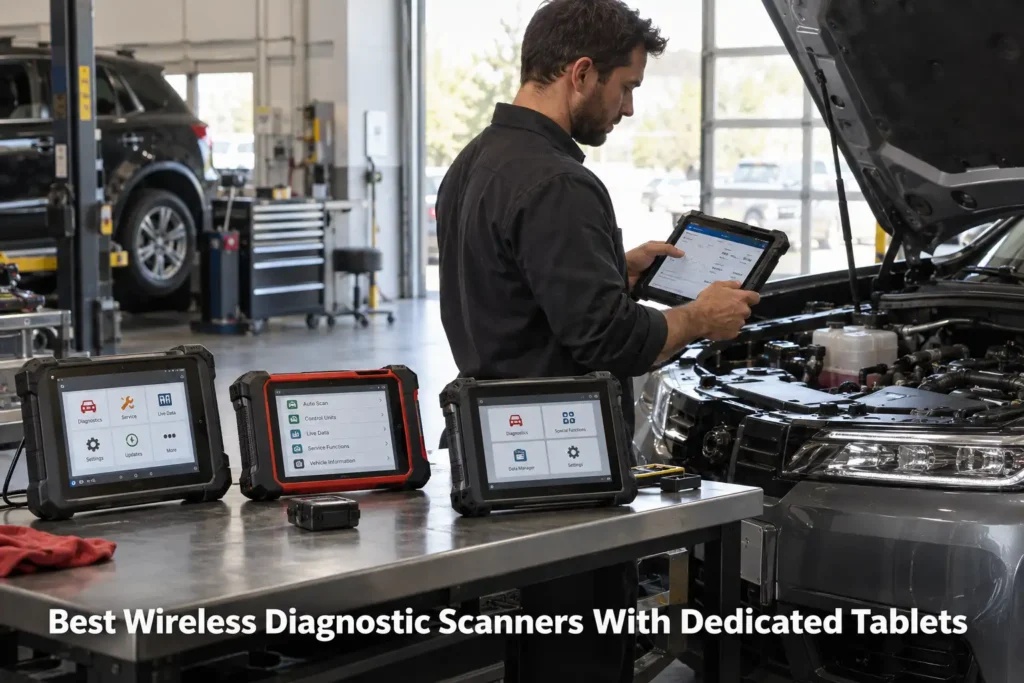
9 Best Wireless Diagnostic Scanners With Dedicated Tablets in 2026
A wireless diagnostic scanner with a dedicated tablet solves a different problem from a Bluetooth OBD2 dongle.
The phone-based adapter is compact and inexpensive, but it makes your personal phone part of the diagnostic system. A dedicated wireless tablet gives the scanner its own screen, software environment, battery and vehicle communication interface. That can make long diagnostic sessions, live-data viewing, active tests and moving around the vehicle substantially easier.
For this guide, Scan Choice Guide focused specifically on scanners that combine: a dedicated tablet or tablet-style display, wireless communication with the vehicle through a VCI/dongle, meaningful diagnostic depth beyond a basic engine code reader, and current U.S. market relevance.
We evaluated full-system coverage, bidirectional capability, wireless architecture, modern protocol support, service functions, hardware, update policy, current market presence and buyer fit.
We did not rank products simply because they advertise Bluetooth or Wi-Fi. A wireless connection is a workflow feature. It does not prove diagnostic depth.
Our recommendations are based on current manufacturer documentation, current 2026 market research and SCG comparative analysis. The results we present come from our own research into manufacturer documentation, Amazon listings, and compatibility data.
Our Top Picks for Wireless Diagnostic Tablets
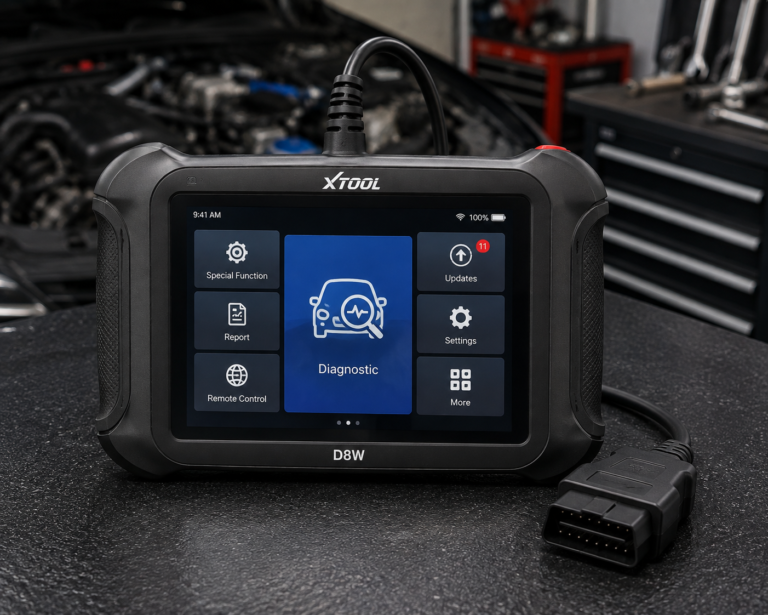
XTOOL D8W
- Dedicated 8-inch tablet
- Wi-Fi vehicle communication
- Full-system diagnostics
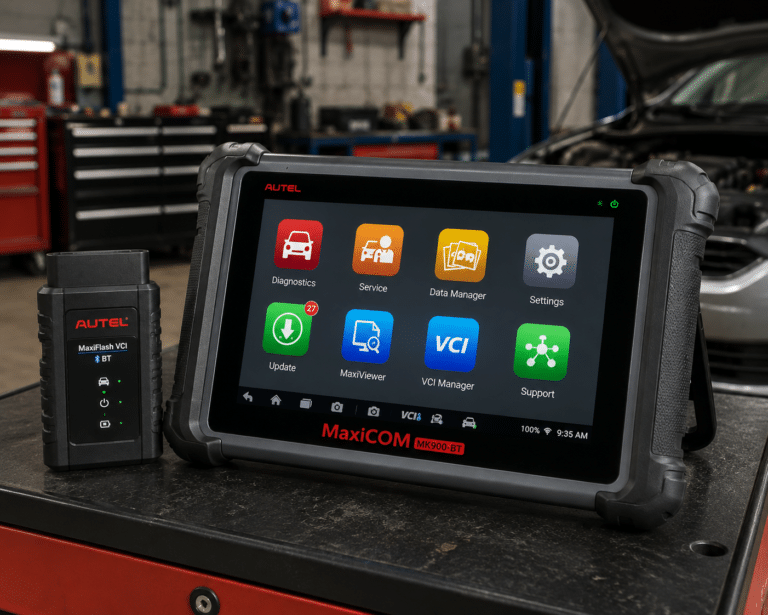
Autel MaxiCOM MK900-BT
- Dedicated 8-inch tablet
- MaxiVCI V150 wireless connection
- All-system diagnostics
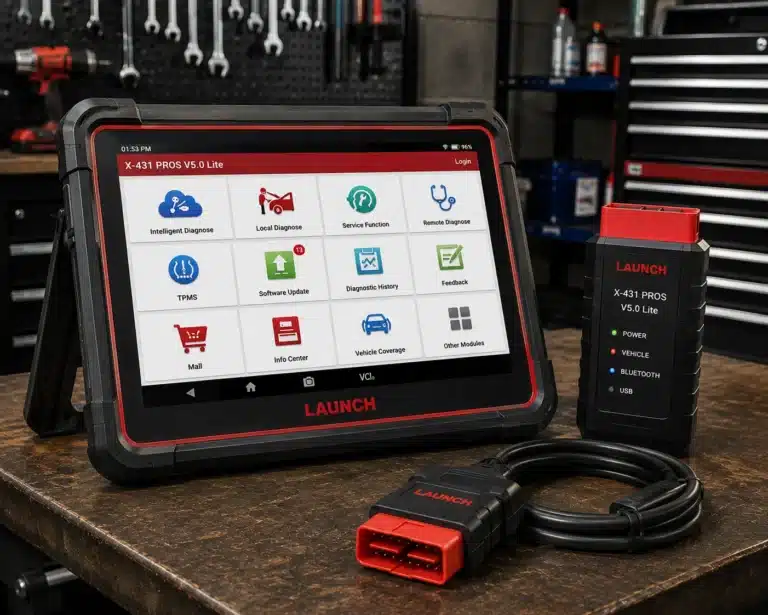
LAUNCH X431 PROS V5.0
- Dedicated X-431 tablet workflow
- Wireless vehicle interface class
- Strong LAUNCH ecosystem
Affiliate Disclosure: Scan Choice Guide is a participant in the Amazon Services LLC Associates Program, an affiliate advertising program designed to provide a means for sites to earn advertising fees by advertising and linking to Amazon.com.
The 9 Best Wireless Diagnostic Tablets
1. Autel MaxiCOM MK900-BT: Best Overall
Why We Picked It
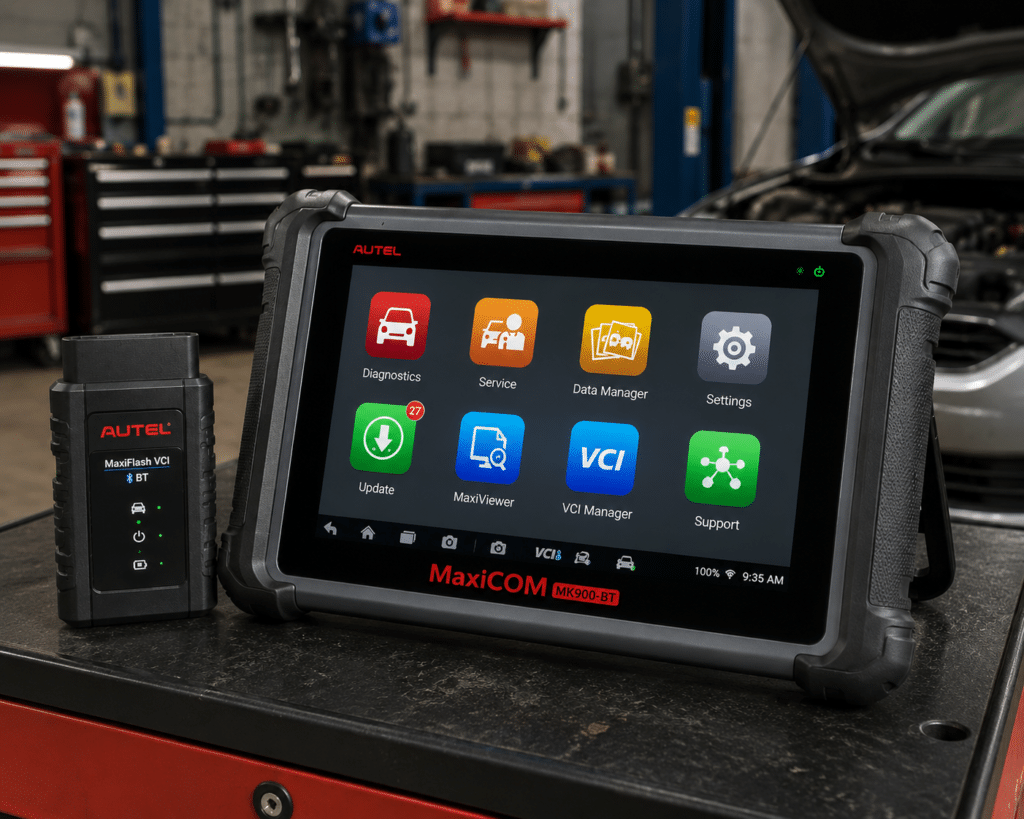
The MK900-BT is one of the clearest examples of what this category should be.
Autel officially describes it as an all-systems diagnostic and service tablet. It uses an 8-inch touchscreen and the MaxiVCI V150 for wireless vehicle communication.
Autel also documents exceptional OE-level system coverage across available electronic systems and current support for CAN FD and DoIP.
The wireless VCI matters in practical work.
Instead of keeping the tablet physically tethered to the OBD connector, the user can move around the vehicle while viewing data or performing supported active tests.
That is useful when checking components under the hood, observing a system from outside the driver’s seat or working through a diagnostic procedure.
Where It Falls Short
The MK900-BT is more scanner than a casual owner needs.
Wireless operation does not make its advanced functions universal. Active tests, service functions and module access still depend on the vehicle.
| Specification | Details |
|---|---|
| Display | 8-inch LCD capacitive touchscreen, 1280×800 |
| OS / Processor | Android 11, quad-core (1.8GHz) |
| Memory | 4GB RAM, 64GB storage |
| Connectivity | Wi-Fi and Bluetooth via MaxiVCI V150; USB Type-C |
| Battery | 3.7V/7700mAh |
| Protocol support | CAN-FD and DoIP confirmed |
| Bidirectional control | Confirmed (injector, headlamp, fuel pump, A/C clutch, oil pressure, vehicle-level, brake vacuum, valve tests) |
| ECU coding | Not listed on this model’s own page |
| Service functions | 40+ (oil reset, EPB, SAS, battery registration, throttle relearn, ABS bleed) |
| Pros | Cons |
|---|---|
| Dedicated 8-inch tablet | Amazon lists 3,000+ active tests; Autel’s own page does not state a figure |
| MaxiVCI V150 wireless connection | |
| All-system diagnostics | |
| OE-level system coverage | |
| Supported active tests | |
| CAN FD | |
| DoIP | |
| Broad U.S./Asian/European vehicle coverage | |
| Mature Autel ecosystem |
Best For
Advanced DIY users, mobile technicians and small shops wanting a balanced wireless diagnostic platform.
SCG Verdict
MK900-BT is our overall choice because its wireless architecture is integrated into a genuinely broad diagnostic platform rather than being the product’s only selling point. Our full Autel MaxiCOM MK900-BT review covers the broader platform behind its wireless design.
2. XTOOL D8W: Best Wi-Fi Wireless Platform
Why We Picked It
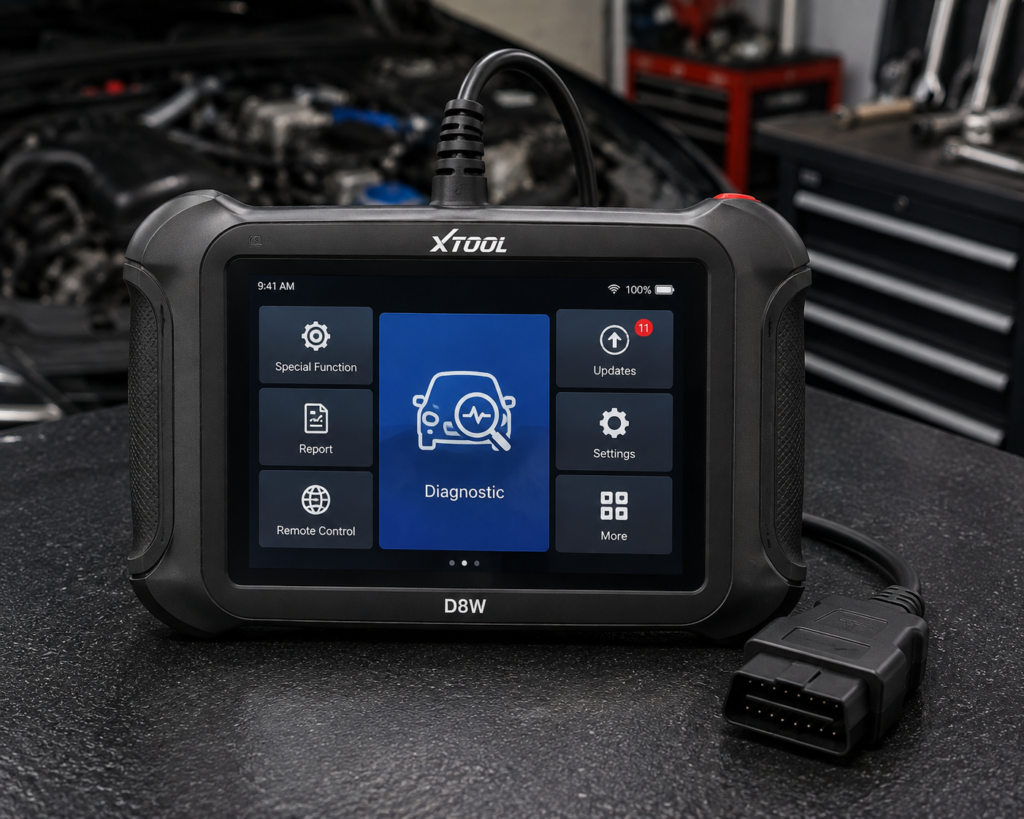
The D8W deserves a separate award because its wireless architecture is different from the Bluetooth-heavy market.
XTOOL officially specifies an 8-inch dedicated tablet and a V113 wireless Wi-Fi vehicle communication interface.
The current manufacturer page describes OE-level all-system diagnostics across engine, transmission, ABS, SRS, TPMS, BCM, HVAC and other supported systems.
It also includes topology module mapping.
XTOOL states that the built-in Wi-Fi communication provides a range up to 66 feet and supports DoIP applications.
For a user who moves around a workshop or vehicle during diagnosis, that is a meaningful workflow distinction.
Where It Falls Short
Do not buy the D8W merely because Wi-Fi sounds more advanced than Bluetooth.
The real reasons to choose it are the combination of wireless workflow, full-system diagnosis, topology and advanced diagnostic functions.
Its capability also creates a higher learning curve.
| Specification | Details |
|---|---|
| Display | 8″ touchscreen, 1024×768 |
| Operating System | Android 10 |
| Processor | Quad-core 1.5GHz |
| RAM / Storage | 4GB / 64GB per XTOOL’s primary technical page (2GB reported on a separate XTOOL storefront) |
| Battery | 5000mAh, 7.2V, USB-C charging |
| Wireless Range | Up to 66 ft, built-in WiFi |
| Protocols | CAN FD, DoIP, FCA V2.0 |
| Bidirectional Control | Confirmed (XTOOL official page); 4,000+ active tests per XTOOL |
| ECU Coding | Confirmed (XTOOL official page, offline coding) |
| Module Programming (PMI) | Confirmed (XTOOL official page) for Ford, Lincoln, Mazda |
| Topology Mapping | Confirmed (XTOOL official page) |
| Update Policy | 3 years free updates, WiFi online upgrade, 22 languages |
| Pros | Cons |
|---|---|
| Dedicated 8-inch tablet | PMI module programming is brand-specific: confirmed only for Ford, Lincoln, and Mazda |
| Wi-Fi vehicle communication | |
| Up to 66-foot manufacturer-stated communication range | |
| Full-system diagnostics | |
| Topology mapping | |
| Active tests | TPMS: diagnostics and reset; sensor programming not listed |
| CAN FD | |
| DoIP | |
| Advanced service capability |
Best For
Advanced DIY users and technicians who specifically value Wi-Fi VCI operation, topology and broad system diagnosis.
SCG Verdict
D8W is the strongest Wi-Fi-specific choice because the wireless design supports a serious diagnostic platform rather than simply replacing a cable. See our full XTOOL D8W review for the complete diagnostic platform this Wi-Fi design supports.
3. THINKCAR THINKSCAN 689BT: Best Long-Term Ownership Value
Why We Picked It
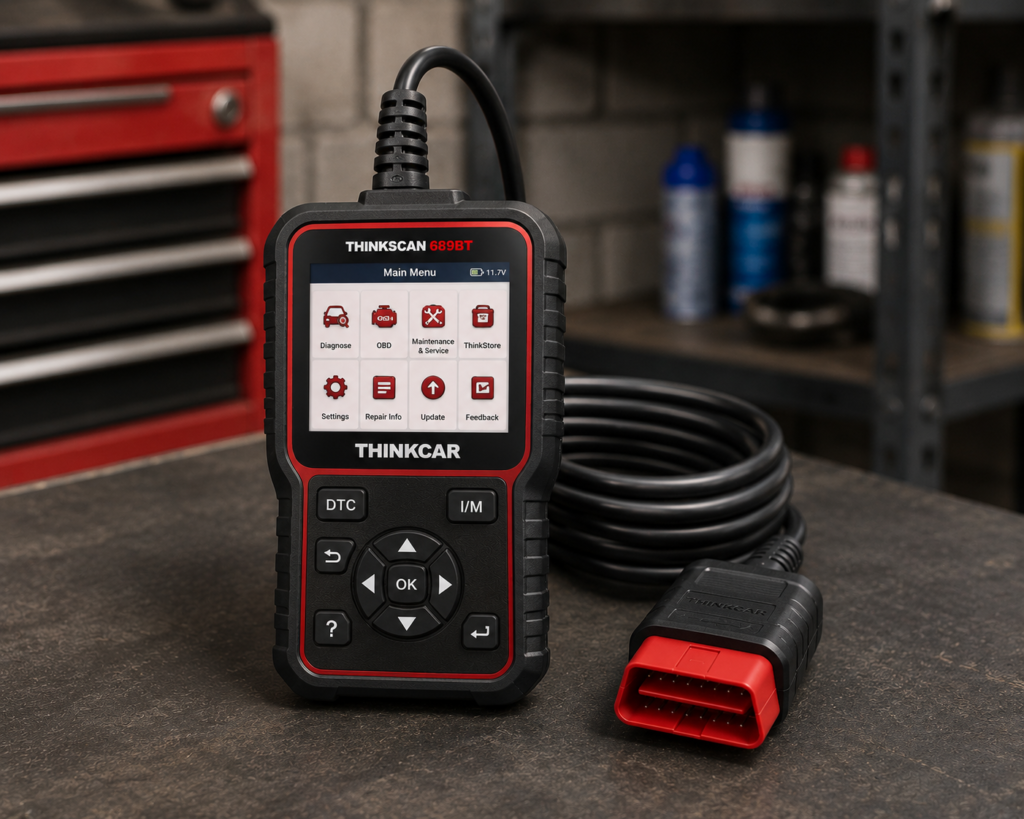
THINKSCAN 689BT combines an 8-inch dedicated tablet with a Bluetooth dongle.
THINKCAR currently documents all-system diagnostics, bidirectional active tests, supported ECU coding, CAN FD, DoIP, AutoVIN/AutoScan and 35+ maintenance functions.
The manufacturer also currently lists free lifetime software updates.
That last point is important.
Wireless diagnostic tablets are software products as much as hardware products. A strong included-update policy can materially affect long-term ownership.
The 689BT also supports expansion accessories, giving serious DIY users room to grow.
Where It Falls Short
ECU coding is vehicle-dependent and should never be translated into universal programming capability.
The tablet is also larger and more complex than a phone-based scanner.
| Specification | Details |
|---|---|
| Screen | 8-inch, 1280×800 touchscreen |
| Operating System | Android 10 |
| Processor | 2.0GHz quad-core Cortex-A53 |
| Memory / Storage | 4GB RAM, 64GB storage |
| Battery | 4150mAh |
| Vehicle Connection | Bluetooth 5.0 dongle; 2.4G/5G Wi-Fi |
| Bidirectional Control | Confirmed; ~99% of vehicle-specific systems/components per Thinkcar |
| ECU Coding | Confirmed; includes replacement-part matching and feature personalization |
| Service Functions | 35+ confirmed by name |
| CAN-FD | Confirmed for 2020+ GM and Chrysler models specifically |
| DoIP | Confirmed for Volvo, Land Rover/Jaguar, BMW F/G chassis specifically |
| Update Policy | Lifetime free updates confirmed, no subscription |
| Pros | Cons |
|---|---|
| Dedicated 8-inch tablet | CAN-FD and DoIP support is brand-limited, not universal |
| Bluetooth diagnostic dongle | |
| Full-system diagnostics | |
| Bidirectional controls | |
| Supported ECU coding | |
| CAN FD | Thinkcar markets bidirectional testing as “3X faster” than testing manually |
| DoIP | |
| 35+ maintenance functions currently listed | |
| Lifetime free updates currently listed |
Best For
Advanced DIY owners who want a wireless dedicated tablet and place high value on long-term software ownership.
SCG Verdict
689BT is our ownership-value choice because it combines real diagnostic depth with a currently unusually favorable update model. Our full THINKCAR THINKSCAN 689BT review details that update model and what it saves you long-term.
4. Foxwell NT809BT: Best Mid-Range Foxwell Choice
Why We Picked It
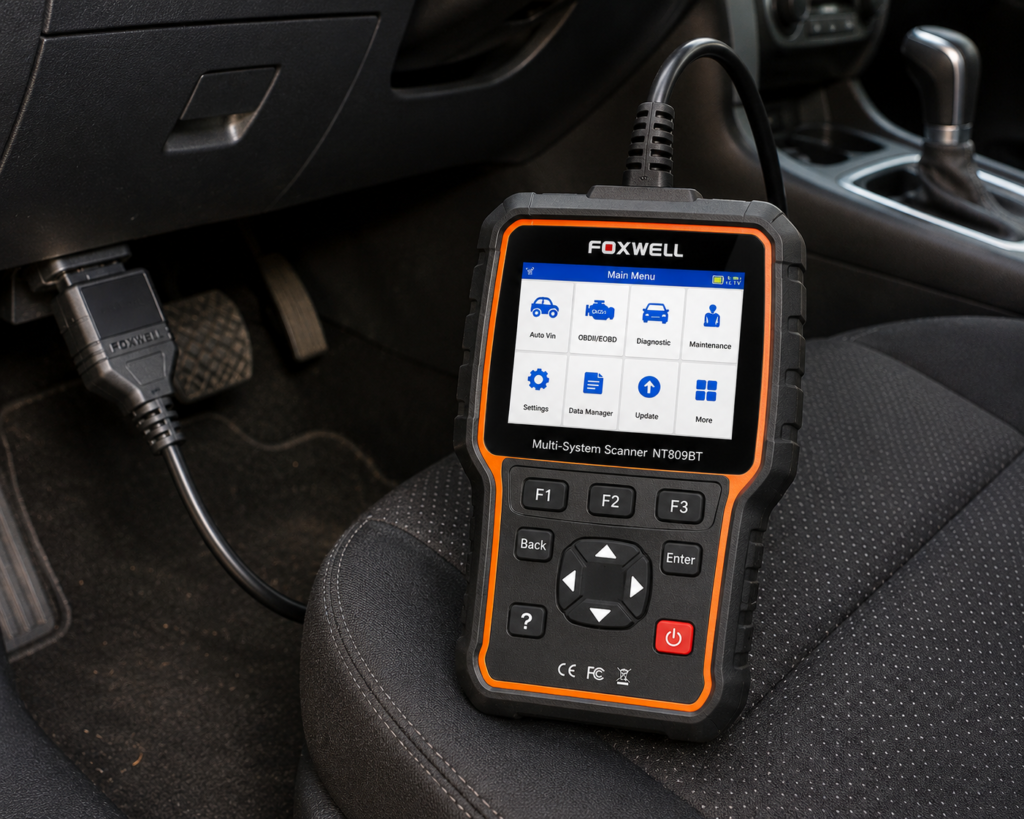
The NT809BT is designed around a dedicated tablet plus Bluetooth vehicle interface.
That places it squarely in this category.
Foxwell positions the platform for full-vehicle diagnosis and supported bidirectional controls rather than generic OBD2 alone.
For serious DIY users, that is an important threshold.
A wireless tablet becomes much more valuable when the user can access multiple modules, view live data and perform supported component tests while moving around the vehicle.
Where It Falls Short
The NT809BT should not be selected by service-function count alone.
Its included software-update term also matters to long-term ownership.
| Specification | Details |
|---|---|
| Screen | 7-inch LCD touchscreen tablet |
| Operating System | Android 9.0 |
| Storage | 32GB |
| Battery | 4000mAh |
| Vehicle Connection | Bluetooth VCI dongle, up to 65-foot range per Amazon; Wi-Fi and USB 2.0 also available |
| Service Functions | 30+ confirmed by Foxwell (oil reset, ABS bleeding, SAS, EPB, TPMS, injector coding, DPF, and more) |
| Bidirectional Control | Confirmed; vehicle-wide active tests across ABS, window, door, solenoid, valve, wiper, headlamp modules |
| ECU Coding | Not listed for this model |
| Vehicle Brand Coverage | 30+ named brands per Foxwell’s product page; a larger figure appears in separate Foxwell marketing |
| CAN-FD Support | Listed on Amazon; not listed on Foxwell’s own product page |
| Update Policy | 3 years free Wi-Fi updates, confirmed by both Foxwell and Amazon |
| Pros | Cons |
|---|---|
| Dedicated tablet | CAN-FD: listed on Amazon; not listed on Foxwell’s own page |
| Bluetooth VCI | |
| Full-vehicle diagnostic class | |
| Supported bidirectional control | |
| Broad service-function environment | |
| Good serious-DIY positioning |
Best For
Serious DIY mechanics wanting a dedicated wireless tablet without moving directly to flagship-shop equipment.
SCG Verdict
NT809BT is the practical mid-range wireless choice for buyers who want more diagnostic depth than phone-based tools without paying for capabilities they will rarely use. See our full Foxwell NT809BT review for the mid-range wireless capabilities it actually includes.
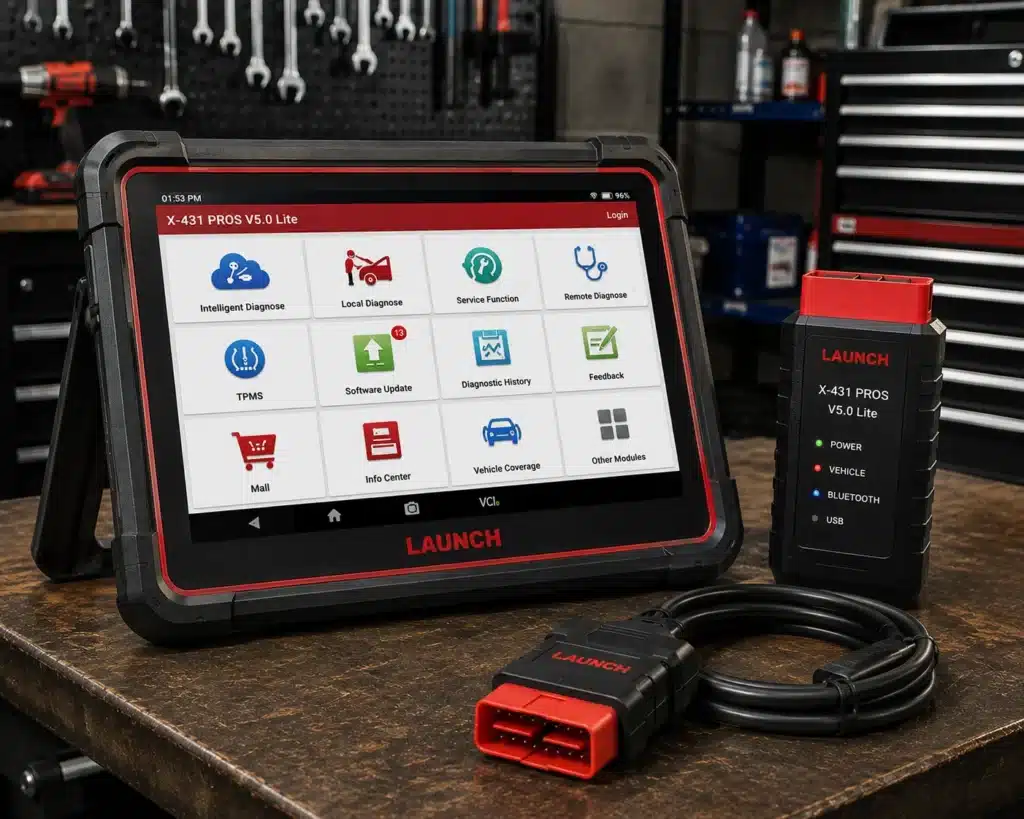
5. LAUNCH X431 PROS V5.0: Best LAUNCH Prosumer Choice
Why We Picked It
LAUNCH’s X-431 family is strongly associated with dedicated diagnostic tablets.
The PROS V5.0 occupies a useful serious-DIY/prosumer position within that ecosystem.
Its appeal is not simply that it is wireless.
The platform is intended for broad vehicle-system diagnosis and advanced service work, with the tablet/VCI workflow that allows the user to work away from the OBD connector.
For buyers already interested in LAUNCH, this is the type of product that makes sense before stepping into the company’s more expensive professional tiers.
Where It Falls Short
LAUNCH naming requires discipline.
PROS V5.0, PRO3S+, PRO Elite and other X-431 products are not interchangeable.
| Specification | Details |
|---|---|
| Screen | 8-inch tablet, 1280×800 |
| Operating System | Android 10.0 |
| Processor | 2.0GHz quad-core |
| Memory / Storage | 4GB RAM, 64GB storage |
| Battery | 6300mAh |
| Vehicle Coverage | 98%+ of cars on the market per Launch, 110+ brands; verify your specific vehicle |
| Bidirectional Control | Confirmed on Launch’s own page |
| ECU Coding | Amazon’s title lists it; Launch’s own comparison table says “No” |
| Reset/Special Functions | 37 claimed by Launch; 17 individually named (Oil Reset, Immobilizer Reset, Steering Angle Reset, IMMO Program, Throttle Relearn, Battery Matching, TPMS Reset, DPF Regeneration, Brake Reset, Injector Coding, ABS Bleeding, Crank Sensor Adaptive Learning, Gearbox Relearn, AdBlue Reset, EGR Adaption, Transport Mode, Windows Calibration) |
| CAN-FD | Confirmed, no separate adapter required (unlike Launch’s own PROS V1.0) |
| DoIP | Confirmed |
| Pros | Cons |
|---|---|
| Dedicated X-431 tablet workflow | Launch individually documents 17 of the 37 claimed service functions |
| Wireless vehicle interface class | |
| Broad diagnostic positioning | |
| Advanced service environment | |
| Strong LAUNCH ecosystem | |
| Serious DIY/prosumer fit |
Best For
Serious DIY and prosumer buyers who specifically want a LAUNCH dedicated-tablet ecosystem.
SCG Verdict
PROS V5.0 earns the LAUNCH prosumer position, but exact-model verification is mandatory before any detailed live specification or affiliate implementation. Our full LAUNCH X431 PROS V5.0 review covers the exact-model verification this pick still requires before you buy.
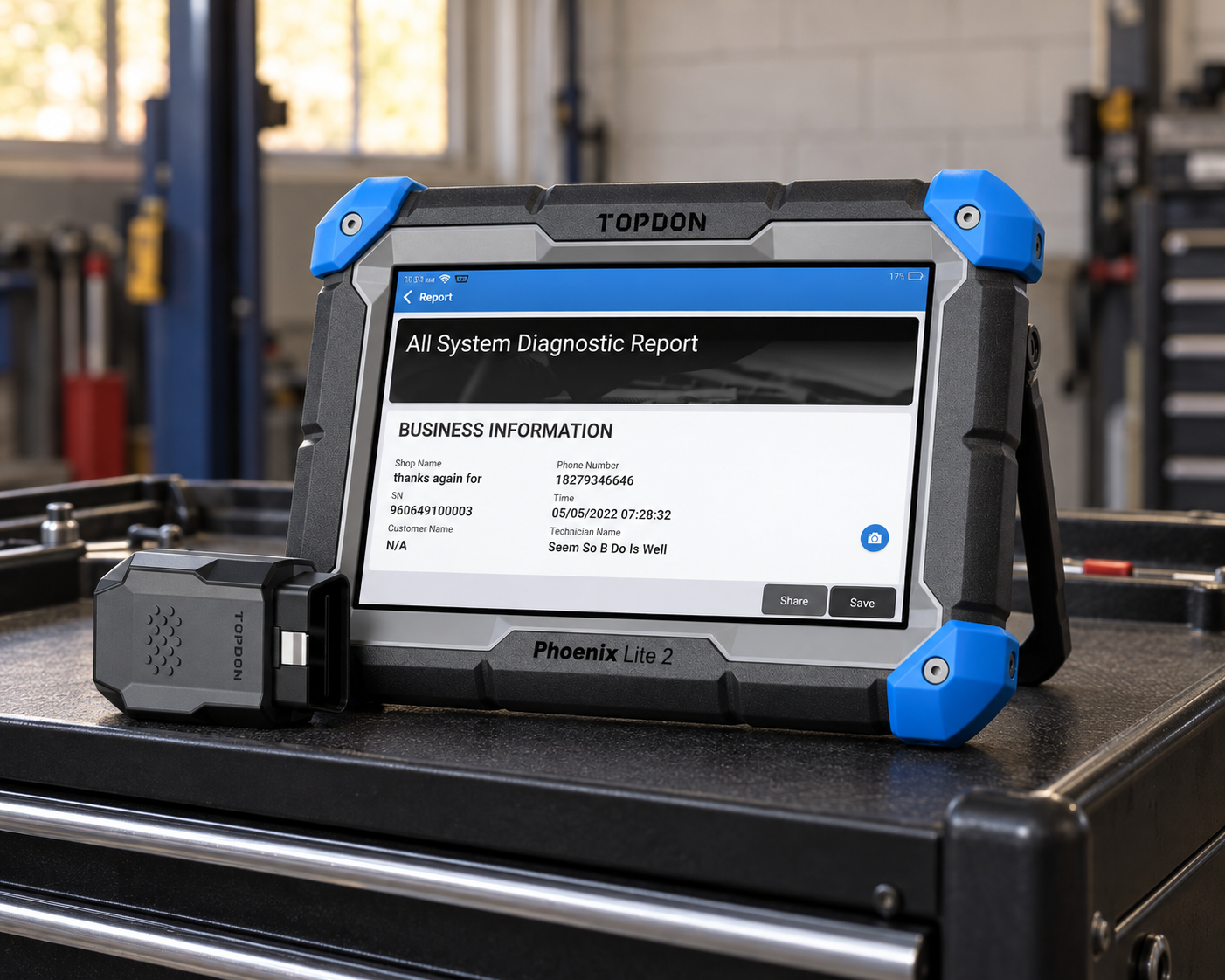
6. TOPDON Phoenix Lite 2: Best TOPDON Serious-DIY Choice
Why We Picked It
TOPDON’s Phoenix line provides a natural step up from compact consumer scanners.
Phoenix Lite 2 is relevant because it combines a rugged dedicated-tablet workflow with wireless diagnostic operation and broader whole-vehicle capability.
Current 2026 independent scanner coverage continues to treat Phoenix Lite 2 as a professional-style tablet choice rather than an ordinary OBD2 reader.
That positioning makes it particularly interesting to users who maintain several vehicles or perform repeated advanced diagnostic work.
Where It Falls Short
TOPDON’s Phoenix family evolves, and newer Phoenix variants can coexist with older models.
Software-update costs are also part of the ownership equation.
| Pros | Cons |
|---|---|
| Dedicated rugged tablet | Update economics matter |
| Wireless diagnostic workflow | |
| Broad vehicle-system diagnostic class | |
| Professional-style environment | Phoenix family/version changes require identity control |
| Strong multi-vehicle use case |
Best For
Serious DIY users and mobile technicians who want a TOPDON tablet with more headroom than compact consumer tools.
SCG Verdict
Phoenix Lite 2 is the TOPDON serious-DIY pick because it brings workshop-style wireless tablet operation into a tier that can still make sense outside a large professional shop.
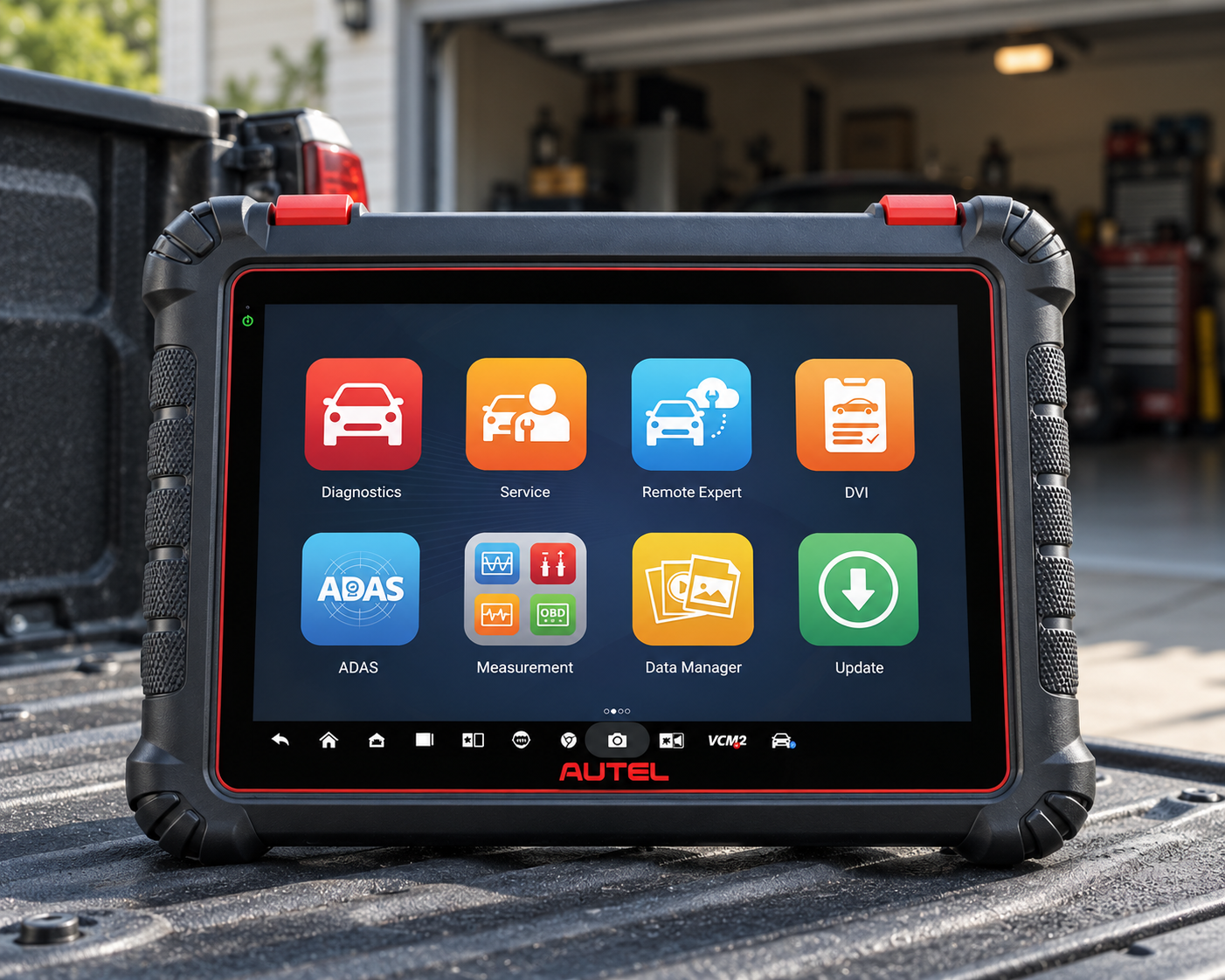
7. Autel MaxiCOM MK900-TS: Best Autel Alternative for Diagnostics + TPMS
Why We Picked It
Some buyers need full diagnostic capability and substantial TPMS work from the same tablet.
That is where a TS-oriented Autel platform can make more sense than buying solely around general diagnostic breadth.
MK900-TS belongs in this guide because it uses a dedicated wireless tablet workflow while targeting buyers who need deeper tire-pressure-monitoring-system capability alongside vehicle diagnostics.
That creates a genuinely different use case from MK900-BT.
Where It Falls Short
Exact identity is critical.
MK900-TS must not be confused with MX900-TS or other Autel TS variants.
If exact identity cannot be verified, replace this recommendation rather than redirecting to a similar Autel model.
| Pros | Cons |
|---|---|
| Dedicated tablet workflow | Autel TS naming can be confusing |
| Wireless diagnostic class | |
| Broad diagnostic positioning | |
| TPMS-oriented use case | Advanced functions remain vehicle-dependent |
| Autel ecosystem |
Best For
Buyers who genuinely need both broad diagnostics and frequent TPMS-related work.
SCG Verdict
MK900-TS is included for specialization, not duplication: it makes sense only when TPMS capability materially affects the buying decision.
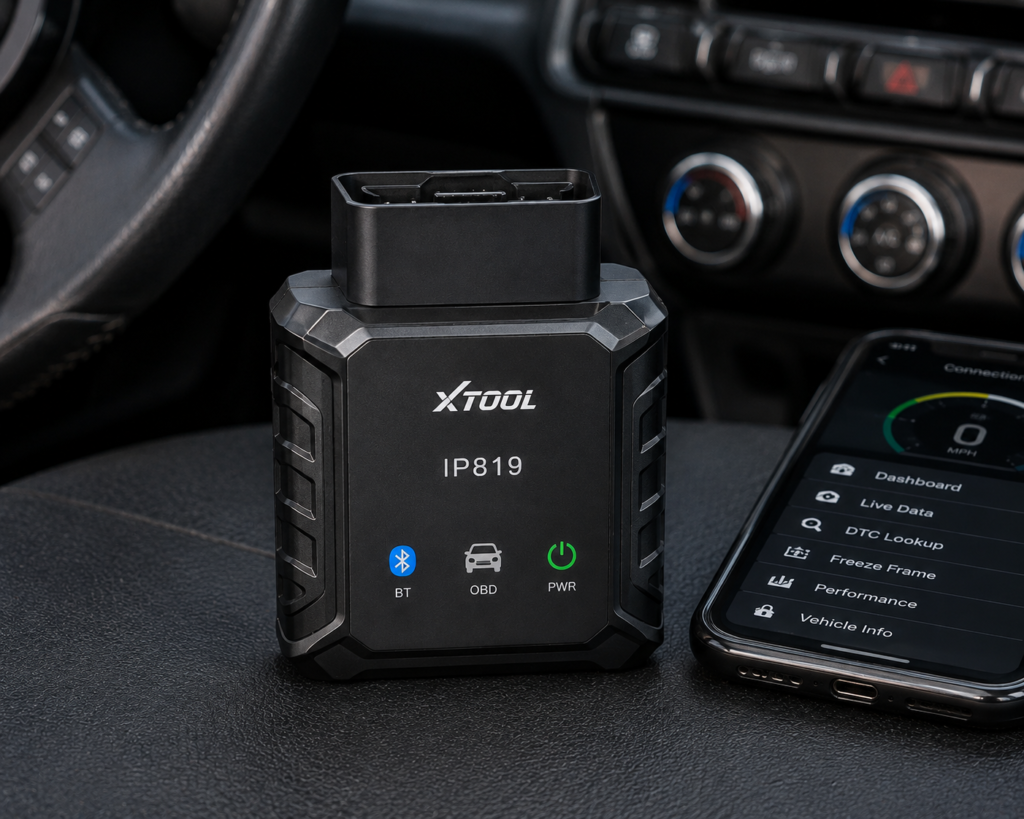
8. XTOOL IP819: Best XTOOL Alternative
Why We Picked It
Not every XTOOL buyer needs the D8W’s topology and Wi-Fi-centered workflow.
IP819 provides another dedicated-tablet route within XTOOL’s diagnostic lineup and already exists in SCG’s launch review inventory.
That makes it commercially useful for buyers who want a dedicated XTOOL platform but whose work does not justify the D8W’s higher diagnostic ceiling.
Where It Falls Short
| Specification | Details |
|---|---|
| Display | 7″ touchscreen, 1024×600 |
| Operating System | Android 10.0 |
| Processor | Quad-core 1.5GHz |
| RAM / Storage | 2GB / 64GB |
| Battery | 2,500mAh, 7.2V, USB-C charging |
| Vehicle Connection | Wired (per XTOOL spec table); WiFi and Bluetooth also available |
| Protocols | CAN FD: Yes, DoIP: Yes (per XTOOL); SAE-J2534: No (XTOOL’s official website) |
| Bidirectional Control | Yes (per XTOOL; listed as “Actuator Test”) |
| ECU Coding | Yes (per XTOOL’s official website, general terms) |
| Module Programming (PMI) | Not listed on Amazon; XTOOL’s online store lists it, XTOOL’s official website does not |
| Topology Mapping | No (per XTOOL’s official website) |
| Update Policy | 3 years free updates, 2-year warranty |
| Pros | Cons |
|---|---|
| Dedicated diagnostic tablet class | Topology mapping is not supported |
| XTOOL ecosystem | |
| Existing SCG Individual Review | |
| Alternative to higher D8W tier | |
| Serious-DIY orientation |
Best For
Buyers who want an XTOOL dedicated tablet but do not need the D8W’s specific Wi-Fi/topology proposition.
SCG Verdict
IP819 gives this guide a lower-XTOOL alternative without pretending every XTOOL tablet is technically identical. See our full XTOOL IP819 review for how it compares against XTOOL’s other wireless tablets.
9. LAUNCH X431 PRO5: Best Professional LAUNCH Upgrade
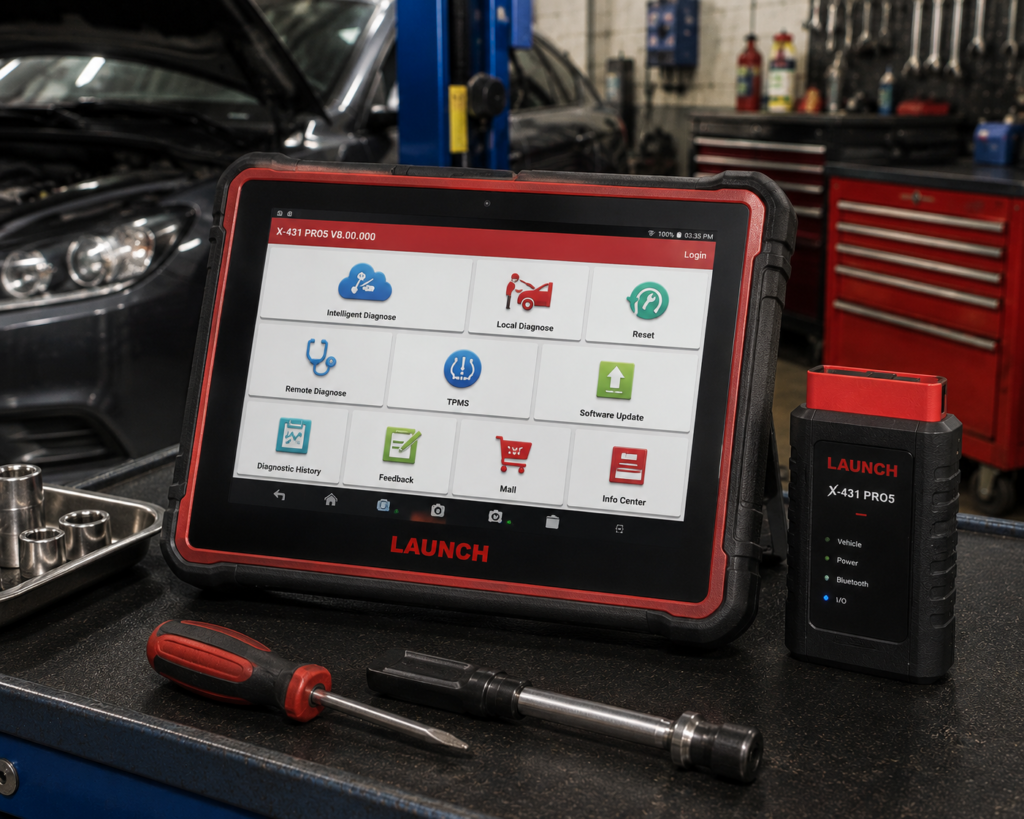
Why We Picked It
The PRO5 represents a higher professional tier than the prosumer-oriented LAUNCH choice earlier in this guide.
A professional wireless tablet is justified when the user performs repeated diagnostics across many vehicles and needs a broader workshop workflow.
The value is not merely more menu items.
It is the combination of a dedicated diagnostic tablet, wireless vehicle communication, broad system access and a platform intended for sustained technician use.
Where It Falls Short
Professional capability brings higher complexity and software ownership considerations.
Do not describe it as universal ECU programming without exact manufacturer evidence.
| Specification | Details |
|---|---|
| Display | 10.1″ IPS, 1280×800, touchscreen |
| Operating System | Android 10.0 |
| Processor | 2.0GHz quad-core |
| RAM / Storage | 4GB RAM / 64GB storage |
| Battery | 6,300mAh or 7,000mAh depending on source; not listed on a primary Launch page |
| VCI Interface | SmartLink C, J2534-compliant, CAN FD and DoIP support |
| Bidirectional Control | Confirmed |
| ECU Coding | Confirmed; online coding for BMW, Mercedes-Benz and other supported brands |
| Module Programming | No in the base unit; requires a separate X-PROG3 accessory, sold separately |
| Update Policy | 2 years free updates per reseller listings |
| Price (Amazon) | See the current price on Amazon |
| Pros | Cons |
|---|---|
| Professional X-431 platform | Module programming is not built in; it requires the separately-sold X-PROG3 accessory |
| Dedicated tablet | |
| Wireless diagnostic workflow | |
| Broad system access | Battery capacity and service-function count differ between sources |
| Technician-oriented use | |
| Existing SCG Individual Review |
Best For
Technicians and small shops whose repeated diagnostic workload justifies a professional LAUNCH wireless platform.
SCG Verdict
PRO5 is the professional upgrade in this guide, not the default recommendation. Buy this tier because the workload requires it. Our full LAUNCH X431 PRO5 review explains exactly which workloads justify this professional upgrade.
What Counts as a Wireless Diagnostic Tablet?
The tablet itself does not communicate magically with the car.
A typical system contains: a dedicated diagnostic tablet, a Vehicle Communication Interface (VCI), and the vehicle DLC/OBD connector.
The VCI plugs into the vehicle. The tablet communicates with the VCI through Bluetooth or Wi-Fi.
This is different from a fully wired scanner where the display remains physically connected to the diagnostic cable.
Why Choose a Dedicated Tablet Instead of Your Phone?
A dedicated diagnostic tablet can provide: a larger diagnostic workspace, no personal calls/messages interrupting work, dedicated storage for reports and vehicle data, better multi-graph live-data viewing, integrated scanner software, longer diagnostic sessions without tying up a personal phone, and easier workshop/mobile-mechanic workflow.
A phone-based scanner remains better when compact size and low cost matter most.
Best Bluetooth OBD2 Scanners in 2026
Bluetooth VCI vs. Wi-Fi VCI
Bluetooth dominates many wireless diagnostic platforms because it is simple and effective over normal workshop distances.
Wi-Fi VCI systems can provide higher bandwidth and longer working range depending on implementation.
XTOOL D8W is the clearest Wi-Fi-focused example in this guide.
But Wi-Fi is not automatically better.
Diagnostic capability, stability, protocol support and exact vehicle coverage matter more than the wireless label.
Wireless Does Not Mean Internet-Dependent Diagnosis
Wireless tablet-to-VCI communication and internet connectivity are separate.
The tablet may use Wi-Fi internet for: software updates, account authentication, online functions, reports, secure-gateway access, technical services.
The vehicle connection itself can use Bluetooth or a dedicated Wi-Fi link.
Do not confuse these two networks.
Does a Wireless Scanner Have More Features Than a Wired Scanner?
Not automatically.
Wireless is a hardware/workflow characteristic.
A wired professional scanner can be more capable than a wireless consumer scanner.
Buy based on diagnostic depth first and connection method second.
When Does Wireless Really Help?
Wireless operation is especially useful when: commanding a cooling fan while standing at the engine bay, watching live data during physical inspection, checking lighting or door actuators from outside the cabin, performing brake-related procedures, working around a lift, moving between the driver’s seat and engine compartment, and conducting repeated mobile-mechanic work.
That is where the feature becomes more than marketing.
Do You Need a Dedicated Tablet for DIY Work?
Not necessarily.
For basic Check Engine diagnostics, no. For occasional live data, a phone adapter can be enough.
A dedicated tablet becomes more rational when you regularly need: full-system scans, multiple live-data graphs, active tests, service functions, vehicle reports, broader multi-car diagnosis.
The frequency and complexity of your work should justify the hardware.
How Important Are CAN FD and DoIP?
Increasingly important for users servicing newer vehicles.
CAN FD and DoIP are communication technologies used by supported modern vehicle platforms.
A scanner must have compatible hardware/software to communicate through the required protocol.
Do not assume software updates can add every missing hardware protocol later.
Wireless Full-System vs. Wireless Bidirectional
These terms still describe different capabilities.
Wireless = tablet/VCI connection method. Full-system = breadth of module access. Bidirectional = ability to command supported components.
A good advanced scanner may provide all three. But SCG verifies them separately.
Why Update Policy Matters More on Tablet Scanners
Dedicated diagnostic tablets are long-term software platforms.
Vehicle coverage evolves. New model years appear. Secure gateways change. Diagnostic software changes.
That means the update model can materially affect ownership value.
Current policies differ by manufacturer and product.
Never assume “free updates” or “lifetime updates” across an entire brand.
Market Demand and Wireless Tablets
Current 2026 search results show strong commercial attention around Autel MK900/MK808 classes, XTOOL D8W, THINKCAR 689BT, TOPDON Phoenix tablets and LAUNCH X-431 platforms.
That matters for SCG because commercial relevance is now one of our supporting product-selection signals.
But market visibility is not enough by itself.
The scanner still has to fit the job.
Common Buying Mistakes
Mistake 1: Assuming Wireless Means Better
It means less cable restriction, not automatically deeper diagnostics.
Mistake 2: Confusing Wi-Fi Updates With Wi-Fi Vehicle Communication
They are different.
Mistake 3: Buying a Tablet for One Check Engine Light
A basic scanner may be enough.
Mistake 4: Ignoring the VCI
The VCI determines part of the communication capability.
Mistake 5: Ignoring Update Costs
Tablet scanners are software ecosystems.
Mistake 6: Assuming Every Tablet Supports CAN FD/DoIP
Verify the exact hardware.
Mistake 7: Confusing Similar Model Names
This is especially dangerous across Autel and LAUNCH families.
Mistake 8: Buying Professional Hardware Without Professional Need
More capability can mean more cost and complexity without more practical value.
How This Guide Differs From Our Bluetooth Guide
The Bluetooth guide includes compact phone-based adapters.
This guide requires a dedicated tablet/display and wireless vehicle interface.
The user experience and typical diagnostic depth are therefore materially different.
Best Bluetooth OBD2 Scanners in 2026
How This Guide Differs From Our Full-System Guide
The Full-System guide is organized around diagnostic breadth.
This guide is organized around hardware workflow: dedicated tablet + wireless VCI.
Many scanners naturally qualify for both categories, but SCG limits repeated products and changes the ranking criteria to preserve distinct search intent.
Best Full-System Automotive Scanners in 2026
How This Guide Differs From Our Professional Guide
Professional diagnostic tools are selected around technician/shop requirements.
A wireless dedicated tablet can also make sense for serious DIY work.
Professional status is therefore not required for inclusion here.
Best Professional Automotive Scan Tools in 2026
Our Final Recommendations
For the strongest overall combination of dedicated-tablet usability, wireless VCI operation and broad diagnostics, Autel MK900-BT is our overall choice.
For buyers who specifically want Wi-Fi vehicle communication and topology, XTOOL D8W is the standout.
For advanced capability with a currently attractive lifetime-update model, THINKSCAN 689BT is the ownership-value choice.
Foxwell NT809BT provides a strong mid-range wireless route.
LAUNCH PROS V5.0 serves buyers who want the X-431 prosumer ecosystem.
TOPDON Phoenix Lite 2 provides a serious-DIY/professional-style alternative.
Autel MK900-TS makes sense when TPMS work materially affects the purchase.
XTOOL IP819 provides another dedicated-tablet route below the D8W’s specific feature proposition.
And LAUNCH X431 PRO5 is the professional upgrade for users whose workload actually justifies that tier.
The right wireless scanner is not the one with the longest wireless range.
It is the one whose diagnostic capability, VCI, software ownership and hardware workflow match the work you perform.
Quick Picks
Best Overall: Autel MaxiCOM MK900-BT
An 8-inch all-system tablet with wireless MaxiVCI V150, OE-level system coverage, active tests and modern CAN FD/DoIP support.
Best Wi-Fi Wireless Platform: XTOOL D8W
A dedicated 8-inch tablet whose V113 interface uses Wi-Fi for vehicle communication, with topology mapping and modern protocol support.
Best Long-Term Ownership Value: THINKCAR THINKSCAN 689BT
An 8-inch Bluetooth full-system tablet with active tests, supported ECU coding, CAN FD/DoIP and a current lifetime-update policy.
Best Mid-Range Foxwell Choice: Foxwell NT809BT
A dedicated wireless full-vehicle diagnostic tablet with bidirectional controls and broad service capability.
Best LAUNCH Prosumer Choice: LAUNCH X431 PROS V5.0
A dedicated X-431 tablet platform for serious DIY and prosumer buyers who want wireless whole-vehicle diagnosis and the LAUNCH ecosystem.
Best TOPDON Serious-DIY Choice: TOPDON Phoenix Lite 2
A rugged dedicated wireless tablet positioned above consumer scanners and below TOPDON’s highest professional platforms.
Best Autel Alternative: Autel MaxiCOM MK900-TS
A wireless tablet that combines broad diagnostics with a stronger TPMS-oriented workflow for buyers who genuinely need both.
Best XTOOL Alternative: XTOOL IP819
A dedicated-tablet option for buyers who want an XTOOL diagnostic environment but do not require the D8W’s Wi-Fi/topology emphasis.
Best Professional LAUNCH Upgrade: LAUNCH X431 PRO5
A higher-tier dedicated wireless X-431 platform for technicians and shops whose workload justifies more professional depth.
Frequently Asked Questions
What is the best wireless diagnostic scanner with a dedicated tablet in 2026?
SCG’s current overall choice is Autel MaxiCOM MK900-BT for its combination of an 8-inch tablet, wireless V150 VCI, all-system diagnostics and modern protocol support.
Is Wi-Fi better than Bluetooth for a diagnostic scanner?
Not automatically. Wi-Fi can provide useful range/bandwidth advantages in some implementations, while Bluetooth is effective for normal workshop use. Choose the scanner based on the complete platform.
Does the wireless adapter still plug into the car?
Yes. The VCI plugs into the vehicle’s diagnostic connector. The tablet communicates wirelessly with that VCI.
Can I use these scanners without internet?
Core vehicle communication and internet access are separate, but specific online features, updates, authentication or secure-gateway functions may require internet access.
Are wireless tablet scanners bidirectional?
Some are. Wireless connection itself does not prove bidirectional capability. Verify active tests separately.
Do I need a dedicated tablet instead of a Bluetooth phone scanner?
Only if your diagnostic depth and workflow justify it. Basic users can save money and space with a phone-based adapter.
What is the best Wi-Fi diagnostic scanner in this guide?
XTOOL D8W is our Wi-Fi-focused choice because XTOOL explicitly documents its V113 Wi-Fi vehicle communication interface and topology/full-system platform.
Do wireless tablets require subscriptions?
Policies vary. Some include fixed update periods; THINKCAR currently lists lifetime free software updates for 689BT. Always recheck the exact model policy.
Bottom Line
Wireless diagnostic tablets are valuable because they remove the physical tether between the diagnostic display and the vehicle connector while preserving a dedicated diagnostic environment.
That matters most when the scanner is already capable enough to justify moving around the vehicle.
For most advanced buyers, MK900-BT offers the best overall balance.
D8W is the Wi-Fi/topology specialist.
689BT is the long-term update-value choice.
The remaining scanners serve specific manufacturer ecosystems, TPMS needs, serious-DIY workflows and professional use.
Choose diagnostic capability first.
Then choose the wireless workflow that makes that capability easier to use.