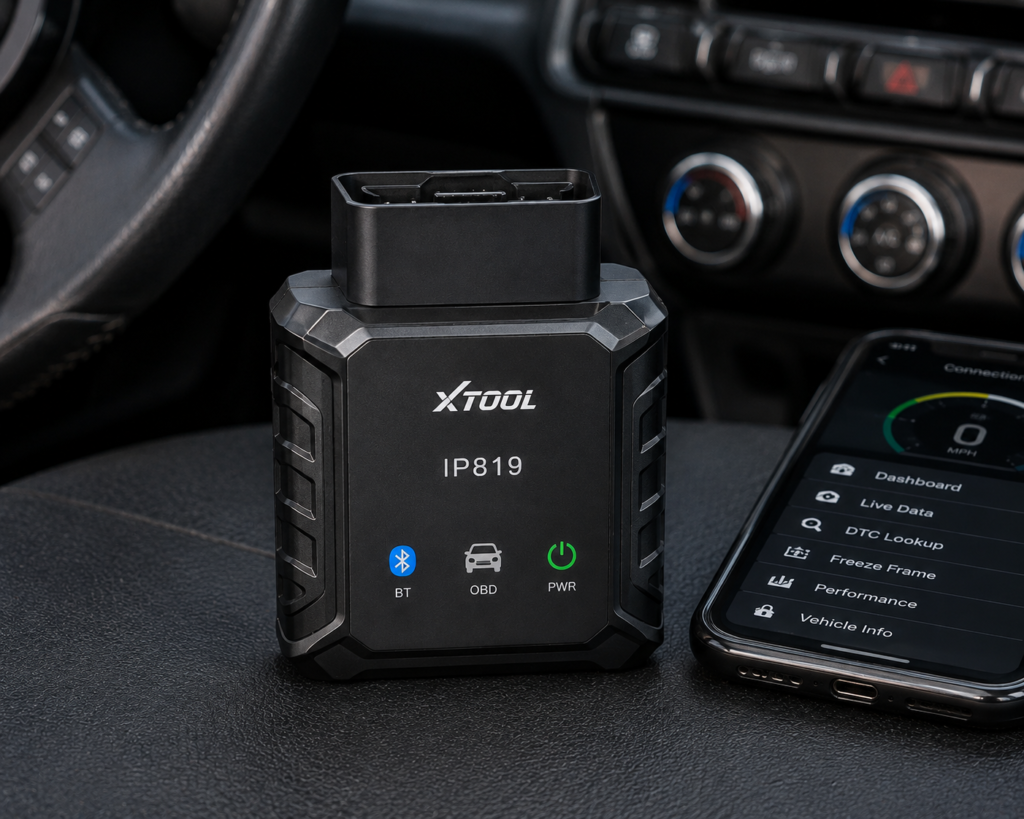
The XTOOL IP819 is a 7 inch Android tablet that connects to the car with a cable. It reads and clears codes on the systems it can reach, shows live data as text and graphs, runs bi-directional actuator tests, and lists 39 or more service functions. It adds an AI assistant that groups related fault codes, guided ECU coding on some brands, CAN FD and DoIP protocol support and a license for Chrysler’s secure gateway. Three years of software updates and a two year warranty come with it. This review compares what Amazon, XTOOL’s two web pages and an independent hands-on review say about it, because they do not always agree.
The short version: the IP819 is a value-tier full-system tablet for a home mechanic or a small shop that wants coding and resets without paying for topology maps or a wireless interface. All sources agree on the 7 inch 1024 by 600 screen, Android 10, 64 GB of storage, the cable connection, CAN FD and DoIP, the 39 or more resets and the three free update years. They disagree on the battery size (2500, 5000 or 6000 mAh depending on the page), on whether PMI module programming is listed, and on how much hardware has changed between versions. The tablet does not support SAE J2534 pass-through or topology mapping, and the Amazon listing makes some large claims that no XTOOL page repeats.
Affiliate Disclosure: As an Amazon Associate I earn from qualifying purchases. Scan Choice Guide is a participant in the Amazon Services LLC Associates Program, an affiliate advertising program designed to provide a means for sites to earn advertising fees by advertising and linking to Amazon.com.
What Is in the Box and What the Hardware Is
XTOOL’s online store lists the contents: the tablet, a vehicle interface dongle, an OBD2 cable, a Type-C cable, a power adapter and a user manual. XTOOL’s technical page for the 2024 version describes a 7 inch screen at 1024 by 600, a quad-core processor at 1.5 GHz, Android 10, 2 GB of RAM and 64 GB of storage, with Wi-Fi, Bluetooth, a Type-C port and a VGA port. The vehicle voltage range is 9 to 36 volts, and the operating temperature range is 0 to 40 degrees Celsius.
The battery is where the sources split three ways. XTOOL’s technical page lists 2500 mAh at 7.2 volts. XTOOL’s online store lists 6000 mAh. The Amazon listing and an independent review of an earlier unit both say 5000 mAh. These cannot all describe the same cell. The store and technical pages may describe different production runs, or one of them may be out of date. We cannot settle it from the pages, so if run time matters to you, ask the seller before you order, and plan to keep the tablet near a charger on long jobs.
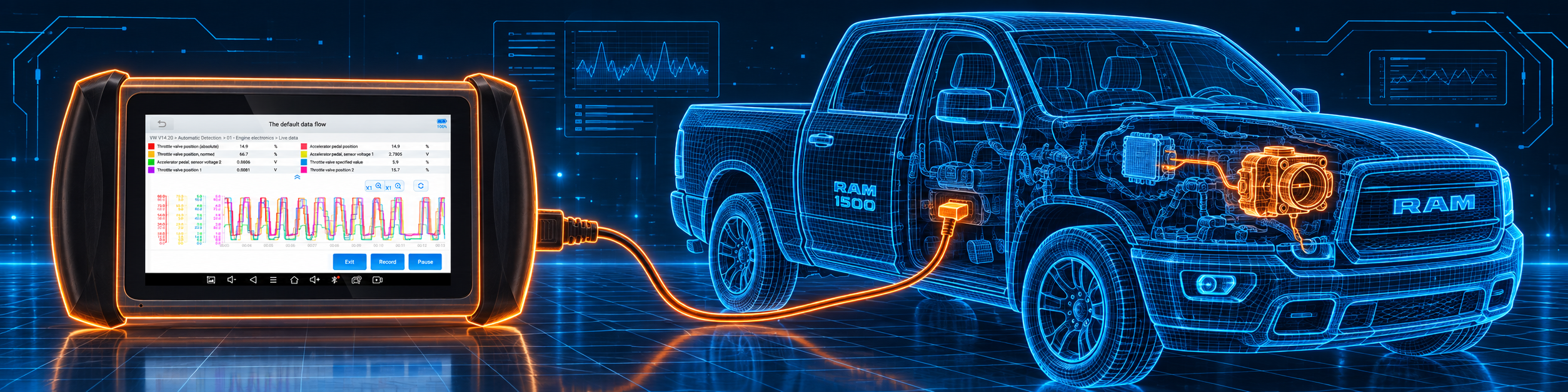
Connection is a point on which the sources do agree. XTOOL’s technical page lists the communication as wired, with Wi-Fi and Bluetooth available for other uses such as updates and printing. There is no wireless vehicle interface to carry around the bay, and an independent reviewer who used an earlier unit noted that the 4.5 foot cable reached a typical under-dash port but not points at the back of the car or underneath. The picture below shows the tablet connected by cable and running a bi-directional test on a Ram 1500.
What Amazon Says vs. What XTOOL Lists
We compared the Amazon listing with XTOOL’s technical page, XTOOL’s online store and a published hands-on review. The table shows where they agree and where they do not.
| Claim | Amazon listing | XTOOL | Our reading |
|---|---|---|---|
| Screen and system | 7 inch 1024 by 600, Android 10, 64 GB | Same on both XTOOL pages | Agree |
| Battery | 5000 mAh | Technical page 2500 mAh; store 6000 mAh | Three figures; ask the seller |
| Link to the car | Not stated in the bullets we read | Wired; Wi-Fi and Bluetooth supported | Cable |
| CAN FD and DoIP | Both, “5x faster than standard” | Both; CAN FD for certain mainstream models from 2020 | Agree; the speed claim is the seller’s |
| J2534 pass-through | Not claimed | Not supported | Not available |
| Chrysler gateway | “FCA AutoAuth” | FCA SGW license included on the technical page; only an image caption on the store page | Agree; check your car |
| Active tests | “4,000+” | “4000+” on the store; technical page names actuator tests without a count | The number comes from sales text |
| Services | “39+” | “39+” | Agree |
| Coding | Guided coding on Ford, BMW and Mercedes comfort features | Offline and online coding; store names VW, Audi, Skoda, Mercedes, Mitsubishi | Brand lists differ |
| PMI module installation | “PMI for Ford, Lincoln, and Mazda” in the bullets and title | “Ford PMI” on the technical page; PMI function on the store | Now listed by all three; the older review said otherwise |
| Online programming | Not claimed | Technical page: not supported | Not available |
| Topology map | Not claimed | Not supported | Not available |
| Updates and warranty | Three years of updates | Three years of updates, two year warranty, 30 day money back on the store | Agree |
| Languages | Not stated | 24 on the store; “multi-language” on the technical page | Store only |
| Vehicle coverage | “10,000+ models” with a long brand list | “Over 10,000 vehicles”, no IP restriction | Agree |
An earlier version of this review said that the Amazon listing did not mention PMI. That is no longer true. The current Amazon title and bullets name Programmable Module Installation for Ford, Lincoln and Mazda, and XTOOL’s technical page lists Ford PMI under special functions. We have updated the review and the pages that cite it.
The seller’s headline numbers need a careful reading. “Cut troubleshooting time by 80 percent” and “5x faster” are sales promises, not measurements that either XTOOL page repeats. The 4000 test count appears only in sales text. The honest reading is that active tests exist, are used to command parts such as fuel pumps, A/C clutches, wipers, windows and sunroofs, and vary by make and model.
A third source. The Gadgeteer, a technology review site, published a hands-on review of the IP819 in January 2024, using a unit supplied by XTOOL, which the article discloses. It describes a BMW scan that found two stored codes the check engine light had not shown, a Honda module scan that reported 57 modules and seven codes, and a Ford hybrid that stalled on the first module until XTOOL support promised an update. It reports 239 pending updates on the first connection, reports on downloads that stalled when the tablet went to sleep, and says the updates are free for three years and that the cost after that was the reviewer’s biggest complaint. The reviewer also noted limited RAM and a short cable. That unit had 32 GB of storage and a different charging port than the current version, so treat its hardware details as describing an earlier batch. What carries over is the general picture: a capable tool with long first-time updates, a cable that is short for some jobs and a post-warranty update cost to plan for.
How we handle these differences. The feature table at the bottom of this page, the Scanner Finder and our comparisons follow the Amazon listing, because Amazon is where you buy. In the text we name every point where XTOOL says something different or adds detail, so that you can decide for yourself.
Coding, Adaptation and PMI: Three Different Things
Three words are used loosely on listings, and it is worth separating them. Our guide to coding, programming and adaptation covers the idea in more detail.
- Coding changes a setting inside a module, such as a daytime running light, a mirror folding option or a seatbelt chime. Amazon gives these examples for Ford, BMW and Mercedes. XTOOL’s technical page says offline and online coding are supported, and the store names VW, Audi, Skoda, Mercedes and Mitsubishi as brands with online coding and module matching, plus guided procedures for VW group cars.
- Adaptation teaches a module about a new part, for example after a throttle body or a steering sensor is replaced. Amazon says the tool performs adaptive data resets after component replacements. This is closer to the resets in the 39 or more list.
- PMI stands for Programmable Module Installation. In plain terms it copies the data of an old control module to a new one so the replacement works in the car. XTOOL lists it for Ford, Lincoln and Mazda. It is not the same as flashing a module with manufacturer software through J2534, which XTOOL says the IP819 does not support, and the technical page says online programming is not supported either.
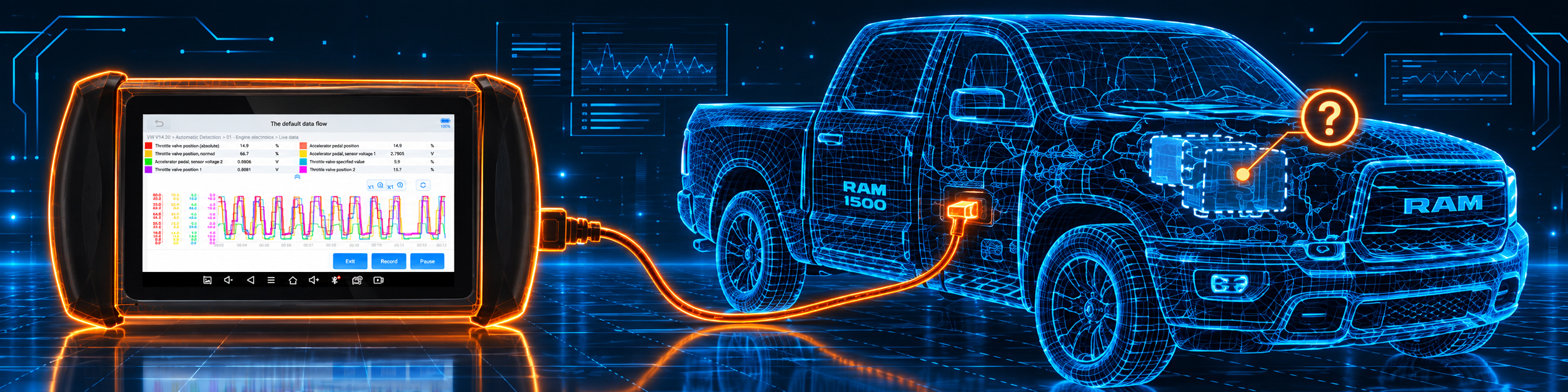
The practical advice is to check the exact brand and function for your car before you rely on any of the three. The brand lists differ between Amazon, XTOOL’s technical page and the store. The picture below shows the module programming status on a Ram 1500, a reminder of the line between what is supported and what is not.
CAN FD, DoIP and the Chrysler Gateway
CAN FD and DoIP are the faster networks that newer cars use between modules. XTOOL’s technical page says the IP819 supports the latest CAN FD protocol for certain mainstream models from 2020 onward and supports DoIP. The store page adds that these protocols matter mainly for newer GM, BMW, Volvo and Jaguar Land Rover cars. As with any tablet, supporting the protocol does not mean every function works on every car with it, so check the vehicle list.
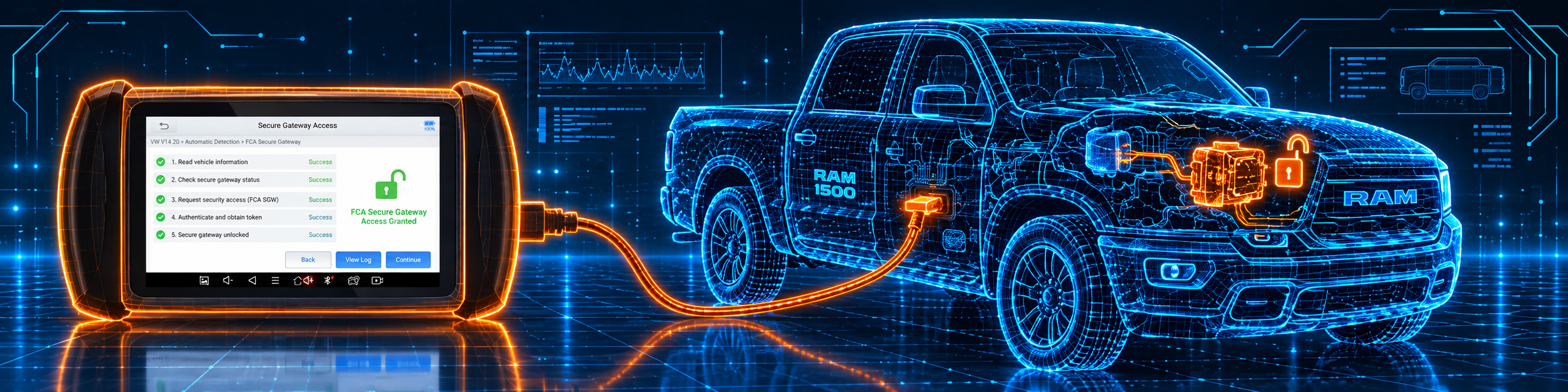
Chrysler, Jeep, Dodge and Ram vehicles from 2018 on put a secure gateway between the data link connector and the modules, which blocks code clearing and active tests until a tool signs in. XTOOL’s technical page lists an FCA secure gateway license as included, and Amazon names FCA AutoAuth. You still need your own account with the gateway service, as with every tablet. The picture below shows the tablet reaching the gateway on a Ram 1500.
Is the IP819 Enough for You?
| If your work is | Does the IP819 list it? |
|---|---|
| Reading and clearing codes on all available systems | Yes |
| Live data as text and graphs, record and playback | Yes |
| Bi-directional actuator tests | Yes; vary by make and model |
| 39 or more resets (oil, EPB, SAS, ABS bleeding, injector coding, and more) | Yes; vehicle specific |
| Guided ECU coding on some brands | Yes; check your brand |
| PMI module installation for Ford, Lincoln and Mazda | Listed by all three sources |
| CAN FD and DoIP | Yes |
| Chrysler secure gateway | Yes, with your own account |
| J2534 pass-through programming | No |
| Online programming | No |
| Topology map | No |
| Wireless link to the car | No; wired |
| Free updates after three years | No |
For a home mechanic or small shop that works across many makes, the top of this table covers a lot. The bottom is where the XTOOL D8W, with its wireless vehicle interface and topology map, is the more expensive answer.
The AI Assistant and Reports
XTOOL’s technical page lists an AI assistant, and Amazon describes it as an engine that analyzes all fault codes after a full system scan and correlates related codes to point to a root cause. The Amazon text also describes eight live data graphs at once, record and playback for intermittent faults, and PDF reports that you can email or print. The independent reviewer confirms the emailed PDF reports and replayable saved data, and notes that looking up codes from a saved report away from Wi-Fi needed copying them into a browser.
A word of caution on the AI label. A tool that groups related fault codes can save time when five codes come from one failed module or one low voltage, but it is not a replacement for reading the service information for your car. Treat the suggestion as a starting point, not a verdict.
Will It Work on Your Car?
XTOOL says over 10,000 vehicles from the United States, Europe, Asia and Australia, with no IP restriction. Amazon lists a long brand list from Audi to Volvo. The special functions are narrower and depend on the car, which is why XTOOL and the seller both say to confirm a function for your year and trim before you buy. The independent reviewer found that a recent Ford hybrid stalled on the first module until an update arrived, a useful reminder that very new models can lag the software. Our Scanner Finder gives a recommendation for your exact year, make and model.
Your First Hour With the IP819
- Charge the tablet with the supplied Type-C cable and adapter.
- Connect to Wi-Fi and activate it. The three-year update period runs from activation.
- Expect a long first update. The independent reviewer saw a large number of pending updates, so start it before you need the tool and keep the tablet awake.
- Plug the vehicle interface into the data link connector with the supplied cable. The vehicle voltage range is 9 to 36 volts.
- Identify the car by Auto VIN, or enter it by hand. The reviewer noted that mileage must be entered manually in some reports.
- Run a full system scan, save the report, then choose an actuator test, a reset or a coding function.
Living With a Wired Tablet
A cable changes how you work, and it is worth picturing before you buy. The data link connector on most cars sits under the dashboard near the driver’s knees, and the supplied cable is long enough to reach it with the tablet on your lap, on the seat or on a stand. For a scan, a code clear or a reset done from the driver’s seat, that is no problem at all. The independent reviewer who used an earlier unit measured the cable at 4.5 feet and found it reached a typical under-dash port but not places at the back of the car or underneath.
The cable matters more when you need to stand outside the car. A cooling fan test, a fuel pump listen or a window and sunroof test is easiest when you can watch or hear the part from outside. With a wired tablet you either lean in through the open door, ask a helper to press the buttons, or stretch the cable across the cabin. Many home mechanics manage with the first two. If you run these tests every day, a model with a wireless interface is easier on your back and patience, which is the main reason the D8W costs more.
A few habits make a wired tablet more pleasant. Route the cable so it cannot catch on the pedals or the seat rail, keep the connectors clean, and never unplug it while the ignition is on or the engine is running. Keep the tablet charged before the job starts, because a long coding or reset session should not depend on a half-empty battery, and with the battery size stated three ways it is wise not to assume a full day of run time.
Comfort Features and What Coding Can and Cannot Do
The Amazon listing gives examples of what guided coding does: customizing daytime running lights, setting auto-folding mirrors and managing seatbelt chime alerts on some Ford, BMW and Mercedes cars. These are the settings most owners ask about, and they are small changes inside a body or lighting module. They are also the kind of change that can be undone by returning the setting to its original value, which is why they are a reasonable first use of a coding tool.
Three cautions apply. First, availability depends on the brand, the model year and the module. The brand lists on XTOOL’s technical page, XTOOL’s store and Amazon do not match, so check your car before you buy. Second, write down the original value before you change anything, because a wrong value in the wrong module can stop a function from working until it is set back. Third, coding is not a way to unlock a feature the car’s hardware does not have. A seat that has no heater will not heat because a setting says so.
The guided approach XTOOL describes for VW group cars, with step-by-step procedures, is a help for beginners because it walks through the change rather than asking you to type a long code. Even so, keep the car’s battery healthy during any coding job, and keep the tablet connected until the screen says the job is finished.
Planning for the Update Clock
Three years of free updates is a generous period, and both XTOOL pages and Amazon agree on it. It is still a clock. The period runs from activation, so activating the tablet when it arrives uses up part of it, and a tablet that sits in a drawer for six months before its first use loses that time. Plan to activate and update when you are ready to use it.
After the free period the tool keeps working, but new vehicle coverage and new functions depend on a paid renewal. The independent reviewer called the post-warranty cost his biggest complaint about the tool. Neither XTOOL’s pages nor Amazon state a renewal amount in the text we read, so ask for the current terms before you buy if that matters to you. For a home mechanic who keeps a car for ten years, three years of updates may be all that is needed. For a shop that meets new models every year, the renewal is part of the running cost.
A practical tip from the reviewer’s experience: the first update after activation can be large, with hundreds of items pending, and downloads can stall when the tablet goes to sleep. Start it on a good Wi-Fi connection, plug the tablet in and keep the screen awake.
A Realistic Week With the Tool
To make the description concrete, here is a week for a home mechanic with three family cars and a neighbor’s old truck. Monday brings a check engine light on a ten year old sedan. The full system scan shows a stored code in the engine module and two old codes in other modules. The AI grouping points to a single likely cause, and a look at live data on a graph confirms it. The code is cleared and the car is rescanned.
On Wednesday the owner changes brake pads on a car with an electric parking brake. The service function retracts the brake before the job and sets it again afterward. On Friday a hybrid arrives with a battery warning. The tablet reads the high voltage battery data on the cars that support it, and the report is saved as a PDF to show the next owner. On Saturday the neighbor’s older truck has a no-communication problem on one module, and the tool shows which module does not answer.
That week shows both the strength and the limit of the IP819. It covers a wide range of everyday work on one tablet and leaves flashing and the wireless range to more expensive tools. A buyer who expects this mix will be comfortable with it.
Common Mistakes and Three Simple Plans
- Expecting a wireless link. The IP819 is wired, and the cable is short for some jobs.
- Buying it for J2534 programming. It does not support pass-through.
- Trusting a single battery figure. The sources list three.
- Counting on the seller’s test number. The tests you get depend on the car.
- Forgetting the update clock. After three years the tool keeps working, but newer coverage depends on a paid renewal.
Plan A: A check engine light
- Run the full system scan and save the report.
- Read the AI grouping as a hint and confirm with live data.
- Clear the codes and rescan.
Plan B: A brake job
- Run the parking brake service before and after the pads.
- Bleed the ABS if the manual asks for it.
- Run the post-scan.
Plan C: A replacement module
- Check the brand and function in the vehicle list first.
- Use PMI only on the brands it lists.
- If the job needs manufacturer flashing, use a tool with J2534.
How the IP819 Compares With Its Neighbors
| XTOOL IP819 | XTOOL D8W | Innova 5610 | |
|---|---|---|---|
| Link to the car | Cable | Wi-Fi vehicle interface | Cable, handheld |
| Topology map | No | Yes | No |
| Coding | Guided on some brands | Yes, with PMI | No |
| CAN FD and DoIP | Yes | See that review | No |
| Updates | Three years | See that review | See that review |
Our XTOOL D8W review covers the larger sibling with the wireless interface and topology map. Our Innova 5610 review covers a handheld that reads and resets without coding.
Who This Scanner Actually Fits
The IP819 fits a home mechanic who works on several cars, an independent shop that wants coding and resets on a budget, and a technician who services many makes and values three years of updates. It does not fit someone who needs a wireless interface, manufacturer flashing through J2534 or a topology map. It also suits a buyer who values a two year warranty and a thirty day money back window on the store, and who is willing to read the vehicle list before relying on a coding or PMI function for a specific car.
Important Limitations of the XTOOL IP819
- The link to the car is a cable, and a short one for some jobs.
- J2534, online programming and topology mapping are not supported.
- The battery size is stated three ways, so confirm it with the seller.
- Coding brand lists differ between Amazon and XTOOL’s pages.
- Updates are free for three years; the cost after that is a yearly renewal.
- The seller’s speed and test counts are not repeated by XTOOL.
- Very new models can lag the software, as the independent review found.
Who Should Choose It, and What to Consider Instead
Choose the IP819 if you want a wired full-system tablet with coding, resets, CAN FD and DoIP and a generous update period, and you do not need a wireless interface or a topology map.
Consider the XTOOL D8W instead if you want the wireless interface, topology map and the fuller programming set.
Consider the Innova 5610 instead if you want a simple handheld and do not need coding.
| Specification | Details |
|---|---|
| Display | 7 inch touchscreen, 1024 by 600 |
| Platform | Android 10, quad-core 1.5 GHz, 2 GB RAM, 64 GB storage |
| Link to the car | Wired; Wi-Fi and Bluetooth supported |
| Battery | 2500 mAh per XTOOL’s technical page; 5000 mAh per Amazon; 6000 mAh per the store |
| Bi-directional control | Yes, actuator tests that vary by make and model |
| Services | 39+ resets and special functions |
| Coding and PMI | Guided coding on some brands; PMI for Ford, Lincoln and Mazda |
| Protocols | CAN FD, DoIP; J2534 not supported |
| Chrysler gateway | FCA license included |
| Updates and warranty | Three years of updates; two year warranty |
| Pros | Cons |
|---|---|
| Bi-directional tests, live data graphs and PDF reports | Wired connection with a short cable |
| 39 or more resets and guided coding on some brands | No J2534, online programming or topology map |
| CAN FD, DoIP and Chrysler gateway license | Battery size and brand lists differ between sources |
| Three years of updates and a two year warranty | Renewal cost after the free period |
Methodology: How SCG Evaluates OBD2 Scanners.
Our Verdict on the XTOOL IP819
The IP819 is a capable full-system tablet that does most of what XTOOL’s pages say and a little less than the boldest Amazon wording suggests. Its strengths are the protocol support, the reset list, guided coding and three years of updates. Its limits are the cable, the lack of J2534 and topology, and the uncertainty over the battery. If those limits suit your work, it is a good value. If not, step up to a model with the wireless interface.
Frequently Asked Questions
Does the IP819 support PMI module programming?
XTOOL’s technical page lists Ford PMI, its store lists a PMI function for Ford, Lincoln and Mazda, and the Amazon title names PMI. It is not J2534 programming.
Is it wireless?
No. XTOOL lists the communication as wired. Wi-Fi and Bluetooth are supported for other uses.
What is the real battery size?
The sources list 2500, 5000 and 6000 mAh. Ask the seller which applies to the unit you order.
Does it support CAN FD and DoIP?
Yes. XTOOL lists both, with CAN FD for certain mainstream models from 2020.
Does it support J2534?
No. XTOOL lists SAE J2534 as not supported.
What happens after three years of updates?
The tool keeps working, but newer coverage depends on a paid renewal, which the independent reviewer called his biggest complaint.
Does it do TPMS?
It lists TPMS reset among its resets. Full sensor programming is not listed; XTOOL sells a separate TPMS-focused model.
Will the IP819 work with my specific vehicle?
XTOOL lists broad coverage, but functions vary by year, make and model. Run your car through the Finder before buying.
Trusted Sources
- XTOOL IP819 technical page: specifications, protocols, coding, updates and warranty
- XTOOL online store listing for the IP819: box contents, coding brands, PMI, languages, returns
- The Gadgeteer, XTOOL InPlus IP819 review (January 2024): independent hands-on observations
- Amazon listing for the XTOOL IP819 V2.0 (ASIN B0B8GZ1M6K): title, bullets and description checked 2026-10-14