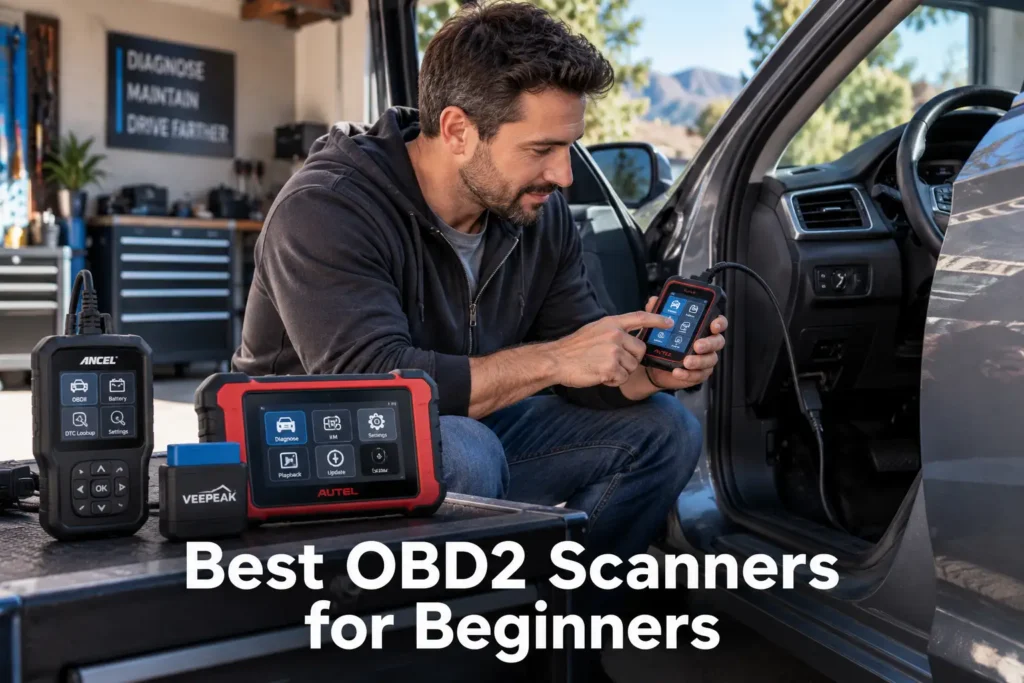
7 Best OBD2 Scanners for Beginners in 2026
A first OBD2 scanner should make car diagnostics less confusing, not introduce a second problem to solve.
For a beginner, the best scanner is not automatically the model with the longest feature list. A useful first scanner should be easy to set up, make trouble codes understandable, match the systems you actually want to diagnose, and avoid pushing you into professional-level complexity before you need it.
That is why this guide does not rank scanners simply by capability. We looked at beginner fit: setup, interface, code explanations, phone dependence, system coverage, room to grow, update or subscription considerations, and the risk of paying for functions a first-time owner may never use.
If you are not sure yet whether beginner-focused picks are the right starting point, our full OBD2 scanner buying guide walks through the complete decision process first.
Our seven picks cover three realistic beginner paths: simple code reading (for a check-engine light, emissions readiness, freeze-frame data, and basic live data), guided diagnostics (for drivers who want clearer explanations and repair context), and beginner tools with room to grow (for owners who want ABS, SRS, transmission, or broader diagnostics without immediately jumping to a professional tablet).
Our Top Picks for Beginners
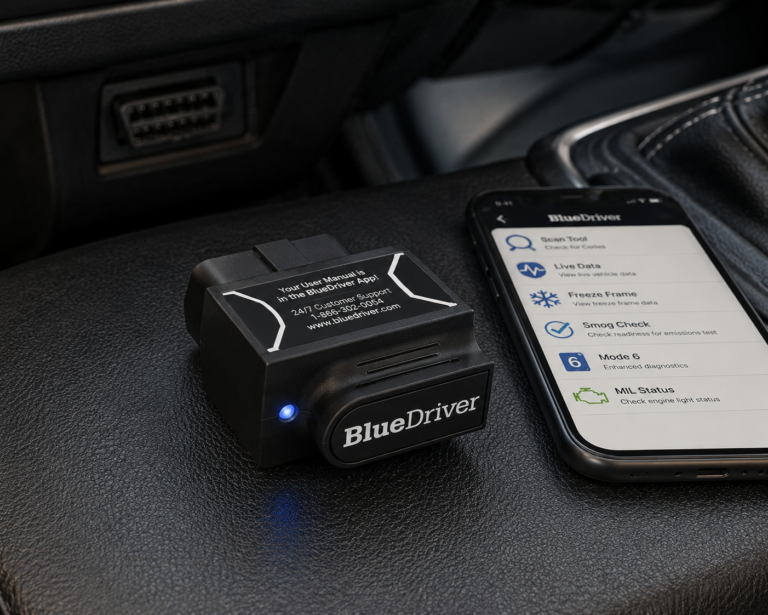
BlueDriver Pro
- Beginner-friendly app workflow
- More diagnostic context than a basic code-only reader
- Strong fit for drivers who prefer phone-based tools
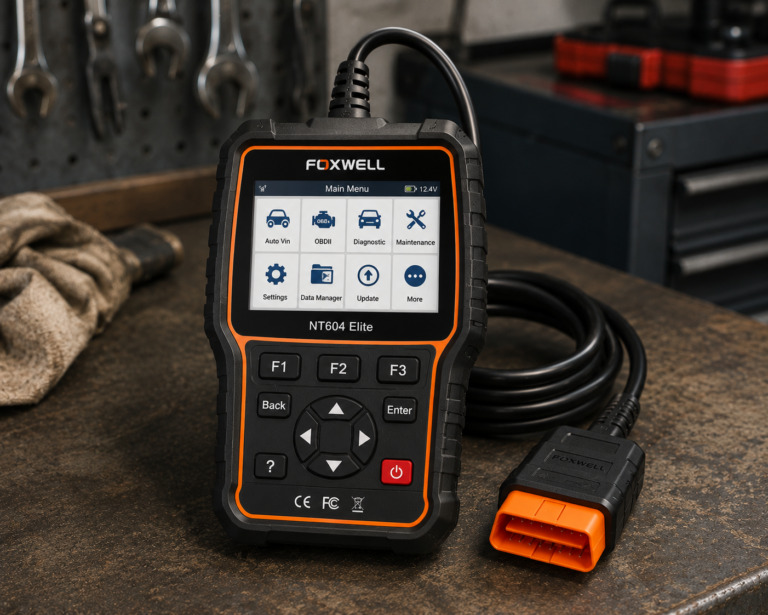
Foxwell NT604 Elite
- Broader diagnostic scope than basic engine-code readers
- No phone required
- Good fit for ABS/SRS/transmission diagnostics
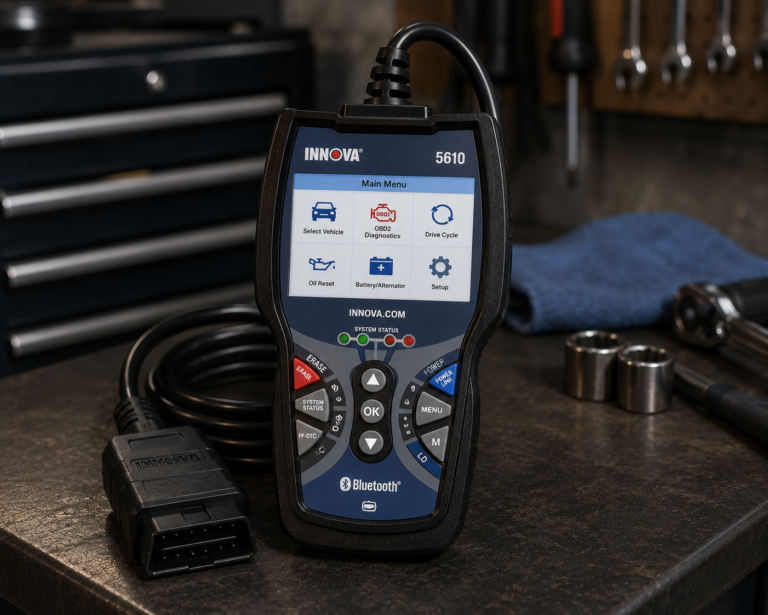
Innova 5610
- More room to grow than entry-level scanners
- Broader diagnostic capability
- Suitable for a beginner moving toward serious DIY work
Affiliate Disclosure: As an Amazon Associate I earn from qualifying purchases. Scan Choice Guide is a participant in the Amazon Services LLC Associates Program, an affiliate advertising program designed to provide a means for sites to earn advertising fees by advertising and linking to Amazon.com.
The 7 Best Beginner OBD2 Scanners, Reviewed
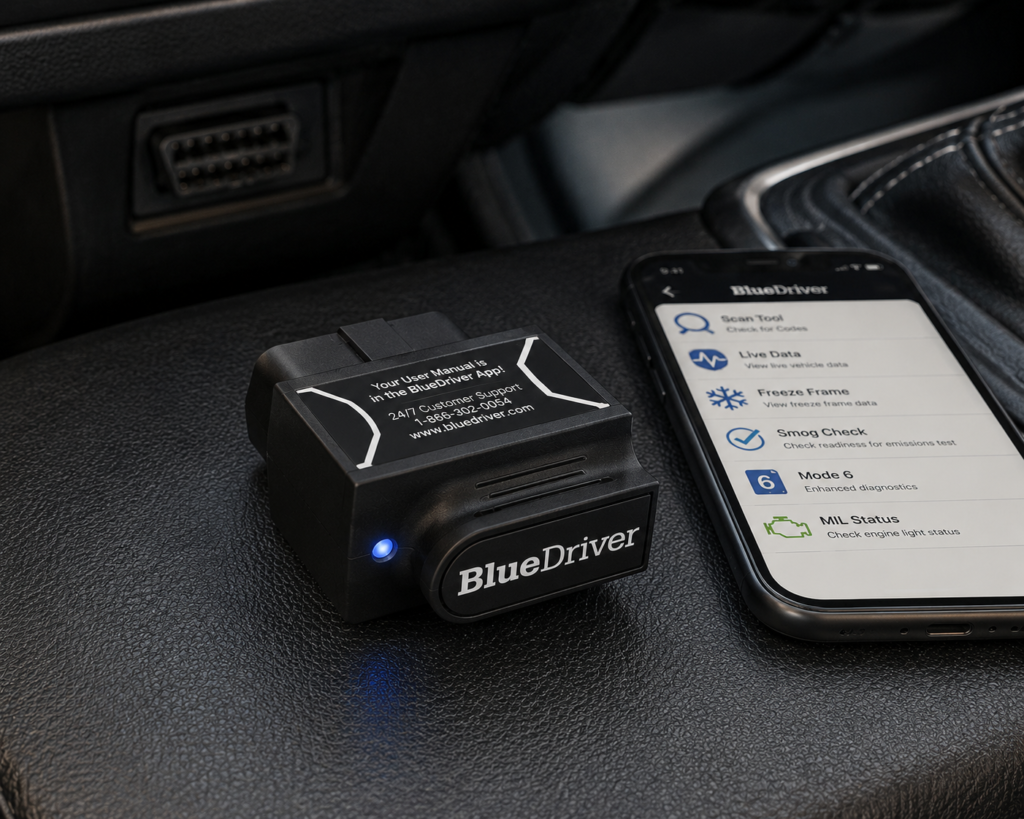
1. BlueDriver Pro: Best Overall for Most Beginners
Best For
A first-time scanner owner who prefers using a smartphone and wants more diagnostic guidance than a basic code reader provides.
Why It Fits a Beginner
BlueDriver is one of the clearest examples of why “easy to use” and “basic” do not have to mean the same thing.
The Bluetooth adapter plugs into the vehicle and works through the BlueDriver mobile app. For a new user, the important advantage is not simply that the scanner reads codes. The app is designed to add context around those codes, including code definitions and repair-oriented information, rather than leaving the owner with only a DTC and a search box.
BlueDriver’s official material also emphasizes guided setup and enhanced diagnostics. That makes it a strong starting point for someone who wants to learn without immediately moving to a dedicated diagnostic tablet.
What a Beginner Should Know
BlueDriver depends on a compatible phone or tablet. If you do not want to use an app, create an account, manage Bluetooth, or look at diagnostics on a phone screen, a standalone handheld may be a better first tool.
Enhanced diagnostics are also vehicle-dependent. Do not assume that every supported vehicle exposes the same systems simply because the generic OBD2 connection works.
| Specification | Details |
|---|---|
| Connectivity | Bluetooth dongle, pairs with the free BlueDriver app on iOS/Android |
| Vehicle compatibility | 1996 and newer gas, diesel, and hybrid vehicles sold in North America (confirm your exact vehicle via the SCG Finder) |
| Enhanced code reading | ABS, SRS/airbag, transmission, TPMS, 4WD/AWD, hybrid/EV codes on a documented brand list; coverage varies by model/year |
| Repair context | “Confirmed Fix” reports showing real repairs for the same code on the same vehicle |
| Subscription policy | “No subscriptions. No add-ons. Ever.” per BlueDriver’s official page |
| Screen | None; requires a compatible phone with the BlueDriver app |
| Pros | Cons |
|---|---|
| Beginner-friendly app workflow | No standalone screen; requires a compatible phone |
| More diagnostic context than a basic code-only reader | |
| No separate handheld screen to learn | |
| Useful bridge between basic code reading and more serious DIY diagnostics | |
| Strong fit for drivers who already prefer phone-based tools |
SCG Verdict
BlueDriver is the strongest all-around beginner choice here because it reduces one of the biggest first-time problems: understanding what the code actually means and what to investigate next. It is not the right answer for every vehicle or every user, but it is a sensible starting point for many first-time owners. See our full BlueDriver review for the complete breakdown of what its app actually explains about each code. If Bluetooth simplicity matters most to you, browse our full roundup of Bluetooth OBD2 scanners for more options like it.
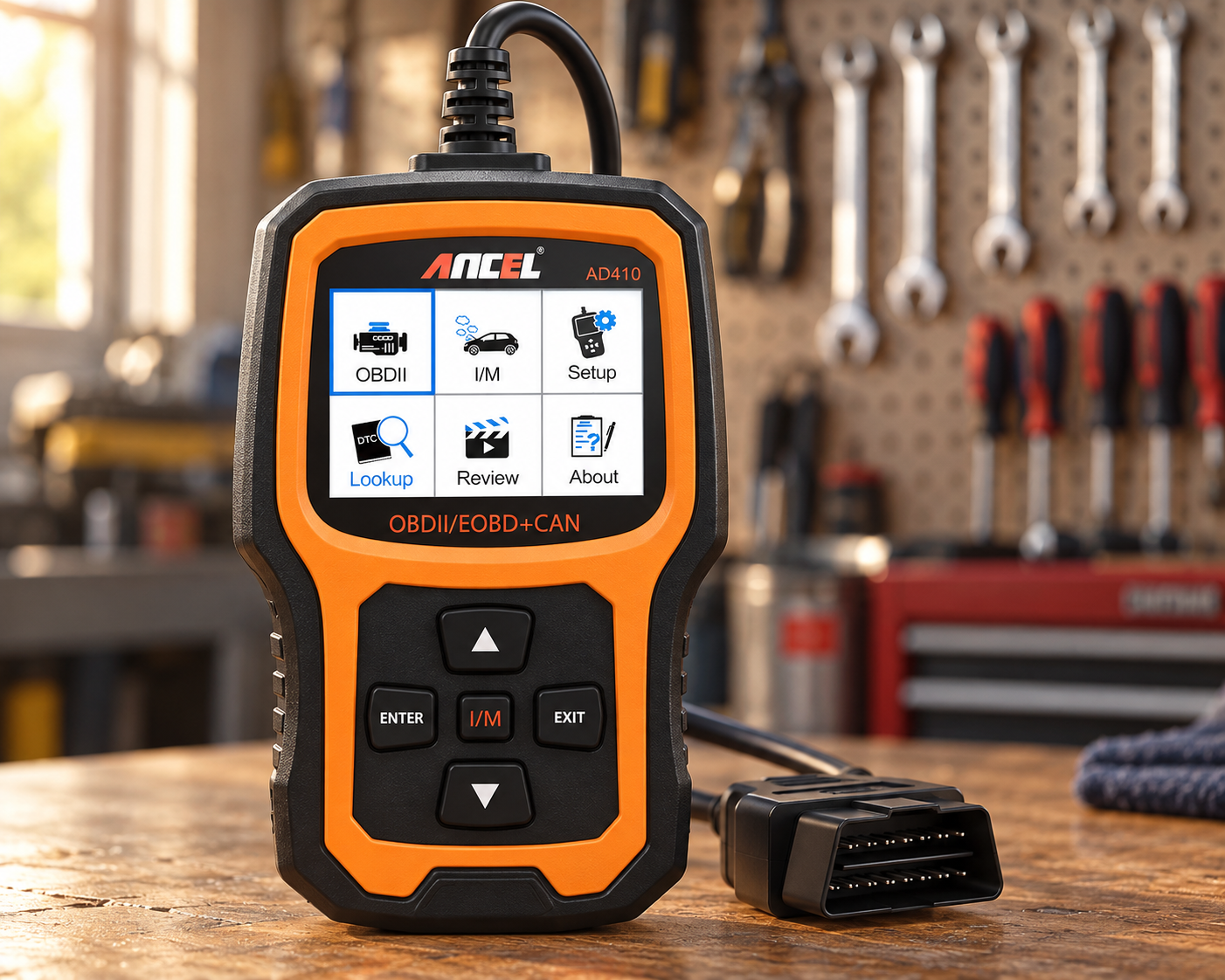
2. ANCEL AD410: Best Simple Handheld
Best For
A beginner who wants to plug in a scanner, use physical buttons and a built-in screen, and avoid Bluetooth or phone setup.
Why It Fits a Beginner
There is a major usability advantage to a traditional handheld scanner: fewer moving parts in the setup process.
No phone pairing. No choice of third-party app. No uncertainty about whether the scanner is connected to the phone but not the vehicle.
The ANCEL AD410 is repeatedly surfaced in beginner-focused search results because it represents that simple standalone approach. Its role is standard OBD2 engine/emissions diagnosis rather than broad professional diagnostics.
For a first-time owner whose goal is to investigate a check-engine light, review live engine data, check emissions readiness, and learn the basic OBD2 workflow, that simplicity can be more useful than a much more capable scanner.
What a Beginner Should Know
This is not the choice for someone whose main goal is diagnosing ABS, airbag, body-control, or other non-engine systems. A basic OBD2 scanner can be perfectly useful while still being the wrong tool for a warning light outside its diagnostic scope.
| Pros | Cons |
|---|---|
| Standalone operation | Limited compared with multi-system diagnostic tools |
| No phone or Bluetooth pairing | |
| Straightforward entry into OBD2 diagnostics | |
| Appropriate for learning engine-code and emissions basics | A user who quickly moves into deeper DIY repairs may outgrow it |
| Less interface complexity than advanced scanners |
SCG Verdict
Choose the AD410 when simplicity matters more than diagnostic breadth. It is a better beginner tool for learning basic OBD2 than an advanced scanner whose menus and functions you do not yet understand. If a wired, no-phone-required setup matters more broadly to you, see our full roundup of standalone OBD2 scanners that skip Bluetooth entirely.
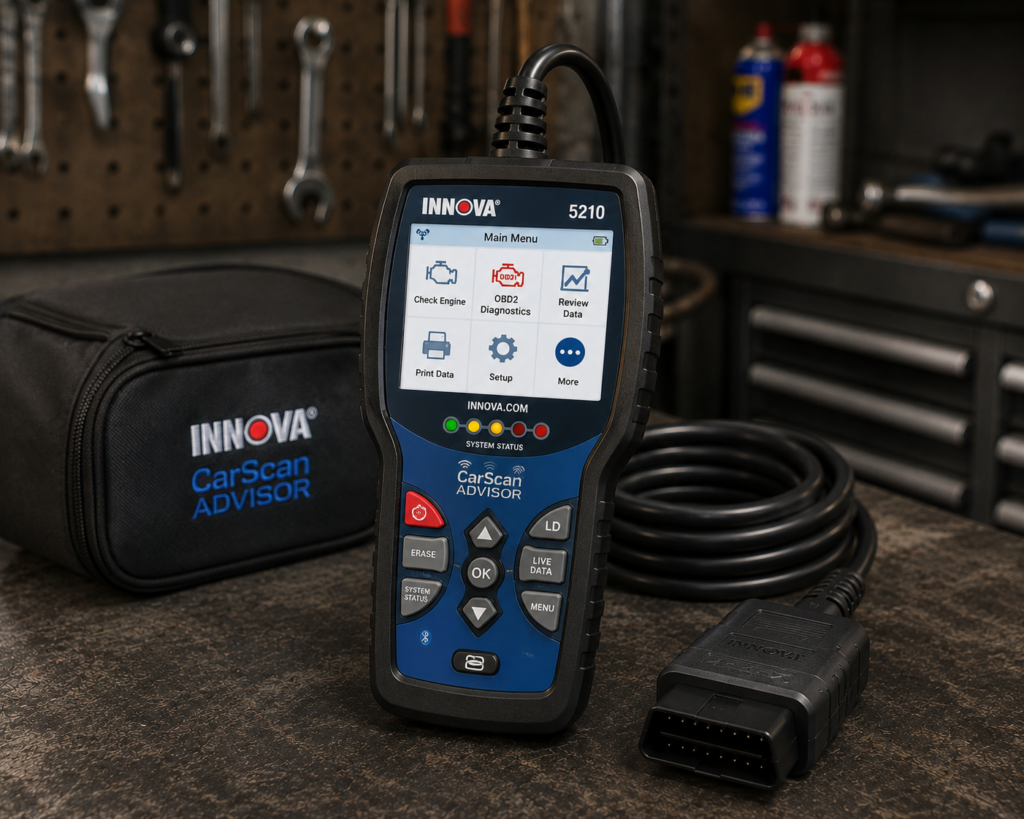
3. Innova CarScan Advisor 5210: Best for Guided Repair Information
Best For
A beginner who wants a dedicated handheld but also values repair information and battery/charging-system checks.
Why It Fits a Beginner
The Innova 5210 sits in a useful middle ground.
It is still recognizable as a traditional handheld diagnostic tool, but Innova connects its scanners with the RepairSolutions2 ecosystem. For a beginner, this matters because the difficult part is often not retrieving a trouble code; it is deciding what that code does and does not prove.
Innova positions the 5210 as its basic-diagnostics option, while the company’s broader platform includes vehicle-coverage checking and repair information. That makes the 5210 attractive to a first-time owner who wants more guidance than a bare code reader without starting with an advanced bidirectional tool.
What a Beginner Should Know
Do not buy it assuming every advanced diagnostic function available on higher Innova models is present on the 5210. Decide what systems you need to diagnose first, then use Innova’s coverage information for the exact vehicle.
| Specification | Details |
|---|---|
| Form Factor | Handheld, 6 x 3.375 inches, built-in color display |
| Display | Shows 20 pieces of information at once, English/French/Spanish |
| Code Reading | Engine and ABS confirmed |
| Live Data | Confirmed, multiple systems simultaneously |
| Oil Reset | Confirmed, built-in feature per Innova’s current product page |
| Bidirectional Control | Not listed; positioned as an entry-level code reader |
| App Integration | RepairSolutions2, no extra fees per Innova |
| Vehicle Coverage | Most 1996+ cars, trucks, SUVs, hybrids |
| Pros | Cons |
|---|---|
| Familiar handheld format | Bidirectional control is not supported |
| Repair-information ecosystem can help a new user interpret results | |
| Useful step above the most basic code readers | |
| Battery/charging diagnostics add practical value for a car owner | Coverage is limited to engine and ABS; SRS/airbag diagnostics are not included |
| Does not force a beginner directly into professional-tool complexity |
SCG Verdict
The 5210 is a strong choice for the beginner who wants to learn diagnostics rather than simply erase a warning light. It gives a first-time owner a more structured path from “I have a code” to “what should I check next?” Our full Innova CarScan Advisor 5210 review walks through that guided, beginner-friendly diagnostic path in detail.
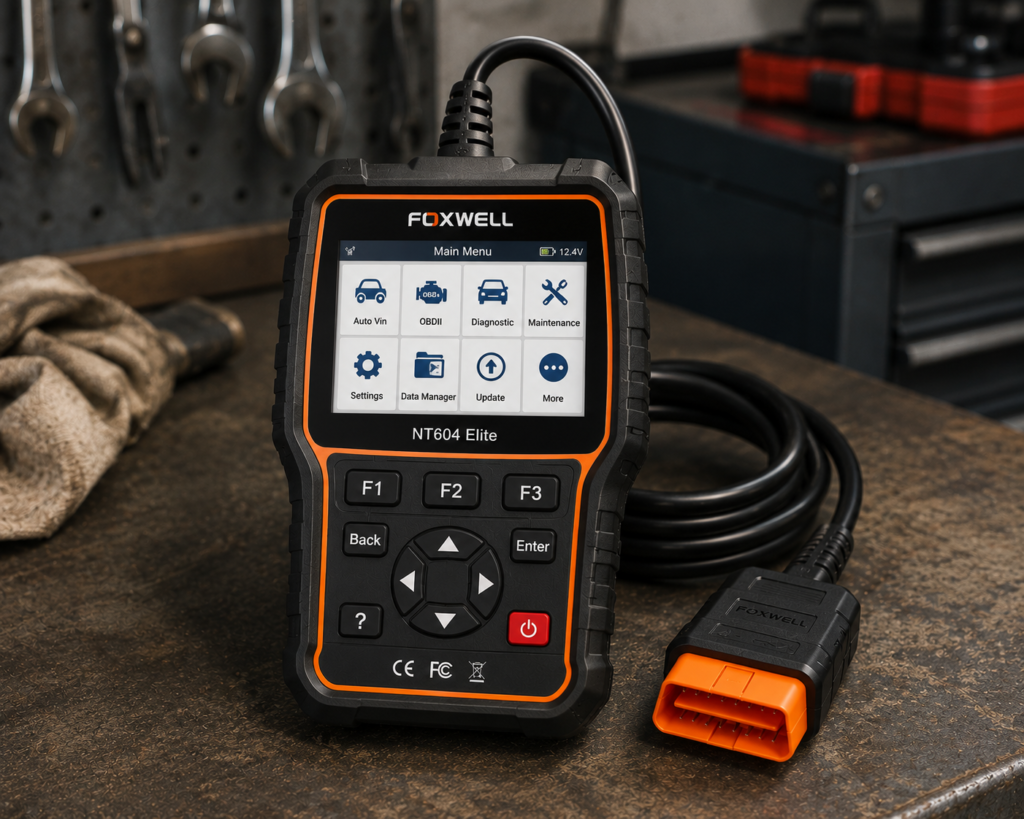
4. FOXWELL NT604 Elite: Best for Multi-System Diagnostics Without a Phone
Best For
A beginner who already knows that engine-only diagnostics will not be enough and wants access to major systems such as engine, transmission, ABS, and SRS in a standalone tool.
Why It Fits a Beginner
One of the easiest beginner mistakes is buying a basic engine-code reader and then discovering that it cannot explain the ABS or airbag warning light that actually prompted the purchase.
The NT604 Elite addresses that problem by moving beyond generic engine-only OBD2 into multiple major vehicle systems while keeping a conventional handheld form.
FOXWELL’s current product information describes the NT604 Elite as an engine, transmission, ABS, and SRS diagnostic scanner and highlights automatic VIN acquisition. For a beginner, AutoVIN and a self-contained interface can reduce setup friction.
What a Beginner Should Know
Broader system access does not mean unlimited service functions, coding, or bidirectional control. It is important to separate “can communicate with several systems” from “can perform every procedure in those systems.”
| Specification | Details |
|---|---|
| Display | 4.3-inch color screen |
| Vehicle Connection | Diagnostic cable to the OBD2 port |
| Protocols | KWP2000, J1850 VPW, ISO9141, J1850 PWM, CAN |
| Vehicle Coverage | 1996+ US, 2000+ EU/Asian vehicles, light trucks, SUVs |
| Systems Covered | Engine, ABS, SRS, Transmission (4-system scope) |
| Live Data | Confirmed, real-time monitoring |
| Service Resets | Not supported: no oil reset, battery registration, ABS bleeding, throttle body relearn, ABS relearn, per Amazon |
| Bidirectional Control | Not listed by the manufacturer |
| Update Policy | Lifetime free Wi-Fi updates, per Amazon and Foxwell |
| Pros | Cons |
|---|---|
| Broader diagnostic scope than basic engine-code readers | Bidirectional control is not supported |
| No phone required | |
| AutoVIN can simplify vehicle identification | |
| Good fit for a beginner who wants ABS/SRS/transmission diagnostics | Service reset functions are not included, per Foxwell's own documentation |
| Provides room to learn before moving to advanced active-test tools |
SCG Verdict
The NT604 Elite is the best choice in this group for a beginner who already understands that “OBD2 scanner” can mean much more than reading the check-engine light. It offers broader diagnostics without requiring a phone or immediately jumping to a high-end tablet. See our full FOXWELL NT604 Elite review for the complete list of systems it covers beyond the check-engine light. If ABS or SRS warning lights are actually what sent you shopping, see our guide to OBD2 scanners for ABS and SRS instead.
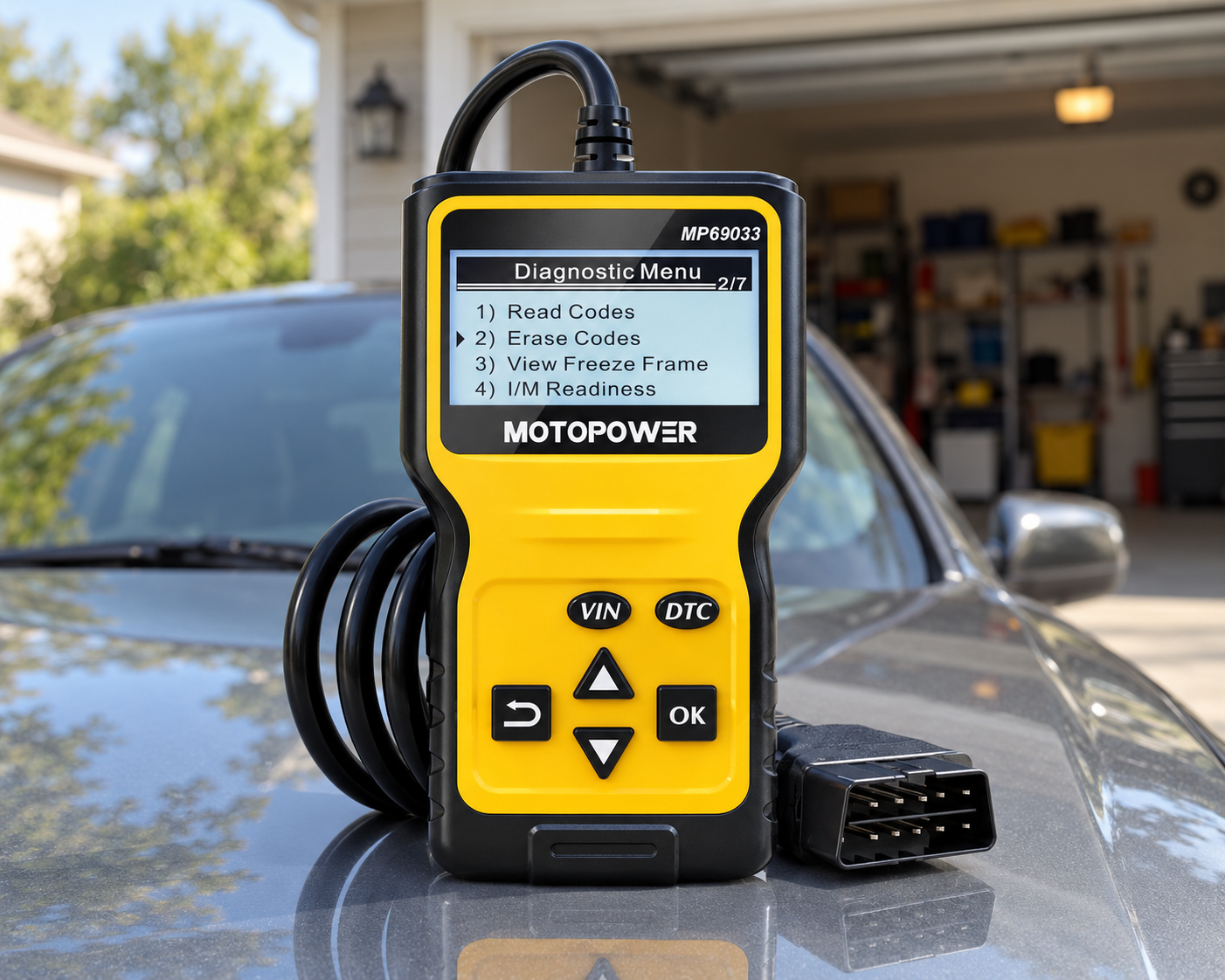
5. MOTOPOWER MP69033: Best Low-Cost Basic Handheld
Best For
A first-time buyer who wants a simple tool for basic OBD2 engine diagnostics and does not need advanced vehicle-system access.
Why It Fits a Beginner
For some owners, the correct first scanner is deliberately limited.
If the goal is to read a check-engine code, clear the code after the underlying issue is addressed, review basic OBD2 information, and learn how vehicle diagnostics work, an inexpensive standalone reader can be enough.
The MOTOPOWER MP69033 appears prominently in current general and beginner-oriented scanner comparisons as a basic handheld option. Its value to a beginner is straightforward operation rather than advanced capability.
What a Beginner Should Know
Do not confuse a low-cost engine-code reader with a multi-system diagnostic scanner. If your real requirement is ABS, SRS, transmission, service resets, coding, or active tests, buying the cheapest reader first may simply mean buying a second scanner later.
| Pros | Cons |
|---|---|
| Simple handheld approach | Limited diagnostic depth |
| Appropriate for basic check-engine diagnostics | |
| No app ecosystem to manage | |
| Good way to learn standard OBD2 fundamentals | Not the right tool for many non-engine warning lights |
| Avoids paying for advanced functions a casual user may never need |
SCG Verdict
The MP69033 makes sense when the requirement is genuinely basic. Beginners should not be embarrassed by choosing a simple tool, but they should understand exactly where its diagnostic boundary lies before buying.
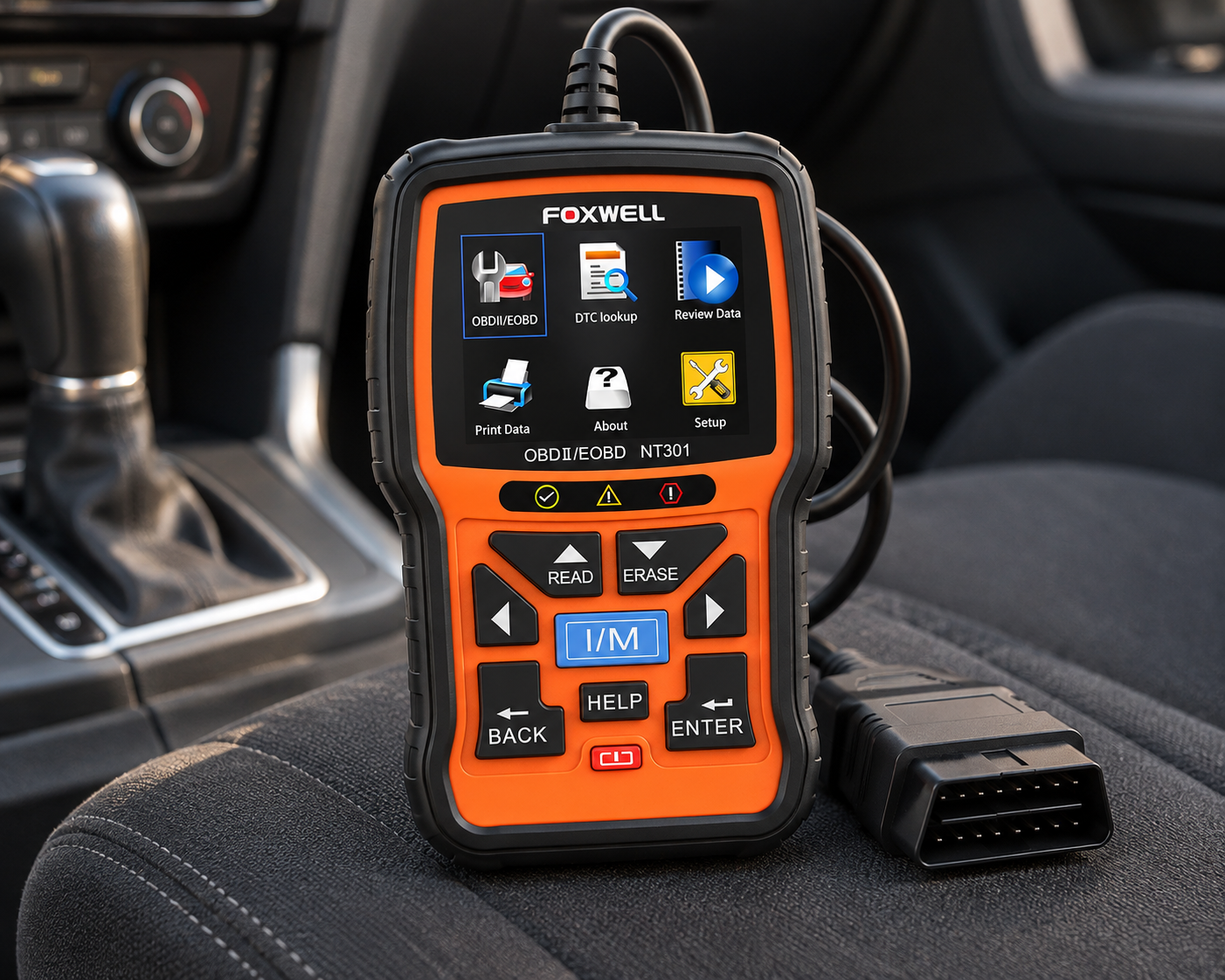
6. FOXWELL NT301: Best for Beginners Who Want Live-Data Depth
Best For
A beginner who wants a traditional handheld scanner but expects to move beyond simply reading and clearing codes.
Why It Fits a Beginner
Live data is where an OBD2 scanner starts becoming a diagnostic tool rather than only a code reader.
A trouble code identifies an area that requires investigation; it does not automatically identify the failed part. Watching sensor values and understanding freeze-frame information can help a beginner learn that distinction.
The NT301 is frequently included in current beginner and DIY recommendations because it stays within a familiar handheld format while offering a more useful OBD2 data experience than ultra-basic readers.
What a Beginner Should Know
Live data is useful only if the user understands what the values mean. More data is not automatically better diagnosis.
The NT301 should also not be mistaken for FOXWELL’s broader multi-system scanners. Its beginner value comes from doing standard OBD2 diagnostics in a more informative way, not from replacing a full-system tool.
| Pros | Cons |
|---|---|
| Standalone handheld format | Does not replace a multi-system diagnostic scanner |
| Useful for learning live-data diagnosis | |
| No phone pairing required | |
| Logical step up from minimal code readers | Users needing active tests or advanced service functions should choose a different class of tool |
| Keeps the focus on core OBD2 skills |
SCG Verdict
The NT301 is a good first scanner for someone who wants to understand what the engine is reporting, not just retrieve and erase a code. That makes it particularly useful for a beginner who expects to become a more capable DIY diagnostician.
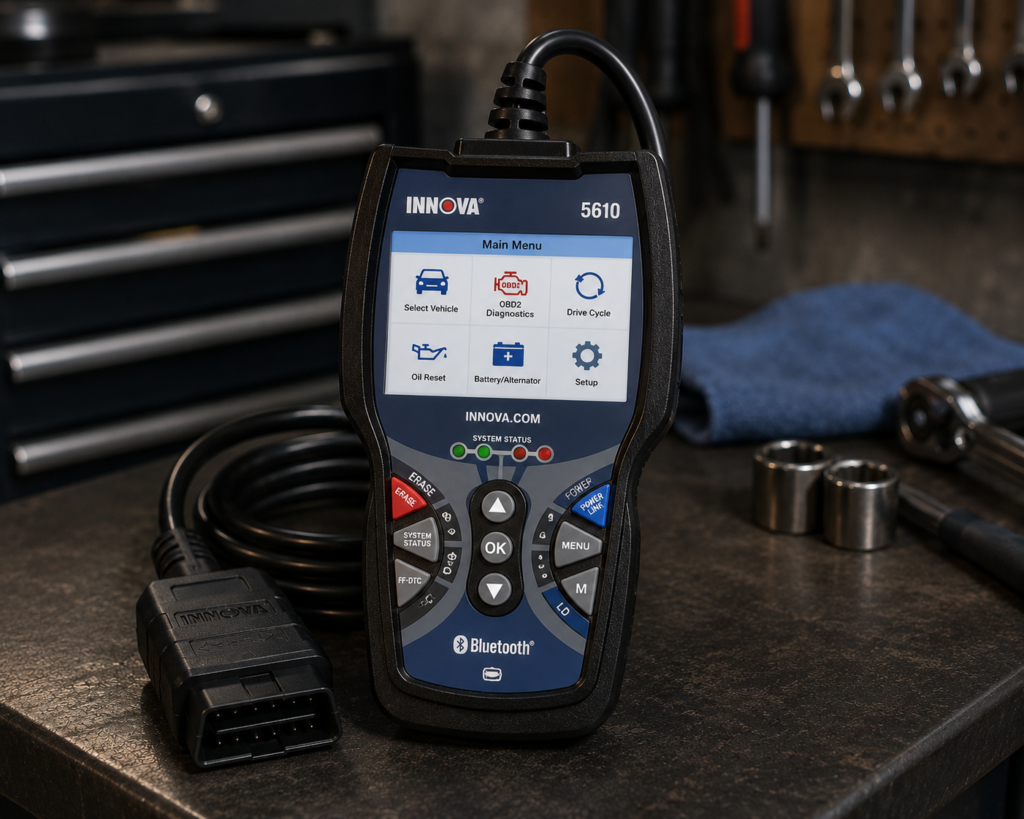
7. Innova 5610: Best Beginner Scanner With Room to Grow
Best For
A motivated beginner who wants a scanner that can remain useful as diagnostic skills advance.
Why It Fits a Beginner
Not every beginner should start with the simplest scanner.
Someone who already works on their own vehicle, plans to learn live-data diagnosis, wants broader system access, or expects to use active-test capabilities may outgrow an entry-level reader quickly.
Innova positions the 5610 as its advanced-diagnostics handheld. The company highlights all-system diagnosis, bidirectional functions on supported vehicles, and integration with its repair-information platform. That gives a committed beginner substantially more room to grow than an engine-only reader.
What a Beginner Should Know
This is the most important warning in this guide: advanced functions are not automatically universal functions.
Bidirectional tests, resets, relearns, calibrations, and manufacturer-specific access can vary by exact vehicle. The winner tables in this guide name the Innova 5610 for the jobs where it works.
The 5610 also asks more from the user. A beginner who only wants to understand a check-engine light may be better served by BlueDriver, the Innova 5210, or a basic handheld.
| Specification | Details |
|---|---|
| Form Factor | Handheld unit with dedicated screen |
| App Integration | RepairSolutions2 app (Innova states 4M users) |
| Bidirectional Control | Confirmed; commands ABS pumps, fuel injectors, and other components directly |
| Reset Functions | 20+ confirmed by Innova, including oil, battery, EPB, DPF, TPMS relearn, key coding, injector coding, EV/HEV/PHEV battery health |
| ECU Coding / Reprogramming | Not supported, stated directly by Innova |
| Vehicle Coverage | Most 1996-2023 US/Canada OBD2 vehicles; North America only |
| FCA Vehicles | 2018+ requires Innova’s AutoAuth process for full functionality |
| Update Policy | Free updates, no subscription, confirmed directly by Innova |
| Pros | Cons |
|---|---|
| More room to grow than entry-level scanners | North America only; not for use outside the US/Canada |
| Broader diagnostic capability | |
| Repair-information support can help with interpretation | |
| Suitable for a beginner moving toward serious DIY work | |
| Avoids an immediate upgrade if advanced diagnostics become important |
SCG Verdict
The Innova 5610 is not our simplest beginner recommendation. It is our recommendation for the beginner who already knows that diagnostics will become part of their DIY work and wants a tool that can grow with them. Our full Innova 5610 review covers the fuller diagnostic depth this pick grows into as your DIY work advances. If you already know you want that depth now, our full guide to OBD2 scanners for DIY mechanics goes further.
Beginner Comparison Table
| Scanner | Format | Beginner Strength | Diagnostic Level | Phone Required | Best Fit |
|---|---|---|---|---|---|
| BlueDriver Pro | Bluetooth dongle | Guided app and repair context | Basic OBD2 + supported enhanced diagnostics | Yes | Most first-time buyers who prefer an app |
| ANCEL AD410 | Handheld | Simple plug-in operation | Standard OBD2 engine/emissions | No | First scanner with minimal setup |
| Innova 5210 | Handheld + connected ecosystem | Repair guidance and practical owner diagnostics | Basic/intermediate | Not for core handheld use | Beginners wanting more explanation |
| FOXWELL NT604 Elite | Handheld | Multi-system access without a phone | Engine + supported ABS/SRS/transmission diagnostics | No | Beginners who need more than engine codes |
| MOTOPOWER MP69033 | Handheld | Basic and uncomplicated | Standard OBD2 | No | Occasional check-engine diagnostics |
| FOXWELL NT301 | Handheld | Live-data learning | Standard OBD2 with stronger data focus | No | Beginners learning real diagnosis |
| Innova 5610 | Advanced handheld | Room to grow | Advanced diagnostics; supported bidirectional functions | No for core handheld use | Serious beginner / developing DIY mechanic |
How to Choose Your First OBD2 Scanner
1. Start With the Warning Light You Actually Want to Diagnose
A check-engine light and an ABS light are not the same scanner requirement.
Standard OBD2 gives access to legislated engine/emissions information. ABS, SRS, transmission, body modules, TPMS, manufacturer-specific data, service functions, and active tests can require broader scanner and vehicle coverage.
If you buy only by the words “OBD2 scanner,” you can end up with a perfectly functional tool that cannot access the system you care about.
2. Decide: Phone or No Phone
Phone-based scanners can provide larger displays, app-guided explanations, saved reports, and flexible software.
Standalone scanners avoid pairing, account, app, and phone-compatibility issues.
Neither format is automatically better for a beginner. Choose the workflow you are actually comfortable using.
3. Do Not Buy Advanced Functions Just Because They Sound Impressive
Bidirectional control, ECU coding, relearns, calibrations, and dozens of service functions can be valuable. They can also be unnecessary for a first-time owner.
A scanner is beginner-friendly when its useful functions are easy to reach and understand, not when it has the longest specification sheet.
4. Do Not Assume a Trouble Code Identifies the Failed Part
A DTC is evidence, not a parts order.
A good beginner workflow is: read the code → save the code and freeze-frame data → understand the system → inspect/test likely causes → repair the confirmed problem → clear the code when appropriate → verify the result.
Do not make “clear codes” your first diagnostic step.
5. Check Exact Vehicle Coverage Before Buying
Generic OBD2 compatibility can be broad while enhanced diagnostics and active functions vary significantly by vehicle.
Before buying, decide which system the warning light belongs to. Only BlueDriver, the Innova 5210 (ABS only), the Foxwell NT604 Elite and the Innova 5610 reach ABS, and only BlueDriver, the NT604 Elite and the 5610 reach airbags.
Beginner Winners by Situation, Make and Job
| Beginner | Winner | Why |
|---|---|---|
| Owner who is comfortable with a phone and wants help understanding codes | BlueDriver Pro | Enhanced ABS, airbag, transmission and TPMS codes on a long list of makes, repair reports and no subscription. |
| Owner who wants a handheld with no phone and no setup | ANCEL AD410 | Plug in, read the code and clear it after the repair. |
| Owner whose first warning light is ABS | Innova CarScan Advisor 5210 or Foxwell NT604 Elite | The 5210 reads engine and ABS. The NT604 Elite reads engine, transmission, ABS and airbag. |
| Owner who wants to learn from live data | Foxwell NT301 | 2.8-inch color screen, live-data graphing and one-button I/M readiness. |
| Owner who plans to do brakes and sensors within a year | Innova 5610 | Active tests, 20-plus resets and free updates, so it does not need replacing. |
| Owner who wants the cheapest honest start | MOTOPOWER MP69033 | A basic handheld for Check Engine codes. |
| Beginner who wants to become a pro | Innova 5610, then a tablet | The 5610 teaches active tests. Our DIY and professional guides name the tablets that follow. |
| Make | Winner | What the sources say |
|---|---|---|
| Ford and Lincoln | BlueDriver Pro | Ford is on the enhanced-brand list. |
| Chevrolet, GMC, Cadillac, Buick | BlueDriver Pro or Foxwell NT604 Elite | GM is on BlueDriver’s list. The NT604 Elite reads four systems on a dedicated screen. |
| Chrysler, Dodge, Jeep, Ram | BlueDriver Pro | Stellantis is on BlueDriver’s list. Innova states its handhelds are limited on 2018 and newer FCA vehicles, so a beginner with a new Jeep should start with the app. |
| Toyota, Honda, Nissan, Hyundai, Kia | BlueDriver Pro or Innova 5210 | Both read ABS on these makes. BlueDriver lists Hyundai and Kia from 2011 and Honda from 2003. |
| BMW, Mercedes-Benz, VW, Audi | BlueDriver Pro | Lists these makes for enhanced codes, with BMW and Mercedes-Benz from 2005. |
| Vehicle age | Winner | What the sources say |
|---|---|---|
| 1996 to 2007 | ANCEL AD410 or Foxwell NT301 | Generic OBD2 covers these cars and a handheld needs no phone. |
| 2008 to 2019 | BlueDriver Pro or Foxwell NT604 Elite | CAN is standard and both reach ABS and airbag modules. |
| 2020 to 2026 | BlueDriver Pro | Generic codes work on every tool. For enhanced codes on a late-model car, BlueDriver lists the most makes. |
| Beginner job | Winner | What the sources say |
|---|---|---|
| Find out why the Check Engine light is on in a 2012 Honda Civic | ANCEL AD410 or BlueDriver Pro | Both read and clear the code. BlueDriver adds repair reports. |
| Understand an ABS light in a 2016 Ford F-150 | BlueDriver Pro | Ford ABS codes and a repair report. |
| Check emissions readiness before an inspection in a 2015 Toyota Camry | Foxwell NT301 | One-button I/M readiness. |
| Reset the oil light on a 2017 Chevrolet Malibu | Innova 5210 or BlueDriver Pro | Both list oil reset on vehicles that support it. |
| Learn what the engine is doing at idle on a 2010 Nissan Altima | Foxwell NT301 | Live-data graphing. |
| Look at a used car before buying a 2014 Hyundai Elantra | BlueDriver Pro or Foxwell NT301 | Stored codes and readiness show whether codes were cleared recently. |
Head to Head: The Pairs Beginners Ask About Most
BlueDriver Pro or ANCEL AD410
BlueDriver explains codes and reads more systems on a phone. The AD410 reads and clears engine codes on a handheld and needs nothing else. Take BlueDriver if you want to be told what to check next. Take the AD410 if you want the simplest possible tool.
Foxwell NT604 Elite or Innova CarScan Advisor 5210
The NT604 Elite reads engine, transmission, ABS and airbag and lists no resets. The 5210 reads engine and ABS, lists oil reset and connects to the RepairSolutions2 app. Take the NT604 Elite if an airbag light is possible. Take the 5210 if you want an oil reset and ABS only.
Foxwell NT301 or MOTOPOWER MP69033
Both are handheld readers for engine codes. The NT301 adds live-data graphing and a one-button readiness key. Take the NT301 if you want to learn from data. Take the MP69033 if you only want codes.
Innova 5610 or BlueDriver Pro
The 5610 commands parts, has a 20-plus reset list and never asks for a renewal, and is sold for North America only. BlueDriver is easier to start with and explains codes. Take BlueDriver for the first month, and the 5610 if you know repairs are coming.
Your First Scan, Step by Step
Park the car and turn the ignition on. Find the 16-hole port under the dashboard, usually near the steering column on the driver’s side, and plug the scanner in. If you use BlueDriver, open the app and pair it there. Let the scanner connect and read the codes. Write down every code and the freeze-frame data before you clear anything, because the car may take days to show the fault again.
Then look up the code. A code names an area to check, not a part to buy. A misfire code can come from a plug, a coil, a vacuum leak or a fuel problem. After the repair, clear the code and drive normally for a day or two, then scan again. If the code returns, the repair is not finished.
What the Code Letters Mean
Codes start with a letter. P is for powertrain, which means the engine and transmission. B is for body, such as airbags and climate. C is for chassis, such as ABS. U is for network, which means modules not talking to each other. A basic reader shows P codes. To see B, C and U codes you need a scanner that reaches those modules, such as BlueDriver, the NT604 Elite or the 5610.
The four numbers that follow tell you whether the code is generic or maker-specific and which system it belongs to. A beginner does not need to memorize them. The scanner’s code lookup or the BlueDriver report does that work.
What Each Tool Does Not Do
BlueDriver needs a phone and an app. The ANCEL AD410 and MOTOPOWER MP69033 read engine codes only. The Innova 5210 does not read airbags and does no active tests. The Foxwell NT604 Elite lists no resets and no active tests. The Foxwell NT301 reads engine data only. The Innova 5610 does not code, is sold for North America only and cannot unlock 2018 and newer Chrysler products.
Four Typical Beginners
A college student with a 2009 Honda Civic. The Check Engine light came on. The ANCEL AD410 reads the code, and the student can look up what it means.
A parent with a 2016 Ford Explorer. An ABS light came on. BlueDriver reads the ABS module and shows what other owners fixed.
A new homeowner with a 2013 Toyota Camry who wants to do oil and brake jobs. The Innova 5610 has the oil and brake resets and active tests, and it does not need replacing when the jobs get harder.
A used-car shopper. A Foxwell NT301 shows stored codes and whether the monitors are ready, which tells you whether the seller cleared codes before the viewing.
Which Warning Light Needs Which Scanner
| Warning light | What it usually means | Which beginner tool reads it |
|---|---|---|
| Check Engine, steady | The car stored an engine or emissions fault. The EPA says a steady light means the car needs service, not that you must stop driving right away. | Any tool here: AD410, MP69033, NT301, 5210, NT604 Elite, BlueDriver or 5610. |
| Check Engine, flashing | A serious misfire that can damage the catalytic converter, per the EPA. Reduce speed and get it checked quickly. | Any tool here, but read the code before you drive far. |
| ABS | The anti-lock brake module stored a fault. The normal brakes still work, but the anti-lock function may not. | BlueDriver, Innova 5210, Foxwell NT604 Elite or Innova 5610. |
| Airbag (SRS) | The airbag system stored a fault. Treat it as a safety problem. | BlueDriver, Foxwell NT604 Elite or Innova 5610. The 5210 does not read airbags. |
| Transmission | The transmission control module stored a fault. | BlueDriver, Foxwell NT604 Elite or Innova 5610. |
| Tire pressure | One or more tires are low, or a sensor has a fault. | BlueDriver lists a TPMS light reset. For sensor programming see our full-system guide. |
| Oil service | The maintenance reminder is due. | Innova 5210, BlueDriver or Innova 5610 can reset it on supported cars. |
A scanner turns a light into information, and the information tells you where to look. It does not tell you what to replace. Treat every code as a clue, read the repair report or look up the code, and inspect the obvious things first: loose connectors, damaged wires, hoses and the fluid level.
Mistakes Beginners Make With Their First Scanner
The first is buying a reader that cannot see the system behind the warning light. The second is clearing a code before writing it down, which also resets the car’s readiness monitors and can fail an emissions check. The third is replacing the part named in a code description without a test. The fourth is buying an advanced tablet and never learning its menus. The fifth is ignoring the phone: if you hate apps, take a handheld, and if you hate extra gadgets, take BlueDriver.
Which Beginner Scanner Should You Choose?
Choose BlueDriver Pro if you want a phone-based scanner with a guided experience and more diagnostic context than a basic reader.
Choose ANCEL AD410 if you want a simple standalone scanner and your priority is basic check-engine and emissions diagnostics.
Choose Innova 5210 if you want a traditional scanner with additional repair guidance and practical owner-focused functions.
Choose FOXWELL NT604 Elite if you specifically want major-system diagnostics such as ABS, SRS, transmission, and engine without relying on a phone.
Choose MOTOPOWER MP69033 if your needs are intentionally basic and you do not want to pay for functions you are unlikely to use.
Choose FOXWELL NT301 if you want to start learning live-data diagnosis while keeping a straightforward handheld format.
Choose Innova 5610 if you are a beginner today but expect to become a serious DIY diagnostician and want substantially more room to grow.
Common Beginner Mistakes
Buying for the Lowest Price Instead of the Required System
A basic reader can be excellent at its job and still be useless for an ABS or SRS fault.
Buying a Professional Tool Too Early
More capability also means more menus, more coverage questions, and more ways to misunderstand a function.
Assuming “Full System” Means “Every Function on Every Car”
It does not. System access and special functions are vehicle dependent.
Clearing Codes Before Recording Them
Codes and freeze-frame data can contain useful diagnostic evidence. Save the information first.
Replacing the Part Named in a Code Description
A code points you toward a diagnostic path. It does not guarantee that the named component is defective.
Ignoring Update, App, or Software Conditions
A phone app can ask for a new version after a phone update, and some apps charge for extras. BlueDriver states no subscriptions and no add-ons. The handhelds here update over Wi-Fi: the NT604 Elite lists lifetime free updates and the Innova 5610 lists free updates with no subscription.
Quick Picks
Best Overall for Most Beginners: BlueDriver Pro
A Bluetooth adapter with its own app that explains codes, reads ABS and airbag modules on a long list of makes and shows repair reports, with no subscription.
Best Simple Handheld: ANCEL AD410
A plug-in reader with buttons and a screen for Check Engine codes, freeze frame and emissions readiness.
Best for Guided Repair Information: Innova CarScan Advisor 5210
A handheld that reads engine and ABS, lists an oil reset and connects to the RepairSolutions2 app at no extra fee.
Best for Multi-System Diagnostics Without a Phone: Foxwell NT604 Elite
A 4.3-inch handheld that reads engine, transmission, ABS and airbag with lifetime free updates.
Best Low-Cost Basic Handheld: MOTOPOWER MP69033
A basic reader for owners who only need engine codes.
Best for Beginners Who Want Live-Data Depth: Foxwell NT301
A handheld with live-data graphing and a one-button emissions readiness key.
Best Beginner Scanner With Room to Grow: Innova 5610
A handheld with active tests, a 20-plus reset list and free updates, sold for North America only.
Frequently Asked Questions
What is the easiest OBD2 scanner for a beginner?
There is no universal easiest scanner because some users prefer a guided phone app while others find a wired handheld simpler. BlueDriver is our strongest guided-app choice; the ANCEL AD410 represents the simpler standalone approach.
Do I need a professional scanner to read a check-engine light?
Usually not. A basic OBD2 scanner can read standard engine/emissions diagnostic trouble codes on compatible OBD2 vehicles. Professional-level tools become relevant when you need broader module access, active tests, advanced service functions, coding, or deeper manufacturer-specific diagnostics.
Can a beginner use a Bluetooth OBD2 scanner?
Yes. Bluetooth scanners can be especially beginner-friendly when the app provides clear setup and code explanations. The tradeoff is that the user must manage a phone, Bluetooth connection, and app.
Will one OBD2 scanner work on every vehicle?
No. Standard OBD2 support is broad on compliant vehicles, but enhanced modules and advanced functions can vary by vehicle. Choose by the system your warning light belongs to, as the winner tables in this guide show.
Is a more expensive scanner always better for a beginner?
No. The best beginner scanner is the least complicated tool that reliably covers the systems and functions the owner actually needs, with enough room for likely future use.
Should a beginner buy a bidirectional scanner?
Only if there is a realistic need for active tests or the user expects to develop into more advanced DIY diagnostics. Otherwise, the extra capability can add complexity without improving the first ownership experience.
Final Verdict
For most first-time buyers who are comfortable using a smartphone, BlueDriver Pro offers the strongest balance of ease, diagnostic guidance, and useful depth.
For someone who wants the simplest standalone experience, the ANCEL AD410 is the more natural starting point.
The Innova 5210 is a strong middle-ground option for owners who want additional repair context, while the FOXWELL NT604 Elite is the better fit when ABS, SRS, transmission, and engine diagnostics matter from day one.
The MOTOPOWER MP69033 makes sense when the requirement is genuinely basic. The FOXWELL NT301 is more attractive to a beginner who wants to learn live-data diagnosis. The Innova 5610 is the choice for a new user who expects to grow into substantially more advanced DIY work.
The most important beginner rule is simple: do not buy the scanner with the most features. Buy the scanner whose listed coverage matches your vehicle, your warning light, and the diagnostic work you actually intend to do.
Editorial Note
This guide is based on the makers’ own product pages, Amazon listings and our reviews of the scanners named here, compared for beginners. No price is stated because prices change.