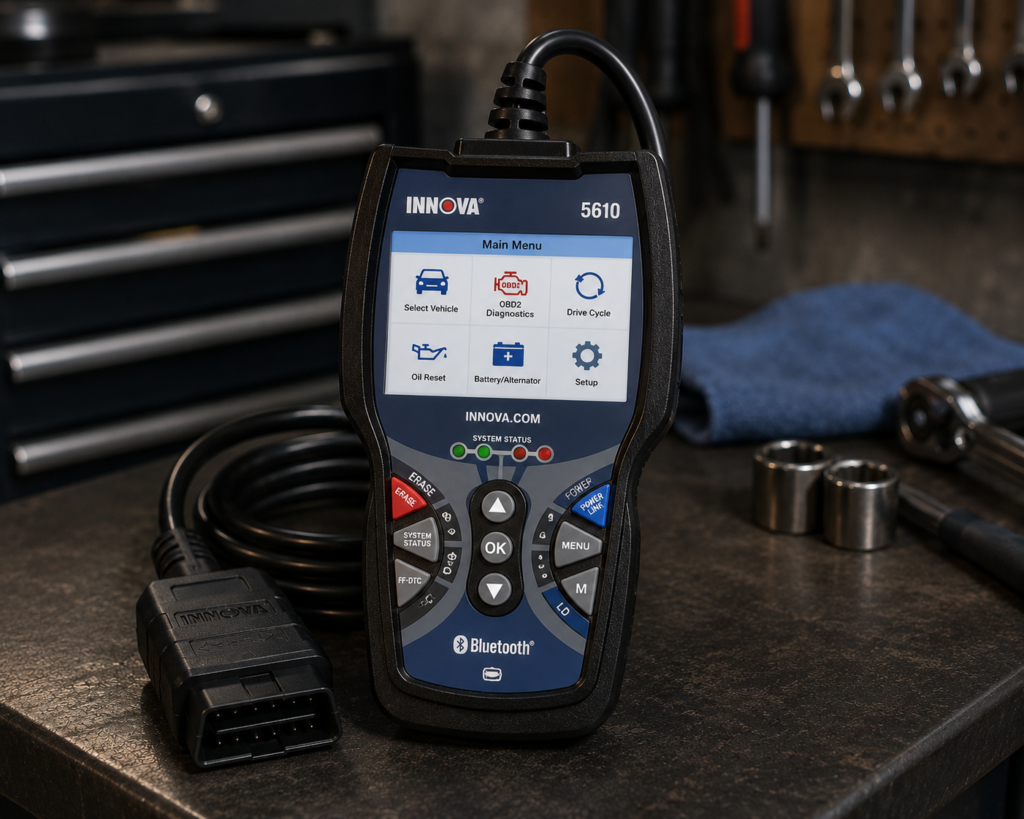
The Innova 5610 is a handheld scan tool with its own 3.5 inch screen. It plugs into the car’s OBD2 port, reads and clears codes on engine, ABS, SRS and transmission, runs active tests on parts, and lists a long set of service resets. It also pairs with a free phone app called RepairSolutions2. Innova says updates are free with no subscription, and that the tool works only in the United States and Canada.
The short version: The 5610 is a handheld for a home mechanic or a small shop that wants bidirectional tests and everyday resets without a tablet or a subscription. Amazon and Innova agree on bidirectional control, live data, the reset function and free updates. They differ on detail: Amazon names two tests and no resets, and Innova names a long reset list. Innova also says the 5610 cannot unlock the security gateway on 2018 and newer FCA vehicles, and does not support computer reprogramming or key fob programming.
Affiliate Disclosure: As an Amazon Associate I earn from qualifying purchases. Scan Choice Guide is a participant in the Amazon Services LLC Associates Program, an affiliate advertising program designed to provide a means for sites to earn advertising fees by advertising and linking to Amazon.com.
What the Innova 5610 Actually Does
The tool is one handheld unit with a cable. The manual says it powers on by itself when it is plugged into the car’s 16-pin OBD2 port, and the car supplies the power. Amazon lists the size as 7 by 3.75 by 1 inch and the screen as 3.5 inches. Amazon also says the tool supports English, Spanish and French.
Amazon and Innova name these functions:
- All-system diagnosis. Innova says “comprehensive diagnostics across all vehicle systems, including ABS, SRS, engine, and transmission”. Amazon says the Enhanced Data Stream shows live data for ABS, SRS, transmission and engine.
- Live data. Innova says OBD2 and OEM data can be viewed together, graphed, recorded and played back.
- Bidirectional tests. Innova says it sends commands to components such as ABS pumps or fuel injectors. Amazon names the fuel pump on and off and retracting the electronic parking brake. The manual says the tests available depend on the make and model.
- Resets. Innova’s page names a long list: oil maintenance, battery, electronic parking brake, maintenance, transmission, transmission fluid change, DPF, electric traction system, immobilizer, odometer read and write, language, NOx sensor, cylinder, AdBlue, TPMS relearn, throttle body relearn, AC system relearn, clutch relearn, steering angle sensor calibration, suspension calibration, headlamp calibration, occupant seat sensor calibration, ABS bleeding, battery and alternator test, tire size, injector coding, window door roof, key coding procedure, A/F setting, transport mode, coolant bleeding, vehicle inspection and EV, HEV and PHEV battery health. Amazon says only that a “Special Reset Function lets you use dealership-level re-learn procedures”.
- Updates. Innova says “Updates are free. And there are no subscriptions.” Amazon says “Updates Included”.
- The app. Both sources name RepairSolutions2. Innova says the app is optional and free, with verified fix recommendations, scan export, predicted repairs and service bulletins.
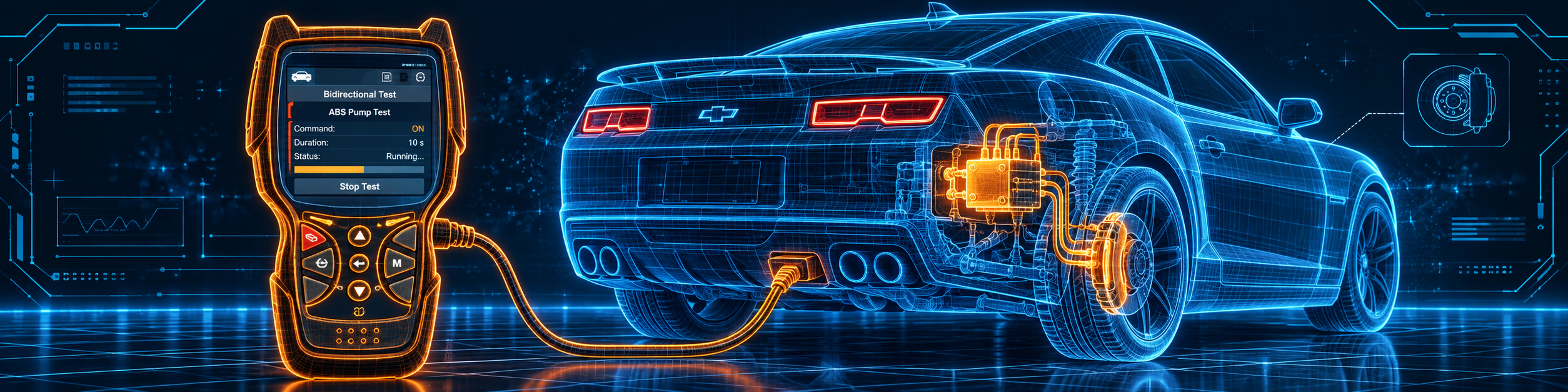
The picture below shows an active test on the ABS pump of a Chevrolet Camaro with the 5610 plugged in.
What Amazon Says vs. What Innova Confirms
We compared the Amazon listing with Innova’s product page and Innova’s user manual. The sources agree on the core. They differ on the length of the reset list, and the manual is older than the page.
| Claim | Amazon listing | Innova | Our reading |
|---|---|---|---|
| Name | “Innova 5610 OBD2 Bidirectional Scan Tool” | “CarScan Pro OBD2 Bidirectional Scanner for DIYers” | Same tool |
| Form | Handheld, 3.5 inch screen, vehicle powered | Handheld; the manual says it powers on when plugged in | Agree |
| Systems | Enhanced data for ABS, SRS, transmission, engine | ABS, SRS, engine, transmission | Agree |
| Bidirectional | Fuel pump on and off, retracting the parking brake | ABS pumps, fuel injectors, other components | Agree |
| Resets | “Special Reset Function”, no list | Long named list on the page; five reset options in the 2020 manual | The page and the manual differ |
| Updates | “Updates Included” | “Updates are free. And there are no subscriptions.” | Agree |
| App | RepairSolutions2, iOS and Android | RepairSolutions2, optional and free | Agree |
| Languages | English, Spanish, French | Not listed on the page | Amazon only |
| Where it works | “Compatible with select vehicle makes and models; not universal” | “will NOT work outside of the United States and Canada” | Agree; Innova states the region limit |
| FCA 2018 and newer | Not listed | Cannot access AutoAuth; limited functions | Innova only |
| ECU programming | Not listed | “Can this reprogram vehicle computers? No.” | Not supported |
| Key fob programming | Not listed | Not supported | Innova only |
| Warranty | Not listed | One year | Innova only |
The FCA point matters. Innova’s page says the 5610 can diagnose all systems on Chrysler and Jeep cars from 2017 and earlier. For 2018 and newer FCA cars that need AutoAuth, it can do things like TPMS relearn and live data, but “features will be limited as our handheld and dongle scanners cannot access AutoAuth”, and it cannot erase codes, perform oil resets or handle battery initialization. So the 5610 is not an FCA gateway tool.
The coding point matters. Innova lists “Key Coding Procedure” and “Injector Coding” in the reset list. It also says the tool does not reprogram vehicle computers and does not support key fob programming. Treat those two items as service procedures, not as ECU coding.
The reset point matters. Innova’s page names a very long list. The 2020 manual says the Service Reset function offers up to five options: Oil Reset, Battery Reset, Steering Angle Sensor Calibration, EPB Reset and ABS Bleeding, plus actuator tests and special functions per make. The page is newer than the manual, so check your car in Innova’s coverage checker before you buy for a specific job.
A third source. The US Department of Energy publishes a page called “How Do Hybrid Electric Cars Work?”. It says the hybrid battery “stores electricity for use by the electric traction motor”, and that it is charged through regenerative braking and by the engine. It also says a low-voltage auxiliary battery starts the car before the traction battery takes over. This source is independent of both Amazon and Innova. It explains why Innova’s battery health item for EV, HEV and PHEV cars, and the manual’s cell charge display for hybrids, concern a different battery from the ordinary 12-volt one.
How we handle these differences. The feature table at the bottom of this page, the Scanner Finder and our comparisons follow the Amazon listing, because Amazon is where you buy. We name the points above so you can see where Innova says something different. If one of them matters to you, read this section before you decide.
Is the Innova 5610 Enough for You?
A short table gives the first answer.
| If your work is | Does the 5610 list it? |
|---|---|
| Reading and clearing codes on engine, ABS, SRS and transmission | Yes |
| Live data with recording and playback | Yes |
| Bidirectional tests | Yes |
| Oil, battery, EPB and SAS resets | Yes |
| ABS bleeding | Yes, per Innova |
| TPMS relearn | Yes, per Innova |
| Erasing codes or oil resets on a 2018 or newer FCA car | No, per Innova |
| ECU coding or programming | No, per Innova |
| Key fob programming | No, per Innova |
| DoIP and CAN FD | Not listed by Amazon or by Innova |
| Use outside the United States and Canada | No, per Innova |
For a home mechanic or a small shop in North America, the upper rows cover most weekday jobs. The lower rows are work for a different tool.
Will the Innova 5610 Work on Your Car?
Innova says it works on most vehicles made in the United States or Canada, and that the features vary by year, make and model. It says the tool will not work outside the United States and Canada, and that a Mexican owner can use it only on a US imported car. Amazon asks you to check coverage with Innova’s coverage checker. Innova also says the tool will not work on a car that cannot start or crank, because it needs the car’s modules to answer. Use the Scanner Finder to check your year, make and model.
How to Set Up and Use the Innova 5610
This section follows Innova’s 5610 user manual from September 2020. The screens can differ a little from yours.
Step 1: Connect to the car
Turn the ignition off. Find the car’s 16-pin OBD2 port, remove its plastic cover if it has one, and plug in the cable connector. It is keyed and fits only one way, so turn it around if it will not go in. Switch the ignition on and do not start the engine. The tool turns on by itself. If it does not, the manual says to check the car’s fuses.
Step 2: Let it link
The tool checks which protocol the car’s computer uses and links to it. The Power/Link button links the tool to the car, and the System Menu button opens the menu of systems. Pick Global OBD for the generic engine data, or an enhanced system such as ABS or SRS.
Step 3: Pair the app
Install RepairSolutions2 from the App Store or Google Play and register a free account. In the app, choose the Wi-Fi tools setting, power on the 5610 and pick it from the list. When Bluetooth pairing is done, you can connect the tool to a 2.4 GHz Wi-Fi network. Only 2.4 GHz networks work. If you skip Wi-Fi, vehicle data will not be saved to the app, and the app keeps only two Wi-Fi settings.
Step 4: Read the codes
Press DTC/FF to see the codes and the freeze frame data one at a time. In enhanced modes, scrolling breaks the link, so press Power/Link again to reconnect. The manual warns never to replace a part based only on a code definition.
Step 5: Erase codes carefully
The Erase button clears codes and also freeze frame data and manufacturer enhanced data, and it sets the readiness monitors to not run. Permanent codes are not erased. The manual says to leave the codes in place if you will take the car to a repair shop, because the information helps the technician.
Step 6: Use live data
Press LD while linked to open live data. The manual describes viewing, customizing the PIDs, recording and playback. Recorded data can be played back later without the car.
Step 7: Run an active test
Press M for the Main Menu and pick System/Actuator Test. The manual lists tests by make, for example for Chrysler, Ford, GM, Honda and Toyota. A Chrysler menu can include throttle learn mode, manual DPF regeneration, compression and cylinder performance tests, EGR system test and purge vapor system test. Follow the warning screen first, then choose a test and read the result.
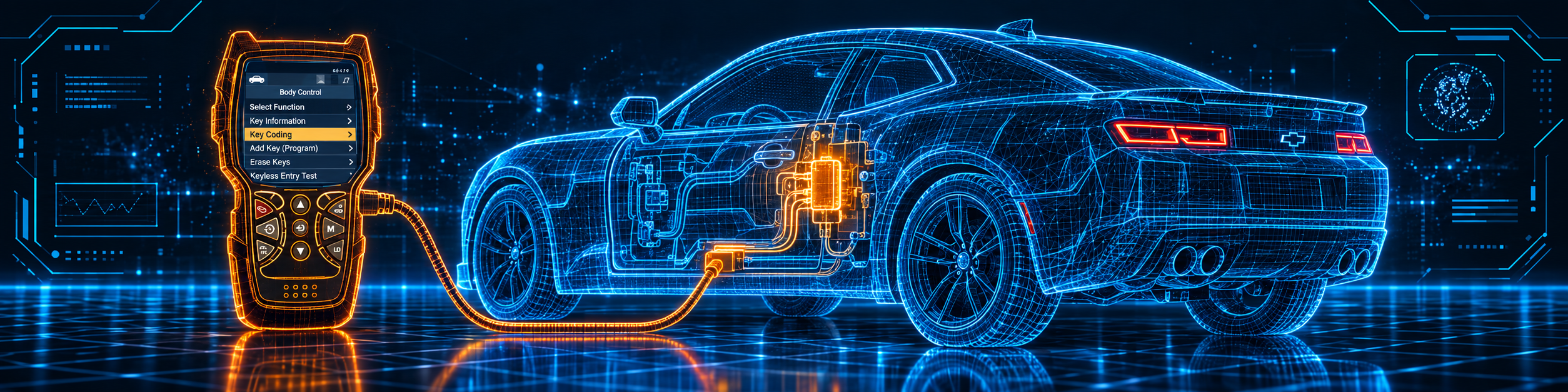
The picture below shows a key coding procedure on the door lock module of a Chevrolet Camaro.
Step 8: Run a service reset
In the Main Menu, pick Service Reset. The manual’s options are Oil Reset, Battery Reset, Steering Angle Sensor Calibration, EPB Reset and ABS Bleeding. For an oil reset, the tool can show a manual procedure if it cannot reset the light itself. Use Service Check to see brake pad status, oil level, oil life and transmission fluid temperature when the car supports it.
Step 9: Check the battery
Hybrid Battery Check, Battery/Alternator Test checks the battery and alternator. On an electric or hybrid car, it shows the state of charge for every cell in the pack, and if the car does not support it, the tool shows a message. Battery/Alternator Monitor is a second check for the ordinary battery.
Step 10: Use the extras
DLC Locator shows where the OBD2 port is on a given car. Drive Cycle Procedure shows how to set a monitor to done. Tool Library holds the OBD1 and OBD2 code lists. Vehicle Information is shown only in Global OBD2 mode.
Common Mistakes and Three Simple Plans
1. Expecting an FCA gateway unlock. Innova says the handheld cannot access AutoAuth.
2. Expecting ECU coding or key fob programming. Innova says neither is supported.
3. Erasing codes before a shop visit. The manual says to leave them.
4. Starting the engine while connecting. The manual says the ignition goes on, the engine does not start.
Plan A: A warning light on a family car
- Plug in the tool, link and read the codes and freeze frame.
- Open live data for the affected system.
- Run an actuator test if one exists, then recheck the codes.
Plan B: An oil change
- Finish the oil change.
- Open Service Reset and run Oil Reset.
- Check the oil life in Service Check.
Plan C: A hybrid battery question
- Open Hybrid Battery Check, Battery/Alternator Test.
- Read the cell charge display or the battery monitor.
- Compare the readings with the car’s service manual.
Where the Innova 5610 Sits Against Its Own Alternatives
| Innova 5610 | BlueDriver | Foxwell NT809BT | |
|---|---|---|---|
| Format | Handheld with cable | Phone and Bluetooth adapter | Tablet and Bluetooth connector |
| Bidirectional control | Yes | Not listed in our BlueDriver review | Yes, per our NT809BT review |
| ECU coding | No, per Innova | Not listed in our BlueDriver review | Not listed in our NT809BT review |
| Updates | Free, no subscription | No subscription, per BlueDriver | Three free years, per our NT809BT review |
Our BlueDriver review covers a phone-based tool that reads and lists a few service resets. Our Foxwell NT809BT review covers a tablet with active tests and a long reset list. The side-by-side with BlueDriver is in our Innova 5610 vs BlueDriver comparison.
The 5610 is the handheld of the three. It has its own screen, a long reset list and free updates, and it stops before coding, programming and the FCA gateway.
Who This Scanner Actually Fits
The 5610 fits a home mechanic or an independent technician in the United States or Canada who wants a handheld with bidirectional tests, a long reset list and no subscription. It is a weaker fit for someone who needs ECU coding, key fob programming, the FCA gateway on 2018 and newer cars, or use outside North America.
Important Limitations of the Innova 5610
- North America only. Innova says the tool does not work outside the United States and Canada.
- No FCA gateway unlock. On 2018 and newer FCA cars it cannot erase codes, perform oil resets or handle battery initialization.
- No ECU reprogramming and no key fob programming. Innova says so directly.
- The car must start or crank. Otherwise the tool cannot reach the modules.
- The page and the manual differ. The page lists a long set of resets and the 2020 manual lists five reset options.
- Functions depend on the car. Amazon says “not universal”.
Who Should Choose It, and What to Consider Instead
Choose the 5610 if you want a handheld with bidirectional tests and the common resets, in North America, with no subscription.
Consider the Foxwell NT809BT instead if you want a tablet with a Bluetooth connector. Consider the BlueDriver instead if you only need to read codes and want a phone-based tool. Consider the Thinkcar THINKDIAG instead if coding is something you need. Consider the Autel MaxiCOM MK808Z instead if you want a tablet from a brand with an FCA gateway option.
| Specification | Details |
|---|---|
| Form | Handheld, 3.5 inch screen |
| Power | From the car’s OBD2 port |
| App | RepairSolutions2, iOS and Android |
| Languages | English, Spanish, French |
| Bidirectional control | Yes |
| Resets | A long list per Innova; five options in the 2020 manual |
| ECU coding | No, per Innova |
| FCA 2018 and newer | Limited; no AutoAuth |
| Updates | Free, no subscription |
| Warranty | One year |
| Region | United States and Canada only |
| Pros | Cons |
|---|---|
| Bidirectional tests in a handheld | No ECU coding or key fob programming |
| A long reset list, including EV and hybrid battery health | North America only |
| Free updates, no subscription | No FCA gateway unlock |
| Own screen, no tablet or phone needed for the scan | Reset list differs between the page and the manual |
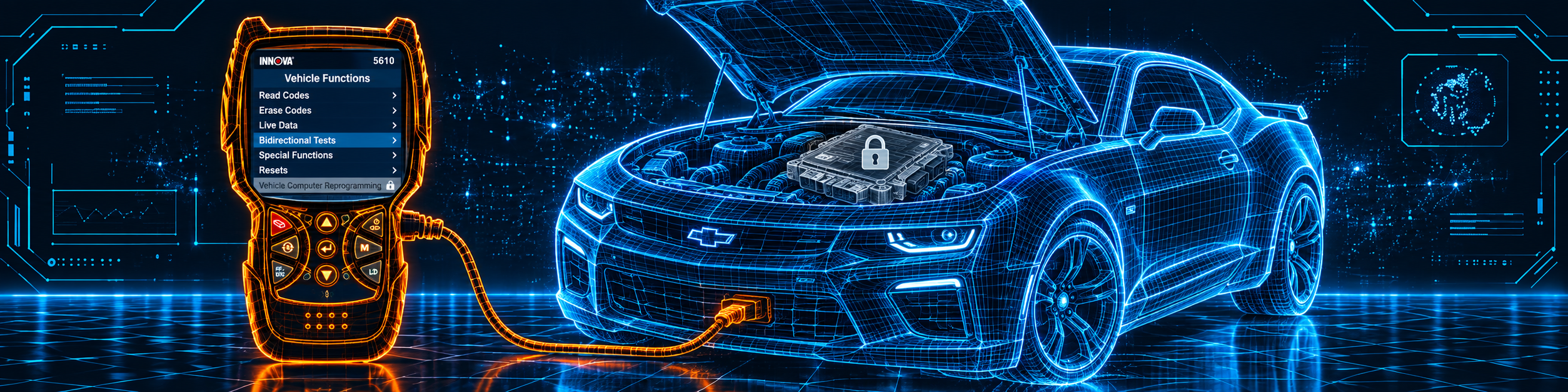
The picture below shows the 5610 with computer reprogramming locked, which is the work this tool does not do.
Methodology: How SCG Evaluates OBD2 Scanners.
Our Verdict on the Innova 5610
The 5610 is a handheld with bidirectional tests, a long reset list, free updates and a free app. Amazon and Innova agree on the core, and Innova is clear about what it does not do: coding, key fob programming, the FCA gateway and use outside North America. If those limits do not touch your work, it is a practical tool.
Frequently Asked Questions
Does the Innova 5610 support ECU coding or computer reprogramming?
No. Innova says it cannot reprogram vehicle computers. Key coding and injector coding are listed as service procedures.
Does it work outside the United States and Canada?
No. Innova says it is region restricted and follows North American OBD protocols.
Can I use it on a 2018 or newer FCA vehicle?
Only in a limited way. Innova says the handheld cannot access AutoAuth, so it cannot erase codes, perform oil resets or handle battery initialization on those cars.
Does it need a subscription?
No. Innova says updates are free and there are no subscriptions.
Do I need the app?
No. Innova says the app is optional and free.
Is it compatible with my specific vehicle?
Use the Scanner Finder and Innova’s coverage checker to check your year, make and model.
Trusted Sources
- Innova 5610 official product page: features, reset list, updates, regions, FCA and limits
- Innova 5610 user manual: connecting, codes, live data, tests, resets, battery check
- Verified Amazon listing: current title, bullets and product overview
- US Department of Energy, How Do Hybrid Electric Cars Work?: what the hybrid battery does