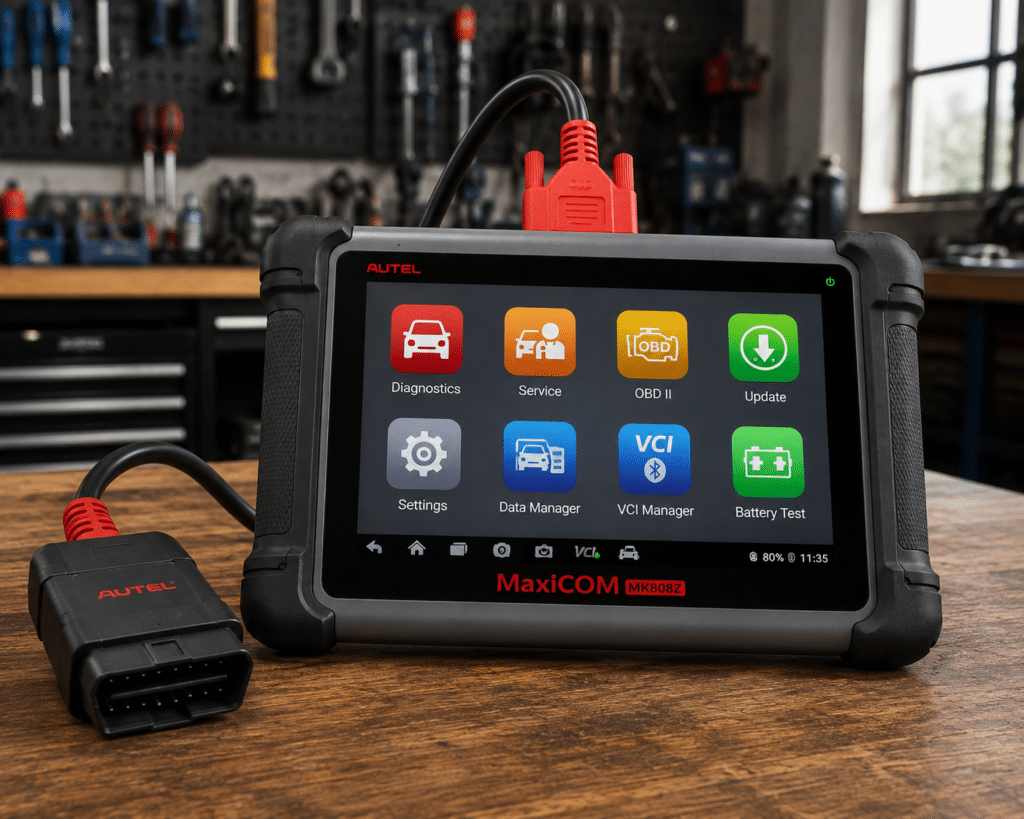
The Autel MaxiCOM MK808Z is a 7 inch Android tablet that connects to the car with a cable and to the internet over Wi-Fi. It reads and clears codes on all systems, runs active tests, and lists 28 or more service and reset functions. Amazon adds FCA Auto Authorization, CAN FD and DoIP, 180 or more brands and a two-year brand warranty. Autel’s own pages list the first two items in part, and not the other three.
The short version: The MK808Z is a plain, wired diagnostic tablet for a home mechanic or a small shop that wants all-system diagnosis, active tests and the common resets without a Bluetooth connector. Amazon and Autel agree on active tests, 28 or more services, FCA access and the hardware. They differ on protocols, brand count and warranty: Amazon says CAN FD and DoIP, 180 or more brands and a two-year brand warranty, and Autel’s store page lists no CAN FD or DoIP, 80 or more makes and one year of warranty. Amazon lists no ECU coding, and Autel’s store page says only that the tool can “perform Coding and Adaptations”, without naming ECU coding.
Affiliate Disclosure: As an Amazon Associate I earn from qualifying purchases. Scan Choice Guide is a participant in the Amazon Services LLC Associates Program, an affiliate advertising program designed to provide a means for sites to earn advertising fees by advertising and linking to Amazon.com.
What the MK808Z Actually Does
The tool is one tablet. Autel’s manual says its accessory kit holds a main cable, which connects the tablet to the car’s OBD2 port, a mini USB cable and a power adapter. The tablet takes its power from the car while the main cable is connected. Autel’s store page says dual-band Wi-Fi at 2.4 and 5 GHz, and does not name Bluetooth. Its packing list names the main unit, a power adapter, USB cables, a quick reference guide, a user manual and a carrying case.
Autel lists these specs:
- Screen: 7 inch LCD touchscreen, 1024 by 600.
- System: Android 11 on a Rockchip RK3566 processor.
- Memory: 4 GB RAM and 64 GB of storage. The manual says the card slot takes cards up to 32 GB.
- Battery: 3.7 V, 5000 mAh, about 7 hours of continuous use.
- Connections: Mini USB 2.0, USB 2.0, Wi-Fi and a card slot. The store page also lists HDMI.
Amazon and Autel name these functions:
- All-system diagnosis. Amazon says “comprehensive all-system scanning, reading/clearing fault codes, displaying live data in text, graph, and analog formats, and executing active tests”. Autel says OE-level diagnostics on 80 or more makes and models from 1996.
- Active tests. Amazon says “true bidirectional control, allowing you to send commands to test components like ABS pumps, windows, door locks, solenoids, and lights”. Autel says active tests that send commands to the ECU to activate and monitor the actuators.
- Service functions. Both say 28 or more. Amazon names oil reset, EPB reset, SAS reset, SRS reset, injector coding, BMS reset and DPF regeneration, plus crankshaft position sensor relearn and throttle body adaptation, and ABS bleeding. Autel names oil reset, EPB service, ABS auto bleed, SAS calibration and DPF regeneration.
- FCA. Amazon says a built-in FCA Auto Authorization that, with simple registration, can bypass the security gateway on 2018 and newer Chrysler, Jeep, Dodge and Ram vehicles. Autel says “AutoAuth unlocked with the latest software update can securely serve modern FCA vehicles for OBDII diagnostics”.
- Protocols. Amazon says it “stays current with protocols like CAN FD & DoIP”. Autel’s store page lists the standard OBD2 and CAN protocols, and not CAN FD or DoIP.
- Vehicle identification. Amazon names Auto-VIN with one click car info and Auto-Scan for a full system scan.
- Updates and support. Amazon says “12-month free updates”, “lifetime technical support”, a “2-year brand warranty” and a free return and replacement policy. Autel says “One Year Free Update and One Year Free Warranty”.
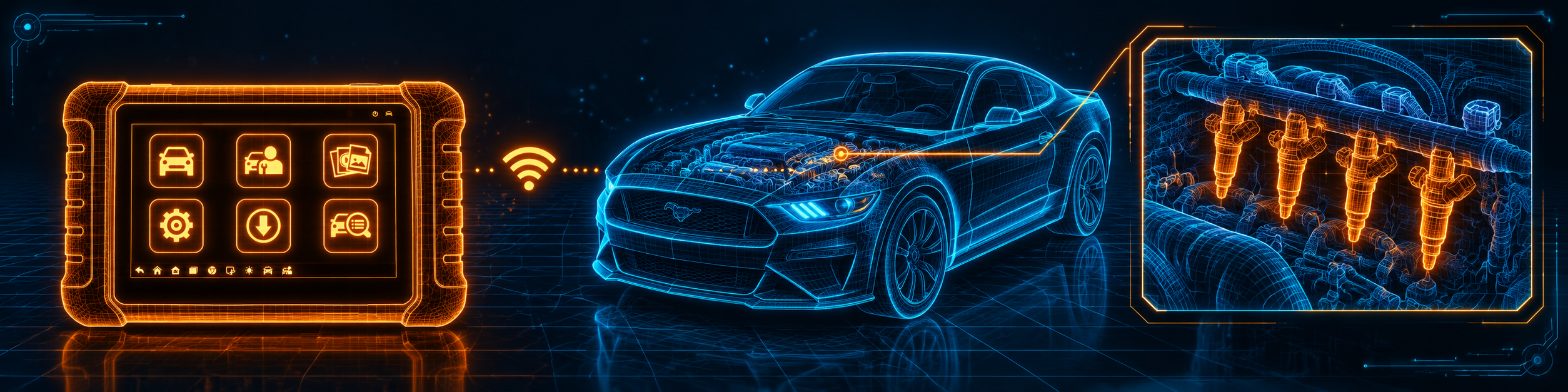
The picture below shows an injector reset on a Ford Mustang, one of the services both sources list.
What Amazon Says vs. What Autel Confirms
We compared the Amazon listing with Autel’s store page, Autel’s MK808S and MK808Z page and Autel’s user manual. They agree on the core. They differ on protocols, counts and warranty.
| Claim | Amazon listing | Autel | Our reading |
|---|---|---|---|
| Name | “Autel Obd2 Scanner Diagnostic Tool MaxiCOM MK808Z” | “MaxiCOM MK808Z” | Same tool |
| System | Android 11, 4GB RAM, 64GB, dual-band Wi-Fi | Android 11, RK3566, 4GB and 64GB, Wi-Fi 2.4 and 5 GHz | Agree |
| Screen and battery | Not listed | 7 inch 1024 x 600; 5000 mAh | Autel only |
| Connection to the car | Not listed | Main cable (manual) | Autel only |
| Active tests | ABS pumps, windows, door locks, solenoids, lights | ABS, windows, doors, solenoids, valves, wipers (store page) | Agree; no test count on either |
| Service functions | “28+” | “28+” | Agree |
| FCA | Built-in Auto Authorization, 2018 and newer | AutoAuth for modern FCA vehicles | Agree |
| DoIP and CAN FD | “CAN FD & DoIP” | Not in the protocol list | The sources differ |
| Vehicle coverage | “180+ car brands” | “80+ car makes and models” | The figures differ |
| Languages | “multiple languages”, Spanish named | Not listed on the store page | Amazon only |
| ECU coding | Not listed; injector coding named | “perform Coding and Adaptations”; ECU coding not named | Autel’s wording is broader than Amazon’s |
| Updates | “12-month free updates” | “One Year Free Update” | Agree |
| Warranty | “2-year brand warranty” | “One Year Free Warranty” | The terms differ |
| In the box | Not listed | Main unit, power adapter, USB cables, quick reference guide, user manual, carrying case | Autel only |
The protocol point matters. Amazon says CAN FD and DoIP. Autel’s store page lists neither in its protocol list, and its separate MK900-BT and MX900 pages list both. For the MK808Z we treat the two as Amazon’s claim, and we ask you to check your car with the Scanner Finder before you rely on them. Our DoIP explainer and CAN FD explainer say what the protocols are.
The coding point matters. Autel’s store page lists, in one line with the active tests, that the tool can “perform Coding and Adaptations”. It does not say ECU coding, brands or modules. Amazon names injector coding, crankshaft position sensor relearn and throttle body adaptation, which are service procedures, and no ECU coding. Treat the Autel line as a general claim and ask Autel or the seller before you buy for a specific coding job. For named coding brands, read our Autel MP808S review.
The warranty point matters. Amazon says a 2-year brand warranty and 12 months of free updates. Autel’s store page says one year of warranty and one year of free updates. The warranty can belong to the seller, so ask who stands behind it when you buy.
A third source. The Equipment and Tool Institute, an association of scan tool makers, publishes a short document called “Steps to obtain Stellantis SGW Access”. It says a tool maker must be a full ETI member, license Stellantis diagnostic data, complete an authenticated scan tool addendum, register and connect to the Stellantis Bridge server, have capable tools approved and listed on the AutoAuth.com site, and “inform end-users of how to get registered with AutoAuth.com”. This source is independent of both Amazon and Autel. It explains why FCA access on a scan tool needs a registration on your side as well, which Amazon calls “simple registration”.
How we handle these differences. The feature table at the bottom of this page, the Scanner Finder and our comparisons follow the Amazon listing, because Amazon is where you buy. We name the points above so you can see where Autel says something different. If one of them matters to you, read this section before you decide.
Is the MK808Z Enough for You?
A short table gives the first answer.
| If your work is | Does the MK808Z list it? |
|---|---|
| Reading and clearing codes on all systems | Yes |
| Live data in text, graph and analog | Yes |
| Active tests | Yes |
| Oil, EPB, SAS and battery resets | Yes |
| ABS bleeding, DPF regeneration and injector coding | Yes |
| FCA gateway access | Yes |
| DoIP and CAN FD | Yes, per Amazon; not in Autel’s protocol list |
| ECU coding | Not named by Amazon; Autel says “Coding and Adaptations” |
| J2534 pass-through | Not listed by Amazon or by Autel |
| ADAS calibration | Not listed by Amazon or by Autel |
| Wireless connection to the car | No; Wi-Fi is for the internet |
For a home mechanic or a small shop, the upper rows cover most weekday jobs. The lower rows are work for a different tool.
Will the MK808Z Work on Your Car?
Amazon says 180 or more brands. Autel says 80 or more makes and models from 1996. The manual describes four ways to identify a car: Auto VIN Scan, Manual Input, Automatic Selection and Manual Selection. Use the Scanner Finder to check your year, make and model. The special functions depend on the car, and Autel’s manual says the lists vary by vehicle.
How to Set Up and Use the MK808Z
This section follows Autel’s MK808Z user manual V1.3. Your screens may differ slightly.
Step 1: Start the tablet and charge it
Hold the Power/Lock key at the top right until the screen lights and the LED turns green, then swipe up to reach the Job Menu. Charge the tablet with the mini USB cable and the power adapter. The manual says the tablet can also run from the car through the main cable.
Step 2: Plug in the main cable
Connect the main cable to the tablet and to the car’s OBD2 port. The manual calls this the connection to the vehicle’s DLC. Wi-Fi is for updates, printing and the cloud report, not for the car.
Step 3: Update the software
Open Update and download the latest software before the first job. In Settings, Auto Update can run the operating system, MaxiCOM and vehicle updates at a time you set, and it needs an internet connection. Firmware Upgrade needs the main cable connected to the car and the mini USB cable for power. Amazon says 12 months of updates are free, and Autel says one year.
Step 4: Identify the car
In Diagnostics, choose Auto Detect from the VID button. The tablet reads the VIN from the car, shows it for you to confirm, then shows the vehicle profile. If the VIN cannot be read, choose Manual Input, Automatic Selection or Manual Selection.
Step 5: Scan
Choose Auto Scan to scan all available systems, or Control Unit for one. The result list shows each system with a fault count, a pass or Not Scanned. Report turns the result into a report.
Step 6: Work inside a system
The function menu can include ECU Information, Trouble Codes, Live Data, Active Test and Special Function, and it differs by car. Before you erase codes, put the ignition in ON with the engine off, and read the codes again afterwards. In Live Data, a value can be a gauge, text or a waveform graph.
Step 7: Run an active test
Active Test sends commands to the ECU to activate the actuators and watch what they do. Tests may switch a solenoid, a relay or a switch between two states. Follow the on-screen steps, and tap ESC when you finish.
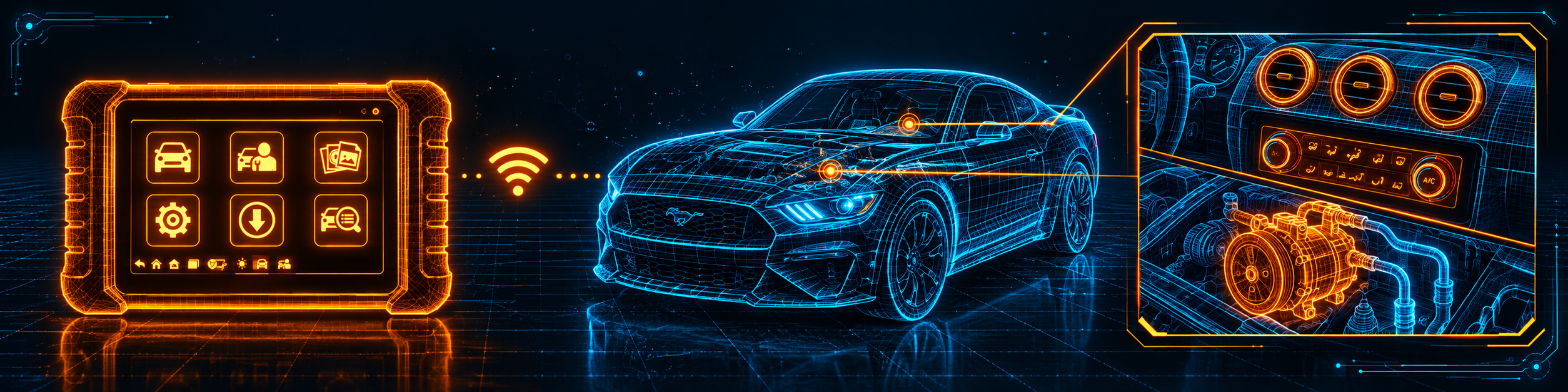
The picture below shows the A/C system and climate control diagnostics on a Ford Mustang.
Step 8: Run a service
Tap Service on the Job Menu. The manual describes these:
- Oil reset. Do it after the oil change and the other work. Some cars let you reset other reminders too, and the manual gives BMW as an example.
- EPB. Deactivate the brake system before brake work, work on level ground with the car still, and reactivate it afterwards.
- BMS. Registers a new battery, checks the charge state and sets the rest state. Use the same battery type and capacity, because a different type may need extra programming.
- DPF. Check the fuel light, stored faults and engine oil before a forced regeneration. If the car must be driven, use a second person to watch the screen.
- TPMS. The manual’s TPMS chapter looks up sensor IDs from the car and runs replacement and reset procedures. Neither Amazon nor Autel’s store page lists TPMS sensor programming, so we do not count it.
Step 9: Save, print and share
Data Manager keeps vehicle history, images, PDF files and reports. In Settings, Report Settings can upload the diagnostic report to the cloud when the tablet is online. Printing Settings turns on Print via PC-Link, which sends files to a printer through a computer on the same network, and the manual says to install the Maxi PC Suite first.
Step 10: Set language and units
Settings has Unit and Language. Amazon says the tablet comes with multiple languages and names Spanish, and the manual says you pick the language from a list.
Common Mistakes and Three Simple Plans
1. Assuming CAN FD and DoIP. Amazon says so, and Autel’s protocol list does not, so check your car.
2. Expecting named ECU coding. Amazon lists none, and Autel’s line says only “Coding and Adaptations”.
3. Expecting a wireless car connector. The manual says the tablet reaches the car through a main cable.
4. Starting an EPB service without deactivating the brake system. The manual says to deactivate first.
Plan A: After an oil change
- Plug in the cable and let the tool find the car.
- Open Service and run the oil reset.
- Run Auto Scan to confirm.
Plan B: A Chrysler, Jeep, Dodge or Ram from 2018
- Register for FCA access as Amazon describes.
- Connect the cable and identify the car.
- Run Auto Scan and the test you need.
Plan C: Brake pads on an electric parking brake
- Deactivate the brake system from the tool menu.
- Do the pad job with the car on level ground.
- Reactivate the system and check for codes.
Where the MK808Z Sits Against Its Own Siblings
| MK808Z | MK808S | MK900-BT | |
|---|---|---|---|
| Format | 7 inch tablet, Wi-Fi, main cable | 7 inch tablet, Wi-Fi, main cable | 8 inch tablet, V150 Bluetooth |
| DoIP and CAN FD | Yes per Amazon; not in Autel’s list | Not listed in our MK808S review | Yes, per our MK900-BT review |
| FCA access | Yes | Yes per Amazon | Yes, per our MK900-BT review |
| Service functions | 28 or more | 28 or more per Amazon | 40 or more |
| ECU coding | Autel says “Coding and Adaptations”; not named by Amazon | Not listed in our MK808S review | Not listed in our MK900-BT review |
Our Autel MK808S review covers a near neighbor with the same size and connection. Our Autel MK900-BT review covers the larger tablet with a Bluetooth connector and a longer service list. For coding, see our Autel MP808S review.
The MK808Z is the plain Wi-Fi tablet of the family, with the common services and FCA access.
Autel’s store pages for the MK808Z and for the MaxiCheck MX808S list the same processor, memory, screen, battery, service count and FCA line, and the same “Coding and Adaptations” line. They look like one platform sold under two names. Our Autel MX808S review covers the other listing, so compare both listings before you pay for either.
Who This Scanner Actually Fits
The MK808Z fits a home mechanic or an independent technician who wants all-system diagnosis, active tests and the common resets in one tablet with a cable, plus FCA access. It is a weaker fit for someone who needs ECU coding, J2534 programming, ADAS calibration or a wireless car connector.
Important Limitations of the Autel MK808Z
- No named ECU coding. Amazon lists none, and Autel’s store page says only “Coding and Adaptations”.
- CAN FD and DoIP rest on Amazon’s word. Autel’s store protocol list names neither.
- Cable to the car. The manual describes a main cable, and Wi-Fi is for the internet.
- One free update year. Amazon and Autel both say a year, and no source gives a renewal cost.
- The warranty terms differ. Amazon says two years and Autel says one.
- Functions depend on the car. Amazon and the manual both say so.
Who Should Choose It, and What to Consider Instead
Choose the MK808Z if you want a plain Wi-Fi tablet with all-system diagnosis, active tests, 28 or more services and FCA access.
Consider the Autel MK900-BT instead if you want a Bluetooth connector and a 40 or more service list. Consider the Autel MP808S instead if ECU coding is why you are buying. Consider the Autel MK808S instead if you want the closest neighbor and compare the two listings.
| Specification | Details |
|---|---|
| Screen | 7 inch LCD, 1024 by 600 |
| System | Android 11, Rockchip RK3566 |
| Memory and storage | 4 GB RAM, 64 GB |
| Battery | 3.7 V, 5000 mAh |
| Connection | Main cable to the car; Wi-Fi 2.4 and 5 GHz |
| Service functions | 28 or more |
| FCA gateway | Yes; 2018 and newer per Amazon |
| DoIP and CAN FD | Yes per Amazon; not in Autel’s list |
| ECU coding | Not named; Autel says “Coding and Adaptations” |
| Updates | One free year |
| Warranty | One year per Autel; two years per Amazon |
| Pros | Cons |
|---|---|
| All-system diagnosis and active tests | No named ECU coding |
| 28 or more services and FCA access | CAN FD and DoIP are Amazon’s claim |
| Dual-band Wi-Fi for updates and reports | Cable to the car |
| Ready for printing through a computer | One free update year |
The picture below shows an oil reset and the maintenance indicator on the Ford Mustang.
Methodology: How SCG Evaluates OBD2 Scanners.
Our Verdict on the Autel MK808Z
The MK808Z is a plain, cabled Wi-Fi tablet with all-system diagnosis, active tests, 28 or more services and FCA access. Amazon and Autel agree on the core and differ on protocols, brand count and warranty, and neither names ECU coding. If you do not need coding or a Bluetooth connector, it covers a lot of everyday work.
Frequently Asked Questions
Does the MK808Z support bidirectional control?
Yes. Amazon says true bidirectional control, and Autel says active tests that send commands to the ECU.
Does it support ECU coding?
Amazon does not list it and lists injector coding as a service. Autel’s store page says the tool can “perform Coding and Adaptations”, without naming ECU coding.
Does it support CAN FD and DoIP?
Amazon says so. Autel’s store page lists neither, so check your car first.
Does it work on FCA vehicles?
Yes. Amazon says a built-in FCA Auto Authorization for 2018 and newer Chrysler, Jeep, Dodge and Ram, and Autel says AutoAuth for modern FCA vehicles.
Is it wireless?
Only for the internet. The tablet reaches the car through a main cable, and Autel’s store page does not name Bluetooth.
How long are updates free?
One year, per Amazon and Autel.
Is it compatible with my specific vehicle?
Use the Scanner Finder to check your year, make and model.
Trusted Sources
- Autel MaxiCOM MK808Z official store page: features, specifications, FCA line, warranty
- Autel MaxiCOM MK808S/MK808Z product page: features, specifications, downloads
- Autel MaxiCOM MK808Z user manual: setup, diagnosis, services, settings, update
- Verified Amazon listing: current title, listing text and details
- Equipment and Tool Institute, steps to obtain Stellantis SGW access: what a scan tool needs for FCA gateway access