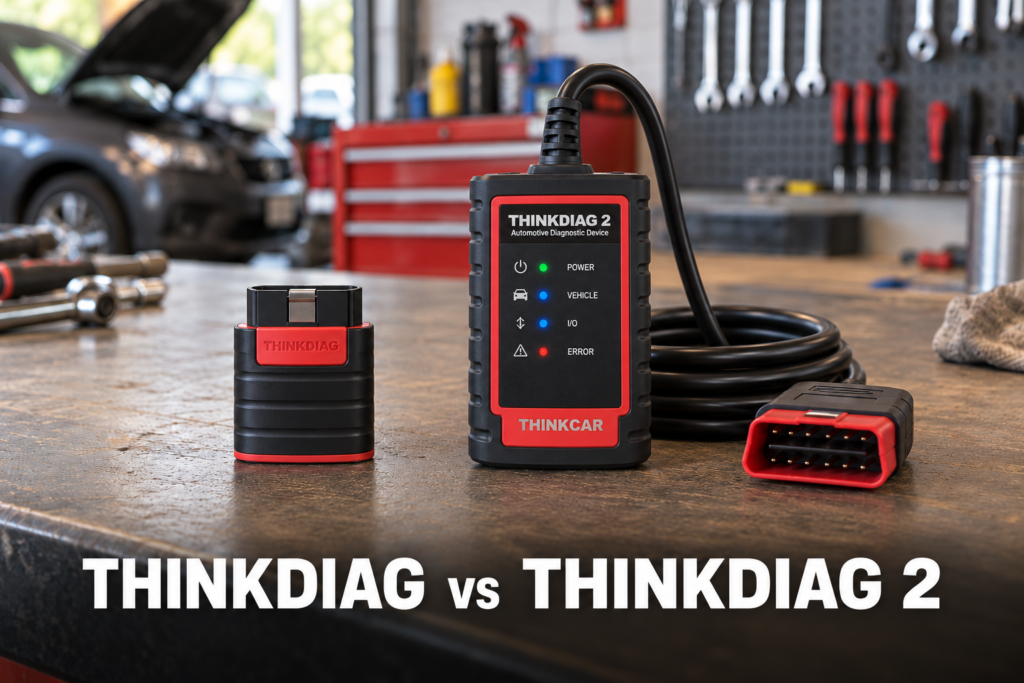
THINKCAR THINKDIAG vs THINKDIAG 2: Which Should You Buy in 2026?
The THINKDIAG 2 is a genuine, confirmed upgrade over the original THINKDIAG, not just a refreshed model number. It adds CAN-FD protocol support the original does not have, a faster Bluetooth 5.0 connection, and, on Thinkcar’s own pages, a more generous first-year software policy than the original’s. For a slightly higher price, the THINKDIAG 2 is the better-documented choice for almost every buyer; the only reason to consider the original is if you find it at a meaningfully lower price and your vehicles predate CAN-FD entirely.
Affiliate Disclosure: As an Amazon Associate I earn from qualifying purchases. Scan Choice Guide is a participant in the Amazon Services LLC Associates Program, an affiliate advertising program designed to provide a means for sites to earn advertising fees by advertising and linking to Amazon.com.
THINKDIAG vs THINKDIAG 2: The Short Answer
Best Overall for Almost Every Buyer: THINKCAR THINKDIAG 2, a confirmed upgrade with CAN-FD support and a faster Bluetooth 5.0 connection.
Best Budget Pick: Thinkcar THINKDIAG, the lowest entry price in Thinkcar’s bidirectional/coding lineup.
THINKDIAG vs THINKDIAG 2: Two Buyer Scenarios
Any of your vehicles are 2020 or newer, especially GM: the THINKDIAG 2 is the only one of the two that can read them fully, via its confirmed CAN-FD support.
You work mostly on one brand and want the lowest ongoing software cost: neither tool is free after year one: Thinkcar says the original needs a renewal for each brand software and for the reset software, and Amazon says the THINKDIAG 2 has a yearly fee with two ways to pay it, so compare the terms in the app.
Thinkcar THINKDIAG
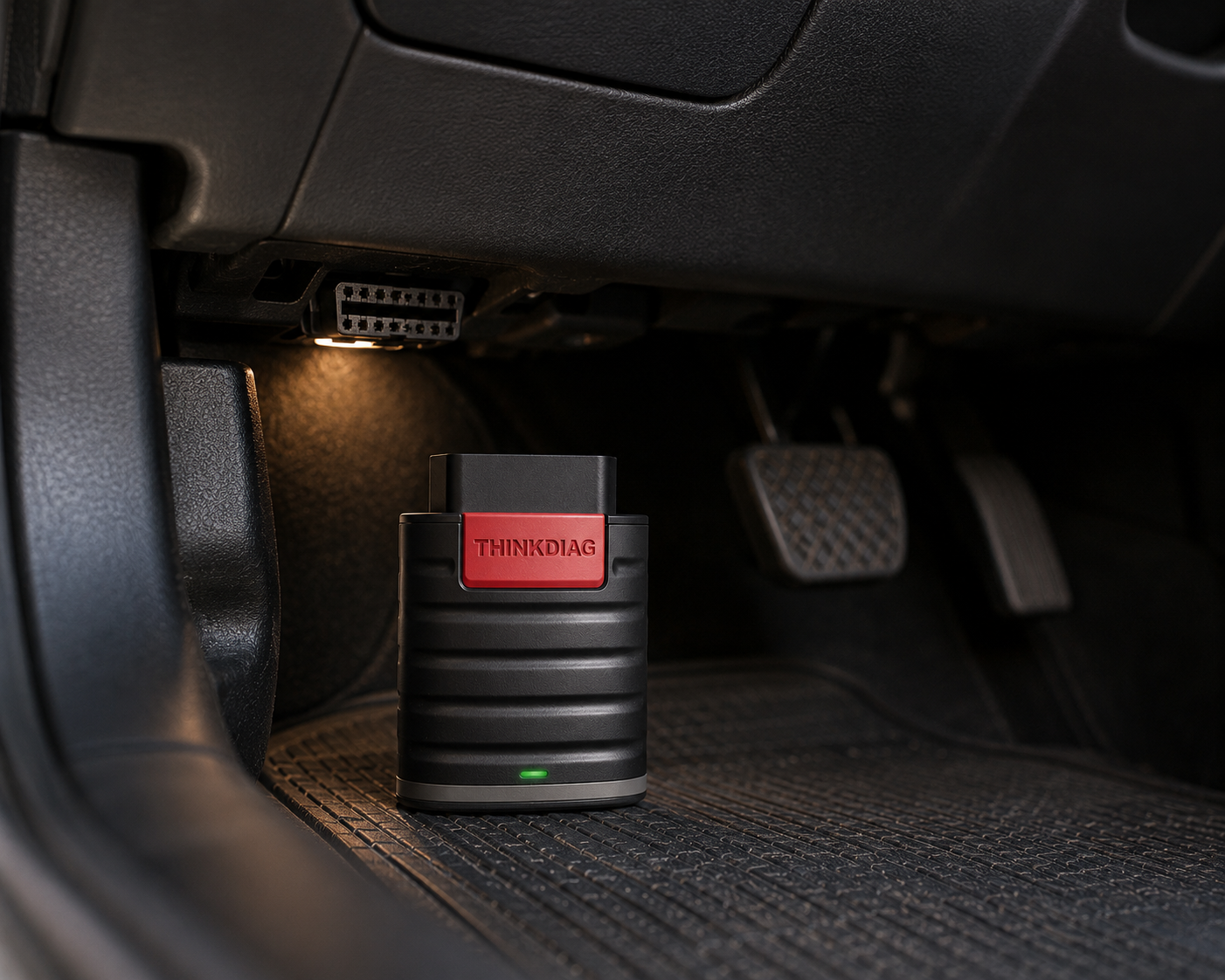
The Thinkcar THINKDIAG confirms bidirectional control and ECU coding at the lowest entry price in Thinkcar’s coding-capable lineup, reading across twelve vehicle systems including ECM, ABS, SRS, and BMS through a compact Bluetooth dongle. IMMO key matching and AutoVIN identification come included. It lacks CAN-FD protocol support, which the THINKDIAG 2 confirms, and its brand software and reset software each need a paid renewal after the first year, per Thinkcar, worth weighing against the small price gap to its successor.
| Pros | Cons |
|---|---|
| Priced lower than the THINKDIAG 2 | No CAN-FD protocol support, which the THINKDIAG 2 confirms |
| Bidirectional control and ECU coding confirmed, same core capability as the THINKDIAG 2 | |
| Lowest entry price in Thinkcar's bidirectional/coding lineup | Brand software and reset software each need a paid renewal after year one, per Thinkcar |
| IMMO key matching and AutoVIN included | |
| Compact Bluetooth dongle, works with a standard phone app | Older Bluetooth v4.0, versus the THINKDIAG 2's Bluetooth 5.0 |
| Reads across ECM, TCM, ABS, SRS, BCM, IMMO, BMS, TPMS, SAS, fuel, lighting and wiper systems |
THINKCAR THINKDIAG 2
The THINKCAR THINKDIAG 2 adds confirmed CAN-FD protocol support for late-model GM and other post-2020 vehicles the original THINKDIAG can’t fully read, over a faster Bluetooth 5.0 connection. Named, specific active-test functions cover the radiator fan, throttle, windows, mirrors, and lights, with a full year of free software and functions included at activation. It’s priced somewhat higher than the original and remains phone-app dependent with no standalone screen, and Amazon says a yearly fee follows the first free year, with two ways to pay it.
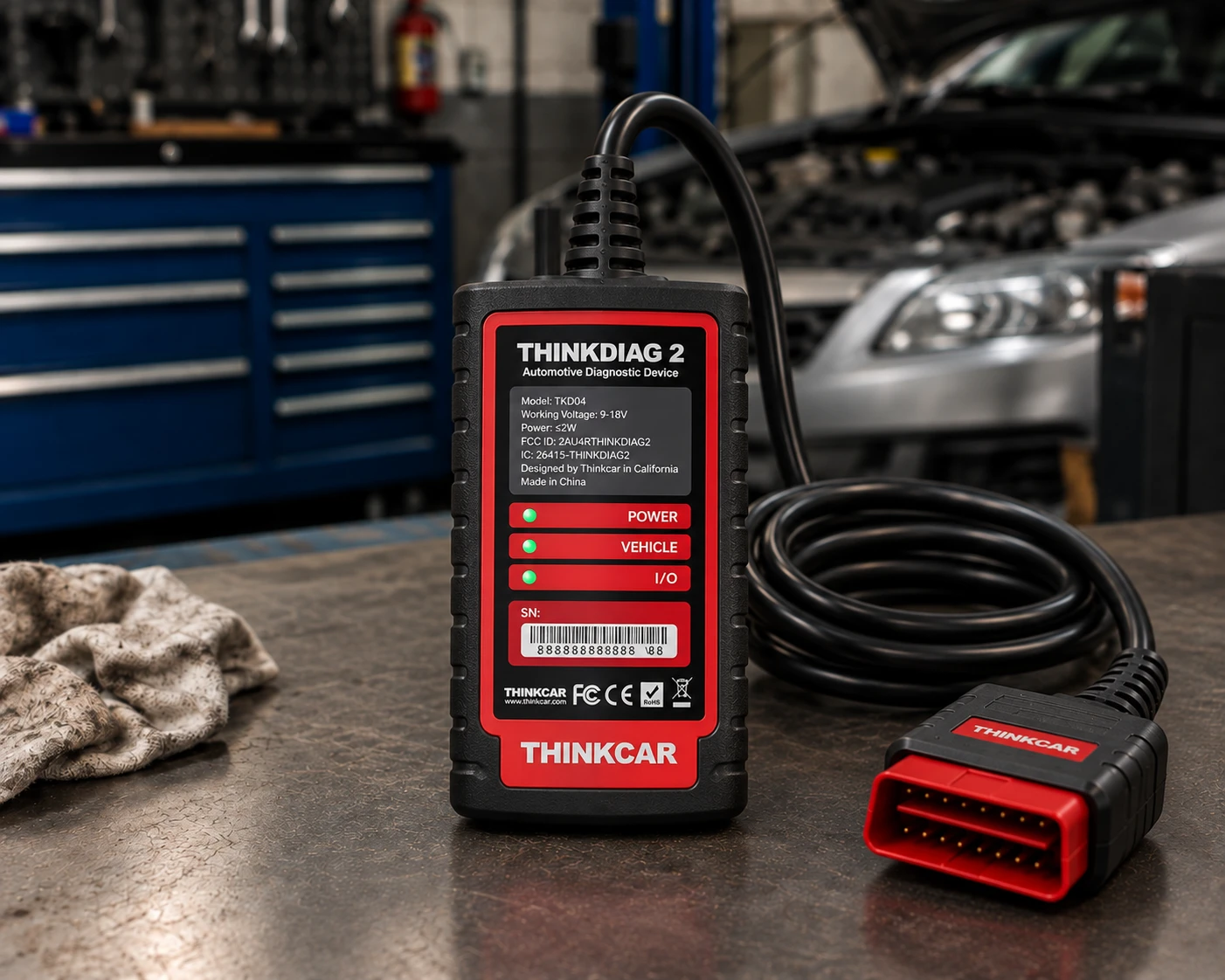
| Pros | Cons |
|---|---|
| CAN-FD protocol support confirmed, covering late-model GM and other post-2020 vehicles the original cannot fully read | Priced somewhat higher than the original THINKDIAG |
| Bluetooth 5.0 for a faster, more stable connection | |
| Named, specific active-test functions (radiator fan, throttle, windows, mirrors, lights) | |
| 1 year of free full software and functions with activation | Phone-app dependent, no standalone screen, same limitation as the original |
| Two ways to pay the yearly fee after year one, per Amazon | |
| Vehicle compatibility with 120+ brands |
THINKDIAG vs THINKDIAG 2 at a Glance
| Specification | Thinkcar THINKDIAG | THINKCAR THINKDIAG 2 |
|---|---|---|
| Price class | Between $100 and $200, slightly cheaper than the THINKDIAG 2 | Between $100 and $200, slightly more expensive than the original |
| Connectivity | Bluetooth v4.0 | Bluetooth 5.0 |
| Vehicle compatibility | 1996+, up to 115 manufacturers | 1996+, 120+ brands |
| CAN-FD support | Not offered | Confirmed, supports late-model GM and other post-2020 CAN-FD vehicles |
| Bidirectional control | Confirmed | Confirmed, named tests: radiator fan, throttle, windows, mirrors, lights |
| ECU coding | Confirmed, adaptive data for windows, lighting, HVAC | Confirmed, adaptive data after part replacement |
| Reset functions | 15+ documented | 15+ documented |
| Software policy | Free year described three ways: all makes and reset software (Amazon), one manufacturer software (Thinkcar), two (a retailer); renewals afterwards per brand and for reset software | 1 year free full software and functions with activation (Thinkcar); a yearly fee afterwards with two ways to pay it (Amazon) |
Price classes are broad bands, not Amazon prices, and street prices change often. Check the current price on Amazon before you buy.
The Real Question: Is CAN FD Worth It for Your Cars?
This page comes from our analysis of Thinkcar’s two store pages and setup guide for each model, the Amazon listings, our review of each dongle, and independent sources including a Texas Instruments application note on CAN FD and the National Automotive Service Task Force on security credentials. We compared both dongles against the same list of jobs on the same kinds of cars, using these sources, and we asked the question a buyer asks at the checkout: which one do I plug into this car?
The two tools are close cousins. Both are pocket-sized Bluetooth dongles that work with a phone app, both run active tests, code some modules, and list fifteen or more special functions, and both give a free first year and then charge a yearly fee. The one thing the second generation changes is the protocol: the THINKDIAG 2 lists CAN FD and a faster Bluetooth 5.0 connection, and the original THINKDIAG does not. Almost every decision between them comes down to one question: how new are your cars?
On price, both sit in the $100 to $200 class, with the THINKDIAG 2 slightly more expensive than the original. The price gap is small, which is why the choice should follow your cars and not your wallet. Street prices move, so check Amazon before you buy.
THINKDIAG vs THINKDIAG 2: Best Pick for DIY, Independent Shop and Best Bay
| Category | Winner | Why |
|---|---|---|
| DIY owner of a car built in 2019 or later | THINKDIAG 2 | Lists CAN FD. Amazon says it suits the latest GM from 2019. The original lists no CAN FD. |
| DIY owner of a car built before 2018 | THINKDIAG | Same active tests, coding and reset list for a slightly lower price, and the CAN FD feature would go unused. |
| Independent shop with mixed customers | THINKDIAG 2 | A shop cannot predict which car comes in next. A tool that lists CAN FD avoids the case where a newer car does not talk fully to the scanner. |
| Mobile mechanic working in a driveway | THINKDIAG 2 | Bluetooth 5.0 connects faster and holds the link better when you walk around the car with the phone. |
| Best bay second tool, to avoid tying up the main tablet | THINKDIAG | Cheaper and carries the same functions on cars that do not need CAN FD. |
| Owner of a single brand who wants the cheapest bidirectional tool | THINKDIAG | One free manufacturer software is enough for one brand, and the dongle costs the least of the two. |
Older Cars vs Newer Cars: Which Dongle Wins by Model Year
1996 to 2007
Both dongles read engine and enhanced systems on vehicles back to 1996 and list the standard protocols. Thinkcar lists 120 or more brands for the original and for the second generation, with up to 115 manufacturers named on one page. On a 2004 Chevrolet Silverado, a 2006 Ford F-150 or a 2005 Toyota Camry, both do the same work: read codes, run an active test on a pump or fan, perform an oil reset, an electronic throttle relearn or a steering angle reset. Neither is better. The only reason to pay for the THINKDIAG 2 on cars this old is if you also own a newer car. Winner: THINKDIAG, by a small price margin.
2008 to 2018
Classic CAN. This is the broad middle of the used-car market and the part of the catalog the original covers completely. A 2012 BMW 328i needing a battery registration, a 2014 Ford F-150 needing a steering angle reset, a 2016 Chevrolet Malibu needing an electronic throttle relearn: both dongles do these jobs through the brand software. The original lists coding for BMW, GM and Mercedes-Benz by name. The newer one lists adaptive data changes for modules such as power windows, entry systems, lighting, climate control and seats. Winner: tie.
2019 to 2020
This is where the generations part. Amazon says the THINKDIAG 2 is the only scanner in its price range that supports CAN FD and suits the latest GM from 2019. We treat that as Amazon’s marketing claim and not as a statement from Thinkcar, but the underlying point holds: a tool built only for classic CAN may not talk fully to a car that uses CAN FD. The Texas Instruments application note explains why. Classic CAN carries 8 bytes of data per frame. CAN FD carries up to 64 bytes and runs faster in its data phase. A tool that lists only classic CAN cannot be sure of keeping up. Winner: THINKDIAG 2.
2021 and newer
The cars that most need CAN FD are the ones still being built. A 2021 Chevrolet Silverado, a 2022 Chevrolet Equinox and a 2023 Cadillac sit in this group, and Amazon names the latest GM from 2019. For Chrysler, Dodge, Jeep and Fiat cars Amazon says AutoAuth unlocks the Secure Gateway on vehicles made after 2019 for the THINKDIAG 2; for the original it says 2018 and newer. Winner: THINKDIAG 2, without a close second.
| Model years | Winner | Reason in one line |
|---|---|---|
| 1996 to 2007 | THINKDIAG | Same capability for a slightly lower price. |
| 2008 to 2018 | Tie | Classic CAN, same tests, coding and resets. |
| 2019 to 2020 | THINKDIAG 2 | CAN FD is listed only on the second generation. |
| 2021 and newer | THINKDIAG 2 | Newest GM and other CAN FD cars. |
Make by Make: Which Dongle for Which Car
Chevrolet, GMC, Buick and Cadillac
GM is the brand the second generation was made for. Amazon says CAN FD suits the latest GM from 2019, and our review of the THINKDIAG 2 shows a CAN FD screen on a Buick Enclave and a radiator fan test on the same car. Thinkcar names a radiator fan, throttle modulation, windows, mirrors, lighting, horn and door locks among its active tests. For a 2021 Silverado with a body-module fault, the THINKDIAG 2 is the dongle. For a 2013 Silverado with an electronic throttle relearn after a throttle body cleaning, either dongle does it. Winner: THINKDIAG 2 for 2019 and newer, tie before that.
Ford and Lincoln
Both dongles read Ford systems, run active tests and handle service functions through the brand software. Neither lists Ford coding by name; the original names BMW, GM and Mercedes-Benz for coding. A Ford F-150 owner who wants to read an ABS code and reset the steering angle after an alignment is served equally. For a Ford owner who wants to change module settings, a FORScan setup with an OBDLink MX+ is the stronger tool. Winner: tie.
Chrysler, Dodge, Jeep, Ram, Alfa Romeo and Fiat
The Secure Gateway blocks code clearing and active tests from third-party tools on these cars from 2018. Amazon says both dongles can communicate with the gateway after you register with AutoAuth, with a different start year listed for each: after 2019 for the THINKDIAG 2 and 2018 and newer for the original. Thinkcar’s store pages do not name FCA, so treat gateway support as Amazon’s claim, and plan to register an account yourself. Winner: tie, subject to your exact year.
BMW and Mini
The original names BMW coding. Both dongles list battery matching, an electric parking brake reset and an SAS reset, which is the work a BMW needs after a battery swap, a rear brake job and an alignment. For a 2013 BMW 328i, both do the job. For a 2019 BMW G-series, the newer protocols make the THINKDIAG 2 the safer pick, though neither dongle lists DoIP, which is the Ethernet-based diagnostic protocol G-series cars use. Winner: THINKDIAG 2 for newer BMW, tie for older.
Mercedes-Benz
The original names Mercedes-Benz among its coding brands. Neither dongle does Mercedes SCN coding, which needs an online session with the manufacturer. For a 2015 Mercedes E350 with an ABS warning, both read the module and clear the code after a repair. Winner: tie.
Volkswagen, Audi, Skoda and Seat
The original’s review shows an immobilizer key function on a Volkswagen Tiguan. Thinkcar names key learning, remote control programming and key chip access, and the National Automotive Service Task Force explains why key work is a more sensitive part of a scan tool than a reset: access to security data has its own credential system. For a VW owner who wants a replacement key programmed, neither dongle replaces a locksmith’s tool, and you should check your car’s key function before you buy. Winner: tie.
Toyota, Lexus, Honda, Nissan, Hyundai and Kia
Both dongles list oil reset, ABS bleeding, TPMS reset, electronic throttle relearn and SAS calibration, which is the set these brands need. On a 2012 Toyota Camry or a 2015 Honda Accord, either dongle works. On a 2022 Hyundai or Kia, where CAN FD is arriving, the THINKDIAG 2 is the safer choice. Winner: THINKDIAG for older, THINKDIAG 2 for newer.
Trucks that run on 24 volts
Amazon says the THINKDIAG 2 supports 12-volt cars only, including gasoline and diesel, and Thinkcar lists a working voltage of 9 to 18 volts. A 24-volt commercial truck is outside this range for both dongles.
Job by Job: Which Dongle for Which Repair
| Job | THINKDIAG | THINKDIAG 2 | Pick |
|---|---|---|---|
| Read and clear codes on engine, ABS, airbag, transmission | Yes | Yes | Either. |
| Active test: fan, pump, windows, lights | Yes | Yes, named tests | Either. |
| Oil reset | Yes | Yes | Either. |
| Battery registration or matching | Yes (BMS reset) | Yes (battery matching) | Either. |
| Rear brake service on an electric parking brake | Yes (brake reset) | Yes (EPB reset, brake reset) | Either. |
| Steering angle sensor calibration | Yes | Yes | Either. |
| ABS bleeding | Yes | Yes | Either. |
| TPMS reset | Yes | Yes | Either. |
| Injector coding | Yes | Yes | Either. |
| DPF regeneration | Yes (named on Thinkcar’s page) | Yes (named on Thinkcar’s store page) | Either. |
| Component matching and adaptive coding | BMW, GM, Mercedes-Benz named | Adaptive data for windows, entry, lighting, climate, seats | Either. |
| Key learning, remote programming, key chip access | Named on Thinkcar’s page | Named | Either; check your car first. |
| Connect to a 2019 or newer GM that uses CAN FD | Not listed | Yes | THINKDIAG 2. |
| Unlock a Stellantis gateway | Per Amazon, 2018 and newer | Per Amazon, after 2019 | Either, with an AutoAuth account. |
| Bluetooth connection | Bluetooth 4.0 | Bluetooth 5.0 | THINKDIAG 2. |
| Module programming or J2534 | Not listed | Not listed | Neither. |
| 24-volt trucks | No | No | Neither. |
The table has one row that matters and fifteen that do not. For every ordinary job on a car built before 2019, the two dongles are equals. The one row where they differ is also the reason the second one exists. If you do not own or work on cars that need CAN FD, buying the second generation means paying for a feature you will not use.
THINKDIAG vs THINKDIAG 2: Eight Repair Scenarios Compared
Job 1: 2021 Chevrolet Silverado with a body-module fault
Connect the dongle, open the app, and run an all-system diagnosis. The THINKDIAG 2 lists CAN FD, so the app talks to the modules on this truck. Read the codes and live data for the affected module, then run an active test if one exists for it. The original lists no CAN FD, so the same truck may not communicate fully. Winner: THINKDIAG 2.
Job 2: 2013 Buick Enclave with a radiator fan that does not run
Read the engine codes and the coolant temperature in live data. Run the radiator fan active test that Thinkcar names. If the fan runs when commanded, the problem is in the control or the sensor; if it does not, the problem is the fan, its relay or its wiring. Both dongles can run this test on a car that supports it. Winner: tie.
Job 3: 2012 BMW 328i, new battery
The special function list names battery matching. After you fit a battery of the right type, run the function so the car registers it, then scan again for battery codes. Both dongles list it. Winner: tie.
Job 4: 2016 Chevrolet Malibu with new injectors
The special function list names injector coding. After you replace an injector, you enter its code through the app, then check the value after a restart. Both list it. Winner: tie.
Job 5: 2021 Jeep Cherokee behind the Secure Gateway
Amazon says to register with AutoAuth, then connect the dongle and run the system scan. Check that the year is within the range Amazon lists for your dongle: after 2019 for the THINKDIAG 2 and 2018 and newer for the original. Winner: tie, with a registration on your side.
Job 6: 2018 Volkswagen Tiguan with an immobilizer key to match
The original’s review shows the IMMO key function on this exact car. Thinkcar names key learning and remote control programming. Security work has its own credential system, so check that your job is within what the tool lists before you buy for it. Winner: tie.
Job 7: 2014 Ford F-150 with a TPMS light after a rotation
Run the TPMS reset from the special functions list. Both dongles list it. Winner: tie.
Job 8: 2010 Toyota Camry, DIY owner wants to see why the check engine light is on
The free basic software and the generic OBD functions that come with any brand give the code, freeze frame and I/M readiness without paying for anything. Thinkcar says the dongle reads basic engine data with the EOBD2 and demo software at no charge. Winner: THINKDIAG, because the owner does not need CAN FD.
Tally: the THINKDIAG 2 wins one job, the original wins one, and six are ties. The ties are the important result. Most of what you buy this tool for does not depend on the generation.
The Per-Brand Software Model, Explained
This is the most misunderstood part of both products, and it affects your cost more than the dongle’s price does. Think of a printer and its ink. The dongle is the printer. The brand software is the ink. The dongle reads basic engine data with free software that Thinkcar provides. To run active tests, coding or resets on a given make, you download that make’s software in the app, and Thinkcar sells it by brand: there is a yearly fee for each brand software, a separate fee for the reset package, and bundles that cover all software for a period. We do not repeat the fees here because they change.
The two generations describe the free first year differently. For the original, Amazon says all makes and reset software come with one year of updates. Thinkcar’s own store page says the free basics plus one free manufacturer software after activation, and a retailer’s support page says two manufacturer software. For the THINKDIAG 2, Thinkcar’s page describes one year of free full software and functions with activation. The safest assumption for the original is the narrowest, one brand, and the second generation looks more generous for the first year. After the first year both ask for a yearly payment, renewed in the app.
What this means for your cost: if you work on one brand, the model is cheap. If you work on three brands, you pay for three. A shop with many makes should compare this per-brand cost to a tool with a one-time price, such as the Thinkcar THINKSCAN 689BT (Amazon lists lifetime updates) or a tablet.
A Decision Calendar for the First Year
- Day one: register, activate with the serial number, and open the app’s software list. Note which brand is marked free and write down the activation date.
- Month one: run a full-system scan on each car you own and save the reports.
- Month six: list the jobs you did. If every job was on one brand, you know what to keep.
- Month ten: decide which brand software, and whether the reset package, you will renew. Make the decision two months early.
- Month twelve: check the renewal terms in the app before the date. Thinkcar’s pages do not say installed software keeps updating after the year, so do not assume it.
What the Listed Resets Mean in Practice
The manuals of other tools in our reviews describe the same services in plain language. Read this as a primer; the THINKDIAG screens will differ.
- Oil reset: reset the oil life to 100 percent after every oil change, after the work is done, because an early reset can leave codes in the module.
- Brake reset and EPB: after replacing pads, reset the pad wear sensor line or the car keeps saying the pads need replacing.
- SAS reset: the wheels and steering wheel must be exactly straight before the calibration stores the straight-ahead position. It is needed after steering parts, sensor replacement or an alignment.
- Battery matching: registers a new battery. A battery of a different type or capacity may need extra programming.
- TPMS reset: looks up sensor IDs and runs replacement and reset procedures after sensors are replaced. It is not a sensor activation tool.
- Electronic throttle relearn: returns the learned values stored in the ECU to the default state so the car can control the air intake accurately.
- Injector coding: writes the injector identification code into the ECU after an injector or the ECU is replaced.
- ABS bleeding: used after replacing a brake pump, after severe fluid loss or after a brake fluid change, with the pedal pumped in a set order.
Two lessons come from the list. A reset is the last step of a repair, not the repair itself. And almost every one needs the right parts and the right order of work.
CAN FD in Plain English
Every modern car is a network of small computers. For decades they talked on a network called CAN, which sends frames of data that carry a small payload. Newer cars have far more electronics and need to move far more data. CAN FD, short for flexible data-rate, is the answer. A Texas Instruments application note puts the difference in one sentence: classic CAN supports 8 bytes of data per frame, while CAN FD adds a flexible data-rate phase and a payload of up to 64 bytes. The same note says the data rate in the faster phase can reach 5 or 8 megabits per second, and that the next step, CAN XL, carries up to 2,048 bytes.
Why does that matter to a scan tool? A tool built only for classic CAN may not talk fully to a car that uses CAN FD. A buyer cannot see this from the outside, which is why the line in the title matters: Thinkcar’s page reads “THINKDIAG 2 OBD2 Diagnostic Scanner Bluetooth 5.0 with CAN-FD.” Cars move in this direction as they add electronics, so a tool that lists CAN FD ages more slowly than one that does not. A listing is not a guarantee for a specific car, and Amazon’s own line ties the tool to the latest GM from 2019, so check your exact year and make before you buy.
If your car is new enough that you wonder, three steps settle it. Ask the dealer or look in the owner information for the diagnostic network of your model year, because the answer differs by maker. Use the Scanner Finder for your year, make and model. And remember that every new generation of a model line tends to add networks, not remove them.
Bluetooth 4.0 vs 5.0 in the Garage
The original uses Bluetooth 4.0 and the THINKDIAG 2 uses Bluetooth 5.0. In practice the newer version connects faster, holds the link at a longer distance and copes better with a crowded shop where phones, headsets and other devices compete for the same radio band. If you work in a driveway with one phone, the difference is small. If you work in a busy shop or walk around the car with the phone while running an active test, the newer link is the one that does not drop in the middle of a command. Thinkcar’s setup guide has a rule that applies to both: do not connect the dongle in your phone’s Bluetooth settings; select it inside the app.
Phone Requirements and Voltage
Thinkcar lists Android 5.0 and iOS 9.0 or newer for the second generation, so an older phone can run it, but confirm the app installs. The dongle takes power from the car’s port, lists a working voltage of 9 to 18 volts and a working current up to 250 milliamps, and a green light shows it is powered. Amazon says only 12-volt cars are supported, including gasoline and diesel. A 24-volt truck is outside the range of both dongles.
THINKDIAG vs THINKDIAG 2: Where These Two Sit in the Lineup
- Thinkcar THINKSCAN 689BT: a handheld that Amazon lists with lifetime updates. Choose it if you want to avoid the yearly software fee.
- Thinkcar THINKDIAG: the lowest entry price in Thinkcar’s bidirectional and coding lineup. Choose it for older cars.
- Thinkcar THINKDIAG 2: the same functions with CAN FD and Bluetooth 5.0. Choose it for newer cars.
- Foxwell NT809BT: a multi-brand tablet with 30 or more resets and active tests and no per-brand software. Choose it for a shop that works on many brands.
- OBDLink MX+: an adapter for FORScan and BimmerCode users. Choose it when the app matters more than a bundled package.
- BlueDriver: an adapter with repair reports and no subscription. Choose it for reading codes and understanding them.
- LAUNCH CRP919EBT: a tablet with coding on named brands, CAN FD and DoIP. Choose it when you want a bigger screen and a bundled package.
THINKDIAG vs THINKDIAG 2: Which One to Buy, Plain Answers
- You drive or work on cars from 2019 on, especially GM: THINKDIAG 2.
- Your cars are all from 2018 or earlier and you work on one brand: THINKDIAG.
- You run a small shop with mixed customers: THINKDIAG 2, and compare the per-brand fees to a tablet.
- You want to avoid a yearly software fee: neither; look at the THINKSCAN 689BT or a tablet.
- You need module programming: neither; look at a J2534 tool such as the LAUNCH PRO3S+ Elite.
- You need coding on a Ford: neither lists it by name; a FORScan setup is stronger.
Mistakes Buyers Make With These Two Dongles
Buying the THINKDIAG 2 for a 2012 sedan. It pays for a feature the car cannot use.
Assuming every brand is free for a year. Thinkcar’s store page for the original says one manufacturer software is free. Amazon says more. Assume one and check the app.
Pairing the dongle in the phone’s Bluetooth settings. Select it inside the app.
Expecting module programming. Neither source lists it. Coding changes settings; programming writes new software.
Ignoring the yearly fee. Amazon says one is due after the first year, with two ways to pay it.
Using either on a 24-volt truck. Both are 12-volt tools.
Buying for key work without checking the job. Security access has its own credential system. Check what your car and job need.
THINKDIAG vs THINKDIAG 2: A Seven-Day Acceptance Test
- Day one: install the app, register, activate and note the free software.
- Day two: connect to your own car and run an all-system diagnosis. Save the report.
- Day three: record live data on a short drive.
- Day four: run one active test and one reset you actually need.
- Day five: if you have a car from 2019 or later, check that it communicates fully; this is the whole point of the second generation.
- Day six: connect to a second car.
- Day seven: check the software list and the renewal terms. Decide before the return window closes.
Quick Reference: Ten Situations and the Dongle to Reach For
| Situation | Dongle |
|---|---|
| 2021 GM truck with a warning light | THINKDIAG 2 |
| 2013 sedan, check engine light | THINKDIAG |
| Radiator fan test on any supported car | Either |
| Battery registration on a BMW | Either |
| Chrysler behind the gateway | Either, with AutoAuth |
| Mixed-brand shop | THINKDIAG 2, or a tablet |
| Wants no yearly fee | Neither |
| Wants module programming | Neither |
| Wants the cheapest bidirectional tool | THINKDIAG |
| Walks around the car during tests | THINKDIAG 2 |
Six Typical Owners and the Dongle We Would Hand Each One
A 2022 Chevrolet Equinox owner who wants to understand a warning light and clear a code after a fix. THINKDIAG 2. The car is new enough that CAN FD is a real concern, and the second generation is the one that lists it. The owner registers, downloads the Chevrolet software and gets the basic functions in the first hour.
A 2011 Ford Ranger owner who does their own brakes and fluids. THINKDIAG. This owner needs an oil reset, an ABS bleed and an electric throttle relearn, all of which the original lists. The original is enough, and the free manufacturer software covers Ford in year one.
A household with a 2013 BMW and a 2015 Toyota. THINKDIAG, with a plan. Two brands are involved. Thinkcar’s page says one manufacturer software is free; a second is an annual cost. In month ten the owner decides which brand to keep renewing, or buys a tablet with no per-brand fee.
A two-bay shop with Ford, Chevrolet and Honda customers. THINKDIAG 2, then a look at the numbers. Three brands means three annual software fees plus the reset package. The shop compares that to a one-time-price tablet before deciding. The dongle stays as the second tool either way.
A mobile mechanic who drives to customers’ homes. THINKDIAG 2. Bluetooth 5.0 holds the link while the mechanic moves around the car with the phone, and a pocket-sized dongle suits a toolbag better than a tablet.
A 2017 Jeep Wrangler that won’t clear a code. Either dongle, with an AutoAuth account. Amazon lists the original for 2018 and newer FCA cars and the second generation for cars made after 2019, so a 2017 sits before the gateway and needs no registration.
The Phone as a Scan Tool: Practical Tips
A dongle turns your phone into a diagnostic screen, and that comes with habits that save time.
- Charge the phone. A long diagnostic session runs the screen and the radio together. Plug the phone into a charger or keep it above half a charge before a coding or relearn job.
- Turn off sleep. A phone that sleeps in the middle of a procedure drops the app. Set the screen timeout to the longest value for the session.
- Silence notifications. A call that arrives during an active test can interrupt it. Use Do Not Disturb.
- Use the shop Wi-Fi for downloads. The first time you scan a brand, the app downloads that brand’s software, which takes time and data. Do it on Wi-Fi at home, not at the roadside.
- Save and export reports. Thinkcar names health reports and printable data. A saved report before and after a repair is your proof of the work.
- Keep the app and the dongle in step. Update the app before a job, not during one.
- Do not pair in Settings. Select the dongle inside the app. This is Thinkcar’s own rule, and it is the single most common cause of a first-day failure.
Three Answers to One Question: What Is Free in Year One?
The sources split on this, and the split matters for your cost.
| Source | Original THINKDIAG | THINKDIAG 2 |
|---|---|---|
| Amazon | All car make and reset software with one year of updates | One year of updates; a yearly fee afterwards with two ways to pay |
| Thinkcar’s store page | Free basics and demo software, one free manufacturer software after activation, one year of updates | One year of free full software and functions with activation |
| A retailer’s support page | A free one-year subscription for two manufacturer software, chosen by the buyer | Not covered |
| After year one | Renewal per brand and the reset software separately | A yearly fee, renewed in the app |
The practical rule: buy the original expecting one free brand, and treat anything more as a bonus. Buy the second generation expecting the first year to be generous, and plan the renewal before month twelve.
What “10,000 Active Tests” Means
Amazon’s listing for the original says the tool supports 10,000 or more active tests, and Thinkcar’s pages name active tests without a count. Counts like this add up the tests across all brands and models. They do not mean your car has 10,000 tests. The manuals of other tools in our reviews say the tests available depend on the vehicle. Use the number as a sign of breadth and check the one thing that matters: whether the actuator you want to command is on the list for your year, make and model. The Scanner Finder is the place to start, and the app’s own menu for your car is the final word.
Health Reports and Saved Data
Thinkcar names health reports, data recording and adjustable refresh rates among the live-data features. A health report scans the modules and lists the systems with codes, which is the first thing to save on any new car. A recorded sample of live data from a good car gives you something to compare against when the same car misbehaves later. A printable report is also the document to hand a customer or an insurer. Run a full-system scan on each car you own in the first month and keep the reports; a baseline in the file is worth more than any single reading in the moment.
Three-Year Cost of Ownership: One Brand, Two Brands, Many Brands
The dongle’s price is the smaller part of what you pay over three years. The per-brand software model means the bill depends on how many brands you work on, so compare three households. We use relative words because the fees change.
One brand. A household with two cars of the same make pays the dongle price, uses the free manufacturer software in year one, and then renews that one brand each year. Over three years this is the lowest-cost way to own a bidirectional tool with coding. A fixed-price tablet costs significantly more up front and does not catch up in three years.
Two brands. A household with a German car and a Japanese truck pays the dongle price, gets one brand free (or two, per one retailer’s page), and renews each additional brand every year. By year two or three the yearly fees on two brands begin to approach what a fixed-price handheld such as the THINKSCAN 689BT would have cost, which Amazon lists with lifetime updates. The decision gets closer, and a calendar reminder in month ten helps.
Many brands. A small shop with Ford, Chevrolet, Honda and Toyota customers pays the dongle price and then a software fee for each brand, plus the reset package, each year. The more brands you add, the sooner a one-time-price tablet becomes the cheaper tool. For a shop, the dongle stays useful as a second tool, but the main tool should be the one without a per-brand bill.
The rule that follows: the dongle is the cheapest tool for one or two brands and the most expensive tool for many brands. Count the brands before you count the dollars.
THINKDIAG vs THINKDIAG 2: Glossary for This Page
- CAN and CAN FD: the network cars use to move data. CAN FD carries bigger frames at higher speed. The THINKDIAG 2 lists it.
- Bidirectional control or active test: the tool sends a command and the car obeys, for example running a radiator fan.
- ECU coding: changing settings stored in a control unit, as opposed to programming, which writes new software.
- Special functions: the service resets, such as oil reset, EPB reset, SAS calibration, ABS bleeding, injector coding and TPMS reset.
- Brand software: the per-make software the app downloads, sold by the brand and renewed yearly after the free period.
- Secure Gateway and AutoAuth: the lock Fiat Chrysler added from 2018 and the account that unlocks it for a scan tool.
- IMMO and key functions: immobilizer matching and key programming, which carry their own security credentials.
- I/M readiness: whether the car’s emissions self-tests are complete.
THINKDIAG vs THINKDIAG 2: The Bottom Line for This Pair
Buy the THINKDIAG 2 if any car you work on is from 2019 or later, if you run a shop with mixed customers, or if you walk around cars with your phone. Buy the original THINKDIAG if your cars are from 2018 or earlier and you work on one brand. Either way, treat the dongle as a service with a calendar, not a one-time purchase, and count your brands before you buy.
A Five-Question Checklist Before You Buy Either One
A per-brand tool is cheaper at the start and more complex later, so five questions settle it before you pay.
- How many brands will I really use? Count the cars you work on in a year, not the cars you might work on. One or two brands fit the dongle model. Four or more fit a tablet.
- Which brand do I want free in year one? Thinkcar’s page says one manufacturer software is free after activation on the original. Choose before you register, then see what the app marks as free.
- Do I need the reset package? Thinkcar sells it as a separate piece. If your jobs are oil resets and brake service, you need it. If you only read and clear codes, you do not.
- Do my cars need CAN FD? If the newest car in your driveway is 2019 or later, yes, and that is the second generation. If it is 2018 or earlier, no.
- Do I need gateway or key functions? Gateway access is Amazon’s claim and key functions are named on Thinkcar’s page. Confirm both for your exact car before you buy.
If your answers are one brand, no CAN FD and a few resets, the original THINKDIAG fits. If your answers are one or two brands and a car from 2019 or later, the THINKDIAG 2 fits. If your answers are many brands, look at a tablet.
CAN-FD: The Clearest Reason to Choose the THINKDIAG 2
This is the single biggest functional difference. The THINKDIAG 2 confirms CAN-FD protocol support, explicitly covering late-model GM and other post-2020 CAN-FD vehicles. The original THINKDIAG does not offer this at all. If any of your vehicles are 2020 or newer, particularly GM, this alone can decide the comparison.
Bluetooth Version: A Real, if Smaller, Upgrade
The THINKDIAG 2 uses Bluetooth 5.0, versus the original’s Bluetooth v4.0. In practice this means a faster, more stable connection, particularly in a shop environment with multiple wireless devices nearby.
Software and Subscription Policy: The THINKDIAG 2’s Terms Are More Favorable
This is a detail worth reading carefully rather than assuming both work the same way. The sources describe the original’s free year in three ways: Amazon says all makes and reset software, Thinkcar’s store page says one manufacturer software, and a retailer says two. Afterwards, Thinkcar’s page says brand software and reset software each need a renewal. The THINKDIAG 2 offers one year of free full software and functions with activation, and Amazon says a yearly fee follows, with two ways to pay it. Neither tool is free after the first year, so compare the renewal terms in the app.
Bidirectional Control: Both Confirmed, THINKDIAG 2 More Specifically Documented
Both devices confirm bidirectional control. The THINKDIAG 2’s documentation names specific active tests (radiator fan, throttle, windows, mirrors, lights); the original THINKDIAG’s bidirectional confirmation is not broken down into as many individually named functions, though the capability itself is equally confirmed.
ECU Coding: Confirmed on Both, Slightly Different Framing
Both support ECU coding. The original THINKDIAG’s coding is documented for adaptive data on windows, lighting and HVAC specifically. The THINKDIAG 2’s coding is documented more generally as adaptive data after part replacement. Neither documentation suggests one is meaningfully more capable than the other on coding specifically; the real difference between the two products remains CAN-FD.
Vehicle Compatibility: A Modest Increase
The original covers up to 115 manufacturers; the THINKDIAG 2 covers 120+. This is a small difference and unlikely to be decisive on its own for most buyers.
Reset Functions: Effectively Identical
Both document 15+ reset and maintenance functions (oil reset, ABS bleeding, TPMS reset and others). Neither has a documented advantage over the other here.
Frequently Asked Questions
Is the THINKDIAG 2 worth the extra cost over the original THINKDIAG?
For most buyers, yes. It adds confirmed CAN-FD support the original does not have, a faster Bluetooth 5.0 connection, and a more generous first year on Thinkcar’s pages.
Does the original THINKDIAG support CAN-FD?
No. CAN-FD support is confirmed only on the THINKDIAG 2.
Do both support ECU coding?
Yes, both confirm ECU coding, though documented with slightly different framing (windows/lighting/HVAC adaptive data on the original; general adaptive data after part replacement on the THINKDIAG 2).
Which has cheaper ongoing software costs?
Neither is free after year one. Thinkcar says the original needs a renewal for each brand software and for the reset software, and Amazon says the THINKDIAG 2 has a yearly fee with two ways to pay it. Compare the terms in the app.
Which is better for a DIYer working on a single brand?
It depends on the renewal terms the app shows you, because both need a paid renewal after the first free year.
Which dongle is better for a 2021 Chevrolet Silverado?
The THINKDIAG 2. It lists CAN FD, and Amazon says it suits the latest GM from 2019. The original lists no CAN FD.
Is the original THINKDIAG enough for a 2014 Ford F-150?
Yes. A 2014 truck uses classic CAN, and the original lists the same active tests, resets and coding as the newer model.
Do I need a subscription?
Not in the first year. After that, Amazon says a yearly fee applies with two ways to pay it, and Thinkcar says brand software and reset software need renewals. The dongle keeps reading basic engine data with the free software.
Can either one unlock a Jeep Secure Gateway?
Amazon says yes for both after you register with AutoAuth: after 2019 for the THINKDIAG 2 and 2018 and newer for the original. Thinkcar’s store pages do not name FCA, so treat it as Amazon’s claim.
Can they program a key?
Thinkcar names key learning, remote control programming and key chip access. Security access has its own credential system, so check that your car and job are covered before you buy for key work.
Does either one do module programming?
No. Neither Amazon nor Thinkcar lists it.
Will it work on a diesel truck?
On a 12-volt diesel, yes, and Thinkcar names DPF regeneration. A 24-volt commercial truck is outside the range.
Which has more brands?
The figures differ by source: 120 or more on Thinkcar’s page and up to 115 manufacturers on another. The counts do not decide the purchase. Check your own car.
Is it better to buy a tablet instead?
If you work on many brands, yes. A tablet with a one-time price avoids the per-brand yearly fees. If you work on one or two brands, the dongle is cheaper.
THINKDIAG vs THINKDIAG 2: Bottom Line
Choose the THINKCAR THINKDIAG 2 for the confirmed CAN-FD support, faster Bluetooth and a more generous first year, unless your vehicles are all pre-2020 and you find the original Thinkcar THINKDIAG at a meaningfully lower price. For more budget-focused bidirectional options, see our budget bidirectional scanner buying guide.
Editorial Note
Every specification and capability claim above is sourced directly from the manufacturer’s own product pages, cross-checked against Amazon’s listing where applicable.