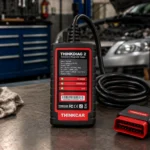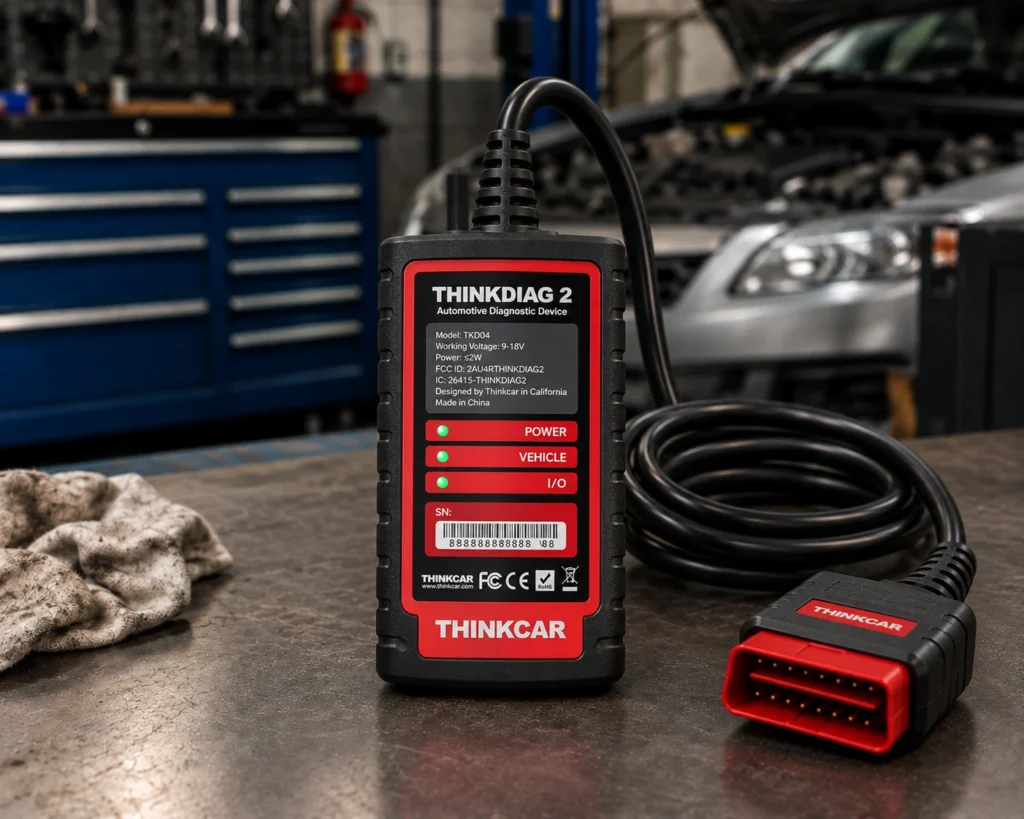
The Thinkcar THINKDIAG 2 is a pocket-sized Bluetooth 5.0 dongle that plugs into the OBD2 port and works with the ThinkDiag 2 app on a phone or tablet. It reads and clears codes on all the main systems, runs active tests, codes some modules, lists 15 or more special functions, and adds CAN FD support for newer cars. Amazon and Thinkcar both say one free update year, and Amazon says plainly that a yearly fee follows.
The short version: The THINKDIAG 2 is a phone-based tool for a DIYer or a small shop that wants active tests and coding on newer cars, including those that need CAN FD. Amazon and Thinkcar agree on CAN FD, active tests, ECU coding, FCA access, the reset list and one free year. They differ on small counts: 100, 120 or more brands, 15 or 16 maintenance functions, and 10 or 15 languages. Module programming is not listed by either.
Affiliate Disclosure: As an Amazon Associate I earn from qualifying purchases. Scan Choice Guide is a participant in the Amazon Services LLC Associates Program, an affiliate advertising program designed to provide a means for sites to earn advertising fees by advertising and linking to Amazon.com.
What the THINKDIAG 2 Does, in Groups
Amazon and Thinkcar name these functions:
- All-system diagnosis. Amazon says it can diagnose “Full System such as ECM, ABS, SRS, TCM, EPB, TPMS, SAS, A/C, BMS, etc.” Thinkcar’s store page says it reads fault codes for ECM, TCM, ABS, SRS, BCM, IMM, BMS, TPMS, SAS, fuel, light and wiper systems.
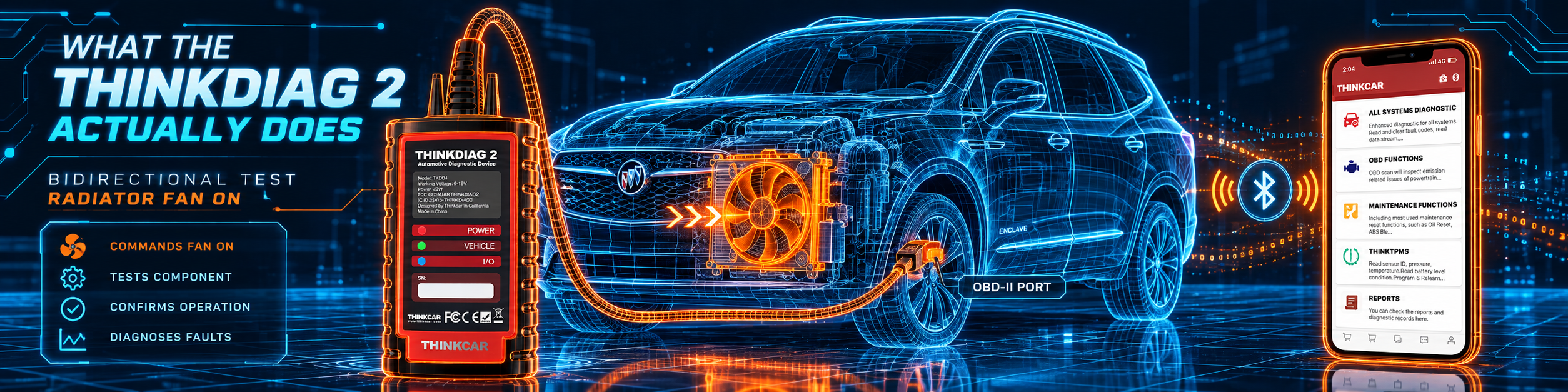
- Bidirectional tests. Amazon says “This bidirectional scan tool Thinkdiag2 allows you to send commands from your smartphone directly to the vehicle’s ECU for active testing.” Thinkcar’s other page names a radiator fan, throttle modulation, windows, mirrors, lighting, horn and door locks.
- ECU coding. Thinkcar says the app can modify the adaptive data for vehicle control modules, including power windows, entry systems, lighting, climate control and seat functions. Amazon’s title says “ECU Code”.
- Special functions. Amazon says “a separate menu of 15 common special functions, such as Oil reset, EPB reset, SAS calibration, ABS bleeding, injector code, TPMS reset, etc.” Thinkcar’s store page says 16 maintenance functions including oil reset, EPB reset, DPF regeneration and SAS calibration, and its other page lists 15: adaptive front lighting, ABS bleeding, battery matching, gearbox relearn, brake reset, SUS reset, EGR adaptation, electric throttle relearn, immobilizer reset, injector coding, oil reset, steering angle reset, sunroof reset, TPMS reset and air level calibration.
- Key functions. Thinkcar names key learning, remote control programming and key chip access.
- FCA. Amazon says AutoAuth “allows you to unlock the protected FCA vehicle SGW module on Chrysler, Dodge, Jeep, Alfa Romeo, Fiat vehicles” made after 2019.
- Live data. Amazon says it supports “viewing and recording the data stream in detailed text or combined 4 in 1 graph”. Thinkcar’s other page names a 4 data display graph and a printable health report.
- OBD2 functions. Thinkcar’s page lists freeze frame, O2 sensor testing, EVAP diagnostics, monitor testing, MIL control and I/M readiness.
The picture below shows a radiator fan test on the same Buick Enclave.
Why This Model Exists: A Plain Explanation of CAN FD
Every modern car is a network of computers. For decades, those computers talked on a network called CAN, which sends frames of data that carry a small payload. Newer cars have far more electronics, and they need to move far more data. CAN FD, short for flexible data-rate, is the answer. A Texas Instruments application note from June 2026 puts the difference in one sentence: CAN classic supports 8 bytes of data per frame, while CAN FD “introduces a flexible data rate phase and an expanded data payload of up to 64 bytes”. The same note says the data rate in the faster phase can reach 5 or 8 megabits per second, and that CAN FD keeps the classic arbitration behavior.
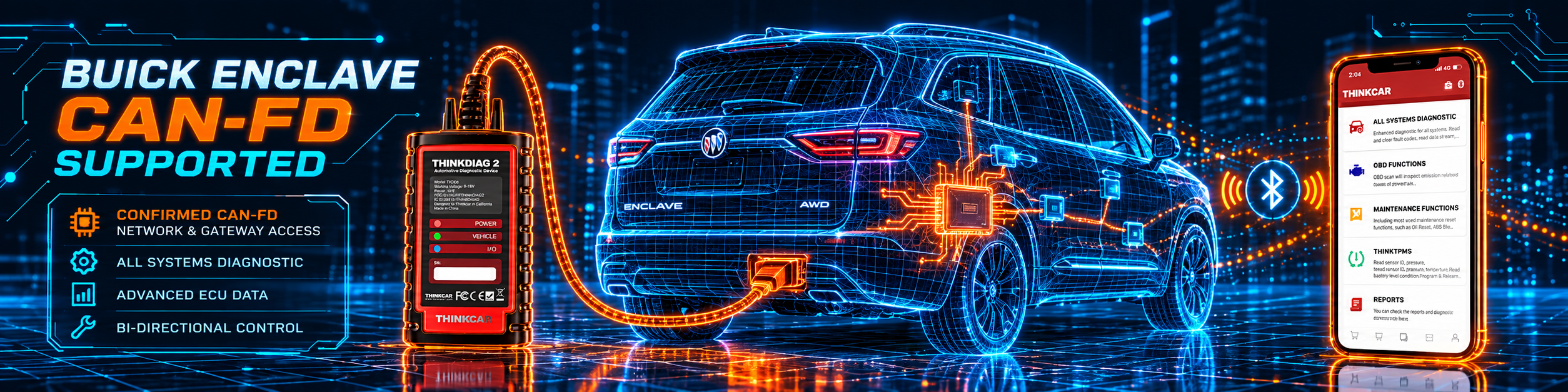
Why does that matter to a scan tool? A tool built only for classic CAN may not talk fully to a car that uses CAN FD. That is the reason the THINKDIAG 2 exists next to the THINKDIAG. The title on Thinkcar’s page reads “THINKDIAG 2 OBD2 Diagnostic Scanner Bluetooth 5.0 with CAN-FD”, and Amazon’s title says “CAN-FD Protocol” and “1 Year Update”. Amazon goes further and says “As the only diagnostic scanner in this price range that supports the CAN-FD protocol, it suits for the latest GM(2019-)”. We treat that as Amazon’s marketing claim, and we ask you to check your car with the Scanner Finder before you buy.
The picture below shows CAN-FD support in the app on a Buick Enclave.
What Amazon Says vs. What Thinkcar Confirms
We compared the Amazon listing with Thinkcar’s two store pages. They agree on the capability set. They differ on counts.
| Claim | Amazon listing | Thinkcar | Our reading |
|---|---|---|---|
| Name | “Thinkdiag2 All System Bidirectional OBD2 Diagnostic Scanner” | “THINKDIAG 2 OBD2 Diagnostic Scanner Bluetooth 5.0 with CAN-FD” | Same tool |
| Platform | iOS and Android | Android 5.0 and iOS 9.0 or newer | Agree |
| CAN FD | Yes | Yes | Agree |
| Active tests | Commands sent to the ECU | Named tests: fan, throttle, windows, mirrors, lights | Agree |
| ECU coding | “ECU Code” | Adaptive data for named modules | Agree |
| Special functions | “15” | “16” and a list of 15 | The counts differ |
| FCA | AutoAuth, Chrysler, Dodge, Jeep, Alfa Romeo, Fiat, after 2019 | Not named | Amazon only |
| Brand count | “120+” and “100 + … after 1996” | “120+ Car Brands” | The figures differ |
| Languages | Multilingual | 10 on one page, 15 plus on the other | The figures differ |
| Voltage | “Only support 12V cars” | 9 to 18 V | Agree |
| Updates | “1 Year Update”; annual fee afterwards | “1 Year Free Update”; annual fees afterwards | Agree |
| Module programming | Not listed | Not listed | Not listed |
| Warranty | Not listed | 1 year | Thinkcar only |
The counts point matters. Brands appear as 100, 120 or more depending on the sentence. The special functions appear as 15 and 16. Languages appear as 10 and as 15 plus. These are small differences in marketing counts, and none changes what the tool can do, but they show why you should check your car and your function before you buy.
The FCA point matters. Amazon says FCA cars made after 2019. The THINKDIAG listing says 2018 and later. Thinkcar’s store pages do not name FCA for this model. Treat it as Amazon’s claim, and check your exact year.
The voltage point matters. Amazon says “Only support 12V cars, including gasoline cars and diesel cars”. Thinkcar lists a working voltage of 9 to 18 V. If you work on 24-volt trucks, this is not your tool.
The update point matters. Both sources say one free year. Amazon says that afterwards “there are two ways to pay for annual fee” and that you renew in the app. Thinkcar’s page says annual subscription fees apply for continued access to manufacturer software. We do not give a cost.
A third source. The Texas Instruments application note is independent of both Amazon and Thinkcar. It describes CAN FD as an extension of classic CAN, with a payload of up to 64 bytes in place of 8, and it names the next step, CAN XL, with payloads up to 2048 bytes and data rates up to 20 megabits per second. That explains why a tool that lists CAN FD is a safer buy for a newer car than a tool that lists only classic CAN, and why a “CAN-FD” line in a title is worth checking against your car.
How we handle these differences. The feature table at the bottom of this page, the Scanner Finder and our comparisons follow the Amazon listing, because Amazon is where you buy. We name the points above so you can see where Thinkcar says something different. If one of them matters to you, read this section before you decide.
Who Needs CAN FD, and Who Does Not
Think of three drivers.
The owner of a 2012 sedan. Her car uses classic CAN. She does not need CAN FD, and the THINKDIAG, our review of the original, covers her needs for less complexity. Amazon sells the THINKDIAG 2 on the CAN FD line, so she would pay for a feature she cannot use.
The owner of a 2021 GM truck. Amazon says the THINKDIAG 2 suits the latest GM cars, and its title says CAN-FD. This is the buyer the model was made for.
The shop with mixed customers. A shop cannot predict which car comes in next. A tool that lists CAN FD avoids the case where a newer car does not talk fully to the scanner. The shop pays for a broader tool, and it still needs to check each make for coding and resets.
Setting Up the THINKDIAG 2
Thinkcar’s page says activation needs these steps: download the app, register an account, activate with the device’s serial number, verify the password, download the software you need, and scan the VIN. The Bluetooth 5.0 dongle then connects inside the app. In our review of the original THINKDIAG we explain the same app flow, and Thinkcar’s guide for it says not to pair the dongle in the phone’s Bluetooth settings. Follow that rule here too, and check the THINKDIAG 2 app for any change.
After activation, the first time you run an all-system diagnostic, the app downloads the software for that brand. Thinkcar’s other page says the one free year covers full software and functions, so confirm in the app what is listed free for your cars.
Four Jobs, Step by Step in Plain Words
These examples use only functions that Amazon and Thinkcar list. Your screens will differ.
Job 1: A radiator fan that does not run. Connect, run an all-system diagnosis, read the engine codes and the coolant temperature in live data, then run the radiator fan active test that Thinkcar names. If the fan runs when commanded, the problem is in the control, and if it does not run, the problem is in the fan or its circuit.
Job 2: A battery replacement. The special functions list battery matching. After you fit a battery of the right type, run the function so the car registers it. Scan again for battery codes.
Job 3: New injectors. The special functions list injector coding. After you replace an injector, you enter its code through the app, and then you check the value shows after a restart. The XTOOL D8W manual in our reviews gives the generic steps if you want to see what to expect.
Job 4: A Chrysler with a security gateway. Amazon says to register with AutoAuth, then connect the dongle and run the system scan. Confirm that your year is after 2019, as Amazon says.
Free Year Compared With the Original THINKDIAG
The two Thinkcar models handle the free year differently on Thinkcar’s own pages, and the difference matters when you choose.
| THINKDIAG | THINKDIAG 2 | |
|---|---|---|
| Thinkcar’s page on the free year | EOBD2 and demo software free, one free manufacturer software after activation, one year of free updates | One year of free full software and functions with activation |
| Amazon’s sentence | All car make and reset software with one year of updates | “1 Year Update” in the title, an annual fee afterwards |
| After year one | Renewal per brand, and the reset software separately | A yearly fee, renewed in the app |
Read as plainly as possible: Thinkcar’s page for the THINKDIAG 2 describes the first year as full software and functions, and its page for the original describes one free brand. So for the first year, the THINKDIAG 2 looks like the more generous of the two. After the first year, both ask for a yearly payment. Neither Amazon nor Thinkcar’s pages that we read gives you a reason to expect lifetime free updates for either model, so budget for the fee. Compare that with the Thinkcar THINKSCAN 689BT in our reviews, which Amazon lists with lifetime updates.
The OBD2 Functions That Come With Any Brand
Thinkcar’s page lists a group of generic functions that work on any OBD2 car, whatever brand software you choose: freeze frame data, graphed data streams, O2 sensor testing, EVAP system diagnostics, monitor testing, reading and clearing codes, VIN identification, MIL control and I/M readiness status. These are the same functions that every code reader offers, and they are the part of the tool you do not have to renew.
What they are good for, in plain terms:
- Freeze frame data is a snapshot of the main readings at the moment a fault was stored. Other manuals in our reviews say the same, and the snapshot is often the quickest way to learn under what conditions a fault appeared.
- I/M readiness shows whether the car’s emissions self-tests have run. The Innova manual says clearing codes resets them to a not-run state, and that a drive cycle is needed to complete them, which is why a fresh repair and an immediate emissions test do not always mix.
- O2 sensor and EVAP tests let you look at the results of those on-board tests without a workshop tool.
- MIL control refers to the check engine lamp. A rule that applies to any tool is not to clear a code before a shop visit, because the stored information helps the technician.
What an Active Test Looks Like on a Radiator Fan
Thinkcar names the radiator fan test, and the Autel and Innova manuals describe how active tests work in general: the tool sends a command to the ECU to activate an actuator, the actuator runs, and you watch whether it responds. The tests that exist depend on the car, as the Autel manual says. A realistic fan job runs like this.
- Read the codes first. If there is a coolant temperature or fan circuit code, note it.
- Check the live data. Does the coolant temperature climb past the point where the fan should start?
- Run the fan test. Command the fan from the app. If it spins, the fan and its power are fine, and the problem is in the control or the sensor. If it does not spin, the problem is in the fan, its relay or its wiring.
- Stop the test and recheck. Clear nothing until the repair is finished.
This is exactly the kind of job a phone-based tool is good at. It does not need a screen of its own, and it does not need a workshop.
A Short Guide for Buyers of Newer Cars
If your car is new enough that you wonder whether it uses CAN FD, three simple steps help. First, ask the dealer or look in the owner information for the diagnostic network of your model year, because the answer differs by maker. Second, use the Scanner Finder for your year, make and model and read what it lists for a tool with and without CAN FD. Third, remember what the Texas Instruments note says about the direction of the industry: classic CAN carries 8 bytes per frame, CAN FD up to 64, and the newest option, CAN XL, up to 2048 bytes. Cars move in that direction as they add electronics. A tool that already lists CAN FD will age more slowly than one that does not, but a listing is not a guarantee for a specific car, and Amazon’s own line says the tool suits the latest GM from 2019.
What You Should Still Verify Before You Buy
The THINKDIAG 2 is straightforward, but a few points deserve a check on your own car.
- Your car’s year and make. Amazon says the tool suits the latest GM from 2019, and says FCA access applies to cars made after 2019. Use the Scanner Finder with your exact year.
- The brand software you need. Each brand’s coding and special functions come from that brand’s software. Ask what the app lists as free in year one.
- Your phone. Thinkcar lists Android 5.0 or newer and iOS 9.0 or newer, so an old phone may be enough, but check that the app installs.
- The voltage. Amazon says only 12-volt cars, including gasoline and diesel, are supported.
- What you expect from coding. Thinkcar lists adaptive data changes for named modules. It is not module programming, and neither source lists the latter.
Common Mistakes and Three Simple Plans
1. Buying it for a car that does not use CAN FD. The original THINKDIAG may be enough.
2. Expecting module programming. Neither source lists it.
3. Ignoring the yearly fee. Amazon says one is due after the first year.
4. Using it on a 24-volt truck. Amazon says it supports 12-volt cars only.
Plan A: A newer GM with a warning light
- Connect and run the all-system diagnosis.
- Read the codes and the live data for the affected system.
- Run an active test if one exists, then recheck.
Plan B: A coding job after a part replacement
- Pick the brand software and open the coding function.
- Match the new part as the app instructs.
- Scan again and keep the report.
Plan C: A year-end decision
- In month ten, list the jobs you used.
- Decide which brand software you will renew.
- Renew inside the app, as Amazon describes.
How the THINKDIAG 2 Compares With Other Tools in Our Reviews
| THINKDIAG 2 | THINKDIAG | Autel MK808Z | |
|---|---|---|---|
| Format | Bluetooth 5.0 dongle and app | Bluetooth dongle and app | Wi-Fi tablet |
| CAN FD | Yes | Not listed | Yes per Amazon; not in Autel’s list |
| ECU coding | Yes | Yes | Not named by Amazon; Autel says “Coding and Adaptations” |
| Module programming | Not listed | Not listed | Not listed |
| FCA gateway | Yes per Amazon | Yes per Amazon | Yes |
| Software cost | Yearly after year one | Per brand after the free period | One free year, no cost given |
Our Thinkcar THINKDIAG review covers the original dongle and its per-brand software terms. Our Autel MK808Z review covers a tablet with its own screen. For module installation, see our XTOOL D8W review.
Who This Scanner Actually Fits
The THINKDIAG 2 fits a DIYer or small shop that wants active tests, coding and CAN FD from a phone. It is a weaker fit for someone who needs module programming, a screen of its own, or 24-volt vehicles.
Important Limitations of the THINKCAR THINKDIAG 2
- No module programming is listed. Neither Amazon nor Thinkcar lists it.
- A phone or tablet is required. The dongle has no screen.
- A yearly fee follows the first year. Amazon says so, and gives no figure we repeat.
- 12-volt vehicles only, per Amazon.
- Counts differ by source. Brands, special functions and languages vary by page.
- FCA is Amazon’s claim. Thinkcar’s store pages do not name it.
Who Should Choose It, and What to Consider Instead
Choose the THINKDIAG 2 if you want bidirectional tests, coding and CAN FD from your phone, and you accept a yearly fee after the first year.
Consider the Thinkcar THINKDIAG instead if your cars do not need CAN FD. Consider the Autel MK808Z instead if you want a tablet with its own screen. Consider the XTOOL D8W instead if you need module installation on Ford, Lincoln or Mazda.
| Specification | Details |
|---|---|
| Form | Bluetooth 5.0 dongle, no screen |
| Platform | Android 5.0 and iOS 9.0 or newer |
| Voltage and current | 9 to 18 V, up to 250 mA |
| Vehicle coverage | 100 to 120 or more brands, from 1996, 12-volt cars |
| Bidirectional control | Yes |
| ECU coding | Yes |
| Special functions | 15 or 16 |
| CAN FD | Yes |
| FCA gateway | Yes per Amazon |
| Module programming | Not listed |
| Updates | One free year, then a yearly fee |
| Warranty | One year |
| Pros | Cons |
|---|---|
| CAN FD in a phone-based tool | No module programming |
| Bidirectional tests and ECU coding | Yearly fee after year one |
| 15 or more special functions | 12-volt vehicles only |
| Android and iOS | No screen of its own |
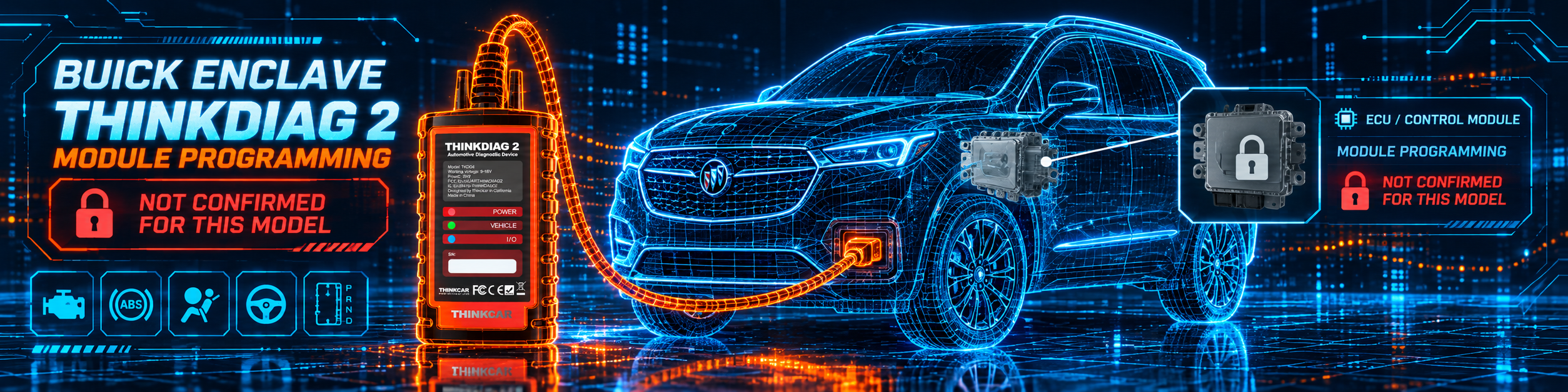
The picture below shows the app with the module programming status, which this tool does not list.
Methodology: How SCG Evaluates OBD2 Scanners.
Our Verdict on the THINKCAR THINKDIAG 2
The THINKDIAG 2 is the CAN FD version of a capable phone-based tool. Amazon and Thinkcar agree on what it does and differ on small counts, and Amazon says plainly that a yearly fee follows the first year. If your cars are newer and you want active tests and coding without a tablet, it fits well.
Frequently Asked Questions
Does the THINKDIAG 2 support CAN FD?
Yes. Amazon and Thinkcar both list it.
Does it support bidirectional control?
Yes. Amazon says commands go from the phone to the ECU for active testing, and Thinkcar names several tests.
Does it support ECU coding?
Yes. Amazon’s title says ECU Code, and Thinkcar says it modifies adaptive data for named modules.
Does it support module programming?
No source lists it.
Does it work on FCA cars?
Amazon says AutoAuth unlocks the security gateway on Chrysler, Dodge, Jeep, Alfa Romeo and Fiat vehicles made after 2019.
How long are updates free?
One year, per Amazon and Thinkcar. Afterwards a yearly fee applies, and you renew in the app.
Does it work on 24-volt trucks?
Amazon says it supports only 12-volt cars.
Does it have a screen?
No. You use a phone or tablet with the app.
Can it replace a tablet in a shop?
For active tests, coding and the listed special functions, it can do the same jobs from a phone. It has no screen of its own, and module programming is not listed.
Does it need the internet?
The app needs a connection to download software and to renew, per Thinkcar’s setup flow.
Is the first year more generous than on the original THINKDIAG?
On Thinkcar’s pages, yes: the THINKDIAG 2 page describes one year of free full software and functions, and the original’s page describes one free manufacturer software.
Does it show I/M readiness?
Yes. Thinkcar lists I/M readiness status among the OBD2 functions.
Which languages does it support?
Thinkcar lists 10 on one page and 15 or more on the other, so check the app.
Is it compatible with my specific vehicle?
Use the Scanner Finder to check your year, make and model.
Trusted Sources
- Thinkcar THINKDIAG 2 product page: features, specifications, software
- Thinkcar THINKDIAG 2 store page: coding, active tests, reset list, languages, warranty
- Verified Amazon listing: current title and listing text
- Texas Instruments, Extending CAN Performance: CAN FD, CAN SIC, and CAN XL: what CAN FD changes