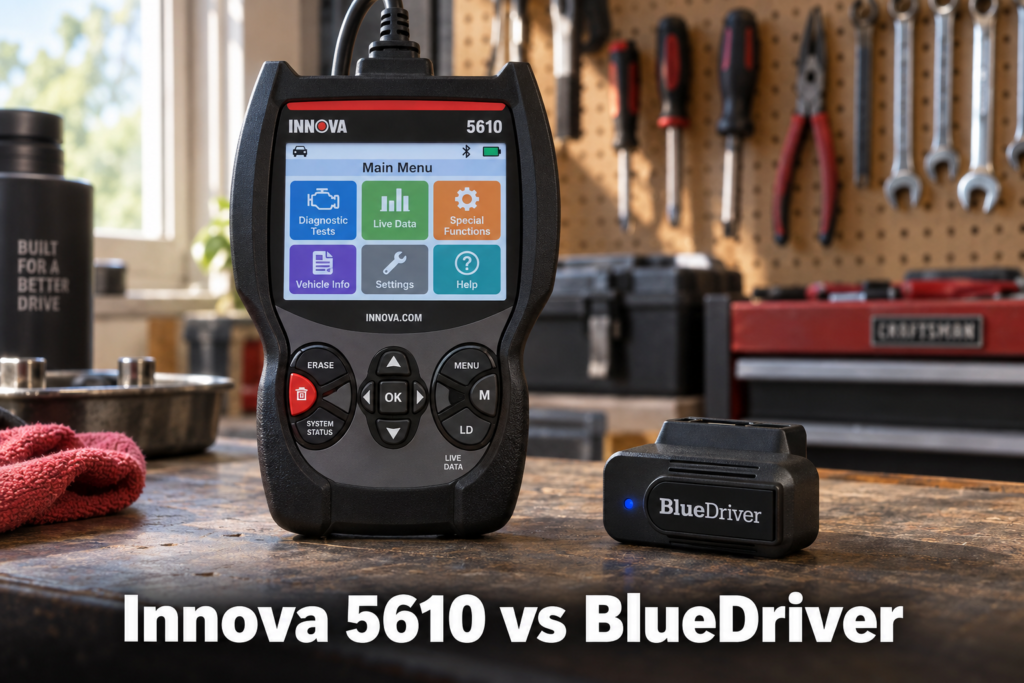
Innova 5610 vs BlueDriver: Which Should You Buy in 2026?
The Innova 5610 and BlueDriver both explicitly do not support ECU coding or reprogramming, so neither one is the answer if that’s what you need. Where they differ is form factor and depth of service resets: the 5610 is a standalone handheld in the $250 to $500 class with bidirectional control and a long reset list including EV/HEV/PHEV battery health, while BlueDriver is a phone-app-based reader in the class under $150 with no bidirectional control listed and a shorter set of service features (oil light reset, TPMS light reset and battery registration), but a unique “Confirmed Fix” repair-report feature the 5610 does not offer.
Affiliate Disclosure: As an Amazon Associate I earn from qualifying purchases. Scan Choice Guide is a participant in the Amazon Services LLC Associates Program, an affiliate advertising program designed to provide a means for sites to earn advertising fees by advertising and linking to Amazon.com.
Innova 5610 vs BlueDriver: The Short Answer
Best for Bidirectional Control and Deep Reset Functions: Innova 5610, with a long reset list including EV/HEV/PHEV battery health.
Best Budget Pick With Guided Repair Reports: BlueDriver, with its standout “Confirmed Fix” repair-report feature.
Innova 5610 vs BlueDriver: Two Buyer Scenarios
You need to command components directly (bidirectional tests) or perform service resets like EPB, DPF or TPMS relearn: the 5610 is the only one of the two that can do this at all.
You want the lowest-cost tool for enhanced code reading with real repair context, and don’t need bidirectional control or a long list of resets: BlueDriver covers this at a significantly lower price than the 5610.
Innova 5610
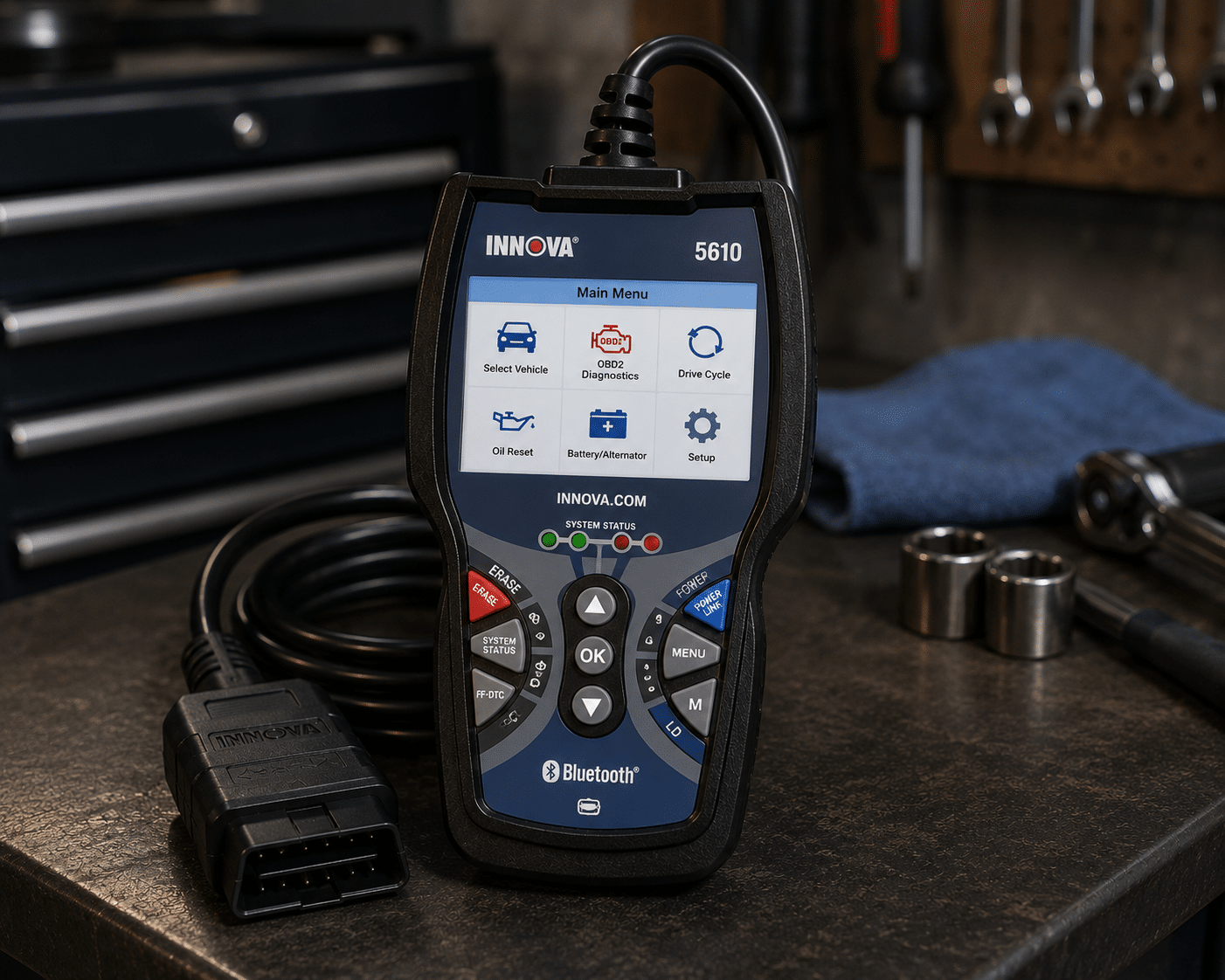
The Innova 5610 backs up confirmed bidirectional control, something BlueDriver doesn’t offer, with a long list of named resets including key and injector coding and EV/HEV/PHEV battery health, an unusually deep list for this price tier. It’s a standalone handheld with its own screen, no phone required, and Innova’s RepairSolutions2 app adds vehicle-specific fix guidance on top of the raw diagnostic data. ECU coding and reprogramming aren’t supported, and coverage is North America-only, so confirm your region and needs before choosing it over the more affordable BlueDriver.
| Pros | Cons |
|---|---|
| Bidirectional control confirmed directly by Innova, which BlueDriver does not have | ECU coding and reprogramming are not supported, stated directly by Innova |
| a long reset list, including key and injector coding and EV/HEV/PHEV battery health, a rare inclusion at this tier | |
| Standalone handheld with its own dedicated screen, no phone required | Significantly more expensive than BlueDriver |
| RepairSolutions2 app integration for vehicle-specific fix guidance | US/Canada only; not for use outside North America |
| Genuinely free updates with no subscription, confirmed by Innova directly | 2018+ FCA vehicles require an additional AutoAuth process for full functionality |
BlueDriver
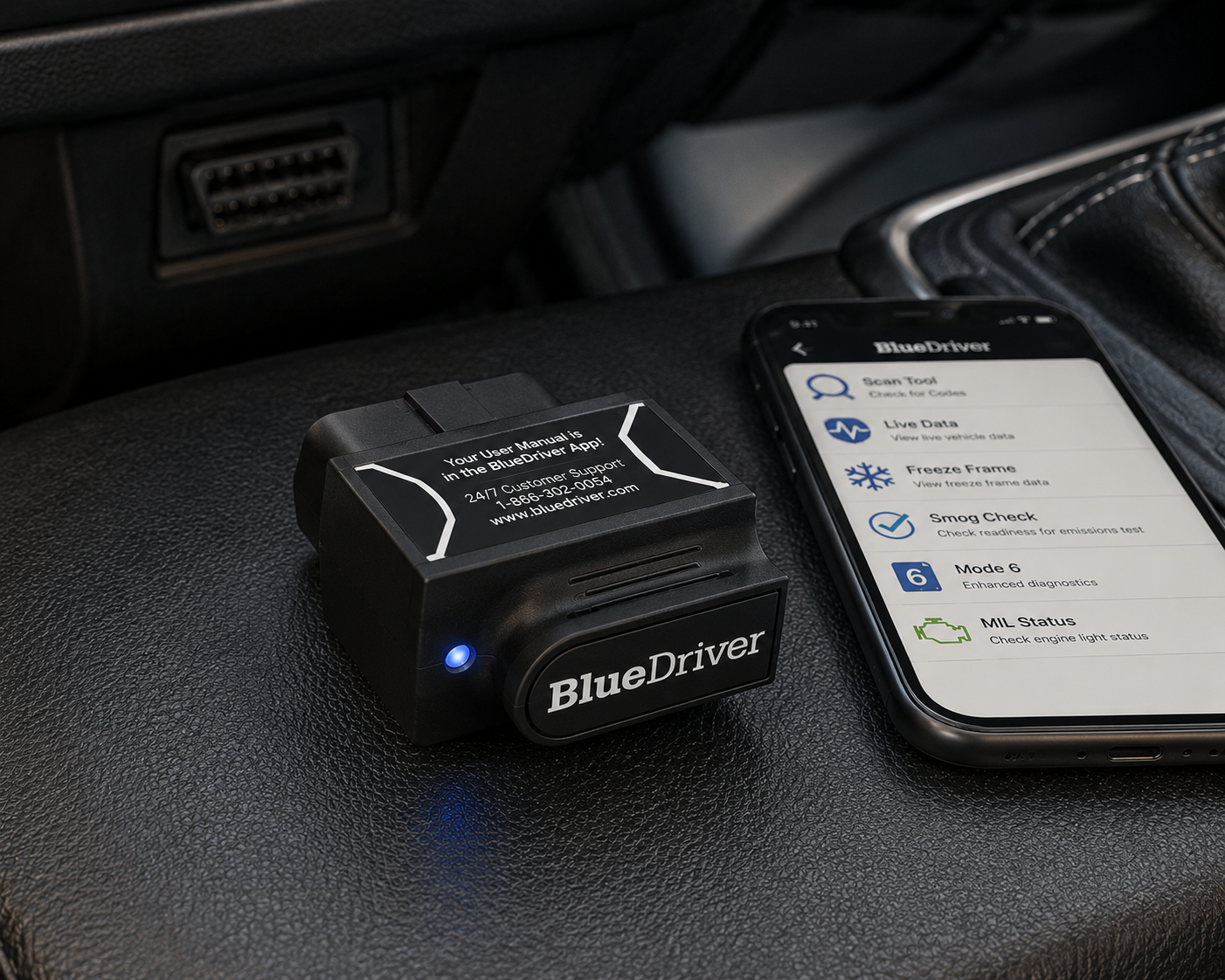
BlueDriver pairs enhanced ABS, SRS, and TPMS code reading with its standout “Confirmed Fix” repair reports, real documented repairs for the same code on the same vehicle, all with no subscription fee and at a significantly lower price than the Innova 5610. It’s ready to use immediately with the free BlueDriver app on a phone you already own. There is no bidirectional control listed, and its service features are limited to an oil light reset, a TPMS light reset and battery registration, so if active component testing or a long list of service resets is part of your work, the 5610 is built for that instead.
| Pros | Cons |
|---|---|
| Significantly cheaper than the 5610 | No bidirectional control, which the 5610 confirms |
| "Confirmed Fix" repair reports showing documented real repairs for the same code and vehicle | |
| No subscription fees, confirmed directly by BlueDriver | A shorter set of service resets (oil light, TPMS light, battery registration), versus the 5610's long list |
| Enhanced ABS/SRS/TPMS code reading across a documented brand list | |
| Ready to use immediately with the free BlueDriver app | No standalone screen; requires a compatible phone |
Innova 5610 vs BlueDriver at a Glance
| Specification | Innova 5610 | BlueDriver |
|---|---|---|
| Price class | Between $250 and $500, significantly more expensive than BlueDriver | Under $150, significantly cheaper than the Innova 5610 |
| Form factor | Standalone handheld with dedicated screen | Bluetooth dongle, phone app required |
| Bidirectional control | Confirmed, commands ABS pumps, fuel injectors and other components directly | Not listed by the manufacturer |
| ECU coding / reprogramming | Not supported, stated directly by Innova | Not listed by the manufacturer |
| Reset functions | A long named list, including oil, battery, EPB, DPF, TPMS relearn, key coding, injector coding, EV/HEV/PHEV battery health | Oil light reset, TPMS light reset and battery registration on supported vehicles, plus an Active Service function; no EPB, steering angle or ABS bleeding listed |
| Repair-context feature | RepairSolutions2 app, Innova states 4M users | “Confirmed Fix” reports showing real repairs for the same code/vehicle |
| Vehicle coverage | US and Canada only | 1996+ gas, diesel and hybrid, North America |
| FCA vehicles | 2018+ requires Innova’s AutoAuth process | Not listed by the manufacturer |
| Subscription | Free updates, no subscription, confirmed by Innova | No subscriptions, confirmed by BlueDriver |
Price classes are broad bands, not Amazon prices, and street prices change often. Check the current price on Amazon before you buy.
A Handheld That Does Things vs a Phone Sensor That Explains Things
This page comes from our analysis of Innova’s product page and user manual, BlueDriver’s compatibility and support pages, the Amazon listings, and independent sources including the US Department of Energy on hybrid batteries and the App Store listing for the BlueDriver app. We compared both tools against the same list of repair jobs on the same kinds of cars, using these sources, and asked the buyer’s question for each: which one do I take to this car for this job?
The two tools are built for different people. The Innova 5610 is a handheld with a 3.5-inch screen that commands parts, bleeds brakes and resets service lights on US and Canadian cars. BlueDriver is a thumb-sized sensor that lives in the glove box and turns your phone into a scanner that explains what each code means and what usually fixes it. The first one acts on the car. The second one helps you understand the car. Most buyers know within a minute which of the two they want, and the sections below make sure the decision is right.
On price, the Innova 5610 falls in the $250 to $500 class and BlueDriver in the class under $150, so BlueDriver is significantly cheaper and the Innova is significantly more expensive. Street prices move, so check Amazon before you buy.
Innova 5610 vs BlueDriver: Best Pick for DIY, Independent Shop and Best Bay
| Category | Winner | Why |
|---|---|---|
| Beginner DIY who wants to understand a warning light | BlueDriver | Repair reports tell you the likely causes and what fixed the same code on the same vehicle. It costs significantly less. |
| Serious DIY who does brakes, batteries and sensors at home | Innova 5610 | Electric parking brake, steering angle, ABS bleeding, battery reset, oil reset and active tests, all in a handheld. |
| Independent shop in the US or Canada | Innova 5610 | Bidirectional tests and a long reset list on domestic and Asian cars, no subscription. |
| Independent shop with Mercedes, BMW and VW customers | BlueDriver as a second tool | Its enhanced coverage names Mercedes and BMW from 2005 and VW and Audi. Neither tool codes or programs. |
| Best bay carry tool for a fast first look | BlueDriver | A sensor in the pocket and a phone in the hand beats walking to the tool cart for a quick look at codes. |
| Best bay tool for hybrid battery health | Innova 5610 | Its hybrid battery check shows the charge state of every cell in the pack on supported cars. |
Innova 5610 vs BlueDriver: Older Cars vs Newer Cars, Which Tool Wins by Model Year
1996 to 2004
Every gasoline car sold in the US from 1996 carries OBD II, and both tools read it. For enhanced systems (ABS, airbag, transmission), BlueDriver’s brand list gives start years: Honda and Acura from 2003, Mercedes and BMW from 2005. Before those years BlueDriver reads engine codes and little else on those brands. The Innova lists enhanced reading on ABS, airbag, engine and transmission across the vehicles it supports in the US and Canada. For a 2001 Ford Explorer or a 2002 Chevrolet Silverado, the Innova gives more because it adds active tests and resets. Winner: Innova 5610.
2005 to 2016
BlueDriver’s coverage widens: Mercedes, Smart, BMW and Mini from 2005, Mitsubishi from 2008, Hyundai and Kia from 2011. For a 2010 BMW 328i or a 2012 Mercedes C250 with an ABS light, BlueDriver reads the module and prints a repair report. The Innova manual gives active-test examples for Chrysler, Ford, GM, Honda and Toyota, so on a 2011 Chevrolet Silverado or a 2013 Toyota Camry it commands parts and resets the car. Winner: BlueDriver for European brands, Innova for domestic and Japanese cars.
2017 to 2019
Innova says the 5610 can diagnose all systems on Chrysler and Jeep cars from 2017 and earlier. From 2018 the Secure Gateway blocks it: the tool cannot access AutoAuth, and it cannot erase codes, perform oil resets or handle battery initialization on those cars. BlueDriver’s pages list Chrysler enhanced diagnostics and say nothing about AutoAuth, so we do not count gateway support for it either. For a 2018 Jeep Wrangler or Ram 1500, buy a tool that lists AutoAuth, such as the LAUNCH CRP919EBT or the Autel MaxiCOM MK808BT Pro. For GM, Ford, Toyota and Honda in this period, the Innova works. Winner: Innova for non-Stellantis, neither for Stellantis.
2020 and newer
Neither Amazon nor Innova lists CAN FD or DoIP for the 5610, and BlueDriver’s pages do not list them either. For a 2021 Chevrolet Silverado, a 2022 Ford Bronco or a BMW G-series, neither tool is a confirmed fit. BlueDriver’s app updates arrive through the phone and its compatibility checker asks for year, make, model and engine, so check there before you plug in. If the vehicle is a late-model car you work on every week, buy a tool that lists CAN FD and DoIP on its own page.
| Model years | Winner | Reason in one line |
|---|---|---|
| 1996 to 2004 | Innova 5610 | Active tests and resets on a car old enough to need them. |
| 2005 to 2016 | Innova for Detroit and Japan, BlueDriver for Europe | BlueDriver names BMW and Mercedes from 2005. |
| 2017 to 2019 | Innova for non-Stellantis | Both fail the Stellantis gateway from 2018. |
| 2020 and newer | Neither is a confirmed pick | No CAN FD or DoIP is listed for either. |
Innova 5610 vs BlueDriver: Make by Make, Which Tool for Which Car
Chevrolet, GMC, Buick and Cadillac
BlueDriver lists enhanced diagnostics for GM brands, which means the ABS, airbag, transmission and tire pressure systems. The Innova lists active tests for GM in its manual, and the five reset options in the 2020 manual (oil, battery, steering angle, EPB, ABS bleeding) apply on many GM cars. On a GM car with an electric parking brake and a brake job, the Innova puts the parking brake into service mode and bleeds the ABS afterward; BlueDriver does neither. Winner: Innova. BlueDriver stays useful for the owner who only wants to know what the ABS code means.
Ford, Lincoln and Mercury
Both tools list Ford. The Innova manual gives Ford active-test examples and its page names battery, oil, electronic parking brake and ABS bleeding resets; BlueDriver offers enhanced codes, an oil light reset, battery registration and a TPMS light reset. For a Ford F-150 where you replace a battery, BlueDriver’s battery registration and the Innova’s battery reset both work, but only the Innova also handles the brake and sensor jobs that follow. Winner: Innova for service, BlueDriver for explaining codes.
Chrysler, Dodge, Jeep and Ram
See the model-year section. The Innova works on 2017 and earlier cars across all systems, including its manual’s Chrysler test menu (throttle learn, manual DPF regeneration, compression and cylinder performance tests, EGR and purge tests). On 2018 and newer it is limited and cannot erase codes. BlueDriver lists Chrysler for enhanced reading without gateway support. Winner: Innova up to 2017, neither after.
Toyota, Lexus, Honda, Acura, Nissan and Mazda
Both tools list these brands, and the Innova’s manual names Toyota and Honda in its active-test menu. On a Toyota Corolla needing a tire pressure relearn, the Innova’s TPMS relearn is a real service function; BlueDriver offers a TPMS light reset on vehicles that support it. On a Honda or Nissan with a battery replacement, both list battery registration or reset. Winner: Innova for service, BlueDriver for repair reports on a check engine light.
BMW, Mini, Mercedes-Benz, Volkswagen and Audi
BlueDriver names BMW and Mini from 2005, Mercedes and Smart from 2005, and Volkswagen, Audi, Lamborghini and Bentley. That is documented enhanced coverage on European brands. The Innova manual names no European brand in its active-test examples, and it does not code, program or register a European battery by name. For a BMW owner with an ABS light, BlueDriver is the tool. For BMW battery registration and coding, neither is the answer; buy a LAUNCH CRP919EBT or an equivalent. Winner: BlueDriver for reading, neither for service or coding.
Hyundai, Kia and Subaru
BlueDriver lists Hyundai and Kia from 2011 and Subaru. Innova covers makes sold in the US and Canada, with features varying by year, make and model. Winner: BlueDriver for repair context, Innova where a reset or active test is needed and its coverage checker confirms the car.
Cars first sold outside North America
Innova states the 5610 will not work outside the United States and Canada, and that a Mexican owner can use it only on a US-imported car. BlueDriver asks for the country where the car was first sold, because its OBD II compatibility depends on it. If your car came from another region, test before you commit and keep the return window in mind.
Innova 5610 vs BlueDriver: Job by Job, Which Tool for Which Repair
| Job | Innova 5610 | BlueDriver | Pick |
|---|---|---|---|
| Find out why the check engine light is on | Yes | Yes, with a repair report | BlueDriver for the explanation, either for the code. |
| Read ABS, airbag, transmission codes | Yes | Yes, on the listed brands | Either. |
| Read tire pressure system codes | Yes (TPMS relearn listed) | Yes (enhanced TPMS) | Either. |
| Oil light reset | Yes | Yes, on supported vehicles | Either. |
| Battery reset or registration | Yes | Yes (battery registration) | Either. |
| Tire pressure light reset or relearn | Yes (relearn) | Yes (light reset) | Innova for the full relearn. |
| Steering angle sensor calibration | Yes | Not listed | Innova. |
| Electric parking brake service mode | Yes | Not listed as a service task | Innova. |
| ABS bleeding | Yes | Not listed | Innova. |
| Throttle body, clutch, AC and suspension relearns | Yes | Not listed | Innova. |
| Manual DPF regeneration | Yes (Chrysler menu in the manual) | Not listed | Innova. |
| Active test on a pump, injector or ABS unit | Yes | Not listed | Innova. |
| Hybrid battery cell check | Yes (state of charge for each cell) | Hybrid and electric system codes only | Innova. |
| Mode 6 test results | Not listed | Yes | BlueDriver. |
| Smog readiness check | Yes | Yes | Either. |
| Repair reports with real fixes | RepairSolutions2 app (optional, free) | Built in, matched to your VIN | BlueDriver. |
| ECU coding or programming | No | Not listed | Neither. |
| Key fob programming | No | Not listed | Neither. |
| 2018 or newer FCA car behind the gateway | Limited, cannot erase codes | Not listed | Neither. |
| Works without a phone | Yes | No | Innova. |
The pattern is clear. The Innova wins every row that involves doing something to the car. BlueDriver wins the two rows about understanding: repair reports and Mode 6. They tie on reading, the oil light and the battery.
Innova 5610 vs BlueDriver: Eight Repair Scenarios Compared
Job 1: 2013 Chevrolet Camaro with an ABS light and a noisy pump
The Innova reads the ABS module, shows the code and freeze frame, then runs an active test on the ABS pump from the System/Actuator Test menu so you can hear whether the pump runs. BlueDriver reads the same code and shows a repair report, but cannot command the pump. Winner: Innova.
Job 2: 2012 BMW 328i with an ABS light
BlueDriver names BMW from 2005 for enhanced diagnostics. The ABS code appears with a repair report that lists causes such as a wheel speed sensor or its wiring. The Innova’s manual names no European brand in its active-test examples. Winner: BlueDriver.
Job 3: 2014 Ford F-150 with a new battery
Many Fords of this period expect a battery reset after a battery swap. BlueDriver lists battery registration on supported vehicles, and the Innova lists battery reset. Both do the job. If the same truck also needs rear brake service later, the Innova is the tool that continues the work. Winner: tie for the battery.
Job 4: 2015 Toyota Camry with a tire pressure light
The Innova lists TPMS relearn, which matches the sensor positions to the car. BlueDriver lists a TPMS light reset on supported vehicles. Both clear the light; the Innova does the relearn the car actually needs. Winner: Innova.
Job 5: 2017 Jeep Grand Cherokee that will not clear a code
Innova says the 5610 diagnoses all systems on Chrysler and Jeep cars from 2017 and earlier. A 2017 model works. A 2018 would not, because the gateway blocks the tool. Winner: Innova on 2017 and earlier; neither on 2018 and newer.
Job 6: 2016 Toyota Prius with a weak hybrid battery
The Department of Energy explains that a hybrid battery stores electricity for the electric motor and is separate from the ordinary 12-volt battery. The Innova’s Hybrid Battery Check shows the state of charge for each cell in the pack on supported cars, which tells you whether one weak cell is dragging the pack down. BlueDriver reads hybrid and electric system codes but does not list a cell display. Winner: Innova.
Job 7: Pre-purchase check on a used 2010 Honda Accord
Plug in either tool before you hand over money. BlueDriver shows the readiness status, the Mode 6 results and, where the car supports it, the distance driven since the codes were cleared. A seller who cleared codes the day before leaves that fingerprint. Winner: BlueDriver for the used-car check, because the mileage since clearing is a direct warning sign.
Job 8: Rear brake job on a car with an electric parking brake
The Innova’s EPB reset puts the rear calipers into service mode so the pads can be changed, and the SAS and ABS bleeding functions cover what comes after. BlueDriver does not list EPB service mode. Winner: Innova.
Tally: Innova wins five jobs, BlueDriver wins two, and one is a tie. The split follows the table above. The buyer’s question is which job is your job.
Hybrid and Electric Cars
A hybrid or electric car carries two batteries: the high-voltage traction pack and the ordinary 12-volt auxiliary battery that starts the car. The Department of Energy describes the traction battery as storing electricity for the electric motor, charged by regenerative braking and the engine. The Innova’s battery health item for EV, HEV and PHEV cars and its cell display concern that traction pack, which is a different battery from the one a BlueDriver battery registration addresses. If you own a Prius, a Ford Fusion Hybrid or a Chevrolet Volt and want to know the pack’s health, the Innova is the tool. If you want to read a hybrid system code and learn what it means, BlueDriver does that and prints a report.
Phone or Handheld: What Each Needs From You
BlueDriver needs a phone. The App Store listing says the app requires iOS 16.6 or later and is about 287 MB, while BlueDriver’s own support pages say iOS 13 or higher works. If your phone is old, follow the App Store number. On Android the app needs Bluetooth and Location access for stable pairing. Unpair any previous BlueDriver first. A small LED tells you what is happening: solid blue is starting, flashing blue is talking to the phone, flashing red means powered and talking to the car but not connected to the app, and solid red means a firmware update was interrupted. If your phone dies, the scanner dies with it.
The Innova needs the car. It powers on by itself when you plug it into the 16-pin port, links to the car’s protocol and works without a phone. You use the phone only to pair the optional RepairSolutions2 app over 2.4 GHz Wi-Fi if you want saved vehicle data and repair suggestions. In enhanced modes, scrolling can break the link, so press Power/Link again to reconnect. The tool needs the car’s modules to answer, so it will not work on a car that cannot crank.
Innova 5610 vs BlueDriver: Warranty, Returns and Updates
BlueDriver lists a one-year limited warranty and a 180-day risk-free return; Amazon lists a 180-day money-back guarantee and replacement of a defective unit within one year. The app is free and BlueDriver states: no subscriptions, no add-ons, ever. Innova lists a one-year warranty, free updates with no subscription, and the RepairSolutions2 app as optional and free. Neither tool carries a recurring cost. The longer return window on BlueDriver makes a trial easy: plug it into your car and the cars of two friends before the 180 days run out.
Innova 5610 vs BlueDriver: Where These Two Sit in the Lineup
- ANCEL AD310: a plain engine-code reader for the check engine light only. Cheaper than BlueDriver.
- BlueDriver: enhanced codes and repair reports from a phone.
- Foxwell NT604 Elite: a handheld that reads four systems, with no resets.
- Innova 5610: a handheld that commands parts and resets services in North America.
- Foxwell NT809BT: a multi-brand tablet with 30 or more resets and active tests; choose it when you work on several makes outside Innova’s reach.
- LAUNCH CRP919EBT: choose it for coding, European cars, Stellantis AutoAuth and newer protocols.
Innova 5610 vs BlueDriver: Which One to Buy, Plain Answers
- You want to know why a light is on and what to do about it, and you drive a car from the last twenty years: BlueDriver.
- You own a BMW, Mercedes, VW or Audi and want to read enhanced codes: BlueDriver.
- You do your own brakes, batteries, sensors and fluids on a Detroit or Japanese car: Innova 5610.
- You own a hybrid and want to see cell health: Innova 5610.
- You work in a shop in the US or Canada: Innova 5610.
- You own a 2018 or newer Jeep, Ram or Dodge: neither; buy a tool with AutoAuth.
- You want coding: neither; buy the LAUNCH CRP919EBT or the Thinkcar THINKDIAG.
Mistakes Buyers Make With These Two
Buying the Innova outside North America. Innova says it will not work outside the United States and Canada.
Expecting BlueDriver to run active tests. It does not list them.
Expecting the Innova to code. Innova states it does not reprogram vehicle computers and does not support key fob programming. Its key coding and injector coding items are service procedures, not ECU coding.
Clearing codes before reading them. The Innova’s own manual warns that Erase also clears freeze frame and enhanced data and sets the readiness monitors to not run. Leave codes in place if the car is going to a shop.
Assuming a reset works on every car. BlueDriver’s pages do not say which vehicles support each service task, and Innova’s manual says tests depend on the make and model. Check your car in the coverage checker before you buy for a specific job.
A Used-Car Inspection Routine for Each Tool
Either tool is worth carrying when you look at a used car, and the five minutes you spend can save you a repair bill. With BlueDriver, plug the sensor in, open the app and run a scan. Check the enhanced systems for stored codes in the ABS, airbag and transmission. Open the smog check and look at the readiness monitors. Then look at the MIL status: where the car supports it, the app shows the distance driven or the engine hours since the codes were cleared. A low number on a car being sold with high mileage tells you somebody cleared codes recently. Open Mode 6 and read the self-test results; a result close to its limit points to a part that is about to fail. With the Innova 5610, plug it in, press DTC/FF to read codes and freeze frame one at a time, then open Live Data and record a minute at idle. Press LD to view the sensors and play the recording back without the car. Use Service Check to see brake pad status, oil life and transmission fluid temperature where the car supports it. Either way, save the report. If you buy the car, you have a record of how it looked on day one.
Reading Enhanced Codes: A Five-Step Method
Both tools can read codes beyond the generic engine set, and both deliver the same trap: a code names a circuit, not a failed part. Use the same method with either tool.
- Write the code down and save the freeze frame before you clear anything. The Innova manual warns to leave codes in place if the car goes to a shop.
- Check the other modules for related codes. An ABS code and a stability control code together usually share a cause.
- Look at live data for the circuit involved at idle and during a short drive.
- On BlueDriver, open the repair report and read the fixes other technicians reported for the same code on the same vehicle. On the Innova, run an active test on the part.
- Repair, clear, drive and rescan. A code that returns means the cause is still there.
Innova 5610 vs BlueDriver: A Seven-Day Acceptance Test
- Day one: connect to your own car and save a full scan.
- Day two: connect to a second car, preferably a different make.
- Day three: record live data for a ten-minute drive and play it back.
- Day four: do one service task you actually need, such as an oil reset or battery registration, and confirm the result on the cluster.
- Day five: on the Innova, run one active test. On BlueDriver, read one repair report in full.
- Day six: check the readiness monitors and note any that show incomplete.
- Day seven: decide. BlueDriver’s 180-day return window gives you the room to wait longer; use it.
Innova 5610 vs BlueDriver: Quick Reference, Twelve Situations and the Tool to Reach For
| Situation | Tool |
|---|---|
| Check engine light on any car | BlueDriver for the repair report, either for the code |
| ABS light on a BMW or Mercedes | BlueDriver |
| ABS pump test on a Chevrolet or Ford | Innova 5610 |
| Rear pads on an electric parking brake | Innova 5610 |
| Steering angle reset after an alignment | Innova 5610 |
| Brake bleeding after a hydraulic repair | Innova 5610 |
| Oil light reset | Either |
| Battery registration after a swap | Either |
| Hybrid pack cell check | Innova 5610 |
| Used-car check before buying | BlueDriver |
| 2018 or newer Jeep or Ram | Neither |
| Coding any module | Neither |
BlueDriver Repair Reports: How to Use One and Where It Stops
The repair report is the reason many buyers choose BlueDriver, so it deserves a careful look. After a scan you tap a code and the app builds a report with possible causes and the fixes that other technicians reported for the same code on the same vehicle. BlueDriver says the fixes come from SAE certified technicians, and Amazon describes the reports as unlimited and matched to your VIN. The app also carries tutorial videos.
Use the report the right way. Read the causes in order of how often they were reported, then check the cheapest and easiest first: a loose connector, a dirty sensor, a blown fuse. Do not order a part from the report alone. The report tells you what usually fixed this code; it does not know whether your car has one of the rarer causes. Combine it with live data: if the report says an oxygen sensor is the usual cause and the live graph shows the sensor swinging normally, the sensor is not your problem.
The reports also have limits. They explain codes the app can read. A code outside the enhanced systems on your car’s brand list returns a generic definition. And a report is only as good as the match to your vehicle: the more specific the VIN match, the better the advice. The Innova 5610 takes a different route. Its optional RepairSolutions2 app offers verified fix recommendations, scan export, predicted repairs and service bulletins, but you have to pair the tool with the app over 2.4 GHz Wi-Fi for the vehicle data to save.
The Innova’s Service Menu: What You Will Actually See
The 2020 manual lists five options under Service Reset: Oil Reset, Battery Reset, Steering Angle Sensor Calibration, EPB Reset and ABS Bleeding. Innova’s current product page names a far longer list, including DPF, TPMS relearn, throttle body relearn, AC system relearn, clutch relearn, suspension calibration, headlamp calibration, occupant seat sensor calibration, injector coding, key coding, transport mode, coolant bleeding and EV, HEV and PHEV battery health. The page is newer than the manual, and the two do not agree, so the safe rule is this: check your car in Innova’s coverage checker for the exact reset before you buy for a specific job.
Three smaller features earn their place. Service Check shows brake pad status, oil level, oil life and transmission fluid temperature when the car supports it, which turns a ten-minute look into a service estimate. Battery/Alternator Monitor checks the 12-volt battery and the charging system, which settles the question of whether a no-start is the battery or the alternator before you buy either. Drive Cycle Procedure shows how to set a readiness monitor to complete, which matters before an emissions test. For oil resets, if the tool cannot reset the light by itself, it shows the manual procedure for that car.
Emissions Season: Getting the Car Ready With Either Tool
Many buyers pick up a scanner a week before an inspection. Both tools help, and both show the same status the testing station reads. BlueDriver’s smog check shows whether the emission monitors are complete, and BlueDriver says you see the same data the technicians at the testing station see. The Wisconsin Vehicle Inspection Program states in a 2015 notice that its test equipment reads the OBD and readiness monitor status and that the inspector cannot change what the vehicle reports. That means the car either reports ready or it does not.
The trap is clearing codes too late. Erasing codes on the Innova clears freeze frame data and manufacturer enhanced data and sets the readiness monitors to not run, which the manual states plainly. A car in that state fails an inspection for being not ready, even when nothing is wrong. Clear the codes after the repair, drive the car through normal use (the Innova’s Drive Cycle Procedure shows how for your car), and check the monitors before the test. Never clear codes the day before.
Data, Apps and Updates: What Happens After You Buy
BlueDriver updates through the app store, so the update path is your phone. The app is free and the sensor is sold separately. An old phone can become the weak link: the App Store says the app needs iOS 16.6 or later, while BlueDriver’s own pages say iOS 13 and up. Follow the App Store number if your phone is old. The Innova updates free with no subscription, and it works fully without the app. If you do pair the app, the Innova stores vehicle data only when it is connected to Wi-Fi, and the app keeps only two Wi-Fi settings, so a shop that moves between sites will re-enter networks.
Innova 5610 vs BlueDriver: Who Should Buy Neither
- Anyone who owns a 2018 or newer Jeep, Ram, Dodge or Chrysler and needs to clear codes, run active tests or reset services. Both tools stop at the gateway.
- Anyone who needs coding on a VW, BMW, Mercedes or Toyota. Neither lists it.
- Anyone whose car was first sold outside North America and whose shop tools are not US-based. Innova will not work and BlueDriver’s compatibility depends on country.
- Anyone who works on 2020 and newer cars every week. Neither lists CAN FD or DoIP.
For those buyers, our LAUNCH CRP919EBT and Autel MK808BT Pro comparison and our Foxwell NT809BT review point to the right class of tool.
Innova 5610 vs BlueDriver: The Bottom Line for This Pair
Buy BlueDriver if you want to understand your car. Buy the Innova 5610 if you want to work on your car. If you are not sure which person you are, answer one question: will you ever need to bleed a brake, retract an electric parking brake or calibrate a steering angle sensor? If yes, the Innova. If no, BlueDriver, and keep the 180-day return window in your pocket as insurance.
Five Typical Owners and the Tool We Would Hand Each One
A 2016 Honda CR-V owner with the check engine light on who has never used a scanner. BlueDriver. The owner plugs it in, opens the app, reads the code, opens the repair report and finds that a loose gas cap is the most reported cause on this code and vehicle. The first fix costs nothing.
A 2012 Chevrolet Silverado owner who does their own brakes and fluids. Innova 5610. The owner bleeds the ABS after a hydraulic repair, resets the oil light and calibrates the steering angle after an alignment, all from a handheld that fits in a toolbox.
A 2014 BMW 535i owner who wants to know what an ABS warning means before visiting a shop. BlueDriver, because it names BMW from 2005 for enhanced diagnostics and prints a report to show the shop. If the owner later wants to register a new battery or code a feature, a different tool is needed.
A 2018 Toyota Prius owner whose hybrid battery feels weak. Innova 5610, for the cell-by-cell state of charge. The owner learns whether one weak cell is the cause before paying for a pack.
A mobile mechanic in a small town who drives to customers’ houses. Both. BlueDriver goes in a shirt pocket for the first look and the report emailed to the customer. The Innova stays in the truck for the job that follows. Together they cover most of what comes in outside Stellantis cars from 2018 and European coding.
A Pocket Guide to the Terms on This Page
- Bidirectional control or active test: the scanner sends a command and the car obeys, for example turning a fuel pump on or running an ABS pump. A reader only listens.
- Freeze frame: a snapshot of what the sensors read the moment a fault was stored.
- Readiness monitors: the car’s own self-tests that must be complete before an emissions inspection.
- Mode 6: detailed self-test results the car reports, useful for spotting a part near failure.
- Relearn or calibration: teaching the car where a part sits after it was replaced or adjusted, such as a steering angle sensor or a throttle body.
- EPB service mode: retracting an electric parking brake motor so the rear pads can be changed.
- Battery registration: telling the car a new battery was installed so the charging system treats it correctly.
- Secure Gateway and AutoAuth: the lock Fiat Chrysler added from 2018, and the account that unlocks it for a scan tool.
- ECU coding: changing settings stored in a control unit. Neither tool does it.
ECU Coding: Neither One Supports It, Stated Plainly
This needs to be the starting point, since the price gap might otherwise suggest the pricier 5610 does more of everything. Innova states directly that the 5610 does not support ECU coding or reprogramming. BlueDriver’s own pages do not list it either. If coding is a requirement, look elsewhere; neither of these two is the answer.
Bidirectional Control: The 5610’s Clearest Advantage
The 5610 confirms bidirectional control, commanding ABS pumps, fuel injectors and other components directly rather than just reading their status. BlueDriver does not have this confirmed. This is the single biggest functional gap between the two, and it is the main thing the higher price is buying.
Reset Function Depth: A Genuinely Unusual Feature for This Price Tier
Innova’s page names a long list of resets, including oil, battery, EPB, DPF, TPMS relearn, key coding and injector coding. Notably, it also includes EV/HEV/PHEV battery health assessment, a function rarely seen at this price point. BlueDriver lists a shorter set of service features: an oil light reset, a TPMS light reset, battery registration and an Active Service function, per BlueDriver’s own compatibility page. It does not list the 5610’s wider set, such as EPB, DPF or key and injector coding.
Repair Context: Two Different Approaches to the Same Problem
Both tools try to help you understand what a code actually means in practice, but differently. The 5610 pairs with Innova’s free RepairSolutions2 app for vehicle-specific fix guidance. BlueDriver instead shows “Confirmed Fix” reports: documented real repairs performed for the same code on the same vehicle. Neither is confirmed to be more accurate than the other; they are simply different mechanisms for the same underlying goal.
Vehicle Coverage and Regional Limits
The 5610 is documented for vehicles made for the US and Canada only. On FCA (Chrysler, Dodge, Jeep, Fiat) vehicles from 2018 onward, Innova says its handheld cannot access AutoAuth, so it cannot erase codes, perform oil resets or handle battery initialization. BlueDriver’s stated coverage is 1996-and-newer gas, diesel and hybrid vehicles sold in North America, without a documented equivalent extra-step requirement for any specific manufacturer.
Form Factor: Standalone Screen vs Phone Dependency
The 5610 is a self-contained handheld unit; you never need your phone to use it. BlueDriver requires a compatible phone with the free BlueDriver app installed; there is no standalone screen option. For a technician who wants one dedicated tool with no phone-battery or app-update dependency, the 5610’s form factor is a real practical advantage regardless of the feature list.
Subscription and Update Policy
Both are confirmed subscription-free directly by their manufacturers: Innova states free updates with no subscription for the 5610, and BlueDriver states “no subscriptions, no add-ons, ever.” Neither has an ongoing cost disadvantage over the other here.
Innova 5610 vs BlueDriver: Five Questions to Answer Before You Pay
1. Do you want to act on the car or understand it? The Innova 5610 acts: it commands parts, bleeds brakes and resets service lights. BlueDriver explains: it names the likely causes of a code and what fixed the same code on the same vehicle. If you only want to know why the light is on, BlueDriver is the answer and costs significantly less.
2. Do you drive a European car? If yes, BlueDriver is the answer for reading, because its enhanced coverage names Mercedes, Smart, BMW and Mini from 2005 and VW and Audi. If you drive a Chevrolet, Ford, Toyota or Honda, the Innova gives more because it adds active tests and resets.
3. Do you drive a 2018 or newer Jeep, Dodge or Ram? If yes, neither tool is the answer. Innova says its gateway block stops code erasing, oil resets and battery initialization, and BlueDriver lists no AutoAuth. Buy the LAUNCH CRP919EBT or the Autel MaxiCOM MK808BT Pro.
4. Do you own a hybrid? If yes, the Innova 5610 is the answer, because its hybrid battery check shows the charge state of every cell in the pack on supported cars.
5. Do you need coding or CAN FD? Neither tool is the answer. Neither lists ECU coding, and neither lists CAN FD or DoIP, so a 2021 or newer car needs a different tool.
Stop at the first question that gives you a firm answer. Question one settles it for most buyers, and the rest are exceptions that send you to a different product.
What You Give Up With Each Choice
Choosing the Innova 5610 gives up the repair reports. It tells you the code and its meaning on a 3.5-inch screen, but it does not print a list of likely causes and fixes for your exact vehicle, and it has no phone app that grows with new cars. Choosing BlueDriver gives up every active test and reset. It cannot command a part, bleed a brake, retract an electric parking brake or reset a service light, so any job beyond reading and explaining needs a second tool. Neither choice gives you coding. Neither choice gives you access to the Chrysler gateway from 2018. Neither gives you a confirmed fit on CAN FD cars.
The cleanest way to decide is to ask which loss hurts more. If you will never run a brake bleed or a battery reset, the Innova’s extra functions are dead weight, and BlueDriver at a significantly lower price class is the better buy. If you do those jobs more than twice a year, the missing resets will send you to a second purchase, and the Innova is the better buy from the start.
Frequently Asked Questions
Does the Innova 5610 support ECU coding?
No. Innova states directly that it does not support ECU coding or reprogramming.
Does BlueDriver have bidirectional control?
No. This is confirmed only on the Innova 5610.
Which is better for EV or hybrid battery diagnostics?
The Innova 5610, which includes EV/HEV/PHEV battery health assessment among its long list of resets. BlueDriver does not list an equivalent function.
Can the Innova 5610 be used outside North America?
No, it is documented for US and Canada vehicles only.
Which one is cheaper?
BlueDriver, which is significantly cheaper than the 5610.
Which tool is better for a 2015 Ford F-150?
The Innova 5610 for service jobs such as brakes, batteries and sensors, because it lists Ford active tests and a long reset list. BlueDriver is better if you only want to understand a warning light and read the repair report.
Which tool is better for a BMW 3 Series?
BlueDriver. It names BMW and Mini from 2005 for enhanced diagnostics. Neither tool does BMW battery registration by name or coding, so a BMW owner who wants those buys a different tool.
Can BlueDriver reset the oil light?
Yes, on vehicles that support it. BlueDriver lists an oil light reset, a TPMS light reset and battery registration among its service features, but its pages do not say which vehicles support each task.
Can the Innova 5610 reset the oil light on a 2020 Jeep Wrangler?
No. Innova says its handheld cannot access AutoAuth on 2018 and newer Chrysler and Jeep cars, and that it cannot erase codes, perform oil resets or handle battery initialization on them.
Does either tool work on a hybrid?
Yes. BlueDriver lists hybrid and electric systems among its enhanced diagnostics. The Innova adds a hybrid battery check that shows the state of charge for each cell on supported cars.
Do I need a subscription for either?
No. BlueDriver states “No subscriptions. No add-ons. Ever.” Innova states updates are free with no subscription.
Which is easier for a beginner?
BlueDriver. The app explains codes in plain language, and the repair reports turn a code into a plan.
Which one works on a car first sold in Europe?
Neither is reliable. Innova will not work outside the United States and Canada, and BlueDriver’s compatibility depends on the country where the car was first sold.
Which one handles the most reset jobs?
The Innova 5610, with a long list of named resets on its page. BlueDriver lists oil light reset, TPMS light reset and battery registration.
Innova 5610 vs BlueDriver: Bottom Line
Choose the Innova 5610 if you need bidirectional control or service resets like EPB, DPF or TPMS relearn, and you’re in the US or Canada. Choose BlueDriver for enhanced code reading with real repair context at a much lower price, if you don’t need bidirectional control or a long list of resets. Neither supports ECU coding; for that, see our professional automotive scan tool buying guide.
Editorial Note
Every specification and capability claim above is sourced directly from the manufacturer’s own product pages, cross-checked against Amazon’s listing where applicable.