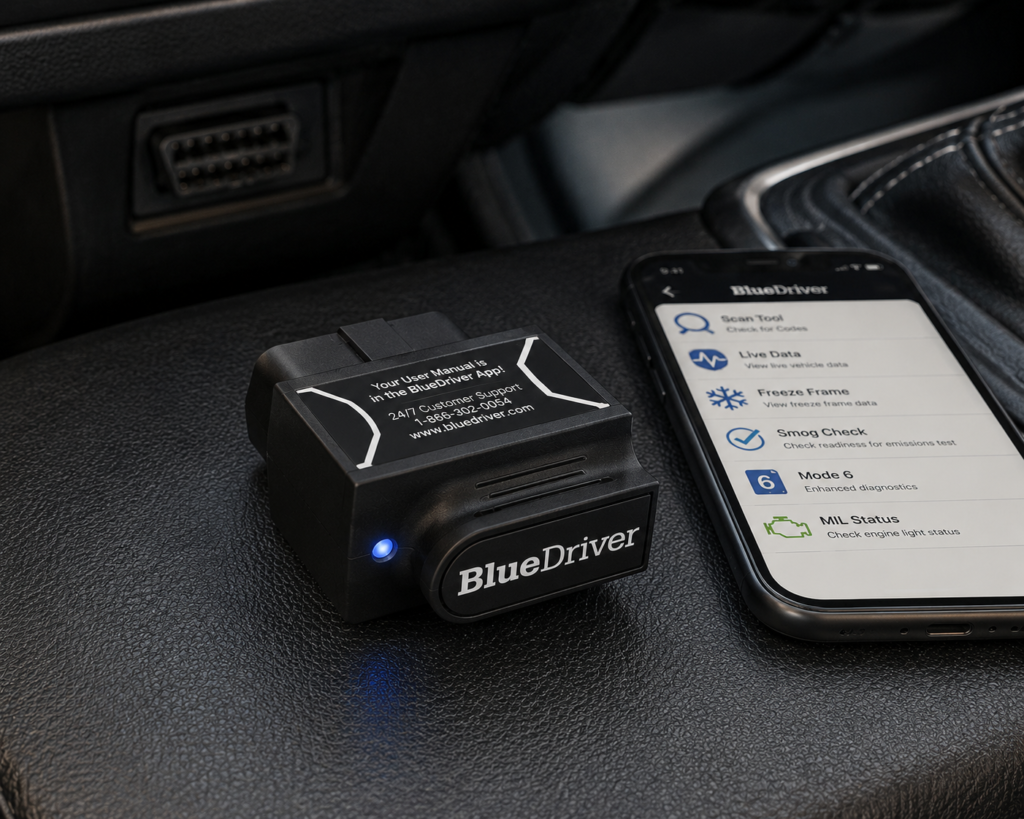
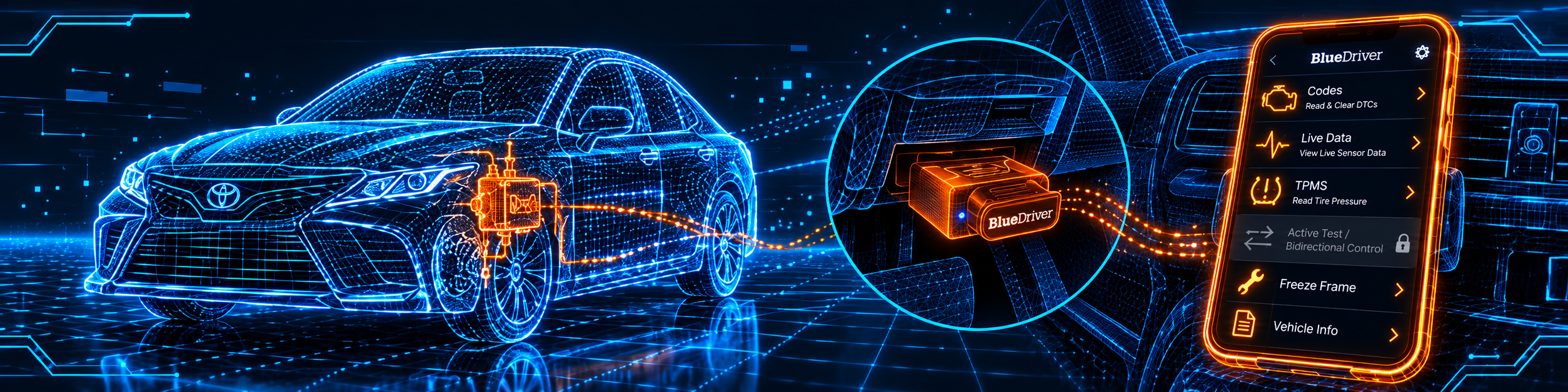
BlueDriver is a small Bluetooth sensor that plugs into the OBD2 port and works with a free app on your iPhone or Android phone. It reads and clears codes, shows live data, and reads enhanced codes from ABS, airbag, transmission and tire pressure systems on a long list of brands. It also gives you repair reports for each code, and it lists a few service functions such as an oil light reset.
The short version: BlueDriver is a ready-to-use tool for a car owner who wants a clear answer to “what does this code mean” from a phone. The app is free, BlueDriver says there are no subscriptions and no add-ons, and the sensor comes with repair reports built in. Amazon and BlueDriver agree on almost everything. The tool needs a phone, and the enhanced coverage depends on your brand and model year.
Affiliate Disclosure: As an Amazon Associate I earn from qualifying purchases. Scan Choice Guide is a participant in the Amazon Services LLC Associates Program, an affiliate advertising program designed to provide a means for sites to earn advertising fees by advertising and linking to Amazon.com.
What the BlueDriver Actually Does
The sensor plugs into the OBD2 port. It talks to your car on one side and to the BlueDriver app on the other, over Bluetooth. There is no screen on the sensor. Everything you see is in the app.
BlueDriver lists these functions:
- Read and clear codes. This includes the check engine light and the enhanced systems below.
- Live data. The app streams sensor data from the car. BlueDriver says you can capture and share any live data the vehicle supports. The App Store listing mentions multi-PID interactive graphing.
- Freeze frame. A snapshot of what the sensors saw when the check engine light came on.
- Mode 6. Advanced test results that the car reports about itself.
- Smog check. It shows whether the emission checks are finished. BlueDriver says you see the same data as the technicians at the testing station.
- MIL status. The distance driven, or the engine hours, since the light came on or the codes were cleared, where the vehicle supports it.
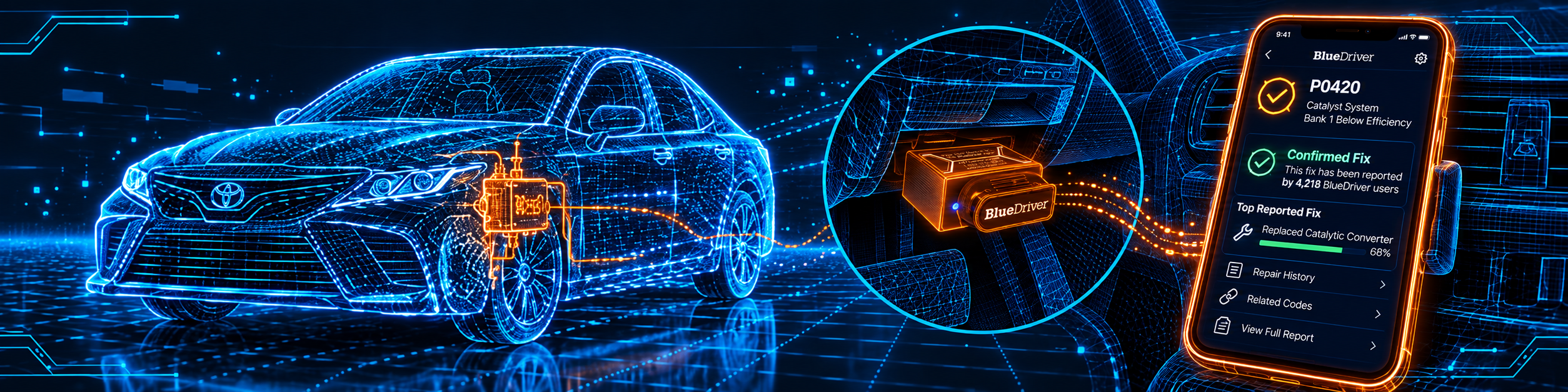
- Repair reports. For each code you get possible causes and reported fixes. BlueDriver says the fixes come from SAE certified technicians, and the app also has tutorial videos.
- Service features. More on these below.
The enhanced systems named on BlueDriver’s compatibility page are engine, ABS and brakes (including stability control, the brake booster and the electronic parking brake), transmission, airbags, tire pressure, four-wheel and all-wheel drive, and hybrid and electric systems.
BlueDriver lists enhanced diagnostics for these brands: GM (Chevrolet, GMC, Cadillac, Buick, Saturn, Pontiac), Ford (Lincoln, Mercury), Chrysler, Toyota (Lexus, Scion), Nissan (Infiniti, Renault), Mazda, Subaru, Mitsubishi from 2008, Hyundai and Kia from 2011, Mercedes and Smart from 2005, BMW and Mini from 2005, Honda and Acura from 2003, and Volkswagen, Audi, Lamborghini and Bentley.
Want to understand a code? Our OBD2 codes guide decodes the letters and numbers. To judge a graph, open the live data guide.
What Amazon Says vs. What BlueDriver Confirms
We compared the Amazon listing with BlueDriver’s product page, its compatibility page and its support articles. The sources agree on most points. Four details need care.
| Claim | Amazon listing | BlueDriver | Our reading |
|---|---|---|---|
| ABS, SRS and TPMS codes | Yes, in the title | Yes. The compatibility page lists ABS and brakes, airbags and TPMS | Agree |
| No subscription | Yes, in the title | “No subscriptions. No add-ons. Ever.” | Agree |
| Repair reports | “Unlimited, technician-verified repair reports matched to your VIN” | Possible causes and reported fixes, from SAE certified technicians | Agree |
| Fuel types | “All gas-powered vehicles made in 1996 or newer” | “Most gas, diesel, and hybrid vehicles” | BlueDriver lists more |
| Resets and service tasks | Not listed on Amazon | Active Service, Battery Registration, Passive Service, Oil Light Reset, TPMS Light Reset | BlueDriver only |
| Brands | GM, Ford, Stellantis, Toyota, Honda, Nissan, Mazda, Subaru, Hyundai, Mercedes-Benz, BMW and VW | The same brands plus Mitsubishi, Lexus, Infiniti and others, with start years for some | BlueDriver is more detailed |
| Phone | iOS and Android | iOS and Android, with Bluetooth and, on Android, Location permission | Agree |
| Warranty and returns | 180-day money-back guarantee and replacement of a defective unit within one year | One-year limited warranty and a 180-day risk-free return | Agree |
| Size and weight | 2.2 x 1.9 x 1 in, 2.08 oz | Not listed on BlueDriver’s product page | Amazon only |
| Bluetooth version | Not listed on Amazon | Not listed on BlueDriver’s product page | Not published |
The service point matters. Amazon’s bullets do not mention service functions, but BlueDriver’s compatibility page lists a Service Features section: Active Service to communicate with the vehicle and perform service tasks, Battery Registration, Passive Service that gives you the steps to do a task yourself, an Oil Light Reset and a TPMS Light Reset. BlueDriver’s announcement says the Service feature arrived with app version 7.2. BlueDriver’s pages do not say which vehicles support each task.
The fuel point matters. Amazon says gasoline cars. BlueDriver says gas, diesel and hybrid. Diesel and hybrid owners can check their vehicle in the Scanner Finder.
The region point matters. BlueDriver’s compatibility checker asks for the year, make, model, engine and the country where the car was first sold. BlueDriver says OBD2 compatibility depends on that country.
A third source. The Apple App Store listing for the BlueDriver app is independent of BlueDriver’s website. It says the app requires iOS 16.6 or later (iPadOS 16.6 or later for an iPad), is about 287 MB, and had version 8.12.3 on the day we read it. It lists reading and clearing codes, Repair Reports, a wireless Bluetooth scan and multi-PID interactive graphing. The app is free and the sensor is sold separately. BlueDriver’s own support pages say iOS 13 or higher works. The two numbers differ, so follow the App Store number if you have an older phone. For the smog check feature, the Wisconsin Vehicle Inspection Program, a state emissions program, says in a 2015 notice that the test equipment reads the OBD and readiness monitor status and that the inspector cannot change what the vehicle reports.
Is the BlueDriver Enough for You?
Use this table to match the tool to your own jobs. Each row is something a driver may want a scanner to do.
| If you want to… | Is the BlueDriver enough? |
|---|---|
| See why the check engine light is on | Yes |
| Read ABS, airbag, transmission or TPMS codes | Yes, on the listed brands |
| See what other technicians did to fix the same code | Yes |
| Watch live data and graphs on your phone | Yes |
| Check emission readiness before a test | Yes |
| Reset the oil service light | Yes, on vehicles that support it |
| Register a new battery | Yes, on vehicles that support it |
| Reset the tire pressure light | Yes, on vehicles that support it |
| Cycle a fan or a pump to test it | Not listed on BlueDriver’s pages |
| Do ECU coding | Not listed on BlueDriver’s pages |
| Use it without a phone | No |
If a row you need says no, look at the best Bluetooth OBD2 scanners and the alternatives further down.
Here is a quick test. A warning light for the engine, ABS, an airbag or the tires on a listed brand means BlueDriver fits. A job that needs a component to move on command means you need a different tool.
No verifiable information about which vehicles support each service task is published on Amazon or by the manufacturer, so pay close attention to this detail.
Will the BlueDriver Work on Your Car?
In short: most 1996 and newer cars, SUVs and light trucks sold in North America work. For the exact year, make and model, use our Scanner Finder or BlueDriver’s own checker.
| Vehicle | Works? |
|---|---|
| Cars, SUVs and light trucks, 1996 and newer, sold in North America | Yes |
| Enhanced systems on the brands BlueDriver lists | Yes, with limits by model and year |
| Mitsubishi before 2008, Hyundai and Kia before 2011 | Not listed on BlueDriver’s product page for enhanced codes |
| Mercedes, Smart, BMW and Mini before 2005, Honda and Acura before 2003 | Not listed on BlueDriver’s product page for enhanced codes |
| Diesel and hybrid cars | Yes, per BlueDriver. Amazon lists gasoline only |
| Cars first sold outside North America | Not listed on BlueDriver’s pages, because compatibility depends on the country of first sale |
| Cars with an older OBD I port | No |
Two notes on this table. BlueDriver says coverage varies by model and year even on its brand list. And it says OBD2 compatibility depends on the region where the car was first sold.
Our guide Will Any OBD2 Scanner Work With My Car? covers the compatibility rules in detail.
How to Set Up and Use the BlueDriver
What you need
- the BlueDriver sensor,
- a phone or tablet. The App Store lists iOS 16.6 or later for the iPhone app, and BlueDriver’s own support says iOS 13 or higher,
- the free BlueDriver app from the App Store or Google Play,
- Bluetooth turned on, and on Android, Location services allowed.
Before you plug in
BlueDriver’s support steps say to unpair any BlueDriver you used before, turn on Bluetooth and install the app. When the app asks, allow Bluetooth access. On Android, also allow Location, which BlueDriver says is needed for stable pairing.
Connect and scan
- Turn the ignition on with the engine off. The dash lights come on and the engine is not running.
- Plug the sensor into the OBD2 port.
- Open the app and accept the Bluetooth and Location prompts.
- Wait for the pairing to finish. Some Android phones need a tap on Connect on the Scan Tool tab.
- Start a scan from the Scan Tool tab.
The LED colors
BlueDriver’s support article describes these states:
| LED | Meaning |
|---|---|
| Solid blue | The sensor is starting up and preparing to talk to the car |
| Flashing blue | The sensor is talking to your phone. After a while it stops flashing, so it does not distract you while you log data and drive |
| Flashing red | The sensor is powered and talks to the car, but it is not connected to the app |
| Solid red | A firmware update was interrupted and the sensor is in recovery mode |
Read the codes and the repair report
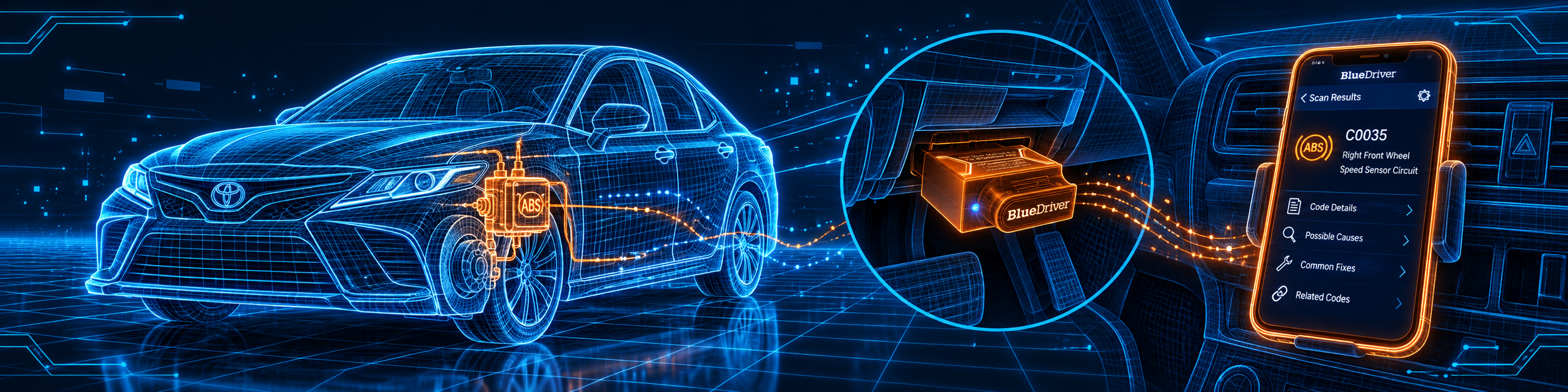
After the scan you see the codes by system. Tap a code to open its details. The app can create a Repair Report for each code with possible causes and reported fixes. Write the codes down before you clear anything. The order of repair steps is in our guide What to Do After an OBD2 Trouble Code.
Look at the freeze frame
Open the freeze frame for a code. It shows what the sensors read at the moment the code was stored. Take a screenshot before you clear.
Watch live data
Open the live data screen and pick the readings you want. BlueDriver says you can capture and share data. The App Store lists multi-PID interactive graphing, so you can see several readings on one graph. Do not read the phone while you drive. Ask a passenger to run the app.
Check smog readiness
Open the smog check. It shows whether each emission monitor is ready. Monitors can show as not ready after codes are cleared or after the battery was disconnected. The Wisconsin notice suggests driving as usual for about a week before the test.
Use Mode 6 and MIL status
Mode 6 shows advanced test results that the car reports about itself. MIL status shows how far you drove, or how many engine hours passed, since the light came on or the codes were cleared, if the car supports it.
Use the service features
BlueDriver lists Active Service, Passive Service, Battery Registration, Oil Light Reset and TPMS Light Reset. Passive Service gives you the steps to do a task by yourself, such as a hidden menu or button combination in the car. Active Service lets the app communicate with the car to do the task. BlueDriver’s pages do not say which vehicles support each one, so open the feature for your car and read what the app offers.
Update the sensor
BlueDriver’s support article gives these steps:
- Open the app and tap More.
- Tap Update Sensor, then Check for Updates.
- If an update is available, tap Update Sensor.
- Wait about two to five minutes. The app reconnects by itself. If it does not, close and reopen the app on iOS, or tap Connect at the top right of the Scan Tool page on Android.
If the update fails, restart your phone and try again. The support article says you can contact BlueDriver in the app under More, Contact Us, Email.
If it will not connect
- Check that Bluetooth is on and that the sensor is paired.
- Make sure no other paired phone or tablet is in range with Bluetooth on. It may connect to the sensor by itself.
- Go to your Bluetooth settings, choose Forget This Device for the BlueDriver and pair it again.
- On Android, tap Connect on the Scan Tool tab.
- If the light is solid red, a firmware update was interrupted. Plug it in and run the update again.
For more steps, read Why Won’t My OBD2 Scanner Connect?
Common Mistakes and Three Simple Plans
Six mistakes with a Bluetooth scanner
1. Leaving another phone nearby. A paired phone in range may take the connection.
2. Skipping the Location permission on Android. BlueDriver says it is needed for stable pairing.
3. Using an older iPhone. Check the iOS number in the App Store before you buy.
4. Clearing the code before saving the report. Save the code, the freeze frame and the repair report first.
5. Expecting every service task on every car. BlueDriver does not list which vehicles support each one.
6. Reading the phone while driving. Ask a passenger to read the screen.
Plan 1: Your first scan
- Install the app and allow Bluetooth, and Location on Android.
- Turn the ignition on, engine off.
- Plug in the sensor and open the app.
- Wait for the flashing blue light.
- Run a scan and read the list of codes.
Plan 2: A warning light
- Run a scan and write down each code and the system it came from.
- Open the repair report for each code.
- Save the freeze frame.
- Repair the cause, then clear the code.
- Scan again to check that the code stays gone.
Plan 3: Before an emissions test
- Open the smog check.
- If a monitor is not ready, drive as usual for about a week, then check again.
- If a code is stored, repair it first.
Where the BlueDriver Sits Against the Alternatives
Each cell says Yes, No or Not listed, and the source is named.
| Feature | BlueDriver | OBDLink MX+ | Veepeak OBDCheck BLE+ Plus | Thinkcar THINKDIAG |
|---|---|---|---|---|
| Connection | Bluetooth | Bluetooth | Bluetooth LE and Classic | Bluetooth |
| Needs a phone or computer | Yes | Yes | Yes | Yes |
| Own app with repair reports | Yes | Not listed on OBDLink’s product page | Not listed on Veepeak’s product page | Not listed on Thinkcar’s product page |
| Oil light and similar resets | Yes, per BlueDriver | Not listed on OBDLink’s product page | No, per Veepeak | Yes, per Thinkcar |
| Bidirectional control | Not listed on BlueDriver’s pages | Not listed on OBDLink’s product page | No, per Veepeak | Yes, per Thinkcar |
| ECU coding | Not listed on BlueDriver’s pages | Not listed on OBDLink’s product page | No, per Veepeak | Yes, per Thinkcar |
| Software fees after the first year | No, per BlueDriver | Not listed on OBDLink’s product page | Not listed on Veepeak’s product page | Yes, annual, per Thinkcar |
In short: BlueDriver is the finished app with repair reports and a few service tasks. The MX+ is a bridge for other apps such as FORScan. The BLE+ Plus is the cheapest way to run a third-party app. The THINKDIAG goes further, with bidirectional control and ECU coding, and it has an annual software fee after the first year. See the head-to-head pages for BlueDriver vs. OBDLink MX+ and BlueDriver vs. Foxwell NT710. The terms are explained in Bluetooth vs. Standalone OBD2 Scanners.
Who This Scanner Actually Fits
BlueDriver fits a car owner who wants a clear answer to “what does this code mean, and what fixed it for others”, from the phone in their pocket. It suits a DIY driver whose brand is on BlueDriver’s list and who values a plain no-subscription policy over picking and setting up an app. It also suits a buyer who wants to check ABS, airbag and tire pressure warnings without a shop visit.
Important Limitations of the BlueDriver
BlueDriver is a sensor with an app. It does nothing without your phone.
In plain words:
- It needs a phone. There is no screen and no computer software listed.
- Enhanced coverage varies. BlueDriver says it depends on the brand, model and year.
- Some brands start late. For example Honda from 2003 and Hyundai from 2011, per BlueDriver.
- Service tasks depend on the car. BlueDriver’s pages do not list which vehicles support each one.
- Part tests are not listed. Cycling a fan or a pump on command is not on BlueDriver’s pages.
- ECU coding is not listed.
- The Bluetooth version is not published on Amazon or on BlueDriver’s product page.
- The iOS requirement differs by source. The App Store says 16.6, and BlueDriver’s support says 13.
A code points to a system, not to a failed part. Read Can an OBD2 Scanner Tell You Exactly What’s Wrong? before you buy a part for one code.
Who Should Choose It, and What to Consider Instead
Choose BlueDriver if you want enhanced code reading and repair reports on your phone, without a subscription.
Consider the OBDLink MX+ instead if you want a Bluetooth adapter for third-party apps such as FORScan. Consider the Veepeak OBDCheck BLE+ Plus instead if you want the cheapest adapter and will pick your own app. Consider the Thinkcar THINKDIAG instead if you need bidirectional control and ECU coding and accept a yearly software fee.
| Specification | Details |
|---|---|
| Type | Bluetooth OBD2 sensor with a free app |
| Model | BlueDriver Pro, model LSB2, per Amazon |
| Phones | iOS and Android |
| iOS requirement | 16.6 or later per the App Store, 13 or higher per BlueDriver support |
| Android notes | Bluetooth and Location permission needed |
| Size and weight | 2.2 x 1.9 x 1 in, 2.08 oz, per Amazon |
| Power | From the car |
| Bluetooth version | Not listed on Amazon or BlueDriver’s product page |
| Vehicles | 1996 and newer cars, SUVs and light trucks sold in North America |
| Systems | Engine, ABS and brakes, transmission, airbags, TPMS, 4WD and AWD, hybrid and EV |
| Service features | Active Service, Passive Service, Battery Registration, Oil Light Reset, TPMS Light Reset |
| Subscription | None, per BlueDriver |
| Warranty | One year limited, plus a 180-day risk-free return, per BlueDriver |
| Firmware update | In the app, under More, Update Sensor |
| Pros | Cons |
|---|---|
| Enhanced ABS, airbag, transmission and TPMS codes on a long list of brands | Needs a phone with the BlueDriver app |
| Repair reports with possible causes and reported fixes | Enhanced coverage varies by brand, model and year |
| Service features such as oil light reset and battery registration | |
| No subscriptions or add-ons, per BlueDriver | |
| A ready-made app, so there is nothing to choose or set up |
Methodology: How SCG Evaluates OBD2 Scanners.
Our Verdict on the BlueDriver
BlueDriver does the everyday job well: it explains your codes on a phone and shows what fixed the same code for others. We recommend it to car owners who want enhanced codes and a ready-made app. For part tests or ECU coding, pick a bigger tool.
Frequently Asked Questions
Does BlueDriver need a subscription?
No. BlueDriver says “No subscriptions. No add-ons. Ever.”
Does BlueDriver read ABS and airbag codes?
Yes, on the brands BlueDriver lists. Coverage varies by model and year.
Does BlueDriver read TPMS codes?
Yes. BlueDriver’s compatibility page lists tire pressure systems, and its product page names TPMS among the enhanced diagnostics.
Can BlueDriver reset the oil light?
BlueDriver lists an Oil Light Reset, a TPMS Light Reset and Battery Registration. Its pages do not say which vehicles support each one.
Does BlueDriver do bidirectional tests or ECU coding?
Not listed on BlueDriver’s pages. It lists service tasks, such as Active Service, but no part tests like cycling a fan.
Do I need a phone?
Yes. BlueDriver has no screen. It works with the free app on iOS or Android.
Which iPhone do I need?
The App Store lists iOS 16.6 or later. BlueDriver’s support says iOS 13 or higher. Use the App Store number to be safe.
Does BlueDriver work on diesel and hybrid cars?
BlueDriver says it supports most gas, diesel and hybrid vehicles. Amazon lists gasoline. Use the Scanner Finder to check your vehicle.
How do I update the sensor?
Open the app, tap More, then Update Sensor, then Check for Updates. It takes about two to five minutes.
Does it work on a car sold outside North America?
BlueDriver says OBD2 compatibility depends on the country where the car was first sold. Use its checker.
Trusted Sources
- BlueDriver Pro product page
- BlueDriver Pro vehicle compatibility
- BlueDriver support: understanding LED colors
- BlueDriver support: how to update your firmware
- BlueDriver announcement: introducing the Service feature
- BlueDriver OBD2 Scan Tool on the Apple App Store
- Wisconsin Vehicle Inspection Program: notice on unset readiness monitors (PDF, 12/10/15)
- Amazon listing for the BlueDriver (exact ASIN B00652G4TS), “About this item” text and product details checked 2026-10-08