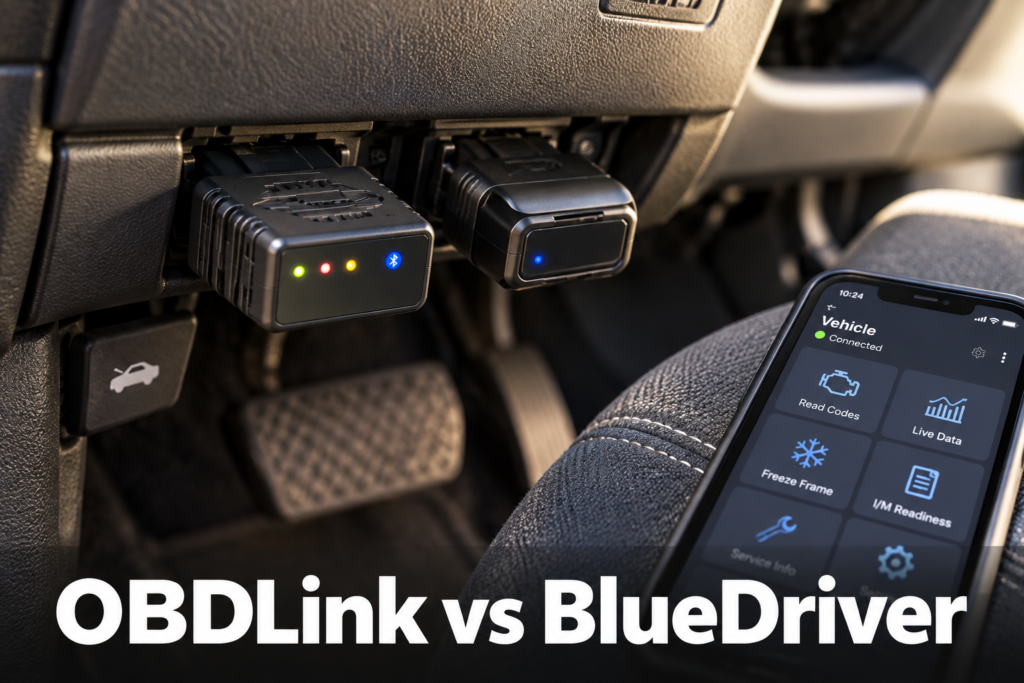
OBDLink MX+ vs BlueDriver: Which Should You Buy in 2026?
OBDLink MX+ and BlueDriver solve the same basic problem in very different ways.
Both are compact Bluetooth OBD2 adapters. Both use a phone as the primary display. Both handle standard OBD2 diagnostics. Both can reach beyond a generic Check Engine code on supported vehicles.
But their philosophies are different. BlueDriver is built around one integrated hardware-and-app experience. The goal is to make diagnosis easier to understand, especially for owners who want codes translated into useful repair guidance without choosing between multiple apps. OBDLink MX+ is built around flexibility. It includes the OBDLink app, supports enhanced OEM diagnostics on many vehicles, works on iOS and Android, adds Windows support through OBDwiz, and can work with many third-party automotive apps.
That difference drives most of this comparison. For this 2026 head-to-head, Scan Choice Guide evaluated standard OBD2 diagnostics, enhanced OEM diagnostics, OEM live parameters, ABS/SRS/TPMS access, app ecosystem, repair guidance, live-data flexibility, Ford and GM network capability, platform support, firmware/update model, leave-plugged-in design, ease of use, advanced-DIY potential, and current U.S. market relevance.
Affiliate Disclosure: As an Amazon Associate I earn from qualifying purchases. Scan Choice Guide is a participant in the Amazon Services LLC Associates Program, an affiliate advertising program designed to provide a means for sites to earn advertising fees by advertising and linking to Amazon.com.
MX+ vs BlueDriver: The Short Answer
Best Overall: OBDLink MX+.
Best for Beginners and Guided Diagnosis: BlueDriver.
Best for App Flexibility: OBDLink MX+.
Best for OEM Live Data and Custom Dashboards: OBDLink MX+.
Best for Built-In Repair Guidance: BlueDriver.
Best for Ford/GM Enthusiasts and Advanced App Users: OBDLink MX+.
Best for “Install One App and Diagnose”: BlueDriver.
SCG Overall Winner: OBDLink MX+. Why? Because it gives the buyer more room to grow. Its current ecosystem combines the OBDLink app, enhanced diagnostics on supported vehicles, OEM live parameters where supported, Ford MS-CAN and GM SW-CAN hardware capability, Windows support and compatibility with many third-party apps. But BlueDriver is not the loser for everyone. For a driver who values simplicity and integrated Repair Reports more than open-app flexibility, BlueDriver may be the better purchase.
OBDLink MX+
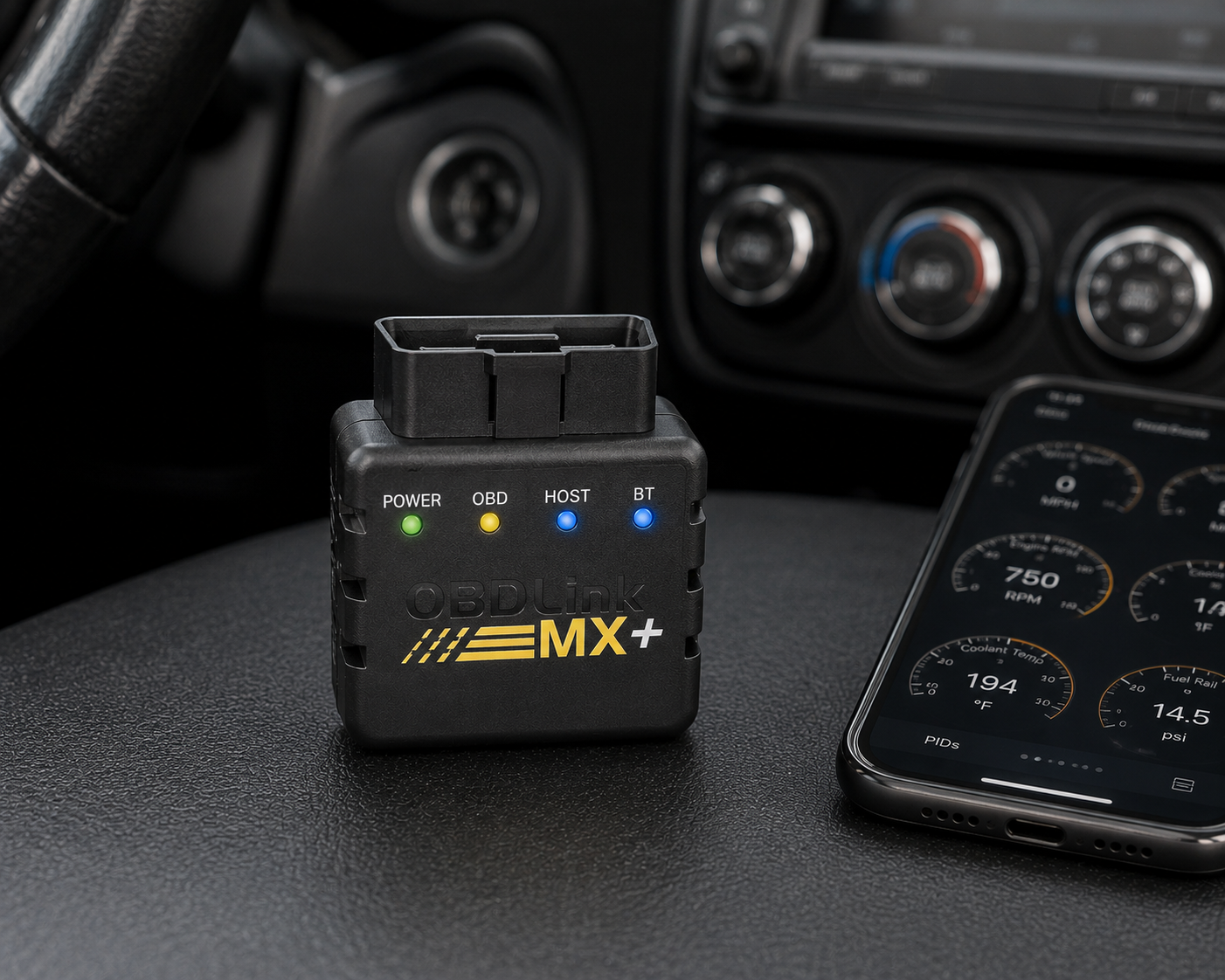
The OBDLink MX+ is built around flexibility: an open app ecosystem that works with FORScan, BimmerCode, DashCommand, and dozens of other third-party apps, alongside enhanced OEM diagnostics and OEM live parameters on supported vehicles. Advanced Ford MS-CAN and GM SW-CAN network hardware support, a Windows workflow through OBDwiz, and BatterySaver low-power design round out a genuinely data-oriented platform with real room to grow. It’s not a universal bidirectional scanner and not a replacement for a professional diagnostic tablet, more software choices can also mean more complexity for a buyer who just wants one simple answer.
| Pros | Cons |
|---|---|
| open/flexible app ecosystem | more software choices can mean more complexity |
| iOS and Android support | |
| Windows workflow through OBDwiz | |
| enhanced OEM diagnostics on supported vehicles | exact enhanced coverage varies by vehicle |
| OEM live parameters on supported vehicles | |
| Ford MS-CAN | |
| GM SW-CAN | some specialized third-party apps cost extra |
| custom dashboards | |
| data-oriented workflow | |
| many compatible third-party apps | not a universal bidirectional scanner |
| strong advanced-DIY growth path | |
| BatterySaver low-power design | not a replacement for a professional diagnostic tablet |
| firmware-updatable platform |
BlueDriver
BlueDriver is built around one integrated hardware-and-app workflow, centered on guided code interpretation and its standout Repair Reports feature, real documented fixes for the same code on the same vehicle. Enhanced diagnostics on supported vehicles come through a single app on iOS and Android, with no need to choose among multiple diagnostic apps, a strong fit for a beginner who wants a straightforward answer. Its closed ecosystem trades away the flexibility of OBDLink MX+’s open app model, there’s no equivalent Windows workflow and no broad bidirectional platform, so a data-oriented DIYer who wants to experiment with custom dashboards and specialized apps should look to the MX+ instead.
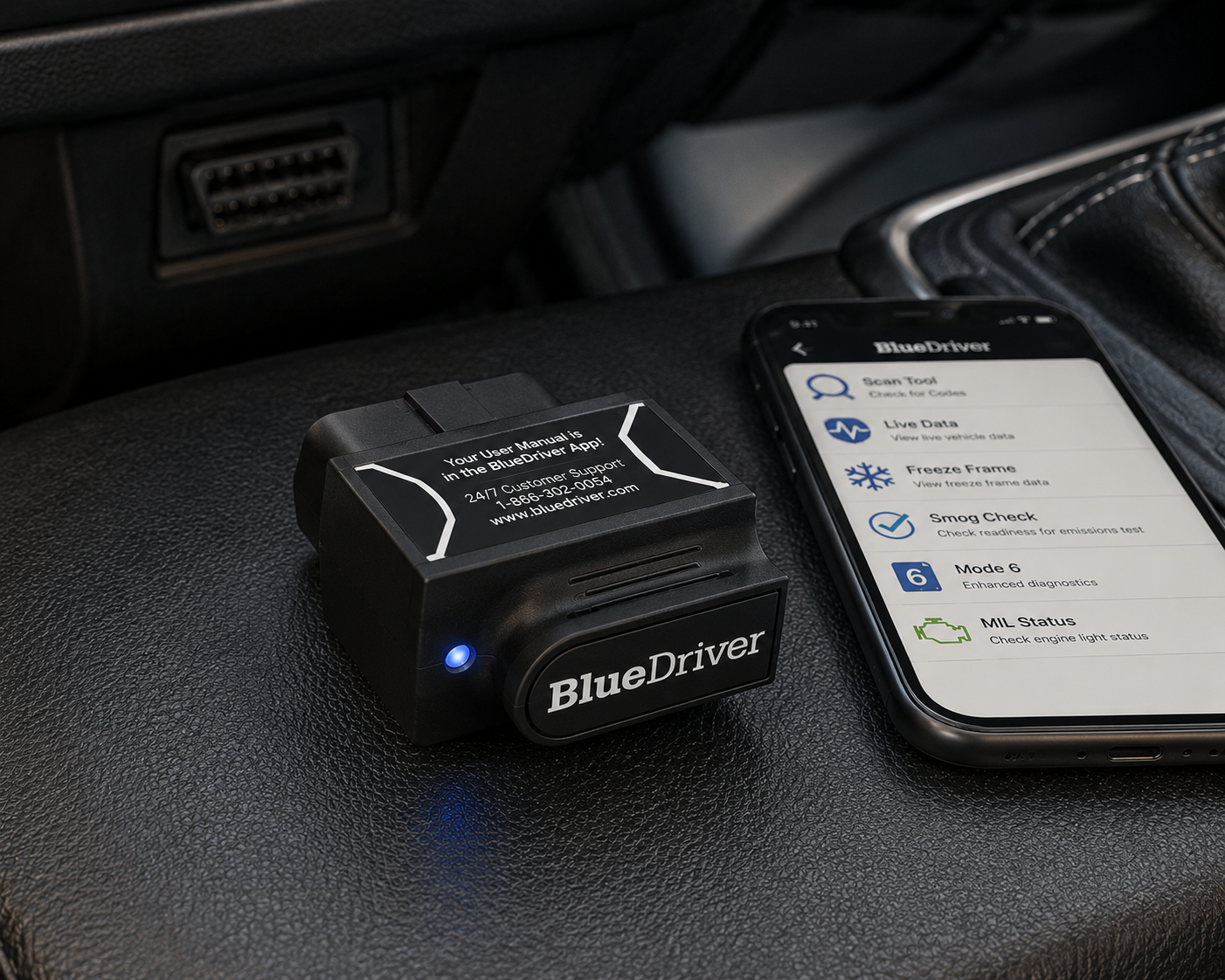
| Pros | Cons |
|---|---|
| simple integrated hardware/app workflow | closed app ecosystem |
| strong beginner fit | |
| enhanced diagnostics on supported vehicles | less flexibility for specialized third-party software |
| Repair Reports | |
| guided code interpretation | no equivalent Windows workflow |
| iOS and Android | less attractive for custom OEM-data/dashboard experimentation |
| no need to choose among multiple diagnostic apps | not a broad bidirectional platform |
| strong current consumer-market visibility | exact enhanced coverage varies by vehicle |
OBDLink MX+ vs BlueDriver at a Glance
| Category | OBDLink MX+ | BlueDriver | Winner |
|---|---|---|---|
| Standard OBD2 | Yes | Yes | Tie |
| Phone Platforms | iOS / Android | iOS / Android | Tie |
| Windows | Yes, through included OBDwiz support | No equivalent current official desktop proposition | OBDLink MX+ |
| Enhanced OEM Diagnostics | Yes, supported vehicles | Yes, supported manufacturers/vehicles | Vehicle dependent |
| OEM Live Parameters | Yes on supported vehicles | More limited ecosystem for manufacturer-specific live parameters | OBDLink MX+ |
| Third-Party Apps | Many | Closed BlueDriver app ecosystem | OBDLink MX+ |
| Repair Reports | Diagnostic/reporting tools, third-party ecosystem | Core integrated strength | BlueDriver |
| Ford MS-CAN / GM SW-CAN | Hardware support | Does not offer the same OBDLink-documented network hardware capability | OBDLink MX+ |
| Custom Dashboards | Strong | More guided/closed experience | OBDLink MX+ |
| Beginner Simplicity | More flexible, potentially more complex | Strong integrated workflow | BlueDriver |
| Advanced DIY Flexibility | Excellent | Good, but more closed | OBDLink MX+ |
What These Two Scanners Actually Are
Neither product is a standalone scanner. Both require a compatible phone or tablet for their normal mobile workflow. The adapter plugs into the vehicle’s OBD2 port. The phone becomes display, interface, graphing device, report viewer and diagnostic workspace. That makes both fundamentally different from a dedicated handheld or wireless diagnostic tablet.
Best Standalone OBD2 Scanners That Don’t Require a Phone in 2026 · Best Wireless Diagnostic Scanners With Dedicated Tablets in 2026
Standard OBD2 Diagnostics: Both Cover the Basics
Both products handle the core OBD2 use case, including reading diagnostic trouble codes, clearing supported Check Engine codes, viewing live data, emissions-readiness information, and freeze-frame and related OBD2 information depending on the app/function. If that is all you need, both can solve the problem.
SCG Verdict: Tie. The real differences begin when you move beyond generic OBD2.
Enhanced Diagnostics: Both Go Beyond the Check Engine Light
Enhanced diagnostics means accessing manufacturer-specific information outside standard legislated OBD2, including systems such as ABS, SRS/Airbag, TPMS, transmission, body-related modules and manufacturer-specific parameters.
OBDLink’s current support documentation confirms enhanced diagnostics for many vehicle types and specifically gives ABS, SRS and TPMS as examples. BlueDriver’s current U.S. documentation also advertises Enhanced Diagnostics across a range of supported manufacturers, including ABS, Airbag/SRS and TPMS-related access. The important limitation is the same for both: do not assume “enhanced diagnostics” means every module on every vehicle.
SCG Verdict: Vehicle dependent. Verify exact year/make/model coverage.
OEM Live Parameters: OBDLink MX+ Has the Stronger Case
This is one of the clearest technical distinctions. OBDLink documents manufacturer-specific enhanced parameters in addition to OEM trouble codes. Depending on supported vehicle coverage, these can include information such as transmission temperature, tire pressure, wheel speed and manufacturer-specific sensor values. OBDLink’s current support documentation explains how MX+ users can access OEM-specific live parameters on supported vehicles.
This is important for advanced DIY users. Reading an ABS code tells you that a fault exists. Watching wheel-speed data can help you understand what the system is actually seeing.
SCG Verdict: OBDLink MX+.
BlueDriver’s Big Advantage: Repair Reports and Guided Diagnosis
BlueDriver’s strongest argument is not openness. It is guidance. The BlueDriver ecosystem is designed to take a diagnostic code and help the owner understand what it may mean and what commonly fixes it. That is valuable because many drivers do not want a raw data platform: they want an answer to “What is wrong, and what should I check next?” This is a fundamentally different buyer from the person who wants to build dashboards, switch diagnostic apps and explore manufacturer-specific parameters.
SCG Verdict: BlueDriver for integrated repair guidance.
App Ecosystem: OBDLink MX+ Wins Clearly
OBDLink MX+ is supported by many third-party automotive apps. OBDLink’s current compatibility pages list examples including FORScan Lite, Torque, DashCommand, RealDash and BimmerCode, among other specialized applications depending on platform and vehicle. This matters because the adapter can become a hardware gateway into different software environments. One user may want Ford-specific diagnostics. Another may want BMW coding/customization through a compatible third-party app. Another may want a custom gauge dashboard.
BlueDriver is intentionally different. Its experience is centered on the BlueDriver app, which makes it simpler but less open.
SCG Verdict: OBDLink MX+.
Ford Users: OBDLink MX+ Has a Particularly Strong Case
OBDLink lists Ford MS-CAN support in the MX+ and officially names FORScan Lite among its compatible applications. MS-CAN is the medium-speed network that carries many Ford body functions, and FORScan, the app Ford owners use for module diagnostics and configuration, depends on an adapter that reaches it. Reading the engine codes on a Ford is a job for any adapter. Reaching the body control module, the instrument cluster or the door modules is a job for the MX+. BlueDriver lists Ford, Lincoln and Mercury for enhanced diagnostics and adds an oil light reset, battery registration and a TPMS light reset on supported vehicles, but it does not offer module configuration. The practical rule: a Ford owner who wants to understand a code starts with BlueDriver; a Ford owner who wants to configure a module or watch body-network data buys the MX+.
SCG Verdict: OBDLink MX+ for advanced Ford-oriented use.
GM Users: OBDLink MX+ Also Has Special Hardware Value
OBDLink MX+ supports GM SW-CAN. OBDLink’s current enhanced-diagnostics documentation also identifies GM among the manufacturer-specific add-ons included for MX+. That gives it a particularly strong case for advanced North American DIY use. Again: network support is not universal function support. But it gives the hardware access to diagnostic pathways that matter.
SCG Verdict: OBDLink MX+ for users who specifically value deeper GM-network access.
BlueDriver’s Closed Ecosystem Is Not Automatically a Weakness
Open architecture sounds better. For some buyers it is. But flexibility creates decisions: which app, which add-on, which dashboard, which manufacturer package, which settings. A beginner may not want any of that. BlueDriver’s closed ecosystem means the hardware and software are designed around one guided workflow, which can reduce friction.
SCG Verdict: BlueDriver for buyers who prioritize simplicity over extensibility.
OBDLink MX+ Is Better If You Like to Experiment
If you are the kind of user who wants to build custom dashboards, monitor specific PIDs, try specialized apps, use Ford-focused software, customize supported vehicles, log data, or use Windows diagnostic software, MX+ is the more natural platform. Its value increases as the user’s diagnostic curiosity increases.
SCG Verdict: OBDLink MX+.
Windows Support: OBDLink MX+ Adds Another Workflow
OBDLink includes OBDwiz software support for Windows with MX+. That creates a desktop/laptop diagnostic option in addition to mobile use. BlueDriver’s current consumer workflow is centered on its iOS/Android app. For most casual owners, Windows support may not matter. For hobbyists, data-oriented users and garage-laptop workflows, it can.
SCG Verdict: OBDLink MX+.
Live Data: Both Have Value, but MX+ Is the Data-Oriented Choice
Live data is one of the most useful diagnostic tools after code reading, including coolant temperature, fuel trims, oxygen-sensor information, RPM, throttle position and manufacturer-specific parameters where available. BlueDriver provides live-data functionality within its app. OBDLink goes further as a platform because its own app supports dashboards and manufacturer parameters where available, while third-party apps can create additional data-oriented workflows.
SCG Verdict: OBDLink MX+ for advanced live-data use.
Data Speed: Be Careful With Manufacturer Head-to-Head Claims
OBDLink publishes a direct MX+-vs-BlueDriver comparison that reports significantly faster MX+ sampling in its own testing. That is relevant evidence, but it is manufacturer-produced comparative testing, so we do not state that the MX+ is ten times faster. What we can safely conclude is that OBDLink deliberately designs and markets MX+ for high-throughput data use, and its broader live-data/app architecture reinforces that positioning.
SCG Verdict: OBDLink MX+ for data-oriented users, without converting manufacturer benchmark results into independent SCG testing.
Leaving the Adapter Plugged In
A Bluetooth adapter can remain physically connected to the OBD port. That creates a practical question: will it drain the battery? OBDLink MX+ includes BatterySaver low-power behavior and current official specifications list a low-power mode. OBDLink also publishes direct comparative battery-draw testing against BlueDriver: again, that test was produced by OBDLink, and SCG will not present it as independent evidence. For any vehicle stored for long periods, the safest practical rule remains: do not assume any plugged-in accessory is irrelevant to battery state.
SCG Verdict: OBDLink MX+ has the stronger documented leave-installed power-management proposition.
Firmware and Long-Term Software Support
OBDLink’s support documentation was actively updated in 2026 and documents firmware updates through the OBDLink app for MX+. The OBDLink app itself also received a revised 2026 interface/support workflow. BlueDriver similarly depends on its app ecosystem and ongoing software support. Neither product should be evaluated like a passive cable: the hardware and software work together.
SCG Verdict: No universal winner based solely on “updates.” Both remain active software ecosystems.
Subscriptions: The Ownership Model Is Attractive on Both
One reason these products remain popular is that they avoid the professional-tablet style of recurring software ownership. That does not mean every third-party app used with OBDLink MX+ is free: an optional app or manufacturer-specific software ecosystem can have its own purchase model. But the core comparison is much simpler than a professional diagnostic tablet with annual renewal economics.
SCG Verdict: Tie for core consumer ownership simplicity. MX+ users should separately evaluate any optional third-party app costs.
Which Is Better for ABS and Airbag Codes?
Both can provide enhanced diagnostics on supported vehicles. BlueDriver makes this capability central to its guided consumer proposition. OBDLink MX+ supports OEM enhanced diagnostics on many vehicles and can also work with specialized third-party apps. The real winner depends on your exact vehicle.
SCG Verdict: Verify vehicle. Do not choose by brand-level ABS/SRS marketing alone.
MX+ vs BlueDriver: Which Is Better for TPMS
This requires an important distinction. Reading TPMS-related diagnostic information or OEM parameters is not the same as activating sensors, programming replacement sensors, or performing every relearn procedure. Neither MX+ nor BlueDriver should be treated as a universal dedicated TPMS service tool. MX+ can access manufacturer-specific parameters such as tire-pressure data on supported vehicles. BlueDriver lists TPMS within Enhanced Diagnostics for supported applications.
SCG Verdict: Neither replaces a dedicated TPMS tool when sensor service/programming is required.
MX+ vs BlueDriver: Which Is Better for Bidirectional Control
This is not the category where either product should be purchased blindly. OBDLink MX+ can work with specialized third-party apps, and some compatible software can expose vehicle-specific commands or customization functions on supported vehicles: that does not make MX+ universally bidirectional. BlueDriver is primarily a diagnostic/read-and-guidance platform rather than a broad bidirectional active-test scanner. If active tests are a primary requirement, move to a scanner selected specifically for verified bidirectional capability.
SCG Verdict: Neither is our default recommendation for broad bidirectional diagnostics.
Best Bidirectional Scan Tools in 2026
Which Is Better for Coding?
OBDLink MX+ has the advantage because compatible third-party apps can enable vehicle-specific coding/customization workflows. For example, OBDLink’s compatibility pages list BimmerCode for supported BMW/MINI applications and FORScan-related software for Ford-family vehicles. But the adapter itself does not magically provide universal coding: the app + vehicle + module combination determines capability. BlueDriver is not positioned as an open coding platform.
SCG Verdict: OBDLink MX+ for supported third-party coding/customization ecosystems.
Which Is Easier to Use?
For the buyer who wants one app and guided repair information: BlueDriver. For the buyer who is comfortable exploring diagnostic data and apps: OBDLink MX+. This is not a contradiction: ease of use depends partly on what the user wants to accomplish.
SCG Verdict: BlueDriver for beginners.
Which Has More Room to Grow?
OBDLink MX+. A beginner can start with the OBDLink app. Later, the same hardware can participate in more specialized workflows through compatible third-party apps. That creates a larger ceiling before the user necessarily needs different hardware.
SCG Verdict: OBDLink MX+.
Which Is Better for a One-Car Owner?
If the owner wants “Tell me why the light is on and help me understand the likely repair,” BlueDriver is extremely compelling. If the owner wants “I want to explore everything this car exposes, monitor data and potentially use specialized software,” OBDLink MX+ is stronger.
SCG Verdict: User dependent.
Which Is Better for a Multi-Car Household?
MX+ has a strong argument because of its flexible app ecosystem and broad OBD2 compatibility. But enhanced diagnostics still vary by manufacturer and vehicle. BlueDriver’s guided workflow can also be useful across multiple supported vehicles.
SCG Verdict: OBDLink MX+, slight preference for flexibility.
Which Is Better for an Advanced DIY Mechanic?
OBDLink MX+. Advanced DIY users are more likely to benefit from OEM parameters, custom dashboards, specialized apps, Windows support, Ford/GM network hardware, data logging and vehicle-specific software.
SCG Verdict: OBDLink MX+.
Which Is Better for a Beginner?
BlueDriver. A beginner is more likely to value one app, guided code interpretation, Repair Reports, fewer software choices, and a straightforward diagnostic workflow.
SCG Verdict: BlueDriver.
Which Is Better for a Professional Technician?
Neither should automatically be treated as a replacement for a professional all-system diagnostic tablet. Both can be useful secondary tools. MX+ can be particularly useful for quick data access, specialized apps, logging, custom dashboards and Ford/GM-oriented workflows. BlueDriver can be useful for quick consumer-style diagnostic/reporting tasks. But professional requirements can include broad active tests, coding, secure gateways, topology and programming: for those jobs, use appropriate professional equipment.
Best Professional Automotive Scan Tools in 2026
How We Compared These Two Adapters, by Car, Era and Job
This page comes from our analysis of OBDLink’s specification and support pages, BlueDriver’s compatibility and support pages, the Amazon listings for both, the App Store listing for the BlueDriver app, and our reviews of each device. The sections above explain the philosophy of each adapter. The sections below turn it into answers: which one to plug into which car, in which model year, for which job. We compared both adapters against the same list of situations a buyer actually faces and asked the buyer’s question for each: which one do I put in the glove box?
The one-line version: the OBDLink MX+ is a fast, flexible adapter for people who already know which third-party app they want, and BlueDriver is a plug-in sensor with its own app that explains what each code means and what usually fixes it. Neither is a bidirectional scanner and neither codes a car by itself. Both cost less than any tablet in our reviews. On price, the MX+ falls in the $100 to $200 class and BlueDriver in the class under $150, so the MX+ is slightly more expensive and the gap is small. Street prices move, so check Amazon before you buy.
MX+ vs BlueDriver: Best Pick for DIY, Enthusiast and Shop
| Category | Winner | Why |
|---|---|---|
| Beginner who wants to understand a warning light | BlueDriver | Repair reports tell you the likely causes and what fixed the same code on the same vehicle. |
| Ford owner who wants FORScan Lite | OBDLink MX+ | MS-CAN support and a named FORScan Lite listing. |
| GM owner who wants network access beyond the engine | OBDLink MX+ | SW-CAN support. |
| BMW owner using BimmerCode | OBDLink MX+ | BimmerCode is named in OBDLink’s compatible-apps list. |
| Owner of a European car who wants enhanced ABS and airbag codes | BlueDriver | Names BMW and Mini from 2005, Mercedes and Smart from 2005 and VW and Audi. |
| Enthusiast who datalogs | OBDLink MX+ | Up to 100 samples per second and custom dashboards. |
| Driver who wants one app and no setup | BlueDriver | Integrated hardware and app, no app shopping. |
| Independent shop’s pocket tool | Both | BlueDriver for the quick first look and report, MX+ for the Ford and GM body networks and logging. |
| Best bay spare for a leave-it-in-the-car adapter | OBDLink MX+ | BatterySaver mode drops the current to 2 milliamps when the car is off. |
MX+ vs BlueDriver: Older Cars vs Newer Cars, Which Adapter Wins by Model Year
1996 to 2004
Every US car and light truck from 1996 carries OBD II. The MX+ reads all legislated protocols and adds MS-CAN and SW-CAN for the Ford and GM body networks. BlueDriver reads the engine on all cars and lists enhanced systems by brand and start year: Honda and Acura from 2003 and Mercedes and BMW from 2005. On a 2001 Ford Explorer or a 2002 Chevrolet Silverado, the MX+ reaches more of the car. On a 2002 BMW, neither goes far beyond the engine, because BlueDriver’s BMW coverage begins in 2005. Winner: MX+ for Ford and GM.
2005 to 2016
BlueDriver’s brand list opens up: Mercedes, Smart, BMW and Mini from 2005, Mitsubishi from 2008, Hyundai and Kia from 2011. This is its strongest era for enhanced ABS, airbag, transmission, tire pressure, 4WD and hybrid codes, with a repair report on each. The MX+’s strength in this period is the app ecosystem: FORScan Lite for Ford, BimmerCode for BMW, Carista and Torque for others. Winner: BlueDriver for understanding codes on European and Asian brands, MX+ for Ford, GM and BMW coding.
2017 to 2019
Fiat Chrysler vehicles from 2018 put a Secure Gateway in front of the modules. Neither OBDLink’s pages nor BlueDriver’s mention gateway support, so for a 2018 Jeep or Ram neither adapter unlocks bidirectional functions; both still read engine data. BMW G-series cars arrive, and the MX+ is named compatible with BimmerCode for supported BMW and Mini vehicles. Winner: MX+ for BMW, tie for everything else.
2020 and newer
Neither adapter lists CAN FD or DoIP. For a 2021 Chevrolet Silverado or a 2022 Ford Bronco, an adapter reads what the OBD II port exposes, mainly the engine, and enhanced systems depend on the app and the car. BlueDriver’s compatibility checker asks for year, make, model and engine, so check there first. Neither adapter is a confirmed pick for deep late-model work. For that, a tablet that lists CAN FD and DoIP on its own page is the tool.
| Model years | Winner | Reason in one line |
|---|---|---|
| 1996 to 2004 | MX+ for Ford and GM | MS-CAN and SW-CAN reach the body modules. |
| 2005 to 2016 | BlueDriver for reading, MX+ for coding apps | BlueDriver’s brand list opens in 2005; FORScan and BimmerCode need the MX+. |
| 2017 to 2019 | MX+ for BMW, tie otherwise | Neither lists the Stellantis gateway. |
| 2020 and newer | Neither is a confirmed pick | No CAN FD or DoIP is listed for either. |
MX+ vs BlueDriver: Make by Make, Which Adapter for Which Car
Ford, Lincoln and Mercury
Ford owners who want more than engine codes should choose the MX+. OBDLink officially lists FORScan Lite among compatible MX+ apps and documents MS-CAN support, the network that carries many Ford body functions. BlueDriver lists Ford, Lincoln and Mercury for enhanced reading and adds an oil light reset, battery registration and a TPMS light reset on supported vehicles, with a repair report for each code. For a Ford F-150 owner with an ABS light who wants to understand it, BlueDriver is the better first tool. For one who wants to configure modules, the MX+ is. Winner: MX+ for configuration, BlueDriver for explanation.
Chevrolet, GMC, Buick and Cadillac
The MX+ documents SW-CAN, and OBDLink’s enhanced diagnostics documentation identifies GM among the manufacturer-specific add-ons included for the MX+. BlueDriver lists GM brands for enhanced diagnostics, including Chevrolet, GMC, Cadillac, Buick, Saturn and Pontiac. For a Chevrolet Silverado with a stored ABS code, BlueDriver gives you the report. For a Silverado where you want body-network data in a datalogging app, the MX+ gives you the network. Winner: tie, by the question you are asking.
BMW and Mini
BimmerCode lets an owner change factory settings such as start-stop memory, the lock beep and seatbelt warning, and OBDLink names BimmerCode among its compatible apps for supported BMW and Mini vehicles. BlueDriver lists BMW and Mini from 2005 for enhanced reading but offers no coding. Winner: MX+ for coding, BlueDriver for reading ABS and airbag codes with a report.
Mercedes-Benz and Smart
BlueDriver lists Mercedes and Smart from 2005 for enhanced diagnostics. OBDLink’s coverage list shows enhanced modules for Ford, GM, Honda, Hyundai, Mazda, Nissan and Toyota, and Mercedes-Benz is not among them. Winner: BlueDriver.
Volkswagen, Audi and Skoda
BlueDriver lists Volkswagen, Audi, Lamborghini and Bentley. The MX+ is named compatible with Carista, which works on many VW-group cars. Winner: tie.
Toyota, Lexus, Honda, Nissan, Hyundai and Kia
BlueDriver lists these brands, with start years for Honda (2003) and Hyundai and Kia (2011), and offers oil light reset and TPMS light reset on supported vehicles. The MX+ reads engine data and works with Torque and Carista. Winner: BlueDriver for repair context.
Chrysler, Dodge, Jeep and Ram
BlueDriver lists Chrysler for enhanced reading. Neither adapter lists the Secure Gateway, so a 2018 or newer vehicle will not accept bidirectional functions from either. Winner: neither for gateway cars, BlueDriver for older Chryslers.
Hybrids and electric cars
BlueDriver lists hybrid and electric systems among its enhanced diagnostics. The MX+ passes OEM live parameters through compatible apps on supported vehicles. Neither lists a hybrid battery cell display. Winner: BlueDriver for codes, tie for data.
Performance and tuning cars
The MX+ publishes no app exclusions and supports 100 samples per second. BlueDriver’s own app is closed. For a datalogger or a tune, the MX+ is the adapter. Winner: MX+.
Job by Job: Which Adapter for Which Task
| Job | OBDLink MX+ | BlueDriver | Pick |
|---|---|---|---|
| Find out why the check engine light is on | Yes, through an app | Yes, with a repair report | BlueDriver. |
| Read ABS, airbag, transmission and tire pressure codes | Yes, on supported makes, with the free add-ons in the OBDLink app | Yes, on the listed brands | BlueDriver. |
| See what technicians did for the same code on the same vehicle | No | Yes (repair reports) | BlueDriver. |
| Live data and graphs | Yes, up to 100 samples per second | Yes, multi-PID graphing | MX+ for speed. |
| OEM live parameters (transmission temperature, wheel speed) | Yes, on supported vehicles | More limited | MX+. |
| Ford module diagnostics with FORScan Lite | Yes (MS-CAN) | No | MX+. |
| BMW comfort coding with BimmerCode | Yes | No | MX+. |
| Oil light reset | Not listed | Yes, on supported vehicles | BlueDriver. |
| Battery registration | Not listed | Yes, on supported vehicles | BlueDriver. |
| TPMS light reset | Not listed | Yes, on supported vehicles | BlueDriver. |
| Mode 6 self-test results | Through an app | Yes | BlueDriver for simplicity. |
| Smog readiness check | Through an app | Yes | BlueDriver for simplicity. |
| Windows laptop use | Yes (OBDwiz) | No | MX+. |
| Bidirectional control | No | No | Neither. |
| Stellantis Secure Gateway | Not listed | Not listed | Neither. |
| Warranty | Three years and 180-day money-back guarantee | One year and 180-day risk-free return | MX+. |
| Battery drain when left plugged in | 2 milliamps in BatterySaver mode | Not published | MX+. |
The pattern is the same as in the philosophy section above, now with rows: BlueDriver wins the rows about understanding and resets. The MX+ wins the rows about speed, networks, apps and the warranty.
MX+ vs BlueDriver: Eight Repair Scenarios Compared
Job 1: 2015 Honda Accord with a check engine light and no idea why
Plug in BlueDriver, open the app and read the code. The repair report lists the most common causes with the fixes reported for the same code on the same vehicle. A loose gas cap is the first suspect on many evaporative codes, and it costs nothing to check. Winner: BlueDriver.
Job 2: 2014 Ford F-150 with a stuck power window and a body-module code
The fault is on the body network. FORScan Lite paired with the MX+ reaches the body control module through MS-CAN. BlueDriver reads engine and enhanced systems on its list but offers no module configuration. Winner: MX+.
Job 3: 2013 BMW 328i, owner wants start-stop off by default
BimmerCode paired with the MX+. Winner: MX+.
Job 4: 2016 Toyota Camry with a new battery
BlueDriver lists battery registration on supported vehicles. The MX+ does not list it. Winner: BlueDriver.
Job 5: 2008 Chevrolet Silverado with an intermittent stumble
You need a graph of several values at once. The MX+ streams up to 100 samples per second. BlueDriver shows multi-PID graphs but publishes no sampling rate. Winner: MX+.
Job 6: Pre-purchase check on a used 2012 Honda CR-V
BlueDriver shows readiness through its smog check, Mode 6 results, and MIL status: where the car supports it, the distance driven or engine hours since the codes were cleared. A low number on a car with high mileage tells you somebody cleared codes recently. Winner: BlueDriver.
Job 7: 2010 Mercedes-Benz C300 with an ABS warning
BlueDriver lists Mercedes and Smart from 2005 for enhanced diagnostics. It reads the ABS code and shows a report. Winner: BlueDriver.
Job 8: Car stored for the winter with the adapter left in the port
The MX+ has a BatterySaver mode that drops current to 2 milliamps when the vehicle is off. BlueDriver publishes no equivalent figure. Winner: MX+.
Tally: BlueDriver wins four jobs, the MX+ wins four. The split is the same as the one-line summary: understand with BlueDriver, expand with the MX+.
What Each Adapter Needs From You
BlueDriver needs a phone and the BlueDriver app. The App Store lists iOS 16.6 or later and a download of about 287 MB, while BlueDriver’s own support says iOS 13 or higher works, so follow the App Store number on an older phone. On Android, allow Bluetooth and Location. Unpair any BlueDriver you used before. A small LED tells you what is happening: solid blue means starting up, flashing blue means talking to your phone, flashing red means powered and talking to the car but not connected to the app, and solid red means a firmware update was interrupted. The app is free and BlueDriver states: no subscriptions, no add-ons, ever.
The OBDLink MX+ needs an app too. It ships with the free OBDLink app for iOS and Android and OBDwiz for Windows, uses Class 2 Bluetooth v3.0 with 128-bit encryption, operates on 8 to 18 volts with overvoltage protection to 100 volts, and measures 1.97 by 1.77 by 0.91 inches. Its real value comes from a third-party app such as FORScan Lite, BimmerCode, Carista, Torque, DashCommand or RealDash. Some apps and manufacturer-specific packages carry their own costs, so budget for the app as well as the adapter.
MX+ vs BlueDriver: Which One to Buy, Plain Answers
- You want to know why a light is on and what to do about it: BlueDriver.
- You own a European or Asian car and want enhanced ABS and airbag codes: BlueDriver.
- You own a Ford and want FORScan Lite: OBDLink MX+.
- You own a BMW and want BimmerCode: OBDLink MX+.
- You datalog or tune: OBDLink MX+.
- You want a three-year warranty: OBDLink MX+.
- You want oil, battery and TPMS light resets from an app: BlueDriver.
- You want to command parts or code a module: neither; buy a tablet or the Thinkcar THINKDIAG 2.
- You own a 2018 or newer Jeep or Ram: neither.
Quick Reference: Twelve Situations and the Adapter to Reach For
| Situation | Adapter |
|---|---|
| Check engine light, first-time owner | BlueDriver |
| ABS or airbag light on a BMW or Mercedes | BlueDriver |
| Ford body module code | OBDLink MX+ with FORScan Lite |
| GM body module data in a logging app | OBDLink MX+ |
| BMW comfort coding | OBDLink MX+ with BimmerCode |
| Oil light or battery registration | BlueDriver |
| Intermittent fault, need fast data | OBDLink MX+ |
| Used-car check before buying | BlueDriver |
| Car stored for months | OBDLink MX+ |
| Windows laptop logging | OBDLink MX+ |
| 2018 or newer Jeep or Ram | Neither |
| Command parts or code modules | Neither |
MX+ vs BlueDriver: A Seven-Day Acceptance Test
- Day one: install the app, plug the adapter in and read the codes on your own car.
- Day two: look at freeze frame and readiness.
- Day three: record live data on a short drive.
- Day four: try the specialized task you bought it for (a repair report, FORScan Lite or BimmerCode).
- Day five: connect to a second car.
- Day six: restart the phone and reconnect twice to test stability.
- Day seven: decide inside the return window; both give 180 days.
Datalogging in Practice: Which Values to Watch
The MX+’s speed is wasted if you do not know what to log. Here is a short list that solves most drivability problems, and it works with either adapter. Log coolant temperature, engine speed and vehicle speed as your baseline. Add short-term and long-term fuel trim: a positive number that climbs when the engine is cold or under load points to a lean condition, such as a vacuum leak or a weak fuel supply, and a negative number points to a rich one. Add the upstream oxygen sensor: it should swing between lean and rich several times a second at a warm idle, and a sensor that sits flat is the suspect. Add mass airflow and throttle position: on a hesitation, watch whether the airflow rises smoothly as the throttle opens. For a transmission complaint, watch transmission temperature where the car reports it, which OBDLink says its OEM-specific parameters can show on supported vehicles.
Record a good drive before you have a problem. A baseline from the same car when it runs well is more useful than any number from a manual. On the MX+, a fast sampling rate makes a short event visible. On BlueDriver, the app shows multi-PID graphs and lets you capture and share the data, which is useful when you want a shop or a friend to look at it.
Two Skills: Reading Repair Reports and Reading Data
The two adapters train two different skills, and it helps to know which one you are building. BlueDriver trains the skill of reading a code and a report: take the code, read the possible causes, check the cheapest first, repair, clear and rescan. The MX+ trains the skill of reading data: pick the values that matter, watch how they move, compare them to a known-good recording and find the part that does not behave. A beginner starts with the first skill. A hobbyist graduates to the second. A buyer who wants both buys both: the cost of owning the pair is lower than the cost of a single tablet.
MX+ vs BlueDriver: Cost of Ownership Over Three Years
Neither adapter has a recurring cost. BlueDriver states no subscriptions and no add-ons, and the OBDLink MX+ includes free firmware and software updates with no subscription. The costs that can appear are in the apps you add to the MX+: FORScan Lite is free, while BimmerCode, Carista and manufacturer-specific packages have their own prices, so the MX+ can cost more over three years if you pay for several. BlueDriver’s costs stop at the sensor. The MX+’s three-year warranty and 180-day money-back guarantee cover its whole first three years, and BlueDriver’s one-year limited warranty and 180-day return cover the first year. A buyer who keeps an adapter for five years should expect to replace a cheaper one before the end and keep an MX+.
Five Buyer Scenarios
First-Time DIY Owner (Check Engine diagnosis, simple explanation, repair guidance, minimal setup): Winner: BlueDriver.
Data-Oriented Enthusiast (dashboards, OEM parameters, multiple apps, data logging, customization potential): Winner: OBDLink MX+.
Ford Owner (Ford-specific diagnostics, MS-CAN access, FORScan-oriented possibilities): Winner: OBDLink MX+.
Owner Who Hates App Complexity (one hardware/app combination, guided workflow, no app experimentation): Winner: BlueDriver.
Advanced DIY User Who Wants One Small Adapter With Room to Grow: Winner: OBDLink MX+.
Common Buying Mistakes
Mistake 1: Assuming Both Are Just Generic Code Readers
Both can go beyond standard OBD2 on supported vehicles.
Mistake 2: Assuming Enhanced Diagnostics Are Universal
They are not.
Mistake 3: Assuming MX+ Includes Every Third-Party App for Free
It does not. App licensing is separate where applicable.
Mistake 4: Assuming BlueDriver’s Closed Ecosystem Is Bad
For beginners, it can be an advantage.
Mistake 5: Assuming MX+ Is Universally Bidirectional
Adapter compatibility with specialized apps does not equal universal active-test support.
Mistake 6: Assuming TPMS Diagnostics Mean Sensor Programming
They do not.
Mistake 7: Repeating Manufacturer Benchmark Tests as Independent Facts
SCG distinguishes manufacturer comparative testing from independent testing.
MX+ vs BlueDriver: Our Final Verdict
OBDLink MX+ wins this comparison in 2026. Not because BlueDriver is a poor scanner. It wins because MX+ can serve more kinds of users and more kinds of diagnostic workflows. The OBDLink app gives it a capable starting point. Enhanced OEM diagnostics add depth on supported vehicles. OEM live parameters can provide data that generic OBD2 does not expose. Ford MS-CAN and GM SW-CAN hardware support matter to North American enthusiasts. And third-party app compatibility gives the adapter room to grow with the user.
BlueDriver wins when simplicity is the priority. Its integrated app and Repair Reports make it easier for a less technical owner to move from “I have a code” to “What does this probably mean?”
Choose OBDLink MX+ if you want diagnostic flexibility, OEM live data where supported, Ford/GM vehicles and enhanced-network capability, third-party apps, custom dashboards, or you are an advanced DIY user who wants more room to grow.
Choose BlueDriver if you want one app, you value Repair Reports, you prefer guided diagnosis, you do not want to experiment with software, or simplicity matters more than extensibility.
MX+ vs BlueDriver: Five Questions to Answer Before You Pay
1. Do you want to understand a warning light or log data? If you want an answer in plain words, BlueDriver is the answer, because its repair reports name the likely causes and what fixed the same code on the same vehicle. If you want to log data, the OBDLink MX+ is the answer, with up to 100 samples per second and custom dashboards.
2. Do you drive a Ford and want FORScan Lite? If yes, the OBDLink MX+ is the answer, because it supports MS-CAN and OBDLink names FORScan Lite. BlueDriver is not the answer here.
3. Do you drive a GM car and want network access beyond the engine? If yes, the OBDLink MX+ is the answer, because it lists SW-CAN support.
4. Do you drive a BMW and use BimmerCode? If yes, the OBDLink MX+ is the answer, because OBDLink names BimmerCode in its compatible-apps list.
5. Do you drive a European car and only want enhanced ABS and airbag codes? If yes, BlueDriver is the answer, because it names BMW and Mini from 2005, Mercedes and Smart from 2005, and VW and Audi.
The two adapters are close in price class, with the MX+ slightly more expensive, so the car and the app decide. Neither is a bidirectional scanner and neither codes a car by itself. If your job needs a part commanded, step up to a tablet.
One last rule for the glove box: the MX+ has a BatterySaver mode that drops the current to 2 milliamps when the car is off, so it can stay plugged in between trips. If the adapter will live in the car, the MX+ is the one with a documented low-current mode.
Frequently Asked Questions
Is OBDLink MX+ better than BlueDriver in 2026?
SCG prefers OBDLink MX+ overall because of its broader app ecosystem, OEM live-data potential, Ford/GM network support and advanced-DIY flexibility. BlueDriver is easier to recommend to buyers who prioritize guided diagnosis and Repair Reports.
Does OBDLink MX+ require a subscription?
The core OBDLink ecosystem does not operate like a professional annual scanner subscription. Optional third-party apps or specialized software can have their own costs.
Does BlueDriver require a subscription?
No. Consistent with the ownership-simplicity tie discussed above, BlueDriver is a one-time purchase with no recurring software fee built into its core diagnostic and Repair Reports functions.
Can OBDLink MX+ read ABS and airbag codes?
Yes, on supported vehicles. OBDLink’s own enhanced-diagnostics documentation names ABS and SRS/Airbag specifically, the same category covered in the Enhanced Diagnostics section above, though exact coverage still depends on the vehicle rather than working universally across every make and model.
Can BlueDriver read ABS and airbag codes?
BlueDriver provides Enhanced Diagnostics including ABS and Airbag/SRS on supported manufacturers and vehicles.
Can OBDLink MX+ read transmission temperature?
OEM-specific live parameters such as transmission temperature are available on supported vehicles. Verify exact vehicle coverage.
Can BlueDriver show live data?
Yes, BlueDriver provides live-data functionality, but MX+ offers the stronger platform for OEM live parameters, custom dashboards and third-party data applications.
Does OBDLink MX+ work with FORScan?
OBDLink officially lists FORScan Lite among compatible MX+ applications. Exact functions depend on vehicle, app and platform.
Does OBDLink MX+ work with BimmerCode?
OBDLink lists BimmerCode among compatible applications for supported BMW/MINI vehicles.
Can either scanner perform bidirectional tests?
Do not buy either as a universal bidirectional scanner. MX+ can work with specialized apps that provide certain commands/customization on supported vehicles. For broad active testing, choose a scanner specifically verified for that requirement.
Which adapter is better for a Ford F-150?
The OBDLink MX+ if you want FORScan Lite and the body modules, because it lists MS-CAN. BlueDriver if you only want to understand an ABS or check engine code.
Which adapter is better for a BMW?
The OBDLink MX+ for BimmerCode coding. BlueDriver for reading ABS and airbag codes with a repair report on BMW and Mini from 2005.
Can BlueDriver reset the oil light?
Yes, on vehicles that support it. It also lists battery registration and a TPMS light reset. The MX+ does not list service resets.
Does the OBDLink MX+ read ABS codes by itself?
On supported makes, yes. OBDLink’s support article names ABS, SRS and TPMS as enhanced systems that the MX+ reads with the free add-ons in the OBDLink app. Check OBDLink’s coverage list for your car.
Which adapter works on a 2018 Jeep Wrangler?
Both read engine data, and neither lists the Secure Gateway, so neither unlocks bidirectional functions. Buy a tool with AutoAuth for that.
Which has the longer warranty?
The OBDLink MX+ with three years and a 180-day money-back guarantee. BlueDriver lists one year and a 180-day risk-free return.
Which is safer to leave plugged in?
The OBDLink MX+, with a BatterySaver mode that drops the current to 2 milliamps when the car is off.
Does either work on a 2022 Chevrolet Silverado?
Neither lists CAN FD. Check BlueDriver’s compatibility checker, and for deep work on a late-model truck buy a tablet that lists CAN FD.
Which is better for beginners?
BlueDriver.
Which is better for advanced DIY?
OBDLink MX+.
MX+ vs BlueDriver: Bottom Line
BlueDriver is the easier tool to explain: plug it in, open one app, read the code, use the integrated guidance.
OBDLink MX+ is the more expandable tool: start with the OBDLink app, access enhanced diagnostics where supported, explore OEM parameters, build dashboards, use specialized apps, move into deeper vehicle-specific workflows.
That is why OBDLink MX+ wins SCG’s overall comparison. BlueDriver simplifies diagnosis. OBDLink MX+ expands what a small Bluetooth adapter can become. Choose the philosophy that matches the way you actually work.
Related reading: Best Bluetooth OBD2 Scanners in 2026, Best OBD2 Scanners for DIY Mechanics in 2026, Best OBD2 Scanners With No Subscription in 2026, Best Budget OBD2 Scanners in 2026, and Best Standalone OBD2 Scanners That Don’t Require a Phone in 2026.
Editorial Note
This comparison was developed through current manufacturer documentation, current 2026 market research and comparative analysis.