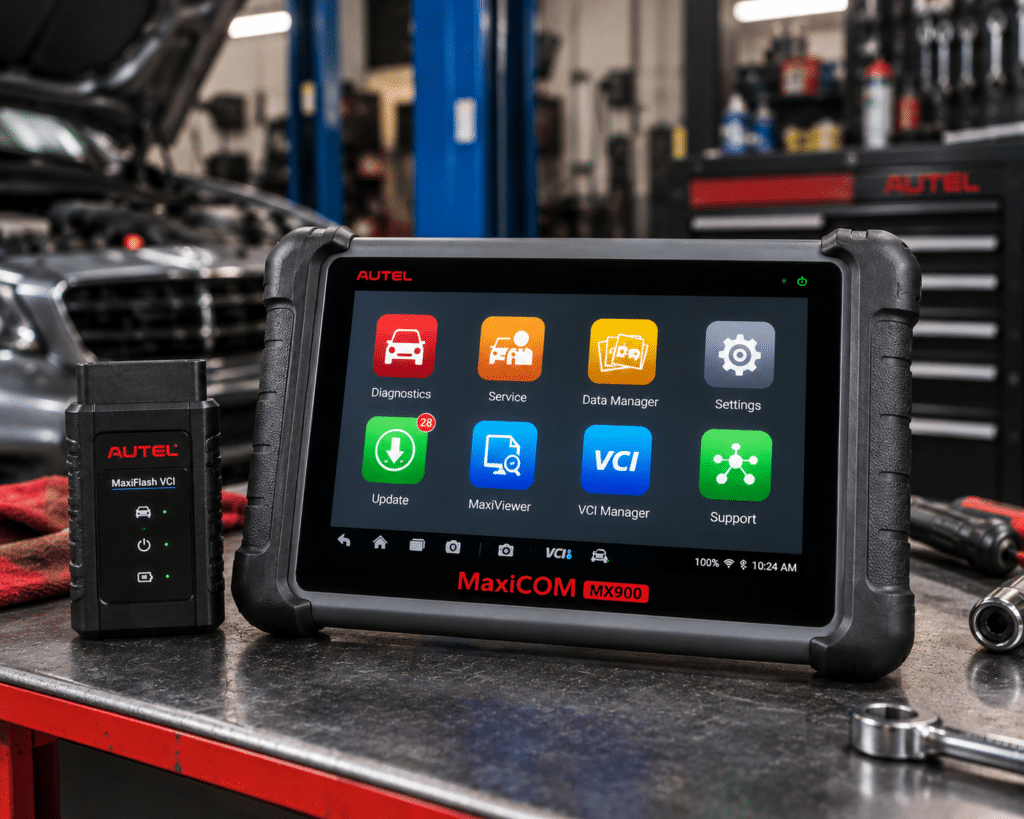
The Autel MaxiCheck MX900 is an 8 inch Android tablet that connects to the car with a cable. It reads and clears codes on all systems, runs active tests, and lists DoIP, CAN FD and FCA AutoAuth together with more than 40 service functions. Amazon and Autel both give one free update year. Neither lists ECU coding.
The short version: The MX900 is a wired tablet for a home mechanic or a small shop that wants the newer protocols and a long service list without paying for coding. Amazon and Autel agree on active tests, DoIP, CAN FD, FCA access and one free update year. They differ on numbers: Amazon says 150 or more makes and 3000 or more tests, and Autel’s store page gives no make count and no test count. ECU coding is not listed by either source.
Affiliate Disclosure: As an Amazon Associate I earn from qualifying purchases. Scan Choice Guide is a participant in the Amazon Services LLC Associates Program, an affiliate advertising program designed to provide a means for sites to earn advertising fees by advertising and linking to Amazon.com.
What the MX900 Actually Does
The tool is one tablet. It plugs into the car’s OBD2 port through the main cable that comes in the box. Amazon says “wired connection” and calls it a “US Version”. Autel’s packing list names the main unit, a main cable, a power adapter, a USB Type-C cable, a soft cloth, a quick reference guide and a carrying case. Nothing to pair, and the tablet takes its power from the car while the cable is connected.
Autel lists these tablet specs:
- Screen: 8 inch LCD touchscreen, 1280 by 800.
- System: Android 11 on a quad-core 1.8 GHz processor.
- Memory: 4 GB RAM and 64 GB of storage, with a micro SD slot that takes cards up to 64 GB.
- Battery: 3.7 V, 7700 mAh. The manual says about 7 hours of continuous use.
- Camera: 8 MP rear camera with flash.
- Connections: USB Type-C, USB 2.0, Wi-Fi.
Together, Amazon and Autel name these functions:
- All-system diagnosis. Amazon names Engine, ABS, SRS, Transmission, BCM and HVAC, with code reading and clearing, live data, ECU information and AutoVIN. Autel says it “accesses all vehicle systems”.
- Active tests. Amazon says “3000+ Tests” and names fuel pumps, injectors, cooling fans, headlights and windows. Autel lists injector tests, headlamp and fuel pump control, A/C cycling, clutch engagement, oil pressure testing, vehicle level position calibration, brake vacuum pump operation and valve testing.
- Service functions. Amazon says “40+” and names ABS brake bleed, oil reset, EPB reset, battery registration, SAS calibration, throttle relearn and injector. Autel says 40 and names oil, EPB, SAS, battery registration, throttle and ABS bleed.
- Protocols. Both name DoIP and CAN FD. Autel’s protocol list also names ISO 9141-2, ISO 14230-2, ISO 15765, SAE J1850 and several CAN types.
- FCA access. Amazon’s FAQ says FCA AutoAuth for 2018 and newer Chrysler, Dodge, Jeep, Alfa Romeo and Fiat vehicles. Autel says auto authentication for FCA vehicles made after 2018.
- Reports. Amazon names Cloud Report Management, Pre and Post Scan and Wi-Fi printing. Autel names Pre and Post Scan and Wi-Fi print.
- Updates. Amazon says “1 year of free software updates”. Autel says “One Year Free Update and One Year Free Warranty”.
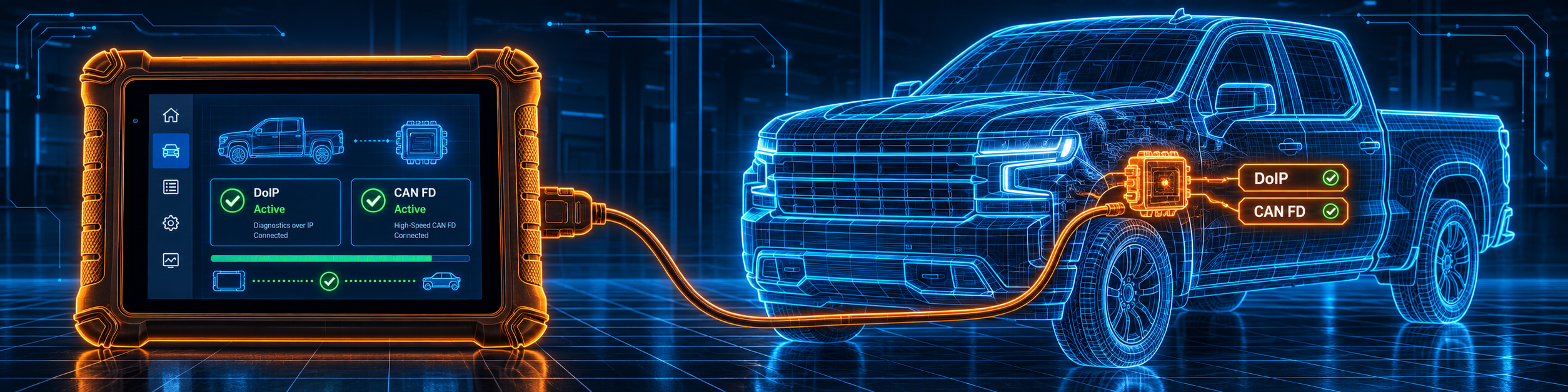
The picture below shows the protocol screen on a Chevrolet Silverado with the wired cable plugged in. DoIP and CAN FD are on the tool’s protocol list, so the tablet can talk to a car that uses them.
What Amazon Says vs. What Autel Confirms
We compared the Amazon listing with Autel’s store page and Autel’s user manual. The three agree on the main points. They differ on counts and on one number in the hardware.
| Claim | Amazon listing | Autel | Our reading |
|---|---|---|---|
| Name | “Autel MaxiCheck MX900 OBD2 Scanner, Bidirectional Diagnostic Scan Tool” | “MaxiCheck MX900” | Same tool |
| Screen | 8 inches; comparison table says “1080×800” | 8 inch, 1280 x 800 (store page and manual) | The resolution differs; Autel’s figure is on its page and in its manual |
| System | Android 11, 1.8GHz quad-core, 4GB + 64GB | Android 11, quad-core 1.8GHz, 4GB RAM and 64GB ROM | Agree |
| Battery | 7700 mAh | 3.7 V, 7700 mAh | Agree |
| Connection | “wired connection”, “corded (wired)” | Main cable, DB15 port | Agree |
| Service functions | “40+” | “40 service functions” | Agree |
| Active tests | “3000+ Tests” | Lists the test types, gives no count | Amazon only for the count |
| DoIP and CAN FD | “supports DoIP & CAN-FD” | “CAN FD and DoIP protocol” | Agree |
| FCA | “FCA” in the title; AutoAuth for 2018+ in the FAQ | “auto authentication for FCA vehicles made after 2018” | Agree on FCA; “2018+” and “after 2018” are worded differently |
| Vehicle coverage | “150+ Makes”, “10000+ of OBD2/ EOBD cars” | “U.S., Asian, and European vehicle makes”, no count | The figures are Amazon only |
| ECU coding | Not listed | Not listed | Not listed |
| Updates | “1 year of free software updates”; extended updates by annual service plan | “One Year Free Update” | Agree |
| Warranty | “Manufacturer Warranty: 1 Year” | “One Year Free Warranty” | Agree |
| In the box | Not listed | Main unit, main cable, power adapter, USB Type-C cable, soft cloth, quick reference guide, carrying case | Autel only |
| Inspection camera | “MV108S Digital Inspection Camera compatibility” | MaxiVideo app in the manual; 8 MP rear camera | Agree that a video scope works with it |
The coding point matters. Neither Amazon nor Autel’s page lists ECU coding or module programming for the MX900. If you need coding, read our Autel MP808S review. The MX900 reads, tests and resets, and it does not claim to write coding.
The numbers point matters. Amazon says 150 or more makes and 10,000 or more cars. Autel’s page says “U.S., Asian, and European vehicle makes” and gives no number. Amazon also warns in the same bullet that “services are NOT universal” and asks buyers to send the VIN for compatibility. Use the Scanner Finder for your car before you buy.
The update point matters. Both sources give one free update year. Amazon’s last bullet says the tool “will continue working with the existing functions” after that, and that optional software subscriptions can be bought to access future updates, new vehicle coverage and additional features. Neither source gives a cost, so we do not give one.
A third source. Bosch Diagnostics publishes a page called “Secure Gateway”. It says that “starting with most 2018 models, FCA implemented a Secure Gateway Module (SGW), similar to a ‘firewall’, to protect the vehicle network”. It lists the functions the gateway blocks as clearing DTCs and “all bi-directional functions (calibrations, relearns, actuations, and adjustments)”. It says a technician unlocks them with a one-time AutoAuth account set-up and tool registration, and that the tool then prompts for the AutoAuth username and password. Bosch is independent of both Amazon and Autel. It explains why FCA access on a scan tool is a separate line in the list.
How we handle these differences. The feature table at the bottom of this page, the Scanner Finder and our comparisons follow the Amazon listing, because Amazon is where you buy. We name the points above so you can see where Autel says something different. If one of them matters to you, read this section before you decide.
Is the MX900 Enough for You?
A short table gives the first answer.
| If your work is | Does the MX900 list it? |
|---|---|
| Reading and clearing codes on all systems | Yes |
| Live data with graphs and recording | Yes |
| Active tests | Yes |
| Oil, EPB, SAS and battery resets | Yes |
| ABS bleeding, throttle relearn and injector | Yes, per Amazon |
| DoIP and CAN FD | Yes |
| FCA gateway access | Yes |
| ECU coding | Not listed by Amazon or by Autel |
| J2534 pass-through | Not listed by Amazon or by Autel |
| ADAS calibration | Not listed by Amazon or by Autel |
The upper rows cover most weekday jobs for a garage hobbyist or a small shop. The lower rows are work for a different tool.
Will the MX900 Work on Your Car?
Amazon says 150 or more makes and 1996 and newer OBD2 cars. Autel says US, Asian and European makes. The Autel manual describes five ways to identify a car: Auto Detect, Manual Input, Scan VIN or License, Manual Vehicle Selection and OBDII Direct Entry. The last one is a generic OBD2 mode for cars that are not in the tool’s database. Use the Scanner Finder to check your year, make and model.
The newer protocols matter for newer cars. Our DoIP explainer and CAN FD explainer say what they are. In short, a tool that lists both can talk to cars that use them, and a tool that lists neither cannot be assumed to.
How to Set Up and Use the MX900
This section follows Autel’s MX900 user manual. Your screens may differ slightly, and the manual says the function lists vary by car.
Step 1: Power up
Hold the Power/Lock key in the upper right corner until the display wakes up. The LED glows green and the lock screen appears. Swipe the lock icon upward to reach the Job Menu. A quick tap on the same key locks the display again. The Job Menu has these buttons: Diagnostics, Service, Data Manager, Settings, Update, Remote Desktop, OEM Authorization, Support, Quick Link, MaxiViewer, MaxiVideo and Autel User Center.
Step 2: Connect to the car
Plug the main cable into the DB15 port on the top of the tablet, then into the car’s OBD2 port. On most cars the port sits low under the dash, close to the driver’s knees. While the cable is attached, the car powers the tablet. For long sessions away from a car, charge it with the Type-C cable and the power adapter from the box.
Step 3: Register and update
Tap Update on the Job Menu. The manual says to register the tablet in the Autel User Center first. When the tablet is online, it searches for updates by itself. Tap Get for one item or Update All for everything. In Settings, Auto Update can run the OS, MaxiCheck and Vehicle updates at a time you choose. Do this before your first job. Amazon and Autel say the first year of updates is free.
Step 4: Identify the car
Open Diagnostics. The VID button in the top bar offers three ways in:
- Auto Detect pulls the VIN from the car itself with one tap.
- Manual Input is for typing a VIN or a license number by hand.
- Scan VIN/License starts the camera and reads a VIN, a barcode or a license number.
When the VIN cannot be read, pick the make, tap Manual Selection, then step through model, engine and year.
Step 5: Scan
Once the car is known, Auto Scan walks through every system, and Control Unit lets you choose a single one. The result list marks each system as faults with a count, as a pass, or as Not Scanned. Report turns the result into a report, Quick Erase wipes the codes after a warning, and Pause halts the scan. For a before and after record, enter a maintenance order number for a Pre-Scan, and enter the same number later for a Post-Scan. Both results land in the same record in Data Manager.
Step 6: Use the function menu
Once you are inside a system, the menu can offer the items below, though the list changes from car to car:
- ECU Information displays the unit type and its version numbers.
- Trouble Codes has Read Codes and Erase Codes. Freeze frame data can be shown on some cars. Before you erase codes, put the ignition in the ON position with the engine off. The tool warns you first, and the manual says to read the codes again afterwards to confirm.
- Live Data gives a list of values. Each value can be drawn as a gauge, plain text or a waveform graph.
- Active Test commands the ECU to drive parts such as a solenoid, a relay or a switch. Follow the on-screen prompts. Which tests exist depends on the car.
- Special Function covers adaptations, for example setting a part up again after it was replaced.
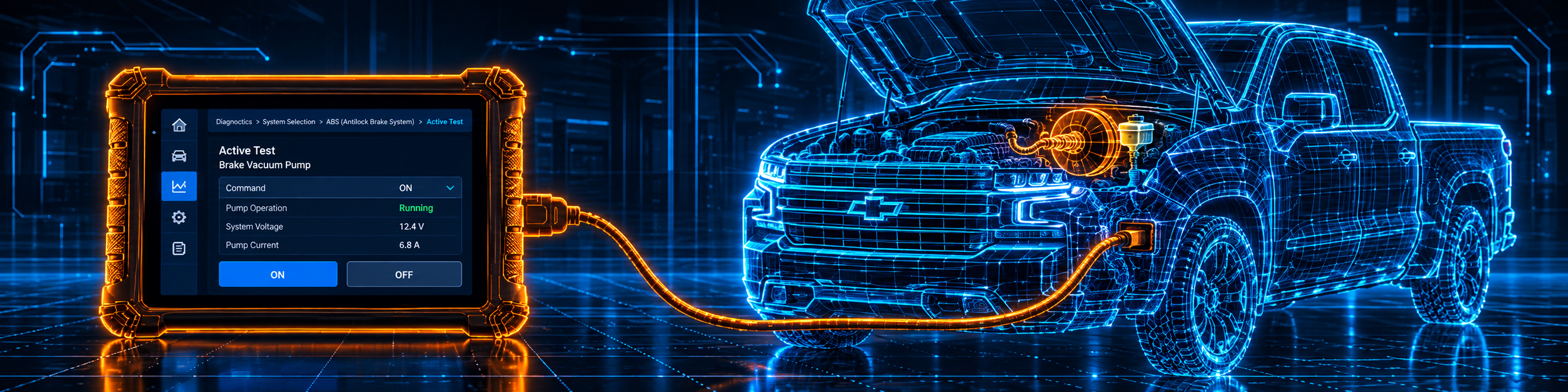
The picture below shows an active test on the brake vacuum pump of a Chevrolet Silverado, one of the tests Autel names for the MX900.
Step 7: Run a service
Choose Service on the Job Menu. After you pick a function, the screen offers Diagnosis, which reads and clears codes, and Hot Functions, which holds the sub functions. The manual describes these services in detail:
- Oil reset. Run it after every oil change. Some cars also let you clear other service reminders, and the manual gives BMW as an example. Complete all the work before resetting, because an early reset can leave codes in the module.
- EPB. Switch the brake system off before brake work and back on when you finish. The car must stand still on level ground.
- BMS. Registers a replacement battery and can check the charge state. Match the type and capacity of the old battery, otherwise the car may need the new battery type set up as well. The manual says not every car supports it.
- SAS. Saves the straight-ahead position of the steering wheel, so line up the wheels and the wheel first. The manual names a new steering wheel or sensor, steering linkage work and a wheel alignment as reasons to run it.
- DPF. Before a forced regeneration the manual wants the fuel light off, no stored DPF faults and the right engine oil. If the car has to be driven for it, one person drives and a second person reads the tablet.
The manual also has chapters for TPMS and IMMO. Neither Amazon nor Autel’s store page names them, so we do not count them in the buying decision.
Step 8: Keep your records
Data Manager keeps vehicle history, customer and workshop information, images, PDF files and cloud reports. Tap Report in Auto Scan, or Save in the toolbar, enter the license plate and mileage, and the report can be shared by QR code, email or SMS. Data Logging records the communication so Autel support can look at an error.
Step 9: Exit properly and fix common problems
Exit the diagnostics session before you unplug the cable. The manual warns that a broken data link can damage the car’s control module. If the tablet does not work properly, the manual says to check that it is registered, that the software is updated, that it is online and that all cables and connections are good. If it will not charge, check the charger, the connector and the temperature.
Common Mistakes and Three Simple Plans
1. Expecting ECU coding. Neither Amazon nor Autel’s page lists it for this tool.
2. Skipping the update. Update before the first job, while the free year is running.
3. Pulling the cable during a job. Exit the session first.
4. Starting an EPB service without deactivating the brake system. The manual says to deactivate first.
Plan A: A new battery
- Attach the cable and let the tool identify the car.
- Go to Service and choose the battery function.
- Do what the screen says and finish with Auto Scan.
Plan B: A Chrysler, Dodge or Jeep from 2018 or newer
- Register the AutoAuth account first, the way Bosch describes it.
- Connect the cable and identify the car.
- Enter the AutoAuth login when the tool asks, then run Auto Scan.
Plan C: A diesel with a DPF warning
- Go to Service, then DPF.
- Confirm the conditions the manual lists.
- Start the regeneration, with a helper if the car has to move.
Where the MX900 Sits Against Its Own Siblings
| MX900 | MP808S | MK808S | |
|---|---|---|---|
| Format | 8 inch tablet with a main cable | 7 inch tablet with a main cable | 7 inch tablet |
| DoIP and CAN FD | Yes | Not listed in our MP808S review | Not listed in our MK808S review |
| ECU coding | Not listed | Yes, per our MP808S review | Not listed in our MK808S review |
| Service functions | 40 or more | 30 or more per Amazon, 28 or more per Autel | 28 or more per our MK808S review |
| Bidirectional control | Yes | Yes | Yes |
Our Autel MP808S review covers a tool that lists coding instead of DoIP and CAN FD. Our Autel MK808S review covers the core diagnostics without either. The full side-by-side is in our MK808S vs MP808S vs MX900 comparison.
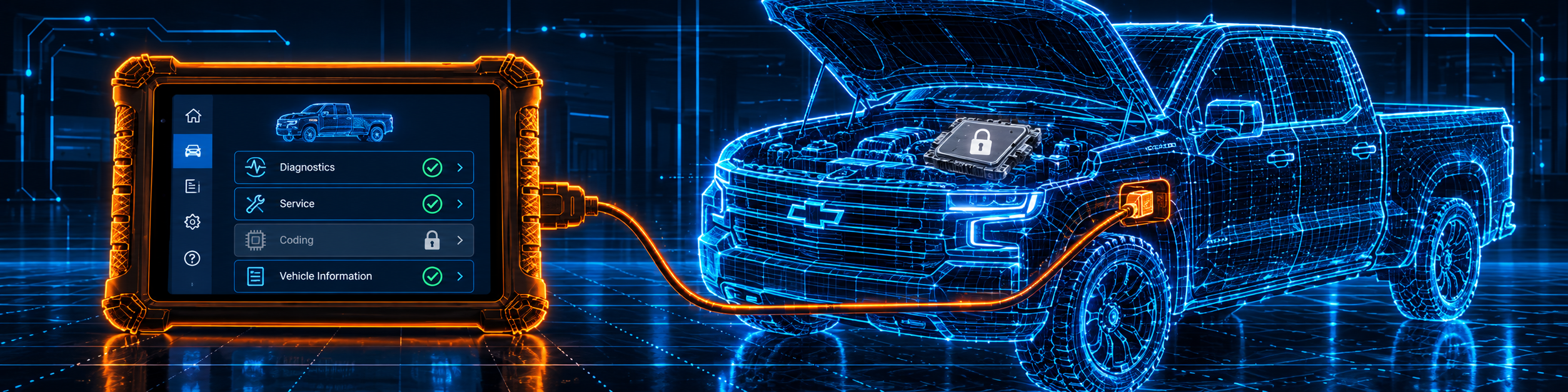
The MX900 is the protocol tool of the three. It has the larger screen, the larger battery and the longer service list, and it stops before coding. The picture below shows the MX900 with coding locked and unsupported on a Chevrolet Silverado.
Who This Scanner Actually Fits
The MX900 fits a home mechanic or an independent technician who wants all-system diagnosis, active tests, a long reset list, DoIP, CAN FD and FCA access in one wired tablet. It also fits someone who prefers a larger screen and a longer battery. It is a weaker fit for a buyer who needs ECU coding, J2534 programming or ADAS calibration.
Important Limitations of the Autel MX900
- No ECU coding is listed. Neither Amazon nor Autel’s page lists it.
- Cable only. Amazon says “wired connection” and Autel’s manual describes a main cable.
- One free update year. Both sources say so. Later updates need a plan, and neither source gives a cost.
- Counts differ by source. Make coverage and the test count are on Amazon and not on Autel’s page.
- Functions depend on the car. Amazon says services are “NOT universal”, and the manual says the lists vary by vehicle.
- A bigger tool. Autel’s manual lists the net weight as 925 grams and the size as about 6.6 by 10.2 inches.
Who Should Choose It, and What to Consider Instead
Choose the MX900 if DoIP, CAN FD and a long service list matter more to you than coding, and you accept a cable.
Consider the Autel MP808S instead if ECU coding is why you are buying. Consider the Autel MK808S instead if you only need all-system diagnosis and active tests.
| Specification | Details |
|---|---|
| Screen | 8 inch LCD, 1280 by 800 |
| System | Android 11, quad-core 1.8 GHz |
| Memory and storage | 4 GB RAM, 64 GB, micro SD slot |
| Battery | 3.7 V, 7700 mAh |
| Connection | Main cable to the OBD2 port; Wi-Fi on the tablet |
| Service functions | 40 or more |
| Active tests | 3000 or more per Amazon |
| DoIP and CAN FD | Yes |
| FCA gateway | Yes; 2018 and newer |
| ECU coding | Not listed |
| Updates | One free year |
| Warranty | One year |
| Pros | Cons |
|---|---|
| DoIP and CAN FD listed by Amazon and Autel | No ECU coding listed |
| Active tests and a 40 or more service list | Cable connection only |
| FCA gateway access | One free update year |
| Larger screen and battery | Larger and heavier than the 7 inch models |
| Wired connection, nothing to pair |
Methodology: How SCG Evaluates OBD2 Scanners.
Our Verdict on the Autel MX900
The MX900 is a wired tablet with DoIP, CAN FD, FCA access, active tests and a long service list. Amazon and Autel agree on the main points and differ on counts, and neither lists ECU coding. If you work on newer cars and do not need coding, it fits well.
Frequently Asked Questions
Does the MX900 support bidirectional control?
Yes. Amazon says 3000 or more tests, and Autel names injector tests, headlamp and fuel pump control, A/C cycling, clutch engagement, oil pressure testing, brake vacuum pump operation and valve testing.
Does it support DoIP and CAN FD?
Yes. Amazon and Autel both list both protocols.
Does it support FCA AutoAuth?
Yes. Amazon says 2018 and newer Chrysler, Dodge, Jeep, Alfa Romeo and Fiat. Autel says FCA vehicles made after 2018.
Does it support ECU coding?
Neither Amazon nor Autel’s page lists it. The Autel MP808S lists coding instead.
Is the connection wireless?
No. Amazon says “wired connection”, and Autel’s manual describes a main cable.
How long are updates free?
One year, per Amazon and Autel.
Is it compatible with my specific vehicle?
Use the Scanner Finder to check your year, make and model.
Trusted Sources
- Autel MaxiCheck MX900 official store page: specifications, protocols, services, FCA, box, update and warranty
- Autel MaxiCheck MX900 user manual: setup, vehicle identification, Diagnostics, Service, Update, troubleshooting
- Verified Amazon listing: current title, bullets, overview and FAQ
- Bosch Diagnostics, Secure Gateway: what the FCA gateway blocks and how a technician unlocks it
