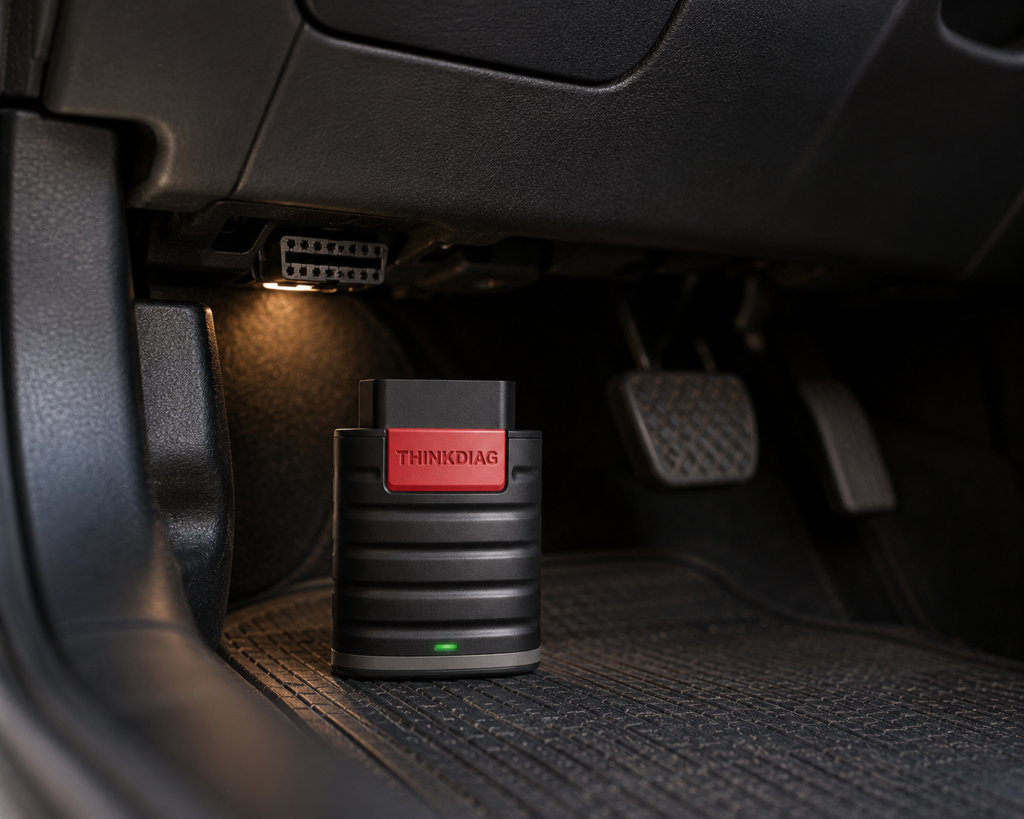
The Thinkcar THINKDIAG is a pocket-sized Bluetooth dongle that plugs into the car’s OBD2 port and works with the ThinkDiag+ app on a phone or tablet. It reads and clears codes on many systems, runs active tests, codes some modules and lists 15 or more reset functions plus key functions. The hardware is only half the story. The software comes per brand, and what is free, and for how long, is described differently by Amazon, by Thinkcar and by a retailer.
The short version: The THINKDIAG is for a DIYer or a small shop that wants active tests and coding from a phone, and that can plan around a software cost. Amazon and Thinkcar agree on the dongle, the app, bidirectional tests, coding and 15 or more resets. They disagree on the free software: Amazon says all makes and reset software come with one free year, Thinkcar’s store page says one free manufacturer software, and a retailer says two. CAN FD is not listed by any of them.
Affiliate Disclosure: As an Amazon Associate I earn from qualifying purchases. Scan Choice Guide is a participant in the Amazon Services LLC Associates Program, an affiliate advertising program designed to provide a means for sites to earn advertising fees by advertising and linking to Amazon.com.
The Business Model in Plain Words
Think of a printer and its ink. The dongle is the printer. It reads basic engine data for free, with the EOBD2 and demo software that Thinkcar says come at no charge. The ink is the brand software: to run active tests, coding or resets on a given make, you download that make’s software in the app, and Thinkcar sells it by the brand. Thinkcar’s page says there is a yearly fee per brand software, a separate fee for the reset package, and bundles that cover all software for two years. We do not repeat the fees here, because they change, and because the question that matters is not the number, it is how many brands you will actually use.
That is the difference between a THINKDIAG and a fixed-price handheld. A handheld costs once. The THINKDIAG costs less at the start, and it asks you to choose.
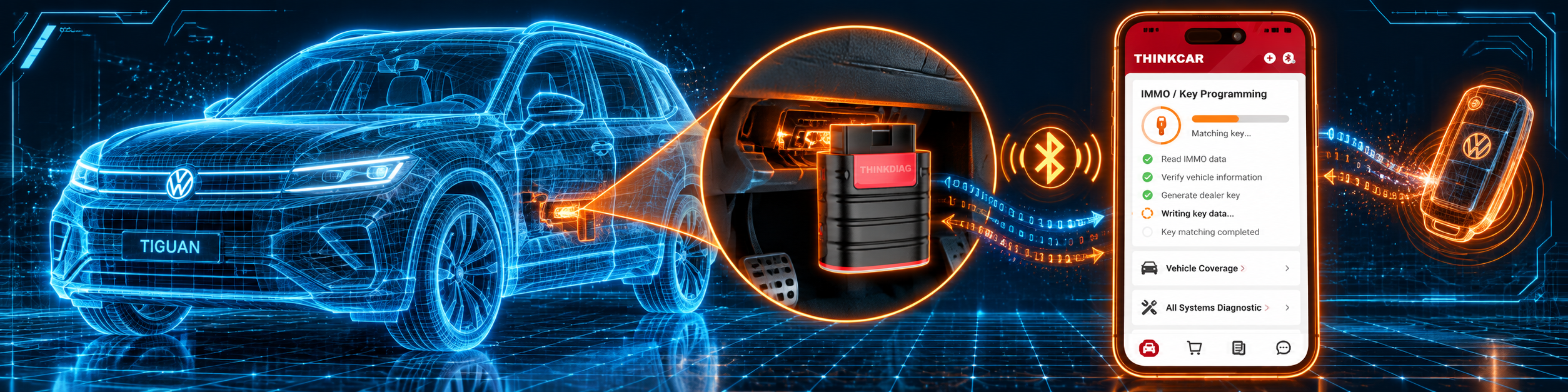
The picture below shows an IMMO key function on a Volkswagen Tiguan, which is one of the brand-software jobs.
Three Answers to One Question: What Is Free?
This is the point where the sources split, so here are all three side by side.
| Source | What it says is free |
|---|---|
| Amazon | “All car make and reset software come with 1 year update without any charge” |
| Thinkcar’s store page | EOBD2 and demo software free, one free manufacturer software after activation, and one year of free software updates |
| A retailer’s support page | A free one year subscription for two manufacturer software, chosen by the buyer |
All three agree that the free period is one year. They differ on how many brands are covered in it. Amazon’s sentence reads as everything, Thinkcar’s own page reads as one brand plus the free basics, and the retailer’s page reads as two brands. The sensible way to buy is to assume the narrowest answer, the one on Thinkcar’s own page, and to treat anything more as a bonus. When you register, check the app’s own screen to see what it lists as free.
After the first year, Thinkcar’s page says the brand software and the reset software need a renewal if you want to keep updating. The Amazon listing does not give a renewal cost, so we do not give one.
What the THINKDIAG Can Do
Amazon and Thinkcar name these functions:
- All-system diagnosis. Amazon says the tool can “read/clear DTCs, read live data, read control module information, actuation tests and maintenance functions for ECM, BCM, SRS, TCM, BMS, TPMS, SAS, A/C system etc.” Thinkcar says reads and clears codes and live data from the same systems across 120 or more brands after 1996, and its other page says up to 115 major manufacturers.
- Active tests. Amazon says “10000+ active tests” and that the tool “actuates solenoids and actuators”, sending commands to components to test them without the vehicle’s own controls.
- ECU coding. Both say it can match replaced components with the ECU and flash hidden functions, naming BMW, GM and Benz.
- Maintenance functions. Amazon names oil reset, ABS bleeding, injector coding, SAS reset, TPMS reset, BMS reset, transmission adaptation, AFS reset, sunroof calibration, brake reset, suspension relearn, electronic throttle relearn and seat calibration. Thinkcar adds DPF reset, EGR adaptation and key coding.
- IMMO and key functions. Thinkcar names Key Learning, Remote Control Learning and Remote Control Add, and says it can program, access key chips and read, retrieve and write key information.
- FCA. Amazon says that after registering with Auto-Auth, the tool “could communicate with the FCA SGW Authentication System and bypass the SGM” on 2018 and newer Chrysler, Jeep, Fiat and Dodge vehicles, so you do not need a bypass cable.
- Live data. Thinkcar names graphing, data recording, health reports, remote diagnostics and adjustable refresh rates.
- Languages. Thinkcar lists 15 languages, including English, French, Spanish, German, Italian, Portuguese, Japanese, Russian and Korean.
- Platform. Both say Android and iOS.
The Dongle and the App
The dongle is small and has no screen. Thinkcar lists a Bluetooth connection, a working voltage of 9 to 18 V and a working current of up to 250 mA. It takes its power from the car’s port, and Thinkcar’s guide says a green light shows it is powered. You do all the work in the ThinkDiag+ app.
Thinkcar’s guide has one warning that saves many users an hour. Do not connect the dongle directly in your phone’s Bluetooth settings. Select it inside the app. The guide says the app needs a registered account, and it asks you to activate the device with the serial number and an 8-digit activation code from the first page of the quick start guide. The picture below shows the dongle paired with the app on the Tiguan.
What Amazon Says vs. What Thinkcar Confirms
We compared the Amazon listing with Thinkcar’s two store pages and its setup guide. They agree on the capability set. They differ on the software terms and on counts.
| Claim | Amazon listing | Thinkcar | Our reading |
|---|---|---|---|
| Name | “Thinkdiag OBD2 Scanner Bluetooth ECU Function Bidirectional Diagnostic Tool” | “THINKDIAG” | Same tool |
| Platform | Android and iOS | Android and iOS | Agree |
| Active tests | “10000+ active tests” | Active tests, no count | Amazon only for the count |
| ECU coding | BMW, GM, Benz named | BMW, GM, Benz named | Agree |
| Maintenance functions | “15+” with 13 named | “15+” with 16 named | Agree on the count; the lists differ |
| Key functions | Not named | Key Learning, Remote Control Learning | Thinkcar only |
| FCA | AutoAuth bypass, 2018 and newer | Not named | Amazon only |
| Vehicle coverage | “120+ car brands” | “115 major manufacturers”; “120+ car brands” | The figures differ |
| Free software | All makes and reset software, one year | One manufacturer software and one year of updates | The terms differ |
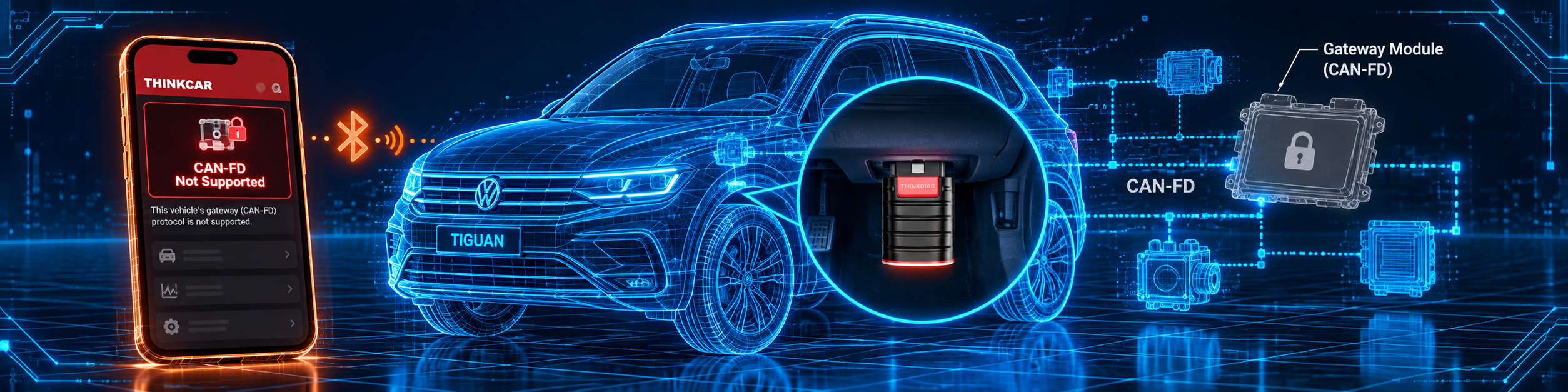
| CAN FD | Not listed | Not listed | Not listed |
| Warranty | “1 year warranty” | “1-Year Warranty” | Agree |
| Languages | Not listed | 15 | Thinkcar only |
The software point matters. It is the one place where reading only Amazon can mislead you. Amazon’s sentence suggests that every make is free for a year, and Thinkcar’s page says one brand. Assume one, and check the app after activation.
The FCA point matters. Amazon says the tool can register with Auto-Auth and pass the secure gateway on 2018 and newer FCA cars. Thinkcar’s store pages do not name FCA. Treat it as Amazon’s claim, and plan for a registration on your side.
The CAN FD point matters. No source lists CAN FD for this model. The picture below shows the tool on the Tiguan with CAN-FD not supported.

A third source. The National Automotive Service Task Force, a non-profit established in 2000 through a collaboration of auto manufacturers and aftermarket equipment and tool suppliers, explains on its support site what its credentials are for. It names the Vehicle Security Professional credential as the main one for access to manufacturer security functions, and says these credentials let technicians “access security-related systems and information” from automakers, such as programming keys, retrieving immobilizer codes or ordering theft-related parts. This source is independent of both Amazon and Thinkcar. It explains why key functions are a more sensitive part of a scan tool than a reset: access to security data has its own credential system, so check what your job needs before you buy a tool for it.
How we handle these differences. The feature table at the bottom of this page, the Scanner Finder and our comparisons follow the Amazon listing, because Amazon is where you buy. We name the points above so you can see where Thinkcar says something different. If one of them matters to you, read this section before you decide.
What the Listed Resets Mean in Practice
Amazon names thirteen maintenance functions, and Thinkcar names sixteen. If you have never run one, the names can sound abstract. The manuals of other scan tools in our reviews describe the same services in plain language, and they are a good way to know what to expect. They describe the generic procedure, and the THINKDIAG screens will differ, so read this as a primer and not as THINKDIAG instructions.
- Oil reset. The Autel manual says to reset the oil life to 100 percent after every oil change, and to finish all the work before resetting, because an early reset can leave codes in the module.
- Brake reset and EPB. The XTOOL manual says that after replacing the pads, the pad wear sensor line must be reset, or the car keeps saying the pads need replacement.
- SAS reset. The Autel and XTOOL manuals say the wheels and the steering wheel must be exactly straight before the calibration stores the straight-ahead position, and that it is needed after steering parts, sensor replacement or a four-wheel alignment.
- BMS reset. The manuals say it registers a new battery, and that a battery of a different type or capacity may need extra programming. XTOOL’s manual says the tool asks for the capacity, the maker and the serial number.
- TPMS reset. The Autel manual says the function looks up sensor IDs and runs replacement and reset procedures after sensors are replaced. The XTOOL manual says such a tool resets and relearns and is not a TPMS activation tool.
- Throttle relearn. The TOPDON manual says the function returns the learned values stored in the ECU to the default state, so the car can control the air intake accurately.
- Injector coding. The XTOOL manual says it writes the injector identification code into the ECU after an injector or the ECU is replaced, and that you read the stored cylinder values first.
- ABS bleeding. The XTOOL manual says it is used after replacing a brake pump, after severe fluid loss or after a brake fluid change, with the brake pedal pumped in a set order.
Two lessons come from this list. First, a reset is the last step of a repair, not a repair itself. Second, almost every one needs the right parts and the right order of work. If you are not sure, read the procedure for your car before you start.
Questions to Ask Before You Buy a Per-Brand Tool
A per-brand model is cheaper at the start and more complex later, so five questions help.
- How many brands will I really use? Count the cars you work on in a year, not the cars you might work on.
- Which brand do I want free in year one? Thinkcar’s page says one is free after activation, so decide first, and see what the app lists.
- Do I need the reset package? Thinkcar sells it as a separate piece, per its page, so check whether your jobs need it.
- Do my cars need CAN FD? No source lists it for this model.
- Do I need FCA or key functions? FCA is Amazon’s claim, and key functions are named on Thinkcar’s page, so confirm both for your car before you buy.
If your answers are one brand, no CAN FD, and a few resets, the THINKDIAG fits. If the answers are many brands and CAN FD, look at a different tool.
Setting Up the THINKDIAG on Day One
This follows Thinkcar’s guide.
- Install the app. Search for ThinkDiag+ in the App Store or Google Play. The app itself is free.
- Create an account. Sign in if you have a Thinkcar account, or sign up with a username, email, the verification code and a password.
- Activate the dongle. Enter the serial number and the 8-digit activation code from the quick start guide.
- Plug the dongle into the car. The port is usually under the dashboard above the pedals on the driver’s side. A green light means it has power.
- Connect inside the app. Select your device in the app. Do not pair it in the phone’s Bluetooth settings.
- Download the software you need. The first time you run All System Diagnostic or OBD Functions, the app downloads the matching software. It does not need to download it again later.
- Check the software list. Open the app’s list of software and see which brand is marked free.
Three Households, Three Plans
The model works best when you match it to how you use cars. Here are three examples that use only the sources above.
The one-brand owner. A family owns two cars of the same make. She wants active tests and resets. One free brand software covers both cars for the first year, per Thinkcar’s page. This is the best case for the THINKDIAG.
The two-brand household. A couple has a German car and a Japanese truck. Per Thinkcar’s page, one brand is free and the second is an annual cost. Per the retailer, two brands are free for the first year. Plan for the narrower answer, and decide in month ten which brand you will keep.
The small shop with many brands. A shop works on many makes. For each make, the software has its own annual cost, and the reset package is separate. At that point, a tool with a one-time price, such as the handhelds in our reviews, may fit the budget better. The Thinkcar THINKSCAN 689BT, for example, is listed on Amazon with lifetime updates.
A Note on “10,000 Active Tests”
Amazon says the THINKDIAG supports 10,000 or more active tests, and Thinkcar’s pages name active tests without a count. Counts like this add up the tests across all brands and models. They do not mean your car has 10,000 tests. The Autel and Innova manuals both say the tests available depend on the vehicle, and an Amazon listing for the Innova 5610 says plainly that its tests are “not universal”. Use the number as a sign of breadth and check the one thing that matters: whether the actuator you want to command is on the list for your year, make and model. The Scanner Finder is the place to start, and the app’s own menu for your car is the final word.
A Decision Calendar for the First Year
Because the software model has a clock, a short calendar helps you avoid surprises.
- Day one. Register, activate, and open the app’s software list. Note which brand the app marks as free, and write down the date of activation. One year of updates starts here, per Thinkcar and Amazon.
- Month one. Run a full system scan on each car you own, and save the reports. This gives you a baseline and shows which systems the app can reach.
- Month six. List the jobs you have done with the tool. If every job was on one brand, you already know what to keep.
- Month ten. Decide which brand software, and whether the reset software, you will renew. Thinkcar’s page says the renewal is yearly, so a decision two months before the end avoids a rush.
- Month twelve. Installed software keeps working in many tools after updates end, as XTOOL’s and Autel’s manuals describe for their own products, but Thinkcar does not say the same on the pages we read, so do not assume it. Check the renewal terms in the app before the date.
This is not a reason to avoid the THINKDIAG. It is a reason to treat it as a service with a calendar, and not as a one-time purchase.
Common Mistakes and Three Simple Plans
1. Pairing the dongle in the phone’s Bluetooth settings. Thinkcar says to connect inside the app.
2. Assuming every brand is free. Thinkcar’s page says one brand.
3. Expecting CAN FD. No source lists it.
4. Buying it for key programming without checking the job. Security access has its own credentials.
Plan A: A coding job on one brand
- Activate the dongle and pick the brand as your free software.
- Connect and run All System Diagnostic for the car.
- Use the coding function to match the replaced part, then scan again.
Plan B: A reset after maintenance
- Download the reset software and check whether it is covered in your free year.
- Run the oil reset, the brake reset or the throttle relearn.
- Scan for codes afterwards.
Plan C: A 2018 Jeep
- Register with Auto-Auth as Amazon describes.
- Connect the dongle and run the system scan.
- Run the active test you need.
How the THINKDIAG Compares With Other Tools in Our Reviews
| THINKDIAG | BlueDriver | Thinkcar THINKSCAN 689BT | |
|---|---|---|---|
| Format | Dongle and phone app | Dongle and phone app | Tablet and Bluetooth dongle |
| Bidirectional control | Yes | Not listed in our BlueDriver review | Yes, per our review |
| ECU coding | Yes, brands named | Not listed in our BlueDriver review | Yes, per our review |
| Software cost | Per brand after the free period | No subscription, per BlueDriver | Lifetime free updates, per Amazon |
| CAN FD | Not listed | Not listed | Listed, per our review |
Our BlueDriver review covers a phone-based tool with repair reports and no subscription. Our Thinkcar THINKSCAN 689BT review covers a tablet with lifetime updates and CAN FD. For a THINKDIAG that Thinkcar sells with CAN-FD support in its title, see our Thinkcar THINKDIAG 2 review.
Who This Scanner Actually Fits
The THINKDIAG fits a DIYer or a small shop that works on one or two brands, wants active tests and coding from a phone, and is happy to manage a software subscription. It is a weaker fit for someone who wants one price for every brand forever, or for someone who needs CAN FD.
Important Limitations of the Thinkcar THINKDIAG
- Software is per brand. The free terms are described three different ways.
- No CAN FD is listed.
- No screen. You need a phone or tablet and the app.
- Security functions are sensitive. Key functions depend on what your job and credentials allow.
- FCA is Amazon’s claim. Thinkcar’s store pages do not name it.
- Counts differ by source. Brands, active tests and the maintenance list are not identical on each page.
Who Should Choose It, and What to Consider Instead
Choose the THINKDIAG if you work on one or two brands and want bidirectional tests and coding from your phone, and you accept the software model.
Consider the Thinkcar THINKSCAN 689BT instead if you want lifetime updates and CAN FD in a tablet. Consider the BlueDriver instead if you only need to read codes and want no subscription. Consider the Thinkcar THINKDIAG 2 instead if CAN FD matters to you.
| Specification | Details |
|---|---|
| Form | Bluetooth dongle, no screen |
| Platform | Android and iOS, ThinkDiag+ app |
| Voltage and current | 9 to 18 V, up to 250 mA |
| Vehicle coverage | 115 to 120 or more brands, from 1996 |
| Bidirectional control | Yes, 10,000 or more tests per Amazon |
| ECU coding | Yes; BMW, GM, Benz named |
| Resets | 15 or more |
| Key functions | Listed by Thinkcar |
| FCA gateway | Yes per Amazon |
| CAN FD | Not listed |
| Free software | The sources differ; one year |
| Warranty | One year |
| Pros | Cons |
|---|---|
| Bidirectional tests and coding in a dongle | Software is per brand |
| 15 or more resets and key functions | The free terms are unclear |
| Android and iOS | No CAN FD listed |
| FCA gateway per Amazon | No screen of its own |
Methodology: How SCG Evaluates OBD2 Scanners.
Our Verdict on the Thinkcar THINKDIAG
The THINKDIAG is a capable dongle with a software model you must understand before you buy. Amazon and Thinkcar agree on what it can do and disagree on what is free. If you work on one or two brands, it is a practical way to get active tests and coding. If you work on many brands, the software cost matters more than the dongle.
Frequently Asked Questions
Does the THINKDIAG support bidirectional control?
Yes. Amazon says 10,000 or more active tests, and Thinkcar says it actuates solenoids and actuators.
Does it support ECU coding?
Yes. Both name BMW, GM and Benz.
What is free with it?
The sources differ. Amazon says all makes and reset software for one year, Thinkcar’s page says EOBD2, demo and one manufacturer software plus one year of updates, and a retailer says two manufacturer software.
Does it need a subscription?
Per Thinkcar’s page, the brand software and the reset software need a renewal after the first year if you want to keep updating. No source here gives a cost.
Does it support CAN FD?
No source lists it.
Does it work on FCA vehicles?
Amazon says so, after registering with Auto-Auth. Thinkcar’s store pages do not name FCA.
Does it have key programming?
Thinkcar names Key Learning, Remote Control Learning and Remote Control Add. Check what your job requires.
Do I pair it in my phone’s Bluetooth settings?
No. Thinkcar says to connect inside the ThinkDiag+ app.
Can I use the same dongle on two cars?
The sources do not limit the dongle to one car, but the software you download is per brand, so a second car of another make needs that brand’s software.
What happens if I never renew?
Thinkcar’s page says renewal is needed to keep updating the brand and reset software. It does not say on the pages we read what stays usable, so check the app before the year ends.
Does it have a screen?
No. You use a phone or tablet with the ThinkDiag+ app.
Which languages does it support?
Thinkcar lists 15, including English, French, Spanish, German, Italian, Portuguese, Japanese, Russian and Korean.
How long is the warranty?
One year, per Amazon and Thinkcar.
Is it compatible with my specific vehicle?
Use the Scanner Finder to check your year, make and model.
Trusted Sources
- Thinkcar THINKDIAG product page: features, specifications, software and updates
- Thinkcar THINKDIAG store page: feature blocks, languages, warranty
- Thinkcar ThinkDiag+ app guide: setup and pairing
- Verified Amazon listing: current title and listing text
- NASTF, what NASTF credentials are for: why security access has credentials