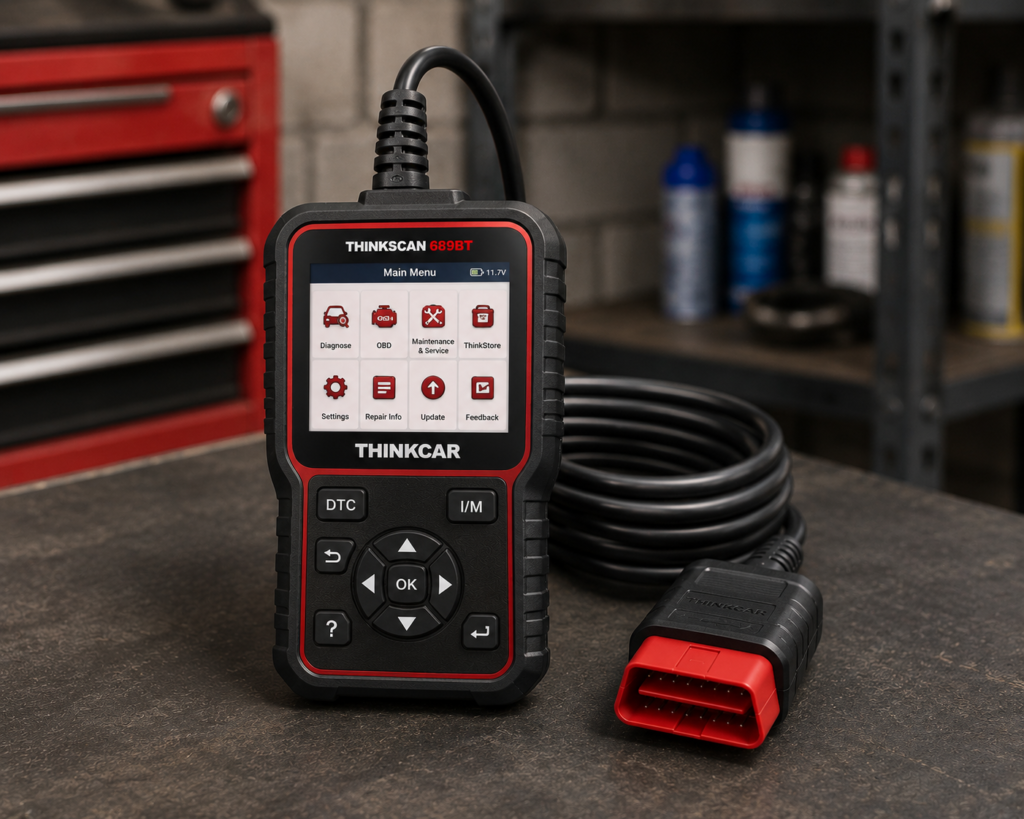
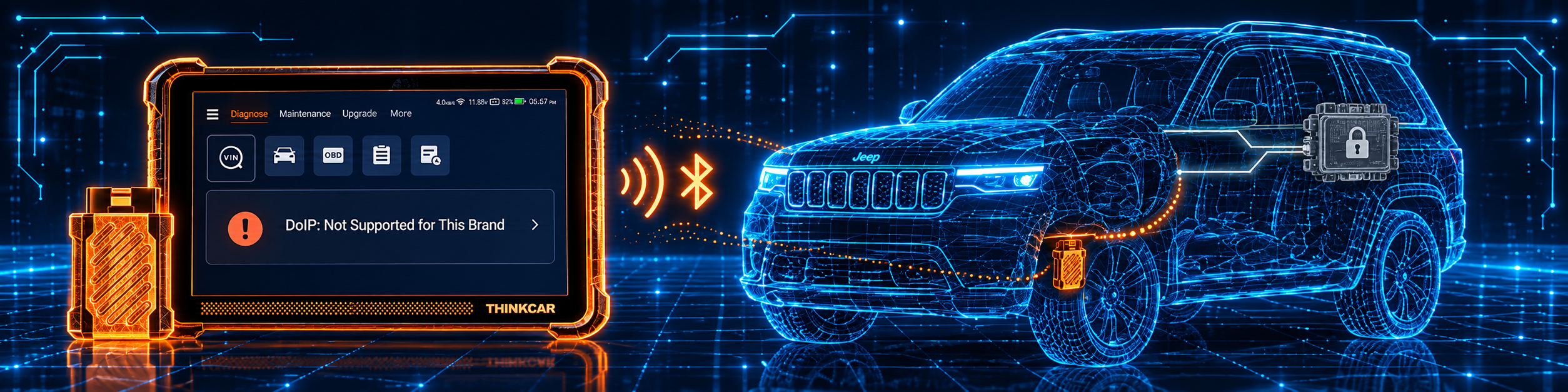
The THINKCAR THINKSCAN 689BT is an 8 inch Android tablet that works with a small Bluetooth connector. It reads and clears codes on many systems, runs active tests, and lists ECU coding, a long set of resets, and lifetime updates over Wi-Fi. Amazon also lists CAN-FD, DoIP and FCA AutoAuth.
The short version: The 689BT is a tablet for a shop or a serious home mechanic who wants coding, active tests and resets without a yearly update bill. Amazon and Thinkcar agree on coding, active tests, lifetime updates and FCA access. They differ on counts: Amazon says 34 services and 140 or more brands in the bullets, and Thinkcar’s page says 35 or more functions and 150 or more brands. CAN-FD and DoIP are listed by both, and Thinkcar names the brands.
Affiliate Disclosure: As an Amazon Associate I earn from qualifying purchases. Scan Choice Guide is a participant in the Amazon Services LLC Associates Program, an affiliate advertising program designed to provide a means for sites to earn advertising fees by advertising and linking to Amazon.com.
What the THINKSCAN 689BT Actually Does
The kit has two parts. The tablet is where you work. The Thinkscan VCI is the Bluetooth connector that plugs into the OBD2 port. Thinkcar’s page says the tablet uses Bluetooth 5.0. The manual says the VCI works from 9 to 18 volts, so the car powers it.
Thinkcar lists these tablet specs:
- Screen: 8 inch, 1280 by 800.
- System: Android 10, 2.0 GHz quad-core processor.
- Memory: 4 GB RAM and 64 GB storage.
- Battery: 4150 mAh.
- Wi-Fi: 2.4G and 5G.
Amazon and Thinkcar list these functions:
- All-system diagnosis. Amazon says “OE Level All Systems Diagnostic”. The manual says the tool supports more than 140 automobile brands and reads codes, clears codes, shows live data, runs special functions and action tests.
- Active tests. Amazon says “3000+ Active Tests” and says the tool can send action commands to sub-systems or components. Thinkcar says it can test 99 percent of vehicle-specific systems, subsystems and components.
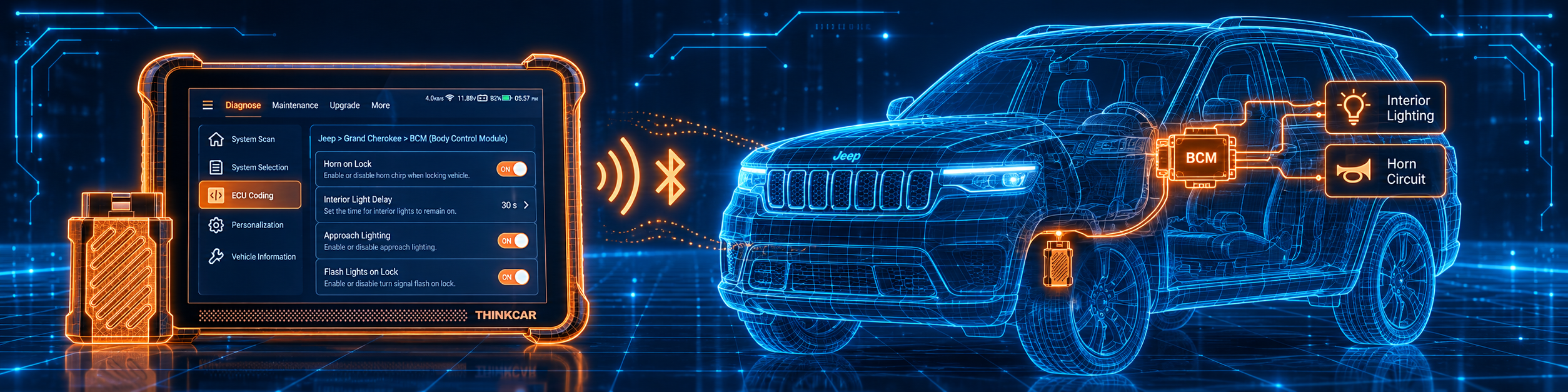
- ECU coding. Amazon says the tool newly adds ECU Coding, Power Balance and Flash Hidden Functions. Thinkcar says “OE-level ECU Coding”.
- Services. Amazon says “34 Services for 140+ Makes” and says six new services were added in 2024. Thinkcar’s page lists more than 35 and names them.
- AI helper. Amazon says that after you connect to Wi-Fi and update, you unlock the Tyler AI Agent. Thinkcar says Tyler AI gives repair guidance.
- FCA access. Amazon says “FCA Autoauth”. Thinkcar says “2017+ FCA SGW Access” with AutoAuth services.
- Lifetime updates. Amazon says “Lifetime WiFi Updates”. Thinkcar says lifetime free updates for all supported brands.
Thinkcar names these service functions on its page: AdBlue reset, adaptive front lighting, airbag reset, A/F reset, ABS bleeding, battery matching, gearbox relearn, brake reset, clutch matching, coolant bleed, DPF regeneration, ECU reset, EGR adaption, electric throttle relearn, FRM matching, gateway module data calibration, gear learn, immobilizer reset, injector coding, language change, NOx sensor reset, odometer, oil maintenance reset, rainfall light sensor, steering angle reset, seats calibration, stop and start reset, sunroof reset, air level calibration, TPMS, transport mode, turbocharging matching, tyre reset, windows calibration and odometer check.
The picture below shows a coding job on the body control module of a Jeep Grand Cherokee. The tablet writes the new setting, and the technician follows each step on the screen.
What Amazon Says vs. What Thinkcar Confirms
We compared the Amazon listing with Thinkcar’s product page and Thinkcar’s quick start manual. One Amazon bullet is a notice, not a feature: it says that a used device may be a customer return resold by Amazon without inspection. Check the offer on Amazon before you buy.
| Claim | Amazon listing | Thinkcar | Our reading |
|---|---|---|---|
| Name | “THINKCAR AI+Bidirectional Scan Tool THINKSCAN 689BT” | “THINKSCAN 689BT” | Same tool |
| Screen and hardware | 8 inches, Android 10, 4GB+64GB | 8 inch 1280 by 800, 2.0 GHz, 4 GB, 64 GB, 4150 mAh | Agree |
| Active tests | “3000+ Active Tests” | 99 percent of systems, subsystems and components | Agree |
| ECU coding | “ECU Coding”, “Flash Hidden Functions” | “OE-level ECU Coding” | Agree |
| Services | “34+ Services” | “35+” functions named | The counts differ |
| Brands | “Cover 150+ Brands” in the title, “140+ Makes” and “140 worldwide car brands” in bullets | “150+ car brands”; the manual says more than 140 | The figures differ |
| Languages | “28 languages” | “30 Languages” | The figures differ |
| CAN-FD and DoIP | “CANFD&DoIP” | CAN-FD for 2020 GM and Chrysler; DoIP for Volvo, Land Rover and Jaguar, BMW F and G chassis | Both list it; Thinkcar names the brands |
| FCA | “FCA Autoauth” | “2017+ FCA SGW Access” with AutoAuth | Agree |
| Updates | “Lifetime WiFi Updates” and “Wireless Update & Back-up” | “Lifetime Free Updates” | Agree |
| Connection to the car | “OBD II Interface 12-Volts, Plug&Play” | Bluetooth 5.0; the manual calls it a Bluetooth diagnostic connector | Thinkcar says Bluetooth |
| Size and weight | 9.05 x 1.04 x 5.84 in, 850 g | Not listed on Thinkcar’s page | Amazon only |
| In the box | 3-in-1 charger, carrying case, F-chassis adaptor, gateway accessory kit, the scanner | Not listed in text on Thinkcar’s page | Amazon only |
| Warranty | 12 months | “1-Year Warranty”; the manual says one year | Agree |
The counts point matters. Amazon says 34 services, Thinkcar’s page says more than 35, and Thinkcar names 35. Amazon’s brand figures also differ inside the same listing: 150 or more in the title and 140 in two bullets. Thinkcar’s manual says more than 140. We show all of them.
The protocol point matters. Amazon lists CAN-FD and DoIP without naming brands in the text we read. Thinkcar’s page says CAN-FD is compatible with 2020 and newer GM and Chrysler models, and DoIP with cars including Volvo, Land Rover and Jaguar, and BMW F and G chassis. Do not assume it works on every brand.
The connection point matters. Amazon lists the power source as the OBD II interface at 12 volts. Thinkcar says the tablet connects over Bluetooth 5.0 to the VCI. The manual describes the TK689BT as the model with the Bluetooth diagnostic connector, and its sister model TK689 uses a diagnostic cable.
A third source. The Equipment and Tool Institute, a trade group of tool makers, published a Security Gateway Module FAQ. It says the gateway was placed on most 2018 model year and later FCA vehicles as a cybersecurity measure. It says FCA set up a “bridge server” and user system called AutoAuth that lets aftermarket scan tools unlock the gateway. It says registration is done one time, and that the number of vehicles you can service is unlimited. It says there is a yearly fee for the user or shop. It says that once the gateway is unlocked, the aftermarket tool has the same capabilities as on vehicles without it. This source is independent of both Amazon and Thinkcar. It explains what “FCA AutoAuth” in the Amazon title means in practice.
How we handle these differences. The feature table at the bottom of this page, the Scanner Finder and our comparisons follow the Amazon listing, because Amazon is where you buy. We name the points above so you can see where Thinkcar or a third source says more than Amazon, or something different. If one of them matters to you, read this section before you decide.
Is the THINKSCAN 689BT Enough for You?
A short table gives the first answer.
| If your work is | Does the 689BT list it? |
|---|---|
| Reading and clearing codes on all systems | Yes |
| Live data and reports | Yes |
| Active tests | Yes |
| ECU coding | Yes |
| Oil, brake, SAS and battery resets | Yes, per Thinkcar |
| ABS bleeding, DPF and injector coding | Yes, per Thinkcar |
| CAN-FD and DoIP | Yes, brands named by Thinkcar |
| FCA gateway access | Yes |
| J2534 pass-through | Not listed on Amazon or on Thinkcar’s page |
| ADAS calibration | Not listed on Amazon or on Thinkcar’s page |
For a shop or a serious home mechanic, the top half covers a lot. The bottom half lists work that needs a different tool.
Will the THINKSCAN 689BT Work on Your Car?
Amazon says 150 or more brands in the title and 140 in its bullets. Thinkcar says 150 or more, and the manual says more than 140. The manual has a Coverage List under More where you can check the models and functions the tool supports. Use the Scanner Finder to check your year, make and model.
Two points for newer cars:
- CAN-FD. Thinkcar names 2020 and newer GM and Chrysler models.
- DoIP. Thinkcar names Volvo, Land Rover and Jaguar, and BMW F and G chassis.
If your car is not on those lists, treat CAN-FD and DoIP as not listed for it.
How to Set Up and Use the THINKSCAN 689BT
This section follows Thinkcar’s quick start manual for the 689 and 689BT. The manual notes that the manual and the product pages may differ because of version updates.
Step 1: Turn it on
Press and hold the power button for 3 seconds to turn the tablet on or off. A single press locks or unlocks the screen.
Step 2: Choose the language
Pick your language from the list. If you do not choose, the default is English. Read and agree to the privacy agreement, then tap Start.
Step 3: Connect to Wi-Fi and update
The manual recommends connecting to Wi-Fi first, then checking for the latest software before you start. If there is no Wi-Fi, you can use a mobile hotspot, but some software is large, so watch the data you use.
To update the system software, the manual says to start the tool with a stable internet connection, open System Version, tap Check Version, and follow the screen. It may take a few minutes. The tool restarts when the update is done.
Step 4: Connect the connector to the car
Find the OBD2 port. The manual says it is usually under the dashboard, above the pedal on the driver side, about 12 inches from the center of the dash. For some Asian and European cars it is behind the ashtray. Plug the Bluetooth connector into the port. The tablet connects to the connector over Bluetooth.
Step 5: Pick how to identify the car
The tool has four main modules: Diagnose, Maintenance, Upgrade and More.
- AutoSearch reads the car’s VIN, the maker and the year. If the information cannot be read, enter it by hand and continue.
- Diagnose lets you pick the region, brand and model by hand. The manual says to use AutoSearch if you do not know the vehicle information well.
- OBD starts the connection automatically, and then opens the OBD diagnostic page for emission-related data.
Step 6: Diagnose
The manual describes full-system and full-function diagnosis: read fault codes, clear fault codes, read real-time data streams, special functions and action tests. A diagnostic report is generated automatically after the diagnosis. History lists earlier vehicles, and you can tap the arrow to diagnose a car again quickly. Report keeps the reports.
Step 7: Run a reset
Open Maintenance for the reset functions. The manual says these functions reset maintenance indicators or parameters in the car’s computer. Pick the function, identify the car and follow the screen.
Step 8: Use the extras
Under More the manual lists Settings, Online Service for consultation, the electronic User Manual, the OBD Fault Code Library, Coverage List, Module, Feedback, Remote Assistance and Gadget. Module is the entry for optional parts that the manual names: a USB printer, a USB oscilloscope, a USB video scope, a Bluetooth battery tester and a tire pressure stick.
Swipe down on the screen for quick settings: Wi-Fi, Bluetooth, screenshot, screen recording, screen flip, brightness and volume. The icon in the upper left of the home screen opens a shortcut menu.
Step 9: Fix common problems
The manual’s Q and A names these cases:
- No response from the car. Check the connection to the diagnostic socket, check that the ignition is on, and check that the car is supported.
- The system stops while reading data. Loose connectors may be the cause. Turn the tool off, connect firmly and turn it on again.
- The host screen flashes when the engine starts. The manual says this is normal and is caused by electromagnetic interference.
- No diagnostic result for your car. The car model may not be supported. Use the online customer service to ask.
Common Mistakes and Three Simple Plans
1. Skipping the first update. The manual recommends updating before you start.
2. Assuming CAN-FD or DoIP works on every brand. Thinkcar names the brands.
3. Clearing codes before saving a report. Save the report and look at the data first.
4. Ignoring the used-unit notice. Amazon’s first bullet says a used device may be a customer return. Check the offer.
Plan A: A new battery
- Connect, run AutoSearch and open Maintenance.
- Pick the battery matching function and follow the screen.
- Run a full-system scan and save the report.
Plan B: A warning light on a newer GM or Chrysler
- Run AutoSearch and a full-system scan.
- Open the system with the code and read the live data.
- Use an active test if the car offers it.
Plan C: A coding job
- Identify the car and open the system.
- Look for the coding function in the system menu.
- Follow the steps on the screen and save the report.
Where the THINKSCAN 689BT Sits Against the Alternatives
| 689BT | THINKDIAG 2 | Autel MaxiCOM MK900-BT | Foxwell NT809BT | |
|---|---|---|---|---|
| Format | Tablet with a Bluetooth connector | Bluetooth dongle with an app | Tablet with a Bluetooth connector | Tablet |
| Bidirectional control | Yes | Yes, per our review | Yes, per our review | Yes, per our review |
| ECU coding | Yes | Yes, per our review | Not listed in our MK900-BT review | Not listed in our NT809BT review |
| Updates | Lifetime WiFi updates, per Amazon | Paid yearly updates, per our review | Not listed in our MK900-BT review | Not listed in our NT809BT review |
Our THINKDIAG 2 review covers a smaller Thinkcar tool with coding and a paid update model. Our Autel MaxiCOM MK900-BT review covers a tablet that lists CAN-FD and DoIP. Our Foxwell NT809BT review covers a Foxwell tablet with resets.
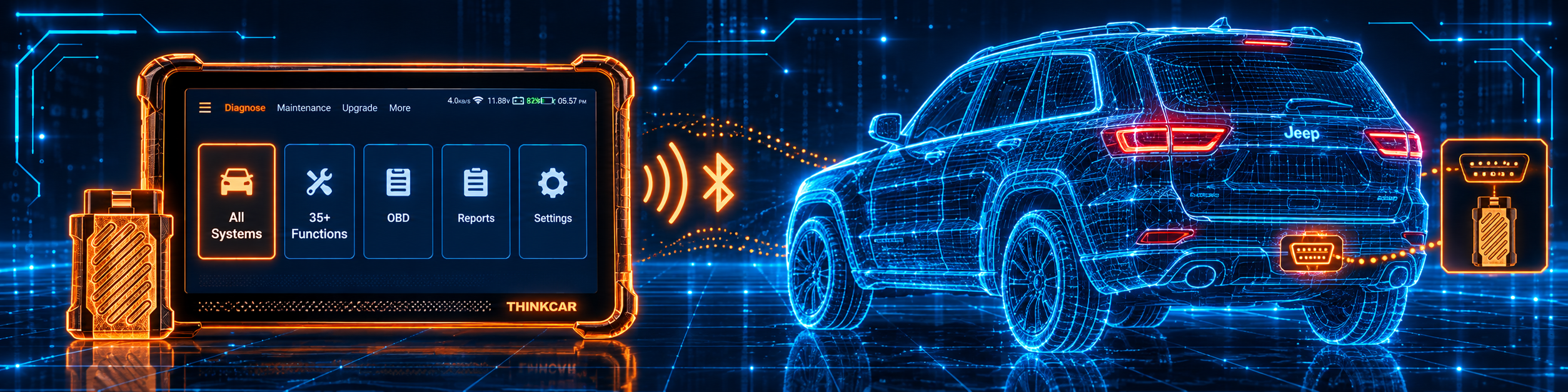
The 689BT sits at the top of Thinkcar’s range in our reviews. It joins a tablet screen, coding and a long reset list with lifetime updates. The picture below shows the all-system scan menu on a Jeep Grand Cherokee. The tool lists every system in one screen, and you can open the one with a code.
Who This Scanner Actually Fits
The 689BT fits a shop or independent technician who wants coding and active tests together, a long reset list and lifetime updates over Wi-Fi. It also fits a serious home mechanic who works on newer GM and Chrysler cars and wants FCA gateway access. It is more tool than a driver needs for reading a check engine light.
Important Limitations of the THINKCAR THINKSCAN 689BT
- CAN-FD and DoIP depend on the brand. Thinkcar names 2020 and newer GM and Chrysler for CAN-FD, and Volvo, Land Rover, Jaguar and BMW F and G chassis for DoIP.
- The counts differ by page. Services are 34 on Amazon and 35 on Thinkcar. Brands are 140 and 150.
- No J2534 or ADAS calibration is listed. Neither Amazon nor Thinkcar lists them.
- Used units exist. Amazon’s first bullet is a notice about customer returns.
- Functions depend on the car. Always check the Coverage List and the Scanner Finder.
- FCA gateway work needs registration. The third source says AutoAuth registration and a yearly fee apply.
Who Should Choose It, and What to Consider Instead
Choose the 689BT if you want ECU coding and active tests on a tablet with lifetime updates.
Consider the Autel MaxiCOM MK900-BT instead if you need CAN-FD and DoIP on brands Thinkcar does not name. Consider the Thinkcar THINKDIAG 2 instead if you want similar coding and active tests in a dongle with a paid update model.
| Specification | Details |
|---|---|
| Screen | 8 inch, 1280 by 800 |
| System | Android 10, 2.0 GHz quad-core |
| Memory and storage | 4 GB RAM, 64 GB |
| Battery | 4150 mAh |
| Connection | Bluetooth 5.0 connector |
| Brands | 150 or more in the Amazon title and Thinkcar’s page, 140 in Amazon bullets and the manual |
| Services | 34 per Amazon, 35 or more per Thinkcar |
| Active tests | 3000 or more per Amazon |
| ECU coding | Yes |
| CAN-FD and DoIP | Yes, with brands named by Thinkcar |
| FCA gateway | Yes |
| Updates | Lifetime Wi-Fi updates |
| Warranty | One year |
| Pros | Cons |
|---|---|
| ECU coding and active tests listed by Amazon and Thinkcar | CAN-FD and DoIP are brand-limited |
| Long reset list | No J2534 listed |
| Lifetime Wi-Fi updates | Counts differ between Amazon and Thinkcar |
| FCA gateway access | |
| Bluetooth connector and 8 inch tablet | |
| AI helper listed by both |
Methodology: How SCG Evaluates OBD2 Scanners.
Our Verdict on the THINKCAR THINKSCAN 689BT
The 689BT is a tablet with ECU coding, 3000 or more active tests and a long reset list, with lifetime Wi-Fi updates. Amazon and Thinkcar agree on the main points and differ on counts and on CAN-FD and DoIP brands. For a shop or a serious home mechanic, it fits well.
Frequently Asked Questions
Does the 689BT support ECU coding?
Yes. Amazon lists ECU Coding and Flash Hidden Functions, and Thinkcar lists OE-level ECU coding.
Are the updates really free for life?
Amazon says “Lifetime WiFi Updates” and Thinkcar says lifetime free updates for all supported brands.
Which cars have CAN-FD and DoIP?
Thinkcar names 2020 and newer GM and Chrysler for CAN-FD, and Volvo, Land Rover and Jaguar and BMW F and G chassis for DoIP.
How many services does it have?
Amazon says 34 services, and Thinkcar’s page names 35 or more.
Does it work with FCA cars that have a gateway?
Amazon and Thinkcar both list FCA AutoAuth. The Equipment and Tool Institute says registration is needed once, with a yearly fee.
Is it compatible with my specific vehicle?
Amazon and Thinkcar list very broad coverage. Use the Scanner Finder to check your year, make and model.
Trusted Sources
- Thinkcar THINKSCAN 689BT product page: specifications, services, coding, protocols, updates, warranty
- Thinkcar THINKSCAN 689 and 689BT quick start manual: setup, modules, update steps, questions and answers, warranty
- Verified Amazon listing: current listing title, bullets and product overview
- Equipment and Tool Institute, Security Gateway Module FAQ: FCA gateway and AutoAuth