BlueDriver vs Foxwell NT710: Which Should You Buy in 2026?
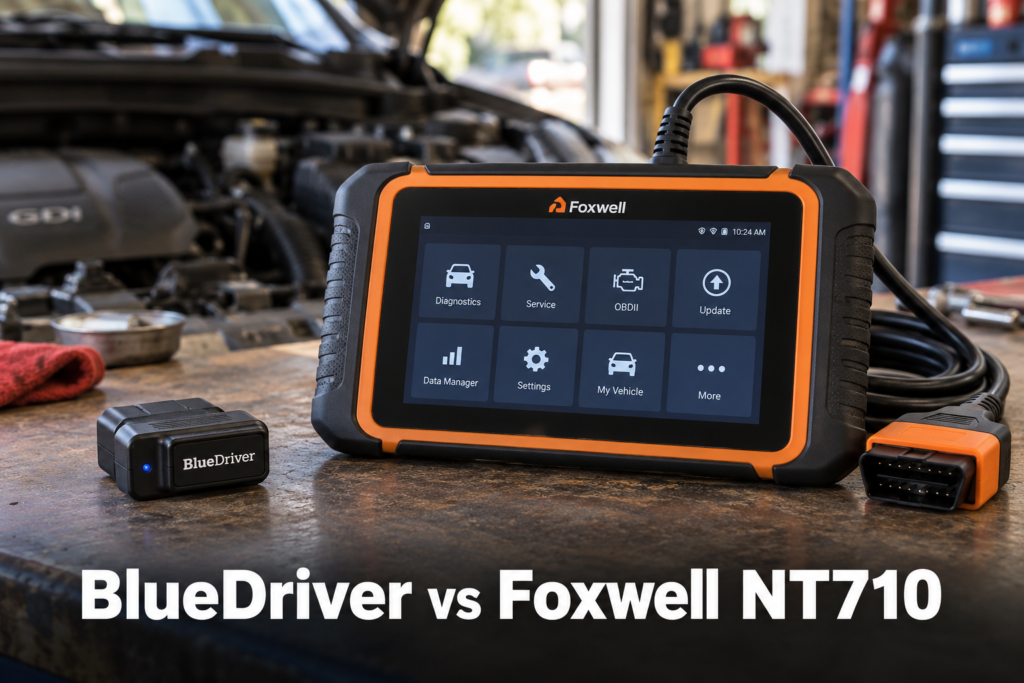
BlueDriver and the Foxwell NT710 solve different problems at very different prices. BlueDriver is a phone-app-based code reader in the class under $150 with no bidirectional control, but it adds documented “Confirmed Fix” repair reports that no bidirectional tool in this comparison offers. The Foxwell NT710 (this GM-specific variant) falls in the $250 to $500 class and lists bidirectional control, but Amazon does not list ECU coding for it, and Foxwell’s own documents differ on coding.
Affiliate Disclosure: As an Amazon Associate I earn from qualifying purchases. Scan Choice Guide is a participant in the Amazon Services LLC Associates Program, an affiliate advertising program designed to provide a means for sites to earn advertising fees by advertising and linking to Amazon.com.
BlueDriver vs NT710: The Short Answer
Best Budget, Guided-Repair Pick: BlueDriver, with documented “Confirmed Fix” repair reports.
Best for GM-Specific Bidirectional Control: Foxwell NT710 (GM Variant), with a long reset list per Amazon, including crankshaft relearn.
BlueDriver vs NT710: Three Buyer Scenarios
You want a low-cost, broad-coverage code reader with real repair context and no subscription: BlueDriver is the better-documented, lower-risk choice.
You work primarily on GM vehicles and need bidirectional active tests and reset functions: the NT710 GM variant offers real capability BlueDriver does not have, but Foxwell does not list ECU coding for it.
You need ECU coding specifically: neither is a safe choice. BlueDriver does not offer it; Foxwell does not list it for this NT710 variant, and its blog says the closely related general model does not support it.
BlueDriver
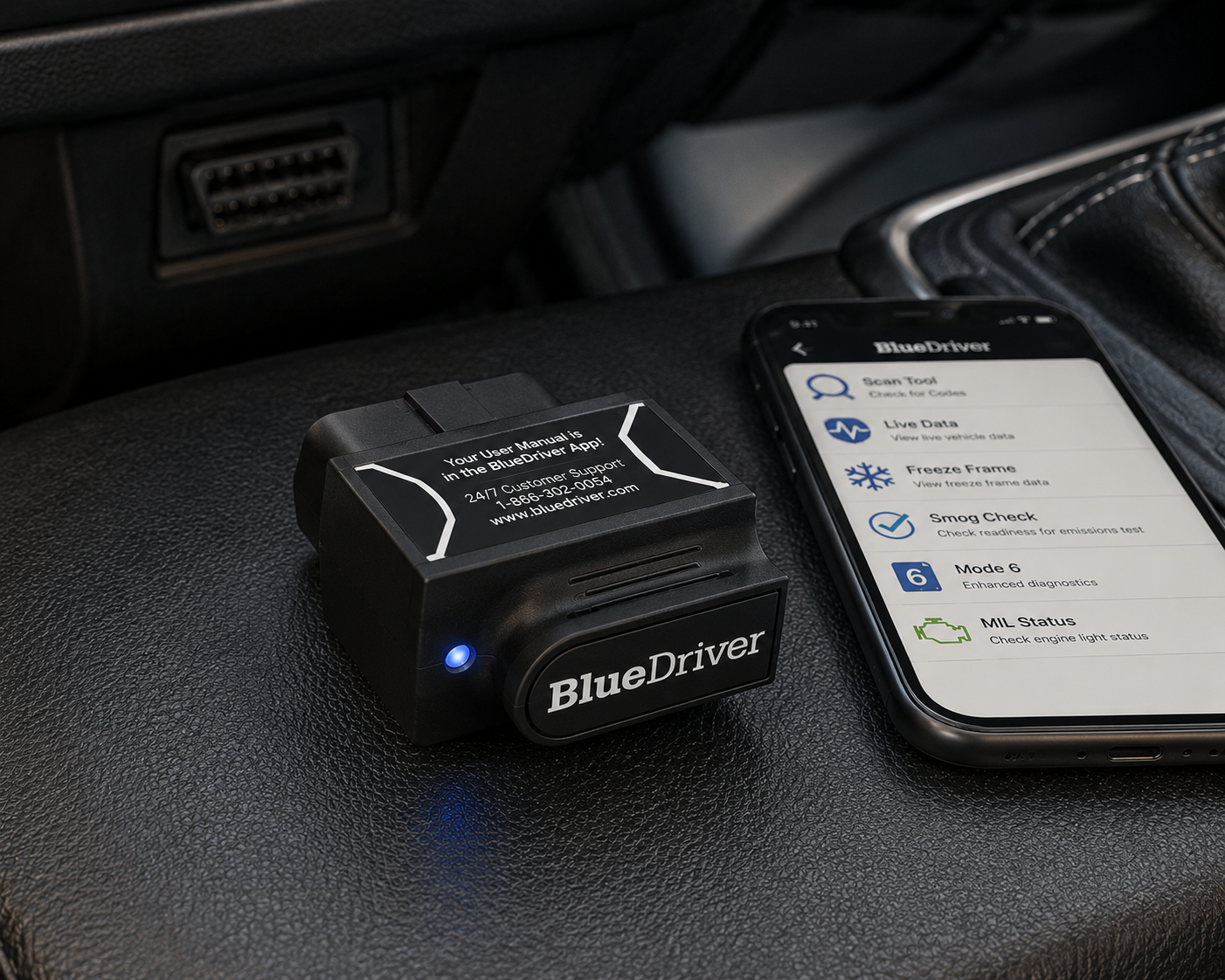
BlueDriver’s “Confirmed Fix” repair reports, a feature the Foxwell NT710 doesn’t offer, pair with enhanced ABS, SRS, TPMS, 4WD, and hybrid code reading across a documented brand list, all with no subscription fee at a significantly lower price than the NT710. Coverage runs broader too: 1996-and-newer gas, diesel, and hybrid vehicles across all of North America, versus the NT710’s GM-only focus. There is no bidirectional control listed, and its service features are limited to an oil light reset, a TPMS light reset and battery registration, so a shop specifically needing active commands or a long list of service resets should look to the NT710 instead.
| Pros | Cons |
|---|---|
| "Confirmed Fix" repair reports, a feature the NT710 does not offer | No bidirectional control, which the NT710 confirms |
| No subscription fees, confirmed directly by the manufacturer | |
| Significantly cheaper than the NT710 | A shorter set of service features (oil light reset, TPMS light reset, battery registration; no ABS bleed listed), versus the NT710's long reset list |
| Broader vehicle scope: 1996+ gas, diesel and hybrid across North America, vs the NT710's GM-only focus | |
| Enhanced ABS/SRS/TPMS/4WD/hybrid code reading across a documented brand list | No standalone screen; requires a compatible phone |
| Ready to use immediately with the free BlueDriver app |
Foxwell NT710 (GM Variant)
The Foxwell NT710 GM Variant confirms bidirectional control, unlike BlueDriver, backed by a long reset list per Amazon and active commands to components, as a dedicated scan tool that needs no phone. Amazon and Foxwell both list lifetime free updates for it. It’s GM-specific and significantly more expensive than BlueDriver, with no repair-context feature comparable to BlueDriver’s “Confirmed Fix” reports, so it earns that premium specifically through active-command capability, not breadth.
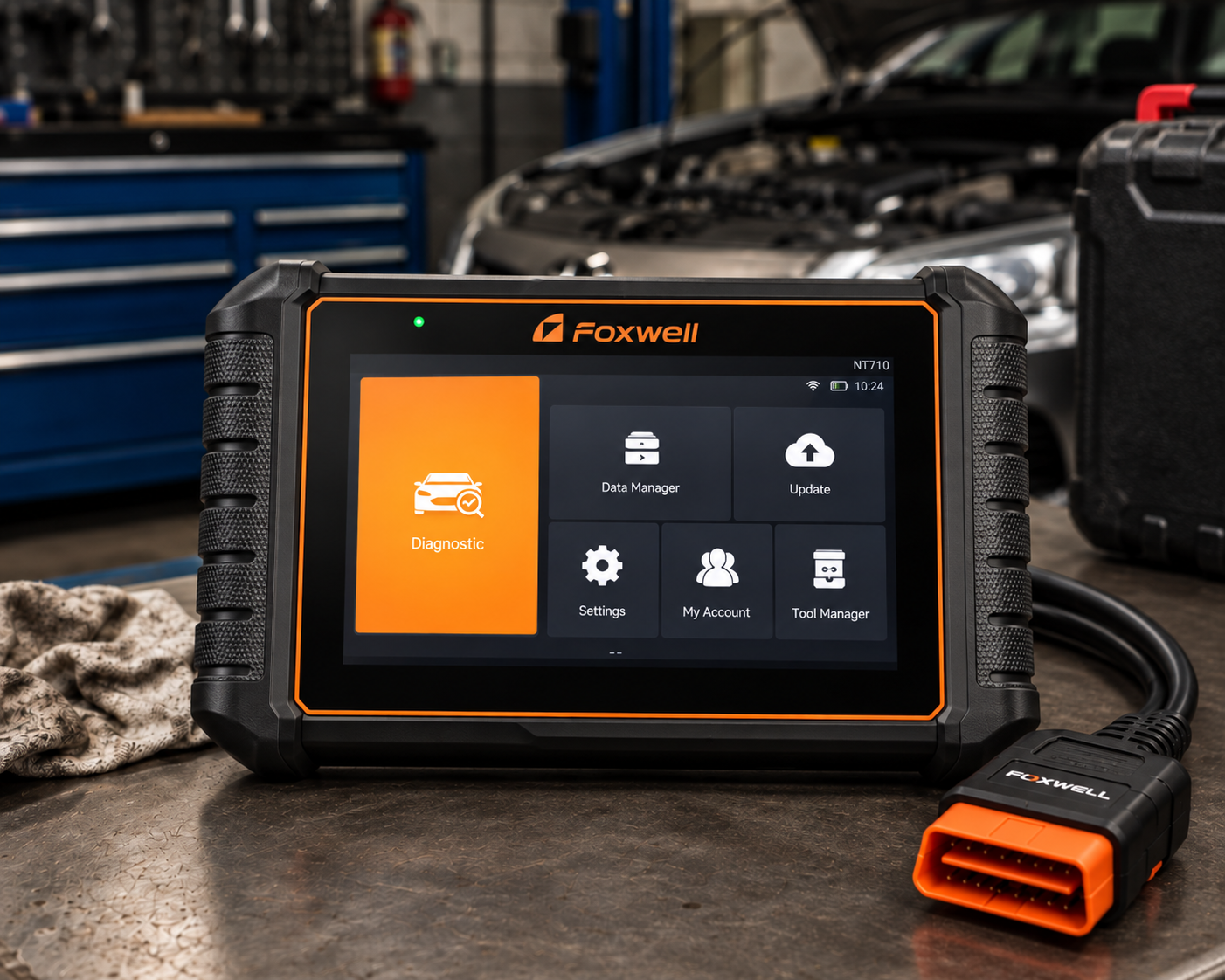
| Pros | Cons |
|---|---|
| Bidirectional control confirmed for this GM-focused variant, unlike BlueDriver | ECU coding is not listed on Amazon, and Foxwell's own documents differ on coding |
| All resets per Amazon, including crankshaft relearn, oil, EPB, SAS, TPMS and ABS | GM-specific scope only; not usable for other brands |
| Active commands to components are listed on Amazon | Significantly more expensive than BlueDriver |
| Dedicated scan tool, no phone required | No repair-context feature comparable to BlueDriver's "Confirmed Fix" reports |
| Lifetime free updates with no subscription, per Amazon and Foxwell | Easy to confuse with Foxwell's general-purpose NT710, which has different documented capabilities |
BlueDriver vs Foxwell NT710 at a Glance
| Specification | BlueDriver | Foxwell NT710 (GM variant) |
|---|---|---|
| Price class | Under $150, significantly cheaper than the NT710 | Between $250 and $500, significantly more expensive than BlueDriver |
| Form factor | Bluetooth dongle, phone app required | Dedicated scan tool |
| Vehicle scope | 1996+ gas, diesel and hybrid, North America | GM-specific: Buick, Chevrolet, GMC, Cadillac |
| Bidirectional control | Not listed by the manufacturer | Confirmed (active commands to components, per Amazon) |
| ECU coding | Not listed by the manufacturer | Not listed on Amazon; Foxwell’s own documents differ on coding |
| Reset functions | Oil light reset, TPMS light reset and battery registration on supported vehicles, plus an Active Service function; no crankshaft relearn, EPB, steering angle or ABS bleeding listed | All resets per Amazon (crankshaft relearn, oil, EPB, SAS, TPMS, ABS) |
| Enhanced diagnostics | ABS, SRS, transmission, TPMS, 4WD/AWD, hybrid/EV codes on a documented brand list | Only the GM systems above are listed |
| Repair-context feature | “Confirmed Fix” reports showing real repairs for the same code/vehicle | Not offered |
| Subscription | None, one-time purchase confirmed by BlueDriver | Lifetime free updates with no subscription, per Amazon and Foxwell |
Price classes are broad bands, not Amazon prices, and street prices change often. Check the current price on Amazon before you buy.
A GM Owner’s Question: Phone Reader or Service Tablet?
This page comes from our analysis of BlueDriver’s compatibility and support pages, Foxwell’s blog and manual for the NT710, the Amazon listings for both, a GM crankshaft relearn service bulletin from a parts maker, and independent sources on the Bluetooth app model. We compared both tools against the jobs a Chevrolet, GMC, Buick or Cadillac owner actually faces, using these sources, then added the owner of any other make, because only one of these two tools works outside GM.
Here is the situation in one paragraph. BlueDriver is a thumb-sized sensor that works with an app on your phone. It reads enhanced codes on a long list of brands, including every GM brand, and its repair reports tell you what other technicians did to fix the same code on the same vehicle. It does not command parts. The Foxwell NT710 for GM is a 5.5-inch Android tablet scan tool built for Buick, Chevrolet, GMC and Cadillac only. It reads, commands parts and resets the car after a repair, and it will not touch a Ford or a Toyota. One explains. The other acts. Which one belongs in your toolbox depends on one question: do you fix your own car, or do you want to understand it?
On price, BlueDriver falls in the class under $150 and the NT710 for GM in the $250 to $500 class, so BlueDriver is significantly cheaper and the NT710 is significantly more expensive. Street prices move, so check Amazon before you buy.
BlueDriver vs NT710: Best Pick for DIY, Independent Shop and Best Bay
| Category | Winner | Why |
|---|---|---|
| GM owner who wants to know why a light is on | BlueDriver | Enhanced codes on the GM brands plus a repair report with the fixes reported for the same code on the same vehicle, at a significantly lower price. |
| GM owner who does his own repairs | Foxwell NT710 for GM | Crankshaft relearn, EPB, SAS, TPMS and ABS resets and active tests. BlueDriver lists none of these except a TPMS light reset. |
| Owner of a non-GM car | BlueDriver | The NT710 for GM carries GM software only. |
| Independent shop that sees mostly GM trucks | Foxwell NT710 for GM | It finishes jobs. A phone sensor stops at the diagnosis. |
| Independent shop of mixed makes | BlueDriver as the quick look, a multi-brand tablet as the main tool | Neither is a full shop tool; the NT710 is GM-only and BlueDriver cannot command parts. |
| Best bay carry tool | BlueDriver | A sensor in a pocket and a phone in hand is faster than walking to the tool cart for a first look. |
| Best bay tool for GM service | Foxwell NT710 for GM | It does the work after the diagnosis. |
BlueDriver vs NT710: Older Cars vs Newer Cars, Which Tool Wins by Model Year
1996 to 2007
GM cars of this period use the J1850 VPW protocol, and the NT710 for GM carries the GM software for them. BlueDriver reads the engine and, on GM brands, the enhanced systems BlueDriver lists. On a 2003 Chevrolet Silverado with an ABS light or a 2005 Buick LaCrosse with a transmission code, both tools read the module. The NT710 then runs an active test on the part and the relearns that old trucks often need. BlueDriver stops at the code and the repair report. Winner: NT710 for GM.
2008 to 2016
This period holds most of the used GM trucks and cars in driveways: the Silverado and Sierra, Equinox and Terrain, Malibu, Cruze, Camaro and Tahoe. It is also where the NT710’s list pays off: crankshaft relearn after a sensor swap, steering angle reset after an alignment, ABS bleeding after a hydraulic repair, TPMS reset after a rotation, and electric parking brake service on cars that have one. BlueDriver covers these cars for enhanced reading and adds repair reports. Winner: NT710 for repairs, BlueDriver for explanations.
2017 to 2019
The NT710 listing covers GM brands without a year limit on Amazon, and the manual for the general NT710 lists CAN FD and DoIP. Foxwell has no page for the GM version, so a buyer cannot confirm that support on the GM listing itself. BlueDriver’s compatibility checker asks for year, make, model and engine, and the app updates through your phone. Winner: NT710 for GM service, with the caution that late-model protocol support is not confirmed on the GM listing.
2020 and newer
Here is the honest weak spot of both tools. Neither Amazon listing lists CAN FD, and GM began moving to it around 2020. Foxwell’s manual lists CAN FD and DoIP for the general NT710, but the GM version carries no such line. BlueDriver’s pages do not list CAN FD. For a 2021 Silverado, a 2022 Equinox or a 2023 Corvette, neither tool is a confirmed pick. Buy a tool that lists CAN FD on its own page, such as the LAUNCH CRP919EBT or the Thinkcar THINKDIAG 2.
| Model years | Winner | Reason in one line |
|---|---|---|
| 1996 to 2007 | NT710 for GM | Active tests and relearns on trucks old enough to need them. |
| 2008 to 2016 | NT710 for repairs, BlueDriver for explanations | The NT710’s reset list matches the jobs of this period. |
| 2017 to 2019 | NT710 for GM | Same reset list, with a protocol caution. |
| 2020 and newer | Neither is a confirmed pick | No CAN FD is listed on either listing. |
BlueDriver vs NT710: Make by Make, Which Tool for Which Car
Chevrolet and GMC trucks (Silverado, Sierra, Colorado, Canyon)
The NT710 for GM is built for these. A crankshaft relearn after a sensor replacement, a steering angle reset after an alignment, an ABS bleed after a hydraulic repair and a TPMS reset after a rotation are the four jobs a truck owner meets, and all four are on the NT710’s list. BlueDriver reads the enhanced ABS, airbag, transmission and tire pressure systems on GM and prints a repair report. Winner: NT710 for the work, BlueDriver for understanding the code before you start.
Chevrolet cars and crossovers (Malibu, Cruze, Equinox, Camaro, Impala)
The same logic applies. A GM car with an electric parking brake needs a tool that puts the rear calipers into service mode for pad work, which the NT710 lists and BlueDriver does not. An Equinox with a TPMS light after a rotation: BlueDriver lists a TPMS light reset on supported vehicles, and the NT710 lists a TPMS reset. Winner: NT710 for brakes and relearns, tie for the TPMS light.
Buick and Cadillac
Both tools list Buick and Cadillac. A 2012 Buick LaCrosse with an ABS light is a good example: BlueDriver reads the code and shows the usual causes, such as a wheel speed sensor. The NT710 reads the same code, runs an active test on the ABS unit and clears the code after the repair. Winner: NT710 for the repair, BlueDriver for the explanation.
Ford, Lincoln and Mercury
The NT710 for GM does not support Ford. BlueDriver lists Ford, Lincoln and Mercury for enhanced diagnostics and offers an oil light reset, battery registration and a TPMS light reset on vehicles that support them. Winner: BlueDriver.
Chrysler, Dodge, Jeep and Ram
BlueDriver lists Chrysler for enhanced reading and says nothing about the Secure Gateway that locks 2018 and newer vehicles of these makes. The NT710 for GM does not cover them. For a 2018 or newer Jeep or Ram, buy a tool that lists AutoAuth, such as the LAUNCH CRP919EBT or the Thinkcar THINKDIAG 2. Winner: neither.
Toyota, Lexus, Honda, Nissan, Hyundai and Kia
BlueDriver lists Toyota, Lexus, Honda from 2003, Nissan, Hyundai and Kia from 2011. The NT710 for GM does not cover them. Winner: BlueDriver, with the repair reports a new owner of a Camry or Civic will use.
BMW, Mercedes-Benz and Volkswagen
BlueDriver lists BMW and Mini from 2005, Mercedes and Smart from 2005, and Volkswagen and Audi. The NT710 for GM does not cover them. Neither tool codes or registers a European battery by name. Winner: BlueDriver for reading.
Job by Job: Which Tool for Which GM Repair
| Job | BlueDriver | Foxwell NT710 for GM | Pick |
|---|---|---|---|
| Find out why the check engine light is on | Yes, with a repair report | Yes | BlueDriver for the explanation, either for the code. |
| Read ABS, airbag, transmission and tire pressure codes | Yes, on the GM brands | Yes | Either. |
| See what technicians did for the same code on the same vehicle | Yes (repair reports) | No | BlueDriver. |
| Live data and graphs | Yes, multi-PID graphing | Yes, four streams, merge graph, playback | Either. |
| Check emission readiness before a test | Yes (smog check) | Yes (OBD II modes) | Either. |
| Oil life reset | Yes, on supported vehicles | Yes | Either; many GM cars reset from the cluster without a tool. |
| Battery registration | Yes, on supported vehicles | Not named on the GM listing | BlueDriver. |
| TPMS light reset | Yes, on supported vehicles | Yes (TPMS reset) | Either. |
| Crankshaft position relearn | No | Yes | NT710. |
| Electric parking brake service mode | No | Yes | NT710. |
| Steering angle sensor reset | No | Yes | NT710. |
| ABS reset or bleeding | No | Yes | NT710. |
| Active test: fan, pump, window, light | No | Yes | NT710. |
| Mode 6 self-test results | Yes | Not listed | BlueDriver. |
| ECU coding | No | Not counted | Neither. |
| Non-GM vehicles | Yes | No | BlueDriver. |
| Works without a phone | No | Yes | NT710. |
The table gives two clean groups. BlueDriver wins the rows about understanding and the rows outside GM. The NT710 wins every row that involves doing something to the car. They tie on reading and on the oil and tire lights.
The GM Crankshaft Relearn: The Job No Phone Reader Does
The Amazon title for the NT710 names crankshaft relearn, and that single item explains why a GM owner buys it. A GM engine control module learns small differences in the crankshaft and its reluctor wheel so it can detect misfires accurately. When the crankshaft position sensor is replaced, when the module is replaced, or when the module is reprogrammed, that learned information is lost, and until the relearn is done the car can set code P1336.
CARDONE Industries, a parts maker, publishes a bulletin on this procedure (PT70-77-0003, 2020). It says the relearn must be done on all 1996 and newer GM vehicles with flash reprogrammable control modules after any of those events. The steps it lists: attach a scan tool, apply the parking brake and block the wheels, put the transmission in park or neutral, warm the engine to operating temperature, select the relearn on the scan tool and follow the speed instructions on screen. BlueDriver does not list the function. The NT710 for GM does. A GM owner who replaces a crankshaft sensor with BlueDriver in the glove box cannot finish the job.
BlueDriver vs NT710: Eight Repair Scenarios Compared
Job 1: 2008 Chevrolet Silverado, misfire code after a sensor swap
The sensor is replaced and the code is cleared, and the truck still misfires. The relearn was skipped. The NT710 runs the relearn from the engine module’s function menu. BlueDriver can read the original code and show the repair report, but cannot run the relearn. Winner: NT710.
Job 2: 2014 Chevrolet Equinox, ABS light and an unfamiliar code
BlueDriver reads the ABS code and opens a repair report. The report lists a wheel speed sensor first, with the repairs reported for the same code on the same vehicle. The owner swaps the sensor and clears the code. Here BlueDriver’s price and explanation win. Winner: BlueDriver.
Job 3: 2012 GMC Sierra, tire pressure light after a rotation
BlueDriver lists a TPMS light reset on supported vehicles. The NT710 lists TPMS reset. Both can clear the light; only the NT710 is a service tool for the rest of the job. Winner: tie for this light.
Job 4: 2016 Chevrolet Malibu, rear brake pads
The pads cannot be changed without putting the rear calipers into service mode if the car has an electric parking brake. The NT710 lists EPB reset; BlueDriver does not. Winner: NT710.
Job 5: 2013 Cadillac SRX, alignment and a steering angle reading
After an alignment the steering angle sensor needs a calibration. The NT710 lists SAS reset. BlueDriver does not. Winner: NT710.
Job 6: 2011 Ford Escape, check engine light
The NT710 for GM does not support Ford. BlueDriver reads the code and shows the report. Winner: BlueDriver.
Job 7: Pre-purchase check on a used 2015 Chevrolet Tahoe
BlueDriver’s smog check shows readiness, and its MIL status shows the distance driven or engine hours since codes were cleared where the vehicle supports it. A low number on a car with high mileage tells you the codes were cleared recently. Mode 6 shows self-test results that point to parts near failure. The NT710 shows codes and live data as well, and plays back recorded data. Winner: BlueDriver for a seller-proof check.
Job 8: 2010 Buick Enclave, after replacing an ABS module or a brake line
The ABS system needs bleeding with the scan tool so the pump cycles the valves. The NT710 lists ABS reset or bleeding. BlueDriver does not. Winner: NT710.
Tally: the NT710 wins four jobs, BlueDriver wins three, and the TPMS light is a tie. The split is the same as the table: act or explain.
What BlueDriver Does Better Than Any Tablet in Its Price Class
Repair reports. After a scan you tap a code and BlueDriver builds a report with possible causes and the fixes that other technicians reported for the same code on the same vehicle. BlueDriver says the fixes come from SAE certified technicians, and Amazon says the reports are unlimited and matched to your VIN. The NT710 does not offer an equivalent feature. For a GM owner who does not know whether a code means a cheap sensor or an expensive module, the report is the difference between a ten-minute fix and a wasted weekend.
Portability. The sensor is about the size of a lighter and carries a 180-day risk-free return. The NT710 is a tablet with a cable and needs its own space.
Mode 6 and smog check. BlueDriver shows Mode 6 self-test results and the readiness monitors in one app. The NT710 lists all ten OBD II modes with readiness, and does not list Mode 6 by name.
Coverage outside GM. BlueDriver lists Ford, Chrysler, Toyota, Nissan, Mazda, Subaru, Honda, Hyundai, Kia, Mercedes, BMW, VW and others. One sensor works in a family with three makes.
What the NT710 Does Better Than Any Phone Reader
It does the work. Crankshaft relearn, EPB service mode, SAS reset, TPMS reset, ABS bleeding and active tests are service actions that a phone reader does not list.
It stands on its own. A 5.5-inch Android 9 tablet with a 4,000 mAh battery rated for about five hours of continuous work, a cable to the car and no phone needed. If your phone dies or you work in a spot with poor signal, the tablet keeps going.
Data tools. Up to four live-data streams in one graph, record and playback, Learn Mode and Compare Mode, and a data manager for PDF reports. For a truck with an intermittent fault, you record a good drive and compare.
Support. A one-year warranty per the manual, lifetime free updates with no subscription per Amazon and Foxwell, and remote support through TeamViewer or AnyDesk.
Your First Hour With Each Tool
BlueDriver
You need the sensor, a phone (the App Store lists iOS 16.6 or later for the app, while BlueDriver’s own support says iOS 13 or higher, so follow the App Store number on an older phone), the free BlueDriver app, and Bluetooth turned on. On Android, allow Location, which BlueDriver says is needed for stable pairing. Unpair any BlueDriver you used before. Turn the ignition on with the engine off, plug the sensor into the OBD II port, open the app and accept the Bluetooth and Location prompts, wait for pairing and start a scan from the Scan Tool tab. A small light tells you the state: solid blue means starting up, flashing blue means talking to your phone, flashing red means powered and talking to the car but not connected to the app, and solid red means a firmware update was interrupted. After the scan you see the codes by system. Tap a code to open its details and a repair report. Write the codes down before you clear anything, and take a screenshot of the freeze frame.
Foxwell NT710 for GM
Press and hold the power switch for three seconds. Register a Foxwell ID from My Account or Update: enter an email, press Send Code, enter the four-digit code and create a password. The serial number shows after registration; press Submit to activate. Update with the network on and the tablet charged: press Update, tick the software and wait for the Update Done message. Attach the diagnostic cable to the tablet, tighten the screws and plug it into the OBD II port with the ignition on. Press Diagnostic, let the tool read the VIN (or type it in), and pick Quick Scan to find the modules or Control Modules to list them. After you open a module, the Function Menu shows Read Codes, Clear Codes, Live Data and ECU Information, and the special functions your car supports.
Updates, Apps and Phones: What Each Tool Asks of You
BlueDriver updates through the app store. The app is free, the sensor is sold separately and BlueDriver states: no subscriptions, no add-ons, ever. Your phone is part of the tool, so its battery, its operating system and its Bluetooth are part of the failure modes. If the phone dies, the scanner dies. The App Store listing shows the app is about 287 MB and was at version 8.12.3 the day we read it.
The NT710 updates over Wi-Fi with no computer. Amazon and Foxwell both list lifetime free updates with no hidden fees or subscriptions. Automatic Update can be turned on in Settings so an update mark appears when new software is out. A firmware update for the built-in connector is separate, and the battery must be above 20 percent for it.
Warranty, Returns and Support
BlueDriver lists a one-year limited warranty and a 180-day risk-free return, and Amazon lists a 180-day money-back guarantee and replacement of a defective unit within one year. The NT710’s manual lists a one-year warranty, and the tool includes a Remote Control function that starts TeamViewer QuickSupport or AnyDesk so Foxwell can see your screen. For a first-time buyer unsure which tool fits, BlueDriver’s 180-day window is the better safety net, because you can trial it on your own car and your neighbor’s.
BlueDriver vs NT710: Cost of Ownership Over Three Years
Neither tool has a recurring cost. BlueDriver’s purchase price is significantly lower and the app is free. The NT710 costs significantly more up front and includes lifetime updates. Over three years the cost of each is its purchase price. What changes is what each saves you. A GM owner who sends a truck to a shop for a crankshaft relearn, a brake bleed or an alignment calibration pays for labor each time. One avoided shop visit can pay for a meaningful part of the NT710. A driver who uses BlueDriver once to find that a loose gas cap caused the light has paid for the sensor in a single visit that did not happen. The right question is not which costs more, but which job you will do three times in the next three years.
BlueDriver vs NT710: Where These Two Sit in the Lineup
- ANCEL AD310: a plain engine code reader for the check engine light only. Cheaper than BlueDriver.
- Foxwell NT604 Elite: a handheld that reads four systems on any make with no resets. Cheaper than the NT710.
- BlueDriver: enhanced codes and repair reports from a phone.
- Foxwell NT710 for GM: a GM-only service tablet.
- Foxwell NT809BT: the multi-brand Foxwell tablet with 30 or more resets and active tests. Pick it if you own GM and non-GM cars.
- Thinkcar THINKDIAG 2: a phone-based tool with active tests, coding and CAN FD. Pick it for a 2020 or newer GM.
- LAUNCH CRP919EBT: a tablet with coding, CAN FD and DoIP.
BlueDriver vs NT710: Which One to Buy, Plain Answers
- You own a GM vehicle and want to know why a light is on: BlueDriver.
- You own a GM vehicle built before 2020 and do your own brakes, sensors and relearns: Foxwell NT710 for GM.
- You own one GM car and one Toyota or Ford: BlueDriver for both, or the Foxwell NT809BT.
- You run a GM-focused shop: Foxwell NT710 for GM, with BlueDriver as a pocket tool.
- You own a 2020 or newer GM: neither; buy the Thinkcar THINKDIAG 2 or the LAUNCH CRP919EBT.
- You own a 2018 or newer Jeep or Ram: neither; buy a tool with AutoAuth.
- You want coding: neither.
BlueDriver vs NT710: Mistakes Buyers Make With These Two Tools
Buying the NT710 for GM for a non-GM car. It carries GM software only, and Foxwell has no page for the GM version.
Expecting BlueDriver to run active tests. It does not list them.
Skipping the crankshaft relearn. After a crankshaft sensor or module replacement on a GM car the relearn is required, and a missing one brings back code P1336.
Clearing codes before reading them. Read the code, save the freeze frame and note the repair report first.
Clearing codes the day before an inspection. Clearing sets the readiness monitors to incomplete and the car can fail for being not ready.
Assuming the BlueDriver service tasks work on every car. BlueDriver’s pages do not say which vehicles support each task, so check before you rely on it.
BlueDriver vs NT710: A Seven-Day Acceptance Test
- Day one: connect to your own car, read the VIN, run a full scan and save the report.
- Day two: open a code and read the repair report (BlueDriver) or the freeze frame (NT710).
- Day three: record live data on a short drive and play it back.
- Day four: run one reset you actually need, such as the oil light or tire light.
- Day five: on the NT710, run an active test. On BlueDriver, check the Mode 6 results.
- Day six: connect to a second car.
- Day seven: decide. BlueDriver’s 180-day window lets you wait; use it.
BlueDriver vs NT710: Quick Reference, Twelve Situations and the Tool to Reach For
| Situation | Tool |
|---|---|
| Check engine light on any car | BlueDriver |
| ABS light on a GM vehicle, want to understand it | BlueDriver |
| Crankshaft sensor replaced on a GM truck | NT710 for GM |
| Rear pads on a GM car with an electric parking brake | NT710 for GM |
| Steering angle reset after an alignment | NT710 for GM |
| ABS bleeding after a hydraulic repair | NT710 for GM |
| Tire pressure light after a rotation | Either |
| Oil light reset | Either |
| Used-car check before buying | BlueDriver |
| Ford, Toyota, Honda, BMW check | BlueDriver |
| 2020 or newer GM | Neither; THINKDIAG 2 |
| 2018 or newer Jeep or Ram | Neither |
GM Oil Life and Tire Pressure: When You Need a Tool and When You Don’t
Two of the most common GM jobs often need no scan tool at all, and knowing that saves you money whichever tool you buy. Many GM vehicles let you reset the oil life from the instrument cluster menu, or with a pedal or ignition sequence that your owner’s manual describes. Try the manual method first. If the car does not accept it, BlueDriver lists an oil light reset on supported vehicles and the NT710 lists oil resets, and both are faster than a trip to the dealer.
Tire pressure is similar. Some GM models relearn the sensor positions after a short procedure with the vehicle, and others need a tool that triggers each sensor. BlueDriver lists a TPMS light reset; the NT710 lists TPMS reset. A tool that resets the light is not a sensor activation tool, so if a sensor itself is dead, neither tool replaces the programming step a dead sensor needs. For a GM owner with a TPMS light after a rotation, the cheap answer is the owner’s manual first, a scan tool second.
The jobs that always need a scan tool are the ones in the table above: crankshaft relearn, electric parking brake service mode on cars that have one, steering angle calibration, and ABS bleeding after a hydraulic repair. Those are the NT710’s territory.
How to Read a BlueDriver Repair Report on a GM Code
Open the code and the app builds a report with possible causes and reported fixes. Read the causes in the order the report gives them and check the cheapest and easiest first: a loose connector, a dirty sensor, a blown fuse. On a GM truck with a stored misfire code, the report may list spark plugs and coils before the crankshaft sensor, and the cheap checks come first. Combine the report with live data: if the report says an oxygen sensor is the usual cause and the live graph shows the sensor swinging normally, the sensor is not your problem. Do not order a part from the report alone. The report tells you what usually fixed this code; it does not know whether your truck has one of the rarer causes.
Common Mistakes When You Own Both
A GM owner who buys both tools gets the most complete setup, and it is a reasonable choice for a household with trucks. Use BlueDriver first on any new fault: read the code, read the report and decide whether the fix is cheap. If the fix needs a relearn or a reset, take the NT710 to the vehicle. Do not use both at the same time, because two tools talking to the car at once can drop each other’s connections. Pull one before you plug in the other.
BlueDriver vs NT710: Glossary for This Page
- Active test or bidirectional control: the tool sends a command and the car obeys, for example running a fan or an ABS pump.
- Crankshaft variation relearn: teaching a GM engine module the crankshaft’s learned characteristics after a sensor or module change.
- EPB service mode: retracting an electric parking brake so the rear pads can be changed.
- SAS calibration: teaching the car the straight-ahead position of the steering after an alignment or steering work.
- TPMS reset or relearn: matching the tire pressure sensors to the car after a rotation or replacement.
- Repair report: BlueDriver’s list of possible causes and fixes other technicians reported for the same code on the same vehicle.
- Mode 6: self-test results the car reports about itself.
- Freeze frame: a snapshot of sensor readings when a fault was stored.
- Readiness monitors: the car’s own emissions self-tests that must be complete before an inspection.
BlueDriver vs NT710: The Bottom Line for This Pair
Buy BlueDriver to understand your car. Buy the Foxwell NT710 for GM to repair a Chevrolet, GMC, Buick or Cadillac built before 2020. If you own a GM truck and do your own work, own both: the first tells you what the code means and the second finishes the job. If your car is a 2020 or newer GM, a Stellantis car from 2018, or any non-GM car that needs resets, neither of these is the final answer, and the lineup above points you to the right tool.
Twenty GM and Non-GM Vehicles and the Tool We Would Hand the Owner
This list applies the make-by-make and model-year logic above to vehicles that actually show up in driveways. “Both” means the job is a reading job where either tool works.
| Vehicle | Typical job | Pick |
|---|---|---|
| 2005 Chevrolet Silverado | ABS light, transmission code | NT710 for GM (test and relearn); BlueDriver to understand the code |
| 2008 Chevrolet Silverado | Misfire after a crankshaft sensor swap | NT710 for GM (crankshaft relearn) |
| 2010 Buick Enclave | ABS bleeding after a hydraulic repair | NT710 for GM |
| 2011 GMC Sierra | TPMS light after a rotation | Either |
| 2012 Buick LaCrosse | ABS light | NT710 for the repair, BlueDriver for the explanation |
| 2012 Chevrolet Camaro | ABS pump test | NT710 for GM (active test) |
| 2013 Cadillac SRX | Steering angle reset after an alignment | NT710 for GM |
| 2014 Chevrolet Equinox | Check engine light, unknown cause | BlueDriver (repair report) |
| 2015 Chevrolet Tahoe | Pre-purchase check | BlueDriver (Mode 6, smog check, MIL status) |
| 2016 Chevrolet Malibu | Rear pads with an electric parking brake | NT710 for GM |
| 2017 Chevrolet Colorado | Oil light, TPMS light | Either; try the cluster method first |
| 2018 Cadillac Escalade | Full-system scan | NT710 for GM |
| 2019 Chevrolet Silverado | Check engine light, understanding the code | BlueDriver, then NT710 if a service step follows |
| 2021 Chevrolet Silverado | Module fault | Neither; THINKDIAG 2 or CRP919EBT (CAN FD) |
| 2022 Chevrolet Equinox | Module fault, battery reset | Neither; THINKDIAG 2 or CRP919EBT |
| 2012 Ford F-150 | Check engine light, battery registration | BlueDriver |
| 2015 Toyota Camry | ABS light, oil reset | BlueDriver |
| 2013 BMW 328i | ABS warning | BlueDriver (reading only) |
| 2018 Jeep Wrangler | Code will not clear | Neither; a tool with AutoAuth |
| 2016 Honda CR-V | Check engine light | BlueDriver |
Count the picks: the NT710 for GM is the answer on eight of these, BlueDriver on seven, either tool works on two, and neither on three. That balance is the honest picture of this comparison. The tools are not rivals. They serve different owners.
Five Things to Do Before You Buy Any Part From a Code
- Write down the code and the freeze frame. The freeze frame tells you the engine speed, load and temperature when the fault was stored.
- Read the repair report or the code description fully. The first line is not the whole story.
- Check the cheapest cause first. A loose connector, a dirty sensor, a blown fuse or a loose gas cap fixes more codes than a failed part.
- Look at live data for the circuit. If the sensor reads sensibly, the sensor is not the problem.
- Clear the code only after the repair, then drive and rescan. A code that returns means the cause is still there.
This method works with both tools and prevents the single most expensive mistake in DIY repair: replacing a part because a code named it.
Working Safely With Relearns and Active Tests
An active test commands a real part to move, and a relearn writes data to a control module. Both deserve a short safety routine. Before a crankshaft relearn, follow the steps the CARDONE bulletin lists: set the parking brake, block the wheels, put the transmission in park or neutral, and warm the engine to operating temperature, then follow the on-screen speed instructions exactly. Before any relearn or reset, put a battery maintainer on the car, because a voltage dip in the middle of a write can leave a module confused. Before an active test on a cooling fan, keep hands, loose clothing and tools clear of the blades, because the command can start the fan with no warning. Before an ABS bleed, follow the pedal and bleeding order the tool shows. After any of these, read the codes again, drive the car and check that nothing returned.
The same routine protects you with either tool. BlueDriver’s Active Service function and the NT710’s special functions both walk you through steps on screen, and the steps assume the car is in the condition the screen describes. When the screen says engine at temperature and transmission in park, believe it.
Price and Form Factor: A Meaningful Gap Between a Dongle and a Dedicated Tool
BlueDriver requires a compatible phone and its free app; there is no standalone screen. The NT710 is a self-contained scan tool. That difference alone explains part of the price gap, but not all of it: the NT710’s bidirectional control and reset list are real added capability BlueDriver does not offer at any price.
Bidirectional Control: The NT710’s Core Advantage
The NT710 lists bidirectional control, which lets you send active commands to the car’s components. BlueDriver’s own pages do not list bidirectional control at all. If you need to command a component rather than just read data from it, BlueDriver cannot do this regardless of price.
ECU Coding: Not Listed on Amazon for the NT710
Amazon’s title and bullets for this GM-specific NT710 variant do not list ECU coding. Foxwell’s own documents differ: its blog says the general-purpose NT710 does not support coding, while its manual mentions coding features. We do not count ECU coding for it. BlueDriver does not list coding either, so neither tool is a coding tool.
Enhanced Code Reading vs Reset Functions: Different Kinds of Depth
BlueDriver’s enhanced code reading spans ABS, SRS, transmission, TPMS, 4WD/AWD and hybrid/EV systems across a documented brand list, but its service features are limited: BlueDriver lists an oil light reset, a TPMS light reset and battery registration, and it does not list an ABS bleed. The NT710’s reset list (crankshaft relearn, oil, EPB, SAS, TPMS, ABS) goes further into actually performing the service action, not just diagnosing it, but only within its GM-specific scope.
Vehicle Scope: Broad-and-Shallow vs Narrow-and-Deep
BlueDriver covers 1996-and-newer gas, diesel and hybrid vehicles sold in North America generally. This NT710 variant is scoped specifically to Buick, Chevrolet, GMC and Cadillac. If your work is not GM-focused, the NT710’s deeper GM capability is not available to you at all; BlueDriver’s broader coverage becomes the more relevant option by default.
The “Confirmed Fix” Feature: Unique to BlueDriver
BlueDriver’s repair reports show documented real-world fixes for the same code on the same vehicle, not just a generic code definition. Neither this NT710 variant nor the general NT710 line documents an equivalent feature. For a DIYer trying to understand what a code actually means in practice, this is a meaningfully different kind of help than a bidirectional active test.
Update and Subscription Policy
BlueDriver states directly: “No subscriptions. No add-ons. Ever.” For the NT710 GM variant, Amazon lists lifetime free updates with no hidden fees or subscriptions, and Foxwell’s blog says the same for the general NT710.
BlueDriver vs NT710: Five Questions to Answer Before You Pay
1. Do you drive a GM car and fix it yourself? If yes, the Foxwell NT710 for GM is the answer. It runs crankshaft relearn, EPB, SAS, TPMS and ABS resets and active tests, and BlueDriver lists none of these except a TPMS light reset.
2. Do you only want to know why a light is on? If yes, BlueDriver is the answer. It reads enhanced codes on every GM brand and prints a repair report with the fixes reported for the same code on the same vehicle, at a significantly lower price.
3. Do you drive a Ford, a Toyota or any non-GM car? If yes, BlueDriver is the answer, because the NT710 for GM carries GM software only and will not touch other makes.
4. Do you run a shop that sees mostly GM trucks? If yes, the NT710 for GM is the answer, because it finishes jobs and a phone sensor stops at the diagnosis.
5. Do you run a mixed-make shop? Neither is the main tool. Use BlueDriver as the quick look and a multi-brand tablet as the main tool.
The page comes down to one sentence. BlueDriver explains and the NT710 acts. If you will never need a reset or a relearn, spend less. If you will, buy the tablet once.
Frequently Asked Questions
Does BlueDriver have bidirectional control?
No. BlueDriver’s own pages do not list bidirectional control for this device.
Does the Foxwell NT710 support ECU coding?
Amazon’s listing does not list it, and Foxwell’s own documents differ on coding. Don’t buy it specifically for coding.
Is BlueDriver cheaper than the Foxwell NT710?
Yes. BlueDriver is significantly cheaper than the Foxwell NT710 GM variant.
Which is better for GM-specific reset functions?
The Foxwell NT710 GM variant, with all resets per Amazon, including crankshaft relearn, oil, EPB, SAS, TPMS and ABS.
Does BlueDriver require a subscription?
No. BlueDriver states directly: “No subscriptions. No add-ons. Ever.”
Which tool is better for a Chevrolet Silverado?
The Foxwell NT710 for GM for repairs: crankshaft relearn, steering angle reset, ABS bleeding and active tests. BlueDriver for understanding a code before you start.
Can BlueDriver do a crankshaft relearn?
No. BlueDriver lists an oil light reset, a TPMS light reset, battery registration and an Active Service function, but no crankshaft relearn.
Does the NT710 for GM work on a Ford or a Toyota?
No. It carries GM software for Buick, Chevrolet, GMC and Cadillac. Foxwell has no page for the GM version, so do not assume other brands.
Which tool is better for a 2022 Chevrolet Equinox?
Neither is a confirmed pick. Neither listing lists CAN FD. Buy a tool that lists it on its own page, such as the Thinkcar THINKDIAG 2 or the LAUNCH CRP919EBT.
Do I need a phone for the NT710?
No. It is a standalone tablet with a cable to the car. BlueDriver needs a phone.
Does either tool need a subscription?
No. BlueDriver states no subscriptions and no add-ons. Amazon and Foxwell list lifetime free updates for the NT710.
Which tool shows repair reports?
BlueDriver. The NT710 offers no equivalent.
Can either tool code a GM module?
No. Neither is counted for ECU coding.
Is it worth owning both?
For a GM truck owner who does his own work, yes. Use BlueDriver to understand the code and the NT710 to finish the job.
BlueDriver vs NT710: Bottom Line
Choose BlueDriver if you want broad-coverage enhanced code reading with real repair context at the lower price, and you do not need bidirectional control. Choose the Foxwell NT710 GM variant if you work primarily on Buick, Chevrolet, GMC or Cadillac vehicles and need bidirectional tests and reset functions, but don’t buy it specifically for ECU coding. For more budget-focused options, see our entry-level OBD2 scanner buying guide or our Chevrolet-specific buying guide.
Editorial Note
Every specification and capability claim above is sourced directly from the manufacturer’s own product pages, cross-checked against Amazon’s listing where applicable. Where a claim could not be verified, that is stated explicitly rather than assumed.