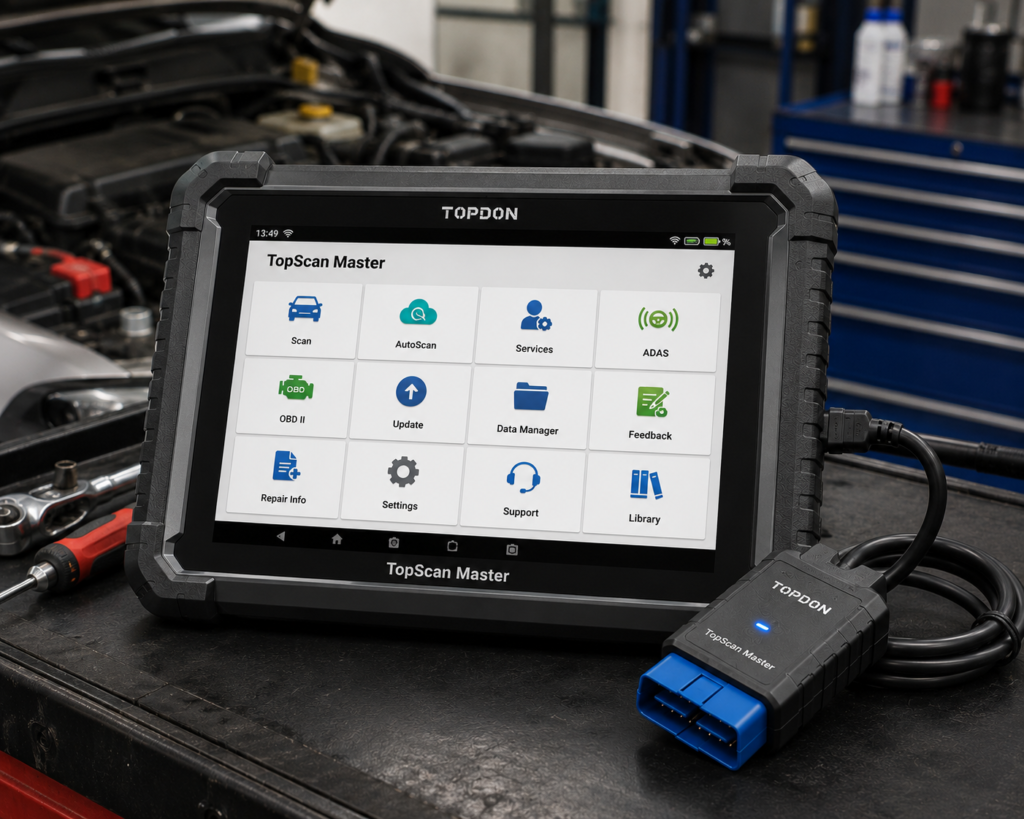
The TOPDON TopScan Master is a small Bluetooth connector that plugs into the OBD2 port and works with a free app on your iPhone or Android phone. It is the top version of the TopScan family. It reads codes on all systems, runs active tests, and lists 30 service functions, plus CAN-FD and DoIP on Amazon and DoIP on TOPDON’s page. It does not list ECU coding.
The short version: The TopScan Master is a pocket scan tool for a driver or small shop that wants active tests and a long reset list on a phone. Amazon and TOPDON agree on the 30 functions, the 120 or more brands and the first free year of updates. Amazon adds CAN-FD, FCA gateway access, an AI helper and 45 languages that the TOPDON page does not list. Neither source lists ECU coding.
Affiliate Disclosure: As an Amazon Associate I earn from qualifying purchases. Scan Choice Guide is a participant in the Amazon Services LLC Associates Program, an affiliate advertising program designed to provide a means for sites to earn advertising fees by advertising and linking to Amazon.com.
What the TopScan Master Actually Does
The TopScan Master is only the connector. It has no screen. Everything you see is in the app on your phone. TOPDON’s manual says the connector has an OBD-II 16 pin plug, a USB Type-C port for outside power, and three lights. A solid red light means power is on, a solid blue light means Bluetooth is connected, and a flashing green light means it is talking to the car. The manual lists Bluetooth 5.0 with a range of about 33 feet, and it says the app works on iOS 11 or later and Android 7 or later.
Amazon and TOPDON list these functions:
- Full-system diagnostics. Amazon says “OE-level access to every vehicle module”. The app scans all supported systems in one pass, and you can open a single system.
- Read and clear codes, freeze frame and live data. The manual says live data shows as values, graphs or gauges, and up to four values can be combined in one graph.
- Bidirectional control. Amazon says you can test and trigger components like windows, headlights, injectors and fuel pumps. The manual calls it Active Test and says the tests available vary by make, year and model.
- Thirty service functions. TOPDON’s page names them: oil reset, brake reset, SAS reset, BMS reset, ABS bleeding, ETS reset, DPF reset, airbag reset, injector coding, TPMS reset, sunroof initialization, seat calibration, windows calibration, suspension matching, AdBlue reset, A/F reset, NOx sensor reset, start and stop reset, AFS reset, gear learning, language change, transport mode, GPF reset, gearbox matching, EGR reset, water pump, tire reset, cylinder balance test, VGT learning and ODO reset.
- Repair information. Amazon lists OBD DTC guides, Technical Service Bulletins, DLC locations and warning light libraries. The manual describes the same four items in its Repair Information menu.
- Updates. Amazon says “1-Year Free Updates with Flexible Renewal Options”. TOPDON’s page says one year of updates is included.
TOPDON’s page says the tool covers over 120 global vehicle makes. Amazon says “120+ global brands”. Both pages agree. TOPDON also says Bluetooth 5.0 scans wirelessly from up to 33 feet away.
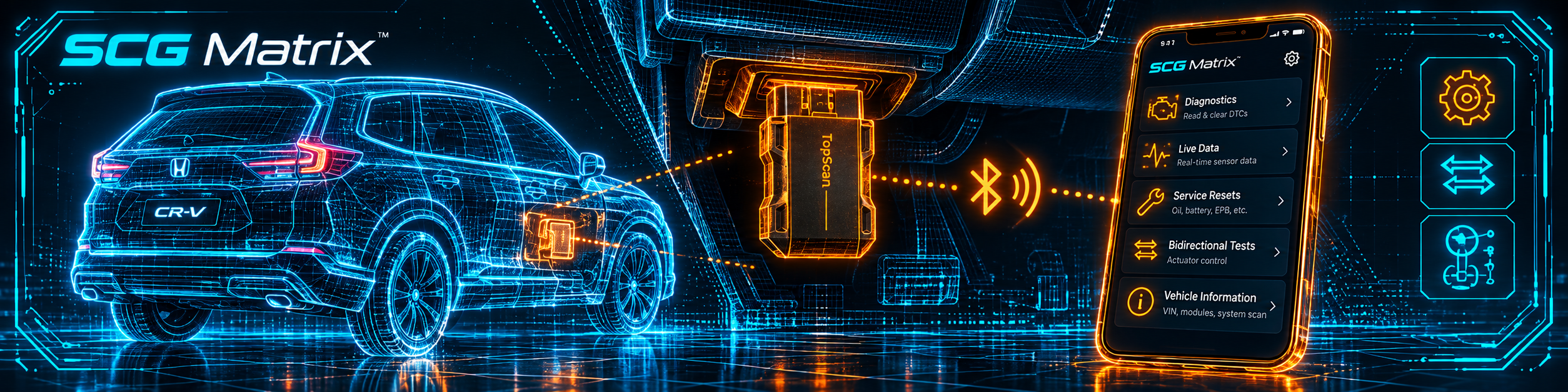
The picture below shows a gearbox matching test on a Honda CR-V. The phone shows the steps, and the connector stays in the car’s port.

What Amazon Says vs. What TOPDON Confirms
We compared the Amazon listing with TOPDON’s TopScan product page and TOPDON’s user manual for the TopScan family. The manual covers the base TopScan and the TopScan Pro, so its menus are read across to the Master.
| Claim | Amazon listing | TOPDON | Our reading |
|---|---|---|---|
| Name | “TOPDON Topscan Master OBD2 Scanner Bluetooth” | “TopScan Master” | Same tool |
| Brands | “120+ global brands” | “over 120 global vehicle makes” | Agree |
| Service functions | “30 Reset” and “more than 30 service functions” | 30 named on the page | Agree |
| Bidirectional control | Yes, windows, headlights, injectors, fuel pumps | Activation signals to actuators and relays; Active Test in the manual | Agree |
| DoIP | “CAN-FD/DoIP”, with BMW F and G chassis and Land Rover from 2017 | DoIP for the Master version | Agree |
| CAN-FD | “CAN-FD/DoIP”, with GM and Chrysler from 2020 | Not on the TOPDON page we read | Amazon only |
| FCA gateway | “FCA AutoAuth” in the title; SGW gateway access, “some gateways may require a valid OEM account” | Not on the TOPDON page we read | Amazon only |
| AI helper | “TopFix AI Assistant” | Not on the TOPDON page or in the manual | Amazon only |
| Languages | “45 Languages” | Not listed on the TOPDON page | Amazon only |
| Free updates | “1-Year Free Updates” | “1 Year of Updates Included”, then a yearly renewal | Agree |
| ECU coding | Not listed in the title or bullets | Not listed on the page | Not listed |
| Size | 3.1 x 1.5 x 4.7 in | 84.1 x 50.4 x 27.2 mm and 78 g, per the manual | The sources differ |
| Warranty | Not listed | “1 Year Warranty” on the page; 12 months in the manual | TOPDON only |
| Availability | Not part of the text we read | “Sold out” on the TOPDON page on 2026-10-08 | TOPDON only |
The protocol point matters. Amazon’s first bullet says the tool has CAN-FD and DoIP and “handles modern vehicles like GM and Chrysler (2020+), BMW F/G chassis, and Land Rover (2017+)”. TOPDON’s page names DoIP for the Master only. It does not name CAN-FD. Amazon also says SGW gateway access allows unrestricted diagnostics on FCA, with a note that some gateways may require a valid OEM account.
The size point matters. Amazon lists 3.1 by 1.5 by 4.7 inches, which reads like the box. TOPDON’s manual gives the connector as 84.1 by 50.4 by 27.2 millimeters.
The update point matters. TOPDON’s page says one year of updates is included for all three TopScan versions, and the manual says TopScan can be bought for a year or by subscription in the app. After the free year, the page lists a yearly price for each version. We leave the amounts out because they can change.
A third source. Two engineers at Mercedes-Benz Tech Innovation published a paper on DoIP in 2022, at the Computer Science in Cars Symposium. They say DoIP, defined in ISO 13400, is “a transport protocol stack for diagnostic data”. They explain that updates are getting larger, in some cases several gigabytes, which is no longer feasible with conventional bus systems such as CAN. That is why Ethernet and the Internet Protocol were adopted in the car. They say UDS, which is traditionally used over CAN, is the application protocol also used with DoIP. This source is independent of both Amazon and TOPDON. It explains why a newer car may need a tool that lists DoIP.
How we handle these differences. The feature table at the bottom of this page, the Scanner Finder and our comparisons follow the Amazon listing, because Amazon is where you buy. That is why the table shows CAN FD. We name the points above so you can see where Amazon says more than TOPDON. If one of them matters to you, read this section before you decide.
Is the TopScan Master Enough for You?
A short table gives the first answer.
| If your work is | Does the TopScan Master list it? |
|---|---|
| Reading and clearing codes on all systems | Yes |
| Live data and graphs | Yes |
| Active tests on parts | Yes |
| Oil, brake, SAS, throttle, BMS resets | Yes |
| ABS bleeding and DPF reset | Yes |
| Airbag reset | Yes |
| Injector coding and TPMS reset | Yes, per TOPDON |
| Gearbox matching, EGR reset, water pump, cylinder balance test | Yes, per TOPDON |
| DoIP and CAN-FD | Yes, per Amazon |
| ECU coding | Not listed on Amazon or on TOPDON’s page |
| J2534 pass-through | Not listed on Amazon or on TOPDON’s page |
| Key programming | Not with the TopScan Master alone. The manual lists IMMO as an optional license |
For a driver or small shop that wants resets and active tests on a phone, the top half covers a lot. The bottom half lists work that needs a bigger tool.
Will the TopScan Master Work on Your Car?
Amazon and TOPDON both say 120 or more brands. The manual says the app has a Coverage List under Me, where you can check whether the TopScan applies to your car. You can also use the Scanner Finder to check your year, make and model.
Two things matter for newer cars:
- CAN-FD and DoIP. Amazon lists both. TOPDON’s page lists DoIP for the Master version.
- FCA gateway. Amazon lists SGW gateway access for FCA vehicles and notes that some gateways may require an OEM account.
The manual says that systems and functions vary by vehicle make, model and year, and that you download vehicle software for each make the first time you use it.
How to Set Up and Use the TopScan Master
This section follows TOPDON’s TopScan user manual. It describes the TopScan family, and the Master has more service functions than the manual lists, so some menu details may differ.
Step 1: Install the app
Search for TopGuru in the App Store on an iPhone, or TopScan in Google Play on an Android phone. The manual says the app works on iOS 11 or later and Android 7 or later.
Step 2: Sign in
Open the app and log in with your TOPDON account, or register with your email. Turn on Wi-Fi, Bluetooth, camera and location services for the app on your phone.
Step 3: Bind the connector
The app guides you. Select CAR, then bind the connector in one of two ways.
- Scan to Activate. Scan the QR code on the product. The serial number and activation code are read automatically.
- Bluetooth connection. Plug the connector into the car as the screen says, make sure the light is solid red, search for Bluetooth, and pick your device. When it connects, the light turns solid blue. The serial number and activation code are read, and you tap Activate.
If you skip this step, go to Me, then VCI Management, and bind it later.
Step 4: Download vehicle software
Tap Diagnostics on the home screen and download the software for your make. The manual says there is a DEMO option to learn the screens.
Step 5: Plug in and turn the ignition on
The manual says to turn the ignition off before you plug the connector in. Use Repair Information, then DLC Location, to see where the port is on your car. Then turn the ignition to ON. On a car with a start button, press the button until the car is in ON mode, without pressing the brake, or the engine will start.
Step 6: Pair Bluetooth and update the firmware
Select your device from the list of Bluetooth devices. After the first pairing, the connection is made automatically when you open the app. The manual says a firmware update prompt may appear, and that firmware updates automatically after the first Bluetooth connection. You can also use Me, then Firmware Update.
Step 7: Identify the car
In Diagnostics, pick the make. Choose Automatic or Manual. Automatic reads the VIN with Read or lets you type it in. Manual lets you pick the model by hand. You can also tap the icon in the top right and choose AutoVIN, Enter VIN or Scan VIN.
Step 8: Scan and read
- Auto Scan detects the systems the car supports and gets the codes from all of them. Run it before and after a repair, and save the reports, so you can compare them. Use Show All and Show Actual to switch between all systems and supported systems.
- Individual system. Tap a system for ECU info, Read DTCs, Clear DTCs, Data stream and Active Test.
- Clear DTCs. The manual says to do it after the repair, and not to start the engine while clearing.
- Data stream. Edit lets you pick the values. Record saves a recording. Combine puts up to four values in one graph.
Step 9: Use the emission menu
Select EOBD from the make list. Choose Auto Scan or Protocol. The menu typically offers DTC and Freeze Frame Data, I/M Readiness, Live Data, O2 Sensor Monitoring, On-Board Monitoring, Component Testing and Vehicle Information. The manual says the vehicle should only be considered ready for inspection if all required tests have been passed.
Step 10: Run a service reset
Tap Maintenance on the home screen, pick the function, identify the vehicle, and follow the on-screen steps. The manual explains when to use each reset. A few examples:
- Oil reset. Every time the engine oil is changed.
- EPB reset. After new brake pads or a new pad wear sensor, or when the pad warning light is on.
- Steering angle reset. After a steering angle sensor is replaced, or when the angle is inaccurate or not centered.
- BMS reset. After the car battery is replaced.
- ABS bleeding. After the brake pump, the master cylinder, brake lines or brake fluid are replaced, or when the pedal feels soft.
- Throttle adaptation. After the ECU was disconnected, or the throttle was replaced or cleaned.
- DPF regeneration. To clean a diesel particulate filter by combustion and oxidation.
- Airbag reset. After the airbag deploys, when the tool reads “Crash data stored”, or when the airbag light is on.
Step 11: Use the extras
The home screen also has I/M Readiness, Vehicle Performance for acceleration tests, a VE Calculator for volumetric efficiency, and Repair Information. T-Darts and IMMO are optional and need extra hardware or a license. In Me you find saved reports, saved data streams, Coverage List, Uninstall Software and Help and Feedback. You can also open the on-line chat from the floating window.
Step 12: Fix common problems
The manual’s FAQ names this routine for a communication error: check that the ignition is on, check that the connector is firmly in the OBD-II port, turn the ignition off, wait 10 seconds, turn it on again and continue. If the connector will not pair, check that the light is red before you search for Bluetooth.
Common Mistakes and Three Simple Plans
1. Plugging in with the ignition on. The manual says to turn the ignition off before connecting.
2. Clearing codes before saving them. Save the report and look at the freeze frame first.
3. Expecting ECU coding. Neither Amazon nor TOPDON lists it for this tool.
4. Skipping the vehicle software download. Each make needs its own software the first time.
Plan A: A new battery
- Connect, identify the car and open Maintenance.
- Pick BMS Reset and follow the steps.
- Run Auto Scan and check that no codes are left.
Plan B: A soft brake pedal after a repair
- Open Maintenance and pick ABS Bleeding.
- Follow the steps for the brake system.
- Save the report.
Plan C: Checking a part with an active test
- Pick the system and open Active Test.
- Run the test the car offers, and watch the live data.
- Use Combine to put up to four values in one graph.
Where the TopScan Master Sits Against the Alternatives
| TopScan Master | Phoenix Smart | BlueDriver | THINKDIAG | |
|---|---|---|---|---|
| Format | Bluetooth connector and phone app | Tablet with a connector | Bluetooth connector and phone app | Bluetooth connector and phone app |
| Bidirectional control | Yes | Yes | Not listed on BlueDriver’s pages | Yes, per our review |
| ECU coding | Not listed on Amazon or TOPDON’s page | Yes, per Amazon | Not listed on BlueDriver’s pages | Yes, per our review |
| J2534 pass-through | Not listed on Amazon or TOPDON’s page | Yes | Not listed on BlueDriver’s pages | Not listed in our THINKDIAG review |
Our TOPDON Phoenix Smart review covers the shop tablet with coding and J2534. Our BlueDriver review covers a phone tool that reads codes and repair reports. Our Thinkcar THINKDIAG review covers a dongle that lists ECU coding.
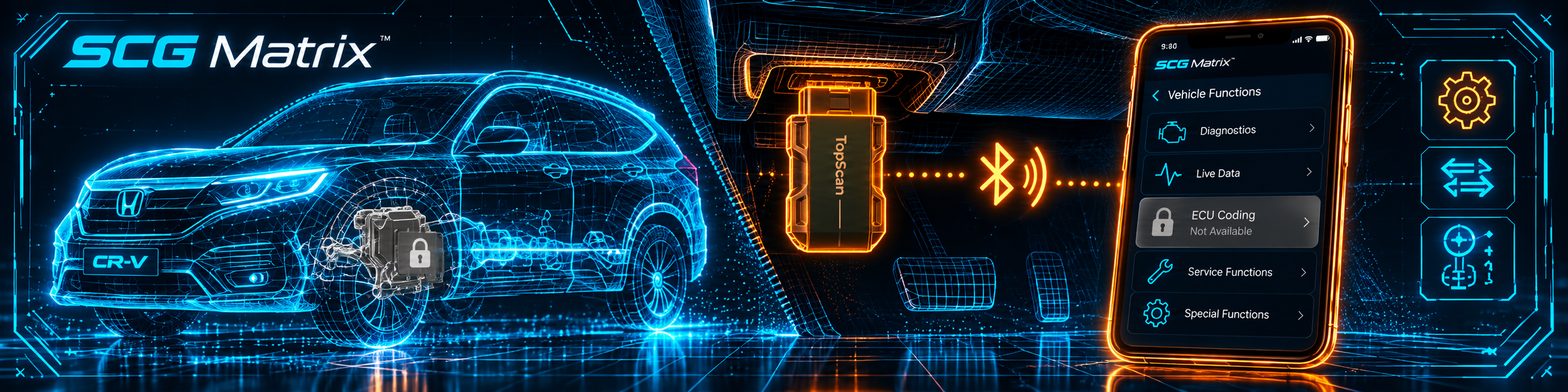
The TopScan Master sits at the top of TOPDON’s pocket range. It is the version with the longest reset list, and it stops before coding. With the phone paired, you can hold the screen in one hand and watch a part with the other. The picture below shows the connector paired with a phone on a Honda CR-V.
Who This Scanner Actually Fits
The TopScan Master fits a driver, home mechanic or small shop that wants a long reset list, active tests and full-system scans from a phone. It also fits someone who likes a pocket tool with repair information in the same app. It is a good match for DPF, ABS bleeding, battery and brake pad jobs, which are on its list.
Important Limitations of the TOPDON TopScan Master
- No ECU coding listed. Neither Amazon nor TOPDON lists it.
- Updates have an end date. One year is included, and then a yearly renewal is needed.
- It needs a phone. There is no screen on the connector.
- Amazon and TOPDON differ on CAN-FD, the FCA gateway, the AI helper and the languages.
- Functions depend on the car. The manual says systems, functions and tests vary by make, model and year.
- TOPDON’s page showed “Sold out” for all three TopScan versions on 2026-10-08.
Who Should Choose It, and What to Consider Instead
Choose the TopScan Master if you want TOPDON’s longest reset list and active tests in a pocket tool with a phone app.
Consider the TOPDON Phoenix Smart instead if you need coding or J2534 programming. Consider the Thinkcar THINKDIAG instead if ECU coding is what you need in a dongle.
| Specification | Details |
|---|---|
| Format | Bluetooth connector with no screen, used with the TopGuru or TopScan app |
| Phone | iOS 11 or later, Android 7 or later |
| Bluetooth | Version 5.0, range about 33 feet |
| Size and weight | 84.1 x 50.4 x 27.2 mm and 78 g, per the manual |
| Brands | 120 or more, per Amazon and TOPDON |
| Service functions | 30 named on TOPDON’s page |
| Bidirectional control | Yes |
| Protocols | DoIP per TOPDON; CAN-FD and DoIP per Amazon |
| ECU coding | Not listed on Amazon or TOPDON’s page |
| Updates | One free year, then a yearly renewal, per Amazon and TOPDON |
| Warranty | One year |
| Pros | Cons |
|---|---|
| 30 named service functions | No ECU coding listed |
| Bidirectional control and full-system scans | Updates carry a yearly cost after one year |
| DoIP, and CAN-FD per Amazon | Needs a phone |
| Repair information in the same app | |
| Small, with a Bluetooth connector |
Methodology: How SCG Evaluates OBD2 Scanners.
Our Autel vs LAUNCH vs TOPDON comparison places this connector among the three platforms.
Our Verdict on the TOPDON TopScan Master
The TopScan Master is a pocket scan tool with 30 named service functions, active tests and full-system scans. Amazon and TOPDON agree on the main points, and neither lists ECU coding. If you want resets and active tests from a phone, it fits well.
Frequently Asked Questions
What is the difference between TopScan Lite, Pro and Master?
TOPDON’s page lists 8 functions for Lite, 13 for Pro and 30 for Master. Pro adds injector coding, tire pressure reset, sunroof initialization, seat calibration and window calibration. Master adds the rest, such as gearbox matching, EGR reset, water pump and cylinder balance test, and DoIP.
Does the TopScan Master support ECU coding?
Neither Amazon’s title and bullets nor TOPDON’s page list it. If you need coding, look at the Phoenix Smart.
Does it need a phone?
Yes. The connector has no screen. It works with the TopGuru app on iOS or the TopScan app on Android.
Does it support CAN-FD and DoIP?
Amazon lists both. TOPDON’s page names DoIP for the Master version.
How long are updates free?
One year, per Amazon and TOPDON. After that, TOPDON lists a yearly renewal.
Is it compatible with my specific vehicle?
Amazon and TOPDON both say 120 or more brands. Use the Scanner Finder to check your year, make and model.
Trusted Sources
- TOPDON TopScan product page: tiers, function lists, updates, brands, DoIP, warranty
- TOPDON TopScan user manual: setup, app menus, service resets, specifications, warranty
- Verified Amazon listing: current listing title, bullets and product overview
- Analysis of the DoIP Protocol for Security Vulnerabilities (arXiv): what DoIP is and why cars use Ethernet for diagnostics