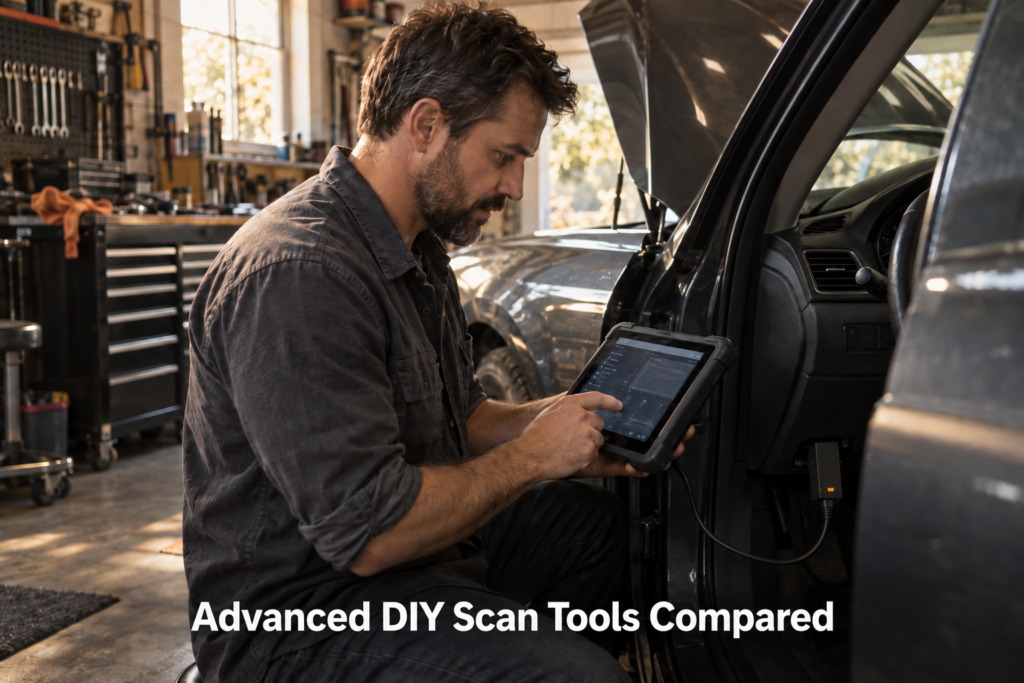
9 Advanced DIY Scan Tools Compared in 2026
“Advanced DIY” is one of the hardest diagnostic-tool categories to define.
A beginner may only need to read a Check Engine code. A professional workshop may need J2534 pass-thru, ECU programming, topology, remote diagnostics, ADAS calibration, oscilloscope integration and multi-technician workflows. Advanced DIY sits between those worlds.
The typical advanced DIY owner may want full-system diagnostics, live data, ABS/SRS/transmission access, active tests, service and reset procedures, CAN FD or DoIP for newer vehicles, some coding or adaptation capability, TPMS service, secure-gateway access, multi-vehicle coverage and useful long-term software support. But not every advanced DIY user needs all of those functions.
That is why this article compares nine very different tools instead of pretending that one specification sheet defines the category: XTOOL D8W, THINKCAR THINKSCAN 689BT, Autel MaxiCheck MX900-TS, TOPDON Phoenix Plus 2, OBDLink MX+, BlueDriver, Foxwell NT710, Autel MaxiCheck MX808S-TS, LAUNCH X431 CRP919E Lite.
Our Top Picks for Advanced DIY Scan Tools
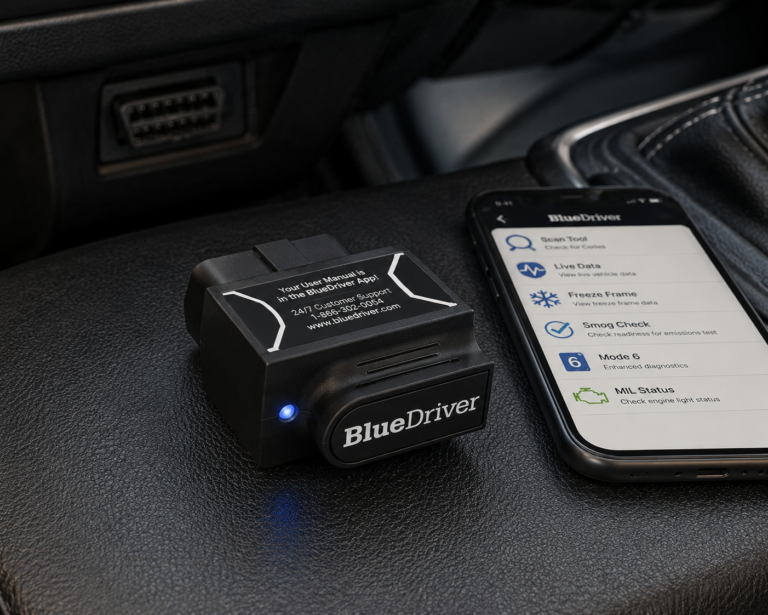
BlueDriver
- Enhanced diagnostics on supported vehicles
- ABS and Airbag/SRS information
- Repair Reports
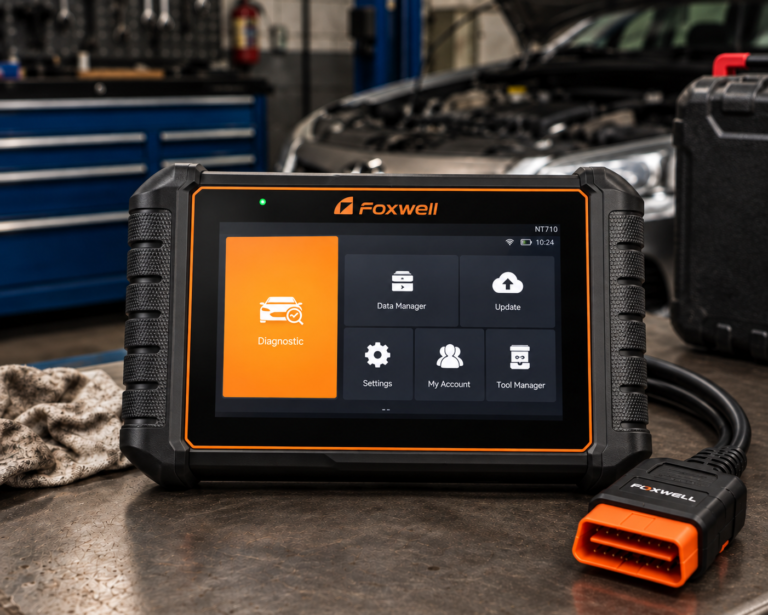
Foxwell NT710
- Bidirectional all-system diagnostics
- 30+ service resets
- Lifetime free updates
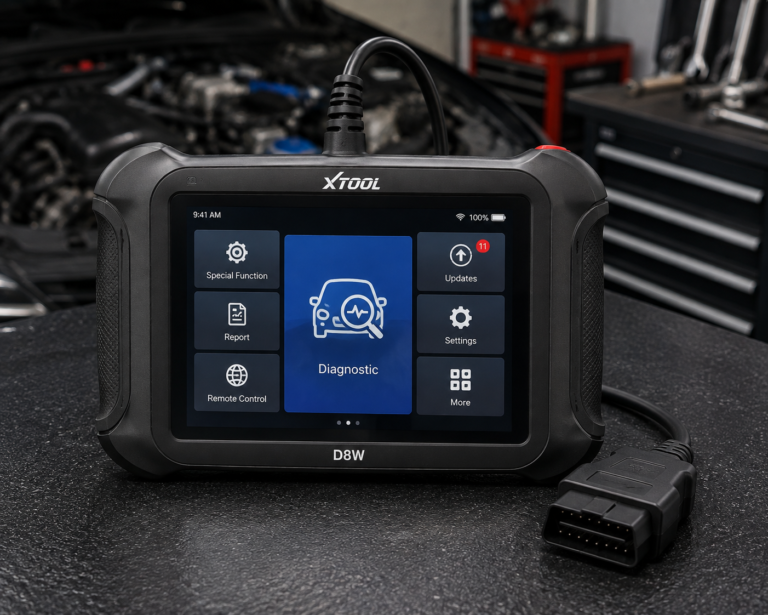
XTOOL D8W
- OE-level all-system diagnostics
- Topology module mapping
- Wireless Wi-Fi diagnostics
Affiliate Disclosure: Scan Choice Guide is a participant in the Amazon Services LLC Associates Program, an affiliate advertising program designed to provide a means for sites to earn advertising fees by advertising and linking to Amazon.com.
Why These Nine?
This article deliberately uses a substantially different scanner set from 7 Bidirectional Scan Tools Compared in 2026. None of the seven scanners from that article is reused here. That matters: SCG comparison pages should expand the reader’s decision space rather than repeatedly recycle the same products under different titles.
This set also deliberately spans multiple advanced-DIY philosophies: high-function diagnostic tablets, wireless tablets, TPMS-focused diagnostic tablets, compact phone-based adapters, brand-oriented tools, and guided consumer diagnostics. That allows the article to answer a more useful question: how advanced does a DIY scanner actually need to be for the work you plan to do?
2026 Search-Intent Validation
Current 2026 search results show clear commercial interest in scanners for serious and advanced DIY users. Current competitor guides compare full-system tablets, bidirectional scanners, phone adapters, handheld scanners and coding-capable tools within the same DIY consideration set.
One current 2026 guide explicitly describes the serious-DIY market as buyers who want near-professional features without moving fully into shop-only equipment. Current community discussions show the same problem: experienced home mechanics are asking for full-system scanning, live data, ABS/SRS/transmission access, bidirectional controls, relearns and multi-brand coverage without paying for a flagship professional platform.
The 9 Best Advanced-DIY Scan Tools, Reviewed
1. XTOOL D8W: The Advanced-DIY Technical Powerhouse
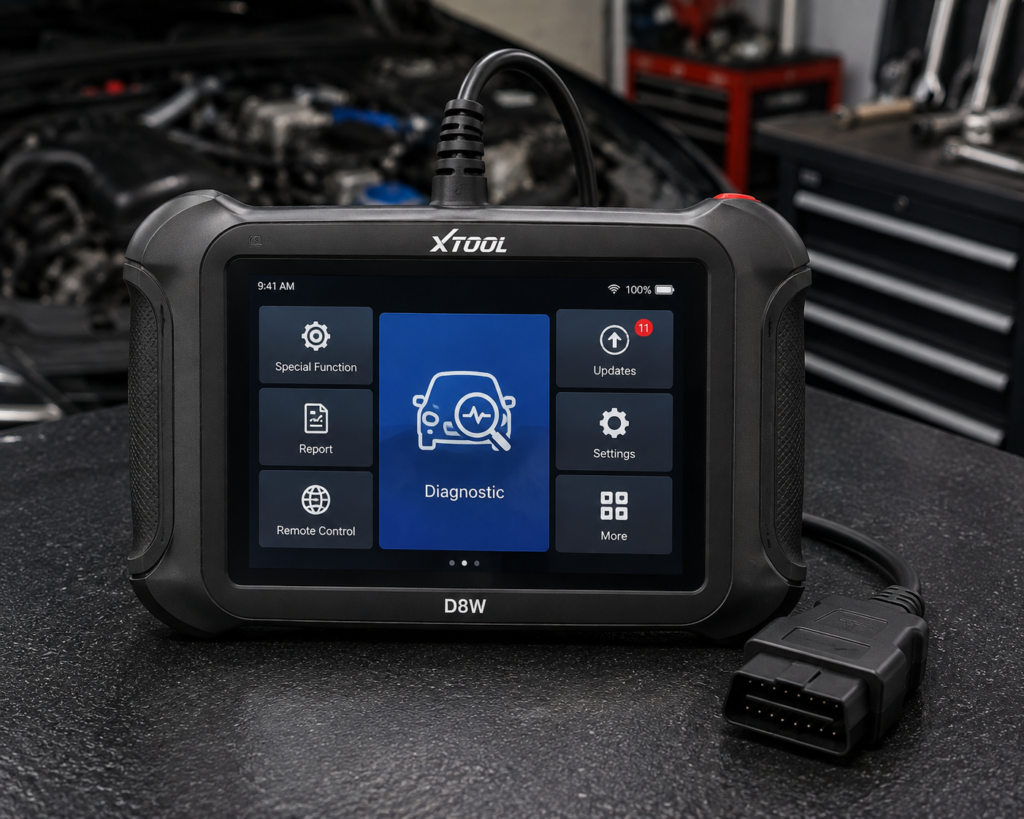
XTOOL officially describes D8W as suitable for professional technicians and advanced DIY users. That makes it unusually relevant to this exact article.
Current XTOOL documentation confirms OE-level all-system diagnostics, code reading/clearing, live data, freeze frame, active tests, topology module mapping, wireless Wi-Fi diagnostics, CAN FD and DoIP. XTOOL documents a V113 wireless Wi-Fi vehicle communication interface and support for modern communication protocols.
Why Topology Matters
Topology can visually show module relationships and communication status. For an advanced DIY user dealing with multiple communication faults, that can be more useful than opening modules one at a time. But topology does not diagnose the vehicle automatically; it helps organize the network picture.
Who Should Shortlist D8W?
The home mechanic who works on multiple vehicles, performs deeper electrical/electronic diagnosis, wants active tests, wants wireless operation, expects newer CAN FD/DoIP vehicles, and understands that more capability also means more complexity.
SCG Position: Strongest advanced-DIY technical platform in this nine-tool comparison.
| Specification | Details |
|---|---|
| Display | 8″ touchscreen, 1024×768 |
| Operating System | Android 10 |
| Processor | Quad-core 1.5GHz |
| RAM / Storage | 4GB / 64GB per XTOOL’s primary technical page |
| Battery | 5000mAh, 7.2V, USB-C charging |
| Wireless Range | Up to 66 ft, built-in WiFi |
| Protocols | CAN FD, DoIP, FCA V2.0 |
| Bidirectional Control | Confirmed; 4,000+ active tests per XTOOL |
| ECU Coding | Confirmed (XTOOL official page, offline coding) |
| Module Programming (PMI) | Confirmed (XTOOL official page) for Ford, Lincoln, Mazda |
| Topology Mapping | Confirmed (XTOOL official page) |
| Update Policy | 3 years free updates, WiFi online upgrade, 22 languages |
| Pros | Cons |
|---|---|
| 4,000+ active bidirectional tests and 42+ resets both independently confirmed on XTOOL’s own page | PMI module programming is brand-specific: confirmed only for Ford, Lincoln, and Mazda |
| Topology Module Mapping helps locate faulty or disconnected components visually | |
| 66-foot WiFi range, more stable than Bluetooth-tethered competitors per XTOOL | |
| Amazon price tracks closely with XTOOL’s own discounted store price | |
| 8-inch, 1024×768 display | TPMS: diagnostics and reset; sensor programming not listed |
| CAN FD, DoIP, and FCA V2.0 protocol support confirmed | |
| 3 years of free updates with WiFi online upgrade, supporting 22 languages |
2. THINKCAR THINKSCAN 689BT: Broad Capability With Lifetime Updates
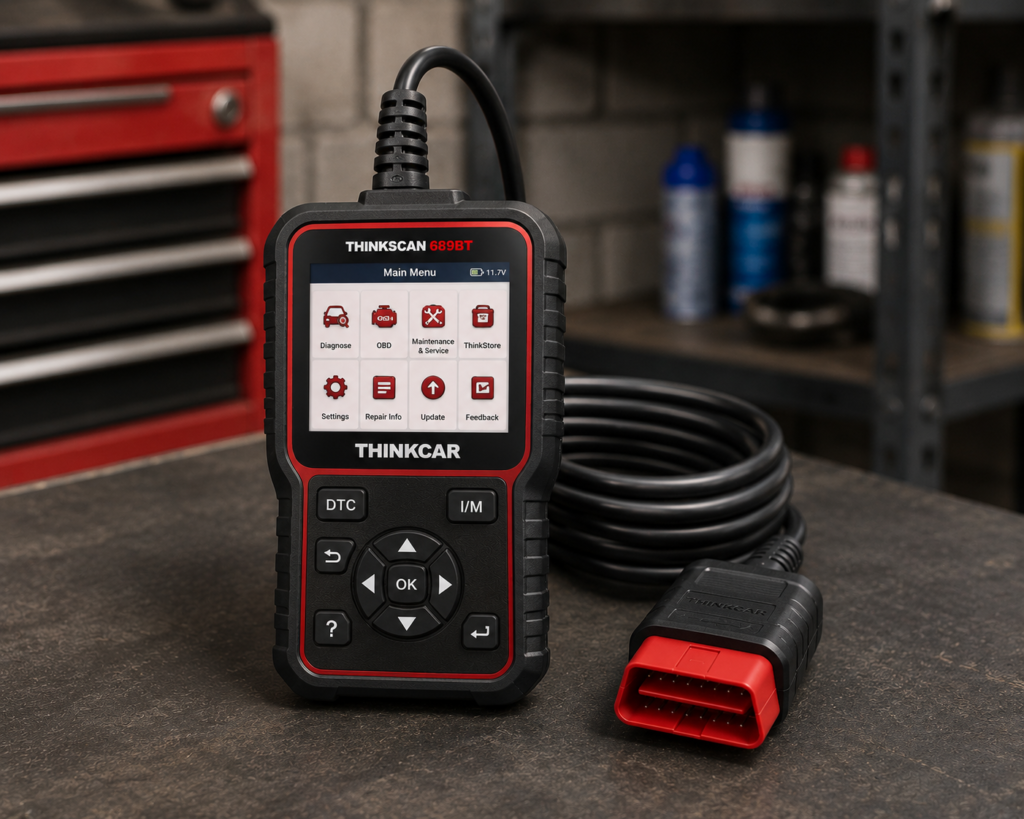
THINKCAR’s current official product page makes a strong advanced-DIY case. It lists ECU coding, bidirectional active tests, all-system diagnostics, a Bluetooth dongle, CAN FD, DoIP, 35+ maintenance functions, AutoVIN/AutoScan, FCA AutoAuth, an 8-inch touchscreen, 4 GB RAM, 64 GB storage and lifetime free updates for supported vehicle brands. Read Our Full THINKCAR THINKSCAN 689BT Review.
Why It Stands Out
Advanced DIY owners often face a difficult ownership choice: buy a cheaper tool now and replace it later, or buy a more capable tool and pay recurring software costs. THINKSCAN 689BT’s current lifetime-update policy changes that calculation and gives the scanner a strong long-term ownership argument.
Important Limitation
A long function list does not mean every function works on every vehicle. THINKCAR itself provides a vehicle compatibility checker. Use it.
SCG Position: Strongest lifetime-update wireless tablet proposition in this group.
| Specification | Details |
|---|---|
| Screen | 8-inch, 1280×800 touchscreen |
| Operating System | Android 10 |
| Processor | 2.0GHz quad-core Cortex-A53 |
| Memory / Storage | 4GB RAM, 64GB storage |
| Battery | 4150mAh |
| Vehicle Connection | Bluetooth 5.0 dongle; 2.4G/5G Wi-Fi |
| Bidirectional Control | Confirmed; ~99% of vehicle-specific systems/components per Thinkcar |
| ECU Coding | Confirmed; includes replacement-part matching and feature personalization |
| Service Functions | 35+ confirmed by name |
| CAN-FD | Confirmed for 2020+ GM and Chrysler models specifically |
| DoIP | Confirmed for Volvo, Land Rover/Jaguar, BMW F/G chassis specifically |
| Update Policy | Lifetime free updates confirmed, no subscription |
| Pros | Cons |
|---|---|
| ECU coding and bidirectional control both confirmed directly by Thinkcar | CAN-FD and DoIP support is brand-limited, not universal |
| Lifetime free updates confirmed, no renewal cost to budget for | |
| 35+ service functions confirmed by name | |
| Modern Android 10 hardware with a large 1280×800 display | Thinkcar markets bidirectional testing as “3X faster” than testing manually |
| Bidirectional control reaches approximately 99% of vehicle-specific systems and components, per Thinkcar |
3. Autel MaxiCheck MX900-TS: When TPMS Is Part of Advanced DIY
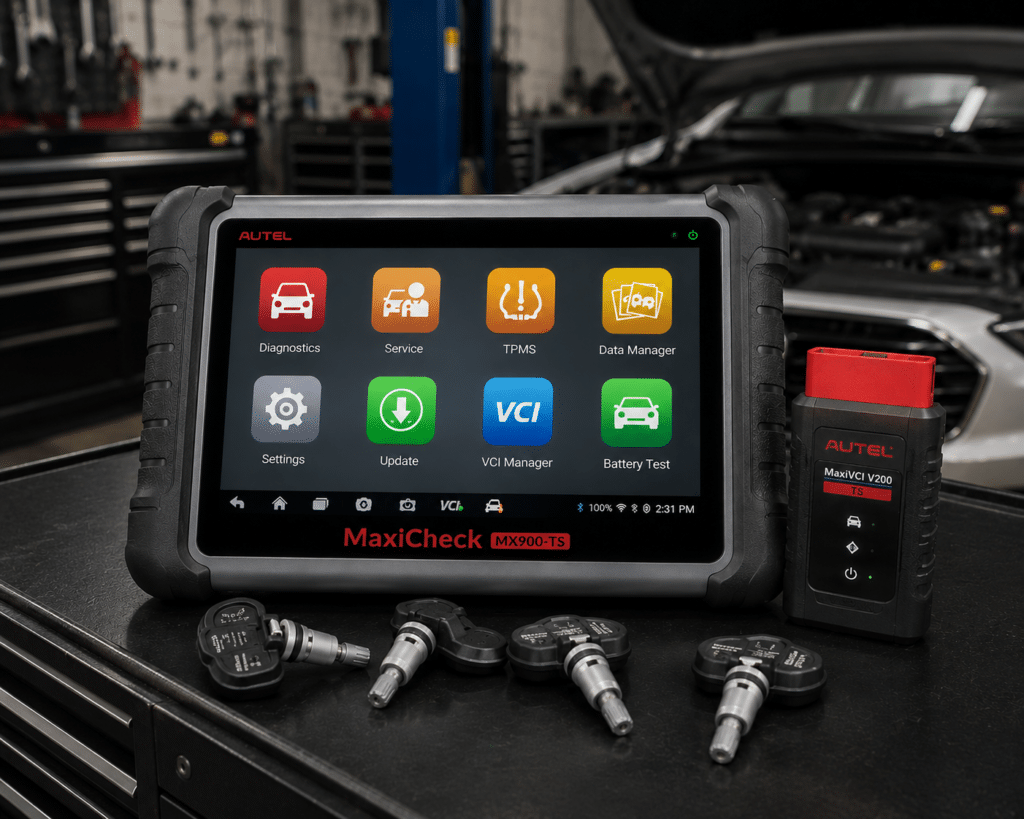
Most scanner comparisons treat TPMS as a small checkbox. MX900-TS should not. Read Our Full Autel MaxiCheck MX900-TS Review.
Autel’s current U.S. documentation confirms OE-level all-system diagnostics, read/clear codes, live data, ECU information, active tests, adaptation/matching functions, DoIP, CAN FD, 40+ service functions and a wireless MaxiVCI V150.
But its major differentiator is TPMS. Autel currently documents advanced TPMS diagnostics, sensor activation, relearn, programming Autel MX-Sensors, broad sensor activation capability and on-screen relearn procedures. That can materially change the purchase decision for an advanced home mechanic who services multiple wheel sets, seasonal tires, replacement TPMS sensors, family vehicles or project vehicles.
Why It May Be the Wrong Choice
If the buyer never performs TPMS service, part of the platform’s value is wasted. A different scanner may provide more relevant diagnostic depth for the same type of buyer.
SCG Position: Strongest diagnostics + comprehensive TPMS combination in this group.
| Specification | Details |
|---|---|
| Screen | 8-inch, 1280×800 capacitive touchscreen |
| Operating System | Android 11 |
| Memory / Storage | 4GB RAM, 64GB ROM |
| Battery | 7700mAh |
| Vehicle Connection | MaxiVCI V150 (wireless) |
| Protocols | CAN-FD, DoIP, plus standard OBD-II protocols |
| Service Functions | 40+ named functions confirmed by Autel |
| Active Tests | Amazon lists 3,000+; Autel’s own pages do not state a figure |
| TPMS | Full diagnostics, sensor activation/relearn, MX-Sensor programming |
| Bidirectional Control | Confirmed, active tests across supported systems |
| ECU Coding | Not listed for this model |
| Regional Restriction | U.S. use and shipping only |
| Update Policy | 1 year free; paid renewal program after, cost not listed by Autel |
| Pros | Cons |
|---|---|
| Full TPMS sensor programming confirmed by Autel, not just a reset function | U.S.-only; cannot be used or shipped outside the United States |
| CAN-FD and DoIP confirmed directly on Autel’s own page, ahead of what Amazon’s listing even claims | |
| Bidirectional active tests confirmed across 40+ named service functions | |
| Larger 8-inch screen and bigger battery than Autel’s smaller TPMS/bidirectional models | |
| Wireless vehicle connection via the MaxiVCI V150 | |
| 7700mAh battery capacity, confirmed by Autel |
4. TOPDON Phoenix Plus 2: The DIY/Pro Boundary Tool
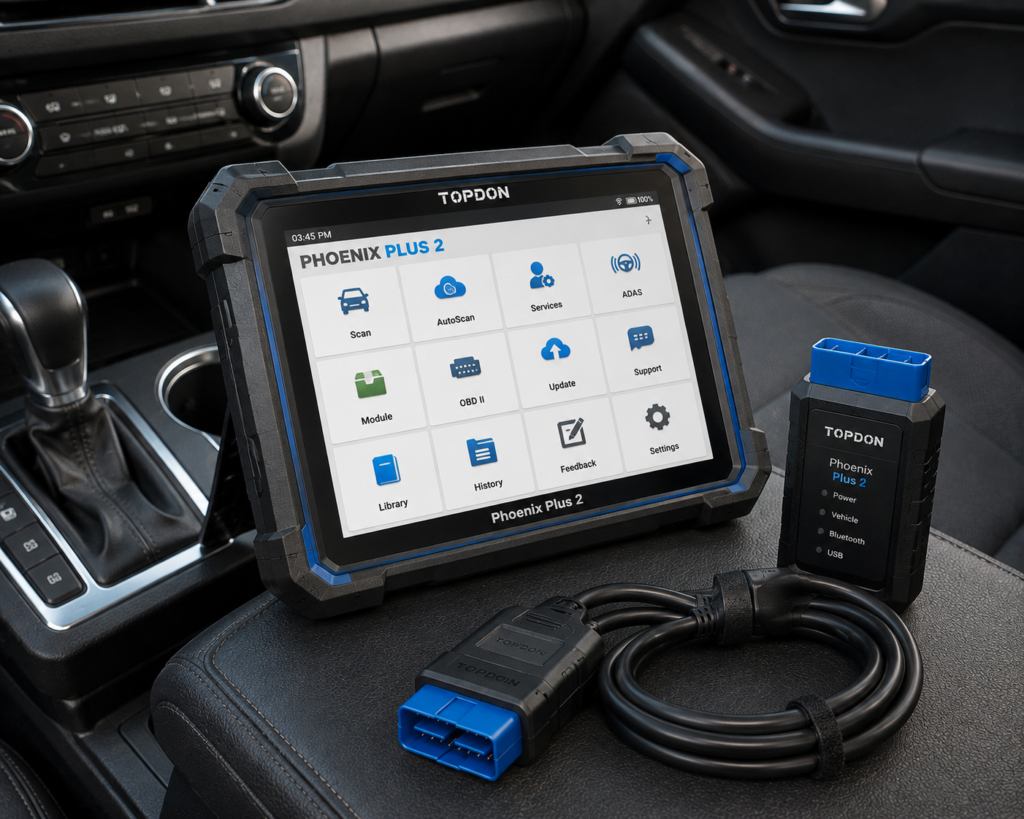
Phoenix Plus 2 sits near the boundary between advanced DIY and professional equipment. Read Our Full TOPDON Phoenix Plus 2 Review.
TOPDON USA currently confirms CAN FD, ECU coding, active testing, 41+ maintenance functions, wireless diagnostics, FCA Security Gateway support, VAG guided functions and two years of included updates. Its 10.1-inch platform is more shop-like than a small DIY handheld.
Why Include It in an Advanced-DIY Article?
Because some home mechanics are effectively small one-person workshops. They may maintain several family vehicles, restore cars, help friends, work on multiple brands, need active tests and coding, and expect newer vehicle protocols. For that user, a Phoenix Plus 2 can be rational. For someone who scans one personal vehicle twice per year, it can be excessive.
SCG Position: Most professional-leaning scanner in this advanced-DIY comparison.
| Specification | Details |
|---|---|
| Display | 10.1-inch LCD, 1280×800 |
| OS / Processor | Android 10.0, 4-core 2.0GHz |
| Memory / Storage | 4GB RAM / 64GB ROM |
| Battery | 12,600mAh |
| Connectivity | WiFi 2.4GHz/5GHz |
| Protocols | CAN-FD, DoIP, J2534 pass-through |
| Vehicle coverage | 160+ brands (TOPDON); 150+ brands (Amazon listing) |
| Bidirectional control | Yes (TOPDON does not list a function count) |
| ECU coding (online) | Mercedes-Benz, BMW, VW/Audi/Skoda/SEAT, Porsche, Renault |
| ECU coding (offline programming) | Ford, Mazda, Vauxhall, Opel |
| Service/reset functions | 41+ (TOPDON); 40+ (Amazon listing) |
| Warranty / updates | 1-year warranty, 2 years free updates |
| Pros | Cons |
|---|---|
| Confirmed ECU coding across a named, specific brand list, not just a generic claim | GM and Toyota coding: listed on Amazon; not listed on TOPDON’s own page |
| Bidirectional control and topology mapping confirmed directly by TOPDON | |
| Large 10.1-inch display and long 12,600mAh battery life | |
| Sits below TOPDON’s Phoenix XLink and Phoenix Smart on price while keeping real coding depth | Continued Tesla and FCA Secure Gateway access requires a separate paid subscription |
| J2534 pass-through protocol support confirmed |
5. OBDLink MX+: Advanced DIY Does Not Always Require a Tablet
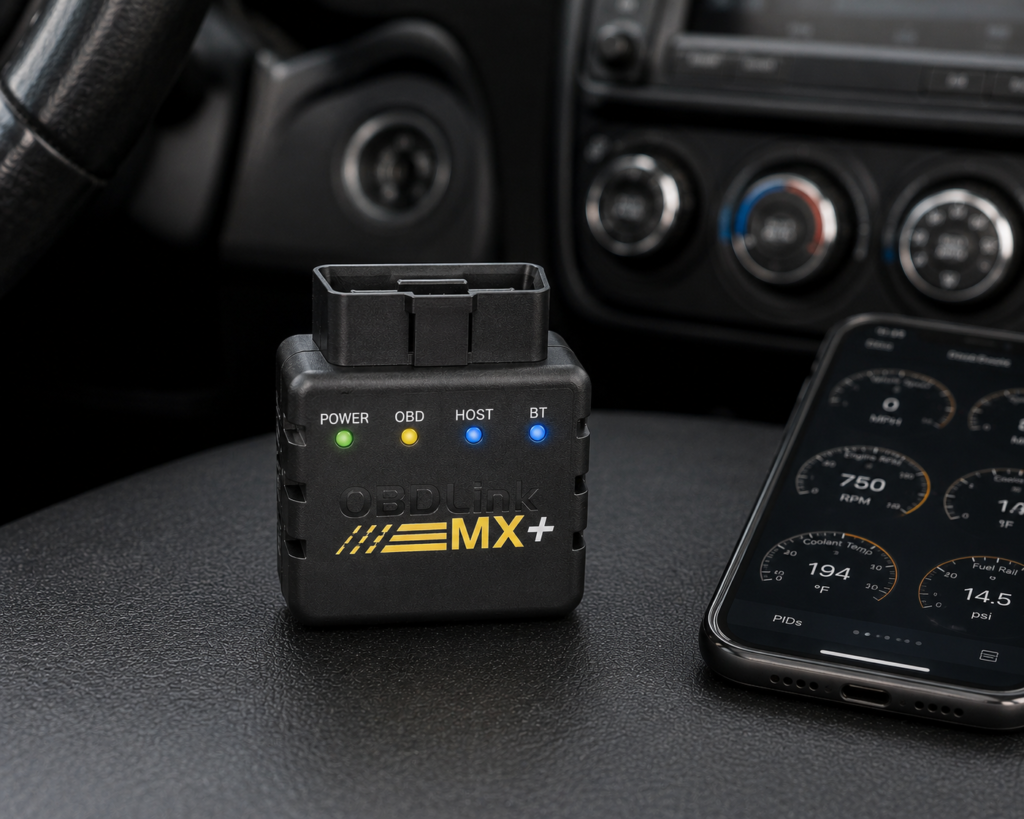
OBDLink MX+ demonstrates an important point. Advanced diagnostics are not defined by screen size. Read Our Full OBDLink MX+ Review.
Current OBDLink documentation confirms standard OBD2 diagnostics, OEM-specific enhanced diagnostics on supported vehicles, OEM DTCs, OEM parameters, live-data graphing/logging, the OBDLink app, OBDwiz for Windows, compatibility with many third-party apps, and proprietary Ford MS-CAN and GM SW-CAN hardware support.
For some enthusiasts, that open software ecosystem is more useful than a dedicated scanner tablet. A Ford owner using specialized software may get more practical value from MX+ than from a generic tablet. A data-oriented owner may prefer logging, custom dashboards, OEM PIDs, and specialized third-party apps.
Important Limitation
MX+ is not a universal full-system bidirectional tablet. Its capability depends heavily on vehicle, OBDLink enhanced coverage, selected app, platform and function.
SCG Position: Best compact app-ecosystem tool for advanced enthusiasts.
| Specification | Details |
|---|---|
| Connectivity | Class 2 Bluetooth v3.0, 128-bit encryption |
| Protocols | All legislated OBD2 protocols; advanced Ford & GM networks (MS-CAN, SW-CAN); EOBD, JOBD, international variants |
| Vehicle compatibility | 1996 and newer cars/light trucks sold in the U.S. |
| Data sampling | Up to 100 samples/second per OBDLink’s documentation |
| App model | Bundled basic OBDLink app; designed to pair with third-party apps (FORScan, BimmerCode, Torque, Carista, and others) |
| Update/subscription policy | Free firmware/software updates, no subscription, per OBDLink’s official page |
| Warranty | 180-day money-back guarantee; 3-year warranty |
| Pros | Cons |
|---|---|
| Fast, well-documented sampling rate for live data (up to 100/sec) | Full diagnostic depth requires installing and configuring a separate third-party app |
| Broad, reference-grade third-party app compatibility (FORScan, BimmerCode, Carista, more) | |
| 3-year warranty and 180-day money-back guarantee, stated directly by OBDLink | |
| No subscription required for the adapter itself | |
| Supports advanced Ford and GM networks (MS-CAN, SW-CAN) beyond standard OBD2 protocols |
6. BlueDriver: Advanced Information Without Advanced Complexity
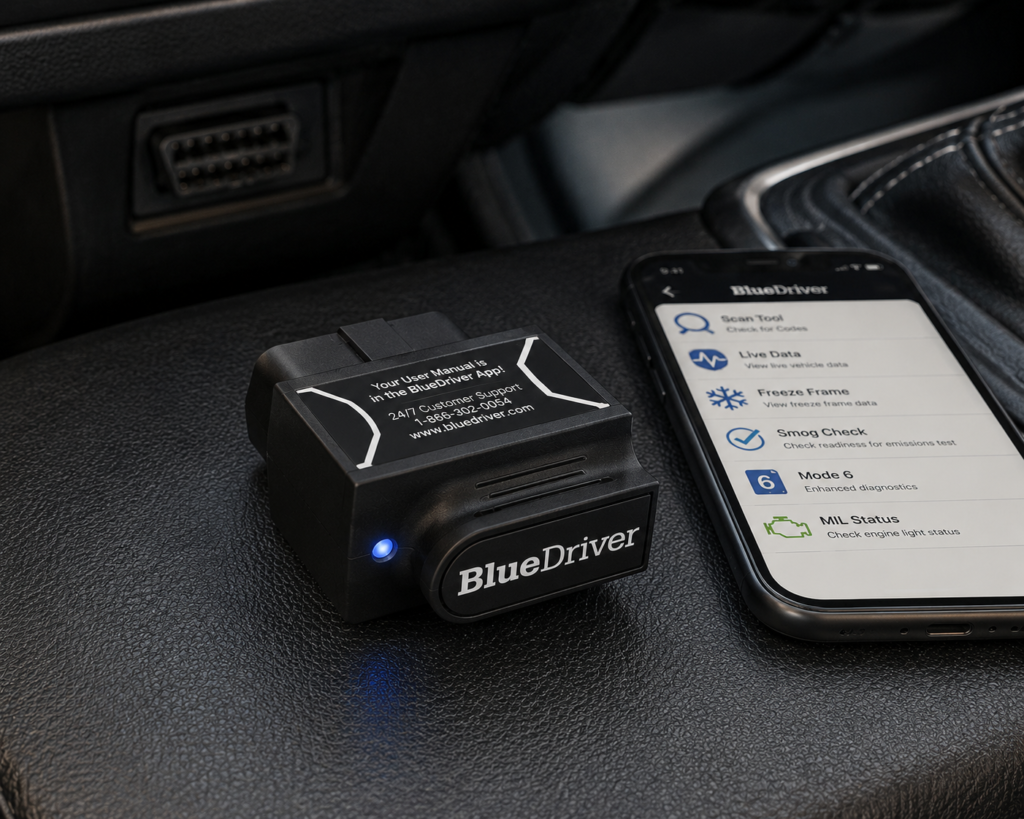
BlueDriver is less technically expansive than D8W, Phoenix Plus 2 or THINKSCAN 689BT. That is precisely why it belongs here. Not every advanced DIY user wants to command modules or code ECUs. Some want better diagnostic information. Read Our Full BlueDriver Review.
Current BlueDriver documentation confirms standard OBD2 diagnostics, enhanced diagnostics on supported manufacturers/vehicles, ABS-related information, Airbag/SRS information, TPMS-related diagnostics on supported applications, iOS/Android workflow and Repair Reports.
BlueDriver’s strength is interpretation. It helps move the owner from “What is this code?” toward “What does this commonly mean and what should I investigate?”
Why It Is Not for Every Advanced DIY User
If the requirement is broad active tests, ECU coding, topology or professional service routines, BlueDriver is the wrong class of product.
SCG Position: Best guided phone-based diagnostic workflow in this group.
| Specification | Details |
|---|---|
| Connectivity | Bluetooth dongle, pairs with the free BlueDriver app on iOS/Android |
| Vehicle compatibility | 1996 and newer gas, diesel, and hybrid vehicles sold in North America |
| Enhanced code reading | ABS, SRS/airbag, transmission, TPMS, 4WD/AWD, hybrid/EV codes on a documented brand list; coverage varies by model/year |
| Repair context | “Confirmed Fix” reports showing real repairs for the same code on the same vehicle |
| Subscription policy | “No subscriptions. No add-ons. Ever.” per BlueDriver’s official page |
| Screen | None; requires a compatible phone with the BlueDriver app |
| Pros | Cons |
|---|---|
| Enhanced ABS/SRS/TPMS code reading confirmed across a documented brand list | No standalone screen; requires a compatible phone |
| “Confirmed Fix” repair reports, not just a bare code number | |
| No subscription fees, confirmed directly by the manufacturer | |
| Ready to use immediately, no third-party app to pick or configure | |
| Covers 4WD/AWD and hybrid/EV-specific codes in addition to standard systems | |
| Compatible with 1996-and-newer gas, diesel, and hybrid vehicles sold in North America |
7. Foxwell NT710: A More Focused Advanced-DIY Path
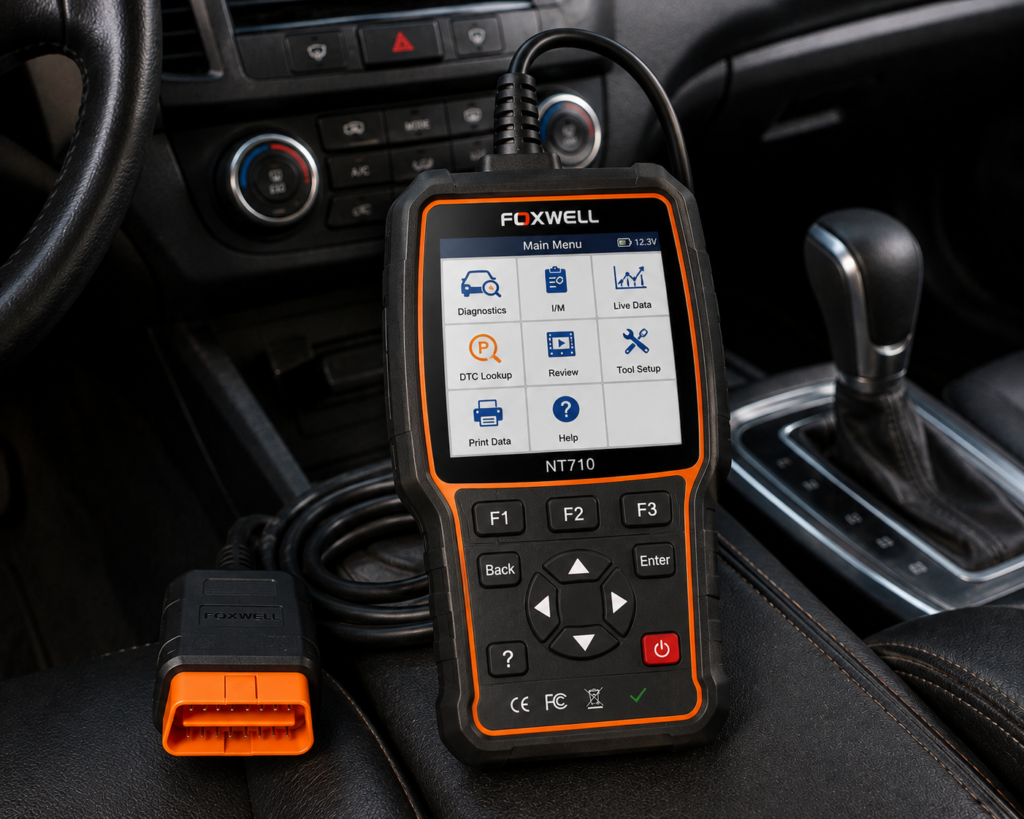
Foxwell NT710 offers a different philosophy. Foxwell currently describes it as a bidirectional scan tool with all-system diagnostics and 30+ service resets. Current Foxwell material also states lifetime free updates. Read Our Full Foxwell NT710 Review.
That creates an interesting middle path: more capable than a basic handheld, less platform-heavy than many large professional tablets.
Why It Can Make Sense
A buyer may primarily service one brand family and care about all-system access, active tests, maintenance functions and coding/adaptation where supported, and lifetime updates, without wanting a broad multi-thousand-feature shop platform.
Important Coverage Issue
SCG Position: Strong focused advanced-DIY option when its exact vehicle coverage matches the owner’s garage.
| Specification | Details |
|---|---|
| Display | 8-inch Android touchscreen |
| Vehicle Connection | OBD-II diagnostic cable |
| Bidirectional Control | Confirmed by Foxwell for this model |
| Service/Reset Functions | 30+ confirmed by Foxwell |
| Update Policy | Lifetime free updates confirmed for the NT710 product line |
| ECU Coding | Not listed for the general NT710 in Foxwell’s own materials |
| Pros | Cons |
|---|---|
| Bidirectional all-system diagnostics confirmed directly by Foxwell | Easy to confuse with Foxwell's general-purpose NT710, which has different documented capabilities |
| 30+ service resets confirmed | |
| Lifetime free updates confirmed for the NT710 line | |
| 8-inch Android touchscreen, no phone required |
8. Autel MaxiCheck MX808S-TS: The Other TPMS-Heavy Autel Path
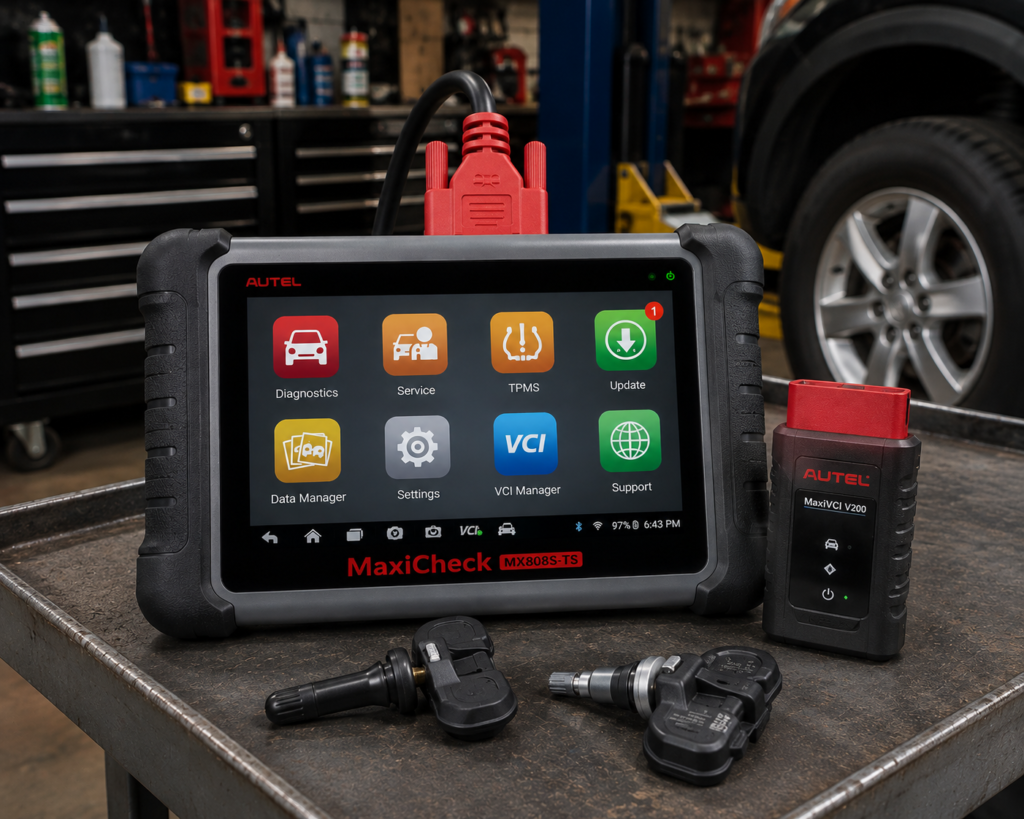
MX808S-TS already belongs to SCG’s original launch-scanner evidence base. Its reason for appearing here is not to duplicate MX900-TS. It is to show that advanced DIY buyers considering Autel TPMS-capable scanners need to compare the exact product generation and capability level. Read Our Full Autel MaxiCheck MX808S-TS Review.
The important questions are: do you need complete TPMS sensor service? Do you need CAN FD? Do you need DoIP? Do you need active tests? Which service functions matter? What hardware generation do you want? What is the current update model?
SCG Position: A relevant TPMS-oriented Autel alternative, but the buyer should compare it directly against MX900-TS rather than assume model numbering tells the whole story.
| Specification | Details |
|---|---|
| Screen | 7-inch, 1024×600 capacitive touchscreen |
| Operating System | Android 11 |
| Processor | Cortex-A55 quad-core, 1.8GHz |
| Memory / Storage | 4GB RAM, 64GB onboard storage |
| Battery | 5000mAh |
| Vehicle Connection | VCI Mini module, wired USB and wireless Bluetooth |
| Vehicle Coverage | 80+ makes and models, 1996 and newer, per Autel |
| Reset Service Functions | Up to 26, confirmed by Autel |
| Bidirectional Control | Confirmed; active tests across ABS, windows, doors, solenoids, valves, wipers |
| TPMS | Confirmed; sensor activation, four relearn methods, MX-Sensor programming |
| ECU Coding | Not listed on Autel’s page or Amazon’s listing for this model |
| CAN-FD / DoIP | Not listed; the MX900-TS lists both |
| Pros | Cons |
|---|---|
| TPMS sensor activation, relearn, and MX-Sensor programming confirmed cleanly by Autel | CAN-FD/DoIP protocol support: not listed (relevant for newer vehicles) |
| Bidirectional active tests confirmed by both Autel and Amazon | |
| Wireless Bluetooth vehicle connection alongside wired USB | |
| Priced below the larger MX900-TS while still covering full TPMS work | ECU coding: not listed for this model |
| 80+ makes and models covered, 1996 and newer | |
| 5000mAh battery for extended shop use |
9. LAUNCH X431 CRP919E Lite: The LAUNCH Advanced-DIY Candidate
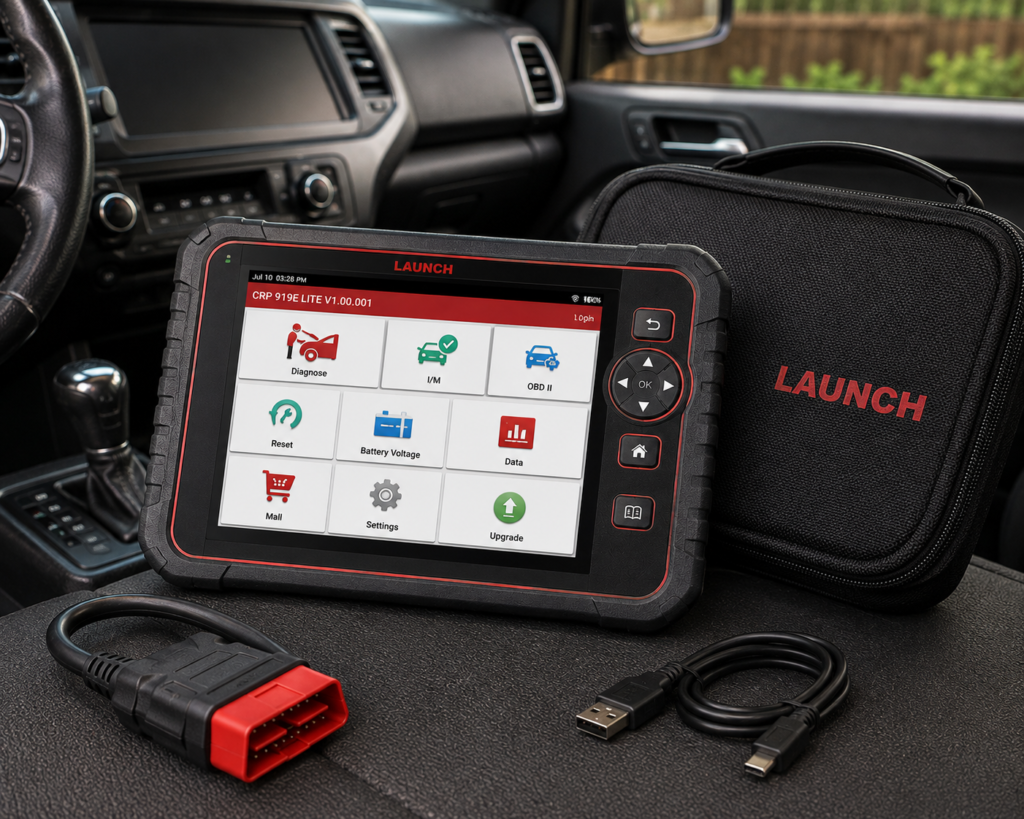
LAUNCH’s CRP/X-431 product family appears frequently in serious-DIY consideration sets. CRP919E Lite belongs in that conversation. Read Our Full LAUNCH X431 CRP919E Lite Review.
But SCG applies an extra identity rule to LAUNCH products. Similar names can include CRP919E, CRP919E Lite, CRP919E BT, CRP919EBT, and regional or seller-specific packages. We will not silently transfer specifications between them.
Why Include It?
Because LAUNCH has a mature multi-brand diagnostic ecosystem and CRP919-series products target buyers who want substantially more than basic code reading.
| Specification | Details |
|---|---|
| Screen | 7-inch, 1024×600 touchscreen |
| Operating System | Android 8.1 |
| Memory / Storage | 3GB RAM, 32GB storage |
| Battery | 6000mAh, USB-C charging |
| Vehicle Connection | Wired OBD-II 16-pin; 2.4GHz Wi-Fi for updates |
| Vehicle Coverage | 160+ brands, 1996-2024, no IP/regional restriction confirmed |
| Bidirectional Control | Yes; Launch does not list a “3000+” test count |
| Service Functions | 32+ confirmed (oil, brake, SAS, TPMS, battery, plus 100+ additional functions) |
| ECU Coding | Not listed for this model |
| Update Policy | 2 years free update confirmed per Amazon listing |
| Pros | Cons |
|---|---|
| Bidirectional control confirmed at an entry-level price point | No Bluetooth; a wired OBD-II connection only |
| 32+ service functions confirmed, unusually broad for this price | |
| No IP/regional restriction confirmed, works outside the US unlike some catalog scanners | |
| 2 years free updates confirmed | |
| 160+ brand vehicle coverage, 1996-2024 | |
| 6000mAh battery with USB-C charging |
Quick Comparison
| Scanner | Form | Connection | Full-System | Active Tests | Primary Strength | Primary Compromise |
|---|---|---|---|---|---|---|
| XTOOL D8W | 8-inch tablet | Wireless Wi-Fi VCI | Yes | Yes; topology; CAN FD/DoIP | Advanced diagnostics and topology in an advanced-DIY/prosumer package | More complexity than many home users actually need |
| THINKCAR THINKSCAN 689BT | 8-inch tablet | Bluetooth dongle | Yes | Yes; ECU coding on supported applications; CAN FD/DoIP | Very broad advanced-DIY feature set with attractive update ownership (35+ functions, lifetime updates) | More menus/functions and greater complexity than simpler DIY tools |
| Autel MaxiCheck MX900-TS | 8-inch tablet | Wireless MaxiVCI V150 | Yes | Yes; CAN FD/DoIP; comprehensive TPMS (sensor activation/relearn, MX-Sensor programming) | Diagnostics + TPMS in one platform | Buyer pays for TPMS depth whether or not TPMS service is a priority |
| TOPDON Phoenix Plus 2 | 10.1-inch professional-leaning tablet | Wireless | OE-level | Yes; ECU coding on supported applications; CAN FD | Near-professional diagnostic depth; 41+ maintenance functions; two years included updates | May be more scanner than many DIY owners need |
| OBDLink MX+ | Bluetooth adapter + phone/tablet/Windows | Bluetooth | Enhanced diagnostics + OEM parameters on supported vehicles | App-dependent | Flexible app ecosystem and OEM-data exploration; Ford/GM network hardware | Not a dedicated all-in-one diagnostic tablet and not universally bidirectional |
| BlueDriver | Bluetooth adapter + iOS/Android app | Bluetooth | Enhanced diagnostics on supported manufacturers/vehicles | Not a broad active-test/coding platform | Guided diagnostics, simplicity, Repair Reports | Not a broad active-test/coding platform |
| Foxwell NT710 | Dedicated Android diagnostic tool | N/A | Supported vehicle/brand packages | Bidirectional; lifetime free updates currently stated | Focused active-test/service workflow without flagship-tablet complexity | Coverage/product configuration must be checked carefully by brand and vehicle |
| Autel MaxiCheck MX808S-TS | Diagnostic + TPMS tablet | N/A | Autel diagnostics | Serious TPMS service capability | Combines Autel diagnostics with serious TPMS service capability | Overlap with MX900-TS means buyers should compare exact generation/functions/hardware rather than assume the older/lower model is automatically better value |
| LAUNCH X431 CRP919E Lite | Diagnostic tablet | N/A | LAUNCH/X-431 ecosystem | Requires exact identity verification | LAUNCH/X-431 advanced-DIY ecosystem | Exact U.S. model identity, wireless configuration, update terms and advanced functions vary by region |
What “Advanced DIY” Should Actually Mean
SCG does not define advanced DIY by price. We define it by diagnostic requirements. An advanced DIY user may need to diagnose more than the engine ECU, interpret live data, test actuators, perform service procedures, handle newer vehicle protocols, work across multiple vehicles, access OEM-specific data, perform limited coding/adaptation, service TPMS, or deal with secure gateways. If none of those apply, an advanced scanner may be unnecessary.
Full-System Diagnostics
A serious home mechanic may need to diagnose engine, transmission, ABS, SRS, BCM, HVAC, steering, instrument cluster and other modules. D8W, THINKSCAN 689BT and MX900-TS have clear current full/all-system documentation. Phoenix Plus 2 operates in an even more professional diagnostic tier. Other tools provide different levels of enhanced/module access.
SCG Verdict: Do not compare “all systems” only as a yes/no checkbox. Verify exact module coverage.
Active Tests
Active tests are one of the most important advanced-DIY capabilities. They can help determine whether a supported component responds to a command.
D8W: active tests documented. THINKSCAN 689BT: bidirectional active tests documented. MX900-TS: active tests documented. Phoenix Plus 2: active testing documented. Foxwell NT710: bidirectional capability documented. OBDLink MX+: depends on third-party app/vehicle/function. BlueDriver: not the choice for broad active-test work.
SCG Verdict: If active tests are central to your work, begin with the first group and verify the exact test.
7 Bidirectional Scan Tools Compared in 2026
ECU Coding
Coding can include adaptations, personalization, component matching, variant changes and online/offline procedures. THINKSCAN 689BT: ECU coding explicitly documented. Phoenix Plus 2: ECU coding explicitly documented. Other products provide varying coding/adaptation scope. OBDLink MX+ can participate in specialized coding/customization through compatible third-party applications on supported vehicles.
SCG Verdict: Coding is vehicle/module/function dependent. Never buy from a generic “ECU Coding” badge alone.
Topology
XTOOL D8W’s topology is one of its clearest differentiators. Topology can help visualize module relationships, network communication, faulted modules and disconnected modules. That can be especially useful when several communication DTCs appear together.
SCG Verdict: D8W gets the clearest topology advantage in this nine-tool set.
CAN FD
CAN FD is increasingly relevant on newer vehicles. Current primary documentation confirms CAN FD for XTOOL D8W, THINKSCAN 689BT, Autel MX900-TS and TOPDON Phoenix Plus 2. Other tools should not inherit CAN FD claims without exact evidence.
SCG Verdict: If your vehicle requires CAN FD, verify it before buying.
DoIP
Current primary documentation confirms DoIP for XTOOL D8W, THINKSCAN 689BT and Autel MX900-TS. Phoenix-series DoIP capability depends on exact product/hardware configuration and should be verified for the exact workflow.
SCG Verdict: DoIP matters only when the vehicle/workflow requires it.
Secure Gateways
Newer vehicles can restrict diagnostic functions behind secure gateways. THINKSCAN 689BT currently lists FCA AutoAuth. Phoenix Plus 2 currently lists FCA Security Gateway capability. Other platforms may provide gateway access through different systems.
SCG Verdict: Gateway support is not universal access. Accounts, region and current manufacturer authorization can matter.
TPMS
This category strongly favors the Autel TS models. MX900-TS provides comprehensive TPMS functionality including sensor activation, relearn and Autel MX-Sensor programming. MX808S-TS also belongs to Autel’s diagnostic + TPMS product line. BlueDriver and OBDLink can access certain TPMS diagnostic information on supported vehicles, but that is not equivalent to dedicated TPMS sensor service.
SCG Verdict: If sensor programming/relearn is a major requirement, MX900-TS and MX808S-TS deserve special attention.
Phone-Based vs Dedicated Tablet
Phone-based (OBDLink MX+, BlueDriver): compact, uses hardware you already own, easy storage, app-oriented workflow; smaller display and app-dependent capability.
Dedicated tablet (D8W, THINKSCAN 689BT, MX900-TS, Phoenix Plus 2, MX808S-TS, CRP919E Lite): dedicated diagnostic workspace, larger display, shop-style workflow, no personal-phone dependency.
Focused dedicated tool (Foxwell NT710): a middle path.
SCG Verdict: Choose workflow before comparing specification counts.
Update Ownership
THINKSCAN 689BT: lifetime free updates currently stated by THINKCAR. Foxwell NT710: lifetime free updates currently stated by Foxwell. Autel MX900-TS: one year free update currently stated by Autel’s U.S. store. TOPDON Phoenix Plus 2: two years included; TOPDON currently lists a renewal after the included period. Other models require exact current-term verification.
SCG Verdict: Do not treat purchase price as total ownership cost. But SCG will not publish temporary retailer prices as fixed facts.
Buyer Scenarios
Multi-Car Home Garage: D8W and THINKSCAN 689BT make particularly strong cases. Phoenix Plus 2 is more professional leaning. MX900-TS becomes especially attractive if TPMS service is common. No universal winner.
One-Brand Enthusiast: Ford/GM enthusiast, OBDLink MX+ can be unusually valuable because of its app ecosystem and proprietary Ford/GM network support. Brand-focused owner, Foxwell NT710 may make sense where its exact manufacturer package provides the required functions. BMW/VAG and other specialized enthusiasts: third-party app ecosystems may sometimes outperform a generic tablet for one narrow task. Multi-brand breadth is not always an advantage.
TPMS-Heavy DIY Work: Autel MX900-TS gets the preference based on current documented TPMS depth and newer platform features. MX808S-TS also deserves comparison.
Guided Diagnosis: BlueDriver: its value is not maximum control, it is helping the owner interpret diagnostic information through an integrated app and Repair Reports.
Data-Oriented Enthusiasts: OBDLink MX+, OEM parameters on supported vehicles, graphing, logging, third-party apps, Windows support, Ford/GM network hardware.
Most Advanced Home Garage: D8W for technical platform depth. Phoenix Plus 2 for professional-leaning workflow. THINKSCAN 689BT for broad capability + update ownership.
Nine Buyer Profiles
Profile 1: Network/Topology-Oriented DIYer. Shortlist: XTOOL D8W. Why: topology, wireless diagnostics, full systems, active tests, CAN FD and DoIP.
Profile 2: Long-Term Update-Conscious Advanced DIYer. Shortlist: THINKSCAN 689BT. Why: full-system, bidirectional, coding, modern protocols and current lifetime-update policy.
Profile 3: DIYer Who Services TPMS. Shortlist: Autel MX900-TS. Why: serious diagnostics plus complete TPMS workflow.
Profile 4: Near-Pro Home Mechanic. Shortlist: TOPDON Phoenix Plus 2. Why: professional-leaning feature depth and wireless workflow.
Profile 5: Ford/GM or Data Enthusiast. Shortlist: OBDLink MX+. Why: OEM data, specialized networks and third-party apps.
Profile 6: Guided-Diagnosis User. Shortlist: BlueDriver. Why: integrated Repair Reports and simple app workflow.
Profile 7: Focused Brand-Oriented DIYer. Shortlist: Foxwell NT710. Why: bidirectional/service capability with a more focused tool model.
Profile 8: Autel TPMS Buyer Comparing Generations. Shortlist: MX808S-TS versus MX900-TS. Why: exact TPMS and diagnostic requirements should decide.
Profile 9: LAUNCH Ecosystem DIYer. Shortlist: CRP919E Lite after exact U.S. version verification.
Common Advanced-DIY Buying Mistakes
Mistake 1: Buying a Professional Scanner Because More Features Must Be Better
Unused features have no value.
Mistake 2: Buying a Basic Scanner When Active Tests Are Actually Required
Define the job first.
Mistake 3: Ignoring Update Ownership
Coverage is software dependent.
Mistake 4: Assuming “All Systems” Means Every Function
It does not.
Mistake 5: Assuming CAN FD or DoIP Means Complete New-Vehicle Coverage
Protocols are only part of compatibility.
Mistake 6: Confusing TPMS Diagnostics With Sensor Programming
Different capabilities.
Mistake 7: Assuming Coding Means Programming
Different functions.
Mistake 8: Buying by Brand Instead of Vehicle/Function Coverage
Wrong order.
Mistake 9: Ignoring Workflow
Phone, tablet, wireless VCI and focused handheld tools feel very different in use.
SCG Advanced-DIY Decision Framework
Step 1: List the vehicles you actually work on.
Step 2: List the systems you need: engine, transmission, ABS, SRS, BCM, TPMS, others.
Step 3: List the advanced functions you genuinely need: active tests, ABS bleed, battery registration, DPF regeneration, injector coding, adaptations, TPMS programming, ECU coding.
Step 4: Check newer-protocol requirements: CAN FD, DoIP, secure gateway.
Step 5: Choose workflow: phone, dedicated tablet, wireless VCI, focused brand tool.
Step 6: Compare update ownership.
Step 7: Use the manufacturer’s current compatibility checker.
Step 8: Only then select the scanner.
Our Final Verdict
There is no single advanced-DIY scanner. There are several different ways to become “advanced.”
XTOOL D8W is the strongest technical-platform candidate in this comparison because current official documentation combines OE-level all-system diagnostics, active tests, topology, wireless Wi-Fi communication, CAN FD and DoIP.
THINKSCAN 689BT makes one of the strongest long-term ownership cases because THINKCAR currently combines all-system diagnostics, bidirectional control, ECU coding, CAN FD, DoIP, FCA AutoAuth and 35+ maintenance functions with lifetime free updates.
Autel MX900-TS is the specialist choice when TPMS service is part of the garage’s real workload.
TOPDON Phoenix Plus 2 pushes closest toward professional-shop capability.
OBDLink MX+ shows that a compact adapter can be the sophisticated choice for a data-oriented or brand-specific enthusiast.
BlueDriver demonstrates that advanced DIY can also mean better interpretation rather than more commands.
Foxwell NT710 offers a more focused active-test/service path.
MX808S-TS remains relevant for buyers comparing Autel’s TPMS-oriented platforms.
The right answer therefore depends on what “advanced” means in your garage. More modules? More active tests? More data? More coding? More TPMS work? Newer protocols? Better repair guidance? The scanner should follow the work. Not the other way around.
The Short Answer
Strongest Advanced-DIY Technical Platform: XTOOL D8W.
Strongest Lifetime-Update Wireless DIY Tablet: THINKCAR THINKSCAN 689BT.
Strongest Diagnostics + Complete TPMS Combination: Autel MaxiCheck MX900-TS.
Most Professional-Leaning Scanner in This DIY Comparison: TOPDON Phoenix Plus 2.
Best Compact App-Ecosystem Tool: OBDLink MX+.
Best Guided Phone-Based Diagnostics: BlueDriver.
Best Brand-Focused / Lower-Complexity Active-Test Platform: Foxwell NT710.
Strong TPMS-Oriented Autel Alternative: Autel MaxiCheck MX808S-TS.
Universal Winner: None.
If an advanced DIY user wants one dedicated tablet with broad capability, XTOOL D8W, THINKSCAN 689BT and Autel MX900-TS deserve particularly close attention. But they are not interchangeable. D8W emphasizes topology, wireless diagnostics and deeper technical capability. THINKSCAN 689BT emphasizes full-system active testing, coding and lifetime-update ownership. MX900-TS combines serious diagnostics with unusually complete TPMS capability.
Frequently Asked Questions
What makes an OBD2 scanner suitable for advanced DIY?
Typically, deeper system access, live data, service functions and, depending on the user’s work, active tests, coding, TPMS capability or newer protocol support.
Do advanced DIY mechanics need bidirectional control?
Not always. It is valuable when you need to command supported components during diagnosis. If your work is primarily code reading and data interpretation, it may not be necessary.
Which scanner in this comparison has topology?
XTOOL D8W has clearly documented topology module mapping.
Which has lifetime updates?
Which is best for TPMS?
Autel MX900-TS has the strongest current documented TPMS service proposition in this group.
Which is best for Ford or GM enthusiasts?
OBDLink MX+ deserves special consideration because of its Ford MS-CAN / GM SW-CAN hardware support and third-party app ecosystem. That does not make it a universal replacement for a full-system tablet.
Which is best for newer vehicles?
There is no universal answer. D8W, THINKSCAN 689BT and MX900-TS have strong current documentation for CAN FD and DoIP. Exact vehicle coverage remains mandatory.
Which is best for a serious home mechanic who wants near-professional capability?
D8W, THINKSCAN 689BT and Phoenix Plus 2 deserve close comparison. Their workflow and ownership models differ substantially.
Should I buy the scanner with the most service functions?
No. Verify the exact functions you need on the exact vehicles you service.
Bottom Line
Advanced DIY is not one level. It is a spectrum.
XTOOL D8W: technical depth and topology. THINKSCAN 689BT: broad capability and lifetime-update ownership. Autel MX900-TS: diagnostics plus complete TPMS service. TOPDON Phoenix Plus 2: near-professional home-garage capability. OBDLink MX+: OEM data and app flexibility. BlueDriver: guided diagnosis. Foxwell NT710: focused bidirectional/service platform. Autel MX808S-TS: alternative Autel TPMS path. LAUNCH CRP919E Lite: LAUNCH ecosystem candidate pending exact U.S. identity verification.
Define your work first. Then choose the tool that supports it.
Related reading: Best OBD2 Scanners for DIY Mechanics in 2026, 7 Bidirectional Scan Tools Compared in 2026, Best Full-System Automotive Scanners in 2026, Best Bluetooth OBD2 Scanners in 2026, Best Wireless Diagnostic Scanners With Dedicated Tablets in 2026, and Best OBD2 Scanners With No Subscription in 2026.
Editorial Note
This comparison was developed through current 2026 manufacturer documentation, current market research and function-by-function comparison.