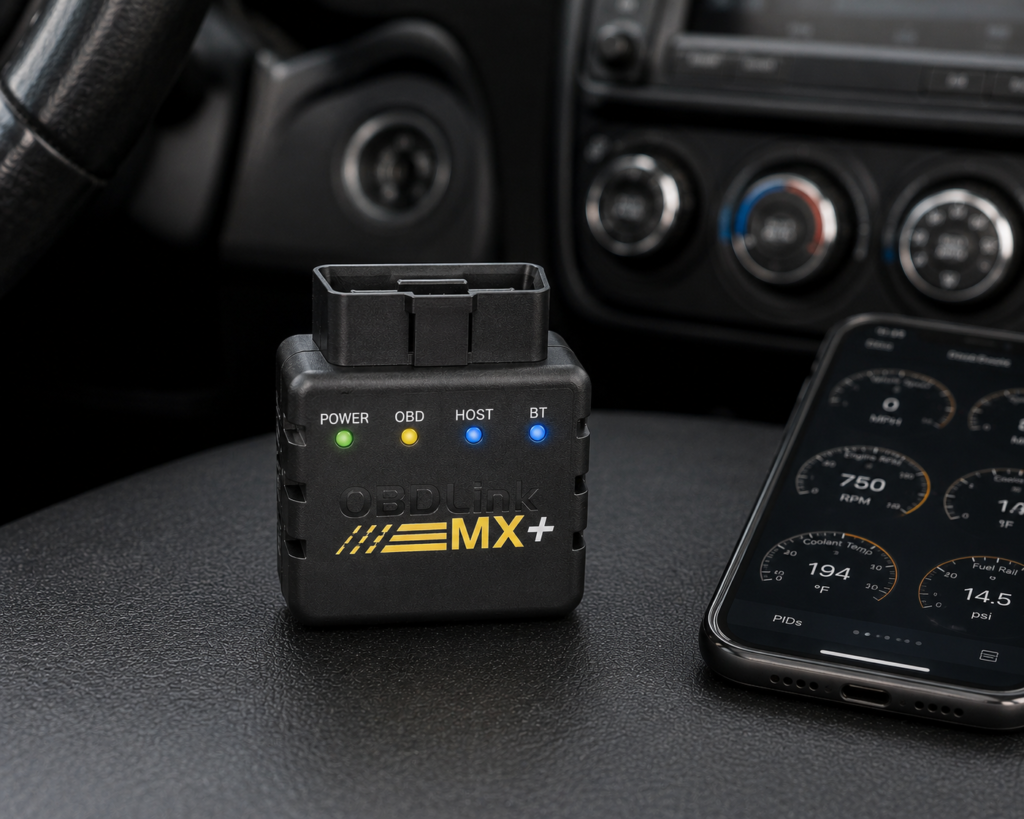
The OBDLink MX+ is a small Bluetooth adapter that plugs into the OBD2 port and sends the car’s data to an app on an iPhone, an Android phone or a Windows PC. It has no screen and no diagnostic logic of its own. Its job is to be a fast, safe link between the car and whichever app you choose. OBDLink’s own pages and the Amazon listing agree on the adapter, the protocols, the Ford and GM networks, the free apps and the warranty. They also agree that the OBDLink app can read manufacturer-specific codes, including ABS, SRS and TPMS, on a list of makes. Neither source lists bidirectional control or ECU coding for the MX+.
The short version: the MX+ is for a car owner or enthusiast who wants a quick, well-supported adapter for the OBDLink app, FORScan, Torque, DashCommand and similar apps, and who is happy to choose the software. It reads and clears generic codes on any 1996 and newer US car, and on a long list of Ford, GM, Honda, Hyundai, Kia, Mazda, Nissan and Toyota models it can also read ABS, airbag and tire pressure codes through free add-ons in the OBDLink app. It does not command parts and does not code modules. Earlier versions of this review said the ABS, SRS and TPMS claim was Amazon only. That was wrong: OBDLink’s own support article and its coverage list name those systems, and this version says so.
Affiliate Disclosure: As an Amazon Associate I earn from qualifying purchases. Scan Choice Guide is a participant in the Amazon Services LLC Associates Program, an affiliate advertising program designed to provide a means for sites to earn advertising fees by advertising and linking to Amazon.com.
The MX+ in One Honest Paragraph
Take away the marketing words and the MX+ is a thumb-sized plug with a Bluetooth radio, a power-saving sleep mode and a protocol chip that can speak the standard OBD2 languages plus two extra Ford and GM networks. OBDLink lists it as a Class 2 Bluetooth v3.0 device with 128-bit data encryption, a working range of 8 to 18 volts, protection against surges up to 100 volts, an operating current of 62 milliamps and a BatterySaver low-power mode of 2 milliamps. It measures 1.97 by 1.77 by 0.91 inches and weighs 3 ounces (85.1 grams) on OBDLink’s page. Amazon’s detail table lists the weight as 28 grams, and the two numbers describe different things, most likely the bare adapter and the adapter with packaging, so do not read it as a disagreement about the product.
Amazon’s table names the model number MX201 and the box contents: a compliance insert, a quick start guide, the scanner, a warranty card and a zipper case. OBDLink’s own product page does not list the box contents and says only that the adapter comes in frustration-free packaging. The adapter works on iOS, Android and Windows. OBDLink’s page says the free iOS, Android and Windows apps are included, and Amazon’s description adds that a license for the OBDwiz software for Windows comes with it.
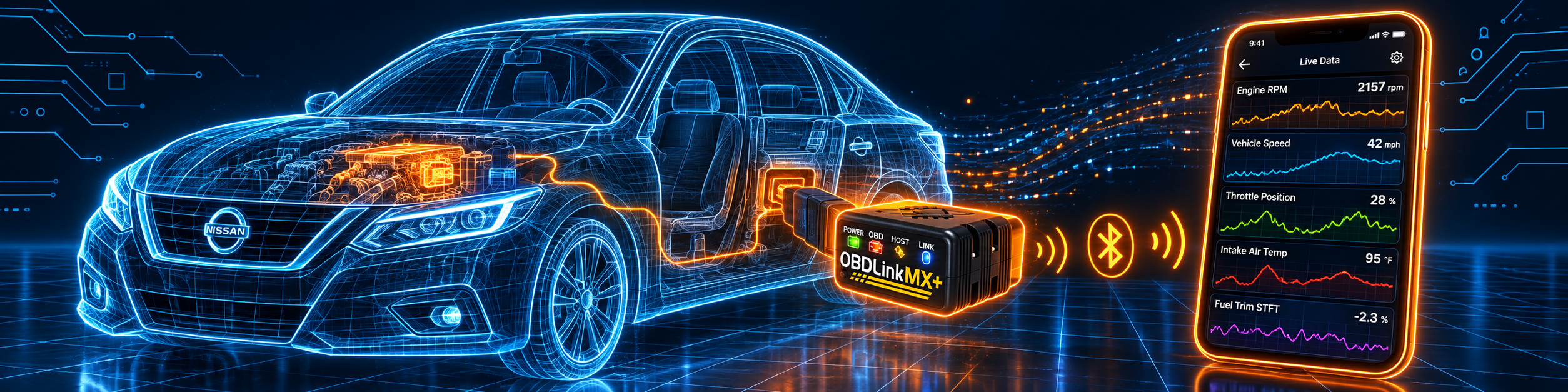
The picture below shows the adapter streaming live data from a Nissan Altima while the engine runs. The phone is the screen, the adapter is the plug, and nothing else is needed for this first job.
Three Layers: The Plug, the App and the Car
Most of the confusion about adapters like this one comes from mixing up three layers. It helps to keep them apart before looking at any claim.
- The plug. This is the MX+ itself. It decides which networks your phone can reach, how fast data comes through, how safe it is to leave plugged in and how secure the Bluetooth link is. This layer is what OBDLink and Amazon describe most clearly, and what the specification table below covers.
- The app. This is where the diagnostic logic lives: the code definitions, the gauges, the graphs, the enhanced add-ons and the special functions. The OBDLink app is free with the adapter. FORScan, Torque, DashCommand, BimmerCode, Carista and others are separate apps with their own capabilities and, in some cases, their own prices.
- The car. The same adapter and the same app give different results on different cars. A 2018 Ford F-150 has modules that answer on the MS-CAN network. A 2005 Honda Civic has fewer. A 2022 hybrid is outside what Amazon says the MX+ supports.
A feature that depends on the app belongs to the app, even if it is only possible because of the adapter. That is why this review keeps asking where a claim comes from: OBDLink’s page, OBDLink’s support articles, OBDLink’s coverage list, or Amazon.
The picture below shows the adapter paired with a third-party app on the same Nissan, the setup most buyers have in mind when they choose an adapter like this.
What Amazon Says vs. What OBDLink Confirms
We compared the Amazon listing, including its description and the comparison module, with OBDLink’s product page, its support articles and its published coverage list. The sources agree on the core. They differ in wording, in a few numbers, and in how much each says about the enhanced systems.
| Claim | Amazon listing | OBDLink | Our reading |
|---|---|---|---|
| Name | “OBDLink MX+ OBD2 Bluetooth Scanner for iPhone, Android, and Windows” | “OBDLink MX+” | Same adapter |
| Platforms | iOS, Android, Windows | iOS, Android, Windows | Agree |
| Connection | Bluetooth v3.0 | Class 2 Bluetooth v3.0, 128-bit encryption | Agree |
| Protocols | “all 5 OBD-II protocols, plus SW-CAN (GM) and MS-CAN (Ford)” | “all legislated OBD-II protocols, plus advanced Ford and GM vehicle networks (MS-CAN and SW-CAN)” | Agree |
| Vehicles | “all 1996+ cars and light trucks sold in the USA (except hybrid or electric vehicles)” | “all 1996 and newer model year cars and light trucks sold in the U.S.” | Agree on the years; hybrids and EVs are Amazon only |
| Enhanced OEM data | Bullet: Ford, GM, Mazda, Nissan/Infiniti, Toyota/Lexus/Scion, Honda, Hyundai, Kia. Description: Ford, GM, Mazda, Nissan and Toyota | “Free unlimited OEM-specific data add-ons”; support article names add-ons exclusive to the MX+ for GM, Honda/Acura and Hyundai/Kia; coverage list has Ford, GM, Honda, Hyundai, Mazda, Nissan, Toyota | Agree in substance; the brand lists differ by page |
| ABS, SRS, TPMS | “more live parameters (ABS, SRS, TPMS, etc)” | Support article: ABS, SRS and TPMS are the examples of enhanced diagnostics; coverage list shows the modules per make | Agree; it needs a supported car and the add-on |
| Sampling speed | “up to four times more data samples per second”, “300% faster” | “up to 100 data samples per second” on its comparison page | The 100 is OBDLink’s number; the multipliers are marketing |
| Warranty and returns | “90-day money back” and “3-year repair or replace” in the description | “unconditional 180-day money-back guarantee, and a 3 year warranty” | The return window differs; follow OBDLink’s page |
| Weight | 28 g | 3 oz (85.1 g) | Different things are probably weighed |
| Sleep mode | “won’t drain your automobile’s battery” | BatterySaver, 2 mA | Agree; the 2 mA figure is OBDLink’s |
| Bidirectional control, ECU coding | Not listed for the adapter; third-party apps can change settings on select models | Not listed | Not listed |
| Updates | “included firmware updates”; “no cost lifetime firmware and software updates” | “Free firmware updates” | Agree |
The ABS, SRS and TPMS point matters most. An earlier version of this review quoted only the short product page and concluded that these systems were an Amazon claim. They are not. OBDLink’s support article on standard and enhanced diagnostics uses ABS, SRS and TPMS as its examples of enhanced systems and says the MX+ includes enhanced diagnostics for many vehicles free in the OBDLink app. OBDLink’s published coverage list shows, make by make, which of the generic and OEM codes and live parameters the app can reach, and its module section names the ABS, SRS airbag and TPMS modules for Ford, GM, Honda, Hyundai, Mazda, Nissan and Toyota. Amazon’s description repeats the idea. The three sources are consistent.
The brand point matters too. Amazon’s bullet lists eight brand groups including Honda, Hyundai and Kia, while Amazon’s description names five. OBDLink’s support article says the add-ons exclusive to the MX+ are GM, Honda/Acura and Hyundai/Kia, so the longer list is the more complete one. Coverage still depends on the model and the year.
The return window is the one place where the sources disagree on a plain fact. Amazon’s description says 90 days, and OBDLink’s page says 180 days. OBDLink is the maker and its page is newer in style, so this review follows it, and the Amazon seller’s own return terms apply to the order you place there.
A third source. The US National Institute of Standards and Technology publishes the Guide to Bluetooth Security, NIST Special Publication 800-121 Revision 2. It says the designed operating range of a Class 2 Bluetooth device is up to 10 meters (33 feet) and that most small battery-powered devices are Class 2. It recommends, for Bluetooth 4.1 devices, a security mode that uses authenticated pairing and encryption with 128-bit strength keys. This source is independent of both Amazon and OBDLink. It explains two lines on the MX+ spec sheet: why a Class 2 adapter is meant for use inside or beside the car and not across a parking lot, and why a 128-bit encrypted link plus a physical Connect button for pairing is a sensible design for a device that stays plugged into a diagnostic port.
How we handle these differences. The feature table at the bottom of this page, the Scanner Finder and our comparisons follow the Amazon listing, because Amazon is where you buy. We name the points above so you can see where OBDLink says something different or adds detail. If one of them matters to you, read this section before you decide.
Enhanced Diagnostics: What the Claim Really Gives You
The phrase “enhanced diagnostics” is easy to read too broadly, so here is what OBDLink’s own documents say, step by step.
- Standard OBD2 is mostly about emissions. OBDLink’s support article explains that US law requires OBD-II on cars and light trucks from model year 1996, that the standard’s parameters are mostly emissions-related, and that any parameter not on the standard list is manufacturer-specific. Transmission temperature is the article’s example of something that needs enhanced diagnostics.
- Enhanced means the maker’s own modules. The article’s examples of enhanced systems are ABS, SRS and TPMS, with their trouble codes specific to the vehicle’s original equipment manufacturer.
- The MX+ gets them in the app. The article says the MX+ includes enhanced diagnostics for many vehicles free in the OBDLink app, and that other OBDLink adapters have to buy add-ons that are not guaranteed to reach every manufacturer-specific parameter. It gives a Ford example: an OBDLink LX with a Ford add-on cannot read certain Ford parameters on the MS-CAN network, which is the network the MX+ does reach.
- You check your car first. OBDLink says to look for a check mark in the OEM DTCs column of its coverage list. In the app, if the option to get enhanced OEM add-ons does not appear, your vehicle is not supported for enhanced diagnostics, and standard OBD2 still works.
- It is mainly for North America. The article says enhanced diagnostics are available primarily for vehicles sold in North America.
The coverage list itself is a long table. The copy we read has 466 model and year entries. The latest year in it is 2020, and most entries end at 2019, for example the Buick Enclave from 2007 to 2019 and the Acura MDX from 2007 to 2019. A Toyota Tacoma is listed from 1996 to 2020. That matters for a 2021 or newer car: the list we read does not show it, so the app’s own check is the answer. A newer list may exist on OBDLink’s site when you read this.
One limit is worth saying plainly: the add-ons give you codes and live data for those modules. They do not run a bleeding procedure, reset a service light or code a module.
Is the MX+ Enough for You?
| If your work is | Does the MX+ list it? |
|---|---|
| Reading and clearing generic codes on a 1996 or newer car | Yes |
| Live data with graphs and logging | Yes, up to 100 samples per second per OBDLink |
| Emissions readiness and freeze frame | Yes, per Amazon’s description |
| ABS, airbag and tire pressure codes on supported makes | Yes, through the free enhanced add-ons in the OBDLink app |
| Ford and GM body networks (MS-CAN, SW-CAN) | Yes |
| FORScan, BimmerCode, Torque, DashCommand, Carista | Works with the app; features depend on the app |
| Oil light, battery registration, EPB, ABS bleeding | Not listed by OBDLink or Amazon |
| Active tests on parts (bidirectional control) | Not listed by OBDLink or Amazon |
| ECU coding by the adapter itself | Not listed by OBDLink or Amazon |
| Hybrid and electric cars | Not supported, per Amazon |
For a car owner who wants to understand a warning light on a supported make, and who is happy to use an app, the top half covers the job. The bottom half is work for a tool that commands parts and resets services.
Will the MX+ Work on Your Car?
Short answer: if your car is a gasoline or diesel passenger car or light truck sold in the United States since model year 1996, yes for generic OBD2. Amazon adds that hybrid and electric vehicles are outside its claim. For enhanced codes the answer is narrower and depends on the make, the model and the year, which is why OBDLink publishes the coverage list.
| Vehicle | Works? |
|---|---|
| US cars and light trucks, 1996 and newer | Yes, generic OBD2 |
| Ford, Lincoln and Mercury with MS-CAN modules | Yes, including the body network |
| GM brands with SW-CAN modules | Yes, including the body network |
| Honda, Acura, Hyundai, Kia, Mazda, Nissan, Toyota on OBDLink’s coverage list | Yes, with the free add-ons |
| A car newer than the latest year in OBDLink’s list | Check in the app |
| Hybrid and electric vehicles | Not supported, per Amazon |
| BMW, Mercedes, VW group, Stellantis | Generic OBD2 only from OBDLink; deeper work depends on a third-party app |
Our Scanner Finder gives a recommendation for your exact year, make and model. Our guide on whether an OBD2 scanner works with your car explains the rules.
Your First Hour With the MX+
OBDLink’s support article gives the setup in detail, and the order below follows it. Screens differ a little between iOS and Android, and the article notes the differences.
- Install the OBDLink app from the App Store or Google Play. Open it, go to Settings and choose Set Up New Adapter.
- Follow the Connection Wizard. Pick the MX+ by its picture, turn the car on (start button, or the key to Accessory), then plug the adapter into the OBD port, usually under the dashboard on the driver’s side.
- Check the green power light on the adapter. On the MX+ and LX only, the wizard asks you to press the Pair button next. This is the physical step that keeps strangers from pairing with the adapter.
- Pair from the Bluetooth list and wait about 45 to 60 seconds for the connection. Choose Generic OBD2 for everyday use and allow location access while the app is in use.
- Fill in the vehicle. The app tries to read the VIN. If it cannot, enter all four build fields (year, make, model and option), because OBDLink says all four must contain text to download the OEM add-ons.
- Update the adapter firmware. Start the car, connect, stop other Bluetooth streaming, and turn off Bluetooth on other paired devices. Go to Settings, Firmware Updates, check for updates and follow the prompts. It takes about three to five minutes. Stay on the screen while it runs.
- Get the enhanced add-ons. Accept the prompt, or go to Settings, Get Enhanced OEM Add-Ons. Choose the manufacturer and the model year, install the add-on and wait one to two minutes. If the option is missing, the vehicle is not supported for enhanced diagnostics.
- Open Diagnostics. Read the Trouble Codes tab, tap a code for details and use Online Lookup for the definition. Clear codes only with the ignition on and the engine off.
Three warnings from the same article are worth repeating. Do not run the engine in an enclosed garage. Only one OBD app can use the adapter at a time, so close the OBDLink app before you open FORScan or AlfaOBD. And some parameters live on one network only, for example Toyota tire pressure parameters need that specific network and not Generic OBD2.
Five Jobs, and What the MX+ Does in Each
These examples use only what OBDLink and Amazon list. Your screens and results will depend on the car and the app.
An ABS light on a late-model Chevrolet. Connect, download the GM add-on for the model year, open Diagnostics and read the ABS module. You get the OEM trouble code and its definition, which is more useful than the generic code the engine module gives. The adapter does not bleed the brakes or run the ABS pump, so the repair is still done with the usual tools.
A stuck power window on a Ford. The fault sits on the body network, which the MX+ reaches through MS-CAN. Amazon lists FORScan among the recommended apps, and OBDLink’s own comparison table on Amazon names a separate OBDLink EX adapter as the one recommended by FORScan, so check the FORScan documentation for the adapter it prefers on your car before you buy anything. The point for the MX+ is that the hardware can talk to that network at all.
An intermittent stumble in a 2008 pickup. This is a data problem. You need several values on one graph at a fast refresh: engine speed, throttle position, fuel trim and an oxygen sensor. OBDLink’s published figure is up to 100 samples per second, which is the reason it markets the MX+ for logging. The OBDLink app can log and export the data.
A BMW with start-stop you would like off. Amazon lists BimmerCode among the recommended apps for the MX+, and the same comparison table names the OBDLink CX as the adapter recommended by BimmerCode. This is a case where the cheaper path in the app store and the adapter’s own list point to different hardware. Read the BimmerCode compatibility notes for your chassis first, and keep in mind that the adapter does not code anything by itself.
A car that sits in a driveway for a week. BatterySaver mode drops the draw to 2 milliamps when the car is off, and OBDLink says the adapter wakes up when you connect by Bluetooth, unlock the doors or crank the engine. That is the design reason the MX+ is safe to leave plugged in, though a car stored for months with an old battery deserves the usual caution.
Common Mistakes and Three Simple Plans
- Expecting the adapter to command parts. It reads and streams. Active tests need a different tool.
- Skipping the vehicle build fields. OBDLink says all four must be filled in to download the OEM add-ons.
- Running two OBD apps at once. Only one app can connect to the adapter.
- Clearing a code before reading it. Write the code down and save the freeze frame first.
- Buying it for a hybrid. Amazon says hybrid and electric vehicles are outside what the MX+ supports.
Plan A: A warning light on a supported car
- Install the OBDLink app, pair the adapter and fill in the vehicle fields.
- Download the enhanced add-on for your make and year.
- Read the codes in the Trouble Codes tab, save a screenshot and look up the definition.
- Repair the cause, clear the codes and read again.
Plan B: Chasing an intermittent fault
- Open Dashboards and choose the values that fit the symptom.
- Start a log and drive the car the way it misbehaves.
- Export the log and look at the moment the fault happened.
Plan C: Leaving the adapter in a second car
- Update the firmware first.
- Pair the adapter with your phone only and keep the Connect button for yourself.
- Unplug it if the car will be stored for a long time with a weak battery.
Where the MX+ Sits Among Bluetooth Adapters
| OBDLink MX+ | BlueDriver | Veepeak OBDCheck BLE+ Plus | Thinkcar THINKDIAG | |
|---|---|---|---|---|
| Own app | Yes, OBDLink app | Yes, with repair reports | No, third-party apps | Yes |
| Ford MS-CAN and GM SW-CAN | Yes | Not listed on BlueDriver’s pages | No, per Veepeak | Not listed |
| Enhanced ABS, SRS, TPMS | Yes, on supported makes | Yes, on its brand list | Through paid third-party apps, per Amazon | Through brand software |
| Bidirectional control | Not listed | Not listed | No | Yes |
| ECU coding | Not listed | Not listed | No | Yes |
| Service resets | Not listed | A few, such as the oil light | No | Yes |
Our BlueDriver review covers a phone tool with repair reports and a few service resets. Our Veepeak BLE+ Plus review covers a simpler adapter that depends on third-party apps and has a published list of apps that will not work with it. Our Thinkcar THINKDIAG review covers a phone-based tool that lists bidirectional control and coding behind a per-brand software model. The head-to-head pages are our OBDLink MX+ vs BlueDriver comparison and our Veepeak vs OBDLink MX+ comparison.
OBDLink’s own comparison page says BlueDriver can read some OEM trouble codes but cannot read OEM live parameters and lacks the hardware to reach GM and Ford manufacturer networks. That is the maker’s claim about a competitor, and we show it as theirs. BlueDriver’s own pages list enhanced ABS, airbag and transmission codes and a few service tasks. What the two really differ on is the model: the MX+ is an adapter built for many apps, and BlueDriver is an app built around one adapter.
Who This Scanner Actually Fits
The MX+ fits a DIYer or enthusiast who wants a fast, secure adapter for the OBDLink app and for third-party apps such as FORScan, Torque or DashCommand, and who works on makes where the free enhanced add-ons exist. It also fits someone who logs data, because the sampling figure is the adapter’s strongest published number. It is a poor fit for someone who wants to plug in a device and have repair reports, a reset menu and a coding menu in one package, and it is the wrong category for bidirectional control or ECU coding.
Important Limitations of the OBDLink MX+
- No bidirectional control and no ECU coding. Neither OBDLink nor Amazon lists them for the adapter.
- No service resets. Oil light, battery registration, EPB and bleeding are not listed.
- Enhanced coverage depends on the car. OBDLink’s list is by make, model and year, and the copy we read ends in 2020.
- Hybrids and electric cars are not supported, per Amazon.
- Some apps cost extra. FORScan, Carista and other third-party apps have their own terms.
- One app at a time. The adapter serves one OBD app per session.
Who Should Choose It, and What to Consider Instead
Choose the OBDLink MX+ if you want a fast Bluetooth adapter for the OBDLink app and third-party apps, you work on a make with free enhanced add-ons, and you do not need the adapter to command parts.
Consider the BlueDriver instead if you want one finished app with repair reports and no app shopping.
Consider the Veepeak OBDCheck BLE+ Plus instead if you want a simpler adapter for generic OBD2 and free apps and do not need the Ford and GM networks.
Consider the Thinkcar THINKDIAG instead if you need bidirectional control and coding from a phone and accept the per-brand software terms.
| Specification | Details |
|---|---|
| Type | Bluetooth OBD2 adapter, no screen |
| Model | MX201, per Amazon |
| Connection | Class 2 Bluetooth v3.0, 128-bit encryption, physical Connect button for pairing |
| Platforms | iOS, Android, Windows |
| Protocols | All legislated OBD-II protocols, plus MS-CAN and SW-CAN |
| Operating range | 8 to 18 volts, overvoltage protection up to 100 volts |
| Current | 62 mA operating, 2 mA in BatterySaver mode |
| Size and weight | 1.97 x 1.77 x 0.91 in; 3 oz (85.1 g) per OBDLink, 28 g per Amazon |
| Temperature | -4 to 131 degrees F (-20 to 55 degrees C) |
| Live data | Up to 100 samples per second, per OBDLink |
| Enhanced OEM codes | Free add-ons in the OBDLink app on supported makes |
| Bidirectional control and ECU coding | Not listed |
| Updates | Free firmware updates |
| Warranty | 3 years, with a 180-day money-back guarantee per OBDLink |
| Pros | Cons |
|---|---|
| Ford MS-CAN and GM SW-CAN networks in addition to standard OBD2 | Full depth needs a third-party app |
| Free enhanced ABS, SRS and TPMS codes on supported makes | No bidirectional control or ECU coding listed |
| Up to 100 samples per second for logging | Hybrids and electric cars not supported, per Amazon |
| BatterySaver mode and 128-bit encryption for leaving it plugged in | Enhanced list is by make and year, ends in 2020 in the copy we read |
| Three-year warranty, free firmware updates | One OBD app at a time |
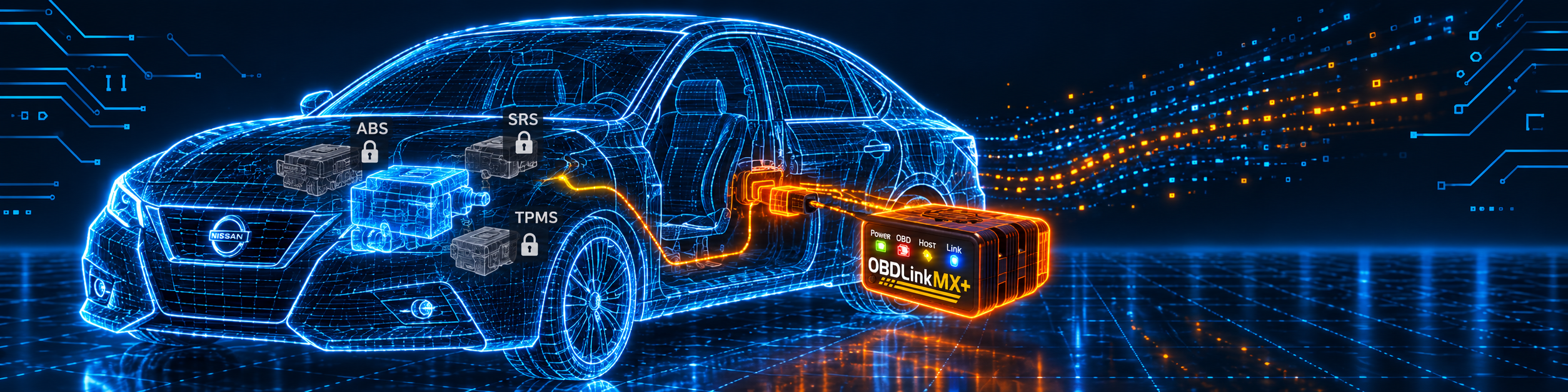
The picture below shows the adapter next to the question most buyers ask first, whether the ABS, airbag and tire pressure live data really works. On the list of supported makes it does, through the free add-ons, and the app shows you the result.

Methodology: How SCG Evaluates OBD2 Scanners.
Our Verdict on the OBDLink MX+
The MX+ is a well-supported Bluetooth adapter that does exactly what OBDLink says: it links the car to the OBDLink app and to many third-party apps, reaches the Ford and GM body networks, streams data quickly and can stay plugged in. Amazon and OBDLink agree on the adapter and on the enhanced ABS, SRS and TPMS reading for supported makes, and neither lists bidirectional control or coding. If you want that kind of reading on a supported car and you like choosing your app, it fits well. If you want a tool that resets, commands or codes, pick a different category.
Frequently Asked Questions
Does the OBDLink MX+ support bidirectional control?
No. Neither OBDLink nor Amazon lists it for the adapter. Some third-party apps can change settings on select models, which is the app’s feature.
Does the MX+ read ABS, airbag and tire pressure codes?
On supported makes, yes. OBDLink’s support article names ABS, SRS and TPMS as enhanced systems, the MX+ includes enhanced diagnostics free in the OBDLink app, and OBDLink’s coverage list shows which makes and years are supported. If the app does not offer the add-on for your car, standard OBD2 still works.
Does it work on hybrids and electric cars?
Amazon says hybrid and electric vehicles are excluded. OBDLink’s page lists cars and light trucks sold in the US from 1996 and does not mention hybrids.
How fast is it?
OBDLink says up to 100 data samples per second. The multipliers on the Amazon page, such as “four times” and “300%”, are marketing figures.
Can I leave it plugged in?
OBDLink lists a BatterySaver mode of 2 milliamps and says the adapter sleeps when the engine is off. Use common sense for a car that sits for months with an old battery.
Which apps work with it?
OBDLink names its own app, Torque, DashCommand, FORScan, AlfaOBD, BimmerCode and Carista among others. Amazon names FORScan, Torque, BimmerCode, DashCommand, AlfaOBD and Carista. Check each app’s own compatibility notes.
What is the return window?
OBDLink’s page says an unconditional 180-day money-back guarantee and a three-year warranty. Amazon’s description says 90 days, so the seller’s terms on your order apply at the store.
Is it compatible with my specific vehicle?
Use the Scanner Finder to check your year, make and model, and check OBDLink’s coverage list for the enhanced add-ons.
Trusted Sources
- OBDLink MX+ official product page: specifications, protocols, warranty, features
- OBDLink support: standard and enhanced diagnostics: ABS, SRS and TPMS, add-ons, caveats
- OBDLink MX+ OEM-specific enhanced diagnostics coverage list: makes, models, years and modules
- OBDLink support: get started on iOS and Android: setup, firmware update, add-ons
- OBDLink MX+ vs BlueDriver: the 100 samples per second figure and the maker’s comparison
- Amazon listing for the OBDLink MX+ (ASIN B07JFRFJG6): title, bullets, description and details checked 2026-10-14
- NIST SP 800-121 Rev. 2, Guide to Bluetooth Security: Bluetooth classes, range and encryption