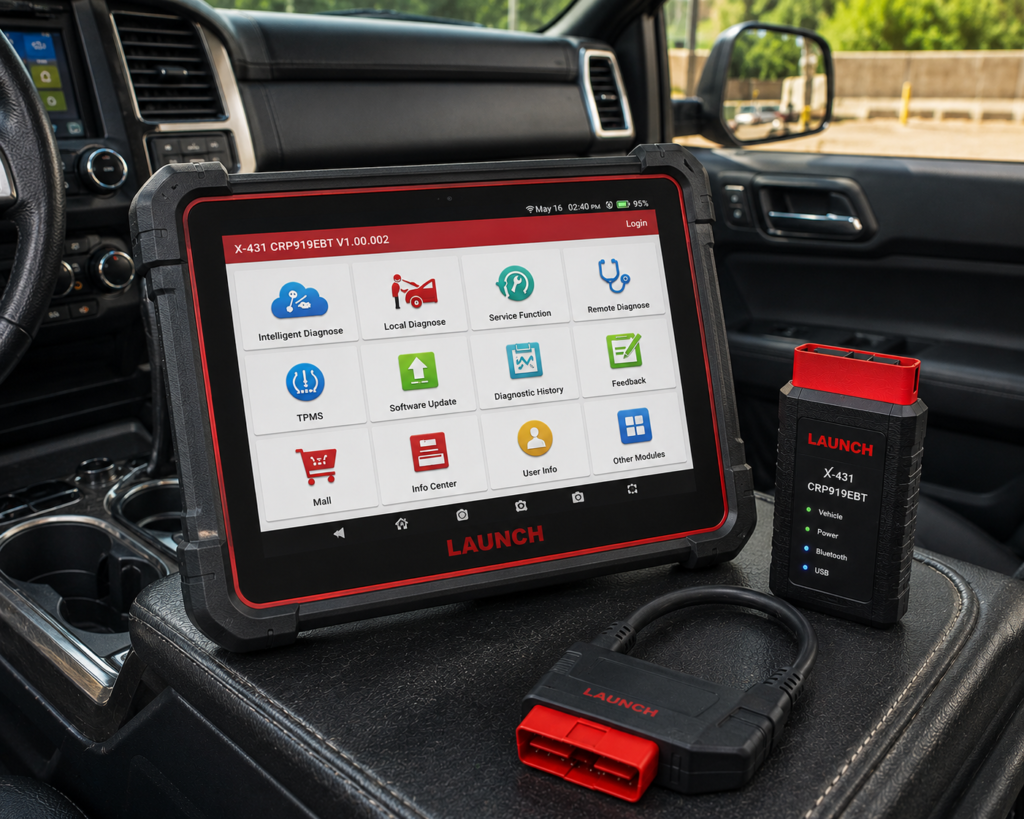
The LAUNCH X431 CRP919EBT is a 7 inch Android tablet that works with a Bluetooth connector called the DBScar VII. It reads and clears codes on many systems, runs active tests, and lists a long set of resets. It also lists online coding for the VW group and offline coding for several European brands, plus CAN FD and DoIP for newer cars.
The short version: The CRP919EBT is the wireless step up from the wired CRP919E. Amazon and Launch agree on most points. They differ on numbers: Launch says 100 or more brands and 31 resets, and Amazon says 160 or more brands and 35 or more services. The coding detail is the part to read closely. Launch names the brands for online coding and the brands for offline coding. They are not the same list.
Affiliate Disclosure: As an Amazon Associate I earn from qualifying purchases. Scan Choice Guide is a participant in the Amazon Services LLC Associates Program, an affiliate advertising program designed to provide a means for sites to earn advertising fees by advertising and linking to Amazon.com.
What the CRP919EBT Actually Does
The kit has two parts. The tablet is where you work. The DBScar VII is the connector that plugs into the OBD2 port. Launch says the connector is the Bluetooth version of the one used with the CRP919E. The tablet and the connector talk over Bluetooth, so you can walk around the car with the tablet.
Launch lists these specs:
- Screen: 7 inch LCD, 1024 by 600.
- System: Android 10, 2.0 GHz quad-core processor.
- Memory: 4 GB RAM and 64 GB storage.
- Battery: 6300 mAh.
- Camera: 8 MP, rear.
- Wi-Fi: 2.4 GHz on Launch’s page. Amazon says dual Wi-Fi.
On the diagnosis side, Launch and Amazon list these functions:
- All-system diagnosis. Launch names the engine, transmission, ABS, SRS, electric parking brake, body control module, electric power steering, HVAC and TPMS. Amazon names ABS, SRS (airbag), engine, AT, PCM, ECM, EPS, PDM, TPM and BCM.
- Read and clear codes and live data. Both sources describe full-system scans with live data.
- Bidirectional control. Launch calls it an active test. Amazon says “4000+ active tests” and calls bidirectional control the most demanded capability among mechanics.
- Reset services. Launch lists 31 and names brake, oil, SAS, battery matching, ABS bleeding, suspension, TPMS, gear, injector, AFS and throttle adaptation. Amazon says 35 or more.
- Auto VIN. Launch says the tool identifies the car from the VIN.
- FCA AutoAuth. Both Amazon and Launch list it.
The picture below shows a coding job on a BMW 5-Series. The tablet matches a new component to the car, and the technician can follow each step on the screen.

What Amazon Says vs. What Launch Confirms
We compared the Amazon listing with Launch’s product page. The two agree on the main points, and they differ on numbers and on coding detail.
| Claim | Amazon listing | Launch product page | Our reading |
|---|---|---|---|
| Name | “LAUNCH X431 CRP919EBT” | “CRP 919E BT” | Same tool |
| Screen | 7 inches | 7 inch, 1024 by 600 | Agree |
| Hardware | 2.0 GHz, 4 GB RAM, 64 GB, 6300 mAh | 2.0 GHz quad-core, 4 GB RAM, 64 GB, 6300 mAh | Agree |
| Wi-Fi | “dual WiFi” | 2.4 GHz | The sources differ |
| Brands | “160+ brands” and “99.9%” of vehicles | “100+ Car Brands Diagnosis” | The figures differ |
| Reset services | “35+” | “31 Reset Service” | The counts differ |
| ECU coding | “ECU Coding”, “adaptation, calibration & initialization” | Online coding for VW, Audi, Skoda and Seat; offline coding for six more brands | Launch names the brands |
| Bidirectional control | “4000+ active tests” | Active test, all systems listed | Agree |
| CAN FD and DoIP | “CANFD&DOIP” | CAN FD for GM from 2020, DoIP for BMW F and G chassis, Volvo from 2018, Land Rover and Jaguar from 2017 | Agree |
| FCA AutoAuth | Yes | Yes | Agree |
| VAG guide | In the title | Not listed on Launch’s page | Amazon only |
| Updates | “2Yrs Free Update” and “monthly software updates” | “Two Years Free Update”, then a yearly renewal | Renewal on Launch only |
| Warranty and support | Not listed | “Five Years Warranty & Lifetime Free Tech Support” | Launch only |
| TPMS | A TPM system scan is listed; no TPMS reset is named | TPMS reset; sensor programming works with the X431 TSGUN | Launch names the reset |
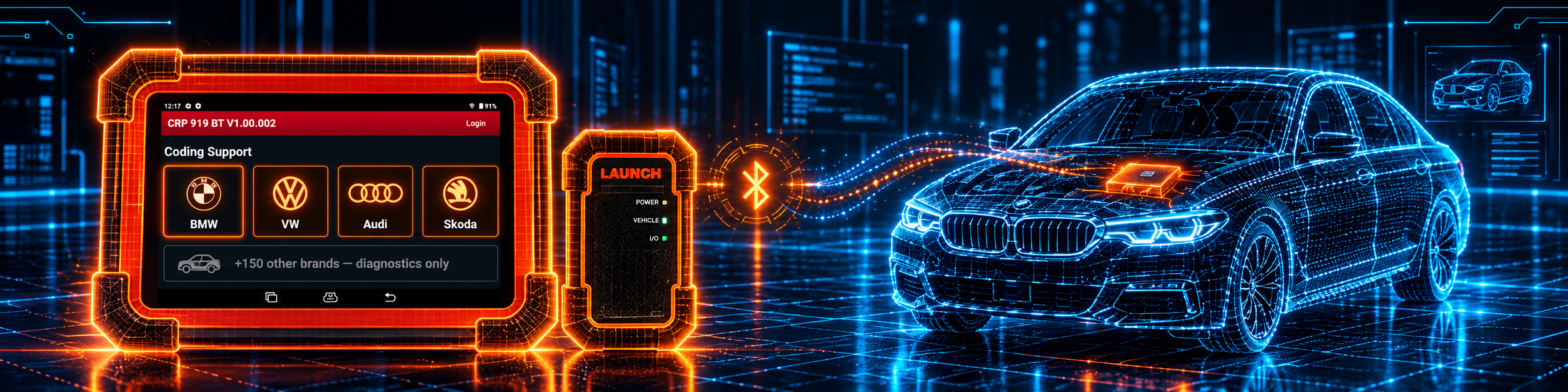
The coding point matters. Amazon says “ECU Coding” and lists adaptation, calibration and initialization, with “exceptional ECU code capabilities for customized vehicle setups”. Launch’s page says “ECU Online Coding (same coding as X431 V/V+)”. It names online coding that connects to the OEM server for VW, Audi, Skoda and Seat. It names offline coding for VW, Audi, Mercedes-Benz, BMW, Land Rover, Jaguar, Porsche and Toyota. So BMW coding is offline, and VW group coding can be online. Launch’s examples include acoustic confirmation, rear spoiler activation, speedometer changes, turning off start-stop, the lock beep and the seatbelt warning sound.
The numbers point matters. Launch says 100 or more brands. Amazon says 160 or more. The reset count is 31 on Launch’s page and 35 or more on Amazon. Pages written at different times often show different counts. We use both and say so.
The wireless point matters. Launch says the DBScar VII is a Bluetooth adapter and the CRP919E BT is the Bluetooth version of the CRP919E. Amazon calls the DBScar VII a “2-in-1 Bluetooth & USB connector” and says it is a wireless VCI used instead of a cable. Amazon’s bullets say 2.4G and 5GHz dual Wi-Fi, and Launch’s page lists 2.4 GHz. Both agree on Bluetooth to the car, and Amazon adds a USB option.
A third source. CAN in Automation (CiA), the international users and manufacturers group for CAN, explains CAN FD on its website. It says Robert Bosch GmbH started the development of CAN FD in 2011 together with carmakers and other CAN experts. It says the data field is now up to 64 bytes and not limited to 8 bytes. It says CAN FD frames can use two bit rates, one in the arbitration phase and a faster one in the data phase, and that the protocol controller also supports classic CAN frames. This source is independent of both Amazon and Launch. It explains why newer cars need a tool that lists CAN FD, such as the GM models from 2020 that Launch names.
How we handle these differences. The feature table at the bottom of this page, the Scanner Finder and our comparisons follow the Amazon listing, because Amazon is where you buy. We name the points above so you can see where Launch says more than Amazon, or something different. If one of them matters to you, read this section before you decide.
Is the CRP919EBT Enough for You?
A short table gives the first answer.
| If your work is | Does the CRP919EBT list it? |
|---|---|
| Reading and clearing codes on all systems | Yes |
| Live data and reports | Yes |
| Active tests on parts | Yes |
| Oil, brake, SAS and battery resets | Yes |
| ABS bleeding | Yes |
| TPMS reset | Yes, per Launch |
| Online coding on VW, Audi, Skoda and Seat | Yes, per Launch |
| Offline coding on BMW and other brands | Yes, per Launch |
| CAN FD and DoIP | Yes |
| FCA AutoAuth | Yes |
| J2534 pass-through | Not listed on Amazon or on Launch’s product page |
| TPMS sensor programming | Not with the tablet alone. Launch lists the separate X431 TSGUN |
For a shop with a European-leaning mix, the top half covers a lot of the day. The bottom half lists work that needs a different Launch tool or extra equipment.
Will the CRP919EBT Work on Your Car?
Launch says 100 or more brands. Amazon says 160 or more. The honest answer for your car is the Scanner Finder. Pick your year, make and model there.
For coding, the brand matters most. Online coding is listed for the VW group. Offline coding is listed for VW, Audi, Mercedes-Benz, BMW, Land Rover, Jaguar, Porsche and Toyota. Other brands are listed for diagnosis and resets, not for coding. Use the Scanner Finder to check your car.
Two points for newer cars:
- CAN FD. Launch lists support for GM models from 2020 and other new cars.
- DoIP. Launch lists BMW F and G chassis, Volvo from 2018, and Land Rover and Jaguar from 2017.
How to Set Up and Use the CRP919EBT
Launch’s pages for the CRP919EBT do not include a user manual. This section follows Launch’s CRP919E quick start for the first-use steps and Launch’s X-431 PRO5 manual for the app menus. Both describe the same X-431 software family, so your screens may look slightly different.
Step 1: Charge and start the tablet
Charge the tablet and press the power button. On the welcome screen, tap Start, pick the language and the time zone, and set up the Wi-Fi. The quick start also shows a user agreement that you accept.
Step 2: Register the tool
Open the app, tap Login and choose New Registration. Complete the required fields and tap Register. The app then asks for the product serial number and the activation code, which are printed on the password envelope that came in the box. Skipping this step is possible. You can activate the connector later from User Info and Activate VCI.
Step 3: Download the software
After activation the app offers to download the diagnostic software. Say yes, and tap Update. The quick start says to tap Upgrade to update the software to the latest version. The download can take several minutes, so keep Wi-Fi on.
Step 4: Connect to the car
- Find the OBD2 port under the dashboard, on the driver side in most cars.
- Plug the DBScar VII into the port with the ignition still off. The PRO5 manual warns against connecting or disconnecting the tool with the ignition on or the engine running.
- Turn the ignition on.
- On the tablet, search for the connector and pair it. A connector that was paired with another tablet must be released there first, in the Bluetooth settings.
The PRO5 manual lists these normal testing conditions: ignition on and the throttle closed. Check that the car battery is in good shape before coding.
Step 5: Pick how to start
The quick start names Intelligent Detection and Manual Diagnosis. In the PRO5 manual, the matching entries are Intelligent Diagnose and Local Diagnose.
- Intelligent Diagnose gets the VIN through the Bluetooth connector and opens the vehicle page with earlier records. It needs a stable network. When the VIN cannot be read, scan it with the camera or enter it by hand.
- Local Diagnose lets you pick the brand, model and year by hand, or use VINSCAN.
The VIN is 17 characters long, and the letters I, O and Q never appear in it.
Step 6: Read codes and watch live data
After the car is identified, choose Health Report, System Scan or System Selection. A health report scans all control units and shows the systems with codes in red.
Inside a system, the function list typically has Version Information, Read Fault Code, Clear Fault Code, Read Data Stream, Actuation Test and Special Function.
- Read Fault Code shows the codes. Freeze Frame shows the snapshot.
- Clear Fault Code clears them. Turn the ignition on with the engine off first, and check the codes again afterwards.
- Read Data Stream shows live values as a list, graphs or combined graphs. You can record and save a sample to compare later.
- Actuation Test sends commands to parts. Follow the steps on screen.
Step 7: Run a reset
The Special Function entry in a system, or the Reset shortcut on the Job menu, offers the service resets. The manual says to pick the reset, pick the brand and follow the screen. Typical cases are an oil change, new brake pads, a steering part, a new battery, the ABS pump or brake lines, and a tire service.
Step 8: Use coding functions
Launch’s page describes the coding side in three parts.
- Online coding connects to the OEM server and applies to VW, Audi, Skoda and Seat.
- Offline coding covers VW, Audi, Mercedes-Benz, BMW, Land Rover, Jaguar, Porsche and Toyota.
- Component matching and adaptation. After replacing a faulty actuator or a specific part, the function generates a new code and detects the new part.
Launch’s own examples of hidden functions include turning off the start-stop function, the lock beep and the seatbelt warning sounds. The list depends on the car, so look in the system’s special function menu.
Step 9: Keep it updated and use support
Launch’s page says two free years of updates, then a yearly renewal. The warranty is five years, with lifetime free tech support, per Launch’s page. In the PRO5 manual, you can also send diagnostic logs through Feedback for help.
Step 10: Fix common problems
- The connector will not pair. Unplug it, plug it in again, and pair again. Unpair it from other tablets first.
- The VIN is not recognized. Scan it with the camera, or type it in.
- A download stops. Check Wi-Fi and tap Retry.
- A coding option is missing. The list depends on the brand and the car. Check the brand lists above.
Common Mistakes and Three Simple Plans
1. Assuming coding works on every brand. Launch names the brands for online and offline coding.
2. Starting coding with a weak battery. Coding writes data to a control unit. Charge or support the car battery first.
3. Clearing codes before saving them. Read the codes, save the report and look at freeze frame first.
4. Expecting J2534. The tool does not list pass-through programming. Our LAUNCH X431 PRO3S+ Elite review covers a tool that does.
Plan A: A new battery on a European car
- Connect, read the VIN and open the battery matching reset.
- Follow the steps on screen.
- Save the report.
Plan B: A hidden function on a VW or Audi
- Connect and identify the car.
- Open the coding function in the system menu.
- Pick the function, apply it and read the result.
Plan C: Bleeding the brakes after an ABS repair
- Open the ABS system and the ABS bleeding function.
- Follow the prompts for the pump and the bleeding order.
- Check that no code is left.
Where the CRP919EBT Sits Against the Alternatives
| CRP919EBT | CRP919E Lite | PRO3S+ Elite | XTOOL D8W | |
|---|---|---|---|---|
| Wireless connector | Yes | Not listed in our CRP919E Lite review | Not listed in our PRO3S+ Elite review | Yes, Wi-Fi connector |
| ECU coding | Yes, on named brands | Not listed in our CRP919E Lite review | Yes, online and offline | Yes, on named brands |
| J2534 pass-through | Not listed on Amazon or Launch | Not listed in our CRP919E Lite review | Yes, per our review | Not listed in our D8W review |
Our CRP919E Lite review covers the lower tier without coding. Our LAUNCH X431 PRO3S+ Elite review covers the tool with J2534 hardware. Our XTOOL D8W review covers a tool that lists coding for other brands, including Mercedes-Benz, BMW, Mitsubishi, VW and Audi, and module installation for Ford, Lincoln and Mazda.
The CRP919EBT sits in the middle of Launch’s range. It adds coding and a wireless connector to the family, and it stops before J2534. An ABS bleeding job shows the day-to-day use well. The picture below shows an active test on the ABS of a BMW 5-Series.

Who This Scanner Actually Fits
The CRP919EBT fits a shop or mobile technician who works on a European-leaning mix, wants coding on the VW group and offline coding on BMW and Mercedes-Benz, and likes a wireless connector. It also fits a serious home mechanic who wants active tests and a long reset list on a 7 inch tablet.
Important Limitations of the LAUNCH X431 CRP919EBT
- Coding depends on the brand. Launch names different brands for online and offline coding.
- The counts differ by page. Brands are 100 or more on Launch’s page and 160 or more on Amazon. Resets are 31 and 35 or more.
- No J2534. Pass-through programming is not listed.
- TPMS sensor work needs extra equipment. Launch lists the X431 TSGUN.
- No manual for this exact model. The menu steps above come from Launch’s other manuals for the same app.
- Updates have an end date. Two free years, then a yearly renewal on Launch’s page.
Who Should Choose It, and What to Consider Instead
Choose the CRP919EBT if you work on VW group cars, BMW or Mercedes-Benz and want coding, active tests and resets on a wireless tablet.
Consider the XTOOL D8W instead if your coding work is on brands outside Launch’s lists. Consider the Launch X431 CRP919E Lite instead if you do not need coding. Consider the Launch X431 PRO3S+ Elite instead if you need J2534 pass-through.
| Specification | Details |
|---|---|
| Screen | 7 inch LCD, 1024 by 600 |
| System | Android 10, 2.0 GHz quad-core |
| Memory and storage | 4 GB RAM, 64 GB |
| Battery | 6300 mAh |
| Connector | DBScar VII, Bluetooth, and USB per Amazon |
| Brands | 100 or more per Launch, 160 or more per Amazon |
| Reset services | 31 per Launch, 35 or more per Amazon |
| Coding | Online: VW, Audi, Skoda, Seat. Offline: VW, Audi, Mercedes-Benz, BMW, Land Rover, Jaguar, Porsche, Toyota, per Launch |
| CAN FD and DoIP | Yes |
| FCA AutoAuth | Yes |
| Updates | Two free years, then a yearly renewal, per Launch |
| Warranty | Five years, with lifetime free tech support, per Launch |
| Pros | Cons |
|---|---|
| Online coding for the VW group and offline coding for six more brands | Coding is brand-limited |
| Bidirectional control and a long reset list | No J2534 pass-through |
| CAN FD, DoIP and FCA AutoAuth listed | Updates carry a yearly cost after two years |
| Bluetooth connector and a 7 inch tablet | |
| Five-year warranty per Launch |
Methodology: How SCG Evaluates OBD2 Scanners.
Our Autel vs LAUNCH comparison sets this tablet against the Autel MK900-BT, and our TOPDON vs LAUNCH comparison sets it against the TOPDON Phoenix Plus 2.
Our Verdict on the LAUNCH X431 CRP919EBT
The CRP919EBT is a wireless tablet with coding on named brands, active tests and a long reset list. Amazon and Launch agree on the main points and differ on counts and on the coding brands. If you work on the VW group, BMW or Mercedes-Benz, it fits well.
Frequently Asked Questions
Which brands can it code?
Launch’s page lists online coding for VW, Audi, Skoda and Seat. It lists offline coding for VW, Audi, Mercedes-Benz, BMW, Land Rover, Jaguar, Porsche and Toyota.
How many resets does it have?
Launch’s page says 31. Amazon says 35 or more. Launch names brake, oil, SAS, battery matching, ABS bleeding, suspension, TPMS, gear, injector, AFS and throttle adaptation.
What is the difference from the CRP919E?
Launch says the CRP919E BT is the Bluetooth version, with the DBScar VII connector. Amazon calls it a wireless upgrade of the CRP919E.
Does it need a subscription?
Both list two free years of updates. Launch’s page lists a yearly renewal after that.
Does it support J2534?
Neither Amazon nor Launch’s page lists J2534. Look at the PRO3S+ Elite for that.
Is it compatible with my specific vehicle?
Launch and Amazon list broad coverage, with different brand counts. Use the Scanner Finder to check your year, make and model.
Trusted Sources
- Launch CRP919E BT official product page: specifications, coding brands, reset functions, protocols, updates, warranty
- Verified Amazon listing: current listing title, bullets and product overview
- Launch CRP919E quick start manual: first-use and update steps for the wired CRP919E
- Launch X-431 PRO5 user manual: registration, connection and menu steps in the same X-431 app
- CAN in Automation, CAN FD: what CAN FD is and why newer cars use it