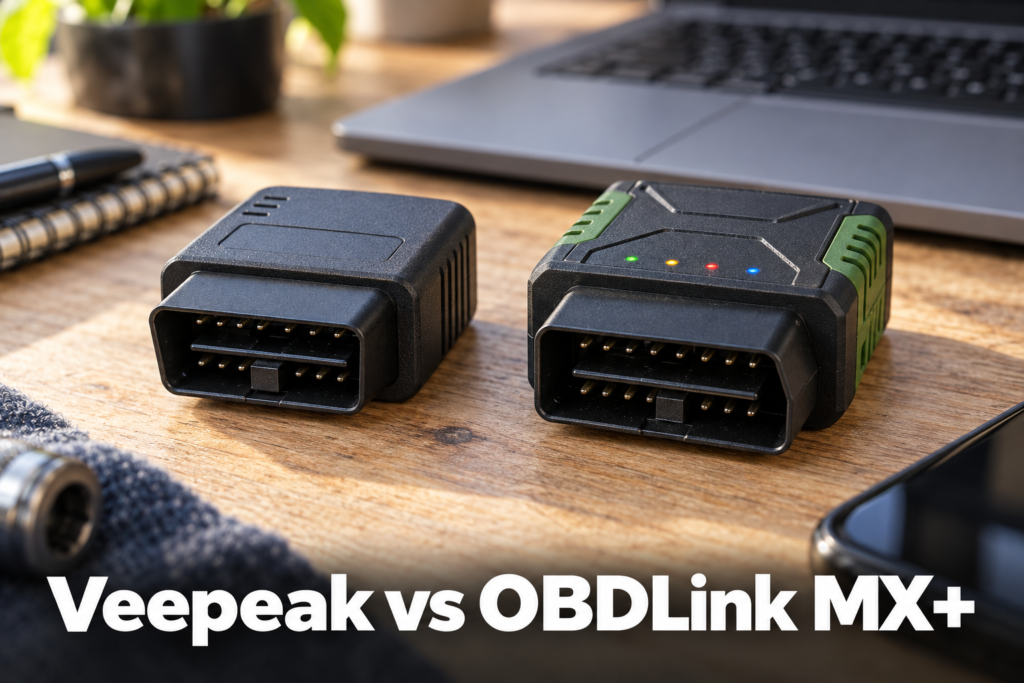
Veepeak OBDCheck BLE+ Plus vs OBDLink MX+: Which Should You Buy in 2026?
Neither of these adapters has bidirectional control or ECU coding confirmed, so this comparison is not about who does more; it is about protocol depth, app compatibility, and reliability. The OBDLink MX+ costs significantly more, but it documents advanced Ford and GM network support, a specific 100-samples-per-second data rate, and a 3-year warranty. The Veepeak OBDCheck BLE+ Plus is the cheaper, simpler option, but it explicitly does not work with several premium coding apps, a restriction the OBDLink MX+ does not have.
Affiliate Disclosure: As an Amazon Associate I earn from qualifying purchases. Scan Choice Guide is a participant in the Amazon Services LLC Associates Program, an affiliate advertising program designed to provide a means for sites to earn advertising fees by advertising and linking to Amazon.com.
Veepeak vs OBDLink MX+: The Short Answer
Best for Advanced Protocol Support and Reliability: OBDLink MX+, with Ford MS-CAN/GM SW-CAN support and a 3-year warranty.
Best Budget Pick: Veepeak OBDCheck BLE+ Plus, compatible with specialized apps like BimmerCode and Carista at a lower price.
Veepeak vs OBDLink MX+: Two Buyer Scenarios
You own a Ford or GM vehicle, or plan to use a premium coding app like Carly, MHD, xHP, ProTool or bootmod3: the OBDLink MX+ is the documented, compatible choice; the Veepeak BLE+ Plus explicitly excludes these apps and lacks confirmed MS-CAN/SW-CAN support.
You want the lowest-cost adapter for basic generic OBD2 diagnosis with a simple third-party app like Torque or Car Scanner: the Veepeak BLE+ Plus covers this at a significantly lower price than the OBDLink MX+.
Veepeak OBDCheck BLE+ Plus
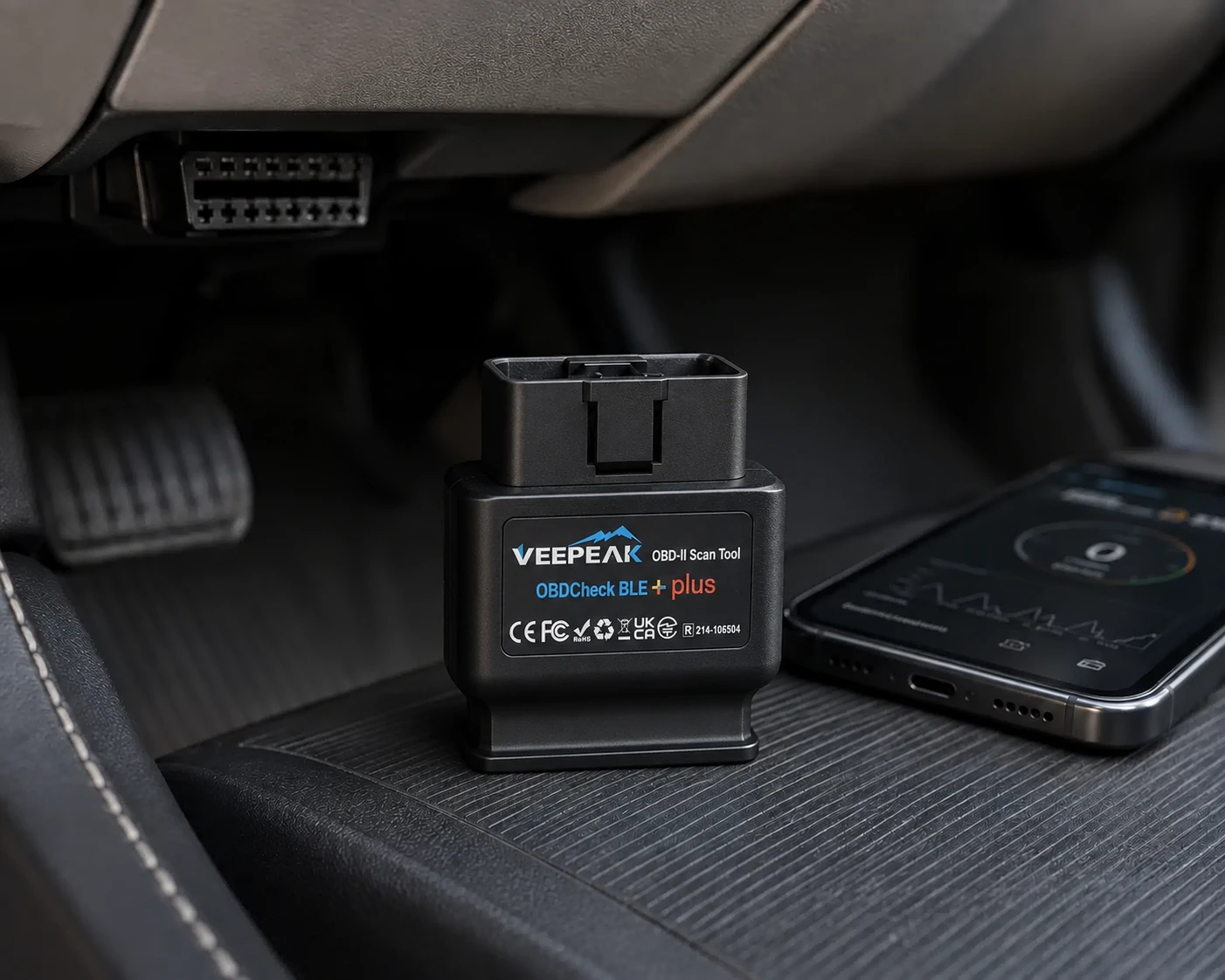
The Veepeak OBDCheck BLE+ Plus is a budget Bluetooth adapter at a significantly lower price than the OBDLink MX+, working with both iOS via Bluetooth LE and Android/Windows via Classic Bluetooth, and compatible with specialized third-party apps like BimmerCode and Carista. Its ELM327 v2.2 chipset covers the standard protocol set across 1996-and-newer US vehicles. It lacks MS-CAN/SW-CAN support for advanced Ford and GM networks, which the OBDLink MX+ confirms, and is explicitly incompatible with several premium coding apps, so check your specific app needs before choosing the cheaper option.
| Pros | Cons |
|---|---|
| Significantly cheaper than the OBDLink MX+ | No MS-CAN/SW-CAN support, unlike the OBDLink MX+ |
| Works with both iOS (Bluetooth LE) and Android/Windows (Classic Bluetooth) | |
| Compatible with specialized third-party apps like BimmerCode and Carista | Explicitly incompatible with several premium coding apps (Carly, MHD, xHP, ProTool, bootmod3) |
| ELM327 v2.2 chipset with broad standard-protocol support | |
| Includes a carrying case and user manual | No documented data sampling rate, warranty terms, or bundled app |
| 1996+ USA, 1998+ Canada, and 2001/2004+ EU vehicle compatibility |
OBDLink MX+
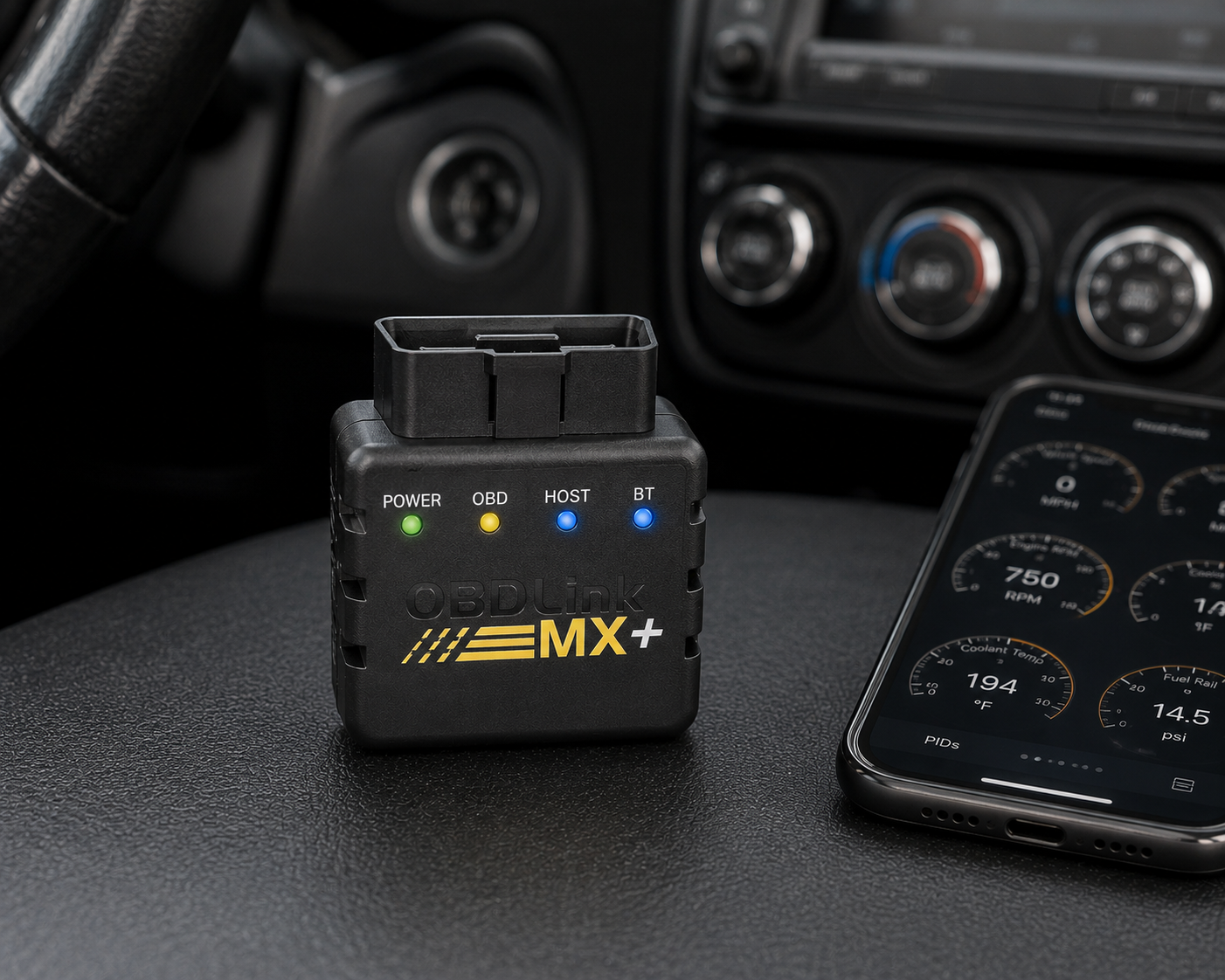
The OBDLink MX+ adds advanced Ford and GM network support (MS-CAN, SW-CAN) the Veepeak explicitly lacks, with a documented data sampling rate of up to 100 samples per second for real-time graphing. OBDLink backs it with a 3-year warranty and 180-day money-back guarantee, stated directly by the manufacturer, plus broad reference-grade compatibility with apps like FORScan, BimmerCode, and Carista. It is significantly more expensive than the Veepeak, and full diagnostic depth still requires installing and configuring a separate third-party app, a real step beyond simply plugging it in.
| Pros | Cons |
|---|---|
| Advanced Ford and GM network support (MS-CAN, SW-CAN), which the Veepeak explicitly lacks | Significantly more expensive than the Veepeak BLE+ Plus |
| Documented data sampling rate of up to 100 samples per second | |
| 3-year warranty and 180-day money-back guarantee, stated directly by OBDLink | No bidirectional control or ECU coding confirmed, same limitation as the Veepeak |
| No documented app incompatibilities, unlike the Veepeak's named exclusion list | |
| Bundled basic app plus broad reference-grade third-party app compatibility (FORScan, BimmerCode, Carista) | Full diagnostic depth still requires installing and configuring a separate third-party app |
| Free firmware/software updates, no subscription required |
Veepeak OBDCheck BLE+ Plus vs OBDLink MX+ at a Glance
| Specification | Veepeak OBDCheck BLE+ Plus | OBDLink MX+ |
|---|---|---|
| Price class | Under $100, significantly cheaper than the OBDLink MX+ | Between $100 and $200, significantly more expensive than the Veepeak |
| Connectivity | Bluetooth LE (iOS) / Classic (Android, Windows), ELM327 v2.2 | Class 2 Bluetooth v3.0, 128-bit encryption |
| Advanced protocols | SAE J1850, ISO 9141-2, ISO 15765-4 CAN, ISO 14230-4 KWP2000; no MS-CAN/SW-CAN | All legislated OBD2 protocols plus advanced Ford & GM networks (MS-CAN, SW-CAN) |
| Data sampling rate | Not listed by the manufacturer | Up to 100 samples/second, documented |
| Bidirectional control | Not listed by the manufacturer | Not listed by the manufacturer |
| ECU coding / resets | Explicitly not supported (injector coding, EPB reset, ABS bleeding, oil/service resets) | Not listed by the manufacturer |
| Bundled app | None; requires a third-party app | Basic OBDLink app included, designed to pair with third-party apps |
| Documented app incompatibility | Carly, MHD, xHP, ProTool, bootmod3 | None documented |
| Warranty | Not listed by the manufacturer | 180-day money-back guarantee, 3-year warranty |
| Subscription | None disclosed | Free firmware/software updates, no subscription |
Price classes are broad bands, not Amazon prices, and street prices change often. Check the current price on Amazon before you buy.
Two Adapters, One Rule: The App Decides
This page comes from our analysis of OBDLink’s and Veepeak’s own specification pages, the Amazon listings, the compatible-app lists both makers publish, and independent sources on Bluetooth behavior and enhanced vehicle networks. Using these sources, we compared both adapters against the same questions: which jobs does each one let you do on a Ford, a GM truck, a BMW or a hybrid, and which does it lock you out of?
Neither of these is a scan tool. Each is a small plug with a Bluetooth radio. The logic and the screen come from the app on your phone. That means the adapter you buy sets the ceiling for what the apps can do, and the difference between these two is exactly that ceiling. The OBDLink MX+ lifts it: it reads all legislated OBD II protocols, adds the enhanced Ford and GM networks (MS-CAN and SW-CAN), streams data at up to 100 samples per second and works with the apps serious enthusiasts use. The Veepeak OBDCheck BLE+ Plus keeps it low and cheap: it covers the standard protocols, no MS-CAN or SW-CAN, and carries a published list of apps that will not work with it.
On price, the Veepeak falls in the class under $100 and the OBDLink MX+ in the $100 to $200 class, so the Veepeak is significantly cheaper and the MX+ is significantly more expensive. Street prices move, so check Amazon before you buy.
Veepeak vs OBDLink MX+: Best Pick for DIY, Enthusiast and Shop
| Category | Winner | Why |
|---|---|---|
| Casual DIY who wants to read a check engine light on an iPhone | Veepeak OBDCheck BLE+ Plus | Works with free apps such as Car Scanner, uses Bluetooth LE with no pairing on iOS, and is significantly cheaper. |
| Ford owner who wants FORScan | OBDLink MX+ | It supports MS-CAN, which FORScan needs for body modules. The Veepeak states that MS-CAN is not supported. |
| GM owner who wants network access beyond the engine | OBDLink MX+ | It lists SW-CAN support. The Veepeak does not. |
| BMW owner coding comfort features with BimmerCode | OBDLink MX+, Veepeak for 2008 to 2020 cars on a budget | Both are named compatible. Veepeak limits are stated: no G-series support and no cars before 2008. |
| Tuner using MHD, xHP, ProTool or bootmod3 | OBDLink MX+ | Veepeak explicitly lists all four as incompatible. |
| Independent shop with Ford and GM customers | OBDLink MX+ | A documented 100 samples per second, MS-CAN and SW-CAN, a three-year warranty and a 180-day money-back guarantee. |
| Best bay spare adapter for a fast first look on a phone | Veepeak OBDCheck BLE+ Plus | Cheap enough to leave in a toolbox, small enough to lose without grief. |
Veepeak vs OBDLink MX+: Older Cars vs Newer Cars, Which Adapter Wins by Model Year
1996 to 2007
Every US gasoline car and light truck from 1996 carries OBD II. In this period Fords use J1850 PWM, GMs use J1850 VPW, and most European and Asian cars use ISO 9141 or KWP2000. Both adapters list those protocols, so both read engine codes on a 2002 Ford Ranger, a 2005 Chevrolet Silverado or a 2004 Toyota Camry. The difference is the network behind the engine. Many Fords from this period run their body modules on MS-CAN and many GMs on SW-CAN, and only the MX+ lists both. A 2006 Ford F-150 with a stuck power window or a GM truck with a body-module code is an MX+ job. Winner: tie for engine codes, MX+ for anything beyond.
2008 to 2016
All US cars from the 2008 model year use CAN. This is the period where enthusiast apps matter most. BimmerCode works on BMW E, F and I series and Mini R series from 2008 per Veepeak, FORScan covers the Ford catalog, and Carista and Car Scanner cover many makes. On a 2012 BMW 328i or a 2014 Ford Mustang, the Veepeak does the engine-level job and the BimmerCode job; the MX+ does the same and adds the Ford network. Winner: tie for BMW comfort coding, MX+ for Ford.
2017 to 2019
BMW G-series cars arrived, and Veepeak says G series are not fully supported, pointing to its own ENET Wi-Fi adapter. Amazon says G and U series are not supported with BimmerCode on the BLE+ Plus. The MX+ is named compatible with BimmerCode for supported BMW and Mini vehicles. Ford and GM cars in this period still run on the networks the MX+ lists. Winner: MX+.
2020 and newer
Neither adapter lists CAN FD or DoIP, and both OBDLink and Veepeak describe their products as built around the legislated OBD II protocols. For a 2021 Chevrolet Silverado or a 2022 Ford Bronco, an adapter reads what the OBD II port exposes, which is the engine data, and the enhanced systems depend on the app and on the car. Neither adapter is a confirmed pick for deep late-model work. If your cars are mostly 2020 and newer, a tablet that lists CAN FD and DoIP on its own page, such as the LAUNCH CRP919EBT, is the tool.
| Model years | Winner | Reason in one line |
|---|---|---|
| 1996 to 2007 | MX+ for Ford and GM body modules, tie for engine codes | Only the MX+ lists MS-CAN and SW-CAN. |
| 2008 to 2016 | MX+ for Ford, tie for BMW coding | Both are named for BimmerCode on supported BMWs. |
| 2017 to 2019 | MX+ | Veepeak states G-series BMWs are not fully supported. |
| 2020 and newer | Neither is a confirmed pick | No CAN FD or DoIP is listed for either adapter. |
Veepeak vs OBDLink MX+: Make by Make, Which Adapter for Which Car
Ford, Lincoln and Mercury
This is the MX+’s strongest ground. OBDLink’s documentation names FORScan among its compatible apps and lists MS-CAN support. FORScan, the app Ford owners and independents use for module configuration and diagnostics well beyond the engine, depends on the adapter reaching those networks. The Veepeak states that MS-CAN is not supported and that FORScan and AlfaOBD cannot use it there. For a Ford F-150, Explorer, Mustang or Escape owner who wants anything beyond engine codes, the MX+ is the adapter. For a Ford owner who only wants to read a check engine light, the Veepeak works. Winner: MX+.
Chevrolet, GMC, Buick and Cadillac
The MX+ lists SW-CAN, the single-wire network GM uses for many body and comfort modules. The Veepeak lists none of the enhanced GM networks. On a Chevrolet Silverado or Equinox with a body-module code, the MX+ with a capable app can reach it; the Veepeak reads engine data. For simple code reading, the Veepeak does the job. Winner: MX+ for anything beyond the engine.
BMW and Mini
BimmerCode lets an owner change factory settings such as the start-stop memory, lock beep, daytime running lights and seatbelt warning. Veepeak lists BimmerCode and BimmerLink as compatible on 2008 and newer BMW E, F and I series and Mini R series, with limits: not before 2008, not fully on G series. Both adapters work for this on supported cars. The MX+ is named in OBDLink’s own compatible-apps list and has no published app exclusions. Winner: MX+ for reliability, Veepeak for a budget BMW from 2008 to 2020.
Volkswagen, Audi, Skoda and Seat
Veepeak lists Carista as compatible and VCDS as incompatible. Carista works on many VW-group cars; VCDS needs its own cable. The MX+ is named compatible with Carista as well. Winner: tie for Carista, and neither adapter replaces a VCDS cable.
Toyota, Lexus, Honda, Nissan, Hyundai and Kia
Both adapters read engine codes and live data on these makes. Veepeak lists Techstream as incompatible. Amazon lists Dr. Prius, an app for Toyota and Lexus hybrids, as working with the Veepeak, which is the one hybrid-specific tool in the Veepeak’s list. For a Prius owner who wants battery data, the Veepeak with Dr. Prius is a cheap, specific answer. Winner: Veepeak for the Prius, tie for the rest.
Mazda, Subaru and Mitsubishi
OBDLink’s coverage list shows enhanced modules for Mazda, Nissan, Ford, GM, Honda, Hyundai and Toyota, through the free add-ons in the OBDLink app. For Subaru and Mitsubishi, the adapter reads engine data, and the app supplies anything more.
Performance and tuning platforms
Veepeak states that Carly, MHD, xHP, ProTool and bootmod3 do not work with the BLE+ Plus. An owner who wants any of those has one choice here: the MX+, which carries no published exclusion list.
Which App for Which Job, and Which Adapter It Needs
| Job | App | Veepeak BLE+ Plus | OBDLink MX+ |
|---|---|---|---|
| Read and clear check engine codes | Car Scanner, OBD Fusion, Torque (Android) | Works | Works |
| Live data dashboard | Car Scanner, OBD Fusion, Torque, DashCommand, DrivePulse | Works | Works, up to 100 samples per second |
| Ford module configuration and diagnostics | FORScan | Not usable on MS-CAN modules | Works, reference adapter |
| BMW comfort coding | BimmerCode, BimmerLink | 2008 and newer, no G-series | Works on supported BMW and Mini |
| General vehicle app | Carista, OBD JScan | Works | Works |
| Hybrid battery data | Dr. Prius | Works | App-dependent |
| BMW and VW tuning | MHD, xHP, ProTool, bootmod3, Carly | Explicitly not compatible | No exclusion published |
| VW-group coding with a PC | VCDS | Not compatible | Needs its own cable |
| Toyota factory diagnostics | Techstream | Not compatible | Needs its own interface |
| ABS, airbag, TPMS access | Paid third-party apps | Possible on certain cars through paid apps | Yes on supported makes, with the free OBDLink add-ons |
| Oil reset, EPB, ABS bleeding, injector coding | None through these adapters | Explicitly not supported | Not listed |
Read it as a map of what you will pay for. Free apps cover the first four rows. FORScan is free; BimmerCode and Carista have paid tiers. The premium apps in the tuning rows carry their own purchase prices separate from the adapter, so budget for the app as well as the plug.
Veepeak vs OBDLink MX+: Eight Repair Scenarios Compared
Job 1: 2014 Ford F-150 with a door-lock module fault and a stuck window
These faults sit on the body network, not the engine network. FORScan paired with the MX+ reaches the body control module and shows its codes and configuration. With the Veepeak, FORScan cannot use the MS-CAN network, so the body modules stay out of reach. Winner: MX+.
Job 2: 2013 BMW 328i where the owner wants start-stop off by default
BimmerCode on an iPhone with either adapter. The Veepeak instructions for BimmerCode are specific: turn on Airplane mode, then turn Bluetooth back on, turn off Wi-Fi, disable CarPlay, disconnect the phone from iDrive and keep the phone close to the adapter. The MX+ follows the same logic and has a reputation for stability with BimmerCode. Winner: tie on a 2013, MX+ on any G-series.
Job 3: 2008 Chevrolet Silverado with an intermittent stumble
You need a graph of several values at once. The MX+ streams up to 100 samples per second per OBDLink’s documentation, which catches a short event that a slower adapter averages away. Veepeak lists no sampling rate. Winner: MX+.
Job 4: 2012 Toyota Prius with a weak hybrid battery
Amazon lists Dr. Prius among the apps that work with the Veepeak, and the app reads hybrid battery data on Toyota and Lexus hybrids. This is a specific, cheap answer. Winner: Veepeak with Dr. Prius.
Job 5: 2016 Honda Civic with a check engine light, owner has an iPhone
Plug the Veepeak in and open Car Scanner. On iPhone, do not pair in Settings: Veepeak says to connect inside the app, choose the Bluetooth LE adapter type and pick VEEPEAK. The code appears in seconds. Winner: Veepeak, because the job needs nothing the MX+ adds.
Job 6: 2017 BMW 340i where the owner runs a tune with MHD or bootmod3
Tuning and datalogging apps for BMW and VW cars ask for the best adapter available. Veepeak states that ProTool, bootmod3, MHD, xHP and Carly do not work with the BLE+ Plus. The MX+ publishes no such list. Winner: MX+.
Job 7: Pre-purchase scan on a used 2011 Honda Accord
Plug in either adapter, open an app, read codes, freeze frame and I/M readiness. The Veepeak shows incomplete monitors, which tells you codes were recently cleared. Winner: tie.
Job 8: Leaving the adapter in the car for a week
The MX+ has a BatterySaver mode that drops current to 2 milliamps when the vehicle is off, so it will not drain the battery overnight. Veepeak states a maximum current of 45 milliamps and says you can leave it for a few days if the battery is not too old or the car is driven often, and that you should remove it if the car sits more than a week. For a daily driver, either is fine; for a stored car, only the MX+ is designed for it. Winner: MX+.
Tally: the MX+ wins four jobs, the Veepeak wins two and two are ties. The split follows the money: the MX+ wins whenever the job needs a network or a sampling rate, and the Veepeak wins whenever the job is simple.
Connecting: iPhone vs Android, the Part Where Most People Get Stuck
Veepeak on iPhone. The adapter uses Bluetooth LE. Apple’s developer documentation explains that the Core Bluetooth framework is what iOS and Mac apps use to talk to Bluetooth low energy devices, which is why the BLE+ Plus is built around it and why a Classic-only adapter does not work on an iPhone. Do not pair in the Settings app. If you do, you will see an error; Veepeak says to ignore it and connect inside the app. In Car Scanner, open Settings, choose the ELM327 adapter, pick Bluetooth LE 4.0 Plus as the type and VEEPEAK as the device, then tap Connect.
Veepeak on Android. Pair the adapter with PIN 1234 first. After pairing it may not show as connected; start the app and it connects. If pairing fails, turn Bluetooth off and on, try again, and clear the Bluetooth cache.
OBDLink MX+. OBDLink ships free apps for iOS, Android and Windows, plus OBDwiz for Windows. The adapter uses Class 2 Bluetooth v3.0 with 128-bit encryption, which means the link between adapter and phone is encrypted. Its documentation lists iOS, Android and Windows support.
If the connection drops. Veepeak’s own list: check the cigarette-lighter fuse if there is no blue light, make sure no other phone is connected, remove and reinstall the app after an operating system update, and push the adapter harder into the port if it feels loose. Keep the adapter close to the phone and close other apps if the link is unstable.
Veepeak vs OBDLink MX+: Warranty, Returns and Updates
OBDLink covers the MX+ with a three-year warranty and an unconditional 180-day money-back guarantee, both stated on its own page, and offers free firmware and software updates with no subscription. We found no warranty term published for the Veepeak. Neither adapter carries a recurring cost, though some apps do: FORScan is free, while Carista and BimmerCode have paid features. On value, the MX+ is the lower-risk purchase because its terms are written down.
What These Adapters Cannot Do, and What to Buy Instead
- Bidirectional control (commanding parts): neither adapter. The Thinkcar THINKDIAG and the Foxwell NT809BT list it.
- Service resets (oil, EPB, ABS bleeding, injector coding): Veepeak states these are not supported; OBDLink does not list them. Buy BlueDriver for an oil light reset or a tool with a real reset list.
- ECU coding without an app: neither adapter. Coding comes from the app, and only on cars the app supports.
- A standalone screen: neither. Both need a phone or a Windows laptop.
Why Data Speed Matters: What 100 Samples per Second Buys You
A basic adapter polls the car one value at a time, and the more values you ask for, the slower each one refreshes. OBDLink documents up to 100 samples per second for the MX+. In practice that is the difference between seeing a short event and averaging it away. Take a hesitation that lasts a fraction of a second. At a slow refresh rate, the oxygen sensor and throttle graphs show smooth lines and the glitch is gone. At a fast rate, the dip is in the data. For a mechanic chasing an intermittent fault, or an enthusiast datalogging a pull on a performance car, the fast adapter is the difference between a diagnosis and a guess. Veepeak lists no sampling rate for the BLE+ Plus, so you cannot count on anything beyond the basic polling of a standard ELM327-class adapter. For reading a code and checking idle values, the difference does not matter. For logging a fault that happens once a drive, it does.
MS-CAN and SW-CAN in Plain English
A modern car is a collection of small computers talking over several networks. The engine and transmission usually share a fast network. Door locks, windows, seats, lights and climate sit on slower ones. Ford calls its medium-speed body network MS-CAN, and GM uses a single-wire network called SW-CAN for many comfort and body modules. The OBD II connector exposes the main network on every car, but reaching those slower networks needs an adapter that is wired and built for it. The MX+ is. The Veepeak’s specification states that it does not support MS-CAN and SW-CAN. That one line explains most of the difference in what the two adapters can do on a Ford or GM beyond the engine, and why a FORScan user buys the MX+.
Where These Two Sit in the Adapter and Scanner Lineup
- Veepeak OBDCheck VP11: a Classic-Bluetooth-only adapter. It does not work with iPhones, so it is an Android-only option.
- Veepeak OBDCheck BLE+ Plus: the iPhone-friendly budget adapter reviewed here.
- OBDLink MX+: the reference adapter for enthusiasts, with the enhanced Ford and GM networks and a long warranty.
- BlueDriver: an adapter with its own app, repair reports and enhanced ABS, airbag and TPMS codes. It costs more than the Veepeak and is easier to use. Veepeak lists BlueDriver’s app as not working with the BLE+ Plus.
- Thinkcar THINKDIAG: an adapter with its own app, bidirectional control and ECU coding. Choose it when you want to command parts or code a car.
- LAUNCH CRP919EBT: a tablet with coding on named brands, CAN FD and DoIP. Choose it when your cars are newer or European.
Veepeak vs OBDLink MX+: Which One to Buy, Plain Answers
- You want to read a check engine light with a free app on an iPhone and spend as little as possible: Veepeak OBDCheck BLE+ Plus.
- You own a Ford and want FORScan: OBDLink MX+.
- You own a GM truck and want more than engine data: OBDLink MX+.
- You own a BMW and want BimmerCode on a 2008 to 2020 car: either; OBDLink MX+ if you want the most stable connection.
- You own a G-series BMW: OBDLink MX+, and check the app’s own list for your chassis.
- You run MHD, xHP, ProTool, bootmod3 or Carly: OBDLink MX+.
- You own a Prius and want hybrid battery data: Veepeak with Dr. Prius.
- You want one package with repair help built in: neither; buy BlueDriver.
- You want to command parts or code: neither; buy the Thinkcar THINKDIAG or the LAUNCH CRP919EBT.
Mistakes Buyers Make With These Two Adapters
Buying the Veepeak for a Ford and expecting FORScan to reach the body modules. Both Amazon and Veepeak say FORScan and AlfaOBD cannot use MS-CAN on the BLE+ Plus.
Buying the Veepeak to use with BlueDriver’s app. Veepeak lists BlueDriver and FIXD among the apps that will not work with it, because those apps are built for their own hardware.
Pairing the Veepeak in iPhone Settings. You get an error. Connect inside the app instead.
Expecting the OBDLink MX+ to show ABS and airbag codes on every car. It does so on the makes and years in OBDLink’s coverage list, through the free add-ons in the OBDLink app. Check the list for your car first.
Leaving a cheap adapter plugged into a stored car. Veepeak says to remove it if the car sits more than a week. The MX+’s BatterySaver mode exists for this.
Forgetting the app costs. Some apps are free, some have paid tiers, and the tuning apps charge their own prices. The adapter is not the whole bill.
Veepeak vs OBDLink MX+: A Seven-Day Acceptance Test
- Day one: plug the adapter into your car and connect with a free app. Read codes and I/M readiness.
- Day two: connect the app you plan to use (FORScan, BimmerCode or Carista) and confirm it recognizes the adapter.
- Day three: record live data for a short drive.
- Day four: connect to a second car and compare.
- Day five: leave it plugged in overnight and check the battery in the morning.
- Day six: restart the phone and reconnect twice to test stability.
- Day seven: decide. The OBDLink’s 180-day guarantee gives you months, so use them on your real use case before the window closes.
Quick Reference: Ten Situations and the Adapter to Reach For
| Situation | Adapter |
|---|---|
| Check engine light, any car, free app | Veepeak BLE+ Plus |
| FORScan on a Ford | OBDLink MX+ |
| GM body module code | OBDLink MX+ |
| BimmerCode on a 2008 to 2020 BMW | Either |
| BimmerCode on a G-series | OBDLink MX+ |
| MHD, xHP, ProTool, bootmod3, Carly | OBDLink MX+ |
| Prius hybrid battery data | Veepeak with Dr. Prius |
| Datalogging a fast event | OBDLink MX+ |
| Adapter left in a stored car | OBDLink MX+ |
| ABS or airbag codes without choosing apps | Neither; BlueDriver |
Read the Compatibility Lists Before You Pay for an App
Veepeak publishes both lists, and they are the most useful information on the adapter’s page. Apps named as working: Car Scanner ELM OBD2, Torque (Android), OBD Fusion, BimmerCode, BimmerLink, OBD JScan, Dr. Prius, Carista, DrivePulse, OBDocker, OBD Master Pro and Track Attack (iOS). Apps named as not working: Carly, MHD, xHP, ProTool, bootmod3, BlueDriver, FIXD, Multiecuscan, Techstream and VCDS. Two patterns stand out. The apps that work are the open, general-purpose ones, which want a plain ELM327-style adapter. The apps that fail are the ones tied to their own hardware (BlueDriver, FIXD, VCDS) or built for performance work that demands a more capable adapter (MHD, xHP, ProTool, bootmod3). Before you buy any adapter, write down the app you plan to use and check it against the list. If the app is on the not-working side, buy something else.
Veepeak’s own advice is to start with the free Car Scanner ELM OBD2 app and check whether a connection profile exists for your car and the data you want. That is a good, cheap test: if Car Scanner shows the values you need on your car, the adapter works for you before you pay for a premium app.
Freeze Frame and I/M Readiness: What a Beginner Should Read First
Two screens in almost every free app are worth ten minutes of your time. Freeze frame is a snapshot of the engine speed, coolant temperature, load and similar readings at the moment a fault was stored. It tells you whether the problem happened on a cold start, at highway speed or under load, which narrows the search. I/M readiness shows whether the car’s self-tests are complete. If monitors show incomplete, the codes were cleared or the battery was disconnected recently, and the car is not ready for an emissions test. Both adapters pass these screens to the app. A good app displays them beside the code. If yours does not, try another free app before you decide the adapter is the problem.
Windows Laptops and Desktop Software
OBDLink ships OBDwiz for Windows with the MX+ and lists Windows support. That gives a garage laptop a diagnostic and logging workflow with the same adapter you use on a phone. Veepeak’s table lists Windows and Mac support for the BLE+ Plus, and Amazon does not, so check that your desktop app supports the adapter before you buy. If you plan to use a laptop for datalogging, the MX+ is the lower-risk choice because OBDLink documents the software that goes with it.
Security: What a Plugged-In Bluetooth Adapter Exposes
An adapter that stays in the port is a wireless device on your car’s diagnostic network. The MX+ uses 128-bit data encryption on its Bluetooth link, which means the connection to your phone is encrypted. Veepeak lists the Bluetooth types but does not publish an encryption claim for the BLE+ Plus. Use common sense with either adapter: pair only to your own phone, remove the adapter when you sell or lend the car, and keep apps updated.
Veepeak vs OBDLink MX+: The Bottom Line for This Pair
For a Ford or GM owner, an enthusiast or anyone who uses a performance or coding app, buy the OBDLink MX+. It lists the networks and the sampling rate, has no published app exclusions and carries a three-year warranty. For a driver who wants to read a check engine light on an iPhone for as little money as possible, buy the Veepeak OBDCheck BLE+ Plus, and confirm that your app is on its compatibility list before you spend a cent on anything else.
Eight Apps and What Each One Does With These Adapters
Because the app is the scanner, here is what the apps both makers name actually do. None of this changes the adapter’s ceiling, but it tells you what to install first.
- Car Scanner ELM OBD2: a free, general-purpose app that reads and clears codes, shows freeze frame and I/M readiness, and draws live-data dashboards. Veepeak recommends it as the first test of the adapter. It works with both adapters.
- OBD Fusion: a paid app for iPhone and Android with dashboards, logging and optional enhanced diagnostic add-ons for specific makes. A good next step when the free app runs out of features.
- Torque: an Android-only app with gauges and logging, popular on older phones and head units. Amazon says Android head units may not be supported by the Veepeak.
- FORScan: the Ford, Lincoln, Mercury and Mazda diagnostic and configuration software. It reads and clears codes on all modules, and lets an owner change module settings. It needs an adapter that reaches the MS-CAN network, which is why the MX+ is the reference adapter and the Veepeak is not usable for the body modules.
- BimmerCode and BimmerLink: phone apps for BMW and Mini that code comfort and convenience settings (BimmerCode) and diagnose the engine side (BimmerLink). Both are named as working with the Veepeak on 2008 and newer cars with the limits noted above, and OBDLink lists BimmerCode among its compatible apps.
- Carista: a multi-brand app for personalization and basic service on many VW-group, Toyota and BMW cars, with paid features. Both adapters are named compatible.
- DashCommand: a dashboard and datalogging app. OBDLink lists it among compatible apps; its strength is custom gauges.
- Dr. Prius: a hybrid-specific app for Toyota and Lexus. Amazon names it as working with the Veepeak.
Budget for the app as well as the adapter. The free apps cover reading codes. The paid ones cost more as you go deeper, and the price of an app is its own purchase, separate from the plug.
A Setup Checklist for BimmerCode
BimmerCode asks for the cleanest connection of any app on this page, and Veepeak publishes the longest list for it. Follow it in order and you avoid the usual failures.
- Turn the ignition on and plug the adapter in.
- On iPhone: turn on Airplane mode, then turn Bluetooth back on. Turn Wi-Fi off. Disable CarPlay.
- Disconnect your phone from the car’s iDrive Bluetooth and from any other Bluetooth device.
- Keep the phone close to the adapter.
- In the app’s settings, select the adapter type, then tap Connect.
- On Android: disable the iDrive Bluetooth, turn on Airplane mode, pair with VEEPEAK in Bluetooth settings, select the adapter in the app and tap Connect.
- Before you change any setting, write down the original value, so you can put it back.
On a G-series BMW, Veepeak and Amazon both say the BLE+ Plus is not the right adapter. Use the adapter the app itself names for your chassis.
A Setup Checklist for FORScan on a Ford
- Use the OBDLink MX+ for the body networks. The Veepeak cannot use MS-CAN.
- Install FORScan on a Windows laptop for the full feature set, or the phone version for basic work.
- Connect the adapter, turn the ignition on without starting the engine, and let FORScan identify the vehicle.
- Run a module scan. FORScan lists the modules it finds and their stored codes.
- Save the module configuration before you change anything. That saved copy is your way back if a change causes a problem.
- Change one setting at a time and test it before you change the next.
Your First Week With an Adapter
If you have never used one, here is the order that avoids frustration. On day one, install Car Scanner, plug the adapter in and read the codes. Do not clear anything. On day two, look at freeze frame and I/M readiness on the same car. On day three, record live data for a short drive and look at the graph. On day four, install the one specialized app you want (FORScan, BimmerCode or Carista), connect it, and read before you write. On day five, write nothing to the car until you have saved the original configuration. On the weekend, try the adapter on a friend’s car, and note any difference in what the app can see. By then you know whether the plug is doing its job and which app is worth paying for.
Troubleshooting the Five Most Common Failures
The adapter shows no light. Check the car’s cigarette-lighter or accessory fuse, because on many cars the diagnostic port shares a fuse with it. Try the adapter in another car to see whether the adapter or the port is at fault.
The phone cannot find the adapter. On the Veepeak, make sure no other phone or tablet is connected, because the adapter talks to one device at a time. Restart the phone, then try again. On Android, turn Bluetooth off and on and clear the Bluetooth cache.
The app connects, then shows no data. Turn the ignition on. Some cars only power the diagnostic network when the key is on. If the engine is off and the ignition is off, the car does not answer.
The connection drops while driving. Keep the phone close to the adapter, close other apps, and push the adapter fully into the port. A loose port contact causes more dropped connections than any software fault.
The app stopped working after a phone update. Remove and reinstall the app, and re-select the adapter type. Veepeak specifically lists this as the fix after an operating system update.
One Adapter for Three Cars: Family and Fleet Use
Many buyers use a single adapter on a spouse’s car, a teenager’s first car and their own truck. Both adapters work that way, and the plan is simple. Keep the adapter in the glove box of whichever car you drive. Pair it to your phone only, and tell family members the app name rather than lending the adapter. For a home with a Ford and a GM, the MX+ covers both makes’ body networks. For a home with a Honda and a Toyota, the Veepeak does everything a family needs. If you run a small fleet of work vans, buy the MX+ for the person who reads logs and the Veepeak for each driver who only needs a code readout.
Returns and Resale
OBDLink’s 180-day unconditional money-back guarantee is the safety net that makes the MX+ a low-risk buy: if your app does not behave, you can send it back. Veepeak publishes no comparable guarantee on its page, so rely on Amazon’s return policy at the time you buy and test the adapter in the first days. Both hold their value, because they are small and have no wear parts. Keep the box and the carrying case that comes with the Veepeak.
Price: A Meaningful Gap Between Two Non-Bidirectional Adapters
It’s worth stating plainly: neither adapter offers bidirectional control or ECU coding. The price difference is not buying “more diagnostic power” in that sense. It is buying deeper protocol support, a documented data rate, broader third-party app compatibility, and a real warranty.
Advanced Protocol Support: The OBDLink MX+’s Clearest Advantage
The OBDLink MX+ documents support for advanced Ford and GM networks (MS-CAN, SW-CAN) in addition to all legislated OBD2 protocols. The Veepeak BLE+ Plus’s own specification explicitly excludes MS-CAN/SW-CAN, limiting it to SAE J1850, ISO 9141-2, ISO 15765-4 CAN and ISO 14230-4 KWP2000. If you own a Ford or GM vehicle that relies on these dual-CAN networks for certain modules, the OBDLink MX+ has documented access the Veepeak does not.
Third-Party App Compatibility: A Real, Named Limitation on the Veepeak
Veepeak’s own page explicitly lists apps this adapter does not work with: Carly, MHD, xHP, ProTool and bootmod3. These are meaningful names in the enthusiast coding space, particularly for BMW and VW/Audi tuning-adjacent tools. The OBDLink MX+ does not carry an equivalent documented exclusion list, and is specifically built to pair with reference apps like FORScan, BimmerCode and Carista.
Data Sampling Rate: Only the OBDLink MX+ Publishes a Number
OBDLink documents up to 100 samples per second for live data. Veepeak’s own materials do not publish a comparable sampling-rate figure for the BLE+ Plus. For live-data-heavy diagnostic work, such as chasing an intermittent sensor fault, a documented sampling rate is a meaningful transparency advantage, even without a head-to-head benchmark.
Warranty and Guarantee: OBDLink States Terms, Veepeak Does Not
OBDLink’s own page states a 180-day money-back guarantee and a 3-year warranty. No equivalent warranty figure is documented for the Veepeak BLE+ Plus. This does not mean Veepeak offers no warranty, only that SCG has not found one stated as clearly on Veepeak’s own materials.
What’s Actually Included
Veepeak’s own listing documents the device, a carrying case and a user manual as what ships in the box. The OBDLink MX+ includes its basic companion app pre-paired to the hardware, though full diagnostic depth on either adapter still depends on installing a separate, compatible third-party app.
Bluetooth Class and Compatibility Model
The Veepeak BLE+ Plus supports Bluetooth LE for iOS and Classic Bluetooth for Android and Windows, via an ELM327 v2.2 chipset, covering both major phone platforms. The OBDLink MX+ uses Class 2 Bluetooth v3.0 with 128-bit encryption. Neither is documented as objectively “faster”; the more decisive difference remains protocol depth and app compatibility, not the Bluetooth class itself.
Veepeak vs OBDLink MX+: Five Questions to Answer Before You Pay
1. Do you only want to read a check engine light on an iPhone? If yes, the Veepeak OBDCheck BLE+ Plus is the answer. It works with free apps such as Car Scanner, uses Bluetooth LE with no pairing on iOS, and is significantly cheaper.
2. Do you drive a Ford and want FORScan? If yes, the OBDLink MX+ is the answer, because it supports MS-CAN and the Veepeak states MS-CAN is not supported.
3. Do you drive a GM car and want network access beyond the engine? If yes, the OBDLink MX+ is the answer, because it lists SW-CAN support and the Veepeak does not.
4. Do you tune with MHD, xHP, ProTool or bootmod3? If yes, the OBDLink MX+ is the answer, because Veepeak explicitly lists all four as incompatible.
5. Do you code a BMW with BimmerCode? Both are named compatible. The Veepeak states no G-series support and no cars before 2008, so for a 2008 to 2020 BMW on a budget it works, and for anything else buy the MX+.
The rule at the top of the page decides every one of these: the app sets what you can do, and the adapter sets the ceiling. The MX+ raises it, with a three-year warranty and a 180-day money-back guarantee. The Veepeak keeps it low and cheap.
Frequently Asked Questions
Does either the Veepeak BLE+ Plus or OBDLink MX+ support bidirectional control?
No. Neither is confirmed for bidirectional control on the manufacturers’ own pages.
Which adapter supports MS-CAN and SW-CAN networks?
Only the OBDLink MX+. The Veepeak BLE+ Plus’s own specification explicitly excludes these.
Is the Veepeak BLE+ Plus compatible with BimmerCode or Carista?
Yes, per Veepeak’s own materials, though it is explicitly incompatible with Carly, MHD, xHP, ProTool and bootmod3.
Does the OBDLink MX+ come with a warranty?
Yes, OBDLink states a 180-day money-back guarantee and a 3-year warranty directly on its own page.
Which is the better value for basic code reading only?
The Veepeak BLE+ Plus, at a significantly lower price, for buyers who don’t need MS-CAN/SW-CAN access or the specific premium apps it excludes.
Which adapter works with FORScan on a Ford F-150?
The OBDLink MX+. FORScan needs the MS-CAN network for many body modules, and the Veepeak states that MS-CAN is not supported.
Can the Veepeak BLE+ Plus run BimmerCode?
Yes, on 2008 and newer BMW E, F and I series and Mini R series. Veepeak says G series are not fully supported and points to its own ENET adapter for them.
Does the OBDLink MX+ work on an iPhone?
OBDLink lists iOS support and ships free apps for iOS, Android and Windows. The adapter uses Class 2 Bluetooth v3.0 with 128-bit encryption.
Which adapter should I buy for a Chevrolet Silverado?
The OBDLink MX+ if you want more than engine data, because it lists SW-CAN. The Veepeak reads engine codes and live data on the standard network.
Can either adapter reset my oil light?
No. Veepeak states that oil and service resets are not supported, and OBDLink does not list them. Buy BlueDriver or a tablet for that.
Do I need to pair the Veepeak in iPhone Settings?
No. Do not. Connect inside the app and ignore the pairing error if you see one.
Which adapter is safer to leave plugged in?
The OBDLink MX+, which has a BatterySaver mode that drops the current to 2 milliamps when the car is off. Veepeak says to remove its adapter if the car sits for more than a week.
Does the Veepeak work with BlueDriver’s app?
No. Veepeak lists BlueDriver and FIXD among apps that do not work with the BLE+ Plus.
Is the OBDLink MX+ worth the extra cost?
If you use FORScan, a tuning app, datalogging or a GM or Ford body network, yes. If you only read codes with a free app, no.
Veepeak vs OBDLink MX+: Bottom Line
Choose the OBDLink MX+ if you own a Ford or GM vehicle, plan to use a premium coding app like Carly or bootmod3, or want a documented warranty and sampling rate. Choose the Veepeak OBDCheck BLE+ Plus for basic generic OBD2 diagnosis at the lowest price. For more app-based adapter options, see our Bluetooth OBD2 scanner buying guide.
Editorial Note
Every specification and capability claim above is sourced directly from the manufacturer’s own product pages, cross-checked against Amazon’s listing where applicable.