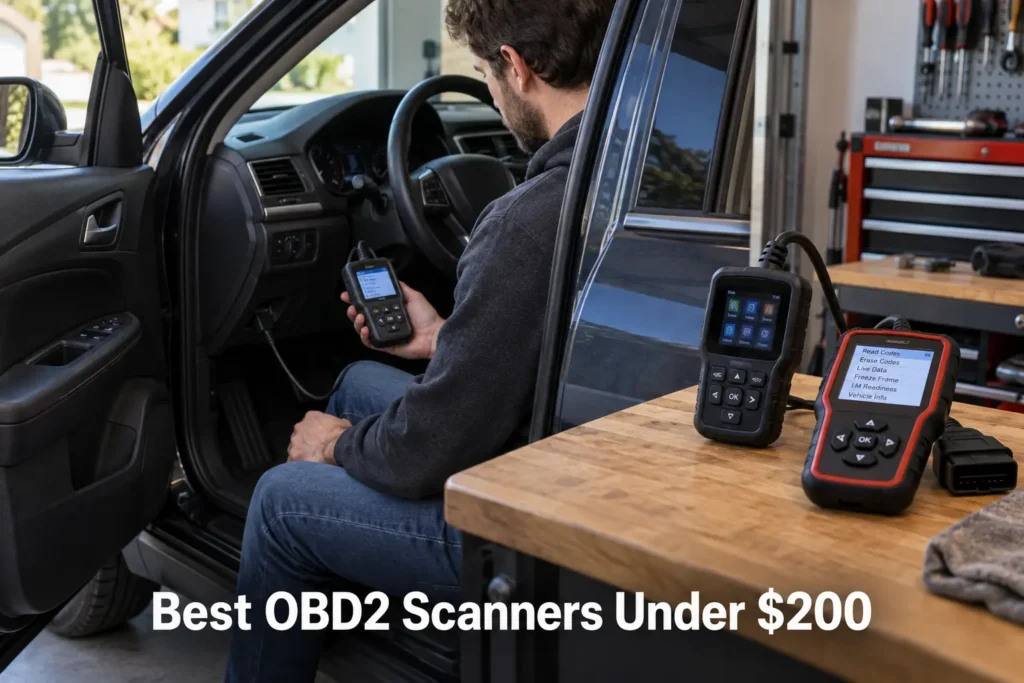
9 Best OBD2 Scanners Under $100 in 2026: Budget Diagnostic Tools That Are Actually Worth Buying
You do not need an expensive professional scan tool to understand every Check Engine light.
For many drivers and DIY owners, a scanner under $100 can handle the jobs that matter most: read and clear generic OBD2 trouble codes, check emissions readiness, view freeze-frame information and inspect live engine data.
But the under-$100 market is also one of the easiest places to buy the wrong tool.
Some scanners are simple wired code readers. Others are Bluetooth adapters whose real capability depends on the app you pair with them. Some provide enhanced manufacturer diagnostics. Others remain strictly within generic OBD2. A few products advertise advanced features that apply only to selected vehicles, apps or paid software.
For this guide, Scan Choice Guide focused on a practical question: which OBD2 scanners under the $100 market ceiling make the most sense for different types of buyers in 2026?
We evaluated manufacturer-documented capability, hardware format, app dependency, live-data usefulness, update model and buyer fit.
This guide does not publish a fixed Amazon price for any individual scanner.
Our recommendations are based on current manufacturer documentation, current 2026 market research and SCG comparative analysis. The results we present come from our own research into manufacturer documentation, Amazon listings, and compatibility data.
Our Top Picks for Scanners Under $100
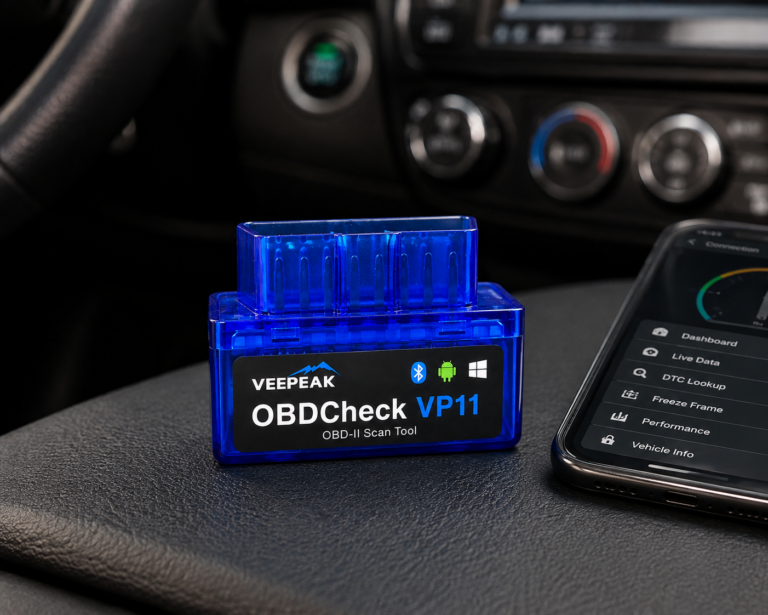
Veepeak OBDCheck VP11
- Android-only Bluetooth adapter
- Needs a third-party app
- Simple generic OBD2 use
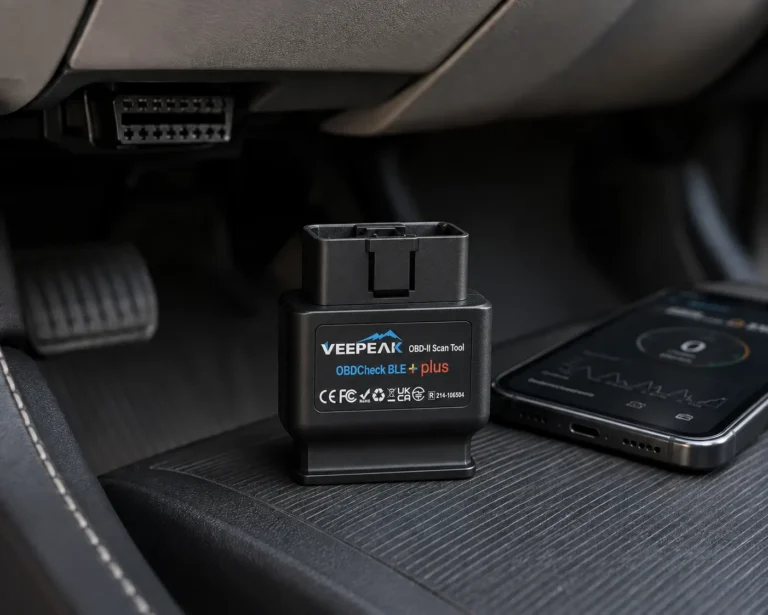
Veepeak OBDCheck BLE+ Plus
- Bluetooth LE for iOS and Android
- Broad third-party app ecosystem
- Real-time sensor data
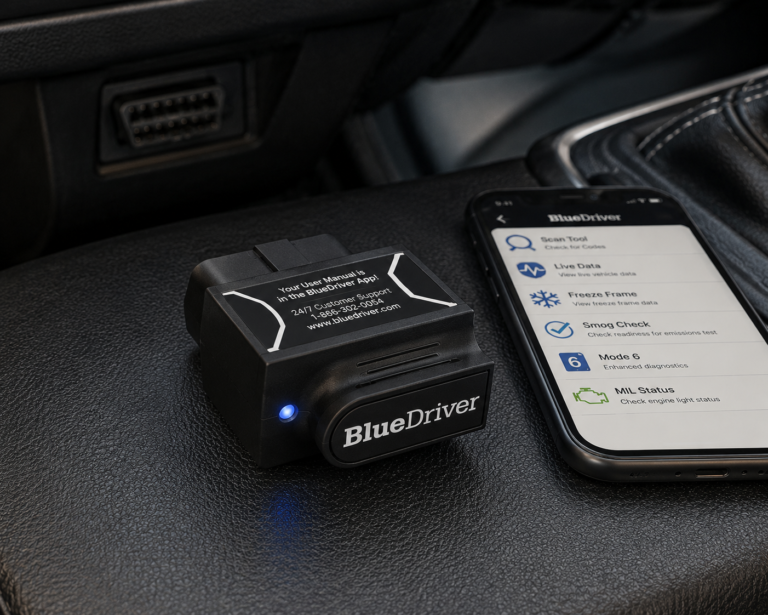
BlueDriver Pro Next-Gen
- Integrated Bluetooth/app ecosystem
- Enhanced diagnostics on supported vehicles
- Repair Reports
Affiliate Disclosure: As an Amazon Associate I earn from qualifying purchases. Scan Choice Guide is a participant in the Amazon Services LLC Associates Program, an affiliate advertising program designed to provide a means for sites to earn advertising fees by advertising and linking to Amazon.com.
The 9 Best OBD2 Scanners Under $100, Ranked and Reviewed
1. Foxwell NT301: Best Overall OBD2 Scanner Under $100
Why We Picked It
The Foxwell NT301 represents what a good budget scanner should be.
It does not pretend to be a professional full-system diagnostic tablet.
Instead, it focuses on standard OBD2 work and adds enough usability to make that work easier.
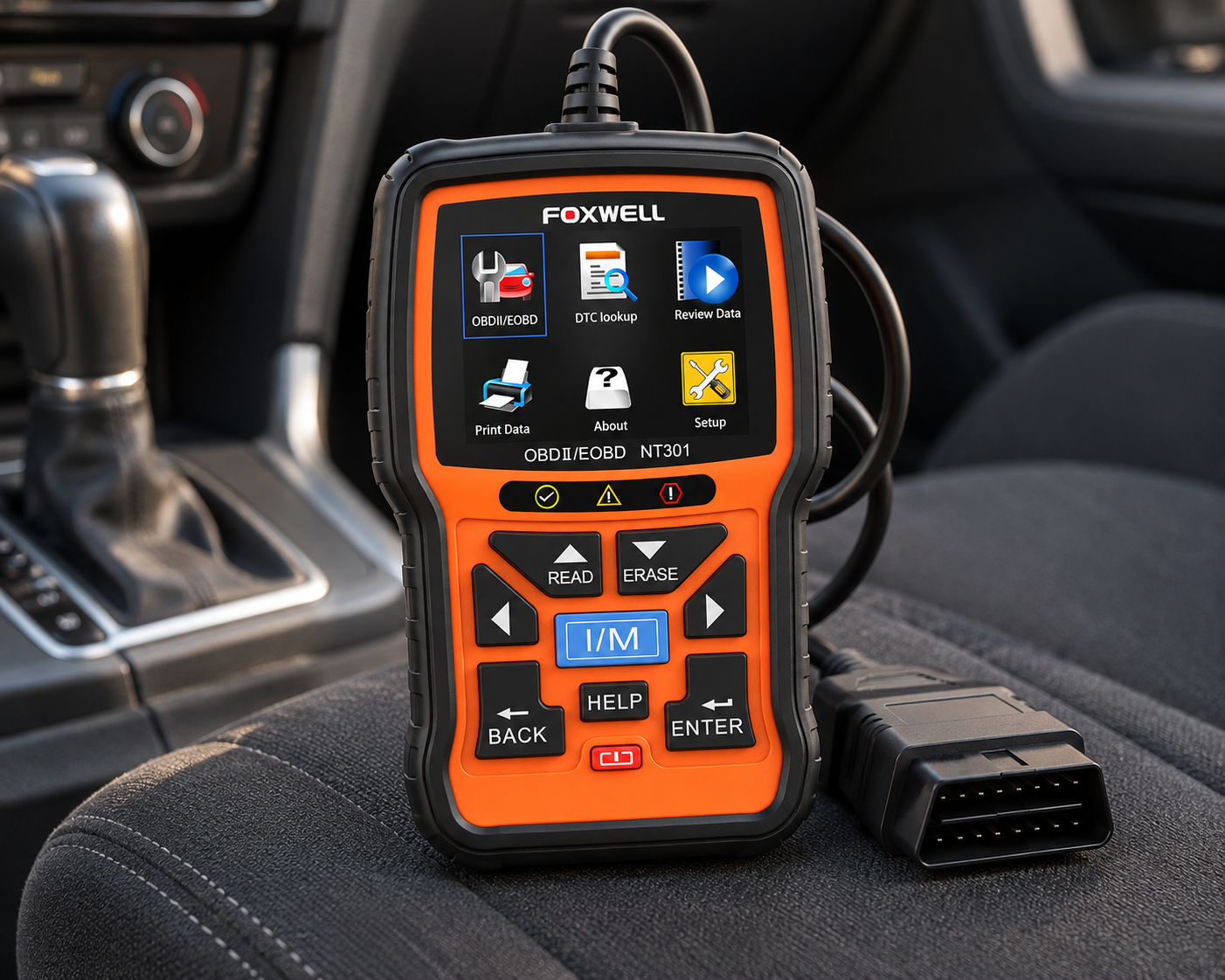
Foxwell documents the NT301 as a CAN OBDII/EOBD code reader with a 2.8-inch color display, one-button I/M readiness access and DTC read/erase capability.
Live-data graphing is an important advantage over the cheapest code readers.
A trouble code tells you where the diagnostic process begins.
Live data can help you see what the engine management system is actually reporting.
Where It Falls Short
The NT301 is fundamentally an engine/emissions OBD2 scanner.
Do not buy it expecting full ABS, SRS, body-module or bidirectional diagnostics.
It also uses a wired dedicated format.
For some buyers that is an advantage. For others, a Bluetooth adapter provides more flexible dashboards and logging.
| Pros | Cons |
|---|---|
| Standard OBD2 code reading and clearing | Engine/emissions focused |
| Dedicated 2.8-inch color display | |
| Live-data capability | |
| Live-data graphing | |
| One-button I/M readiness | Wired rather than wireless |
| No smartphone required | |
| Established budget-market presence | |
| Simple ownership |
Best For
DIY owners who want a serious dedicated engine-code reader with useful live data but do not need advanced vehicle-system diagnostics.
SCG Verdict
The NT301 is our overall under-$100 choice because it uses the budget intelligently: better diagnostic usability rather than exaggerated claims about professional-level capability.
2. ANCEL AD310: Best Ultra-Budget Code Reader
Why We Picked It
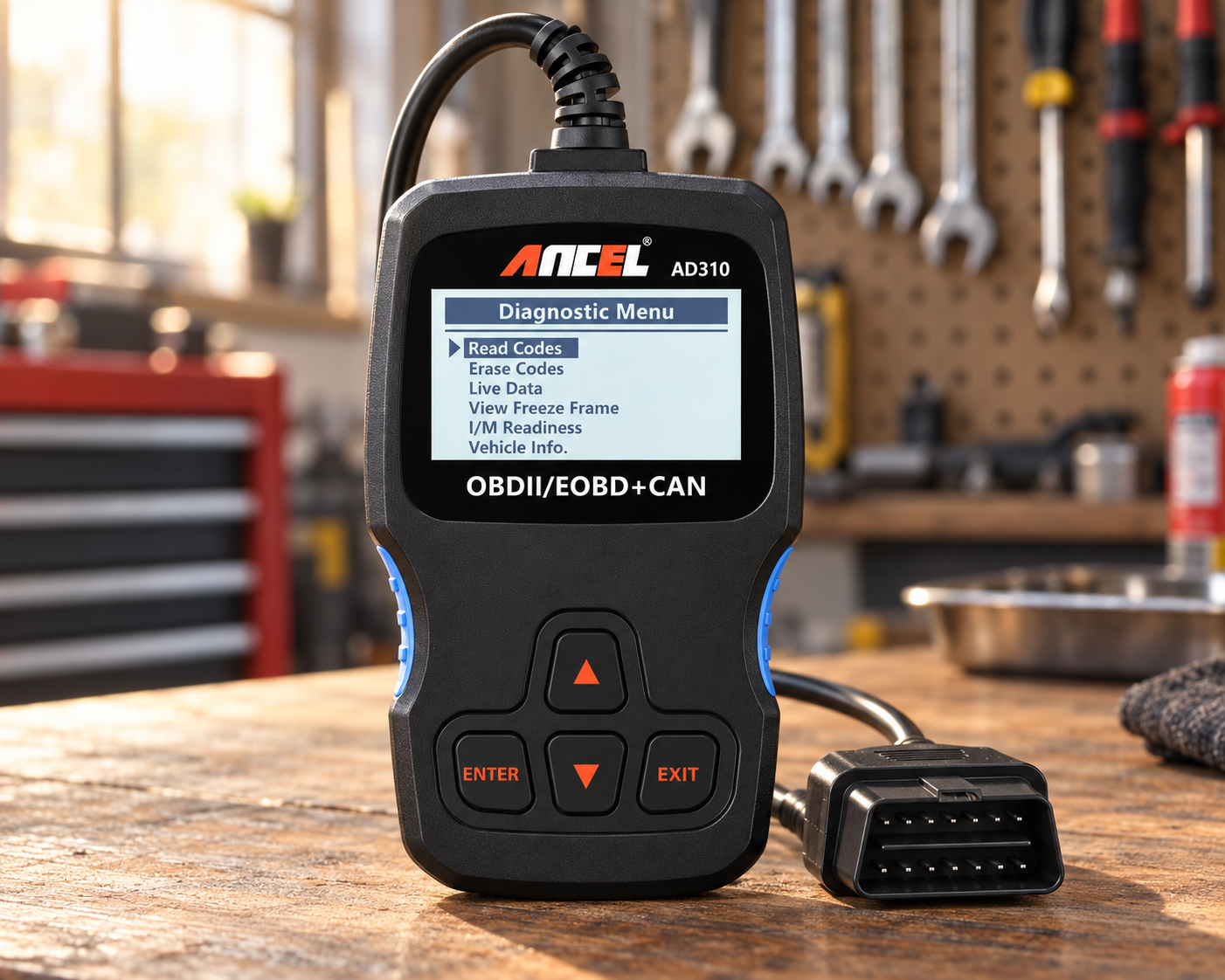
The ANCEL AD310 is one of the most visible names in the basic OBD2 market.
A large percentage of scanner buyers do not need active tests, coding or full-system diagnosis.
They want answers to basic questions: Why is the Check Engine light on? What trouble code is stored? Is the vehicle ready for an emissions inspection? Can I clear the code after the problem is repaired?
The AD310 targets that buyer.
Where It Falls Short
Its simplicity is also its limitation.
This is not the scanner for ABS, airbags, advanced service procedures or component activation.
It should not be ranked against professional tablets by feature count because it solves a different problem.
| Pros | Cons |
|---|---|
| Very simple dedicated workflow | Basic diagnostic depth |
| Generic OBD2 diagnostics | |
| Check Engine code reading/clearing | |
| Freeze-frame/emissions-related functions | |
| No phone required | No broad ABS/SRS access |
| Menu in eight languages | |
| Suitable for beginners |
Best For
Drivers who want a simple low-cost scanner primarily for Check Engine and emissions-related OBD2 work.
SCG Verdict
The AD310 is the right kind of budget tool: inexpensive because it is focused, not because it promises advanced functions it cannot reliably deliver.
3. Veepeak OBDCheck BLE+ Plus: Best Bluetooth Value Under $100
Why We Picked It
Bluetooth adapters change the budget-scanner equation.
Instead of paying for a screen and operating interface inside the scanner, the adapter uses the phone or tablet you already own.
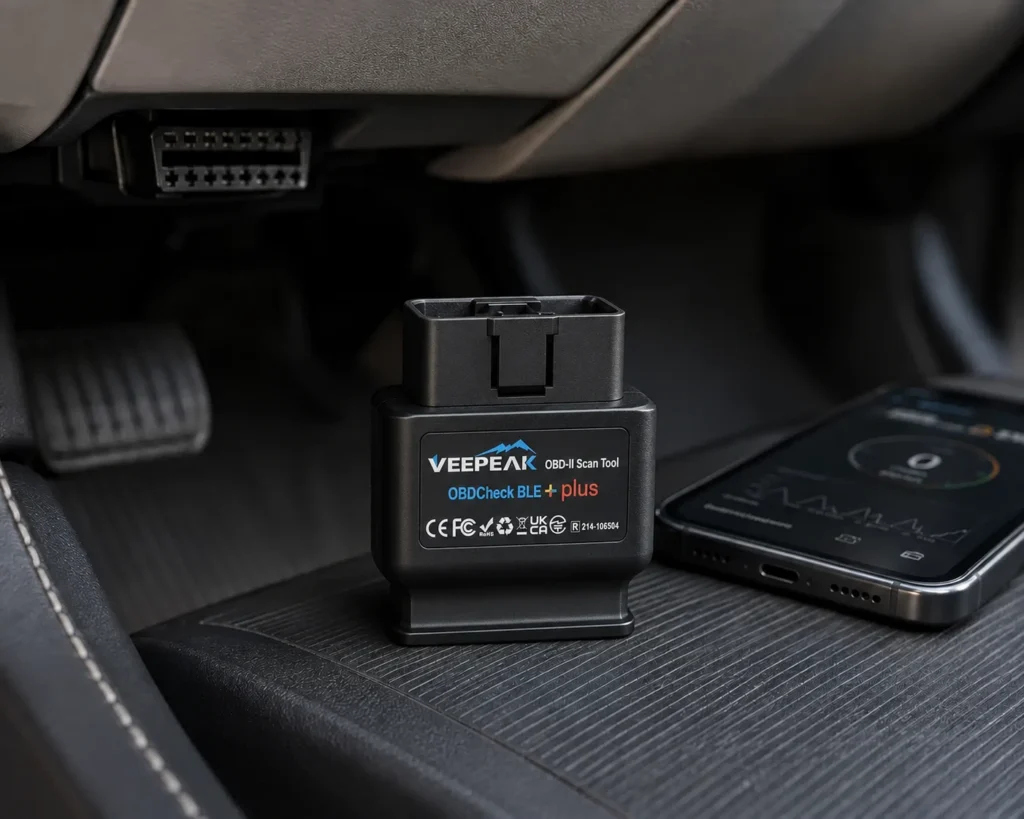
Veepeak’s OBDCheck BLE+ Plus is particularly interesting because Veepeak officially supports Bluetooth LE for iOS and Bluetooth connectivity for Android/Windows and documents compatibility with a broad range of third-party apps.
For generic OBD2, Veepeak lists Check Engine DTC reading, Check Engine light reset, I/M readiness and real-time sensor data.
The larger opportunity is app flexibility.
Depending on the vehicle and app, users can choose platforms such as Car Scanner, OBD Fusion, Torque, BimmerCode, BimmerLink, JScan and others.
That makes the hardware more flexible than a fixed-interface code reader.
Where It Falls Short
The adapter and the app are separate parts of the diagnostic system.
Veepeak explicitly states that an OBD2 app is required and not included.
Some apps are free, some are paid, and some advanced features require in-app purchases or subscriptions.
Veepeak also explicitly lists several functions the adapter itself should not be assumed to provide, including oil/service resets, EPB/brake reset, relearning and adaptation unless the selected app/vehicle combination independently supports them.
Enhanced diagnostics are not guaranteed by generic OBD2 compatibility.
| Specification | Details |
|---|---|
| Connectivity | Bluetooth LE (iOS) / Classic Bluetooth (Android, Windows), ELM327 v2.2 chipset |
| Protocols | SAE J1850 PWM/VPW, ISO 9141-2, ISO 15765-4 CAN, ISO 14230-4 KWP 2000 (no MS-CAN/SW-CAN) |
| Vehicle compatibility | 1996+ USA, 1998+ Canada, 2001/2004+ EU (gas/diesel); excludes EVs (confirm your exact vehicle via the SCG Finder) |
| App model | No bundled app; requires a compatible third-party app (BimmerCode, Carista, Car Scanner ELM OBD2, Torque, OBD Fusion, and others) |
| Documented incompatible apps | Carly, MHD, xHP, ProTool, bootmod3 (per Veepeak’s own page) |
| ECU coding / service resets | Explicitly not supported per Veepeak (injector coding, EPB reset, ABS bleeding, oil/service resets) |
| What’s included | Device, carrying case, user manual (per Veepeak’s own listing) |
| Pros | Cons |
|---|---|
| Bluetooth LE for iOS | Explicitly incompatible with several premium coding apps (Carly, MHD, xHP, ProTool, bootmod3) |
| Bluetooth support for Android | |
| Broad third-party app ecosystem | |
| Generic OBD2 code reading | |
| Check Engine reset | |
| I/M readiness | |
| Real-time sensor data | |
| Compact hardware | |
| Flexible dashboards/logging depending on app |
Best For
DIY users who prefer phone-based diagnostics and want to choose the software interface themselves.
SCG Verdict
OBDCheck BLE+ Plus is our Bluetooth value choice because its strength is not a fake all-in-one feature list; it is a flexible, well-documented adapter ecosystem. See our full Veepeak OBDCheck BLE+ Plus review for the adapter ecosystem behind that flexibility.
4. BlueDriver Pro Next-Gen: Best Premium Bluetooth Choice Near the $100 Ceiling
Why We Picked It
BlueDriver takes a different approach from Veepeak.
Veepeak provides flexible hardware for third-party apps.
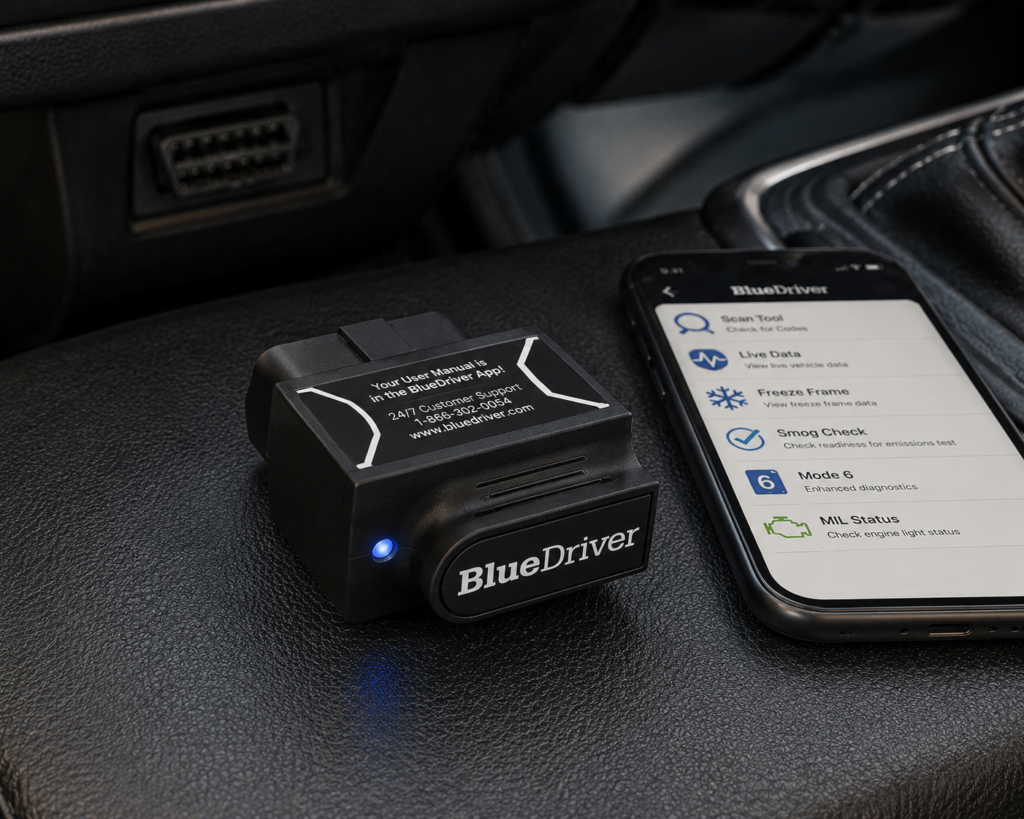
BlueDriver provides a more integrated hardware-and-app ecosystem.
For supported vehicles, BlueDriver goes beyond generic OBD2 with enhanced diagnostics and Repair Reports.
The company also currently states that its core platform has no subscriptions and no add-ons.
That makes it particularly attractive to buyers who want a more guided smartphone experience rather than selecting and configuring third-party diagnostic apps themselves.
BlueDriver also includes its own app, so there is nothing to choose or configure.
Where It Falls Short
Enhanced diagnostics also vary by vehicle.
BlueDriver is not a universal bidirectional scanner, coding platform or full professional diagnostic tablet.
| Specification | Details |
|---|---|
| Connectivity | Bluetooth dongle, pairs with the free BlueDriver app on iOS/Android |
| Vehicle compatibility | 1996 and newer gas, diesel, and hybrid vehicles sold in North America (confirm your exact vehicle via the SCG Finder) |
| Enhanced code reading | ABS, SRS/airbag, transmission, TPMS, 4WD/AWD, hybrid/EV codes on a documented brand list; coverage varies by model/year |
| Repair context | “Confirmed Fix” reports showing real repairs for the same code on the same vehicle |
| Subscription policy | “No subscriptions. No add-ons. Ever.” per BlueDriver’s official page |
| Screen | None; requires a compatible phone with the BlueDriver app |
| Pros | Cons |
|---|---|
| Integrated Bluetooth/app ecosystem | No standalone screen; requires a compatible phone |
| Generic OBD2 diagnostics | |
| Enhanced diagnostics on supported vehicles | |
| Repair Reports | |
| Live data | |
| No subscription under current BlueDriver policy | |
| Works on iPhone and Android |
Best For
Drivers who want a polished phone-based diagnostic experience with supported enhanced diagnostics and minimal software-selection complexity.
SCG Verdict
BlueDriver is the premium Bluetooth choice in this guide. Its value is integration and diagnostic guidance rather than being the cheapest adapter. Our full BlueDriver review covers the diagnostic guidance that justifies its premium over a bare adapter.
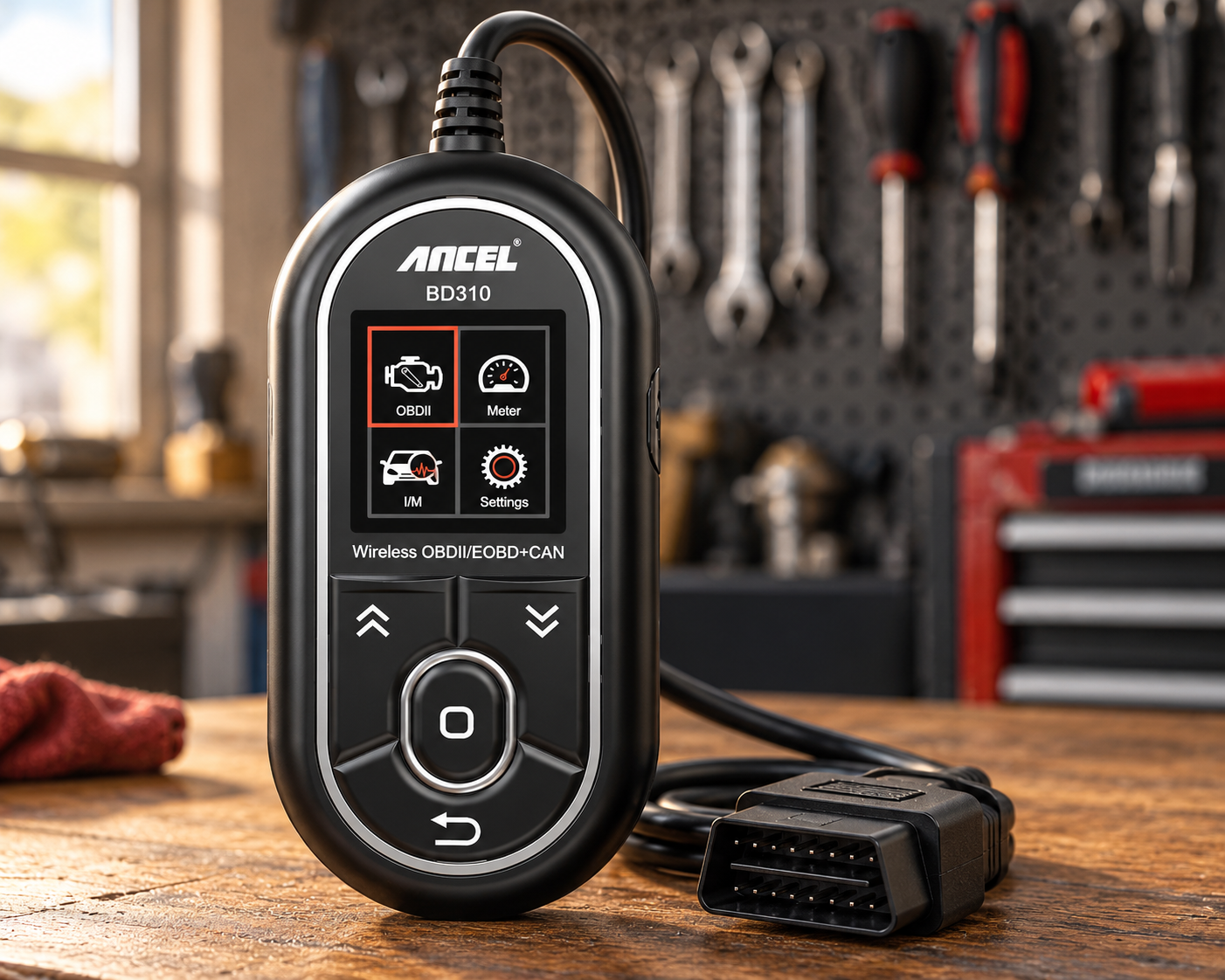
5. ANCEL BD310: Best Hybrid Handheld + Bluetooth Choice
Why We Picked It
Most budget scanners force the buyer to choose: dedicated handheld or phone-based adapter.
The ANCEL BD310 is interesting because its design combines both approaches.
It can function as a traditional scanner while also providing Bluetooth connectivity for smartphone-based use.
That flexibility has helped it remain visible in major OBD2 comparison coverage.
For a buyer who wants to keep a scanner in the vehicle and read a code without reaching for a phone, but still wants smartphone-based live-data flexibility, the hybrid concept makes sense.
Where It Falls Short
The BD310 should still be evaluated as a budget OBD2 tool.
Its dual-interface design does not automatically turn it into a full-system or bidirectional scanner.
Buyers who specifically need ABS/SRS, coding or service procedures should choose based on those verified functions rather than the convenience of Bluetooth.
| Pros | Cons |
|---|---|
| Dedicated handheld operation | Not a full-system platform |
| Bluetooth smartphone option | |
| Generic OBD2 diagnostics | |
| Live-data usefulness | ANCEL sells similar BD310 listings, so match the exact name |
| Flexible workflow | |
| Handheld screen plus a Bluetooth option |
Best For
Owners who cannot decide between a traditional scanner and a Bluetooth adapter and genuinely want both workflows.
SCG Verdict
The BD310 earns its place because hardware flexibility is a real user benefit, not because it tries to compete with advanced tablets.
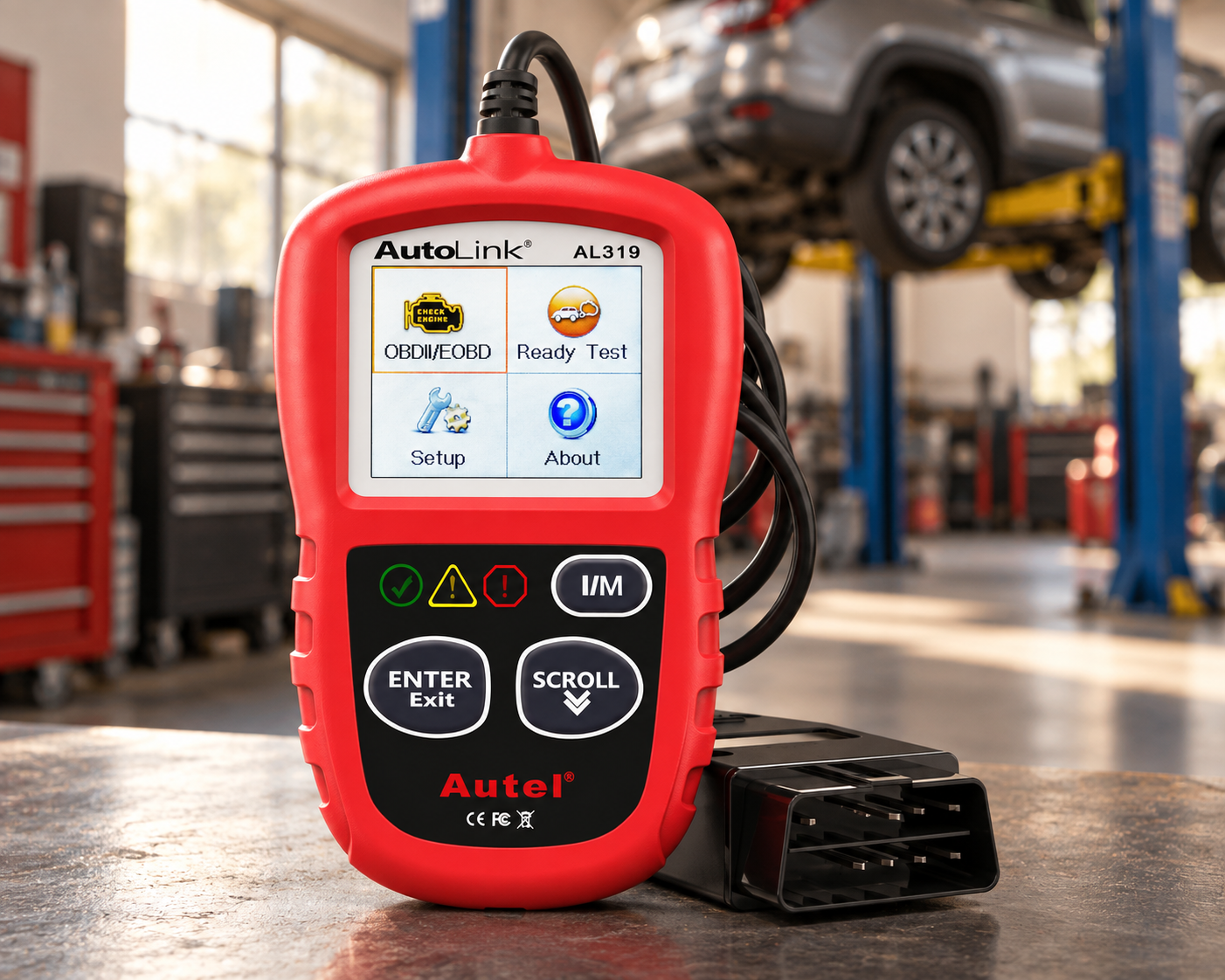
6. Autel AutoLink AL319: Best for Simple Emissions Checks
Why We Picked It
Autel’s AL319 is built around the basic tasks many drivers actually perform.
Its strongest use case is emissions-oriented OBD2 diagnosis.
A dedicated scanner with a clear readiness interface can be more convenient than navigating an app when the immediate question is: is the vehicle ready for an emissions inspection?
Where It Falls Short
The AL319 belongs to the basic-code-reader class.
Do not expect full-system diagnostics, advanced service functions or bidirectional testing.
If live-data analysis is a priority, choose the NT301, which graphs live data.
| Pros | Cons |
|---|---|
| Dedicated scanner | Basic diagnostic depth |
| Generic OBD2 diagnostics | |
| Emissions-readiness focus | |
| Check Engine code workflow | |
| No phone required | No full-system diagnostics |
| Established Autel brand | |
| Beginner-friendly use case |
Best For
Drivers primarily interested in Check Engine diagnostics and emissions-readiness checks.
SCG Verdict
AL319 is a focused tool for a focused job. That is exactly what many under-$100 buyers need.
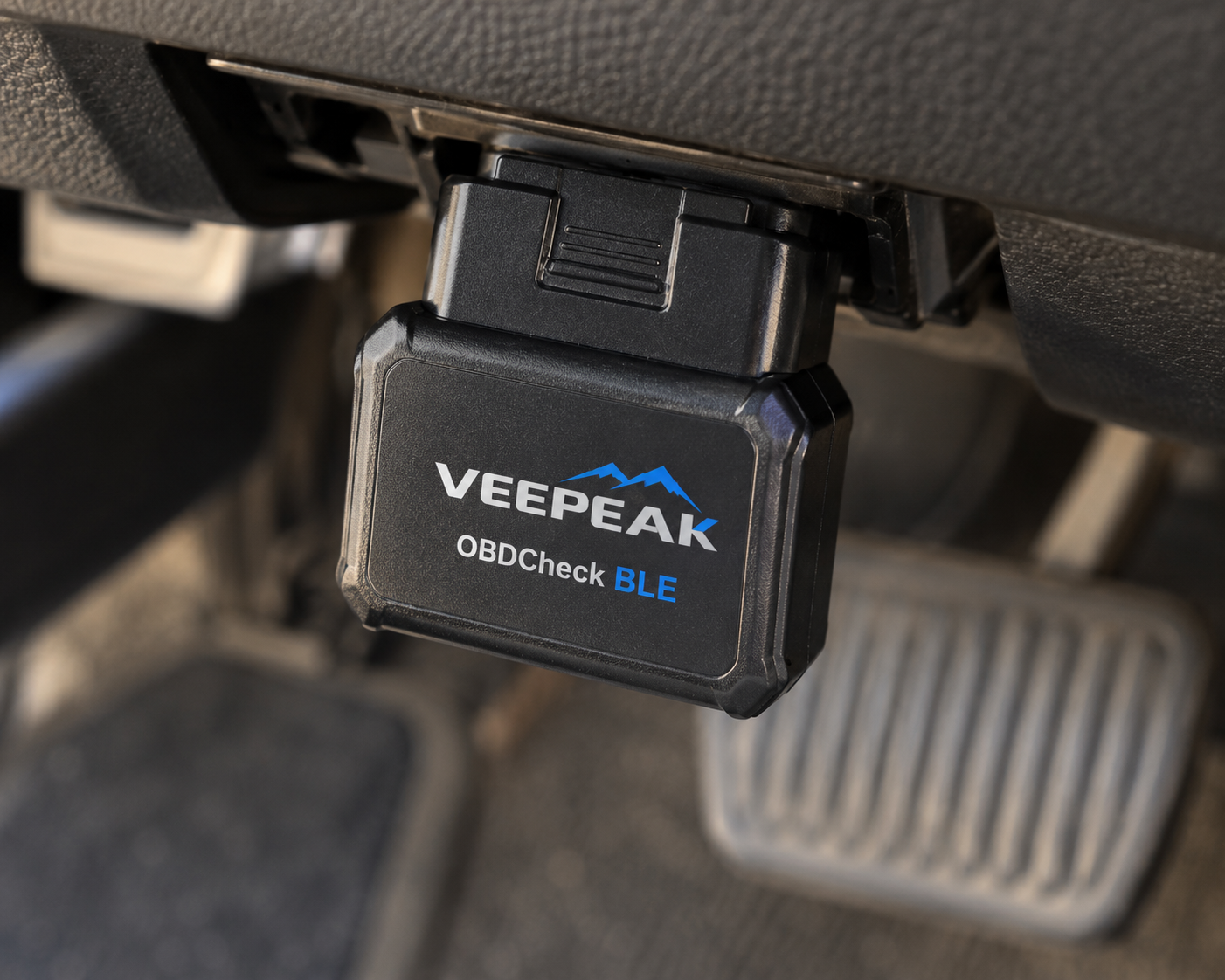
7. Veepeak OBDCheck BLE: Best for App Flexibility at a Lower Hardware Tier
Why We Picked It
The standard OBDCheck BLE provides much of the same fundamental ownership philosophy as the BLE+ Plus: buy compact adapter hardware and choose the app that fits your vehicle and use case.
The manufacturer lists iOS and Android support, Bluetooth LE and Classic Bluetooth, generic Check Engine diagnostics, freeze-frame data, I/M readiness and real-time sensor readings.
The app ecosystem can add substantial flexibility.
Veepeak’s own support documentation lists Car Scanner, OBD Fusion, Torque, Infocar, BimmerCode, BimmerLink, JScan, Carista and other applications, with different capabilities and payment models.
Where It Falls Short
The same caveat applies as with BLE+ Plus: the adapter is not the app.
Advanced functions come from a compatible combination of hardware, software and vehicle support.
Veepeak explicitly warns that generic compatibility does not include enhanced transmission, ABS, airbag, body-control or TPMS functions.
| Pros | Cons |
|---|---|
| iOS and Android support | Requires a phone/tablet |
| Bluetooth LE / Classic Bluetooth | |
| Broad app choice | |
| Generic OBD2 diagnostics | |
| Freeze-frame data | |
| I/M readiness | App required |
| Real-time sensor readings | |
| Works with Car Scanner, OBD Fusion and Torque | |
| Compact format |
Best For
Budget-conscious users who value third-party app choice more than a dedicated scanner interface.
SCG Verdict
OBDCheck BLE is one of the clearest examples of why market popularity and technical fit should both matter: it is commercially visible, but SCG still defines exactly what the hardware can and cannot promise.
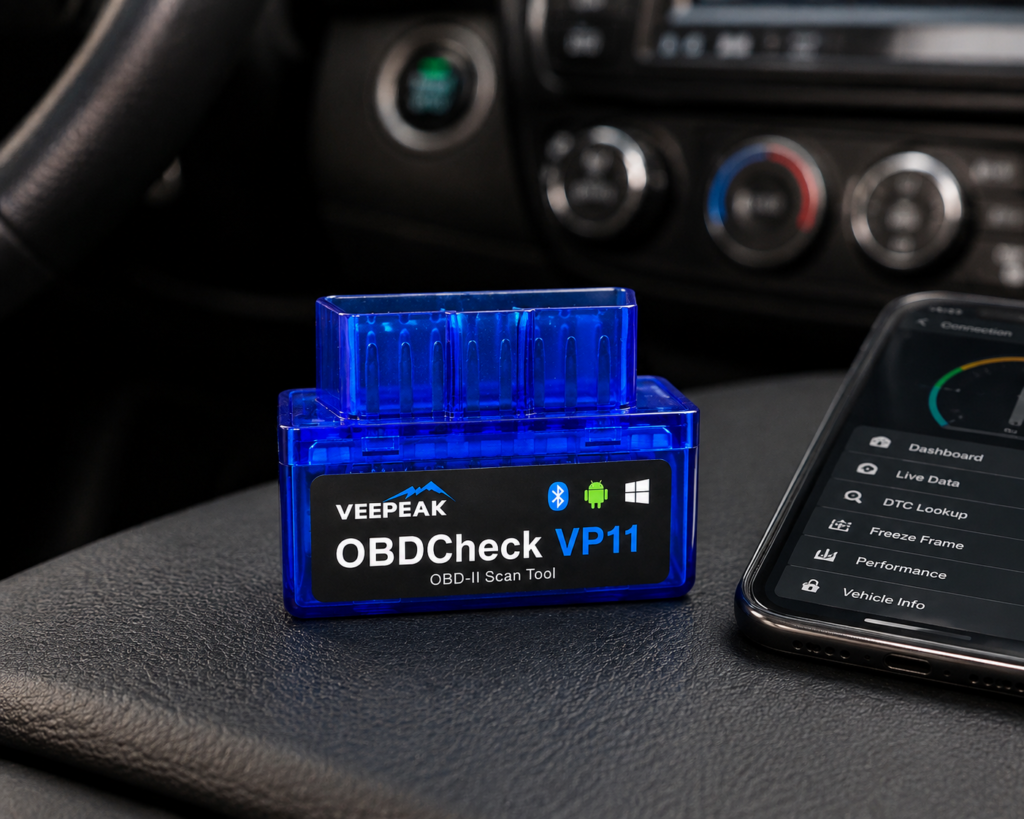
8. Veepeak OBDCheck VP11: Best Android-Only Budget Adapter
Why We Picked It
Not every Android owner wants to pay for a premium adapter.
Some want the cheapest way to read and clear engine codes from an Android phone.
Veepeak’s current product/support catalog still includes the OBDCheck VP11 as part of its scanner lineup.
That makes it relevant as a low-cost Bluetooth option for Android owners, next to the Veepeak BLE+ Plus that also supports iPhone.
The advantage is simplicity.
It pairs by Classic Bluetooth, needs a third-party Android app, and does not work with iPhone.
Where It Falls Short
A basic adapter has less flexibility than a premium adapter, and the VP11 does not support iPhone, ABS, SRS or resets.
It should also remain firmly within the generic OBD2 use case unless manufacturer documentation confirms more.
Buyers who want extensive live-data dashboards or enhanced manufacturer diagnostics should look elsewhere.
| Specification | Details |
|---|---|
| Connectivity | Classic Bluetooth, PIC18F25K80 chip, ELM327 v1.4/v1.5-compatible |
| Platform support | Android and Windows only; explicitly not compatible with iOS (per Veepeak) |
| Protocols | SAE J1850 PWM/VPW, ISO 9141-2, ISO 15765-4 CAN, ISO 14230-4 KWP 2000 |
| Vehicle compatibility | 1996+ USA, 1998+ Canada, 2001/2004+ EU (confirm your exact vehicle via the SCG Finder) |
| App model | No bundled app; requires a third-party Android app (Torque, Car Scanner ELM OBD2, OBD Fusion, and others) |
| Advanced diagnostics | Not supported (ABS, SRS, TPMS, transmission), per Veepeak’s own page |
| Service/reset functions | Not supported (oil light reset and similar), per Veepeak’s own page |
| Pros | Cons |
|---|---|
| Low-cost Bluetooth adapter for Android | No iOS support; Android and Windows only |
| Reads and clears engine codes | |
| Shows live data in a third-party app | |
| Simple generic OBD2 use | |
| Reads I/M readiness | |
| Good backup/glovebox concept |
Best For
Android owners who want the lowest-cost way to read and clear engine codes with a phone.
SCG Verdict
The VP11 is intentionally simple. In a budget guide, that is a legitimate category rather than a weakness to hide. See our full Veepeak OBDCheck VP11 review to confirm that simplicity matches what you actually need.
9. LAUNCH CR529: Best Dedicated Handheld With a Larger Screen
Why We Picked It
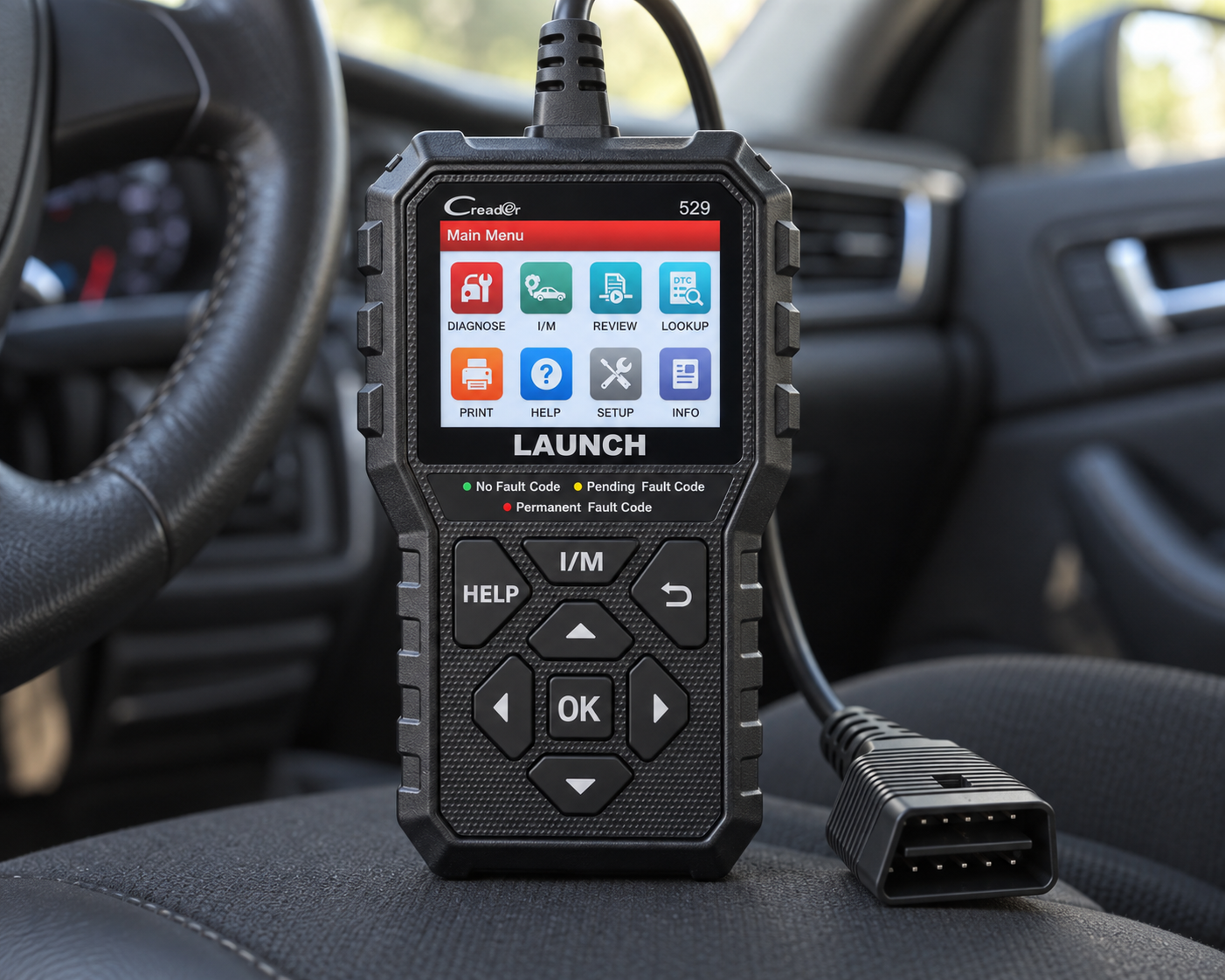
The LAUNCH CR529 is a plain dedicated code reader from a brand better known for professional tablets. It has a 2.8-inch color screen and a cable to the car, with no Bluetooth and no app. Retailer listings and Tom’s Guide describe it as reading and clearing current, pending and permanent codes, showing freeze-frame and live data, checking I/M readiness and running O2 sensor and EVAP tests where the car supports them, with a built-in code lookup and the VIN, calibration ID and verification number.
It suits a driver who wants a tool that lives in the glovebox, has a bigger screen than the ANCEL AD310 and does not involve a phone.
Where It Falls Short
It reads engine and emissions data only. It does not read ABS or airbag codes and does not do oil, steering angle or battery resets. Those come with the more expensive LAUNCH CR629 and with phone tools such as BlueDriver. Listings disagree on the warranty length, and we could not open a LAUNCH product page for the CR529, so treat the feature list as the sellers’ and reviewers’ description.
| Specification | Details |
|---|---|
| Type | Handheld OBD2 code reader |
| Screen | 2.8-inch color, eight keys |
| Connection | Cable to the OBD2 port; no Bluetooth and no app |
| Codes | Read and clear current, pending and permanent codes |
| Data | Freeze frame, live data, I/M readiness |
| Tests | O2 sensor and EVAP, vehicle-dependent |
| ABS, SRS, oil and SAS resets | Not supported |
| Updates | Listed as free for life by retailer listings |
| Pros | Cons |
|---|---|
| Clear 2.8-inch color screen and a built-in code lookup | Engine and emissions only; no ABS, SRS or resets |
| Reads pending and permanent codes as well as current ones | |
| No phone or app needed |
Best For
Drivers who want a dedicated screen and cable tool for Check Engine work and emissions checks.
SCG Verdict
The CR529 is the pick when you want a handheld with a bigger screen than the AD310. If you also need ABS or airbag codes, choose BlueDriver instead.
What Should an OBD2 Scanner Under $100 Actually Do?
At minimum, a good budget scanner should reliably handle the standard OBD2 functions relevant to its supported vehicles.
Typical useful functions include: read generic powertrain DTCs, clear supported Check Engine DTCs after repair, view freeze-frame information, check I/M readiness, read vehicle information where supported, display live engine data.
More advanced features can exist in this price class, particularly through smartphone apps.
But they should be treated as bonuses only after exact compatibility is verified.
What Should You Not Expect Under $100?
Do not automatically expect: full-system diagnostics, universal ABS/SRS access, bidirectional active tests, ECU coding, ECU programming, DoIP, broad CAN FD enhanced diagnostics, dozens of universal service functions, professional shop workflow.
Some products or app combinations may provide selected enhanced capabilities.
That does not make those features universal across the category.
Wired Scanner or Bluetooth Adapter?
This is the biggest decision in the under-$100 market.
Choose a wired dedicated scanner if you want: plug-and-play operation, no phone dependency, no Bluetooth pairing, no app selection, a tool that can stay in the vehicle, predictable interface.
Choose Bluetooth if you want: larger phone display, custom dashboards, better graphing potential, data logging, app choice, compact hardware, potential manufacturer-specific features through compatible apps.
Neither format is automatically better.
Why the App Matters as Much as the Bluetooth Adapter
A Bluetooth OBD2 dongle is communication hardware.
The app determines much of the user experience and, in some cases, the enhanced functionality.
Veepeak illustrates this clearly.
Its hardware can work with multiple apps, but Veepeak explicitly explains that some apps are paid and that advanced features depend on the selected app and vehicle.
Therefore, SCG evaluates Bluetooth products as: Adapter + App + Vehicle, not simply: Adapter.
BlueDriver vs. Veepeak Under $100
These products represent two different philosophies.
BlueDriver: Integrated adapter/app ecosystem, more guided experience, supported enhanced diagnostics, Repair Reports, current no-subscription/no-add-on core policy.
Veepeak: Open third-party app choice, greater software flexibility, potentially lower hardware cost, advanced functions depend heavily on selected app, some apps require separate payment.
Choose based on the ownership model you prefer.
Does “Under $100” Mean the Scanner Will Always Cost Less Than $100?
No.
Retail prices change. Sales end. Coupons change. Third-party sellers change.
A product can move above or below a category threshold.
We do not publish a permanent Amazon price next to each product.
Under $100 vs. Under $200
The difference is not simply another $100.
Under $100 is dominated by: generic OBD2 code readers, Bluetooth adapters, engine live data, emissions readiness, selected enhanced app-based features.
Moving toward the under-$200 segment can open the door to more: ABS/SRS diagnostics, transmission diagnostics, service functions, dedicated multi-system scanners, some more advanced app platforms.
Buy for the function you need, not the largest budget you can afford.
Related guide: Best OBD2 Scanners Under $200 in 2026.
Who Wins for Which Buyer
| Buyer | Winner | Why |
|---|---|---|
| DIY owner who wants a dedicated tool with no phone | Foxwell NT301 | 2.8-inch color screen, one-button I/M readiness and live-data graphing. |
| Driver who only wants to clear a Check Engine light | ANCEL AD310 | Four-button menu, codes, freeze frame and I/M readiness, powered by the car. |
| DIY owner who wants to understand ABS and airbag lights | BlueDriver | Enhanced ABS, SRS, transmission and TPMS codes on a long brand list, repair reports and no subscription. |
| iPhone owner who wants to pick the app | Veepeak OBDCheck BLE+ Plus | Bluetooth LE for iOS and a wide list of third-party apps. |
| Android owner on the tightest budget | Veepeak OBDCheck VP11 | Classic Bluetooth, engine codes and live data in a third-party Android app. |
| Owner who wants a handheld and a phone option in one | ANCEL BD310 | Works as a handheld and connects to a phone. |
| Mobile mechanic who needs a backup in the glovebox | BlueDriver | Ready to use with no app to configure, and enhanced codes for the car in front of you. |
| Independent shop or best bay | None in this price class | A shop needs active tests and service functions. See our guides for under $500 and for professional scan tools. |
Winners by Make
| Make | Winner | What the sources say |
|---|---|---|
| Ford and Lincoln | BlueDriver | Ford is on BlueDriver’s enhanced-brand list. The Veepeak adapters list no MS-CAN, so they reach the high-speed Ford network only. |
| Chevrolet, GMC, Cadillac, Buick | BlueDriver | GM is on the enhanced-brand list. The NT301 and AD310 read engine codes only. |
| Chrysler, Dodge, Jeep, Ram | BlueDriver for older models, NT301 for basic codes | Stellantis is on BlueDriver’s list. None of the nine unlocks the security gateway on a 2018 or newer vehicle. |
| BMW and Mini | Veepeak OBDCheck BLE+ Plus | Veepeak lists BimmerCode and BimmerLink among its supported apps. BlueDriver lists BMW from 2005. |
| Mercedes-Benz | BlueDriver | Mercedes-Benz is on the enhanced list, with limits before 2005. |
| VW, Audi, Skoda, Seat | BlueDriver or Veepeak BLE+ Plus | VW is on BlueDriver’s list. Veepeak works with Car Scanner and OBD Fusion for generic data. |
| Toyota, Honda, Nissan, Hyundai, Kia | BlueDriver | All are on the enhanced list, with start years for some makes, so older Hyundai, Kia and Honda cars get engine codes only. |
Older and Newer Cars
| Vehicle age | Winner | What the sources say |
|---|---|---|
| 1996 to 2007 | Foxwell NT301 or ANCEL AD310 | Generic OBD2 covers these cars, and a dedicated tool needs no phone. |
| 2008 to 2019 | BlueDriver, with the NT301 for engine-only work | CAN is standard and BlueDriver reaches ABS and SRS on listed makes. |
| 2020 to 2026 | BlueDriver | Generic codes work on every tool here. For enhanced codes on a late-model car, BlueDriver lists the most brands. None of these nine lists CAN FD enhanced diagnostics. |
Winners by Task and Vehicle
| Task and vehicle | Winner | What the sources say |
|---|---|---|
| Read and clear a Check Engine code on a 2012 Honda Civic | ANCEL AD310 | Reads and clears emission codes with a four-button menu. |
| Check readiness before an emissions test on a 2015 Chevrolet Malibu | Foxwell NT301 or Autel AL319 | The NT301 has a one-button I/M readiness key. The AL319 is built around the emissions check. |
| Understand an ABS light on a 2016 Ford F-150 | BlueDriver | Reads ABS codes and shows repair reports. |
| Reset the oil light on a 2018 Toyota Camry | BlueDriver | Lists oil light reset on vehicles that support it. The Veepeak adapters list no resets. |
| Register a new battery on a 2017 BMW 328i | BlueDriver | Lists battery registration on vehicles that support it. |
| Log live data on a 2014 Ford Mustang | Veepeak OBDCheck BLE+ Plus with Torque or Car Scanner | Real-time sensor data in the app of your choice. |
| Check an EVAP system on a 2013 Nissan Altima | LAUNCH CR529 | Listed with O2 sensor and EVAP tests where the car supports them. |
| Read codes on an Android phone for the least effort | Veepeak OBDCheck VP11 | Pairs by Classic Bluetooth with a third-party Android app. |
Head to Head: The Pairs Buyers Ask About Most
Foxwell NT301 or ANCEL AD310
Both are cable code readers that need no phone. The NT301 has a 2.8-inch color screen, a one-button I/M readiness key and live-data graphing. The AD310 has a smaller 128 by 64 pixel screen, a four-button menu, eight menu languages and a 2.5-foot cable, and it powers on from the car. Take the NT301 if you want to watch live data as a graph. Take the AD310 if you only want to read, clear and check readiness.
Veepeak OBDCheck BLE+ Plus or BlueDriver
Both are Bluetooth adapters for iPhone and Android, but they differ in what you get. The Veepeak is a bare adapter that works with the app you choose, such as Car Scanner, OBD Fusion or Torque, and it lists no resets and no ABS or airbag codes by itself. BlueDriver comes with its own app, lists ABS, airbag, transmission and TPMS codes on a long list of makes, lists oil light, battery and TPMS light resets on cars that support them, and shows repair reports. Choose the Veepeak for app choice and data logging. Choose BlueDriver for answers.
ANCEL BD310 or Veepeak OBDCheck BLE
The BD310 gives you a handheld and a Bluetooth link in one box, so a code is readable without a phone and live data can go to a phone. The OBDCheck BLE is a smaller adapter with no screen that always needs a phone and an app. Take the BD310 if you want to keep a tool in the car and read a code at the roadside. Take the BLE if the phone is always with you.
Autel AL319 or LAUNCH CR529
Two handheld code readers from brands better known for professional tools. The AL319 is built around the emissions readiness check. The CR529 has a 2.8-inch color screen, pending and permanent codes, O2 sensor and EVAP tests where the car supports them and a built-in code lookup. Take the AL319 for a quick readiness check before an inspection. Take the CR529 if you also want the O2 and EVAP tests.
What Each Tool Does Not Do
The Foxwell NT301 reads engine and emissions data only, and it is wired. The ANCEL AD310 does not read ABS, airbag or transmission codes, does not list an oil reset and is not meant for hybrids or electric cars. The Veepeak OBDCheck BLE+ Plus lists no oil, EPB or ABS functions, cannot use Carly, MHD, xHP, ProTool or bootmod3, and has no MS-CAN or SW-CAN network. BlueDriver needs a phone, and its enhanced codes depend on the make, model and year. The ANCEL BD310 and Autel AL319 are engine-and-emissions tools. The Veepeak BLE needs an app and a phone. The Veepeak VP11 is Android only. The LAUNCH CR529 has no Bluetooth and no ABS or reset functions.
Every one of these gaps is why the winner tables above send you to a different tool for ABS lights, resets and coding.
Four Typical Buyers
A student with a 2008 Toyota Corolla. The Check Engine light comes on twice a year. The ANCEL AD310 reads and clears the code and checks readiness before the state inspection. Nothing more is needed.
A dad with a 2016 Ford F-150 and a 2013 Honda Odyssey. An ABS light comes on and the oil light needs a reset. BlueDriver lists Ford and Honda for enhanced codes and lists the oil light reset on vehicles that support it, and the repair report names what other owners fixed.
A weekend tinkerer with a 2017 BMW 330i. The Veepeak OBDCheck BLE+ Plus pairs with an iPhone and works with the apps Veepeak lists, including BimmerCode and BimmerLink. For ABS and airbag codes on the same car, BlueDriver is the second tool to own.
A used-car shopper checking a 2014 Chevrolet Malibu before paying. The Foxwell NT301 shows stored codes and, with one button, whether the emissions monitors are ready. A car whose monitors are not ready may have had its codes cleared recently.
What to Expect in the First Week
Plug the tool into the port under the dash, turn the ignition on and let it connect. Write down every code before you clear anything, along with the freeze-frame data. With a Bluetooth adapter, pair it in the app, not in the phone’s Bluetooth menu, and remember that Android needs Location permission for pairing. After a repair, clear the code and drive normally, then read again to confirm the code has not returned. If the light comes back, the repair is not finished.
None of the tools in this guide can repair anything. They tell you where to look, and the winner tables tell you which one can look at the system you care about.
Common Under-$100 Buying Mistakes
Mistake 1: Buying by Feature Count
Cheap listings can make big claims. Check the maker’s page, and compare what each tool lists for ABS, resets and active tests. Most in this class list none of the three.
Mistake 2: Assuming Every OBD2 Scanner Reads ABS
Generic OBD2 covers the engine and emissions system. Reading ABS needs enhanced software. In this guide only BlueDriver lists it on a brand list.
Mistake 3: Ignoring App Costs
A Bluetooth adapter such as the Veepeak is only half the system. Some apps are free, some are paid and some use in-app purchases. BlueDriver includes its app with no subscription.
Mistake 4: Assuming Bluetooth Means More Diagnostic Depth
Bluetooth only describes how the data reaches the screen. A cable tool and a Bluetooth adapter read the same generic codes.
Mistake 5: Paying for Features You Do Not Need
A driver who only checks a Check Engine light is well served by an AD310 or AL319. An app ecosystem adds choices that person will never use.
Mistake 6: Buying Too Little Scanner
If your goal is ABS bleeding, airbag diagnosis or active tests, this price class is the wrong starting point. See our under-$200 and under-$500 guides.
Mistake 7: Trusting a Permanent Price
Prices move. Treat “under $100” as a class that these tools belong to, and check the listing on the day you buy.
Mistake 8: Confusing Popularity With Capability
A widely sold basic reader is still a basic reader. Match the tool to the job, not to the number of buyers.
Our Final Recommendations
For most buyers who want a dedicated scanner in this class, the Foxwell NT301 gives the best balance of simplicity and useful live data. For the simplest Check Engine tool, the ANCEL AD310. For Bluetooth flexibility with your own app, the Veepeak OBDCheck BLE+ Plus. For ABS, airbag and transmission codes with repair reports, BlueDriver Pro Next-Gen. For a handheld that also pairs with a phone, the ANCEL BD310. For emissions readiness, the Autel AL319. For a lower-cost Veepeak adapter, the OBDCheck BLE. For Android only, the VP11. For a dedicated handheld with a bigger screen, the LAUNCH CR529.
In one line: NT301 for a dedicated tool, BlueDriver for enhanced codes, BLE+ Plus for app choice, AD310 for the simplest job.
Quick Picks
Best Overall Under $100: Foxwell NT301
A wired scanner with live-data graphing, a one-button emissions readiness key and a 2.8-inch color screen.
Best Ultra-Budget Code Reader: ANCEL AD310
A simple wired scanner for Check Engine codes, freeze frame and emissions-related functions.
Best Bluetooth Value: Veepeak OBDCheck BLE+ Plus
A compact iOS and Android adapter that works with a wide range of third-party apps.
Best Premium Bluetooth Choice: BlueDriver Pro Next-Gen
A phone-based scanner with enhanced diagnostics on listed makes, repair reports and no subscription.
Best Hybrid Handheld and Bluetooth Choice: ANCEL BD310
A scanner that works as a handheld and also connects to a phone.
Best for Simple Emissions Checks: Autel AutoLink AL319
A straightforward code reader with an easy I/M readiness workflow.
Best for App Flexibility: Veepeak OBDCheck BLE
A lower-cost Veepeak adapter with iOS and Android support and many compatible apps.
Best Android-Only Budget Adapter: Veepeak OBDCheck VP11
A Classic Bluetooth adapter for Android phones that reads and clears engine codes and shows live data in a third-party app.
Best Dedicated Handheld With a Larger Screen: LAUNCH CR529
A cable reader with a 2.8-inch color screen, freeze frame, I/M readiness and O2 and EVAP tests.
Frequently Asked Questions
What is the best OBD2 scanner under $100 in 2026?
The Foxwell NT301 for a dedicated scanner with useful live data. Bluetooth users should look at the Veepeak OBDCheck BLE+ Plus for app choice or BlueDriver for enhanced ABS and airbag codes.
Can a scanner under $100 read ABS codes?
BlueDriver can, on the makes it lists. The others in this guide read engine and emissions codes only. For more ABS coverage see our ABS and SRS guide.
Can a scanner under $100 perform bidirectional tests?
No tool in this guide lists active tests. For those, step up to a tablet or a bidirectional handheld.
Is Bluetooth better than a wired OBD2 scanner?
Neither is better. Bluetooth gives a bigger screen and app choice. A cable tool needs no phone and nothing to pair.
Does Veepeak include an app?
No. Veepeak states an OBD2 app is required and not included with the BLE and BLE+ Plus. Car Scanner, OBD Fusion and Torque are common choices, some free and some paid.
Does BlueDriver require a subscription?
No. BlueDriver states there are no subscriptions and no add-ons.
Is the ANCEL AD310 enough for a home mechanic?
It is enough for Check Engine codes, freeze frame and emissions readiness. It does not read ABS, airbag or transmission codes.
Should I buy a scanner under $100 or spend more?
If you only need to read and clear engine codes, spending more adds little. If you need ABS or airbag codes, resets or active tests, move to the under-$200 or under-$500 guides.
Which scanner is best for a Ford?
BlueDriver, which lists Ford for enhanced codes. For deep Ford work use FORScan with an OBDLink EX, covered in our Ford guide.
Which scanner works with an iPhone?
The Veepeak OBDCheck BLE+ Plus and BLE and BlueDriver. The Veepeak VP11 is Android only.
Bottom Line
Under $100 is the focused scanner category. The NT301 is the best dedicated tool, the AD310 the simplest, the BLE+ Plus the most flexible Bluetooth adapter and BlueDriver the one that reaches ABS and airbag codes. Pick the one that matches the job you have today.
Editorial Note
This guide is based on the makers’ own product pages, Amazon listings and our reviews of the scanners named here. The under-$100 label describes the price class these tools sit in, not a fixed price for any one of them.