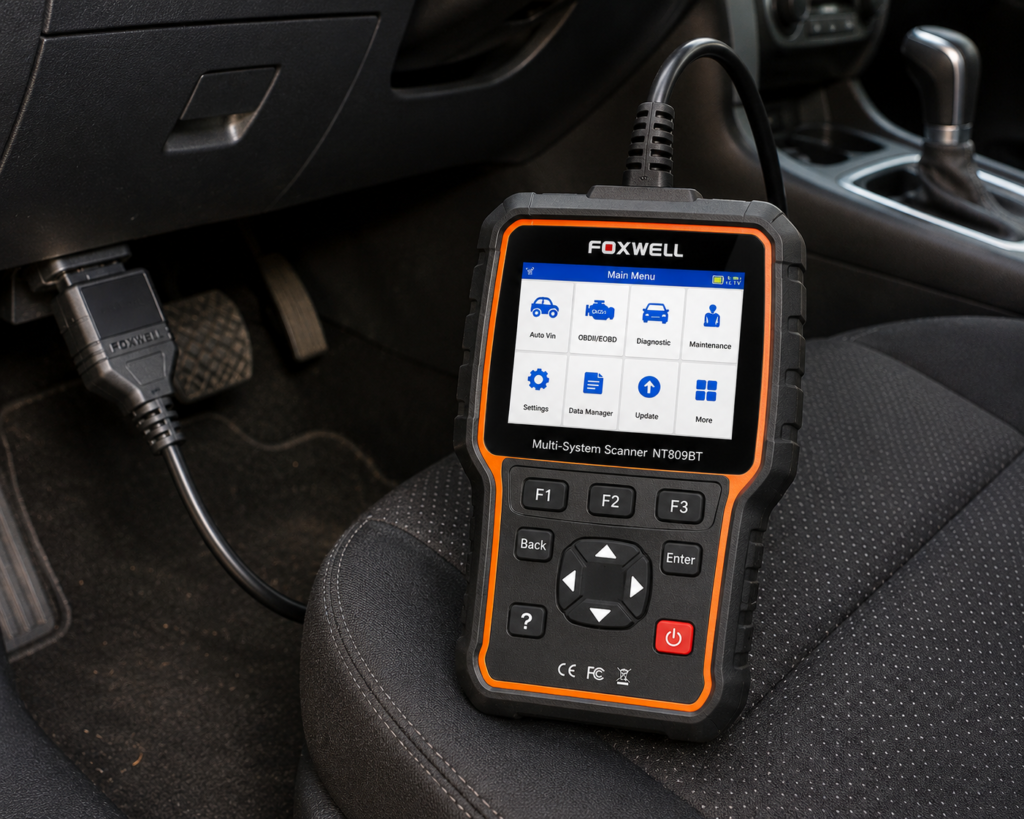
The Foxwell NT809BT is a 7 inch Android tablet that works with a Bluetooth connector. It reads and clears codes on many systems, runs active tests on parts, and lists more than 30 service functions. Amazon lists CAN-FD, DoIP and FCA AutoAuth, and a three-year free update period. Neither Amazon nor Foxwell’s page lists ECU coding.
The short version: The NT809BT is a tablet for a home mechanic or an independent shop that wants wide active tests and resets at a mid-range price class. Amazon and Foxwell agree on the 30 or more resets, the active tests and the three free update years. They differ on the protocol list: Amazon names CAN-FD, DoIP and FCA, and Foxwell’s product page does not, although the manual lists CAN FD and DoIP. ECU coding is not listed by either, so it is not part of this tool.
Affiliate Disclosure: As an Amazon Associate I earn from qualifying purchases. Scan Choice Guide is a participant in the Amazon Services LLC Associates Program, an affiliate advertising program designed to provide a means for sites to earn advertising fees by advertising and linking to Amazon.com.
What the NT809BT Actually Does
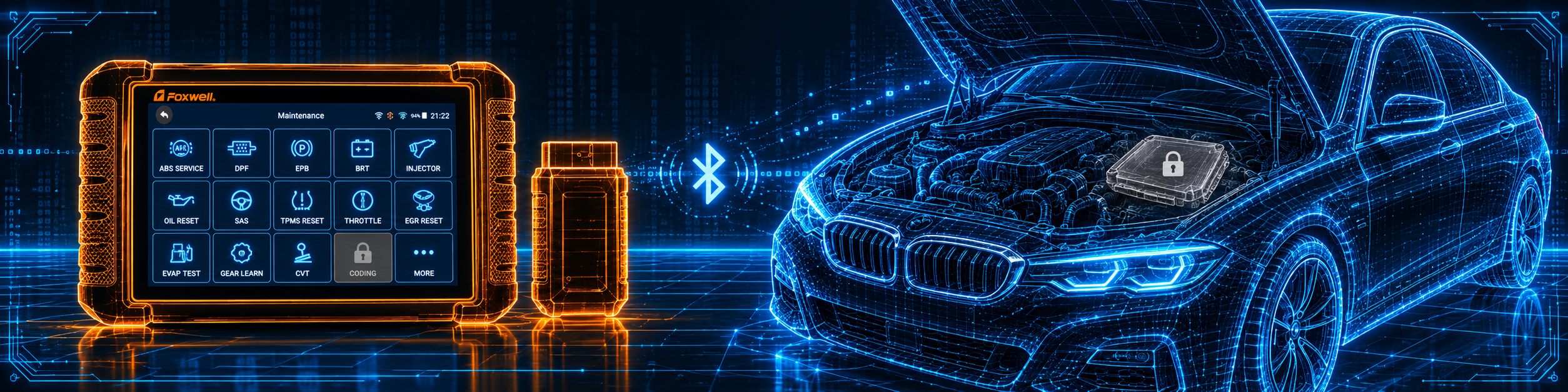
The kit has two parts. The tablet is where you work. The VCI dongle plugs into the OBD2 port and sends the car’s data to the tablet. The manual says the dongle connects either by Bluetooth or by USB, and it takes its power from the car. The dongle has three lights: a running light, a communication light and a power light.
Foxwell lists these tablet specs:
- Screen: 7 inch LCD touchscreen. The manual gives 1024 by 600 pixels.
- System: Android 9. The manual lists a quad-core processor at 1.3 GHz.
- Memory: 1 GB RAM and 32 GB storage, per the manual.
- Battery: 4000 mAh. The manual says a full battery runs about five hours.
- Connections: Wi-Fi, USB 2.0 and Bluetooth.
Amazon and Foxwell list these functions:
- All-system diagnosis. Amazon says “22+ systems” in one-click deep scans, and names the engine, powertrain, braking, steering, electrical, suspension, cooling, lighting, exhaust and body control. Foxwell’s page names engine, transmission, ABS, SRS, BMS, audio, headlamp, A/C, IMMO and door lock.
- Full OBD2. Amazon lists code read and clear, I/M readiness, DTC lookup and “4-in-1 live data”.
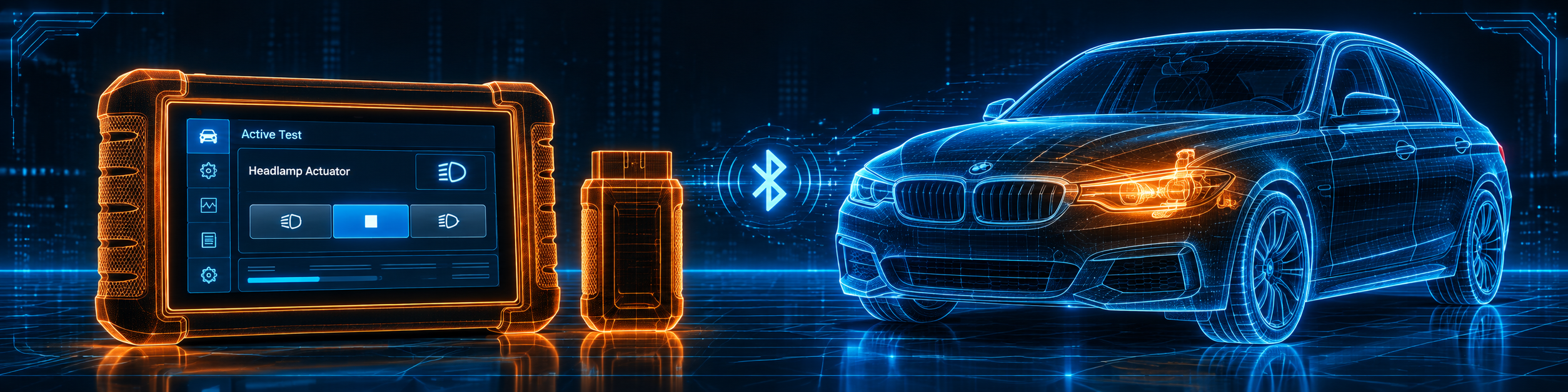
- Active tests. Amazon says “99% Bidirectional Tests” with “3000+ actuator control coverage”. Foxwell says the tool sends commands to the car’s ECU to drive actuators such as ABS, window, door, solenoids, valves, wipers and headlamps.
- Resets. Amazon says “30+” and names ABS bleeding, oil reset, EPB reset, SAS calibration, throttle matching, injector coding, DPF regeneration, TPMS reset, window and door calibration, transmission adaptation, suspension reset and battery registration. Foxwell’s page says “30+ Reset Service”.
- Updates. Amazon says “3-Yr Free Update” and Foxwell says “3 Years Free Update” over Wi-Fi.
- Reports and screenshots. Amazon lists one-tap screenshots and one-click PDF reports.
The picture below shows an active test on a headlamp. The tablet sends the command, and the technician checks the light on the car.
What Amazon Says vs. What Foxwell Confirms
We compared the Amazon listing with Foxwell’s product page and Foxwell’s user manual. They agree on the main points. The differences are in the protocols, the brands and a few counts.
| Claim | Amazon listing | Foxwell | Our reading |
|---|---|---|---|
| Name | “2026 FOXWELL Scanner NT809BT” | “NT809BT” | Same tool |
| Screen and system | 7 inches, Android 9.0 | 7 inch, Android 9.0, 32 GB | Agree |
| Battery | 4000mAh | 4000 mAh; about five hours per the manual | Agree |
| Resets | “30+” with named functions | “30+ Reset Service” with named functions | Agree |
| Active tests | “99% Bidirectional Tests”, “3000+” | Commands to actuators such as ABS, window, door, valves, wipers, headlamps | Agree |
| Systems | “22+ systems” | “All System Diagnose” | Agree |
| CAN-FD, DoIP, FCA | “CAN-FD”, “FCA Autoauth” in the title; “CAN-FD/DOIP/FCA Auth” in a bullet | Not on the product page. The manual lists CAN FD and DoIP among its protocols | Amazon names all three; Foxwell’s page names none |
| Updates | “3-Yr Free Update” | “3 Years Free Update” by Wi-Fi | Agree |
| Wireless range | “Wireless 65-Foot” | Bluetooth, about 10 to 20 m per the manual | Close; the manual gives a range |
| Vehicle coverage | “ALL 1996 and newer OBD2 vehicles worldwide” | 35 or more brands named on the page | Amazon is wider |
| Languages | “24 Languages” | 14 languages named | The figures differ |
| ECU coding | Not listed | Not listed; injector coding is a reset | Not listed |
| Support | “1-Year After-sales & Lifetime Expert Support” | “One Year Warranty” and “Lifetime Tech Support” | Agree |
| Size | 9.84 x 5.7 x 1.5 in | Not listed on the page | Amazon only |
The protocol point matters. Amazon’s title says CAN-FD and FCA Autoauth, and its first bullet says it “supports CAN-FD/DOIP/FCA Auth”. Foxwell’s product page does not name them. Foxwell’s manual lists CAN FD and DoIP in its protocol list. FCA is not in the manual’s protocol list.
The coverage point matters. Amazon says the tool works with all 1996 and newer OBD2 vehicles worldwide. Foxwell’s page names more than 35 brands: BMW, Chrysler, Ford, GM, Jeep, VW, Fiat, Volvo, Land Rover, Benz, Audi, Kia, Honda, Toyota, Hyundai, Nissan, Subaru, Mitsubishi, Mazda and others. The two statements are different in kind: one is about OBD2 on any car, the other is about brand software for the deeper functions.
The coding point matters. The manual’s diagnosis chapter says the scanner can perform special functions such as actuation and coding. Amazon’s title and bullets do not list ECU coding. Foxwell’s product page lists only injector coding as a reset. We do not count ECU coding for this tool.
The size point matters. Amazon lists 9.84 by 5.7 by 1.5 inches, which reads like the box. The manual does not give a size.
A third source. The US Department of Transportation publishes the rule for tire pressure monitoring systems, 49 CFR 571.138. It says the standard applies to passenger cars, multipurpose passenger vehicles, trucks and buses with a gross vehicle weight rating of 4,536 kilograms (10,000 pounds) or less, with an exception for dual wheels on an axle. It says all vehicles manufactured on or after September 1, 2007 must comply. It requires a low tire pressure warning light not more than 20 minutes after one or more tires is 25 percent below the maker’s recommended cold pressure, or below the standard’s table value. It also requires a malfunction warning for the TPMS itself. This source is independent of both Amazon and Foxwell. It explains why the TPMS reset and programming in the NT809BT’s list matter on most US cars from 2007 on.
How we handle these differences. The feature table at the bottom of this page, the Scanner Finder and our comparisons follow the Amazon listing, because Amazon is where you buy. We name the points above so you can see where Foxwell or a third source says something different. If one of them matters to you, read this section before you decide.
Is the NT809BT Enough for You?
A short table gives the first answer.
| If your work is | Does the NT809BT list it? |
|---|---|
| Reading and clearing codes on all systems | Yes |
| Live data and PDF reports | Yes |
| Active tests on parts | Yes |
| Oil, EPB, SAS, throttle and battery resets | Yes |
| ABS bleeding, DPF and injector coding | Yes |
| TPMS reset and programming | Yes |
| CAN-FD and DoIP | Yes, per Amazon; CAN FD and DoIP in the manual |
| ECU coding | Not listed on Amazon or on Foxwell’s page |
| Module programming and J2534 | Not listed on Amazon or on Foxwell’s page |
| ADAS calibration | Not listed on Amazon or on Foxwell’s page |
For a home mechanic or a small shop, the top half covers a lot. The bottom half lists work that needs a different tool.
Will the NT809BT Work on Your Car?
Amazon says all 1996 and newer OBD2 vehicles. Foxwell’s page names more than 35 brands for the deeper functions. The manual has a Functions application where you can query the functions of the model the scanner supports. Use the Scanner Finder to check your year, make and model.
The manual says options in each menu depend on the year, model and make of the car.
How to Set Up and Use the NT809BT
This section follows Foxwell’s NT809BT user manual (version 1.0).
Step 1: Charge and start
Plug the USB Type-C charger into the tablet and let it charge. To start the tablet, hold the power switch for about 3 seconds. The manual says a full charge supports around five hours of continuous use, and it suggests switching the tablet off whenever you are not using it.
Step 2: Create your Foxwell ID
Tap My Account or Update, then Free registration. Your email address is the user name. Tap Send Code and Foxwell emails a 4-digit code. Type the code, choose a password and finish the registration. After that the serial number appears, and Submit activates the product.
Step 3: Download the software
Check that the network works and that the tablet is charged or plugged in. Tap Update, tick the packages you want and tap Update again. When everything is installed, the screen shows “Update Done”. In Settings you can switch on Automatic Update, which puts a mark on the screen when a new version exists. The VCI firmware is updated in a separate step. Download the package from Update, and make sure the battery is above 20 percent before the firmware update runs.
Step 4: Connect to the car
- Turn the tablet on.
- Push the VCI dongle into the OBD2 port. The car supplies its power and the data link.
- The dongle pairs with the tablet on its own. The manual states a Bluetooth working range of about 10 to 20 meters.
- Look at the VCI icon in the toolbar. Green means ready. If it is not green, the signal is too weak, so move closer, check the dongle and clear away anything that blocks the signal.
If the dongle is replaced, use VCI Manager to unbind the old one and bind the new one.
Step 5: Tell the tool which car it is
Tap Diagnostic. The VIN button in the title bar offers Automatic Read and Manual Entry. Compare the VIN on the screen with the car and tap OK. If the read drags on, tap Cancel and key the VIN in. Other ways in are Smart VIN, Manual Selection by area (America, Asia, Europe) and History for a car you tested before.
Step 6: Pick a system
- Quick Scan looks for the control modules the car has and gives a code overview. It can take a few minutes. You can pause it, tap Report for an overview of the control units, Save to store it, or Erase to clear the information.
- Control Modules shows every controller the brand uses. The manual points out that the list is not a list of what is installed.
Step 7: Work in the function menu
Once a system is open, the Function Menu usually shows Read Codes, Clear Codes, Live Data and ECU Information.
- Read Codes sorts codes into present, pending and history. A red icon opens help for the code, and a green icon opens the freeze frame.
- Clear Codes erases the stored codes and the temporary ECU data. Have the ignition on and the engine off, and read the codes again when you are done.
- Live Data offers All Data or a Custom List. Learn Mode stores good readings at idle, acceleration, deceleration and load. Compare Mode sets a faulty reading beside a good one. Graph, Multi Graph and Merge Graph draw the values, and Record saves a session.
Step 8: Run a service from Maintenance
Press Maintenance. The manual lists these options: Oil Light Reset, EPB Service, Battery Configuration, DPF Regeneration, TPS/TBA, SAS Calibration, CVT, Gear Learn, TPMS Programming Service, Odometer, Injector coding and ABS Bleeding. A few notes from the manual:
- Oil Light Reset may be a one-button reset on GM, a manual guided reset, or an auto reset with a two-way procedure.
- EPB Service deactivates and activates brake systems, and sets brakes after new discs or pads. The manual warns that EPB systems must be deactivated before work on the brakes, and that the car must be blocked.
- Battery Replacement (BRT) validates a new battery and clears faults on makes the manual names, such as Audi, BMW, Citroen, Peugeot, Seat, Skoda, Volvo, VW and Ford.
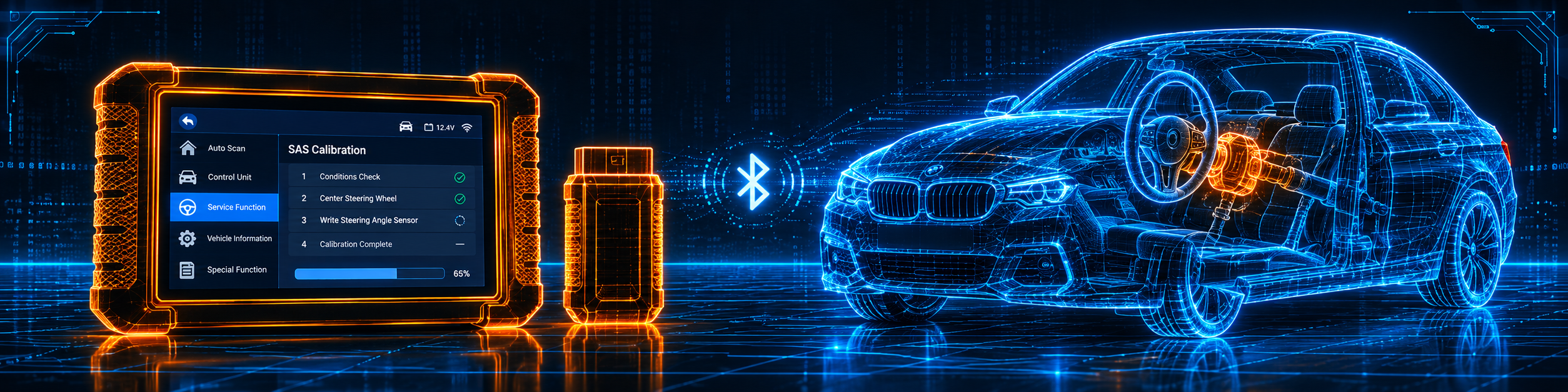
- SAS Calibration stores the current steering wheel position as straight ahead.
- Gear Learning teaches the crankshaft tooth tolerance. The manual explains that without it, a Delphi engine can set P1336, “tooth not learned”.
- TPMS Programming checks the tire sensor IDs from the car and does programming and reset after tires or sensors are replaced or rotated.
- Injector Coding writes the injector code for each cylinder.
Step 9: Saved data
Data Manager holds Image, PDF Report and Data Playback. A screenshot, a PDF report and a recorded live data session can all be opened again later, and a recording can be replayed as text, as a graph or as a merged graph.
Step 10: Settings and remote help
Settings covers units, language, font size, tile order, the remote control tool, automatic update, system settings and Uninstall Vehicle Software. Remote Control opens TeamViewer so a Foxwell technician can help you remotely.
Common Mistakes and Three Simple Plans
1. Skipping the first update. Update and register before you start.
2. Expecting ECU coding. Neither Amazon nor Foxwell’s page lists it.
3. Starting an EPB service without deactivating the brake system. The manual says to deactivate first and block the car.
4. Clearing codes before saving them. Save the report first.
Plan A: A new battery
- Connect, read the VIN and open Maintenance.
- Pick the battery function for your make.
- Follow the screen, then run Quick Scan.
Plan B: New brake pads on an electric parking brake
- Open Maintenance and EPB Service.
- Deactivate the brake system and block the car.
- Change the pads, then activate the system again and set the brakes.
Plan C: Checking a part with an active test
- Pick the system and open the active tests the car offers.
- Run the test and watch the part and the live data.
- Use Multi Graph to see values together.
Where the NT809BT Sits Against the Alternatives
| NT809BT | Foxwell NT710 for GM | Autel MaxiCOM MK808Z | Thinkcar THINKDIAG 2 | |
|---|---|---|---|---|
| Format | Tablet with a Bluetooth dongle | Tablet with a cable | Tablet | Bluetooth dongle with an app |
| Bidirectional control | Yes | Yes | Yes, per our review | Yes, per our review |
| ECU coding | Not listed on Amazon or Foxwell’s page | Not listed on Amazon | Yes, per our review | Yes, per our review |
| Brands | All 1996 and newer OBD2, per Amazon | GM brands, per Amazon | Not listed in our MK808Z review | Not listed in our THINKDIAG 2 review |
Our Foxwell NT710 for GM review covers the GM-focused Foxwell tablet. Our Thinkcar THINKDIAG 2 review covers a tool that lists both bidirectional control and coding, and our Autel MaxiCOM MK808Z review covers a Wi-Fi tablet with FCA gateway access and no named ECU coding.
The NT809BT sits in the middle of Foxwell’s range. It has a tablet, a wireless dongle and a long reset list, and it stops before coding. A steering angle calibration is a good example of a job it does well: the tool stores the new straight-ahead position, and the fault memory clears. The picture below shows the calibration on a BMW 3-Series.
Who This Scanner Actually Fits
The NT809BT fits a home mechanic or an independent technician who wants wide active tests and a long reset list on a tablet with a wireless dongle, and does not need ECU coding. It is also a fit for someone who wants three free update years and lifetime tech support. It is more tool than a basic code reader needs.
Important Limitations of the Foxwell NT809BT
- No ECU coding is listed. Neither Amazon nor Foxwell’s page lists it.
- The protocol list differs. Amazon names CAN-FD, DoIP and FCA. Foxwell’s page names none, and the manual lists CAN FD and DoIP.
- The coverage statements differ. Amazon says all 1996 and newer OBD2 vehicles, and Foxwell’s page names 35 or more brands.
- The tablet is older. It runs Android 9, has 1 GB of memory and a 1.3 GHz processor, per the manual.
- Functions depend on the car. The manual says options vary by year, model and make.
Who Should Choose It, and What to Consider Instead
Choose the NT809BT if you want wide active tests and a long reset list on a tablet with a Bluetooth dongle, and three free update years.
Consider the Thinkcar THINKDIAG 2 instead if you need both bidirectional control and ECU coding. Consider the Autel MaxiCOM MK808Z instead if you want a Wi-Fi tablet with FCA gateway access. Consider the Innova 5610 instead if you want a different brand with a similar bidirectional-only profile.
| Specification | Details |
|---|---|
| Screen | 7 inch, 1024 by 600 per the manual |
| System | Android 9, quad-core 1.3 GHz per the manual |
| Memory and storage | 1 GB RAM, 32 GB per the manual |
| Battery | 4000 mAh, about five hours |
| Connection | Bluetooth or USB dongle; Wi-Fi on the tablet |
| Wireless range | 65 feet per Amazon; 10 to 20 m per the manual |
| Service functions | 30 or more |
| Active tests | 99 percent and 3000 or more per Amazon |
| Brands | All 1996 and newer OBD2 per Amazon; 35 or more named per Foxwell |
| CAN-FD and DoIP | Amazon lists both; the manual lists both |
| ECU coding | Not listed |
| Updates | Three free years by Wi-Fi |
| Warranty | One year, with lifetime tech support |
| Pros | Cons |
|---|---|
| Wide active tests listed by Amazon and Foxwell | No ECU coding listed |
| 30 or more resets, including TPMS and battery | Older Android 9 tablet |
| Wireless dongle with a stated range | Protocol list differs by source |
| Three free update years | |
| One-click scan, PDF reports and screenshots |
Methodology: How SCG Evaluates OBD2 Scanners.
Our Verdict on the Foxwell NT809BT
The NT809BT is a tablet with wide active tests, 30 or more resets and three free update years. Amazon and Foxwell agree on the main points and differ on the protocol list, and neither lists ECU coding. If you need active tests and resets without coding, it fits well.
Frequently Asked Questions
Does the NT809BT support ECU coding?
No. Neither Amazon nor Foxwell’s page lists it. The manual mentions coding among special functions in general, so we do not count it.
Does it support CAN-FD and DoIP?
Amazon lists CAN-FD, DoIP and FCA. Foxwell’s page does not name them, and the manual lists CAN FD and DoIP in its protocols.
How long are updates free?
Three years by Wi-Fi, per Amazon and Foxwell.
What is the wireless range?
Amazon says 65 feet. The manual says about 10 to 20 meters.
Which brands does it cover?
Amazon says all 1996 and newer OBD2 vehicles. Foxwell’s page names 35 or more brands for the deeper functions.
Is it compatible with my specific vehicle?
Use the Scanner Finder to check your year, make and model.
Trusted Sources
- Foxwell NT809BT official product page: specs, resets, active tests, updates, brands, languages
- Foxwell NT809BT user manual V1.0: setup, menus, maintenance functions, specifications
- Verified Amazon listing: current title, bullets and product overview
- 49 CFR 571.138, Tire pressure monitoring systems: which vehicles need a TPMS and the warning rule