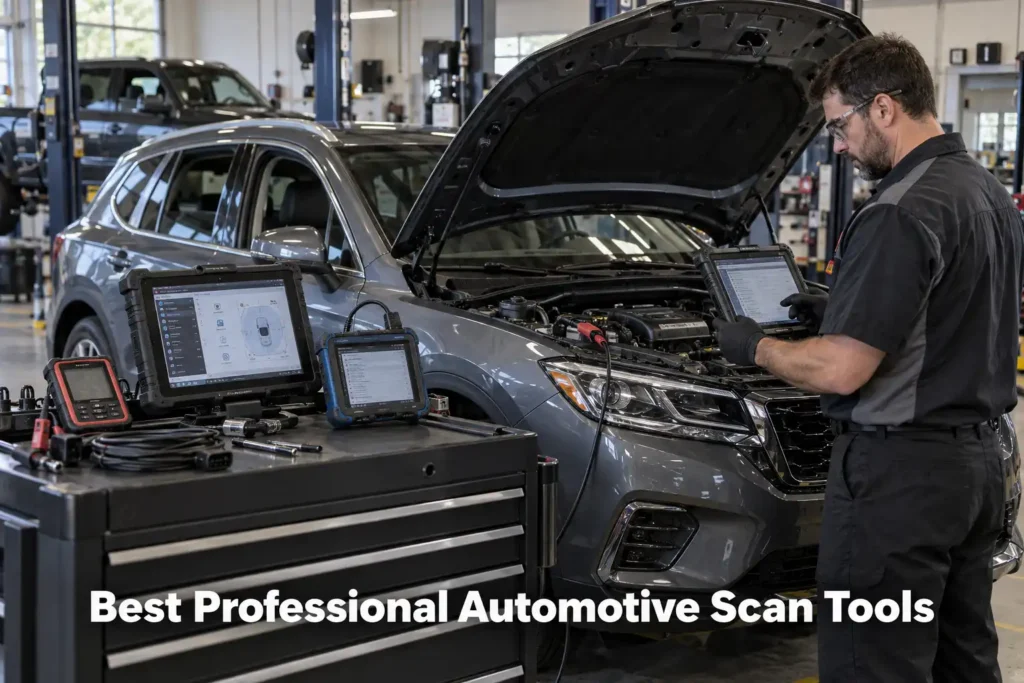
9 Best Professional Automotive Scan Tools in 2026: Diagnostic Platforms for Independent Shops and Technicians
Professional automotive diagnostics in 2026 is no longer a question of finding a scanner that can read more trouble codes.
A working technician may need full-system access, fast vehicle-wide scans, bidirectional controls, topology mapping, secure-gateway access, coding, module initialization, J2534 pass-through capability, service information, ADAS integration and, on supported vehicles, ECU programming.
No single aftermarket platform is universally best at every one of those jobs. That is the central principle behind this guide.
Scan Choice Guide evaluated professional diagnostic platforms by the work they are designed to perform, not by the length of their marketing feature lists. We considered diagnostic depth, vehicle coverage, active testing, coding and programming capability, modern communication protocols, VCI hardware, topology, shop workflow, update model, repair-information integration and the type of professional operation each tool best fits.
We also deliberately broadened this selection beyond the scanners used in our DIY and Bluetooth guides. A professional-shop article should not simply repeat consumer and prosumer recommendations under a more expensive title.
Our recommendations are based on current manufacturer documentation, current 2026 market research and SCG comparative analysis. The results we present come from our own research into manufacturer documentation, Amazon listings, and compatibility data.
Our Top Picks for Professional Scan Tools
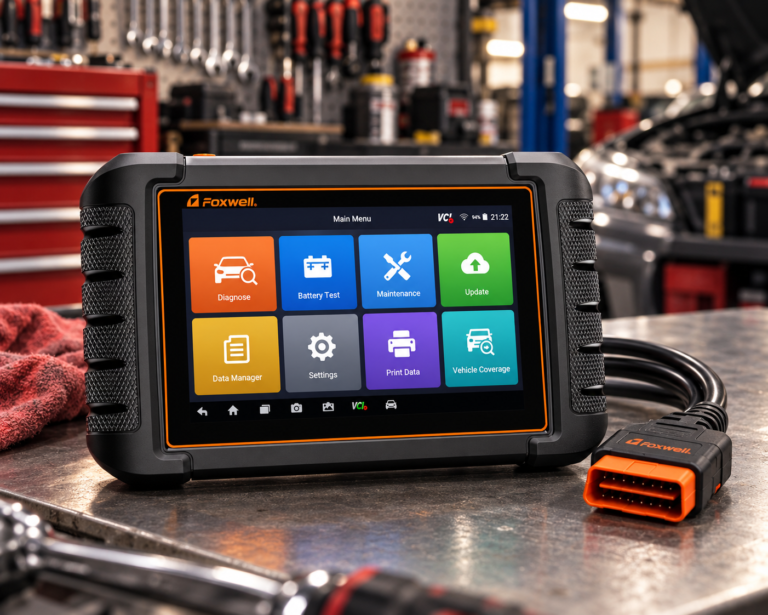
Foxwell NT809BT
- Dedicated wireless diagnostic platform
- All-system class
- More accessible than flagship workstations
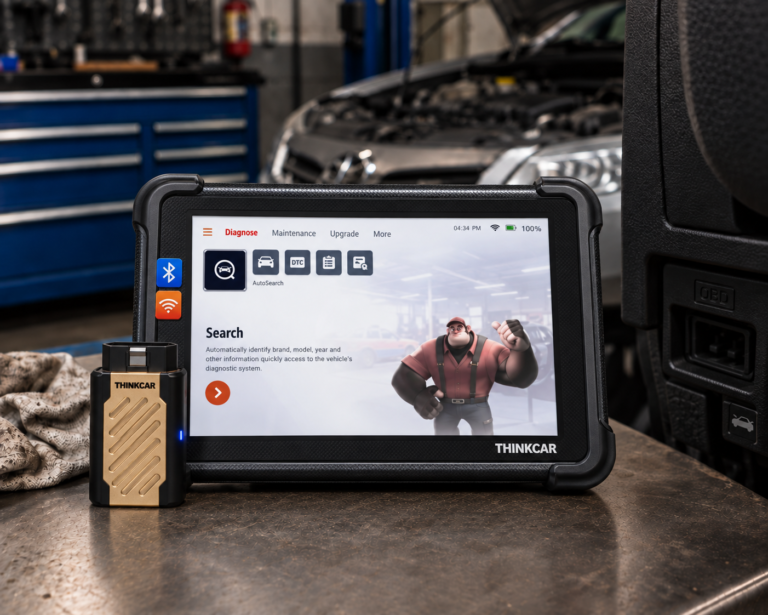
THINKCAR THINKSCAN 689BT
- Full-system diagnostics
- Bidirectional controls
- Manufacturer-listed lifetime free updates
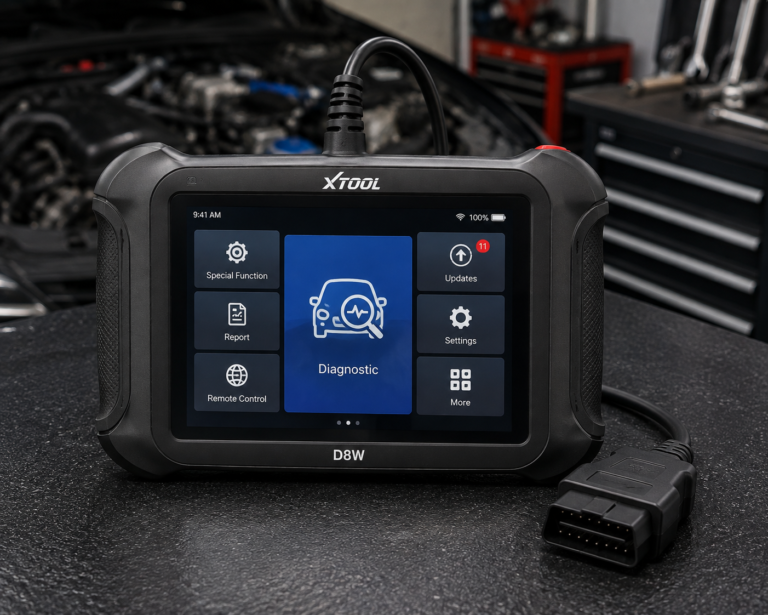
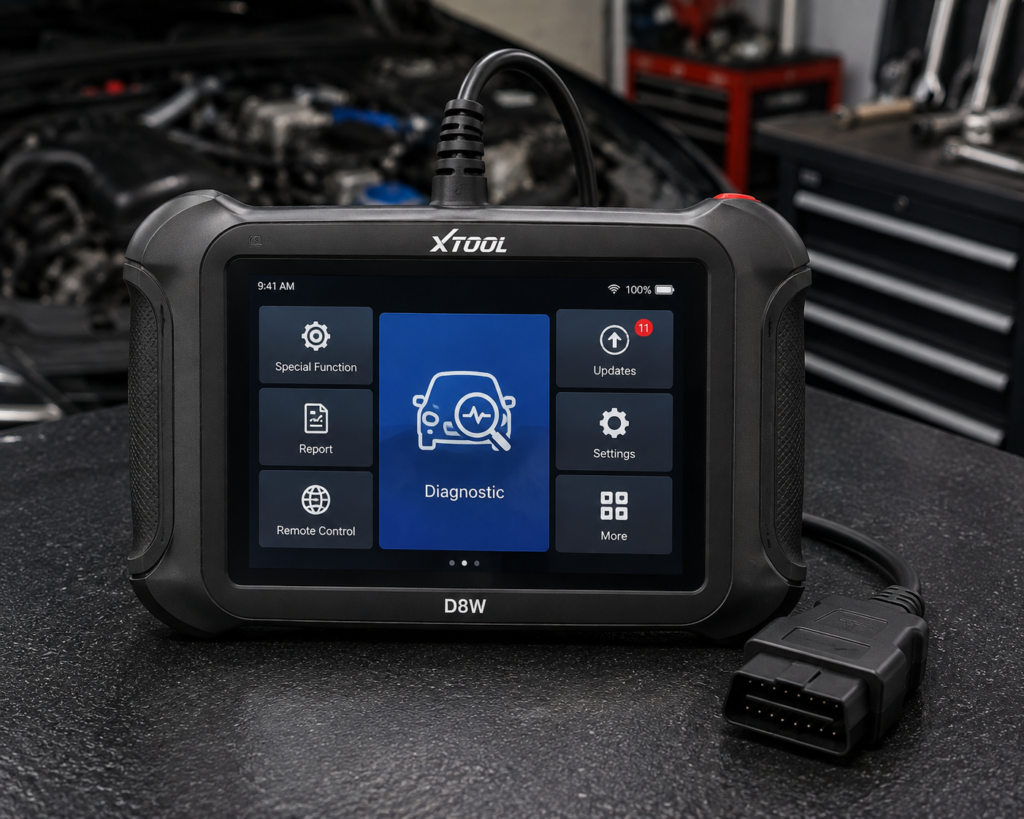
XTOOL D8W
- OE-level all-system diagnostics
- Topology mapping
- 42+ service functions
Affiliate Disclosure: Scan Choice Guide is a participant in the Amazon Services LLC Associates Program, an affiliate advertising program designed to provide a means for sites to earn advertising fees by advertising and linking to Amazon.com.
The 9 Best Professional Scan Tools, Reviewed for Shops and Technicians
For shops that need Ford, GM, and Chrysler 2023-and-newer protocol coverage specifically, the Autel MX900 is also worth a look — it documents built-in DoIP and CAN FD support without a separate adapter.
1. Autel MaxiSYS Ultra: Best Overall Professional Automotive Scan Tool
Why We Picked It
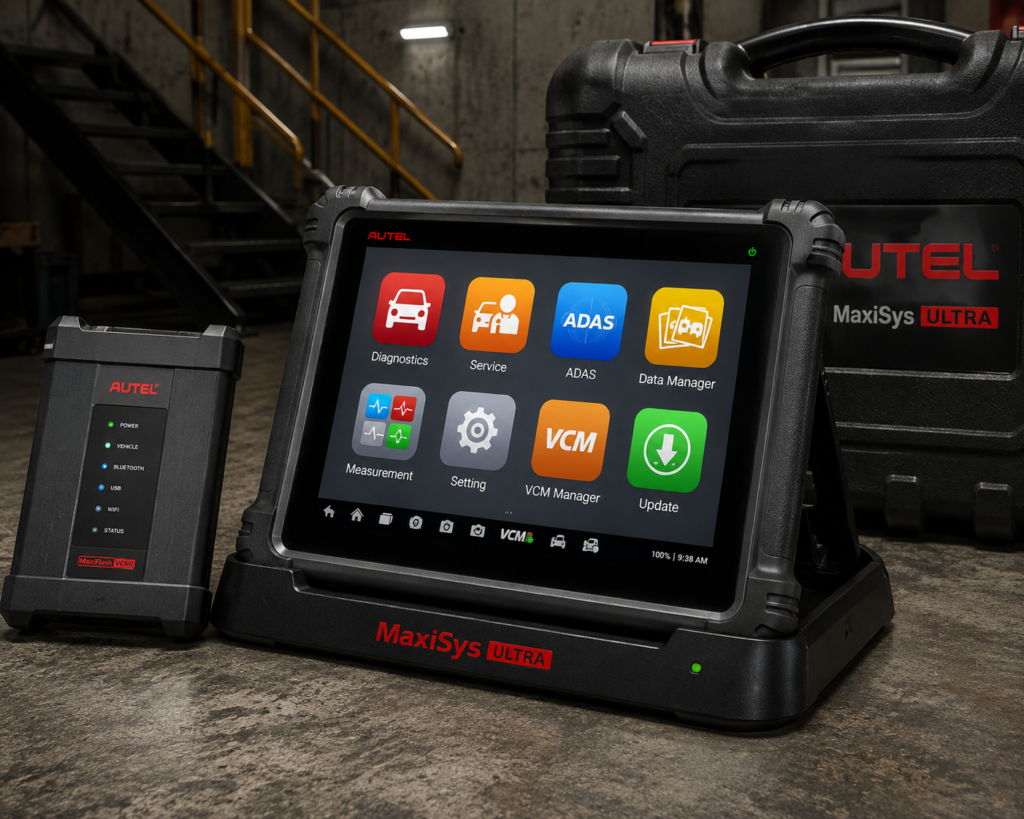
The MaxiSYS Ultra is not simply a larger code reader.
Autel designed it as a diagnostic workstation.
Its 12.7-inch tablet is paired with the MaxiFlash VCMI, which combines vehicle communication with measurement functions including a four-channel oscilloscope, waveform generator, multimeter and CAN BUS tester.
That matters because professional diagnosis often moves beyond asking a control module what it thinks is wrong.
A technician may need to compare scan data with an electrical waveform, verify a network signal, test a circuit or confirm that a commanded component is receiving the electrical behavior expected.
Autel also integrates topology module mapping and advanced AutoSCAN functionality. Topology can make a modern vehicle’s network easier to understand by showing modules and communication relationships visually rather than only presenting a flat module list.
The Ultra supports bidirectional diagnosis and advanced ECU coding/programming functions on supported vehicles. Autel also positions it for OE-level coverage across a broad range of U.S. domestic, Asian and European vehicles.
This combination is why it ranks first here. It is not the best because it is the most expensive-looking tablet. It is the best overall because it combines scan-tool diagnostics, network visualization, advanced software functions and electrical measurement in one professional ecosystem.
Where It Falls Short
A flagship workstation creates flagship complexity.
A small shop that mainly performs maintenance, brakes, general mechanical repair and routine code diagnosis may not use enough of the Ultra’s VCMI and advanced functions to justify choosing this class.
Programming and coding coverage also remain application-dependent. A statement such as “ECU programming” must never be interpreted as universal reprogramming for every manufacturer and every control module.
Professional ownership also includes software updates, possible OEM subscriptions, secure-gateway accounts and other workflow costs that are separate from the initial hardware decision.
| Specification | Details |
|---|---|
| Display | 12.7″ TFT-LCD, 2732×2048 resolution, capacitive touch |
| Operating System | Android 7.0 |
| Processor | Samsung Exynos8895V octa-core (2.3GHz quad Mongoose + 1.7GHz quad A53) |
| RAM / Storage | 4GB RAM / 256GB on-board storage (SD card support to 256GB) |
| Battery | 18,000mAh 3.8V lithium-polymer |
| Connectivity | WiFi 802.11 a/b/g/n/ac (2×2 MIMO), Bluetooth v2.1+EDR, GPS, USB 2.0, HDMI 2.0 |
| Protocols | CAN FD, DoIP, ISO-15765, SAE-J1939, ISO-14229 UDS, GMLAN, and other legacy protocols |
| VCI Module | MaxiFlash VCMI (5-in-1: VCI, oscilloscope, waveform generator, multimeter, CAN bus check) |
| Bidirectional Control | Confirmed (Autel official pages) |
| ECU Coding | Confirmed; enhanced programming on specific BMW/Mercedes, advanced coding on most regular cars |
| Module Programming | Confirmed; the only scanner we review with this capability |
| ADAS Calibration | Not included in base unit; separate MSULTRAADAS package + IA900WA frame hardware required |
| TPMS | Not listed on Autel’s official pages |
| Update Policy | 1 year free updates + 1 year free warranty; cost after the first year not listed |
| Pros | Cons |
|---|---|
| Flagship OE-level diagnostic platform | Android 7.0 is older than several sibling Autel tablets running Android 10 and newer |
| Full-system diagnostics | |
| Bidirectional controls | |
| Dynamic topology mapping | |
| Advanced coding/programming on supported applications | |
| Integrated VCMI | |
| Four-channel oscilloscope | |
| Multimeter, waveform generator and CAN BUS testing | |
| Large 12.7-inch display | |
| Strong fit for advanced diagnostic work |
Best For
Independent diagnostic specialists, high-level repair shops and technicians who want scan data and electrical measurement integrated into one platform.
SCG Verdict
The MaxiSYS Ultra is our best overall professional choice because it addresses the complete diagnostic process rather than only the scan-tool portion of it. See our full Autel MaxiSYS Ultra review for the complete diagnostic-process breakdown, not just the scan-tool spec sheet.
2. LAUNCH X-431 PRO5: Best for Independent Multi-Brand Shops
Why We Picked It
Independent repair shops rarely know which brand will arrive in the next bay.
That makes broad multi-brand capability and flexible communication hardware especially important.
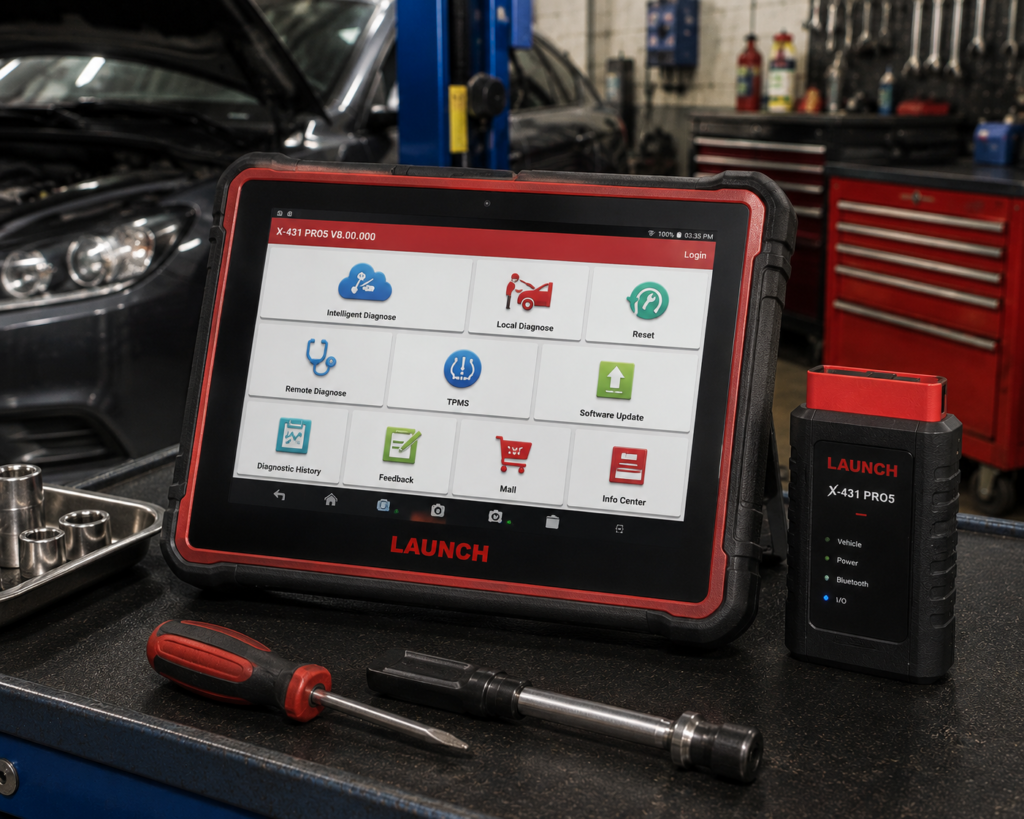
The LAUNCH X-431 PRO5 is built around that environment.
The PRO5 platform uses LAUNCH’s SmartLink ecosystem, positioning it for advanced full-system diagnosis, bidirectional functions, coding-related workflows and professional vehicle communication.
For a mixed-fleet independent shop, the value is not one headline function.
It is the ability to use one core platform across a broad variety of U.S., Asian and European vehicles while retaining access to higher-level LAUNCH workflows where supported.
The SmartLink architecture is also relevant to professional technicians because modern diagnostics increasingly depend on the communication interface as much as the tablet itself.
A shop should evaluate the VCI, protocol support and pass-through/remote capabilities, not just screen size and processor specifications.
Where It Falls Short
LAUNCH product naming, regional packages and software bundles require careful verification.
The exact functions available with an X-431 PRO5 can depend on market, package, SmartLink hardware, software entitlement and vehicle.
Shops should also verify update policy and local technical support before committing to a professional ecosystem.
| Specification | Details |
|---|---|
| Display | 10.1″ IPS, 1280×800, touchscreen |
| Operating System | Android 10.0 |
| Processor | 2.0GHz quad-core |
| RAM / Storage | 4GB RAM / 64GB storage |
| Battery | 6,300mAh or 7,000mAh depending on source; not listed on a primary Launch page |
| VCI Interface | SmartLink C, J2534-compliant, CAN FD and DoIP support |
| Bidirectional Control | Confirmed |
| ECU Coding | Confirmed; online coding for BMW, Mercedes-Benz and other supported brands |
| Module Programming | No in the base unit; requires a separate X-PROG3 accessory, sold separately |
| Update Policy | 2 years free updates per reseller listings |
| Price (Amazon) | See the current price on Amazon |
| Pros | Cons |
|---|---|
| Professional multi-brand platform | Module programming is not built in; it requires the separately-sold X-PROG3 accessory |
| Full-system diagnostic positioning | |
| SmartLink ecosystem | |
| Bidirectional capability on supported applications | |
| Coding/service workflows | Battery capacity and service-function count differ between sources |
| Strong independent-shop fit | |
| Flexible professional communication architecture |
Best For
Independent multi-brand repair shops that want one flexible professional platform for a varied vehicle mix.
SCG Verdict
The PRO5 is our independent-shop choice because professional value is often about breadth and workflow flexibility rather than having the single longest specification sheet. Our full LAUNCH X431 PRO5 review covers the workflow flexibility this independent-shop pick is chosen for.
3. TOPDON Phoenix Smart: Best Professional Value Platform
Why We Picked It
TOPDON Phoenix Smart occupies an important position between advanced mid-range tablets and the most expensive flagship diagnostic workstations.
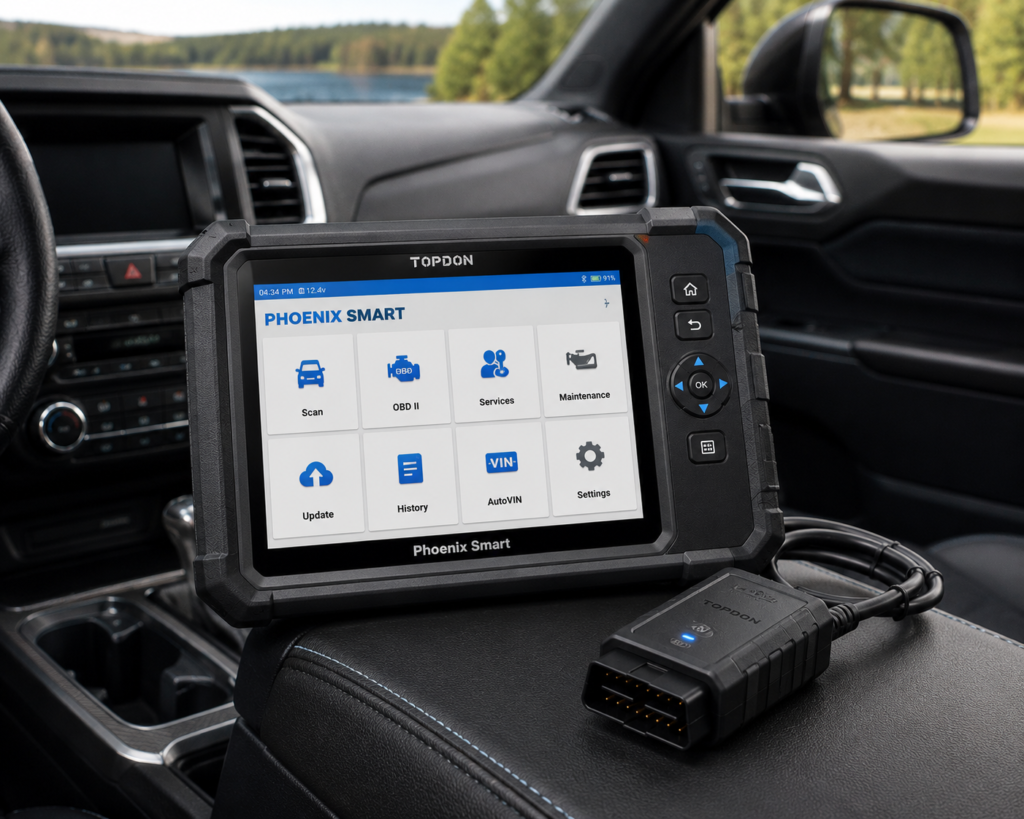
TOPDON currently specifies full-system fault diagnosis across more than 200 vehicle brands, OE-level diagnostic positioning, topology mapping, online coding for supported manufacturers and cloud-based programming functions for more than 13 brands.
It also supports guided procedures for selected Volkswagen Group applications and FCA gateway access.
The included MDCI Pro is central to the professional value proposition.
A professional scanner is only as useful as its ability to communicate reliably with the vehicles entering the shop, and TOPDON’s platform is designed around a more capable VCI than a simple consumer Bluetooth dongle.
Topology is another meaningful shop feature.
A rapid scan can tell you which modules contain faults. A topology view can help a technician see how those modules sit within the vehicle network and identify communication patterns more quickly.
Where It Falls Short
The Phoenix Smart should not be described as a universal programming platform.
TOPDON specifies cloud-based programming for supported brands and online coding for supported applications. Those boundaries matter.
A technician should verify the exact vehicle and module before purchasing the platform for a particular programming workflow.
The professional software model also matters. TOPDON documentation has listed an included free-update period, after which the current renewal terms should be checked.
| Specification | Details |
|---|---|
| Screen | 10.1-inch HD touchscreen |
| Operating System | Android 10.0 |
| Memory / Storage | 4GB RAM, 128GB storage |
| Battery | 12,600mAh |
| Vehicle Connection | Phoenix MDCI Pro VCI dongle |
| Protocols | J2534, DoIP, CAN-FD confirmed |
| Vehicle Coverage | 200+ brands for diagnostics; 13+ brands for cloud-based programming |
| Service Functions | 41 confirmed |
| ECU Coding / Programming | Confirmed online coding (Audi, BMW, Porsche, others) and cloud-based programming |
| ADAS Calibration | Supported, requires separate Phoenix ADAS Mobile Package |
| Update Policy | 2 years free, then a paid annual renewal is required (confirmed by TOPDON) |
| Pros | Cons |
|---|---|
| Full-system professional diagnostics | ADAS calibration requires a separate paid package |
| Broad multi-brand coverage | |
| Topology mapping | |
| Online coding on supported applications | |
| Cloud-based programming for supported brands | |
| Guided functions on supported vehicles | |
| FCA gateway support | |
| Professional MDCI interface | |
| ADAS ecosystem compatibility |
Best For
Independent shops that want topology, coding and supported programming capability without automatically moving to the most expensive flagship workstation class.
SCG Verdict
Phoenix Smart earns the professional-value position because it combines serious diagnostic depth with capabilities that are directly relevant to modern independent-shop work. See our full TOPDON Phoenix Smart review for the modern independent-shop capabilities behind that professional-value position.
4. Bosch ADS 525X: Best for U.S. Repair Information Integration
Why We Picked It
Professional diagnosis is not only about retrieving vehicle data.
Technicians also need service information, wiring information, secure access and a reliable path from fault identification to repair.
Bosch’s ADS ecosystem is particularly relevant to that workflow.
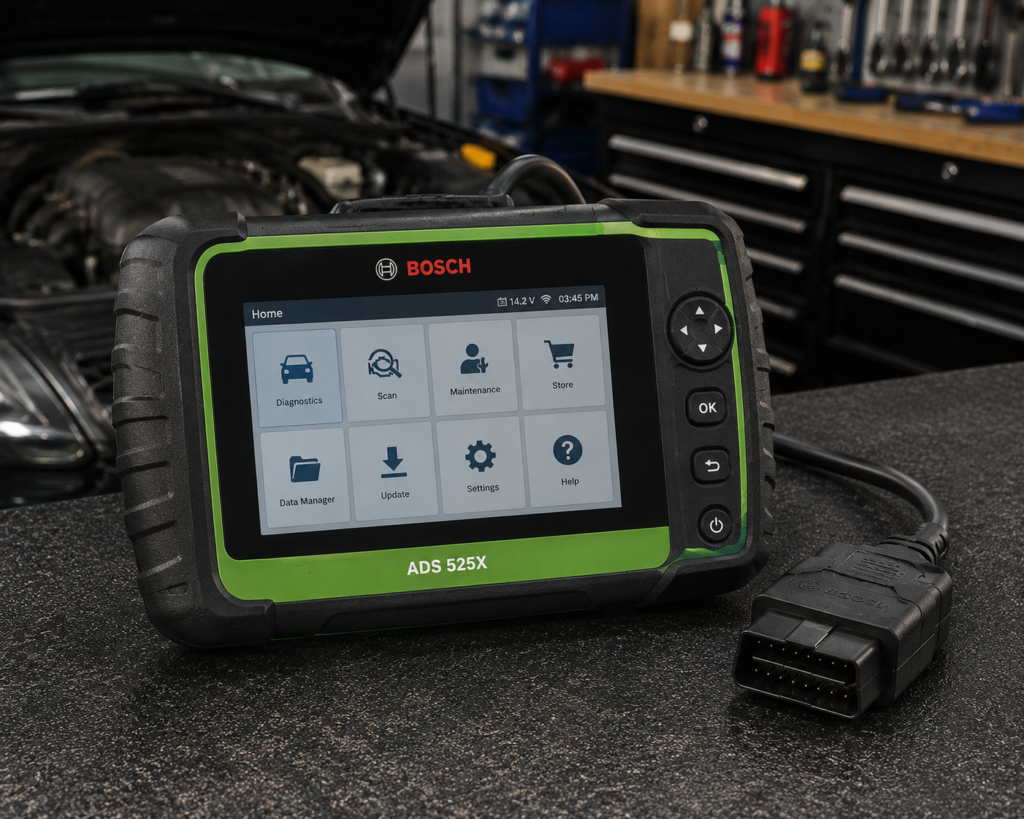
Bosch describes the ADS 525X as an OE-level diagnostic tool supporting scanning, live-data access and complete bidirectional functions.
Its current ADS software coverage extends across domestic, Asian and European vehicles and includes 2026 model-year coverage.
Bosch also provides secure-gateway access solutions across multiple OEMs, with the exact access method varying by manufacturer.
Another important differentiator is repair-information integration.
Bosch’s ADS software ecosystem includes MOTOR TruSpeed repair information with its Enhanced Subscription, giving technicians access to service and repair resources within the same broader workflow.
The ADS 525X VCI also has J2534 driver support for PC-based reprogramming workflows.
That does not mean Bosch itself magically provides every OEM programming subscription. It means the communication hardware can participate in J2534 workflows where the OEM process and application support it.
Where It Falls Short
The ADS 525X should be evaluated as an ecosystem, not merely as a hardware purchase.
Subscription tier affects available resources.
A shop must understand which Bosch software plan it needs and which OEM accounts or secure-access arrangements remain separate.
It also does not have the same all-in-one measurement-tool concept as Autel’s Ultra VCMI.
| Specification | Details |
|---|---|
| Screen | 8-inch HD LCD widescreen |
| Operating System | Android 10, unlocked (Google Play, Drive, Gmail access) |
| Battery | Up to 14 hours runtime |
| Vehicle Connection | Wireless J2534-compliant VCI, included |
| Vehicle Coverage | Domestic, Asian, European; back to 1976, current through 2026 |
| Scan Speed | “Rapid DTC Scan,” averaging under 40 seconds per Bosch |
| Bidirectional Control | Confirmed, “complete bi-directional functions” |
| OEM Secure Gateway Access | Confirmed for specified manufacturers |
| Factory ECU Programming | Requires separate OE-specific subscription and a PC, not included standalone |
| Subscription | First year free; annual renewal cost not listed; lifetime warranty requires an unlapsed subscription |
| Pros | Cons |
|---|---|
| OE-level diagnostic positioning | The lifetime warranty requires maintaining an active subscription |
| Scanning and live data | |
| Complete bidirectional functions | |
| Current 2026 model-year software coverage | |
| Secure-gateway solutions | |
| Repair-information integration | |
| J2534 VCI driver support | |
| Strong relevance to U.S. independent shops |
Best For
U.S.-focused independent shops that value diagnostic coverage, bidirectional functions, secure access and repair-information integration.
SCG Verdict
The ADS 525X earns a place in this list because professional efficiency depends on information and access as well as scanner functions. Bosch’s ecosystem addresses that broader workflow. Our full Bosch ADS 525X review covers the repair-information ecosystem that sets it apart from a scanner alone.
5. Autel MaxiSys MS906 Pro: Best Compact Professional Platform
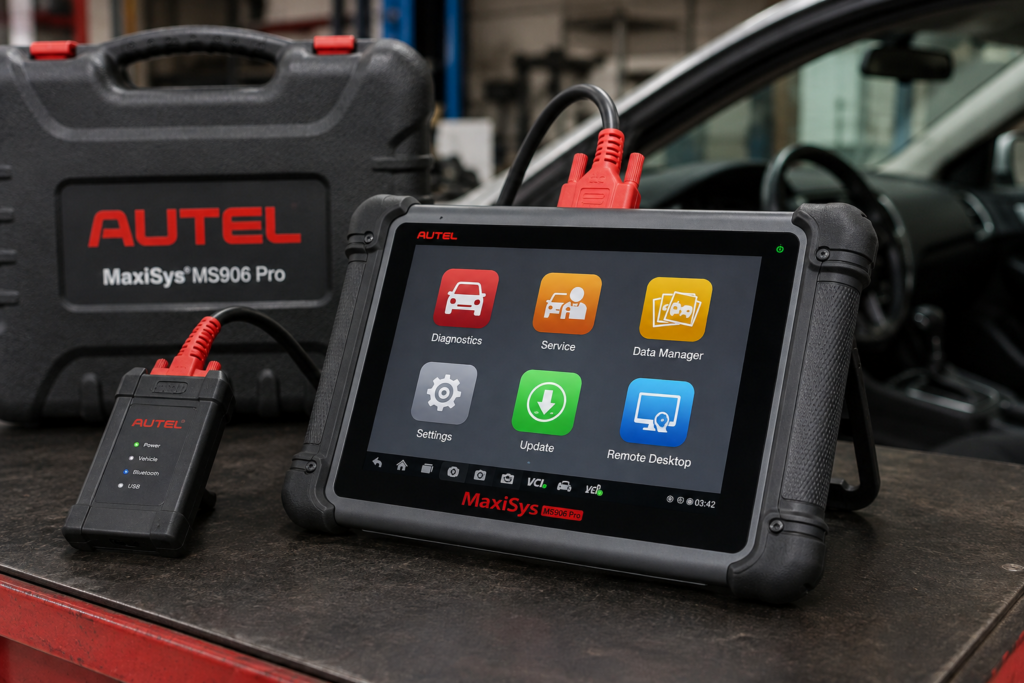
Why We Picked It
Not every technician wants or needs a 12.7-inch flagship workstation.
The Autel MaxiSys MS906 Pro occupies a more compact professional tier.
It is intended for technicians who need deeper multi-system diagnostics and advanced functions than consumer/prosumer tablets provide but do not necessarily need the Ultra’s integrated oscilloscope and measurement hardware.
That distinction matters in mobile diagnostics, smaller workshops and busy general-repair environments where portability can be more valuable than maximum hardware integration.
The MS906 Pro belongs to Autel’s professional MaxiSys ecosystem, giving shops a route into higher-level diagnostic workflows while keeping the physical platform more manageable.
Where It Falls Short
The exact boundary between diagnostics, coding, pass-through capability and programming must be checked carefully for the specific MS906 Pro package and vehicle.
SCG does not convert reseller claims into universal programming claims.
| Specification | Details |
|---|---|
| Screen | 8-inch, 1920×1200 touchscreen tablet |
| Operating System | Android 10.0 |
| Processor | Qualcomm 660 octa-core |
| Memory / Storage | 4GB RAM, 128GB storage |
| Battery | 11,600mAh |
| Vehicle Connection | MaxiVCI V200 (Bluetooth V2.1+EDR Class1, wireless) |
| Service Functions | 36+ maintenance services confirmed by Autel, tested across 150+ brands |
| Bidirectional Control | Yes; controls PDM, SMF, RSM, TCU modules; Autel does not state an exact function count |
| ECU Coding | Confirmed; BMW F/E chassis, Porsche, and Ford offline adaptation specifically documented |
| Module Programming | Not listed for this model; listed only for the MaxiSys Ultra in Autel’s lineup |
| TPMS | Listed on Autel’s online store page; not listed on Autel’s official website specifications |
| ADAS Calibration | Supported, requires separate frame system and software purchase |
| Battery Analysis | Not included; requires separate MaxiBAS BT506 purchase |
| Update Policy | 1 year free update and warranty; cost after not listed by Autel |
| Pros | Cons |
|---|---|
| Professional MaxiSys ecosystem | TPMS: listed on Autel’s online store page; not listed on Autel’s official website specifications |
| More compact than flagship workstations | |
| Full-system professional positioning | |
| Advanced diagnostic workflow | ADAS calibration requires a separate frame and software purchase |
| Suitable for mobile technicians and smaller shops | |
| Strong step below Ultra-class hardware |
Best For
Professional technicians who want a capable MaxiSys platform without the size and complexity of Autel’s flagship workstation.
SCG Verdict
The MS906 Pro is not here as a cheaper Ultra. It is here because portability and right-sized capability can be more valuable than maximum hardware for many working technicians. See our full Autel MaxiSys MS906 Pro review for why right-sized capability can beat maximum hardware for many technicians.
6. THINKCAR THINKSCAN 689BT: Best for Long-Term Update Value
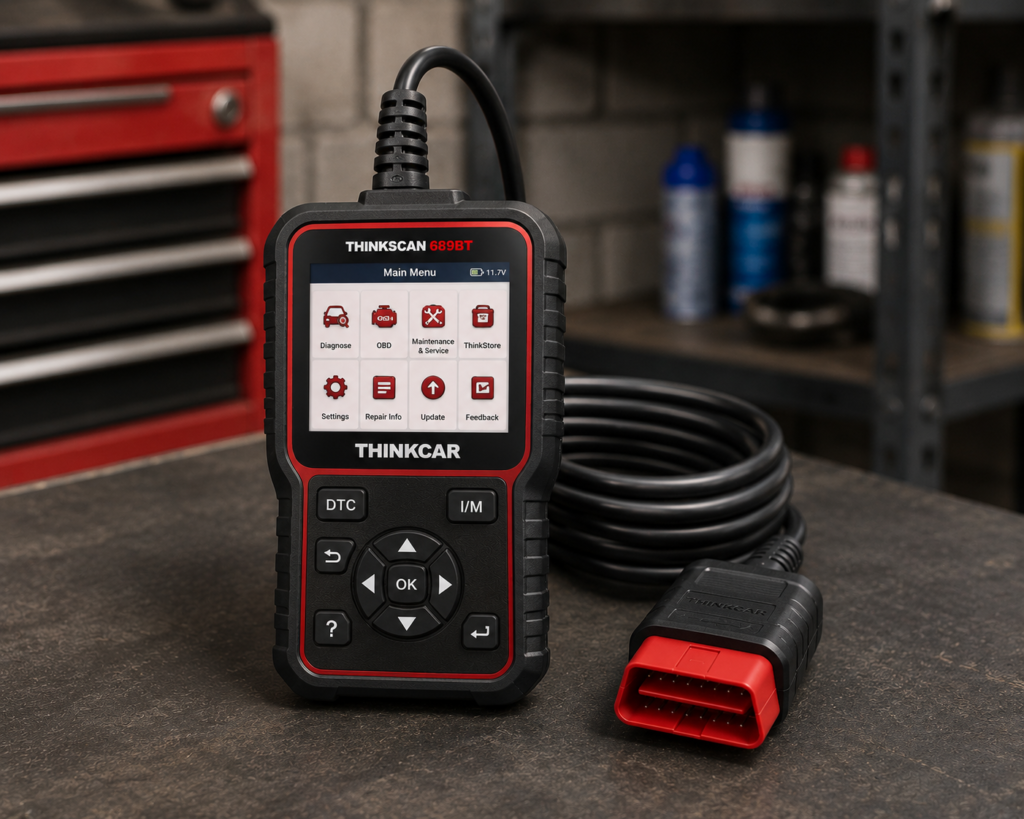
Why We Picked It
For a shop watching recurring software costs, the THINKSCAN 689BT’s lifetime free-update policy is the headline, THINKCAR lists it directly, with no renewal built into the terms for supported vehicle brands.
That ownership model sits on top of a genuinely professional-grade spec: ECU coding, bidirectional active tests, full-system diagnostics, CAN FD and DoIP support, and 35+ maintenance functions, the kind of capability breadth a small independent shop or mobile technician needs without paying per-year for it.
An 8-inch touchscreen and Bluetooth vehicle communication round out a workflow built to travel between bays rather than stay fixed to one workstation.
Where It Falls Short
“Lifetime updates” is not a substitute for coverage.
A scanner is poor value if it lacks the function your shop needs, even when updates are free.
The 689BT also sits below flagship professional systems in areas such as integrated electrical measurement, high-end programming workflows and broader shop ecosystem integration.
Its professional appeal is therefore strongest for general diagnostic and service work rather than every specialist programming task.
| Specification | Details |
|---|---|
| Screen | 8-inch, 1280×800 touchscreen |
| Operating System | Android 10 |
| Processor | 2.0GHz quad-core Cortex-A53 |
| Memory / Storage | 4GB RAM, 64GB storage |
| Battery | 4150mAh |
| Vehicle Connection | Bluetooth 5.0 dongle; 2.4G/5G Wi-Fi |
| Bidirectional Control | Confirmed; ~99% of vehicle-specific systems/components per Thinkcar |
| ECU Coding | Confirmed; includes replacement-part matching and feature personalization |
| Service Functions | 35+ confirmed by name |
| CAN-FD | Confirmed for 2020+ GM and Chrysler models specifically |
| DoIP | Confirmed for Volvo, Land Rover/Jaguar, BMW F/G chassis specifically |
| Update Policy | Lifetime free updates confirmed, no subscription |
| Pros | Cons |
|---|---|
| Full-system diagnostics | CAN-FD and DoIP support is brand-limited, not universal |
| Bidirectional controls | |
| ECU coding on supported applications | |
| CAN FD and DoIP support | |
| 35+ listed maintenance functions | Thinkcar markets bidirectional testing as “3X faster” than testing manually |
| Wireless workflow | |
| Manufacturer-listed lifetime free updates | |
| Vehicle compatibility checker |
Best For
Small shops and mobile technicians that need strong general diagnostic capability while placing high value on long-term update economics.
SCG Verdict
The 689BT is our update-value choice because recurring software cost matters in a business. But shops should choose it only after confirming that its vehicle and function coverage matches their actual work. Our full THINKCAR THINKSCAN 689BT review covers exactly what to confirm about vehicle and function coverage before buying for a shop.
7. LAUNCH X-431 PRO3S+ Elite: Best LAUNCH Alternative for Mobile and Small Shops
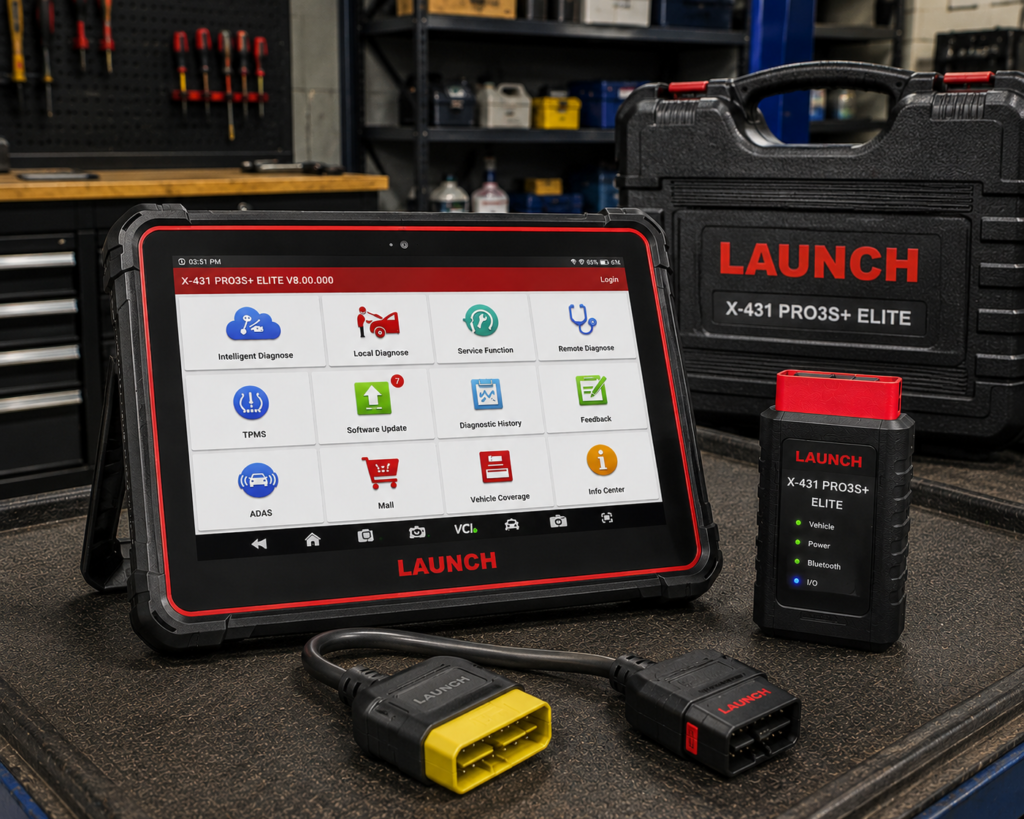
Why We Picked It
A professional shop does not always need the highest LAUNCH platform.
For mobile technicians, one-bay operations and smaller independent workshops, a more accessible X-431 platform can be the better business tool.
The X-431 PRO3S+ Elite belongs in that discussion because it brings the broader LAUNCH diagnostic ecosystem into a package aimed below the PRO5 tier.
Its role in this guide is not to defeat the PRO5 feature-for-feature.
It is to provide a different answer to a different professional buyer.
A technician who needs broad multi-brand diagnostics, service functions and active testing may get more value from a smaller platform than from paying for higher-end capabilities that are rarely used.
Where It Falls Short
As with other LAUNCH products, exact package identity and regional software matter.
| Specification | Details |
|---|---|
| Screen | 10.1-inch, 1280×800 touchscreen, Android 10 |
| Memory / Storage | 4GB RAM, 64GB storage |
| Battery | 6300mAh |
| Vehicle Connection | SmartLink C V2.0 module; dual-band Wi-Fi and Bluetooth |
| J2534 Support | Confirmed for BMW, Mercedes-Benz, Ford, Jaguar, Land Rover, Volvo |
| ECU Coding (online/offline) | Confirmed for Nissan, Toyota, Hyundai, Kia, Porsche |
| Bidirectional Control | Confirmed; full-system active testing |
| Topology Mapping | Confirmed; color-coded module/system visualization |
| Service Functions | 37+ per Launch’s own page; Amazon’s listing states 60+ |
| CAN-FD / DoIP / D-PDU | Confirmed via SmartLink C V2.0 |
| Pros | Cons |
|---|---|
| Professional LAUNCH ecosystem | Service-function count differs meaningfully between Launch's own page and the tracked Amazon listing |
| Multi-brand shop orientation | |
| Full-system diagnostic class | |
| Active-test/service capability on supported vehicles | Multiple near-identical Amazon listings exist |
| More accessible than higher LAUNCH flagship tiers | |
| Good fit for mobile and small-shop workflows |
Best For
Mobile technicians and smaller independent shops that want LAUNCH professional diagnostics without automatically stepping into the higher PRO5 tier.
SCG Verdict
The PRO3S+ Elite is the right kind of alternative for a professional guide: not simply another expensive tablet, but a platform aimed at shops with different workload and investment requirements. See our full LAUNCH X431 PRO3S+ Elite review for the shop workload and investment level it actually fits.
8. Foxwell NT809BT: Best Professional Mid-Range Wireless Scanner
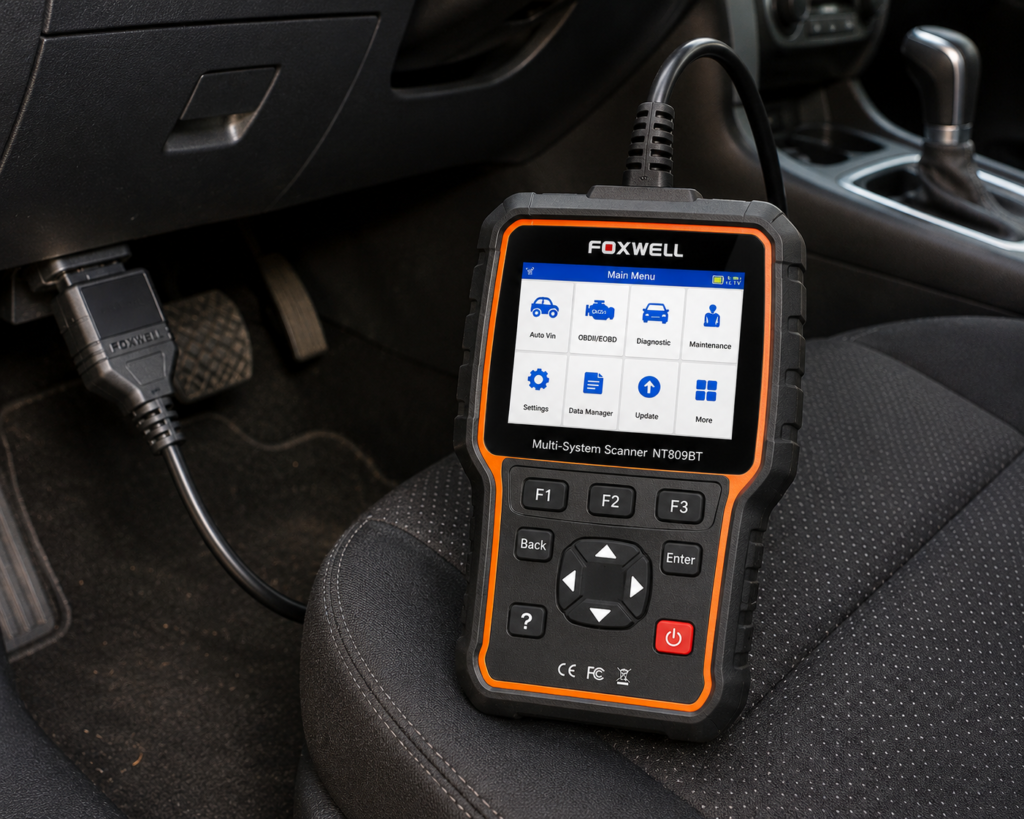
Why We Picked It
There is a large gap between consumer code readers and flagship diagnostic workstations.
Many technicians and small shops operate inside that gap.
Foxwell’s NT809BT represents the type of wireless all-system platform that can make sense there.
It is aimed at users who need broader system access, service functions and a dedicated diagnostic workflow but do not necessarily require high-end module programming, integrated oscilloscopes or the largest shop platforms.
Wireless communication is useful in professional work because the technician can move around the vehicle while the diagnostic session remains active.
That can be valuable during inspections, component observation and supported active procedures.
Where It Falls Short
The NT809BT should not be bought as a substitute for a flagship programming workstation.
Its value depends on whether its exact vehicle coverage and service/active-test capabilities match the shop’s work.
| Specification | Details |
|---|---|
| Screen | 7-inch LCD touchscreen tablet |
| Operating System | Android 9.0 |
| Storage | 32GB |
| Battery | 4000mAh |
| Vehicle Connection | Bluetooth VCI dongle, up to 65-foot range per Amazon; Wi-Fi and USB 2.0 also available |
| Service Functions | 30+ confirmed by Foxwell (oil reset, ABS bleeding, SAS, EPB, TPMS, injector coding, DPF, and more) |
| Bidirectional Control | Confirmed; vehicle-wide active tests across ABS, window, door, solenoid, valve, wiper, headlamp modules |
| ECU Coding | Not listed for this model |
| Vehicle Brand Coverage | 30+ named brands per Foxwell’s product page; a larger figure appears in separate Foxwell marketing |
| CAN-FD Support | Listed on Amazon; not listed on Foxwell’s own product page |
| Update Policy | 3 years free Wi-Fi updates, confirmed by both Foxwell and Amazon |
| Pros | Cons |
|---|---|
| Dedicated wireless diagnostic platform | CAN-FD: listed on Amazon; not listed on Foxwell’s own page |
| All-system class | |
| Service-oriented professional workflow | |
| Useful for smaller shops | |
| More accessible than flagship workstations | |
| Established multi-brand scanner family |
Best For
Small repair shops and technicians who need a dedicated wireless multi-system scanner without moving into flagship diagnostic-workstation territory.
SCG Verdict
The NT809BT is included because a professional list should represent real shop tiers. Not every technician needs topology, cloud programming and an oscilloscope in the same tablet. Our full Foxwell NT809BT review covers the real shop tier it represents.
9. XTOOL D8W: Best Technician-Crossover Professional Platform
Why We Picked It
The XTOOL D8W sits near the boundary between advanced enthusiast equipment and professional diagnostic tools.
For working technicians, several current specifications make it relevant.
XTOOL lists OE-level all-system diagnostics, topology module mapping, more than 4,000 active tests across supported applications, 42+ maintenance/service functions, ECU coding and PMI support.
It also supports CAN FD and DoIP and uses Wi-Fi vehicle communication.
For a mobile technician or smaller shop, topology and active testing can materially improve diagnostic workflow without requiring the investment and complexity of a flagship workstation.
XTOOL currently lists a three-year free-upgrade period.
Where It Falls Short
The D8W is not a direct substitute for Autel Ultra, Bosch ADS ecosystem or a high-end programming platform.
XTOOL’s own specification distinguishes its supported coding/PMI capability from universal online programming.
That is an important boundary.
A professional buyer should choose the D8W for diagnostics, active testing, topology and supported service/coding workflows, not because a broad phrase such as “ECU coding” sounds equivalent to every OEM programming process.
| Specification | Details |
|---|---|
| Display | 8″ touchscreen, 1024×768 |
| Operating System | Android 10 |
| Processor | Quad-core 1.5GHz |
| RAM / Storage | 4GB / 64GB per XTOOL’s primary technical page (2GB reported on a separate XTOOL storefront) |
| Battery | 5000mAh, 7.2V, USB-C charging |
| Wireless Range | Up to 66 ft, built-in WiFi |
| Protocols | CAN FD, DoIP, FCA V2.0 |
| Bidirectional Control | Confirmed (XTOOL official page); 4,000+ active tests per XTOOL |
| ECU Coding | Confirmed (XTOOL official page, offline coding) |
| Module Programming (PMI) | Confirmed (XTOOL official page) for Ford, Lincoln, Mazda |
| Topology Mapping | Confirmed (XTOOL official page) |
| Update Policy | 3 years free updates, WiFi online upgrade, 22 languages |
| Pros | Cons |
|---|---|
| OE-level all-system diagnostics | PMI module programming is brand-specific: confirmed only for Ford, Lincoln, and Mazda |
| Topology mapping | |
| Extensive bidirectional active testing | |
| 42+ service functions | |
| ECU coding on supported applications | |
| PMI support | TPMS: diagnostics and reset; sensor programming not listed |
| CAN FD and DoIP | |
| Wireless Wi-Fi diagnostics | |
| Three-year free-upgrade period currently listed |
Best For
Mobile technicians, small shops and professionals who prioritize full-system diagnosis, active testing and topology over flagship programming and measurement hardware.
SCG Verdict
The D8W is the crossover choice: professional enough for serious diagnostic work, but still positioned below the complexity of a full diagnostic workstation. See our full XTOOL D8W review for where it sits between serious DIY and full diagnostic workstations.
Professional Scan Tool Comparison
Autel MaxiSYS Ultra Best for: advanced diagnostic specialists. Class: flagship workstation. Topology: yes. Bidirectional: yes. Coding/programming: supported applications. Key differentiator: VCMI with oscilloscope and electrical measurement.
LAUNCH X-431 PRO5 Best for: multi-brand independent shops. Class: professional platform. Topology/advanced functions: package and application dependent. Bidirectional: supported applications. Key differentiator: SmartLink professional ecosystem.
TOPDON Phoenix Smart Best for: professional value. Class: advanced professional tablet. Topology: yes. Bidirectional: professional full-system platform. Coding/programming: online coding and cloud programming on supported applications/brands. Key differentiator: broad advanced capability without flagship-workstation positioning.
Bosch ADS 525X Best for: U.S. independent repair workflow. Class: professional diagnostic ecosystem. Bidirectional: yes. J2534: VCI driver available. Key differentiator: secure access and repair-information integration.
Autel MaxiSys MS906 Pro Best for: compact professional use. Class: professional tablet. Diagnostic depth: MaxiSys professional ecosystem. Key differentiator: professional capability in a more manageable platform.
THINKCAR THINKSCAN 689BT Best for: long-term update value. Class: mid-range professional/advanced technician. Bidirectional: yes. Coding: supported applications. Modern protocols: CAN FD and DoIP. Key differentiator: manufacturer-listed lifetime free updates.
LAUNCH X-431 PRO3S+ Elite Best for: mobile and small shops. Class: professional multi-brand tablet. Key differentiator: LAUNCH ecosystem below PRO5 tier.
Foxwell NT809BT Best for: mid-range wireless shop diagnostics. Class: professional/prosumer wireless tablet. Key differentiator: dedicated wireless all-system workflow without flagship complexity.
XTOOL D8W Best for: technician crossover. Class: advanced/professional tablet. Topology: yes. Bidirectional: extensive supported active tests. Modern protocols: CAN FD and DoIP. Key differentiator: topology and active testing with multi-year included updates.
What Makes a Scan Tool “Professional” in 2026?
Price alone does not make a scanner professional. A professional tool must support a professional workflow. For a modern independent shop, that can include several layers.
1. Full-System Diagnostics
A professional technician cannot stop at powertrain OBD2 data. Modern vehicles contain control modules for ABS, SRS, transmission, body, HVAC, steering, ADAS, infotainment, battery management and many other systems. The scanner must access the systems relevant to the shop’s work.
2. Bidirectional Active Tests
A professional diagnostic process often requires commanding a component rather than only observing data. Active tests can help evaluate supported pumps, fans, injectors, solenoids, actuators, lights, windows and other components. But bidirectional capability is vehicle-specific. The professional question is never “Does this scanner have active tests?” It is “Does this scanner have the active test I need on this ECU in this vehicle?”
3. Topology and Network Diagnosis
Modern vehicles are networks of communicating modules. Topology mapping can help a technician see module relationships and communication faults more quickly. It is not mandatory for every shop, but it becomes increasingly valuable as vehicle networks become more complex.
4. Secure-Gateway Access
Security gateways can restrict diagnostic operations on newer vehicles. Professional shops need to understand whether the scanner supports the required access path and whether a separate OEM, AutoAuth or other authorized account is required. A scanner supporting a vehicle does not automatically mean every protected function is unlocked.
5. ECU Coding
Coding can include supported configuration, adaptation and module-replacement functions. It is not the same as ECU programming. Coverage varies significantly by manufacturer and module.
6. ECU Programming and J2534
Programming can involve writing software or calibration data to a module. Some professional platforms provide manufacturer-specific programming functions for supported brands. Others provide J2534 pass-through hardware that can be used with separate OEM software and subscriptions. Those are different workflows. Never buy a scanner for programming based on the word “programming” alone. Verify: vehicle → ECU → required operation → OEM software requirement → VCI/J2534 compatibility → subscription/access requirement.
7. Repair Information
Fast diagnosis requires more than codes. Wiring diagrams, service procedures, technical information and known-fix resources can save technician time. A platform that integrates useful repair information can therefore create business value even when another scanner has a longer raw feature list.
8. Modern Communication Protocols
CAN FD and DoIP have become increasingly important on newer vehicles. Professional buyers should verify protocol support in the actual VCI hardware, not assume that a software update can add a physical communication capability the interface does not possess.
9. Software and Support
A shop depends on its scanner. That makes update cadence, technical support, repair service, replacement hardware, coverage databases and subscription terms part of the purchasing decision. The cheapest hardware can become expensive if it creates downtime.
Does Every Shop Need ECU Programming?
No.
A general repair shop and a programming specialist have different needs.
A shop focused on maintenance, brakes, suspension and general mechanical repair may primarily need: fast full-system scans, live data, bidirectional controls, service procedures, secure-gateway access, reliable vehicle coverage.
A diagnostic/programming specialist may additionally need: J2534, OEM software access, online programming, module initialization, advanced coding, network measurement, oscilloscope functions.
Buying the more advanced platform only makes sense if the work creates a return on that capability.
One Professional Scanner May Not Be Enough
This is an uncomfortable truth that many buying guides avoid.
A multi-brand aftermarket scanner is a compromise. Even an excellent platform can be stronger on one manufacturer or workflow and weaker on another.
A serious independent shop may eventually use: one primary multi-brand scanner, a secondary scanner from another ecosystem, OEM software for important brands, J2534 pass-through hardware, dedicated electrical test equipment, specialty tools for ADAS, TPMS, keys or other services.
The goal is not to find a mythical scanner that replaces every OEM tool. The goal is to build the most efficient diagnostic coverage for the vehicles and services that generate your shop’s work.
How to Choose a Professional Automotive Scan Tool
Step 1: Analyze Your Vehicle Mix
Look at the vehicles that actually enter your shop. Domestic-heavy, European-heavy, Asian-heavy and mixed shops can have different priorities.
Step 2: List the Functions That Make Money
Do not start with brand loyalty. List the jobs: full-system diagnosis, active tests, battery registration, ABS bleeding, coding, ADAS, programming, secure gateway, key/IMMO work, heavy-duty expansion, electrical diagnostics. Then evaluate platforms.
Step 3: Verify Coverage at Function Level
A logo on a coverage page is not enough. Verify the exact operation on representative vehicles your shop services frequently.
Step 4: Evaluate the VCI
The VCI determines which vehicle networks and pass-through workflows the platform can physically support. For professional tools, the communication interface is a major part of the purchase.
Step 5: Calculate Ownership Cost
SCG does not publish fixed current Amazon prices because retailer pricing changes.
Professional ownership cost can include: scanner hardware, software renewals, OEM subscriptions, secure-gateway accounts, repair-information subscriptions, optional adapters, ADAS or specialty hardware, training, downtime and support.
A more expensive scanner can be better value if it saves technician time and expands billable work. A cheaper scanner can be better value if the advanced functions of the flagship would sit unused.
Step 6: Consider a Two-Platform Strategy
If diagnostics are central to your business, buying two complementary ecosystems can sometimes create better real-world coverage than spending everything on one flagship platform. That decision should be based on your actual vehicle mix and gaps, not on brand preference.
Common Professional Scanner Buying Mistakes
Mistake 1: Choosing by Feature Count
“40+ service functions” does not prove that the scanner performs the one procedure your technician needs tomorrow.
Mistake 2: Treating Coding and Programming as the Same Thing
They are not. Verify each workflow independently.
Mistake 3: Ignoring the VCI
A large tablet cannot compensate for missing communication hardware.
Mistake 4: Ignoring Secure Gateway
Newer vehicles can require authorized access before protected diagnostic functions are available.
Mistake 5: Ignoring Software Renewal
Professional scanners are software platforms. Long-term cost matters.
Mistake 6: Assuming One Aftermarket Tool Replaces OEM Diagnostics
It usually does not. Multi-brand scanners are valuable precisely because they provide broad coverage, but OEM tools and subscriptions can remain necessary for certain jobs.
Mistake 7: Buying a Flagship for Prestige
A scanner is business equipment. Choose the platform that improves technician productivity and supports profitable work.
How This Guide Differs From Our DIY Guide
Our DIY guide is built around home mechanics.
This professional guide is built around working technicians and repair businesses.
The weighting therefore changes toward: shop throughput, multi-brand coverage, professional VCI capability, topology, secure access, coding/programming workflows, repair information, update/support ecosystem, long-term business cost.
Only one scanner from the revised DIY article (XTOOL D8W) is retained here as a deliberate technician-crossover option.
That limited overlap keeps the two guides focused on genuinely different buyers.
Best OBD2 Scanners for DIY Mechanics in 2026
Our Final Recommendations
For advanced diagnostic specialists who want the most complete workstation in this selection, Autel MaxiSYS Ultra is our best overall professional platform.
For mixed-brand independent shops that value a flexible multi-brand ecosystem, LAUNCH X-431 PRO5 is our primary independent-shop recommendation.
For shops seeking a strong balance of topology, coding and supported programming capability, TOPDON Phoenix Smart is our professional-value choice.
For U.S.-focused shops that value secure access and repair-information integration alongside diagnostics, Bosch ADS 525X deserves serious consideration.
For technicians who want Autel’s professional ecosystem in a more compact package, MaxiSys MS906 Pro is the more focused option.
For small shops concerned about long-term scanner-update economics, THINKCAR THINKSCAN 689BT stands out because of its current manufacturer-listed lifetime update policy.
For mobile and smaller shops that prefer LAUNCH but do not need the PRO5 tier, X-431 PRO3S+ Elite provides a different entry into the ecosystem.
For mid-range wireless shop diagnostics, Foxwell NT809BT fills the gap between consumer tools and flagship workstations.
And for technicians who prioritize topology and extensive active testing without needing a flagship programming workstation, XTOOL D8W is the crossover choice.
There is no universal professional scanner.
The correct buying process is: vehicle mix → required jobs → exact ECU/functions → VCI/protocol requirements → software/support → ownership cost → platform.
Quick Picks
Best Overall Professional Platform: Autel MaxiSYS Ultra
A flagship diagnostic workstation combining advanced diagnostics, topology, bidirectional testing, coding/programming capability and an integrated VCMI measurement platform.
Best for Independent Multi-Brand Shops: LAUNCH X-431 PRO5
A broad professional platform built around full-system diagnostics and the SmartLink ecosystem, with strong appeal for independent workshops servicing mixed vehicle fleets.
Best Professional Value Platform: TOPDON Phoenix Smart
A 10.1-inch professional platform with topology, online coding, cloud-based programming on supported brands, guided procedures and modern VCI capability.
Best for U.S. Repair Information Integration: Bosch ADS 525X
A professional OE-level diagnostic platform with extensive vehicle coverage, bidirectional functions, secure-gateway solutions and integrated repair-information options.
Best Compact Professional Platform: Autel MaxiSys MS906 Pro
A more manageable MaxiSys-class tool for technicians who need professional full-system diagnostics and advanced functions without moving to Autel’s largest flagship workstation.
Best for Long-Term Update Value: THINKCAR THINKSCAN 689BT
A full-system wireless scanner with bidirectional control, ECU coding, CAN FD/DoIP support and a manufacturer-listed lifetime update policy.
Best LAUNCH Alternative for Mobile and Small Shops: LAUNCH X-431 PRO3S+ Elite
A professional multi-brand platform for technicians who want broad LAUNCH diagnostic capability in a more accessible package than the higher-end PRO5 ecosystem.
Best Professional Mid-Range Wireless Scanner: Foxwell NT809BT
A wireless all-system diagnostic platform suited to technicians and smaller shops that need deeper diagnostics and service capability without buying a flagship workstation.
Best Technician-Crossover Platform: XTOOL D8W
A topology-equipped full-system scanner with extensive active tests and advanced service capability that can serve serious independent technicians while remaining below flagship workstation complexity.
Frequently Asked Questions
What is the best professional automotive scan tool in 2026?
For advanced diagnostic work across a broad range of systems, SCG’s current overall choice is Autel MaxiSYS Ultra because it combines professional scanning, topology, bidirectional diagnostics and an integrated VCMI measurement platform. A different tool may be a better business choice for a smaller general-repair shop.
What is the best professional scanner for an independent shop?
LAUNCH X-431 PRO5 is our current multi-brand independent-shop choice in this comparison, while TOPDON Phoenix Smart is particularly attractive for shops seeking topology and supported coding/programming capability in a different professional ecosystem.
Do professional mechanics need bidirectional control?
For serious diagnostic work, it is highly valuable. Active tests allow a technician to command supported components and gather diagnostic evidence that passive code reading cannot provide.
Do professional scanners program ECUs?
Some support programming on selected vehicles or manufacturers. Others provide J2534 pass-through capability for use with separate OEM software. Never assume that a scanner can program a particular ECU without verifying the exact workflow.
What is J2534?
J2534 is a standardized pass-through interface used in vehicle reprogramming workflows. A J2534-capable VCI can act as the communication interface between a compatible PC/OEM software environment and the vehicle. The VCI alone does not provide the OEM software, credentials or subscription required for every programming job.
Do professional scanners require subscriptions?
Many professional ecosystems use paid software-update or subscription models after an included period. Policies differ by manufacturer and model. Some tools, such as THINKCAR’s current 689BT offering, advertise lifetime updates, but vehicle coverage and function depth remain more important than the update label alone.
Does a professional shop need CAN FD and DoIP?
Is topology mapping worth it?
For shops diagnosing modern networked vehicles, topology can make vehicle-wide faults and module communication relationships easier to visualize. It is less important for a shop that rarely performs advanced electrical or network diagnosis.
Can one professional scanner replace dealer tools?
Not completely. A strong multi-brand scanner can cover a very large portion of independent-shop diagnostic work, but certain manufacturer-specific programming, coding, security and guided procedures can still require OEM tools, software or subscriptions.
Bottom Line
A professional automotive scan tool should be chosen as business equipment, not as a gadget.
The right platform must fit the vehicles your shop sees, the work your technicians perform and the advanced services you intend to sell.
Do not begin with the most expensive scanner.
Do not begin with the longest feature list.
Begin with your work.
Then verify the vehicle, ECU, required function, communication hardware, software access and long-term ownership model.
That process is far more reliable than asking which brand is universally “best.”