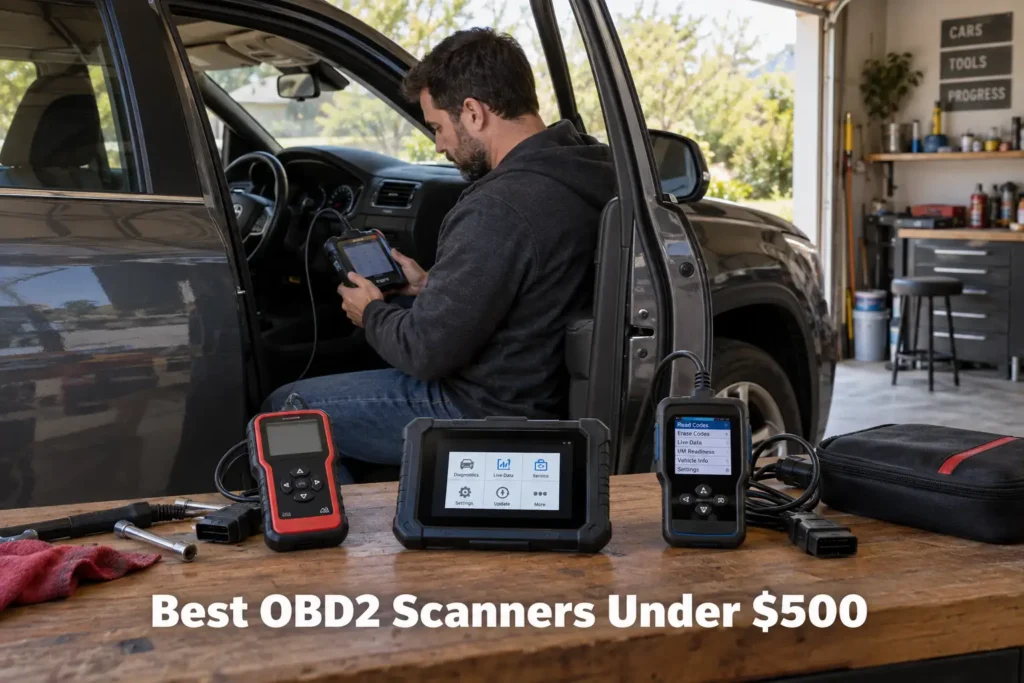
9 Best OBD2 Scanners Under $500 in 2026: Full-System Diagnostics Without Flagship-Shop Pricing
The under-$500 OBD2 scanner category is where the market changes dramatically.
Below this level, many buyers are choosing between code readers, four-system scanners and phone-based diagnostic tools. As the budget approaches $500, dedicated full-system tablets, bidirectional active tests, broader service functions, wireless vehicle communication and supported ECU coding become realistic options.
That does not mean every scanner near the top of the budget is automatically better.
A scanner that uses the entire budget but adds functions you will never use can be worse value than a simpler tool. Conversely, buying too little capability can mean replacing the scanner when your repair work becomes more advanced.
For this guide, Scan Choice Guide evaluated the under-$500 class around a more useful question: which scanners provide the strongest combination of diagnostic capability, vehicle coverage, ownership model and buyer fit without crossing into flagship professional-shop pricing?
We considered full-system access, bidirectional control, service functions, coding/adaptation capability, modern protocols, hardware format, wireless communication, update policy, vehicle coverage and long-term usefulness.
We also controlled product overlap with our previous Buying Guides. An under-$500 article should not simply repeat the DIY, Bluetooth or under-$200 rankings with a higher budget ceiling.
Our recommendations are based on current manufacturer documentation, current 2026 market research and SCG comparative analysis. The results we present come from our own research into manufacturer documentation, Amazon listings, and compatibility data.
Our Top Picks for Scanners Under $500
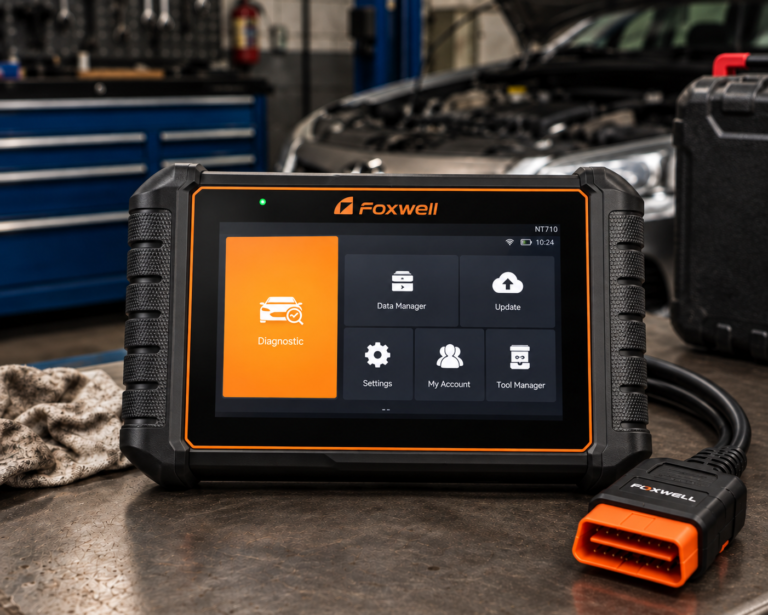
Foxwell NT710
- OE-level diagnostic positioning for supported brand software
- Multi-system diagnostics
- Compact 5.5-inch touchscreen
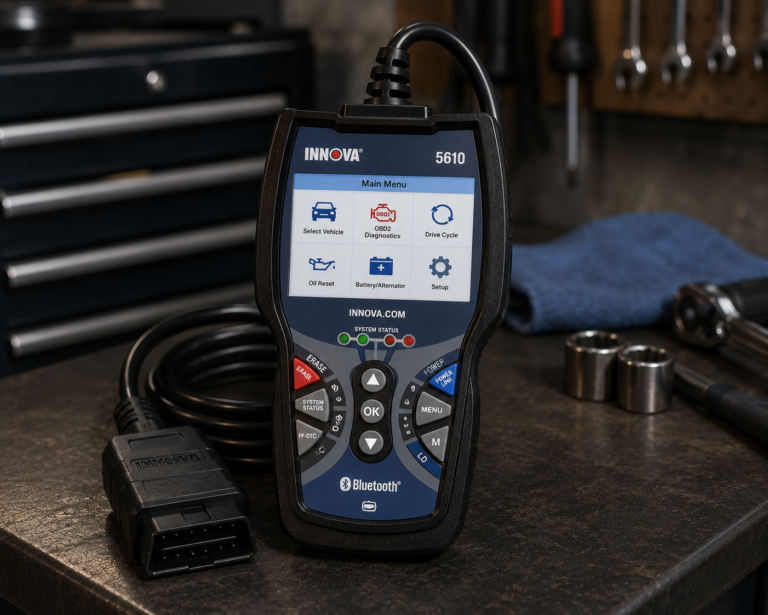
Innova 5610
- All-system scanning
- Bidirectional active tests
- No subscription required
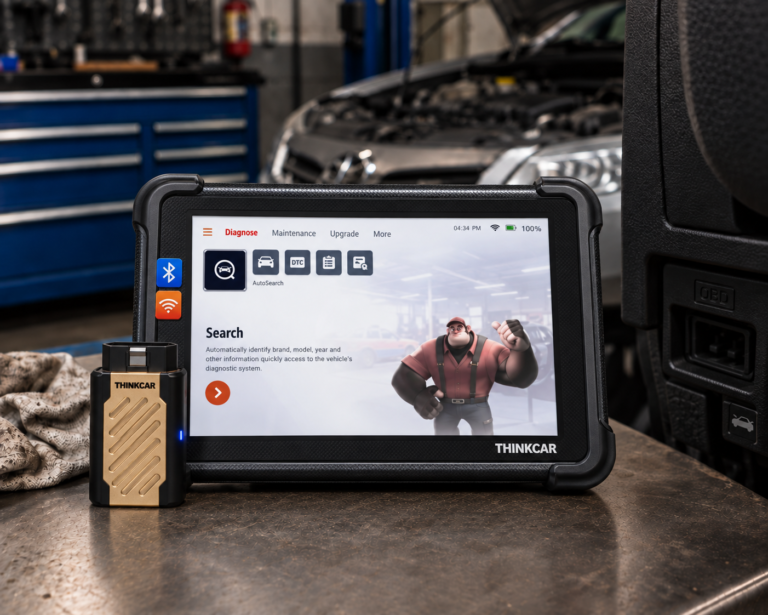
THINKCAR THINKSCAN 689BT
- Full-system diagnostics
- ECU coding on supported applications
- 35+ maintenance functions
Affiliate Disclosure: Scan Choice Guide is a participant in the Amazon Services LLC Associates Program, an affiliate advertising program designed to provide a means for sites to earn advertising fees by advertising and linking to Amazon.com.
The 9 Best OBD2 Scanners Under $500
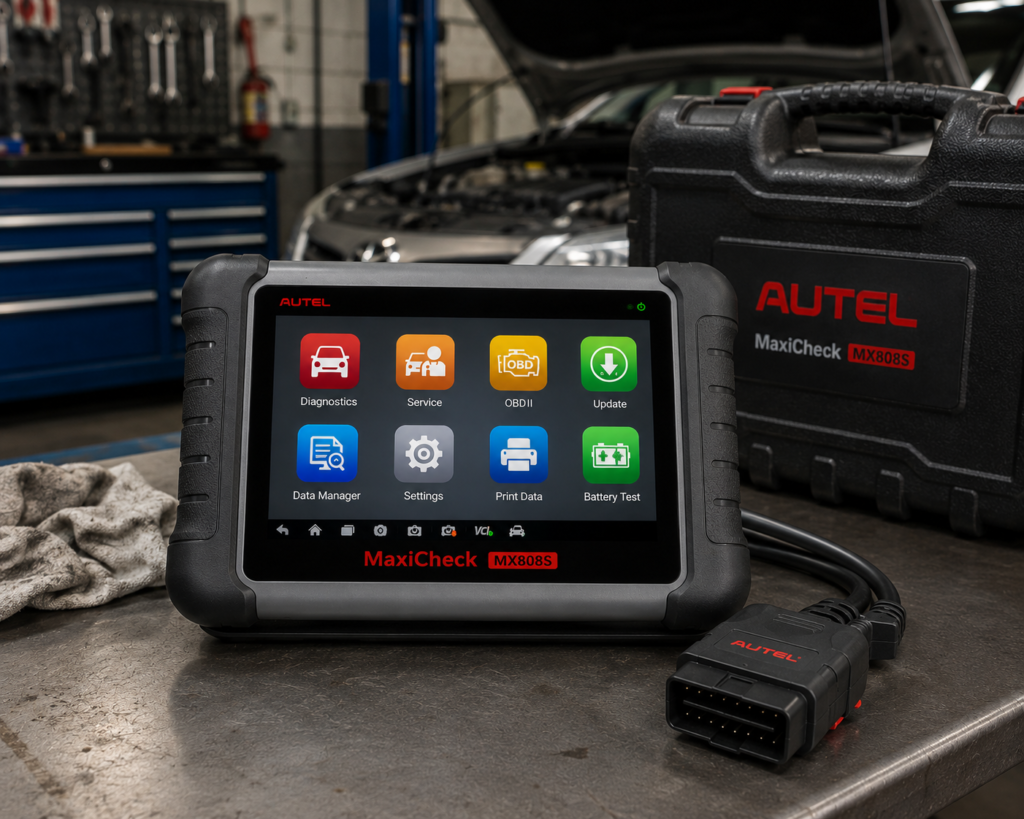
1. Autel MaxiCheck MX808S: Best Overall OBD2 Scanner Under $500
Why We Picked It
The strongest under-$500 scanner is not necessarily the one with the most dramatic specification sheet.
It should provide enough diagnostic depth to handle serious DIY and light professional work while remaining a sensible step below flagship shop equipment.
The Autel MaxiCheck MX808S fits that role well.
Autel currently positions the MX808S as a full-system diagnostic tablet with access to available vehicle modules, live data and advanced service functions. Its current U.S. store positioning places it near the top of the under-$500 class, which is exactly where a buyer should expect the category to transition from consumer tools into more advanced dedicated diagnostic platforms.
The advantage of this class is workflow.
Instead of using a phone as the display, the owner has a dedicated diagnostic tablet. Instead of stopping at generic engine data, the platform is designed to communicate across supported vehicle systems.
For a serious home mechanic or small-shop user, that can make one tool useful across engine, transmission, ABS, SRS, body and other supported modules.
Where It Falls Short
The MX808S should not be purchased because it is close to the top of the budget.
A buyer who only reads Check Engine codes would be paying for substantial unused capability.
Advanced functions also remain vehicle-dependent.
“All-system” does not guarantee every active test, reset, adaptation or coding operation on every vehicle.
Software policy should be checked as part of long-term ownership, particularly if keeping current coverage for newer vehicles is important.
| Specification | Details |
|---|---|
| Display | 7-inch LCD capacitive touchscreen, 1024×600 |
| OS / Processor | Android 11, Rockchip RK3566 (1.8GHz) |
| Memory | 4GB RAM, 64GB storage |
| Connectivity | Wi-Fi 2.4/5GHz only; no Bluetooth; no CAN-FD/DoIP |
| Battery | 3.7V/5000mAh; ~7 hours continuous use |
| Bidirectional control | Confirmed |
| ECU coding | Autel’s own page says “perform Coding and Adaptations” |
| Service functions | 28+ (oil reset, EPB, ABS auto bleed, SAS calibration, DPF regen, injector reset) |
| Vehicle coverage | 80+ makes and models, 1996 and newer (per Autel); Amazon lists “200+ Brands” |
| Pros | Cons |
|---|---|
| Dedicated diagnostic tablet | No Bluetooth; Wi-Fi only |
| Full-system diagnostic class | |
| Live-data capability | |
| Broad service-function environment | |
| Advanced diagnostics beyond basic OBD2 | |
| Mature Autel ecosystem | |
| Strong serious-DIY fit | |
| Currently positioned within the under-$500 market class |
Best For
Serious DIY mechanics and small-shop users who want one dedicated full-system tablet that can grow beyond routine OBD2 diagnosis.
SCG Verdict
The MX808S is our best overall choice because it represents what the under-$500 category should deliver: meaningful full-system capability and a dedicated diagnostic workflow without requiring flagship-shop hardware. See our full Autel MaxiCheck MX808S review for the complete full-system capability breakdown at this price.
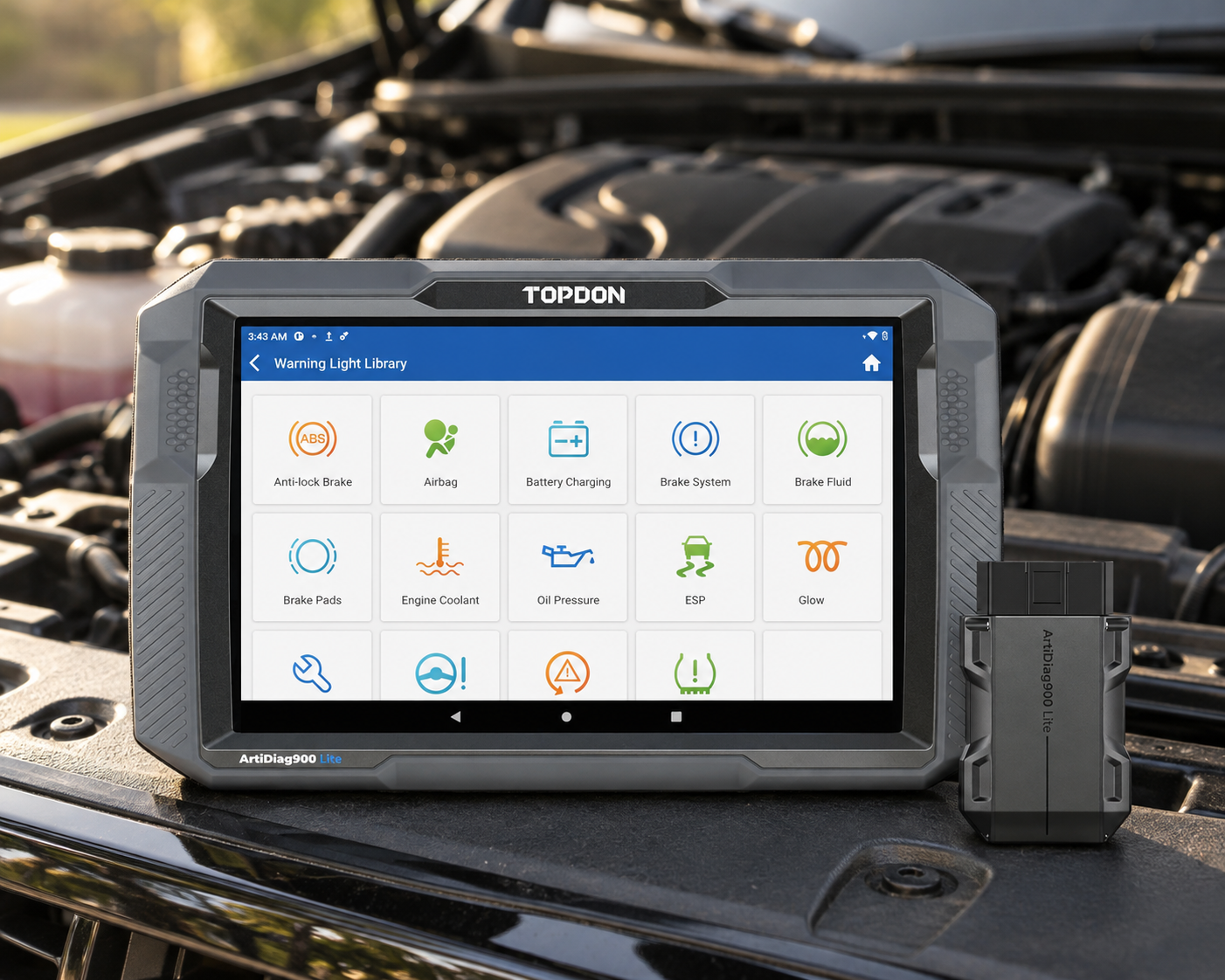
2. TOPDON ArtiDiag900 Lite: Best Wireless Value Under $500
Why We Picked It
Wireless diagnostics can be more than a convenience.
When a technician or DIY mechanic needs to move around the vehicle, observe a component, listen for an actuator or work away from the driver’s seat, separating the VCI from the tablet becomes useful.
TOPDON’s ArtiDiag900 Lite provides that workflow without moving into a high-end professional platform.
TOPDON currently specifies full-system diagnostics, bidirectional control, Bluetooth VCI communication and eight core maintenance functions.
Those service functions include commonly needed procedures such as oil reset, brake/EPB-related service, steering-angle reset, battery-management reset, ABS bleeding, throttle adaptation, DPF-related service and airbag reset, subject to vehicle coverage.
The platform also includes AutoVIN/AutoScan and repair-information resources.
Another important point is ownership.
TOPDON’s current U.S. documentation lists free lifetime software updates for the ArtiDiag900 Lite.
That makes it particularly interesting in a category where software renewal can materially change long-term value.
Where It Falls Short
Eight service functions may sound modest beside competitors advertising dozens.
But service-function counts are poor purchasing criteria by themselves.
The real question is whether the scanner supports the specific procedure required by your vehicle.
The ArtiDiag900 Lite also should not be confused with TOPDON’s higher professional Phoenix platforms. It is a capable mid-level full-system tool, not a universal coding/programming workstation.
| Pros | Cons |
|---|---|
| Full-system diagnostics | Advanced functions vary by vehicle |
| Bidirectional active tests on supported vehicles | |
| Bluetooth wireless VCI | |
| Eight core service functions | |
| AutoVIN and AutoScan | |
| Repair Data Library | Exact secure-gateway and modern-vehicle workflows should be verified |
| Dedicated 8-inch tablet | |
| Manufacturer-listed lifetime software updates | |
| Vehicle coverage lookup available |
Best For
DIY mechanics and smaller repair operations that want a wireless full-system tablet with active testing and a straightforward update proposition.
SCG Verdict
ArtiDiag900 Lite is our wireless-value choice because it combines the features that matter most (full-system diagnosis, active tests, wireless operation and useful service procedures) without pretending to be a flagship shop workstation.
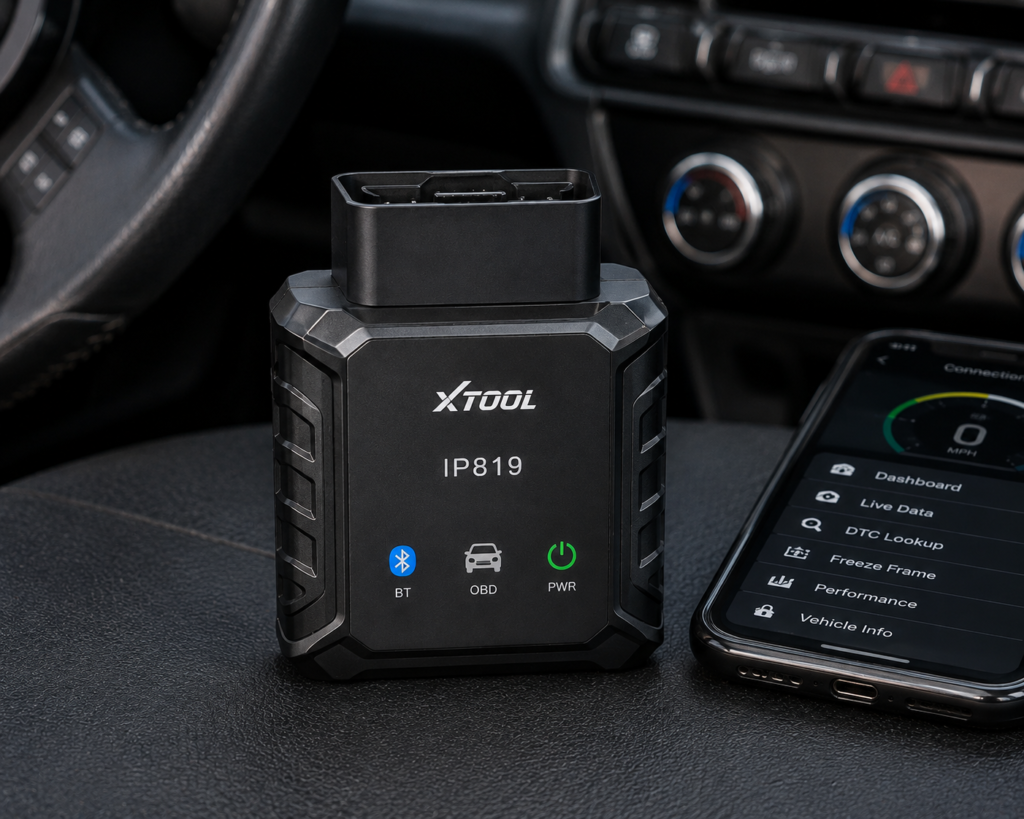
3. XTOOL IP819: Best for Maximum Features per Dollar
Why We Picked It
The XTOOL IP819 is one of the strongest examples of capability moving down into a lower price class.
XTOOL currently specifies OE-level all-system diagnosis, bidirectional controls, more than 39 maintenance services, advanced ECU coding and guided functions on supported applications.
It also supports CAN FD for compatible newer vehicles.
For an advanced DIY mechanic, that creates an unusually broad diagnostic toolbox in a compact 7-inch tablet.
Bidirectional control is particularly important.
Reading a fault code tells you what the vehicle detected. An appropriate active test can let you command a supported component and observe whether the system responds.
That can make diagnosis more efficient when used correctly.
The IP819 also supports live-data display in text and graph formats, which matters when diagnosis depends on comparing sensor behavior rather than simply retrieving DTCs.
XTOOL currently lists free software updates for the platform.
Where It Falls Short
Feature density can create false confidence.
“39+ service functions” does not mean all 39 work on every vehicle.
“ECU coding” does not mean universal ECU programming.
And CAN FD support does not prove that every newer vehicle or every module is covered.
A buyer considering IP819 for one specific advanced procedure should check that procedure for their vehicle in our Scanner Finder before purchasing.
| Specification | Details |
|---|---|
| Display | 7″ touchscreen, 1024×600 |
| Operating System | Android 10.0 |
| Processor | Quad-core 1.5GHz |
| RAM / Storage | 2GB / 64GB |
| Battery | 2,500mAh, 7.2V, USB-C charging |
| Vehicle Connection | Wired (per XTOOL spec table); WiFi and Bluetooth also available |
| Protocols | CAN FD: Yes, DoIP: Yes (per XTOOL); SAE-J2534: No (XTOOL’s official website) |
| Bidirectional Control | Yes (per XTOOL; listed as “Actuator Test”) |
| ECU Coding | Yes (per XTOOL’s official website, general terms) |
| Module Programming (PMI) | Not listed on Amazon; XTOOL’s online store lists it, XTOOL’s official website does not |
| Topology Mapping | No (per XTOOL’s official website) |
| Update Policy | 3 years free updates, 2-year warranty |
| Pros | Cons |
|---|---|
| OE-level all-system diagnostics | Topology mapping is not supported |
| Bidirectional controls | |
| 39+ listed maintenance services | |
| ECU coding on supported applications | |
| Guided functions | |
| CAN FD support | |
| Live-data graphing | |
| Dedicated 7-inch tablet | |
| Manufacturer-listed free software updates |
Best For
Advanced DIY users who want the widest possible functional toolbox from a compact dedicated scanner in this market class.
SCG Verdict
The IP819 is our features-per-dollar choice, but its real value depends on verifying the exact functions you need, not on counting menu items. Our full XTOOL IP819 review covers exactly which functions to verify before counting on its feature list.
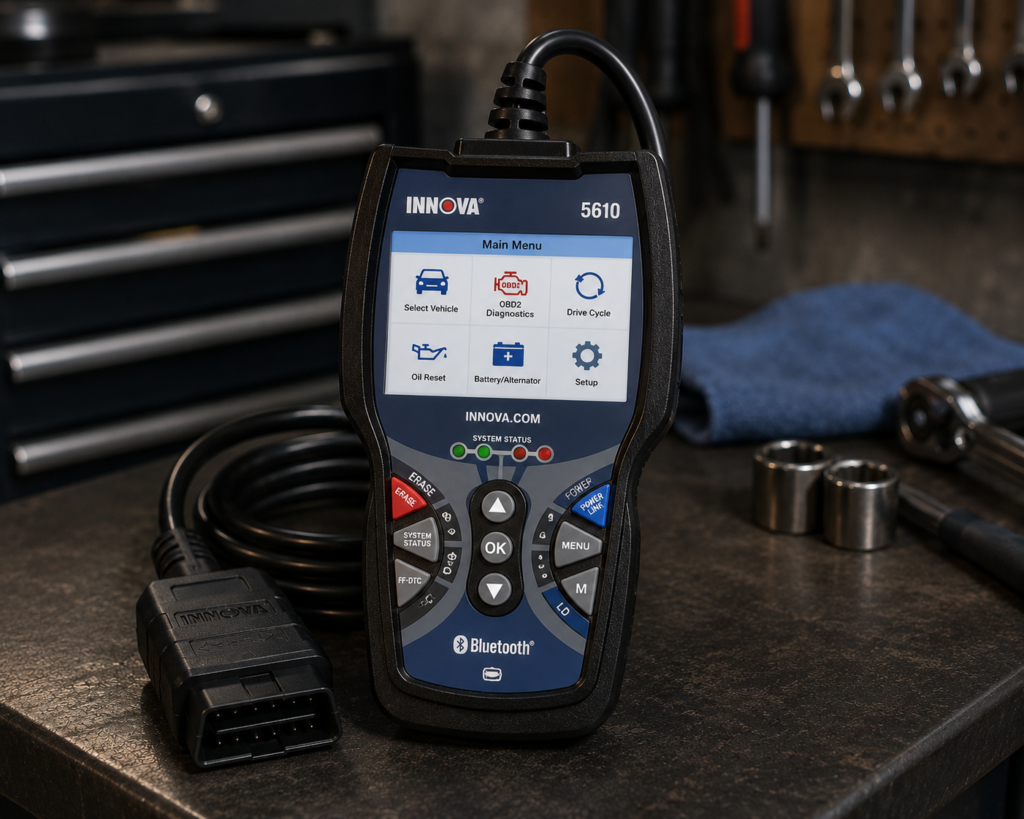
4. Innova 5610: Best for Serious DIY Mechanics
Why We Picked It
A serious DIY mechanic does not necessarily need a tablet.
The Innova 5610 proves that a dedicated handheld can still make sense when the software and diagnostic depth are appropriate.
Innova currently specifies all-system scanning, including systems such as engine, ABS, SRS, transmission and additional supported vehicle modules.
It also supports bidirectional active tests on compatible vehicles.
One of the 5610’s strengths is ownership simplicity.
Innova currently states that the scanner has no subscription requirement and no update fees.
The company also provides a vehicle compatibility checker and its RepairSolutions2 ecosystem.
For U.S.-market owners who want advanced diagnostics without managing a tablet ecosystem or annual scanner subscription, that is a meaningful distinction.
Where It Falls Short
The 5610 is not a professional programming platform.
Its role is advanced diagnosis, not replacing dealer software.
The handheld format also gives up some of the screen space and workflow flexibility of an 8-inch wireless tablet.
And, as Innova itself emphasizes through its compatibility checker, advanced functions vary by vehicle.
| Specification | Details |
|---|---|
| Form Factor | Handheld unit with dedicated screen |
| App Integration | RepairSolutions2 app (Innova states 4M users) |
| Bidirectional Control | Confirmed; commands ABS pumps, fuel injectors, and other components directly |
| Reset Functions | 20+ confirmed by Innova, including oil, battery, EPB, DPF, TPMS relearn, key coding, injector coding, EV/HEV/PHEV battery health |
| ECU Coding / Reprogramming | Not supported, stated directly by Innova |
| Vehicle Coverage | Most 1996-2023 US/Canada OBD2 vehicles; North America only |
| FCA Vehicles | 2018+ requires Innova’s AutoAuth process for full functionality |
| Update Policy | Free updates, no subscription, confirmed directly by Innova |
| Pros | Cons |
|---|---|
| All-system scanning | North America only; not for use outside the US/Canada |
| Bidirectional active tests | |
| Authentic OEM data positioning | |
| Dedicated handheld format | |
| No subscription required | |
| No update fees currently stated | |
| RepairSolutions2 ecosystem | |
| U.S.-based support | |
| Vehicle compatibility checker |
Best For
Serious DIY mechanics who want deep diagnostic capability but prefer a straightforward handheld scanner and a no-subscription ownership model.
SCG Verdict
The 5610 remains one of the most rational advanced-DIY choices because it focuses on useful diagnostics rather than forcing the buyer into a more complicated professional-tablet ecosystem. See our full Innova 5610 review for why it avoids the complexity of a full professional tablet.
5. Foxwell NT710: Best Brand-Specialist Platform
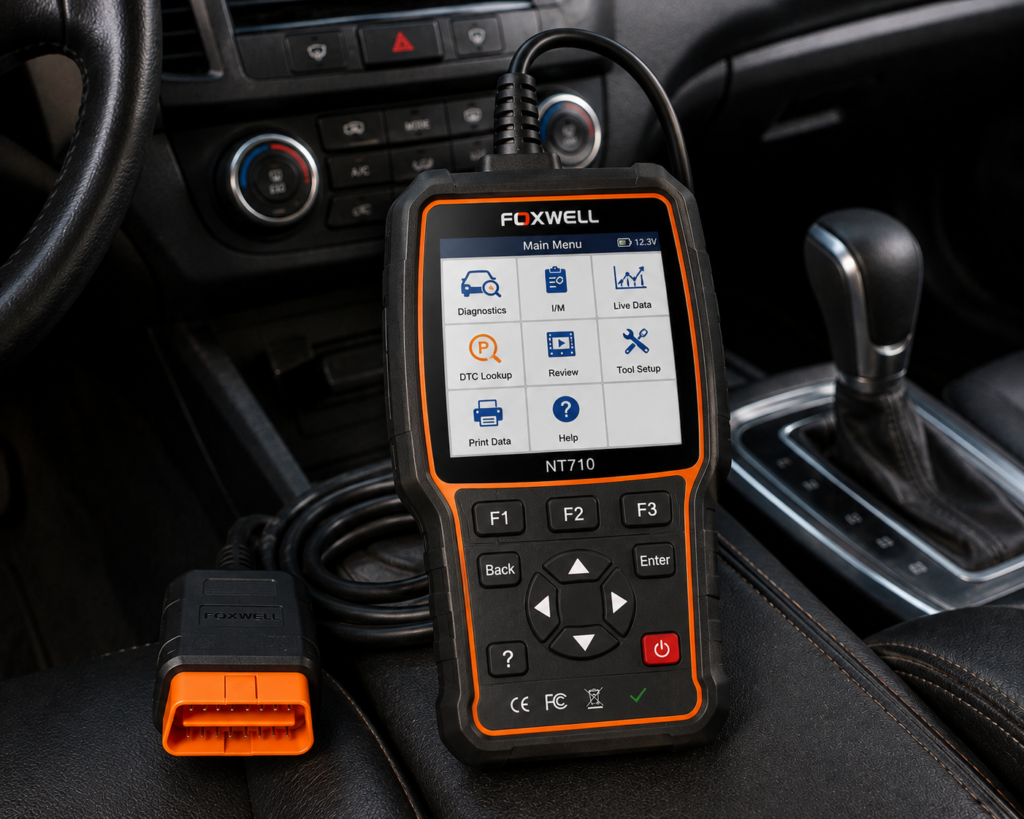
Why We Picked It
Most Buying Guides assume every buyer needs maximum multi-brand breadth.
That is not always true.
A household or enthusiast may primarily work on one vehicle brand or brand family.
Foxwell’s NT710 takes a different approach from broad universal scanners.
Foxwell describes it as a multi-system tablet scanner delivering OE-level diagnosis for selected vehicle brands while supporting commonly required service and coding features.
The 5.5-inch Android touchscreen keeps the hardware compact.
Foxwell also provides a path to purchase additional manufacturer software, which makes the platform expandable without forcing every buyer to pay for maximum brand coverage from day one.
That can be an intelligent ownership model for a specialist user.
Where It Falls Short
The NT710 requires more careful purchasing than a universal scanner.
The buyer must make sure the correct vehicle-brand software is included.
Adding more brands can change the total ownership cost.
It also means that the NT710 should not automatically be compared with broad multi-brand tablets solely by hardware price.
Its strength is depth and specialization, not universal breadth.
| Specification | Details |
|---|---|
| Vehicle Scope | GM-specific software variant: Buick, Chevrolet, GMC, Cadillac |
| Bidirectional Control | Confirmed; EVAP, ABS pump, windows, horn, injector active tests |
| Reset Functions | 34+ confirmed for this listing, including oil, battery, DPF, ABS bleed, injector, TPMS, throttle, basic IMMO |
| ECU Coding | Listed on Amazon; not listed by Foxwell (Foxwell’s blog says the general NT710 does not support coding) |
| Update Policy | Lifetime free updates confirmed for the general NT710 product line |
| Pros | Cons |
|---|---|
| OE-level diagnostic positioning for supported brand software | Easy to confuse with Foxwell's general-purpose NT710, which has different documented capabilities |
| Multi-system diagnostics | |
| Common service and coding features | |
| Compact 5.5-inch touchscreen | |
| Android platform | |
| Additional manufacturer software can be purchased | |
| Good fit for brand-focused owners |
Best For
Owners and specialists who work primarily on one vehicle brand or brand family and prefer deeper brand-focused diagnostics over maximum universal coverage.
SCG Verdict
The NT710 belongs in this guide because value is not always about supporting the most brands. For the right owner, paying for the brands you actually work on can be the smarter strategy. Our full Foxwell NT710 review explains why paying for the brands you actually work on can be the smarter strategy.
6. LAUNCH X431 CRP919E Lite: Best LAUNCH Wired Advanced Scanner
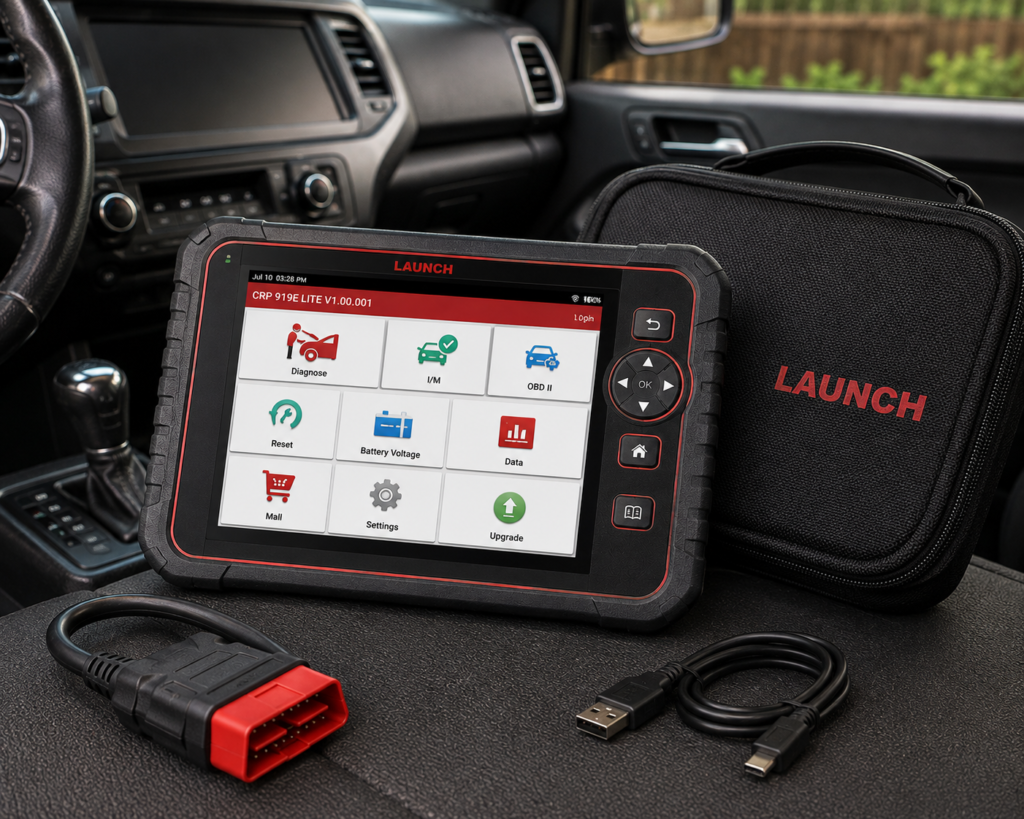
Why We Picked It
Wireless communication is useful, but it is not mandatory for advanced diagnostics.
A wired connection can be perfectly appropriate for an owner who performs most diagnostic work from the driver’s seat or workshop bay and values capability over mobility.
The LAUNCH X431 CRP919E Lite belongs to the advanced full-system class.
Current LAUNCH-market documentation for the CRP919 family positions the platform around broad multi-brand diagnostics, active tests, service functions and supported ECU coding workflows.
That combination makes the Lite version relevant to serious DIY mechanics and smaller repair operations that want the LAUNCH ecosystem without automatically moving to a higher professional X-431 platform.
Where It Falls Short
LAUNCH naming requires discipline.
CRP919E Lite, CRP919E, CRP919E BT, CRP919X and related regional variants should not be treated as interchangeable.
The same applies to coding.
A broad “ECU coding” claim does not guarantee every coding operation for every vehicle.
| Specification | Details |
|---|---|
| Screen | 7-inch, 1024×600 touchscreen |
| Operating System | Android 8.1 |
| Memory / Storage | 3GB RAM, 32GB storage |
| Battery | 6000mAh, USB-C charging |
| Vehicle Connection | Wired OBD-II 16-pin; 2.4GHz Wi-Fi for updates |
| Vehicle Coverage | 160+ brands, 1996-2024, no IP/regional restriction confirmed |
| Bidirectional Control | Yes; Launch does not list a “3000+” test count |
| Service Functions | 32+ confirmed (oil, brake, SAS, TPMS, battery, plus 100+ additional functions) |
| ECU Coding | Not listed for this model |
| Update Policy | 2 years free update confirmed per Amazon listing |
| Pros | Cons |
|---|---|
| Advanced full-system class | No Bluetooth; a wired OBD-II connection only |
| Active-test capability on supported vehicles | |
| Broad service-function environment | |
| Supported ECU coding workflows | |
| Dedicated scanner format | |
| LAUNCH diagnostic ecosystem | |
| Appropriate serious-DIY/prosumer positioning |
Best For
Serious DIY users and prosumers who want advanced LAUNCH diagnostics but do not need a wireless VCI.
SCG Verdict
The CRP919E Lite is the LAUNCH choice for buyers who care more about advanced diagnostic capability than wireless mobility. See our full LAUNCH X431 CRP919E Lite review for how it trades wireless mobility for diagnostic capability.
7. THINKCAR THINKSCAN 689BT: Best for Long-Term Update Value
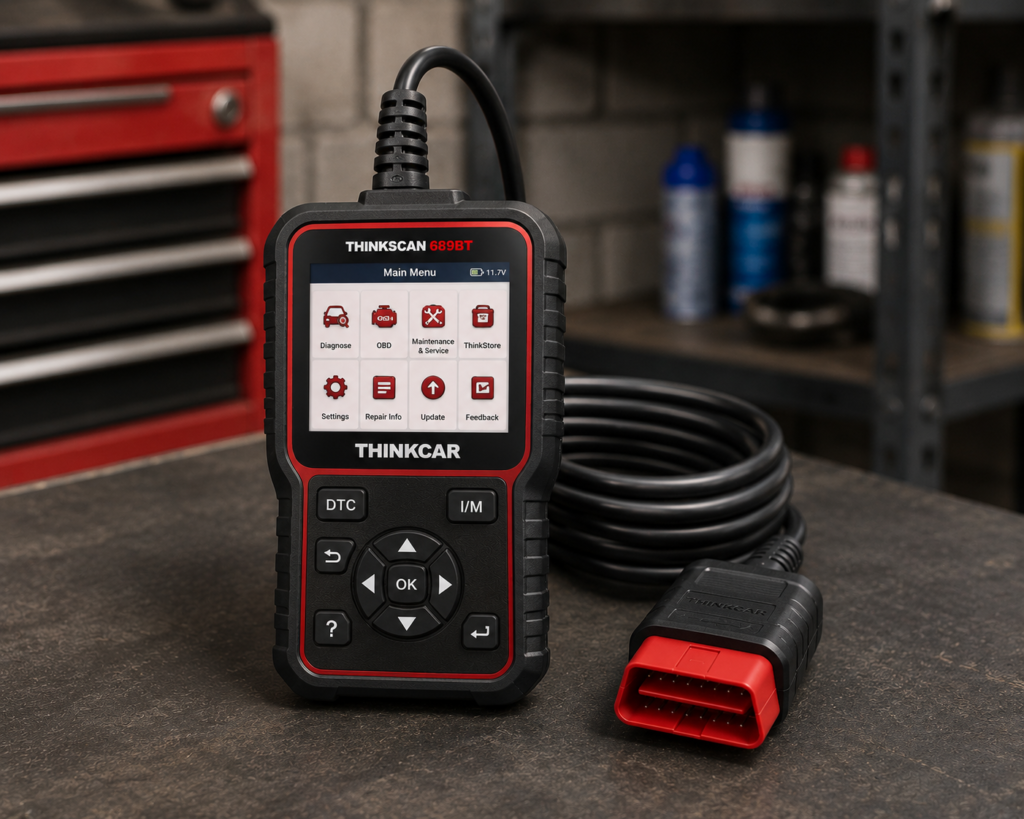
Why We Picked It
A scanner near the top of the under-$500 category should be evaluated over several years, not only on purchase day.
THINKCAR’s current documentation makes the THINKSCAN 689BT particularly interesting from that perspective.
THINKCAR currently lists: All-system diagnostics, Bidirectional active tests, ECU coding, CAN FD, DoIP, 35+ maintenance functions, AutoVIN and AutoScan, FCA SGW AutoAuth support, Wireless Bluetooth communication, Lifetime free updates.
That is a strong combination for a serious DIY user, mobile technician or small shop.
CAN FD and DoIP support are also meaningful because newer vehicle architectures increasingly require modern communication capability.
Where It Falls Short
Lifetime updates should never become the main reason to buy a scanner.
Coverage comes first.
A free update policy has little value if the tool does not perform the required function on your vehicle.
The 689BT also should not be interpreted as a universal ECU-programming platform simply because it supports ECU coding.
Coding, adaptation and programming are different capabilities.
| Specification | Details |
|---|---|
| Screen | 8-inch, 1280×800 touchscreen |
| Operating System | Android 10 |
| Processor | 2.0GHz quad-core Cortex-A53 |
| Memory / Storage | 4GB RAM, 64GB storage |
| Battery | 4150mAh |
| Vehicle Connection | Bluetooth 5.0 dongle; 2.4G/5G Wi-Fi |
| Bidirectional Control | Confirmed; ~99% of vehicle-specific systems/components per Thinkcar |
| ECU Coding | Confirmed; includes replacement-part matching and feature personalization |
| Service Functions | 35+ confirmed by name |
| CAN-FD | Confirmed for 2020+ GM and Chrysler models specifically |
| DoIP | Confirmed for Volvo, Land Rover/Jaguar, BMW F/G chassis specifically |
| Update Policy | Lifetime free updates confirmed, no subscription |
| Pros | Cons |
|---|---|
| Full-system diagnostics | CAN-FD and DoIP support is brand-limited, not universal |
| Bidirectional active tests | |
| ECU coding on supported applications | |
| CAN FD support | |
| DoIP support | |
| 35+ maintenance functions | Thinkcar markets bidirectional testing as “3X faster” than testing manually |
| Wireless VCI | |
| AutoVIN/AutoScan | |
| FCA SGW AutoAuth support | |
| Manufacturer-listed lifetime free updates |
Best For
Advanced DIY users and small professional operations that want a broad wireless feature set while placing high value on long-term software-update economics.
SCG Verdict
The 689BT is our long-term update-value choice because its current ownership model removes one recurring cost that can materially change the economics of advanced diagnostic tools. Our full THINKCAR THINKSCAN 689BT review covers the ownership model that removes that recurring cost.
8. Autel MaxiCheck Pro: Best Service-Focused Tool
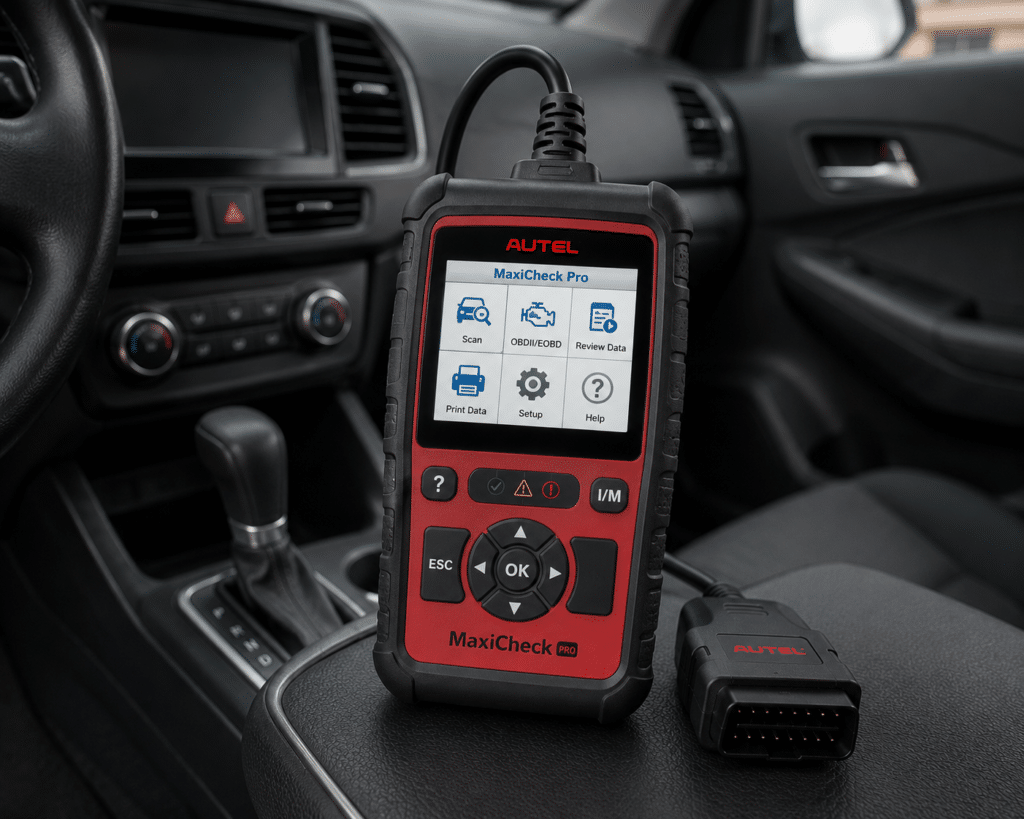
Why We Picked It
The MaxiCheck Pro takes a very different approach from the full-system tablets in this guide.
Autel designed it around common workshop and maintenance tasks.
Current Autel documentation lists functions involving ABS, EPB, oil service, SRS, BMS, DPF and steering-angle-related procedures, along with complete OBD2/EOBD coverage.
Autel also specifies ABS bidirectional functionality and supported automated brake bleeding.
This makes the MaxiCheck Pro useful for a buyer who knows exactly what type of work is being performed.
If your home garage regularly handles brake work, electronic parking brakes, battery-related service, DPF procedures or similar maintenance jobs, specialization can be more useful than paying for a larger full-system tablet.
Where It Falls Short
Vehicle age and coverage matter significantly.
Its ABS bleed coverage, for example, is limited by vehicle application.
This is also not the correct scanner for a buyer who wants the broadest possible full-system module access.
| Specification | Details |
|---|---|
| Display | TFT color, 320×240 |
| Connectivity | Wired only; USB software updates; no wireless |
| Bidirectional control | Confirmed, ABS-specific (automated bleed, brake caliper open/close) |
| SRS coverage | 50 named US, Asian, European makes |
| ECU coding | Not listed on Autel’s own page |
| Reset functions | ~6-8 depending on source: oil, EPB/SBC, SAS, DPF, ABS bleed, SRS/airbag; battery service category less explicitly documented |
| Update policy | “Lifetime Update” listed on Amazon and by resellers; not listed on Autel’s primary page |
| Pros | Cons |
|---|---|
| Complete standard OBD2/EOBD coverage | No wireless connectivity; updates and use are wired only |
| ABS service focus | |
| ABS bidirectional functionality | |
| Supported automated brake bleeding | |
| EPB service | |
| Oil reset | |
| SRS functions | |
| BMS-related service | |
| DPF functionality | |
| Dedicated handheld format |
Best For
DIY mechanics and technicians whose work is concentrated around brake, maintenance and service procedures rather than broad module diagnosis.
SCG Verdict
The MaxiCheck Pro is included because the best under-$500 tool is not always the most advanced tablet. A focused service tool can be the better purchase when it matches the work. See our full Autel MaxiCheck Pro review for why a focused service tool can beat a more advanced tablet for the right job.
9. Autel MaxiCOM MK808Z: Best Autel Alternative Near the Top of the Budget
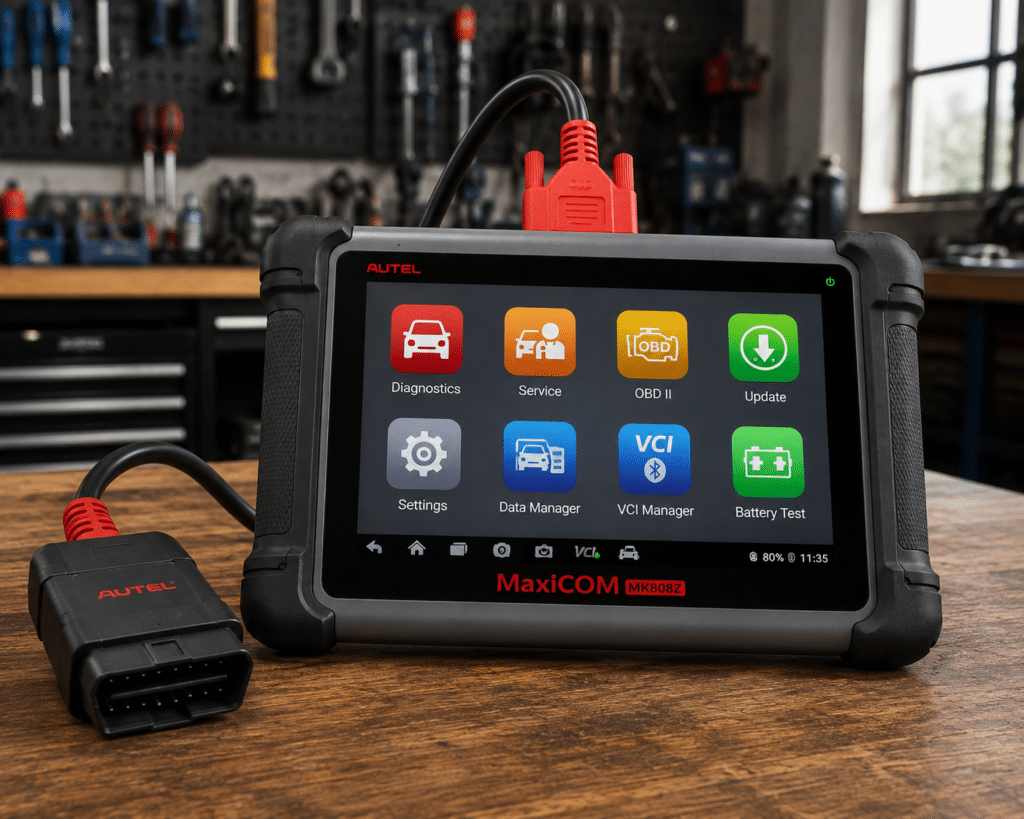
Why We Picked It
Buyers near the top of the $500 ceiling often face a difficult decision.
Should they buy a simpler scanner and save money, or use nearly the full budget to enter a more complete diagnostic ecosystem?
The Autel MaxiCOM MK808Z represents the second approach.
Autel currently positions the MK808Z in its advanced OBD2 scanner range and its current U.S. market positioning places it inside the under-$500 class.
Its appeal is broad diagnostic capability in a dedicated tablet rather than specialization around one service task.
For owners who work on multiple systems and multiple vehicles, that breadth can be more useful than buying separate lower-cost tools for different jobs.
Where It Falls Short
The MK808Z and other Autel 808-family products can appear with similar names and feature packages.
Exact model identity matters.
That is especially important for wireless communication, active tests, coding and update policy.
| Specification | Details |
|---|---|
| Display | 7-inch LCD capacitive touchscreen, 1024×600 |
| OS / Processor | Android 11, Rockchip RK3566 (1.8GHz) |
| Memory | 4GB RAM, 64GB storage |
| Connectivity | Wi-Fi 2.4/5GHz only; no Bluetooth; Mini USB, USB 2.0, HDMI, Micro SD |
| Battery | 3.7V/5000mAh; ~7 hours continuous use |
| Bidirectional control | Confirmed (ABS, windows, doors, solenoids, valves, wipers) |
| ECU coding | Confirmed (“Perform Coding and Adaptations” on Autel’s own page) |
| Service functions | 28+ (oil reset, EPB, ABS auto bleed, SAS calibration, DPF regen, injector reset) |
| Vehicle coverage | 80+ makes and models, 1996 and newer |
| Pros | Cons |
|---|---|
| Dedicated Autel tablet | No Bluetooth; Wi-Fi only |
| Broad diagnostic positioning | |
| Multi-system workflow | |
| Strong fit for advanced DIY use | |
| Mature Autel software ecosystem | |
| Currently positioned within the under-$500 class |
Best For
Advanced DIY users who want a broad Autel tablet and prefer the MaxiCOM ecosystem over a specialized service scanner.
SCG Verdict
The MK808Z gives buyers another route into Autel’s deeper diagnostic ecosystem without moving above the under-$500 market class, but exact model-level feature verification is mandatory. Our full Autel MaxiCOM MK808Z review covers exactly what model-level verification is still needed.
What Should $500 Buy You in 2026?
A $500 ceiling should change your expectations.
At this level, a buyer can reasonably evaluate scanners with capabilities that were once associated mainly with professional equipment.
Full-System Diagnostics
A serious scanner in this class can access many or all supported vehicle control modules rather than only standardized engine OBD2 data. That can include Engine, Transmission, ABS, SRS, Body control, HVAC, Steering, Electronic parking brake, Battery management, TPMS, other manufacturer-specific modules. Exact coverage still varies.
Bidirectional Active Tests
Many advanced scanners in this class can command supported components. That may include fans, pumps, actuators, solenoids, windows, lights and other systems. Active tests can provide valuable diagnostic evidence. They do not automatically identify the failed part.
Service Functions
Depending on the scanner and vehicle, the under-$500 class can include functions such as Oil reset, EPB service, BMS registration/reset, Steering-angle calibration, ABS bleeding, DPF regeneration, Throttle adaptation, Injector-related procedures, TPMS-related functions, other relearn/reset procedures. Do not buy by service-function count. Buy by the exact functions you need.
Supported ECU Coding
Some scanners in this class provide coding or adaptation functions on supported vehicles. Coding should not be confused with universal ECU programming. A scanner that can change supported configuration or perform module matching on one vehicle may not provide the same operation on another.
Modern Protocols
CAN FD and DoIP become more important as newer vehicles enter independent garages. If you work on newer vehicles, verify protocol support in the exact scanner/VCI hardware. Software alone cannot create a communication protocol that the hardware does not support.
Do You Need to Spend Close to $500?
No.
The $500 figure is a ceiling.
If a specialized Autel MaxiCheck Pro solves your actual maintenance jobs, spending more for a full-system tablet may add little value.
If you need full-system diagnosis, active tests and supported coding, spending closer to the upper end can prevent you from outgrowing a simpler tool.
The correct question is: what is the least expensive class of scanner that reliably performs the work I need?
Under $200 vs. Under $500: What Changes?
The under-$200 category contains excellent tools.
Some even provide full-system and bidirectional functions through phone-based software.
Moving toward $500 generally gives buyers access to more dedicated hardware and deeper platforms.
Potential advantages include: larger dedicated screens, more onboard storage, wireless VCI hardware, broader service-function environments, more advanced coding/adaptation capability, modern protocol support, stronger multi-system workflow, less dependence on a personal phone.
But the higher budget does not automatically guarantee better coverage.
A $150 scanner that supports the exact function on your vehicle is more useful than a $500 scanner that does not.
Best OBD2 Scanners Under $200 in 2026
Ownership Cost Matters More as Scanners Get More Advanced
SCG does not publish fixed Amazon prices because retailer pricing changes.
But ownership economics still matter.
An advanced scanner can involve: hardware purchase, software renewal, manufacturer-specific software, secure-gateway access, optional adapters, optional battery/TPMS/endoscope accessories, replacement VCI hardware.
A scanner with a lower purchase price can become more expensive over several years if advanced functions depend on recurring software.
Conversely, lifetime updates are valuable only when the scanner has the coverage you need.
Lifetime Updates: Important, but Not Magic
TOPDON currently lists lifetime software updates for ArtiDiag900 Lite.
THINKCAR currently lists lifetime updates for THINKSCAN 689BT.
XTOOL currently lists free software updates for IP819.
Those policies can improve long-term value.
But no update policy should override vehicle compatibility.
Always choose in this order: Required function → Vehicle coverage → Hardware capability → Ownership model.
When a Brand-Specialist Scanner Makes More Sense
Foxwell NT710 illustrates a different buying strategy.
If you own several vehicles from one manufacturer family, deep brand-focused software can be more useful than broad but shallower multi-brand coverage.
This is particularly relevant to enthusiasts.
A BMW-focused owner and a mixed-family household may need completely different scanners even with the same budget.
When a Specialized Service Tool Makes More Sense
Autel MaxiCheck Pro demonstrates the opposite of feature escalation.
If your work centers on brakes, EPB, ABS bleeding, BMS, DPF and related maintenance procedures, a focused service tool can be more rational than a full-system tablet.
The best scanner is not the one that can theoretically do the most.
It is the one that reliably performs your actual jobs.
Common Under-$500 Buying Mistakes
Mistake 1: Spending the Entire Budget Because You Can
A budget ceiling is not a target.
Mistake 2: Buying by Service-Function Count
“39+” or “50+” functions can look impressive. Coverage for your vehicle is what matters.
Mistake 3: Confusing Coding With Programming
They are not interchangeable.
Mistake 4: Assuming Full-System Means Every Function
Full-system access generally describes diagnostic breadth. It does not guarantee every active test, reset, adaptation or coding function.
Mistake 5: Ignoring Update Policy
Advanced scanners are software platforms. Long-term software access can materially affect ownership value.
Mistake 6: Ignoring Product-Version Names
This is particularly important with large scanner families. MK808Z is not automatically MK808BT Pro. CRP919E Lite is not automatically CRP919E BT. TopScan Pro is not automatically TopScan Master. Exact identity must be preserved.
Mistake 7: Buying a Professional-Looking Tablet for Basic OBD2
A large screen does not improve a simple Check Engine diagnosis enough to justify unnecessary complexity.
How This Guide Differs From Our DIY Guide
The DIY guide asks: which scanners best fit different levels of home-mechanic work?
This guide asks: what are the strongest scanner choices within a specific budget ceiling?
Those intents overlap, but they are not identical.
Only two products from the revised DIY article are intentionally repeated here: Autel MaxiCheck MX808S, Innova 5610.
All other selections are different.
That keeps the under-$500 page useful instead of turning it into a duplicate DIY ranking.
Best OBD2 Scanners for DIY Mechanics in 2026
How This Guide Differs From Our Professional Guide
Our professional guide evaluates shop platforms based on technician workflow, programming/coding capability, VCI hardware, topology, secure access and business use.
This guide stops below flagship professional-shop pricing.
THINKCAR 689BT appears in both because it genuinely sits near the boundary between advanced DIY and small-shop use.
The remaining product mix is intentionally different.
Best Professional Automotive Scan Tools in 2026
Our Final Recommendations
For the strongest overall balance of dedicated full-system diagnostics and advanced DIY usability, Autel MaxiCheck MX808S is our current overall choice.
For wireless full-system diagnosis with active tests and a manufacturer-listed lifetime update policy, TOPDON ArtiDiag900 Lite is the wireless-value winner.
For buyers who prioritize the broadest advanced feature set from a compact tablet, XTOOL IP819 deserves serious consideration.
For serious DIY mechanics who prefer a simpler handheld and no subscription requirement, Innova 5610 remains one of the strongest ownership propositions.
For brand-focused enthusiasts, Foxwell NT710 provides a different and potentially smarter approach than buying maximum multi-brand breadth.
For buyers who prefer LAUNCH and do not require wireless VCI operation, CRP919E Lite brings advanced diagnostic capability into this class.
For long-term update economics and modern protocol support, THINKCAR THINKSCAN 689BT stands out.
For brake and service-focused work, Autel MaxiCheck Pro can be the better tool precisely because it is more specialized.
And for buyers who want another broad Autel tablet near the upper end of the budget, MaxiCOM MK808Z provides an alternative route into the ecosystem.
Do not choose by price alone.
Do not choose by feature count alone.
Choose by the work you need to perform, verify that work on your vehicle, and then compare the complete ownership model.
Quick Picks
Best Overall Under $500: Autel MaxiCheck MX808S
A dedicated full-system tablet with bidirectional Active Tests, broad service capability and a mature diagnostic ecosystem, currently positioned near the upper edge of this budget class.
Best Wireless Value: TOPDON ArtiDiag900 Lite
An 8-inch wireless full-system tablet with bidirectional control, eight core service functions, repair information and manufacturer-listed lifetime updates.
Best for Maximum Features per Dollar: XTOOL IP819
A compact full-system tablet with bidirectional controls, 39+ service functions, supported ECU coding, CAN FD and manufacturer-listed free software updates.
Best for Serious DIY Mechanics: Innova 5610
A standalone all-system scanner with bidirectional active tests, OEM data and no subscription requirement, built around a particularly approachable U.S.-market ownership experience.
Best Brand-Specialist Platform: Foxwell NT710
A compact Android-based multi-system tablet designed around deep diagnosis and common service/coding functions for selected vehicle-brand software.
Best LAUNCH Wired Advanced Scanner: LAUNCH X431 CRP919E Lite
A serious full-system platform for buyers who prioritize active testing, service functions and supported coding capability but do not require a wireless VCI.
Best for Long-Term Update Value: THINKCAR THINKSCAN 689BT
A wireless full-system scanner with bidirectional controls, ECU coding, CAN FD/DoIP and a manufacturer-listed lifetime update policy.
Best Service-Focused Tool: Autel MaxiCheck Pro
A specialized Autel tool for buyers whose work centers on ABS, EPB, BMS, DPF, SRS and related maintenance procedures rather than maximum full-system breadth.
Best Autel Alternative Near the Top of the Budget: Autel MaxiCOM MK808Z
A full-system Autel tablet positioned for buyers who want a broader diagnostic platform while staying below higher MaxiSys and professional-shop tiers.
Frequently Asked Questions
What is the best OBD2 scanner under $500 in 2026?
SCG’s current overall choice is Autel MaxiCheck MX808S for buyers who want a dedicated advanced full-system tablet. TOPDON ArtiDiag900 Lite and XTOOL IP819 are particularly strong alternatives depending on whether wireless operation, update policy or feature breadth matters more.
Can I get a full-system scanner under $500?
Yes. The current market includes several dedicated full-system diagnostic platforms within this class. Vehicle-specific coverage must still be verified.
Can I get bidirectional control under $500?
Yes. Several scanners in this guide provide bidirectional active tests on supported vehicles. The exact active test must be checked for the specific vehicle.
Can I get ECU coding under $500?
Some scanners in this market class provide ECU coding or adaptation functions on supported applications. That does not mean universal ECU programming.
What is the best under-$500 scanner with lifetime updates?
TOPDON currently lists lifetime software updates for ArtiDiag900 Lite, while THINKCAR currently lists lifetime updates for THINKSCAN 689BT. Choose between them based on required vehicle/function coverage, not the update label alone.
What is the best under-$500 scanner without a subscription?
Is a $500 scanner good enough for professional work?
Some tools in this class can perform serious diagnostic and service work and may fit mobile technicians or small shops. A high-volume professional shop may still need more advanced VCI hardware, topology, programming, repair-information integration or broader technical support.
Should I buy a tablet or handheld scanner?
Choose a tablet when you value screen size, deeper software workflows and advanced functions. Choose a handheld when portability, simplicity and fast startup matter more.
Is wireless diagnosis worth it?
It can be. Wireless VCI communication lets you move around the vehicle while maintaining the diagnostic session. If most of your work is performed from the driver’s seat, a wired scanner may be perfectly adequate.
Bottom Line
Under $500 is one of the most competitive scanner categories in 2026.
Buyers can now choose among dedicated full-system tablets, wireless bidirectional tools, brand-specialist platforms and focused service scanners without moving into flagship professional-shop pricing.
That choice creates a new problem: there is no single specification that identifies the best scanner.
Start with the job.
Identify the vehicle.
Identify the exact system and function.
Verify coverage.
Then compare hardware format, update policy and long-term ownership.
That is the SCG approach, and it is more reliable than choosing whichever scanner has the longest feature list.