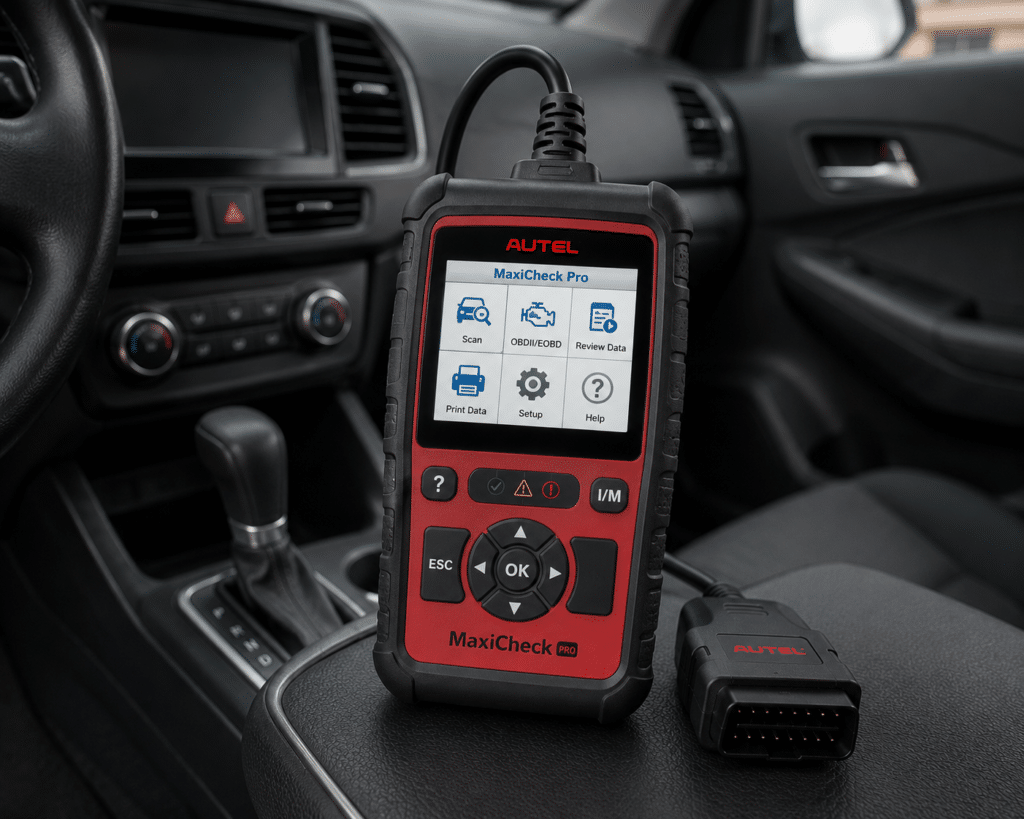
The Autel MaxiCheck Pro is a handheld with a 2.8 inch screen that plugs into the car’s OBD2 port with a cable. It reads and clears codes on ABS and SRS, does an ABS auto bleed on some cars, opens and closes electronic brake calipers, and runs a short list of resets. It also covers the ten generic OBD2 tests. Amazon says it comes with lifetime free software updates.
The short version: The MaxiCheck Pro is a narrow tool for a home mechanic or a small shop that mainly does brake and airbag work. Amazon and Autel agree on ABS and SRS, EPB, oil and SAS functions and a wired connection. They differ on the reset count and on updates: Amazon says 7 resets and lifetime updates, while Autel’s page names about six functions and gives no update policy. Amazon also says plainly that the auto bleed works on most GM cars from about 1999 to 2018 and on only limited models of other makes, so check your car first.
Affiliate Disclosure: As an Amazon Associate I earn from qualifying purchases. Scan Choice Guide is a participant in the Amazon Services LLC Associates Program, an affiliate advertising program designed to provide a means for sites to earn advertising fees by advertising and linking to Amazon.com.
What the MaxiCheck Pro Actually Does
The tool is one handheld with a cable. The manual says the OBD2 cable provides power to the tool and carries the data between the tool and the car. It also has a power port for a 12 volt adapter, a USB connector for printing and an SD card slot that holds the tool’s software. Autel lists a TFT color screen of 320 by 240, a weight of 0.28 kg without the cable and 0.484 kg with it, and a size of 212 by 110.5 by 37.5 mm. Amazon lists a 2.8 inch screen and says the power source is corded.
Amazon and Autel name these functions:
- ABS and SRS. Amazon says “ABS and SRS” in the title and says the tool reads and clears ABS and SRS codes. Autel says “SRS Coverage for 50 Vehicle Makes” for US, Asian and European brands.
- ABS bidirectional functions. Autel says “ABS Bi-directional Functionality”. Amazon says “ABS Bidirectional Scan Tool” and “ABS Auto Bleed”, which uses the ABS module to push air out so you can bleed the brakes as usual.
- Electronic parking brake. Autel says it opens and closes electronic brake calipers, reads and clears EPB and SBC codes and turns off the ECU and brake warning lights. Amazon names EPB, with a note that it is limited.
- Resets. Autel names the oil service light, service intervals, steering angle sensors and the diesel particulate filter. Amazon names BMS, EPB, SAS and oil reset, “for Specific Vehicles”, and says they are limited.
- OBD2. Amazon says the tool covers all 10 OBD2 test modes on all OBD2 vehicles, including codes, freeze frame, readiness status, component test, O2 and on-board monitor tests, live data, DTC lookup, vehicle info and modules present. Autel says it reads, records and plays back live data.
- Updates and support. Amazon says “LIFETIME FREE software updates & tech supports”, with 12 months of defect protection and a 30 day return or replacement.
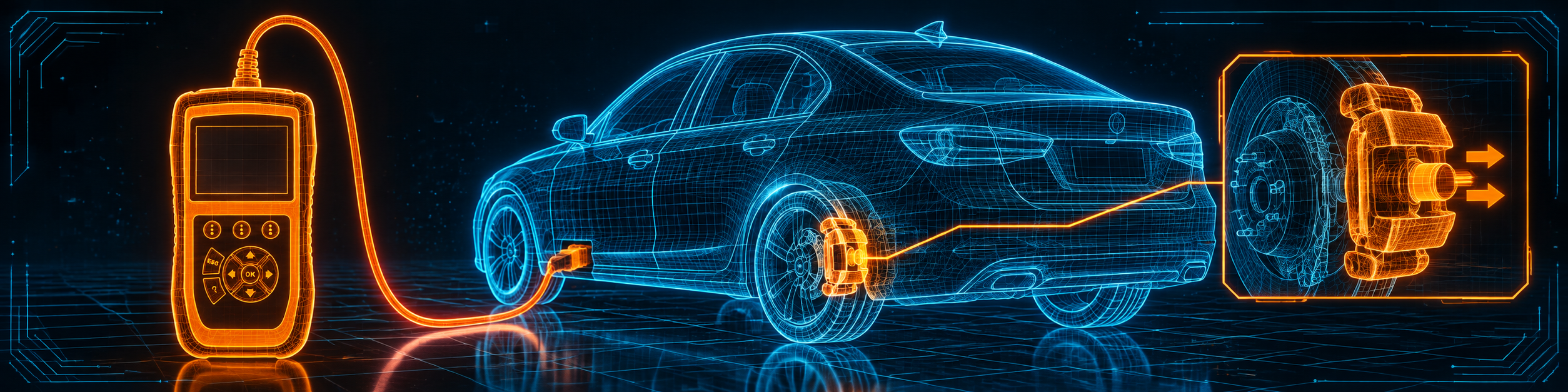
The picture below shows the MaxiCheck Pro doing an ABS bidirectional service on a sedan, with its brake calipers.
What Amazon Says vs. What Autel Confirms
We compared the Amazon listing with Autel’s product page and Autel’s user manual. The sources agree on the core. They differ on how many resets there are, how updates work and how wide the ABS bleed really is.
| Claim | Amazon listing | Autel | Our reading |
|---|---|---|---|
| Name | “Autel MaxiCheck PRO OBD2 Scanner” | “MaxiCheck Pro” | Same tool |
| Screen | 2.8 inches | TFT color display, 320 x 240 | Agree |
| Connection | “Corded Electric” | USB Internet Updateable; the manual describes an OBD2 cable | Agree; no wireless is listed |
| ABS and SRS | “ABS and SRS” and ABS/SRS scan | “SRS Coverage for 50 Vehicle Makes” | Agree |
| ABS bidirectional | “ABS Bidirectional Scan Tool”, “ABS Auto Bleed” | “ABS Bi-directional Functionality” | Agree |
| ABS auto bleed range | “most GM vehicles from 1999/2000 up to 2018”, limited for other makes | Not stated | Amazon only |
| Resets | “7 Resets” | Oil, service interval, SAS, DPF, caliper open and close, warning lights | The counts differ |
| BMS | Named, limited | Not named on the page; a manual chapter | Autel’s manual only |
| Updates | “LIFETIME FREE software updates” | Not stated on the page; the manual says registration and a PC update | Amazon only |
| Warranty | “protected from defects for 12 Months” | “Limited One (1) Year Warranty” | Agree |
| ECU coding | Not listed | Not listed | Not listed |
| Languages | Not listed | “Multilingual Support” | Autel only |
The bleed point matters. Amazon’s first two bullets warn that ABS auto bleed works with most GM vehicles from about 1999 or 2000 up to 2018, and with limited specific models before 2014 or 2015 on most other makes. It says the MK808BT Pro is recommended for older and newer cars and for Ford, and that Volkswagen group cars need a larger tool. For many Asian Japanese cars it says it is uncertain, and it adds that the car’s own ECU must be programmed with the ability to auto bleed. Autel’s page gives no list.
The numbers point matters. Autel’s 50 makes figure is for SRS coverage, not for brake bleeding. Amazon says 7 resets and Autel names about six functions, so expect between six and eight, not an exact number.
The updates point matters. Amazon says lifetime free software updates. Autel’s product page does not state an update policy. We show Amazon’s statement as Amazon’s. The manual says you register the tool on Autel’s website and update it through a computer.
A third source. The US federal standard 49 CFR 571.135 covers light vehicle brake systems. It defines an antilock brake system as “a portion of a service brake system that automatically controls the degree of rotational wheel slip during braking”. It requires a warning light for “any electrical functional failure in an antilock or variable brake proportioning system”, and it applies to passenger cars made from September 1, 2000. The source is independent of both Amazon and Autel. It explains why an ABS warning is a safety item, and why a tool for ABS codes and bleeding is a narrow tool for one system.
How we handle these differences. The feature table at the bottom of this page, the Scanner Finder and our comparisons follow the Amazon listing, because Amazon is where you buy. We name the points above so you can see where Autel says something different. If one of them matters to you, read this section before you decide.
Is the MaxiCheck Pro Enough for You?
A short table gives the first answer.
| If your work is | Does the MaxiCheck Pro list it? |
|---|---|
| Reading and clearing generic OBD2 codes | Yes |
| ABS and SRS codes | Yes |
| ABS auto bleed | Yes, on limited cars; best on GM from about 1999 to 2018 |
| Electronic parking brake service | Yes, on limited cars |
| Oil, service interval and SAS resets | Yes, on limited cars |
| DPF service | Yes, per Autel |
| BMS reset | Yes, on limited cars, per Amazon |
| All-system diagnosis | No |
| ECU coding | Not listed by Amazon or by Autel |
| Wireless use | No |
For a home mechanic or a small shop that mainly handles brakes and airbags, the upper rows cover the work. The lower rows are work for a different tool.
Will the MaxiCheck Pro Work on Your Car?
The generic OBD2 functions work on all OBD2 cars from 1996, according to the manual. The special functions are narrower. The manual lists the makes for each one: oil and service reset covers many Asian, European and US brands, EPB service covers Honda, Toyota, Audi, Mercedes, BMW, Volkswagen, Volvo and several others, and ABS and SRS covers a long list of US, European and Asian makes. Amazon asks you to send the VIN before ordering, because the special functions are limited. Use the Scanner Finder to check your year, make and model.
How to Set Up and Use the MaxiCheck Pro
This section follows Autel’s MaxiCheck Pro manual. Your screens may differ slightly.
Step 1: Register and update first
The manual says you update the tool only after you register it on Autel’s website. Create an Autel ID, then enter the tool’s model, serial number and password, which you find under About in the setup menu. Install the Maxi PC Suite, take the SD card out of the tool, put it in your computer and run the update. Do this before the first job.
Step 2: Plug in
Turn the ignition off, find the car’s OBD2 port, remove its plastic cover if it has one, and plug the cable in. The tool takes its power from the car and starts up to the main screen. For use away from a car, use the 12 volt adapter.
Step 3: Pick the function
Use the left and right buttons to move through the main menu and the OK button to open an item. The ESC button goes back and HELP gives help. The main functions are OBD II diagnostics, and the special services such as BMS, oil reset, EPB, ABS and SRS, SAS and DPF.
Step 4: Identify the car
For the special functions, the tool asks you to identify the car step by step, with model, year and type. Some cars ask you to pick a letter of the VIN. On some cars the ABS and SRS are separate systems, with SRS in the body system and ABS in the chassis system, so choose the right one.
Step 5: Read and clear codes
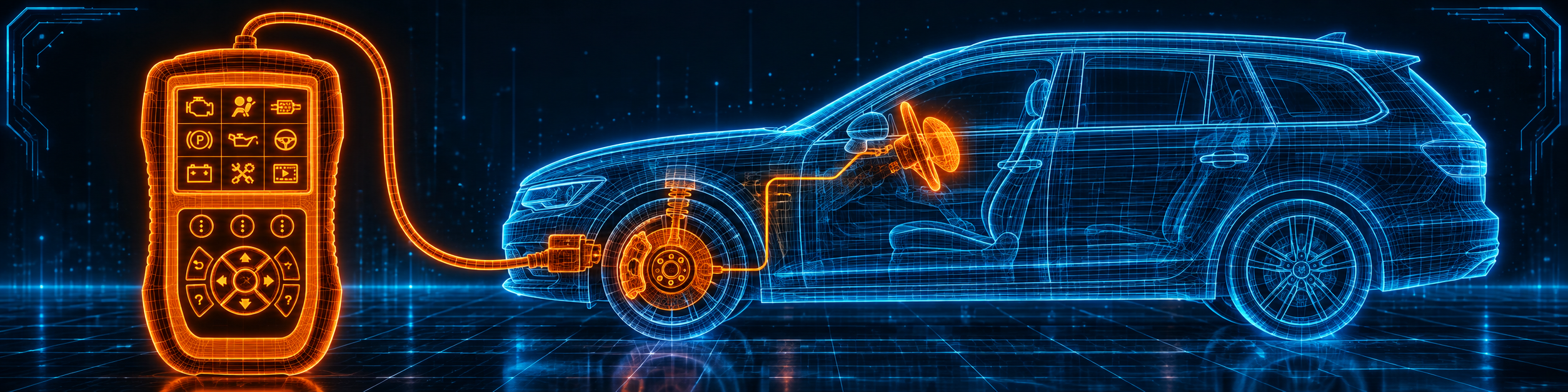
In ABS or SRS diagnostics, choose Read Codes to see the stored faults, then Erase Codes after the repair. The manual says each ABS function also covers live data, ECU information, active test and special function. The picture below shows an ABS and SRS diagnosis on a station wagon.
Step 6: Run an ABS test or bleed
In the ABS menu, Active Test lists actuators such as the ABS or ASR recirculation pump, the intake solenoid valves of each wheel and the switching solenoid valves. Pick one and the tool runs it and tells you if it works. For a bleed, Amazon says to bleed the ABS module first, which forces any air into the brake lines, and then do the normal brake bleed. Amazon also warns that the car’s ECU must support auto bleed.
Step 7: Service an electronic parking brake
In the ABS special function, the EPB menu has two choices: deactivation of the automatic application and its reactivation. The manual’s EPB chapter says to be fully familiar with the braking system first, to deactivate the system before brake work, to work only when the car is still on level ground, and to reactivate it afterwards. If the tool shows a problem message, repair it right away.
Step 8: Run a reset
Open Oil Reset, SAS or BMS and follow the screen. The manual describes the oil reset as the reset of the oil service reminder, to be done after every oil change. The BMS chapter covers general battery information, close-circuit current, the rest state and charging a battery through the diagnostic socket, and it applies only to the makes the manual lists. SAS calibration needs the wheels and the steering wheel straight first.
Step 9: Print and keep records
The Review Data function plays back saved data, and the USB cable lets you print it from a computer. If the tool cannot reach the car, the manual says to check the cable, the ignition position and the car’s fuse.
Common Mistakes and Three Simple Plans
1. Buying it for a car that has no auto bleed. Amazon says the car’s ECU must support it.
2. Expecting all-system diagnosis. The tool covers ABS, SRS and a short set of services.
3. Skipping the registration. The manual says the tool can only be updated after registration.
4. Starting an EPB job without deactivating the system. The manual says to deactivate first.
Plan A: A brake job on a GM car
- Plug in the cable and identify the car.
- Run the ABS bleed the screen offers.
- Do the normal brake bleed afterwards.
Plan B: An ABS and airbag warning
- Read the ABS codes, then the SRS codes.
- Fix the cause and erase the codes.
- Read the codes again to check.
Plan C: Rear brake pads on an electric parking brake
- Deactivate the automatic application.
- Do the pad job with the car on level ground.
- Reactivate the system.
Where the MaxiCheck Pro Sits Against Its Own Alternatives
| MaxiCheck Pro | Innova 5610 | BlueDriver | |
|---|---|---|---|
| Format | Handheld with cable | Handheld with cable | Phone and Bluetooth adapter |
| ABS and SRS codes | Yes | Yes, per our review | Yes, per our BlueDriver review |
| Bidirectional control | ABS only | Yes, per our review | Not listed in our BlueDriver review |
| ECU coding | Not listed | No, per Innova | Not listed in our BlueDriver review |
| Updates | Lifetime free, per Amazon | Free, no subscription, per Innova | No subscription, per BlueDriver |
Our Innova 5610 review covers a handheld with wider bidirectional tests and a long reset list. Our BlueDriver review covers a phone-based tool that reads codes and lists a few service resets. For an Autel tablet with all-system diagnosis, see our Autel MX808S review.
The MaxiCheck Pro is the brake and airbag specialist of the group. It does fewer things than a tablet, and it does them with a cable and a small screen.
Who This Scanner Actually Fits
The MaxiCheck Pro fits a home mechanic or a small shop that mainly does ABS and brake work, airbag codes, and a few resets, mostly on GM cars or on makes that the manual lists. It is a weaker fit for someone who needs all-system diagnosis, ECU coding or wireless use.
Important Limitations of the Autel MaxiCheck Pro
- ABS auto bleed is narrow. Amazon says it works on most GM cars from about 1999 to 2018 and on limited models of other makes.
- The car’s ECU must support auto bleed. A tool cannot add it.
- No all-system diagnosis. It covers ABS, SRS and a short set of services.
- No ECU coding is listed. Neither Amazon nor Autel lists it.
- Cable only. Amazon says corded, and Autel lists no wireless.
- The update policy differs by source. Amazon says lifetime, and Autel’s page states none.
Who Should Choose It, and What to Consider Instead
Choose the MaxiCheck Pro if brake bleeding, ABS and SRS codes and a few resets are most of your work, and your car is on the supported list.
Consider the Innova 5610 instead if you want wider bidirectional tests and more resets in a handheld, in North America. Consider the Autel MX808S instead if you want all-system diagnosis on a tablet.
| Specification | Details |
|---|---|
| Screen | 2.8 inch TFT color, 320 by 240 |
| Connection | Cable to the OBD2 port; USB for printing |
| Power | From the car or a 12 volt adapter |
| ABS and SRS | Codes, live data, active tests |
| ABS auto bleed | Limited by car; GM 1999 to 2018 per Amazon |
| Other services | Oil, EPB, SAS, DPF, BMS (limited) |
| ECU coding | Not listed |
| Updates | Lifetime free, per Amazon |
| Warranty | One year |
| Pros | Cons |
|---|---|
| ABS and SRS codes with active tests | Auto bleed is limited by car |
| Opens and closes electronic brake calipers | No all-system diagnosis |
| Covers the ten generic OBD2 tests | No ECU coding listed |
| Lifetime free updates, per Amazon | Small screen and a cable |
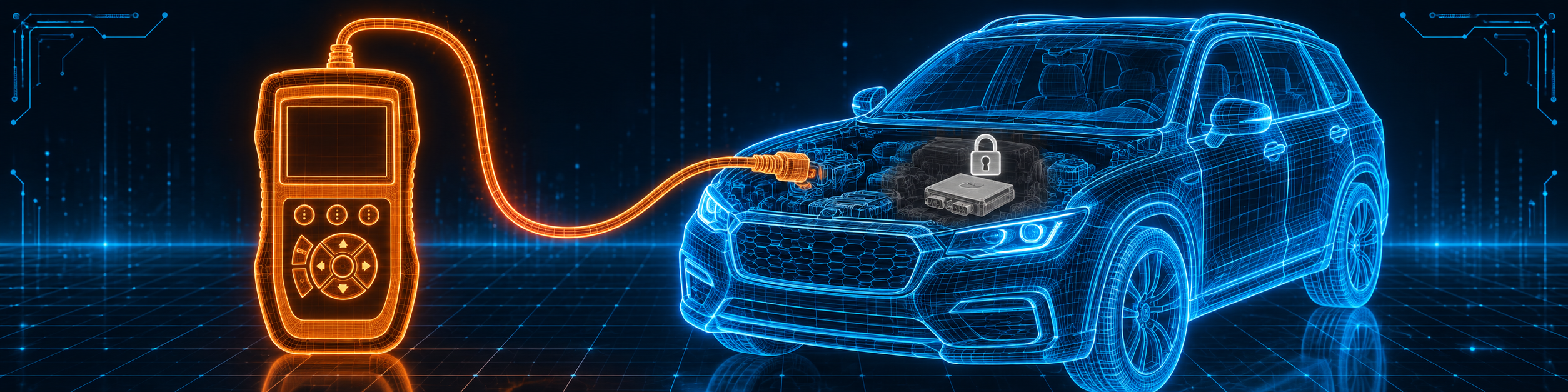
The picture below shows the handheld on an SUV where coding is limited, which is why this tool is not a coding tool.
Methodology: How SCG Evaluates OBD2 Scanners.
Our Verdict on the Autel MaxiCheck Pro
The MaxiCheck Pro is a small, cabled handheld for brake and airbag work. Amazon and Autel agree on ABS, SRS, EPB and the oil and SAS resets, and Amazon is clear that the auto bleed works on limited cars. If that matches your car, it is a focused and low-cost tool.
Frequently Asked Questions
Does the MaxiCheck Pro support bidirectional control?
Yes, for ABS. Autel says “ABS Bi-directional Functionality”, and the manual lists active tests for the ABS pump and valves.
Which cars does the ABS auto bleed work on?
Amazon says most GM vehicles from about 1999 or 2000 up to 2018, and limited specific models of other makes. The car’s ECU must also support auto bleed.
How many resets does it have?
Amazon says 7. Autel names about six, and the manual adds BMS and throttle match.
Does it support ECU coding?
Neither Amazon nor Autel lists it.
Are updates free for life?
Amazon says lifetime free software updates. Autel’s product page does not state an update policy.
Is it compatible with my specific vehicle?
Use the Scanner Finder to check your year, make and model.
Trusted Sources
- Autel MaxiCheck Pro official product page: features, specifications, warranty
- Autel MaxiCheck Pro user manual: setup, ABS, SRS, EPB, resets, coverage, update
- Verified Amazon listing: current title, bullets and product overview
- 49 CFR 571.135, Light vehicle brake systems: what an antilock brake system is and its warning requirement