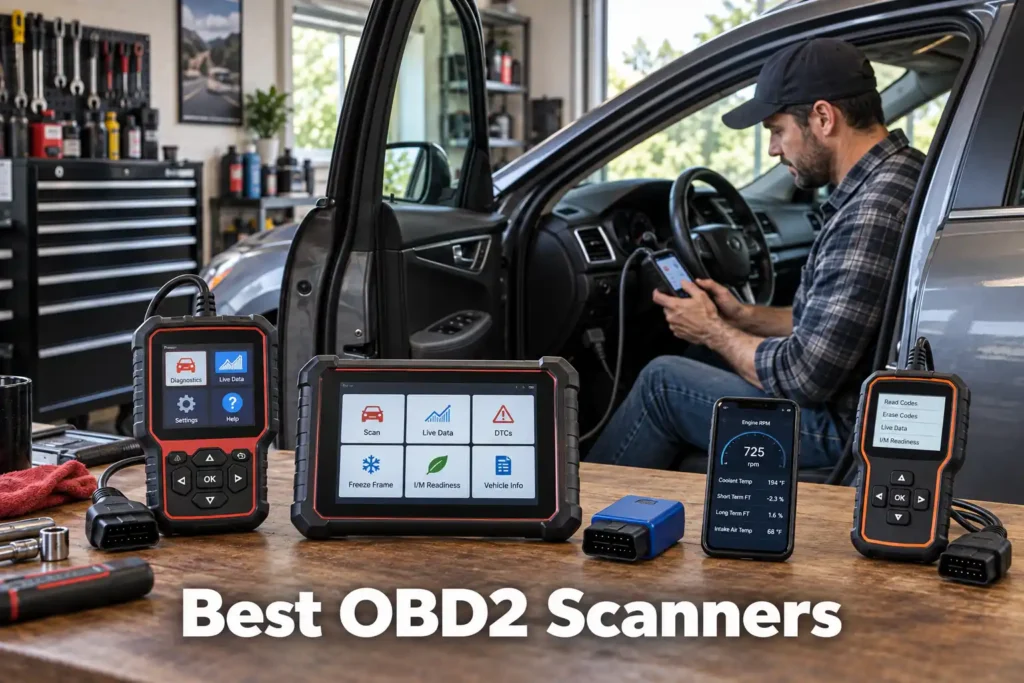
7 Best OBD2 Scanners in 2026: The Right Scan Tool for Every Type of Driver
A basic OBD2 adapter and a professional diagnostic tablet can both be called “OBD2 scanners,” but they solve very different problems.
If all you want to know is why your Check Engine light came on, buying a professional diagnostic platform makes little sense. But if you want to diagnose ABS, airbag and transmission faults, run active tests, perform service functions or work on several vehicles, a basic code reader can become a frustrating limitation almost immediately.
That is why there is no single best OBD2 scanner for everyone. If you’re still working out what you actually need before comparing specific picks, our complete guide to choosing an OBD2 scanner walks through that decision first.
For this guide, we compared scanners across different capability and price classes, looking at diagnostic depth, vehicle coverage, bidirectional control, service functions, connectivity, update and subscription policies, ease of use, and the type of owner each tool actually makes sense for.
Our recommendations are based on manufacturer documentation, vehicle-coverage information where available, current product information, independent evidence, and SCG comparative analysis. The results we present come from our own research into manufacturer documentation, Amazon listings, and compatibility data.
Our Top Picks for OBD2 Scanners
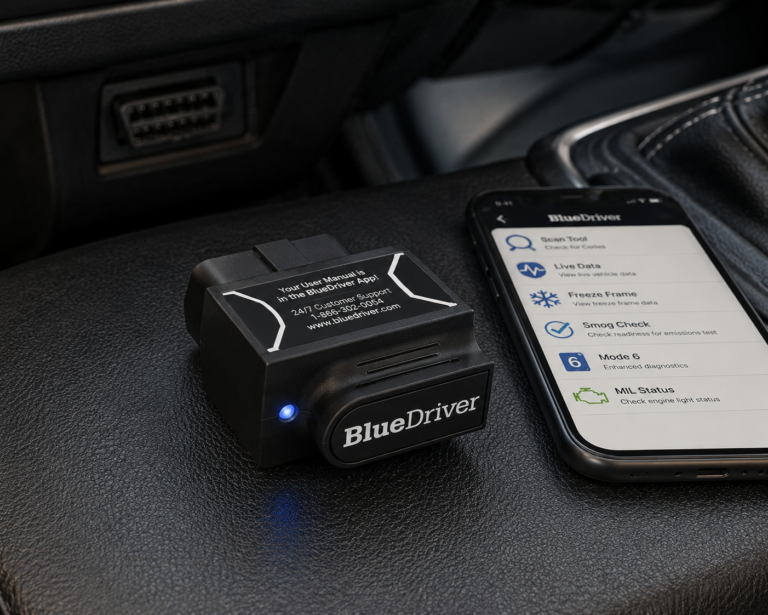
BlueDriver Pro
- Beginner-friendly phone interface
- Enhanced diagnostics on supported vehicles
- No required subscription
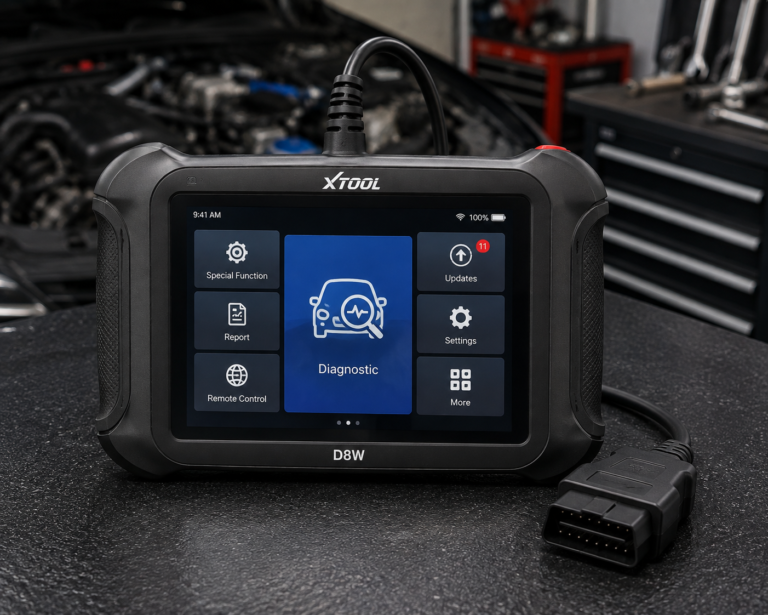
XTOOL D8W
- Full-system diagnostics
- Extensive bidirectional testing
- Topology mapping
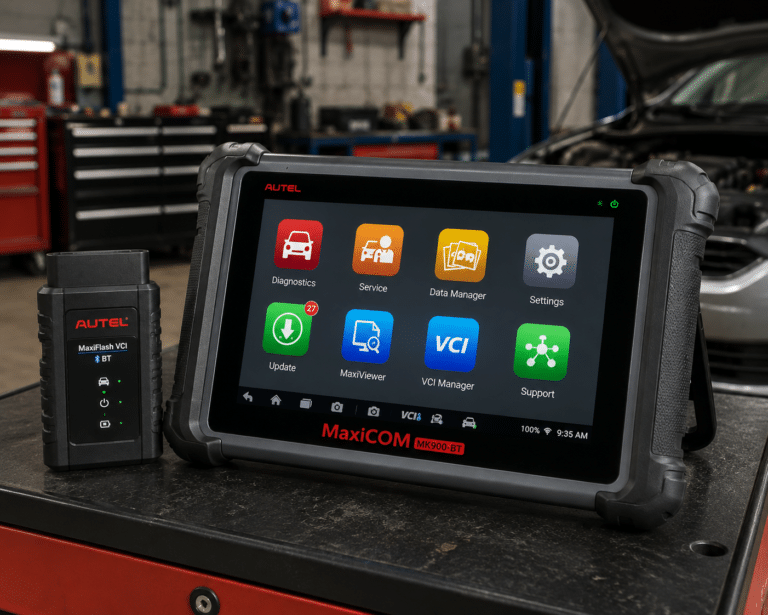
Autel MaxiCOM MK900-BT
- Dedicated 8-inch tablet
- Wireless vehicle communication
- All-system diagnostics
Affiliate Disclosure: Scan Choice Guide is a participant in the Amazon Services LLC Associates Program, an affiliate advertising program designed to provide a means for sites to earn advertising fees by advertising and linking to Amazon.com.
The 7 Best OBD2 Scanners, Reviewed in Detail
1. Innova 5610: Best Overall OBD2 Scanner
Why We Picked It
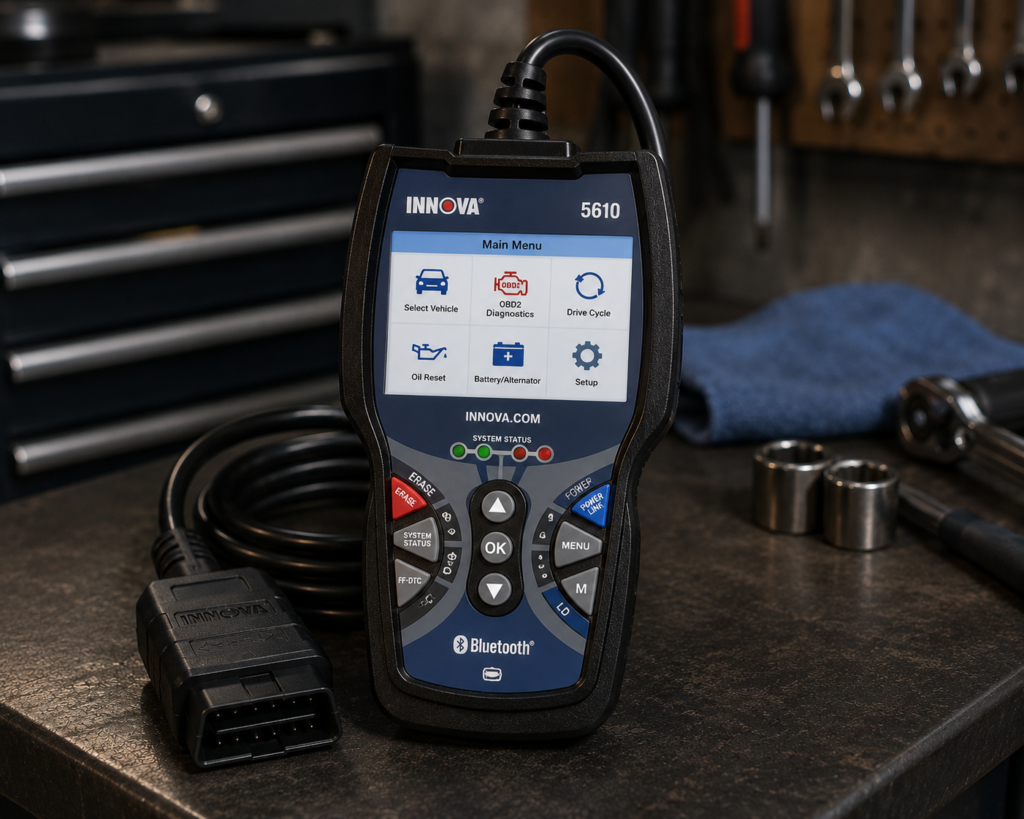
The Innova 5610 occupies one of the most useful positions in the scanner market: it offers considerably more diagnostic capability than a basic handheld code reader without forcing the owner into a full professional tablet ecosystem.
Innova specifies all-system diagnostics covering systems including engine, transmission, ABS and SRS, along with bidirectional controls that can command supported components during troubleshooting. It also supports vehicle-dependent relearns, calibrations and resets.
That combination matters.
Reading a trouble code tells you what the vehicle detected. Bidirectional testing can help determine whether a component will actually respond when commanded. For an experienced DIY mechanic, that can make the difference between identifying a problem and simply collecting fault codes.
The 5610 is also a true handheld scanner. You can use the device without turning your phone into the primary diagnostic interface, while the optional RepairSolutions2 app adds supporting information and connected features.
Another major advantage is ownership cost. Innova currently states that the 5610 has no required subscription fees and no update fees.
Where It Falls Short
The biggest limitation is one that applies to many advanced scan tools: not every advertised advanced function works on every vehicle.
Innova itself tells buyers that available features vary by year, make and model and recommends checking its vehicle-coverage tool before purchasing.
The 5610 is also not a universal module-programming tool, and it should not be confused with a high-end professional programming platform.
| Specification | Details |
|---|---|
| Form Factor | Handheld unit with dedicated screen |
| App Integration | RepairSolutions2 app (Innova states 4M users) |
| Bidirectional Control | Confirmed; commands ABS pumps, fuel injectors, and other components directly |
| Reset Functions | 20+ confirmed by Innova, including oil, battery, EPB, DPF, TPMS relearn, key coding, injector coding, EV/HEV/PHEV battery health |
| ECU Coding / Reprogramming | Not supported, stated directly by Innova |
| Vehicle Coverage | Most 1996-2023 US/Canada OBD2 vehicles; North America only |
| FCA Vehicles | 2018+ requires Innova’s AutoAuth process for full functionality |
| Update Policy | Free updates, no subscription, confirmed directly by Innova |
| Pros | Cons |
|---|---|
| All-system diagnostics | North America only; not for use outside the US/Canada |
| Bidirectional active tests on supported vehicles | |
| Useful service functions and relearns | |
| Standalone handheld operation | |
| Optional phone app | |
| No required subscription fees | |
| No update fees | |
| Strong fit for advanced DIY work |
Best For
DIY mechanics who want a capable scanner they can own long term without recurring software costs.
SCG Verdict
For the broadest range of serious American DIY buyers who want more than basic code reading, the Innova 5610 offers the best overall balance in this group. For the full breakdown of its bidirectional testing, vehicle-coverage caveats, and subscription-free ownership costs, see our full Innova 5610 review.
2. TOPDON TopScan: Best Affordable Advanced OBD2 Scanner
Why We Picked It
The TopScan demonstrates how much diagnostic capability can now fit into a small Bluetooth adapter.
Instead of carrying its own display, TopScan plugs into the vehicle and uses a smartphone as the interface. TOPDON specifies full-system diagnostics, all ten standard OBD2 test modes and bidirectional controls across the TopScan family.
That makes it fundamentally different from inexpensive Bluetooth adapters that primarily expose generic OBD2 engine data.
TOPDON offers different TopScan versions with different service-function and software/update packages. Buyers therefore should not treat every TopScan version as an identical feature package.
For an advanced DIY owner, the value proposition is clear: access to full-system diagnostics and active tests without purchasing a dedicated diagnostic tablet.
Where It Falls Short
The purchase price is only one part of ownership cost.
That does not automatically make TopScan poor value. It means buyers should compare total ownership cost rather than judging it only by the initial hardware price.
It is also phone-dependent. If you prefer a scanner that can live in the toolbox and operate without your smartphone, the Innova 5610 or a dedicated tablet will make more sense.
| Pros | Cons |
|---|---|
| Compact Bluetooth design | Requires a smartphone |
| Full-system diagnostics | |
| Bidirectional controls | |
| Strong capability-to-cost positioning | Continued updates can involve recurring cost depending on version/policy |
| Multiple versions for different users | |
| Extensive service-function capability on higher versions |
Best For
DIYers who want advanced diagnostics and active tests at a lower entry level than most dedicated diagnostic tablets.
SCG Verdict
TopScan is one of the strongest choices when diagnostic capability per dollar matters more than having a standalone screen.
3. BlueDriver Pro: Best OBD2 Scanner for Beginners
Why We Picked It
Not everyone buying an OBD2 scanner wants to become a diagnostic technician.
Many owners simply want clearer answers to three questions:
What is wrong with my car? How serious is it? What should I do next?
BlueDriver is particularly well suited to that buyer.
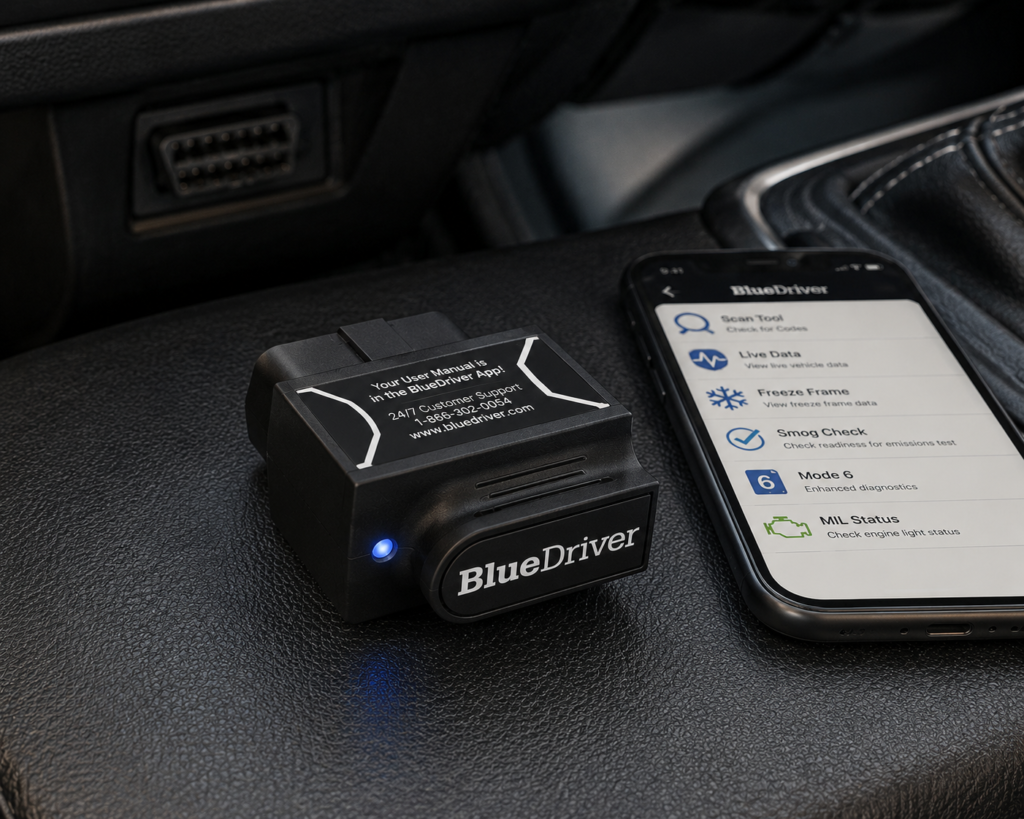
The Bluetooth adapter works with the BlueDriver app on iOS and Android and combines standard OBD2 functions with enhanced diagnostics on supported vehicles. BlueDriver lists capabilities including Check Engine diagnostics, live data, Mode 6, freeze-frame information, smog readiness and enhanced code access for systems such as ABS, airbags and transmission on supported makes and models.
Its Repair Reports are particularly useful for less experienced owners because the system is designed to connect diagnostic codes with likely causes and reported fixes rather than simply presenting a cryptic code.
There are no required subscription or add-on fees for the core BlueDriver product.
Where It Falls Short
BlueDriver should not be mistaken for a professional bidirectional diagnostic tablet.
Its strength is understanding vehicle faults and giving ordinary owners useful diagnostic context. Buyers who need extensive active testing, coding or large sets of service functions should move to a different class of scanner.
| Specification | Details |
|---|---|
| Connectivity | Bluetooth dongle, pairs with the free BlueDriver app on iOS/Android |
| Vehicle compatibility | 1996 and newer gas, diesel, and hybrid vehicles sold in North America (confirm your exact vehicle via the SCG Finder) |
| Enhanced code reading | ABS, SRS/airbag, transmission, TPMS, 4WD/AWD, hybrid/EV codes on a documented brand list; coverage varies by model/year |
| Repair context | “Confirmed Fix” reports showing real repairs for the same code on the same vehicle |
| Subscription policy | “No subscriptions. No add-ons. Ever.” per BlueDriver’s official page |
| Screen | None; requires a compatible phone with the BlueDriver app |
| Pros | Cons |
|---|---|
| Beginner-friendly phone interface | No standalone screen; requires a compatible phone |
| Enhanced diagnostics on supported vehicles | |
| Repair information | |
| Live data | |
| No required subscription | |
| Compact hardware | |
| Good fit for ordinary vehicle owners |
Best For
Drivers who want to understand vehicle problems without buying a complicated professional scan tool.
SCG Verdict
BlueDriver is the easiest recommendation here for an owner who values understandable diagnostics more than maximum technical capability. Our full BlueDriver review covers the single-adapter, single-app simplicity this pick is chosen for.
4. OBDLink MX+: Best Bluetooth OBD2 Adapter for Data and Apps
Why We Picked It
OBDLink MX+ takes a different approach from BlueDriver.
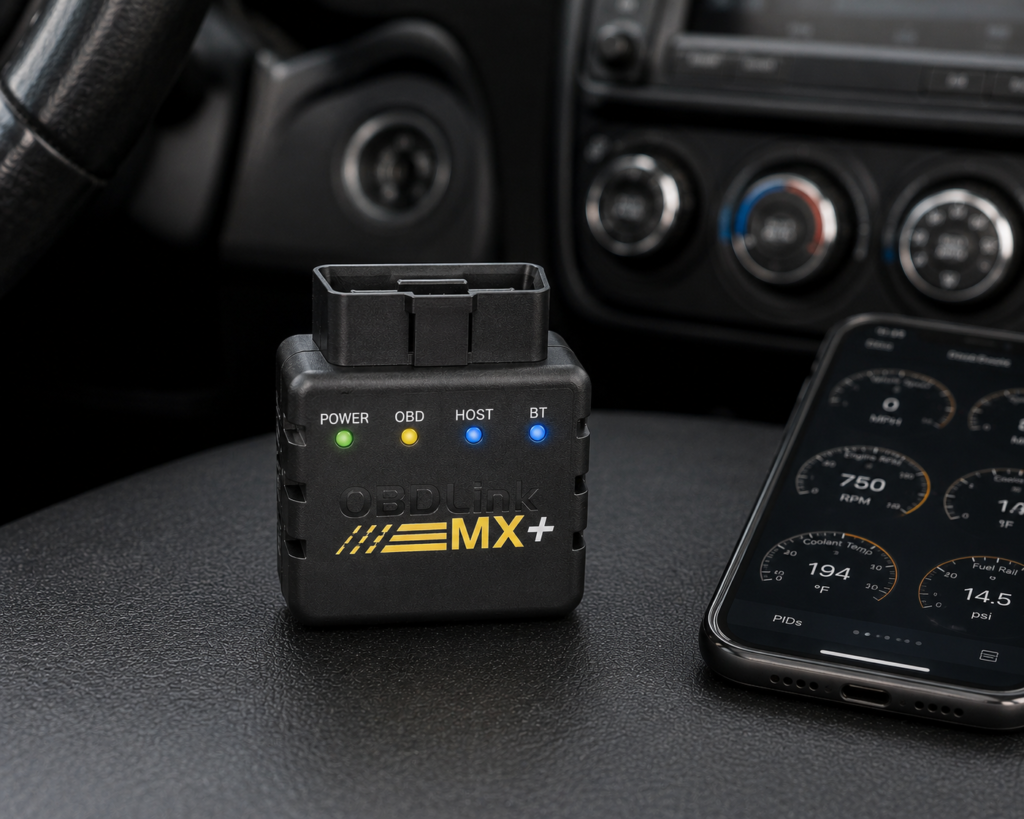
BlueDriver gives you a tightly integrated scanner-and-app experience. OBDLink MX+ is better viewed as a high-quality diagnostic interface that can work with OBDLink’s own software and a range of compatible third-party applications.
OBDLink specifies support for legislated OBD2 protocols as well as additional vehicle-network support relevant to enhanced diagnostics on supported vehicles. It also provides free firmware updates and OEM-specific enhanced data for supported applications and vehicles.
The included software supports live data, graphing, logging and diagnostics, while compatible third-party apps can extend what the adapter can do.
For owners who enjoy looking deeply into vehicle data (or who want to use specialized applications on compatible vehicles), that flexibility is valuable.
OBDLink states that the MX+ has no required subscription fees for its included software and firmware updates.
Where It Falls Short
The flexibility is also its biggest complication.
What the MX+ can ultimately do depends partly on the vehicle and partly on the software paired with it. Advanced functions available through one third-party app should not automatically be interpreted as native MX+ functions across every vehicle.
That makes it a better tool for an owner willing to understand the software ecosystem than for someone who simply wants one button that says “scan everything.”
| Specification | Details |
|---|---|
| Connectivity | Class 2 Bluetooth v3.0, 128-bit encryption |
| Protocols | All legislated OBD2 protocols; advanced Ford & GM networks (MS-CAN, SW-CAN); EOBD, JOBD, international variants |
| Vehicle compatibility | 1996 and newer cars/light trucks sold in the U.S. (confirm your exact vehicle via the SCG Finder) |
| Data sampling | Up to 100 samples/second per OBDLink’s documentation |
| App model | Bundled basic OBDLink app; designed to pair with third-party apps (FORScan, BimmerCode, Torque, Carista, and others) |
| Update/subscription policy | Free firmware/software updates, no subscription, per OBDLink’s official page |
| Warranty | 180-day money-back guarantee; 3-year warranty (OBDLink’s own page) |
| Pros | Cons |
|---|---|
| Strong Bluetooth platform | Full diagnostic depth requires installing and configuring a separate third-party app |
| iOS, Android and Windows support | |
| Broad compatible-app ecosystem | |
| Enhanced OEM data for supported vehicles | |
| Free firmware updates | |
| No required subscription for included software | |
| Compact enough for regular in-vehicle use |
Best For
Enthusiasts who want a flexible Bluetooth interface for diagnostics, data logging and specialized compatible apps.
SCG Verdict
Choose the MX+ over BlueDriver when flexibility and compatible third-party software matter more than simplicity. See our full OBDLink MX+ review for its complete feature set and how it compares against BlueDriver.
5. Autel MaxiCOM MK900-BT: Best Advanced DIY Diagnostic Tablet
Why We Picked It
There is a point where using a phone and Bluetooth adapter becomes less convenient than owning a dedicated diagnostic tablet.
The Autel MaxiCOM MK900-BT sits on that side of the line.
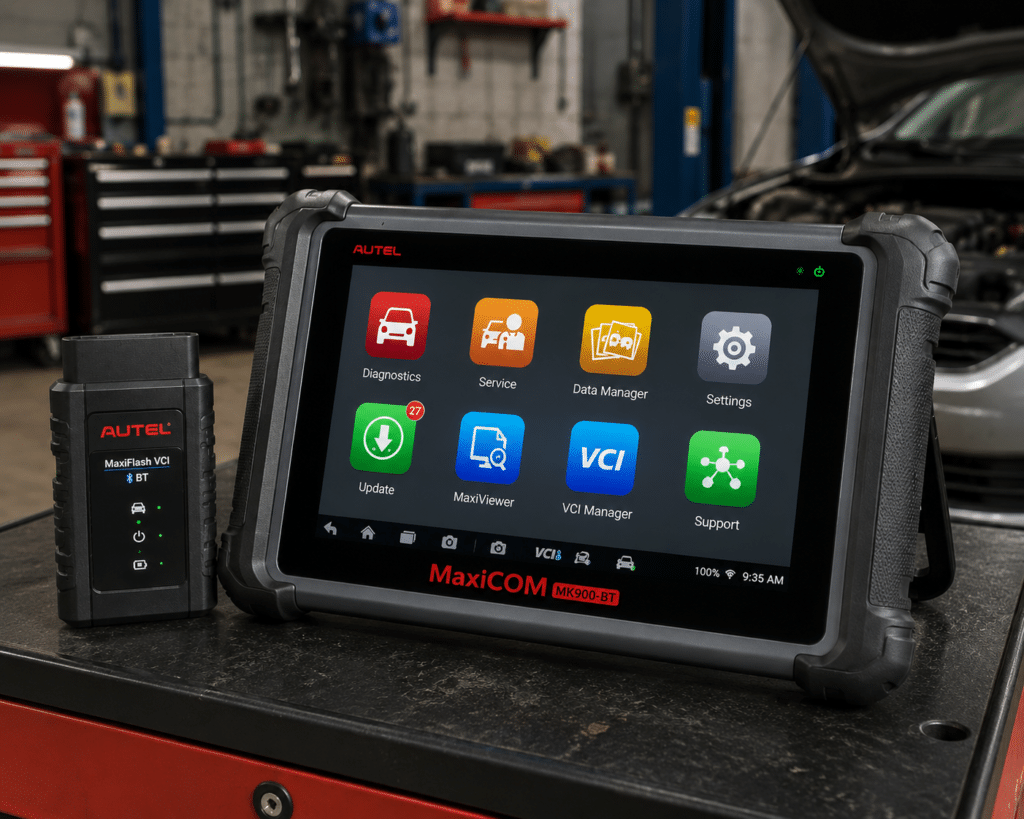
Autel describes it as an all-systems diagnostic and service tablet with an 8-inch touchscreen, wireless vehicle communication and broad U.S., Asian and European vehicle coverage.
It is intended for substantially deeper diagnostic work than a basic code reader or consumer Bluetooth adapter.
That makes the MK900-BT attractive for an experienced home mechanic who works on multiple vehicles, performs regular maintenance and wants a dedicated tool rather than a phone-based interface.
Where It Falls Short
More capability means more complexity and a substantially higher price class.
It is unnecessary for an owner who only occasionally investigates a Check Engine light.
Coverage also remains critical. “All-system” does not mean every advanced function is universally available on every model year and configuration. Buyers should verify the specific vehicle and function they need before purchasing.
Professional-style scan tools also make software-update policy more important than it is on a basic code reader. Long-term ownership cost should therefore be evaluated alongside the initial price class.
| Specification | Details |
|---|---|
| Display | 8-inch LCD capacitive touchscreen, 1280×800 |
| OS / Processor | Android 11, quad-core (1.8GHz) |
| Memory | 4GB RAM, 64GB storage |
| Connectivity | Wi-Fi and Bluetooth via MaxiVCI V150; USB Type-C |
| Battery | 3.7V/7700mAh |
| Protocol support | CAN-FD and DoIP confirmed |
| Bidirectional control | Confirmed (injector, headlamp, fuel pump, A/C clutch, oil pressure, vehicle-level, brake vacuum, valve tests) |
| ECU coding | Not listed on this model’s own page |
| Service functions | 40+ (oil reset, EPB, SAS, battery registration, throttle relearn, ABS bleed) |
| Pros | Cons |
|---|---|
| Dedicated 8-inch tablet | Amazon lists 3,000+ active tests; Autel’s own page does not state a figure |
| Wireless vehicle communication | |
| All-system diagnostics | |
| Broad multi-brand coverage | |
| Extensive service capability | |
| Better workflow for frequent diagnostic work |
Best For
Experienced DIY mechanics who want to move from consumer scanners into a dedicated diagnostic-tablet platform.
SCG Verdict
The MK900-BT is the point in this list where the recommendation shifts from “car-owner scanner” toward a serious diagnostic tool. Our full Autel MaxiCOM MK900-BT review covers the professional-tier features that justify the step up.
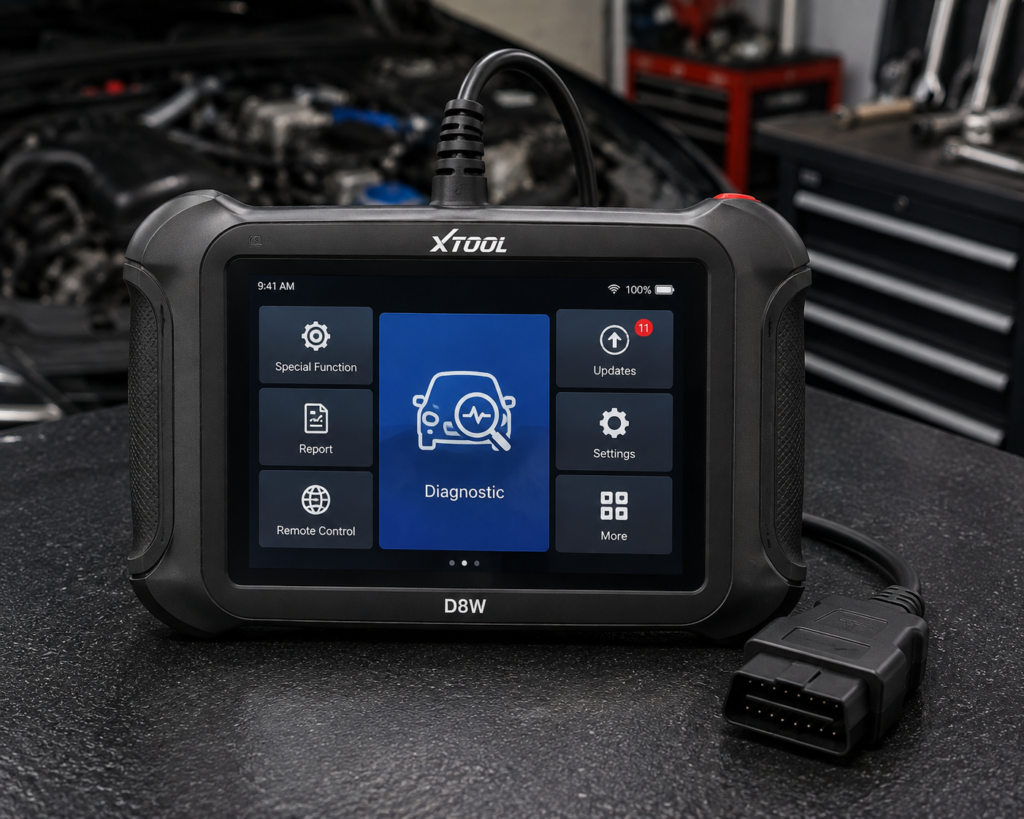
6. XTOOL D8W: Best for Serious DIYers and Technicians
Why We Picked It
The XTOOL D8W moves another step toward professional diagnostic work.
XTOOL specifies OE-level full-system diagnostics, topology module mapping, wireless vehicle communication, a broad set of service functions and bidirectional control with extensive active-test coverage on supported vehicles.
It also supports advanced functions such as ECU coding and PMI for supported applications, while modern protocol support broadens its usefulness on newer vehicles.
For diagnosing complicated networked vehicles, topology mapping is particularly useful because it can display how modules are communicating rather than forcing the technician to inspect each system as an isolated list.
XTOOL currently lists a multi-year included update period for the D8W. Buyers should verify the current update policy at the time of purchase.
Where It Falls Short
The D8W is not a beginner’s scanner.
A first-time owner trying to diagnose one Check Engine light would be paying for a large amount of capability that may never be used.
Some advanced functions are also manufacturer-, model-, module- and region-dependent.
| Specification | Details |
|---|---|
| Display | 8″ touchscreen, 1024×768 |
| Operating System | Android 10 |
| Processor | Quad-core 1.5GHz |
| RAM / Storage | 4GB / 64GB per XTOOL’s primary technical page (2GB reported on a separate XTOOL storefront) |
| Battery | 5000mAh, 7.2V, USB-C charging |
| Wireless Range | Up to 66 ft, built-in WiFi |
| Protocols | CAN FD, DoIP, FCA V2.0 |
| Bidirectional Control | Confirmed (XTOOL official page); 4,000+ active tests per XTOOL |
| ECU Coding | Confirmed (XTOOL official page, offline coding) |
| Module Programming (PMI) | Confirmed (XTOOL official page) for Ford, Lincoln, Mazda |
| Topology Mapping | Confirmed (XTOOL official page) |
| Update Policy | 3 years free updates, WiFi online upgrade, 22 languages |
| Pros | Cons |
|---|---|
| Full-system diagnostics | PMI module programming is brand-specific: confirmed only for Ford, Lincoln, and Mazda |
| Extensive bidirectional testing | |
| Topology mapping | |
| Broad service-function coverage | |
| ECU coding on supported applications | TPMS: diagnostics and reset; sensor programming not listed |
| Wireless vehicle communication | |
| Modern vehicle-protocol support | |
| Multi-year included update period listed by the manufacturer |
Best For
Advanced DIY mechanics, mobile technicians and smaller repair operations that need significantly more than consumer diagnostics.
SCG Verdict
The D8W offers one of the strongest capability packages here before moving into substantially more expensive professional platforms. For the complete capability breakdown before that jump, see our full XTOOL D8W review.
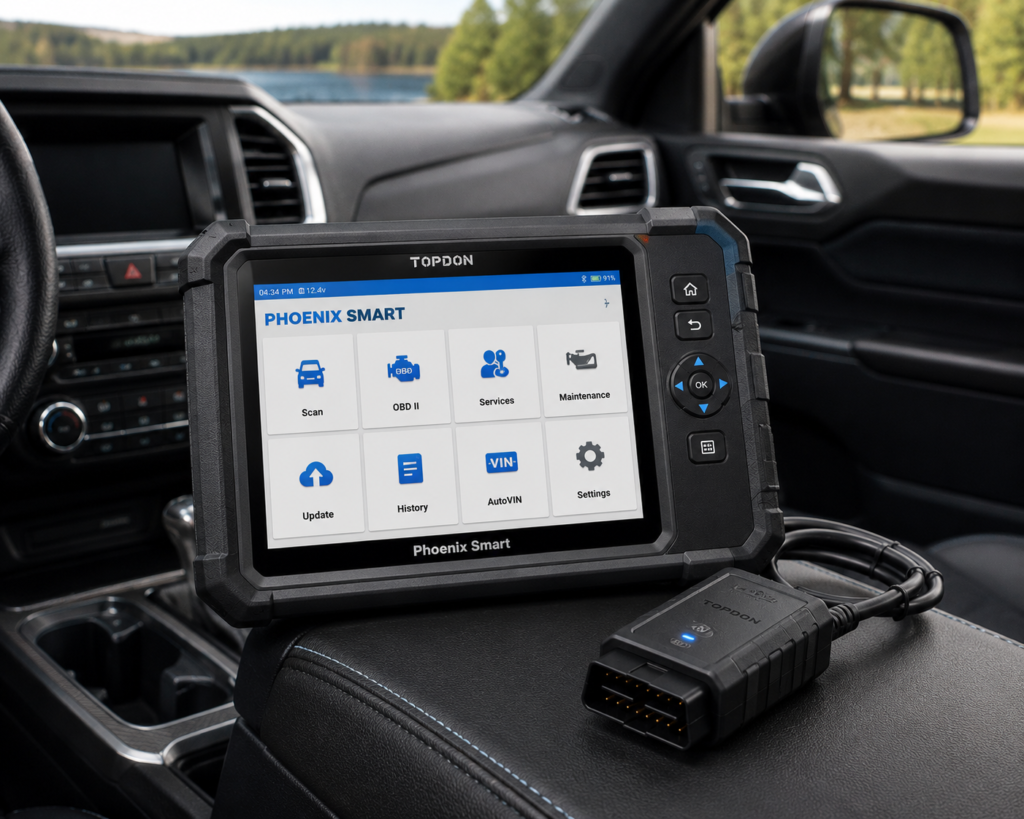
7. TOPDON Phoenix Smart: Best Professional Diagnostic Scanner
Why We Picked It
The Phoenix Smart belongs in a different category from the scanners at the beginning of this guide.
TOPDON positions it as a professional diagnostic platform with full-system diagnostics, topology mapping, advanced coding and supported programming capabilities for selected vehicle brands and applications.
It also supports additional professional workflows such as guided procedures and security-gateway access on supported vehicles, and it integrates with parts of TOPDON’s broader professional diagnostic ecosystem.
Those capabilities address problems that ordinary car owners rarely encounter but that professional technicians face regularly.
The important point is not that the Phoenix Smart is “better” than every cheaper scanner.
It is that it solves a different problem.
Buying one to diagnose an occasional Check Engine light would be wasteful. Buying a basic consumer scanner for a repair business that genuinely needs coding, topology and supported programming capability creates the opposite problem.
Where It Falls Short
Cost class is the obvious disadvantage, but complexity is equally important.
Professional platforms require more knowledge, more careful vehicle-coverage verification and more attention to software and update policies.
Programming and coding capabilities are also not universal simply because the platform supports them. Manufacturer, vehicle, module, software and regional restrictions still apply.
| Specification | Details |
|---|---|
| Screen | 10.1-inch HD touchscreen |
| Operating System | Android 10.0 |
| Memory / Storage | 4GB RAM, 128GB storage |
| Battery | 12,600mAh |
| Vehicle Connection | Phoenix MDCI Pro VCI dongle |
| Protocols | J2534, DoIP, CAN-FD confirmed |
| Vehicle Coverage | 200+ brands for diagnostics; 13+ brands for cloud-based programming |
| Service Functions | 41 confirmed |
| ECU Coding / Programming | Confirmed online coding (Audi, BMW, Porsche, others) and cloud-based programming |
| ADAS Calibration | Supported, requires separate Phoenix ADAS Mobile Package |
| Update Policy | 2 years free, then a paid annual renewal is required (confirmed by TOPDON) |
| Pros | Cons |
|---|---|
| Professional full-system diagnostics | ADAS calibration requires a separate paid package |
| Topology mapping | |
| Advanced coding capability | |
| Supported programming functions for selected applications | |
| Guided procedures on supported vehicles | |
| Security-gateway access on supported applications | |
| Professional ecosystem integration | |
| Built for frequent professional use |
Best For
Repair shops and professional technicians who need capabilities beyond normal diagnostic and service work.
SCG Verdict
Phoenix Smart is the professional choice in this group, but it should not be purchased simply because it has the longest feature list. See our full TOPDON Phoenix Smart review for exactly which features justify its professional price point.
If you want confirmed all-systems bidirectional diagnostics without paying for ECU coding you may not need, the Autel MK808S is also worth comparing against the picks above.
Comparison: Which OBD2 Scanner Should You Buy?
| Scanner | Best For | Format | Diagnostic Depth | Bidirectional Control | Ownership Model |
|---|---|---|---|---|---|
| Innova 5610 | Most serious DIY owners | Handheld | All-system diagnostics on supported vehicles | Yes, supported vehicles | No required subscription/update fees |
| TOPDON TopScan | Maximum advanced capability at a lower entry level | Phone + Bluetooth | Full-system | Yes, supported vehicles | Included update period; continued software/update costs depend on version and current policy |
| BlueDriver Pro | Beginners and everyday owners | Phone + Bluetooth | Standard OBD2 plus enhanced diagnostics on supported vehicles | Not its primary role | No required subscription for core product |
| OBDLink MX+ | Data, apps and enthusiasts | Phone/tablet/PC + Bluetooth | Standard and enhanced diagnostics depending on vehicle/app | App- and vehicle-dependent | Free included software/firmware updates; no required subscription for included software |
| Autel MK900-BT | Advanced DIY | Dedicated tablet | All-system | Vehicle-dependent | Verify current update policy before purchase |
| XTOOL D8W | Serious DIY / technicians | Dedicated tablet | Full-system | Yes, supported vehicles | Multi-year included update period currently listed; verify current policy before purchase |
| TOPDON Phoenix Smart | Professional shops | Professional tablet | Full-system professional platform | Coding/programming functions on supported applications | Verify current update policy and long-term software cost before purchase |
How to Choose the Right OBD2 Scanner
1. Start With the Problem You Need to Solve
If your goal is simply to understand a Check Engine light, you may only need generic OBD2 diagnostics.
If you need ABS, airbag or transmission diagnostics, verify that the scanner supports those systems on your vehicle.
If you want to activate a cooling fan, fuel pump, injector, window or another component for troubleshooting, you need appropriate bidirectional capability.
If you need service procedures, coding or programming, you are shopping in an entirely different class of diagnostic tool.
Do not pay for the longest feature list.
Pay for the functions you will actually use.
2. Check Your Exact Vehicle Before Buying
This is one of the most important rules in automotive diagnostics.
“Supports Ford,” “supports Toyota,” or “works with OBD2 vehicles” does not mean every advanced function works on every vehicle from that manufacturer.
Generic OBD2 engine diagnostics are standardized much more broadly than manufacturer-specific diagnostics, active tests, resets, coding and programming.
Use the manufacturer’s coverage checker whenever possible.
3. Decide Whether You Want a Phone or a Dedicated Scanner
Bluetooth adapters are small, convenient and often excellent value.
They also make your phone part of the diagnostic system.
A dedicated handheld scanner or tablet costs more and takes up more space, but it can be quicker to grab from the toolbox and use without pairing devices, managing phone batteries or switching apps.
Neither design is universally better.
The right choice depends on how you work.
4. Understand the Difference Between Reading Codes and Bidirectional Testing
Reading a code is passive.
Bidirectional control allows the scanner to send commands to supported vehicle components.
That can help a technician determine whether a component responds when commanded and can dramatically improve troubleshooting.
But “bidirectional” should never be treated as a universal promise.
The exact active tests available depend on the scanner and the specific vehicle.
5. Look Beyond the Initial Purchase Price
Price classes are useful when comparing scanners, but the cheapest initial purchase is not always the lowest-cost ownership choice.
Before buying, consider:
- The scanner’s general price class
- Software renewal policy
- Required app purchases
- Paid manufacturer packages where applicable
- Accessories
- How long you plan to keep the scanner
SCG does not publish a fixed current Amazon price for individual scanners because retailer prices can change. Price ranges and budget categories may still be used when they materially help buyers compare products.
OBD2 Scanner vs. Code Reader: What’s the Difference?
The terminology is messy because manufacturers and retailers use “scanner,” “scan tool” and “code reader” inconsistently.
For practical buying purposes, think of the market as a ladder.
At the bottom are basic OBD2 code readers. They primarily read and clear standardized emissions-related powertrain codes and display basic diagnostic information.
Above them are enhanced scanners that can access additional manufacturer-specific systems such as ABS, SRS and transmission modules on supported vehicles.
Then come full-system and bidirectional scanners that can communicate with many electronic modules and command supported components.
At the top are professional diagnostic platforms with advanced service procedures, coding, network topology, security-gateway access and, on certain platforms and vehicles, programming functions.
The right question is therefore not:
“Is this an OBD2 scanner?”
It is:
“What can this scanner actually do on my exact vehicle?”
Our Final Recommendations
For most serious DIY owners, Innova 5610 is our best overall choice because it combines useful diagnostic depth, bidirectional capability, standalone operation and unusually simple long-term ownership without required subscription or update fees.
For buyers who want maximum advanced capability from a small phone-based tool, TOPDON TopScan is the stronger affordable advanced option, but its long-term software/update model needs to be included in the decision.
For beginners, BlueDriver Pro provides a simpler path from a warning light to useful diagnostic information.
For enthusiasts who value data and compatible third-party software flexibility, OBDLink MX+ is the better Bluetooth platform.
If you have outgrown consumer scanners, Autel MK900-BT is a logical move into a dedicated advanced diagnostic tablet.
For more demanding advanced DIY or technician work, XTOOL D8W adds topology, extensive active testing and deeper service capabilities.
And for professional repair work where coding, topology and supported programming functions matter, TOPDON Phoenix Smart belongs in the conversation.
The best OBD2 scanner is not the one with the most features.
It is the least expensive class of tool that reliably performs the diagnostic functions you actually need on the vehicles you actually work on.
Quick Picks
Best Overall: Innova 5610
A strong balance of advanced diagnostics, bidirectional testing, standalone operation and no required subscription fees for a serious DIY owner.
Best Affordable Advanced Scanner: TOPDON TopScan
Remarkably deep diagnostics and bidirectional capability from a compact smartphone-based scanner, although its long-term software/update model needs to be considered.
Best for Beginners: BlueDriver Pro
One of the easiest ways for a typical car owner to move beyond a basic Check Engine code reader without buying a diagnostic tablet.
Best Bluetooth Adapter for Data and Apps: OBDLink MX+
A fast, flexible adapter with strong app support, free firmware updates and useful enhanced diagnostics for supported vehicles.
Best Advanced DIY Tablet: Autel MaxiCOM MK900-BT
A dedicated wireless tablet for owners who need substantially more diagnostic depth and service capability than a phone-based scanner provides.
Best for Serious DIYers and Technicians: XTOOL D8W
Full-system diagnostics, extensive active tests, topology mapping and advanced service capabilities make it a major step toward professional equipment.
Best Professional Choice: TOPDON Phoenix Smart
A substantially more advanced platform aimed at professional diagnosis, coding and supported programming functions rather than ordinary Check Engine troubleshooting.
Frequently Asked Questions
What is the best OBD2 scanner in 2026?
For the broadest range of serious DIY users in this comparison, our current choice is the Innova 5610 because it combines all-system diagnostics, bidirectional testing on supported vehicles, standalone operation and no required subscription or update fees. Buyers with simpler or more advanced needs should choose a different class of scanner.
Do OBD2 scanners work on every car after 1996?
Standard OBD2 emissions-related diagnostics are broadly supported on U.S.-market light-duty vehicles from the OBD2 era, but advanced manufacturer-specific functions are not universal. Always verify the exact year, make, model and desired function before purchasing.
Is a Bluetooth OBD2 scanner as good as a handheld scanner?
It can be. The physical connection type does not determine diagnostic capability. Some Bluetooth tools provide advanced full-system diagnostics and bidirectional controls, while some handheld scanners only read basic codes. Compare actual functions and vehicle coverage.
Do I need a bidirectional scanner?
Not if you only want to read and clear codes.
Bidirectional capability becomes valuable when you want to command supported components during troubleshooting: for example, activating a fan, pump or another actuator to determine whether it responds correctly.
Is it worth buying a professional OBD2 scanner for home use?
Usually not for basic maintenance and occasional fault diagnosis.
A professional scanner becomes worthwhile when you routinely work on multiple vehicles or genuinely need advanced functions that cheaper tools cannot provide.
Can an OBD2 scanner program an ECU?
Some professional diagnostic platforms support certain programming functions, but an advanced scanner should not automatically be assumed to provide universal ECU programming. Programming capability varies substantially by scanner, manufacturer, vehicle, module and market.
Should I buy a scanner with free updates?
Free updates can materially reduce long-term ownership cost, but they should not outweigh diagnostic capability and vehicle coverage. A scanner with free updates is poor value if it cannot perform the functions you need.
What should I check before buying any OBD2 scanner?
Confirm your exact vehicle, the systems you need to access, the specific functions you need, whether those functions are supported on that vehicle, the update or subscription policy, and whether you prefer a phone-based or standalone device.
Bottom Line
There is no universal OBD2 scanner that is best for every buyer.
For basic diagnostics, keep the tool simple.
For serious DIY work, prioritize vehicle-specific coverage, full-system access and the active tests you genuinely need.
For professional work, evaluate the scanner as a long-term diagnostic platform rather than a one-time hardware purchase.
And before buying any advanced scan tool, verify compatibility for your exact vehicle.
That single step can prevent one of the most expensive scanner-buying mistakes: paying for a feature that exists on the product page but not on your car.