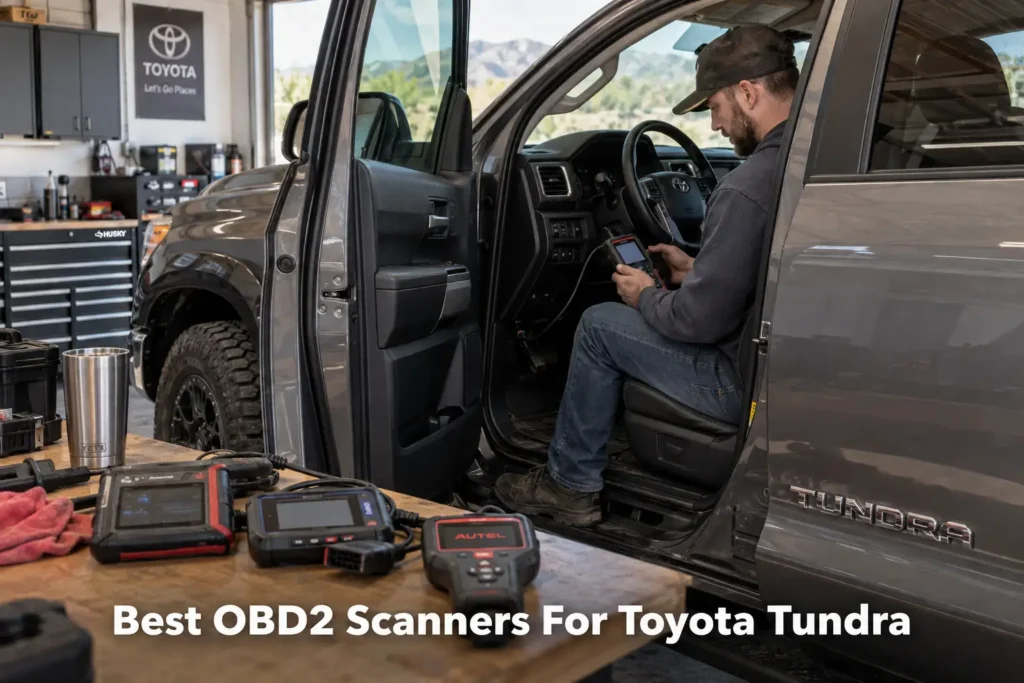
9 Best OBD2 Scanners for Toyota Tundra in 2026
A Toyota Tundra can be easy to scan and surprisingly difficult to diagnose well.
Almost any compliant OBD2 reader can retrieve basic engine and emissions codes from a modern Tundra. That does not mean it can access the systems that often matter when a truck develops a real problem: ABS, SRS/airbags, transmission, TPMS, body electronics, four-wheel-drive-related modules, or the dozens of control units used on newer trucks. It also does not mean the scanner can perform active tests, maintenance procedures, Toyota-specific customizations, or service functions.
That difference is the reason this guide does not rank scanners by the length of their Amazon feature lists.
We checked manufacturer documentation and vehicle-coverage pages, compared those claims with the Amazon listings, and read NHTSA’s recall records for the truck. We then compared the tools by the job a Tundra owner is actually trying to do.
The result is nine scanners, because these nine give meaningfully different buying options.
Our Top Picks for Toyota Tundra
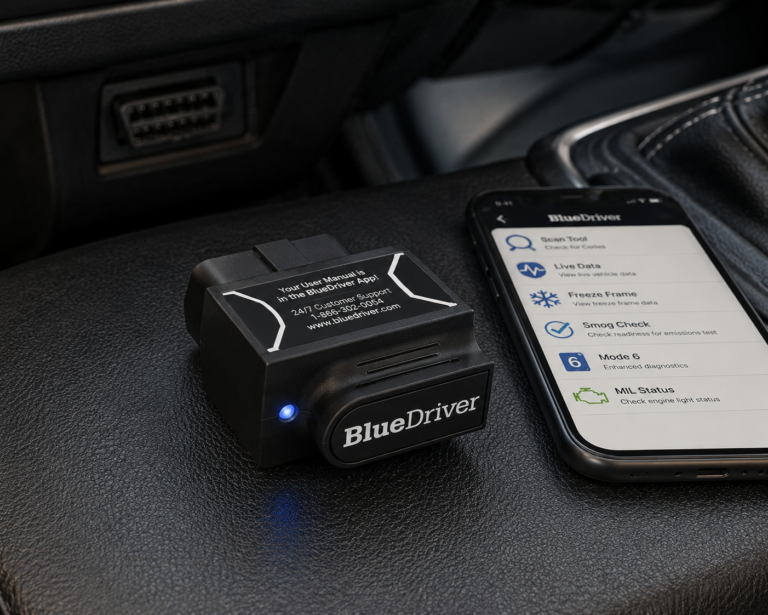
BlueDriver
- Simple Bluetooth setup
- No subscription for core BlueDriver functionality
- Compact enough to keep in the truck
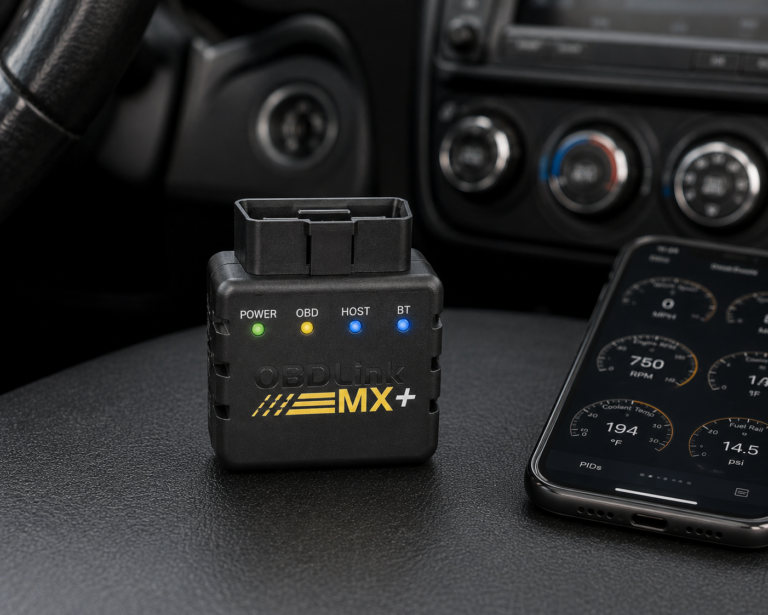
OBDLink MX+
- Enhanced Toyota/Lexus/Scion OEM support
- Broad third-party app support
- Compact and easy to keep in the vehicle
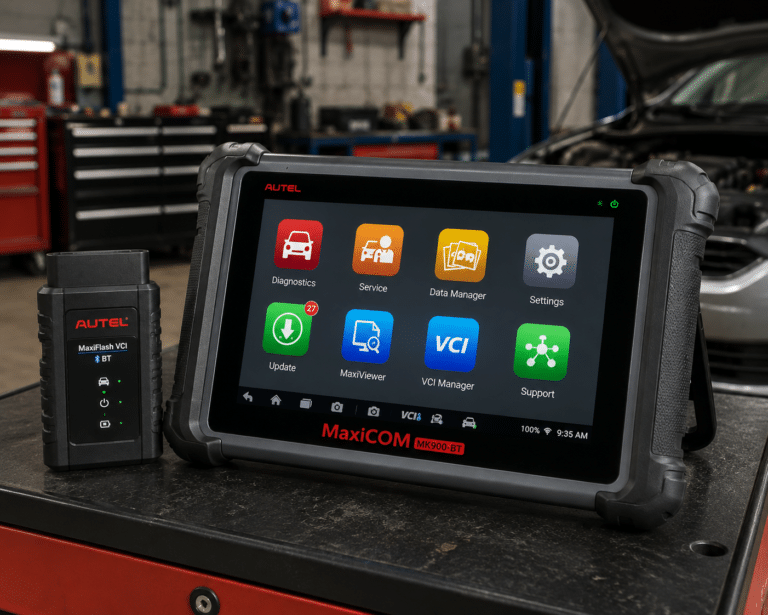
Autel MaxiCOM MK900-BT
- Full-system diagnostics
- Bidirectional active tests
- Dedicated 8-inch tablet
Affiliate Disclosure: As an Amazon Associate I earn from qualifying purchases. Scan Choice Guide is a participant in the Amazon Services LLC Associates Program, an affiliate advertising program designed to provide a means for sites to earn advertising fees by advertising and linking to Amazon.com.
How We Chose the Best Toyota Tundra Scan Tools
We started with the buyer, not the product.
The primary search intent behind “best OBD2 scanner for Toyota Tundra” is commercial investigation: a truck owner wants to know which scanner to buy, what it will actually do on a Tundra, how much capability is necessary, and whether spending more money produces a meaningful benefit.
That creates several distinct buyer needs: basic check-engine diagnostics; Toyota-specific enhanced diagnostics; ABS and SRS access; transmission and live-data troubleshooting; TPMS and maintenance functions; customization; bidirectional active testing; serious DIY repair; professional multi-brand diagnostics.
We therefore compared products across those needs instead of forcing one definition of “best” on every buyer.
Our evidence process also separates four different levels of claims.
Generic OBD2 support means standardized emissions-related diagnostics. It is useful, but it is the lowest bar.
Enhanced Toyota diagnostics can expose manufacturer-specific modules, codes, and data beyond the generic engine computer.
Bidirectional control means a scanner can command supported components or systems for active testing. The presence of a “bidirectional” label does not prove that every active test works on every Tundra.
Coding, customization, and programming are not interchangeable terms. Changing a convenience setting, registering a sensor, performing an adaptation, coding a module, and programming ECU firmware are different operations.
That distinction matters because scanner marketing frequently compresses all of them into a few attractive words.
What a 2022 and Newer Tundra Asks of a Scan Tool
The third-generation Tundra is a good example of why “OBD2 compatible” tells you very little. The U.S. safety regulator’s recall database (NHTSA) lists thirteen recall campaigns for the 2022 model year. Most are mechanical: an axle shaft, a fuel line, labels, a tonneau cover. The ones that matter to a scan-tool buyer are the electronic ones, because each sits in a different control unit from the engine computer.
| Recall | Reported | System | What NHTSA records |
|---|---|---|---|
| 22V285, 22V501 | Apr and Jul 2022 | Panoramic View Monitor (camera) software | “A rearview camera that does not display an image reduces the driver’s view of what is behind the vehicle.” |
| 22V661 | Sep 2022 | Electronic parking brake | “An electronic parking brake that cannot be engaged while in “park,” may result in a vehicle rollaway.” |
| 23V111 | Feb 2023 | Instrument cluster | “A blank display will not show critical information such as the speedometer or warning lights.” |
| 24V125 | Feb 2024 | Automatic transmission | “Unexpected vehicle movement can increase the risk of a crash.” |
| 24V381, 25V767 | May 2024, Nov 2025 | V35A engine, internal parts | “A loss of drive power increases the risk of a crash.” |
| 25V657 | Oct 2025 | Back-over prevention software | “A rearview image that does not display reduces the driver’s view behind the vehicle.” |
Source: NHTSA recalls database, Toyota Tundra 2022 and 2012 model years, retrieved October 2026. Campaigns apply to “certain” vehicles, so a number here does not mean your truck is included.
Three practical points follow from this table.
- A reader that only talks to the engine computer sees none of these systems. Parking brake, instrument cluster, camera and back-over prevention are separate modules. If one of those warnings appears on a 2022 or newer truck, only a full-system tool shows which module stored the fault. Carista’s coverage page, described below, lists parking systems and cameras for this generation.
- Check your VIN at nhtsa.gov/recalls before you buy anything. A blank cluster or a dead camera image may already be an open campaign, and then a scanner is not the first purchase.
- No scan tool repairs an internal engine part. Both V35A campaigns are filed under “hard parts internal/mechanical”. A scanner can read what the truck reports before or after a failure, nothing more.
The 2007 to 2021 trucks have a different record. The campaign that spans the whole generation (21V920, power steering gear assembly) is a hydraulic oil leak, which no scanner diagnoses. The scanner questions on those trucks are the ordinary ones: engine and transmission codes, ABS, airbag and tire-pressure data, which the picks below are compared on.
The 9 Best OBD2 Scanners for the Toyota Tundra, Reviewed
1. Carista EVO: Best Overall for Toyota Tundra

Why We Picked It
Carista EVO takes the top position because it has something many broad multi-brand scanners do not make equally easy to verify: an official Toyota Tundra coverage page that drills down to the vehicle generation.
Carista currently lists advanced diagnostics and customizations for Toyota Tundra 2nd generation (2007–2021) and Toyota Tundra 3rd generation (2022+).
For the third-generation Tundra, Carista currently documents a large set of available functions spanning customization, diagnostics, live data, and service features. Its coverage page lists systems including ABS, airbags/SRS, engine, transmission, TPMS, HVAC, parking systems, blind-spot monitoring, power steering, trailer brake, cameras, radar, and other modules, while explicitly warning that advertised features can depend on the truck’s configuration.
That combination of exact vehicle targeting and transparent limitations is why Carista ranks first for the typical Tundra owner.
Most scanners in this guide are diagnostic tools first. Carista combines diagnostics with Toyota-specific customization. On supported third-generation Tundras, its official coverage information includes configurable convenience and warning functions as well as manufacturer-level diagnostic access. That can be more useful to an owner than paying for a professional tablet whose extra multi-brand capability will never be used.
Carista also documents live data for areas such as engine, transmission, wheel speed, and HVAC on supported vehicles. Wheel-speed data can be especially useful when investigating ABS-related problems because it lets you compare sensor behavior rather than replacing a sensor simply because a code mentions one.
Where It Falls Short
Carista is not our choice for someone who wants the broadest possible professional active-test platform.
Its strength is Toyota-specific ownership, customization, diagnostics, and service access through an app. A technician who routinely needs actuator tests across many brands will be better served by Autel, XTOOL, Foxwell, or LAUNCH.
There is also a subscription cost. The hardware price alone does not represent the full ownership cost if you want continued access to Carista’s advanced Pro features.
| Pros | Cons |
|---|---|
| Official Tundra-specific coverage | Advanced features require a subscription |
| Supports both 2007–2021 and 2022+ Tundra generations | |
| Toyota-specific customization is a major advantage | |
| Enhanced system diagnostics | |
| ABS/SRS and transmission-related diagnostic access on supported trucks | Phone or tablet required |
| Useful live-data capability | |
| Compact Bluetooth hardware | |
| iOS/Android convenience |
Best For
A Tundra owner who wants one compact tool for Toyota-specific diagnostics, customization, live data, and maintenance features without buying a professional tablet.
SCG Verdict
Carista EVO is the first tool to try for a Tundra owner who wants Toyota-specific diagnostics and settings in one app. If extensive actuator testing across many brands is the priority, consider the Autel MaxiCOM MK900-BT instead.
2. Autel MaxiCOM MK900-BT: Best Advanced Overall
Why We Picked It
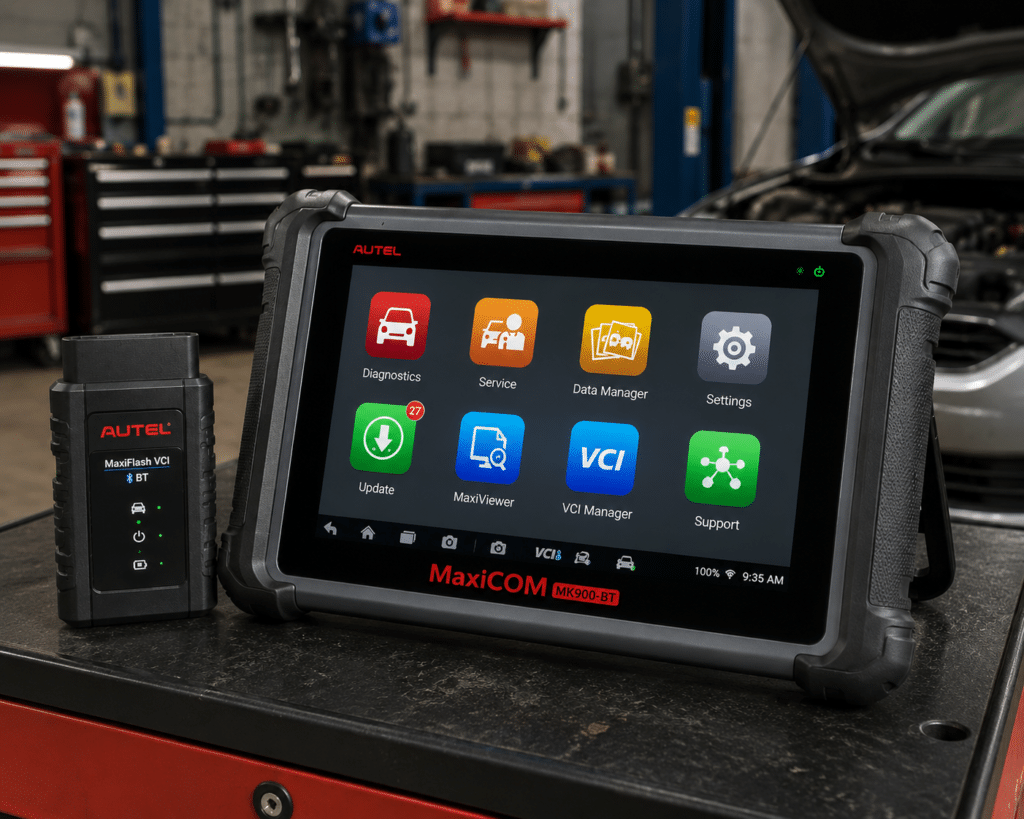
The Autel MaxiCOM MK900-BT is the most complete all-around dedicated scanner near the top of this list.
Autel positions the MK900-BT as an all-system diagnostic and service tablet with a wireless VCI, active tests, service functions, AutoVIN, diagnostic reports, and support for modern vehicle communication protocols including CAN FD and DoIP.
For a Tundra owner, the important point is not simply that the tool has more features. It is that it belongs to a different class of product than Carista, BlueDriver, or OBDLink MX+. The MK900-BT is a self-contained diagnostic platform.
Price and specialization explain why it does not rank #1 for every Tundra owner. If you own one Tundra and mainly want Toyota-specific diagnostics, live data, customization, and routine service access, Carista can solve the core ownership problem for much less money. The Autel becomes the stronger purchase when your needs expand: multiple vehicles, deeper troubleshooting, active tests, a dedicated screen, professional reports, and a workflow that does not depend on a personal phone.
Autel documents Active Test capability on the MK900-BT platform. In practical terms, active testing can help determine whether a component responds when commanded rather than merely observing a trouble code. “3000+ active tests” or similar marketplace language is not a promise that a particular actuator test exists on a Tundra; the vehicle ECU and Autel’s software both have to support it.
Where It Falls Short
The MK900-BT sits in a significantly higher price class than Carista EVO, BlueDriver or OBDLink MX+. Autel lists one free update year and names no ECU coding for this model. Amazon lists 3,000 or more active tests, while Autel’s own page gives no figure, and neither says which of them a Tundra runs.| Specification | Details |
|---|---|
| Display | 8-inch LCD capacitive touchscreen, 1280×800 |
| OS / Processor | Android 11, quad-core (1.8GHz) |
| Memory | 4GB RAM, 64GB storage |
| Connectivity | Wi-Fi and Bluetooth via MaxiVCI V150; USB Type-C |
| Battery | 3.7V/7700mAh |
| Protocol support | CAN-FD and DoIP confirmed |
| Bidirectional control | Confirmed (injector, headlamp, fuel pump, A/C clutch, oil pressure, vehicle-level, brake vacuum, valve tests) |
| ECU coding | Not listed on this model’s own page |
| Service functions | 40+ (oil reset, EPB, SAS, battery registration, throttle relearn, ABS bleed) |
| Pros | Cons |
|---|---|
| Full-system diagnostics | Amazon lists 3,000+ active tests; Autel’s own page does not state a figure |
| Bidirectional active tests | |
| Wireless VCI | |
| Dedicated 8-inch tablet | |
| Broad service-function capability | |
| CAN FD and DoIP support | |
| Strong multi-brand value | |
| Better fit for serious diagnostics than phone-only tools |
Best For
Serious DIY owners, families with multiple vehicles, and professionals who want a capable standalone scanner rather than a Tundra-only solution.
SCG Verdict
The MK900-BT is the pick for a Tundra owner who also works on other vehicles and wants a self-contained tablet with active tests. For check-engine codes and Toyota settings alone, consider Carista EVO instead.
For the full picture beyond check-engine codes and Toyota customization, see our full Autel MaxiCOM MK900-BT review.
3. XTOOL D7W: Best Advanced DIY Tablet
Why We Picked It
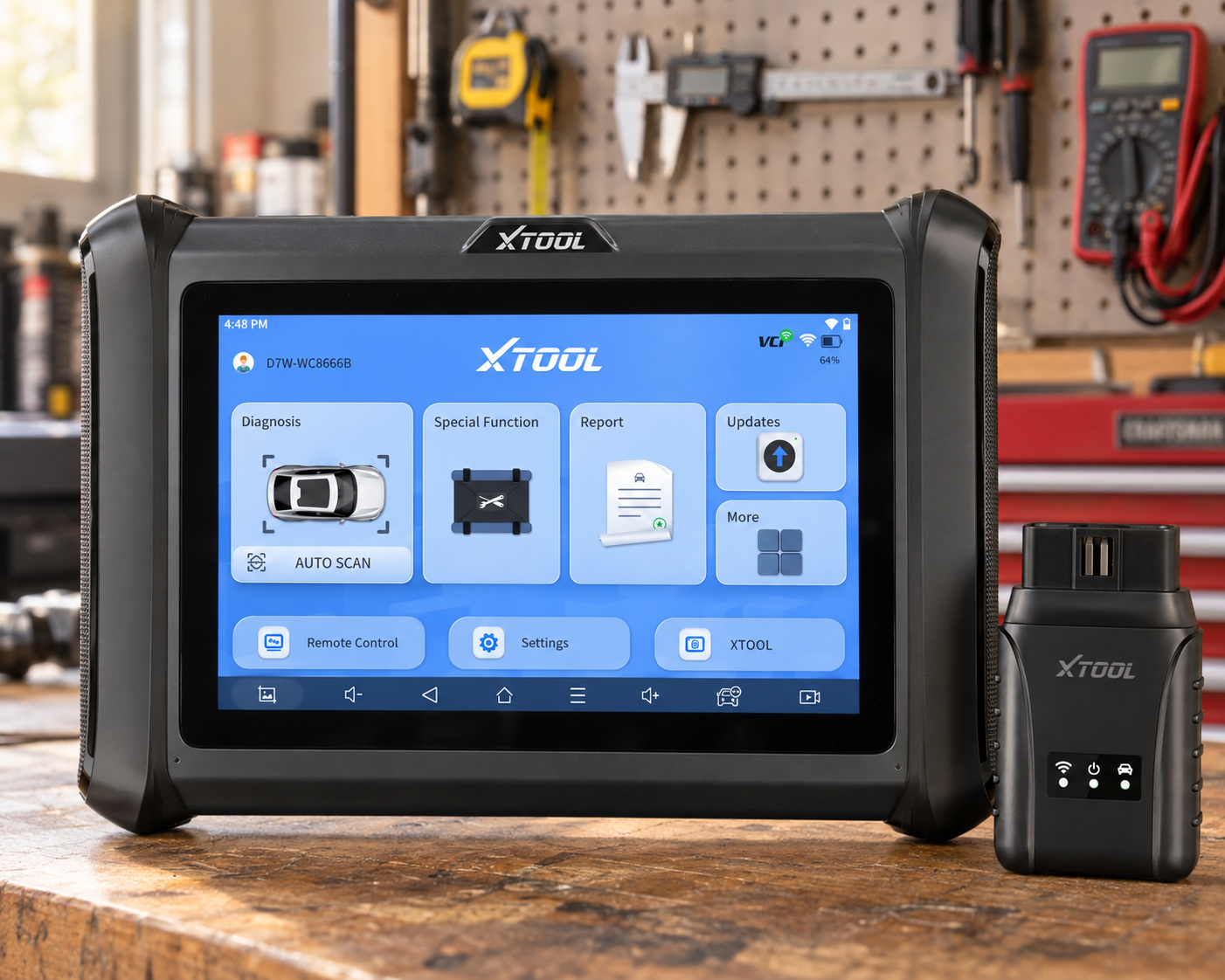
The XTOOL D7W is one of the most interesting choices in this guide because it is a dedicated tablet with a large documented function list.
XTOOL markets the D7W as an OE-level full-system diagnostic tablet with bidirectional controls, service functions, resets, relearns, adaptations, and coding-related capabilities.
A coverage list that names Toyota is a starting point, not proof that a given function works on a given Tundra year.
That does not make the D7W a bad Tundra scanner. It means the feature list describes the platform, not a particular Tundra.
The D7W gives advanced DIY users a dedicated Android tablet, full-system scanning, live data, bidirectional testing, and many service functions without immediately moving into four-figure professional-tool territory. For diagnosing a Tundra beyond generic engine codes, that is a meaningful step up from a basic code reader.
Where It Falls Short
Suppose a product page says “ABS Bleeding.” That statement can be true at the scanner-platform level and still fail to answer the buyer’s real question: will ABS bleeding work on my exact Tundra?
If ABS bleeding is the reason you are buying the tool, look up that procedure for your Tundra year in our Scanner Finder before ordering.
| Pros | Cons |
|---|---|
| Dedicated diagnostic tablet | Advanced functions are vehicle-dependent |
| Full-system diagnostics | |
| Bidirectional controls | |
| Broad service-function set | |
| Strong serious-DIY value | More expensive than phone-based solutions |
| Toyota is on XTOOL’s coverage list | |
| Useful middle ground between dongles and premium professional platforms |
Best For
A serious DIY Tundra owner who wants a standalone tablet and active-test capability at a more approachable price than top professional tools.
SCG Verdict
The D7W is a good fit for a serious DIY Tundra owner who wants a tablet with active tests. If ABS bleeding is the main reason to buy, consider the Autel MaxiCOM MK900-BT instead, because its service list names ABS bleed.
4. Innova 5610: Best Handheld for Serious DIY
Why We Picked It
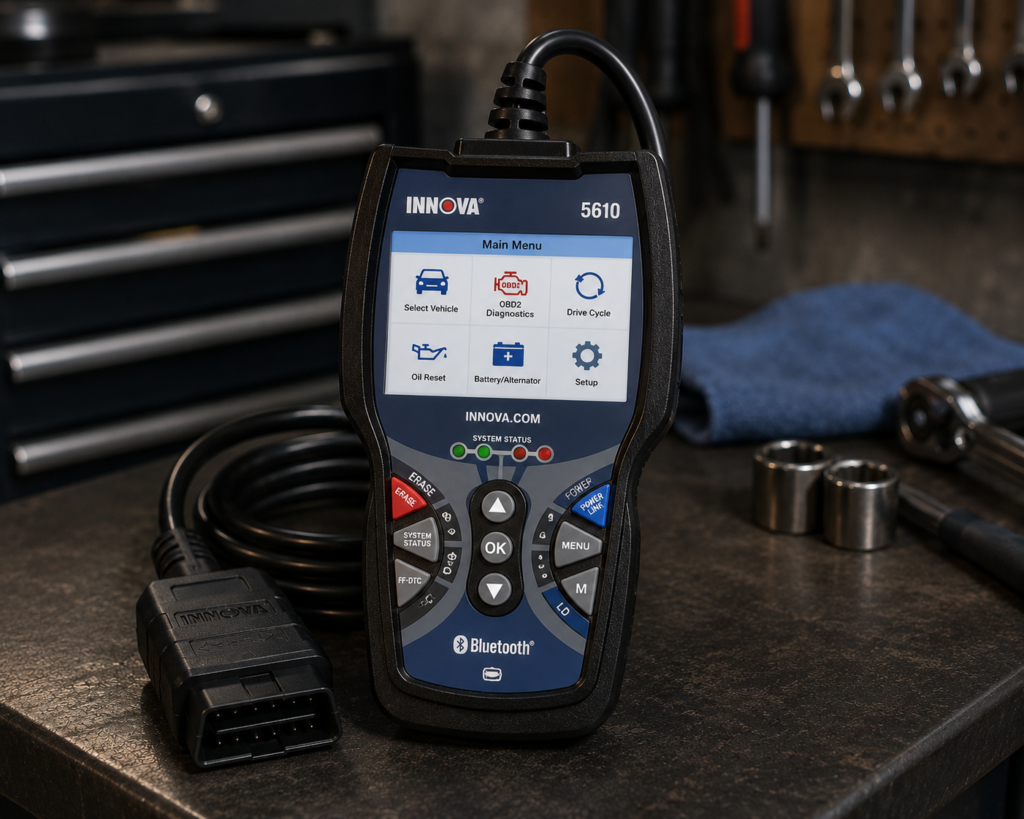
The Innova 5610 is our preferred traditional handheld option.
Innova documents all-system diagnostics, OEM live data, ABS/SRS access, and bidirectional active tests on supported vehicles. Unlike a phone dongle, it provides a dedicated physical interface; unlike a larger workshop tablet, it remains relatively straightforward for a home mechanic.
Two independent sources mention the 5610 on a Tundra. An independent video by Dan the Fix it Man, “2005 Toyota Tundra – How to Test a Battery & Alternator Using a Scan Tool! Innova 5610 OBD2 Scanner!”, shows the 5610 used on a 2005 Tundra for a battery and charging-system test. A Tundra owner on the Tundras.com forum also reported limited success using a 5610 to reprogram TPMS sensors on a 2020 Tundra. Individual reports like these are not manufacturer proof of universal coverage, but they are useful independent evidence when clearly labeled as such.
The 5610 is a good match for someone who has outgrown a basic code reader but does not want a full Android diagnostic tablet. ABS, SRS, transmission, OEM live data, and active tests can materially change how you diagnose a truck. Instead of reading only a generic P-code, you can investigate additional systems and data.
Innova currently markets the 5610 without an ongoing subscription requirement and with updates included. That can make its long-term cost easier to understand than a cheaper app-based scanner whose advanced functions require annual renewal.
Where It Falls Short
Innova itself asks buyers to look up coverage by year, make and model, because the active tests it lists differ by vehicle.
| Specification | Details |
|---|---|
| Form Factor | Handheld unit with dedicated screen |
| App Integration | RepairSolutions2 app (Innova states 4M users) |
| Bidirectional Control | Confirmed; commands ABS pumps, fuel injectors, and other components directly |
| Reset Functions | 20+ confirmed by Innova, including oil, battery, EPB, DPF, TPMS relearn, key coding, injector coding, EV/HEV/PHEV battery health |
| ECU Coding / Reprogramming | Not supported, stated directly by Innova |
| Vehicle Coverage | Most 1996-2023 US/Canada OBD2 vehicles; North America only |
| FCA Vehicles | 2018+ requires Innova’s AutoAuth process for full functionality |
| Update Policy | Free updates, no subscription, confirmed directly by Innova |
| Pros | Cons |
|---|---|
| Traditional handheld design | North America only; not for use outside the US/Canada |
| All-system diagnostics on supported vehicles | |
| ABS and SRS capability | |
| OEM live data | |
| Bidirectional active tests | |
| Tundra-specific independent use documented | |
| No-subscription positioning from Innova | |
| No phone or laptop required |
Best For
A serious DIY owner who wants a physical scanner with enhanced system access and active tests but does not want a large tablet or recurring app subscription.
SCG Verdict
The Innova 5610 suits an owner who wants a handheld with ABS, SRS and active tests and no subscription. If Toyota-specific customization is the goal, consider Carista EVO instead.
See our full Innova 5610 review to judge whether that trade-off works for your Tundra.
5. TOPDON TopScan: Best Budget Bidirectional Choice
Why We Picked It
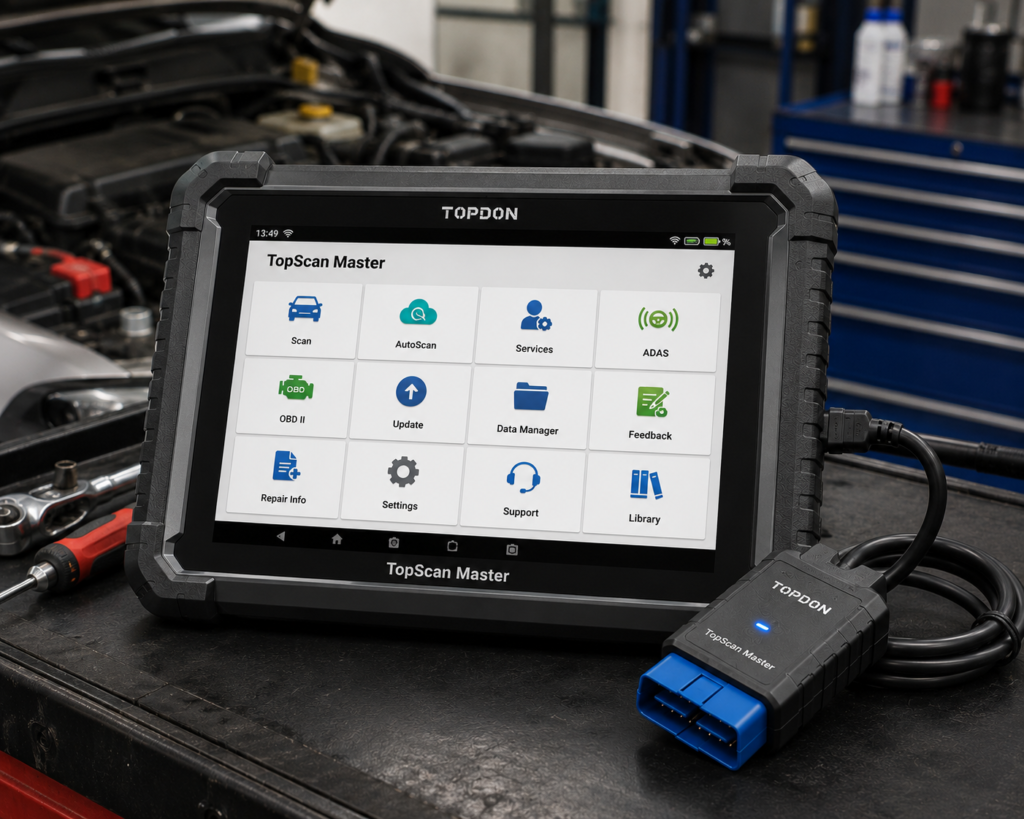
TOPDON TopScan puts an unusually large feature set into a small Bluetooth adapter.
The TopScan platform offers full-system diagnostics, live data, bidirectional control, maintenance functions, and app-based diagnostic information. For a Tundra owner who wants more than basic codes but cannot justify a dedicated tablet, the concept is compelling.
Its low entry price is not the whole story, however.
Where It Falls Short
TOPDON now sells different TopScan editions, and the number of included service functions and renewal pricing can vary by edition. That means two buyers can say “I bought a TopScan” while effectively owning different software packages.
TOPDON sells TopScan as Lite, Pro and Master, and the Amazon listing title names the one you are buying. TopScan Master lists oil reset, electric parking brake, battery registration, steering angle and ABS bleeding among its functions, which covers the common Tundra jobs, and TOPDON charges a yearly renewal to keep the advanced functions current.
| Pros | Cons |
|---|---|
| Low-cost entry into advanced diagnostics | Subscription/edition structure requires careful checking |
| Bluetooth phone-based design | |
| Full-system diagnostics | |
| Bidirectional capability | |
| Service functions | Less transparent ownership cost than a no-subscription handheld |
| Compact and portable | |
| Strong feature-to-price ratio |
Best For
A budget-conscious Tundra owner who wants full-system and bidirectional capability and is comfortable using a phone.
SCG Verdict
TopScan fits a budget-minded Tundra owner who is comfortable with a phone and a yearly renewal. If you prefer one payment and no renewal, consider the Innova 5610 or BlueDriver instead.
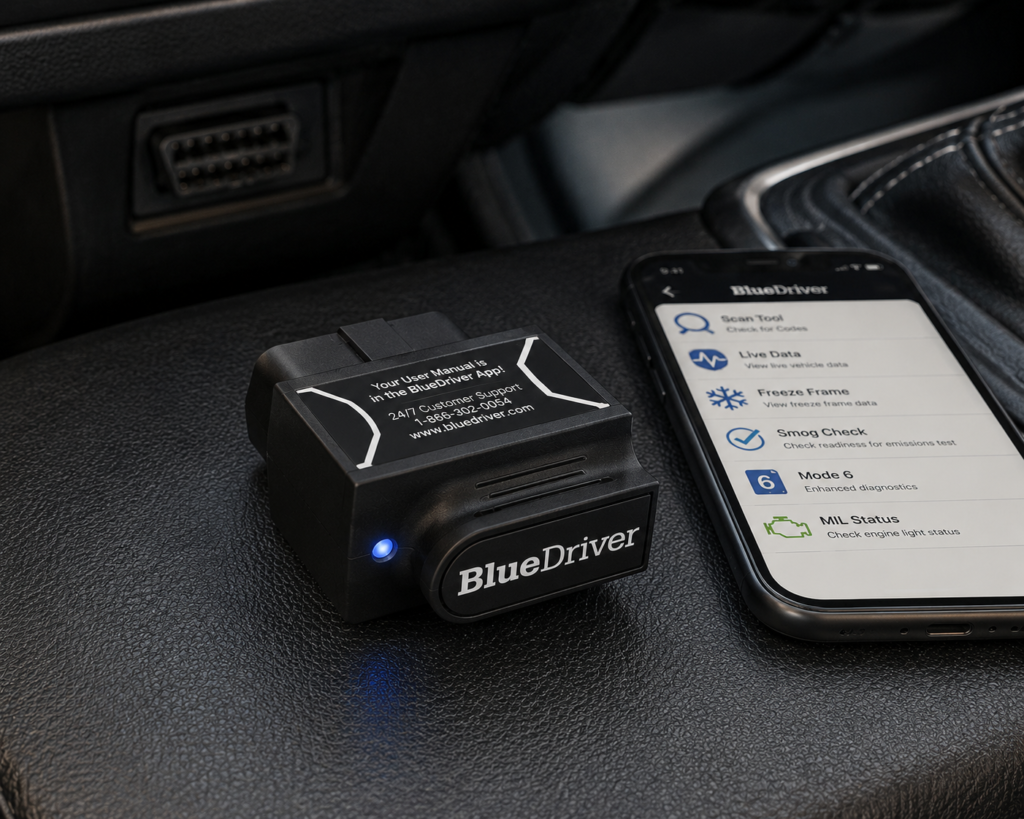
6. BlueDriver: Best No-Subscription Bluetooth Choice
Why We Picked It
BlueDriver is one of the easiest recommendations to understand.
It is a compact Bluetooth scanner designed to work with the BlueDriver app. Its strength is enhanced diagnostics and repair information without turning the purchase into a professional scan-tool investment.
Current Amazon product information identifies enhanced access beyond basic engine codes, including ABS, SRS/airbag, TPMS, and other supported systems, while BlueDriver’s model is built around a phone rather than a dedicated screen.
Many Tundra owners do not need bidirectional controls. They need to answer questions such as: Why is the check-engine light on? Is there an ABS fault? Is the airbag warning related to a stored code? What is the live engine data doing? Can I see more than a generic P-code? What commonly fixes this code? For that buyer, spending significantly more for active tests may not improve the ownership experience enough to justify the cost.
Where It Falls Short
BlueDriver should not be confused with an Autel MK900-BT, XTOOL D7W, or LAUNCH professional platform. Its value is accessible enhanced diagnostics, not broad bidirectional control or ECU programming. That distinction makes it a better purchase for some owners, not a worse scanner.
| Specification | Details |
|---|---|
| Connectivity | Bluetooth dongle, pairs with the free BlueDriver app on iOS/Android |
| Vehicle compatibility | 1996 and newer gas, diesel, and hybrid vehicles sold in North America |
| Enhanced code reading | ABS, SRS/airbag, transmission, TPMS, 4WD/AWD, hybrid/EV codes on a documented brand list; coverage varies by model/year |
| Repair context | “Confirmed Fix” reports showing real repairs for the same code on the same vehicle |
| Subscription policy | “No subscriptions. No add-ons. Ever.” per BlueDriver’s official page |
| Screen | None; requires a compatible phone with the BlueDriver app |
| Pros | Cons |
|---|---|
| Simple Bluetooth setup | No standalone screen; requires a compatible phone |
| No subscription for core BlueDriver functionality | |
| Enhanced diagnostics beyond generic OBD2 on supported vehicles | |
| ABS/SRS-type access where supported | |
| Live data | |
| Repair information | |
| Compact enough to keep in the truck | |
| Much less expensive than a professional tablet |
Best For
Tundra owners who want more diagnostic depth than a cheap code reader without paying for a professional scanner or recurring subscription.
SCG Verdict
BlueDriver fits an owner who wants enhanced codes and repair reports without a subscription. If you need active tests or service procedures, consider the Innova 5610 or the Autel MK900-BT instead.
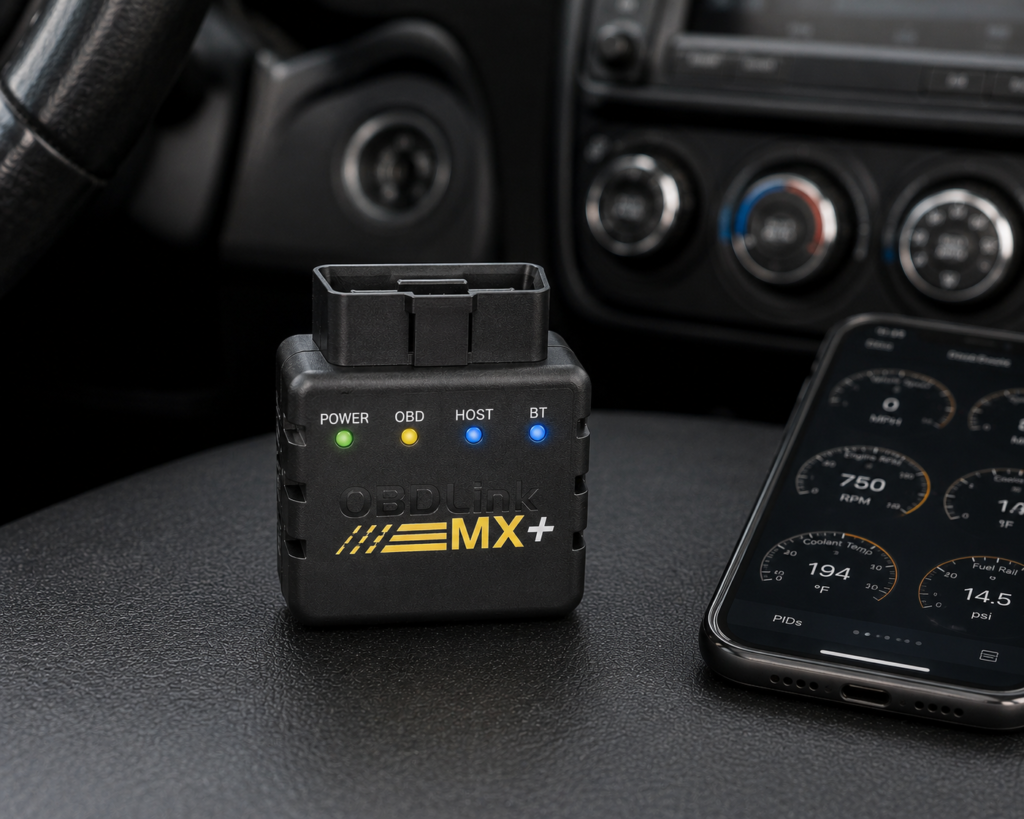
7. OBDLink MX+: Best Compact Enhanced-Diagnostics Adapter
Why We Picked It
OBDLink MX+ is the premium-adapter option in this comparison.
OBDLink’s product information explicitly identifies enhanced OEM support for Toyota/Lexus/Scion, in addition to standard OBD2 compatibility. That is important because generic OBD2 and manufacturer-enhanced diagnostics are not the same thing.
The MX+ can also work with multiple third-party applications, giving technically inclined owners more flexibility than a closed app-and-adapter ecosystem.
BlueDriver is simpler. OBDLink MX+ is more flexible. If you want a polished package that focuses on diagnostics and repair information, BlueDriver is easy to recommend. If you want a high-quality adapter that can be used with different compatible apps and exposes enhanced OEM data, MX+ becomes more attractive.
Where It Falls Short
The MX+ is hardware plus software ecosystem. Its ultimate capabilities depend on the app being used. One app may expose Toyota-specific diagnostics that another does not. Bidirectional or customization functions, where available, are app-dependent. That makes it powerful in knowledgeable hands but less predictable than a dedicated scanner with its own integrated coverage database.
| Specification | Details |
|---|---|
| Connectivity | Class 2 Bluetooth v3.0, 128-bit encryption |
| Protocols | All legislated OBD2 protocols; advanced Ford & GM networks (MS-CAN, SW-CAN); EOBD, JOBD, international variants |
| Vehicle compatibility | 1996 and newer cars/light trucks sold in the U.S. |
| Data sampling | Up to 100 samples/second per OBDLink’s documentation |
| App model | Bundled basic OBDLink app; designed to pair with third-party apps (FORScan, BimmerCode, Torque, Carista, and others) |
| Update/subscription policy | Free firmware/software updates, no subscription, per OBDLink’s official page |
| Warranty | 180-day money-back guarantee; 3-year warranty (OBDLink’s own page) |
| Pros | Cons |
|---|---|
| Enhanced Toyota/Lexus/Scion OEM support | Full diagnostic depth requires installing and configuring a separate third-party app |
| Bluetooth | |
| iOS, Android, and Windows compatibility | |
| Broad third-party app support | |
| Compact and easy to keep in the vehicle | |
| Strong live-data capability | |
| Firmware updates and battery-protection features |
Best For
Technically inclined Tundra owners who want a premium Bluetooth adapter and the flexibility to choose diagnostic apps.
SCG Verdict
The MX+ fits a technically inclined owner who wants to choose the app. If you want one integrated screen and software, consider the Innova 5610 or BlueDriver instead.
Our full OBDLink MX+ review lists which apps and vehicles it works with.
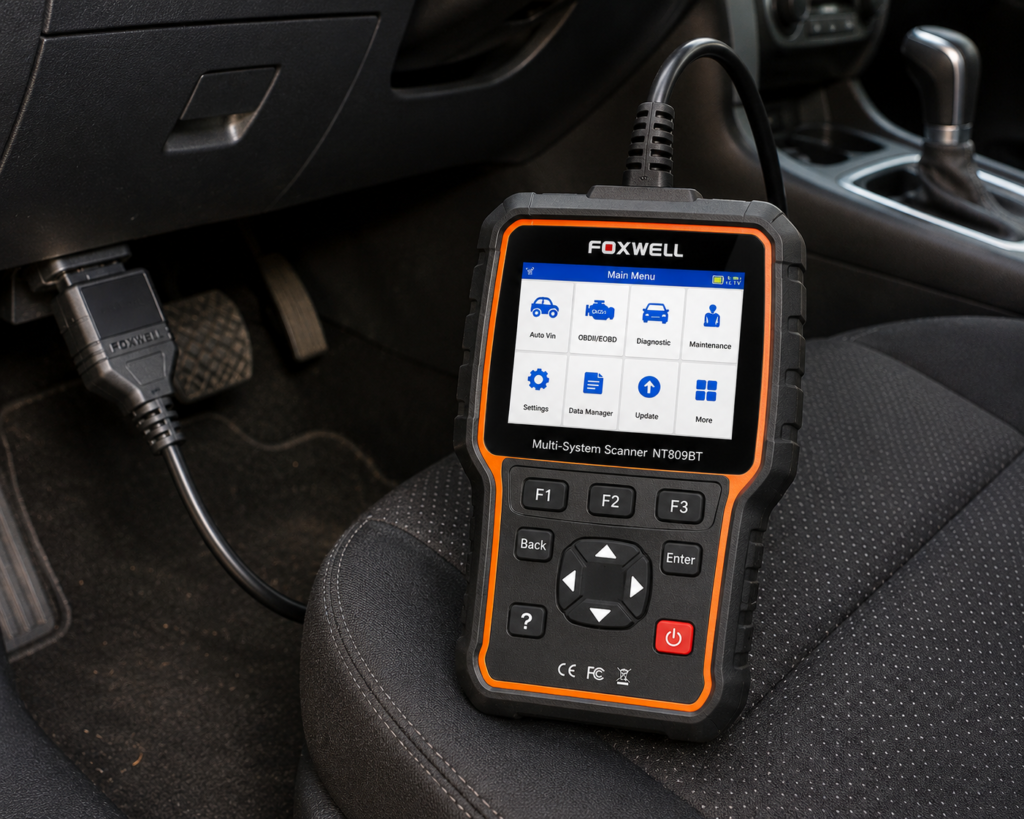
8. FOXWELL NT809BT: Best Wireless Workshop Alternative
Why We Picked It
The FOXWELL NT809BT is a dedicated wireless diagnostic tablet aimed at buyers who need a broader workshop tool.
Foxwell officially describes it as a bidirectional all-system diagnostic platform. The manufacturer documents active tests, full-system scanning, AutoVIN, service functions, wireless VCI operation, diagnostic reports, and a three-year free Wi-Fi update period.
Foxwell also provides an Amazon link for the NT809BT using its own listing, which gives us a direct manufacturer-to-Amazon product identity check.
A dedicated wireless VCI is useful when diagnosis requires moving around the truck while watching data or commanding supported components. The NT809BT also sits closer to professional workflow than phone-based tools. It is designed to scan many systems, display multiple data streams, perform supported active tests, and generate diagnostic reports.
Where It Falls Short
This is not a Toyota-specialized scanner. Its value comes from breadth. If you work on several makes, that breadth is useful. If you own one Tundra and mainly want Toyota-specific diagnostics or customization, Carista may deliver more relevant value for much less money.
Foxwell lists broad active-test and service-function capability for the platform, which is a different statement from a list of what it does on a Tundra.
Foxwell currently states that NT809BT includes three years of free Wi-Fi updates. The manufacturer also says the tool remains usable if the owner does not renew after that period, but software will no longer receive updates.
| Specification | Details |
|---|---|
| Screen | 7-inch LCD touchscreen tablet |
| Operating System | Android 9.0 |
| Storage | 32GB |
| Battery | 4000mAh |
| Vehicle Connection | Bluetooth VCI dongle, up to 65-foot range per Amazon; Wi-Fi and USB 2.0 also available |
| Service Functions | 30+ confirmed by Foxwell (oil reset, ABS bleeding, SAS, EPB, TPMS, injector coding, DPF, and more) |
| Bidirectional Control | Confirmed; vehicle-wide active tests across ABS, window, door, solenoid, valve, wiper, headlamp modules |
| ECU Coding | Not listed for this model |
| Vehicle Brand Coverage | 30+ named brands per Foxwell’s product page; a larger figure appears in separate Foxwell marketing |
| CAN-FD Support | Listed on Amazon; not listed on Foxwell’s own product page |
| Update Policy | 3 years free Wi-Fi updates, confirmed by both Foxwell and Amazon |
| Pros | Cons |
|---|---|
| Wireless VCI | CAN-FD: listed on Amazon; not listed on Foxwell’s own page |
| Full-system diagnostics | |
| Bidirectional active tests | |
| Broad service functions | |
| Dedicated tablet | |
| Three years of free updates according to Foxwell | |
| Continues operating without renewal, though without new updates | |
| Professional-style reports |
Best For
Advanced DIY users and small-shop users who want a wireless multi-brand tablet with a relatively generous included update period.
SCG Verdict
The NT809BT is a wireless workshop tablet for an owner who works on several vehicles. If your needs stop at enhanced diagnostics, live data and Toyota settings, consider Carista EVO instead.
See our full FOXWELL NT809BT review for the complete enhanced-diagnostics and customization feature list.
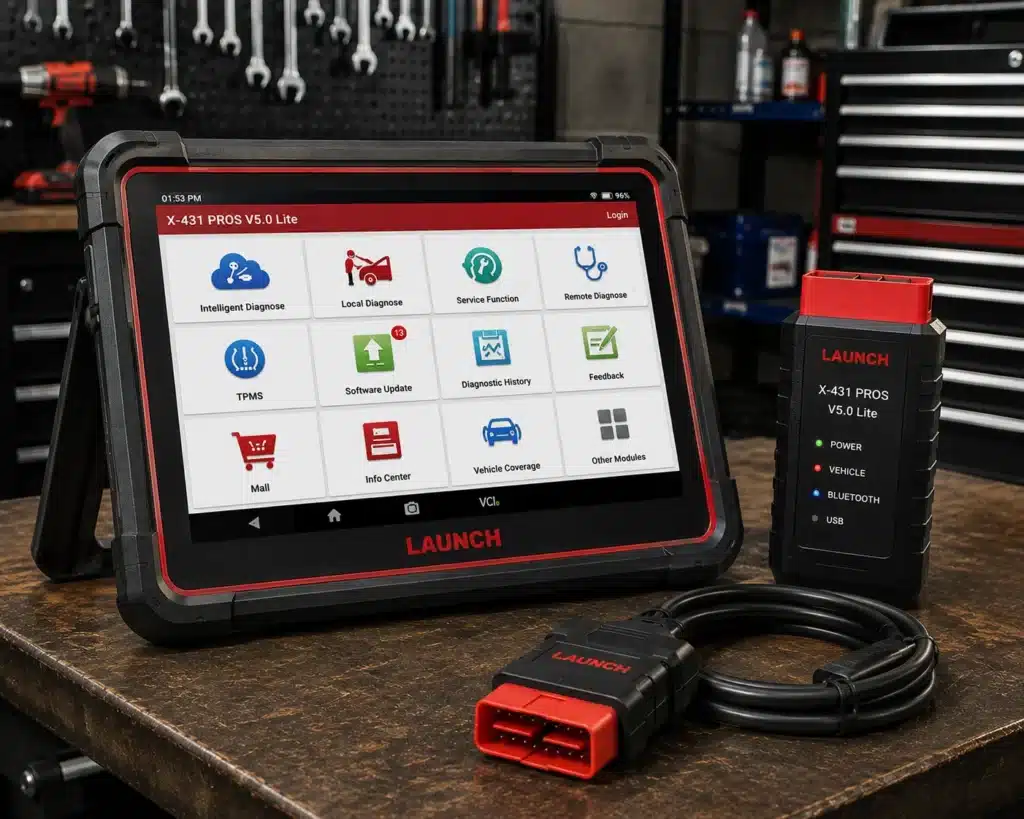
9. LAUNCH X431 PROS V5.0: Best Multi-Brand Professional Alternative
Why We Picked It
The LAUNCH X431 PROS V5.0 closes the ranking because it solves a different problem from the tools at the top.
This is not primarily a “my Tundra has a warning light” purchase. It is a multi-brand diagnostic platform for advanced users and technicians who expect full-system scanning, active tests, service functions, and a professional-style wireless workflow across many vehicles.
Current Amazon-market data identifies the X431 PROS V5.0 Elite and describes it as a bidirectional diagnostic tool with a Bluetooth interface.
Rank does not mean capability. For a professional, the LAUNCH may be more useful than several products above it because the professional is buying breadth, workflow, and advanced diagnostic capability across a fleet of vehicles. For the dominant Tundra-owner search intent, however, that capability comes with extra cost and complexity. That is why it ranks lower in a Tundra-specific guide.
Where It Falls Short
Toyota-specific customization is not the reason to buy it, and Launch individually documents only 17 of its 37 service functions, so check that your job is one of the 17 named ones.
| Specification | Details |
|---|---|
| Screen | 8-inch tablet, 1280×800 |
| Operating System | Android 10.0 |
| Processor | 2.0GHz quad-core |
| Memory / Storage | 4GB RAM, 64GB storage |
| Battery | 6300mAh |
| Vehicle Coverage | 98%+ of cars on the market per Launch, 110+ brands |
| Bidirectional Control | Confirmed on Launch’s own page |
| ECU Coding | Amazon’s title lists it; Launch’s own comparison table says “No” |
| Reset/Special Functions | 37 claimed by Launch; 17 individually named: oil, immobilizer, steering angle, throttle, brake and TPMS resets or relearns, battery matching, DPF regeneration, injector coding, ABS bleeding, gearbox and crank-sensor learning, AdBlue, EGR adaption, transport mode, windows calibration and IMMO programming |
| CAN-FD | Confirmed, no separate adapter required (unlike Launch’s own PROS V1.0) |
| DoIP | Confirmed |
| Pros | Cons |
|---|---|
| Professional multi-brand platform | Launch individually documents 17 of the 37 claimed service functions |
| Wireless diagnostic workflow | |
| Full-system orientation | |
| Bidirectional capability | |
| Broad service-function ecosystem | |
| Appropriate for advanced users and shops |
Best For
Technicians, serious enthusiasts, and multi-vehicle owners who want a broad professional scanner that also covers Toyota.
SCG Verdict
The PROS V5.0 is a professional multi-brand platform. For one Tundra, consider Carista EVO or the Innova 5610 instead.
Our full LAUNCH X431 PROS V5.0 review covers what that added capability actually costs and delivers.
Comparison Table
| Rank | Scanner | Best For | Tundra-Specific Evidence | Full-System / Enhanced | Bidirectional / Active Tests |
|---|---|---|---|---|---|
| 1 | Carista EVO | Best Overall for Tundra owners | Official Carista Tundra coverage: 2007–2021 and 2022+ | Yes, supported systems vary by generation | Not its primary strength; feature-specific |
| 2 | Autel MaxiCOM MK900-BT | Advanced DIY / professional overall | Toyota supported within broad Autel coverage | Yes | Yes |
| 3 | XTOOL D7W | Advanced DIY tablet | Toyota is on XTOOL’s coverage list | Yes | Yes, vehicle-dependent |
| 4 | Innova 5610 | Serious DIY handheld | Innova Tundra content + documented 2005 Tundra use | Yes | Yes, vehicle-dependent |
| 5 | TOPDON TopScan | Budget bidirectional | Toyota coverage within platform; edition matters | Yes | Yes, vehicle-dependent |
| 6 | BlueDriver | No-subscription Bluetooth | Enhanced diagnostics available on supported Toyota vehicles | Enhanced diagnostics | No full professional active-test platform |
| 7 | OBDLink MX+ | Compact app-based diagnostics | OEM enhanced data support explicitly includes Toyota/Lexus/Scion | Enhanced diagnostics | App-dependent |
| 8 | FOXWELL NT809BT | Wireless workshop tablet | Broad Toyota coverage | Yes | Yes |
| 9 | LAUNCH X431 PROS V5.0 | Multi-brand professional use | Broad Toyota coverage | Yes | Yes |
The ranking is deliberately Tundra-centered. If we ranked only by raw diagnostic capability, the expensive professional tablets would dominate. But a Tundra owner who wants Toyota-specific diagnostics and customization may get more useful value from Carista than from a tool costing many times more.
Best OBD2 Scanner for a 2022+ Toyota Tundra
For the typical owner of a third-generation Tundra, Carista EVO is our first recommendation.
The reason is unusually concrete: Carista publishes a dedicated third-generation Tundra coverage page rather than asking the buyer to infer support from a generic Toyota list.
Its current coverage information includes dozens of diagnostic modules and customization options on the 2022+ Tundra, with supported areas including engine, transmission, ABS, airbags, TPMS, driver-assistance systems, cameras, steering, trailer brake, and other systems. Carista also documents live-data and service capabilities while warning that features can vary with vehicle configuration.
Choose the Autel MK900-BT instead if you need a dedicated professional-style tablet and active tests.
Choose the XTOOL D7W if you want a less expensive dedicated tablet for serious DIY diagnostics.
Choose BlueDriver or OBDLink MX+ if enhanced diagnostics and live data are enough and you prefer a compact phone-based solution.
Best OBD2 Scanner for a 2007–2021 Toyota Tundra
Carista again deserves serious consideration because it officially lists the second-generation Tundra from 2007 through 2021.
But the best tool depends on the job. For Toyota-specific owner functions and customization, start with Carista EVO. For serious diagnostics and active tests, consider Autel MK900-BT, XTOOL D7W, or Innova 5610. For a compact enhanced-diagnostics adapter, consider OBDLink MX+ or BlueDriver. For professional multi-brand work, FOXWELL NT809BT and LAUNCH X431 PROS V5.0 make more sense than they do for a casual owner.
What About the First-Generation Toyota Tundra?
The first-generation Tundra requires more caution because advanced coverage becomes increasingly dependent on model year, protocol, and scanner software.
Generic OBD2 diagnostics on compliant vehicles are one thing. Toyota-specific module access, ABS procedures, active tests, and other enhanced functions are another.
An independent video shows an Innova 5610 used on a 2005 Tundra, and the XTOOL D7W list names Toyota.
Those examples are useful, but they do not establish universal first-generation coverage.
Best Toyota Tundra Scanner for ABS and SRS
For an owner-focused solution, Carista EVO is especially compelling on supported second- and third-generation Tundras because Carista’s own Tundra coverage documentation identifies ABS and airbag/SRS diagnostic access.
For a traditional handheld, Innova 5610 is our preferred serious-DIY choice.
For deeper workshop-style diagnostics, Autel MK900-BT, XTOOL D7W, FOXWELL NT809BT, and LAUNCH X431 PROS V5.0 all belong in the conversation.
Do not confuse these two claims: “This scanner can read ABS codes” and “This scanner can perform ABS bleeding on my Tundra.” They are not the same capability. A scanner may diagnose the ABS module without offering the automated bleed routine on a particular model year.
Best Toyota Tundra Scanner for Bidirectional Controls
Our strongest dedicated-tablet recommendation for broad bidirectional capability is the Autel MaxiCOM MK900-BT.
The XTOOL D7W is the more value-oriented advanced-DIY alternative.
The TOPDON TopScan is the budget option if you are comfortable with a phone and its subscription structure.
The FOXWELL NT809BT and LAUNCH X431 PROS V5.0 are stronger fits for workshop users.
But bidirectional control is one of the easiest scanner features to overstate. A manufacturer can truthfully advertise thousands of active tests across its vehicle database while your exact Tundra supports only a subset. The relevant question is never just “Is this scanner bidirectional?” It is: “Does this scanner support the specific active test I need on my exact Tundra year and module?”
Best Toyota Tundra Scanner for TPMS
TPMS is especially relevant on a truck whose owners commonly change tires and wheels.
Carista’s official third-generation Tundra coverage currently lists tire-pressure sensor functionality, including sensor-related service capability where supported.
That makes Carista EVO our first owner-focused choice when Toyota-specific TPMS access is part of a broader package of diagnostics and customization.
Professional tablets can also offer TPMS-related functions, but do not assume that “TPMS reset” means the scanner can perform every possible sensor programming, relearn, registration, or replacement task. Those are different operations.
If TPMS is the sole reason for the purchase, the job is sensor ID registration after a tire or sensor change, and the Autel MaxiCheck MX900-TS is the tool in our reviews that lists sensor programming with four relearn methods. The XTOOL D8W lists TPMS diagnostics and reset but not sensor programming.
Best Toyota Tundra Scanner for Transmission Live Data
Transmission temperature and transmission-related live data are common reasons truck owners move beyond a cheap code reader.
For supported third-generation Tundras, Carista explicitly documents transmission diagnostics and transmission live data.
OBDLink MX+ also deserves attention because its enhanced OEM data support includes Toyota/Lexus/Scion and the platform is designed for deeper manufacturer-specific parameters through compatible software.
Professional tablets such as the Autel MK900-BT and XTOOL D7W can provide much broader live-data environments.
If your only goal is monitoring one or two data points, a premium Bluetooth adapter may be more economical than a full diagnostic tablet.
Toyota Techstream vs. Aftermarket OBD2 Scanners
Toyota’s factory diagnostic ecosystem is an important reference point.
Toyota service procedures commonly refer to Techstream connected through the vehicle’s diagnostic connector for reading ECU data and performing factory diagnostic work.
That does not mean every Tundra owner should buy or attempt to replicate a dealer Techstream setup. It means aftermarket scanners should be evaluated with realistic expectations.
A good aftermarket tool can be excellent for codes, live data, module diagnostics, service functions, and many active tests. But a scanner advertising “Toyota coverage” should not automatically be treated as equivalent to Toyota’s factory diagnostic environment for every programming or configuration procedure.
For most owners, the right aftermarket tool is the one that performs the functions they actually need without forcing them into unnecessary professional complexity.
Generic OBD2 vs. Toyota Enhanced Diagnostics
This distinction can save you from buying the wrong scanner.
A cheap generic reader can be perfectly useful for check-engine codes, emissions-related DTCs, freeze-frame data, readiness monitors, and standard live engine data.
But a Tundra contains many systems outside generic OBD2. Depending on the model year, enhanced diagnostics may be needed for ABS, SRS/airbags, transmission, TPMS, body electronics, HVAC, steering, parking systems, driver-assistance systems, cameras and radar, four-wheel-drive-related control systems, and manufacturer-specific data and codes.
If your problem is outside the engine/emissions system, “works with all OBD2 vehicles” is not enough information to make a buying decision.
What Works on a Toyota Tundra, and What May Not
No scanner in this guide should be interpreted as universally supporting every function on every Tundra.
Coverage can change with generation, model year, engine or hybrid powertrain, trim and installed equipment, ECU/module, communication protocol, scanner software version, app version, subscription status, regional configuration, and the exact diagnostic or service procedure.
This is particularly important with phrases such as “all-system diagnostics,” “bidirectional,” “ABS bleed,” “TPMS reset,” “ECU coding,” “key programming,” “battery registration,” and “injector coding.”
Those phrases describe capability categories, not universal guarantees.
For a Tundra, decide by generation and job. A 2022 or newer truck that needs Toyota-specific diagnostics and settings points to Carista EVO. A truck that needs tire pressure sensors programmed points to the Autel MaxiCheck MX900-TS. A truck that needs active tests points to the Autel MK900-BT, and an owner who wants a handheld with no subscription points to the Innova 5610.
Update and Subscription Costs
The Amazon purchase price is only part of the cost.
Carista EVO Carista’s advanced functionality is tied to its Pro subscription model. Its official Tundra pages currently show bundle/subscription pricing, so buyers should include the app cost when comparing it with one-time-purchase tools.
TOPDON TopScan TopScan’s edition and renewal structure matters. Advanced functionality and renewal pricing differ across current versions, and the Amazon listing names the edition.
Innova 5610 Innova currently positions the 5610 as a no-subscription product with updates included, which is a meaningful long-term advantage for a DIY owner.
FOXWELL NT809BT Foxwell currently states that the NT809BT includes three years of free updates and can continue to be used without renewal afterward, although it will stop receiving new software updates.
BlueDriver and OBDLink MX+ BlueDriver’s core model does not require an ongoing subscription. OBDLink MX+ itself is an adapter; costs can depend on any third-party apps you choose to use.
The practical rule is simple: compare the cost of owning the scanner for several years, not only the checkout price today.
Which Toyota Tundra Scanner Should You Buy?
Choose Carista EVO if you own a supported 2007+ Tundra and want the strongest combination of Toyota-specific diagnostics, customization, live data, and owner-focused convenience.
Choose Autel MaxiCOM MK900-BT if you want a serious wireless standalone tablet with full-system diagnostics and active tests across a Tundra and other vehicles.
Choose XTOOL D7W if you want advanced DIY tablet capability at a lower price than many professional systems.
Choose Innova 5610 if you prefer a traditional handheld scanner, want enhanced system diagnostics and supported bidirectional tests, and value a no-subscription ownership model.
Choose TOPDON TopScan if your priority is low-cost access to full-system and bidirectional functions through your phone and you accept the edition/subscription structure.
Choose BlueDriver if you want a simple no-subscription Bluetooth scanner for enhanced diagnostics and repair information without professional active tests.
Choose OBDLink MX+ if you want a premium, flexible Bluetooth adapter with Toyota/Lexus/Scion enhanced OEM data support and third-party app compatibility.
Choose FOXWELL NT809BT if you want a wireless workshop-style tablet with full-system diagnostics, active tests, and a three-year included update period.
Choose LAUNCH X431 PROS V5.0 if you work on many brands and want a professional multi-vehicle diagnostic platform rather than a Tundra-focused owner tool.
Quick Picks
Best Overall for Toyota Tundra: Carista EVO
For the typical Tundra owner rather than a professional multi-brand shop, Carista earns our top position because Toyota Tundra support is documented at the model and generation level.
Best Professional / Advanced Overall: Autel MaxiCOM MK900-BT
If your needs go beyond one Tundra, the MK900-BT is the stronger dedicated diagnostic platform: wireless VCI, all-system diagnostics, active tests, service functions, CAN FD/DoIP support, and a standalone tablet.
Best Advanced DIY Tablet: XTOOL D7W
The D7W combines a dedicated tablet, full-system diagnostics, bidirectional controls, and a large service-function set at a price below many professional platforms.
Best Handheld for Serious DIY: Innova 5610
A strong choice for owners who prefer a traditional handheld tool. Innova positions the 5610 for all-system diagnostics and bidirectional functions.
Best Budget Bidirectional Choice: TOPDON TopScan
A phone-based Bluetooth tool that offers much more than generic code reading for relatively little money.
Best No-Subscription Bluetooth Choice: BlueDriver
A simple phone-based option for owners who mainly want enhanced diagnostics, live data, repair information, and ABS/SRS-type code access without an ongoing subscription.
Best Compact Enhanced-Diagnostics Adapter: OBDLink MX+
A premium Bluetooth adapter with enhanced OEM data support for Toyota/Lexus/Scion and broad third-party app compatibility.
Best Wireless Workshop Alternative: FOXWELL NT809BT
A dedicated wireless tablet with full-system diagnostics, active tests, service functions, and a longer included update period than many competitors.
Best Multi-Brand Professional Alternative: LAUNCH X431 PROS V5.0
A professional-style wireless platform for users who work on a Tundra plus many other vehicles and want a broader workshop ecosystem.
Tundra Winners by Buyer, Generation and Job
The ranking above is one list. This section gives the winner for each buyer and each job, so you can go straight to your own case. “Listed” means the maker’s own page names the function. It does not prove the function runs on your Tundra, so the generation column matters.
| Buyer or truck | Winner | Why |
|---|---|---|
| DIY owner, 2022 or newer Tundra | Carista EVO | Carista publishes a third-generation coverage page that lists ABS, airbags, transmission, TPMS, cameras and parking systems. |
| DIY owner, 2007 to 2021 Tundra | Carista EVO or Innova 5610 | Carista lists the second generation. The Innova adds bidirectional tests and has no subscription. |
| Owner of an older truck | Innova 5610 | An independent video shows it used on a 2005 Tundra for a battery and charging-system test. |
| Professional and small shop | Autel MaxiCOM MK900-BT | A self-contained wireless tablet with active tests, CAN FD and DoIP. |
| Best bay with many makes | LAUNCH X431 PROS V5.0 | A multi-brand platform for a shop where the Tundra is one truck among many. |
| Job on a Tundra | Winner | What the sources say |
|---|---|---|
| Read codes and see a repair report | BlueDriver | Enhanced ABS, SRS and transmission codes on a documented brand list, with repair reports and no subscription. |
| Toyota settings and Toyota-specific diagnostics | Carista EVO | Customization and diagnostics on the second and third generation, per Carista. The advanced features need a subscription. |
| Replace a tire pressure sensor | Autel MaxiCheck MX900-TS | Lists sensor programming and four relearn methods. The XTOOL D8W lists TPMS diagnostics and reset, not sensor programming. |
| Oil life reset | Innova 5610 or Autel MK900-BT | Both list it, and so do the XTOOL D8W and the TOPDON TopScan Master. |
| Brake pads on a 2022 or newer truck | Autel MK900-BT or Innova 5610 | The 2022 Tundra has an electronic parking brake (NHTSA campaign 22V661), and both tools list EPB service. |
| Bleed the ABS after a brake job | Autel MK900-BT | Its service list names ABS bleed. The Foxwell NT809BT and XTOOL D7W list it too. |
| Transmission live data | Carista EVO on a 2022 or newer truck, OBDLink MX+ on others | Carista documents transmission live data for the third generation. OBDLink names Toyota, Lexus and Scion enhanced OEM data. |
| Command a component to test it | Autel MK900-BT | Active tests are listed on its platform. Amazon’s count of 3,000 or more is not on Autel’s page. |
| Blank cluster or dead camera image | Check NHTSA first | Campaigns 23V111 (cluster) and 22V285, 22V501 and 25V657 (camera) are software repairs a dealer performs. A full-system tool then shows which module stored a fault. |
The pattern is simple. For a 2022 or newer truck, Carista EVO is the first tool for settings and diagnostics. For tires, the Autel MX900-TS. For tests, the MK900-BT. For a handheld with no subscription, the Innova 5610. A basic reader is enough only for check-engine codes.
Frequently Asked Questions
What is the best OBD2 scanner for Toyota Tundra?
For the typical owner of a supported 2007+ Tundra, our Best Overall choice is Carista EVO because Carista publishes Tundra-specific coverage for both the 2007–2021 and 2022+ generations and combines diagnostics, customization, live data, and service functions. For advanced diagnostics and professional-style active tests, we prefer the Autel MaxiCOM MK900-BT.
What is the best scanner for a 2022 or newer Toyota Tundra?
Carista EVO is our first owner-focused recommendation because Carista provides a dedicated third-generation Tundra coverage page and documents extensive diagnostic and customization support. If you need deeper bidirectional testing, consider a professional-style tablet such as the Autel MK900-BT.
What is the best scanner for a 2007–2021 Tundra?
Carista officially supports the second-generation Tundra from 2007–2021 and is a strong choice for Toyota-specific owner functions. Serious DIY users should also compare the Innova 5610, XTOOL D7W, and Autel MK900-BT depending on the required diagnostic depth.
Will any OBD2 scanner work on a Toyota Tundra?
A compliant basic OBD2 scanner can handle standardized emissions-related diagnostics on supported model years. That does not mean every scanner can access Toyota-specific ABS, SRS, transmission, TPMS, body, or other modules. For those systems, you need enhanced vehicle-specific coverage.
Can an OBD2 scanner read Toyota Tundra ABS codes?
Some can; basic generic readers often cannot. Carista documents ABS diagnostics on supported Tundras. Innova 5610, BlueDriver, and professional all-system scanners can also provide ABS access on supported vehicles.
Can a scanner bleed the ABS system on a Toyota Tundra?
Some scanner platforms advertise ABS bleeding, and support differs by vehicle. The Autel MK900-BT and the XTOOL D7W name ABS bleeding in their service lists.
What is the best bidirectional scanner for Toyota Tundra?
For a dedicated advanced tablet, our first choice is the Autel MaxiCOM MK900-BT. The XTOOL D7W is a strong advanced-DIY alternative, while TOPDON TopScan is the budget phone-based option.
Is Carista good for Toyota Tundra?
For supported Tundras, yes, and Carista provides unusually useful model-specific evidence. It currently lists advanced diagnostics and customizations for the second-generation 2007–2021 Tundra and third-generation 2022+ Tundra. The main drawback is the subscription required for advanced Pro functionality.
Is BlueDriver good for Toyota Tundra?
BlueDriver is a good fit if your needs are enhanced diagnostics, live data, and repair information rather than broad bidirectional active tests. It is particularly attractive to owners who want a compact phone-based tool without a recurring subscription.
Is OBDLink MX+ good for Toyota?
OBDLink explicitly identifies enhanced OEM data support for Toyota/Lexus/Scion. It is a strong option for owners who want a premium Bluetooth adapter and flexibility to use compatible third-party apps.
Do I need Toyota Techstream?
Not for most owner-level diagnostics. Aftermarket tools can handle many code-reading, live-data, module-diagnostic, maintenance, and active-test tasks. Toyota factory service procedures use Techstream for factory diagnostic work, but that does not mean every owner needs the factory ecosystem. If you need a specific dealer-level programming or configuration procedure, that work stays with Techstream. The Innova 5610 and BlueDriver both state that they do not offer ECU programming.
Can these scanners program a Toyota Tundra ECU?
No tool in this guide names Toyota ECU programming. “Coding,” “customization,” “adaptation,” “relearn,” and “ECU programming” are different operations. A scanner that changes convenience settings or performs an active test is not automatically capable of programming ECU firmware or replacing factory programming equipment.
What is the best cheap scanner for Toyota Tundra?
For basic enhanced diagnostics without a subscription, BlueDriver is an attractive owner-focused option. For more advanced bidirectional capability at a low entry price, TOPDON TopScan is stronger, but its edition and subscription costs need to be included in the decision. For Toyota-specific customization and diagnostics, Carista EVO may offer the best value if you are comfortable with the subscription.
What is the best Toyota Tundra scanner for a serious DIY owner?
If you want a dedicated tablet, choose between XTOOL D7W and Autel MK900-BT based on budget and required functions. If you prefer a handheld scanner and a simpler ownership model, Innova 5610 is our pick.
Final Verdict
The best Toyota Tundra scanner is not automatically the scanner with the longest feature list.
For the dominant Tundra-owner use case, Carista EVO is our Best Overall because its manufacturer provides unusually specific Tundra coverage, including both the 2007–2021 and 2022+ generations, and because it combines Toyota-specific diagnostics, customization, live data, and owner-focused service capability in a compact package.
The Autel MaxiCOM MK900-BT is the stronger choice when “best” means a dedicated advanced diagnostic platform with full-system scanning and active tests across multiple vehicles.
The XTOOL D7W is our Best Advanced DIY Tablet, for its strong function list at a lower price.
The Innova 5610 is our Best Handheld for Serious DIY.
The TOPDON TopScan is our Best Budget Bidirectional Choice, provided you understand the exact edition and renewal terms.
BlueDriver is the simplest no-subscription Bluetooth recommendation for enhanced diagnostics, while OBDLink MX+ offers a more flexible premium adapter with explicit Toyota/Lexus/Scion OEM data support.
FOXWELL NT809BT and LAUNCH X431 PROS V5.0 make the most sense when the job is expanding from one Tundra toward a multi-vehicle workshop.
The decision should start with one question: what exactly do you need to diagnose, monitor, customize, reset, or command on your Toyota Tundra?
Match the tool to the job: Carista EVO for Toyota-specific diagnostics and settings, Autel MX900-TS for tire pressure sensors, Innova 5610 for a no-subscription handheld, MK900-BT for active tests and BlueDriver for codes with repair reports.
That is a better buying strategy than paying for hundreds of features your truck may never use.