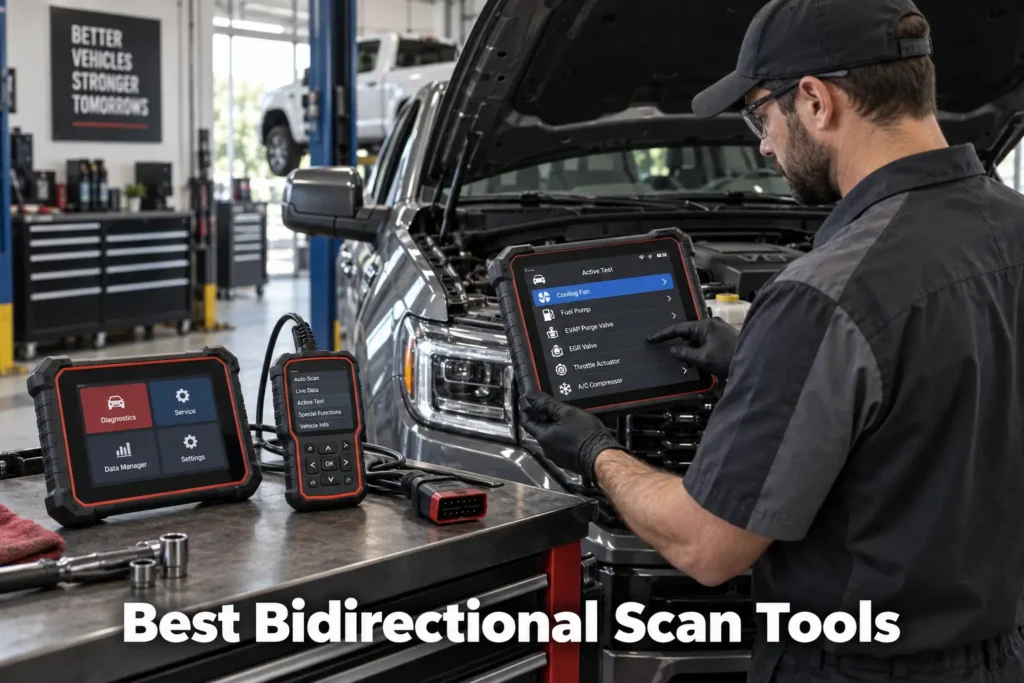
6 Best Bidirectional Scan Tools in 2026: Active Tests for DIYers and Professionals
A basic OBD2 scanner asks the vehicle for information. A bidirectional scan tool can also send commands back.
That difference matters when a fault code and live data are not enough to confirm what has failed. On a supported vehicle, a bidirectional scanner can command components such as cooling fans, fuel pumps, injectors, windows, lights, solenoids and other actuators. Instead of replacing a part because a code points in its direction, you can use an active test to see whether the vehicle and component respond to a command.
But “bidirectional” is not a guarantee that every active test works on every vehicle.
The depth of active-test coverage can vary by year, make, model, module, trim, powertrain and software version. Some scanners also combine bidirectional control with full-system diagnostics, service functions, ECU coding, topology mapping or programming, while others focus on affordable active testing.
For this guide, Scan Choice Guide compared serious candidates across different buyer types rather than simply choosing the tools with the longest feature lists. We considered active-test capability, full-system access, vehicle coverage, service functions, modern protocol support, update and subscription policies, connectivity, ease of use and the type of buyer each tool makes sense for.
Our recommendations are based on current manufacturer documentation, coverage information where available, independent market research and SCG comparative analysis. The results we present come from our own research into manufacturer documentation, Amazon listings, and compatibility data.
Our Top Picks for Bidirectional Scan Tools
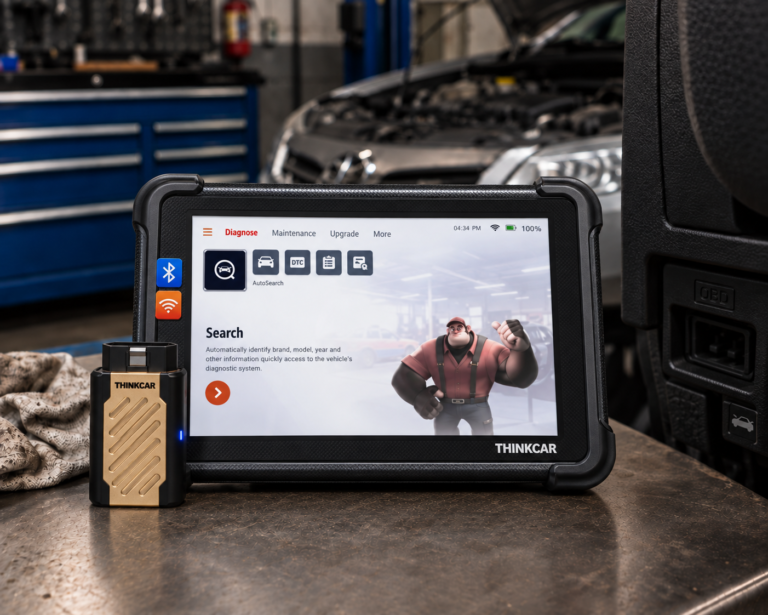
THINKCAR THINKSCAN 689BT
- All-system diagnostics
- Wireless Bluetooth connection
- Manufacturer-listed lifetime free updates
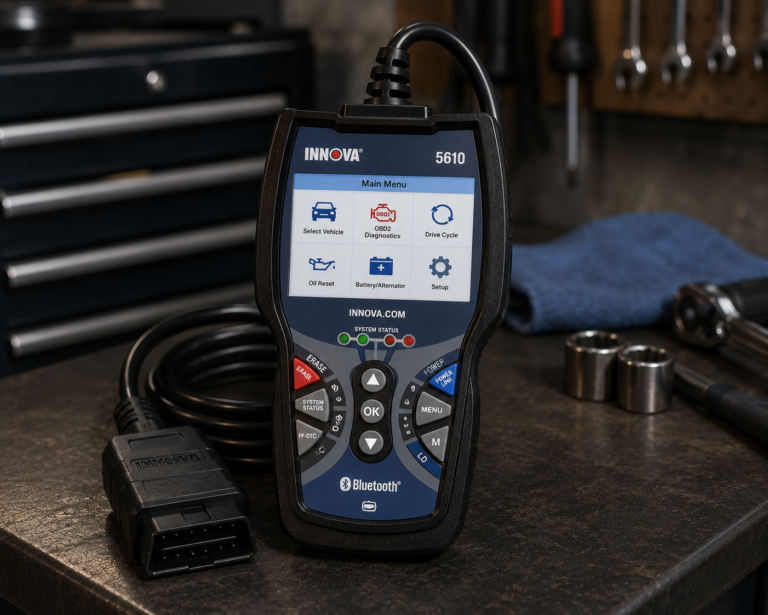
Innova 5610
- Bidirectional active tests on supported vehicles
- Standalone handheld operation
- Strong fit for home mechanics
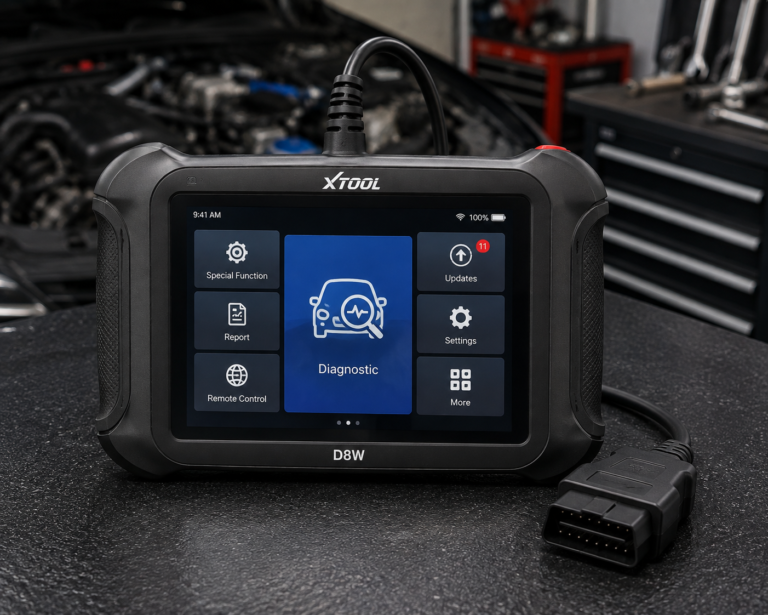
XTOOL D8W
- OE-level full-system diagnostics
- Extensive bidirectional active-test coverage
- Topology module mapping
Affiliate Disclosure: Scan Choice Guide is a participant in the Amazon Services LLC Associates Program, an affiliate advertising program designed to provide a means for sites to earn advertising fees by advertising and linking to Amazon.com.
The 6 Best Bidirectional Scan Tools
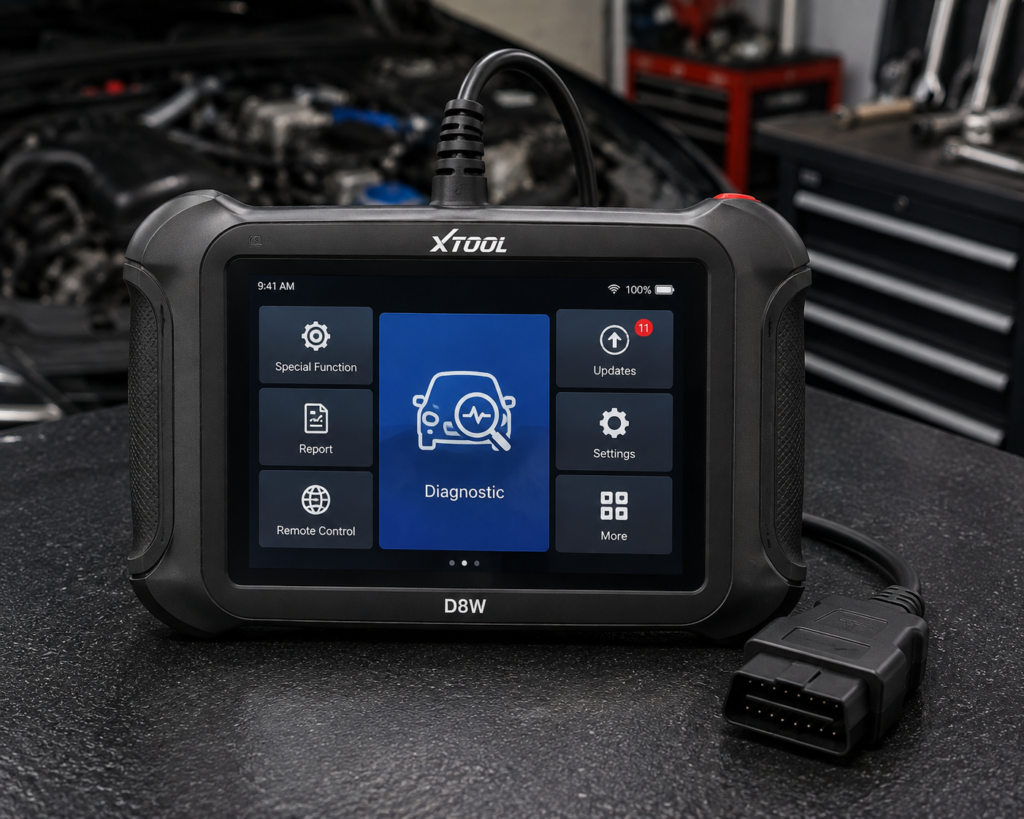
1. XTOOL D8W: Best Overall Bidirectional Scan Tool
Why We Picked It
Bidirectional control is most useful when it sits inside a complete diagnostic workflow.
The XTOOL D8W does that particularly well.
XTOOL specifies OE-level all-system diagnostics covering systems including engine, transmission, ABS, SRS, TPMS, body control and HVAC. More importantly for this guide, the manufacturer lists full bidirectional control with more than 4,000 active tests.
Those active tests can include commands for supported components such as EVAP systems, A/C clutches, fuel injectors, windows, doors and sunroofs.
The D8W also adds topology module mapping. Instead of looking at modules only as a long diagnostic list, topology can help show communication relationships across the vehicle network and make disconnected or faulted modules easier to identify.
For serious diagnostic work, that matters because an apparent component problem can sometimes be part of a larger network or module-communication issue.
The D8W also supports a broad set of maintenance and service functions, including functions such as ABS bleeding, injector coding, transmission reset and relearn procedures on supported vehicles.
Modern protocol support is another advantage. XTOOL lists CAN FD and DoIP support, helping the platform remain relevant to newer vehicles.
Where It Falls Short
The D8W is far more scanner than a casual owner needs.
If you want to read a Check Engine code a few times per year, there is little reason to buy a tablet with topology mapping, thousands of potential active tests and coding functions.
Advanced capability also needs careful interpretation. XTOOL lists ECU coding and PMI support, but its own specification distinguishes those capabilities from universal online programming. Coding, initialization and module programming are not interchangeable terms.
Vehicle-specific limitations remain the biggest issue. A manufacturer can legitimately advertise thousands of active tests across its total coverage database without every test being available on every car.
| Specification | Details |
|---|---|
| Display | 8″ touchscreen, 1024×768 |
| Operating System | Android 10 |
| Processor | Quad-core 1.5GHz |
| RAM / Storage | 4GB / 64GB per XTOOL’s primary technical page (2GB reported on a separate XTOOL storefront) |
| Battery | 5000mAh, 7.2V, USB-C charging |
| Wireless Range | Up to 66 ft, built-in WiFi |
| Protocols | CAN FD, DoIP, FCA V2.0 |
| Bidirectional Control | Confirmed (XTOOL official page); 4,000+ active tests per XTOOL |
| ECU Coding | Confirmed (XTOOL official page, offline coding) |
| Module Programming (PMI) | Confirmed (XTOOL official page) for Ford, Lincoln, Mazda |
| Topology Mapping | Confirmed (XTOOL official page) |
| Update Policy | 3 years free updates, WiFi online upgrade, 22 languages |
| Pros | Cons |
|---|---|
| OE-level full-system diagnostics | PMI module programming is brand-specific: confirmed only for Ford, Lincoln, and Mazda |
| Extensive bidirectional active-test coverage | |
| Topology module mapping | |
| Broad service-function coverage | |
| ECU coding on supported applications | TPMS: diagnostics and reset; sensor programming not listed |
| Wireless diagnostic workflow | |
| CAN FD and DoIP support | |
| Multi-year included update period |
Best For
Advanced DIY mechanics, mobile technicians and small repair operations that need broad active-test capability without immediately moving to a top-tier professional platform.
SCG Verdict
The D8W is our best overall bidirectional choice because it combines active testing with the diagnostic context needed to use those tests intelligently. It is not merely a scanner that can command components; it is a broader diagnostic platform built around full-system access, topology and service capability. Our full XTOOL D8W review breaks down exactly which active tests it supports and how they compare to a phone-based option.
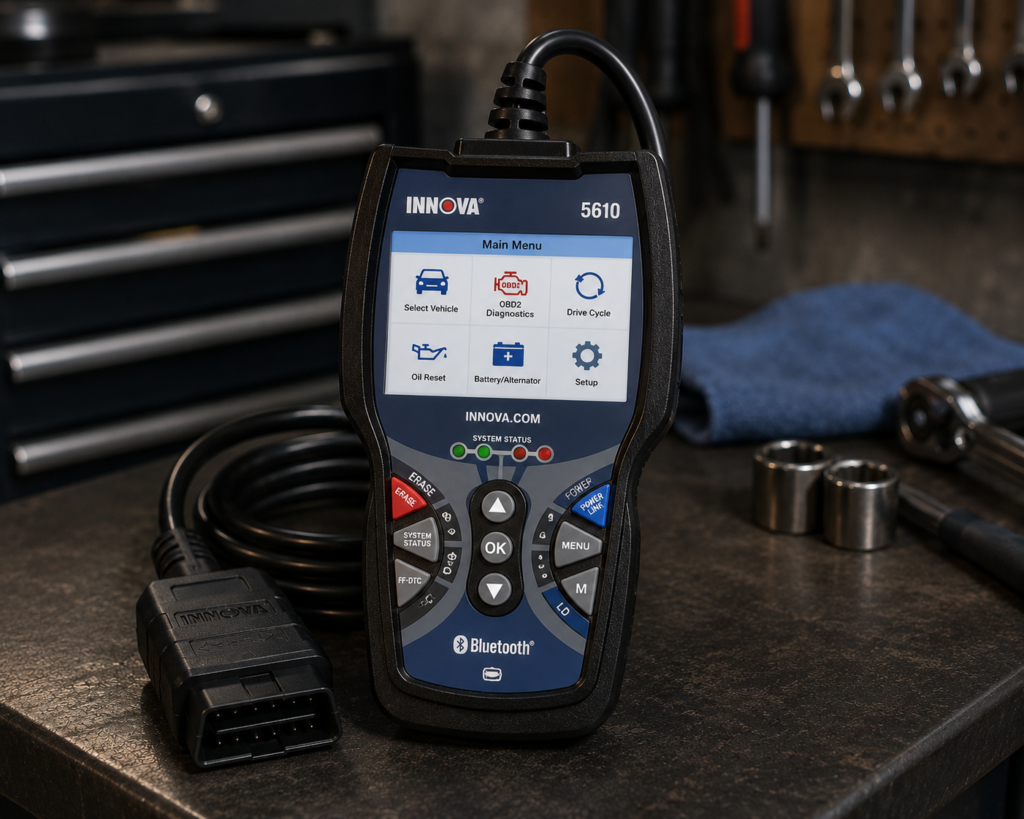
2. Innova 5610: Best Bidirectional Scanner for Most DIY Mechanics
Why We Picked It
Many home mechanics need bidirectional control without wanting a large professional tablet.
The Innova 5610 fills that role well.
Innova states that the 5610 can scan vehicle systems including engine, ABS, SRS, transmission and other supported modules. Its bidirectional active tests can command supported components such as fuel pumps and cooling fans.
That is exactly the type of functionality that makes bidirectional control useful for DIY diagnosis.
Suppose a cooling-fan-related fault is present. Reading the code is only the beginning. If the vehicle and scanner support the relevant active test, commanding the fan provides another piece of diagnostic evidence before parts are replaced.
The 5610 is also a standalone handheld device. It does not require a smartphone for its core operation, although Innova’s RepairSolutions2 app is optional.
That makes it easier to keep in a toolbox or vehicle and use without managing a separate tablet ecosystem.
Innova also emphasizes that users should check feature availability for their exact vehicle. That transparency is important because it addresses one of the biggest misunderstandings in the bidirectional-scanner market: “supports bidirectional control” does not mean “supports every active test on every vehicle.”
Where It Falls Short
The 5610 is not trying to compete with high-end tablets on sheer feature depth.
Buyers who need topology mapping, broad ECU coding, extensive modern-protocol workflows or professional programming capability should look higher in the market.
Its active-test and special-function coverage also varies by vehicle. Innova explicitly directs users to its coverage information for this reason.
That limitation is not unique to Innova. It is fundamental to this entire product category.
| Specification | Details |
|---|---|
| Form Factor | Handheld unit with dedicated screen |
| App Integration | RepairSolutions2 app (Innova states 4M users) |
| Bidirectional Control | Confirmed; commands ABS pumps, fuel injectors, and other components directly |
| Reset Functions | 20+ confirmed by Innova, including oil, battery, EPB, DPF, TPMS relearn, key coding, injector coding, EV/HEV/PHEV battery health |
| ECU Coding / Reprogramming | Not supported, stated directly by Innova |
| Vehicle Coverage | Most 1996-2023 US/Canada OBD2 vehicles; North America only |
| FCA Vehicles | 2018+ requires Innova’s AutoAuth process for full functionality |
| Update Policy | Free updates, no subscription, confirmed directly by Innova |
| Pros | Cons |
|---|---|
| Bidirectional active tests on supported vehicles | North America only; not for use outside the US/Canada |
| All-system diagnostic capability | |
| Standalone handheld operation | |
| Optional companion app | |
| Useful special functions and calibrations | |
| No need for a professional tablet workflow | |
| Strong fit for home mechanics |
Best For
DIY mechanics who want genuine active-test capability in a straightforward standalone scanner.
SCG Verdict
For many home mechanics, the Innova 5610 is the more rational purchase than a much more complicated tablet. It gives bidirectional diagnosis where it matters without requiring the user to buy an entire professional ecosystem. See our full Innova 5610 review for the complete bidirectional-testing breakdown.
3. TOPDON TopScan: Best Affordable Phone-Based Bidirectional Scanner
Why We Picked It
TOPDON TopScan proves that bidirectional diagnostics no longer require a large dedicated tablet.
The device plugs into the vehicle’s diagnostic port and uses an Android or iOS phone as the display and interface.
TOPDON lists full-system diagnostics and bidirectional control across the current TopScan Lite, Pro and Master lineup. Active tests can directly command supported vehicle components, helping isolate faults without immediately disassembling parts.
That makes TopScan particularly attractive to someone who wants to enter the bidirectional category without paying for a dedicated screen, battery and tablet hardware.
The current TopScan family also supports newer vehicle communication protocols at different levels. TOPDON lists CAN FD support for Lite and Pro, while the Master adds DoIP.
Where It Falls Short
TopScan’s low hardware entry point can hide an important ownership consideration: software.
TOPDON’s current documentation separates always-free functions from advanced subscription-dependent functions. Bidirectional control is among the advanced features tied to the software plan.
The exact renewal model varies by TopScan version.
That means TopScan should not be judged only by what the adapter costs on the day you buy it. Buyers who expect to use advanced functions for several years should consider the long-term software model.
The three versions also need to be treated as distinct packages. Lite, Pro and Master do not offer identical service-function or protocol coverage.
Finally, your phone becomes part of the tool. Some users will love that convenience; others will prefer a dedicated scanner that is always ready in the toolbox.
| Pros | Cons |
|---|---|
| Compact Bluetooth hardware | Requires a smartphone |
| Full-system diagnostics | |
| Bidirectional active tests | |
| Android and iOS support | |
| Strong capability-to-entry-cost positioning | Renewal model varies by version |
| Modern protocol support | |
| Multiple versions for different needs |
Best For
DIY users who want a compact and relatively accessible way into full-system bidirectional diagnostics.
SCG Verdict
TopScan is one of the most compelling entry points into advanced active testing, but buyers should treat software cost as part of the tool rather than focusing only on the initial hardware purchase.
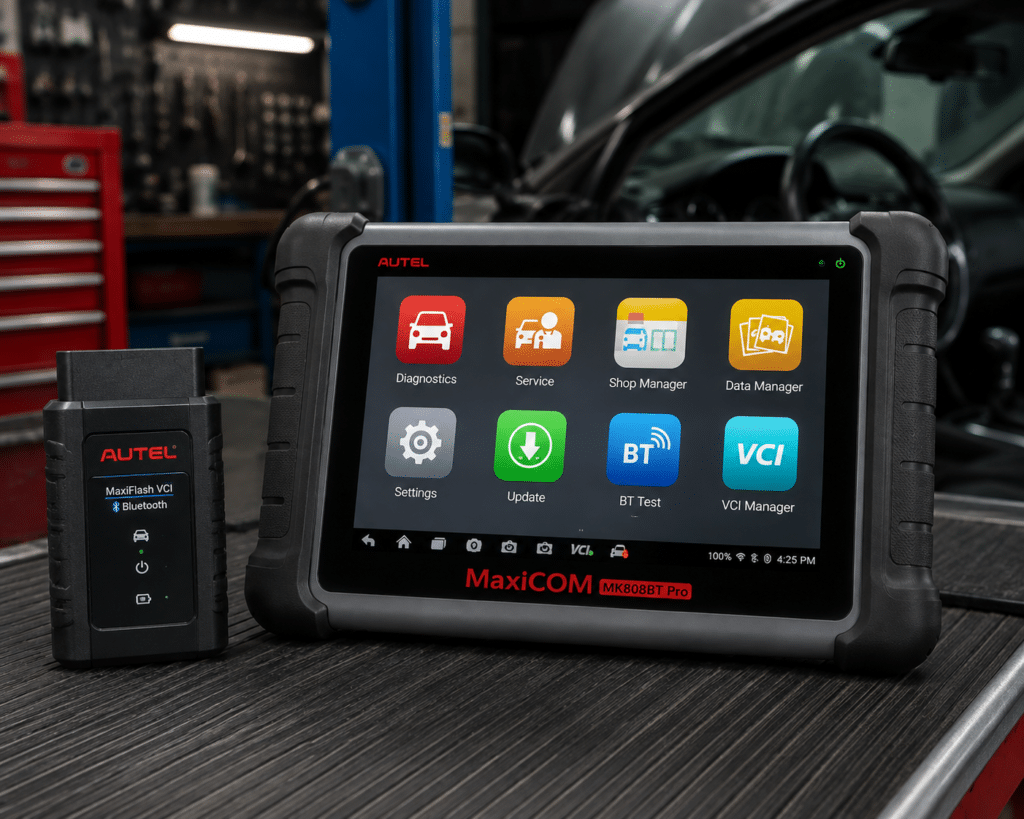
4. Autel MaxiCOM MK808BT Pro: Best Wireless Mid-Range Bidirectional Tablet
Why We Picked It
Some users want the convenience of wireless vehicle communication but do not want their personal phone to become the scan-tool screen.
The Autel MaxiCOM MK808BT Pro is designed for that workflow.
Autel’s current documentation lists all-system code reading, live data, ECU information, active tests and service functions. The BT version communicates wirelessly with the vehicle through Bluetooth.
That combination gives an advanced DIYer or technician a dedicated diagnostic interface while allowing movement around the vehicle during supported active tests.
That is particularly useful when a test requires you to observe or listen to a component away from the driver’s seat.
The platform also includes common service capabilities such as oil-service reset, electronic parking-brake procedures, steering-angle relearn, battery registration and DPF-related functions on supported vehicles.
Where It Falls Short
The MK808BT Pro sits in a more expensive and more complex class than phone-based tools or handheld scanners.
That investment makes sense only if the user will take advantage of full-system diagnostics, active tests and service functions regularly.
Autel also lists capabilities at platform level. As always, the existence of an “Active Test” check mark does not prove that one specific actuator command exists on one specific vehicle.
Buyers should also check the current software-update policy when comparing long-term ownership cost with competing tablets.
| Specification | Details |
|---|---|
| Display | 7-inch LCD capacitive touchscreen, 1024×600 |
| OS / Processor | Android 11, Cortex-A55 quad-core (1.8GHz) |
| Storage | 64GB |
| Connectivity | Bluetooth (33ft/10m range) via MaxiVCI Mini, plus Wi-Fi; no CAN-FD/DoIP |
| Battery | 3.7V/5000mAh; ~7 hours continuous use |
| Bidirectional control | Confirmed (ABS, windows, doors, solenoids) |
| ECU coding | Not listed on this model’s own page |
| Service functions | 28+ (oil reset, injector coding, ABS bleeding, EPB, SAS, DPF regen, BMS) |
| Vehicle coverage | 80+ US, Asian, European makes, 1996 and newer |
| Pros | Cons |
|---|---|
| Dedicated diagnostic tablet | ECU coding: not listed for this model |
| Wireless Bluetooth vehicle communication | |
| Full-system diagnostics | |
| Bidirectional active tests | |
| Broad service-function set | CAN-FD/DoIP protocol support: not listed |
| Useful workflow for working around the vehicle | |
| Established multi-brand diagnostic platform |
Best For
Advanced DIYers and technicians who want a dedicated wireless tablet without immediately moving into the highest professional tier.
SCG Verdict
The MK808BT Pro is a strong middle ground: more convenient and purpose-built than a phone dongle, but less excessive than a flagship programming platform. For the full spec breakdown behind that middle-ground positioning, see our full Autel MaxiCOM MK808BT Pro review.
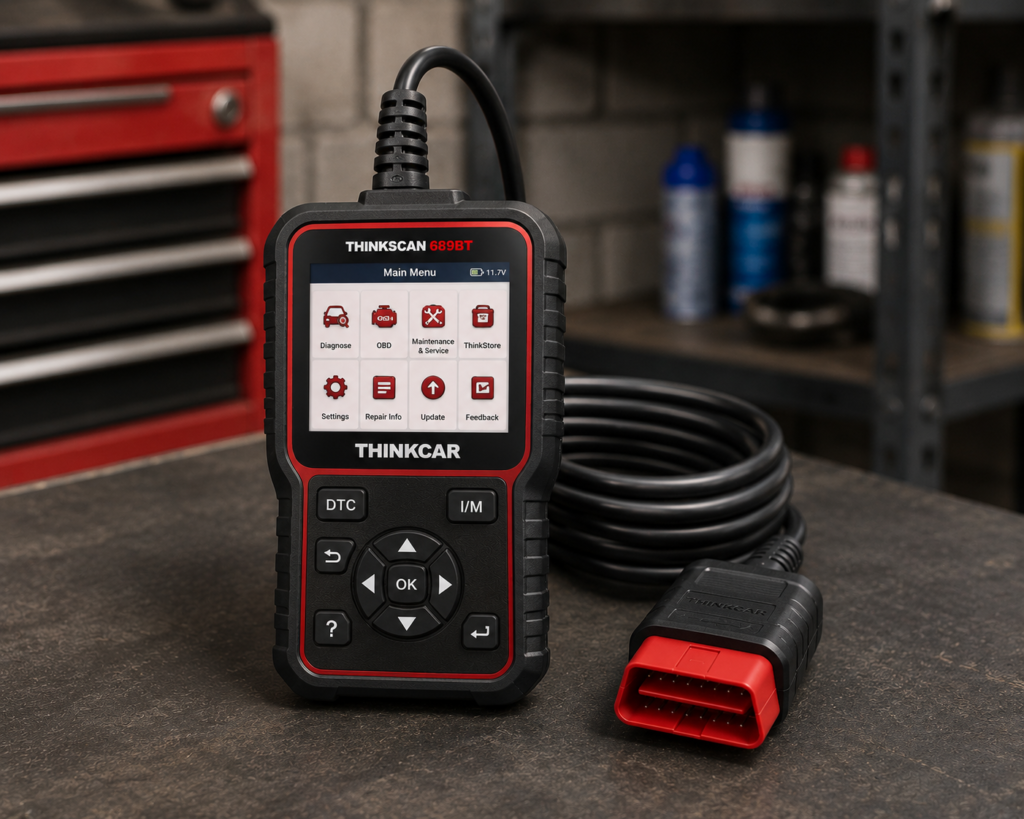
5. THINKCAR THINKSCAN 689BT: Best for Long-Term Update Value
Why We Picked It
Software policy can change the economics of an advanced scanner.
THINKCAR currently positions the THINKSCAN 689BT with lifetime free updates for supported vehicle brands, while also listing ECU coding, bidirectional active tests, all-system diagnostics, CAN FD and DoIP support and more than 35 maintenance functions.
That combination makes it especially interesting for buyers who intend to keep one diagnostic tablet for years.
The 689BT uses an 8-inch touchscreen and Bluetooth vehicle communication, providing a dedicated wireless workflow rather than relying on a phone.
THINKCAR also provides a vehicle-compatibility checker and explicitly notes that availability can vary by vehicle configuration. That is the correct way to evaluate advanced scan-tool capability.
Where It Falls Short
“Lifetime updates” should never be used as the sole reason to choose a scanner.
Coverage is more important.
A scanner with inexpensive or free updates is not good value if it lacks the active test, coding routine or system access required for your vehicle.
THINKCAR’s broad feature claims also need the same vehicle-specific verification applied to every other manufacturer. ECU coding and bidirectional control are families of capabilities, not universal commands that behave identically on every make and model.
The 689BT also occupies a more advanced price and complexity class than simple DIY scanners.
| Specification | Details |
|---|---|
| Screen | 8-inch, 1280×800 touchscreen |
| Operating System | Android 10 |
| Processor | 2.0GHz quad-core Cortex-A53 |
| Memory / Storage | 4GB RAM, 64GB storage |
| Battery | 4150mAh |
| Vehicle Connection | Bluetooth 5.0 dongle; 2.4G/5G Wi-Fi |
| Bidirectional Control | Confirmed; ~99% of vehicle-specific systems/components per Thinkcar |
| ECU Coding | Confirmed; includes replacement-part matching and feature personalization |
| Service Functions | 35+ confirmed by name |
| CAN-FD | Confirmed for 2020+ GM and Chrysler models specifically |
| DoIP | Confirmed for Volvo, Land Rover/Jaguar, BMW F/G chassis specifically |
| Update Policy | Lifetime free updates confirmed, no subscription |
| Pros | Cons |
|---|---|
| All-system diagnostics | CAN-FD and DoIP support is brand-limited, not universal |
| Bidirectional active tests | |
| ECU coding on supported applications | |
| Wireless Bluetooth connection | |
| CAN FD and DoIP support | Thinkcar markets bidirectional testing as “3X faster” than testing manually |
| Broad maintenance-function set | |
| Manufacturer-listed lifetime free updates | |
| Vehicle-coverage checking available |
Best For
Serious DIYers and technicians who value a dedicated wireless tablet and want to minimize recurring update costs over long-term ownership.
SCG Verdict
The 689BT earns its place because it combines serious diagnostic capability with an unusually attractive current update policy. But coverage, not “lifetime” marketing, should still decide whether it is right for your vehicle. See our full THINKCAR THINKSCAN 689BT review for exactly what that coverage caveat means for your vehicle.
6. TOPDON Phoenix Smart: Best Professional Bidirectional Platform
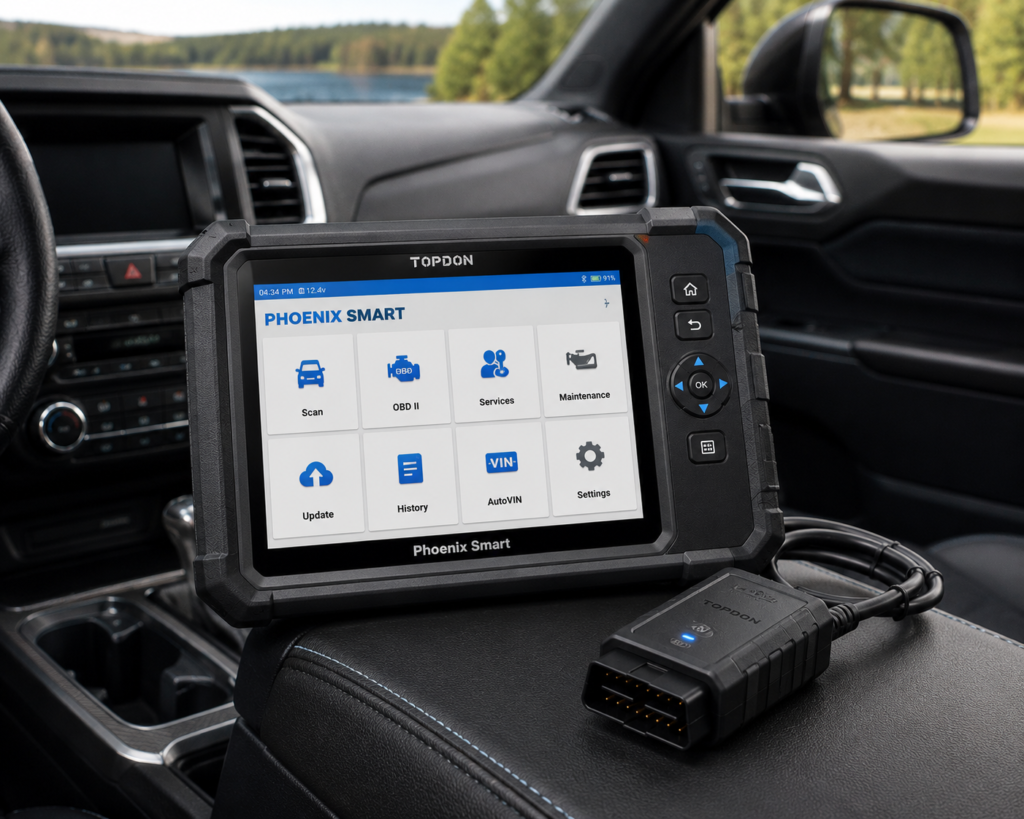
Why We Picked It
At the professional end of the market, bidirectional control becomes only one part of a much larger diagnostic workflow.
The TOPDON Phoenix Smart is built for that environment.
TOPDON lists full-system OE-level diagnostics across more than 200 vehicle brands, topology mapping, online coding for supported manufacturers and cloud-based programming functions for more than a dozen supported brands.
Its MDCI Pro communication interface supports protocols including CAN FD, DoIP, J2534, D-PDU and RP1210.
Those capabilities move the Phoenix Smart far beyond the question of whether it can activate a fan or fuel pump.
For a professional technician, active tests may be one step in a process that also involves network diagnosis, coding, guided procedures, secure-gateway access, module replacement or supported programming.
The topology view is particularly relevant in modern vehicles with many interconnected control modules. It helps turn a large set of module results into a visual network that can make communication faults easier to understand.
Where It Falls Short
The Phoenix Smart is not a sensible purchase for someone who simply wants bidirectional control for home repairs.
It is a professional platform, with the cost class, complexity and learning requirements that come with that role.
Advanced coding and programming claims must also be interpreted carefully. TOPDON specifies supported manufacturers and applications; that does not mean universal programming across every ECU in every vehicle.
Professional tools also require more attention to software-update costs, secure-gateway requirements and manufacturer-specific subscriptions.
| Specification | Details |
|---|---|
| Screen | 10.1-inch HD touchscreen |
| Operating System | Android 10.0 |
| Memory / Storage | 4GB RAM, 128GB storage |
| Battery | 12,600mAh |
| Vehicle Connection | Phoenix MDCI Pro VCI dongle |
| Protocols | J2534, DoIP, CAN-FD confirmed |
| Vehicle Coverage | 200+ brands for diagnostics; 13+ brands for cloud-based programming |
| Service Functions | 41 confirmed |
| ECU Coding / Programming | Confirmed online coding (Audi, BMW, Porsche, others) and cloud-based programming |
| ADAS Calibration | Supported, requires separate Phoenix ADAS Mobile Package |
| Update Policy | 2 years free, then a paid annual renewal is required (confirmed by TOPDON) |
| Pros | Cons |
|---|---|
| Professional full-system diagnostics | ADAS calibration requires a separate paid package |
| Bidirectional diagnostic workflow | |
| Topology mapping | |
| Online coding on supported applications | |
| Cloud-based programming for supported brands | |
| Modern professional communication protocols | |
| Secure-gateway support | |
| Guided functions on supported vehicles | |
| ADAS ecosystem compatibility |
Best For
Professional repair shops and technicians who need active tests as part of a much broader diagnostic, coding and programming workflow.
SCG Verdict
Phoenix Smart is not the winner because it has the longest specification sheet. It is our professional pick because it addresses a fundamentally different workflow from consumer and advanced-DIY bidirectional scanners. Our full TOPDON Phoenix Smart review explains what problem it actually solves and for whom.
Comparison: Which Bidirectional Scan Tool Fits You?
| Scanner | Best For | Format | Full-System Diagnostics | Bidirectional Control | Key Differentiator | Update Model |
|---|---|---|---|---|---|---|
| XTOOL D8W | Advanced DIY / mobile technicians / small shops | Dedicated wireless tablet | Yes | Extensive active-test coverage on supported vehicles | Topology + broad active tests + advanced service functions | Multi-year included update period currently listed; verify before purchase |
| Innova 5610 | Most DIY mechanics | Standalone handheld | Supported vehicle systems | Yes, vehicle-dependent | Straightforward standalone active testing | Verify current manufacturer policy before purchase |
| TOPDON TopScan | Affordable phone-based active testing | Smartphone + Bluetooth adapter | Yes | Yes, supported vehicles | Compact entry into advanced diagnostics | Advanced functions/software renewal depend on version and current plan |
| Autel MaxiCOM MK808BT Pro | Advanced DIY / technicians wanting a wireless tablet | Dedicated Bluetooth tablet | Yes | Yes, supported vehicles | Dedicated wireless workflow | Verify current policy before purchase |
| THINKCAR THINKSCAN 689BT | Long-term update value | Dedicated Bluetooth tablet | Yes | Yes, supported vehicles | Manufacturer-listed lifetime free updates plus advanced functions | Lifetime free updates currently listed by THINKCAR; verify current terms |
| TOPDON Phoenix Smart | Professional shops | Professional tablet + MDCI interface | Yes | Part of broader professional diagnostic capability | Topology, coding and supported programming workflows | Professional software/update policy; verify current terms before purchase |
What Does “Bidirectional” Actually Mean?
A conventional scan tool mainly receives information from the vehicle.
It can request diagnostic trouble codes, live sensor values, readiness information and other data.
A bidirectional scanner can also send supported commands to vehicle control modules.
That ability is commonly called an active test, actuation test or output control.
Examples can include commanding a cooling fan, fuel pump, injector, window, door lock, light, solenoid or other supported actuator.
The diagnostic value is not the command itself.
The value is what the response tells you.
If a scanner commands a component and the component responds correctly, you have learned something different than you would from a fault code alone. If it does not respond, the result can help narrow the diagnostic path, but it still does not automatically prove that the component itself is defective.
Wiring, power, ground, network communication, module logic and operating conditions can all matter.
Bidirectional control is therefore a diagnostic tool, not a parts-replacement shortcut.
Bidirectional Control vs. Service Functions
These terms are often mixed together, but they are not identical.
An active test directly commands a supported component or system during diagnosis.
A service function usually performs a defined maintenance, reset, relearn, calibration or adaptation procedure.
Examples may include:
- ABS bleeding
- Electronic parking brake service
- Steering-angle calibration
- Battery registration
- Throttle relearn
- DPF regeneration
- Injector coding
- Transmission adaptation/reset
A scanner can support a large number of service functions without providing every possible active test, and vice versa.
When comparing tools, do not simply count menu items.
Start with the exact job you need to perform.
Bidirectional Control vs. ECU Coding and Programming
Bidirectional control, coding and programming are also different capabilities.
Bidirectional control sends commands for testing and actuation.
Coding can configure supported module settings, adaptations or features.
Programming generally involves writing software or firmware to a control module.
A scanner that supports active tests is not automatically an ECU coding tool.
A scanner that supports coding is not automatically capable of universal ECU programming.
And a professional platform that supports programming for selected manufacturers does not necessarily program every module on every vehicle.
These distinctions matter because marketing pages often place all three capabilities close together.
How to Choose a Bidirectional Scan Tool
1. Identify the Exact Active Test You Need
Do not begin with brand.
Begin with the job.
If you need to command an ABS pump, cooling fan, injector, EVAP valve or another actuator, write down that exact requirement.
Then check whether the scanner supports that function on your year, make and model.
“Bidirectional” by itself is not enough.
2. Check Vehicle Coverage Before Comparing Extras
A scanner with thousands of active tests across its total database can still lack the one command you need on your vehicle.
Manufacturer coverage tools are therefore more important than headline feature counts.
If a function is not listed for your exact vehicle, don’t assume it works.
3. Decide Whether You Need Full-System Diagnostics
Bidirectional control is far more useful when the scanner can also access the module you are diagnosing, read its codes and display relevant live data.
For serious work, full-system access should usually be considered alongside active tests.
4. Choose the Right Hardware Class
Phone-based adapters make advanced diagnostics accessible and portable.
Handheld scanners are convenient for owners who do not want to depend on a phone.
Wireless tablets provide a more complete workflow for frequent diagnostic work.
Professional platforms add capabilities such as topology, coding, secure-gateway access and supported programming.
More expensive hardware is not automatically better for your needs.
5. Consider Software and Update Policy
The initial hardware cost does not tell the whole story.
Some tools include multi-year or lifetime updates. Others require software renewal to retain updated coverage or advanced features.
SCG does not publish fixed current Amazon prices for individual scanners because retailer prices change.
We can, however, compare general price classes and ownership models when they help explain which tool represents better value for a particular buyer.
6. Do Not Buy Active Tests You Will Never Use
If you only read and clear Check Engine codes, a bidirectional scanner is unnecessary.
If you regularly diagnose electrical, drivability, ABS, HVAC, body-control or other system problems, active testing can become one of the most useful capabilities in your toolbox.
Buy for the diagnostic work you actually perform, not for the longest feature list.
Common Bidirectional-Scanner Mistakes
Mistake 1: Assuming Every Active Test Works on Every Vehicle
This is the biggest mistake.
Coverage varies. Verify it.
Mistake 2: Confusing a Reset With an Active Test
A service reset and a component command are not necessarily the same thing.
Look for the exact function.
Mistake 3: Assuming ECU Coding Means ECU Programming
It does not.
Verify each capability independently.
Mistake 4: Ignoring Secure Gateway Requirements
Newer vehicles from some manufacturers protect diagnostic functions behind security gateways.
A scanner may support the vehicle but still require authorized gateway access or a manufacturer subscription for protected functions.
Mistake 5: Choosing by Feature Count Alone
“4,000 active tests” sounds impressive.
But one verified test you actually need is more valuable than thousands of commands for vehicles you do not own.
Our Final Recommendations
For advanced DIY mechanics and technicians who want the strongest overall combination of active tests, full-system diagnostics, topology and service capability, the XTOOL D8W is our best overall choice.
For most home mechanics who want useful bidirectional diagnosis without moving into a complex tablet ecosystem, the Innova 5610 is the more straightforward choice.
For buyers who want the lowest-friction route into phone-based full-system active testing, TOPDON TopScan is highly compelling, but its software model must be included in the ownership decision.
For users who prefer a dedicated wireless tablet, Autel’s MaxiCOM MK808BT Pro offers a strong mid-range diagnostic workflow.
For long-term owners concerned about recurring update costs, THINKCAR’s current lifetime-update positioning makes the THINKSCAN 689BT especially interesting: provided its coverage matches the vehicles and functions you need.
For professional shops, TOPDON Phoenix Smart belongs in a different class, combining bidirectional diagnosis with topology, coding and supported programming workflows.
There is no universal “best” bidirectional scanner.
The best tool is the one that supports the exact active tests you need on the exact vehicles you work on, at a capability and ownership level that makes sense for you.
Quick Picks
Best Overall: XTOOL D8W
A powerful balance of full-system diagnostics, extensive bidirectional testing, topology mapping, modern protocol support and advanced service capability for serious DIYers and technicians.
Best for Most DIY Mechanics: Innova 5610
A straightforward standalone scanner with all-system diagnostics and useful bidirectional testing, without forcing the user into a professional tablet workflow.
Best Affordable Phone-Based Option: TOPDON TopScan
A compact Bluetooth platform that brings full-system diagnostics and active tests to a smartphone, with important differences between versions and software plans.
Best Wireless Mid-Range Tablet: Autel MaxiCOM MK808BT Pro
A dedicated Bluetooth diagnostic tablet with all-system access, active tests and service functions for users who want a more traditional scan-tool workflow.
Best for Long-Term Update Value: THINKCAR THINKSCAN 689BT
A wireless full-system tablet combining bidirectional control, ECU coding, modern protocol support and a manufacturer-listed lifetime update policy.
Best Professional Platform: TOPDON Phoenix Smart
A professional diagnostic system that goes far beyond active tests into topology, online coding and supported programming workflows.
Frequently Asked Questions
What is the best bidirectional scan tool in 2026?
For advanced DIY and technician use, our current overall choice is the XTOOL D8W because it combines extensive active-test capability with full-system diagnostics, topology mapping, service functions and modern protocol support.
For many home mechanics, however, the simpler Innova 5610 may be the better purchase.
Does a bidirectional scanner work on every car?
No.
The scanner may support a vehicle for basic or full-system diagnostics while offering only some active tests on that specific year, model or module.
Always verify function-level coverage when possible.
Can a bidirectional scanner activate a fuel pump?
Many can on supported vehicles.
Fuel-pump activation is a common example of an active test, but its availability depends on the scanner and vehicle.
Can a bidirectional scanner bleed ABS brakes?
Some scanners support ABS-related active tests and automated bleed procedures on compatible vehicles.
Do not assume that general bidirectional capability guarantees ABS bleeding on your specific car. Verify the procedure separately.
Is bidirectional control the same as ECU coding?
No.
Bidirectional control commands components for testing. ECU coding changes supported configuration or adaptation data. They are separate capabilities.
Is bidirectional control the same as ECU programming?
No.
Programming generally involves writing software or firmware to a module. A scanner can have extensive bidirectional control without providing ECU programming.
Do I need a bidirectional scanner for DIY repairs?
Not for basic code reading.
It becomes much more useful when you diagnose components and systems rather than simply retrieve fault codes. Serious DIY mechanics working on ABS, HVAC, electrical, body, drivability and other system faults can benefit substantially from active testing.
Are cheap bidirectional scanners worth buying?
They can be, particularly phone-based tools, but only if they support the active tests you need.
The lower initial cost should be evaluated alongside vehicle coverage, software renewal, app requirements and long-term support.
Bottom Line
Bidirectional control can transform a scan tool from a fault-code reader into an active diagnostic instrument.
But the word “bidirectional” on a product page is only the beginning of the buying decision.
Verify the vehicle.
Verify the module.
Verify the exact active test.
Then compare the hardware, diagnostic depth, software policy and additional capabilities.
That process is more important than choosing the scanner with the biggest number on its feature list.