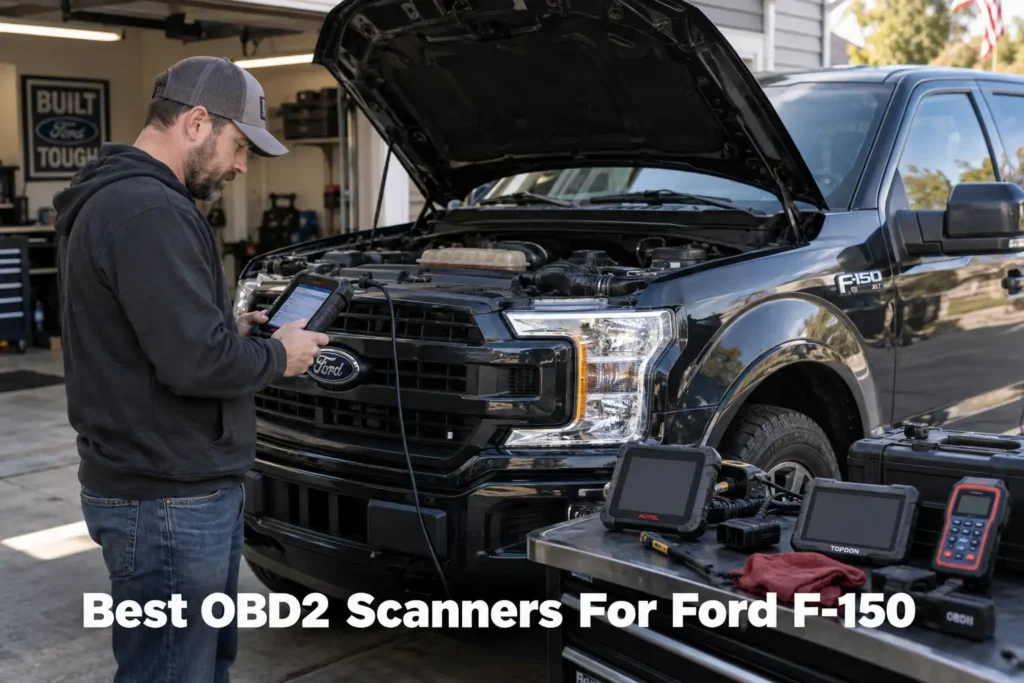
11 Best OBD2 Scanners for Ford F-150 in 2026
The F-150 is not one vehicle from a diagnostic standpoint, it is a truck platform with a wide spread of powertrains: the base 3.3L V6, the 2.7L EcoBoost V6, the 5.0L V8, the 3.5L EcoBoost V6 (including PowerBoost hybrid configurations), and, on 2018-2020 model years, the 3.0L Power Stroke diesel. Trim and package also matter more here than on a typical passenger car: 4×4 models carry a transfer-case module that a 4×2 F-150 does not have, and any F-150 factory-equipped for towing carries an integrated trailer brake controller (iTBC) that manages and reports on trailer braking.
A scanner that reads a P0301 misfire code perfectly well may tell you nothing about a 4×4 transfer-case fault, an iTBC trailer-brake code, or a PowerBoost hybrid-specific parameter. That is the gap this guide is built around.
We ranked eleven tools specifically for F-150 ownership: how each handles Ford-specific networks, whether it reaches beyond the powertrain into 4×4, trailer, and body modules, bidirectional control, service functions, connection type, ownership cost, and Amazon availability. For products already covered by Scan Choice Guide, we used the verified evidence behind our individual reviews as an input here as well.
Our Top Picks for Ford F-150
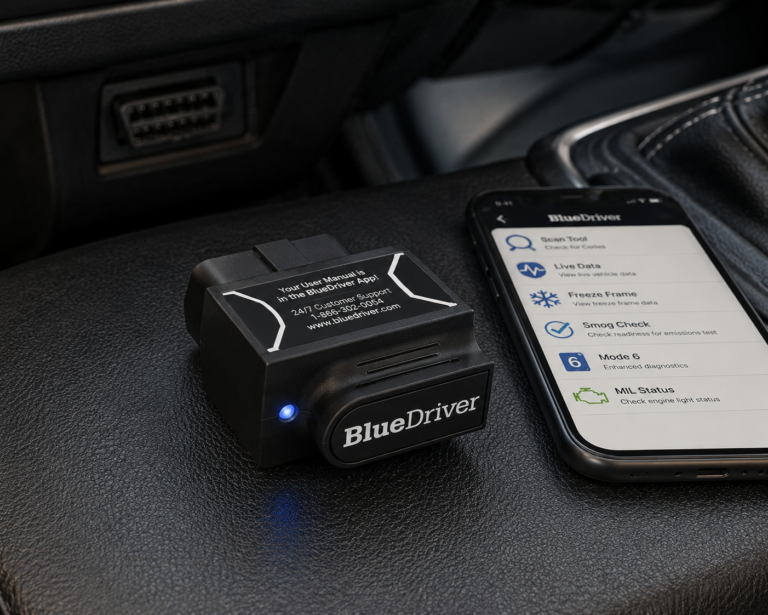
BlueDriver
- Simple Bluetooth phone workflow
- Enhanced Ford diagnostics
- No subscription
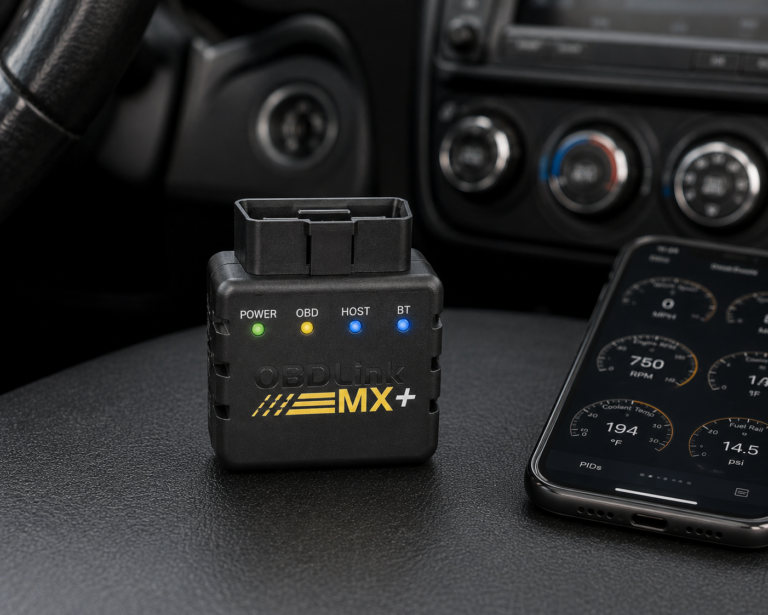
OBDLink MX+
- Small Bluetooth adapter
- Enhanced OEM diagnostics for supported vehicles
- Proprietary Ford network support
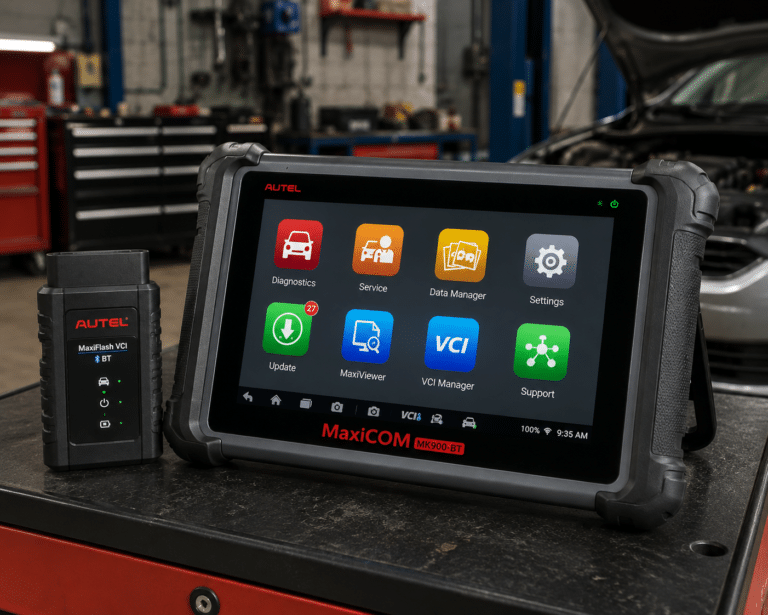
Autel MaxiCOM MK900-BT
- Wireless dedicated diagnostic tablet
- Full-system diagnostics
- DoIP and CAN FD support
Affiliate Disclosure: Scan Choice Guide is a participant in the Amazon Services LLC Associates Program, an affiliate advertising program designed to provide a means for sites to earn advertising fees by advertising and linking to Amazon.com.
How We Ranked Scanners Specifically for the F-150
Rather than starting from Amazon bestseller lists, we started from what an F-150 actually is: a truck sold across multiple cab styles, drivetrains (4×2 and 4×4), and five distinct engine options, with factory towing hardware on a large share of the fleet.
For each scanner we asked whether the manufacturer documents the capability at all, whether that capability is likely to matter for a truck rather than a sedan (trailer/towing systems, 4×4 driveline, higher-payload braking hardware), whether it reaches past basic powertrain codes into body and chassis modules, whether active tests are supported, what the adapter costs to keep working over several years of ownership, and whether the exact listing is verifiable on Amazon US.
Three terms get blurred constantly in scanner marketing, and we keep them separated throughout this guide:
Generic OBD-II is the standardized, federally mandated emissions data every compliant vehicle exposes, engine and transmission codes mostly, regardless of trim or drivetrain.
Enhanced or manufacturer-level diagnostics reach into modules generic OBD-II cannot see: ABS, SRS, body control, and, on an F-150 specifically, the transfer-case and trailer-brake-controller modules that do not exist on Ford’s car lineup at all.
Bidirectional control means the tool can command a component rather than just read it. A scanner that reads a 4×4 fault code is not the same as one that can actively run the transfer-case motor through a test cycle, confirm which one you need before buying for a specific job.
The 11 Best OBD2 Scanners for the Ford F-150
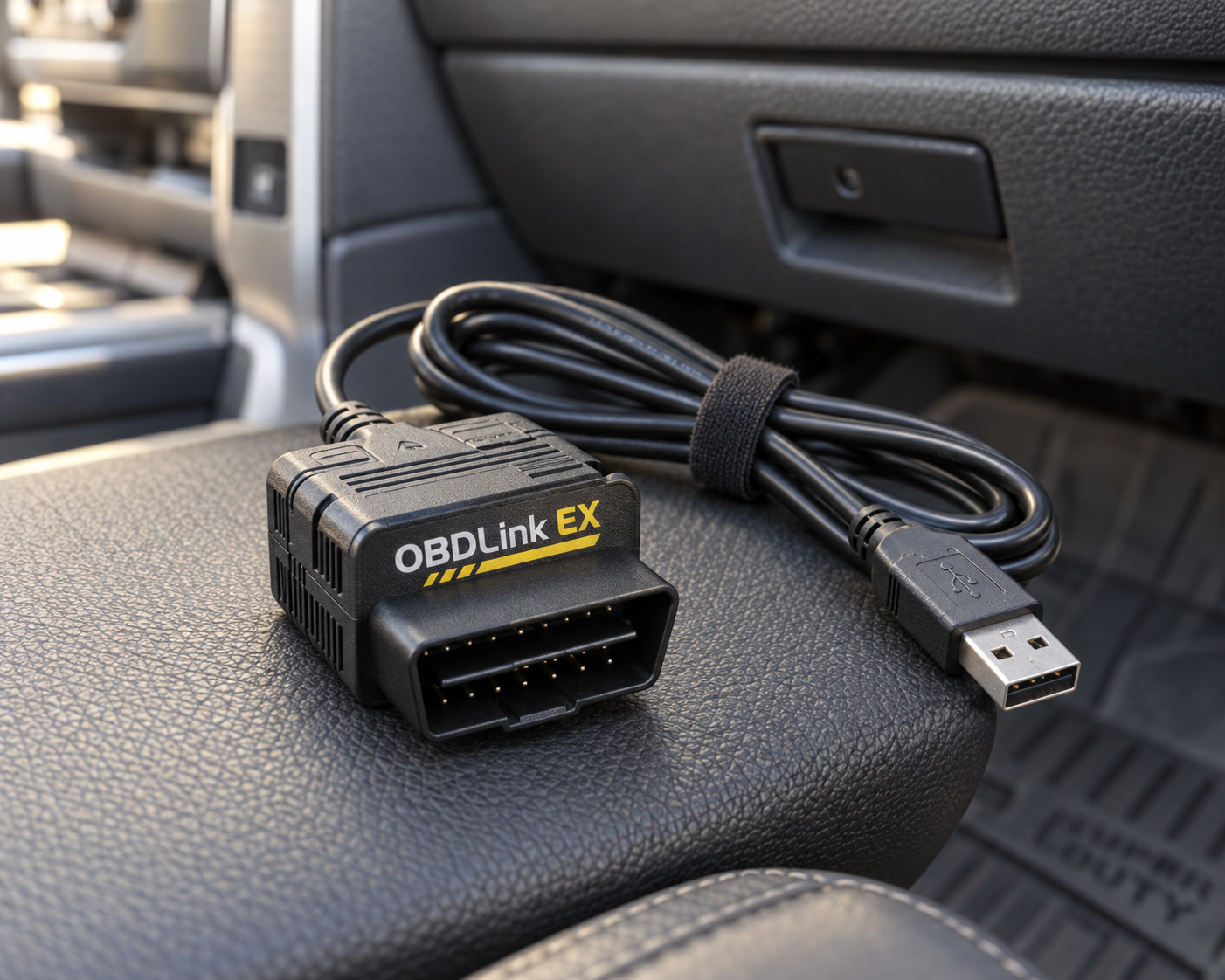
1. OBDLink EX: Best Overall for Ford F-150
Why We Picked It
F-150 ownership, more than most vehicles, rewards a Ford-specific tool over a generalist one, and OBDLink EX is the most Ford-specific adapter in this comparison.
FORScan is the software doing the real work here, and OBDLink EX exists to give it a reliable path into the truck. OBDLink documents that EX handles the electronic switch between HS-CAN and MS-CAN on its own, which matters because older Ford adapters required a manual toggle to move between those two networks depending on which module you needed to reach.
On a 4×4 F-150, that network-switching matters in a very practical way: the transfer-case module and several body/chassis modules do not sit on the same bus as the powertrain controller. A generic OBD-II reader stays on the powertrain side and never sees them. FORScan through EX is built to reach across both.
OBDLink markets EX around exactly this kind of Ford-family depth rather than a broad, unfocused feature list. For an owner running a Windows laptop from the cab or garage, it is a low-cost way to get at diagnostic and configuration territory a generalist tablet does not target specifically.
Where It Falls Short
EX has no screen and no onboard software; every diagnostic session runs through a laptop and FORScan. That rules it out for anyone who wants to plug in, glance at a tablet, and be done, which is exactly the workflow the Autel, XTOOL, LAUNCH, and Foxwell entries below offer instead. It also is not the right tool if the job is running a fleet of different brands rather than one Ford truck.
| Pros | Cons |
|---|---|
| Purpose-built for FORScan | Requires a Windows computer for the full FORScan workflow |
| Strong Ford-specific network support | |
| Excellent F-150 relevance | |
| USB connection favors stability | Exact functions still depend on the F-150 year, module, and FORScan support |
| Much less expensive than advanced diagnostic tablets | |
| Designed around Ford protocols and modules |
Best For
F-150 owners who prioritize Ford-specific diagnostic access over an all-in-one tablet.
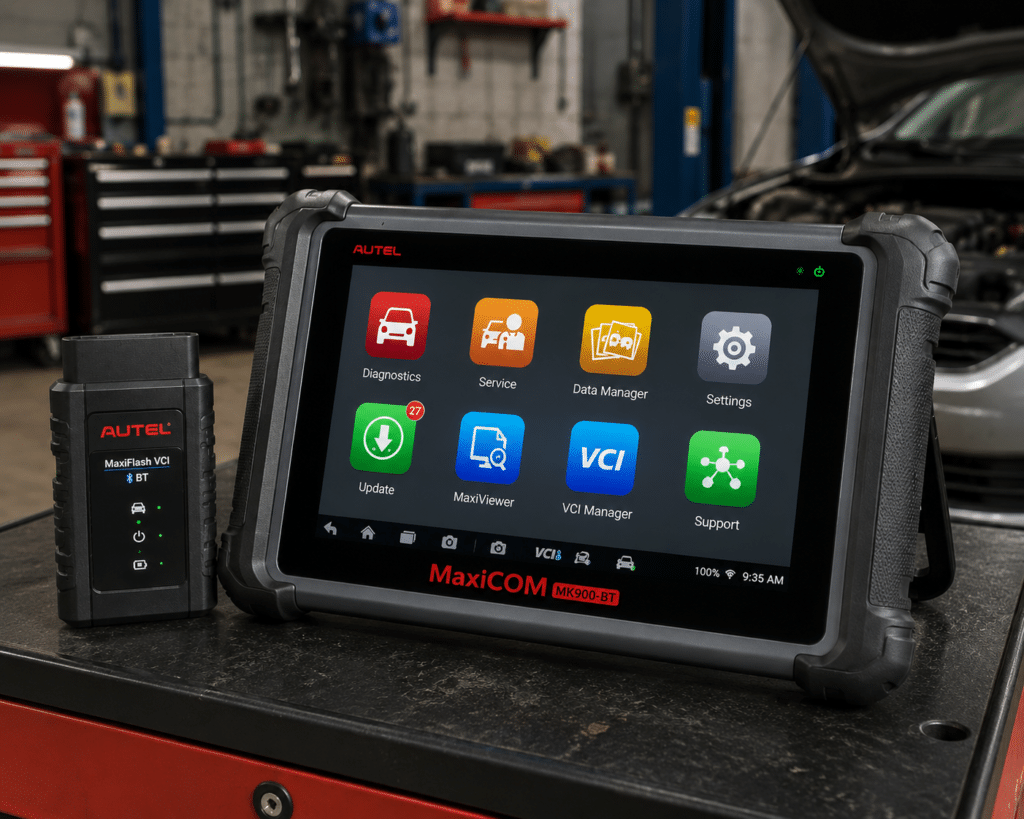
2. Autel MaxiCOM MK900-BT: Best Standalone Scanner
Why We Picked It
Where OBDLink EX wins on Ford-specific depth, the MK900-BT wins on not needing a laptop at all, walk up, connect the wireless VCI, and the tablet handles the rest.
Autel builds the MK900-BT as an all-systems tablet: 8-inch display, Android 11, wireless MaxiVCI V150, OE-level module access, active tests, service functions, AutoVIN, pre/post-scan reporting, and support for DoIP and CAN FD, the newer protocols showing up on recent-generation F-150 electrical architecture.
For a truck carrying a tow package, a 4×4 system, or a PowerBoost hybrid drivetrain, the value of an all-systems tablet is that it is not scoped to any one of those subsystems the way a narrower tool might be, though which specific modules it can actually reach on your exact F-150 configuration still needs to be checked rather than assumed.
A technician moving between several trucks in a day also benefits from not having to carry a laptop into each cab, the tablet is the whole workflow: connect, scan, report, done.
Where It Falls Short
That all-systems breadth is priced accordingly, and most of it is aimed at multi-brand shop work rather than one truck. An owner who only cares about FORScan-level Ford access is paying for a lot of capability outside that scope.
As with any tablet on this list, a feature appearing in Autel’s general spec sheet is not proof it reaches a specific F-150 module, confirm 4×4, iTBC, or hybrid-specific coverage before relying on it for that job.
| Specification | Details |
|---|---|
| Display | 8-inch LCD capacitive touchscreen, 1280×800 |
| OS / Processor | Android 11, quad-core (1.8GHz) |
| Memory | 4GB RAM, 64GB storage |
| Connectivity | Wi-Fi and Bluetooth via MaxiVCI V150; USB Type-C |
| Battery | 3.7V/7700mAh |
| Protocol support | CAN-FD and DoIP confirmed |
| Bidirectional control | Confirmed (injector, headlamp, fuel pump, A/C clutch, oil pressure, vehicle-level, brake vacuum, valve tests) |
| ECU coding | Not listed on this model’s own page |
| Service functions | 40+ (oil reset, EPB, SAS, battery registration, throttle relearn, ABS bleed) |
| Pros | Cons |
|---|---|
| Wireless dedicated diagnostic tablet | Amazon lists 3,000+ active tests; Autel’s own page does not state a figure |
| Full-system diagnostics | |
| Active tests | |
| Broad service-function capability | |
| Modern Android 11 platform | |
| DoIP and CAN FD support | |
| Broad multi-brand usefulness | |
| Good fit for advanced DIY and professional use |
Best For
F-150 owners who want one serious standalone scanner that can also work across other makes.
See our full Autel MaxiCOM MK900-BT review for its complete cross-brand diagnostic coverage beyond the F-150.
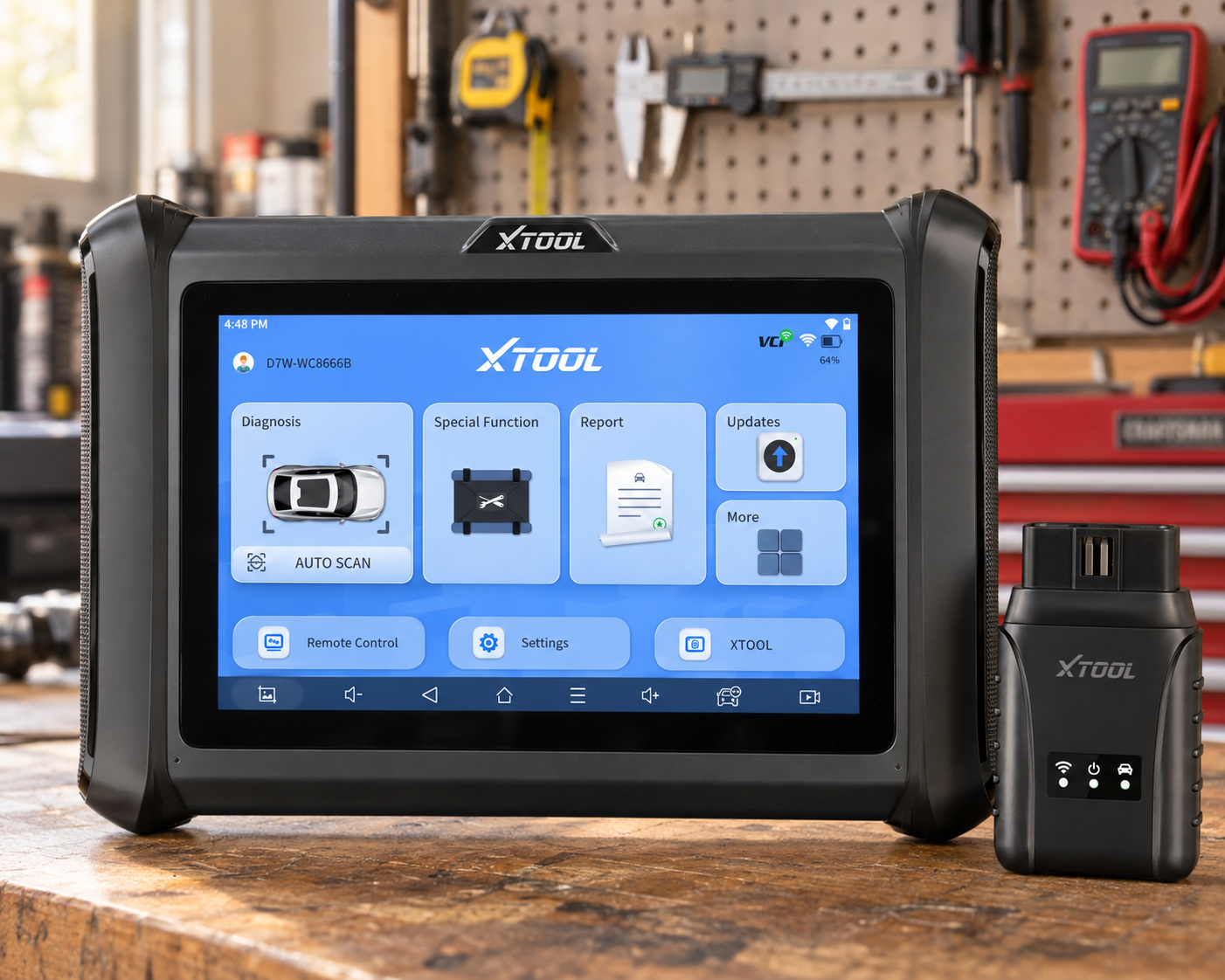
3. XTOOL D7W: Best Advanced DIY Tablet
Why We Picked It
Between an inexpensive Ford-only adapter and a professional-tier shop tablet sits a real gap, and that is where the D7W lives.
XTOOL positions the D7W around OE-level full-system diagnostics plus resets, relearns, initializations, adaptations, and coding, with named service functions like ABS bleeding, oil reset, EPB reset, SAS calibration, injector coding, TPMS reset, and throttle relearn.
For an F-150 owner who has outgrown a code reader but does not want to pay professional-tablet prices, the D7W’s bidirectional control is the meaningful upgrade, it lets you command a component and confirm it physically responds, rather than trusting a code definition alone.
Where It Falls Short
XTOOL’s coding claim is brand- and function-specific, not a blanket guarantee. Nothing here confirms it reaches truck-specific modules like the transfer case or trailer brake controller, if that is the job, check your model year in our Scanner Finder or consider FORScan, which is purpose-built for exactly that Ford-specific territory.
| Pros | Cons |
|---|---|
| Dedicated tablet | Ford coding claims need function-specific verification |
| OE-level full-system diagnostics | |
| Bidirectional controls | |
| Large service-function set | More expensive than OBDLink EX |
| Good advanced-DIY value | |
| Broader multi-brand use than a Ford-only setup |
Best For
Serious DIY F-150 owners who want a standalone tablet with active tests and broad diagnostic capability.
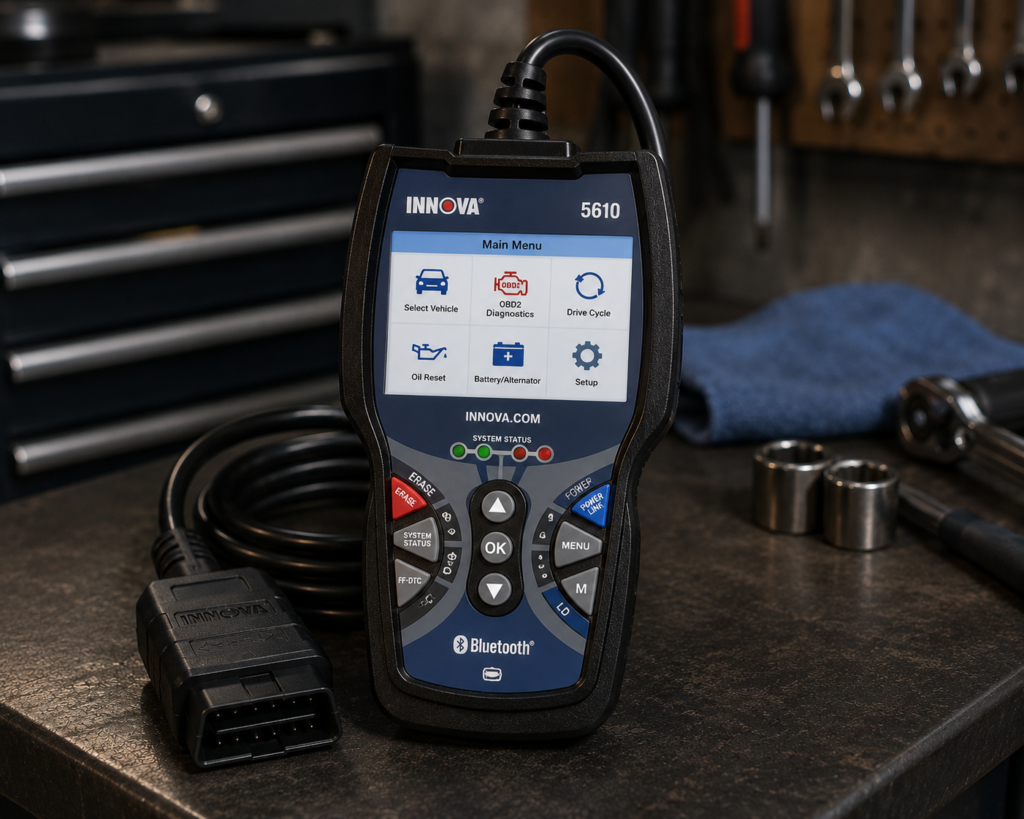
4. Innova 5610: Best Handheld for Serious DIY
Why We Picked It
Not every serious F-150 owner wants a tablet. The 5610 keeps the handheld form factor that Ford DIYers grew up with, buttons and a dedicated screen, no phone pairing, no Windows laptop, while still reaching well past basic code reading.
Innova documents full bidirectional control, live data, and service resets on the 5610, and backs it with a no-subscription, free-updates policy that removes the recurring-cost question entirely.
For someone doing their own maintenance across five different F-150 engine options over the years, a scanner that does not depend on app updates or a subscription tier is a genuinely different ownership proposition than most of the phone-based tools on this list.
Where It Falls Short
Bidirectional and service-function coverage on the 5610 is documented at the product level, not listed module-by-module for every F-150 configuration. A listed capability is a starting point for verification, not a guarantee it reaches your specific truck’s 4×4 or trailer hardware.
| Specification | Details |
|---|---|
| Form Factor | Handheld unit with dedicated screen |
| App Integration | RepairSolutions2 app (Innova states 4M users) |
| Bidirectional Control | Confirmed; commands ABS pumps, fuel injectors, and other components directly |
| Reset Functions | 20+ confirmed by Innova, including oil, battery, EPB, DPF, TPMS relearn, key coding, injector coding, EV/HEV/PHEV battery health |
| ECU Coding / Reprogramming | Not supported, stated directly by Innova |
| Vehicle Coverage | Most 1996-2023 US/Canada OBD2 vehicles; North America only |
| FCA Vehicles | 2018+ requires Innova’s AutoAuth process for full functionality |
| Update Policy | Free updates, no subscription, confirmed directly by Innova |
| Pros | Cons |
|---|---|
| Advanced handheld format | North America only; not for use outside the US/Canada |
| Bidirectional control | |
| Live data | |
| Service resets | |
| No subscription according to Innova | |
| Free updates according to Innova | |
| Good serious-DIY positioning |
Best For
DIY F-150 owners who want advanced functions without moving to a full diagnostic tablet.
Our full Innova 5610 review details the advanced functions this pick adds over a basic reader.
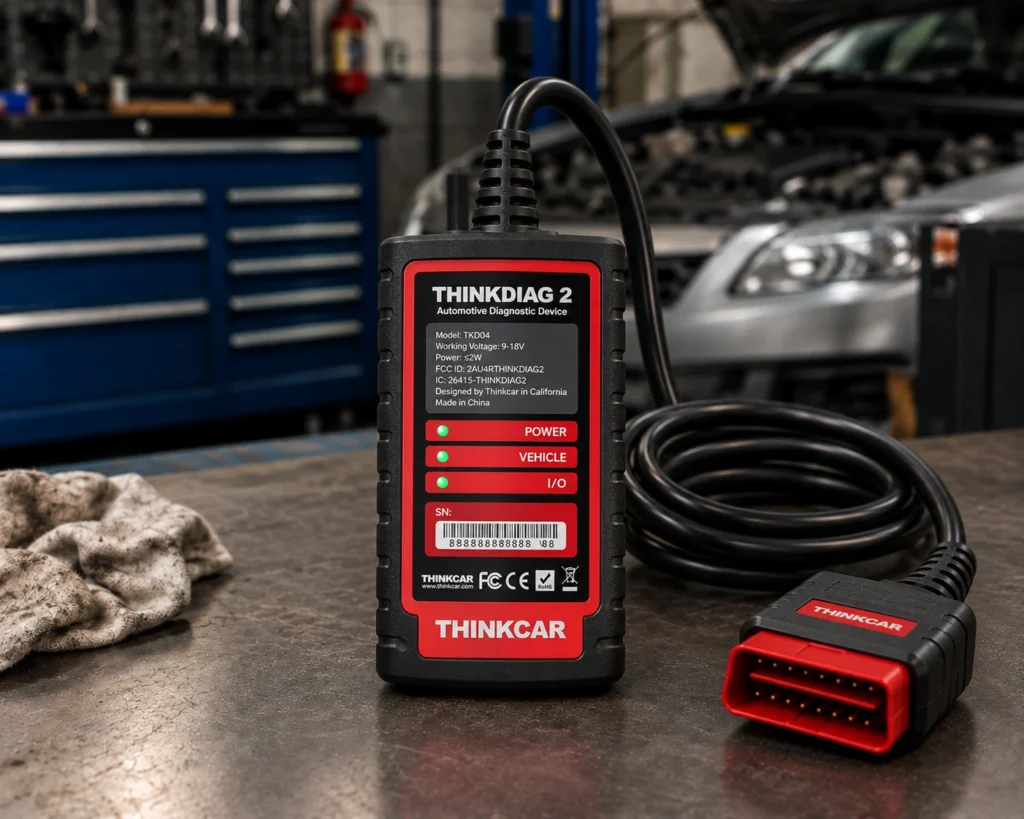
5. THINKCAR ThinkDiag 2: Best Compact Advanced Phone-Based Tool
Why We Picked It
ThinkDiag 2 is the case for skipping a tablet entirely: a pocket-sized Bluetooth dongle that hands its capability to your phone instead of a dedicated screen.
THINKCAR documents whole-vehicle OE-level access, engine, transmission, ABS, SRS, body, TPMS, plus bidirectional active tests, service functions, AutoVIN, and coding, across a claimed 120+ brand list, with one year of software access included at purchase.
For a truck owner who already carries a phone everywhere and does not want another device in the glovebox, that is a genuinely capable diagnostic tool riding on hardware you already have with you.
Where It Falls Short
The catch is renewal. THINKCAR’s own terms state that once the included software period ends, keeping full-system and advanced functions requires paying again, drop to generic OBD-II only and you keep working for free. Weigh that against Innova 5610 or BlueDriver, both of which commit to no ongoing fee at all.
| Specification | Details |
|---|---|
| Connectivity | Bluetooth 5.0, pairs with the THINKDIAG 2 app on Android 5.0+/iOS 9.0+ |
| Vehicle compatibility | 1996+ vehicles, 120+ brands per Thinkcar (confirm your exact vehicle via the SCG Finder) |
| Systems read | ECM, TCM, ABS, SRS, BCM, IMMO, BMS, TPMS, SAS, fuel, lighting, wiper |
| CAN-FD support | Confirmed (Thinkcar’s own pages): supports late-model GM and other post-2020 CAN-FD vehicles |
| Bidirectional control | Confirmed (Thinkcar’s own pages): named active tests: radiator fan, throttle, windows, mirrors, lights |
| ECU coding | Confirmed (Thinkcar’s own pages): adaptive data after part replacement |
| Module programming | Not listed by the manufacturer |
| Maintenance/reset functions | 15+ documented (oil reset, ABS bleeding, TPMS reset, battery matching, and more) |
| Software/subscription policy | 1 year free full software/functions with activation, per Thinkcar; a paid renewal is required afterward, with a lower-cost option available if you only need single-brand coverage |
| Pros | Cons |
|---|---|
| Compact phone-based format | Phone-app dependent; no standalone screen |
| Full-system diagnostics | |
| Bidirectional active tests | |
| Multiple service functions | |
| Broad multi-brand coverage | |
| CAN-FD support | |
| More advanced than a basic Bluetooth code reader |
Best For
F-150 owners who want advanced app-based diagnostics and active tests in a compact package and accept ongoing software costs.
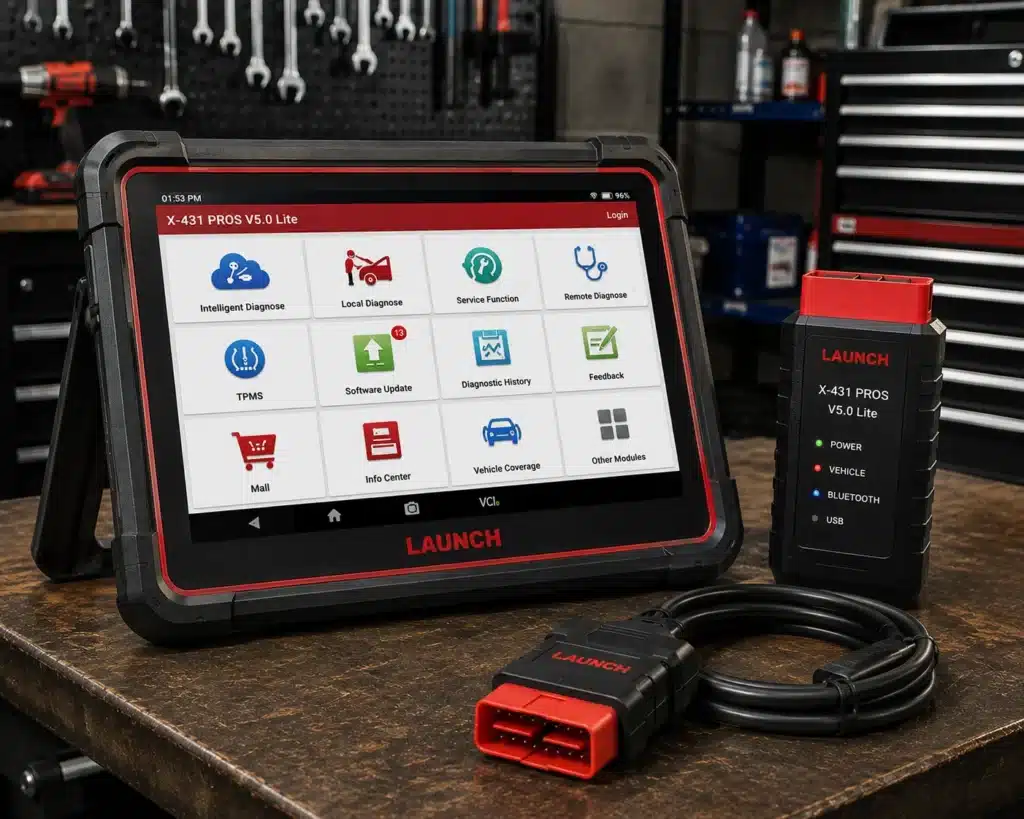
6. LAUNCH X431 PROS V5.0: Best Professional Multi-Brand Alternative
Why We Picked It
This entry is for the reader whose F-150 is not the only vehicle on the lift, a small independent shop, a fleet mechanic, or a hobbyist who also wrenches on a neighbor’s Chevy or Toyota.
LAUNCH builds the PROS V5.0 as a wireless, multi-brand diagnostic platform aimed at deeper system access, active testing, and service work across a wide vehicle spread, not tuned specifically for Ford the way FORScan is.
If the F-150 is one truck among several different makes you service, that multi-brand breadth is worth more than any amount of Ford-specific depth a single-brand adapter could offer.
Where It Falls Short
If the F-150 is the only vehicle you own, this is the wrong place to spend the extra money, OBDLink EX and FORScan reach the same Ford-specific territory far more directly, and the MK900-BT covers the all-systems, single-truck use case without the multi-brand premium. LAUNCH earns its keep specifically as the number of different vehicles you touch grows.
| Specification | Details |
|---|---|
| Screen | 8-inch tablet, 1280×800 |
| Operating System | Android 10.0 |
| Processor | 2.0GHz quad-core |
| Memory / Storage | 4GB RAM, 64GB storage |
| Battery | 6300mAh |
| Vehicle Coverage | 98%+ of cars on the market per Launch, 110+ brands; verify your specific vehicle |
| Bidirectional Control | Confirmed on Launch’s own page |
| ECU Coding | Amazon’s title lists it; Launch’s own comparison table says “No” |
| Reset/Special Functions | 37 claimed by Launch; 17 individually named (Oil Reset, Immobilizer Reset, Steering Angle Reset, IMMO Program, Throttle Relearn, Battery Matching, TPMS Reset, DPF Regeneration, Brake Reset, Injector Coding, ABS Bleeding, Crank Sensor Adaptive Learning, Gearbox Relearn, AdBlue Reset, EGR Adaption, Transport Mode, Windows Calibration) |
| CAN-FD | Confirmed, no separate adapter required (unlike Launch’s own PROS V1.0) |
| DoIP | Confirmed |
| Pros | Cons |
|---|---|
| Professional multi-brand orientation | Launch individually documents 17 of the 37 claimed service functions |
| Wireless workflow | |
| Advanced diagnostic platform | |
| Suitable for users working on many vehicles | |
| Stronger workshop fit than basic adapters |
Best For
Technicians and advanced users who work on F-150s plus many other makes.
See our full LAUNCH X431 PROS V5.0 review for the complete multi-make capability breakdown.
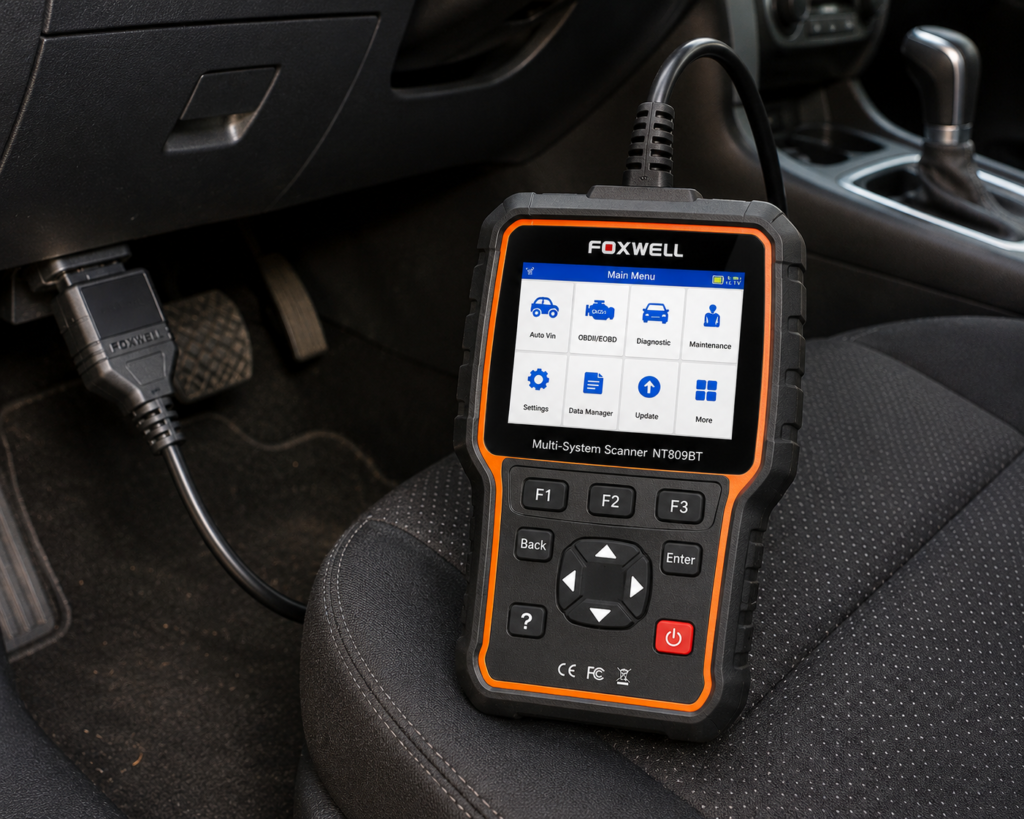
7. FOXWELL NT809BT: Best Workshop Alternative
Why We Picked It
An F-150’s cab-to-engine-bay distance is longer than a compact car’s, and that is where a wireless VCI like the NT809BT’s earns its keep, no cable stretched across the cabin while you watch live data from the driver’s seat.
Foxwell builds the NT809BT around multi-manufacturer workshop use: wireless VCI, service functions, and diagnostic data aimed at garages running several vehicles, not a single truck.
It is not trying to be the most Ford-specific tool here, it is trying to be a self-contained platform that happens to work on an F-150 along with whatever else rolls through the bay.
Where It Falls Short
| Specification | Details |
|---|---|
| Screen | 7-inch LCD touchscreen tablet |
| Operating System | Android 9.0 |
| Storage | 32GB |
| Battery | 4000mAh |
| Vehicle Connection | Bluetooth VCI dongle, up to 65-foot range per Amazon; Wi-Fi and USB 2.0 also available |
| Service Functions | 30+ confirmed by Foxwell (oil reset, ABS bleeding, SAS, EPB, TPMS, injector coding, DPF, and more) |
| Bidirectional Control | Confirmed; vehicle-wide active tests across ABS, window, door, solenoid, valve, wiper, headlamp modules |
| ECU Coding | Not listed for this model |
| Vehicle Brand Coverage | 30+ named brands per Foxwell’s product page; a larger figure appears in separate Foxwell marketing |
| CAN-FD Support | Listed on Amazon; not listed on Foxwell’s own product page |
| Update Policy | 3 years free Wi-Fi updates, confirmed by both Foxwell and Amazon |
| Pros | Cons |
|---|---|
| Wireless VCI | CAN-FD: listed on Amazon; not listed on Foxwell’s own page |
| Dedicated diagnostic tablet | |
| Multi-manufacturer coverage | |
| Service-oriented design | |
| Better workshop fit than a simple dongle |
Best For
Multi-vehicle users who prefer Foxwell’s wireless tablet ecosystem.
Our full Foxwell NT809BT review covers Foxwell’s wireless tablet ecosystem in detail.
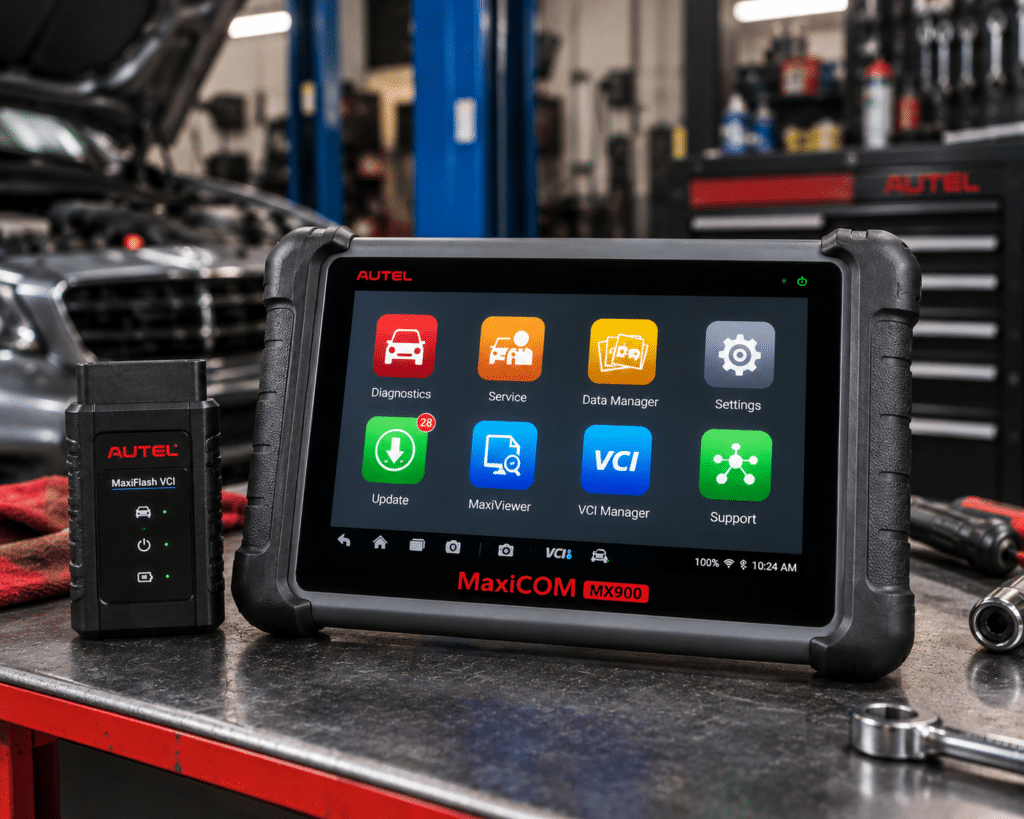
8. Autel MaxiCheck MX900: Best Wired Autel Alternative
Why We Picked It
Strip the wireless VCI out of the MK900-BT’s platform and you land on the MX900: the same 8-inch Android 11 tablet, full-system coverage, active tests, service functions, AutoVIN, pre/post-scan reporting, DoIP, and CAN FD, on a wired connection instead.
Under a truck’s hood or working a driveline fault where you are moving around the vehicle repeatedly, a fixed cable removes one variable, no wireless dropout to chase down mid-test.
Where It Falls Short
The MK900-BT’s wireless VCI is simply more convenient for most F-150 work, and remains our standalone pick for that reason. The MX900 makes sense specifically when the wired version is priced meaningfully below its wireless sibling or when you have a firm preference for a physical connection.
| Specification | Details |
|---|---|
| Display | 8″ LCD capacitive touchscreen, 1280×800 |
| Operating System | Android 11 |
| Processor | Quad-core, 1.8GHz |
| RAM / Storage | 4GB / 64GB (microSD supported, up to 64GB) |
| Battery | 3.7V/7700mAh lithium-polymer (largest of the three-model lineup) |
| Connectivity | USB Type-C, USB 2.0, Wi-Fi; 8MP rear camera |
| Bi-Directional Control | Confirmed: “Full Bi-Directional Control/Active Tests” per Autel |
| DoIP / CAN FD | Confirmed: built in, positioned for 2023+ GM/Ford/Chrysler |
| ECU Coding | Not listed by Autel for this model |
| Service Functions | 40+ per Autel (Oil, EPB, SAS, Battery Reg., Throttle, ABS Bleed, and more), most of the three |
| Update / Warranty | 1 year free update, 1 year free warranty |
| Pros | Cons |
|---|---|
| Modern Autel platform | Larger, heavier unit than either sibling |
| Full-system diagnostics | |
| Active tests | |
| Broad service functions | |
| DoIP and CAN FD | |
| Dedicated tablet |
Best For
F-150 owners who want Autel’s advanced tablet platform and do not need wireless vehicle communication.
9. TOPDON TopScan: Best Budget Wireless Choice
Why We Picked It
TopScan skips the tablet-or-adapter question entirely by turning your phone into the display while a small Bluetooth piece handles the truck side of the connection.
TOPDON documents full-system diagnostics, live data, bidirectional control, and a set of maintenance functions across the TopScan line, a surprising amount of capability for something that fits in a pocket alongside your keys.
For a driveway mechanic who wants active tests without committing to a dedicated tablet or a Windows laptop for FORScan, this is the lightest-weight route to real diagnostic depth on the list.
Where It Falls Short
TOPDON currently splits TopScan across Lite, Pro, and Master editions, each with different function counts and different renewal pricing. The Amazon listing title alone will not tell you which edition you are buying or what happens to bidirectional access after the included period ends, confirm both before you buy, not after.
| Pros | Cons |
|---|---|
| Compact Bluetooth design | Edition differences can be confusing |
| Uses your existing phone | |
| Full-system diagnostics | |
| Bidirectional control | Advanced features can depend on subscription |
| Broad maintenance features | |
| Lower entry cost than many tablets |
Best For
Budget-conscious F-150 owners who want wireless, phone-based advanced diagnostics.
10. OBDLink MX+: Best Compact Wireless Ford Alternative
Why We Picked It
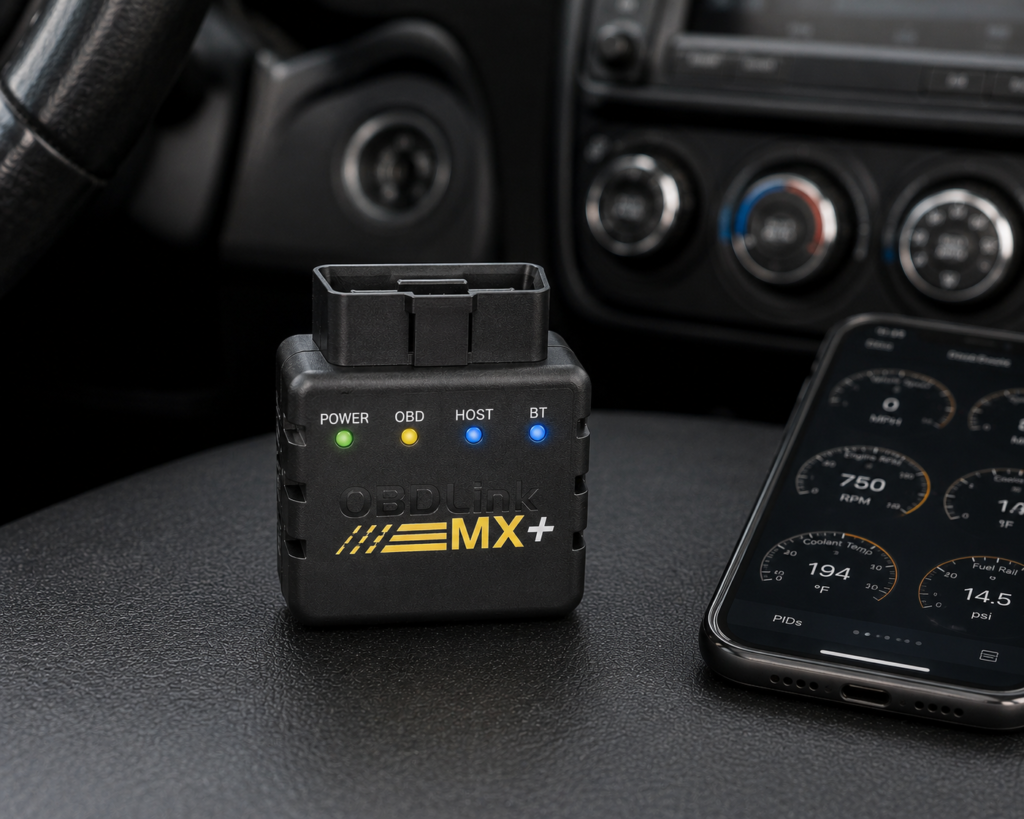
Think of MX+ as OBDLink EX’s sibling for someone who wants Ford network access without sitting in front of a laptop, small, wireless, and built to hand its data to a phone or tablet app instead of FORScan specifically.
OBDLink documents proprietary Ford network support on the MX+ platform and cites Ford-specific trouble codes directly as an example of what its enhanced diagnostics can surface beyond generic OBD-II.
Where EX asks for a Windows computer and FORScan, MX+ asks only for a phone, a real convenience tradeoff for anyone who wants Ford-level access on the move rather than parked with a laptop open.
Where It Falls Short
EX still reaches deeper into Ford-specific territory precisely because FORScan is purpose-built software, not a general app. MX+ trades some of that specialization for portability, and how much function you get back depends heavily on which third-party app you pair it with.
| Specification | Details |
|---|---|
| Connectivity | Class 2 Bluetooth v3.0, 128-bit encryption |
| Protocols | All legislated OBD2 protocols; advanced Ford & GM networks (MS-CAN, SW-CAN); EOBD, JOBD, international variants |
| Vehicle compatibility | 1996 and newer cars/light trucks sold in the U.S. (confirm your exact vehicle via the SCG Finder) |
| Data sampling | Up to 100 samples/second per OBDLink’s documentation |
| App model | Bundled basic OBDLink app; designed to pair with third-party apps (FORScan, BimmerCode, Torque, Carista, and others) |
| Update/subscription policy | Free firmware/software updates, no subscription, per OBDLink’s official page |
| Warranty | 180-day money-back guarantee; 3-year warranty (OBDLink’s own page) |
| Pros | Cons |
|---|---|
| Small Bluetooth adapter | Full diagnostic depth requires installing and configuring a separate third-party app |
| Convenient phone/tablet workflow | |
| Enhanced OEM diagnostics for supported vehicles | |
| Proprietary Ford network support | |
| Useful beyond Ford | |
| No dedicated tablet to carry |
Best For
F-150 owners who value a compact wireless adapter and broad mobile diagnostic convenience.
See our full OBDLink MX+ review for the complete mobile-diagnostic feature set.
11. BlueDriver: Best Simple No-Subscription Phone Scanner
Why We Picked It
Not every F-150 problem needs an active test. Plenty of owners just want to know what a warning light means, in plain language, without buying into a tablet or a laptop-based workflow.
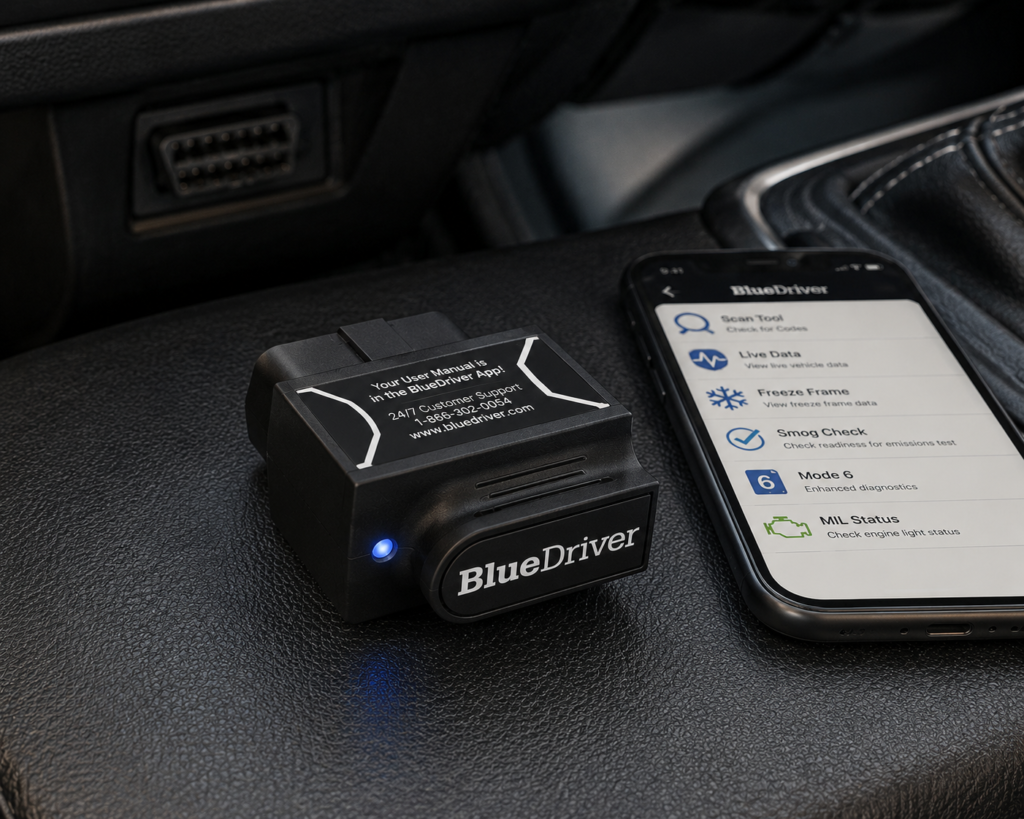
BlueDriver reads and clears generic and enhanced codes, streams live data, pulls Mode 6 test results, and generates repair reports, with Ford specifically named among its supported makes for enhanced diagnostics like ABS and airbag/SRS codes.
It backs all of that with a flat no-subscription, no-add-on policy, and it runs entirely from a phone, no Windows computer required for a quick roadside or driveway check, which makes it a faster first step than OBDLink EX for someone who just wants an answer.
Where It Falls Short
BlueDriver reads and diagnoses, it does not command anything. If the job calls for actively cycling a component, whether that is a body module or a truck-specific system like the transfer case, this is not the tool, step up to one of the bidirectional scanners above it in this list instead.
| Specification | Details |
|---|---|
| Connectivity | Bluetooth dongle, pairs with the free BlueDriver app on iOS/Android |
| Vehicle compatibility | 1996 and newer gas, diesel, and hybrid vehicles sold in North America (confirm your exact vehicle via the SCG Finder) |
| Enhanced code reading | ABS, SRS/airbag, transmission, TPMS, 4WD/AWD, hybrid/EV codes on a documented brand list; coverage varies by model/year |
| Repair context | “Confirmed Fix” reports showing real repairs for the same code on the same vehicle |
| Subscription policy | “No subscriptions. No add-ons. Ever.” per BlueDriver’s official page |
| Screen | None; requires a compatible phone with the BlueDriver app |
| Pros | Cons |
|---|---|
| Simple Bluetooth phone workflow | No standalone screen; requires a compatible phone |
| Enhanced Ford diagnostics | |
| ABS and airbag/SRS diagnostic coverage documented for Ford | |
| Live data and Mode 6 | |
| Repair reports | |
| No subscription | |
| No paid add-ons | |
| Good fit for owners who do not need advanced controls |
Best For
F-150 owners who want a straightforward, no-subscription phone scanner with enhanced Ford diagnostics but do not need active tests or advanced service functions.
Comparison Table
| Rank | Scanner | Best For | Connection | Full-System / Enhanced | Bidirectional / Active Tests |
|---|---|---|---|---|---|
| 1 | OBDLink EX | Ford F-150 / FORScan | USB | Through FORScan | Through supported FORScan functions |
| 2 | Autel MaxiCOM MK900-BT | Best standalone overall | Wireless Bluetooth VCI | Yes | Yes |
| 3 | XTOOL D7W | Advanced DIY | Wired tablet | Yes | Yes |
| 4 | Innova 5610 | Serious DIY / handheld | Wired handheld | Yes | Yes, vehicle-dependent |
| 5 | THINKCAR ThinkDiag 2 | Advanced phone-based diagnostics | Bluetooth / app | Yes | Yes, vehicle-dependent |
| 6 | LAUNCH X431 PROS V5.0 | Professional multi-brand use | Wireless | Yes | Yes |
| 7 | FOXWELL NT809BT | Workshop alternative | Wireless VCI | Yes | Advanced diagnostic functions; verify exact F-150 functions |
| 8 | Autel MaxiCheck MX900 | Autel wired alternative | Wired | Yes | Yes |
| 9 | TOPDON TopScan | Budget wireless / phone-based | Bluetooth | Yes | Yes |
| 10 | OBDLink MX+ | Compact wireless Ford diagnostics | Bluetooth | Enhanced OEM diagnostics | App/software-dependent |
| 11 | BlueDriver | Simple no-subscription enhanced diagnostics | Bluetooth | Enhanced Ford diagnostics | No documented bidirectional control |
Rank order here is not a pure feature count. A tow-package F-150 owner chasing an intermittent trailer-light fault is better served by a Ford-specific adapter than by the most feature-dense multi-brand tablet on the list, while a shop running several different F-150 model years alongside other trucks needs the opposite.
If You Only Read One Recommendation
OBDLink EX paired with FORScan is our answer for the F-150 owner who wants genuine Ford-family depth and is willing to run a laptop for it. It is not the most convenient tool here, it has no screen, no app, nothing to glance at, but the hardware exists specifically to give FORScan a stable path into Ford’s own networks rather than treating the truck as a generic OBD-II source.
If the laptop workflow is a dealbreaker, the Autel MaxiCOM MK900-BT is the standalone alternative, a self-contained tablet that reaches across the truck’s systems without asking you to install anything else first. The XTOOL D7W sits between the two as a dedicated-tablet option with strong bidirectional range at a lower cost than the MK900-BT.
Choosing for ABS, SRS, and Body-Module Work
The Innova 5610 is our pick when the job is ABS, SRS, or another body-adjacent module and you want a self-contained handheld rather than a tablet or laptop setup, Innova documents both the diagnostic and bidirectional side in one no-subscription package.
The Autel MK900-BT and XTOOL D7W reach similar territory from a tablet form factor, and BlueDriver covers the read-and-clear side of ABS/airbag codes without any bidirectional claim at all, useful if diagnosis, not active testing, is the actual goal.
None of this should be read as a blanket “yes” for every F-150. A basic OBD-II connection stops at the powertrain controller; ABS, SRS, and body-module access is a separate, verifiable claim, confirm it for your model year before assuming it is included.
Choosing for Bidirectional and Active-Test Work
The Autel MK900-BT is our standalone pick for active testing, Autel documents it directly as a platform capability, and XTOOL, Innova, TOPDON, and THINKCAR each document their own version of bidirectional control on their respective entries above.
What none of them document is a guarantee that a specific active test exists on your F-150. A 4×4 transfer-case command, a trailer-brake-controller test, or a PowerBoost hybrid-specific routine is the kind of function that varies by trim and model year even within the same generation, treat every bidirectional claim on this page as “confirmed by the manufacturer for this tool’s platform,” not “confirmed for your exact truck.”
What a Scanner Sees on an F-150, and What It Doesn’t
The F-150’s spread of engines, drivetrains, and factory options is exactly why a blanket “works on Ford” claim means less here than on almost any other vehicle in Scan Choice Guide’s catalog.
Whether a given tool reaches a specific module depends on the F-150’s model year, engine and drivetrain (4×2 or 4×4), whether it is factory-equipped with a trailer brake controller, whether it is a PowerBoost hybrid, the scanner’s own software version, and its subscription or license status at the time you use it.
A scanner that reads engine and transmission codes cleanly may never touch the transfer case. One that handles ABS diagnostics may lack the specific active test a given repair calls for. Coding support on one Ford system does not imply coding support on another.
That is why this guide treats F-150 compatibility as a question about the specific module and function you need, not a checkbox next to the Ford logo.
Generic OBD-II vs. Ford-Enhanced Diagnostics, on a Truck
Every scanner on this list can talk generic OBD-II, the standardized emissions and powertrain data every compliant vehicle exposes regardless of trim.
Ford-enhanced diagnostics is the layer above that: manufacturer-specific modules, trouble codes, and procedures a generic reader cannot see at all. On an F-150 specifically, that enhanced layer is where the transfer case, iTBC, and body modules live, none of that is emissions-related, so none of it is required to be exposed through the generic OBD-II standard.
OBDLink’s own documentation uses Ford-specific ABS codes as a concrete example of what enhanced access adds. BlueDriver draws the same generic-versus-enhanced line for the codes it documents.
That gap is the real argument for OBDLink EX and FORScan despite the laptop requirement, Ford-specific software built for Ford-specific networks reaches further into truck-only systems than a general-purpose reader ever will.
What Ongoing Ownership Actually Costs
The number on the Amazon listing is the entry fee, not the full cost of owning the tool for the life of your F-150.
Innova backs the 5610 with a flat no-subscription, free-updates policy. BlueDriver makes the identical commitment. TOPDON instead publishes separate renewal pricing per TopScan edition, and THINKCAR caps ThinkDiag 2’s full functionality at one included year before a renewal is required to keep anything beyond generic OBD-II.
A truck you plan to keep for a decade makes that distinction matter more than it would for a vehicle you might trade in two years from now, run the ownership math past the purchase price, not just at it.
Matching a Tool to How You Actually Use the Truck
Windows laptop already in the cab and Ford is the only make you own: OBDLink EX is the most focused choice in this comparison, full stop.
Want one device, no laptop, that reaches across engine, ABS, body, and service functions: the Autel MK900-BT is the standalone answer.
Serious DIY work without professional-tablet spending: the XTOOL D7W gives you a dedicated screen and real bidirectional range.
Prefer a handheld over a touchscreen and want zero subscription risk: the Innova 5610 is built for exactly that.
Want tablet-level capability from your phone and are fine with a renewal down the road: THINKCAR ThinkDiag 2 delivers it.
Servicing more than just Fords: LAUNCH X431 PROS V5.0 and FOXWELL NT809BT both scale to a multi-brand garage.
Like the Autel ecosystem but do not need wireless: the MaxiCheck MX900 is the wired version of the same platform.
Want the lowest entry cost into phone-based bidirectional diagnostics: TOPDON TopScan gets you there, provided you confirm the edition and renewal terms first.
Want Ford-capable enhanced diagnostics from your phone without FORScan’s laptop requirement: OBDLink MX+ covers that middle ground.
Just want to understand a warning light with zero ongoing cost: BlueDriver is the simplest, most direct path to that answer.
Quick Picks
Best Overall for Ford F-150: OBDLink EX
For F-150 owners who want deep Ford-focused diagnostics and configuration through FORScan on a Windows computer, OBDLink EX is the most targeted choice in this comparison.
Best Standalone Scanner: Autel MaxiCOM MK900-BT
The strongest all-around choice for buyers who want a self-contained wireless tablet, full-system diagnostics, active tests, service functions, and broad multi-brand coverage.
Best Advanced DIY Tablet: XTOOL D7W
A strong middle ground for owners who want a dedicated tablet, OE-level full-system diagnostics, bidirectional control, service functions, and broader workshop-style capability.
Best Handheld for Serious DIY: Innova 5610
A traditional handheld design with all-system diagnostics, bidirectional controls, service functions, live data, and no subscription requirement according to Innova.
Best Compact Advanced Phone-Based Tool: THINKCAR ThinkDiag 2
A phone-based scanner with all-system diagnostics, active tests, service functions, and coding claims, but its subscription model after the included software period must be considered.
Best Wireless Professional Alternative: LAUNCH X431 PROS V5.0
A better fit for advanced users and technicians who want a multi-brand professional platform rather than an F-150-only solution.
Best Workshop Alternative: FOXWELL NT809BT
A wireless diagnostic tablet aimed more toward busy garages and multi-vehicle users than someone who only needs occasional F-150 code reading.
Best Wired Autel Alternative: Autel MaxiCheck MX900
It gives buyers much of the diagnostic depth associated with Autel’s newer tablet platform while using a wired vehicle connection.
Best Budget Wireless Choice: TOPDON TopScan
A compact phone-based option with full-system diagnostics and bidirectional capability, but buyers need to understand TOPDON’s edition and subscription structure.
Best Compact Wireless Ford Alternative: OBDLink MX+
A small Bluetooth adapter with Ford-capable enhanced diagnostics and proprietary Ford network support, better suited to mobile use than the USB-only EX.
Best Simple No-Subscription Phone Scanner: BlueDriver
A straightforward Bluetooth choice for F-150 owners who mainly want codes, enhanced Ford diagnostics, live data, repair information, and no subscription.
Frequently Asked Questions
What is the single best scanner for a Ford F-150?
If Ford-specific depth is the priority and a laptop workflow is acceptable, OBDLink EX with FORScan. If a self-contained, no-laptop tablet matters more, the Autel MaxiCOM MK900-BT.
Does OBDLink EX actually reach F-150-specific systems like the transfer case?
OBDLink documents that EX handles the Ford-specific HS-CAN/MS-CAN network switch FORScan needs to communicate across Ford modules. Whether a specific module, like a 4×4 transfer case or trailer brake controller, is reachable on your exact model year is something to check for your model year in our Scanner Finder before relying on it for that job.
Can any of these scanners read F-150 trailer-brake-controller or 4×4 fault codes?
None of the products in this guide have a documented, confirmed claim specific to the F-150’s integrated trailer brake controller or transfer-case module in Scan Choice Guide’s evidence. FORScan through a Ford-specific adapter like OBDLink EX is the most likely candidate given its Ford-network depth, but confirm the exact module before buying for that purpose.
Do I need FORScan if I just want to read a check-engine light on my F-150?
No. Any tool in this guide, including budget options like BlueDriver, reads and clears generic and many enhanced Ford codes without FORScan. FORScan earns its place when you want configuration-level and Ford-network access a generalist scanner does not target.
Which scanners here support bidirectional or active tests on an F-150?
The MK900-BT, XTOOL D7W, Innova 5610, TOPDON TopScan, and THINKCAR ThinkDiag 2 all document bidirectional or active-test capability at the product level. Which specific test exists on your model year, engine, and drivetrain still needs to be verified before you rely on it.
Can an OBD2 scanner reprogram F-150 modules?
Do not assume so from the word “coding” alone. Coding, adaptation, relearn, configuration, and full ECU programming are different operations, and a scanner advertising one is not automatically capable of another. Check the exact procedure for your vehicle in our Scanner Finder before purchasing for that purpose.
What is the cheapest way to get real Ford-specific diagnostics on an F-150?
OBDLink EX, if you already have a Windows computer to run FORScan on. If you would rather stay phone-based, TOPDON TopScan trades some Ford specialization for portability, provided you confirm the edition and subscription terms first.
Is a handheld or a tablet better for serious F-150 DIY work?
Both work, they trade differently. The XTOOL D7W gives a dedicated touchscreen and broad advanced functionality. The Innova 5610 gives you a simpler handheld format, real bidirectional control, and Innova’s no-subscription commitment. Pick based on form factor preference, not capability alone, both are genuinely serious-DIY tools.
Is BlueDriver enough for a daily-driven F-150?
For code reading, enhanced Ford diagnostics, live data, and repair context, yes. If your truck needs active component tests or Ford configuration work, it is not the right tool, move up to a bidirectional option instead.
ThinkDiag 2 or TopScan for phone-based diagnostics?
Both are compact and phone-dependent, but their subscription structures differ: THINKCAR caps full ThinkDiag 2 functionality after one included year, while TOPDON prices renewal separately per TopScan edition. Confirm the current terms for the exact product listing before deciding between them.
Final Verdict
An F-150 is not one diagnostic problem, it is several: powertrain across five engine options, a 4×4 driveline on part of the fleet, factory trailer-braking hardware on a large share of trucks, and, on newer PowerBoost trims, a hybrid system layered on top of all of it. No single scanner in this list is confirmed to reach every one of those systems.
OBDLink EX earns Best Overall for Ford F-150 because FORScan is genuinely purpose-built Ford software, and EX exists to give it reliable network access, that specialization is worth more to a one-truck owner than any generic feature count.
The Autel MaxiCOM MK900-BT is the strongest standalone alternative for anyone who does not want to run a laptop, and the XTOOL D7W and Innova 5610 both serve the serious-DIY owner from two different form factors.
THINKCAR ThinkDiag 2 and TOPDON TopScan both put real capability in your pocket, with different subscription tradeoffs worth reading closely before buying. BlueDriver remains the simplest, lowest-commitment option for anyone who just wants to understand a warning light.
Whichever you choose, verify the specific module or function your F-150 needs, not the brand name on the box, before you buy.