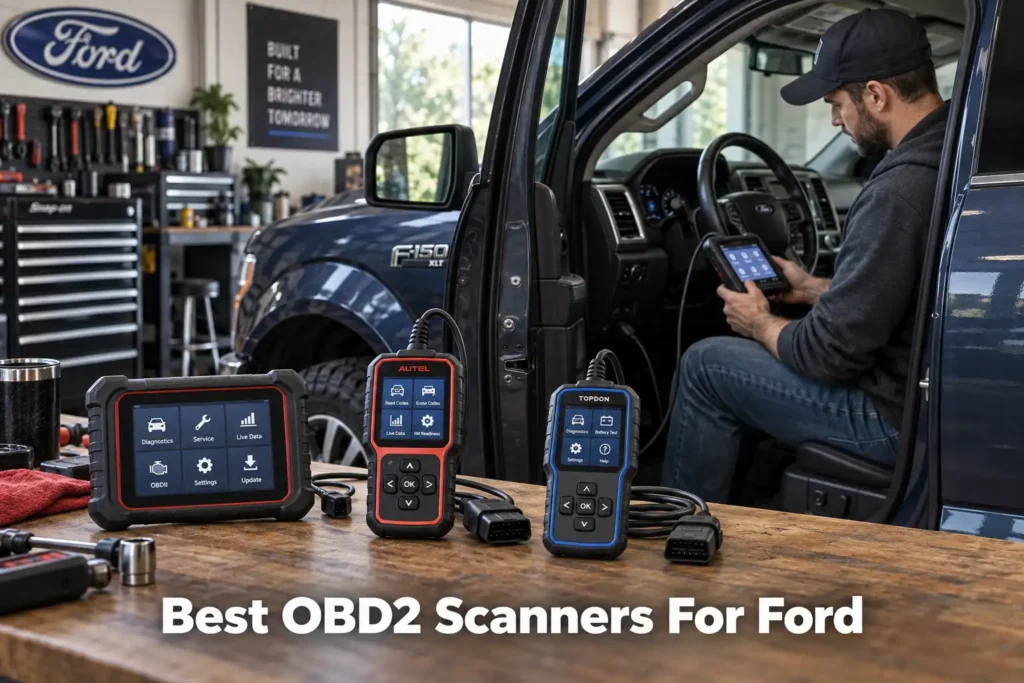
9 Best OBD2 Scanners for Ford in 2026
Ford’s current North American lineup spans a genuinely wide range of platforms, the Escape and Escape Hybrid, Explorer, Edge, Bronco and Bronco Sport, Ranger, Mustang, and the Fusion and Focus still on the road from earlier model years, each with its own module layout, and some with a hybrid battery and drive system a generic code reader was never designed to look at.
A basic scanner may read a check-engine light perfectly well on any of them, yet tell you very little about ABS, airbags, body modules, transmission data, active tests, service functions, or Ford-specific networks. At the other end of the market, a professional tablet may offer far more capability than a home mechanic will ever use on a single car or SUV.
This guide ranks scanners for that broader Ford car, crossover, and SUV lineup. If you specifically drive a Ford F-150, our dedicated F-150 buying guide covers truck-specific systems like the 4×4 transfer case and trailer brake controller that do not apply to the rest of the Ford range.
We compared nine tools across Ford-specific usefulness, diagnostic depth, bidirectional control, ABS/SRS access, service functions, connection type, update or subscription costs, Amazon availability, and overall value. For products already covered by Scan Choice Guide, we also used the verified evidence behind our individual reviews as an input to this comparison.
Our Top Picks for Ford
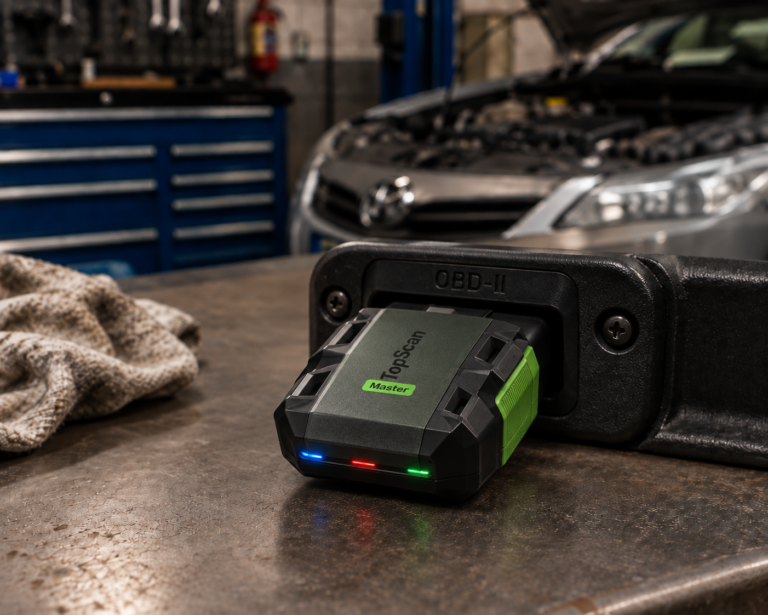
TOPDON TopScan
- Phone-based Bluetooth design
- Full-system + bidirectional
- Lower cost than tablets
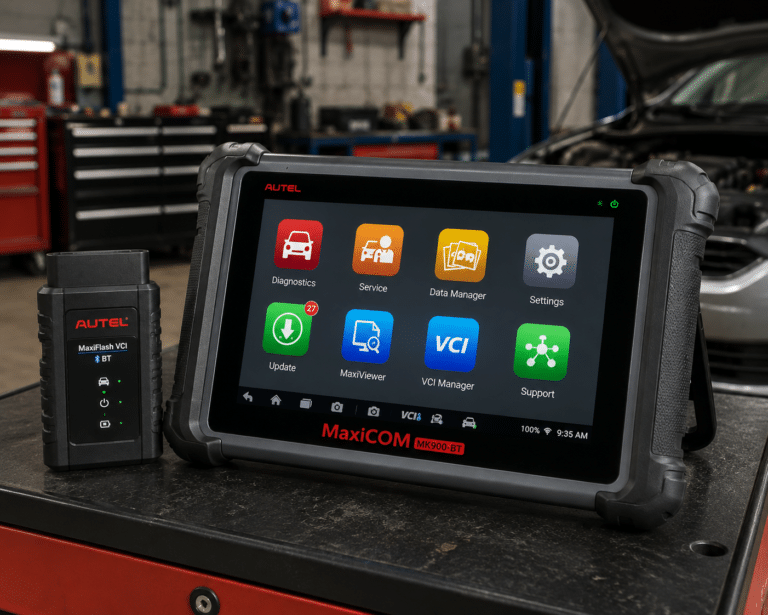
Autel MaxiCOM MK900-BT
- Wireless full-system tablet
- 40+ service functions
- CAN-FD & DoIP support
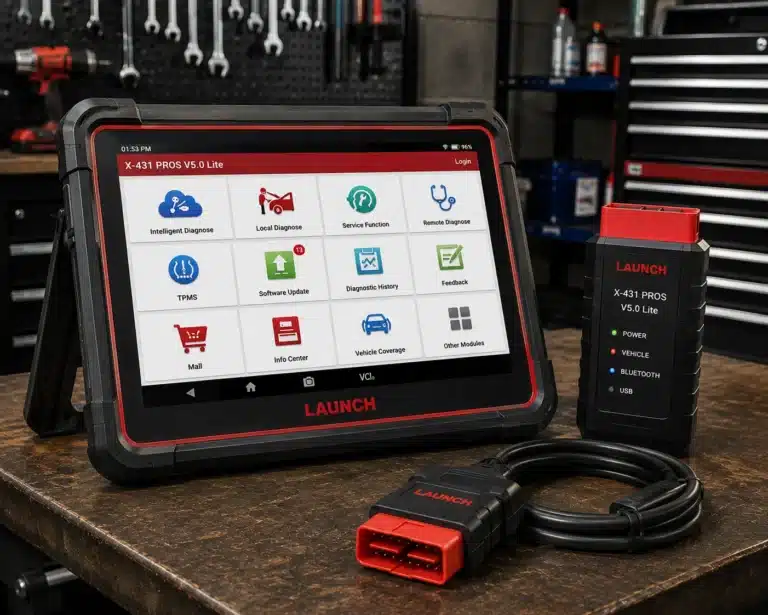
LAUNCH X431 PROS V5.0
- Multi-brand pro platform
- 110+ brand coverage
- 37 service functions
Affiliate Disclosure: Scan Choice Guide is a participant in the Amazon Services LLC Associates Program, an affiliate advertising program designed to provide a means for sites to earn advertising fees by advertising and linking to Amazon.com.
How We Chose These Ford Scan Tools
We used a vehicle-first approach rather than ranking products by Amazon popularity.
For each scanner, the important questions were: Does the manufacturer document the capability? Is the function relevant to Ford owners? Is the tool designed for basic OBD-II or manufacturer-level diagnostics? Does it support full-system scanning? Are active tests available? What are the ownership costs? Does the buyer need a separate phone or Windows computer? And is the exact product available through Amazon US?
We also separate three things that are often blurred together in scanner marketing:
Generic OBD-II diagnostics are the standardized emissions-related functions that compliant vehicles support.
Enhanced diagnostics go beyond generic powertrain information and can include manufacturer-specific modules and data such as ABS, SRS, body, transmission, and other systems.
Bidirectional control means the scanner can send commands to supported vehicle components for active testing. It does not mean every actuator test is available on every Ford.
Coding and programming require even more care. A scanner that supports adaptations, resets, configuration, or some coding functions should not automatically be described as capable of full ECU programming.
The 9 Best OBD2 Scanners for Ford, Ranked and Reviewed
1. Autel MaxiCOM MK900-BT: Best Overall
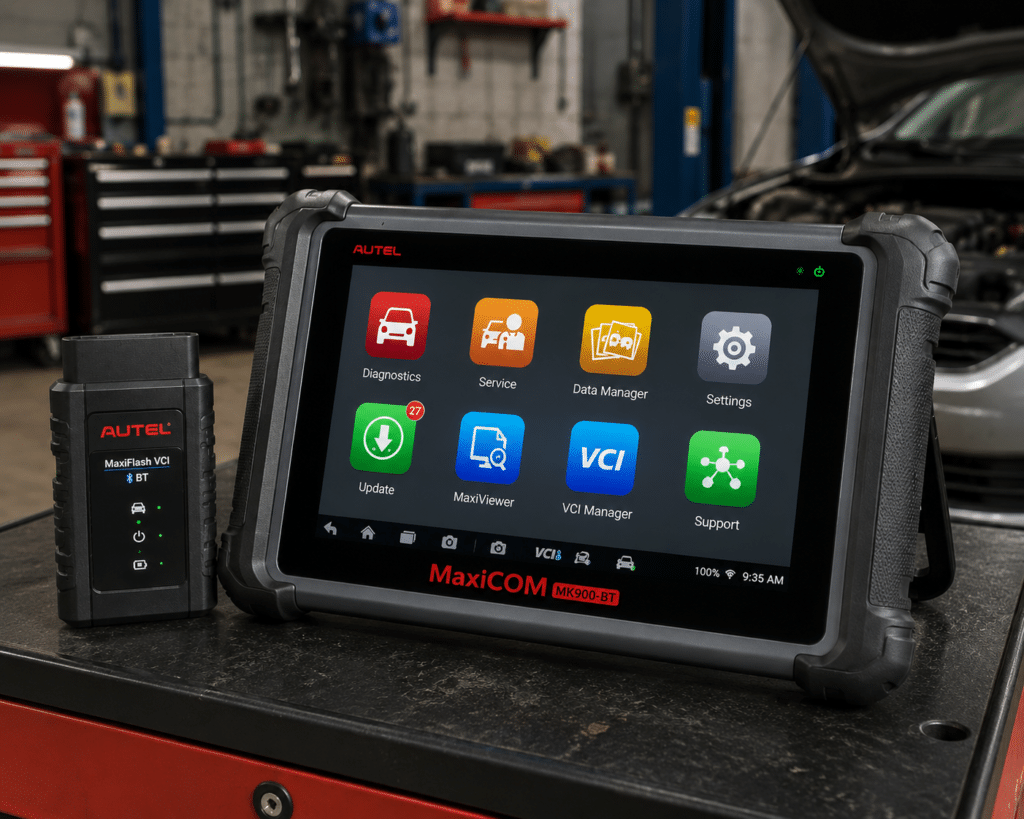
The Autel MaxiCOM MK900-BT takes our top overall position because it combines the features most buyers expect from a modern advanced scanner in one self-contained package.
Autel describes the MK900-BT as an all-systems diagnostic and service tablet with an 8-inch display, Android 11, a wireless MaxiVCI V150 connection, broad U.S., Asian, and European coverage, OE-level system access, active tests, service functions, AutoVIN, pre- and post-scan reporting, and support for newer communication protocols including DoIP and CAN FD.
For a Ford owner, the biggest advantage over a simple Bluetooth dongle is workflow. You do not need to bring a Windows laptop into the vehicle, choose a third-party application, or turn your phone into the scan-tool display. The scanner, interface, software, reporting, and service menus are designed as one diagnostic system.
Why we like it for Ford
Ford vehicles can contain many electronic modules beyond the engine controller. The MK900-BT is designed for all-system work rather than only emissions codes, and Autel explicitly lists active tests and service functions as core capabilities.
That makes it a much more appropriate tool for an owner or technician who wants to investigate problems involving multiple systems rather than simply clear a check-engine light.
Where it is not automatically the winner
Its broad multi-brand capability is also why it costs more than a Ford-focused OBDLink EX setup. If you own one Ford, already have a Windows laptop, and want FORScan specifically, paying for a dedicated Autel tablet may be unnecessary.
Also, exact active tests and special functions remain vehicle-specific. Never assume that a function appearing in Autel’s overall feature list is supported on your exact Ford without checking coverage.
| Specification | Details |
|---|---|
| Display | 8-inch LCD capacitive touchscreen, 1280×800 |
| OS / Processor | Android 11, quad-core (1.8GHz) |
| Memory | 4GB RAM, 64GB storage |
| Connectivity | Wi-Fi and Bluetooth via MaxiVCI V150; USB Type-C |
| Battery | 3.7V/7700mAh |
| Protocol support | CAN-FD and DoIP confirmed |
| Bidirectional control | Confirmed (injector, headlamp, fuel pump, A/C clutch, oil pressure, vehicle-level, brake vacuum, valve tests) |
| ECU coding | Not listed on this model’s own page |
| Service functions | 40+ (oil reset, EPB, SAS, battery registration, throttle relearn, ABS bleed) |
| Pros | Cons |
|---|---|
| Wireless dedicated diagnostic tablet | Amazon lists 3,000+ active tests; Autel’s own page does not state a figure |
| Full-system diagnostics | |
| Active tests | |
| Broad service-function capability | |
| Modern Android 11 platform | |
| DoIP and CAN FD support | |
| Broad multi-brand usefulness | |
| Good fit for advanced DIY and professional use |
Best for
Ford owners who want one serious standalone scanner that can also work across other makes. See our full Autel MaxiCOM MK900-BT review for the complete cross-brand diagnostic breakdown.
2. OBDLink EX: Best Ford-Specific Value
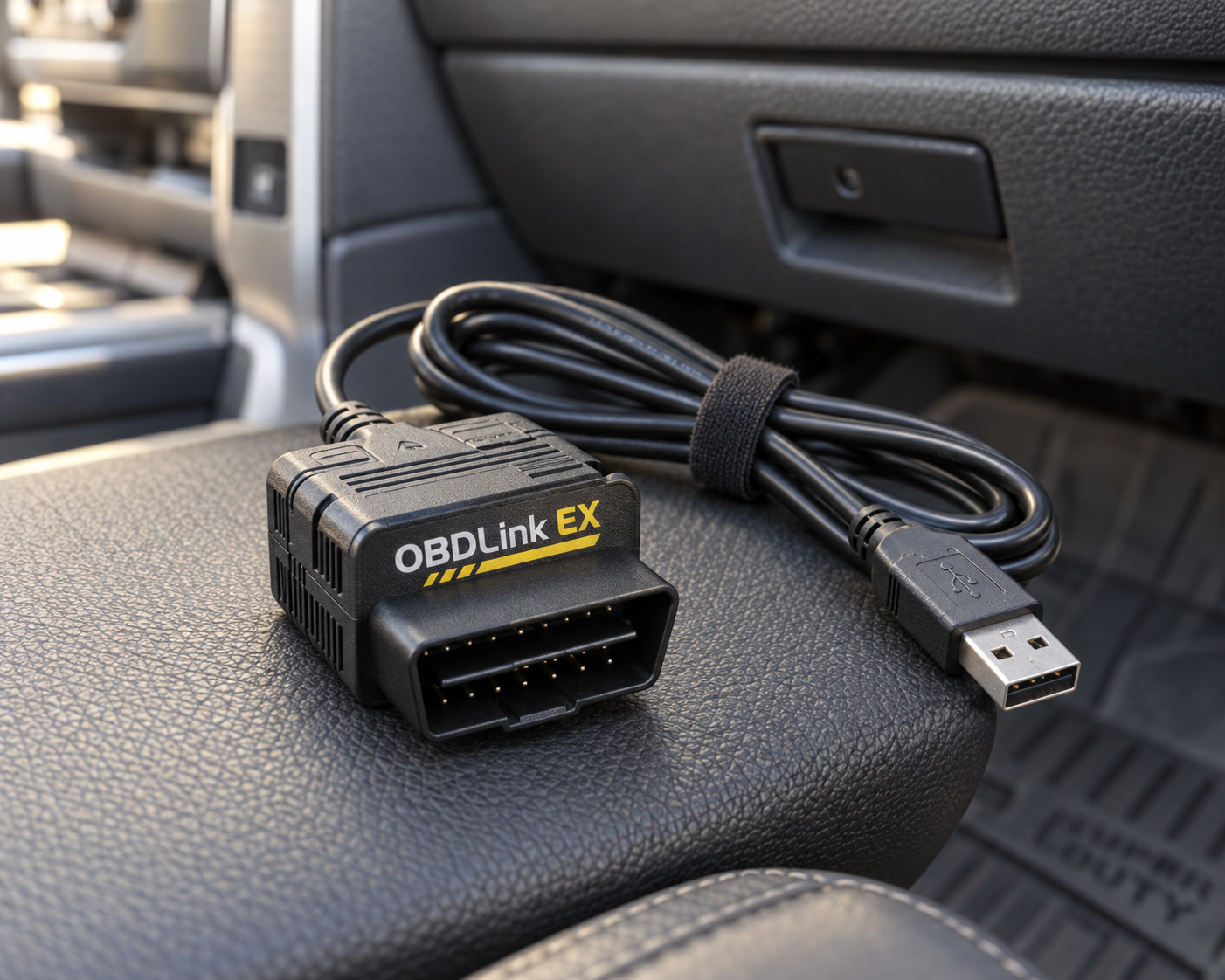
OBDLink EX is the most Ford-focused product in this list.
OBDLink says the EX was made for FORScan and is recommended by the FORScan team. More importantly, OBDLink documents support for Ford-specific networks, including electronic switching between HS-CAN and MS-CAN, rather than treating the adapter as a generic OBD-II reader.
That distinction matters across the Ford lineup, not just on one model. A modern Escape, Explorer, Edge, or Bronco contains far more diagnostic information than standardized emissions data. FORScan is built around Ford, Lincoln, Mercury, and related vehicle diagnostics, while OBDLink EX is designed to give that software reliable access to the vehicle.
Why it ranks second overall
OBDLink EX is the strongest single-brand value in this comparison for an owner who only drives Ford and is comfortable with a Windows-based workflow.
OBDLink states that EX is designed to support the Ford protocols and modules used by FORScan and that its electronic network switching lets FORScan communicate across Ford CAN networks without a manual toggle switch.
For owners comfortable using a Windows computer, this is an unusually strong combination of price and Ford-specific depth.
The trade-off
OBDLink EX is an adapter, not a self-contained diagnostic tablet. The experience depends on FORScan and a Windows computer. If you want to grab one device, walk to the vehicle, and start diagnosing from a touchscreen, the Autel, XTOOL, LAUNCH, or Foxwell tablets are more convenient.
It is also not the best choice if your primary goal is professional multi-brand workshop coverage.
| Pros | Cons |
|---|---|
| Purpose-built for FORScan | Requires a Windows computer for the full FORScan workflow |
| Strong Ford-specific network support | |
| Excellent value | |
| USB connection favors stability | Not a standalone scanner |
| Particularly compelling for owners who only drive Ford vehicles |
Best for
Ford owners who prioritize Ford-specific diagnostic access over an all-in-one tablet.
3. XTOOL D7W: Best Advanced DIY Tablet
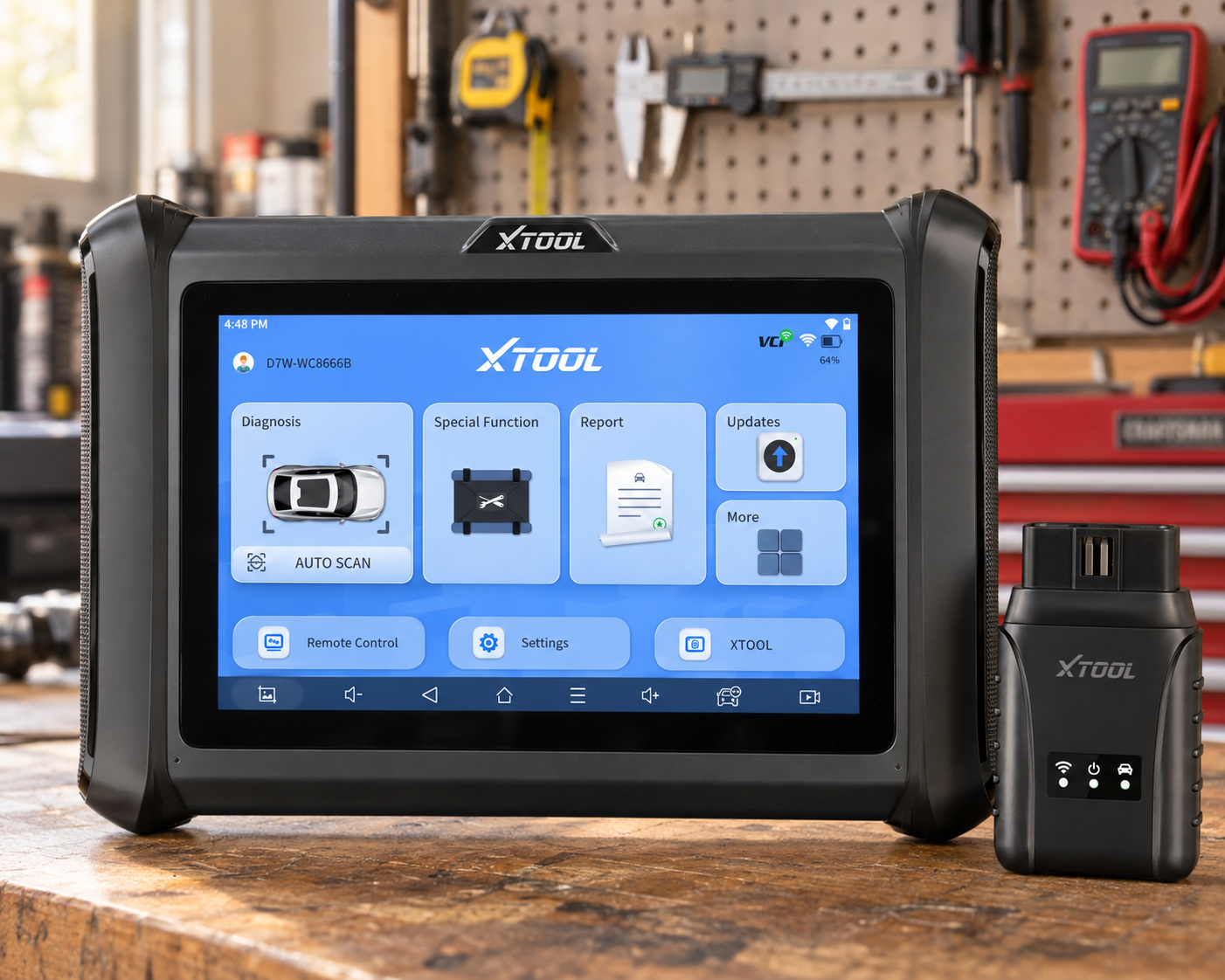
The XTOOL D7W sits in an attractive position between inexpensive adapters and higher-priced professional tablets.
XTOOL describes the D7W as an Android 10 diagnostic scanner with OE-level full-system diagnostics, bidirectional control, resets, relearns, initializations, adaptations, and coding functions. The manufacturer also lists dozens of service functions, including ABS bleeding, oil reset, EPB reset, SAS calibration, injector coding, TPMS reset, and throttle relearn.
That is a much broader toolbox than a basic OBD-II reader.
Why it ranks highly
The D7W makes sense for the Ford owner who wants a dedicated touchscreen tool and active-test capability but does not necessarily want to pay for a higher-tier professional platform.
XTOOL specifically documents bidirectional control for components such as injectors, windows, doors, sunroofs, A/C clutch, and other supported systems. That can make troubleshooting more decisive because you are not limited to passively reading data.
Coding needs a warning
XTOOL advertises ECU coding, but coding support is brand- and function-specific. The manufacturer specifically identifies certain brands for online coding. Buyers should not interpret “ECU coding” as proof that every desired Ford coding or module-programming task is available.
For Ford-specific configuration, FORScan may still be the more targeted route.
| Pros | Cons |
|---|---|
| Dedicated 7-inch tablet | Ford coding claims need function-specific verification |
| OE-level full-system diagnostics | |
| Bidirectional controls | |
| Large service-function set | More expensive than OBDLink EX |
| Good advanced-DIY value | |
| Broader multi-brand use than a Ford-only setup |
Best for
Serious DIY owners who want a standalone tablet with active tests and broad diagnostic capability.
4. Innova 5610: Best Handheld for Serious DIY
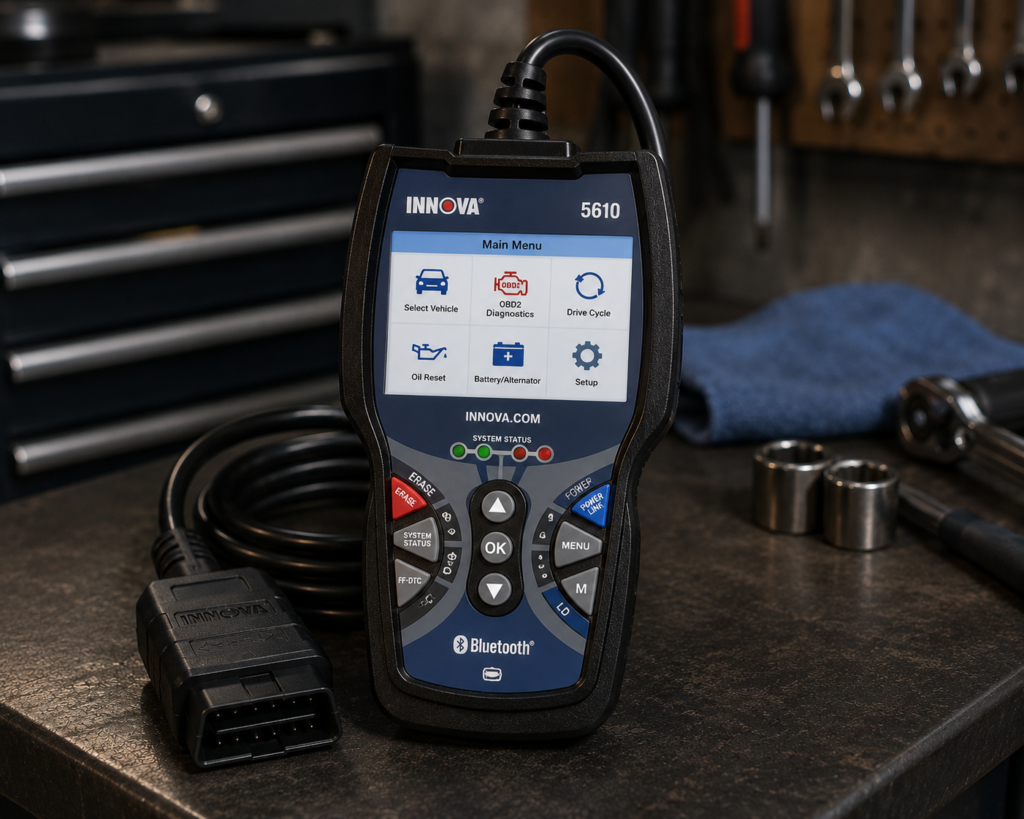
The Innova 5610 is different from most of the tablets in this guide. It keeps the traditional handheld form factor while adding features that used to require more expensive professional equipment.
Innova documents all-system diagnostics covering systems including engine, ABS, SRS, and transmission. It also lists bidirectional active tests, OEM live data, and special functions.
The company is unusually clear about one point we consider important: feature availability varies by vehicle, and buyers should use Innova’s coverage checker to confirm the exact functions they need.
That is the right way to describe advanced scanner compatibility.
Why it works for Ford owners
Innova maintains Ford-specific product/coverage pages and positions the 5610 as its higher-capability handheld option for Ford vehicles.
For a DIY owner who dislikes tablet-style scanners or does not want to depend on a phone or laptop, the 5610 offers a straightforward alternative.
Innova also advertises no subscription requirement and free updates, which can materially change the long-term value compared with tools that require paid renewals for advanced functions.
Bidirectional capability
Innova lists active tests such as commanding fuel injectors, fuel-pump relays, ignition-related functions, cooling fans, and other supported components. Again, those examples are not a guarantee that each command exists on every Ford.
| Specification | Details |
|---|---|
| Form Factor | Handheld unit with dedicated screen |
| App Integration | RepairSolutions2 app (Innova states 4M users) |
| Bidirectional Control | Confirmed; commands ABS pumps, fuel injectors, and other components directly |
| Reset Functions | 20+ confirmed by Innova, including oil, battery, EPB, DPF, TPMS relearn, key coding, injector coding, EV/HEV/PHEV battery health |
| ECU Coding / Reprogramming | Not supported, stated directly by Innova |
| Vehicle Coverage | Most 1996-2023 US/Canada OBD2 vehicles; North America only |
| FCA Vehicles | 2018+ requires Innova’s AutoAuth process for full functionality |
| Update Policy | Free updates, no subscription, confirmed directly by Innova |
| Pros | Cons |
|---|---|
| All-system diagnostics | North America only; not for use outside the US/Canada |
| ABS and SRS capability | |
| Bidirectional active tests | |
| OEM live data | |
| Traditional handheld format | |
| No subscription according to Innova | |
| Vehicle-specific coverage checker |
Best for
DIY Ford owners who want advanced functions without moving to a full diagnostic tablet. Our full Innova 5610 review covers exactly which advanced functions it adds over a basic reader.
5. LAUNCH X431 PROS V5.0: Best Professional Multi-Brand Alternative
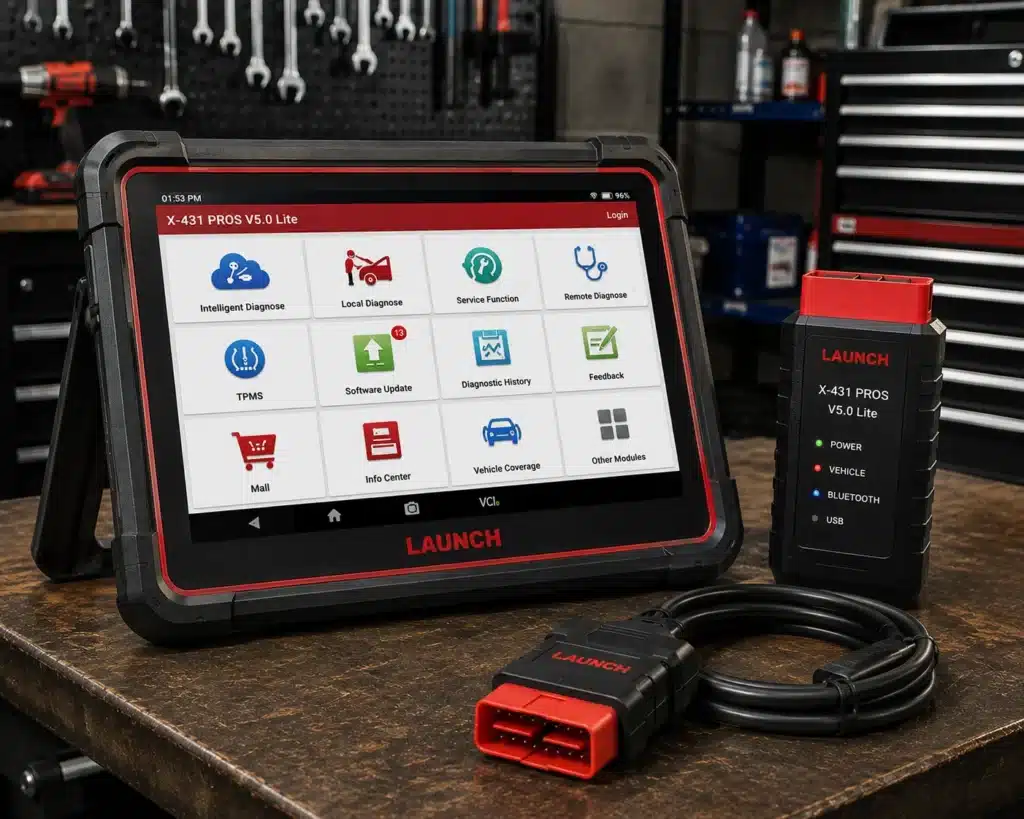
The LAUNCH X431 family is aimed at buyers who expect to diagnose more than one Ford in the driveway.
The PROS V5.0 belongs in this comparison because it represents the professional multi-brand approach: a dedicated wireless diagnostic platform intended for deeper system access, active testing, service work, and broad vehicle coverage.
For a technician, small shop, or advanced enthusiast working across Ford plus other manufacturers, that flexibility can justify moving beyond a Ford-specific adapter.
Why it is not ranked higher for a Ford-only owner
More capability does not automatically mean better value.
If the primary requirement is deep access to one Ford, OBDLink EX and FORScan are more focused and dramatically simpler economically. If the buyer wants a refined all-around dedicated tablet, the MK900-BT is easier for us to recommend as the overall choice based on the evidence available for this comparison.
The LAUNCH becomes more compelling as the number of different vehicles and brands you work on increases.
| Specification | Details |
|---|---|
| Screen | 8-inch tablet, 1280×800 |
| Operating System | Android 10.0 |
| Processor | 2.0GHz quad-core |
| Memory / Storage | 4GB RAM, 64GB storage |
| Battery | 6300mAh |
| Vehicle Coverage | 98%+ of cars on the market per Launch, 110+ brands; verify your specific vehicle |
| Bidirectional Control | Confirmed on Launch’s own page |
| ECU Coding | Amazon’s title lists it; Launch’s own comparison table says “No” |
| Reset/Special Functions | 37 claimed by Launch; 17 individually named (Oil Reset, Immobilizer Reset, Steering Angle Reset, IMMO Program, Throttle Relearn, Battery Matching, TPMS Reset, DPF Regeneration, Brake Reset, Injector Coding, ABS Bleeding, Crank Sensor Adaptive Learning, Gearbox Relearn, AdBlue Reset, EGR Adaption, Transport Mode, Windows Calibration) |
| CAN-FD | Confirmed, no separate adapter required (unlike Launch’s own PROS V1.0) |
| DoIP | Confirmed |
| Pros | Cons |
|---|---|
| Professional multi-brand orientation | Launch individually documents 17 of the 37 claimed service functions |
| Wireless workflow | |
| Advanced diagnostic platform | |
| Suitable for users working on many vehicles | |
| Stronger workshop fit than basic adapters |
Best for
Technicians and advanced users who work on Ford plus many other makes. See our full LAUNCH X431 PROS V5.0 review for its complete multi-make capability breakdown.
6. FOXWELL NT809BT: Best Workshop Alternative
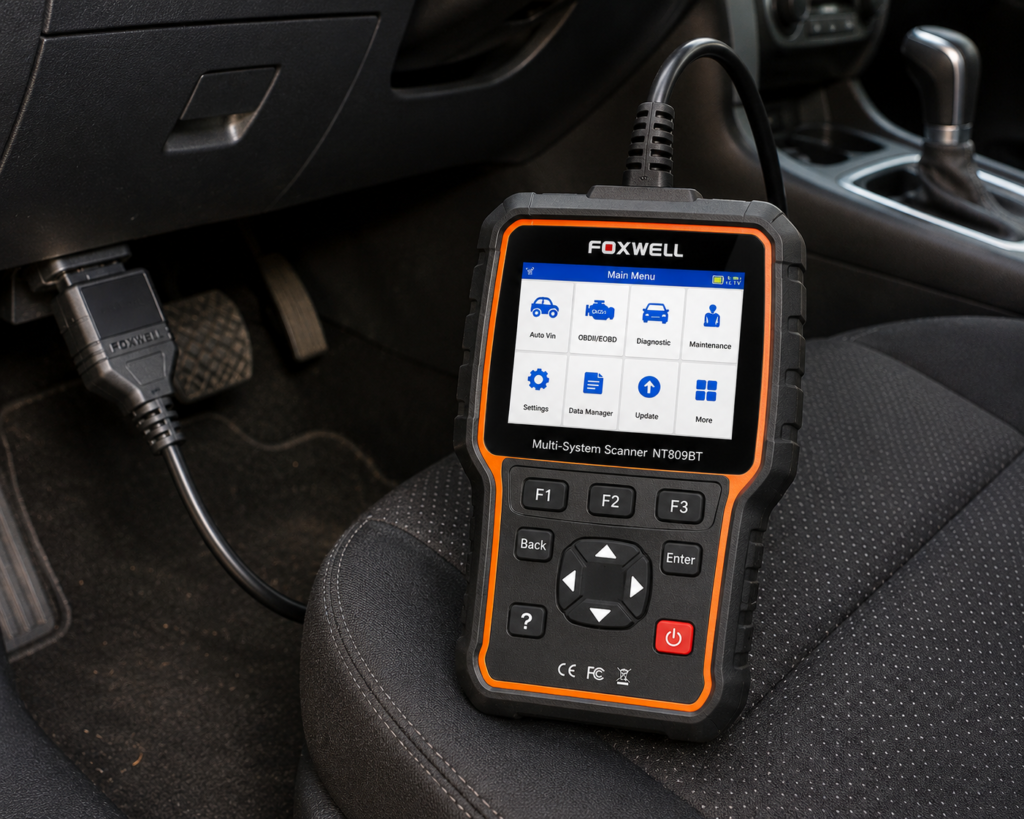
The Foxwell NT809BT is another dedicated wireless diagnostic system aimed more at garages and multi-vehicle users than occasional code reading.
Foxwell describes the NT809BT as an automotive diagnostic system using a wireless VCI and emphasizes multi-manufacturer coverage, service functions, diagnostic data, and workshop use.
Its position in this list is therefore less about being uniquely Ford-specific and more about offering a self-contained diagnostic workflow for someone who wants a broad scanner platform.
Why consider it
A wireless VCI can be more convenient around a vehicle than a fixed cable, especially when checking data or performing procedures that require moving between the cabin and engine bay.
| Specification | Details |
|---|---|
| Screen | 7-inch LCD touchscreen tablet |
| Operating System | Android 9.0 |
| Storage | 32GB |
| Battery | 4000mAh |
| Vehicle Connection | Bluetooth VCI dongle, up to 65-foot range per Amazon; Wi-Fi and USB 2.0 also available |
| Service Functions | 30+ confirmed by Foxwell (oil reset, ABS bleeding, SAS, EPB, TPMS, injector coding, DPF, and more) |
| Bidirectional Control | Confirmed; vehicle-wide active tests across ABS, window, door, solenoid, valve, wiper, headlamp modules |
| ECU Coding | Not listed for this model |
| Vehicle Brand Coverage | 30+ named brands per Foxwell’s product page; a larger figure appears in separate Foxwell marketing |
| CAN-FD Support | Listed on Amazon; not listed on Foxwell’s own product page |
| Update Policy | 3 years free Wi-Fi updates, confirmed by both Foxwell and Amazon |
| Pros | Cons |
|---|---|
| Wireless VCI | CAN-FD: listed on Amazon; not listed on Foxwell’s own page |
| Dedicated diagnostic tablet | |
| Multi-manufacturer coverage | |
| Service-oriented design | |
| Better workshop fit than a simple dongle |
Best for
Multi-vehicle users who prefer Foxwell’s wireless tablet ecosystem. Our full Foxwell NT809BT review covers that wireless tablet ecosystem in detail.
7. Autel MaxiCheck MX900: Best Wired Autel Alternative
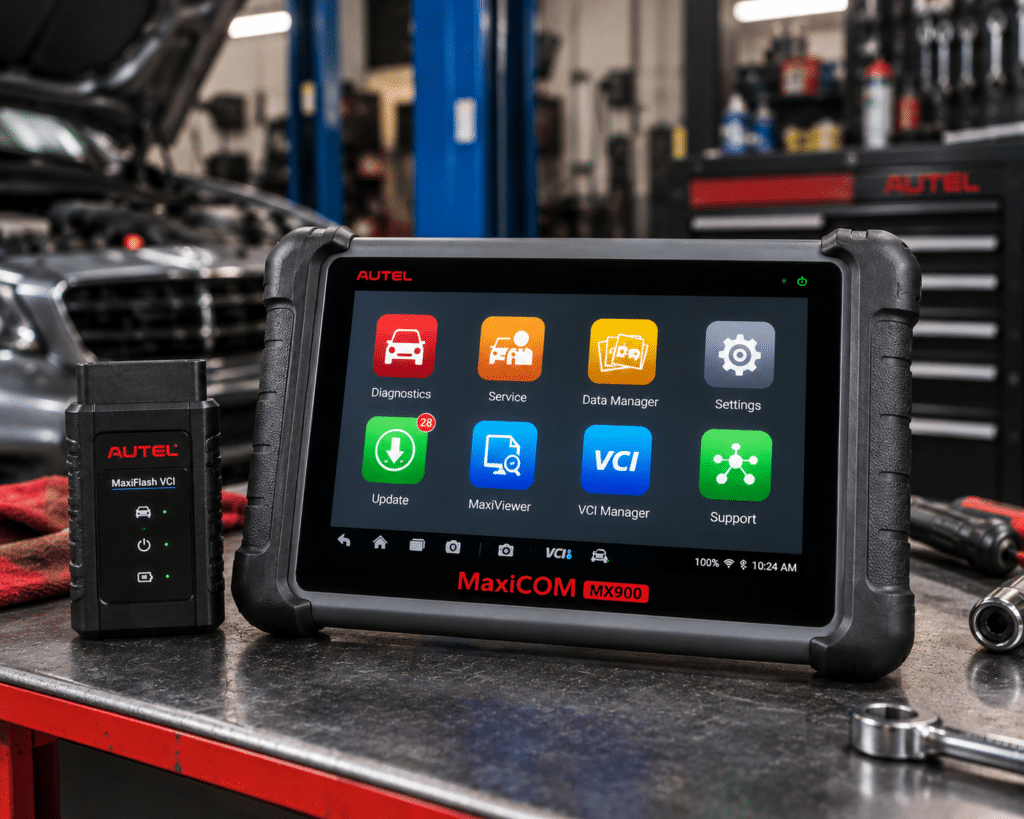
The MaxiCheck MX900 shares much of the modern Autel diagnostic platform with the MK900 family but uses a wired vehicle connection.
Autel documents an 8-inch Android 11 tablet, full-system coverage, code reading and clearing, live data, ECU information, active tests, service functions, AutoVIN, pre/post scan reporting, DoIP, and CAN FD.
If you like the Autel workflow but do not need a wireless VCI, the MX900 is worth considering.
Why it ranks below the MK900-BT
The MK900-BT offers the more flexible wireless workflow and is the more natural overall recommendation in this comparison. The MX900 becomes attractive when pricing makes the wired model meaningfully cheaper or when a buyer simply prefers a physical connection.
A cable is not necessarily a disadvantage. For some diagnostic work, a direct connection is simple, predictable, and one less wireless link to manage.
| Specification | Details |
|---|---|
| Display | 8″ LCD capacitive touchscreen, 1280×800 |
| Operating System | Android 11 |
| Processor | Quad-core, 1.8GHz |
| RAM / Storage | 4GB / 64GB (microSD supported, up to 64GB) |
| Battery | 3.7V/7700mAh lithium-polymer (largest of the three-model lineup) |
| Connectivity | USB Type-C, USB 2.0, Wi-Fi; 8MP rear camera |
| Bi-Directional Control | Confirmed: “Full Bi-Directional Control/Active Tests” per Autel |
| DoIP / CAN FD | Confirmed: built in, positioned for 2023+ GM/Ford/Chrysler |
| ECU Coding | Not listed by Autel for this model |
| Service Functions | 40+ per Autel (Oil, EPB, SAS, Battery Reg., Throttle, ABS Bleed, and more), most of the three |
| Update / Warranty | 1 year free update, 1 year free warranty |
| Pros | Cons |
|---|---|
| Modern Autel platform | Larger, heavier unit than either sibling |
| Full-system diagnostics | |
| Active tests | |
| Broad service functions | |
| DoIP and CAN FD | |
| Dedicated tablet |
Best for
Buyers who want Autel’s advanced tablet platform and do not need wireless vehicle communication.
8. TOPDON TopScan: Best Budget Wireless Choice
TOPDON TopScan takes a very different approach from the larger tablets. It turns a smartphone into the display and computing interface while the Bluetooth adapter handles vehicle communication.
TOPDON documents full-system diagnostics, live data, bidirectional control, and multiple maintenance functions across the TopScan family.
For the price and physical size, that is a lot of capability.
The catch: understand the edition and renewal model
TOPDON now sells TopScan in multiple editions, and the feature count and renewal price vary by version. TOPDON’s current product information shows different maintenance-function counts and software-renewal pricing for Lite, Pro, and Master versions.
That means buyers should not choose a TopScan solely because an Amazon title says “bidirectional” or lists a large number of functions. Confirm exactly which edition the listing represents, what remains available without renewal, and what requires an active subscription.
Why it still makes the list
For a Ford owner who wants wireless phone-based diagnostics and active tests without buying a dedicated tablet, the value proposition is strong.
It is not our first choice for Ford-specific configuration: that remains OBDLink EX/FORScan, but it can be more convenient for someone who wants a modern mobile interface and broad multi-brand support.
| Pros | Cons |
|---|---|
| Compact Bluetooth design | Edition differences can be confusing |
| Uses your existing phone | |
| Full-system diagnostics | |
| Bidirectional control | Advanced features can depend on subscription |
| Broad maintenance features | |
| Lower entry cost than many tablets |
Best for
Budget-conscious buyers who want wireless, phone-based advanced diagnostics.
9. OBDLink MX+: Best Compact Wireless Diagnostic Adapter
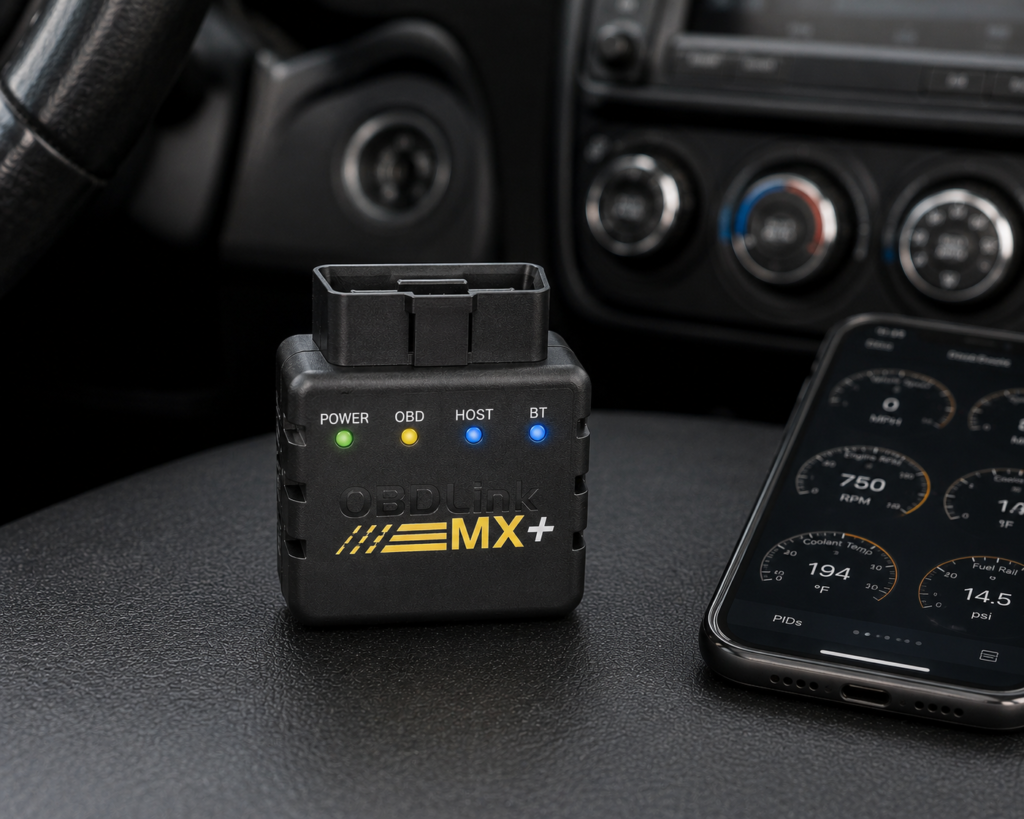
OBDLink MX+ is one of the most convenient adapters in this group. It is small, wireless, and designed to work with phones and tablets.
OBDLink documents enhanced OEM diagnostics for supported vehicles through its app, including manufacturer-specific trouble codes and data beyond generic OBD-II. Its support documentation specifically uses Ford ABS codes as an example of the kind of information enhanced diagnostics can expose.
Why EX ranks above MX+ for Ford
The answer is specialization.
OBDLink EX was designed specifically around FORScan and Ford network access. MX+ is the better general-purpose wireless adapter, but EX is the more targeted Ford recommendation when a Windows/FORScan workflow is acceptable.
MX+ becomes more attractive when portability and phone-based use matter more than having the most Ford-focused setup.
| Specification | Details |
|---|---|
| Connectivity | Class 2 Bluetooth v3.0, 128-bit encryption |
| Protocols | All legislated OBD2 protocols; advanced Ford & GM networks (MS-CAN, SW-CAN); EOBD, JOBD, international variants |
| Vehicle compatibility | 1996 and newer cars/light trucks sold in the U.S. (confirm your exact vehicle via the SCG Finder) |
| Data sampling | Up to 100 samples/second per OBDLink’s documentation |
| App model | Bundled basic OBDLink app; designed to pair with third-party apps (FORScan, BimmerCode, Torque, Carista, and others) |
| Update/subscription policy | Free firmware/software updates, no subscription, per OBDLink’s official page |
| Warranty | 180-day money-back guarantee; 3-year warranty (OBDLink’s own page) |
| Pros | Cons |
|---|---|
| Small Bluetooth adapter | Full diagnostic depth requires installing and configuring a separate third-party app |
| Convenient phone/tablet workflow | |
| Enhanced OEM diagnostics for supported vehicles | |
| Useful beyond Ford | |
| No dedicated tablet to carry |
Best for
Ford owners who value a compact wireless adapter and broad mobile diagnostic convenience. See our full OBDLink MX+ review for the complete mobile-diagnostic feature set.
Comparison Table
| Rank | Scanner | Best For | Connection | Full-System Diagnostics | Bidirectional / Active Tests |
|---|---|---|---|---|---|
| 1 | Autel MaxiCOM MK900-BT | Best Overall | Wireless Bluetooth VCI | Yes | Yes |
| 2 | OBDLink EX | Ford-specific / FORScan | USB | Through FORScan | Through supported FORScan functions |
| 3 | XTOOL D7W | Advanced DIY | Wired tablet | Yes | Yes |
| 4 | Innova 5610 | Serious DIY / handheld | Wired handheld | Yes | Yes, vehicle-dependent |
| 5 | LAUNCH X431 PROS V5.0 | Professional multi-brand use | Wireless | Yes | Yes |
| 6 | FOXWELL NT809BT | Workshop alternative | Wireless VCI | Yes | Advanced diagnostic functions; verify exact Ford functions |
| 7 | Autel MaxiCheck MX900 | Autel wired alternative | Wired | Yes | Yes |
| 8 | TOPDON TopScan | Budget wireless / phone-based | Bluetooth | Yes | Yes |
| 9 | OBDLink MX+ | Compact wireless diagnostics | Bluetooth | Enhanced diagnostics supported | App/software-dependent |
The ranking is not simply “most functions wins.” A Ford owner may be better served by the second-ranked OBDLink EX than by a much more expensive tablet if the goal is Ford-specific diagnostics through FORScan.
Own a Ford F-150 Instead?
This guide covers Ford’s car, crossover, and SUV lineup. A pickup truck raises different diagnostic questions, a 4×4 transfer-case module that no Escape or Explorer has, a factory trailer brake controller on tow-equipped trucks, and an engine lineup running from a base V6 up through EcoBoost and, on some model years, a diesel option.
If that is your vehicle, our dedicated Ford F-150 buying guide ranks scanners specifically against that truck-specific system list rather than the general Ford diagnostics covered here.
Best Ford Scanner for ABS and SRS
Our preferred traditional handheld choice is the Innova 5610 because Innova explicitly documents all-system diagnostics including ABS and SRS, OEM live data, bidirectional tests, and a vehicle-coverage checking process.
The Autel MK900-BT, XTOOL D7W, and other advanced tablets in this guide can also provide deep system access, but the exact Ford model/year/function must still be verified.
Do not assume that a scanner that reads engine codes can read ABS or airbag faults. Generic OBD-II and manufacturer-specific module diagnostics are different levels of access.
Best Ford Scanner for Bidirectional Controls
For a dedicated tablet, the Autel MaxiCOM MK900-BT is our overall choice.
Autel explicitly lists Active Test capability as part of the MK900-BT platform. XTOOL also documents full bidirectional control on the D7W, while Innova documents bidirectional active tests on the 5610 and TOPDON lists bidirectional control across the TopScan family.
But “bidirectional” is not a universal checklist.
One Ford may expose a cooling-fan command, window test, ABS procedure, or injector test that another model or model year does not. Verify the specific active test you need before buying.
What Works on Ford, and What May Not
This is the most important section of the guide.
No responsible scanner recommendation should say that a tool “works on Ford” and stop there.
Compatibility can depend on:
- Ford model
- model year
- engine and powertrain
- electronic module
- communication network
- exact diagnostic or service function
- scanner software version
- subscription or license status
- regional vehicle configuration
A tool may read engine and transmission codes on a vehicle while lacking one specific service routine. Another may support ABS diagnostics but not the active test you want. A scanner may support coding on some manufacturers without supporting the same coding operation on Ford.
That is why Scan Choice Guide treats compatibility as a vehicle-and-function question, not just a brand logo on a product page.
OBD-II vs. Ford Enhanced Diagnostics
Every tool in this guide can participate in OBD-II diagnostics, but Ford owners often need more than that.
Generic OBD-II is primarily standardized emissions and powertrain diagnostics.
Ford-enhanced diagnostics can expose additional modules, manufacturer-specific trouble codes, data parameters, and procedures.
OBDLink’s own support documentation gives a useful example: a Ford owner may need enhanced diagnostics to read and clear manufacturer-specific ABS trouble codes.
That is one reason OBDLink EX/FORScan ranks so highly despite costing much less than several dedicated tablets. For a Ford-focused user, specialization can be more valuable than a longer generic feature list.
Update and Subscription Costs Matter
The price on the Amazon page is only the first part of scanner ownership.
Some products continue to provide core functions after an update period expires but charge for new vehicle coverage or software updates. Some phone-based products place advanced functions behind subscriptions. Others advertise free updates.
For example, Innova currently promotes the 5610 as a no-subscription product with free updates. TOPDON, by contrast, publishes renewal pricing across the current TopScan editions and distinguishes between always-free and subscription-dependent features.
A $100 scanner with recurring fees can eventually cost more than a $250 scanner with the functions you need included. Conversely, paying for professional software updates makes sense if the scanner earns its keep in a workshop.
Which Ford Scanner Should You Buy?
Choose Autel MaxiCOM MK900-BT if you want the best balance of advanced capability, wireless convenience, full-system diagnostics, active tests, and multi-brand usefulness in one standalone device.
Choose OBDLink EX if Ford is the priority and you are comfortable using FORScan on Windows. It is the most focused Ford value in this group.
Choose XTOOL D7W if you are a serious DIY owner who wants a dedicated tablet and bidirectional functions without immediately moving to a higher-tier professional platform.
Choose Innova 5610 if you prefer a traditional handheld scanner, want ABS/SRS and bidirectional capability, and value Innova’s no-subscription positioning.
Choose LAUNCH X431 PROS V5.0 or FOXWELL NT809BT if your use case is moving toward a multi-brand garage or professional environment.
Choose Autel MaxiCheck MX900 if you want a modern Autel tablet and prefer or accept a wired connection.
Choose TOPDON TopScan if price, portability, and phone-based bidirectional diagnostics are priorities, but verify the exact edition and subscription terms.
Choose OBDLink MX+ if you want a compact wireless adapter with enhanced diagnostics and broader mobile convenience than the Ford-focused EX.
Quick Picks
Best Overall: Autel MaxiCOM MK900-BT
The strongest all-around choice here for buyers who want a self-contained wireless tablet, full-system diagnostics, active tests, service functions, and broad vehicle coverage without stepping into flagship-tool pricing.
Best Ford-Specific Value: OBDLink EX
If your priority is Ford rather than multi-brand workshop use, OBDLink EX paired with FORScan is difficult to ignore. OBDLink says the EX was designed specifically for FORScan and supports Ford-specific networks including MS-CAN.
Best Budget Wireless Choice: TOPDON TopScan
A compact phone-based option with full-system diagnostics and bidirectional capability, but buyers need to understand TOPDON’s edition and subscription structure before choosing it over a one-time-purchase alternative.
Best Handheld for Serious DIY: Innova 5610
A traditional handheld design with all-system diagnostics, ABS/SRS coverage, bidirectional tests, OEM live data, and no subscription requirement according to Innova.
Best Advanced DIY Tablet: XTOOL D7W
Sits between inexpensive adapters and professional-tier tablets: a dedicated touchscreen with OE-level full-system diagnostics, bidirectional control, and a broad service-function set.
Best Wireless Professional Alternative: LAUNCH X431 PROS V5.0
A better fit for advanced users and technicians who want a multi-brand professional platform rather than a Ford-only solution.
Best Autel Wired Alternative: Autel MaxiCheck MX900
It gives buyers much of the diagnostic depth associated with Autel’s newer tablet platform while using a wired vehicle connection.
Best Workshop Alternative: FOXWELL NT809BT
A wireless diagnostic tablet aimed more toward busy garages and multi-vehicle users than someone who only needs occasional Ford code reading.
Frequently Asked Questions
What is the best OBD2 scanner for Ford?
Our best overall choice in this comparison is the Autel MaxiCOM MK900-BT because it combines a dedicated wireless tablet, full-system diagnostics, active tests, service functions, and broad multi-brand coverage.
For Ford-specific value, however, OBDLink EX with FORScan may be the better purchase.
Does this guide cover the Ford F-150?
This guide focuses on Ford’s car, crossover, and SUV lineup. The F-150 has its own truck-specific diagnostic considerations, 4×4 transfer case, trailer brake controller, a five-way engine lineup, that our dedicated Ford F-150 buying guide ranks scanners against directly.
Will any OBD2 scanner read Ford ABS and airbag codes?
No.
Basic generic OBD-II capability does not automatically include manufacturer-specific ABS or SRS diagnostics. Choose a scanner that documents enhanced or all-system diagnostics and verify coverage for your vehicle.
Do I need FORScan for a Ford?
No. Autel, XTOOL, Innova, LAUNCH, Foxwell, TOPDON, and other scanners can perform many Ford diagnostic tasks.
FORScan becomes particularly attractive when you want a Ford-focused software platform and compatible adapter rather than a general multi-brand scanner.
Can these scanners perform bidirectional tests on Ford vehicles?
Several scanners in this guide support bidirectional or active-test functions, including the MK900-BT, XTOOL D7W, Innova 5610, and TOPDON TopScan.
The exact tests available vary by Ford model, year, module, and software coverage.
Can an OBD2 scanner program Ford modules?
Do not assume so.
Terms such as coding, adaptation, configuration, relearn, initialization, and ECU programming describe different operations. A scanner advertising “ECU coding” is not automatically capable of full Ford module programming.
Verify the exact procedure you need before purchasing.
What is the best cheap Ford scan tool?
If your goal is Ford-specific capability and you already have a compatible Windows computer, OBDLink EX offers exceptional value.
If you prefer wireless phone-based diagnostics, TOPDON TopScan is a compelling alternative, but check the exact edition and subscription terms first.
Which Ford scanner is best for a serious DIY owner?
The XTOOL D7W and Innova 5610 are our strongest serious-DIY choices for different reasons.
D7W provides a dedicated tablet and broad advanced functionality. The 5610 provides a simpler handheld format, all-system diagnostics, bidirectional tests, and no-subscription positioning from Innova.
Final Verdict
There is no single scanner that is best for every Ford owner.
The Autel MaxiCOM MK900-BT is our Best Overall because it combines the broadest useful mix of standalone convenience, full-system diagnostics, active tests, service functions, and multi-brand capability without requiring a separate phone or laptop.
The OBDLink EX is our Best Ford-Specific Value because it was built around FORScan and Ford-specific network access.
The XTOOL D7W is our preferred Advanced DIY Tablet, while the Innova 5610 is our Best Handheld for Serious DIY.
The remaining tools make sense for more specific buyers: LAUNCH and Foxwell for broader workshop use, MX900 for buyers who want a wired Autel tablet, TopScan for inexpensive phone-based bidirectional diagnostics, and OBDLink MX+ for compact wireless convenience.
The final decision should always come back to one question:
What do you need the scanner to do on your exact Ford?
Start there, verify that function for your model and year, and then choose the least expensive tool that delivers the diagnostic depth you actually need.