Knowledge Hub
What Is OBD2 and How Does an OBD2 Scanner Work?

When the Check Engine light comes on, your car usually knows more about the problem than the dashboard tells you.
Modern vehicles continuously monitor many of the systems involved in engine operation and emissions. When the vehicle detects certain faults, it can store diagnostic information in its onboard computer.
OBD2 is the standardized system that makes much of that information accessible.
An OBD2 scanner is the tool that lets you access it.
But there is an important distinction every car owner should understand:
OBD2 does not diagnose the car for you. It gives you diagnostic information that can help you determine what to investigate next.
Understanding that difference is the first step toward using a scan tool correctly.
What Does OBD2 Mean?
OBD2 stands for On-Board Diagnostics, Second Generation. You may also see it written as OBD-II.
The system was developed primarily to monitor emissions-related vehicle systems and identify malfunctions that could cause a vehicle to exceed applicable emissions requirements.
Earlier onboard diagnostic systems existed, but they were much less standardized. Manufacturers could use different connectors, diagnostic methods and fault information; that earlier generation is generally referred to as OBD1. See the difference between OBD1 and OBD2 if you are unsure which one your vehicle uses.
OBD2 created a much more standardized diagnostic framework.
For U.S. car owners, the 1996 model year is the key practical dividing line for gasoline light-duty vehicles, although the regulatory history is more nuanced than the common statement that “every car after 1996 has OBD2.”
Some earlier vehicles were already equipped with OBD-II systems, while implementation details can differ by fuel type and vehicle class.
For that reason, the vehicle’s model year, fuel type and actual OBD compliance should be considered when dealing with older vehicles near the transition period.
What Is an OBD2 Scanner?
An OBD2 scanner is an external diagnostic tool that communicates with a vehicle through its diagnostic connection.
The vehicle already contains the onboard diagnostic system.
The scanner is not the OBD2 system itself.
Think of the difference this way:
The vehicle’s OBD2 system monitors relevant vehicle operation and stores diagnostic information.
The OBD2 scanner provides a way for you to request and view that information.
Depending on the scanner and vehicle, that information can include:
- Diagnostic Trouble Codes (DTCs)
- Check Engine light status
- live sensor and operating data
- freeze-frame information
- emissions readiness information
- vehicle information
- other standardized diagnostic data
More advanced diagnostic tools may provide access to much more than standard OBD2 information, but those additional capabilities should not automatically be treated as part of basic OBD2.
That distinction matters when choosing a scanner.
Where Is the OBD2 Port?
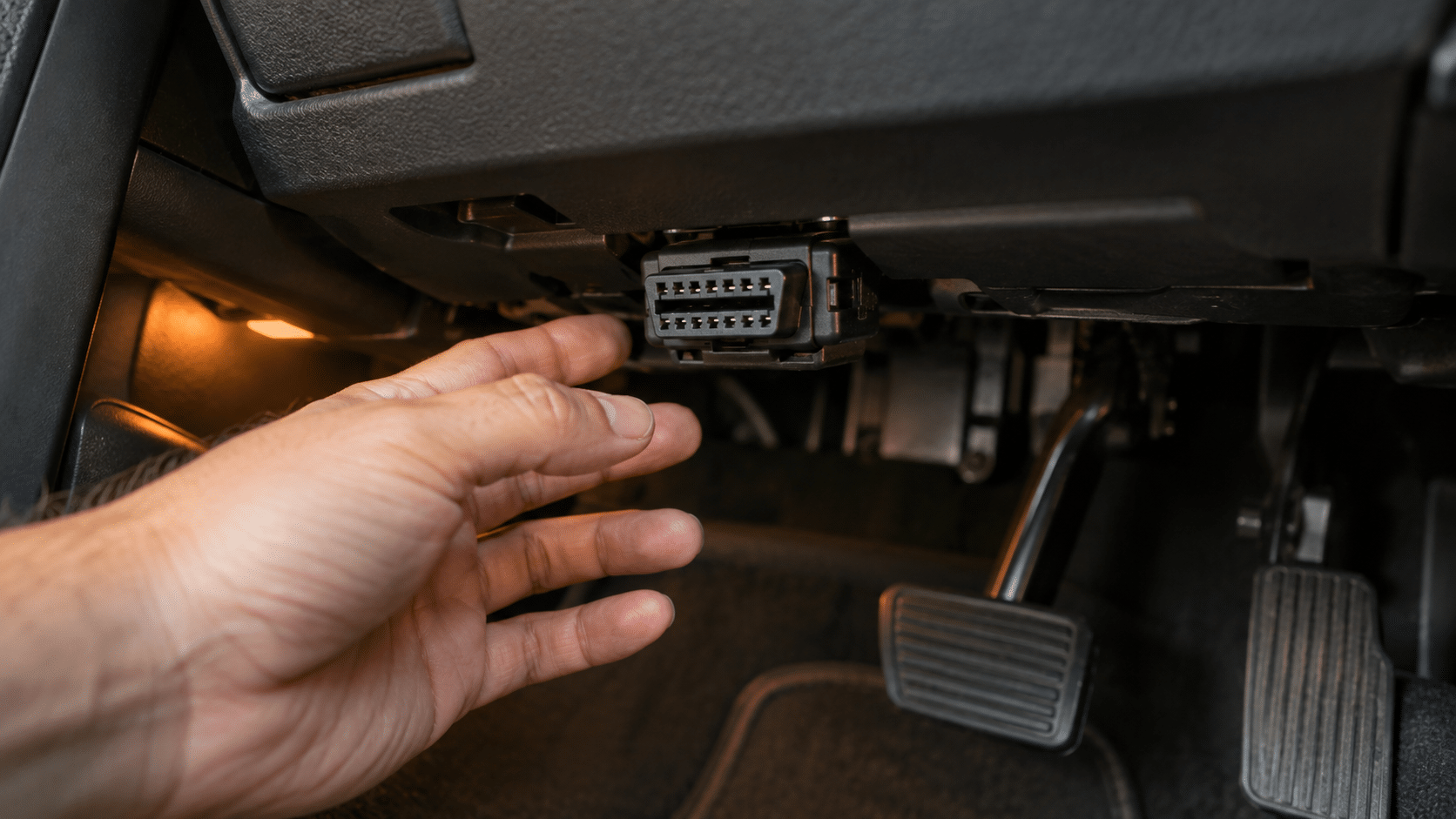
An OBD2 scanner connects through the vehicle’s diagnostic connector, commonly called the OBD2 port or Data Link Connector (DLC).
Its design and accessibility are standardized under the OBD framework.
In passenger vehicles, the connector is normally located in or near the driver’s-side dashboard/footwell area so diagnostic equipment can be connected without accessing the engine compartment.
If you cannot find it, check reliable vehicle-specific documentation rather than forcing a plug into a connector that merely looks similar.
How Does OBD2 Work?
The easiest way to understand OBD2 is to separate the process into three parts.
The vehicle monitors itself
Electronic control systems receive information from sensors and monitor the operation of relevant components and systems.
The exact monitoring strategy depends on the vehicle and system.
OBD2’s regulatory foundation is closely tied to emissions monitoring, so standard OBD2 should not be confused with complete access to every electronic system in the vehicle.
The vehicle detects and records certain problems
When the onboard diagnostic system determines that a monitored condition meets the criteria for a fault, it can record diagnostic information.
That may include a Diagnostic Trouble Code, commonly called a DTC.
Under the appropriate conditions, a malfunction can also cause the Malfunction Indicator Lamp (MIL): usually called the Check Engine light, to illuminate.
The vehicle may store additional information that helps put the fault into context.
The scanner requests that information
When you connect a compatible OBD2 scanner, the scanner establishes communication with the vehicle and requests supported diagnostic information.
It then presents that information in a form you can read.
A simple code reader may display little more than a trouble code and basic data.
A more capable scanner may organize codes, graph live data, display freeze-frame information or provide additional diagnostic features.
Some advanced scan tools can communicate with vehicle systems far beyond basic standardized OBD2.
That is why two products both described as “OBD2 scanners” can have dramatically different capabilities.
What Are OBD2 Trouble Codes?
Diagnostic Trouble Codes are identifiers used to report detected faults or conditions.
You may have seen codes such as P0300 or P0420.
The code provides diagnostic direction.
It does not necessarily identify the failed part.
That is one of the most important principles in vehicle diagnostics.
For example, a code associated with a sensor does not automatically prove that the sensor itself needs to be replaced. Wiring, connectors, air leaks, mechanical problems, another component or operating conditions may contribute to the fault.
A trouble code should therefore be treated as evidence and a starting point for diagnosis, not as an automatic parts-replacement instruction.
For a detailed explanation of how the code system works, see OBD2 Codes Explained: How to Read Diagnostic Trouble Codes.
What Is Live Data?
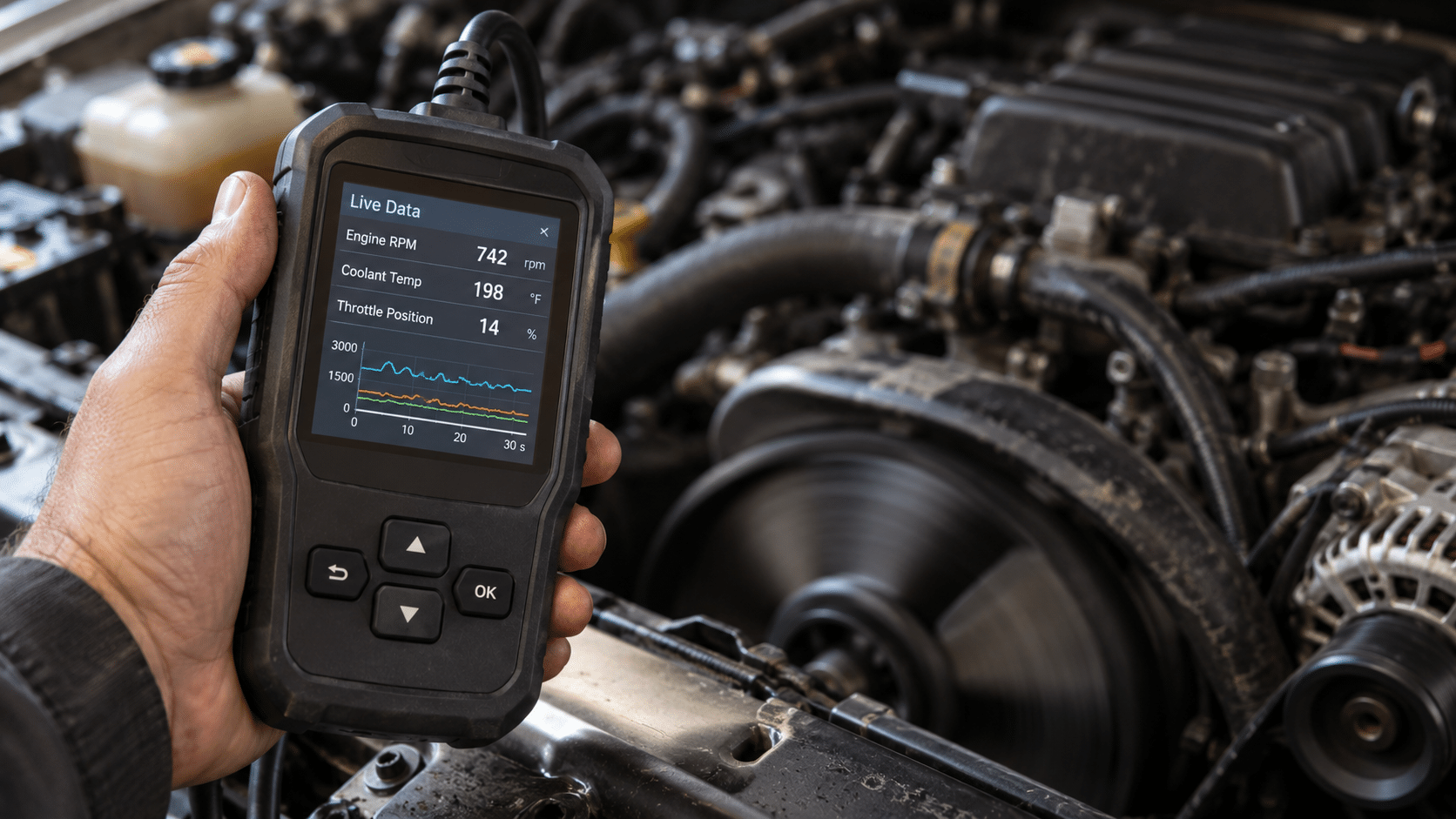
An OBD2 scanner may also let you view supported vehicle parameters while the vehicle is operating.
This is generally referred to as live data.
Depending on the vehicle and supported parameters, examples can include information related to:
- engine speed
- coolant temperature
- throttle position
- oxygen-sensor data
- fuel-system information
- intake-air information
- calculated engine load
- vehicle speed
Live data can be more useful than simply reading a trouble code because it lets you see how supported values behave while the vehicle is operating.
But displaying a number and understanding what that number means are two different things.
Useful diagnosis requires context.
For that reason, SCG treats live-data interpretation as a separate subject. See How to Read OBD2 Live Data: PIDs, Fuel Trims, O2 Sensors and More.
What Can a Basic OBD2 Scanner Do?
A basic scanner is primarily useful for standardized OBD2 diagnostics.
Depending on the tool and vehicle, it may let you:
- read supported Diagnostic Trouble Codes
- clear supported diagnostic information
- check Check Engine light/MIL information
- view freeze-frame data
- view emissions readiness monitor status
- read supported live data
- access basic vehicle information
For many drivers dealing with a Check Engine light, that can be enough to begin investigating the problem.
But it is important to understand where basic OBD2 ends.
What Can’t You Assume an OBD2 Scanner Can Do?
The words “OBD2 scanner” do not guarantee complete access to every electronic system in your vehicle.
Do not automatically assume that every OBD2 scanner can:
- diagnose ABS faults
- diagnose airbag/SRS faults
- access every transmission module
- communicate with every body-control module
- perform service resets
- perform ABS bleeding
- register a battery
- perform TPMS service
- command vehicle components
- perform bidirectional active tests
- code control modules
- program ECUs
- access every manufacturer-specific parameter
Those capabilities depend on the exact scanner, exact vehicle, model year, module, software and required function.
This is where many scanner-buying mistakes begin.
A product can work for standardized OBD2 diagnostics on your vehicle and still lack the enhanced diagnostic function you actually wanted.
If you need access beyond standard OBD2, read What Does Full-System Diagnostics Mean on a Scan Tool?
If you need a scanner that can command supported components for testing, read What Is Bidirectional Control on a Scan Tool?
OBD2 Compatibility Is Not the Same as Full Vehicle Compatibility
This deserves its own explanation.
Suppose a scanner connects to your vehicle and successfully reads a Check Engine code.
That shows that the scanner can communicate for that supported diagnostic function.
It does not prove that the same scanner can access every other module or perform every advertised advanced feature on that vehicle.
For example, standard OBD2 access and support for a vehicle-specific ABS function are different compatibility questions.
So are:
- OBD2 compatibility
- full-system coverage
- service-function coverage
- active-test coverage
- coding capability
- programming capability
SCG evaluates those distinctions separately because they matter when choosing a diagnostic tool.
For a deeper explanation, see Will Any OBD2 Scanner Work With My Car? OBD2 Compatibility Explained.
Basic Code Reader vs Full-System Scan Tool
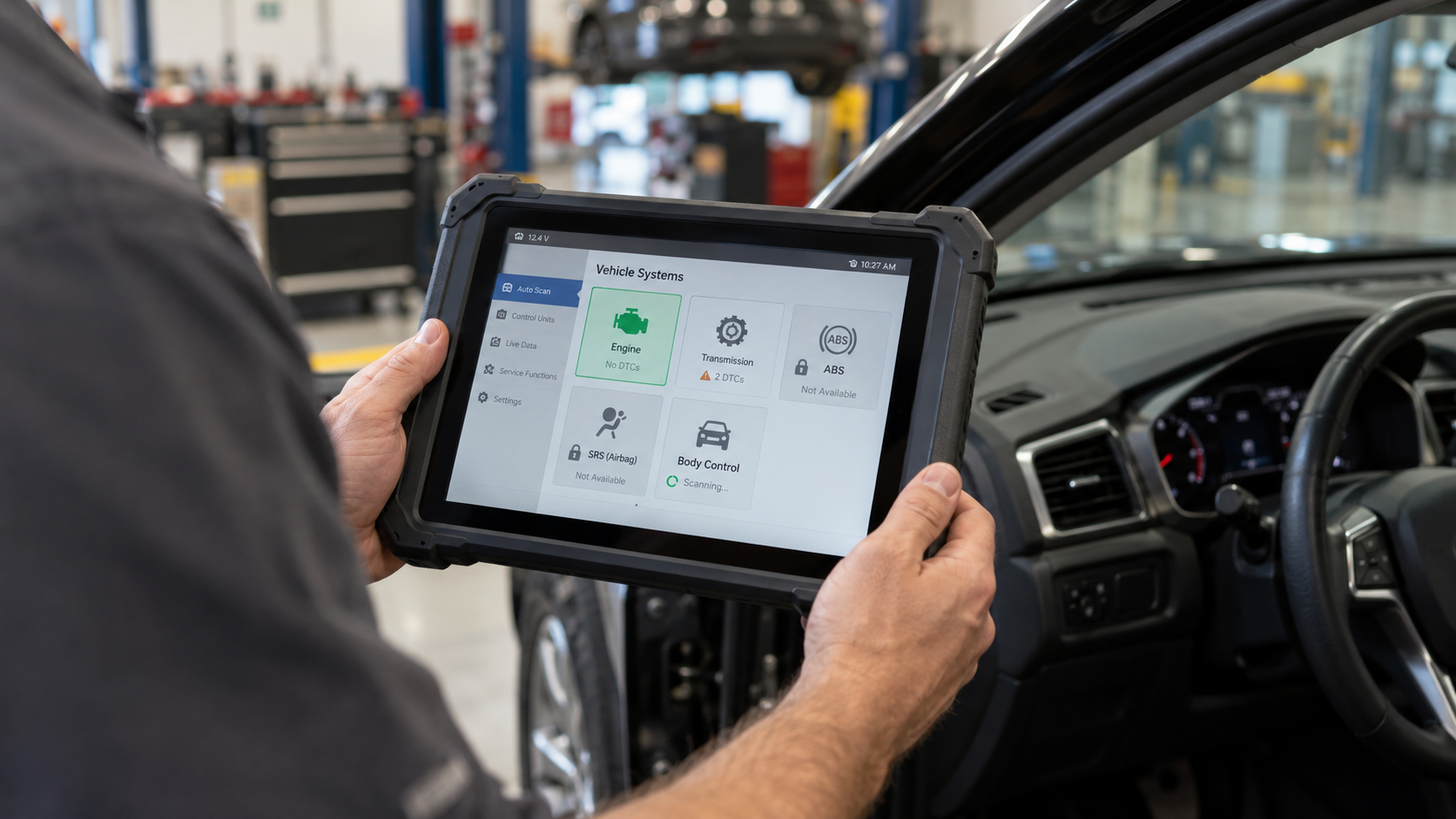
A basic code reader and a professional diagnostic tablet can both be described as automotive scanners, but they solve very different problems.
A basic OBD2 code reader may focus primarily on standardized engine/emissions-related diagnostics.
A full-system diagnostic scanner may communicate with many additional vehicle modules, depending on verified coverage.
Those can include systems such as:
- ABS
- SRS/airbag
- transmission
- body control
- climate control
- steering
- TPMS
- other manufacturer-specific modules
Higher-level tools can add active tests, service procedures, coding, topology, newer communication protocols and professional workshop functions.
The important lesson is simple:
Do not choose a scanner by the words “OBD2 scanner” alone. Choose it according to the systems and functions you actually need.
Bluetooth Scanner or Standalone Scanner?
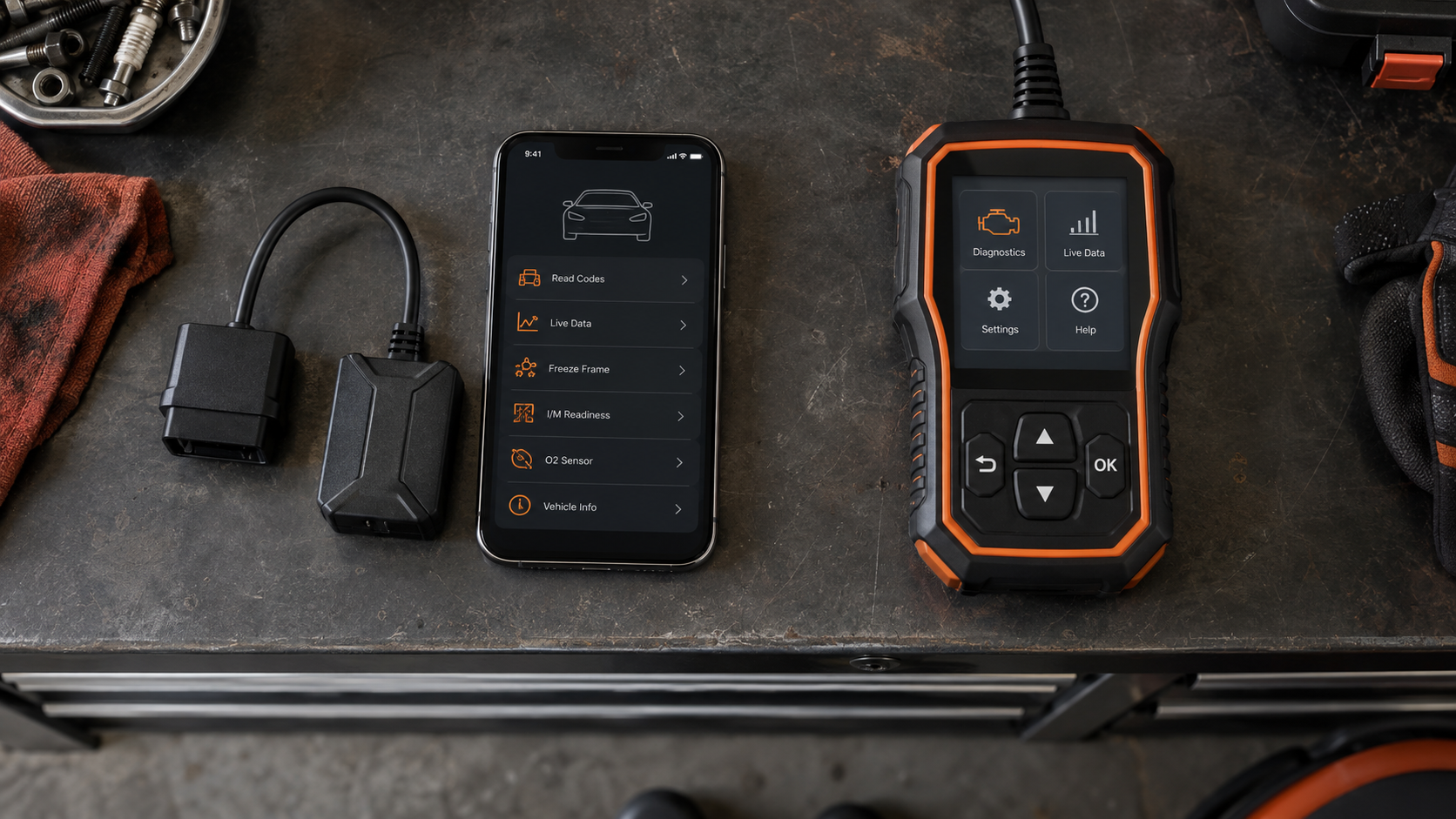
OBD2 scanners also come in different physical formats.
A Bluetooth scanner typically plugs into the diagnostic connector and uses a smartphone or tablet as the display and interface.
A standalone scanner has its own screen and controls.
Neither format is automatically better.
Phone-based tools can be compact and flexible.
Standalone tools can be more convenient for someone who does not want diagnosis to depend on a phone, Bluetooth connection or mobile app.
There are also wireless professional diagnostic tablets that use a separate vehicle communication interface while providing their own dedicated screen.
The right format depends on how you intend to work.
If you are ready to compare products rather than learn the technology, SCG’s Best Bluetooth OBD2 Scanners and Best Standalone OBD2 Scanners That Don’t Require a Phone cover those buying decisions separately.
Does an OBD2 Code Tell You Exactly What’s Wrong?
Usually, no.
A scanner tells you what the vehicle’s diagnostic system is reporting.
That is not always the same thing as identifying the root cause.
Consider the difference:
Code: what condition or fault the vehicle detected.
Diagnosis: why that condition occurred.
A good diagnostic process can combine:
- trouble codes
- freeze-frame information
- live data
- symptoms
- visual inspection
- electrical testing
- mechanical testing
- service information
- vehicle-specific knowledge
The scanner is one part of that process.
This is why replacing whatever component appears in a code description can waste money without fixing the vehicle.
See Can an OBD2 Scanner Tell You Exactly What’s Wrong With Your Car? for a deeper explanation of this limitation.
Can You Clear Codes With an OBD2 Scanner?
OBD2 scan tools provide standardized diagnostic services that include access to diagnostic information, and common scanners provide functions for clearing supported diagnostic information.
But clearing a code does not repair the fault that caused it.
If the underlying problem remains, the diagnostic system may detect the fault again and the code or warning light can return.
Clearing diagnostic information can also affect information that would otherwise help diagnosis and can reset readiness information used for emissions monitoring.
For that reason, do not treat the erase button as a repair button.
Read and preserve useful diagnostic information before clearing anything.
How Do You Use an OBD2 Scanner?
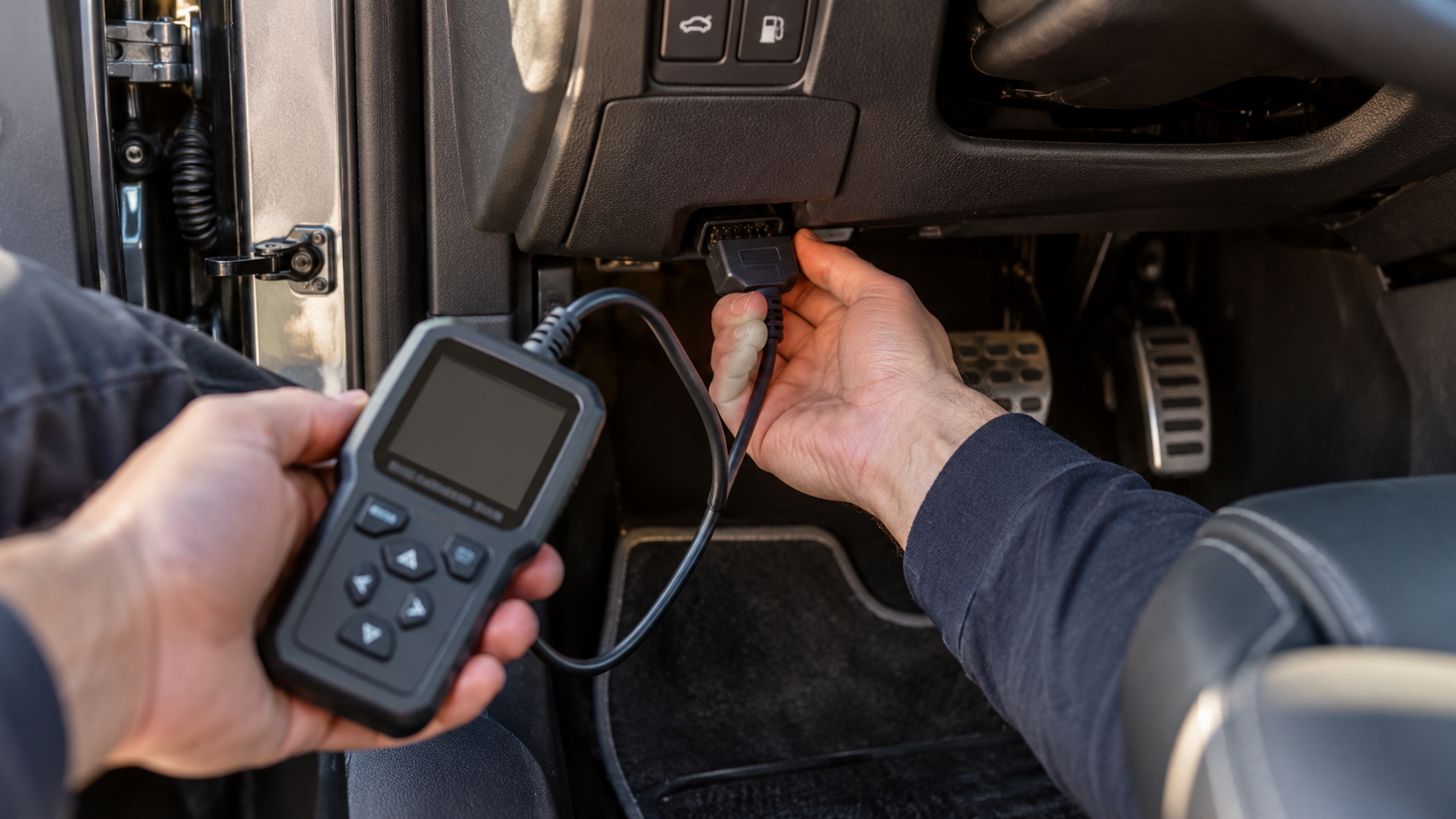
The exact procedure depends on the scanner and vehicle, but the basic workflow is straightforward:
- Locate the vehicle’s diagnostic connector.
- Connect the scanner or diagnostic adapter.
- Set the ignition state as required by the tool and vehicle.
- Allow the scanner to establish communication.
- Select or request the diagnostic information you need.
- Read the codes and supporting data.
- Interpret the information before clearing anything or replacing parts.
That is intentionally only the basic workflow.
For the complete process, including what to check before connecting, what data to save and what to do after reading a code, see How to Use an OBD2 Scanner: Step-by-Step Guide.
Do You Need an OBD2 Scanner?
Not every car owner needs an advanced diagnostic tablet.
But access to basic OBD2 information can be useful when:
- the Check Engine light comes on
- you want to see the diagnostic information before visiting a repair shop
- you perform your own maintenance or repairs
- you want to monitor supported live data
- you are troubleshooting an emissions-related problem
- you want more information before deciding what to do next
The required scanner level depends on the job.
Someone who only wants to understand an occasional Check Engine light has very different requirements from an advanced DIY mechanic working on ABS, service procedures and active tests.
A professional repair shop has different requirements again.
OBD2 Scanner FAQ
What does OBD2 stand for?
OBD2 stands for On-Board Diagnostics, Second Generation. OBD-II is another common way of writing the same term.
Is OBD2 the same as a scanner?
No. OBD2 is the vehicle’s onboard diagnostic framework. An OBD2 scanner is an external tool used to communicate with it.
Do all OBD2 scanners read the same information?
No. Standardized OBD2 creates a common diagnostic foundation, but scanner capabilities vary significantly. Enhanced system access, service functions, active tests, coding and other advanced functions depend on the exact scanner and vehicle.
Can an OBD2 scanner diagnose ABS and airbags?
Some scanners can, but basic OBD2 capability alone does not guarantee ABS or SRS access. Verify the scanner’s exact coverage for your vehicle and required system.
Can an OBD2 scanner tell me which part to replace?
Not reliably. A trouble code identifies a detected fault or condition and helps direct diagnosis. Determining the actual cause can require additional testing.
Can an OBD2 scanner turn off the Check Engine light?
Many scanners can clear supported diagnostic trouble information, but clearing it does not fix the underlying fault. If the fault remains, the warning can return.
Can an OBD2 scanner damage a car?
Reading standardized diagnostic information with an appropriate tool is fundamentally different from commanding modules, coding or programming them. Advanced control/write functions require greater care. Follow the scanner and vehicle manufacturer’s procedures and do not perform functions you do not understand.
Will any OBD2 scanner work with any car?
Do not assume universal compatibility. Standard OBD2 support and enhanced vehicle-specific functionality are different questions. Verify the exact vehicle and required function before choosing a scanner.
The Bottom Line
OBD2 gives vehicle owners and technicians standardized access to important diagnostic information generated by the vehicle.
An OBD2 scanner is the tool used to communicate with the vehicle and retrieve supported information.
At the basic level, that can include trouble codes, Check Engine light status, freeze-frame data, emissions readiness and supported live data.
More advanced diagnostic scanners can go far beyond that foundation.
The most important thing to remember is:
A scanner gives you diagnostic evidence. It does not automatically give you the diagnosis.
Learn what the vehicle is reporting, understand the limits of your scanner, verify the functions you actually need and use the data to decide what to investigate next.
If you already understand the basics and want to choose a tool, compare the Best OBD2 Scanners for Beginners.