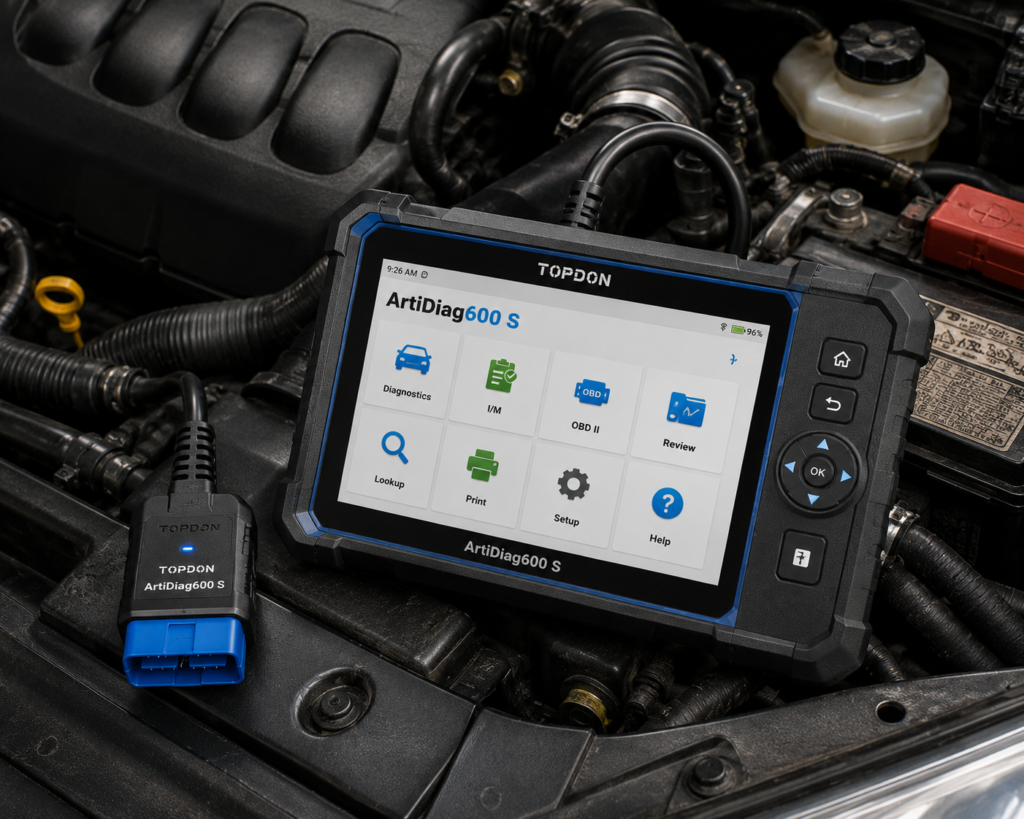
The TOPDON ArtiDiag600 S, sold on Amazon as the AD600S, is a handheld with a 5 inch screen. It plugs into the car’s OBD2 port, reads and clears codes on the engine, transmission, ABS and airbag systems, and lists nine reset functions including injector coding. It supports CAN-FD for newer cars, and TOPDON and Amazon both say updates are free for life.
The short version: The ArtiDiag600 S is a small tool for a home mechanic or a small shop that wants four-system diagnosis and everyday resets, with some extras on top. TOPDON and Amazon agree on the four systems, the nine resets, CAN-FD and free lifetime updates. They differ on extras: TOPDON’s table lists bidirectional control and online coding, Amazon names neither, and the brand count appears as 67, 70 and more than 80 on different pages. TOPDON’s page showed the tool as sold out when we checked.
Affiliate Disclosure: As an Amazon Associate I earn from qualifying purchases. Scan Choice Guide is a participant in the Amazon Services LLC Associates Program, an affiliate advertising program designed to provide a means for sites to earn advertising fees by advertising and linking to Amazon.com.
What the ArtiDiag600 S Actually Does
The tool is one handheld with an OBD2 connector. TOPDON’s table lists an OBD2 connector as the port and 5 V DC as the input, and its box holds the handset, a 5 V charging cable, a quick start guide and a user manual. Amazon says the tool runs Android 11, and that its display is 5 inches at 1280 by 720.
TOPDON lists these specs:
- Screen: 5 inch TFT.
- Processor: 4-core 1.5 GHz.
- Memory: 2 GB RAM and 32 GB storage.
- Battery: 3350 mAh.
- Connections: the table says Wi-Fi and Bluetooth, and the page describes one click updates over Wi-Fi.
- Languages: the table lists 22 or more. Amazon says 10 (English, French, Spanish, German, Italian, Russian, Portuguese, Japanese, Korean and Chinese).
TOPDON and Amazon name these functions:
- Four systems. Both say engine, transmission, ABS and airbag, or SRS. TOPDON lists “Full System (PCM/TCM/ABS/SRS)” next to read DTCs, clear DTCs, data stream, ECU information and Auto VIN.
- Nine resets. TOPDON lists oil, brake, SAS, BMS, ABS bleeding, ETS, injector coding, DPF and TPMS. Amazon’s listing names oil, BMS, ABS, SAS, EPB, DPF, TPMS, throttle and injector coding in one place and the title adds brake and ETS.
- Health report. TOPDON says the Health Report screen has a Clear Code button for a quick system check and a one tap code clear.
- Protocols. TOPDON and Amazon both say CAN-FD support, with GM, Chrysler and Fiat named by TOPDON from 2020.
- Extras on TOPDON’s table. Bi-directional Control, Special Function inside the control unit, Online Coding and Guided Function. Amazon does not name these.
- Updates. Both say free lifetime updates, with one click updates over Wi-Fi.
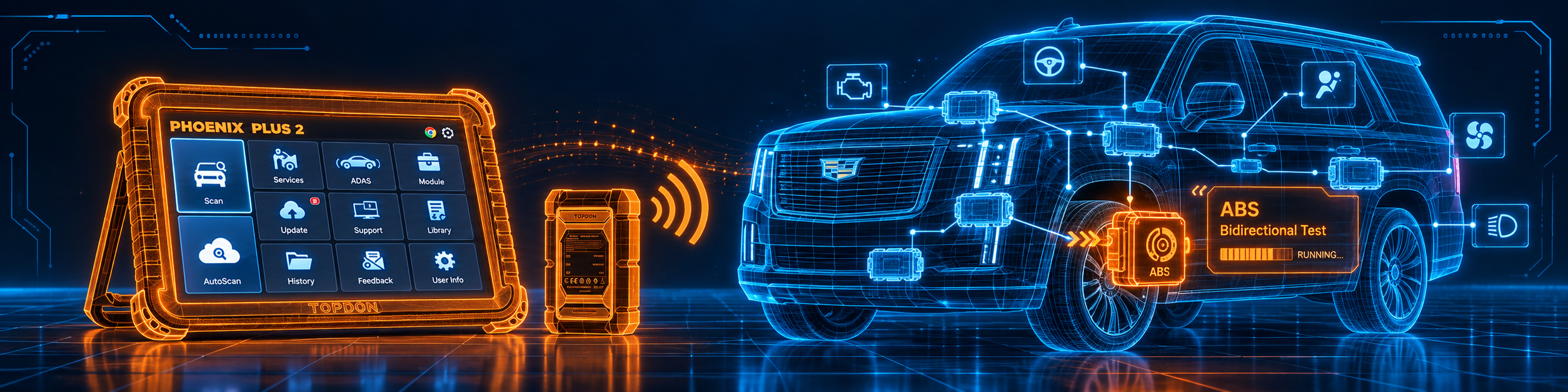
The picture below shows an injector coding test run on a GMC Sierra, one of the nine resets.
What Amazon Says vs. What TOPDON Confirms
We compared the Amazon listing with TOPDON’s product page. The two agree on the core. They differ on extras and on counts.
| Claim | Amazon listing | TOPDON | Our reading |
|---|---|---|---|
| Name | “TOPDON AD600S OBD2 Scanner” | “ArtiDiag600 S” | Same tool |
| Screen | 5 inch, 1280×720 | 5 inch TFT | Agree on size; the resolution is Amazon only |
| System | Android 11 | “Android”; version not stated | Amazon states the version |
| Memory | Not listed | 2 GB RAM, 32 GB ROM | TOPDON only |
| Battery | Not listed | 3350 mAh | TOPDON only |
| Systems | Engine, transmission, ABS, SRS | Engine, transmission, airbag, ABS | Agree |
| Resets | “9 Reset Services” | “9 critical maintenance functions” | Agree; the names differ slightly |
| Bidirectional control | Not named | Listed in the table | TOPDON only |
| Coding | Injector coding | Online Coding and Injector Coding | TOPDON lists more |
| Brand count | “67+ global brands and 10,000+ models”, “70+” | “over 80 vehicle brands” and “70+ brands” | The figures differ |
| CAN-FD | Yes | Yes | Agree |
| Updates | “Lifetime Free Updates” | “Free Lifetime Updates via Wi-Fi” | Agree |
| Extra resets | 30 day trial of 30 reset services | Not listed | Amazon only |
| Languages | 10 | “22+” in the table | The figures differ |
| Warranty | Not listed | 1 year | TOPDON only |
The extras point matters. TOPDON’s table lists “Bi-directional Control” and “Online Coding” as rows beside Read DTCs and Data Stream, and gives no scope for either. Amazon’s title and listing name neither. We show the two as TOPDON’s, and we treat them as narrow until TOPDON gives details. For real coding depth, see our TOPDON Phoenix Plus 2 review.
The trial point matters. Amazon says that after 30 days of use the scanner includes a complimentary 30 day trial of all 30 reset services, and that afterwards the original nine stay available at no cost with lifetime free updates. So only nine resets are permanent.
The connection point matters. TOPDON’s table lists Wi-Fi and Bluetooth, and its text describes only Wi-Fi updates. Nothing on either page describes a wireless diagnostic link, so plan on the cable for the car.
The numbers point matters. The brand count is 67 plus on one Amazon block and 70 plus on another, and TOPDON says over 80 in a feature block and 70 plus in its table. Use the Scanner Finder for your car.
A third source. Missouri’s rule 10 CSR 10-5.381, published on the US EPA website, defines on-board diagnostics as “a vehicle emissions early-warning system required by federal law to be installed on all light-duty 1996 and newer model year gasoline vehicles and 1997 and newer model year diesel vehicles for sale in the United States”. It says that when a component of the emissions control system malfunctions or deteriorates, the OBD system “will illuminate the Malfunction Indicator Lamp and store one (1) or more DTCs”. This source is independent of both Amazon and TOPDON. It explains why a tool that reads engine codes works on a 1996 or newer car, and why the four-system coverage here goes beyond the emissions codes the law requires.
How we handle these differences. The feature table at the bottom of this page, the Scanner Finder and our comparisons follow the Amazon listing, because Amazon is where you buy. We name the points above so you can see where TOPDON says something different. If one of them matters to you, read this section before you decide.
Is the ArtiDiag600 S Enough for You?
A short table gives the first answer.
| If your work is | Does the ArtiDiag600 S list it? |
|---|---|
| Reading and clearing codes on engine, transmission, ABS and airbag | Yes |
| Live data and ECU information | Yes |
| Oil, brake, SAS and battery resets | Yes |
| ABS bleeding, DPF and TPMS reset | Yes |
| Injector coding | Yes |
| Bidirectional tests | Yes, per TOPDON’s table |
| Online coding | Yes, per TOPDON’s table; scope not stated |
| All-system diagnosis | No |
| DoIP | Not listed by Amazon or by TOPDON |
| J2534 pass-through | Not listed by Amazon or by TOPDON |
| ADAS calibration | Not listed by Amazon or by TOPDON |
For a home mechanic or a small shop that mainly handles four systems, the upper rows cover most weekday jobs. The lower rows are work for a different tool.
Will the ArtiDiag600 S Work on Your Car?
TOPDON says vehicles from 1996, across 70 or more brands, with CAN-FD for newer models such as GM, Chrysler and Fiat from 2020. Amazon says 67 or more global brands and 10,000 or more models. Auto VIN reads the car’s identification so the tool does not need manual entry. Use the Scanner Finder to check your year, make and model.
How to Set Up and Use the ArtiDiag600 S
TOPDON’s page and Amazon’s listing describe the features, and the shared menu steps come from TOPDON’s ArtiDiag600 manual, which documents an earlier model of the same line. The 600 S has its own box manual, so your screens may differ.
Step 1: Charge it
Charge the tool with the 5 V cable before the first job. Amazon says to recharge the scanner at least once every 7 days, including during storage, because a long battery drain can make it unresponsive.
Step 2: Connect to the car
Turn the ignition off, find the car’s OBD2 port, plug the connector in and switch the ignition on. In the earlier manual, the engine can be off or running. Hold the power button for five seconds to start the tool.
Step 3: Let it find the car
The earlier manual describes a smart diagnosis that reads the VIN, scans the systems and builds a report. If the tool cannot read the VIN, it asks you to type it, and then it continues. TOPDON calls the one tap summary a Health Report.
Step 4: Read and clear codes
The scan result lists each system as normal or with a fault count. Open a system to see the code, a description, freeze frame data and a code search. The Clear Code button clears codes after the repair. Do not clear codes before a shop visit, because they help the technician.
Step 5: Use live data
Open the data stream for a system. The earlier manual says live data and parameters come from the car’s control unit.
Step 6: Run a reset
Open Services and pick a function, then choose the car brand and follow the on-screen steps. TOPDON lists oil, brake, SAS, BMS, ABS bleeding, ETS, injector coding, DPF and TPMS. The earlier manual describes TPMS reset as looking up the sensor IDs and turning off the warning light, and throttle reset as returning the throttle learned values to defaults. The reset method varies by make, model and year.
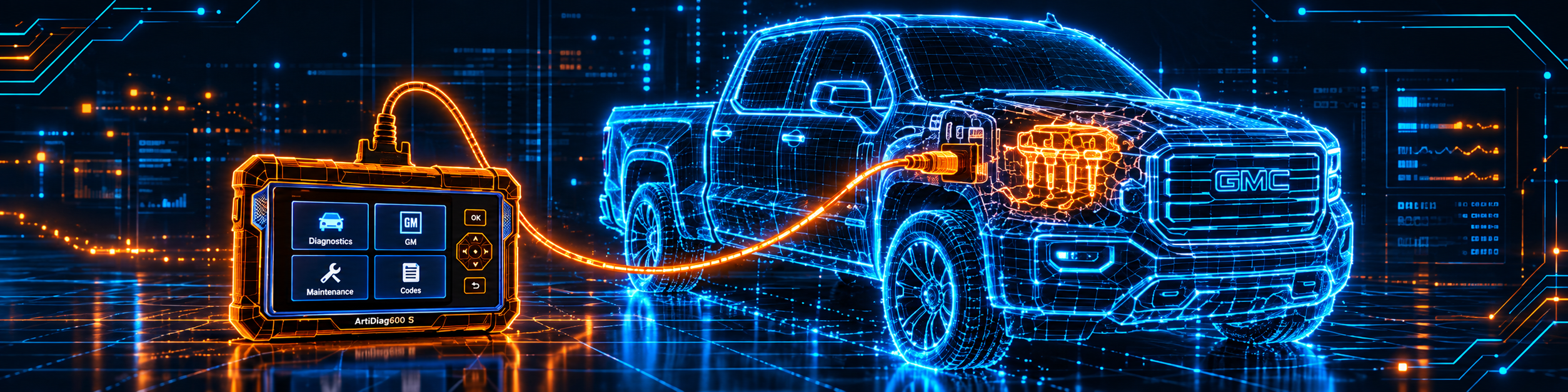
The picture below shows the tool connected to the diagnostic port of a GMC Sierra.
Step 7: Update over Wi-Fi
Connect the tool to Wi-Fi and run the one click update. TOPDON and Amazon say updates are free for life. Amazon says to keep the tool updated so it supports more cars.
Step 8: Check the extra trial
Amazon says that after 30 days of use, a 30 day trial of all 30 reset services starts. After it ends, only the original nine stay.
Common Mistakes and Three Simple Plans
1. Expecting all-system diagnosis. The tool covers four systems.
2. Counting the 30 resets as permanent. Amazon says they are a 30 day trial.
3. Expecting wireless diagnosis. Nothing on either page describes a wireless link to the car.
4. Letting the battery run flat. Amazon says to recharge every 7 days.
Plan A: A check engine light
- Connect the tool and let it identify the car.
- Read the engine codes and the data stream.
- Fix the cause, clear the codes and check again.
Plan B: New brake pads on a car with an electronic brake
- Open Services and the brake reset.
- Follow the on-screen steps for your car.
- Check the ABS system for codes afterwards.
Plan C: After an oil change
- Open Services and the oil reset.
- Pick the car’s brand and follow the steps.
- Run a health report to confirm.
Where the ArtiDiag600 S Sits Against Its Own Alternatives
| ArtiDiag600 S | Innova 5610 | TopScan Master | |
|---|---|---|---|
| Format | Handheld, 5 inch | Handheld, 3.5 inch | Phone-paired dongle |
| Systems | Four | Engine, ABS, SRS, transmission, per our review | Full system, per our review |
| Bidirectional control | Yes, per TOPDON’s table | Yes, per our review | Yes, per our review |
| Resets | Nine permanent | A long list per Innova | 30 per our review |
| DoIP | Not listed | Not listed | Yes, per our review |
| Updates | Lifetime free | Free, no subscription | One free year, per our review |
Our Innova 5610 review covers a handheld with bidirectional tests and a long reset list in North America. Our TOPDON TopScan Master review covers a phone-paired dongle with more resets and DoIP. For a brake and airbag specialist, see our Autel MaxiCheck Pro review.
The ArtiDiag600 S is the small, four-system reader of the group. It has a screen of its own, nine permanent resets and free updates, and it stops before full-system diagnosis and DoIP.
Who This Scanner Actually Fits
The ArtiDiag600 S fits a home mechanic or a small shop that handles engine, transmission, ABS and airbag work, and wants everyday resets and free updates in a small handheld. It is a weaker fit for someone who needs full-system diagnosis, deep coding, DoIP or a wireless connection to the car.
Important Limitations of the TOPDON ArtiDiag600 S
- Four systems only. Engine, transmission, ABS and airbag.
- Only nine resets are permanent. The 30 reset services are a 30 day trial, per Amazon.
- Bidirectional control and online coding are TOPDON’s table entries. Amazon names neither, and TOPDON gives no scope.
- No wireless link to the car is described. Plan on the cable.
- Counts differ by source. Brands, languages and memory are not the same on every page.
- Availability. TOPDON’s page showed the tool as sold out on 2026-10-09.
Who Should Choose It, and What to Consider Instead
Choose the ArtiDiag600 S if you want a small handheld for four systems, with nine resets and free updates.
Consider the TOPDON TopScan Master instead if you want full-system diagnosis with more resets in a phone-paired tool. Consider the Innova 5610 instead if you want a longer reset list and bidirectional tests in North America. Consider the TOPDON Phoenix Plus 2 instead if you need serious coding on a tablet.
| Specification | Details |
|---|---|
| Screen | 5 inch TFT |
| Processor and memory | 4-core 1.5 GHz, 2 GB RAM, 32 GB |
| Battery | 3350 mAh |
| Systems | Engine, transmission, ABS, airbag |
| Resets | Nine; 30 more on a 30 day trial per Amazon |
| Bidirectional control | Yes, per TOPDON’s table |
| Online coding | Yes, per TOPDON’s table |
| CAN-FD | Yes |
| Updates | Lifetime free, via Wi-Fi |
| Warranty | One year |
| Pros | Cons |
|---|---|
| Four systems with nine resets | Four systems only |
| CAN-FD support | Only nine resets are permanent |
| Free lifetime updates, no subscription | No wireless link to the car |
| Small and simple | Extras are TOPDON table entries, not named by Amazon |
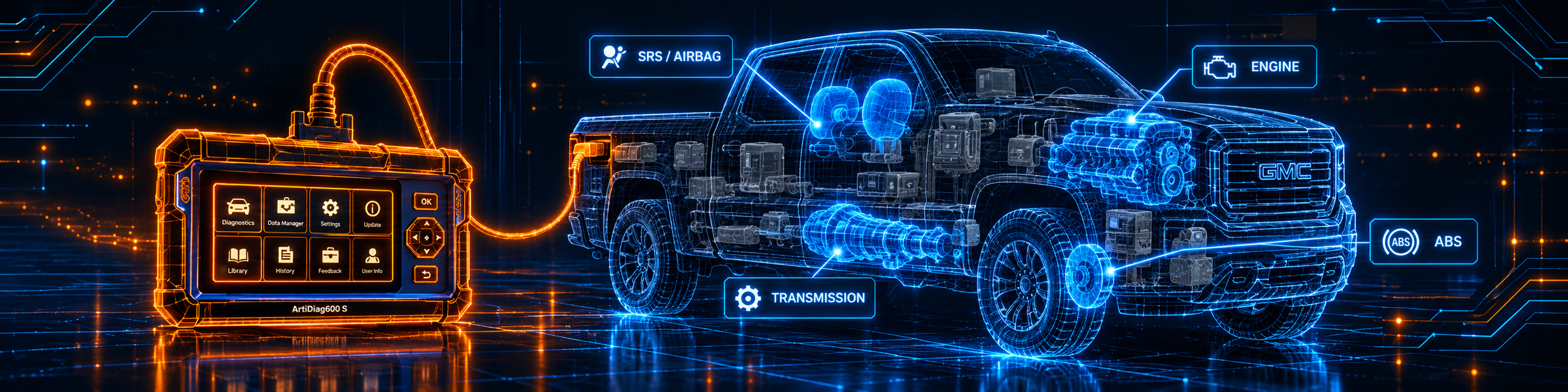
The picture below shows the tool on a GMC Sierra, where its four-system limit applies.
Methodology: How SCG Evaluates OBD2 Scanners.
Our Verdict on the TOPDON ArtiDiag600 S
The ArtiDiag600 S is a small handheld that reads four systems, runs nine resets and updates for free. TOPDON and Amazon agree on the core and differ on extras, and the trial of 30 resets is only temporary. If four systems and nine resets match your work, it is a practical tool.
Frequently Asked Questions
Does the ArtiDiag600 S have bidirectional control?
TOPDON’s table lists Bi-directional Control. Amazon does not name it, and TOPDON gives no scope.
Does it support ECU coding?
TOPDON’s table lists Online Coding, and both sources list injector coding. The scope of online coding is not stated.
How many resets does it have?
Nine permanent ones. Amazon says 30 more are available on a 30 day trial after 30 days of use.
Does it connect wirelessly to the car?
No wireless diagnostic link is described. TOPDON’s table lists Wi-Fi and Bluetooth, and its text describes Wi-Fi updates.
Does it need a subscription?
No. TOPDON and Amazon say updates are free for life.
Is it compatible with my specific vehicle?
Use the Scanner Finder to check your year, make and model.
Trusted Sources
- TOPDON ArtiDiag600 S official product page: features, specifications, service functions, update and warranty
- TOPDON ArtiDiag600 user manual, hosted by a retailer: menu logic of the earlier ArtiDiag600 model
- Verified Amazon listing: current title, listing text and details
- Missouri rule 10 CSR 10-5.381, on-board diagnostics, published by the US EPA: what OBD is and the warning lamp