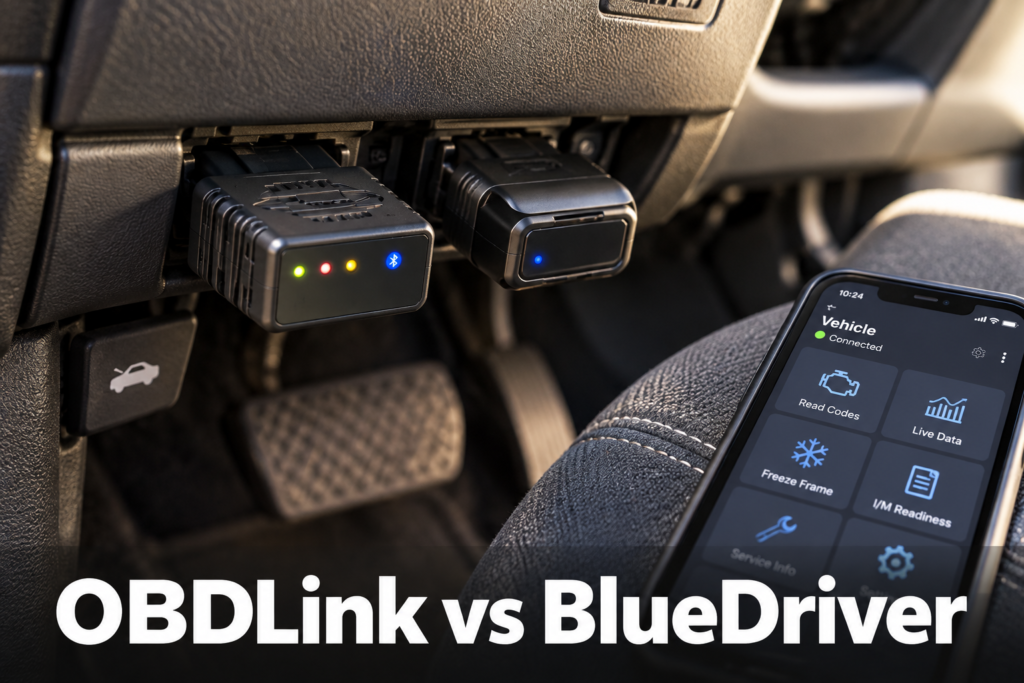
OBDLink MX+ vs BlueDriver: Which Should You Buy in 2026?
OBDLink MX+ and BlueDriver solve the same basic problem in very different ways.
Both are compact Bluetooth OBD2 adapters. Both use a phone as the primary display. Both handle standard OBD2 diagnostics. Both can reach beyond a generic Check Engine code on supported vehicles.
But their philosophies are different. BlueDriver is built around one integrated hardware-and-app experience. The goal is to make diagnosis easier to understand, especially for owners who want codes translated into useful repair guidance without choosing between multiple apps. OBDLink MX+ is built around flexibility. It includes the OBDLink app, supports enhanced OEM diagnostics on many vehicles, works on iOS and Android, adds Windows support through OBDwiz, and can work with many third-party automotive apps.
That difference drives most of this comparison. For this 2026 head-to-head, Scan Choice Guide evaluated standard OBD2 diagnostics, enhanced OEM diagnostics, OEM live parameters, ABS/SRS/TPMS access, app ecosystem, repair guidance, live-data flexibility, Ford and GM network capability, platform support, firmware/update model, leave-plugged-in design, ease of use, advanced-DIY potential, and current U.S. market relevance.
Affiliate Disclosure: Scan Choice Guide is a participant in the Amazon Services LLC Associates Program, an affiliate advertising program designed to provide a means for sites to earn advertising fees by advertising and linking to Amazon.com.
The Short Answer
Best Overall: OBDLink MX+.
Best for Beginners and Guided Diagnosis: BlueDriver.
Best for App Flexibility: OBDLink MX+.
Best for OEM Live Data and Custom Dashboards: OBDLink MX+.
Best for Built-In Repair Guidance: BlueDriver.
Best for Ford/GM Enthusiasts and Advanced App Users: OBDLink MX+.
Best for “Install One App and Diagnose”: BlueDriver.
SCG Overall Winner: OBDLink MX+. Why? Because it gives the buyer more room to grow. Its current ecosystem combines the OBDLink app, enhanced diagnostics on supported vehicles, OEM live parameters where supported, Ford MS-CAN and GM SW-CAN hardware capability, Windows support and compatibility with many third-party apps. But BlueDriver is not the loser for everyone. For a driver who values simplicity and integrated Repair Reports more than open-app flexibility, BlueDriver may be the better purchase.
OBDLink MX+
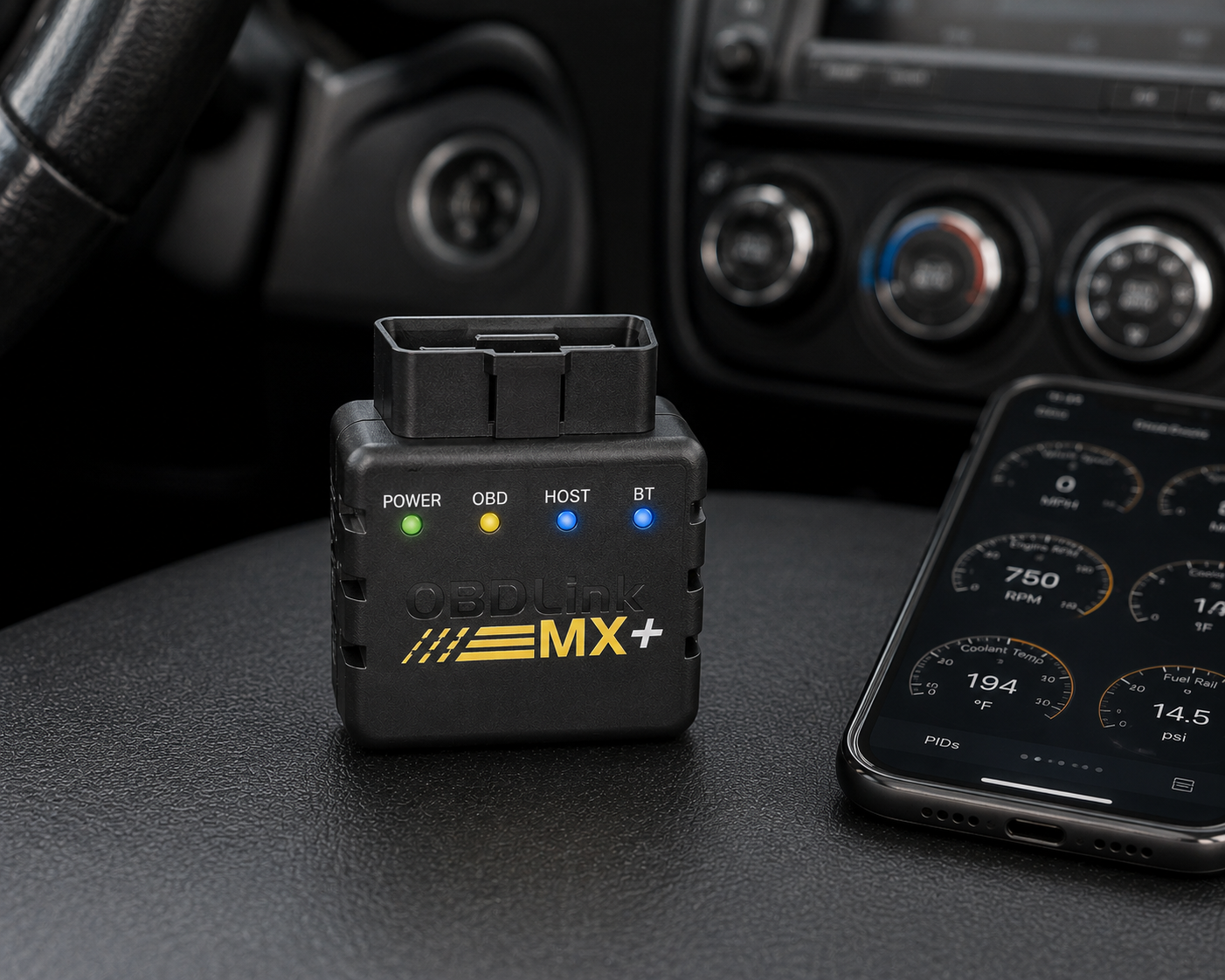
The OBDLink MX+ is built around flexibility: an open app ecosystem that works with FORScan, BimmerCode, DashCommand, and dozens of other third-party apps, alongside enhanced OEM diagnostics and OEM live parameters on supported vehicles. Advanced Ford MS-CAN and GM SW-CAN network hardware support, a Windows workflow through OBDwiz, and BatterySaver low-power design round out a genuinely data-oriented platform with real room to grow. It’s not a universal bidirectional scanner and not a replacement for a professional diagnostic tablet, more software choices can also mean more complexity for a buyer who just wants one simple answer.
| Pros | Cons |
|---|---|
| open/flexible app ecosystem | more software choices can mean more complexity |
| iOS and Android support | |
| Windows workflow through OBDwiz | |
| enhanced OEM diagnostics on supported vehicles | exact enhanced coverage varies by vehicle |
| OEM live parameters on supported vehicles | |
| Ford MS-CAN | |
| GM SW-CAN | some specialized third-party apps cost extra |
| custom dashboards | |
| data-oriented workflow | |
| many compatible third-party apps | not a universal bidirectional scanner |
| strong advanced-DIY growth path | |
| BatterySaver low-power design | not a replacement for a professional diagnostic tablet |
| firmware-updatable platform |
BlueDriver
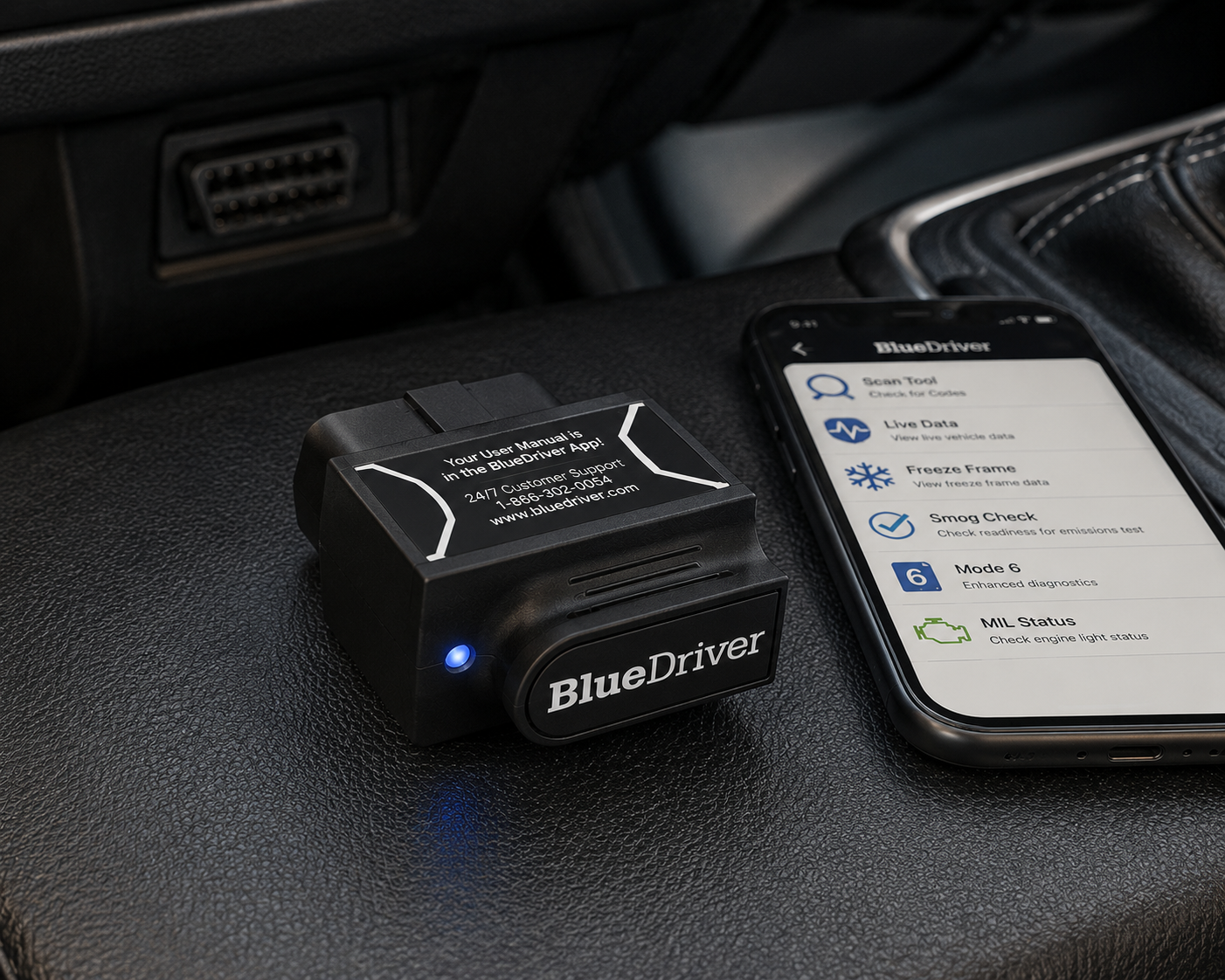
BlueDriver is built around one integrated hardware-and-app workflow, centered on guided code interpretation and its standout Repair Reports feature, real documented fixes for the same code on the same vehicle. Enhanced diagnostics on supported vehicles come through a single app on iOS and Android, with no need to choose among multiple diagnostic apps, a strong fit for a beginner who wants a straightforward answer. Its closed ecosystem trades away the flexibility of OBDLink MX+’s open app model, there’s no equivalent Windows workflow and no broad bidirectional platform, so a data-oriented DIYer who wants to experiment with custom dashboards and specialized apps should look to the MX+ instead.
| Pros | Cons |
|---|---|
| simple integrated hardware/app workflow | closed app ecosystem |
| strong beginner fit | |
| enhanced diagnostics on supported vehicles | less flexibility for specialized third-party software |
| Repair Reports | |
| guided code interpretation | no equivalent Windows workflow |
| iOS and Android | less attractive for custom OEM-data/dashboard experimentation |
| no need to choose among multiple diagnostic apps | not a broad bidirectional platform |
| strong current consumer-market visibility | exact enhanced coverage varies by vehicle |
OBDLink MX+ vs BlueDriver at a Glance
| Category | OBDLink MX+ | BlueDriver | Winner |
|---|---|---|---|
| Standard OBD2 | Yes | Yes | Tie |
| Phone Platforms | iOS / Android | iOS / Android | Tie |
| Windows | Yes, through included OBDwiz support | No equivalent current official desktop proposition | OBDLink MX+ |
| Enhanced OEM Diagnostics | Yes, supported vehicles | Yes, supported manufacturers/vehicles | Vehicle dependent |
| OEM Live Parameters | Yes on supported vehicles | More limited ecosystem for manufacturer-specific live parameters | OBDLink MX+ |
| Third-Party Apps | Many | Closed BlueDriver app ecosystem | OBDLink MX+ |
| Repair Reports | Diagnostic/reporting tools, third-party ecosystem | Core integrated strength | BlueDriver |
| Ford MS-CAN / GM SW-CAN | Hardware support | Does not offer the same OBDLink-documented network hardware capability | OBDLink MX+ |
| Custom Dashboards | Strong | More guided/closed experience | OBDLink MX+ |
| Beginner Simplicity | More flexible, potentially more complex | Strong integrated workflow | BlueDriver |
| Advanced DIY Flexibility | Excellent | Good, but more closed | OBDLink MX+ |
What These Two Scanners Actually Are
Neither product is a standalone scanner. Both require a compatible phone or tablet for their normal mobile workflow. The adapter plugs into the vehicle’s OBD2 port. The phone becomes display, interface, graphing device, report viewer and diagnostic workspace. That makes both fundamentally different from a dedicated handheld or wireless diagnostic tablet.
Best Standalone OBD2 Scanners That Don’t Require a Phone in 2026 · Best Wireless Diagnostic Scanners With Dedicated Tablets in 2026
Standard OBD2 Diagnostics: Both Cover the Basics
Both products handle the core OBD2 use case, including reading diagnostic trouble codes, clearing supported Check Engine codes, viewing live data, emissions-readiness information, and freeze-frame and related OBD2 information depending on the app/function. If that is all you need, both can solve the problem.
SCG Verdict: Tie. The real differences begin when you move beyond generic OBD2.
Enhanced Diagnostics: Both Go Beyond the Check Engine Light
Enhanced diagnostics means accessing manufacturer-specific information outside standard legislated OBD2, including systems such as ABS, SRS/Airbag, TPMS, transmission, body-related modules and manufacturer-specific parameters.
OBDLink’s current support documentation confirms enhanced diagnostics for many vehicle types and specifically gives ABS, SRS and TPMS as examples. BlueDriver’s current U.S. documentation also advertises Enhanced Diagnostics across a range of supported manufacturers, including ABS, Airbag/SRS and TPMS-related access. The important limitation is the same for both: do not assume “enhanced diagnostics” means every module on every vehicle.
SCG Verdict: Vehicle dependent. Verify exact year/make/model coverage.
OEM Live Parameters: OBDLink MX+ Has the Stronger Case
This is one of the clearest technical distinctions. OBDLink documents manufacturer-specific enhanced parameters in addition to OEM trouble codes. Depending on supported vehicle coverage, these can include information such as transmission temperature, tire pressure, wheel speed and manufacturer-specific sensor values. OBDLink’s current support documentation explains how MX+ users can access OEM-specific live parameters on supported vehicles.
This is important for advanced DIY users. Reading an ABS code tells you that a fault exists. Watching wheel-speed data can help you understand what the system is actually seeing.
SCG Verdict: OBDLink MX+.
BlueDriver’s Big Advantage: Repair Reports and Guided Diagnosis
BlueDriver’s strongest argument is not openness. It is guidance. The BlueDriver ecosystem is designed to take a diagnostic code and help the owner understand what it may mean and what commonly fixes it. That is valuable because many drivers do not want a raw data platform: they want an answer to “What is wrong, and what should I check next?” This is a fundamentally different buyer from the person who wants to build dashboards, switch diagnostic apps and explore manufacturer-specific parameters.
SCG Verdict: BlueDriver for integrated repair guidance.
App Ecosystem: OBDLink MX+ Wins Clearly
OBDLink MX+ is supported by many third-party automotive apps. OBDLink’s current compatibility pages list examples including FORScan Lite, Torque, DashCommand, RealDash and BimmerCode, among other specialized applications depending on platform and vehicle. This matters because the adapter can become a hardware gateway into different software environments. One user may want Ford-specific diagnostics. Another may want BMW coding/customization through a compatible third-party app. Another may want a custom gauge dashboard.
BlueDriver is intentionally different. Its experience is centered on the BlueDriver app, which makes it simpler but less open.
SCG Verdict: OBDLink MX+.
Ford Users: OBDLink MX+ Has a Particularly Strong Case
SCG Verdict: OBDLink MX+ for advanced Ford-oriented use.
GM Users: OBDLink MX+ Also Has Special Hardware Value
OBDLink MX+ supports GM SW-CAN. OBDLink’s current enhanced-diagnostics documentation also identifies GM among the manufacturer-specific add-ons included for MX+. That gives it a particularly strong case for advanced North American DIY use. Again: network support is not universal function support. But it gives the hardware access to diagnostic pathways that matter.
SCG Verdict: OBDLink MX+ for users who specifically value deeper GM-network access.
BlueDriver’s Closed Ecosystem Is Not Automatically a Weakness
Open architecture sounds better. For some buyers it is. But flexibility creates decisions: which app, which add-on, which dashboard, which manufacturer package, which settings. A beginner may not want any of that. BlueDriver’s closed ecosystem means the hardware and software are designed around one guided workflow, which can reduce friction.
SCG Verdict: BlueDriver for buyers who prioritize simplicity over extensibility.
OBDLink MX+ Is Better If You Like to Experiment
If you are the kind of user who wants to build custom dashboards, monitor specific PIDs, try specialized apps, use Ford-focused software, customize supported vehicles, log data, or use Windows diagnostic software, MX+ is the more natural platform. Its value increases as the user’s diagnostic curiosity increases.
SCG Verdict: OBDLink MX+.
Windows Support: OBDLink MX+ Adds Another Workflow
OBDLink includes OBDwiz software support for Windows with MX+. That creates a desktop/laptop diagnostic option in addition to mobile use. BlueDriver’s current consumer workflow is centered on its iOS/Android app. For most casual owners, Windows support may not matter. For hobbyists, data-oriented users and garage-laptop workflows, it can.
SCG Verdict: OBDLink MX+.
Live Data: Both Have Value, but MX+ Is the Data-Oriented Choice
Live data is one of the most useful diagnostic tools after code reading, including coolant temperature, fuel trims, oxygen-sensor information, RPM, throttle position and manufacturer-specific parameters where available. BlueDriver provides live-data functionality within its app. OBDLink goes further as a platform because its own app supports dashboards and manufacturer parameters where available, while third-party apps can create additional data-oriented workflows.
SCG Verdict: OBDLink MX+ for advanced live-data use.
Data Speed: Be Careful With Manufacturer Head-to-Head Claims
OBDLink publishes a direct MX+-vs-BlueDriver comparison that reports significantly faster MX+ sampling in its own testing. That is relevant evidence, but it is manufacturer-produced comparative testing, so we do not state that the MX+ is ten times faster. What we can safely conclude is that OBDLink deliberately designs and markets MX+ for high-throughput data use, and its broader live-data/app architecture reinforces that positioning.
SCG Verdict: OBDLink MX+ for data-oriented users, without converting manufacturer benchmark results into independent SCG testing.
Leaving the Adapter Plugged In
A Bluetooth adapter can remain physically connected to the OBD port. That creates a practical question: will it drain the battery? OBDLink MX+ includes BatterySaver low-power behavior and current official specifications list a low-power mode. OBDLink also publishes direct comparative battery-draw testing against BlueDriver: again, that test was produced by OBDLink, and SCG will not present it as independent evidence. For any vehicle stored for long periods, the safest practical rule remains: do not assume any plugged-in accessory is irrelevant to battery state.
SCG Verdict: OBDLink MX+ has the stronger documented leave-installed power-management proposition.
Firmware and Long-Term Software Support
OBDLink’s support documentation was actively updated in 2026 and documents firmware updates through the OBDLink app for MX+. The OBDLink app itself also received a revised 2026 interface/support workflow. BlueDriver similarly depends on its app ecosystem and ongoing software support. Neither product should be evaluated like a passive cable: the hardware and software work together.
SCG Verdict: No universal winner based solely on “updates.” Both remain active software ecosystems.
Subscriptions: The Ownership Model Is Attractive on Both
One reason these products remain popular is that they avoid the professional-tablet style of recurring software ownership. That does not mean every third-party app used with OBDLink MX+ is free: an optional app or manufacturer-specific software ecosystem can have its own purchase model. But the core comparison is much simpler than a professional diagnostic tablet with annual renewal economics.
SCG Verdict: Tie for core consumer ownership simplicity. MX+ users should separately evaluate any optional third-party app costs.
Which Is Better for ABS and Airbag Codes?
Both can provide enhanced diagnostics on supported vehicles. BlueDriver makes this capability central to its guided consumer proposition. OBDLink MX+ supports OEM enhanced diagnostics on many vehicles and can also work with specialized third-party apps. The real winner depends on your exact vehicle.
SCG Verdict: Verify vehicle. Do not choose by brand-level ABS/SRS marketing alone.
Which Is Better for TPMS?
This requires an important distinction. Reading TPMS-related diagnostic information or OEM parameters is not the same as activating sensors, programming replacement sensors, or performing every relearn procedure. Neither MX+ nor BlueDriver should be treated as a universal dedicated TPMS service tool. MX+ can access manufacturer-specific parameters such as tire-pressure data on supported vehicles. BlueDriver lists TPMS within Enhanced Diagnostics for supported applications.
SCG Verdict: Neither replaces a dedicated TPMS tool when sensor service/programming is required.
Which Is Better for Bidirectional Control?
This is not the category where either product should be purchased blindly. OBDLink MX+ can work with specialized third-party apps, and some compatible software can expose vehicle-specific commands or customization functions on supported vehicles: that does not make MX+ universally bidirectional. BlueDriver is primarily a diagnostic/read-and-guidance platform rather than a broad bidirectional active-test scanner. If active tests are a primary requirement, move to a scanner selected specifically for verified bidirectional capability.
SCG Verdict: Neither is our default recommendation for broad bidirectional diagnostics.
Best Bidirectional Scan Tools in 2026
Which Is Better for Coding?
OBDLink MX+ has the advantage because compatible third-party apps can enable vehicle-specific coding/customization workflows. For example, OBDLink’s compatibility pages list BimmerCode for supported BMW/MINI applications and FORScan-related software for Ford-family vehicles. But the adapter itself does not magically provide universal coding: the app + vehicle + module combination determines capability. BlueDriver is not positioned as an open coding platform.
SCG Verdict: OBDLink MX+ for supported third-party coding/customization ecosystems.
Which Is Easier to Use?
For the buyer who wants one app and guided repair information: BlueDriver. For the buyer who is comfortable exploring diagnostic data and apps: OBDLink MX+. This is not a contradiction: ease of use depends partly on what the user wants to accomplish.
SCG Verdict: BlueDriver for beginners.
Which Has More Room to Grow?
OBDLink MX+. A beginner can start with the OBDLink app. Later, the same hardware can participate in more specialized workflows through compatible third-party apps. That creates a larger ceiling before the user necessarily needs different hardware.
SCG Verdict: OBDLink MX+.
Which Is Better for a One-Car Owner?
If the owner wants “Tell me why the light is on and help me understand the likely repair,” BlueDriver is extremely compelling. If the owner wants “I want to explore everything this car exposes, monitor data and potentially use specialized software,” OBDLink MX+ is stronger.
SCG Verdict: User dependent.
Which Is Better for a Multi-Car Household?
MX+ has a strong argument because of its flexible app ecosystem and broad OBD2 compatibility. But enhanced diagnostics still vary by manufacturer and vehicle. BlueDriver’s guided workflow can also be useful across multiple supported vehicles.
SCG Verdict: OBDLink MX+, slight preference for flexibility.
Which Is Better for an Advanced DIY Mechanic?
OBDLink MX+. Advanced DIY users are more likely to benefit from OEM parameters, custom dashboards, specialized apps, Windows support, Ford/GM network hardware, data logging and vehicle-specific software.
SCG Verdict: OBDLink MX+.
Which Is Better for a Beginner?
BlueDriver. A beginner is more likely to value one app, guided code interpretation, Repair Reports, fewer software choices, and a straightforward diagnostic workflow.
SCG Verdict: BlueDriver.
Which Is Better for a Professional Technician?
Neither should automatically be treated as a replacement for a professional all-system diagnostic tablet. Both can be useful secondary tools. MX+ can be particularly useful for quick data access, specialized apps, logging, custom dashboards and Ford/GM-oriented workflows. BlueDriver can be useful for quick consumer-style diagnostic/reporting tasks. But professional requirements can include broad active tests, coding, secure gateways, topology and programming: for those jobs, use appropriate professional equipment.
Best Professional Automotive Scan Tools in 2026
Five Buyer Scenarios
First-Time DIY Owner (Check Engine diagnosis, simple explanation, repair guidance, minimal setup): Winner: BlueDriver.
Data-Oriented Enthusiast (dashboards, OEM parameters, multiple apps, data logging, customization potential): Winner: OBDLink MX+.
Ford Owner (Ford-specific diagnostics, MS-CAN access, FORScan-oriented possibilities): Winner: OBDLink MX+.
Owner Who Hates App Complexity (one hardware/app combination, guided workflow, no app experimentation): Winner: BlueDriver.
Advanced DIY User Who Wants One Small Adapter With Room to Grow: Winner: OBDLink MX+.
Common Buying Mistakes
Mistake 1: Assuming Both Are Just Generic Code Readers
Both can go beyond standard OBD2 on supported vehicles.
Mistake 2: Assuming Enhanced Diagnostics Are Universal
They are not.
Mistake 3: Assuming MX+ Includes Every Third-Party App for Free
It does not. App licensing is separate where applicable.
Mistake 4: Assuming BlueDriver’s Closed Ecosystem Is Bad
For beginners, it can be an advantage.
Mistake 5: Assuming MX+ Is Universally Bidirectional
Adapter compatibility with specialized apps does not equal universal active-test support.
Mistake 6: Assuming TPMS Diagnostics Mean Sensor Programming
They do not.
Mistake 7: Repeating Manufacturer Benchmark Tests as Independent Facts
SCG distinguishes manufacturer comparative testing from independent testing.
Our Final Verdict
OBDLink MX+ wins this comparison in 2026. Not because BlueDriver is a poor scanner. It wins because MX+ can serve more kinds of users and more kinds of diagnostic workflows. The OBDLink app gives it a capable starting point. Enhanced OEM diagnostics add depth on supported vehicles. OEM live parameters can provide data that generic OBD2 does not expose. Ford MS-CAN and GM SW-CAN hardware support matter to North American enthusiasts. And third-party app compatibility gives the adapter room to grow with the user.
BlueDriver wins when simplicity is the priority. Its integrated app and Repair Reports make it easier for a less technical owner to move from “I have a code” to “What does this probably mean?”
Choose OBDLink MX+ if you want diagnostic flexibility, OEM live data where supported, Ford/GM vehicles and enhanced-network capability, third-party apps, custom dashboards, or you are an advanced DIY user who wants more room to grow.
Choose BlueDriver if you want one app, you value Repair Reports, you prefer guided diagnosis, you do not want to experiment with software, or simplicity matters more than extensibility.
Frequently Asked Questions
Is OBDLink MX+ better than BlueDriver in 2026?
SCG prefers OBDLink MX+ overall because of its broader app ecosystem, OEM live-data potential, Ford/GM network support and advanced-DIY flexibility. BlueDriver is easier to recommend to buyers who prioritize guided diagnosis and Repair Reports.
Does OBDLink MX+ require a subscription?
The core OBDLink ecosystem does not operate like a professional annual scanner subscription. Optional third-party apps or specialized software can have their own costs.
Does BlueDriver require a subscription?
No. Consistent with the ownership-simplicity tie discussed above, BlueDriver is a one-time purchase with no recurring software fee built into its core diagnostic and Repair Reports functions.
Can OBDLink MX+ read ABS and airbag codes?
Yes, on supported vehicles. OBDLink’s own enhanced-diagnostics documentation names ABS and SRS/Airbag specifically, the same category covered in the Enhanced Diagnostics section above, though exact coverage still depends on the vehicle rather than working universally across every make and model.
Can BlueDriver read ABS and airbag codes?
BlueDriver provides Enhanced Diagnostics including ABS and Airbag/SRS on supported manufacturers and vehicles.
Can OBDLink MX+ read transmission temperature?
OEM-specific live parameters such as transmission temperature are available on supported vehicles. Verify exact vehicle coverage.
Can BlueDriver show live data?
Yes, BlueDriver provides live-data functionality, but MX+ offers the stronger platform for OEM live parameters, custom dashboards and third-party data applications.
Does OBDLink MX+ work with FORScan?
OBDLink officially lists FORScan Lite among compatible MX+ applications. Exact functions depend on vehicle, app and platform.
Does OBDLink MX+ work with BimmerCode?
OBDLink lists BimmerCode among compatible applications for supported BMW/MINI vehicles.
Can either scanner perform bidirectional tests?
Do not buy either as a universal bidirectional scanner. MX+ can work with specialized apps that provide certain commands/customization on supported vehicles. For broad active testing, choose a scanner specifically verified for that requirement.
Which is better for beginners?
BlueDriver.
Which is better for advanced DIY?
OBDLink MX+.
Bottom Line
BlueDriver is the easier tool to explain: plug it in, open one app, read the code, use the integrated guidance.
OBDLink MX+ is the more expandable tool: start with the OBDLink app, access enhanced diagnostics where supported, explore OEM parameters, build dashboards, use specialized apps, move into deeper vehicle-specific workflows.
That is why OBDLink MX+ wins SCG’s overall comparison. BlueDriver simplifies diagnosis. OBDLink MX+ expands what a small Bluetooth adapter can become. Choose the philosophy that matches the way you actually work.
Related reading: Best Bluetooth OBD2 Scanners in 2026, Best OBD2 Scanners for DIY Mechanics in 2026, Best OBD2 Scanners With No Subscription in 2026, Best Budget OBD2 Scanners in 2026, and Best Standalone OBD2 Scanners That Don’t Require a Phone in 2026.
Editorial Note
This comparison was developed through current manufacturer documentation, current 2026 market research and comparative analysis.