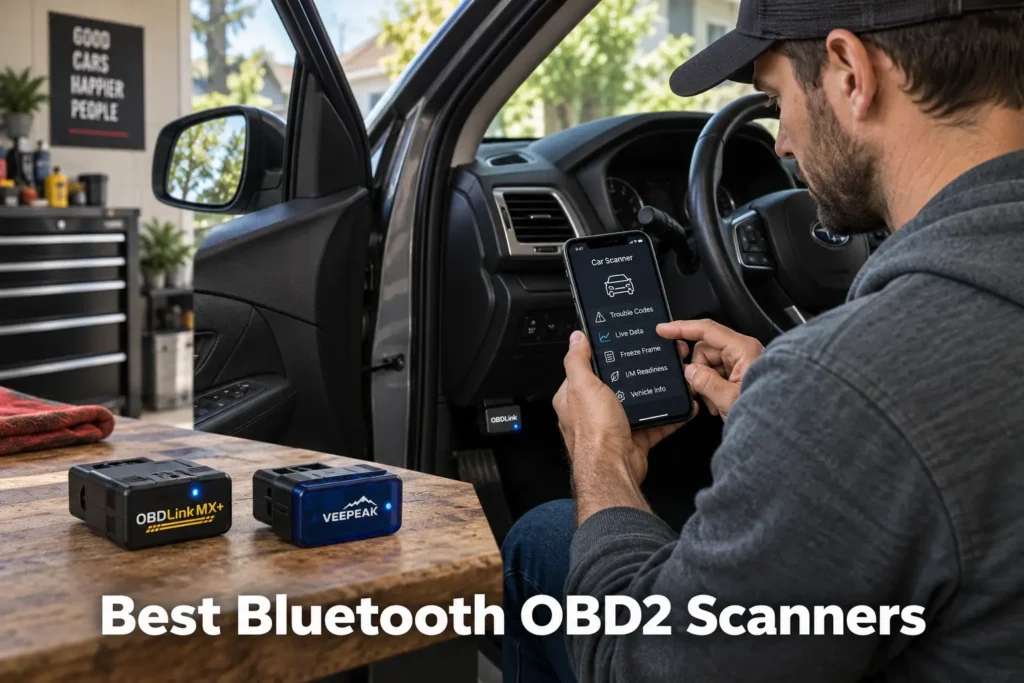
5 Best Bluetooth OBD2 Scanners in 2026: From Simple Code Reading to Full-System Diagnostics
A Bluetooth OBD2 scanner can be one of the smallest tools in your car and still give you access to information that once required a dedicated scan tool.
But Bluetooth scanners are not all the same.
Some are simple adapters designed mainly for Check Engine codes, emissions readiness and live engine data. Others add enhanced manufacturer-specific diagnostics. The most advanced phone-based scanners can access multiple vehicle systems, perform service functions and even run bidirectional active tests on supported vehicles.
The important difference is not Bluetooth itself.
It is what the hardware, app and vehicle coverage allow you to do after the connection is made.
For this guide, Scan Choice Guide compared serious Bluetooth candidates across different buyer needs. We considered diagnostic depth, app design, third-party app support, vehicle-specific coverage, live-data capability, bidirectional functions, software and subscription policies, platform compatibility and long-term usefulness.
Our recommendations are based on current manufacturer documentation, coverage information where available, independent market research and SCG comparative analysis. The results we present come from our own research into manufacturer documentation, Amazon listings, and compatibility data.
Our Top Picks for Bluetooth Scanners
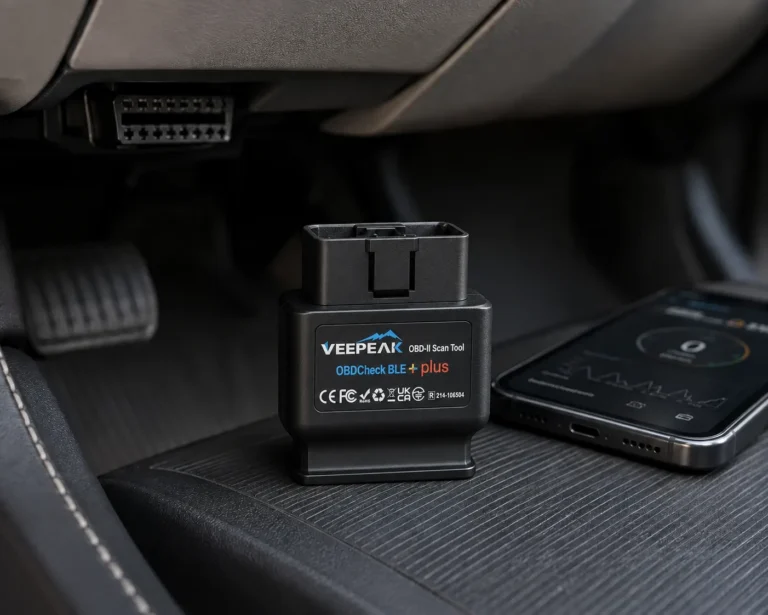
Veepeak OBDCheck BLE+ Plus
- Broad third-party app support
- iOS, Android & Windows
- Strong lower-cost positioning
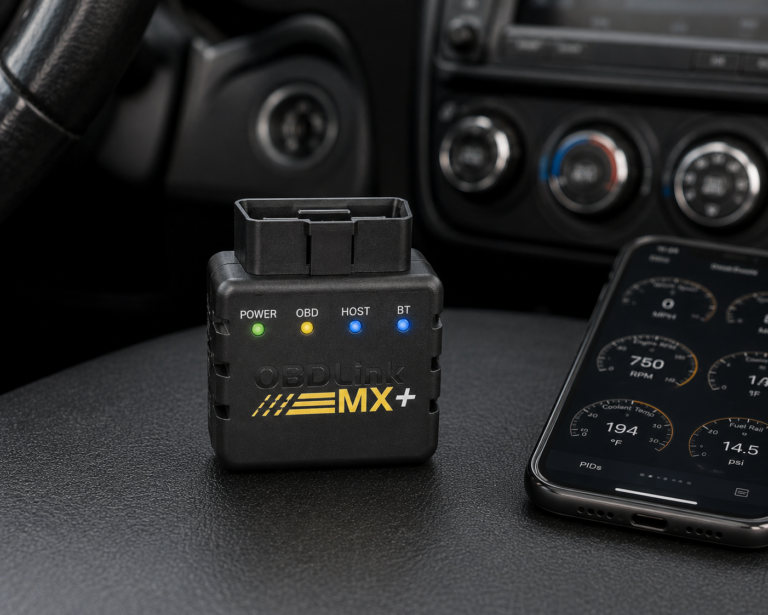
OBDLink MX+
- Broad compatible-app ecosystem
- Enhanced OEM data support
- Free firmware updates
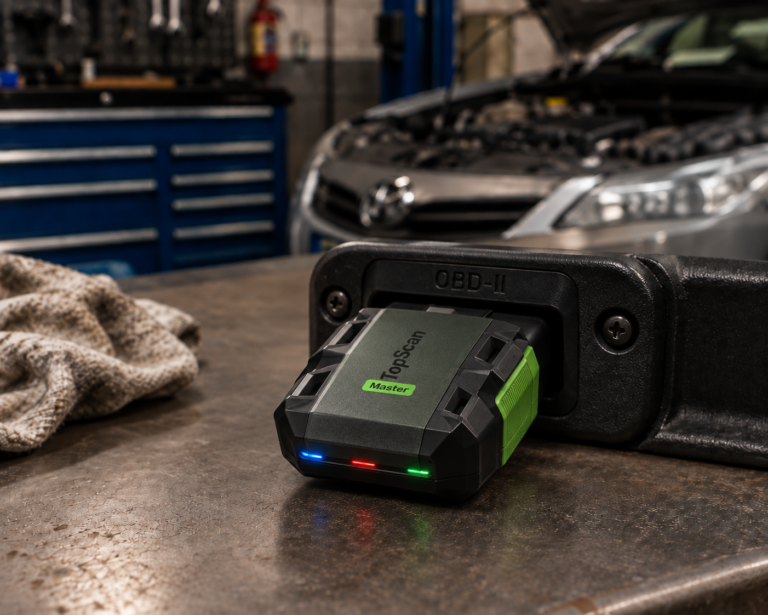
TOPDON TopScan
- Full-system + bidirectional
- All ten OBD2 modes
- DoIP support (Master version)
Affiliate Disclosure: Scan Choice Guide is a participant in the Amazon Services LLC Associates Program, an affiliate advertising program designed to provide a means for sites to earn advertising fees by advertising and linking to Amazon.com.
The 5 Best Bluetooth OBD2 Scanners, Reviewed
1. OBDLink MX+: Best Overall Bluetooth OBD2 Scanner
Why We Picked It
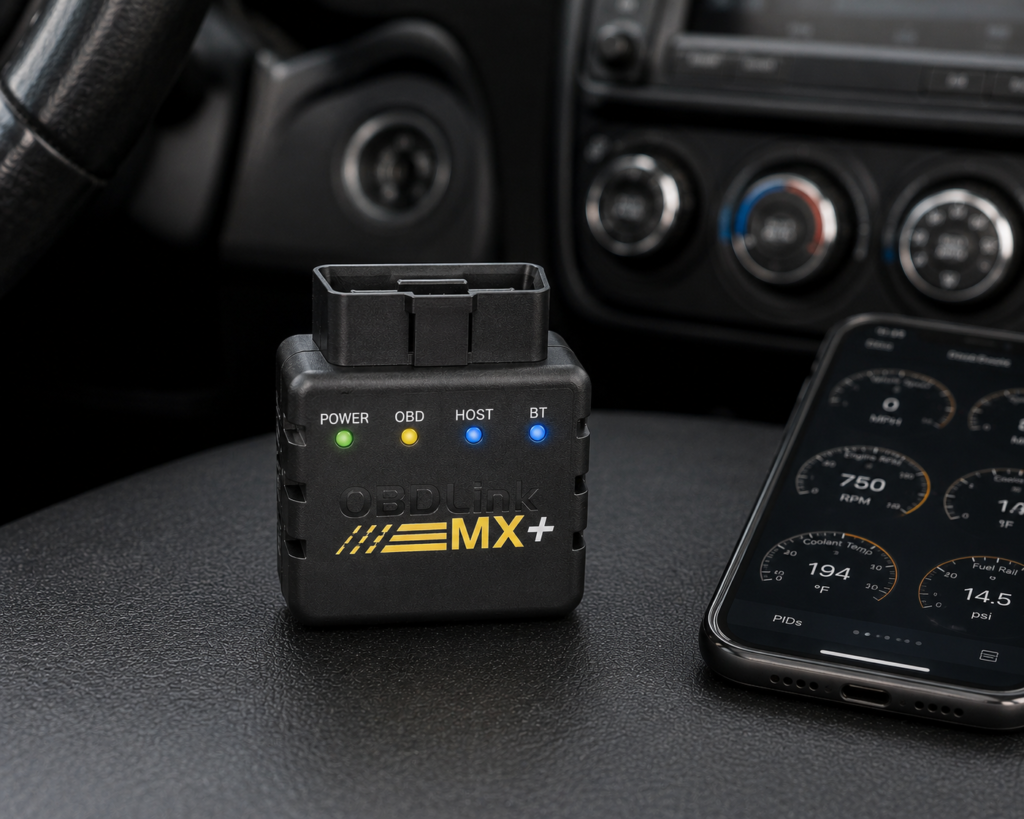
The OBDLink MX+ is not built around one closed diagnostic app.
That is its biggest strength.
OBDLink includes its own software, but the MX+ is also supported by many compatible third-party applications. That gives an owner the freedom to use a general-purpose OBD2 app today and a more vehicle-specific application later.
OBDLink lists support for all legislated OBD2 protocols plus additional Ford and GM networks, including MS-CAN and SW-CAN. It also provides OEM-specific enhanced diagnostic data for supported vehicles.
That distinction matters.
Generic OBD2 data is largely focused on standardized emissions-related powertrain diagnostics. Enhanced OEM information can expose manufacturer-specific trouble codes and parameters from additional systems when the vehicle and software support them.
The MX+ also works across iOS, Android and Windows.
For enthusiasts who want live data, graphing, logging or compatibility with specialized software, that flexibility gives the adapter a much longer useful life than a basic code-reading dongle.
OBDLink includes its own apps/software, offers free firmware updates and uses a low-power sleep mode designed to reduce battery drain when the adapter remains connected.
Where It Falls Short
Flexibility creates complexity.
A buyer who wants one app, one interface and one clearly defined feature set may find BlueDriver easier to understand.
The MX+ also needs to be evaluated as part of a hardware-plus-software combination.
A capability offered by a third-party app should not automatically be described as a native MX+ function. Vehicle coverage, app support and the adapter all have to align.
For that reason, the MX+ is strongest for users willing to understand which app is appropriate for the vehicle and job.
| Specification | Details |
|---|---|
| Connectivity | Class 2 Bluetooth v3.0, 128-bit encryption |
| Protocols | All legislated OBD2 protocols; advanced Ford & GM networks (MS-CAN, SW-CAN); EOBD, JOBD, international variants |
| Vehicle compatibility | 1996 and newer cars/light trucks sold in the U.S. (confirm your exact vehicle via the SCG Finder) |
| Data sampling | Up to 100 samples/second per OBDLink’s documentation |
| App model | Bundled basic OBDLink app; designed to pair with third-party apps (FORScan, BimmerCode, Torque, Carista, and others) |
| Update/subscription policy | Free firmware/software updates, no subscription, per OBDLink’s official page |
| Warranty | 180-day money-back guarantee; 3-year warranty (OBDLink’s own page) |
| Pros | Cons |
|---|---|
| Broad compatible-app ecosystem | Full diagnostic depth requires installing and configuring a separate third-party app |
| iOS, Android and Windows support | |
| Generic OBD2 diagnostics | |
| Enhanced OEM data for supported vehicles | |
| Ford MS-CAN and GM SW-CAN support | |
| Strong live-data and logging potential | |
| Free included software | |
| Free firmware updates | |
| Low-power sleep mode |
Best For
Enthusiasts and serious DIY owners who want a Bluetooth adapter that can grow with different diagnostic apps and vehicles.
SCG Verdict
OBDLink MX+ is our best overall Bluetooth choice because it is more than a one-purpose code reader. Its combination of enhanced vehicle data, broad software compatibility and cross-platform support makes it the most flexible long-term Bluetooth platform in this group. See our full OBDLink MX+ review for the complete rundown of its enhanced data and software compatibility.
2. BlueDriver Pro: Best Bluetooth OBD2 Scanner for Most Drivers
Why We Picked It
OBDLink MX+ wins on flexibility.
BlueDriver wins on simplicity.
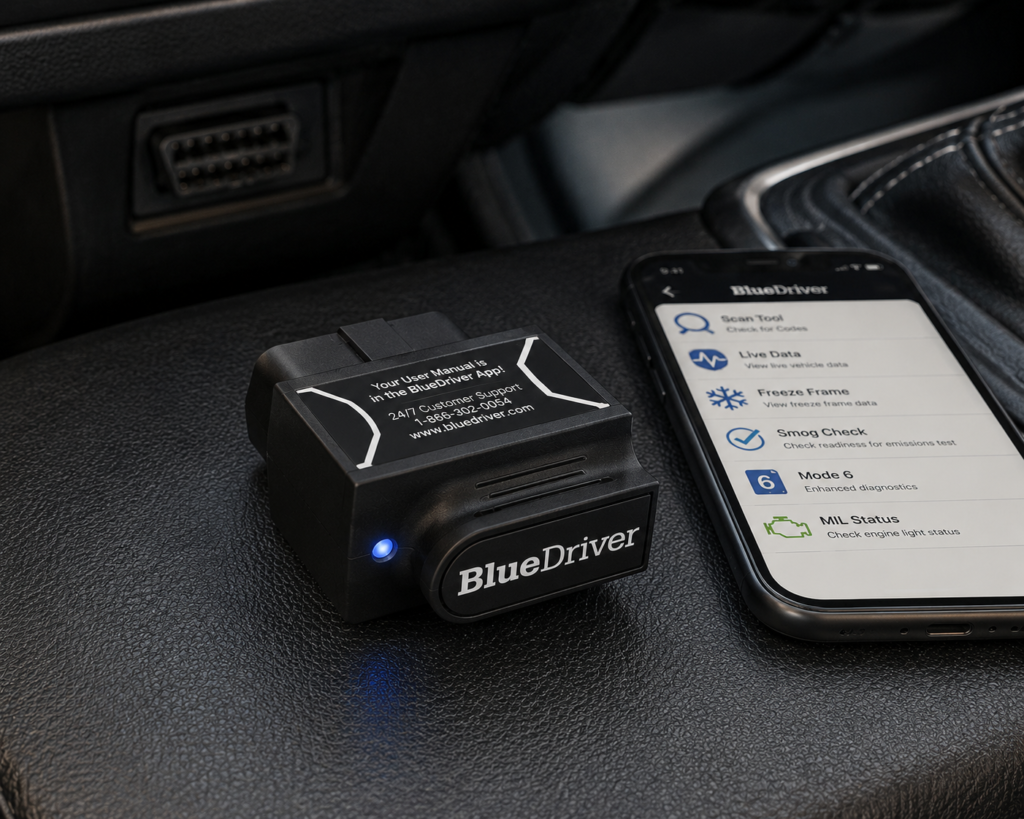
The BlueDriver hardware and BlueDriver app are designed as one integrated system. Instead of asking the owner to choose among multiple apps, BlueDriver provides the diagnostic workflow inside its own software.
That is particularly useful for a driver who does not want to build a custom diagnostic setup.
BlueDriver supports standard OBD2 functions such as reading and clearing Check Engine codes, live data, freeze-frame information, emissions readiness and Mode 6 information.
It also offers enhanced diagnostics for supported vehicles, including access to additional systems such as ABS, airbag and transmission.
Because the whole system lives in one app on your phone, Repair Reports shows up right alongside the code itself.
No separate lookup, no second tool, just the likely cause and what other owners did about it on the same screen where you found the fault.
That does not replace diagnosis, but it can make the first step much more understandable for a non-professional owner.
BlueDriver currently states that its core product has no subscriptions and no add-ons.
Where It Falls Short
BlueDriver’s simplicity comes from its closed ecosystem.
If you want to use a specialized third-party application, the MX+ or Veepeak-style open adapter is generally the more appropriate direction.
BlueDriver also should not be confused with an advanced bidirectional platform.
Its strength is code access, enhanced diagnostics, live information and repair guidance, not extensive component actuation, coding or professional service functions.
Enhanced diagnostics also remain vehicle-dependent.
BlueDriver provides compatibility information because generic OBD2 support does not guarantee the same enhanced-system coverage on every vehicle.
| Specification | Details |
|---|---|
| Connectivity | Bluetooth dongle, pairs with the free BlueDriver app on iOS/Android |
| Vehicle compatibility | 1996 and newer gas, diesel, and hybrid vehicles sold in North America (confirm your exact vehicle via the SCG Finder) |
| Enhanced code reading | ABS, SRS/airbag, transmission, TPMS, 4WD/AWD, hybrid/EV codes on a documented brand list; coverage varies by model/year |
| Repair context | “Confirmed Fix” reports showing real repairs for the same code on the same vehicle |
| Subscription policy | “No subscriptions. No add-ons. Ever.” per BlueDriver’s official page |
| Screen | None; requires a compatible phone with the BlueDriver app |
| Pros | Cons |
|---|---|
| Integrated hardware-and-app experience | No standalone screen; requires a compatible phone |
| iOS and Android support | |
| Standard OBD2 diagnostics | |
| Enhanced diagnostics on supported vehicles | |
| Repair Reports | |
| Live data | |
| Emissions-readiness information | |
| No required subscription for the core product | |
| Good fit for non-professional owners |
Best For
Drivers who want a straightforward Bluetooth scanner that explains problems without requiring them to choose and configure multiple apps.
SCG Verdict
BlueDriver is the better choice than OBDLink MX+ for many ordinary owners because it removes software-selection complexity. If you want one adapter, one app and useful diagnostic guidance, that simplicity is valuable. See our full BlueDriver review for the complete case against juggling software choices with a more open adapter.
3. TOPDON TopScan: Best Advanced Bluetooth OBD2 Scanner
Why We Picked It
TopScan belongs to a newer class of Bluetooth diagnostic tools.
It does not simply turn a phone into a generic OBD2 code reader.
TOPDON lists full-system diagnostics, all ten OBD2 test modes and bidirectional active tests across the TopScan family. That means supported versions can access vehicle systems beyond the engine and can send commands to supported components during diagnosis.
This is a major capability difference from conventional Bluetooth adapters.
TOPDON currently offers Lite, Pro and Master versions.
The versions expand service-function coverage as you move up the range, while the Master adds DoIP support for compatible newer vehicles. The platform also includes AutoVIN, repair information, live-data visualization and performance-related functions.
For a DIY mechanic who wants advanced diagnostics without carrying a dedicated tablet, TopScan is a compelling concept: the phone supplies the screen and processing interface while the adapter provides access to a much deeper diagnostic platform.
Where It Falls Short
TopScan’s software model requires more attention than BlueDriver or OBDLink’s included core software.
TOPDON currently includes an initial update period and lists different renewal costs for Lite, Pro and Master.
That means buyers should compare long-term ownership rather than looking only at the hardware’s initial price class.
The versions also must not be treated as interchangeable.
A function listed for TopScan Master may not exist on Lite, and a service function shown at family level still needs vehicle-specific verification.
Finally, advanced diagnostics depend on coverage. “Bidirectional” does not mean every active test works on every supported vehicle.
| Pros | Cons |
|---|---|
| Full-system diagnostics | Requires a smartphone |
| Bidirectional active tests on supported vehicles | |
| All ten standard OBD2 modes | |
| Compact phone-based hardware | |
| Multiple versions for different capability needs | Software/update renewal can add long-term cost |
| Service functions | |
| Modern protocol support on higher version | |
| Strong advanced-DIY potential |
Best For
DIY mechanics who want full-system diagnostics and active testing from a phone-based scanner rather than a dedicated diagnostic tablet.
SCG Verdict
TopScan is the advanced-performance winner in this Bluetooth group. Choose it when you need capabilities such as full-system access and active tests, not simply because it has a longer feature list than a conventional adapter.
4. Veepeak OBDCheck BLE+ Plus: Best Affordable App-Based Adapter
Why We Picked It
Not every Bluetooth scanner needs its own diagnostic ecosystem.
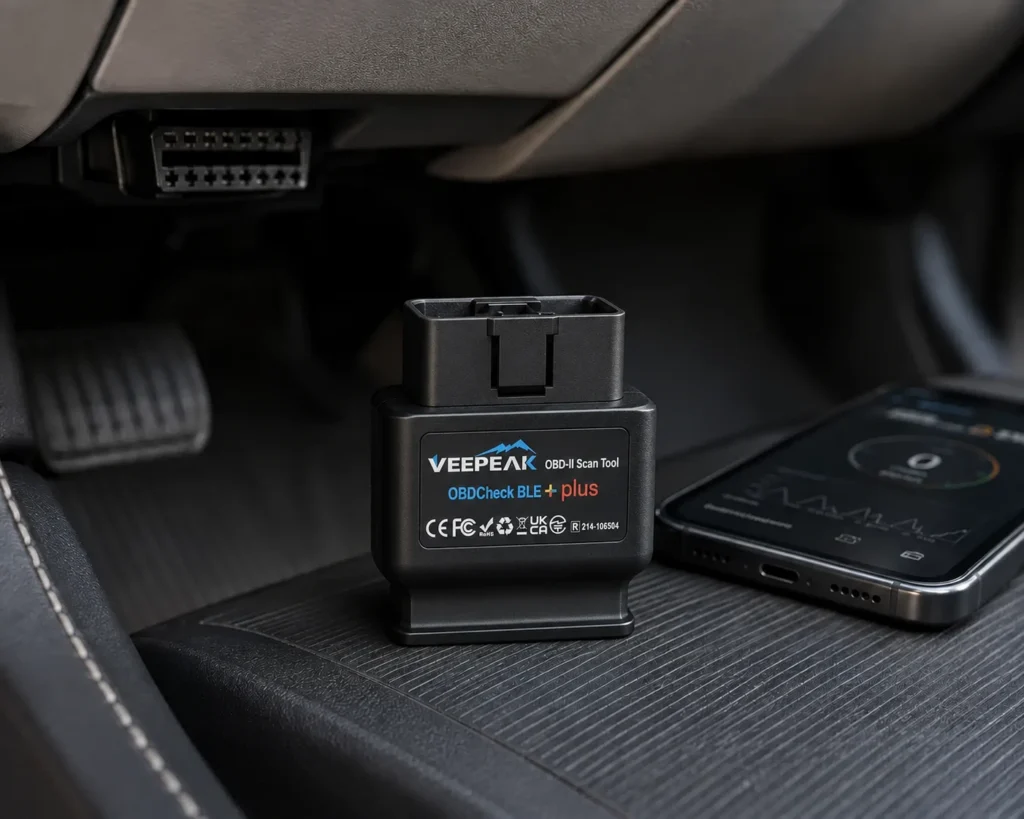
The Veepeak OBDCheck BLE+ Plus takes the opposite approach from BlueDriver: the adapter provides the connection, and the user chooses compatible third-party software.
Veepeak lists Bluetooth LE support for iOS and Classic Bluetooth support for Android and Windows, with compatibility across popular apps such as Car Scanner, OBD Fusion, Torque, BimmerCode, BimmerLink, OBD JScan, Carista and others.
That gives the BLE+ Plus unusually broad software flexibility for its class.
For generic OBD2 use, it can read engine diagnostic trouble codes, clear the Check Engine light, display emissions-readiness information and show real-time sensor data supported by the vehicle.
Compatible third-party apps can provide additional vehicle-specific functionality in some applications.
This makes the Veepeak particularly attractive to buyers who already know which app they want to use.
Where It Falls Short
The adapter does not include its own full diagnostic app.
That is important.
Veepeak explicitly states that an OBD2 app is required and that available features depend mainly on the chosen app.
Some apps are free, some are paid and some advanced vehicle-specific apps use their own purchase or subscription models.
The hardware also has clear protocol and function limitations. Veepeak states that the BLE+ Plus does not support MS-CAN or SW-CAN directly and lists functions such as oil reset, EPB reset, relearning and adaptation as unsupported at the generic adapter level.
Advanced diagnostics therefore must never be inferred simply because one compatible app supports advanced features on some vehicles.
| Specification | Details |
|---|---|
| Connectivity | Bluetooth LE (iOS) / Classic Bluetooth (Android, Windows), ELM327 v2.2 chipset |
| Protocols | SAE J1850 PWM/VPW, ISO 9141-2, ISO 15765-4 CAN, ISO 14230-4 KWP 2000 (no MS-CAN/SW-CAN) |
| Vehicle compatibility | 1996+ USA, 1998+ Canada, 2001/2004+ EU (gas/diesel); excludes EVs (confirm your exact vehicle via the SCG Finder) |
| App model | No bundled app; requires a compatible third-party app (BimmerCode, Carista, Car Scanner ELM OBD2, Torque, OBD Fusion, and others) |
| Documented incompatible apps | Carly, MHD, xHP, ProTool, bootmod3 (per Veepeak’s own page) |
| ECU coding / service resets | Explicitly not supported per Veepeak (injector coding, EPB reset, ABS bleeding, oil/service resets) |
| What’s included | Device, carrying case, user manual (per Veepeak’s own listing) |
| Pros | Cons |
|---|---|
| iOS and Android support | Explicitly incompatible with several premium coding apps (Carly, MHD, xHP, ProTool, bootmod3) |
| Windows compatibility | |
| Broad third-party app support | |
| Generic OBD2 code reading and clearing | |
| Live sensor data | |
| Emissions-readiness functions | |
| Flexible app choice | |
| Strong lower-cost positioning |
Best For
Budget-conscious DIY users who want to choose their own diagnostic app and primarily need generic OBD2 data with the possibility of compatible app-specific features.
SCG Verdict
The BLE+ Plus is a good value when you understand the adapter-plus-app model. It is not a cheaper TopScan or BlueDriver; it is a flexible interface whose usefulness depends substantially on the software you pair with it. Our full Veepeak OBDCheck BLE+ Plus review explains exactly how the adapter-plus-app model works before you buy.
5. Veepeak OBDCheck BLE: Best Simple Budget Bluetooth Adapter
Why We Picked It
For many drivers, advanced diagnostics are unnecessary.
They want to read a Check Engine code, clear it after a repair, check emissions readiness and monitor basic live data.
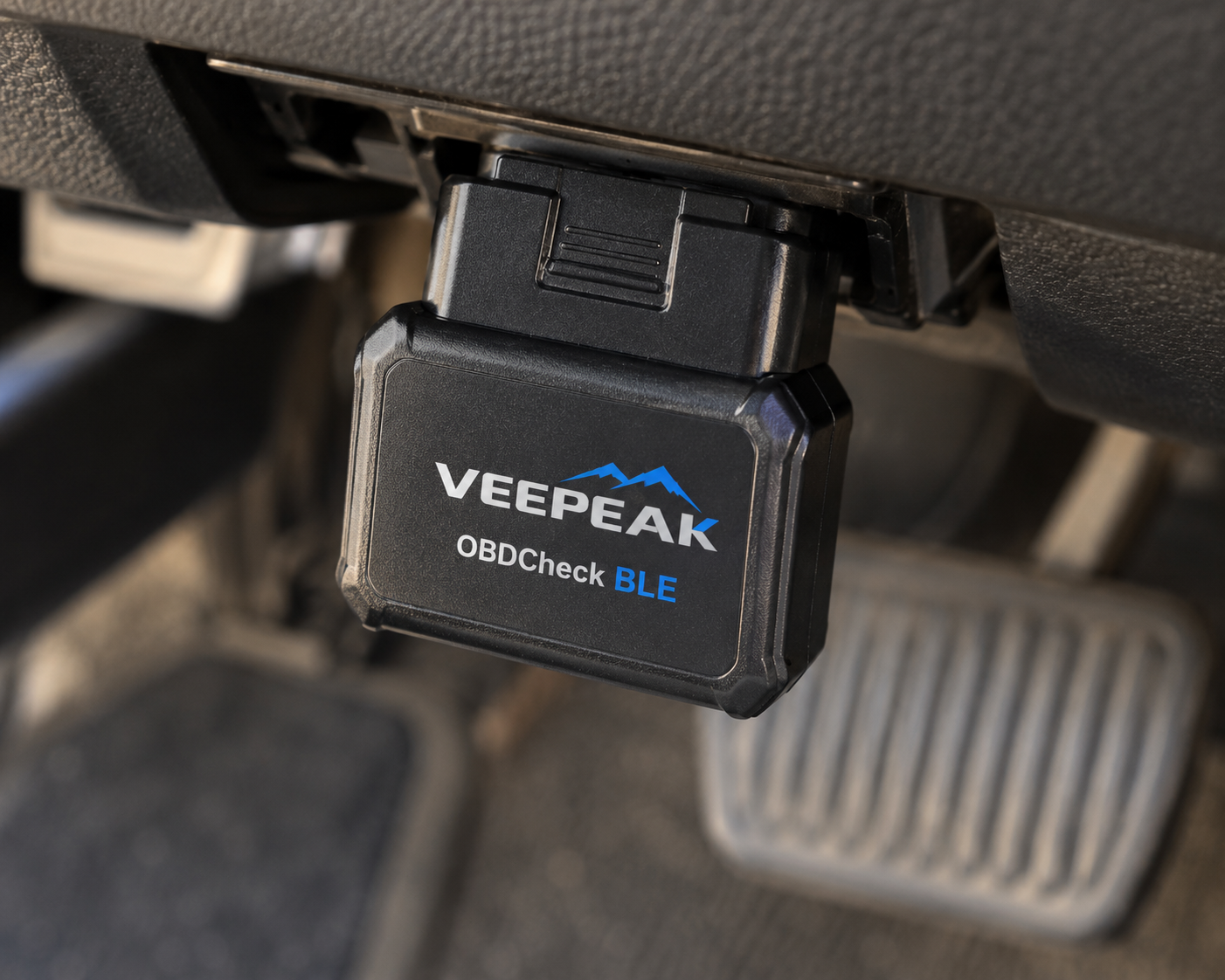
The standard Veepeak OBDCheck BLE is designed for that simpler job.
It supports Bluetooth LE for iOS and Bluetooth connectivity for Android and Windows and works with a variety of compatible third-party OBD2 apps.
For generic OBD2 diagnostics, Veepeak lists functions including trouble-code reading, freeze-frame data, Check Engine light clearing, emissions-readiness checks and real-time sensor readings.
That is enough for many ordinary owners.
It also avoids one of the common mistakes in scanner shopping: paying for full-system diagnostics, coding or active tests when the actual need is only standardized OBD2 engine information.
Where It Falls Short
Its limitations are substantial if your needs go beyond generic OBD2.
Veepeak explicitly distinguishes generic OBD2 compatibility from enhanced diagnostics.
The standard BLE adapter does not natively provide the full-system workflow, service functions or bidirectional controls offered by TopScan.
It also does not support MS-CAN or SW-CAN directly.
As with the BLE+ Plus, an app is required and app capability varies.
| Pros | Cons |
|---|---|
| Simple Bluetooth OBD2 interface | No MS-CAN/SW-CAN support |
| iOS and Android compatibility | |
| Generic trouble-code reading and clearing | |
| Freeze-frame information | |
| Emissions-readiness checks | Requires a compatible app |
| Live sensor data | |
| Compatible with multiple apps | |
| Appropriate for basic diagnostic needs |
Best For
Drivers who mainly want an inexpensive, reusable way to read Check Engine codes and basic OBD2 data from a phone.
SCG Verdict
The standard Veepeak BLE earns its place precisely because it does less. If your real need is generic OBD2 diagnosis, buying an advanced scanner can be unnecessary.
Comparison: Which Bluetooth OBD2 Scanner Fits You?
| Scanner | Best For | Platform Support | Software Model | Diagnostic Depth | Bidirectional Capability | Key Advantage |
|---|---|---|---|---|---|---|
| OBDLink MX+ | Enthusiasts and serious DIY users | iOS, Android, Windows | Included OBDLink software plus broad compatible third-party app support | Generic OBD2 plus enhanced OEM data on supported vehicles | Depends on compatible software and vehicle; do not assume universal support | Flexibility and long-term app ecosystem |
| BlueDriver Pro | Most ordinary drivers | iOS and Android | BlueDriver’s integrated app | Generic OBD2 plus enhanced diagnostics on supported vehicles | Not its primary role | Repair Reports and simple one-app workflow |
| TOPDON TopScan | Advanced phone-based diagnostics | iOS and Android | TOPDON app ecosystem | Full-system diagnostics on supported vehicles | Yes, supported vehicles | Active tests and service functions from a compact adapter |
| Veepeak OBDCheck BLE+ Plus | Affordable third-party app flexibility | iOS, Android, Windows; app-dependent | Compatible third-party app required | Generic OBD2; advanced features depend on app and vehicle | App/vehicle dependent, not a native universal feature | Broad app compatibility |
| Veepeak OBDCheck BLE | Basic Check Engine diagnostics | iOS, Android, Windows | Compatible third-party app required | Generic OBD2 | No native bidirectional platform | Simple basic diagnostics |
Bluetooth OBD2 Scanner vs. Bluetooth Adapter: Why the Difference Matters
The words “Bluetooth OBD2 scanner” are used for several different product types.
That can make shopping confusing.
A product such as BlueDriver is best understood as an integrated scanner system: hardware and software are designed to work together.
OBDLink MX+ is a diagnostic adapter with included software but also broad third-party app compatibility.
Veepeak is even more app-dependent: the adapter provides the vehicle connection, while much of the experience and capability comes from whichever compatible app you choose.
TOPDON TopScan uses a phone but behaves more like an advanced scan-tool platform, with full-system diagnostics, service functions and active tests built around TOPDON’s software.
All four approaches use Bluetooth.
They are not equivalent.
When choosing a Bluetooth scanner, evaluate the complete system:
Adapter + App + Vehicle Coverage + Required Function + Software Cost
How to Choose the Right Bluetooth OBD2 Scanner
1. Decide Whether You Want One App or Many Apps
If you want the simplest possible experience, a closed integrated product such as BlueDriver has an advantage.
Install the app, connect the scanner and use the interface designed for that hardware.
If you want to experiment with different diagnostic, logging, coding or vehicle-specific applications, a flexible adapter such as OBDLink MX+ or Veepeak may be a better foundation.
Neither model is universally superior.
They serve different users.
2. Separate Generic OBD2 From Enhanced Diagnostics
This is the most important technical distinction in this guide.
Generic OBD2 covers standardized emissions-related diagnostics.
That includes functions such as Check Engine trouble codes, emissions readiness and standardized live data.
Enhanced diagnostics go beyond that standardized layer and can include manufacturer-specific codes and data from systems such as ABS, airbags, transmission, body modules and others.
A scanner can work perfectly with a 1996-or-newer OBD2 vehicle for generic engine diagnostics while offering little or no enhanced coverage for that same vehicle.
Always check which level of coverage you are buying.
3. Do Not Assume Bluetooth Means Basic
Bluetooth describes the communication method.
It does not define diagnostic capability.
A simple adapter may only expose generic OBD2 data.
A more advanced Bluetooth scanner can provide full-system diagnostics and bidirectional active tests on supported vehicles.
Judge the diagnostic platform, not the radio technology.
4. Check iPhone and Android Compatibility
Not every inexpensive Bluetooth adapter handles iOS and Android in the same way.
Bluetooth Low Energy has made cross-platform support much more common, but buyers should still verify the exact adapter and app combination.
Also verify the operating-system version required by the app.
5. Check the App Before Buying the Adapter
For open adapters, the app can matter as much as the hardware.
Ask:
- Does the app support my vehicle?
- Does it provide the function I need?
- Is the app available for my phone?
- Is it a one-time purchase or subscription?
- Does it require a specific adapter?
- Does it support enhanced manufacturer data?
Do this before ordering the hardware.
6. Consider Battery Drain if You Plan to Leave It Plugged In
Some owners use Bluetooth adapters as permanent vehicle monitors.
If that is your plan, sleep behavior and standby power consumption matter.
A quality adapter designed for long-term connection can be a better choice than an unknown low-cost dongle that remains fully active.
When in doubt, unplug the adapter when it is not needed.
7. Compare Ownership Cost, Not a Fixed Amazon Price
SCG does not publish fixed current Amazon prices for individual scanners because retailer pricing changes.
Price classes are still useful.
A simple generic adapter belongs to a different buying class from an advanced full-system Bluetooth scanner.
Software also matters.
One adapter may include its app and updates, another may require paid third-party software, and another may use recurring renewal for advanced functions.
The better value is the complete hardware-and-software package that performs the functions you actually need.
BlueDriver vs. OBDLink MX+: Which Type of Buyer Are You?
These two products are often compared because both are premium Bluetooth adapters aimed at owners who want more than a generic code reader.
But their philosophies are different.
Choose BlueDriver when you want:
- One integrated app
- Repair Reports
- A simpler learning curve
- Enhanced diagnostics on supported vehicles
- No need to choose third-party software
Choose OBDLink MX+ when you want:
- Multiple compatible apps
- More control over your software setup
- Strong live-data and logging flexibility
- Enhanced OEM data for supported vehicles
- Ford MS-CAN and GM SW-CAN support
- iOS, Android and Windows support
This is not simply a question of which adapter has more features.
It is a choice between an integrated ecosystem and a flexible platform.
OBDLink MX+ vs BlueDriver: Which Should You Buy?
If you specifically need DoIP support and a broader 30-function reset list in the same screenless Bluetooth form factor, TOPDON’s higher-tier TopScan Master is worth comparing against the base TopScan above.
When Should You Buy TOPDON TopScan Instead?
TopScan makes sense when your requirement changes from “Bluetooth OBD2 diagnostics” to “advanced diagnostics from my phone.”
If you specifically need full-system scanning, service functions or bidirectional active tests on a supported vehicle, conventional adapters may no longer be the right comparison.
That does not make TopScan universally better.
It makes it a different class of Bluetooth tool.
Best Bidirectional Scan Tools in 2026
Do You Need a Bluetooth Scanner at All?
Bluetooth is convenient, but it is not automatically the best format for everyone.
Choose Bluetooth when you value:
- Small hardware
- Phone-based interfaces
- Easy portability
- App flexibility
- Data logging
- A device that can stay in the vehicle when appropriate
Consider a standalone scanner when you prefer:
- A dedicated screen
- No dependence on your personal phone
- A tool that is always ready in the toolbox
- Physical controls
- A more traditional diagnostic workflow
SCG treats these as different buyer needs, which is why standalone scanners are evaluated separately rather than forcing every format into one ranking.
Common Bluetooth OBD2 Scanner Mistakes
Mistake 1: Buying the Cheapest Unknown ELM327 Adapter
Low-cost generic adapters vary greatly in hardware, firmware and connection quality.
Saving a small amount on the adapter is poor value if the device drops connections, does not support the app you need or creates troubleshooting problems of its own.
Mistake 2: Assuming the App Can Add Hardware Support That Does Not Exist
Software can unlock supported capabilities.
It cannot magically add a vehicle network or protocol the hardware cannot communicate with.
Mistake 3: Assuming “Works With My Car” Means Every Feature Works
Generic OBD2 compatibility is not proof of ABS, SRS, transmission, coding, reset or bidirectional coverage.
Check the exact function.
Mistake 4: Ignoring App Cost
An inexpensive adapter paired with several paid apps can have a different ownership cost from an integrated scanner with included software.
Evaluate the complete system.
Mistake 5: Choosing by Feature Count Instead of Use Case
A beginner may get more value from BlueDriver’s integrated explanations than from an advanced scanner with dozens of service functions.
An enthusiast may prefer OBDLink’s open ecosystem.
A serious DIY mechanic may need TopScan’s active tests.
Different tools can all be good choices for different people.
Our Final Recommendations
For enthusiasts and serious DIY users who want the most flexible Bluetooth platform, OBDLink MX+ is our best overall choice.
For most ordinary drivers, BlueDriver Pro offers the easier buying decision because the hardware, app, enhanced diagnostics and repair guidance are integrated into one system.
For advanced DIY users who specifically need full-system diagnostics and bidirectional active tests from a phone, TOPDON TopScan moves into a more capable diagnostic class.
For buyers who want broad third-party app flexibility at a lower hardware class, Veepeak OBDCheck BLE+ Plus is the stronger choice.
And for drivers who mainly want Check Engine codes, emissions readiness and basic live data, the standard Veepeak OBDCheck BLE proves that you do not need to buy advanced diagnostic capability you will never use.
The best Bluetooth OBD2 scanner is therefore not the one with the most features.
It is the hardware-and-software combination that gives you the diagnostic depth you actually need on the vehicles you actually own.
Quick Picks
Best Overall: OBDLink MX+
The strongest all-around choice for enthusiasts and serious DIY users who value fast data, broad app compatibility, enhanced OEM information and a flexible long-term platform.
Best for Most Drivers: BlueDriver Pro
A simpler integrated experience with enhanced diagnostics, Repair Reports and no required subscription, making it easier for ordinary owners to turn codes into useful information.
Best Advanced Bluetooth Scanner: TOPDON TopScan
A compact phone-based scanner that moves beyond conventional Bluetooth adapters with full-system diagnostics, bidirectional active tests and service functions on supported vehicles.
Best Affordable App-Based Adapter: Veepeak OBDCheck BLE+ Plus
A flexible lower-cost adapter for generic OBD2 diagnostics and compatible third-party apps, provided the buyer understands that advanced functions depend heavily on the selected app and vehicle.
Best Simple Budget Adapter: Veepeak OBDCheck BLE
A straightforward choice for drivers who primarily want Check Engine diagnostics, emissions readiness and live OBD2 data without paying for advanced scanner hardware.
Frequently Asked Questions
What is the best Bluetooth OBD2 scanner in 2026?
For enthusiasts and serious DIY users, our current overall choice is OBDLink MX+ because of its combination of enhanced OEM data, broad compatible-app support, cross-platform compatibility and free firmware updates.
For an ordinary driver who wants a simpler integrated experience, BlueDriver Pro may be the better choice.
What is the best Bluetooth OBD2 scanner for beginners?
BlueDriver Pro is our preferred choice for beginners in this group because its hardware and software are designed as one system and its Repair Reports help translate diagnostic trouble codes into more understandable repair context.
Can a Bluetooth OBD2 scanner read ABS and airbag codes?
Some can.
Enhanced-system coverage depends on the scanner, software and vehicle. BlueDriver provides enhanced diagnostics on supported vehicles, while TopScan provides full-system diagnostics on supported vehicles.
A generic Bluetooth adapter should not automatically be assumed to read ABS or SRS modules.
Can a Bluetooth OBD2 scanner perform bidirectional tests?
Some advanced Bluetooth scanners can.
TOPDON TopScan is specifically designed with bidirectional active tests on supported vehicles.
Does OBDLink MX+ require a subscription?
OBDLink includes its own software and free firmware updates. Compatible third-party apps can have their own purchase or subscription terms.
Does BlueDriver require a subscription?
BlueDriver currently states that its core scanner has no subscriptions or add-ons.
Does Veepeak include an OBD2 app?
No.
Veepeak states that a compatible OBD2 app is required. Some compatible apps are free and others are paid.
Can I leave a Bluetooth OBD2 scanner plugged in all the time?
That depends on the adapter and vehicle.
Some quality adapters include low-power sleep features specifically designed for long-term connection. If the manufacturer does not clearly document safe standby behavior, unplugging the adapter when it is not being used is the more conservative choice.
Is Bluetooth slower than a wired scanner?
Not necessarily in a way that matters for ordinary OBD2 diagnosis.
Connection quality, adapter hardware, protocol, app design and the amount of requested data all affect performance. A high-quality Bluetooth adapter can provide fast live-data performance, while a poor adapter can be frustrating regardless of its advertised Bluetooth version.
Bottom Line
Bluetooth has become a serious diagnostic format, not merely a cheap alternative to a handheld code reader.
But the category now contains several fundamentally different products.
BlueDriver emphasizes simplicity and repair guidance.
OBDLink MX+ emphasizes flexibility and compatible apps.
TOPDON TopScan brings full-system diagnostics and active testing into the phone-based format.
Veepeak offers an affordable open-adapter approach for users who prefer to choose their own software.
Before buying, decide what you actually need the scanner to do.
Then verify the adapter.
Verify the app.
Verify the vehicle.
And verify the exact function.
That is more reliable than choosing a Bluetooth scanner because it has the longest feature list or the lowest advertised price.