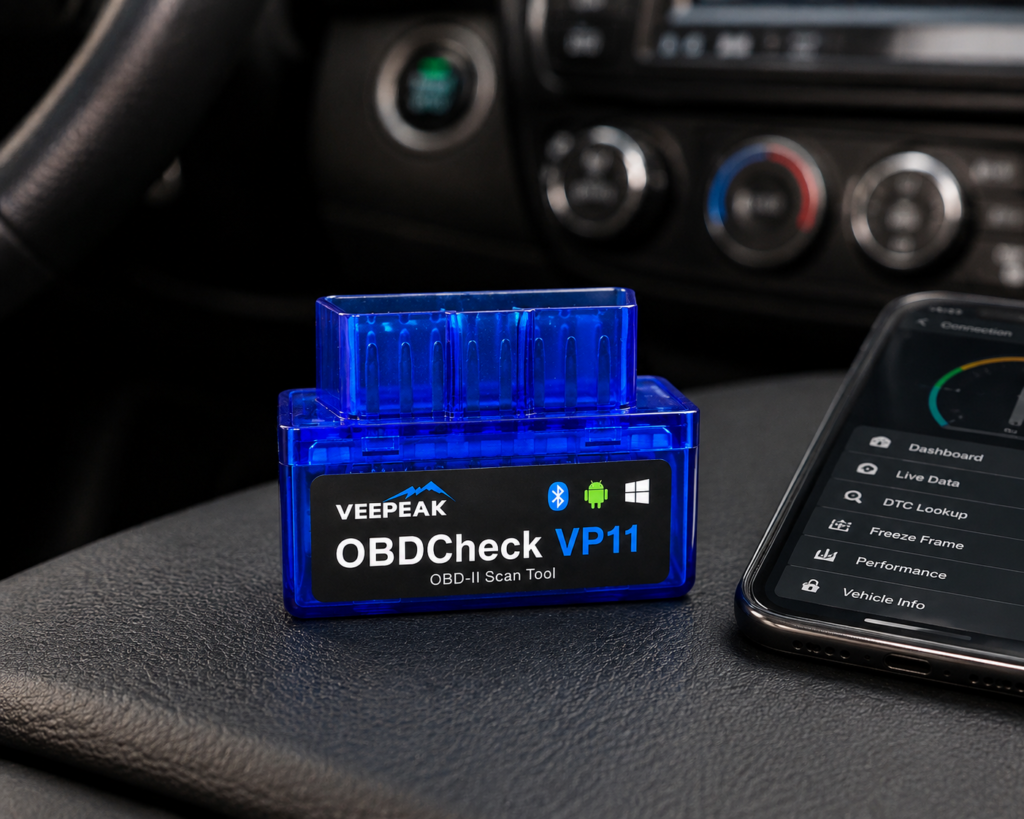
The Veepeak OBDCheck VP11 is a small Bluetooth adapter that plugs into the car’s OBD2 port and sends engine data to an Android phone or tablet. It reads and clears check engine light codes, shows I/M readiness and live engine data, and it needs an app that you pick yourself. It works with Android only, and Amazon and Veepeak both say plainly that it does not work with iPhone or iPad.
The short version: The VP11 is for an Android owner who wants one low-cost way to see why the check engine light is on, and to look at a few live numbers. Amazon and Veepeak agree on everything that matters: Android only, Classic Bluetooth, engine codes and live data, no iOS, and no advanced systems. There is nothing here for ABS, airbag, TPMS, resets or bidirectional tests. For an iPhone, Veepeak points to a different model.
Affiliate Disclosure: As an Amazon Associate I earn from qualifying purchases. Scan Choice Guide is a participant in the Amazon Services LLC Associates Program, an affiliate advertising program designed to provide a means for sites to earn advertising fees by advertising and linking to Amazon.com.
What You Are Actually Buying
There is no screen and no app in the box, as far as the listing says. The VP11 is a thumb-sized adapter. Veepeak lists its size as 1.89 by 0.98 by 1.26 inches and its weight as 1.12 ounces. It plugs into the OBD2 port under the dashboard, takes its power from the car (9 to 16 volts, at most 45 milliamps) and talks to your phone over Bluetooth. Veepeak says it is built on a PIC18F25K80 chip and is compatible with ELM327 version 1.4, which some of its pages call version 1.5. In plain words, it speaks the standard language that dozens of OBD2 apps understand.
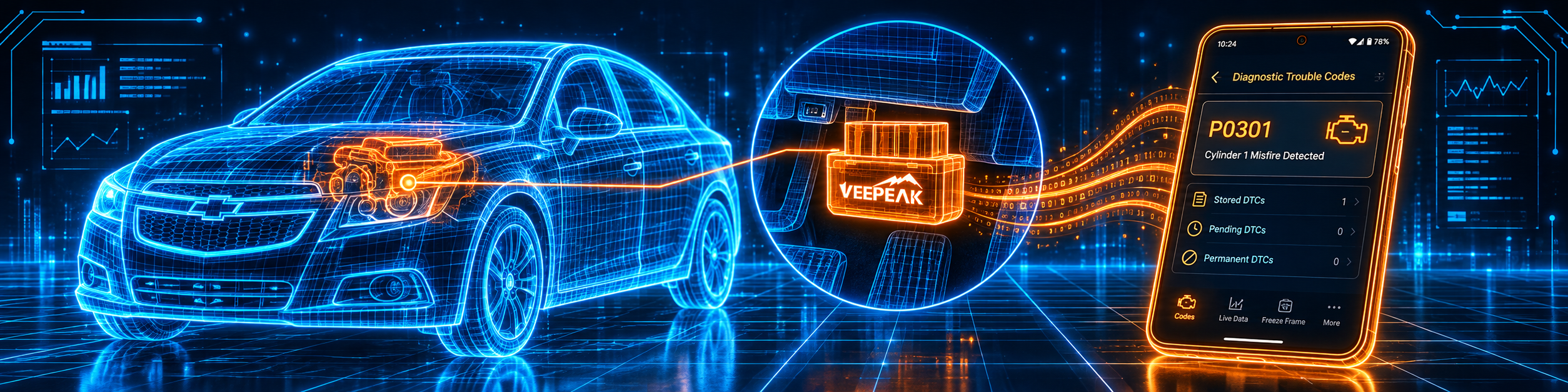
The picture below shows a check engine code on the phone, with the adapter in the port of a Chevrolet Cruze.
Amazon and Veepeak name these functions and limits:
- Generic engine diagnostics. Amazon says to “read and clear check engine light trouble codes (CEL/MIL)”. Veepeak says the same and adds I/M readiness and live sensor data.
- Live sensor data. Amazon says “Access live engine data stream including speed, engine RPM, coolant temperature, throttle position, O2 sensor readings, fuel trim, mass air flow, and more”.
- Platform. Amazon says it is “compatible with Android phones and tablets ONLY via Classic Bluetooth” and “NOT compatible with iPhone or iPad”. Veepeak says Android radios and head units are not recommended and may not be supported.
- Apps. Amazon names Car Scanner, Torque, OBD Fusion and Dr. Prius. Veepeak names Car Scanner ELM OBD2, OBD Fusion, Torque Lite and Pro, DashCommand, OBD Auto Doctor and EOBD Facile.
- Apps that do not work. Amazon says it is “NOT compatible with BimmerCode, BimmerLink, ABRP, and other Apps that require specialized hardware”.
- Vehicles. Amazon says most 1996 and newer cars and light trucks in the US, for generic engine diagnostics. Veepeak lists 1996 in the US, 1998 in Canada, 2001 to 2004 in the EU, 2006 to 2007 in Australia and 2006 in Mexico. Amazon adds that support for EVs and hybrids depends on the app.
What Amazon Says vs. What Veepeak Confirms
We compared the Amazon listing with Veepeak’s product page and its user instructions. They agree on everything functional. They differ in how much each tells you.
| Claim | Amazon listing | Veepeak | Our reading |
|---|---|---|---|
| Name | “Veepeak Mini Bluetooth OBD2 Scanner Code Reader for Android (NOT for iOS)” | “OBDCheck VP11” | Same device; the US title does not use the model name |
| Platform | Android phones and tablets only | Android only, iOS not compatible | Agree |
| Bluetooth type | Classic Bluetooth | Classic Bluetooth, not BLE | Agree |
| Codes | Read and clear check engine light codes | Read and clear codes for the check engine light | Agree |
| I/M readiness | Not listed | Listed | Veepeak only |
| Live data | Speed, RPM, coolant temperature, throttle position, O2, fuel trim, MAF | “live sensor data” | Agree |
| Advanced systems | Not listed | Not supported (ABS, SRS, TPMS, transmission, resets) | Not supported |
| Apps | Car Scanner, Torque, OBD Fusion, Dr. Prius | Car Scanner, OBD Fusion, Torque, DashCommand, OBD Auto Doctor, EOBD Facile | Agree on the main apps |
| Specialized apps | Not for BimmerCode, BimmerLink, ABRP | Not mentioned | Amazon only |
| Vehicles | Most 1996 and newer in the US | 1996 US, 1998 Canada, 2001 to 2004 EU | Veepeak gives more regions |
| EVs and hybrids | App-dependent | Not mentioned | Amazon only |
| Voltage and current | Not listed | 9 to 16 V, up to 45 mA | Veepeak only |
| iOS alternative | “choose OBDCheck BLE” | BLE model | Agree |
The listing point matters. The US Amazon title does not contain “VP11”. The older Japan listing for the same product number does. Everything the US listing says matches the VP11 page, so we treat them as the same device, and we tell you so you can check the box when it arrives.
The platform point matters. This is a hard filter, not a footnote. If you have an iPhone, this adapter will not work, and neither source offers a workaround.
A third source. The Bluetooth Special Interest Group, which owns the Bluetooth standard, describes two radio options on its overview page. Bluetooth Classic transmits data over “79 channels in the 2.4GHz unlicensed industrial, scientific, and medical (ISM) frequency band”, and Bluetooth Low Energy uses “40 channels” in the same band. This source is independent of both Amazon and Veepeak. It explains why a Classic adapter and an LE adapter are two different products, and why Amazon tells iPhone users to pick the BLE model.
How we handle these differences. The feature table at the bottom of this page, the Scanner Finder and our comparisons follow the Amazon listing, because Amazon is where you buy. We name the points above so you can see where Veepeak says something different. If one of them matters to you, read this section before you decide.
Five Buyers, Five Answers
A table helps, but a story helps more. Here are five people and what the VP11 does for each.
The commuter with a Check Engine light. She has an Android phone and a 2012 compact. The light came on yesterday. She wants to know whether it is a loose gas cap or something to take to the shop. The VP11 reads the code, shows the numbers on her phone, and lets her clear the light after the fix. This is exactly what it is for.
The teenager with a first car. He wants to learn what the engine is doing. Live data on his phone, with coolant temperature, RPM and fuel trim, is a good way to learn. The VP11 is fine here, and so is a free app.
The iPhone owner. She read a review that said the VP11 is the cheapest. It will not work with her phone. Amazon says so in its title. She needs a Bluetooth LE adapter, and Veepeak points to its BLE model.
The weekend mechanic with a 2015 pickup. He wants to check the ABS light and reset the oil life. The VP11 will do neither. Veepeak lists advanced diagnostics (ABS, SRS, TPMS, transmission) and special functions as unsupported. He needs a tool in our reviews that lists ABS and resets.
The BMW coder. He wants to try BimmerCode. Amazon says the VP11 is not compatible with it, because it needs specialized hardware. He needs a different adapter.
Setting Up the VP11 on Android
Veepeak’s instructions are short. Here they are with a few notes.
- Install an app. Veepeak lists Torque, Car Scanner ELM OBD2, OBD Fusion and Infocar for Android. Some require a separate purchase.
- Plug in the adapter. Find the OBD2 port, usually under the dashboard near the driver’s seat, and press the adapter firmly into it. Amazon says ports vary by car, and firm seating gives a stable connection. You should see a red power light.
- Turn the ignition on. The adapter powers up.
- Pair over Bluetooth. In the phone’s Bluetooth settings, pair a new device, choose the one named “OBDII” and enter the PIN 1234. Veepeak says it may show as not connected after pairing and that you can still start the app to connect.
- Set the app. In Car Scanner, open Settings, choose the adapter type ELM327 and the Bluetooth connection, and pick “OBDII” as the device. In the connection profile, choose your car’s brand, or the basic OBD-II/EOBD profile if yours is missing.
- Connect. Tap Connect on the home screen. The first connection may take longer, and Veepeak says to try again if it fails.
- Read. Once connected, use the app’s code and live data screens.
Reading Your First Code
What do you do after the app shows a code? The Innova 5610 manual gives a rule that works for any scan tool: never replace a part based only on the code’s definition, because each code has a set of tests to confirm the real fault. A code is a clue, not a verdict.
Here is a calm order of work. Write the code down. Look at the live data for the same system, such as coolant temperature, fuel trim or O2 sensor values. Check the simple things the code could point to, like a gas cap or a loose connector. If you will take the car to a shop, do not clear the code first, because the stored information can help the technician. After the repair, clear the code and drive for a few days, then read again. If the light returns, the fault is still there. The VP11 can do all of this, since it reads and clears codes and shows live data.
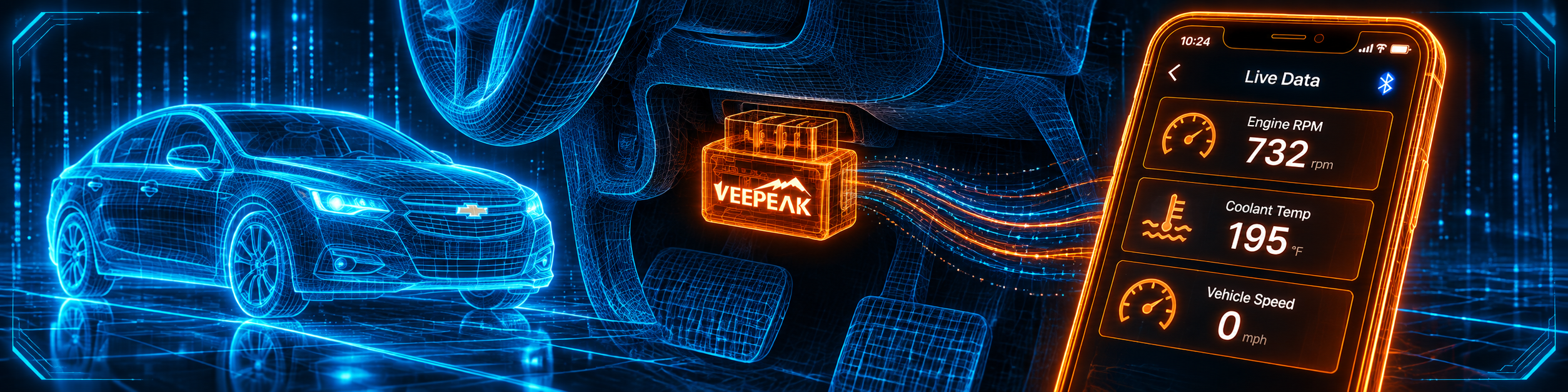
The picture below shows basic live data on the phone, which is where the VP11 is most useful.
When It Does Not Connect
The Veepeak instructions list the common fixes:
- The adapter does not appear. Restart the phone, switch Bluetooth off and on, refresh the Bluetooth list and wait a few seconds.
- Pairing fails on Android. Turn Bluetooth off and on, restart the phone and disconnect other Bluetooth devices, and clear the Bluetooth cache and storage.
- The connection drops. Keep the adapter close to the phone, close other apps and update the app.
- No data comes in. Unplug the adapter and plug it in again, or try a different app.
- Another phone is connected. The adapter can talk to only one device at a time, so make sure it is not connected to another phone or tablet.
Leaving It Plugged In
Veepeak says you can leave the adapter plugged in for a few days if your car battery is not too old or the car is driven often. If the car sits for more than a week, it strongly recommends removing the device. That is simple, sensible advice for a tool that draws a small current from the car.
Before an Emissions Test: What I/M Readiness Means
Veepeak says the VP11 can show I/M readiness, and this is one of the most practical uses of such an adapter. The Innova 5610 manual describes the idea clearly. The I/M readiness check looks at whether the car’s emissions-related systems have run their own self-tests, and it can be used to see whether a repair has really been confirmed. The same manual warns that when codes are erased, the readiness monitors are reset to a “not run” state, and that a drive cycle must be completed to set them to done.
What does that mean for you? Suppose you fix a fault and clear the code the morning of an emissions inspection. The car has not had time to run its self-tests, so the readiness check may show incomplete items. In some places that can fail you or send you home. A Missouri rule, which the US EPA publishes on its website, describes the inspection itself: an on-board diagnostics test is one in which the car’s OBD system is connected to a hand-held tool or computer that an inspector uses to read and record the result. So the sensible plan is to fix the fault, clear the code, drive normally for a few days, and check readiness with your own adapter before you go.
The VP11 cannot run the drive cycle for you, and it cannot force a monitor to complete. It can show the status, and that is useful by itself.
Reading the Status of a Stored Code
Apps differ in how they label codes, but most split them into a few kinds. The XTOOL D8W manual explains them well, and the same ideas apply to any scan tool:
- Current codes mean the fault is present now, and the warning lamp usually comes on.
- History codes record a fault that happened and are cleared with the tool’s clear function.
- Pending codes are early warnings from a fault that appeared briefly during one drive, and the manual says not to ignore them.
- Permanent codes cannot be cleared by a tool, and they go away only after the car’s own monitor completes and passes on its own trips.
For a VP11 owner, the lesson is simple. If a code returns after you clear it, the fault is still real. If a code is permanent, clearing it will not help, and only a passing drive will.
Live Data: Which Numbers Are Worth Watching
Amazon lists the live values the VP11 can show: speed, engine RPM, coolant temperature, throttle position, O2 sensor readings, fuel trim and mass air flow. Here is how a home mechanic can use them without any advanced tool.
- Coolant temperature tells you whether the engine reaches normal operating temperature and stays there. A reading that never rises can point to a thermostat problem, and the code list will help confirm it.
- RPM and speed together show whether the engine behaves at idle and under load, and they let you spot a stumble that you feel but cannot describe.
- Throttle position should move smoothly when you press the pedal and return when you release it.
- O2 sensor readings and fuel trim help show whether the engine is running rich or lean. Treat them as clues that point toward a cause, together with the stored code.
- Mass air flow should rise as the engine speeds up.
These are basic uses, and the VP11 does them on a phone you already own. Everything beyond that, such as testing an ABS pump or resetting a service light, is outside what Veepeak lists for this adapter.
Choosing the App
The VP11 has no app of its own, so the app is half of the purchase. Veepeak and Amazon name several. A few simple rules help.
- Start with a free app. Car Scanner ELM OBD2 and Torque Lite are named by Veepeak, and you can test whether the adapter works before you spend anything on a paid version.
- Set the adapter type to ELM327 and the connection to Bluetooth. Veepeak’s instructions for Car Scanner say exactly that.
- Pick the right connection profile. Choose your car’s brand, or the basic OBD-II/EOBD profile if yours is not listed.
- Keep the app updated. Veepeak lists an outdated app among the causes of dropped connections.
- Do not expect a paid app to add systems the adapter does not support. Veepeak says ABS, SRS, TPMS, transmission and special functions are not supported, whatever app you use.
A Month With the VP11: A Realistic Example
Week one: you plug the adapter in, pair it with PIN 1234 and read the car. There are no codes, and you save a screenshot of the live data at idle as a baseline. Week two: the check engine light comes on during a trip. You pull over, plug in the adapter and read the code. You find a loose gas cap, tighten it and clear the code. Week three: you read again, nothing has returned, and you leave the adapter in the drawer. Week four: a friend with an Android phone asks you to look at his car. You pair it with his phone in two minutes, since the adapter is not tied to one phone.
The point of the example is that the VP11 is a tool for occasional checks. It is not meant to stay in the car, since Veepeak advises removing it if the car sits for more than a week.
Common Mistakes and Three Simple Plans
1. Buying it for an iPhone. It does not work with iOS.
2. Expecting ABS, airbag or TPMS diagnosis. Veepeak says advanced systems are unsupported.
3. Expecting BimmerCode or ABRP to work. Amazon says they do not.
4. Clearing the code before a shop visit. Keep the stored code for the technician.
Plan A: A light on a commuter car
- Pair the adapter and connect an app.
- Read the code and the live data.
- Fix the cause, clear the code and recheck after a few days.
Plan B: A used car you are thinking of buying
- Plug in the adapter during the test drive and open live data.
- Check I/M readiness in the app.
- Read the codes before you talk about the price.
Plan C: Learning what the engine does
- Choose a free app and set up a dashboard with RPM, coolant temperature and throttle position.
- Drive normally and watch how the numbers move.
- Notice what changes when the engine is cold and when it is warm.
How the VP11 Compares With Other Tools in Our Reviews
| Veepeak VP11 | BlueDriver | Innova 5610 | |
|---|---|---|---|
| Platform | Android only | iPhone and Android, per our review | Handheld, app optional |
| Connection | Classic Bluetooth | Bluetooth, per our review | Cable |
| ABS and SRS codes | Not supported | Yes, per our review | Yes, per our review |
| Bidirectional control | Not supported | Not listed in our review | Yes, per our review |
| App | Your own choice | Its own app | RepairSolutions2, optional |
Our BlueDriver review covers a phone-based tool with its own app, repair reports and a few service resets. Our Innova 5610 review covers a handheld with bidirectional tests and a long reset list in North America. For an iPhone adapter that also uses third-party apps, see our Veepeak OBDCheck BLE+ Plus review.
Who This Scanner Actually Fits
The VP11 fits an Android owner who wants a small adapter for check engine codes and live engine data and is happy to choose an app. It is a hard skip for iPhone and iPad owners. It is a weaker fit for anyone who needs ABS, airbag or TPMS diagnosis, resets, bidirectional tests or ECU coding.
Important Limitations of the Veepeak OBDCheck VP11
- No iOS support. Amazon and Veepeak both say so.
- Engine codes and live data only. Advanced systems and special functions are unsupported.
- No app in the box. You pick and set up a third-party app.
- Specialized apps do not work. BimmerCode, BimmerLink and ABRP need other hardware.
- Android head units may not work. Veepeak does not recommend them.
- The Amazon title omits the model name. The device matches the VP11 page in every respect we could check.
Who Should Choose It, and What to Consider Instead
Choose the VP11 if you use Android and want the simplest way to read and clear check engine codes and watch live engine data.
Consider the Veepeak OBDCheck BLE+ Plus instead if you have an iPhone. Consider the BlueDriver instead if you want a phone tool with ABS, SRS and a few service resets. Consider the Innova 5610 instead if you want bidirectional tests and a long reset list in a handheld.
| Specification | Details |
|---|---|
| Platform | Android phones and tablets only |
| Bluetooth | Classic Bluetooth |
| Chip | PIC18F25K80, ELM327 v1.4 compatible |
| Voltage and current | 9 to 16 V, up to 45 mA |
| Size and weight | 1.89 by 0.98 by 1.26 inches, 1.12 ounces |
| Protocols | SAE J1850 PWM and VPW, ISO 9141-2, ISO 15765-4 CAN, ISO 14230-4 |
| Functions | Read and clear engine codes, I/M readiness, live data |
| Not supported | iOS, ABS, SRS, TPMS, transmission, resets, bidirectional tests |
| Apps | Third-party, such as Car Scanner and Torque |
| Pros | Cons |
|---|---|
| Small and simple | No iOS |
| Reads and clears check engine codes | Engine data only |
| Live data on your own phone | No app in the box |
| Works with several popular Android apps | No ABS, SRS, TPMS or resets |
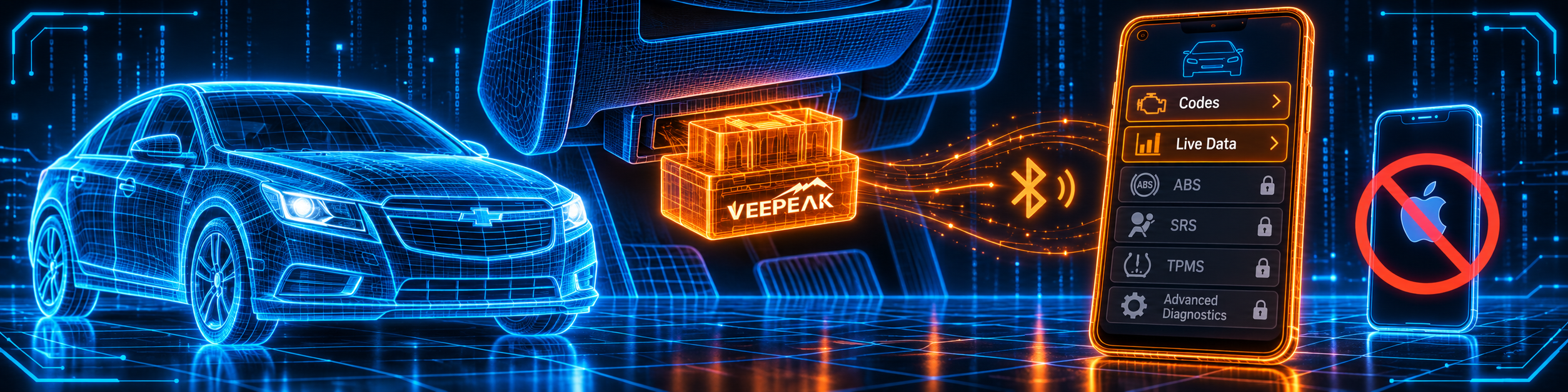
The picture below shows the app with ABS, SRS and TPMS locked, and with iOS not supported.
Methodology: How SCG Evaluates OBD2 Scanners.
Our Verdict on the Veepeak OBDCheck VP11
The VP11 is a small, honest adapter that does a narrow job. Amazon and Veepeak agree on all of it, and both say plainly what it does not do. If you use Android and want to read engine codes and live data, it fits well. If you have an iPhone, or if you need ABS or resets, it is the wrong tool.
Frequently Asked Questions
Does the VP11 work with an iPhone?
No. Amazon and Veepeak both say it is not compatible with iOS.
What can it read?
Check engine light codes, I/M readiness and live engine data, per Amazon and Veepeak.
Can it read ABS or airbag codes?
No. Veepeak lists advanced diagnostics (ABS, SRS, TPMS, transmission) as unsupported.
Can it reset the oil light?
No. Veepeak lists special functions such as oil light reset as unsupported.
Which apps work?
Amazon names Car Scanner, Torque, OBD Fusion and Dr. Prius. Veepeak also names DashCommand, OBD Auto Doctor and EOBD Facile.
What is the pairing PIN?
1234, per Veepeak. It may show as not connected after pairing, and you can still start the app to connect.
Does it drain the car battery?
It draws a small current. Veepeak says to remove it if the car sits for more than a week.
Does it work on hybrids and EVs?
Amazon says support is app-dependent.
Can two phones use it at the same time?
No. Veepeak tells you to make sure the adapter is not connected to another phone or tablet, so it talks to one device at a time.
Why does my phone show it as not connected after pairing?
Veepeak says that on Android it may not show as connected after pairing, and that you can still start the app to connect.
Does it show I/M readiness?
Veepeak lists I/M readiness among its functions. Amazon does not name it.
Is it compatible with my specific vehicle?
Use the Scanner Finder to check your year, make and model.
Trusted Sources
- Veepeak OBDCheck VP11 official product page: features, specifications, compatible apps, vehicle years
- Veepeak OBDCheck VP11 user instructions: pairing, troubleshooting, battery advice
- Veepeak Car Scanner instructions for the VP11: app settings
- Verified Amazon listing: current title and listing bullets
- Bluetooth SIG, Bluetooth Technology Overview: the two Bluetooth radio types