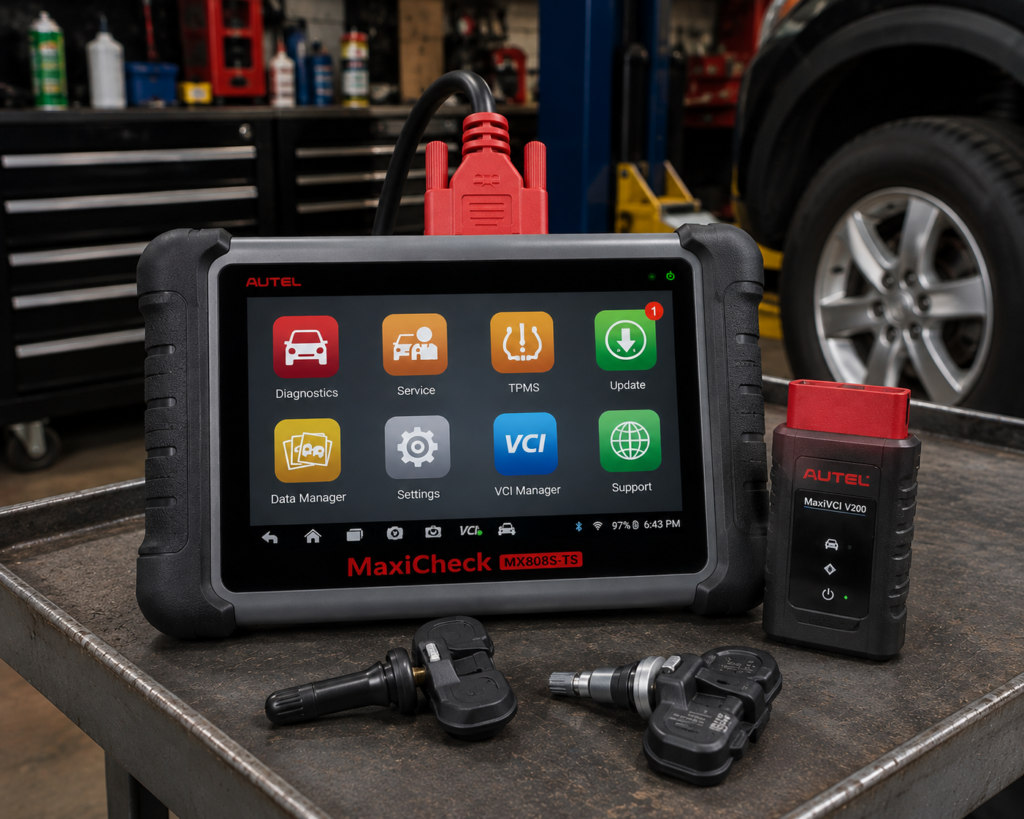
The Autel MaxiCheck MX808S-TS is a 7 inch Android tablet built around tire pressure sensor work. It reads and clears codes, shows live data, runs bi-directional active tests and offers a list of service functions, and on top of that it has a full TPMS application: it checks sensors, programs Autel’s own MX-Sensors, relearns sensor positions in four ways and can retrofit a monitoring system to a car that never had one. It talks to the car through a small Bluetooth interface called the MaxiVCI Mini, which is the clearest difference from the plain MX808S in the same family, a wired tablet.
The short version: the MX808S-TS is the tire sensor tablet for a small shop, a mobile technician or a serious owner who also wants general diagnostics. Amazon and Autel agree on the screen, the Android 11 platform, the memory, the Bluetooth link and the full TPMS feature set. They disagree on a few figures: the share of sensors it activates (98 percent on Autel’s page, 99 percent on Amazon), the number of services (Autel names seven, Amazon says 30 or 32 or more) and the number of makes (Autel says the majority of makes and models, Amazon says 150 or more brands). The tablet does not list ECU coding, CAN FD or DoIP, and Autel’s manual shows an immobilizer service that Amazon does not mention.
Affiliate Disclosure: As an Amazon Associate I earn from qualifying purchases. Scan Choice Guide is a participant in the Amazon Services LLC Associates Program, an affiliate advertising program designed to provide a means for sites to earn advertising fees by advertising and linking to Amazon.com.
What Is in the Box and What the Hardware Is
Autel’s manual describes a system with two parts: the tablet, which is the central processor and monitor, and the MaxiVCI Mini, a vehicle communication interface used to access vehicle data. The earlier version of this review listed the box as the tablet, the interface, a power adapter, two USB cables, a quick reference guide and a user manual, and that matches Amazon’s description of a tablet with a wireless interface. A battery tester, the BT506, and a videoscope camera are accessories sold separately according to Amazon.
The tablet numbers are consistent across Autel’s product page and Amazon. The screen is a 7 inch capacitive touchscreen at 1024 by 600 with a light sensor for automatic brightness. The processor is a quad-core Cortex-A55 at 1.8 GHz, which Amazon names as the Rockchip RK3566. Memory is 4 GB of RAM and 64 GB of storage, with a memory card slot, and the operating system is Android 11. The battery is a 3.7 V, 5000 mAh lithium-polymer cell. The manual rates the battery life at around 6.5 hours of continuous use and gives a charging input of 5 V at 2 A, while the product page gives 5 V at 1.5 A. Use the adapter that comes in the box.
The interface is small and wireless. Autel’s manual describes the MaxiVCI Mini as drawing power from the car’s data link connector, working at 12 to 24 volts, communicating over Bluetooth 2.1 with Enhanced Data Rate in the 2.4 GHz band and also over a Mini USB cable, and states a working Bluetooth range of about 33 feet. This is what the product page means when its comparison table lists vehicle communication as wireless for the MX808S-TS and wired for the MX808S. The picture below shows the tablet and the interface on a coupe, running TPMS diagnostics alongside ABS diagnostics and bi-directional control.
What Amazon Says vs. What Autel Confirms
We compared the Amazon listing with Autel’s product page and the user manual. The table shows where they agree and where they do not.
| Claim | Amazon listing | Autel | Our reading |
|---|---|---|---|
| Platform | Android 11, RK3566 quad-core, 4 GB and 64 GB, 7 inch 1024 by 600 | Android 11, Cortex-A55 quad-core 1.8 GHz, 4 GB and 64 GB, 7 inch 1024 by 600 | Agree |
| Link to the car | Wireless, 33 feet, MaxiVCI Mini | Bluetooth interface, about 33 feet in the manual | Agree |
| Sensors activated | “Activate 99% known sensors” | “Activate 98% of known TPMS sensors” on the product page | One point apart; plan on the lower number |
| Sensor programming | “4 Sensor Programming ways” | Four programming options in the manual: copy by activation, copy by OBD, copy by input, auto create | Agree |
| Relearn | “3000+ relearn procedure” | Four relearn methods: OBD, automatic, stationary, copy; on-screen guides by vehicle | Methods agree; the count is the seller’s |
| Active tests | “3000+ Active Tests” | Bi-directional active tests; no total | Tests are real; the count is the seller’s |
| Services | “30+” in the text and “32+” in the title | Seven named on the product page; manual adds oil, EPB, TPMS, BMS, SAS, DPF and immobilizer chapters | Use the named list |
| Coverage | “150+ brands”, “15,000 vehicle models” | “The majority of the makes and models”, 1996 and newer; no list on the page | Check your car |
| Chrysler gateway | “FCA AutoAuth” for 2018 and newer; Renault gateway | Not named on the product page | Amazon only; check before relying on it |
| Battery test | “BT506 Battery Test” | Product page lists battery analysis for this model | Needs the separate tester |
| Coding | Injector coding in the service list | No module coding described | Treat coding as limited |
| CAN FD and DoIP | Not claimed | Not mentioned | Not listed |
| Updates and warranty | One year free update by Wi-Fi, one year warranty, 30 days refund | Manual: updates free for the first year; one year limited warranty | Agree; what follows year one is not stated |
| Equivalents | “Same as MaxiCOM MK900TS, MP900TS” | Autel’s pages do not state equivalence | Marketing, not a manufacturer claim |
The equivalence line deserves a closer look. The Amazon listing says that for TPMS functions the MX808S-TS equals the MP900TS, the MK900TS and the MX900TS, and that for general diagnostics it equals several other Autel tablets. Autel’s pages for this model make no such statement, and the larger tablets in that list have a bigger screen and a bigger battery. The honest reading is that the TPMS application is built on the same idea across Autel’s TS line, and that you should compare the actual screens and batteries when you choose.
The same caution applies to the numbers. A total of 3000 active tests or 3000 relearn procedures cannot be verified from any Autel page we read. The manual describes how each function works and says that availability varies by vehicle, so the number of tests or relearns you get depends on the car.
A third source. The U.S. National Highway Traffic Safety Administration’s 2005 final rule on tire pressure monitoring systems, published in the Federal Register, requires a warning when one to four tires are at least 25 percent below the recommended cold pressure, within 20 minutes. It also describes the two kinds of system: direct systems use a pressure sensor inside each wheel, while indirect systems estimate pressure from differences in wheel rotation. That is why a TPMS tool matters only for cars with direct systems, and why a car with an indirect system needs only a reset after you set the pressures. A shop that sells tires will see direct systems on most cars, and the tablet’s sensor tools are made for them.
How we handle these differences. The feature table at the bottom of this page, the Scanner Finder and our comparisons follow the Amazon listing, because Amazon is where you buy. In the text we name every point where Autel says something different or adds detail, so that you can decide for yourself.
The TPMS Application, Step by Step
This is the section that justifies the “TS” in the name. Autel’s manual describes the TPMS application as the place to check sensor conditions, program MX-Sensors, relearn sensor positions and perform other basic TPMS functions. Here is how it works in order.
- Pick the car. You can use auto detect, manual input, or automatic or manual selection by make, model and year. A TPMS icon on the manufacturer button shows that the service is available for that car.
- Check the sensors. The tablet sends a low frequency signal to trigger the sensor and reads its ID, tire pressure, tire temperature, battery status, position and radio frequency. It can also send the data to the car’s ECU so the ECU learns the positions after a wheel rotation or a sensor change.
- Run diagnostics. On vehicles that support it, the tablet communicates with the car and shows the sensor IDs saved in the TPMS ECU, the IDs retrieved by activation and any codes stored in the TPMS module. If the car does not support diagnostics, the tab does not appear.
- Program a new sensor. Programming works only with Autel MX-Sensors. You can copy the ID from an activated sensor, copy it from the car’s ECU by OBD, type one in, or auto create 1 to 20 sensors at once. The product serial number printed on each MX-Sensor helps you keep track when programming several.
- Relearn. Relearn writes the new sensor IDs into the car. The manual lists four ways: OBD relearn, where the tablet writes the IDs straight into the TPMS module without driving; automatic relearn, which needs driving; stationary relearn, which uses activation or deflation after the car enters relearn mode; and copy relearn, which clones an ID. Not every car supports every way, and the on-screen guide shows what yours supports.
There is also a path by OEM part number. If you hold an original equipment sensor and know its number, the tablet can check it and program an MX-Sensor to match it, and it shows which vehicles that part fits. Diagnostics and relearn, the manual notes, are available only after you select a vehicle.
Two extras round out the application. The ToolKit checks the signal strength of 315 and 433 MHz key fobs, unlocks a specific Redi-Sensor, and wakes OEM sensors that are delivered in sleep mode so they can be set to park mode. TPMS Retrofit installs a monitoring system on a car that never had one, with options to back up, retrofit, restore, program an Autel control unit and relearn it. In the settings you can choose the TPMS market region (Europe, North America, Korea, Japan or Australia) and a programming pressure limit.
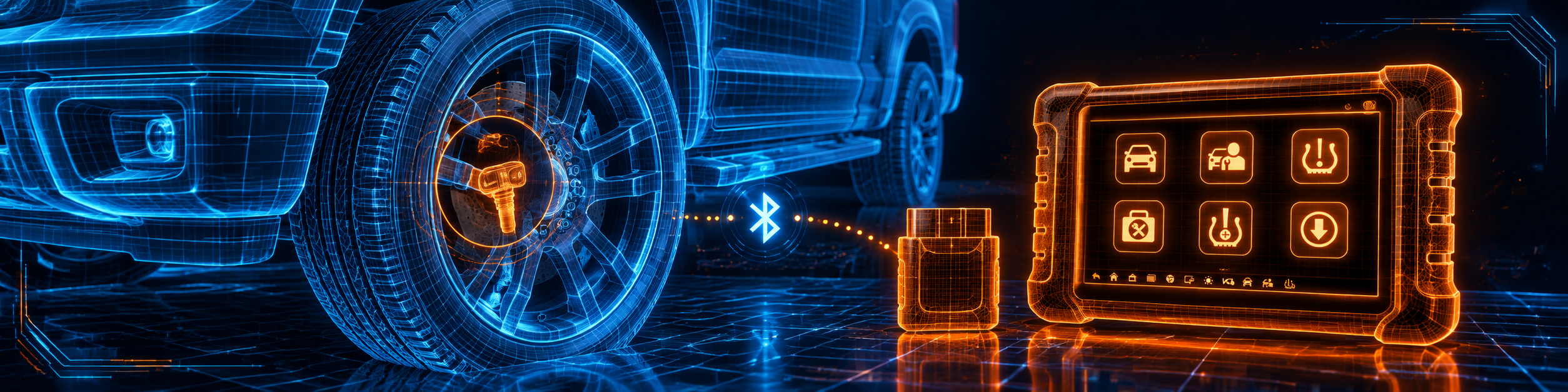
The picture below shows the tablet and interface in use on the wheel of a pickup truck.

What the Tablet Does Beyond TPMS
The general diagnostic side matches the plain MX808S. After the tablet identifies the car, the function menu offers ECU information, trouble codes (read and erase), live data as text and graphs, active tests and special functions. Autel’s product page lists seven services: oil reset, service mileage and interval reset, electric parking brake pad relearn, steering angle sensor relearn, battery registration and reset, diesel particulate filter regeneration and injector reset. The manual describes the oil, parking brake, TPMS, battery management, steering angle and diesel particulate filter services in its service chapter.
The manual also includes an immobilizer service, which the Amazon listing does not mention. It explains that an immobilizer prevents the engine from starting unless the correct key is present, and says the service can disable a lost vehicle key and program a replacement key fob, one or more at a time. As with every vehicle-specific function, availability depends on the car, and a locksmith-level job such as this should be checked against the vehicle list before you rely on it.
Bi-directional control works as on the sibling model. The tablet sends commands to the ECU to activate actuators, and the test checks the system by reading ECU data or watching the actuator respond. The Amazon listing gives examples such as the fuel pump, horn, air conditioning clutch, solenoids, evaporative emission leak test, valves, wipers, sunroof and headlamps. Which tests your car offers depends on the car.
Is the MX808S-TS Enough for You?
| If your work is | Does the MX808S-TS list it? |
|---|---|
| Reading and clearing codes, live data, freeze frame | Yes |
| Bi-directional active tests | Yes; the list varies by vehicle |
| Oil, parking brake, battery, steering angle, DPF and injector resets | Yes; vehicle specific |
| TPMS check, diagnostics, relearn and OEM part lookup | Yes |
| Programming Autel MX-Sensors | Yes; only Autel sensors |
| TPMS retrofit on a car without a system | Yes |
| Immobilizer key service | Described in the manual; check your car |
| Wireless link to the car | Yes, about 33 feet |
| Chrysler gateway | Amazon says yes for 2018 and newer; Autel’s product page does not name it |
| Module coding | Not described |
| CAN FD and DoIP on the newest cars | Not listed |
| Free updates after the first year | No; the first year is free |
For a business built around tires and wheels, the top half of the table covers the daily work. The bottom half shows where a larger tablet may fit better.
Will It Work on Your Car?
Autel’s product page says the tablet reads and clears codes for the majority of makes and models, 1996 and newer, and links to a separate vehicle coverage page. The TPMS application covers a list of vehicles in its own menu, and the vehicles available for retrofit appear on the retrofit tab. Many cars before 2008 have no TPMS at all, and from the 2008 model year every new light vehicle in the United States has one, according to the federal rule. The Amazon seller also offers to check compatibility if you send the VIN and the functions you need before you order. Our Scanner Finder gives a recommendation for your exact year, make and model.
Your First Hour With the MX808S-TS
This section follows Autel’s manual.
- Charge the tablet and power it on with the power button. Set up Wi-Fi.
- Register the tablet in the Autel User Center and update the software. The manual says the tablet must be registered before updates, and that updates are free for the first year from the date of purchase.
- Set the TPMS market in Settings to match your region, and check the programming pressure limit.
- Plug the MaxiVCI Mini into the car’s data link connector. It powers on by itself.
- Pair the tablet and the interface in the VCI Manager. If the signal is unstable, stand closer, as the manual advises.
- Open TPMS, pick the car, and run a sensor check on a car you know well so you can see how the screens behave.
- Save the report to the Data Manager with the vehicle history.
Keep the car’s battery fully charged on long jobs, and remember that an indirect system has no wheel sensors to check.
Direct and Indirect Systems: Which Cars Need the TPMS Tools
Before you buy a tablet for tire sensors, it helps to know which cars need it. The federal rule describes two kinds of system. A direct system places a pressure sensor inside each wheel, normally on the valve stem or strapped to the rim, and sends the reading by radio to the car. An indirect system has no wheel sensors at all. It watches the speed of each wheel through the ABS sensors, and a tire that is low is slightly smaller and turns slightly faster.
The practical difference for a technician is large. On a car with a direct system, a rotation, a new tire, a new wheel or a dead sensor battery can leave the car confused about where each sensor sits or what its ID is. That is the job the MX808S-TS was built for: check the sensors, program a replacement and relearn the positions. On a car with an indirect system there is nothing to program. The usual fix after setting the pressures is a reset from the instrument cluster menu, and even the basic TPMS support of the plain MX808S or a code reader can do it. Check the owner’s manual before you spend an hour looking for sensors: a car with an indirect system will talk about resetting the monitor, not about sensors.
The federal rule is also the reason you see the light at all. It requires the warning when a tire is at least 25 percent below the recommended cold pressure. Seasonal temperature drops can reach that point for a car that was already a little low, which is why the light so often appears on the first cold morning. The right first step is to check the pressures with a gauge and fill the tires to the label on the door jamb, then see whether the light goes out by itself. Only when it stays on, or flashes on start-up, is a sensor problem likely, and that is the moment the tablet earns its place.
A Realistic Tire Day
To make the description concrete, here is how a day could look for a mobile technician who handles wheels and general repairs. The first call is a family car with a warning light after a tire change at another shop. The technician connects the interface, opens the TPMS application, runs a sensor check and sees that one sensor does not answer. The other three show healthy pressures and batteries. A look at the OEM part number printed on the wheel’s sensor helps to pick a replacement, and the part number lookup confirms which vehicles it fits.
The new MX-Sensor is programmed by copying the ID from the car’s ECU by OBD, since the old sensor will not answer. The tablet then runs the relearn method the car supports, and the light goes out after the short drive the screen asks for. The technician saves the report with the vehicle history.
The second call is an older pickup with a brake job. Here the tablet works as a general scanner: a pre-scan, the parking brake service on the cars that have an electric brake, a post-scan and a saved report. The third call is a seasonal tire swap on a car with sensors that are delivered asleep. The ToolKit wakes the sensors and sets them to park mode before the install.
This shows both the strength and the limit of the MX808S-TS. It handles the wheel work in one tablet and leaves coding and the newest protocols to other tools. A mobile technician who expects that mix will be comfortable with it, and one who expects to code modules or scan the newest platforms will want a different tablet in the bag as well.
Common Mistakes and Three Simple Plans
- Assuming any sensor can be programmed. Programming works only with Autel MX-Sensors.
- Skipping the relearn. A new sensor ID usually needs to be written into the car.
- Expecting coding. The pages and manual describe TPMS and services, not module coding.
- Forgetting the free year. After it, update access depends on terms Autel does not state in the pages we read.
- Trusting the seller’s numbers. The 98 and 99 percent figures and the test counts differ between sources.
Plan A: A tire rotation with the light on
- Run a sensor check to confirm all four IDs and pressures.
- Run the relearn method the screen offers for your car.
- Drive or finish the stationary steps, then confirm the light is out.
Plan B: A dead sensor
- Read the old ID by activation or OBD.
- Program an MX-Sensor with copy by activation or copy by OBD.
- Run the relearn and confirm all four wheels report.
Plan C: A mixed day
- Start with a pre-scan of every module.
- Do the TPMS or service job.
- Run the post-scan and save the report.
How the MX808S-TS Compares With Its Neighbors
| MX808S | MX808S-TS | MX900-TS | |
|---|---|---|---|
| Link to the car | Cable | Bluetooth interface | Bluetooth interface, longer range |
| TPMS | Basic: sensor ID lookup and reset | Complete: check, program, relearn, retrofit | Complete |
| Screen | 7 inch | 7 inch | 8 inch |
| CAN FD and DoIP | Not listed | Not listed | Listed by Autel |
| Battery analysis | No | Yes, with the tester | See that review |
Our Autel MaxiCheck MX808S review covers the wired tablet without the TPMS tools. Our Autel MaxiCheck MX900-TS review covers the larger tablet with newer protocols. Our Autel MaxiSys MS906 Pro review covers the tablet that lists real coding but no TPMS. The head-to-head page is MX808S vs MX900-TS.
Who This Scanner Actually Fits
The MX808S-TS fits a small tire and service shop, a mobile technician who works on wheels at the customer’s address, and a serious owner who maintains several cars and wants to do the tire sensor work at home. It also fits a general repair shop that added TPMS to its menu. It does not fit a shop that codes modules every day, or one that sees many cars that need CAN FD and DoIP.
Important Limitations of the Autel MaxiCheck MX808S-TS
- Programming works only with Autel MX-Sensors.
- Module coding is not described.
- CAN FD and DoIP are not listed.
- Updates are free for the first year only, and the terms after that are not stated on the pages we read.
- The sensor activation share is 98 percent per Autel and 99 per Amazon.
- The seller’s service and brand counts are higher than Autel’s named list.
- Not every car supports every relearn method.
Who Should Choose It, and What to Consider Instead
Choose the MX808S-TS if tires and sensors are a regular part of your work and you want general diagnostics and a wireless link in the same compact tablet.
Consider the Autel MaxiCheck MX808S instead if you do not touch tire sensors and are happy with a cable.
Consider the Autel MaxiCheck MX900-TS instead if you want a bigger screen and newer protocol support along with the TPMS tools.
Consider the Autel MaxiSys MS906 Pro instead if coding is the main job.
| Specification | Details |
|---|---|
| Display | 7 inch capacitive touchscreen, 1024 by 600 |
| Platform | Android 11, quad-core Cortex-A55 at 1.8 GHz, 4 GB RAM, 64 GB storage |
| Link to the car | MaxiVCI Mini, Bluetooth about 33 feet, Mini USB fallback |
| Battery | 3.7 V, 5000 mAh; about 6.5 hours of continuous use per the manual |
| TPMS | Check, diagnostics, programming of MX-Sensors, four relearn methods, OEM part lookup, retrofit |
| Sensor activation | 98 percent of known sensors per Autel; 99 percent per Amazon |
| Bi-directional control | Yes, active tests that vary by vehicle |
| Services | Oil, parking brake, battery, steering angle, DPF, injector, immobilizer |
| CAN FD and DoIP | Not listed |
| Coding | Not described |
| Updates and warranty | First year free; one year limited warranty |
| Pros | Cons |
|---|---|
| Full TPMS workflow: check, program, relearn and retrofit | Programming works only with Autel MX-Sensors |
| Wireless MaxiVCI Mini with about 33 feet of range | CAN FD, DoIP and module coding are not listed |
| Active tests, live data and a good reset list | Updates are free for the first year only |
| Four relearn methods with on-screen guides | Seller numbers differ from Autel’s |
The picture below shows the tablet on a crossover with a reminder of what this model does not list: ECU coding, CAN FD and DoIP.

Methodology: How SCG Evaluates OBD2 Scanners.
Our Verdict on the Autel MaxiCheck MX808S-TS
The MX808S-TS does what Autel’s product page and manual describe: a complete TPMS workflow plus active tests and a good set of services on a compact tablet with a wireless interface. It does not do what some listings imply, which is to match the larger tablets in every respect. If tires and sensors are part of your week, it is a sensible choice. If you need coding or the newest protocols, look at a tablet that lists them.
Frequently Asked Questions
Does the MX808S-TS program any TPMS sensor?
No. The manual says programming works only with Autel MX-Sensors. It can read and activate many original sensors for checking and relearn.
What are the four relearn methods?
OBD relearn, automatic relearn, stationary relearn and copy relearn. Which ones work depends on the car, and the tablet shows only those it supports.
Does it support ECU coding?
No coding is described in Autel’s product page or manual. Amazon lists injector coding as one of its services.
Does it support CAN FD and DoIP?
Neither is mentioned for this model. Autel lists them for the larger MX900-TS.
Is it wireless?
Yes. The MaxiVCI Mini connects over Bluetooth with a working range of about 33 feet per the manual, and it also works over a Mini USB cable.
Does it unlock the Chrysler gateway?
Amazon says it supports AutoAuth for 2018 and newer. Autel’s product page does not name it, so confirm before relying on it.
Do I have to pay for updates?
The first year is free. Autel does not state the terms after that on the pages we read.
Is the MX808S-TS compatible with my vehicle?
Use the Scanner Finder for your year, make and model, and the tablet’s vehicle lists for the exact function.
Trusted Sources
- Autel MaxiCheck MX808S-TS product page: specifications, TPMS features, comparison table, protocols
- MaxiCheck MX808S-TS User Manual: TPMS application, relearn, programming, toolkit, retrofit, VCI, updates, warranty
- Federal Register, Federal Motor Vehicle Safety Standards: Tire Pressure Monitoring Systems: warning threshold and system types
- Amazon listing for the Autel MaxiCheck MX808S-TS (ASIN B09QX781WY): title, bullets and description checked 2026-10-14