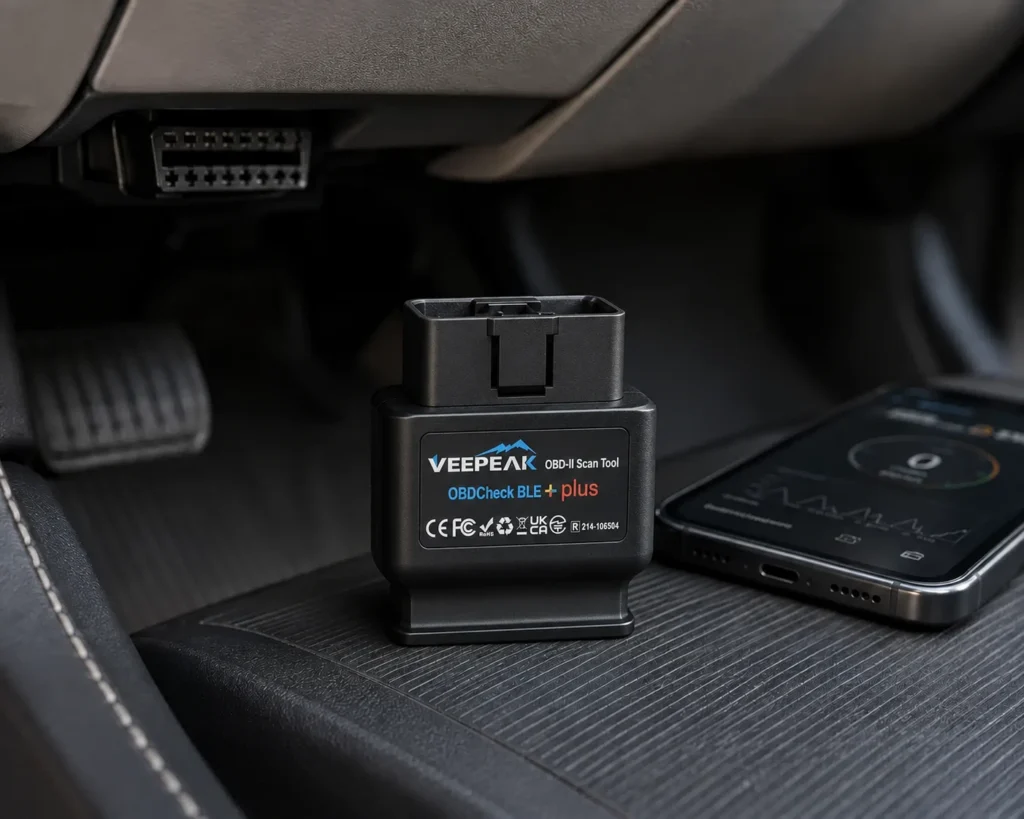
The Veepeak OBDCheck BLE+ Plus is a small Bluetooth adapter that plugs into the car’s OBD2 port and talks to apps on an iPhone, an iPad or an Android phone. It reads and clears check engine codes, shows freeze frame data and I/M readiness, and streams live engine data. It has no app of its own. What it can do depends on the app you choose, and Amazon and Veepeak both list apps that work and apps that do not.
The short version: The BLE+ Plus is for someone who wants an inexpensive iPhone-friendly adapter and already knows which app they want, such as Car Scanner, OBD Fusion or a BMW coding app. Amazon and Veepeak agree on the functions, the Bluetooth types and the app lists. The adapter does not do ABS bleeding, oil resets, injector coding, relearns or adaptations, and several well-known apps will not work with it.
Affiliate Disclosure: As an Amazon Associate I earn from qualifying purchases. Scan Choice Guide is a participant in the Amazon Services LLC Associates Program, an affiliate advertising program designed to provide a means for sites to earn advertising fees by advertising and linking to Amazon.com.
An Adapter Is Only Half a Scan Tool
A scan tool has three parts: the plug that talks to the car, the logic that interprets what it hears, and the screen where you see the result. The BLE+ Plus is only the first part. The logic and the screen come from the app on your phone. That is why two people with the same adapter can have very different experiences: one uses a free app and sees engine codes, another uses a specialized paid app and codes a comfort feature on a BMW.
Amazon says it plainly: “NOTE: This device requires a compatible third-party app to operate and is primarily designed for standard OBD-II diagnostics.” Veepeak’s page says an OBD2 app is required and not included. So the buying question for this adapter is really a question about apps.
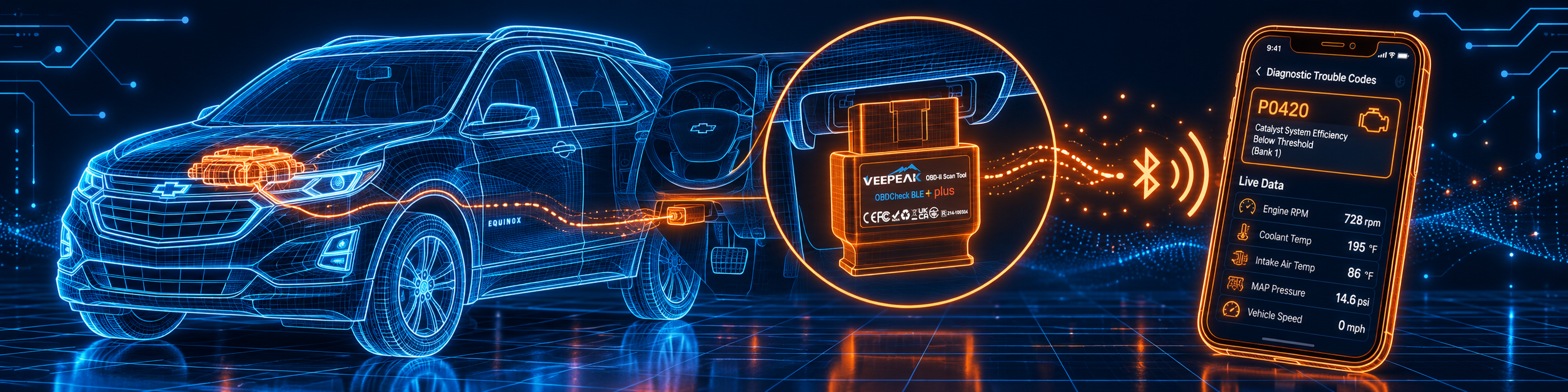
The picture below shows a trouble code on a phone, with the adapter in the port of a Chevrolet Equinox.
What the Adapter Itself Does
Veepeak lists the hardware in its specifications table. It uses an ELM327 version 2.2 chip, works on 9 to 16 volts with a maximum current of 45 milliamps, weighs 2.12 ounces and measures 1.97 by 1.61 by 0.87 inches. It supports these protocols: SAE J1850 PWM, SAE J1850 VPW, ISO 9141-2, ISO 15765-4 CAN and ISO 14230-4 KWP 2000. It does not support the MS-CAN and SW-CAN networks. The package holds the adapter, a carrying case and a user manual.
Amazon and Veepeak name these functions:
- Generic OBD-II functions. Amazon says “read & clear trouble codes for check engine light (CEL or MIL), view freeze frame data, I/M readiness, and live sensor data”. Veepeak adds that it can reset the check engine light and names O2, EOT, EGT, throttle, boost, speed and fuel trim readings.
- Bluetooth. Amazon says it “Supports Bluetooth LE for iOS & Android (not WiFi)” and “Also supports classic Bluetooth for certain Android Apps”. Veepeak’s table says Bluetooth LE and Classic Bluetooth.
- Devices. Veepeak lists iOS 4.0 or newer, Android phones and tablets, Windows and Mac. Amazon says Android head units may not be supported.
- Vehicles. Amazon says 1996 and newer OBD-II vehicles in the US. Veepeak adds Canada 1998, EU 2001 for gas and 2004 for diesel, Australia 2006 for gas and 2007 for diesel, Mexico 2006, and EVs partially supported.
- Advanced data. Amazon says availability of advanced data, such as EV battery state of health or transmission temperature, “depends on the vehicle make, model and year”.
- Advanced systems. Amazon says ABS, SRS, TPMS and BCM “may be available for certain vehicles through compatible third-party apps, which are usually paid”.
- Not supported. Amazon says “Special functions such as injector coding, EPB reset, ABS bleeding and oil/service resets are NOT supported.” Veepeak adds relearning and adaptation.
What Amazon Says vs. What Veepeak Confirms
We compared the Amazon listing with Veepeak’s product page and its user instructions. They agree on the core and differ in how much detail each gives.
| Claim | Amazon listing | Veepeak | Our reading |
|---|---|---|---|
| Name | “Veepeak OBDCheck BLE+ Bluetooth OBD II Scanner for iOS & Android” | “OBDCheck BLE+ Plus” | Same adapter; the names differ slightly |
| Bluetooth | LE for iOS and Android, classic for certain Android apps | LE and Classic | Agree |
| Devices | iOS and Android; head units may not work | iOS 4.0+, Android, Windows, Mac | Veepeak lists more devices |
| Codes | Read and clear CEL and MIL codes | Read, reset the check engine light | Agree |
| Freeze frame, I/M | Both listed | I/M readiness listed | Agree |
| Live data | Live sensor data | O2, EOT, EGT, throttle, boost, speed, fuel trim | Agree |
| Advanced systems | Possible through paid apps | Not detailed | Amazon only |
| Special functions | Not supported | Not supported, adds relearning and adaptation | Agree |
| Apps that work | Car Scanner, Torque (Android), OBD Fusion, BimmerCode, BimmerLink, OBD JScan, Dr. Prius | Adds Carista, DrivePulse, OBDocker, OBD Master Pro, Track Attack | Veepeak lists more |
| Apps that do not work | Carly, MHD, xHP, ProTool, bootmod3 | Adds BlueDriver, FIXD, Multiecuscan, Techstream, VCDS | Veepeak lists more |
| BimmerCode limits | Before 2008 and G and U series not supported | Before 2008 and U series not supported; G series not fully supported | Agree in substance |
| MS-CAN | Not supported in FORScan and AlfaOBD | Not supported | Agree |
| Vehicles | 1996 and newer in the US | Regional years from 1996 | Veepeak gives more regions |
The app point matters. The incompatible list is long and includes well-known names. Veepeak lists BlueDriver as incompatible, so an adapter bought for the BlueDriver app will not replace this one, and the reverse is true too. If you plan to use Carly, MHD, xHP, ProTool or bootmod3, this is the wrong adapter, per both sources.
The BMW point matters. Amazon says model years before 2008 are not supported with BimmerCode or BimmerLink, and that G and U series are not supported with BimmerCode. Veepeak says G series are not fully supported and points to its own ENET Wi-Fi adapter for them. Veepeak lists 2008 and newer BMW E, F and I series and Mini R series as compatible for BimmerCode.
The Windows and Mac point matters. Veepeak’s table lists Windows and Mac, and Amazon does not. If you want to use a computer, check that your app supports the adapter before you buy.
A third source. Apple’s developer documentation explains why the adapter’s Bluetooth type matters on an iPhone. It says “The Core Bluetooth framework provides the classes needed for your iOS and Mac apps to communicate with devices that are equipped with Bluetooth low energy wireless technology.” This source is independent of both Amazon and Veepeak. It explains why Veepeak builds the BLE+ Plus around Bluetooth LE for iOS, and why a Classic-only adapter, such as the VP11 in our reviews, does not work with iPhones.
How we handle these differences. The feature table at the bottom of this page, the Scanner Finder and our comparisons follow the Amazon listing, because Amazon is where you buy. We name the points above so you can see where Veepeak says something different. If one of them matters to you, read this section before you decide.
Which App for Which Job
Because the app decides the experience, here is a guide built from the two lists.
| If you want to | Apps named by Amazon or Veepeak | What to watch |
|---|---|---|
| Read and clear check engine codes | Car Scanner ELM OBD2, OBD Fusion, Torque (Android) | Some apps or features need a separate purchase |
| Watch live data on a dashboard | Car Scanner ELM OBD2, OBD Fusion, Torque, DrivePulse | Advanced data depends on the car |
| Code comfort features on a BMW or Mini | BimmerCode, BimmerLink | 2008 or newer; G and U series limits |
| Use a general vehicle app | Carista OBD, OBD JScan | Check the app’s own car list |
| Check a hybrid | Dr. Prius | App-dependent |
| Track a drive session on iOS | Track Attack (iOS) | Per Veepeak’s list |
| Diagnose ABS or airbags | A paid third-party app, per Amazon | May exist for certain cars only |
Veepeak also recommends the Car Scanner ELM OBD2 app to check whether a connection profile exists for your car or for the data you want. That is good advice: it is a way to test the adapter before you commit to a paid app.
Connecting on iPhone and on Android
The connection differs by phone, and this is where most first-time users get stuck.
On iPhone or iPad. Do not pair the adapter in the Bluetooth settings. Veepeak says no pairing is needed and that you should connect directly in the app. If you try to pair in the settings you will see an error, and Veepeak says to ignore it. In Car Scanner, open Settings, go to the ELM327 adapter, choose Bluetooth LE 4.0 plus as the connection type and pick VEEPEAK as the device, then tap Connect on the home screen.
On Android. Pair the adapter with the PIN 1234 first. After pairing it may not show as connected, and Veepeak says you can still start the app to connect.
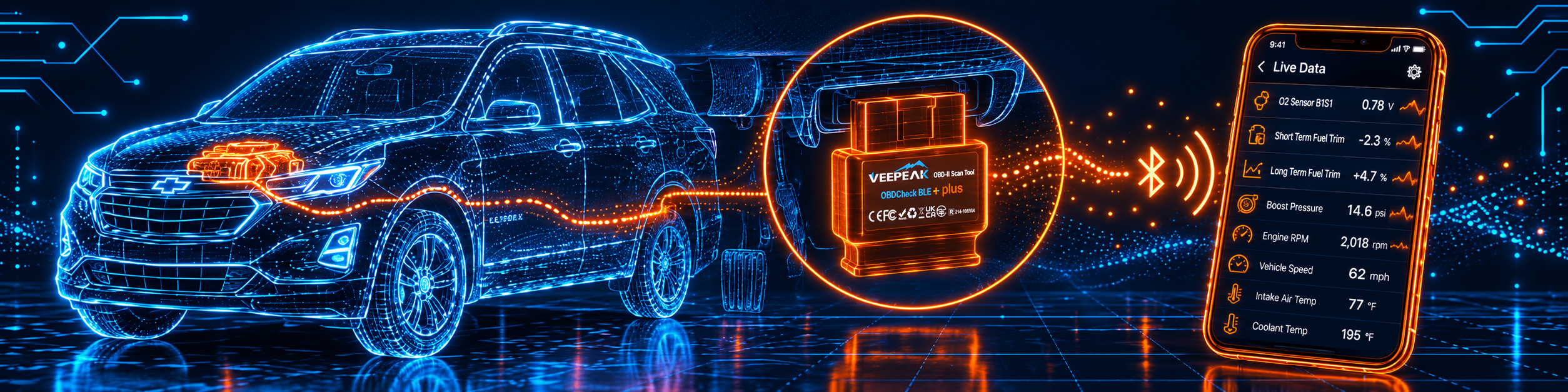
The picture below shows live sensor data on the same Chevrolet Equinox.
When the Connection Fails
Veepeak’s instructions list these fixes:
- No blue light on the adapter. Check the car’s cigarette lighter fuse, or try another car.
- iOS pairing error. This is expected. Do not connect in the settings, restart the iOS device if the adapter disappears, and connect inside the app.
- Android will not pair. Turn Bluetooth off and on, try pairing a few more times, and clear the Bluetooth cache and storage.
- The adapter disappears. Make sure no other phone or tablet is connected, and restart the phone.
- The app will not connect. Remove and reinstall the app, especially after an operating system update.
- The car connection fails. Push the adapter a little harder into the port if the contact is loose.
- The connection is unstable. Keep the adapter close to the phone and close other apps.
BimmerCode Setup: A Checklist From Veepeak
BimmerCode needs a clean connection, and Veepeak gives a longer list than for a normal app. For iOS: turn the ignition on, turn on Airplane mode, then turn Bluetooth back on, turn off Wi-Fi, disable CarPlay, disconnect the phone in the car’s iDrive settings and other Bluetooth devices, keep the phone close to the adapter, select the adapter type in the app’s settings, and tap Connect. For Android, disable the iDrive Bluetooth, turn on Airplane mode, pair with VEEPEAK in the Bluetooth settings, select the adapter in the app and tap Connect. If your car is a G series, Amazon and Veepeak both say the BLE+ Plus is not the right adapter.
Leaving It Plugged In
Veepeak says you can leave the adapter plugged in for a few days if the car battery is not too old, or the car is driven often. If the car sits for more than a week, remove it.
Freeze Frame Data: Why Amazon Lists It
Amazon names freeze frame among the generic functions, and Veepeak does not repeat it, so it is worth a short explanation. Other manuals in our reviews describe it the same way. The XTOOL D8W manual says the ECU saves the data at the moment of failure, to form a freeze frame, and that it is usually used to analyze the reasons a component failed. The Autel manuals say freeze frame data can be shown on some cars. In practice, it is a snapshot: engine speed, coolant temperature, load and similar readings at the moment the code was stored.
Why does a home mechanic care? Because many faults appear only under certain conditions. A snapshot tells you whether the fault appeared on a cold start, at highway speed or under load. That makes the difference between hunting a problem blindly and checking one system. The BLE+ Plus passes freeze frame data to the app, and a good app shows it beside the code. If your app does not show it, try another, and remember that Amazon says what is available depends on the car.
A Note on MS-CAN and SW-CAN
Both sources say the BLE+ Plus does not support MS-CAN and SW-CAN, and Amazon says MS-CAN is not supported in the FORScan and AlfaOBD apps. Those two names are apps built for specific vehicle brands. For a car owner the lesson is practical. These are special in-car networks, and if the function you want in such an app lives on one of them, the adapter cannot reach it. The standard protocols the adapter does support cover generic engine data, and that is where it is strongest.
If you are choosing an adapter for FORScan, read the app’s own adapter list first, and treat the Amazon sentence as a warning: this adapter is not the one for the networks it names.
What “Advanced Version” Means
Veepeak calls the BLE+ Plus an “Advanced Version for Car DIYer’s with support for more AT commands”. An AT command is an instruction that an app sends to the ELM327 chip to configure it, such as choosing a protocol or setting a timing. Most apps send only a few. Some specialized apps send many, and the listing says this adapter handles more of them than the basic BLE model. You do not need to know the commands. The practical meaning is that apps that need finer control are more likely to work with the Plus than with a basic adapter, and that is the reason it appears on Veepeak’s list for BMW coding apps.
What You Can Verify Before You Buy
The BLE+ Plus is inexpensive, but a short list of checks still saves time.
- Name the app first. Look up the app in the compatible and incompatible lists above, and do not buy the adapter first.
- Check your phone. Veepeak lists iOS 4.0 or newer and Android phones and tablets. Amazon says Android head units may not be supported.
- Check your car’s year. Amazon says 1996 and newer in the US, and for BMW coding apps 2008 and newer, with the G and U series excluded.
- Check the app’s price. Amazon says some apps or in-app features require a separate purchase from the developer, and that advanced diagnostics through third-party apps are usually paid.
- Test with a free app. Veepeak recommends Car Scanner ELM OBD2 to check whether a connection profile exists for your car or for the data you want.
A Weekend With Three Apps
Imagine a driver who tries the adapter over a weekend. On Saturday morning she installs Car Scanner ELM OBD2, plugs the adapter in, connects inside the app and reads her car. No codes appear, and she saves a screenshot of the live data as a baseline. On Saturday afternoon she wants to try a paid dashboard app, finds on Veepeak’s list that OBD Fusion is compatible, buys it, and sees the same data in a nicer layout. On Sunday she tries to use the BlueDriver app she heard about, and finds it on the incompatible list. The adapter did what its sources said it would: it worked with the compatible apps and did not work with the ones that are named as incompatible.
The point is that the same adapter has three different results depending on the app, and reading the lists before the purchase would have told her in advance.
Leaving Out the Common Misunderstandings
- “Bluetooth means I pair it in the phone settings.” On iPhone, Veepeak says not to.
- “An adapter can add features.” It cannot add resets or bleeding, which both sources list as unsupported.
- “Any OBD app works with any adapter.” Both sources list apps that do not.
- “Cheap means wireless means universal.” The adapter covers generic OBD-II and the protocols it lists, and no more.
Three Phones, Three Plans
Plan A: An iPhone owner with a check engine light.
- Install Car Scanner ELM OBD2 and plug the adapter into the port.
- Connect inside the app, with no pairing in the settings.
- Read the codes, then clear them after the repair.
Plan B: An Android owner who likes dashboards.
- Pair with the PIN 1234.
- Open Torque or Car Scanner and select the adapter.
- Build a dashboard with the readings Veepeak lists.
Plan C: A BMW E-series owner who wants BimmerCode.
- Check that the car is 2008 or newer and not a G or U series.
- Follow the BimmerCode checklist.
- If your car is a G series, choose the ENET Wi-Fi adapter that Veepeak names.
Common Mistakes
1. Buying it for an app on the incompatible list. BlueDriver, Carly, MHD, xHP, ProTool and bootmod3 are named.
2. Pairing in the iPhone settings. Connect inside the app.
3. Expecting resets or ABS bleeding. Both sources say they are not supported.
4. Expecting it on a G series with BimmerCode. Both sources say it is not supported.
How the BLE+ Plus Compares With Other Tools in Our Reviews
| BLE+ Plus | Veepeak VP11 | BlueDriver | |
|---|---|---|---|
| Platform | iOS and Android | Android only | iPhone and Android, per our review |
| Bluetooth | LE and Classic | Classic | Bluetooth, per our review |
| App | Your own choice | Your own choice | Its own app |
| ABS and SRS | Through paid third-party apps | Not supported | Yes, per our review |
| Resets | Not supported | Not supported | A few, per our review |
Our Veepeak VP11 review covers the Android-only sibling. Our BlueDriver review covers a phone-based tool with its own app, repair reports and a few service resets. For bidirectional tests and coding from a phone, see our Thinkcar THINKDIAG review.
Who This Scanner Actually Fits
The BLE+ Plus fits someone who has an iPhone or Android phone, wants an inexpensive adapter, and already knows which compatible app to use. It is a weaker fit for someone who needs an all-in-one tool, ABS bleeding, resets or bidirectional tests, or who uses an app on the incompatible list.
Important Limitations of the Veepeak OBDCheck BLE+ Plus
- No app in the box. You pick and set up the app.
- A long list of incompatible apps. BlueDriver, Carly, MHD, xHP, ProTool, bootmod3 and others.
- No MS-CAN or SW-CAN. Both sources say so.
- No special functions. No injector coding, EPB reset, ABS bleeding, oil resets, relearning or adaptation.
- BimmerCode limits. Before 2008 and G and U series are excluded or limited.
- Advanced systems need paid apps. They work for certain cars only.
Who Should Choose It, and What to Consider Instead
Choose the BLE+ Plus if you want a low-cost Bluetooth adapter for an iPhone or Android phone and you have a compatible app in mind.
Consider the Veepeak VP11 instead if you use Android only and want the simplest option. Consider the BlueDriver instead if you want an app and adapter that come together. Consider the Thinkcar THINKDIAG instead if you want active tests and coding from a phone.
| Specification | Details |
|---|---|
| Bluetooth | LE and Classic |
| Devices | iOS 4.0+, Android phones and tablets, Windows, Mac |
| Chip | ELM327 v2.2 |
| Voltage and current | 9 to 16 V, up to 45 mA |
| Size and weight | 1.97 by 1.61 by 0.87 inches, 2.12 ounces |
| Protocols | SAE J1850 PWM and VPW, ISO 9141-2, ISO 15765-4 CAN, ISO 14230-4 |
| Not supported | MS-CAN, SW-CAN, resets, relearning, adaptation |
| Functions | Read and clear codes, freeze frame, I/M readiness, live data |
| Package | Adapter, carrying case, user manual |
| Pros | Cons |
|---|---|
| Works with iPhone and Android | No app in the box |
| Many compatible apps, including BMW apps | Long list of incompatible apps |
| Reads and clears codes, shows live data | No resets or ABS bleeding |
| Carrying case in the package | No MS-CAN or SW-CAN |
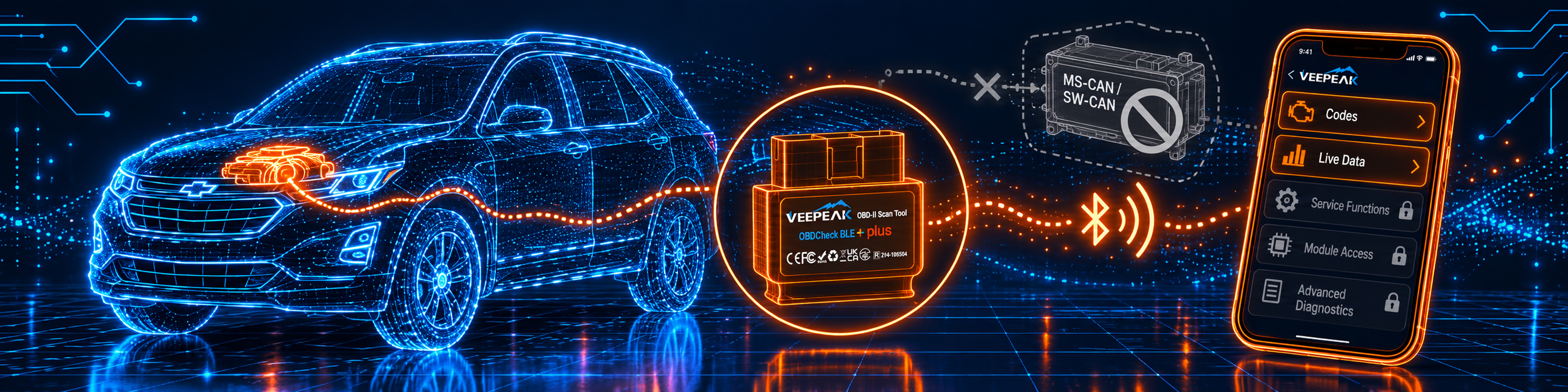
The picture below shows the app with MS-CAN and SW-CAN unsupported and the service functions locked.
Methodology: How SCG Evaluates OBD2 Scanners.
Our Verdict on the Veepeak OBDCheck BLE+ Plus
The BLE+ Plus is a small adapter that does a limited job well and tells you plainly where it stops. Amazon and Veepeak agree on the functions and on the app lists, and both name the apps that will not work. If you have the right app in mind, it fits. If you want a tool that does more by itself, it does not.
Frequently Asked Questions
Does it work with an iPhone?
Yes. Amazon and Veepeak both say Bluetooth LE for iOS.
Does it need pairing?
On Android, pair with the PIN 1234. On iPhone, do not pair in the settings, connect in the app.
Which apps work?
Amazon names Car Scanner ELM OBD2, Torque (Android), OBD Fusion, BimmerCode, BimmerLink, OBD JScan and Dr. Prius. Veepeak adds Carista, DrivePulse, OBDocker, OBD Master Pro and Track Attack.
Which apps do not work?
Amazon names Carly, MHD, xHP, ProTool and bootmod3. Veepeak adds BlueDriver, FIXD, Multiecuscan, Techstream and VCDS.
Does it work with BimmerCode on a G series?
No. Amazon says G and U series are not supported, and Veepeak says G series are not fully supported.
Can it reset the oil light or bleed the ABS?
No. Both sources say special functions are not supported.
Does it read ABS and airbag codes?
Only through certain paid third-party apps, on certain cars, per Amazon.
Does it work on a computer?
Veepeak’s table lists Windows and Mac. Amazon does not.
Does it show freeze frame data?
Amazon lists freeze frame data among the generic functions, and the app shows it.
What does “advanced version” mean?
Veepeak says the adapter supports more AT commands than its basic model, which matters to apps that send them.
Can I leave it plugged in?
Veepeak says a few days is fine if the car battery is not too old, and that you should remove it if the car sits for more than a week.
Do the apps cost extra?
Amazon says some apps or in-app features require a separate purchase from the developer, and that advanced diagnostics through third-party apps are usually paid.
Is it compatible with my specific vehicle?
Use the Scanner Finder to check your year, make and model.
Trusted Sources
- Veepeak OBDCheck BLE+ Plus official product page: features, specifications, apps, vehicle years
- Veepeak OBDCheck BLE user instructions: setup, troubleshooting, BimmerCode steps
- Verified Amazon listing: current title and listing text
- Apple, About Core Bluetooth: the Bluetooth low energy framework on iOS