Knowledge Hub
Generic vs Manufacturer-Specific OBD2 Codes: What’s the Difference?

Your scanner finds: P0301.
On many vehicles, that code has a standardized meaning.
Then it finds another code and displays: Manufacturer Specific.
Now what?
The short answer is: some diagnostic trouble codes have standardized definitions. Other code ranges are reserved for vehicle manufacturers to define for their own systems and applications.
That distinction matters because the same diagnostic process cannot always stop at a generic internet code lookup.
But there is another important point: the popular rule “P0 = generic, P1 = manufacturer-specific” is useful for beginners, but it is not the complete DTC allocation system.
The safest approach is: identify the full code → determine whether its range is standardized or manufacturer-controlled → use the correct vehicle-specific information → diagnose the cause.
What Is a Generic OBD2 Code?
A generic, or more precisely, standardized, DTC has a definition established within the applicable OBD diagnostic standard rather than being uniquely assigned by one manufacturer.
SAE J2012 is the key standard here. Its current scope states that it defines standardized Diagnostic Trouble Codes that OBD systems report when malfunctions are detected. That common framework allows standardized codes to carry consistent diagnostic meaning across applicable vehicles.
A familiar example is P0301: Cylinder 1 Misfire Detected. The standardized definition gives technicians, scanners and repair-information systems a common starting point.
But even a standardized definition does not tell you which physical part has failed. For that distinction, read OBD2 Codes Explained: How to Read Diagnostic Trouble Codes.
What Is a Manufacturer-Specific OBD2 Code?
SAE J2012 also specifies ranges reserved for vehicle-manufacturer-specific usage. Within those ranges, the manufacturer defines the applicable DTC meaning for its diagnostic system.
That means you may need information specific to manufacturer, model, model year, engine or powertrain, control module, and diagnostic implementation. A generic code database may not be enough.
The scanner may display “Manufacturer Specific” because the numerical code alone needs the correct manufacturer-specific definition or enhanced diagnostic database.
Why Do Manufacturer-Specific Codes Exist?
Vehicles share many standardized diagnostic requirements. But manufacturers also build systems that differ in control strategies, components, modules, network architecture, sensors and actuators, calibration, and proprietary functions.
A universal standardized code set cannot describe every manufacturer-specific diagnostic condition across every vehicle system. Manufacturer-controlled ranges provide room for that additional diagnostic detail.
This does not make those codes less legitimate. It means their definitions depend on the correct OEM context.
How Is an OBD2 Trouble Code Structured?
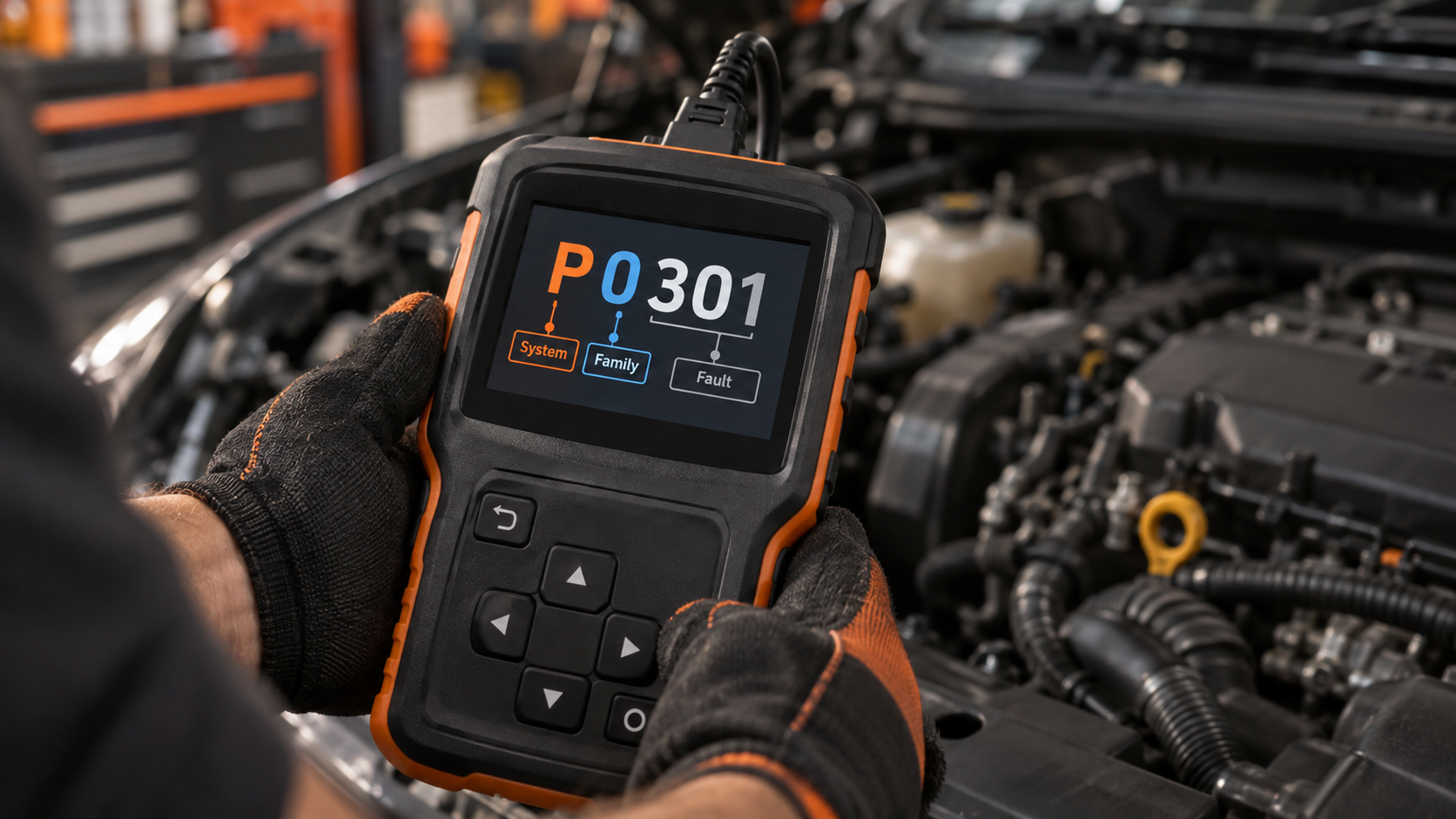
A familiar DTC often looks like P0301. The first character identifies a broad system family.
P: Powertrain. Generally associated with engine, transmission and related propulsion diagnostics.
B: Body. Associated with body-related systems.
C: Chassis. Associated with chassis-related systems.
U: Network. Associated with network/communication-related diagnostics.
The remaining characters further identify the code according to the applicable DTC format and allocation.
Is P0 Always Generic and P1 Always Manufacturer-Specific?
This is where many explanations become too simple.
For powertrain codes, the common beginner rule is: P0xxx is standardized/generic, P1xxx is manufacturer-specific. That is useful. But it should not become “the second character completely tells me whether every possible OBD code is generic or manufacturer-specific.”
The full SAE allocation contains additional ranges. For example, commonly documented powertrain allocations include standardized ranges beyond P0, while portions of P3 are divided differently. Other B, C and U families also have their own standardized and manufacturer-controlled allocations.
So SCG recommends: use P0/P1 as an orientation shortcut, not as the final authority. Verify the full code and the applicable definition.
Why Does This Matter in Real Diagnosis?
Imagine two situations.
Situation A: Standardized code. Your scanner retrieves a standardized emissions-related DTC. The standardized definition gives you a common description. You can then combine it with symptoms, freeze frame, live data, service information and testing.
Situation B: Manufacturer-specific code. Your scanner retrieves an OEM-controlled DTC. Now a generic code description may be incomplete or wrong for the application. You need the correct manufacturer/vehicle context before deciding what the code means.
The diagnostic principle remains the same in both cases: code definition first, root-cause testing second.
Generic vs Manufacturer-Specific Does Not Mean Basic vs Serious
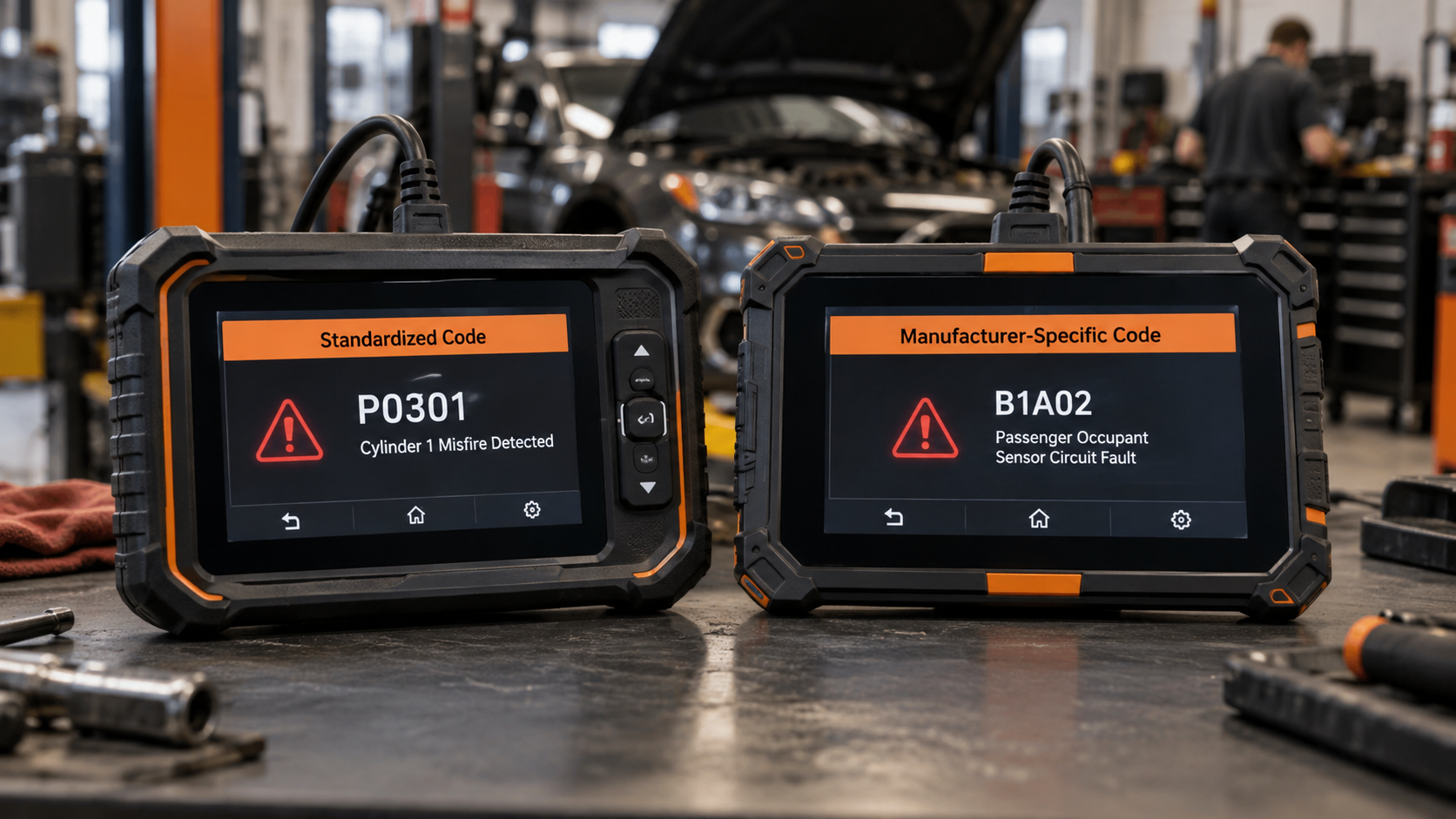
A manufacturer-specific code is not automatically more serious. And a generic code is not automatically simple.
A standardized code can represent a fault requiring substantial diagnosis. A manufacturer-specific code can represent a condition that is straightforward once the correct definition is known.
The distinction tells you primarily about the code’s definition/allocation, not the repair difficulty.
Can a Basic OBD2 Scanner Read Manufacturer-Specific Codes?
Sometimes, but this question needs to be divided into two parts.
Question 1: Can the scanner retrieve the code? That depends on vehicle, module, diagnostic protocol, scanner hardware/software, and enhanced diagnostic coverage.
Question 2: Can the scanner correctly describe and support diagnosis of the code? That depends on its code database, manufacturer-specific software, module coverage, repair information, live-data coverage, and other diagnostic capabilities.
A scanner can potentially retrieve a numerical DTC while providing limited interpretation. Another scanner may access additional modules and provide a much richer OEM-specific description.
So: reading a code number and having complete enhanced diagnostics are not the same capability. For the broader distinction, read What Does Full-System Diagnostics Mean on a Scan Tool?
Do You Need a Dealer Scanner for Manufacturer-Specific Codes?
Not automatically.
Many aftermarket scan tools provide enhanced manufacturer-specific diagnostics. Depending on the exact tool and vehicle, that can include OEM-specific DTCs, additional modules, enhanced live data, service functions, active tests, and coding/adaptation functions.
But coverage varies. The correct question is not “Does this scanner support manufacturer-specific codes?” It is “Does this exact scanner support the required module, DTC information and diagnostic function on my exact vehicle?”
For that process, read Will Any OBD2 Scanner Work With My Car? OBD2 Compatibility Explained.
Why Can Two Scanners Show Different Results on the Same Car?
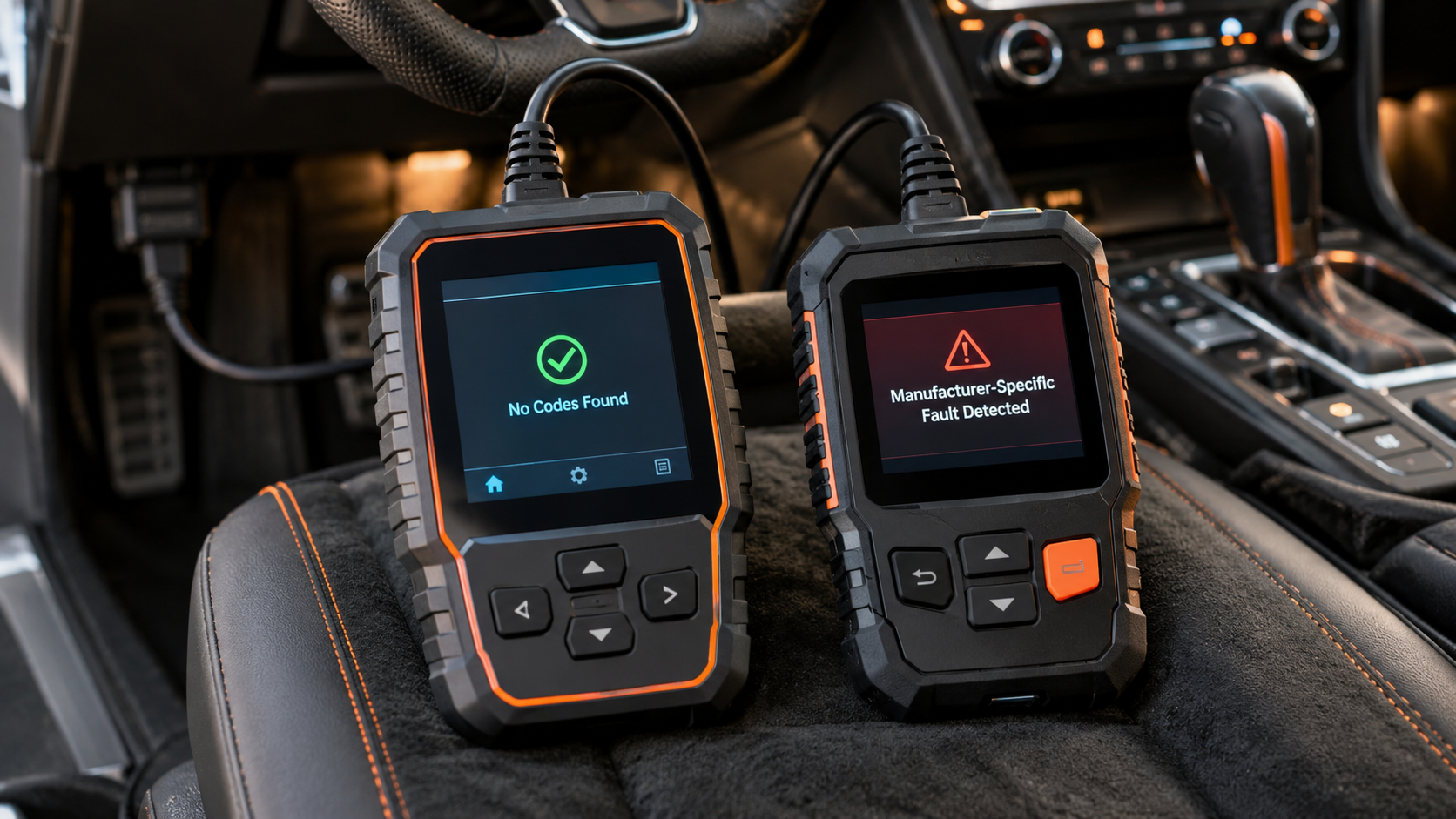
Several reasons are possible. One scanner may access only generic emissions-related OBD information. Another may also access enhanced manufacturer-specific modules.
They may differ in module coverage, software databases, supported diagnostic services, manufacturer coverage, and model-year coverage.
That can produce a situation where Scanner A finds no generic powertrain DTCs, but Scanner B finds a manufacturer-specific fault stored in another module. That does not necessarily mean Scanner A is broken. It may simply have less diagnostic access.
Generic OBD2 Is Not the Same as Full-Vehicle Diagnostics
This is one of the most important boundaries in the entire SCG Knowledge Hub.
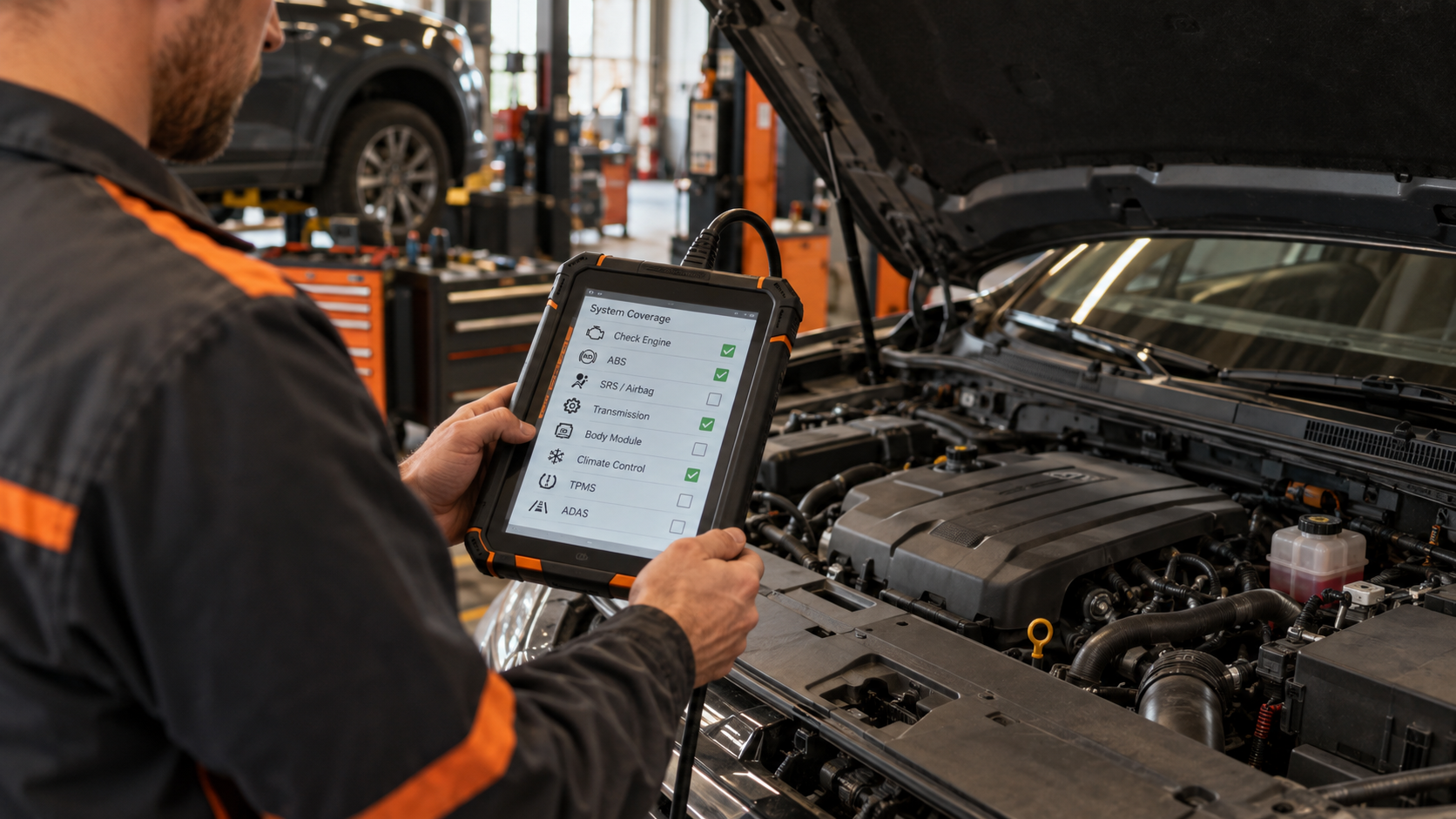
Generic OBD2 provides a standardized diagnostic foundation, particularly around regulated emissions-related diagnostics. A modern vehicle can contain many other control modules: ABS, SRS/airbag, body control, electronic parking brake, steering, HVAC, ADAS-related systems, and numerous networked modules.
Accessing their DTCs generally requires the appropriate enhanced diagnostic capability.
Therefore: “no codes found” on a basic generic reader does not necessarily mean no module anywhere in the vehicle has stored a fault. It means you need to understand what the scanner actually checked.
How Do the OBD2 Modes Fit Into This?
Generic OBD uses standardized diagnostic services to request information: for current data, freeze frame, stored DTCs, clearing diagnostic information, monitor results, vehicle information and other standardized functions.
That architecture is explained in The 10 OBD2 Modes Explained: Mode 01 to Mode 0A.
The key distinction: OBD mode is the type of diagnostic request/service, while generic vs manufacturer-specific DTC is about who defines/controls the code range and what information is required to interpret it. Do not mix those two concepts.
Does “Manufacturer Specific” Tell You Which Part Is Bad?
No. It tells you that the code needs the appropriate manufacturer-specific definition/context. It does not transform the DTC into a confirmed parts-replacement instruction.
Suppose an OEM-specific code refers to a sensor circuit. Possible causes could still include the sensor, wiring, connector, power, ground, another related system condition, or a control-module issue.
The manufacturer-specific definition can make the investigation more precise. It does not eliminate diagnosis. Read Can an OBD2 Scanner Tell You Exactly What’s Wrong With Your Car? for the complete distinction between diagnostic information and confirmed root cause.
How to Research a Manufacturer-Specific Code Correctly
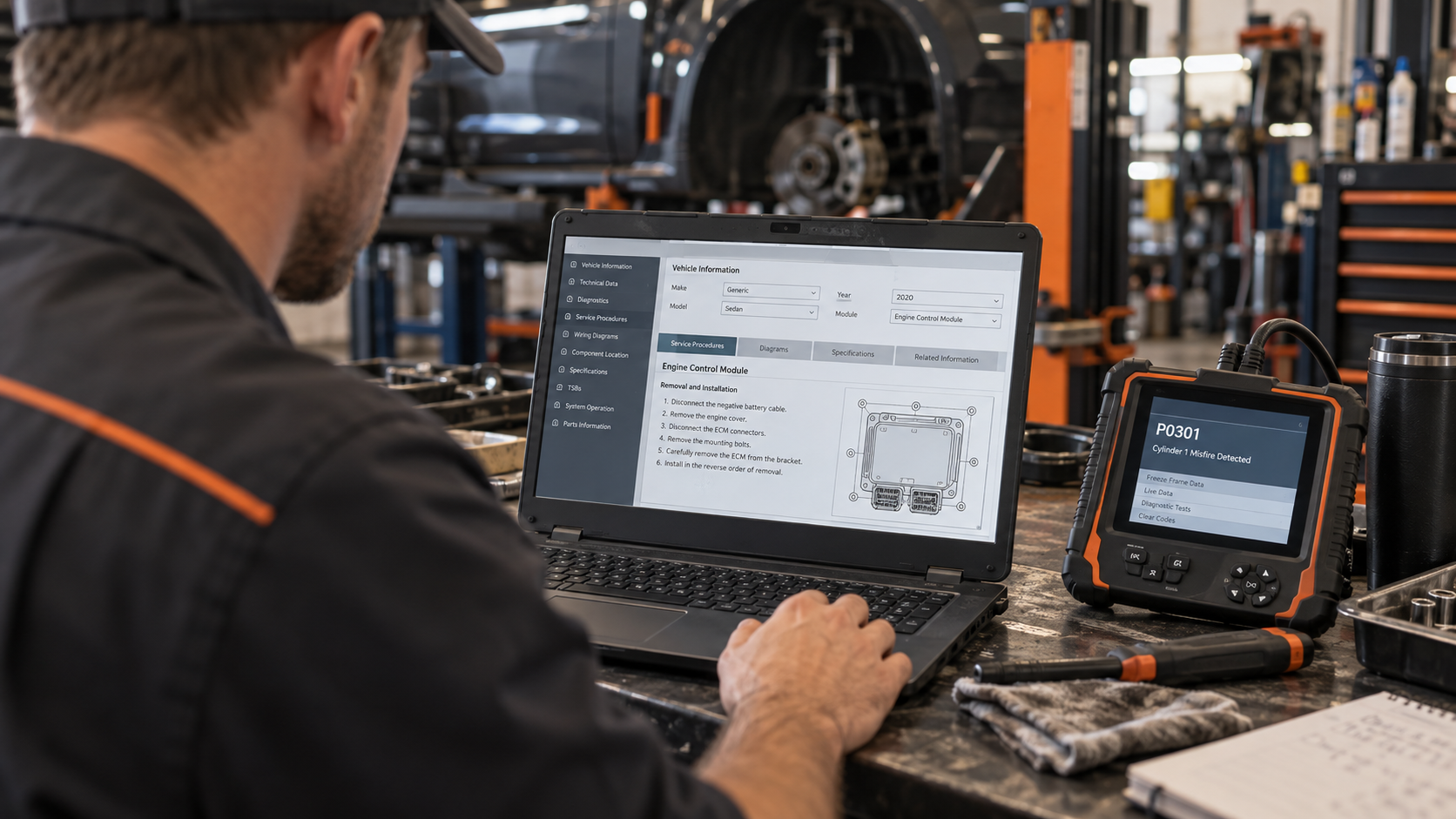
Step 1: Record the exact code. Do not rely on memory. Save the full DTC, module, status, related codes and freeze frame where available.
Step 2: Record the exact vehicle. At minimum make, model, year. Where relevant, engine, transmission, trim/configuration.
Step 3: Determine whether the code is standardized or manufacturer-specific. Do not rely only on a P0/P1 shortcut if the allocation is unclear.
Step 4: Use authoritative vehicle-specific information. Prefer manufacturer service information, reliable professional repair information, or scanner manufacturer enhanced database where appropriate. Be careful with generic code websites that show one definition without confirming the vehicle application.
Step 5: Read related codes and supporting data. The DTC is one piece of evidence. Also consider freeze frame, live data, module data, symptoms and other stored faults.
Step 6: Follow the diagnostic procedure. Use the code to decide what to inspect/test. Do not jump directly from manufacturer-specific DTC to buying a manufacturer-specific part.
Step 7: Confirm the cause. Test before replacing parts whenever practical and safe. For the full post-scan sequence, continue to What to Do After Your OBD2 Scanner Finds a Trouble Code.
Example: Why Exact Vehicle Context Matters
Suppose an online search returns a description for a manufacturer-specific DTC. Before accepting it, ask: is this definition for my manufacturer? Does it apply to my model year? Does it apply to my engine? Is it from the correct module/system? Is the source actually using OEM-specific data?
Without that context, a code lookup can appear precise while being diagnostically useless. A five-character code is only valuable when interpreted in the correct system.
What About P2 and P3 Codes?
This is another reason the P0/P1 shortcut is incomplete. The powertrain code space includes additional standardized and manufacturer-controlled allocations beyond the familiar P0/P1 beginner distinction.
So do not assume “P2 = manufacturer-specific because it isn’t P0” or that all P3 codes belong to one category. Verify the actual allocation and definition. This is especially important when building code databases or publishing diagnostic content at scale.
What About B, C and U Codes?
The same broad principle applies. B, C and U identify different diagnostic families: Body, Chassis, and Network/communication. But those families also contain standardized and manufacturer-specific allocations.
Do not teach “P codes are generic, B/C/U are manufacturer-specific.” That is incorrect. The first letter identifies the broad system family. It does not by itself tell you whether the code definition is standardized or manufacturer-controlled.
Why Manufacturer-Specific Coverage Matters When Buying a Scanner
Suppose your only goal is Check Engine light, basic emissions codes, readiness and generic live data. A good generic OBD scanner may satisfy the job.
But suppose you need ABS codes, SRS codes, body-module faults, OEM transmission diagnostics, enhanced live data, or active tests. Now manufacturer-specific/enhanced coverage becomes much more important.
This is why scanner buying should start with the job and exact vehicle, not with the largest feature count.
Common Mistakes
Mistake 1: Treating P0/P1 as the complete code-allocation system. It is a useful shortcut, not the whole framework.
Mistake 2: Assuming manufacturer-specific means dealer-only. Many aftermarket tools provide enhanced OEM diagnostics, but exact coverage must be verified.
Mistake 3: Assuming a scanner that reads the number fully supports the fault. Retrieval, description, live data and test capability are separate levels of diagnostic support.
Mistake 4: Using a manufacturer-specific definition from the wrong vehicle. Always verify make/model/year/application.
Mistake 5: Assuming generic means unimportant. Standardized codes can represent serious faults.
Mistake 6: Assuming manufacturer-specific means a specific part has failed. Code definition is still not root-cause confirmation.
Mistake 7: Assuming “no codes” from a generic reader means the entire vehicle is fault-free. The scanner may not have checked enhanced modules.
FAQ
What is a generic OBD2 code?
It is a DTC whose definition is standardized within the applicable OBD diagnostic framework rather than assigned within a manufacturer-specific range.
What is a manufacturer-specific OBD2 code?
It is a DTC in a range reserved for vehicle-manufacturer-specific use. Its correct interpretation requires the appropriate manufacturer/vehicle context.
Is P0 generic?
P0 powertrain codes are commonly standardized/generic.
Is P1 manufacturer-specific?
P1 powertrain codes are commonly manufacturer-specific. But P0/P1 is not the complete DTC allocation framework.
Are P2 codes generic?
Do not classify a code simply by assuming every non-P0 range is manufacturer-specific. The SAE allocation includes additional standardized and manufacturer-controlled ranges. Verify the exact DTC.
Are P3 codes generic or manufacturer-specific?
The P3 space is not safely described by one blanket beginner rule. Verify the exact allocation.
Are B codes manufacturer-specific?
Not automatically. B identifies the body-code family; standardized and manufacturer-specific allocations exist within DTC families.
Are C codes manufacturer-specific?
Not automatically. C identifies chassis-related DTCs, not whether the code is generic or manufacturer-controlled.
What does U mean in an OBD2 code?
U identifies the network/communication DTC family.
Can a cheap OBD2 scanner read manufacturer-specific codes?
Some tools may retrieve some enhanced/manufacturer-specific information, while basic readers may be limited mainly to generic OBD. Verify exact vehicle/module coverage.
Do I need a dealer tool for manufacturer-specific codes?
Not necessarily. Many aftermarket diagnostic tools support enhanced OEM diagnostics. Exact coverage varies by tool and vehicle.
Why does my scanner say “manufacturer specific”?
Usually because the code requires the appropriate manufacturer-specific definition/database rather than only a standardized generic description.
Can the same manufacturer-specific code mean different things on different makes?
A manufacturer-controlled code must be interpreted in the correct manufacturer/application context. Do not apply a definition from one make to another without authoritative evidence.
The Bottom Line
The difference between generic and manufacturer-specific OBD2 codes is not easy code vs difficult code, or cheap scanner vs dealer scanner.
It is primarily about who defines the DTC within the diagnostic-code framework and what information is required to interpret it correctly.
Remember: a standardized DTC has a common standardized definition. A manufacturer-specific DTC has a definition/application controlled within a manufacturer-specific allocation.
And remember the second distinction: code definition does not equal scanner access does not equal confirmed diagnosis. Your scanner must first be able to access the relevant diagnostic system. Then you need the correct definition. Then you use supporting evidence and testing to determine the actual cause.
If you need the DTC fundamentals, read OBD2 Codes Explained: How to Read Diagnostic Trouble Codes.
If your scanner cannot access the module you need, read What Does Full-System Diagnostics Mean on a Scan Tool? and Will Any OBD2 Scanner Work With My Car? OBD2 Compatibility Explained.
If you already have the correct code and want to know what to do next, continue to What to Do After Your OBD2 Scanner Finds a Trouble Code.
To go beyond generic codes, compare the Best Full-System Automotive Scanners.