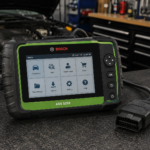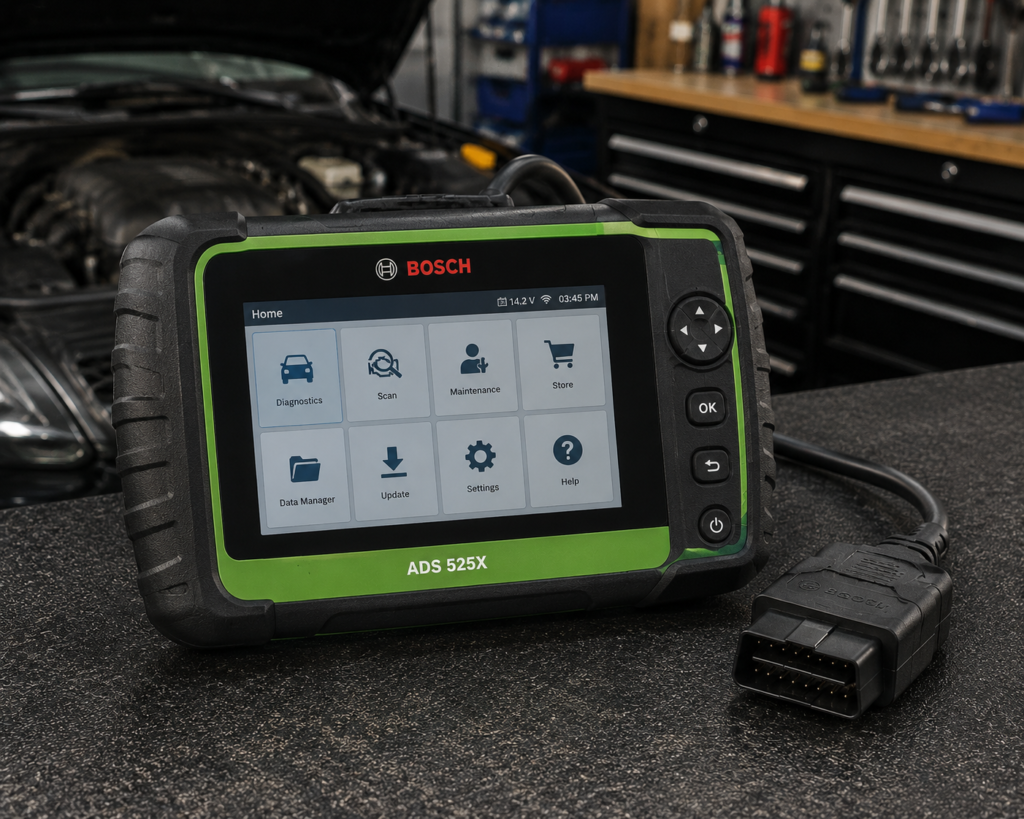
The Bosch ADS 525X is an 8 inch Android tablet that works with a wireless J2534-compliant vehicle interface. It reads codes on all systems, runs complete bi-directional functions, scans all systems in under a minute on average and lists coverage for domestic, Asian and European vehicles as far back as 1976. Bosch says it is approved to unlock the FCA Secure Gateway and many other manufacturers’ gateway modules, and that its interface supports factory programming with your OE subscription and a PC. What sets it apart from the other tablets in our reviews is how it is paid for: the software is a subscription, and Bosch ties its lifetime warranty to keeping that subscription current.
The short version: the ADS 525X is a professional tablet for a shop that is happy to treat diagnostic software as a running cost. Amazon and Bosch agree on the hardware, the wireless J2534 interface, the first-year subscription and the 14 hours of battery. They differ in small ways on the Android version (Amazon’s table says Android 9.0, its bullets say 9 or higher, and Bosch’s page says Android 10), on the scan speed claim (under 60 seconds on Amazon, under 40 seconds on Bosch’s page) and on warranty, which Amazon leaves to its own contract and which Bosch spells out in a separate document. The tablet does not name individual tests or services the way the other tablets in our reviews do, so function-level coverage has to be checked for your car.
Affiliate Disclosure: As an Amazon Associate I earn from qualifying purchases. Scan Choice Guide is a participant in the Amazon Services LLC Associates Program, an affiliate advertising program designed to provide a means for sites to earn advertising fees by advertising and linking to Amazon.com.
What the Kit Includes
Amazon’s description lists the kit: the ADS 525X tablet with its 8 inch high-resolution display, a wireless J2534-compliant VCI, a 5-foot OBDII cable with a battery voltage display, a tablet power supply with 2-foot and 6-foot cords, a VCI power supply and a carry bag. Bosch’s page lists the same items. The shipping weight on Amazon is 8 pounds. Bosch’s quick start guide says the tablet comes with two micro USB power cables and one USB power block, and recommends keeping the tool plugged in when it is not in use and powering it off properly when it will sit for a long period.
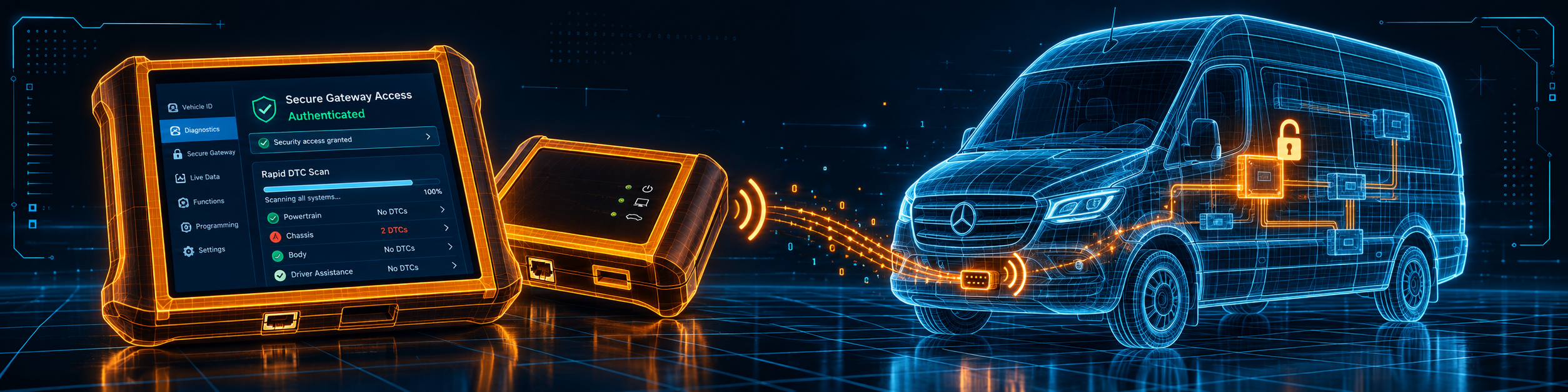
Amazon’s options line shows two sizes, 525X and 625X, so the same family has a bigger sibling. Bosch’s page links a sales flyer that covers both and does not compare them in the page text. The picture below shows the tablet with its wireless interface doing a Rapid DTC Scan with Secure Gateway access on a Mercedes Sprinter van.
Three Clocks Run Inside This Purchase
With the other tablets in our reviews, the main question is which functions they list. With the ADS 525X the main question is time. Three separate clocks start when you register the tool, and a buyer should know all three before ordering.
- The first-year subscription. Amazon and Bosch both say the first year of software with all-access coverage is included. After that Bosch lists “annual renewal options that fit your needs, and your budget” and states no figure on the page we read.
- The 30-day Enhanced trial. The first year includes a 30-day free trial of the Enhanced subscription, which adds full-system color wiring diagrams and the Repair-Source library of OEM service and repair information. Bosch’s page adds access to the Motor TruSpeed repair data in the Enhanced subscription. After 30 days you decide whether to pay for Enhanced.
- The warranty condition. Bosch’s warranty document lists a 30-day money back guarantee, a one year limited warranty for buyers who do not continuously maintain a software subscription and a lifetime limited warranty for buyers who do. Registration is required within 30 days of purchase, the warranty is not transferable to later owners, and the lifetime cover applies to the reasonable useful life of the product and excludes cables, adapters and power supplies.
In plain terms, the lifetime warranty is real only while you keep paying for the subscription. If the subscription lapses, the warranty falls back to one year. That is a fair trade for a shop that wants updates anyway, and an unwelcome surprise for a buyer who expected a one-time purchase.
What Amazon Says vs. What Bosch Confirms
We compared the Amazon listing with Bosch’s product page, its quick start guide and its warranty document. They agree on the core and differ on a few figures and on warranty.
| Claim | Amazon listing | Bosch | Our reading |
|---|---|---|---|
| Name | “Bosch 3945 ADS 525x Professional Diagnostic Scan Tool with Wireless VCI” | “ADS 525X Diagnostic Scan Tool” | Same tool |
| Screen | 8 inch LCD, high definition | “Ultra-crisp 8″ LCD” | Agree |
| Operating system | Table: Android 9.0. Bullet: “Android 9 OS or higher” | “Android 10 OS” | Bosch’s page is newer; the older hardware table may show Android 9 |
| Scan speed | “all-systems DTC scans in under 60 seconds on average”; 30 seconds or less for many vehicles | “Rapid DTC Scan … under 40 seconds” on average; 30 seconds or less for many | The average differs by 20 seconds; Bosch’s page is the maker’s claim |
| Coverage | Domestic, Asian, European as far back as 1976 | Same | Agree |
| Bi-directional | “complete bi-directional functions” | Same wording | Agree; no list of tests |
| VCI | “J2534-compliant wireless VCI” | “Wireless J2534 Compliant VCI included” | Agree |
| Factory programming | Not stated | “J2534-compliant VCI for factory programming with your OE subscription and PC” | Needs the maker’s subscription and a PC |
| FCA gateway | “OEM approved to support secure access to unlock FCA Secure Gateway modules” | “Unlock access to OEM Secure Gateway Modules (SGW) for FCA/Stellantis”; varies by OEM; needs an AutoAuth subscription | Agree; the account is separate |
| Subscription | First year with all-access included, 30-day Enhanced trial | Same; annual renewal options | Agree; renewal price not stated |
| Battery | “Up to 14 hours” | “Up to 14 hours of battery runtime and weeks of standby” | Agree |
| Warranty | “Per Contract with Amazon” | Lifetime limited with continuous subscription; one year without; 30-day money back | Follow Bosch’s document |
| Google apps | Not stated | Google Play, Google Drive and Gmail access | Bosch only |
| Accessories | Not stated | Compatible with wireless borescopes, battery testers, NVH analyzers | Bosch only |
The warranty point matters most because Amazon’s table says only “Per Contract with Amazon”. Bosch’s separate warranty document is the one that spells out the conditions. It applies to buyers in the United States and Canada, it counts from the date of registration and it is the buyer’s responsibility to register within 30 days of purchase.
The money-back point is worth reading closely. Bosch offers a 30-day guarantee on the ADS 525X and 625X, but the product must be registered, the software must be licensed and updated to the newest version, and the product must be in like-new condition. Returns are started by calling Bosch within 30 days of the invoice date. A buyer who purchases through Amazon should also check Amazon’s own return terms for the order, because the two are separate promises.
The speed point is small. Amazon says under 60 seconds on average. Bosch’s page says under 40 seconds on average and adds that an update improved speed by up to four times on Asian and European brands. Both describe the scan of all systems on average cars, and your result depends on the car.
A third source. The Equipment and Tool Institute, a trade group of tool makers, publishes the rules behind the FCA gateway that both sources say the ADS 525X can unlock. In its Security Gateway Module FAQ, the Institute explains that the gateway was added to most 2018 and later FCA vehicles as a cybersecurity measure, that registration with AutoAuth is a one-time step, that the number of vehicles you can then service is unlimited and that there is a yearly fee for the user or the shop. It adds that once the gateway is unlocked, the aftermarket tool has the same capabilities as on a vehicle without it. This source is independent of both Amazon and Bosch. It explains why Bosch’s page says the access solution requires an AutoAuth subscription: the tool is approved, and the account and fee are yours.
How we handle these differences. The feature table at the bottom of this page, the Scanner Finder and our comparisons follow the Amazon listing, because Amazon is where you buy. We name the points above so you can see where Bosch says something different or adds detail. If one of them matters to you, read this section before you decide.
Rapid DTC Scan and Bi-Directional Control
Bosch’s page puts the scan speed first. The Rapid DTC Scan reads every module the car answers and shows the results, and the page says it takes under 40 seconds on average. Complete pre- and post-scan reports are listed for all possible systems on the vehicle. For a busy shop, the pre-scan is the one that saves arguments: it records what the car looked like when it arrived.
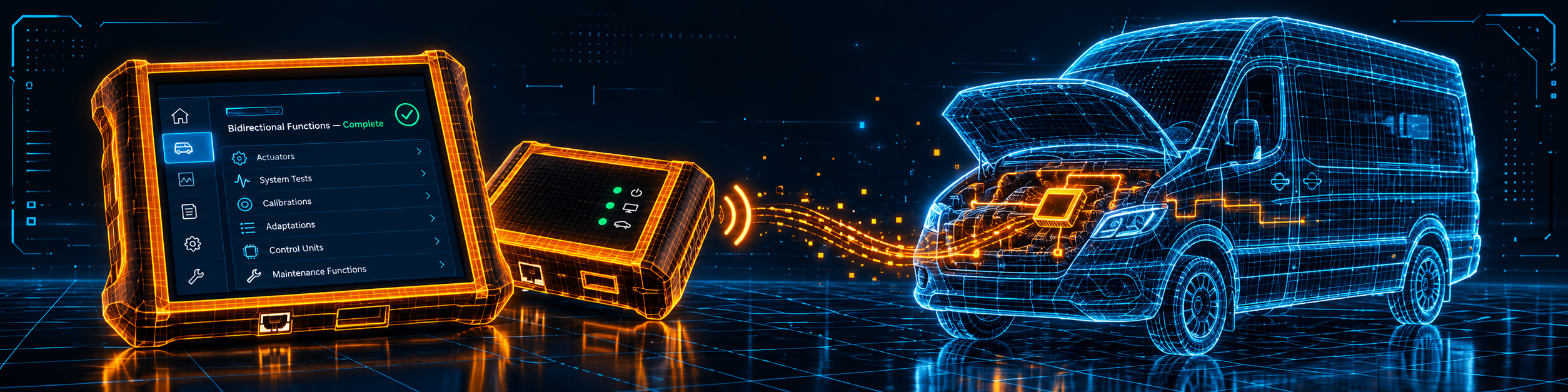
Bi-directional control is described in one phrase on both sources: complete bi-directional functions. Neither Amazon nor Bosch names individual active tests, resets or services. That is different from most of the tablets in our reviews, which name fans, pumps, relays, windows or injector tests. It does not mean the tablet lacks them. It means you must check the vehicle-specific list in the tool’s Coverage Guide, which the quick start guide shows in the main menu, before you rely on a specific test.
The picture below shows the tablet running complete bi-directional functions on a Mercedes Sprinter engine bay, the kind of work a van fleet shop does.
What the Main Menu Offers
Bosch’s quick start guide shows the tool’s main menu. It lists Diagnostics, QuickScan, Generic OBDII, Repair-Source, Diagnostic Information, Wiring Diagrams, Saved Reports, Web Browser, Coverage Guide, Video Tutorials, What’s New, Settings and an Apps Shortcut. Two of those names explain a lot about the tool.
- Coverage Guide. This is where you check, car by car, which functions the tool supports. For a tablet that does not name its tests on the product page, it is the place that answers the question.
- Repair-Source and Wiring Diagrams. These belong to the subscription tiers. Amazon says the Enhanced subscription includes full-system color wiring diagrams and an on-tool OEM service and repair information library.
Bosch’s page also says an update added a topology view and a battery voltage indicator to the ADS X series, more model year coverage including 2026, new ADAS calibrations and over 3,000 new special tests and system applications. Those are Bosch’s statements about a software update, and we show them as Bosch’s. The ADAS calibrations they mention need the separate calibration hardware that any ADAS work requires.
Is the ADS 525X Enough for You?
| If your work is | Does the ADS 525X list it? |
|---|---|
| Reading and clearing codes on all systems, with pre and post scan reports | Yes |
| Complete bi-directional functions | Yes; tests are not named, check the Coverage Guide |
| Coverage as far back as 1976 | Yes |
| FCA and other manufacturers’ secure gateways | Yes; needs the account or subscription for each |
| J2534 pass-through for factory programming | Yes, with your OE subscription and a PC |
| Color wiring diagrams and OEM service information | With the Enhanced subscription (30-day trial included) |
| Named lists of resets and services | Not named on the product page; check the Coverage Guide |
| ECU coding by the tablet itself | Not listed by Amazon or Bosch |
| Use without paying for software after year one | No; the subscription is part of the model |
For a professional shop that works across domestic, Asian and European makes and accepts a subscription, the top half covers a lot. The bottom half is where a different tablet may be a better fit.
Will the ADS 525X Work on Your Car?
Bosch’s page says coverage as far back as 1976 for domestic, Asian and European vehicles, and its update notes say 2026 model years are included. The special functions are narrower and depend on the car, which is why the tool has a Coverage Guide. Secure gateway access is limited to the manufacturers whose programs Bosch is approved for, and each needs its own account. Our Scanner Finder gives a recommendation for your exact year, make and model.
Your First Hour With the ADS 525X
This section follows Bosch’s quick start guide.
- Charge the handset with the supplied power block and cable. The battery level shows at the top right.
- Press the power button to switch it on. A short press wakes it from standby and a five-second hold turns it off completely, which Bosch does not recommend for daily use.
- Register the device. The setup is seven steps: language, Register Now, the license agreement, time zone, Wi-Fi, warranty activation and a confirmation. The Skip and Demo options exist, but registering also activates the warranty.
- Activate the warranty by entering your name and contact details on step six. Bosch’s warranty document says registration is required within 30 days of purchase.
- Connect the VCI to the car through the OBDII cable, then connect the handset to the VCI. The VCI Connection Manager icon shows the link state.
- Update the software before the first job so the 2026 coverage and the latest special tests are installed.
- Choose QuickScan or Diagnostics. QuickScan reads every module quickly, and Diagnostics lets you pick a system.
Bosch’s safety notes are worth repeating: set the parking brake and block the wheels before testing, keep the service area ventilated, make sure the vehicle battery is fully charged and the connection to the data link connector is clean and secure, and never disconnect or reconnect an electrical connector with the ignition on.
Common Mistakes and Three Simple Plans
- Treating it as a one-time purchase. The first year is included, and after that you renew to keep the lifetime warranty.
- Forgetting to register within 30 days. The warranty and the money-back guarantee depend on it.
- Assuming factory programming is included. It needs your OE subscription and a PC.
- Expecting a named test list. Check the Coverage Guide for your car.
- Skipping the AutoAuth account. A 2018 or newer FCA vehicle needs it.
Plan A: A mixed shop week
- Run the Rapid DTC Scan with a pre-scan on every arriving car.
- Open the Coverage Guide before promising a test.
- Run the post-scan and save the report.
Plan B: A Stellantis vehicle behind the gateway
- Create the AutoAuth account first.
- Connect the VCI and sign in when the tool asks.
- Run the scan and the test you need.
Plan C: A year-end decision
- In month ten, list the jobs the tool did.
- Decide whether Enhanced is worth keeping.
- Renew before the first year ends to keep the lifetime warranty.
How the ADS 525X Compares With Other Tablets in Our Reviews
| Bosch ADS 525X | Autel MaxiSys Ultra | LAUNCH PRO3S+ Elite | TOPDON Phoenix Smart | |
|---|---|---|---|---|
| Subscription model | Software subscription; lifetime warranty tied to it | One free year; renewal not stated | Two free years; renewal not stated | Two free years, then a yearly renewal |
| J2534 | Yes, with OE subscription and PC | Yes, VCMI | Yes, six brands | Yes, MDCI Pro |
| Named tests and services | Not named | Named | Named | Named |
| ECU coding | Not listed | Many brands | Nissan, Toyota, Hyundai, Kia, Porsche | Online on eight brands |
| Oscilloscope | Not listed | Yes, in the VCMI | Not listed | Add-on |
Our Autel MaxiSys Ultra review covers the tablet with the measurement box. Our LAUNCH PRO3S+ Elite review covers a J2534 tablet with named pass-through brands. Our TOPDON Phoenix Smart review covers a tablet with cloud programming and a yearly renewal. The three-brand page is our Autel vs LAUNCH vs TOPDON comparison.
Who This Scanner Actually Fits
The ADS 525X fits a professional shop that wants fast full-system scans, complete bi-directional functions, gateway access and J2534 hardware from a long-established diagnostics brand, and that accepts an annual software subscription. It also fits a shop that wants Bosch’s wiring diagrams and Repair-Source library in the same tool. It does not fit a buyer who wants a one-time purchase, a named test list on the product page, or ECU coding from the tablet itself.
Important Limitations of the Bosch ADS 525X
- The software is a subscription. Renewal is yearly and the price is not stated on the pages we read.
- The lifetime warranty needs a continuous subscription, and registration within 30 days.
- Factory programming needs your OE subscription and a PC.
- Tests and services are not named on the product page.
- Android version and scan speed are stated two ways by the two sources.
- Gateway access needs separate accounts such as AutoAuth.
Who Should Choose It, and What to Consider Instead
Choose the ADS 525X if you run a professional shop, want Bosch’s subscription model with wiring diagrams and service information, and need fast scans, bi-directional functions and gateway access across many makes.
Consider the Autel MaxiSys Ultra instead if you want coding, programming and a measurement box in one kit.
Consider the LAUNCH X431 PRO3S+ Elite instead if you want J2534 with named pass-through brands and named coding brands.
Consider the TOPDON Phoenix Smart instead if you want cloud programming for 13 or more brands and a named service list.
| Specification | Details |
|---|---|
| Screen | 8 inch LCD, high definition |
| System | Android 10 per Bosch; Android 9.0 per Amazon’s table |
| Battery | Up to 14 hours of runtime, weeks of standby |
| Vehicle interface | Wireless J2534-compliant VCI |
| Coverage | Domestic, Asian and European as far back as 1976, current through 2026 |
| Scan speed | Under 40 seconds on average per Bosch, under 60 per Amazon |
| Bi-directional control | “Complete”; tests not named |
| Gateway access | FCA and other OEM gateways; needs the account |
| Factory programming | With your OE subscription and a PC |
| Subscription | First year free, 30-day Enhanced trial, annual renewal |
| Warranty | Lifetime limited with continuous subscription; one year without; 30-day money back |
| Pros | Cons |
|---|---|
| Fast full-system scans with pre and post reports | Software is a subscription after year one |
| Complete bi-directional functions and gateway access | Lifetime warranty depends on keeping it current |
| Wireless J2534 VCI included | Factory programming needs your OE subscription and a PC |
| Coverage back to 1976 and 14 hours of battery | Tests and services are not named on the product page |
How to Think About the Subscription Before You Buy
Most buyers compare scanners by the price on the box. For a subscription tool, the more useful question is what you will do in month thirteen. Bosch and Amazon both say the first year of all-access software is included, and both say annual renewal options exist. Neither source we read states the renewal amount, so the honest advice is to ask before you order, or to check the current terms inside the tool’s own registration screens, and to decide with the real number in hand.
There are three kinds of buyer, and the subscription means something different to each.
- The working shop. A shop already budgets for software, information systems and updates. A yearly line for diagnostic software is normal, and the lifetime warranty on the tablet then comes at no extra decision. For this buyer the subscription is a cost of doing business, and the main questions are coverage and speed.
- The mobile technician. A technician who drives to customers values the wireless interface and the long battery. The yearly cost has to be recovered over the jobs done in the field, so it helps to count how many cars a year need the full-system scan before choosing.
- The serious home user. A home user who owns two or three cars may find a recurring software cost hard to justify, because the tool would sit unused for long stretches. This buyer is better served by a scanner without a subscription requirement, even if it has fewer functions.
None of this makes the ADS 525X a poor tool. It means the tool is built for people who use it every week. If your use is occasional, our Scanner Finder will show alternatives that fit your car without a yearly commitment.
Working Habits That Get the Most From a Wireless Tablet
The wireless interface is a real advantage in a busy bay, and a few habits protect it. These come from the setup and safety notes in Bosch’s quick start guide and from common shop practice.
- Keep the vehicle battery healthy. Bosch’s notes say the vehicle battery should be fully charged before testing. Low voltage can cause communication errors during scans and in the worst case during programming, so connect a maintainer to the car for long jobs.
- Leave the interface plugged in during programming. A wireless link is convenient for scanning, but a long programming session is not the time to walk away from the car with the tablet. Keep the tablet close and charged.
- Charge both devices. The tablet and the interface each have their own power. Charge both overnight so a morning scan never begins with a warning.
- Save the pre-scan report. The pre- and post-scan reports are one of the best features for a shop, because they show the customer what changed. Save them with the repair order.
- Update on a Wi-Fi connection. Software updates can be large. Run them on the shop network before the first job of the week, not during a job.
- Power down properly. Bosch recommends powering the tool off correctly when it will sit for a long period and keeping it plugged in when it is not in use.
Questions to Ask Before Ordering
Because the ADS 525X leaves several details to the buyer, a short list of questions saves time later.
| Question | Where to look |
|---|---|
| What is the yearly renewal amount for all-access coverage? | Bosch’s current terms or the registration screens; not stated on the pages we read |
| Is the Enhanced subscription worth it for my jobs? | Use the 30-day trial and count how often you open wiring diagrams and Repair-Source |
| Which gateway accounts do I need? | AutoAuth for FCA/Stellantis; other makers have their own programs, per Bosch’s page |
| Which OE subscription do I need for factory programming? | The vehicle maker’s own service site, plus a PC |
| Does the tool support the function I need on my car? | The tool’s Coverage Guide in the main menu |
| How do I return it if it is not right? | Bosch’s 30-day guarantee needs registration and an updated tool; Amazon’s own return terms apply to the order |
If you can answer all six, you are ready to buy. If two or three are still open, spend an hour on them first, because they decide whether the tool fits your work more than any single feature does.
A Realistic Week With the Tool
To make the description concrete, here is how a typical week could look for a small independent shop. Monday starts with a European car with a warning light. The technician connects the interface, runs the Rapid DTC Scan, and the pre-scan report shows three modules with stored faults. The Coverage Guide confirms a bi-directional test for the affected system, the test runs, and the post-scan report is saved for the customer.
On Wednesday a late model Jeep arrives with a battery replacement and a module that will not communicate. The gateway blocks the tool, so the technician signs in with the AutoAuth account, lets the tool unlock the gateway and finishes the scan. The ETI guidance explains why this works: once the gateway is unlocked, the aftermarket tool has the same capabilities as it would on a car without the gateway.
On Friday a customer brings a car that needs a module flashed. The technician connects the J2534 interface to a PC with the maker’s service site and the OE subscription, and the Bosch hardware acts as the pass-through. The tablet is not the programming tool here. It is the diagnostic partner that proves the fault is gone afterward.
That week shows both the strengths and the limits of the ADS 525X in one picture. It is quick, wide and wireless, and it leans on accounts and subscriptions for the gateway and programming work. A shop that expects this pattern will be comfortable with it.
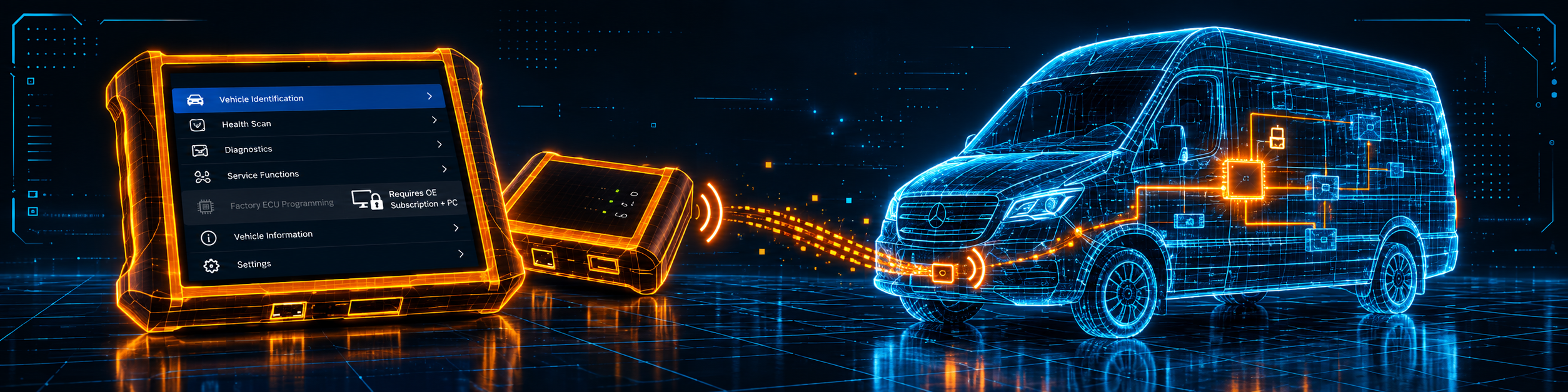
The picture below shows the programming screen with a reminder of the limit: factory ECU programming through the J2534 interface needs your OE subscription and a PC.
Methodology: How SCG Evaluates OBD2 Scanners.
Our Verdict on the Bosch ADS 525X
The ADS 525X is a fast, professional tablet with a wireless J2534 interface and gateway access, sold as a subscription product with a lifetime warranty that depends on the subscription. Amazon and Bosch agree on the core and differ on small figures, and Bosch’s own warranty document tells you what Amazon does not. If you run a shop and accept a yearly software cost, it fits. If you want a one-time purchase or a named test list, look elsewhere.
Frequently Asked Questions
Does the ADS 525X do factory ECU programming out of the box?
Not on its own. Bosch’s page says the J2534-compliant VCI supports factory programming with your OE subscription and a PC.
What happens if I let the subscription lapse?
Bosch’s warranty document says the lifetime limited warranty needs a continuous, unlapsed subscription. Without it, the warranty is one year.
How long is the money-back period?
Bosch lists a 30-day money back guarantee on the ADS 525X and 625X. The product must be registered, updated and in like-new condition. Amazon’s own return terms apply separately to your order.
What does the first-year subscription include?
All-access software coverage for the first year and a 30-day free trial of the Enhanced subscription with wiring diagrams and Repair-Source.
How much is the renewal?
Neither Amazon nor Bosch’s page states a figure. Check the current terms before ordering.
Does it unlock the FCA Secure Gateway?
Both sources say yes. Bosch notes that the access varies by manufacturer and needs an AutoAuth subscription.
Which Android version does it run?
Bosch’s page says Android 10. Amazon’s table says Android 9.0 and its bullet says 9 or higher.
Is it compatible with my specific vehicle?
Use the Scanner Finder to check your year, make and model, and the tool’s own Coverage Guide for the exact function.
Trusted Sources
- Bosch Diagnostics ADS 525X product page: features, subscription terms, coverage, J2534 and gateway text
- ADS 525X Quick Start Guide: setup steps, main menu, safety notes
- Bosch ADS X warranty with 30-day guarantee: money back, one-year and lifetime terms, registration
- Amazon listing for the Bosch ADS 525X (ASIN B08D3X6QBZ): title, bullets, description and details checked 2026-10-14
- Equipment and Tool Institute, Security Gateway Module FAQ: FCA gateway and AutoAuth registration