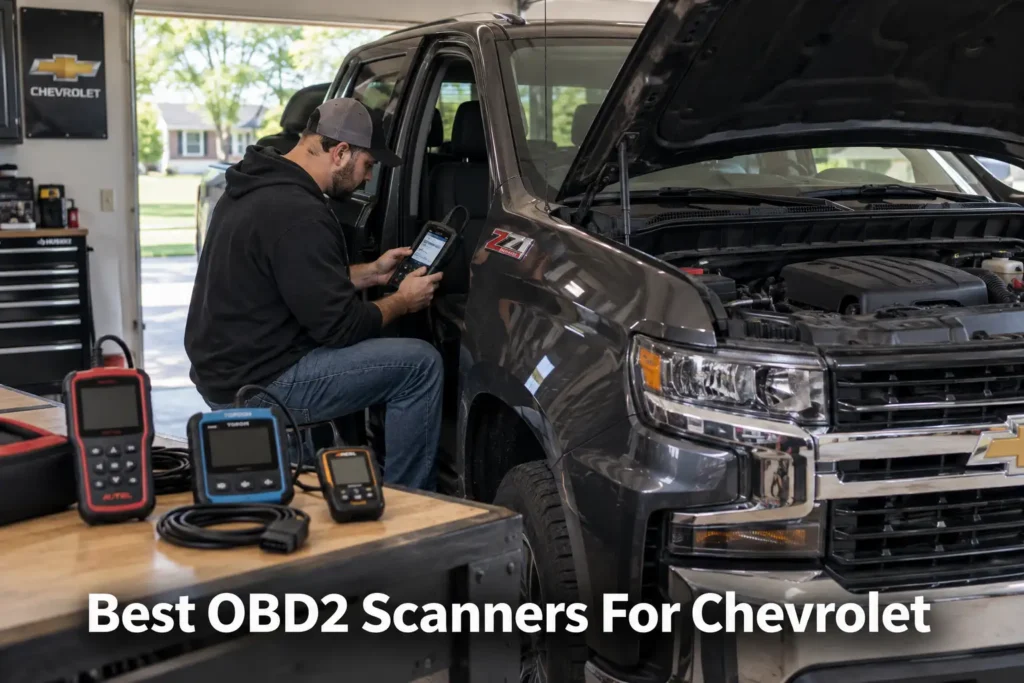
15 Best OBD2 Scanners for Chevrolet in 2026
Chevrolet owners face a wider diagnostic range than the phrase “OBD2 scanner” suggests. A basic code reader may be enough for a check-engine light, but diagnosing a Silverado, Tahoe, Suburban, Equinox, Traverse, Malibu, Colorado or Corvette can require access to GM-specific modules, ABS, SRS, transmission, body systems, live data, service procedures and bidirectional controls.
Newer GM vehicles add another buying factor: CAN FD. That makes protocol support especially important when choosing a scanner for newer Chevrolet models.
For this guide, Scan Choice Guide researched the Chevrolet/GM scanner market as a separate buying problem rather than automatically reusing winners from our Ford, Toyota, Mercedes-Benz or BMW guides. We compared GM-focused scanners, phone-based adapters and advanced multi-brand tablets across different buyer types.
Our Top Picks for Chevrolet Scanners
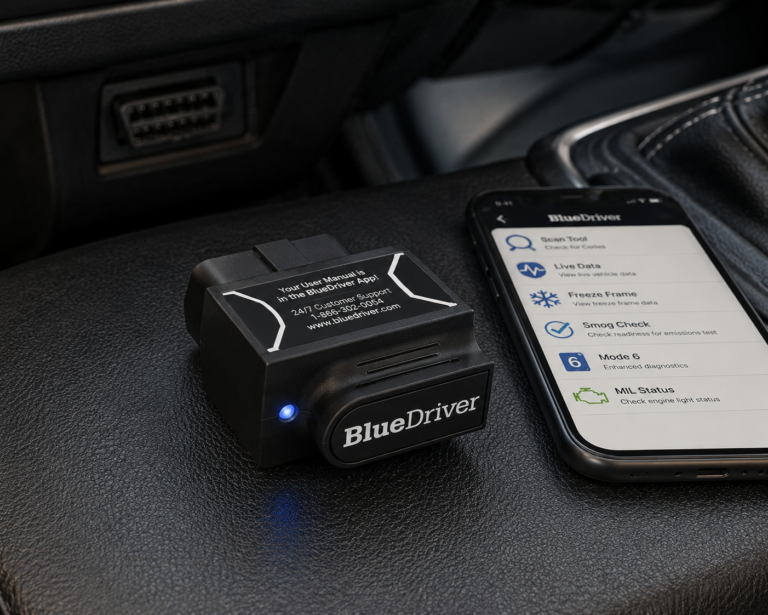
BlueDriver Bluetooth Pro
- Easy to use
- Enhanced diagnostics on supported vehicles
- No broad scanner-subscription model
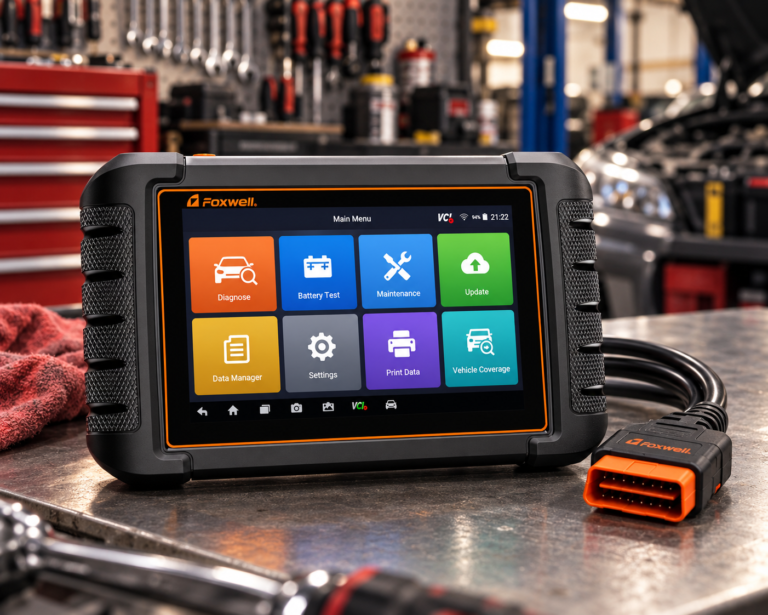
Foxwell NT809BT
- Wireless
- Full-system
- Active tests
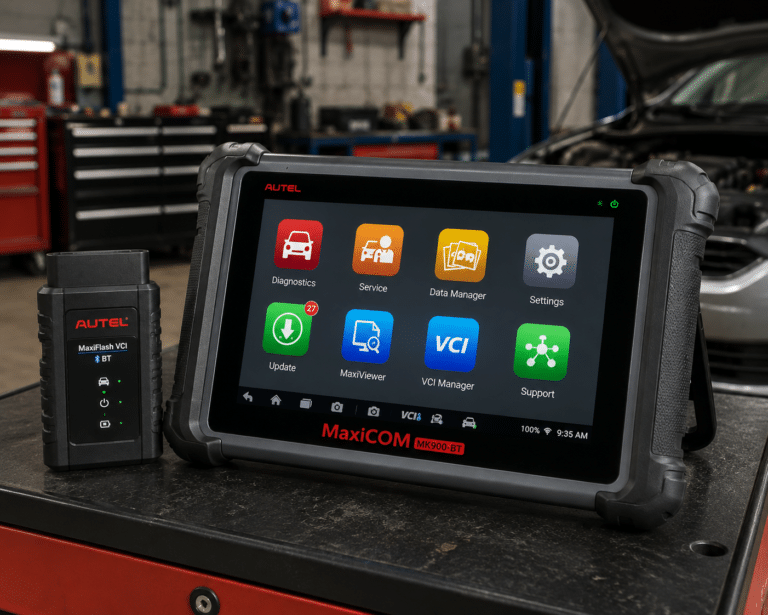
Autel MaxiCOM MK900-BT
- Full-system diagnostics
- Active Test
- Wireless VCI
Affiliate Disclosure: Scan Choice Guide is a participant in the Amazon Services LLC Associates Program, an affiliate advertising program designed to provide a means for sites to earn advertising fees by advertising and linking to Amazon.com.
How We Chose the 15 Best Chevrolet Scanners
The search intent behind “best OBD2 scanner for Chevrolet” is broader than one product category.
A Silverado owner towing or maintaining a truck may care about transmission data, ABS, TPMS and active tests. A Tahoe or Suburban owner may need full-system access across body, chassis and safety modules. A Corvette owner may prioritize deeper diagnostics and live data. An Equinox or Malibu owner may simply want to understand an ABS, SRS or check-engine warning without paying a shop for the first diagnostic step.
That creates several distinct scanner levels: Generic OBD2 standardized engine/emissions diagnostics. Multi-system diagnostics commonly adds ABS, SRS and transmission. GM full-system diagnostics deeper access to manufacturer-specific Chevrolet/GM modules. Bidirectional / Active Test commands supported components during diagnosis. Advanced professional diagnostics broader module access, modern protocols, advanced service procedures and more powerful workflows.
The 15 products in this guide represent those different needs rather than pretending every Chevrolet owner should buy the same $500–$1,000 tablet.
The 15 Best OBD2 Scanners for Chevrolet
1. FOXWELL NT716: Best Overall
Why We Picked It
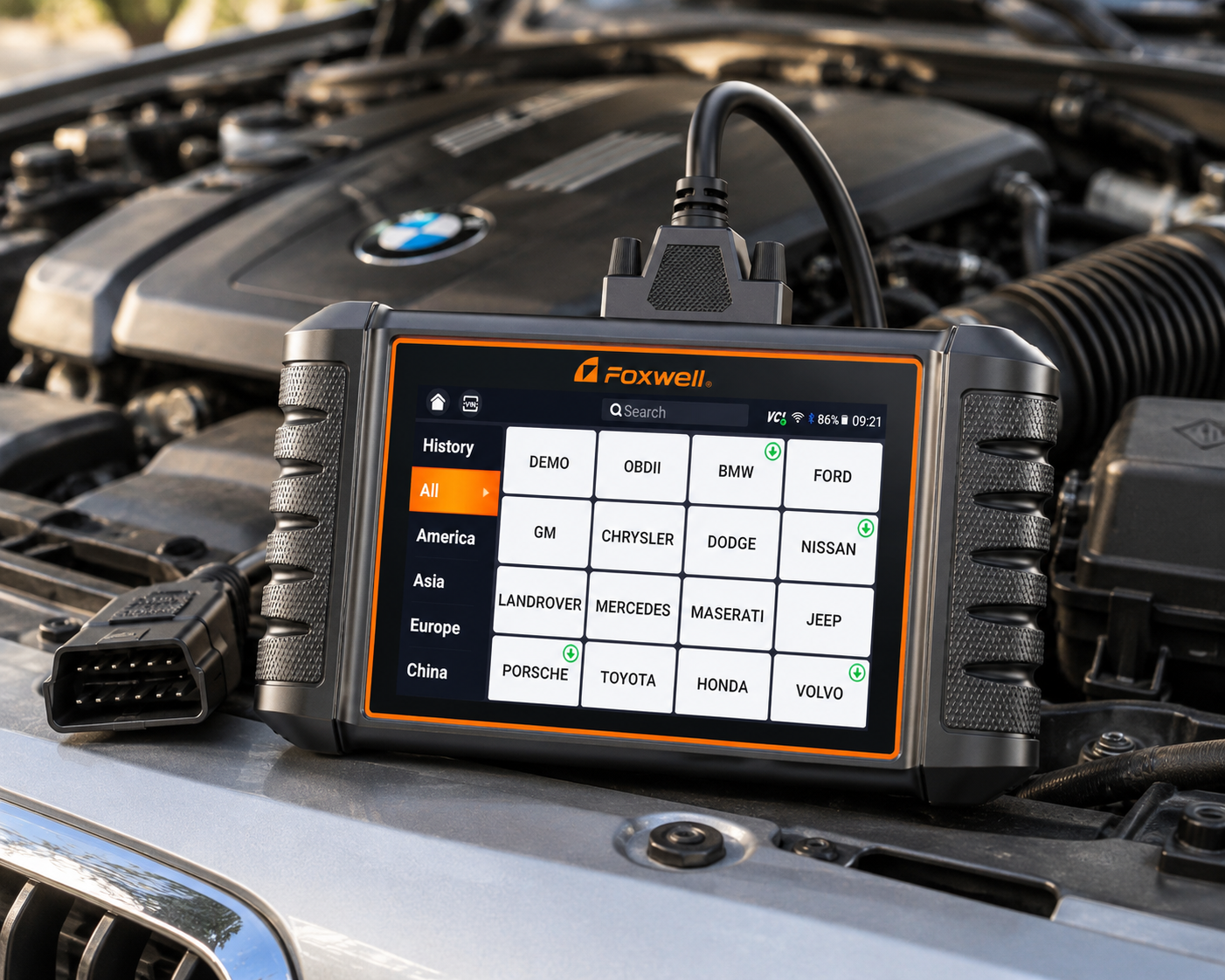
For a private Chevrolet owner, a GM-focused scanner often makes more sense than paying for a large multi-brand professional platform. That is the central advantage of the FOXWELL NT716.
Those same 9 documented service reset functions, ABS Bleeding, SAS, Oil Light, EPB, BMS, DPF, Throttle Relearn, Injector Coding and TPMS, cover the kind of upkeep a Silverado or Tahoe owner runs into between dealer visits, on a bidirectional 4-system tool (Engine, Transmission, ABS, Airbag/SRS) rather than one of Foxwell’s older single-brand packages. Bidirectional active tests extend to fuel pumps, cooling fans, injectors and window regulators on supported GM components, so a part can be commanded and confirmed rather than just flagged by a code. Foxwell builds the NT716 to cover GM alongside more than 100 other vehicle brands from 1996 to 2026, without a separate manufacturer-specific purchase.
The NT716 sits in the useful middle. It goes much deeper than a basic reader, but it does not force a Silverado or Tahoe owner to pay for a workshop tablet covering dozens of unrelated brands, and it does not lock GM buyers into a separate paid software package the way older brand-based Foxwell scanners did. For supported GM vehicles, bidirectional controls can help isolate faults by commanding components rather than merely reading a stored code. That can be useful for diagnostic tasks involving supported pumps, fans, windows, actuators and other electronically controlled components.
It is particularly relevant for owners of Silverado, Tahoe, Suburban, Equinox, Traverse, Malibu, Colorado, Camaro and Corvette, subject to exact model/year/function coverage.
Where It Falls Short
Foxwell notes that a free Wi-Fi update is required to unlock active-test functionality, and key programming is not supported. Exact function coverage should still be verified against your specific GM model and year before buying for one function specifically.
| Pros | Cons |
|---|---|
| Bidirectional active tests on supported vehicles | Wi-Fi update required to unlock active tests |
| 4-system diagnostics (Engine/Transmission/ABS/SRS) | |
| 9 service reset functions | |
| AutoVIN | |
| 5.5-inch touchscreen | |
| Standalone handheld | Exact functions vary by vehicle |
| No phone required | |
| Lifetime free Wi-Fi updates, no subscription | |
| Better fit for a one-brand household than many professional tablets |
Best For
Chevrolet owners who want a dedicated GM-focused tool without paying professional-tablet prices.
2. LAUNCH Creader Elite X500 for GM: Best GM-Specific Value
Why We Picked It
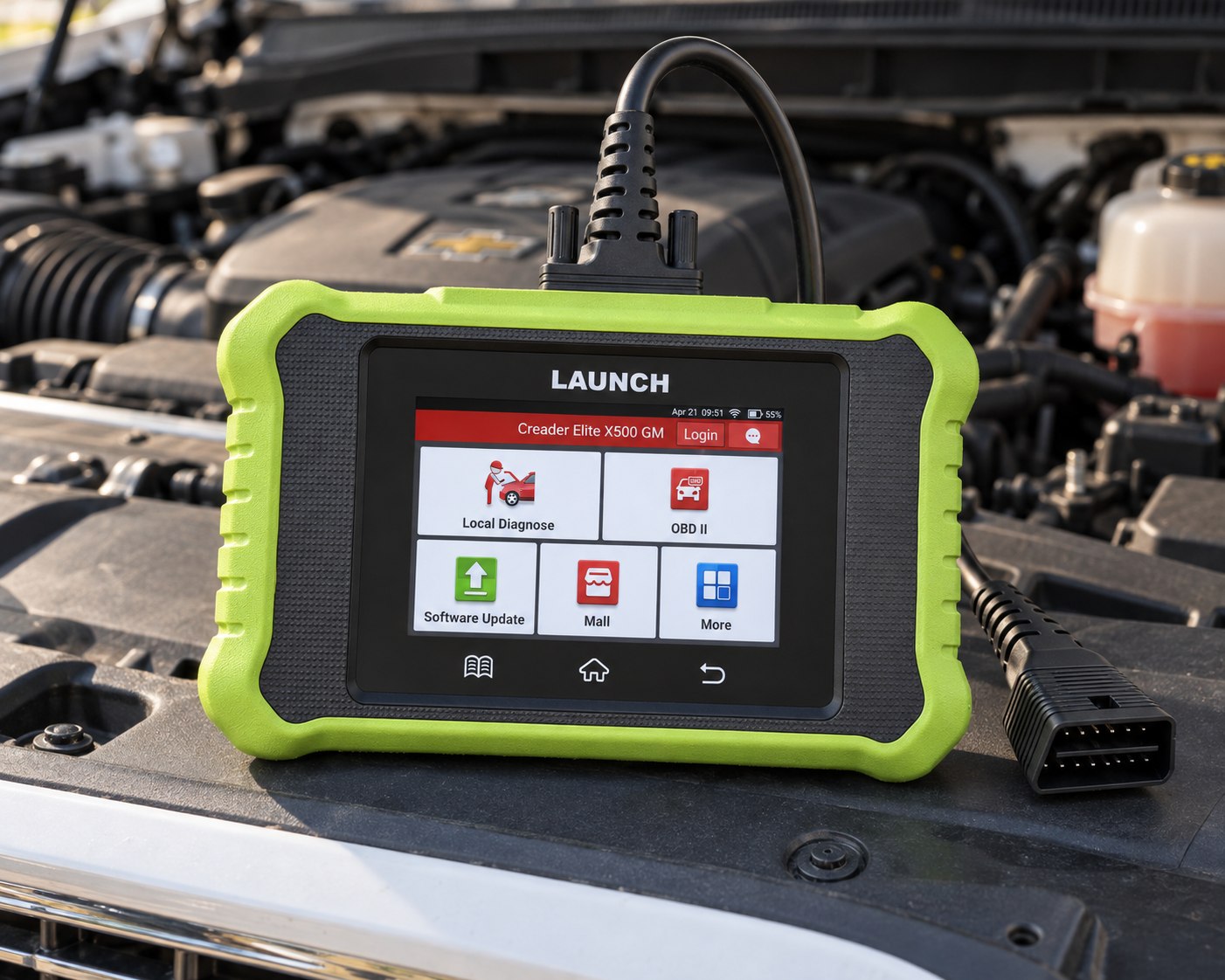
A GM-specific LAUNCH scanner is a logical competitor to the Foxwell.
The current Creader Elite X500 GM listing is explicitly positioned for Chevrolet, GMC, Cadillac and Buick and identifies full-system diagnostics, bidirectional control, service resets, AutoVIN and modern CAN FD/DoIP capability. That combination makes it particularly interesting for newer Chevrolet ownership.
Newer GM vehicles increasingly make communication protocol support part of the buying decision. A scanner can have an impressive feature list and still be the wrong purchase if it cannot communicate correctly with the vehicle architecture you own.
Where It Falls Short
Exact functions remain vehicle-specific, Amazon model naming changes need careful checking, and a GM-specific tool is less useful if you work on many unrelated brands.
| Pros | Cons |
|---|---|
| GM-specific positioning | Exact functions remain vehicle-specific |
| Chevrolet/GMC/Cadillac/Buick | |
| Full-system diagnostics | |
| Bidirectional controls | |
| Service resets | Amazon model naming changes need careful checking |
| AutoVIN | |
| CAN FD positioning | |
| Lifetime-update positioning on current listing |
Best For
Chevrolet/GMC/Cadillac/Buick owners who want a modern-protocol bidirectional GM scanner.
3. OBDLink MX+: Best Phone-Based Chevrolet / GM Scanner
Why We Picked It
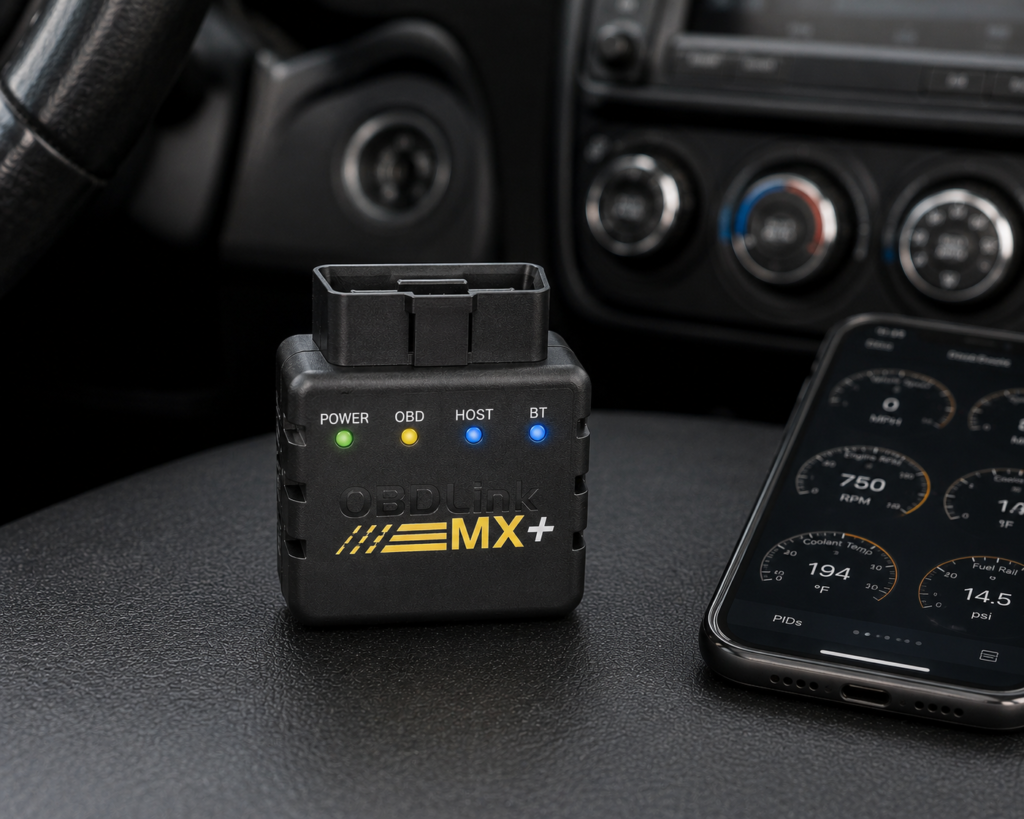
OBDLink MX+ deserves a high position in a Chevrolet guide for a reason that is easy to miss when comparing hardware specifications.
OBDLink documents GM enhanced diagnostics as an MX+ add-on included in the OBDLink app ecosystem. Enhanced diagnostics go beyond standardized OBD2 data and can expose manufacturer-specific DTCs and PIDs on supported vehicles.
MX+ is an adapter, not a standalone tablet. The app/software determines much of what the complete system can do. That makes it attractive to Chevrolet owners who prefer using a phone and want a compact tool rather than another dedicated screen in the garage.
Where It Falls Short
It requires a phone/tablet/computer, capability depends on software, it is not equivalent to a professional bidirectional tablet, and exact GM enhanced-data coverage should be verified.
| Specification | Details |
|---|---|
| Connectivity | Class 2 Bluetooth v3.0, 128-bit encryption |
| Protocols | All legislated OBD2 protocols; advanced Ford & GM networks (MS-CAN, SW-CAN); EOBD, JOBD, international variants |
| Vehicle compatibility | 1996 and newer cars/light trucks sold in the U.S. (confirm your exact vehicle via the SCG Finder) |
| Data sampling | Up to 100 samples/second per OBDLink’s documentation |
| App model | Bundled basic OBDLink app; designed to pair with third-party apps (FORScan, BimmerCode, Torque, Carista, and others) |
| Update/subscription policy | Free firmware/software updates, no subscription, per OBDLink’s official page |
| Warranty | 180-day money-back guarantee; 3-year warranty (OBDLink’s own page) |
| Pros | Cons |
|---|---|
| GM enhanced-diagnostics relevance | Full diagnostic depth requires installing and configuring a separate third-party app |
| iOS/Android/Windows ecosystem | |
| Compact | |
| Multi-brand usefulness | |
| Strong app flexibility | |
| Good option for owners who value live data and manufacturer-specific information |
Best For
Chevrolet owners who prefer a phone-based tool and value GM enhanced diagnostics.
4. BlueDriver Bluetooth Pro: Best Easy-to-Use Wireless Scanner
Why We Picked It
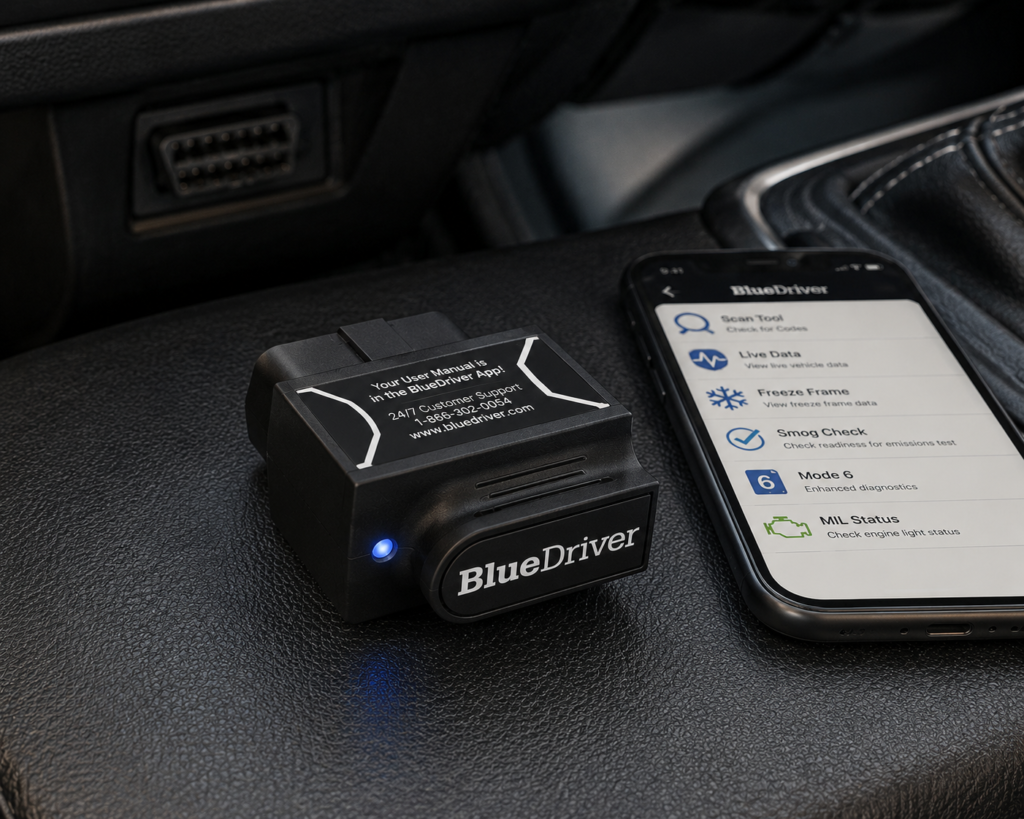
BlueDriver is one of the most recognizable phone-based scanners in the US market.
For Chevrolet owners, its appeal is simplicity: connect the sensor, use the BlueDriver app and access enhanced diagnostic information on supported vehicles without buying a professional tablet. The product is positioned beyond basic engine-code reading, including supported ABS and SRS diagnostics.
BlueDriver is excellent for the owner who wants useful diagnostics without learning a workshop scanner. But it should not be confused with Autel, XTOOL, LAUNCH or Foxwell bidirectional platforms. If you need active tests, component commands or deeper service procedures, move higher up the capability ladder.
Where It Falls Short
A phone is required, it is not our choice for bidirectional controls, it is not a factory-programming platform, and exact enhanced-system coverage varies.
| Specification | Details |
|---|---|
| Connectivity | Bluetooth dongle, pairs with the free BlueDriver app on iOS/Android |
| Vehicle compatibility | 1996 and newer gas, diesel, and hybrid vehicles sold in North America (confirm your exact vehicle via the SCG Finder) |
| Enhanced code reading | ABS, SRS/airbag, transmission, TPMS, 4WD/AWD, hybrid/EV codes on a documented brand list; coverage varies by model/year |
| Repair context | “Confirmed Fix” reports showing real repairs for the same code on the same vehicle |
| Subscription policy | “No subscriptions. No add-ons. Ever.” per BlueDriver’s official page |
| Screen | None; requires a compatible phone with the BlueDriver app |
| Pros | Cons |
|---|---|
| Easy to use | No standalone screen; requires a compatible phone |
| iOS and Android | |
| No professional tablet required | |
| Enhanced diagnostics on supported vehicles | |
| Strong US-market presence | |
| No broad scanner-subscription model |
Best For
Chevrolet owners who want useful enhanced diagnostics without learning a workshop scanner.
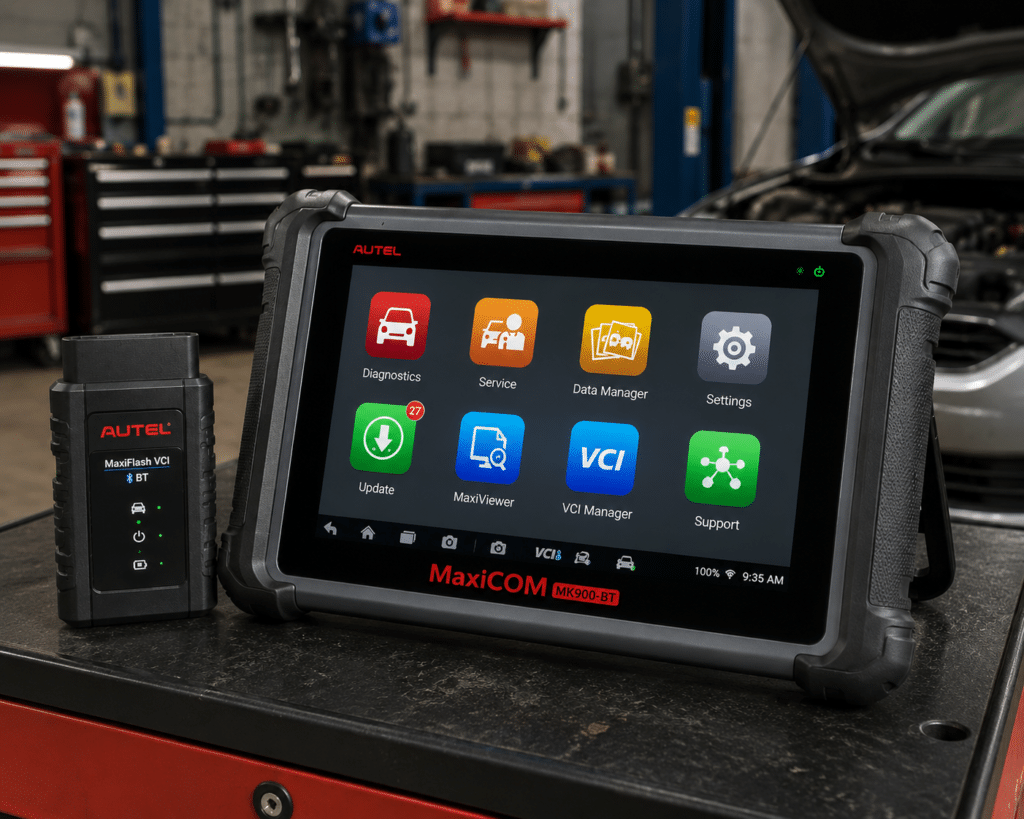
5. Autel MaxiCOM MK900-BT: Best Advanced Overall
Why We Picked It
The MK900-BT is a different class of product.
Autel officially documents complete diagnostics, ECU information, live data, Active Test, service functions, wireless Bluetooth communication, DoIP and CAN FD. For Chevrolet, CAN FD is particularly important because newer GM vehicles increasingly require modern protocol support.
A serious Silverado, Tahoe, Suburban or Corvette owner may want more than fault codes. Active Test allows supported components to be commanded during diagnosis. That can turn a fault code into a much more useful diagnostic process.
Where It Falls Short
Capability has a price. If you only need ABS/SRS codes or basic GM-specific data, the Foxwell, LAUNCH GM-specific tool, OBDLink or BlueDriver may be more rational.
| Specification | Details |
|---|---|
| Display | 8-inch LCD capacitive touchscreen, 1280×800 |
| OS / Processor | Android 11, quad-core (1.8GHz) |
| Memory | 4GB RAM, 64GB storage |
| Connectivity | Wi-Fi and Bluetooth via MaxiVCI V150; USB Type-C |
| Battery | 3.7V/7700mAh |
| Protocol support | CAN-FD and DoIP confirmed |
| Bidirectional control | Confirmed (injector, headlamp, fuel pump, A/C clutch, oil pressure, vehicle-level, brake vacuum, valve tests) |
| ECU coding | Not listed on this model’s own page |
| Service functions | 40+ (oil reset, EPB, SAS, battery registration, throttle relearn, ABS bleed) |
| Pros | Cons |
|---|---|
| Full-system diagnostics | Amazon lists 3,000+ active tests; Autel’s own page does not state a figure |
| Active Test | |
| CAN FD | |
| DoIP | |
| Wireless VCI | |
| Broad service functions | |
| Dedicated Android tablet | |
| Multi-brand |
Best For
Advanced DIY Chevrolet owners and independent shops who want a wireless full-system diagnostic tablet. See our full Autel MaxiCOM MK900-BT review for the complete wireless full-system diagnostic breakdown.
6. Autel MaxiCOM MK900-TS: Best for TPMS + Advanced Diagnostics
Why We Picked It
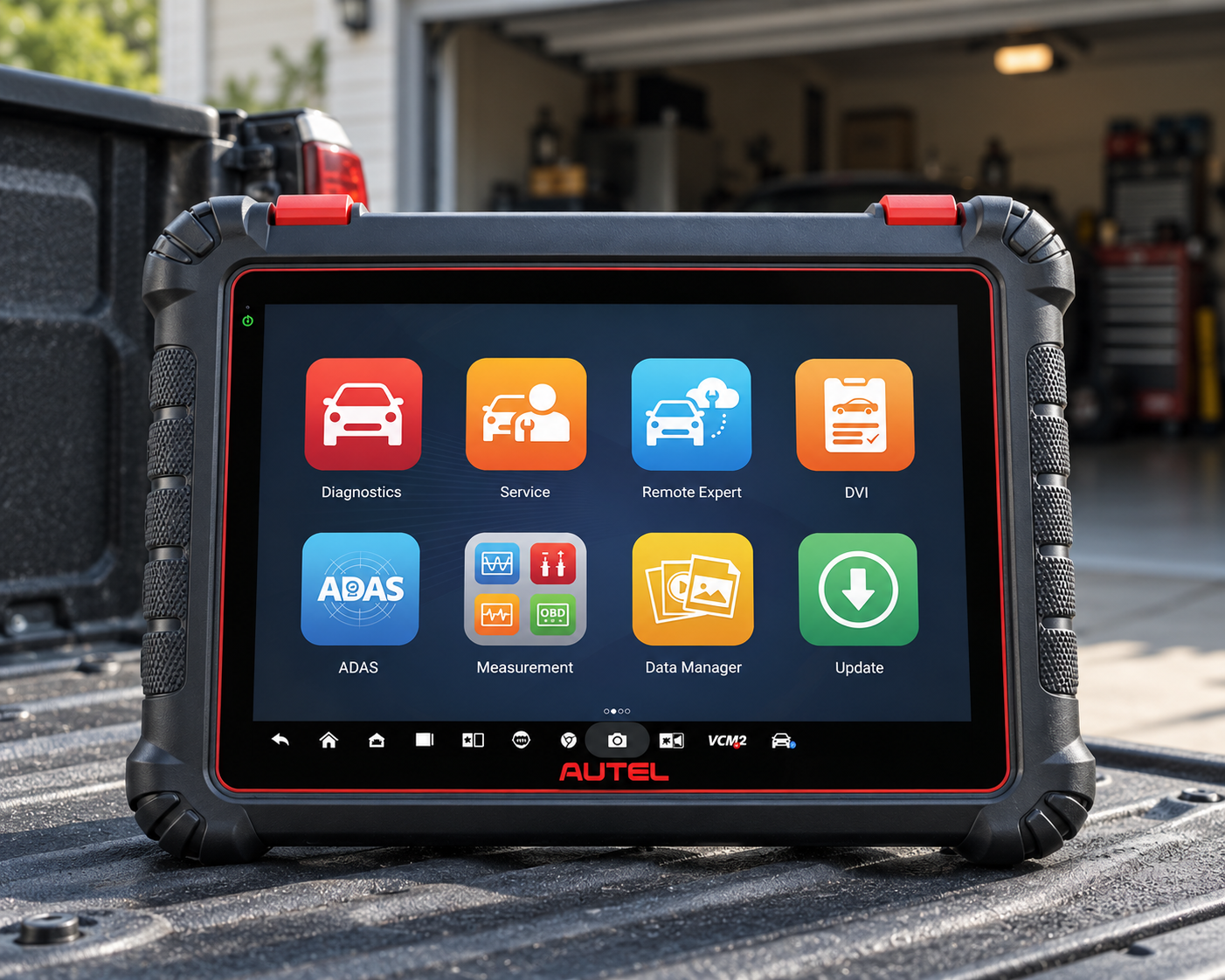
The MK900-TS takes the MK900 diagnostic platform and adds a major differentiator: deeper TPMS capability.
Autel’s own comparison shows the MK900-TS with complete TPMS functionality, including advanced TPMS diagnostics, sensor activation and programming of Autel MX-Sensors, while retaining complete diagnostics, Active Test, service functions, CAN FD and DoIP. That makes it particularly interesting for Chevrolet trucks and SUVs where TPMS service is a meaningful ownership/workshop task.
Where It Falls Short
It is more expensive than MK900-BT, the TPMS premium is wasted if you do not need TPMS work, paid updates apply after the included period, and exact Chevrolet functions vary.
| Pros | Cons |
|---|---|
| Complete diagnostics | More expensive than MK900-BT |
| Active Test | |
| CAN FD | |
| DoIP | |
| Advanced TPMS diagnostics | Exact Chevrolet functions vary |
| Sensor activation | |
| Autel MX-Sensor programming | |
| Wireless tablet platform |
Best For
Chevrolet truck and SUV owners for whom TPMS service is a meaningful ownership or workshop task.
7. XTOOL D7W: Best Serious DIY Tablet
Why We Picked It
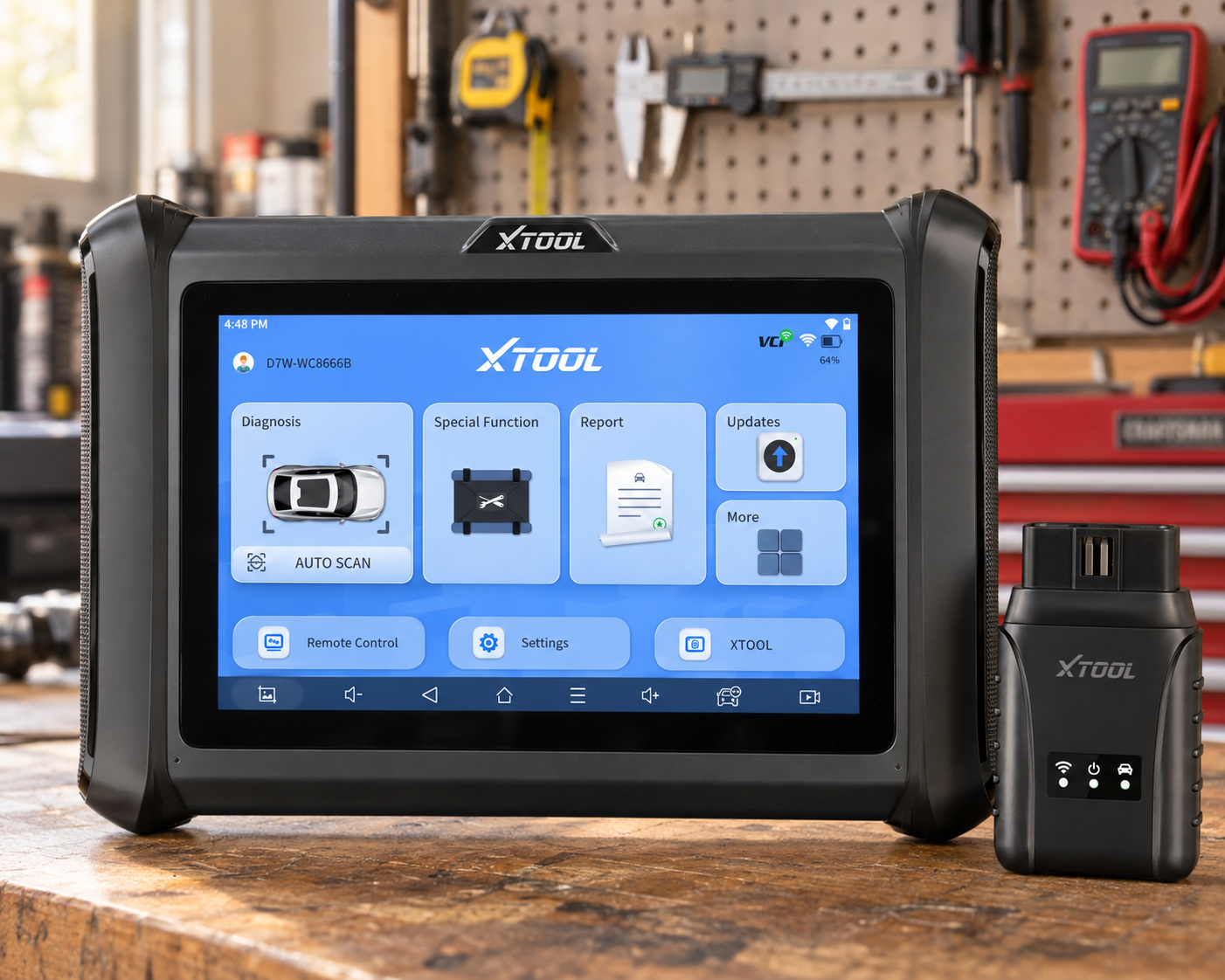
XTOOL D7W remains one of the strongest serious-DIY propositions because it combines a dedicated tablet with full-system diagnostics, service functions, live data and bidirectional controls.
For Chevrolet owners who routinely work on their own vehicles, that can be more useful than either a basic Bluetooth dongle or an expensive professional flagship.
Choose D7W when your diagnostic question has moved from “What does this code mean?” to “Which module is causing this problem, what does its live data show, and can I command the component to verify the fault?”
Where It Falls Short
Exact GM function coverage must be checked, update/subscription economics matter, it is not GM-specific, and CAN FD needs should be verified for your exact newer Chevrolet.
| Pros | Cons |
|---|---|
| Full-system platform | Exact GM function coverage must be checked |
| Bidirectional controls | |
| Dedicated tablet | |
| Service functions | Update/subscription economics matter |
| Multi-brand | |
| Serious DIY value |
Best For
Serious DIY Chevrolet owners who routinely work on their own vehicles.
8. TOPDON TopScan: Best Budget Bidirectional Phone Tool
Why We Picked It
TOPDON TopScan makes advanced diagnostics unusually accessible.
TOPDON’s Chevrolet-specific material positions its diagnostic ecosystem around full-system scanning and bidirectional functions for Chevrolet vehicles, while TopScan offers the phone-based entry point into that ecosystem.
If you want more than BlueDriver-style enhanced code diagnostics but do not want a dedicated tablet, TopScan is compelling.
Where It Falls Short
TOPDON software editions and subscription terms matter. The checkout price is not the complete ownership cost.
| Pros | Cons |
|---|---|
| Low hardware cost | Phone required |
| Phone-based | |
| Full-system positioning | |
| Supported bidirectional tests | Subscription/edition details |
| Service functions | |
| Multi-brand |
Best For
Budget-conscious Chevrolet owners who want more than BlueDriver-style diagnostics without a dedicated tablet.
9. THINKDIAG 2: Best App-Based CAN FD Alternative
Why We Picked It
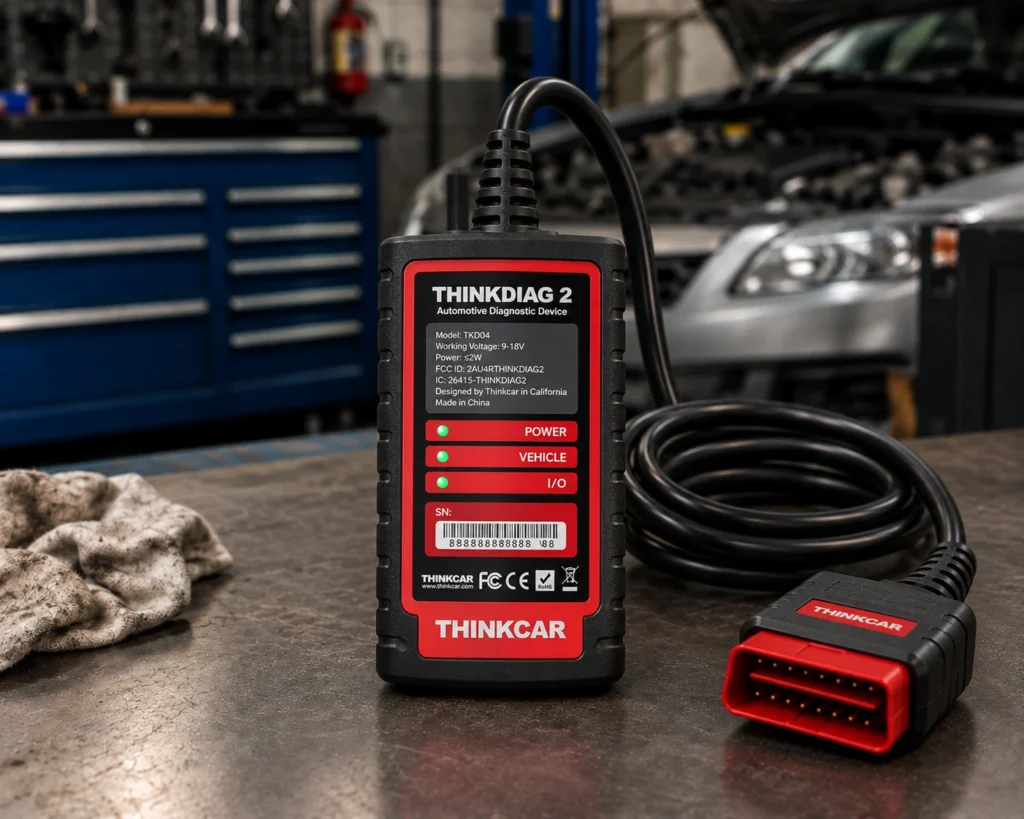
THINKDIAG 2 is particularly relevant to Chevrolet because current product information specifically identifies CAN FD support for newer GM vehicles.
That gives it a concrete reason to be here beyond simply being another Bluetooth scanner. It combines an app-driven format with full-system diagnostics, supported bidirectional functions and service procedures.
Where It Falls Short
Software licensing/subscription costs apply, a phone is required, exact functions vary, and product/listing variants must be checked carefully.
| Specification | Details |
|---|---|
| Connectivity | Bluetooth 5.0, pairs with the THINKDIAG 2 app on Android 5.0+/iOS 9.0+ |
| Vehicle compatibility | 1996+ vehicles, 120+ brands per Thinkcar (confirm your exact vehicle via the SCG Finder) |
| Systems read | ECM, TCM, ABS, SRS, BCM, IMMO, BMS, TPMS, SAS, fuel, lighting, wiper |
| CAN-FD support | Confirmed (Thinkcar’s own pages): supports late-model GM and other post-2020 CAN-FD vehicles |
| Bidirectional control | Confirmed (Thinkcar’s own pages): named active tests: radiator fan, throttle, windows, mirrors, lights |
| ECU coding | Confirmed (Thinkcar’s own pages): adaptive data after part replacement |
| Module programming | Not listed by the manufacturer |
| Maintenance/reset functions | 15+ documented (oil reset, ABS bleeding, TPMS reset, battery matching, and more) |
| Software/subscription policy | 1 year free full software/functions with activation, per Thinkcar; a paid renewal is required afterward, with a lower-cost option available if you only need single-brand coverage |
| Pros | Cons |
|---|---|
| CAN FD relevance to newer GM | Phone-app dependent; no standalone screen |
| Full-system diagnostics | |
| Bidirectional positioning | |
| Phone-based portability | |
| Multi-brand | |
| Service functions |
Best For
Owners of newer GM vehicles who specifically need CAN FD support in a compact app-based tool.
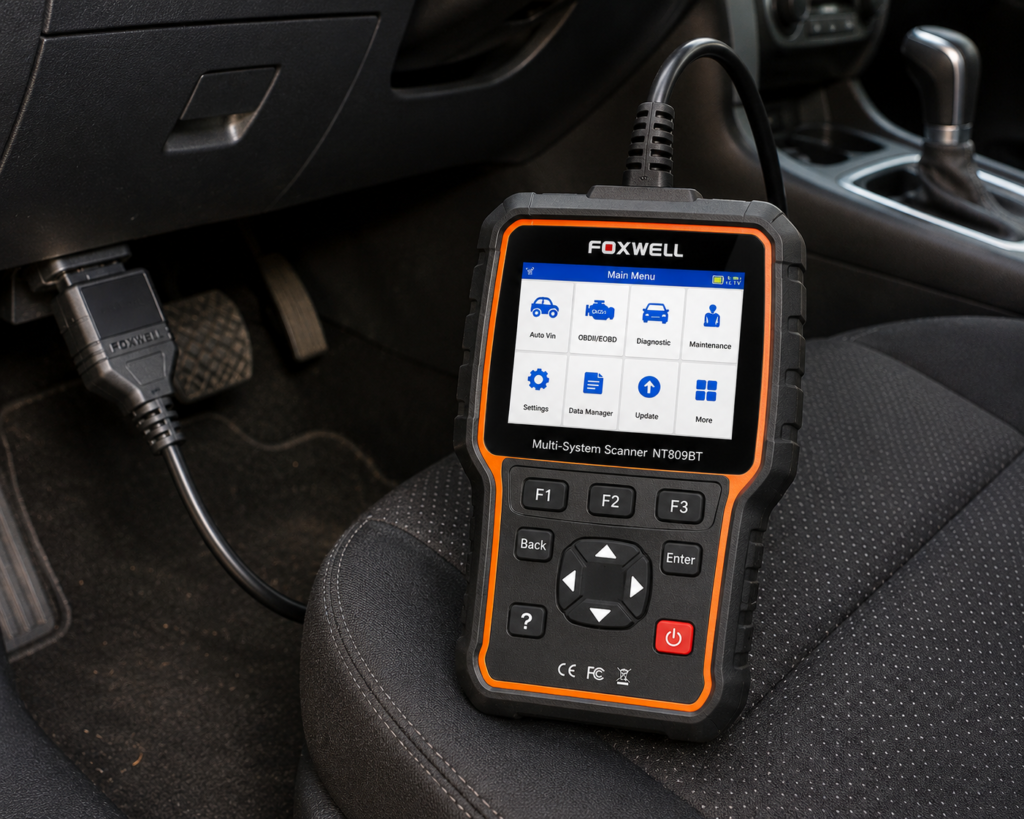
10. FOXWELL NT809BT: Best Wireless Foxwell Tablet
Why We Picked It
The NT809BT moves from Foxwell’s compact brand-focused handheld concept into a larger wireless multi-brand diagnostic platform.
Current product information identifies all-system diagnostics, bidirectional testing and 30+ service-function positioning, with a wireless tablet workflow.
Where It Falls Short
| Specification | Details |
|---|---|
| Screen | 7-inch LCD touchscreen tablet |
| Operating System | Android 9.0 |
| Storage | 32GB |
| Battery | 4000mAh |
| Vehicle Connection | Bluetooth VCI dongle, up to 65-foot range per Amazon; Wi-Fi and USB 2.0 also available |
| Service Functions | 30+ confirmed by Foxwell (oil reset, ABS bleeding, SAS, EPB, TPMS, injector coding, DPF, and more) |
| Bidirectional Control | Confirmed; vehicle-wide active tests across ABS, window, door, solenoid, valve, wiper, headlamp modules |
| ECU Coding | Not listed for this model |
| Vehicle Brand Coverage | 30+ named brands per Foxwell’s product page; a larger figure appears in separate Foxwell marketing |
| CAN-FD Support | Listed on Amazon; not listed on Foxwell’s own product page |
| Update Policy | 3 years free Wi-Fi updates, confirmed by both Foxwell and Amazon |
| Pros | Cons |
|---|---|
| Wireless | CAN-FD: listed on Amazon; not listed on Foxwell’s own page |
| Full-system | |
| Active tests | |
| Broad service functions | |
| Large touchscreen | |
| Multi-brand |
Best For
A serious DIY user or small workshop that likes Foxwell but needs more flexibility than NT716.
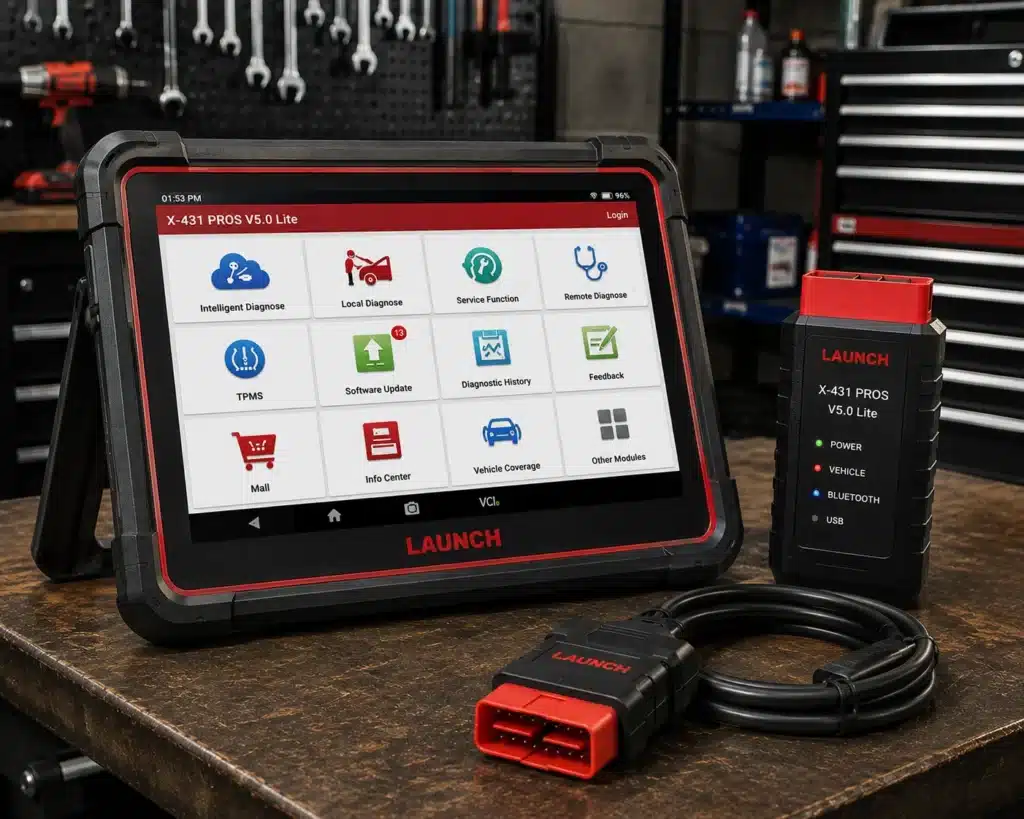
11. LAUNCH X431 PROS V5.0: Best Professional LAUNCH Platform
Why We Picked It
The X431 family is aimed at a different buyer than a basic Chevrolet owner.
PROS V5.0 is a professional-style multi-brand platform with bidirectional diagnostics and advanced service/coding positioning. For a repair business or owner maintaining several sophisticated vehicles, that broader platform can justify the price.
Where It Falls Short
It is expensive, overkill for basic Chevrolet maintenance, carries update costs, and package contents and Amazon variants require careful checking.
| Specification | Details |
|---|---|
| Screen | 8-inch tablet, 1280×800 |
| Operating System | Android 10.0 |
| Processor | 2.0GHz quad-core |
| Memory / Storage | 4GB RAM, 64GB storage |
| Battery | 6300mAh |
| Vehicle Coverage | 98%+ of cars on the market per Launch, 110+ brands; verify your specific vehicle |
| Bidirectional Control | Confirmed on Launch’s own page |
| ECU Coding | Amazon’s title lists it; Launch’s own comparison table says “No” |
| Reset/Special Functions | 37 claimed by Launch; 17 individually named (Oil Reset, Immobilizer Reset, Steering Angle Reset, IMMO Program, Throttle Relearn, Battery Matching, TPMS Reset, DPF Regeneration, Brake Reset, Injector Coding, ABS Bleeding, Crank Sensor Adaptive Learning, Gearbox Relearn, AdBlue Reset, EGR Adaption, Transport Mode, Windows Calibration) |
| CAN-FD | Confirmed, no separate adapter required (unlike Launch’s own PROS V1.0) |
| DoIP | Confirmed |
| Pros | Cons |
|---|---|
| Professional-style workflow | Launch individually documents 17 of the 37 claimed service functions |
| Full-system diagnostics | |
| Bidirectional controls | |
| Broad service functions | |
| Multi-brand | |
| Advanced functions beyond owner-level tools |
Best For
Repair businesses and owners maintaining several sophisticated vehicles. Our full LAUNCH X431 PROS V5.0 review covers what that added sophistication delivers for a repair business running several vehicles.
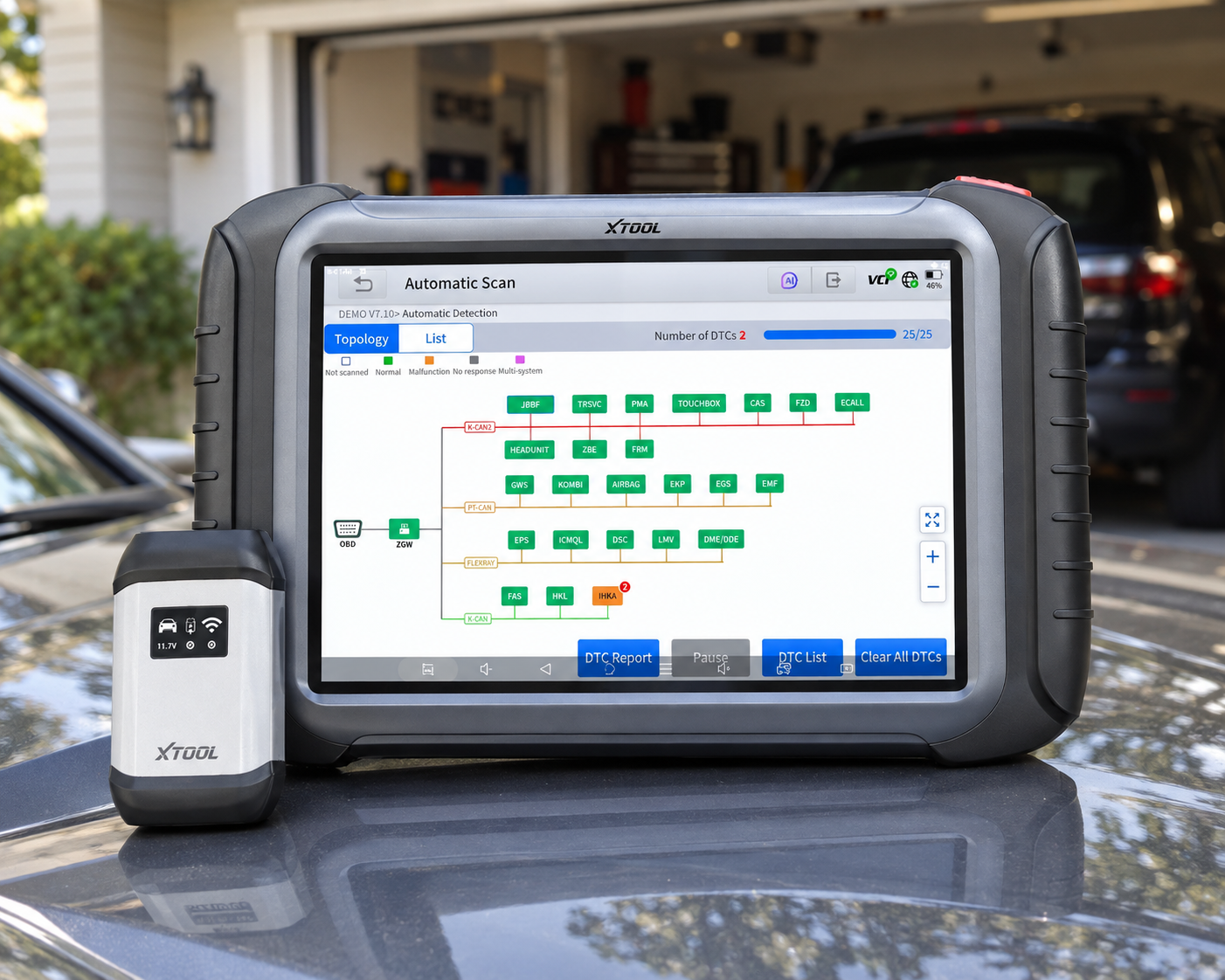
12. XTOOL D8S: Best Advanced XTOOL Alternative
Why We Picked It
XTOOL D8S sits above the entry serious-DIY level and targets users who want a more advanced diagnostic tablet.
Its relevance to Chevrolet comes from broad full-system and bidirectional diagnostic capability rather than GM-only specialization.
Where It Falls Short
It is more expensive than D7W, not Chevrolet-specific, requires verification of exact GM CAN FD configuration, and update costs should be included in the ownership calculation.
| Pros | Cons |
|---|---|
| Advanced full-system platform | More expensive than D7W |
| Bidirectional capability | |
| Service functions | |
| Dedicated tablet | Update costs should be included in ownership calculation |
| Multi-brand |
Best For
Advanced DIY owners, mobile mechanics or small shops who work on Chevrolet plus other makes.
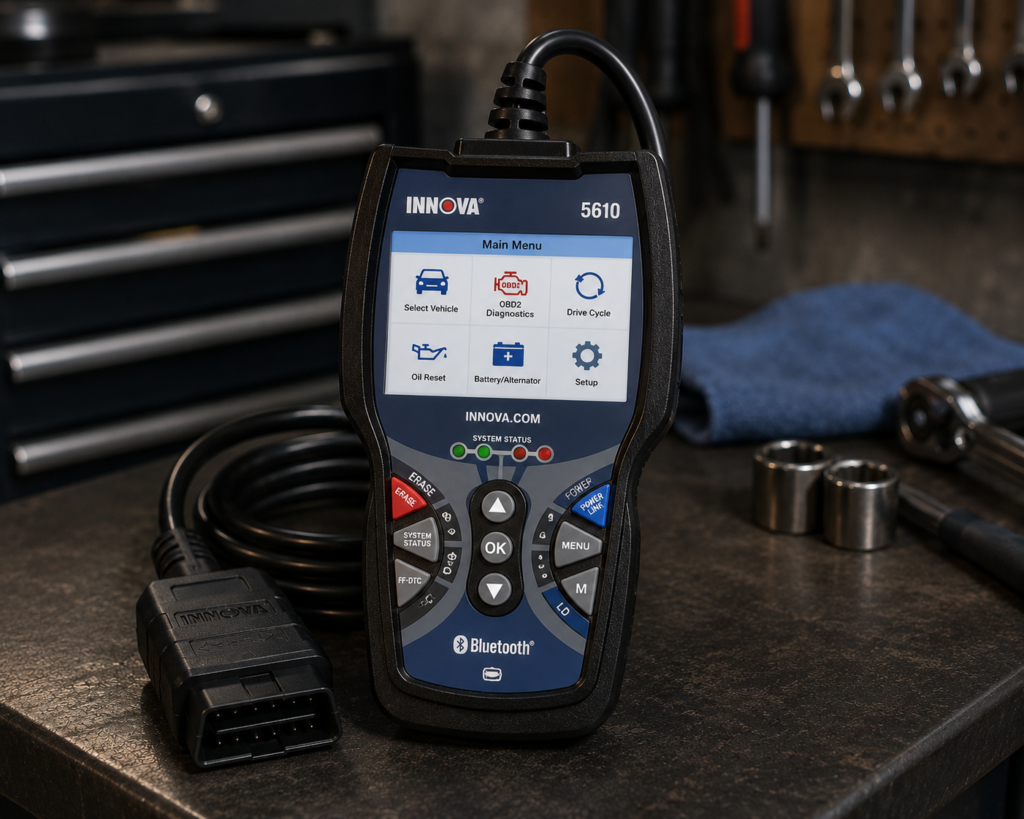
13. Innova 5610: Best US-Focused Bidirectional Tool
Why We Picked It
Innova has strong recognition in the US diagnostic-tool market, and the 5610 is positioned as a bidirectional scanner rather than a basic code reader.
That makes it relevant to Chevrolet buyers who want a US-oriented tool with more diagnostic depth but do not necessarily want a large professional tablet.
Where It Falls Short
| Specification | Details |
|---|---|
| Form Factor | Handheld unit with dedicated screen |
| App Integration | RepairSolutions2 app (Innova states 4M users) |
| Bidirectional Control | Confirmed; commands ABS pumps, fuel injectors, and other components directly |
| Reset Functions | 20+ confirmed by Innova, including oil, battery, EPB, DPF, TPMS relearn, key coding, injector coding, EV/HEV/PHEV battery health |
| ECU Coding / Reprogramming | Not supported, stated directly by Innova |
| Vehicle Coverage | Most 1996-2023 US/Canada OBD2 vehicles; North America only |
| FCA Vehicles | 2018+ requires Innova’s AutoAuth process for full functionality |
| Update Policy | Free updates, no subscription, confirmed directly by Innova |
| Pros | Cons |
|---|---|
| Bidirectional positioning | North America only; not for use outside the US/Canada |
| US-market focus | |
| Familiar owner/DIY workflow | |
| Useful step above basic code readers | |
| Current Amazon-market evidence remains strong |
Best For
Chevrolet buyers who want a US-oriented bidirectional tool without a large professional tablet.
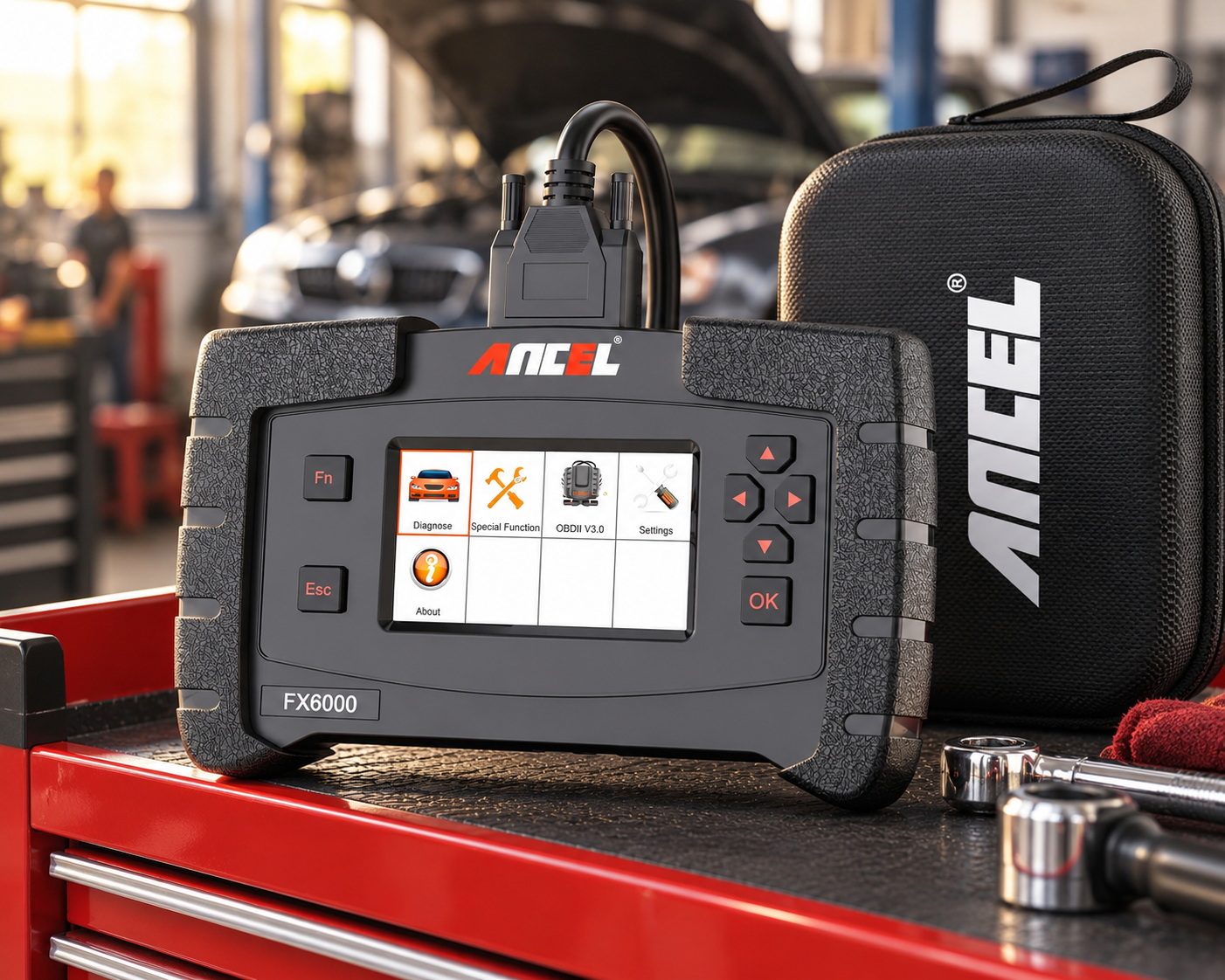
14. ANCEL FX6000: Best Lower-Cost All-System Handheld
Why We Picked It
ANCEL FX6000 is an older platform, but it represents a useful category: a lower-cost scanner that moves beyond engine-only diagnostics.
Product records identify engine, ABS, SRS, transmission and additional system access.
Age matters. Newer Chevrolet architectures and modern protocol requirements make a current GM-specific or CAN FD-capable tool a better long-term purchase for many owners. But for an older supported Chevrolet, the FX6000 can still be relevant.
Where It Falls Short
It is an aging platform, not our recommendation for newest GM vehicles, less capable than current bidirectional tablets, and current software support should be verified before buying.
| Pros | Cons |
|---|---|
| All-system positioning | Not our recommendation for newest GM vehicles |
| Engine/ABS/SRS/transmission | |
| Standalone | Verify current software support before buying |
| Lower-cost route into deeper diagnostics |
Best For
Owners of older, supported Chevrolet vehicles who want a lower-cost route into deeper diagnostics.
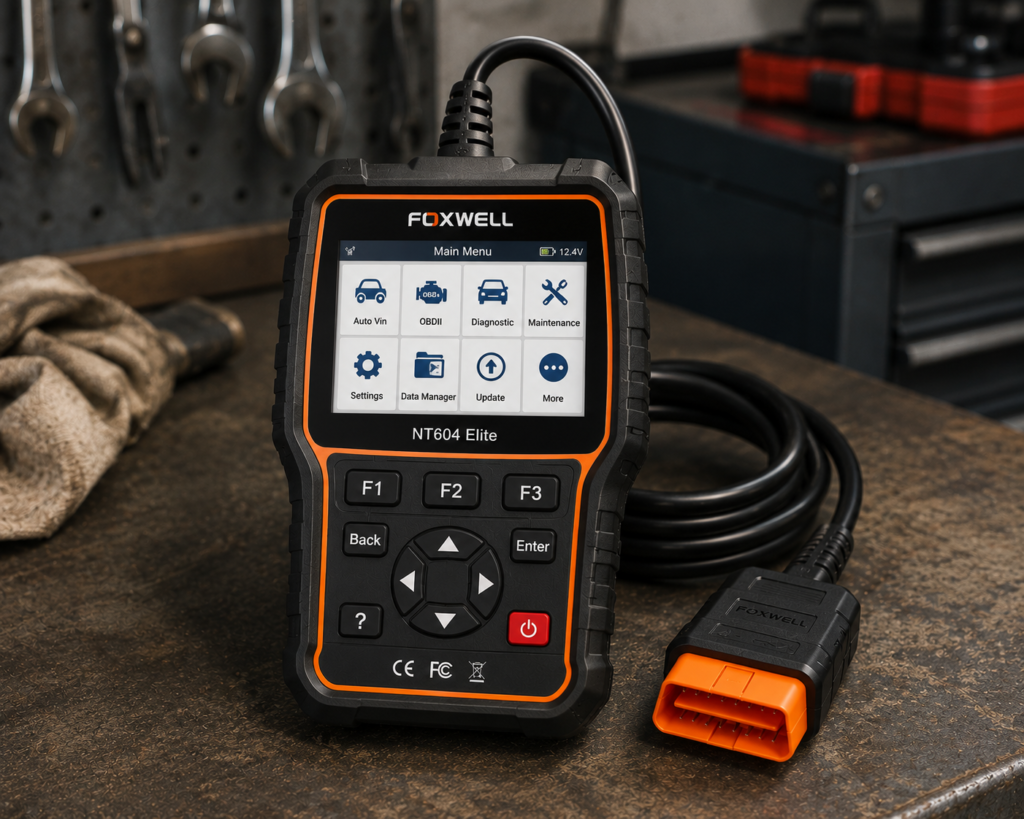
15. FOXWELL NT604 Elite: Best Basic Multi-System Chevrolet Scanner
Why We Picked It
Not every Chevrolet owner needs bidirectional control.
If your real requirement is to diagnose the four common systems (engine, transmission, ABS and SRS), a simpler multi-system scanner can be more rational. That is where NT604 Elite fits.
This ranking should not pretend “more features” automatically means “better purchase.” For an owner who will never perform active tests or advanced service procedures, paying hundreds more can be wasteful.
Where It Falls Short
It is not a broad bidirectional platform, is limited compared with GM-specific full-system tools, is not our first choice for newest GM architectures, and exact Chevrolet support should be verified.
| Specification | Details |
|---|---|
| Display | 4.3-inch color screen |
| Vehicle Connection | Wired USB |
| Protocols | KWP2000, J1850 VPW, ISO9141, J1850 PWM, CAN |
| Vehicle Coverage | 1996+ US, 2000+ EU/Asian vehicles, light trucks, SUVs |
| Systems Covered | Engine, ABS, SRS, Transmission (4-system scope) |
| Live Data | Confirmed, real-time monitoring |
| Service Resets | Not supported: no oil reset, battery registration, ABS bleeding, throttle relearn, ABS relearn |
| Bidirectional Control | Not listed by the manufacturer |
| Update Policy | Free updates confirmed by Foxwell |
| Pros | Cons |
|---|---|
| Engine diagnostics | Bidirectional control is not supported |
| Transmission diagnostics | |
| ABS | |
| SRS | Service reset functions are not included, per Foxwell's own documentation |
| Standalone | |
| Simpler than advanced tablets |
Best For
Owners who only need straightforward engine/transmission/ABS/SRS diagnostics.
Comparison Table
| Rank | Scanner | Best For | Chevrolet / GM Strength | Bidirectional | CAN FD / Newer GM Relevance |
|---|---|---|---|---|---|
| 1 | FOXWELL NT716 | Best Overall | Bidirectional 4-system, works across 100+ brands | Yes, supported vehicles | Verify exact newer-GM coverage |
| 2 | LAUNCH Creader Elite X500 GM | GM-Specific Value | Chevrolet/GMC/Cadillac/Buick focus | Yes | CAN FD positioned |
| 3 | OBDLink MX+ | Phone-Based GM Diagnostics | GM enhanced diagnostics in OBDLink ecosystem | App-dependent | Verify exact module/function |
| 4 | BlueDriver Bluetooth Pro | Easy Wireless Diagnostics | Enhanced diagnostics on supported GM | No professional active-test platform | Vehicle-dependent |
| 5 | Autel MaxiCOM MK900-BT | Advanced Overall | OE-level multi-brand system coverage | Yes | CAN FD built in |
| 6 | Autel MaxiCOM MK900-TS | Diagnostics + TPMS | Advanced diagnostics plus complete TPMS workflow | Yes | CAN FD built in |
| 7 | XTOOL D7W | Serious DIY | Full-system multi-brand diagnostics | Yes | Verify exact newer-GM coverage |
| 8 | TOPDON TopScan | Budget Bidirectional | Broad GM coverage through app platform | Yes, vehicle-dependent | Verify exact vehicle |
| 9 | THINKDIAG 2 | App-Based CAN FD | CAN FD specifically relevant to newer GM | Yes | Strong reason for inclusion |
| 10 | FOXWELL NT809BT | Wireless Advanced DIY | Full-system wireless platform | Yes | Verify exact vehicle/protocol |
| 11 | LAUNCH X431 PROS V5.0 | Professional | Broad OE-level multi-brand platform | Yes | CAN FD adapter/platform support varies by package |
| 12 | XTOOL D8S | Advanced DIY / Shop | Advanced full-system platform | Yes | Verify exact vehicle |
| 13 | Innova 5610 | US-Market Bidirectional | Strong domestic-market relevance | Yes, supported tests | Verify exact Chevrolet/year |
| 14 | ANCEL FX6000 | Lower-Cost All-System | Engine/ABS/SRS/transmission and more | Limited vs modern tablets | Older platform |
| 15 | FOXWELL NT604 Elite | Basic Multi-System | Engine/ABS/SRS/transmission | No broad active-test platform | Not our pick for newest advanced GM work |
Best OBD2 Scanner for Chevrolet Silverado
Silverado deserves special attention because search demand around Chevrolet scanners is heavily truck-oriented.
For the typical Silverado owner, start with FOXWELL NT716.
For newer trucks where CAN FD support is important, LAUNCH Creader Elite X500 GM, Autel MK900-BT and THINKDIAG 2 deserve particular consideration after exact year/function verification.
For professional use, move to LAUNCH X431 PROS V5.0 or another advanced platform.
Best Scanner for Chevrolet Tahoe and Suburban
Tahoe and Suburban can contain many electronic modules beyond the powertrain.
A basic OBD2 reader may identify an engine fault while leaving chassis, safety and body-system faults unseen.
For owner-level full-system work, FOXWELL NT716 is our first choice. For phone-based enhanced diagnostics, OBDLink MX+ is compelling. For advanced bidirectional work, consider Autel MK900-BT or XTOOL D7W.
Best Scanner for Chevrolet Equinox and Traverse
For routine owner diagnostics, BlueDriver or OBDLink MX+ can be an easier starting point than a professional tablet.
If ABS/SRS/full-system access and service functions are central to the purchase, step up to FOXWELL NT716 or the LAUNCH GM-specific scanner.
Best Scanner for Chevrolet Corvette
Corvette owners often have different priorities from an owner buying a simple code reader for a commuter.
For deeper live-data, system and active-test work, Autel MK900-BT and XTOOL D7W/D8S become more compelling.
Best Scanner for Chevrolet Colorado
For a Colorado owner wanting GM-focused diagnostics, FOXWELL NT716 is our starting point.
For newer trucks, protocol compatibility (especially CAN FD where applicable) should be verified before choosing a scanner.
Best Chevrolet Scanner for ABS and SRS
ABS and SRS are among the clearest reasons not to buy the cheapest engine-only code reader.
Good owner-level candidates include FOXWELL NT716, LAUNCH Creader Elite GM, BlueDriver, OBDLink MX+ with supported enhanced diagnostics, and FOXWELL NT604 Elite.
If you also need active tests or advanced service procedures, move toward Autel, XTOOL, LAUNCH, TopScan, ThinkDiag or NT809BT.
Best Bidirectional Scanner for Chevrolet
For a private Chevrolet owner, our GM-focused choice is FOXWELL NT716.
For newer-GM value, the LAUNCH Creader Elite X500 GM is particularly interesting.
For serious DIY, XTOOL D7W. For advanced overall use, Autel MK900-BT. For a professional platform, LAUNCH X431 PROS V5.0. For budget phone-based use, TOPDON TopScan.
Always verify the exact active test you need. “Bidirectional” is a category of capability, not a guarantee that every actuator on every Chevrolet can be commanded.
CAN FD and Newer Chevrolet Vehicles
This is one of the most important Chevrolet-specific buying issues.
Independent 2026 GM scanner research emphasizes that newer GM vehicles increasingly use CAN FD, making older scanners potentially unsuitable for some modern Silverado, Tahoe, Sierra and related GM platforms.
That does not mean every Chevrolet built after a particular date automatically requires the same scanner configuration. It means protocol compatibility must be checked rather than assumed.
Tools in this guide with particularly relevant CAN FD positioning include Autel MK900-BT, Autel MK900-TS, LAUNCH Creader Elite X500 GM, THINKDIAG 2, and selected advanced LAUNCH/XTOOL/TOPDON configurations.
Generic OBD2 vs Chevrolet Full-System Diagnostics
A generic OBD2 scanner focuses primarily on standardized emissions-related powertrain diagnostics.
A Chevrolet full-system scanner can potentially access additional GM modules such as ECM/PCM, TCM, ABS, SRS, BCM, HVAC, TPMS, steering/chassis modules, and other model-specific control units.
This is why two products that both say “OBD2 scanner” can differ dramatically in usefulness.
Chevrolet Coding vs Bidirectional Control vs Programming
These terms should not be merged.
Bidirectional control commands supported components for diagnostic testing.
Coding/configuration changes supported module configuration or settings.
Programming can involve writing software/firmware or factory-level module procedures.
A scanner advertising active tests does not automatically perform ECU programming. A scanner advertising “ECU coding” does not automatically replace GM factory tools.
For advanced module replacement/programming work, verify the exact required GM procedure and tool chain before buying.
Subscription and Update Costs
Scanner cost is not only the checkout price.
FOXWELL NT716 lifetime-update positioning is included with the scanner itself; no separate brand-package purchase is required.
LAUNCH Creader Elite GM current listings emphasize lifetime free updates; verify exact model/listing.
OBDLink MX+ GM enhanced diagnostics are a notable part of the app ecosystem; third-party apps may cost extra.
BlueDriver positioned without a recurring scanner subscription.
Autel MK900-BT / MK900-TS professional-style update model; paid renewal may apply after the included period.
XTOOL D7W / D8S verify included update period and renewal price.
TOPDON TopScan software edition and renewal terms materially affect ownership cost.
THINKDIAG 2 software licensing/subscription is a significant part of the ownership model.
FOXWELL NT809BT verify the exact included update period for the package purchased.
LAUNCH X431 PROS V5.0 professional update costs should be included in total cost.
Compare the three-year cost, not just the Amazon price today.
Which Chevrolet Scanner Should You Buy?
Choose FOXWELL NT716 if you want our best all-around Chevrolet-owner balance.
Choose LAUNCH Creader Elite X500 GM if you want a GM-focused bidirectional scanner with strong modern-protocol positioning.
Choose OBDLink MX+ if you prefer a phone and value GM enhanced diagnostics.
Choose BlueDriver if ease of use and enhanced code diagnostics matter more than active tests.
Choose Autel MK900-BT if you need an advanced wireless diagnostic tablet.
Choose Autel MK900-TS if TPMS work is also a major requirement.
Choose XTOOL D7W if you are a serious DIY user.
Choose TOPDON TopScan if you want low-cost phone-based bidirectional capability.
Choose THINKDIAG 2 if you want an app-based platform with specific newer-GM CAN FD relevance.
Choose FOXWELL NT809BT if you want a larger wireless Foxwell platform.
Choose LAUNCH X431 PROS V5.0 for professional-style multi-brand work.
Choose XTOOL D8S if you want a more advanced XTOOL tablet.
Choose Innova 5610 if you prefer a US-focused bidirectional scanner.
Choose ANCEL FX6000 for an older, lower-cost all-system option on supported Chevrolet vehicles.
Choose FOXWELL NT604 Elite if you only need straightforward engine/transmission/ABS/SRS diagnostics.
Quick Picks
Best Overall: FOXWELL NT716
A strong Chevrolet-owner choice because it combines GM-focused full-system diagnostics, service functions and supported bidirectional tests without requiring a professional multi-brand tablet.
Best GM-Specific Value: LAUNCH Creader Elite X500 for GM
A Chevrolet/GMC/Cadillac/Buick-focused platform with full-system diagnostics, bidirectional capability and modern-protocol positioning.
Best Phone-Based Chevrolet Scanner: OBDLink MX+
Particularly relevant to GM because OBDLink documents GM enhanced diagnostics as an included MX+ add-on in its app ecosystem.
Best Easy-to-Use Wireless Scanner: BlueDriver Bluetooth Pro
A simple phone-based route for enhanced Chevrolet diagnostics such as ABS/SRS on supported vehicles.
Best Advanced Overall: Autel MaxiCOM MK900-BT
Wireless tablet with full-system diagnostics, Active Test, service functions, CAN FD and DoIP.
Best for TPMS + Advanced Diagnostics: Autel MaxiCOM MK900-TS
Adds Autel’s deeper TPMS workflow to the MK900-class diagnostic platform.
Best Serious DIY Tablet: XTOOL D7W
A strong step up for owners who need full-system diagnostics and supported bidirectional controls.
Best Budget Bidirectional Phone Tool: TOPDON TopScan
Low-cost app-based entry into full-system and supported active-test diagnostics.
Best App-Based CAN FD Alternative: THINKDIAG 2
Especially relevant to newer GM because current product information specifically identifies CAN FD support for newer GM vehicles.
Best Wireless Foxwell Tablet: FOXWELL NT809BT
A larger multi-brand wireless platform with full-system diagnostics, active tests and broad service-function coverage.
Best Professional LAUNCH Platform: LAUNCH X431 PROS V5.0
A higher-level multi-brand choice for professional or near-professional users.
Best Advanced XTOOL Alternative: XTOOL D8S
For users who want to move beyond D7W-class DIY diagnostics into a more advanced tablet workflow.
Best US-Focused Bidirectional Tool: Innova 5610
A familiar US-market scanner with bidirectional positioning and strong relevance to domestic vehicles.
Best Lower-Cost All-System Handheld: ANCEL FX6000
An older but identifiable all-system scanner covering engine, ABS, SRS, transmission and additional vehicle systems.
Best Basic Multi-System Chevrolet Scanner: FOXWELL NT604 Elite
A simpler choice for owners who want engine, transmission, ABS and SRS diagnostics but do not need a full professional active-test platform.
Frequently Asked Questions
What is the best OBD2 scanner for Chevrolet in 2026?
Our Best Overall choice for the typical Chevrolet owner is FOXWELL NT716 because its bidirectional full-system diagnostics, 9 service reset functions and supported active tests provide a better balance than a generic reader, without forcing most owners into professional-tablet pricing.
What is the best scanner for Chevy Silverado?
For a typical Silverado owner, start with FOXWELL NT716. For newer trucks, verify CAN FD and exact function support; LAUNCH Creader Elite X500 GM and Autel MK900-BT are stronger modern-protocol candidates.
What is the best cheap scanner for Chevrolet?
If you only need common engine/ABS/SRS/transmission diagnostics, FOXWELL NT604 Elite is a simpler option. For phone-based enhanced GM data, OBDLink MX+ deserves consideration, although it serves a different purpose from a standalone scanner.
What is the best bidirectional scanner for Chevrolet?
For GM-focused owner use, FOXWELL NT716 and LAUNCH Creader Elite X500 GM are our first candidates. For advanced use, Autel MK900-BT and XTOOL D7W offer broader platforms.
Do I need CAN FD for my Chevrolet?
It depends on the exact model/year/network. CAN FD is increasingly important on newer GM vehicles, so it must be checked before purchasing a scanner for a recent Chevrolet.
Can BlueDriver diagnose ABS and airbags on Chevrolet?
BlueDriver supports enhanced diagnostics including ABS/SRS on supported vehicles. Verify your exact Chevrolet year/model in its coverage information.
Is OBDLink MX+ good for GM vehicles?
Yes, it is particularly relevant because OBDLink documents GM enhanced diagnostics among the add-ons included with MX+ in the OBDLink app ecosystem. Exact DTC/PID coverage still varies.
Can these scanners program a Chevrolet ECU?
Do not assume so. Diagnostics, bidirectional controls, coding/configuration and ECU programming are different capabilities. Factory-level module programming requires exact procedure/tool verification.
What is the best professional Chevrolet scanner here?
Among these 15, LAUNCH X431 PROS V5.0 is our professional-platform pick, while Autel MK900-BT is our advanced overall choice.
What scanner is best for Chevrolet TPMS work?
If advanced TPMS diagnostics and sensor programming are important, Autel MK900-TS is the standout in this list because Autel explicitly differentiates its complete TPMS capability from the basic TPMS support of MK900-BT.
Final Verdict
Chevrolet is not one diagnostic use case.
A 2008 Malibu owner, a 2018 Corvette enthusiast and a 2025 Silverado owner can all search for “best OBD2 scanner for Chevy” while needing completely different tools.
That is why our ranking starts with a GM-specific owner tool rather than automatically awarding first place to the most expensive scanner.
FOXWELL NT716 is our Best Overall Chevrolet choice.
LAUNCH Creader Elite X500 GM is our GM-specific value/modern-protocol alternative.
OBDLink MX+ is our phone-based GM pick.
Autel MK900-BT is our advanced overall winner.
LAUNCH X431 PROS V5.0 is the professional choice.
The safest buying sequence is: Chevrolet model → model year → exact problem → required module/function → protocol requirements → scanner coverage → update/subscription cost → verified Amazon US listing.
That sequence matters more than the length of the scanner’s feature list.
Editorial Note
This guide was developed through Chevrolet/GM search-intent research, current scanner-market research, manufacturer evidence, Amazon product-identity research, independent cross-checking and comparison of different buyer use cases. Manufacturer platform-level claims were not treated as guarantees of every function on every Chevrolet.