LAUNCH X431 PRO5 vs PRO3S+ Elite vs PROS V5.0: Which Should You Buy in 2026?
These three LAUNCH X431 tools sit at three distinct price tiers, from an entry-level price point to a premium one, and the gap is not just cosmetic. The PRO3S+ Elite is the only one of the three with genuine J2534 pass-through hardware confirmed for six major brands. For the PROS V5.0, Amazon and LAUNCH differ on ECU coding: Amazon’s title lists it and LAUNCH’s own table says No. The PRO5 sits between them on capability, with confirmed coding, but requires a separately-sold accessory for module programming. Which one is “best” depends entirely on whether you need pass-through programming, not on price alone.
Affiliate Disclosure: As an Amazon Associate I earn from qualifying purchases. Scan Choice Guide is a participant in the Amazon Services LLC Associates Program, an affiliate advertising program designed to provide a means for sites to earn advertising fees by advertising and linking to Amazon.com.
PRO5, PRO3S+ Elite and PROS V5.0: The Short Answer
Best for Genuine J2534 Pass-Through Programming: LAUNCH X431 PRO3S+ Elite, confirmed for six major brands.
Best for Confirmed ECU Coding at the Lowest Price: LAUNCH X431 PRO5.
Best Mid-Price Bidirectional Pick: LAUNCH X431 PROS V5.0, with CAN-FD and DoIP support confirmed.
Four Buyer Scenarios
You need genuine J2534 pass-through programming on BMW, Mercedes-Benz, Ford, Jaguar, Land Rover or Volvo: only the PRO3S+ Elite documents this capability.
You want confirmed ECU coding at the lowest of the three prices: the PRO5, since ECU coding is listed for it in the sources behind our PRO5 review, while for the PROS V5.0 Amazon and LAUNCH differ on this point.
You are diagnosing complex, multi-module communication faults: the PRO3S+ Elite’s topology mapping is the only one of the three with this documented.
You want the lowest price and don’t need pass-through programming or confirmed coding: the PRO5 is the more affordable, better-documented base option compared to the PROS V5.0, where Amazon and LAUNCH differ on coding.
LAUNCH X431 PRO5
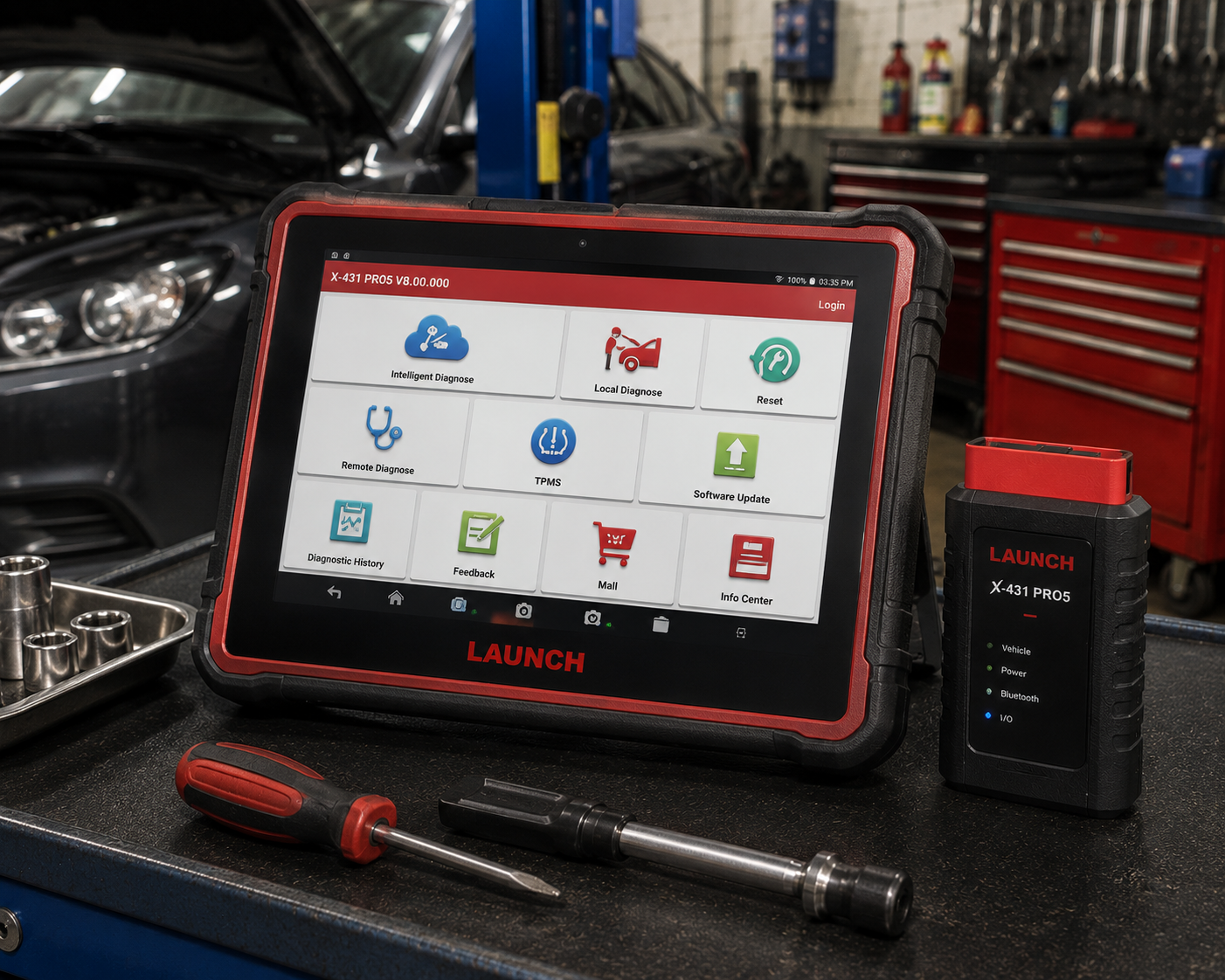
The LAUNCH X431 PRO5 confirms ECU coding for major brands including BMW and Mercedes-Benz, at the lowest price of the three. Its SmartLink C interface supports both CAN-FD and DoIP on a 10.1-inch display, LAUNCH’s largest screen in this lineup, backed by two years of free updates. Module programming isn’t built in here, it requires the separately-sold X-PROG3 accessory, and neither genuine J2534 pass-through nor topology mapping is confirmed, both of which the pricier PRO3S+ Elite offers.
| Pros | Cons |
|---|---|
| Online ECU coding for major brands including BMW and Mercedes-Benz | Module programming is not built in, requires the separately-sold X-PROG3 accessory |
| Lowest price of the three | |
| SmartLink C interface supports CAN-FD and DoIP | No genuine J2534 pass-through confirmed, unlike the PRO3S+ Elite |
| 10.1-inch display, larger than the PROS V5.0's 8-inch screen | |
| 2 years of free updates per reseller listings | No topology mapping documented, unlike the PRO3S+ Elite |
| Dual diagnostic modes, local and SmartLink remote | Battery capacity differs between sources |
LAUNCH X431 PRO3S+ Elite
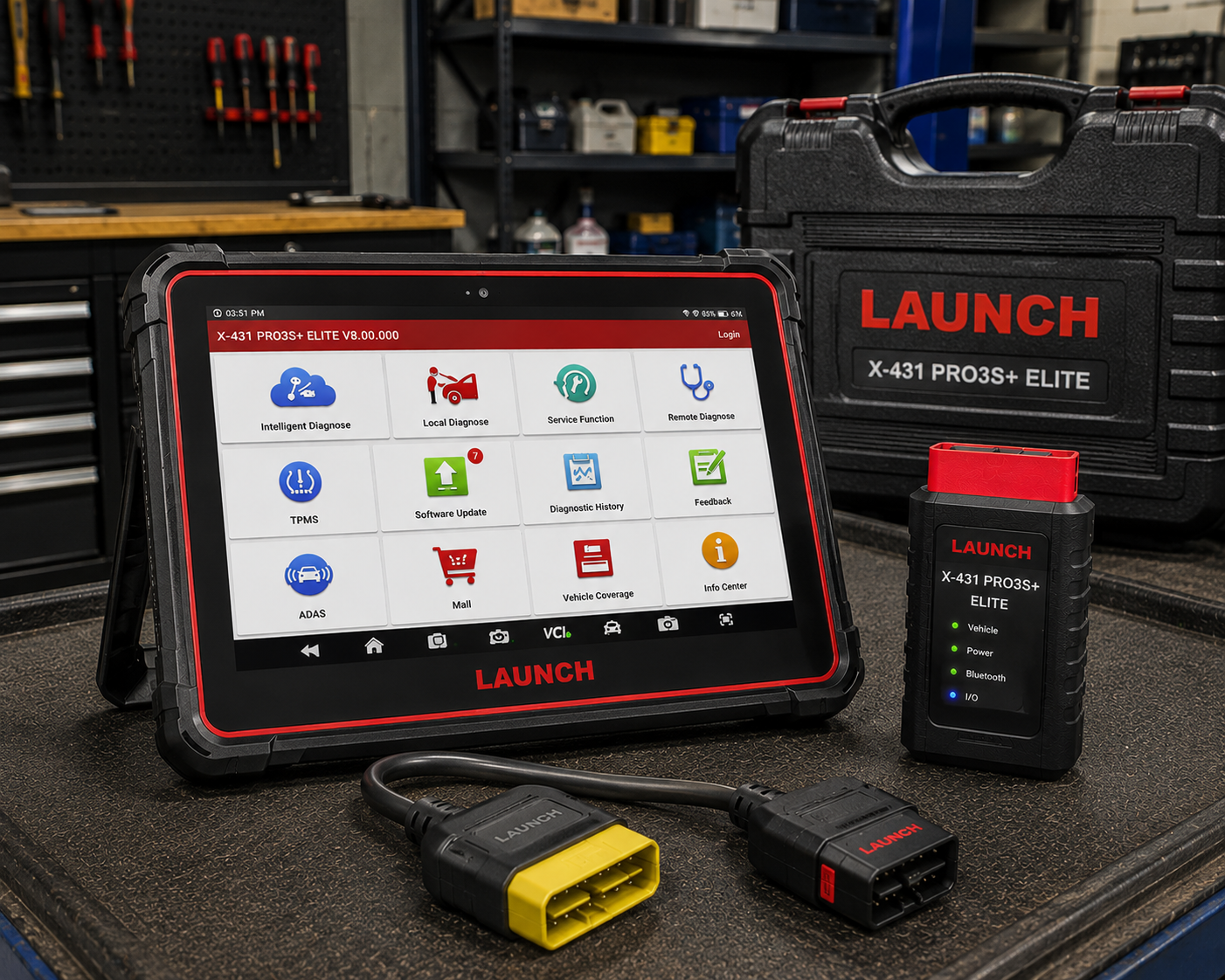
The LAUNCH X431 PRO3S+ Elite is the only one of the three with genuine J2534 pass-through hardware, confirmed for six major brands, plus confirmed topology mapping and ECU coding named for five brands including Porsche and Kia. Its SmartLink C V2.0 module works standalone with PC-based OEM software over dual-band Wi-Fi and Bluetooth. It’s the most expensive of the three, significantly above the other two, and the service-function count differs meaningfully between LAUNCH’s own page and the Amazon listing, worth confirming the exact listing before buying.
| Pros | Cons |
|---|---|
| Genuine J2534 pass-through hardware confirmed for six major brands | Most expensive of the three, significantly above the other two |
| Only one of the three with confirmed topology mapping | |
| SmartLink C V2.0 works standalone with PC-based OEM software | Service-function count differs meaningfully between LAUNCH's own page (37+) and the Amazon listing (60+) |
| ECU coding confirmed for five named brands (Nissan, Toyota, Hyundai, Kia, Porsche) | |
| Dual-band Wi-Fi and Bluetooth connectivity | Multiple near-identical Amazon listings exist for this model, so verify the exact listing before buying |
| 2 years free updates confirmed on the Amazon listing |
LAUNCH X431 PROS V5.0
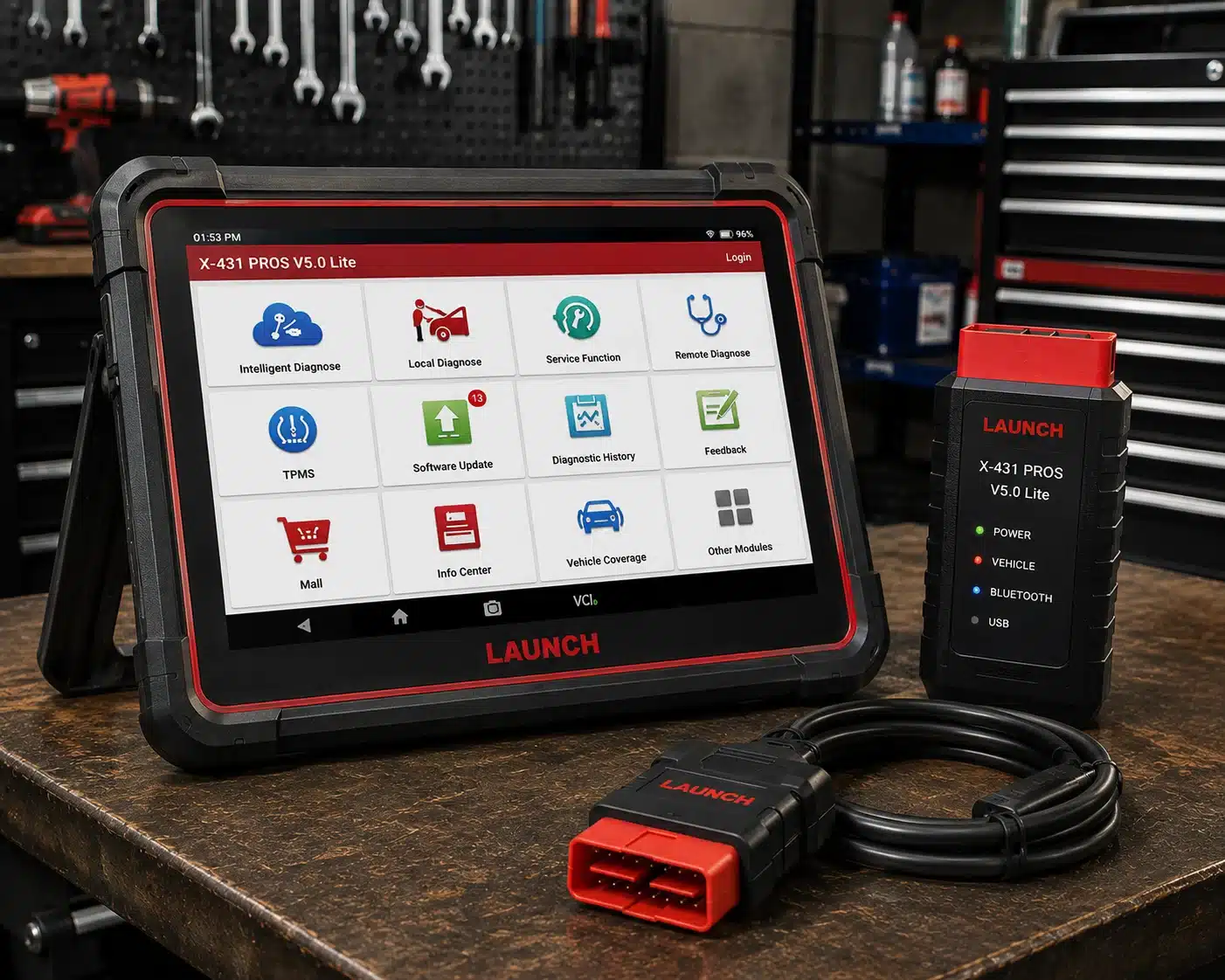
The LAUNCH X431 PROS V5.0 confirms bidirectional control directly on LAUNCH’s own page, with CAN-FD and DoIP support listed on LAUNCH’s page, which gives two statements on whether an adapter is needed, at a mid-price point between the PRO5 and PRO3S+ Elite. LAUNCH claims 98%-plus market coverage across 110-plus brands. On ECU coding, Amazon’s listing lists it while LAUNCH’s own comparison table says “No,” so our feature table follows Amazon and our review names the difference, and neither J2534 pass-through nor topology mapping is documented, both confirmed on the pricier PRO3S+ Elite.
| Pros | Cons |
|---|---|
| Bidirectional control confirmed directly on LAUNCH's own page | Amazon’s listing claims it; LAUNCH’s own comparison table says “No” |
| CAN-FD listed on LAUNCH's page, with two statements on the adapter | |
| DoIP support confirmed alongside CAN-FD | LAUNCH individually names only 17 of the 37 claimed service functions |
| Mid-price point between the PRO5 and PRO3S+ Elite | No genuine J2534 pass-through or topology mapping documented, unlike the PRO3S+ Elite |
| Claims 98%+ market coverage across 110+ brands, per LAUNCH | Smaller 8-inch screen compared to the other two |
PRO5 vs PRO3S+ Elite vs PROS V5.0 at a Glance
| Specification | LAUNCH X431 PRO5 | LAUNCH X431 PRO3S+ Elite | LAUNCH X431 PROS V5.0 |
|---|---|---|---|
| Price class | Between $600 and $1,000, slightly cheaper than the PROS V5.0 | Between $1,000 and $1,500, significantly more expensive than the other two | Between $600 and $1,000, slightly more expensive than the PRO5 |
| Screen | 10.1″, 1280×800 | 10.1″, 1280×800 | 8″, 1280×800 |
| Battery | 6,300 or 7,000mAh depending on source | 6,300mAh | 6,300mAh |
| VCI Interface | SmartLink C, J2534-compliant | SmartLink C V2.0, dual-band Wi-Fi + Bluetooth | DBScar VII, Bluetooth or USB, per Launch |
| Genuine J2534 pass-through | Not listed for named brands | Confirmed for BMW, Mercedes-Benz, Ford, Jaguar, Land Rover, Volvo | Not listed by the manufacturer |
| Bidirectional control | Confirmed | Confirmed | Confirmed |
| ECU coding | Confirmed, online coding for BMW, Mercedes-Benz and others | Confirmed for Nissan, Toyota, Hyundai, Kia, Porsche | Amazon’s title lists it; LAUNCH’s own comparison table says “No” |
| Module programming | Not built in, requires separate X-PROG3 accessory | Not listed as a base capability | Not listed by the manufacturer |
| Topology mapping | Not listed by the manufacturer | Confirmed, color-coded module/system view | Not listed by the manufacturer |
| CAN-FD / DoIP | Supported via SmartLink C | Confirmed via SmartLink C V2.0 | Listed by Launch; one sentence says no adapter is needed and the comparison table says Yes with adapter |
| Update policy | 2 years free per reseller listings | 2 years free, confirmed on Amazon listing | Not listed by the manufacturer |
Price classes are broad bands, not Amazon prices, and street prices change often. Check the current price on Amazon before you buy.
Three Professional Tablets, Three Different Jobs
This page comes from our analysis of Launch’s product pages and documentation for the PRO3S+ Elite and the PROS V5.0, the reseller and Amazon listings for all three tablets, the Launch accessory pages, and independent sources including the Equipment and Tool Institute’s rules for the Fiat Chrysler Secure Gateway. We ran the three tablets through the same list of professional jobs and asked the shop owner’s question: which one do I buy for the cars that come through my door?
Launch sells all three as workshop tablets, and they look alike on a shelf. They are not the same tool. The LAUNCH X431 PRO3S+ Elite is the programming tablet: it bundles a genuine J2534 pass-through module, topology mapping and coding for five named brands. The LAUNCH X431 PRO5 is the coding tablet: online coding on BMW, Mercedes-Benz and other brands, on a 10.1-inch screen, with module programming available through a separate accessory. The LAUNCH X431 PROS V5.0 is the middle diagnostic tablet: bidirectional control, CAN FD and DoIP on an 8-inch screen, with Amazon and Launch disagreeing about coding. Each is the right answer for a different shop.
On price, the PRO5 and the PROS V5.0 sit in the class between $600 and $1,000, with the PRO5 slightly cheaper than the PROS V5.0, and the PRO3S+ Elite sits in the class between $1,000 and $1,500, significantly more expensive than the other two. Street prices move and bundles differ, so check the exact configuration on Amazon before you buy.
PRO5, PRO3S+ Elite and PROS V5.0: Best Pick for DIY, Independent Shop and Best Bay
| Category | Winner | Why |
|---|---|---|
| Serious DIY with a European car and a coding project | LAUNCH PRO5 | Online coding on BMW and Mercedes-Benz without paying for J2534 hardware. |
| Independent European specialist (BMW, Mercedes, Jaguar, Land Rover, Volvo) | LAUNCH PRO3S+ Elite | Genuine J2534 pass-through confirmed for exactly those brands, plus topology mapping. |
| Independent Ford shop that reflashes modules | LAUNCH PRO3S+ Elite | Ford is on the J2534 list. Neither the PRO5 nor the PROS V5.0 lists Ford pass-through. |
| Mixed independent shop that codes but does not reflash | LAUNCH PRO5 | Online coding on named brands, J2534-compliant SmartLink C, and a lower price than the PRO3S+ Elite. |
| Mid-sized shop that needs a diagnostic and service tablet, with newer protocols | LAUNCH PROS V5.0 | Bidirectional control, 37 special functions, CAN FD and DoIP and an 8-inch screen at a middle price. |
| Diesel and 24-volt truck shop | LAUNCH PRO3S+ Elite | The only one of the three that documents 12-volt and 24-volt vehicle support. |
| Best bay primary tablet for a pass-through programming job | LAUNCH PRO3S+ Elite | The bundled SmartLink C V2.0 works as a standalone J2534 interface for a PC running OEM software. |
PRO5, PRO3S+ Elite and PROS V5.0: Older Cars vs Newer Cars, Which Tablet Wins by Model Year
2008 to 2016
On CAN-era cars all three tablets read and clear every system, run active tests and perform the long reset lists, so the model year rarely separates them. A 2012 BMW 328i, a 2013 Ford F-150 or a 2014 Range Rover Sport gets full-system diagnosis from any of the three. The differences that appear are the jobs that follow: a Ford module that needs reflashing is a PRO3S+ Elite job, a BMW coding request is a PRO5 or PRO3S+ Elite job, and a plain service job is a PROS V5.0 job at the lowest cost to the shop. Winner: tie, decided by the job.
2017 to 2019
This is where the newer protocols arrive. The SmartLink C V2.0 module on the PRO3S+ Elite is confirmed for CAN FD, DoIP and D-PDU, and the PRO5’s SmartLink C is described as J2534-compliant supporting CAN FD and DoIP. The PROS V5.0 lists both on Launch’s page, with one sentence saying no adapter is needed and the comparison table saying “Yes with adapter.” For a 2018 BMW 530i, a 2018 Land Rover Discovery or a 2019 Volvo XC60, any of the three connects, and only the PRO3S+ Elite does the factory-software job. Winner: PRO3S+ Elite for European programming, tie for diagnosis.
2020 and newer
CAN FD is common on recent GM and other newer vehicles, and all three tablets list it. A 2021 Chevrolet Silverado or a 2022 Ford Bronco is a diagnostic job for any of the three, and the PROS V5.0’s adapter question is the one thing to confirm with Launch before you buy. For programming on recent Ford, BMW and Mercedes, the PRO3S+ Elite is the pass-through tool. Winner: PRO3S+ Elite for programming, tie for diagnosis.
| Model years | Winner | Reason in one line |
|---|---|---|
| 2008 to 2016 | Tie, decided by the job | All three read, test and reset the same systems. |
| 2017 to 2019 | PRO3S+ Elite for programming | J2534 is confirmed only on the PRO3S+ Elite. |
| 2020 and newer | PRO3S+ Elite for programming, tie for diagnosis | All three list CAN FD and DoIP. |
PRO5, PRO3S+ Elite and PROS V5.0: Make by Make, Which Tablet for Which Car
BMW and Mini
BMW sits on both the J2534 list and the coding list. The PRO3S+ Elite is confirmed J2534 for BMW, so an independent can run BMW’s own software through the SmartLink C V2.0. The PRO5 lists online coding for BMW and Mercedes-Benz through its SmartLink interface, which covers the changes owners ask for after a retrofit or a battery change. The PROS V5.0 is a diagnostic tablet on a BMW; its coding line is the disputed one. DoIP is listed on all three, and BMW F and G chassis use it. Winner: PRO3S+ Elite for programming, PRO5 for coding, PROS V5.0 for service and diagnosis.
Mercedes-Benz
Mercedes-Benz is on the PRO3S+ Elite’s J2534 list and on the PRO5’s online coding list. Neither tool does Mercedes SCN coding, which needs a manufacturer online session. A Mercedes independent who reflashes modules buys the PRO3S+ Elite; one who codes comfort and lighting options buys the PRO5. Winner: split by the job, as for BMW.
Ford and Lincoln
Ford is on the PRO3S+ Elite’s J2534 list and on no coding list for the PRO5 or the PROS V5.0. A Ford shop that replaces modules and needs the factory software to flash them needs the PRO3S+ Elite. A Ford shop that only diagnoses and services uses any of the three. Winner: PRO3S+ Elite for programming.
Jaguar, Land Rover and Volvo
All three brands are on the PRO3S+ Elite’s J2534 list, and DoIP is listed for Jaguar and Land Rover from 2017 and Volvo from 2018. This is the PRO3S+ Elite’s strongest ground. Winner: PRO3S+ Elite.
Volkswagen, Audi, Skoda and Seat
The PRO5 title lists “VAG Guided” functions, and the PRO5’s online coding applies to supported brands. The PROS V5.0 and PRO3S+ Elite handle diagnosis and services. VAG key work is the PRO5’s territory with the X-PROG3 accessory. Winner: PRO5.
Nissan, Toyota, Hyundai, Kia and Porsche
The PRO3S+ Elite names Nissan, Toyota, Hyundai, Kia and Porsche for online and offline coding. This is Launch’s own coding routine, not a J2534 session. If your work is coding on these five brands, the PRO3S+ Elite is the tablet, with no J2534 benefit for them. Winner: PRO3S+ Elite.
Chrysler, Dodge, Jeep and Ram
All three list FCA AutoAuth. The Equipment and Tool Institute explains the rules: Fiat Chrysler added a Secure Gateway module to most 2018 and later vehicles. It does not restrict access to diagnostic data, and it limits intrusive diagnostics such as bidirectional controls for users who are not registered and authenticated. Registration is done one time, the number of vehicles you can service is then unlimited, and there is a yearly fee for the user or the shop. Once unlocked, the tool has the same capabilities as on vehicles without the gateway. Winner: tie among the three.
Chevrolet, GMC and Cadillac
CAN FD arrives on late-model GM, and all three tablets list it. Winner: tie for diagnosis. The PROS V5.0 buyer should confirm the adapter question.
Diesel and heavy trucks
The PRO3S+ Elite documents support for both 12-volt and 24-volt vehicles, and the PRO3S+ Elite and the PROS V5.0 both name DPF regeneration among their service functions. For a shop that sees 24-volt commercial trucks, the PRO3S+ Elite is the only one with the documented support. Winner: PRO3S+ Elite.
Job by Job: Which Tablet for Which Professional Task
| Job | PRO5 | PRO3S+ Elite | PROS V5.0 | Pick |
|---|---|---|---|---|
| Full-system scan, read and clear codes | Yes | Yes | Yes | Any. |
| Active tests on parts | Yes | Yes | Yes | Any. |
| Oil, brake, SAS, battery, TPMS resets | Yes | Yes | Yes (37 special functions) | Any. |
| DPF regeneration | Not named | Yes | Yes | PRO3S+ Elite or PROS V5.0. |
| Online ECU coding on BMW and Mercedes-Benz | Yes | Not on the coding list | Disputed | PRO5. |
| Coding on Nissan, Toyota, Hyundai, Kia, Porsche | Not listed | Yes | Disputed | PRO3S+ Elite. |
| Genuine J2534 pass-through for BMW, Mercedes-Benz, Ford, Jaguar, Land Rover, Volvo | SmartLink C described as J2534-compliant; brands not named | Confirmed for those six brands | Not listed | PRO3S+ Elite. |
| Topology mapping | Not listed | Yes | Not listed | PRO3S+ Elite. |
| Key and module programming | With the separate X-PROG3 | Not listed as a base capability | With the separate X-PROG3 (per Launch’s table) | PRO5 with X-PROG3. |
| CAN FD and DoIP | Yes | Yes | Yes, adapter question open | PRO5 or PRO3S+ Elite. |
| FCA AutoAuth | Yes | Yes | Yes | Any. |
| 12-volt and 24-volt vehicles | Not documented | Yes | Not documented | PRO3S+ Elite. |
| Screen | 10.1-inch | 10.1-inch | 8-inch | PRO5 or PRO3S+ Elite. |
| Remote diagnosis (SmartLink) | Yes | Yes | Yes | Any. |
J2534, Module Programming and Coding: Three Different Things
These three terms are blurred in scanner marketing, and these three tablets are a good example. Coding changes settings stored in a control unit: a comfort feature, a lighting option, a start-stop memory, a component match after a part swap. Launch’s own routines do this for named brands. J2534 is a standardized interface, an SAE specification, that lets hardware talk to a car’s modules using each manufacturer’s own factory programming software running on a PC. In practice that is the difference between a scan tool doing its own version of coding and a pass-through device that lets you run BMW’s, Ford’s or Volvo’s actual software against the car, the same path a dealership uses. Module programming in the narrow sense means reading and writing raw memory data from a replacement or salvaged module, including key and immobilizer data, independent of the manufacturer’s servers.
The three tablets split across these. The PRO3S+ Elite has the J2534 hardware, bundled, and it works as a standalone interface for a PC with OEM software. The PRO5’s SmartLink C is described as J2534-compliant and carries online coding for supported brands, and the raw key and module work needs the X-PROG3 accessory, sold separately on Launch’s own site. The PROS V5.0 sits below both on these jobs. A shop that buys the wrong tablet for its programming need discovers the gap the first time a module needs flashing.
PRO5, PRO3S+ Elite and PROS V5.0: Eight Real Jobs, Start to Finish
Job 1: 2017 BMW 530i, ECU needs reflashing after a software update bulletin
This is a manufacturer-software job. The PRO3S+ Elite’s SmartLink C V2.0 is confirmed J2534 for BMW. The shop connects it to a PC with BMW’s software and flashes the module. Neither the PRO5 nor the PROS V5.0 documents BMW pass-through. Winner: PRO3S+ Elite.
Job 2: 2015 Mercedes-Benz E350, comfort options to be changed
The PRO5 lists online coding for Mercedes-Benz, which covers the job. The PRO3S+ Elite lists J2534 for Mercedes-Benz but not Launch coding for it. Winner: PRO5.
Job 3: 2018 Ford F-150, body control module replaced
A replacement module needs the factory software to configure it. Ford is on the PRO3S+ Elite’s J2534 list. Winner: PRO3S+ Elite.
Job 4: 2019 Toyota Camry, door-lock and lighting preferences
The PRO3S+ Elite lists coding for Toyota. The PRO5 and PROS V5.0 do not name Toyota. Winner: PRO3S+ Elite.
Job 5: 2021 Chevrolet Silverado, module fault
All three list CAN FD. The tablet that connects the most surely is the PRO3S+ Elite, whose SmartLink C V2.0 is confirmed for CAN FD and DoIP. The PROS V5.0’s adapter question is the one to settle before buying. Winner: PRO3S+ Elite or PRO5.
Job 6: 2019 Jeep Wrangler that will not clear a code
All three list FCA AutoAuth. Register once through the tool maker’s process, pay the yearly fee for the user or shop, and connect to Wi-Fi. The tablet then behaves as on a car with no gateway. Winner: tie.
Job 7: A 24-volt commercial vehicle
The PRO3S+ Elite documents 12-volt and 24-volt vehicle support. The other two do not, and the PROS V5.0 page lists the heavy-duty module as No. Check the software coverage for your truck make before you buy. Winner: PRO3S+ Elite.
Job 8: 2016 Volkswagen Golf, key to be added
Key and immobilizer work needs the X-PROG3 accessory, which Launch sells separately and which pairs with its X-431 tablets without a binding step. The PRO5 is the tablet shops pair with it, and the PROS V5.0 shows “Yes with X-PROG3” in Launch’s table. Winner: PRO5, with the accessory.
Tally: the PRO3S+ Elite wins four jobs, the PRO5 wins two, one job is shared between them and one is a tie. The split follows the money: programming wins on the PRO3S+ Elite, coding and key work win on the PRO5.
The X-PROG3 Add-On: What It Adds and What It Costs You
Launch sells the X-PROG3 on its official US site as a separate immobilizer and key programmer. It works with several function modules and pairs with X-431 diagnostic scanners without a binding step, and it performs ECU retrieval, reading, erasing and writing for European, Asian and domestic vehicles. The accessory is not tied to a single tablet by serial number, per Launch’s description, so a shop that owns one for another bay tool can use it across tablets. The price is significantly higher than the add-on prices that gray-market bundles suggest, and it is a separate budget line. For the PRO5, it is the step from coding to module programming. For the PRO3S+ Elite, J2534 pass-through covers a different path, and the X-PROG3 remains an add-on. Plan the accessory into the purchase if key work is part of your business, and ignore it if it is not.
Listing Traps: Counts and Look-Alikes
Service function counts. The PRO3S+ Elite’s own page says 37 or more, and the Amazon listing says 60 or more. The PRO5’s Amazon title says 60 or more, and reseller specifications describe the count closer to 50. The PROS V5.0 lists 37 special functions and names 17. Treat the manufacturer figure as the safer one.
Look-alike Amazon listings. Searching for the PRO3S+ Elite turns up several near-identical listings, some titled “PRO3 V+ Elite,” with service function claims from 50 to 60 or more. We cannot confirm which one is the single current listing for this exact model. Before you buy, confirm that the listing names the SmartLink C V2.0 J2534 module in its title and matches the hardware described here.
The PRO5’s specifications. Launch’s official US site had no live PRO5 product page when we checked, so the PRO5’s specifications come from several Launch-authorized reseller listings. The battery capacity differs between those sources (6,300 or 7,000 mAh). Ask the seller to confirm it.
The PROS V5.0 and CAN FD. Launch’s page has two statements. One sentence says no adapter is needed, and the comparison table says “Yes with adapter” for both the V5.0 and the older V1.0. Ask Launch which applies to your cars.
The PROS V5.0 and ECU coding. Amazon’s title says “ECU Code” and Launch’s own comparison table says “No,” while the page lists injector coding and “coding and matching” among the functions. These can all be true: injector coding and function-level matching are not the same as full online ECU coding. If coding is the main reason for the purchase, the PRO5 is the tablet.
Hardware and Daily Use
The PRO5 and the PRO3S+ Elite both use a 10.1-inch, 1280 by 800 touchscreen on Android 10 with a 2.0 GHz quad-core processor, 4 GB of RAM and 64 GB of storage, an 8-megapixel rear camera and a 6,300 mAh battery on the PRO3S+ Elite (the PRO5’s battery is 6,300 or 7,000 mAh depending on the source). The PROS V5.0 has an 8-inch screen at the same 1280 by 800 resolution, the same processor and memory, and a 6,300 mAh battery. The tablets connect to the car through Launch’s interfaces. The PRO3S+ Elite bundles the SmartLink C V2.0, a separate diagnostic interface with its own 3.97-inch display, 256 MB of memory, 8 GB of storage and USB Type B, RJ45 and DB15 ports, designed to operate as a standalone J2534 device over dual-band Wi-Fi and Bluetooth. The PRO5 uses the SmartLink C, and the PROS V5.0 uses the DBScar VII, which links by Bluetooth or USB. Launch says the cable link is faster and steadier for heavier work such as coding, so a coding job on any of these tablets belongs on a cable.
Size matters in a bay. The 10.1-inch tablets give a technician more lines of live data and a bigger topology map. The 8-inch tablet is easier to carry and cheaper. For a mobile technician, the PROS V5.0’s size is an advantage. For a bay tablet that sits on a stand, the larger screen is better.
The PRO5’s box is broad, which tells you the intent: the tablet, the SmartLink C V2.0, US, EU and UK power plugs, an OBD adapter, cables, a set of brand-specific non-OBD connector adapters (covering GM, Honda, Ford, Chrysler, Toyota and Lexus, Nissan, Mitsubishi, Mercedes and BMW), a cigarette-lighter cable, battery clamp cables, a carrying case, fuses, a quick start guide, a PIN envelope, a user manual and a tablet bracket. That is a multi-brand, full-system workshop kit.
SmartLink and Remote Diagnosis
Launch lists remote diagnosis on all three tablets: real-time communication between two tools, or between a tool and a computer, so a second person can help on a job. For a shop with a specialist who works across several locations, this is a way to spread expertise without driving. It matters most on the PRO3S+ Elite and the PRO5, where the SmartLink interface is central. Treat it as a bonus, not a reason to buy, because it requires the other person to be on a compatible tool.
Updates, Warranty and Support
All three list two free update years, with the PROS V5.0 confirmed on both Amazon and Launch’s page, the PRO3S+ Elite confirmed on the Amazon listing, and the PRO5’s term coming from reseller listings. After the free period, plan on a yearly update cost, and confirm the exact term with the seller before you pay. Launch’s warranty and support terms differ by listing; check what the Amazon seller states for the exact tablet you buy, especially for the PRO3S+ Elite and PRO5, where several similar listings exist.
Where These Three Sit in the Lineup
- LAUNCH X431 CRP919EBT: a seven-inch tablet with coding on named brands, CAN FD, DoIP and a five-year warranty. Choose it when your shop does not need a 10-inch tablet or programming.
- LAUNCH X431 PRO Elite: the lower step with offline component matching and no online coding or programming, at a significantly lower price than the PRO3S+ Elite.
- LAUNCH PROS V5.0: the middle diagnostic tablet.
- LAUNCH PRO5: the coding tablet.
- LAUNCH PRO3S+ Elite: the programming tablet.
- Autel MaxiSys Ultra: a premium tablet that lists module programming as a built-in capability, in a significantly higher price class.
- XTOOL D8W: lists module installation for Ford, Lincoln and Mazda and coding on other brands at a price between the PRO5 and the Ultra.
- TOPDON Phoenix Smart: a rival professional tablet with J2534-capable MDCI hardware and cloud-based programming.
PRO5, PRO3S+ Elite and PROS V5.0: Which One to Buy, Plain Answers
- You reflash modules on BMW, Mercedes-Benz, Ford, Jaguar, Land Rover or Volvo: LAUNCH PRO3S+ Elite.
- You code BMW or Mercedes-Benz options and may add key work later: LAUNCH PRO5, with the X-PROG3 when needed.
- You code Nissan, Toyota, Hyundai, Kia or Porsche: LAUNCH PRO3S+ Elite.
- You need a middle diagnostic and service tablet with CAN FD and DoIP: LAUNCH PROS V5.0, after confirming the adapter question.
- You run a 24-volt truck shop: LAUNCH PRO3S+ Elite.
- You need module programming in a single box with no add-on: the Autel MaxiSys Ultra or the XTOOL D8W.
- You do no coding and no programming: the LAUNCH CRP919EBT or a cheaper tablet.
Mistakes Buyers Make With These Three Tablets
Buying the PRO5 for module programming. It needs the separate X-PROG3. The base tablet lists coding, not raw module work.
Buying the PROS V5.0 for ECU coding. Launch’s own table says no. The Amazon title says yes. The PRO5 lists online coding.
Buying the PRO3S+ Elite for coding on BMW and Mercedes. Its coding list is Nissan, Toyota, Hyundai, Kia and Porsche. BMW and Mercedes are on its J2534 list, which is a different mechanism.
Assuming J2534 covers every brand. It is confirmed for six brands: BMW, Mercedes-Benz, Ford, Jaguar, Land Rover and Volvo.
Trusting the service count on the Amazon title. Treat Launch’s own number as the safer figure.
Buying the wrong look-alike listing. Confirm that the listing names the SmartLink C V2.0 J2534 module.
Forgetting the FCA registration. A 2018 or newer Chrysler, Dodge, Jeep or Ram needs a one-time registration and a yearly fee, and a Wi-Fi connection.
PRO5, PRO3S+ Elite and PROS V5.0: A Seven-Day Acceptance Test
- Day one: charge the tablet, register, update and download the software.
- Day two: connect to your most common car and run a full-system scan. Save the report.
- Day three: run one active test and one reset.
- Day four: run the job you bought it for, whether coding or a pass-through session on a test car.
- Day five: connect to a CAN FD or DoIP car and confirm it communicates.
- Day six: check the update clock, the warranty date and the seller’s return window.
- Day seven: decide. If the job you bought it for did not work, send it back inside the window.
PRO5, PRO3S+ Elite and PROS V5.0: Quick Reference, Twelve Situations and the Tablet to Reach For
| Situation | Tablet |
|---|---|
| Reflash a BMW, Mercedes, Ford, Jaguar, Land Rover or Volvo module | PRO3S+ Elite |
| Code a BMW or Mercedes-Benz option | PRO5 |
| Code Nissan, Toyota, Hyundai, Kia or Porsche | PRO3S+ Elite |
| Add a key on a VW-group car | PRO5 with X-PROG3 |
| Diagnose a 2021 GM truck | PRO3S+ Elite or PRO5 |
| Map a network fault across many modules | PRO3S+ Elite (topology) |
| Service a 24-volt vehicle | PRO3S+ Elite |
| Routine diagnosis and resets, mid-priced | PROS V5.0 |
| Stellantis behind the gateway | Any, with AutoAuth |
| Module programming in one box | None of the three; Autel Ultra or XTOOL D8W |
| ECU coding on a PROS V5.0 | Disputed; buy the PRO5 |
| Cheapest tablet that codes | PRO5 |
How a J2534 Job Actually Runs in the Bay
A pass-through job is different from a coding job, and a shop that has never done one should know what it involves before spending the money. The sequence is the same on any J2534 device. You connect the pass-through interface to the car’s OBD II port and to a PC, usually by USB or Ethernet. You run the manufacturer’s own diagnostic and programming software on the PC. The software sees the interface as if it were the manufacturer’s own tool and talks to the car through it. The SmartLink C V2.0 bundled with the PRO3S+ Elite is built for this: it has its own 3.97-inch display and USB Type B, RJ45 and DB15 ports and works standalone with a PC running OEM software, which means a shop that already owns OEM software access can use the same box as its pass-through device instead of buying a dedicated J2534 interface.
The hardware is half the job. Three things surround it. First, the OEM software and the right to use it. Manufacturers sell access to their software and technical information by subscription, and J2534 hardware does not include that access. Budget for the subscription for each brand you intend to reflash. Second, a stable power supply. A flash that is interrupted by a voltage drop can leave a module unusable, so a battery support unit on the car and a stable PC are not optional. Third, a procedure. Read the manufacturer’s service information for the exact flash, because the order of steps matters and some modules must be reset or coded after flashing.
A tablet that lists J2534 for a brand is a promise about the interface, not about every job on every car. Launch documents it for BMW, Mercedes-Benz, Ford, Jaguar, Land Rover and Volvo. For any other brand, the PRO3S+ Elite is not a pass-through tool, and the brand on the coding list (Nissan, Toyota, Hyundai, Kia, Porsche) is served by Launch’s own coding routines instead.
Coding Safely on Any of the Three
Coding writes data to a control unit, and the rules are the same on all three tablets. Put a battery maintainer on the car before you start, because a voltage dip in the middle of a write can leave a module confused. Use the cable connection when you can, because Launch says the cable link is faster and steadier for heavier work such as coding. Record the module’s original coding before you change anything, so you can put it back. Change one setting at a time and test it. Do not code with the engine running unless the procedure says so. After coding, read all modules again and clear only the codes the procedure told you to expect.
Buy a Programming Tool or Send the Job Out?
A shop deciding whether the PRO3S+ Elite is worth its price should ask how many programming jobs it turns away today. If the answer is one a month, subcontracting to a dealer or a specialist is cheaper than buying the tool, the software subscriptions and the training. If the answer is one a week, the tablet pays for itself within a year because each job it keeps in the building is revenue that used to leave. If the answer is a few a day, you should be looking at a higher tier than any of these three. The same logic works for coding: a shop that is asked for coding a few times a year can use the PRO5 once and still come out ahead.
The cheapest mistake in this class is buying the tablet for a service you never sell. Write down the last twenty jobs you turned away and what each one needed. If most were coding, the PRO5 is the tablet. If most were reflashing, the PRO3S+ Elite is. If most were routine diagnosis and service, the PROS V5.0 or a cheaper tablet is the right size.
PRO5, PRO3S+ Elite and PROS V5.0: The Bottom Line for This Trio
Buy the PRO3S+ Elite when your business is programming on BMW, Mercedes-Benz, Ford, Jaguar, Land Rover or Volvo, or when you work on 24-volt vehicles and need topology mapping. Buy the PRO5 when your business is coding, with a key-programming accessory ready if the work comes. Buy the PROS V5.0 when your business is diagnosis and service, and confirm its CAN FD adapter question first. The three are not rungs on one ladder; each is a different tool at a different price, and the price gap follows the work you can do with it.
PRO5, PRO3S+ Elite and PROS V5.0: Fourteen Vehicles and the Tablet We Would Hand the Technician
| Vehicle | Typical job | Pick |
|---|---|---|
| 2012 BMW 328i | Battery registration, brake service | PROS V5.0 |
| 2015 Mercedes-Benz E350 | Option coding | PRO5 |
| 2016 Volkswagen Golf | Key programming | PRO5 with X-PROG3 |
| 2017 BMW 530i | Module reflash | PRO3S+ Elite |
| 2018 Ford F-150 | Replacement module configuration | PRO3S+ Elite |
| 2018 Land Rover Discovery | Module reflash, DoIP | PRO3S+ Elite |
| 2019 Volvo XC60 | Module reflash, DoIP | PRO3S+ Elite |
| 2019 Toyota Camry | Option coding | PRO3S+ Elite |
| 2019 Hyundai Sonata | Option coding | PRO3S+ Elite |
| 2019 Jeep Wrangler | Code will not clear | Any, with AutoAuth |
| 2020 Porsche Macan | Option coding | PRO3S+ Elite |
| 2021 Chevrolet Silverado | Module fault | PRO3S+ Elite or PRO5 |
| 2013 Honda Accord | Brake service, oil reset | PROS V5.0 |
| 24-volt commercial vehicle | Diagnosis | PRO3S+ Elite |
The pattern is the same as everywhere else on this page: the PRO3S+ Elite wins when the job is programming or a documented brand, the PRO5 wins when the job is coding or key work, and the PROS V5.0 wins when the job is ordinary service and the budget matters.
Price: Three Distinct Tiers, Not a Simple Ladder
The PRO5 is the cheapest of the three. The PROS V5.0 sits in the middle, slightly above it. The PRO3S+ Elite is the most expensive and significantly above both. That premium buys genuine J2534 pass-through hardware and topology mapping, not simply “more” of the same functions the other two already have.
Genuine J2534 Pass-Through: Only the PRO3S+ Elite Has It Confirmed
This is the single clearest differentiator among the three. LAUNCH documents genuine J2534 pass-through support for six specific brands (BMW, Mercedes-Benz, Ford, Jaguar, Land Rover, Volvo) only on the PRO3S+ Elite, via its SmartLink C V2.0 interface, which can also work standalone with PC-based OEM software. Neither the PRO5 nor the PROS V5.0 documents this. If a shop needs real OEM-level programming access on these six brands, the PRO3S+ Elite is the only one of the three with that confirmed.
ECU Coding: Where Amazon and LAUNCH Differ on the PROS V5.0
Amazon’s own listing title for the PROS V5.0 lists ECU coding, but LAUNCH’s own comparison table for this exact model states "No" for coding. Our feature tables, Scanner Finder and comparisons follow the Amazon listing, because that is where you buy, and our PROS V5.0 review explains the difference in detail. The PRO5 and PRO3S+ Elite do not have this difference; both have coding listed in the sources behind our reviews, with named brands for the PRO3S+ Elite (Nissan, Toyota, Hyundai, Kia, Porsche). If full online coding is the main reason you are buying, the PRO5 and PRO3S+ Elite are the models to look at first.
Module Programming: None of the Three Include It Cleanly
The PRO5’s own documentation is explicit that module programming is not built in and requires LAUNCH’s separately-sold X-PROG3 accessory. Neither the PRO3S+ Elite nor the PROS V5.0 documents module programming as a base capability either. This is a case where none of the three should be assumed to cover programming out of the box.
Topology Mapping: A PRO3S+ Elite Exclusive
Color-coded topology mapping, a visual map of which modules and systems are responding, is listed only for the PRO3S+ Elite among these three. For a shop diagnosing communication or gateway faults across many modules at once, this is a genuine workflow advantage the other two do not document.
CAN-FD and DoIP: All Three Have It, With One Meaningful Detail
All three support CAN-FD and DoIP. LAUNCH’s page for the PROS V5.0 gives two statements on whether CAN-FD needs an adapter: one sentence says no, and its table says “Yes with adapter” for both the V5.0 and the older V1.0. The PRO5 and PRO3S+ Elite both reach these protocols through their SmartLink C interfaces.
Reset and Service Function Counts: Differing Reports Across All Three
The function counts differ across all three. The PRO3S+ Elite’s own page states 37+, while Amazon’s listing for the same product claims 60+. The PROS V5.0 lists 37 claimed functions but only individually names 17 of them. The PRO5’s own count is not listed. Treat any specific number for any of the three as an approximate figure, not a final total.
Screen Size and Battery
The PRO5 and PRO3S+ Elite both use a 10.1-inch screen; the PROS V5.0 uses a smaller 8-inch screen, though all three share the same 1280×800 resolution. Battery capacity is reported at 6,300mAh for the PRO3S+ Elite and PROS V5.0; the PRO5’s own battery figure differs between sources (6,300 or 7,000mAh depending on where it is listed).
PRO5, PRO3S+ Elite and PROS V5.0: Five Questions to Answer Before You Pay
1. Do you reflash modules on BMW, Mercedes-Benz, Ford, Jaguar, Land Rover or Volvo? If yes, the LAUNCH PRO3S+ Elite is the answer, with a genuine J2534 pass-through module and topology mapping. Neither the PRO5 nor the PROS V5.0 lists Ford pass-through.
2. Do you code BMW or Mercedes-Benz but do not reflash? If yes, the LAUNCH PRO5 is the answer, with online coding on a 10.1-inch screen and a lower price than the PRO3S+ Elite.
3. Do you need a diagnostic and service tablet with CAN FD and DoIP? If yes, the LAUNCH PROS V5.0 is the answer, with bidirectional control and 37 special functions on an 8-inch screen at a middle price. Amazon and Launch disagree about its coding, so do not buy it for coding.
4. Do you run diesel or 24-volt trucks? If yes, the LAUNCH PRO3S+ Elite is the answer, because it is the only one of the three that documents 12-volt and 24-volt vehicle support.
5. Do you want the lowest price of the three? The PRO5 and the PROS V5.0 sit in the same price class, with the PRO5 slightly cheaper, and the PRO3S+ Elite is significantly more expensive.
The three tablets look alike on a shelf and answer three different shop questions: programming, coding and general service. Pick the question your shop asks every week.
Frequently Asked Questions
Which LAUNCH X431 tool has genuine J2534 pass-through?
Only the PRO3S+ Elite, confirmed for BMW, Mercedes-Benz, Ford, Jaguar, Land Rover and Volvo.
Does the PROS V5.0 support ECU coding?
Amazon’s listing title lists it, but LAUNCH’s own comparison table for this model states “No.” Our feature table follows Amazon. Read the PROS V5.0 review and check your vehicle in our Scanner Finder.
Is the PRO5 cheaper than the PROS V5.0?
Yes, slightly. The PRO5 is slightly cheaper than the PROS V5.0.
Which one includes module programming?
None of the three clearly document module programming as a built-in base capability. The PRO5 explicitly requires a separate X-PROG3 accessory.
Which is best for a small independent shop working on European brands?
The PRO3S+ Elite, since it is the only one with genuine J2534 pass-through confirmed for BMW, Mercedes-Benz, Jaguar, Land Rover and Volvo.
Which tablet should an independent BMW shop buy?
The LAUNCH PRO3S+ Elite if you reflash modules, because it is confirmed J2534 for BMW. The LAUNCH PRO5 if you code options and want a lower price.
Can the PRO5 do module programming?
Not on its own. Launch sells the X-PROG3 separately, and it adds key and module read and write functions to X-431 tablets.
Does the PROS V5.0 do ECU coding?
Amazon’s title says it does and Launch’s comparison table says no. If coding is your goal, choose the PRO5.
Which of the three works on Ford modules?
The PRO3S+ Elite for programming, because Ford is on its J2534 list. All three diagnose and service Ford cars.
Do all three work on a 2021 Chevrolet Silverado?
All three list CAN FD. The PROS V5.0’s adapter question should be confirmed with Launch before you buy.
Can I use these on a 24-volt truck?
The PRO3S+ Elite documents 12-volt and 24-volt vehicle support. The PROS V5.0 lists the heavy-duty module as No, and the PRO5’s documentation does not say.
How do I unlock a 2019 Jeep?
Register once for FCA AutoAuth, pay the yearly fee for the user or shop, and connect the tablet to Wi-Fi. After that the tablet has the same capabilities as on a car without the gateway.
Do these tablets need a subscription?
Each lists two free update years. After that, plan on a yearly cost and confirm the exact term with the seller.
Which tablet is the cheapest that can code?
The PRO5, which lists online coding for BMW, Mercedes-Benz and other brands at a lower price than the PRO3S+ Elite.
PRO5, PRO3S+ Elite and PROS V5.0: Bottom Line
Choose the LAUNCH X431 PRO3S+ Elite if you need genuine J2534 pass-through programming or topology mapping and the higher price is justified by that work. Choose the LAUNCH X431 PRO5 for confirmed ECU coding at a lower price without pass-through needs. Read our LAUNCH X431 PROS V5.0 review before you decide if coding is a requirement, because Amazon and LAUNCH differ on that capability. For more professional-tier options, see our professional automotive scan tool buying guide.
Editorial Note
Every specification and capability claim above is sourced directly from the manufacturer’s own product pages, cross-checked against Amazon’s listing where applicable. Where Amazon and the manufacturer differ, or a detail is not listed, we say so in the review of the scanner.