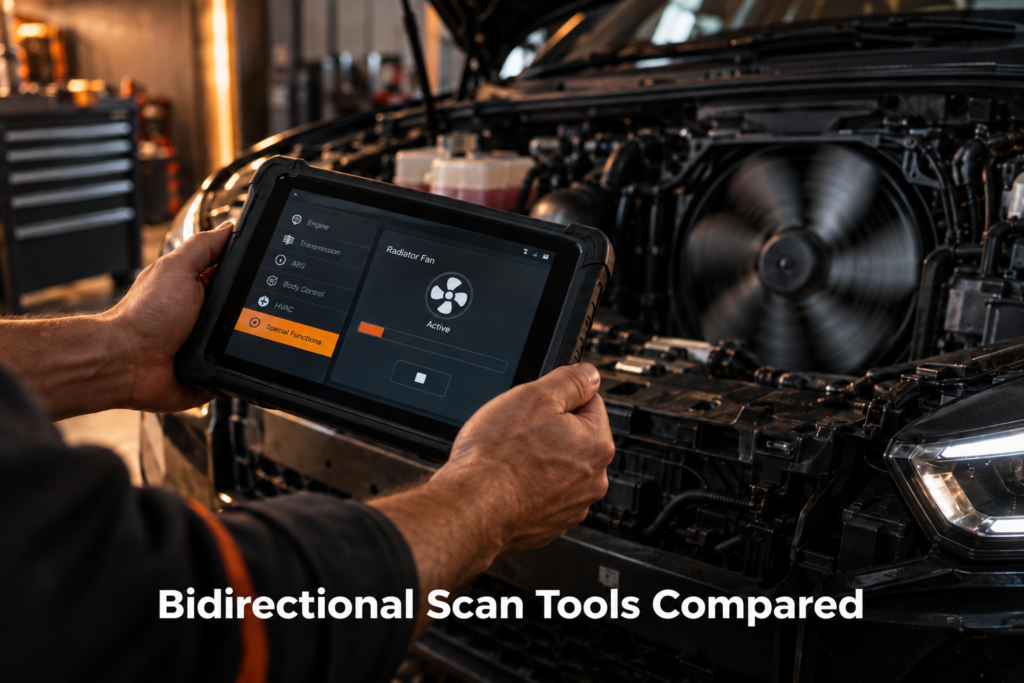
7 Bidirectional Scan Tools Compared in 2026
Bidirectional control is one of the most useful upgrades a diagnostic scanner can provide.
A basic scanner asks a vehicle for information. A bidirectional scanner can also send supported commands back to vehicle modules. Depending on the vehicle and scanner, that may allow a technician or DIY mechanic to command a cooling fan, activate a fuel pump, cycle an ABS component, operate windows or door locks, command solenoids, test lights, run EVAP-related component tests, verify actuator response, or perform other vehicle-specific active tests.
But the phrase “bidirectional scanner” creates a dangerous buying shortcut. It does NOT mean every active test works on every vehicle, every scanner has the same active-test depth, every scanner supports the same modules, every scanner supports the same coding functions, or every scanner belongs to the same product class.
That is why this page compares seven tools with different strengths, forms and ownership costs instead of crowning one winner: XTOOL D7S, TOPDON ArtiDiag900 Lite, Autel MaxiCOM MK808BT Pro, LAUNCH X431 PROS V5.0, THINKCAR THINKDIAG 2, Foxwell NT809BT and Innova 5610. Below you will find the best tool for each kind of buyer, each make, each model-year range and each common job.
Our Top Picks for Bidirectional Comparison
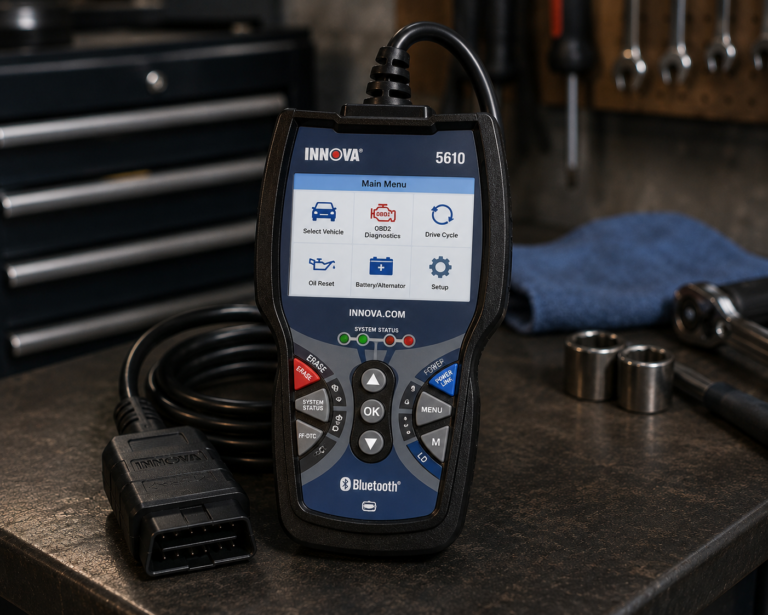
Innova 5610
- All-system scanning capability
- Bidirectional active tests
- Optional RepairSolutions2 app
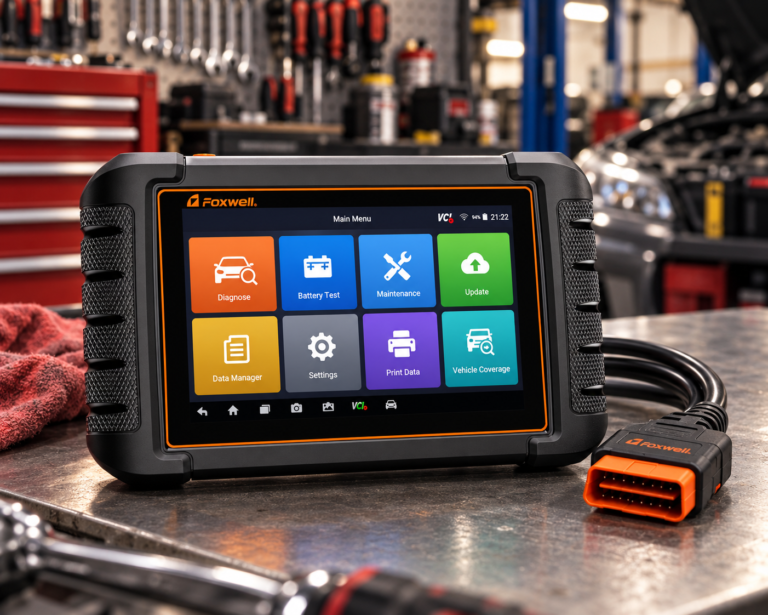
Foxwell NT809BT
- Full-system wireless scanner
- Bidirectional active-test capability
- Dedicated tablet operation
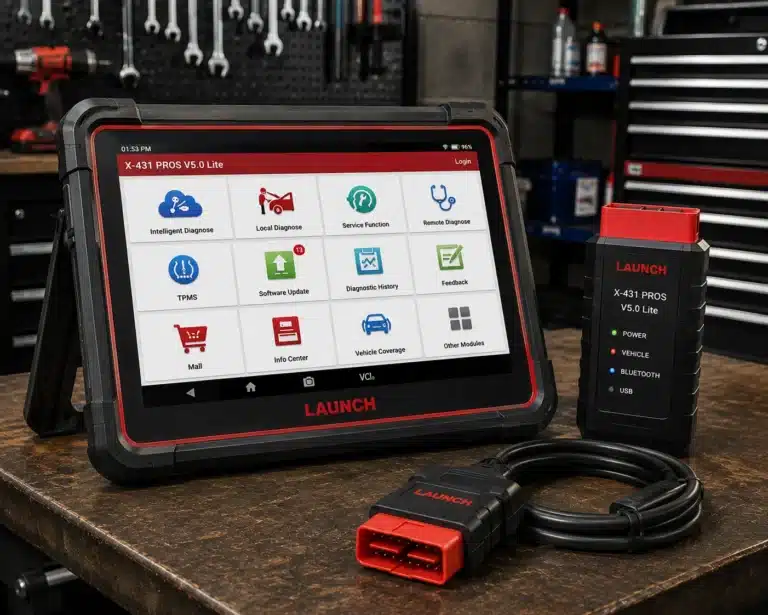
LAUNCH X431 PROS V5.0
- Full-system diagnosis and active tests
- Multi-brand coverage
- Wireless tablet workflow
Affiliate Disclosure: As an Amazon Associate I earn from qualifying purchases. Scan Choice Guide is a participant in the Amazon Services LLC Associates Program, an affiliate advertising program designed to provide a means for sites to earn advertising fees by advertising and linking to Amazon.com.
What This Comparison Covers
This page compares seven bidirectional scan tools that sit at very different points on the market: the XTOOL D7S, TOPDON ArtiDiag900 Lite, Autel MaxiCOM MK808BT Pro, LAUNCH X431 PROS V5.0, THINKCAR THINKDIAG 2, Foxwell NT809BT and Innova 5610. They come as tablets, a phone-based dongle and a traditional handheld, which is exactly why they belong together: a buyer who wants active tests meets all three formats on the same search page and has to choose between them.
For each tool we ask the same questions. What do the maker’s own pages say it can command? Is it wired or wireless? What do the updates cost over the years? Which makes and model years does it suit best? The answers feed the winner tables further down: the best tool for a DIY owner, for a shop and for a bay with many makes, then the best tool for each make and model-year range and for each common job.
A short orientation before the details. If you want one tool for a home garage and do not want to pay for updates, the TOPDON ArtiDiag900 Lite and the Innova 5610 are the two to look at first. If you want coding, the XTOOL D7S. If you work on late-model trucks and Chrysler products, the LAUNCH PROS V5.0 or the Autel MK808BT Pro. If your phone is your screen, the THINKDIAG 2. If you want a wireless tablet with a long reset list and three free update years, the Foxwell NT809BT.
The 7 Best Bidirectional Scan Tools, Reviewed
1. XTOOL D7S — Function Depth Without Wireless VCI
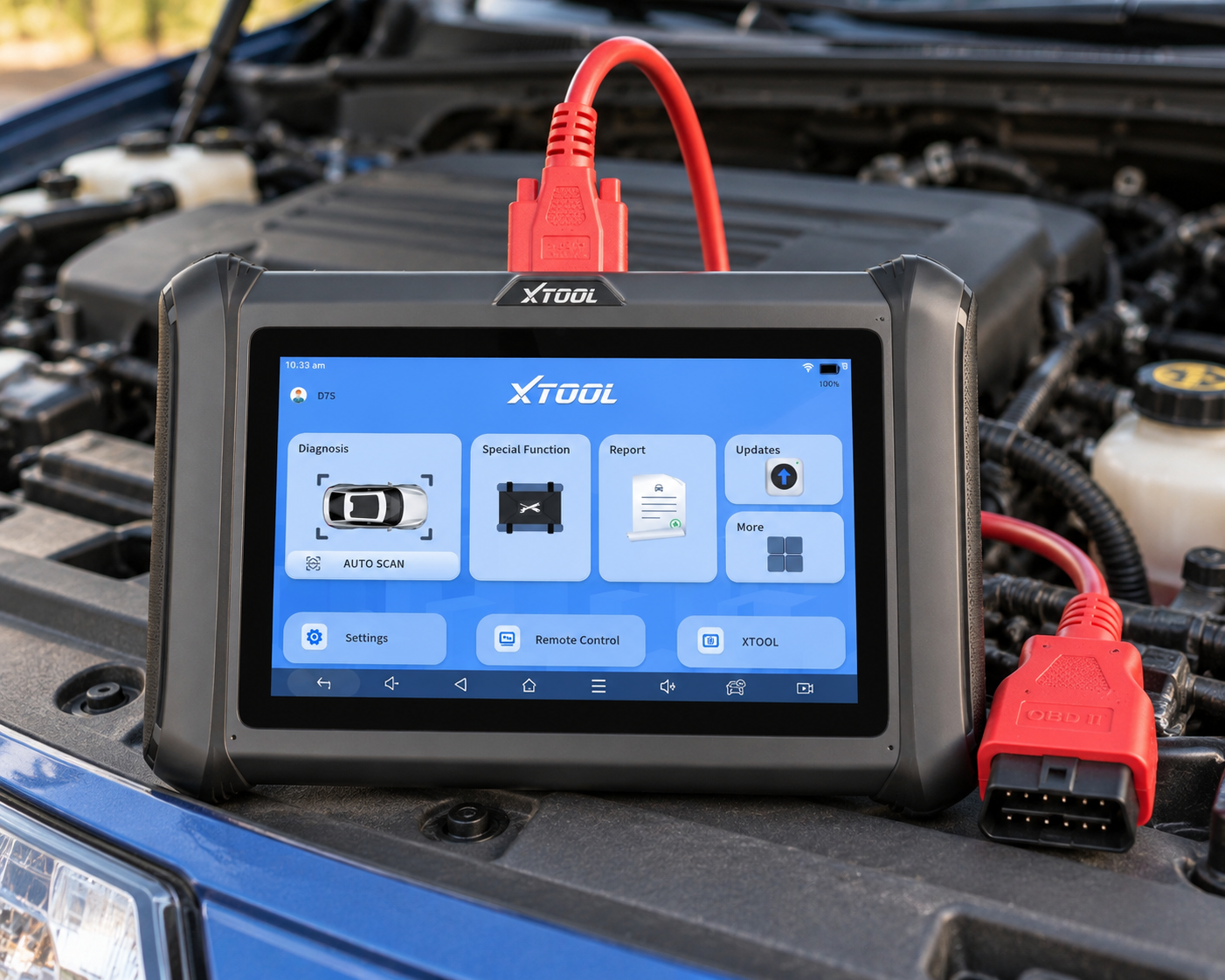
XTOOL D7S deserves a place in this comparison because its current documented capability is unusually deep for its class.
Current XTOOL documentation identifies OE-level full-system diagnostics, bidirectional control, ECU coding, online coding, offline coding, PMI programming, 39+ special functions, CAN FD, DoIP, FCA-related support and three years of free upgrades.
That creates a strong technical proposition. But there is one fact buyers must not miss: the current official specification lists the D7S vehicle connection as CABLE. That means a buyer who specifically wants to walk around the vehicle with a wireless tablet should not assume D7S provides the same workflow as ArtiDiag900 Lite or MK808BT Pro.
Who Should Shortlist It?
A serious DIY mechanic or smaller workshop that prioritizes active tests, coding potential, modern protocols, broad service capability and included update period, and accepts wired vehicle communication.
SCG Position: Strongest documented function-depth candidate in this seven-scanner group. Not a universal active-test winner.
2. TOPDON ArtiDiag900 Lite — Wireless Active Testing With Lifetime Updates
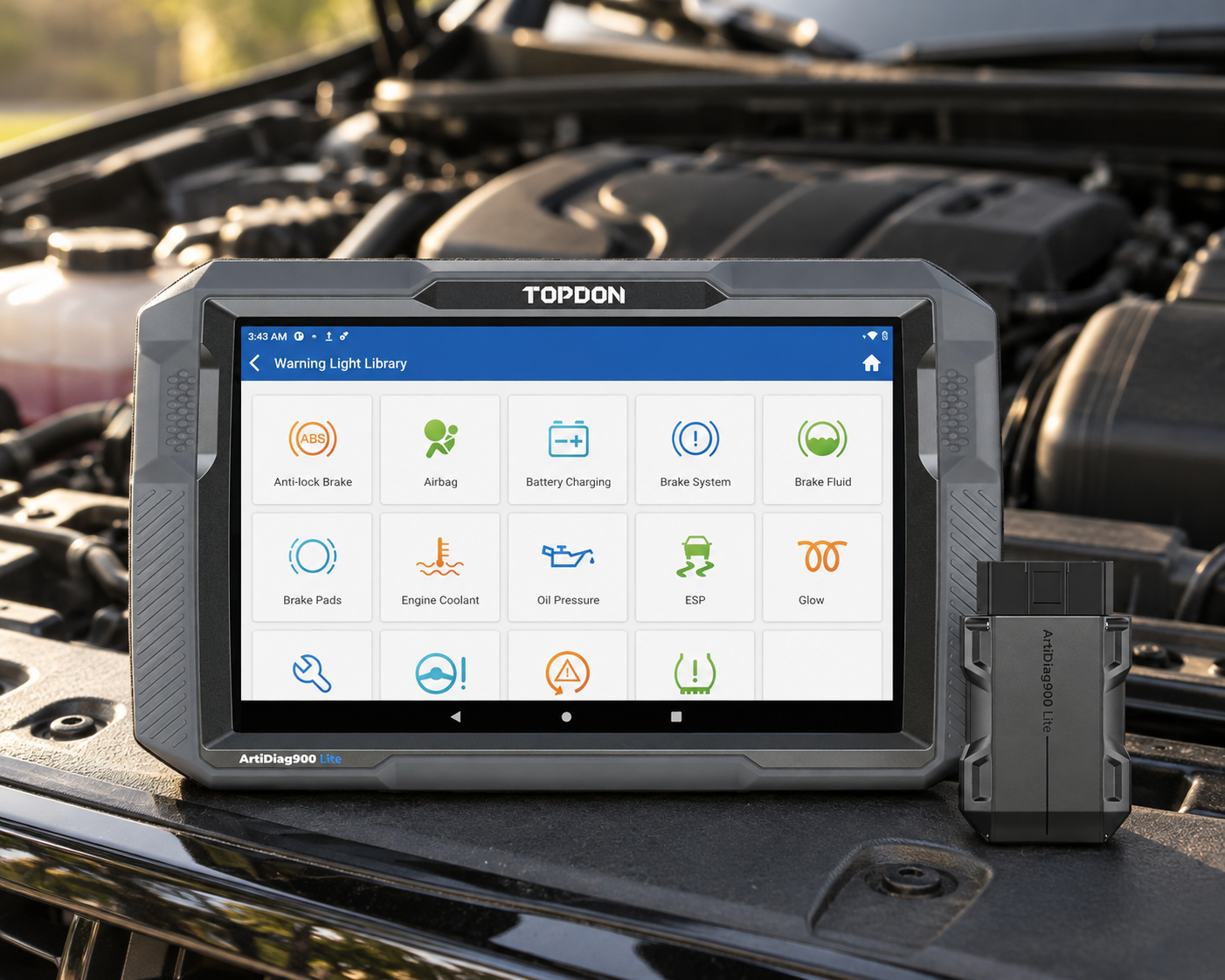
TOPDON USA currently gives unusually clear documentation for ArtiDiag900 Lite. It confirms full-system diagnostics, bidirectional control, Bluetooth wireless diagnostics with VCI, AutoVIN and AutoScan, eight reset functions, an 8-inch display, a 10,000 mAh battery and free lifetime software updates.
TOPDON also gives concrete examples of bidirectional control such as fuel injectors, coolant pumps, windows and windshield wipers. Those examples remain vehicle dependent.
Why It Stands Out
ArtiDiag900 Lite is not trying to win by advertising the largest number of service functions. Its case is simpler: a dedicated wireless tablet, full-system diagnosis, active tests, common service functions, and lifetime-update ownership currently stated by TOPDON USA. For many serious DIY users, that can be a rational combination.
Where It Is Less Compelling
A buyer whose primary goal is advanced coding or programming should investigate higher-tier tools. Do not transfer Phoenix Smart or Phoenix Max capabilities to ArtiDiag900 Lite.
SCG Position: One of the strongest ownership propositions in this comparison.
3. Autel MaxiCOM MK808BT Pro — The Mature Wireless Autel Choice
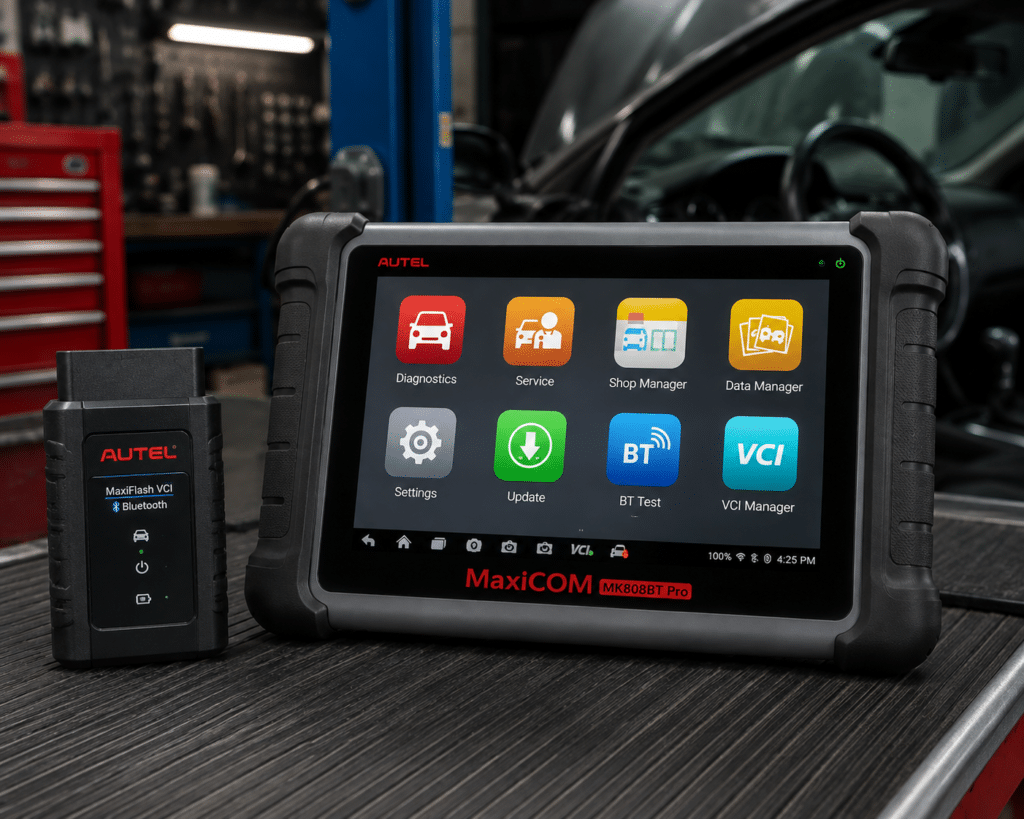
Autel’s current documentation confirms that MK808BT Pro provides OE-level coverage for electronic systems, read and clear codes, live data, ECU information, active tests, service functions, complete OBD diagnostics and wireless Bluetooth communication.
Autel’s current store also identifies broad maintenance functions including examples such as oil reset, injector coding, ABS bleeding, EPB, SAS, DPF regeneration and BMS. The exact function remains vehicle dependent.
Why It Stands Out
MK808BT Pro occupies an attractive middle ground. It is much more capable than a basic code reader. It gives the user a dedicated wireless tablet. And it sits inside a mature Autel diagnostic ecosystem.
Who Should Shortlist It?
Serious DIY mechanics, multi-car households, mobile users who value wireless communication, small operations needing broad diagnostics and active tests, and buyers who prefer Autel’s ecosystem.
Important Limitation
Do not assume that because Autel’s flagship MaxiSYS platforms perform advanced coding/programming tasks, MK808BT Pro inherits all of them. Product family is not proof of exact function.
SCG Position: Strongest mature wireless Autel mid-range candidate in this comparison.
| Specification | Details |
|---|---|
| Display | 7-inch LCD capacitive touchscreen, 1024×600 |
| OS / Processor | Android 11, Cortex-A55 quad-core (1.8GHz) |
| Storage | 64GB |
| Connectivity | Bluetooth (33ft/10m range) via MaxiVCI Mini, plus Wi-Fi; no CAN-FD/DoIP |
| Battery | 3.7V/5000mAh; ~7 hours continuous use |
| Bidirectional control | Confirmed (ABS, windows, doors, solenoids) |
| ECU coding | Not listed on this model’s own page |
| Service functions | 28+ (oil reset, injector coding, ABS bleeding, EPB, SAS, DPF regen, BMS) |
| Vehicle coverage | 80+ US, Asian, European makes, 1996 and newer |
| Pros | Cons |
|---|---|
| Bidirectional control confirmed directly on Autel’s own page | ECU coding: not listed for this model |
| Bluetooth with documented 33-foot range | |
| 28+ documented reset and service functions | |
| 80+ makes, 1996-and-newer coverage with FCA AutoAuth | CAN-FD/DoIP protocol support: not listed |
| Android 11 platform with a quad-core 1.8GHz processor | |
| 5000mAh battery rated for roughly 7 hours of continuous use |
4. LAUNCH X431 PROS V5.0 — The X-431 Ecosystem Candidate
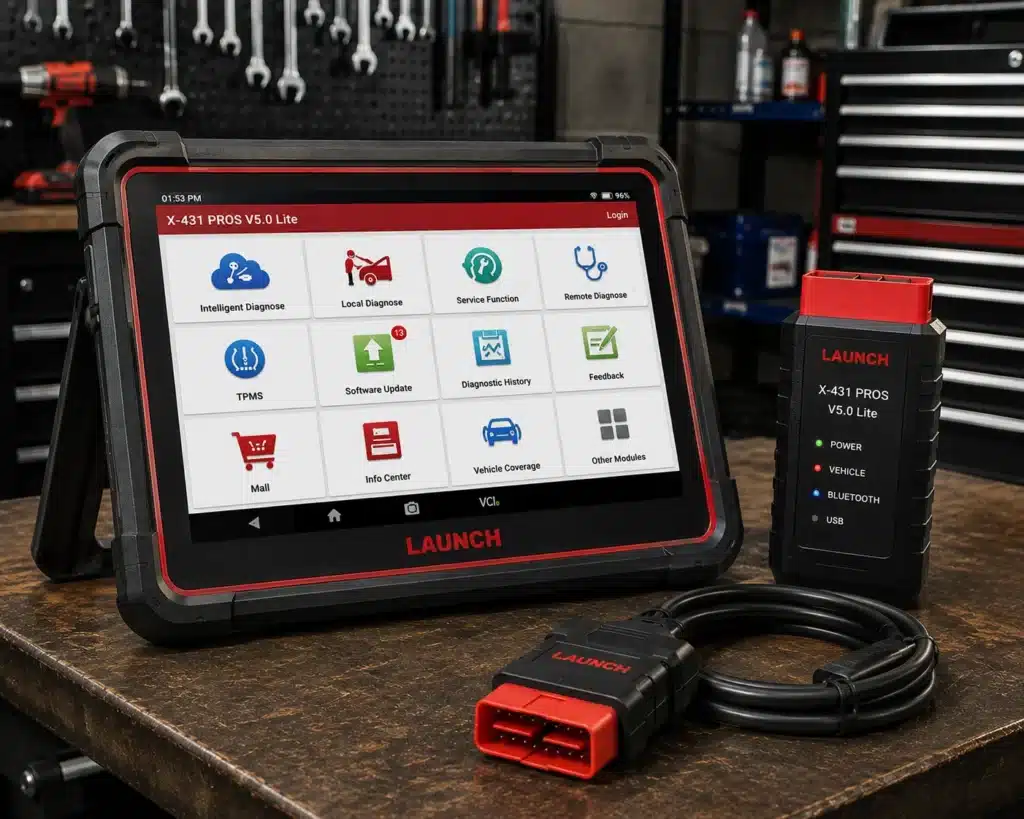
LAUNCH’s X-431 family is one of the broadest diagnostic product families on the market.
PROS V5.0 belongs in this comparison because it targets advanced diagnostic work rather than basic code reading. The relevant buyer is typically looking for full-system diagnosis, active tests, service functions, multi-brand coverage, wireless tablet workflow and access to the X-431 ecosystem.
Reading the LAUNCH Listings
LAUNCH sells several tools with similar names, so the listing matters. The Amazon title for the PROS V5.0 lists ECU coding, while Launch’s own table says No. We follow Launch’s table: bidirectional control, 17 named service functions, CAN FD, DoIP and FCA AutoAuth are listed, and online coding is not.
SCG Position: The best choice in this group for a bay that works on many makes and late-model cars, because it lists CAN FD, DoIP and FCA AutoAuth in one tablet.
| Specification | Details |
|---|---|
| Screen | 8-inch tablet, 1280×800 |
| Operating System | Android 10.0 |
| Processor | 2.0GHz quad-core |
| Memory / Storage | 4GB RAM, 64GB storage |
| Battery | 6300mAh |
| Vehicle Coverage | 98%+ of cars on the market per Launch, 110+ brands |
| Bidirectional Control | Confirmed on Launch’s own page |
| ECU Coding | Amazon’s title lists it; Launch’s own comparison table says “No” |
| Reset/Special Functions | 37 claimed by Launch; 17 individually named |
| CAN-FD | Confirmed, no separate adapter required |
| DoIP | Confirmed |
| Pros | Cons |
|---|---|
| Bidirectional control confirmed directly on Launch’s own page | Launch individually documents 17 of the 37 claimed service functions |
| 17 reset functions individually named by Launch, out of a claimed 37 total | |
| CAN-FD works without a separate adapter, a real improvement over Launch’s own PROS V1.0 | |
| DoIP support confirmed alongside CAN-FD | |
| 6300mAh battery capacity | |
| 98%+ of cars on the market covered per Launch, spanning 110+ brands |
5. THINKCAR THINKDIAG 2 — The Phone-Based Outlier
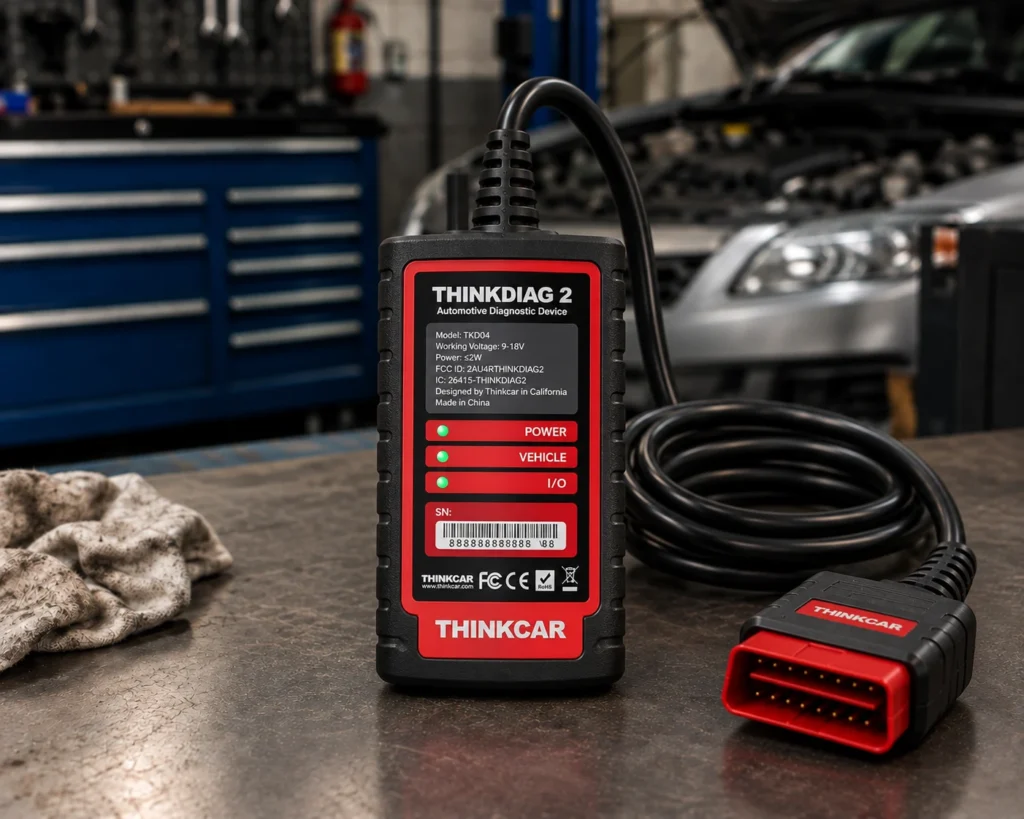
THINKDIAG 2 is fundamentally different from the dedicated tablets in this comparison. It uses a compact adapter and mobile-device workflow. That changes the ownership experience.
Potential advantages include portability, small physical size, using a phone already owned by the user, easy storage and mobile-first diagnostics.
Potential disadvantages include dependence on phone/app workflow, a different software/commercial model, less dedicated-shop feel than a standalone tablet, and function availability that must be checked against exact software/vehicle coverage.
Why Include It?
Because “bidirectional scanner” is a capability category, not a physical form factor. A user who wants active tests may not need another large tablet. For some buyers, a compact phone-based platform can be more logical.
SCG Position: Most portable option in this group. Not directly equivalent to a dedicated Android diagnostic tablet.
| Specification | Details |
|---|---|
| Connectivity | Bluetooth 5.0, pairs with the THINKDIAG 2 app on Android 5.0+/iOS 9.0+ |
| Vehicle compatibility | 1996+ vehicles, 120+ brands per Thinkcar |
| Systems read | ECM, TCM, ABS, SRS, BCM, IMMO, BMS, TPMS, SAS, fuel, lighting, wiper |
| CAN-FD support | Confirmed: supports late-model GM and other post-2020 CAN-FD vehicles |
| Bidirectional control | Confirmed: named active tests: radiator fan, throttle, windows, mirrors, lights |
| ECU coding | Confirmed: adaptive data after part replacement |
| Module programming | Not listed by the manufacturer |
| Maintenance/reset functions | 15+ documented (oil reset, ABS bleeding, TPMS reset, battery matching, and more) |
| Software/subscription policy | 1 year free full software/functions with activation; paid renewal required afterward |
| Pros | Cons |
|---|---|
| Bidirectional control, ECU coding, and CAN-FD support, all listed by Thinkcar | Phone-app dependent; no standalone screen |
| CAN-FD protocol support covers newer vehicles the original THINKDIAG cannot fully read | |
| Named, specific active-test functions (radiator fan, throttle, windows, mirrors, lights) | |
| Bluetooth 5.0 for a faster, more stable connection than the original’s v4.0 | |
| Vehicle compatibility with 120+ brands, per Thinkcar |
6. Foxwell NT809BT — The Foxwell Tablet Alternative
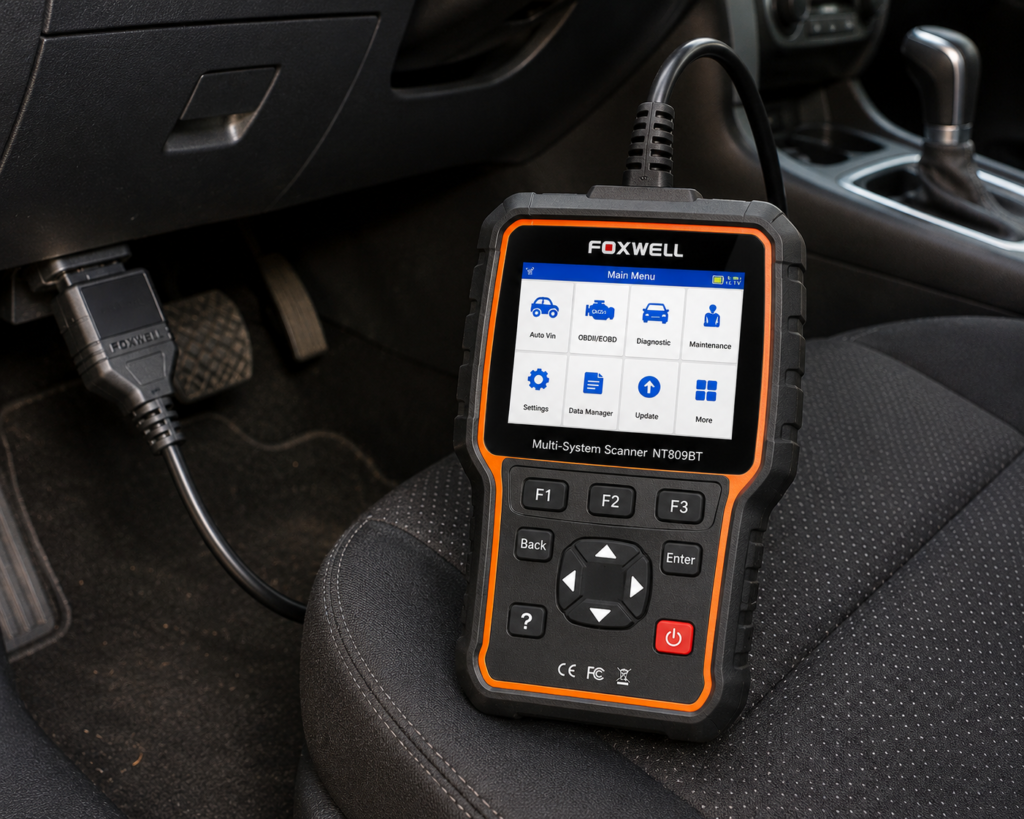
Foxwell currently positions NT809BT as a full-system wireless scanner with bidirectional active-test capability. That gives buyers another ecosystem to consider beyond Autel, LAUNCH, TOPDON and XTOOL.
Why It Matters
A healthy comparison should not reduce the market to the same three brands. Foxwell has long-standing diagnostic-tool presence and a broad scanner lineup. The NT809BT can appeal to a buyer who wants dedicated tablet operation, wireless workflow, full-system diagnostics, active-test capability and the Foxwell ecosystem.
Important Limitation
Foxwell’s higher-end NT919BT and other products may offer different capabilities. Do not transfer those functions to NT809BT.
SCG Position: The best pick in this group for a wireless tablet with a long reset list and three free update years.
| Specification | Details |
|---|---|
| Screen | 7-inch LCD touchscreen tablet |
| Operating System | Android 9.0 |
| Storage | 32GB |
| Battery | 4000mAh |
| Vehicle Connection | Bluetooth VCI dongle, up to 65-foot range per Amazon; Wi-Fi and USB 2.0 also available |
| Service Functions | 30+ confirmed by Foxwell (oil reset, ABS bleeding, SAS, EPB, TPMS, injector coding, DPF, and more) |
| Bidirectional Control | Confirmed; vehicle-wide active tests across ABS, window, door, solenoid, valve, wiper, headlamp modules |
| ECU Coding | Not listed for this model |
| Vehicle Brand Coverage | 30+ named brands per Foxwell’s product page |
| CAN-FD Support | Listed on Amazon; not listed on Foxwell’s own product page |
| Update Policy | 3 years free Wi-Fi updates, confirmed by both Foxwell and Amazon |
| Pros | Cons |
|---|---|
| Vehicle-wide bidirectional control, listed by Foxwell and on Amazon | CAN-FD: listed on Amazon; not listed on Foxwell’s own page |
| 30+ reset/service functions confirmed, broad for this price tier | |
| 3-year free update policy confirmed by both Foxwell and Amazon | |
| Real Bluetooth range (up to 65 feet per Amazon) for a wireless VCI setup | |
| Wi-Fi and USB connectivity available alongside Bluetooth for flexible setup |
7. Innova 5610 — The Traditional Handheld Alternative
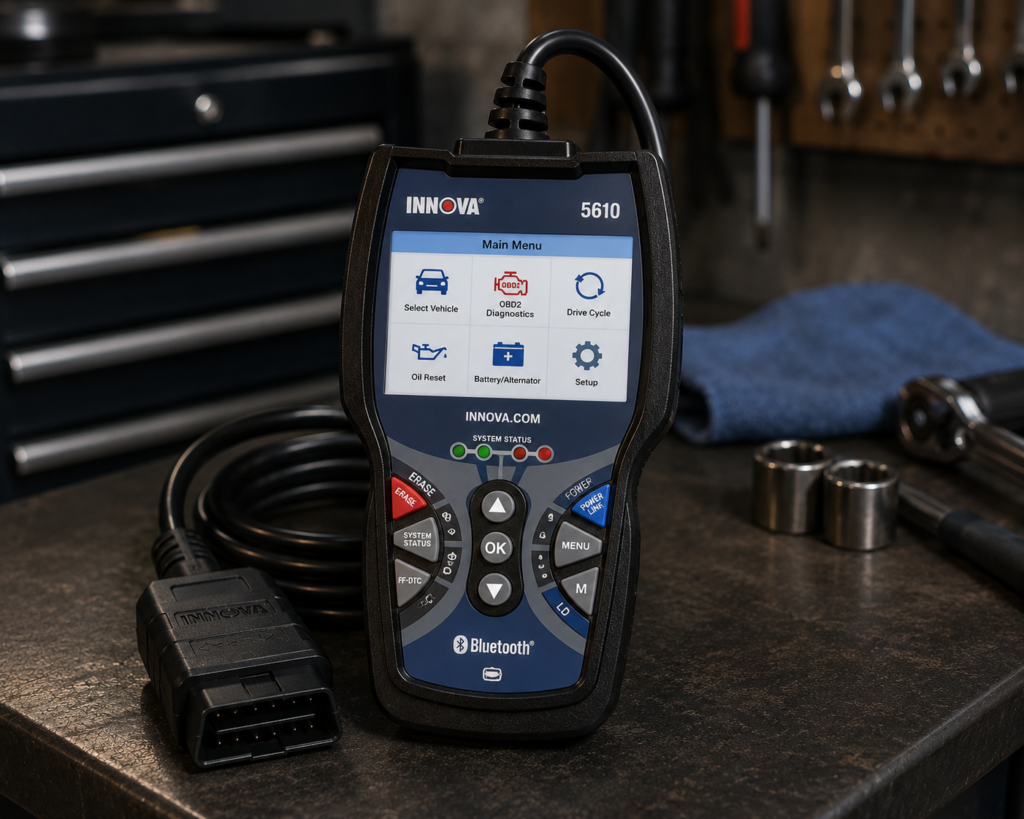
Innova 5610 is visually and operationally different from most of the tablet tools in this comparison.
Current Innova documentation confirms all-system scanning capability, bidirectional active tests, component activation, special functions/relearns depending on vehicle, and an optional RepairSolutions2 app.
Innova gives examples of active tests involving fuel pumps, cooling fans and other supported components.
Its own documentation also provides one of the most important warnings in the entire scanner market: bidirectional capability does not mean 100% of bidirectional functions on 100% of vehicles. That is exactly the principle SCG applies to every brand.
Why It Stands Out
Some users do not want another Android tablet, a complicated platform, multiple apps, or a large professional ecosystem. They want a dedicated scanner with physical handheld simplicity and useful repair guidance.
SCG Position: Strongest traditional-handheld/guided-DIY alternative in this seven-product group.
| Specification | Details |
|---|---|
| Form Factor | Handheld unit with dedicated screen |
| App Integration | RepairSolutions2 app (Innova states 4M users) |
| Bidirectional Control | Confirmed; commands ABS pumps, fuel injectors, and other components directly |
| Reset Functions | 20+ confirmed by Innova, including oil, battery, EPB, DPF, TPMS relearn, key coding, injector coding, EV/HEV/PHEV battery health |
| ECU Coding / Reprogramming | Not supported, stated directly by Innova |
| Vehicle Coverage | Most 1996-2023 US/Canada OBD2 vehicles; North America only |
| FCA Vehicles | 2018+ requires Innova’s AutoAuth process for full functionality |
| Update Policy | Free updates, no subscription, confirmed directly by Innova |
| Pros | Cons |
|---|---|
| Bidirectional control, listed by Innova and on Amazon | North America only; not for use outside the US/Canada |
| Unusually broad reset-function list for this price tier, including key and injector coding | |
| Genuinely free updates with no subscription, confirmed by Innova directly | |
| RepairSolutions2 app integration for vehicle-specific fix guidance | |
| Standalone handheld with its own dedicated screen, no phone required | |
| Reset functions include EV/HEV/PHEV battery health, a rare inclusion at this tier |
Quick Comparison
| Scanner | Form | Connection | Active tests | Coding | CAN FD and DoIP | Updates |
|---|---|---|---|---|---|---|
| XTOOL D7S | 7-inch tablet | Cable | Yes | Online and offline, plus module installation | Both | 3 free years |
| TOPDON ArtiDiag900 Lite | 8-inch tablet | Bluetooth | Yes | Not listed | Not listed on TOPDON’s page | Free for life |
| Autel MK808BT Pro | 7-inch tablet | Bluetooth, 33 ft | Yes | Not listed | Not listed | 1 free year |
| LAUNCH X431 PROS V5.0 | 8-inch tablet | Bluetooth or USB connector | Yes | Amazon lists it, Launch’s table says No | Both | 2 free years |
| THINKCAR THINKDIAG 2 | Dongle plus phone | Bluetooth 5.0 | Yes | Adaptive data after part replacement | CAN FD for late-model GM | 1 free year, then a yearly fee |
| Foxwell NT809BT | 7-inch tablet | Bluetooth, up to 65 ft per Amazon | Yes | Not listed | Both per Amazon and the manual | 3 free years |
| Innova 5610 | Handheld | Cable | Yes | Not supported, per Innova | Not listed | Free, no subscription |
Who Wins for Which Buyer
| Buyer | Winner | Why |
|---|---|---|
| DIY owner who wants a wireless tablet and no update bills | TOPDON ArtiDiag900 Lite | Free lifetime updates on TOPDON USA’s page, eight named resets and a 10,000 mAh battery. |
| DIY owner who wants a handheld with no phone and no subscription | Innova 5610 | Active tests, a 20-plus reset list and free updates. It is sold for North America only. |
| DIY owner who wants coding and accepts a cable | XTOOL D7S | Lists ECU coding, online and offline coding and module installation. |
| DIY owner who wants a mid-range wireless tablet | Foxwell NT809BT | 30-plus resets, wide active tests and three free update years. |
| DIY owner who wants the phone as the screen | THINKCAR THINKDIAG 2 | Smallest tool here, with active tests and CAN FD for late-model GM. Plan for a yearly fee after the first year. |
| Independent shop on mixed older cars | Autel MK808BT Pro | Wireless tablet with 28-plus services and FCA AutoAuth. It lists no CAN FD or DoIP, so it suits cars from before about 2020. |
| Best bay with many makes and late-model cars | LAUNCH X431 PROS V5.0 | Lists CAN FD, DoIP and FCA AutoAuth, with 17 named service functions and VAG guided functions. |
What Bidirectional Control Actually Changes
Reading a trouble code tells you that a system noticed a problem. An active test tells you whether a part answers when it is asked to work. Say a cooling-fan fault is stored. A basic scanner shows the code. A bidirectional tool, on a car it supports, switches the fan on. If the fan spins, the fault is probably in the temperature signal or the fan’s control logic. If it does not spin, you are looking at the motor, the relay, the wiring or the module. That narrows a long list of parts to a short one and often saves the cost of a part you did not need.
It is a diagnostic aid, not a diagnosis. The command proves a part responds. It does not say which part is at fault when the part does not respond.
How Active Tests Differ From Tool to Tool
All seven can enter a bidirectional comparison, but they do not run the same tests. TOPDON names fuel injectors, coolant pumps, windows and wipers for the ArtiDiag900 Lite. Innova names ABS pumps, fuel injectors and fuel pumps for the 5610. Foxwell lists ABS, window, door, solenoid, valve, wiper and headlamp tests for the NT809BT. Autel lists ABS, windows, doors and solenoids for the MK808BT Pro. Thinkcar names the radiator fan, throttle, windows, mirrors and lights for the THINKDIAG 2. These are examples from each maker’s page, not a promise for your car, and a headline such as 4,000 active tests describes the library, not what your vehicle will accept.
Service Functions and the Jobs They Cover
For most owners the reset list matters more than the active-test list, because resets are what the car needs after a repair. The Innova 5610 lists 20 or more, including oil, battery, EPB, DPF, TPMS relearn, key coding, injector coding and battery health for EV, hybrid and plug-in hybrid cars. The Foxwell NT809BT lists 30 or more, among them oil, ABS bleeding, SAS, EPB, TPMS, injector coding and DPF. The MK808BT Pro lists 28 or more: oil reset, injector coding, ABS bleeding, EPB, SAS, DPF and BMS. The PROS V5.0 lists 37 per Launch, 17 of them named, including DPF, AdBlue, ABS bleeding and injector coding. The ArtiDiag900 Lite names eight. The THINKDIAG 2 lists 15 or more, with oil reset, ABS bleeding, TPMS reset and battery matching named.
None of the seven programs tire pressure sensors on its own. The Innova and Foxwell relearn or reset TPMS, the PROS V5.0 needs the separate LAUNCH TSGUN for sensor work, and for sensor programming we point readers to the Autel MK900-TS in our full-system guide.
ECU Coding and Programming
Bidirectional control and coding are different jobs. The XTOOL D7S has the strongest case here, with ECU coding, online and offline coding and module installation on its page. The THINKDIAG 2 lists adaptive data after part replacement. The Foxwell NT809BT, the Autel MK808BT Pro and the ArtiDiag900 Lite do not list coding. The Innova 5610 states that it does not reprogram vehicle computers, and the PROS V5.0 carries a conflict: the Amazon title lists coding, but Launch’s own table says No. We follow Launch’s table.
None of the seven replaces the factory software for full module programming. If that is your job, our guide to professional scan tools names the tools that do it.
Wireless, Phone or Handheld
A wireless tablet lets you stand at the engine bay or a wheel and watch a part while the tablet sits in your hand, which is useful for active tests. The ArtiDiag900 Lite, MK808BT Pro, PROS V5.0 and NT809BT work that way. The THINKDIAG 2 goes further and uses the phone you already own. The Innova 5610 and the D7S use a cable, which removes pairing and dropouts and works well in a fixed home bay.
There is no best format. Choose the one that fits where you work.
Updates and What You Will Pay Over the Years
A scanner is partly a software product, so the update terms shape the real cost. The ArtiDiag900 Lite lists free lifetime updates on TOPDON USA’s page. The Innova 5610 lists free updates with no subscription. The Foxwell NT809BT and the XTOOL D7S include three years each. The PROS V5.0 includes two. The Autel MK808BT Pro includes one. The THINKDIAG 2 includes one year of full software, and a yearly fee follows, which Amazon says can be paid in two ways.
Over five years, the two lifetime-update tools cost the least to keep current, the three-year tools cost a renewal near the end of the period, and the THINKDIAG 2 costs a fee every year after the first.
Winners by Make
| Make | Winner | What the sources say |
|---|---|---|
| Ford and Lincoln | Innova 5610 for resets, XTOOL D7S for module work | The Innova lists oil, battery, EPB and ABS bleeding. The D7S lists module installation, which XTOOL’s D8W names for Ford, Lincoln and Mazda. For deep Ford configuration use FORScan with an OBDLink EX. |
| Chevrolet, GMC, Cadillac, Buick | LAUNCH PROS V5.0 for late models, Innova 5610 for older cars | The PROS V5.0 lists CAN FD with no separate adapter. The THINKDIAG 2 also lists CAN FD for late-model GM and is the phone-based choice. GM’s own bulletin PIT5985K describes up to nine CAN buses on 2021 and newer trucks and SUVs. |
| Chrysler, Dodge, Jeep, Ram from 2018 | LAUNCH PROS V5.0 or Autel MK808BT Pro | Both list FCA AutoAuth for the security gateway. Innova states the 5610 has no AutoAuth and limited functions on 2018 and newer FCA cars. |
| Toyota, Honda, Nissan, Hyundai, Kia | TOPDON ArtiDiag900 Lite or Innova 5610 | These cars rarely need coding or CAN FD, so the tools with free updates are the cheapest to own, and both name oil, brake and battery resets. |
| BMW and Mini | XTOOL D7S or LAUNCH PROS V5.0 | The D7S lists coding, CAN FD and DoIP. The PROS V5.0 lists CAN FD, DoIP and VAG guided functions, but Launch says ECU coding is No. |
| Mercedes-Benz | LAUNCH PROS V5.0 or XTOOL D7S | Both list DoIP and CAN FD. For Mercedes SCN coding, none of the seven names it, and our Mercedes guide points to the TOPDON Phoenix Smart. |
| VW, Audi, Skoda, Seat | LAUNCH PROS V5.0 | Launch lists VAG guided functions as included with the device. |
| Hybrids such as the Toyota Prius and Ford Escape Hybrid | Innova 5610 | It lists EV, HEV and PHEV battery health among its reset functions. |
Older and Newer Cars
| Vehicle age | Winner | What the sources say |
|---|---|---|
| 1996 to 2007 | Innova 5610 or Autel MK808BT Pro | These cars use older networks all seven handle. The Innova covers 1996 and newer US and Canada cars and needs no renewal. |
| 2008 to 2019 | Foxwell NT809BT or Autel MK808BT Pro | CAN is standard and no newer protocol is needed. Both are wireless tablets with 28 or more services, and the NT809BT includes three free update years. |
| 2020 to 2026 | LAUNCH PROS V5.0, XTOOL D7S or THINKDIAG 2 | All three list CAN FD. The PROS V5.0 and D7S also list DoIP. The MK808BT Pro and the Innova 5610 list neither. |
Winners by Task and Vehicle
| Task and vehicle | Winner | What the sources say |
|---|---|---|
| Oil reset on a Ford Focus or a Toyota Corolla | Innova 5610 or TOPDON ArtiDiag900 Lite | Both name oil reset and carry no update cost. |
| Rear brake pads on a Chevrolet Malibu with an electric parking brake | Foxwell NT809BT or Innova 5610 | Both list EPB. The Autel MK808BT Pro lists it too. |
| New battery on a BMW 3 Series | Autel MK808BT Pro or Innova 5610 | The MK808BT Pro lists BMS and the Innova lists battery reset. |
| Bleed the ABS on a Toyota Camry after a brake job | Innova 5610 | Innova names ABS bleeding. The ArtiDiag900 Lite, NT809BT and MK808BT Pro list it too. |
| DPF regeneration on a diesel Ram or Duramax pickup | LAUNCH PROS V5.0 | Lists DPF regeneration and AdBlue reset. The NT809BT, MK808BT Pro and ArtiDiag900 Lite list DPF as well. |
| Injector coding after an injector swap | Autel MK808BT Pro or Foxwell NT809BT | Both list it by name, as does the Innova 5610. |
| Steering angle reset after an alignment on a Honda | Autel MK808BT Pro or Foxwell NT809BT | Both list SAS. |
| Unlock the gateway on a 2020 Jeep Cherokee | LAUNCH PROS V5.0 | Lists FCA AutoAuth. The Innova 5610 does not offer it. |
| Code a feature on a 2018 BMW | XTOOL D7S | Lists ECU, online and offline coding. |
| Check a hybrid battery on a Prius | Innova 5610 | Lists EV, HEV and PHEV battery health. |
| Command a fan, pump or injector on any car | Any of the seven | All seven list active tests. The Autel MK808BT Pro, Foxwell NT809BT and TOPDON ArtiDiag900 Lite do it from a wireless tablet. |
Head to Head: The Pairs Buyers Ask About Most
Innova 5610 or TOPDON ArtiDiag900 Lite
Both give you active tests and free updates for life, so this is the pairing for the buyer who wants to pay once. The Innova is a handheld with a 3.5-inch screen and a cable. It lists 20 or more resets, including battery health for hybrid and electric cars, and it is sold for North America only. The ArtiDiag900 Lite is an 8-inch wireless tablet with eight named resets and a 10,000 mAh battery, and TOPDON’s page does not list CAN FD or DoIP. Take the Innova if you want a simple tool that powers on when you plug it in and a longer reset list. Take the ArtiDiag900 Lite if you want a bigger screen and a wireless connector.
Foxwell NT809BT or Autel MK808BT Pro
These are the two mid-range wireless tablets. The NT809BT has a 7-inch screen, Android 9, 30-plus resets and three free update years, and Amazon and Foxwell’s manual list CAN FD and DoIP, although Foxwell’s product page does not. The MK808BT Pro has a 7-inch screen, Android 11, 28-plus services and one free update year, and its page lists no CAN FD or DoIP. For a car from 2020 or later, the NT809BT is the safer bet. For an older car where you prefer Autel’s software and a faster Android version, the MK808BT Pro is the choice.
XTOOL D7S or LAUNCH X431 PROS V5.0
The D7S wins on documented coding and update length: three free years, online and offline coding and module installation. The PROS V5.0 wins on wireless range, an 8-inch screen, FCA AutoAuth and VAG guided functions, and its Amazon title lists coding that Launch’s own table does not. A home mechanic who codes should lean toward the D7S. A shop that sees Chrysler and VW-group cars should lean toward the PROS V5.0.
THINKCAR THINKDIAG 2 or TOPDON ArtiDiag900 Lite
The THINKDIAG 2 is a dongle and your phone; the ArtiDiag900 Lite is a tablet. The THINKDIAG 2 lists CAN FD for late-model GM and asks for a yearly fee after the first year. The ArtiDiag900 Lite lists no CAN FD and asks for nothing after purchase. A buyer with a 2022 Silverado should look at the THINKDIAG 2. A buyer with a 2014 Camry should look at the ArtiDiag900 Lite.
What Each Tool Does Not Do
The XTOOL D7S does not connect wirelessly and does not name the makes for its module installation on the page we read. The TOPDON ArtiDiag900 Lite does not list CAN FD, DoIP or coding. The Autel MK808BT Pro does not list CAN FD, DoIP or coding, and it has a 7-inch screen. The LAUNCH PROS V5.0 documents 17 of its 37 service functions by name, needs extra hardware for key programming and tire sensor work, and does not list coding on Launch’s own table. The THINKDIAG 2 has no screen of its own and charges a yearly fee after the first year. The Foxwell NT809BT lists no coding and runs the oldest Android version in the group. The Innova 5610 does not code, does not unlock Chrysler gateways and works only in the United States and Canada.
None of these gaps makes a tool a poor buy. It just tells you which job to take elsewhere.
Four Typical Buyers
A parent with a 2013 Honda Odyssey and a 2016 Ford Fusion. Oil resets, brake pad service with an electric parking brake and the odd warning light. The Innova 5610 does all of these from a handheld with no subscription. The ArtiDiag900 Lite does the same on a larger wireless screen.
A hobbyist with a 2018 BMW 330i who codes small features. The XTOOL D7S lists ECU coding and runs on a cable. The buyer should plan the work with the car parked in the garage, which is where a cable is easy to live with.
A small shop that sees Fords, Chevys, Jeeps and the occasional Volkswagen. The LAUNCH PROS V5.0 lists CAN FD, DoIP, FCA AutoAuth and VAG guided functions, which covers late-model cars from all four. For the older cars in the same shop, the Autel MK808BT Pro handles them from a wireless tablet.
A commuter who wants to check a warning light on a 2023 Chevrolet Equinox from the driver’s seat. The THINKDIAG 2 lists CAN FD for late-model GM and uses the phone already in the pocket. The yearly fee after the first year is the cost of that convenience.
Seven Buyer Profiles
The function-depth DIY owner. Wants coding, CAN FD and DoIP, accepts a cable. Pick: XTOOL D7S.
The update-conscious DIY owner. Wants wireless, full-system scans and no renewals. Pick: TOPDON ArtiDiag900 Lite.
The Autel-ecosystem owner. Wants a mature wireless tablet for older and mid-age cars. Pick: Autel MK808BT Pro.
The LAUNCH-ecosystem owner or small shop. Wants the X-431 workflow, late-model coverage and FCA access. Pick: LAUNCH X431 PROS V5.0.
The phone-first owner. Wants the smallest tool and does not mind a yearly fee after year one. Pick: THINKCAR THINKDIAG 2.
The mid-range tablet owner. Wants a long reset list and three free years. Pick: Foxwell NT809BT.
The handheld owner. Wants no phone, no tablet and no subscription. Pick: Innova 5610.
Common Buying Mistakes
Mistake 1: Believing “Bidirectional” Means Everything
It means the tool can command parts. Which parts, on which cars, differs. Read the named tests on the maker’s page.
Mistake 2: Buying by Active-Test Count
A figure like 4,000 describes a library across many makes. What matters is whether the test you need exists for your car, and the named lists are the better guide.
Mistake 3: Confusing Bidirectional Control With Coding
The Innova 5610 runs active tests and states it does not code. The D7S lists both. Decide which job you need before you pay for either.
Mistake 4: Confusing Coding With Programming
Coding changes a setting. Programming loads new software into a module. None of the seven replaces factory software for full programming.
Mistake 5: Skipping the Maker’s Coverage Page
Amazon titles and the maker’s page sometimes disagree. The PROS V5.0 title lists ECU coding while Launch’s own table says No. Use the maker’s page for the function you need.
Mistake 6: Assuming Every Tablet Is Wireless
The D7S and the Innova 5610 use cables. If you need to move around the car during a test, take a wireless tablet.
Mistake 7: Ignoring the Update Terms
Free updates for life, three years, one year and a yearly fee are very different ownership costs over five years.
Mistake 8: Assuming Brand Reputation Guarantees a Function
A famous brand sells many tools with different lists. The Foxwell NT919BT and the NT809BT are different tools, and so are Autel’s flagship MaxiSys tablets and the MK808BT Pro.
Mistake 9: Treating Similar Model Names as the Same Tool
The THINKDIAG and THINKDIAG 2 differ on Bluetooth version and CAN FD. The Launch CRP919E Lite is wired and the CRP919EBT is wireless. Match the exact name on the listing.
Mistake 10: Buying More Scanner Than the Job Requires
A buyer who needs oil, brake and ABS bleeding resets does not need a coding platform. Match the tool to the job list.
Our Final Verdict
Bidirectional control is a capability, not a product class with one winner. Which tool is best depends on your cars, your jobs and how you want to pay for software.
The TOPDON ArtiDiag900 Lite is our pick for the DIY owner who wants a wireless tablet and no renewals. The Innova 5610 is our pick for a handheld with no subscription. The XTOOL D7S is our pick for coding on a cable. The Autel MK808BT Pro is the pick for older and mid-age cars in a wireless tablet. The LAUNCH PROS V5.0 is the pick for late-model cars, Chrysler gateways and many makes. The Foxwell NT809BT is the mid-range tablet with three free years, and the THINKDIAG 2 is the phone-based choice.
In one line: ArtiDiag900 Lite or Innova 5610 for the lowest cost of ownership, D7S for coding, PROS V5.0 for the best bay, MK808BT Pro for older cars and NT809BT for a mid-range tablet.
The Short Answer
Best update deal in a wireless tablet: TOPDON ArtiDiag900 Lite. Best handheld: Innova 5610. Best for coding: XTOOL D7S. Best for older and mid-age cars: Autel MK808BT Pro. Best for late-model cars and shops with many makes: LAUNCH X431 PROS V5.0. Best phone-based tool: THINKCAR THINKDIAG 2. Best mid-range tablet: Foxwell NT809BT.
Frequently Asked Questions
What is a bidirectional scan tool?
A scan tool that can send supported commands to a car’s modules, such as switching on a fan or a fuel pump, in addition to reading codes and data.
Can all seven scanners perform the same active tests?
No. Each maker lists its own tests, and which ones work depends on the car, the module and the software coverage.
Which scanner has the strongest function list?
The XTOOL D7S, with ECU coding, online and offline coding, module installation, 39 or more special functions, CAN FD and DoIP. It uses a cable.
Which scanner has lifetime updates?
TOPDON USA lists free lifetime updates for the ArtiDiag900 Lite, and Innova lists free updates with no subscription for the 5610. The Foxwell NT809BT and XTOOL D7S include three years, the LAUNCH PROS V5.0 two years, the Autel MK808BT Pro one year and the THINKDIAG 2 one year with a yearly fee after.
Which scanners are wireless?
The ArtiDiag900 Lite, MK808BT Pro, PROS V5.0 and NT809BT use Bluetooth connectors, and the THINKDIAG 2 pairs with a phone. The XTOOL D7S and the Innova 5610 use cables.
Can these scanners bleed ABS brakes?
Yes, five name it: the Innova 5610, Foxwell NT809BT, Autel MK808BT Pro, LAUNCH PROS V5.0 and TOPDON ArtiDiag900 Lite. The THINKDIAG 2 lists ABS bleeding among its 15 or more maintenance functions. Whether the routine runs on your car depends on the make and year.
Can these scanners perform ECU coding?
The XTOOL D7S lists it, and the THINKDIAG 2 lists adaptive data after part replacement. The PROS V5.0 has a conflict, with Amazon listing coding and Launch saying No. The others do not list it.
Can these scanners program ECUs?
No tool here replaces factory software for full programming. The D7S lists module installation, which transfers data into a replacement module on supported makes.
Which is best for Ford?
The Innova 5610 for resets and active tests with no subscription, and the XTOOL D7S for module work. For deep Ford configuration, FORScan with an OBDLink EX goes further than any of these tools.
Which is best for GM?
The LAUNCH PROS V5.0 for 2020 and newer trucks and SUVs, because it lists CAN FD with no separate adapter. The Innova 5610 is the simpler choice for older GM cars.
Which is best for Chrysler, Dodge, Jeep and Ram?
The LAUNCH PROS V5.0 or the Autel MK808BT Pro for 2018 and newer vehicles, because both list FCA AutoAuth. Innova states the 5610 cannot unlock that gateway.
Which is best for DIY mechanics?
The ArtiDiag900 Lite for a wireless tablet with no renewals, the Innova 5610 for a handheld, and the D7S if you want coding.
Which is best for a small shop?
The Autel MK808BT Pro for older and mid-age cars, and the LAUNCH PROS V5.0 for late-model cars and many makes.
Bottom Line
Seven tools, seven different trade-offs. Pick the ArtiDiag900 Lite for wireless with no renewals, the Innova 5610 for a no-subscription handheld, the D7S for coding, the MK808BT Pro for older cars, the PROS V5.0 for late-model cars and shops, the NT809BT for a mid-range tablet and the THINKDIAG 2 for a phone-based tool.
Related reading: 5 Bidirectional Diagnostic Scanners Compared in 2026, Best OBD2 Scanners for DIY Mechanics in 2026, Best Full-System Automotive Scanners in 2026, Best Wireless Diagnostic Scanners With Dedicated Tablets in 2026, and Best OBD2 Scanners With No Subscription in 2026.
Editorial Note
This comparison is based on the makers’ own product pages, Amazon listings and our reviews of the seven scanners, compared function by function.